light AUDI TT ROADSTER 2008 Service Manual
[x] Cancel search | Manufacturer: AUDI, Model Year: 2008, Model line: TT ROADSTER, Model: AUDI TT ROADSTER 2008Pages: 316, PDF Size: 70.1 MB
Page 74 of 316
Clear vision
& WARNING
Never use daytime running lights to see where you are going. They
are not bright enough and will not let you see far enough ahead for
safety , especially at dusk or when it is dark . Be aware of changes
in outside light conditions when you are driving and respond by
switching on your low beams
fD.
0 Note
• With the light switch at the O or ;:oo: position , only your front fog
lights remain turned on when it turns dark outside . Even though
your instruments appear well lit, the road ahead of you is not. The
light pattern provided by fog lights alone is not suffic ient for safe
driving in poor light or darknes s. Therefore:
• Always be aware of changes in outside light conditions while
you are driving. Respond in time to fading daylight by turning the
light swit ch to position @:D (or "AUTO" if your car is equipped with
th is feature) to turn on your headlights.
[ i ] Tips
The day tim e run ning lig ht s fu nct io n c annot b e tur ned off. •
Applies to vehicles: with Adap tive ligh t
Adaptive light
W he n dri vin g around be nds , the r eleva nt area of the road
is b ette r illumin ated.
Fig. 64 Adapt ive light
when driving
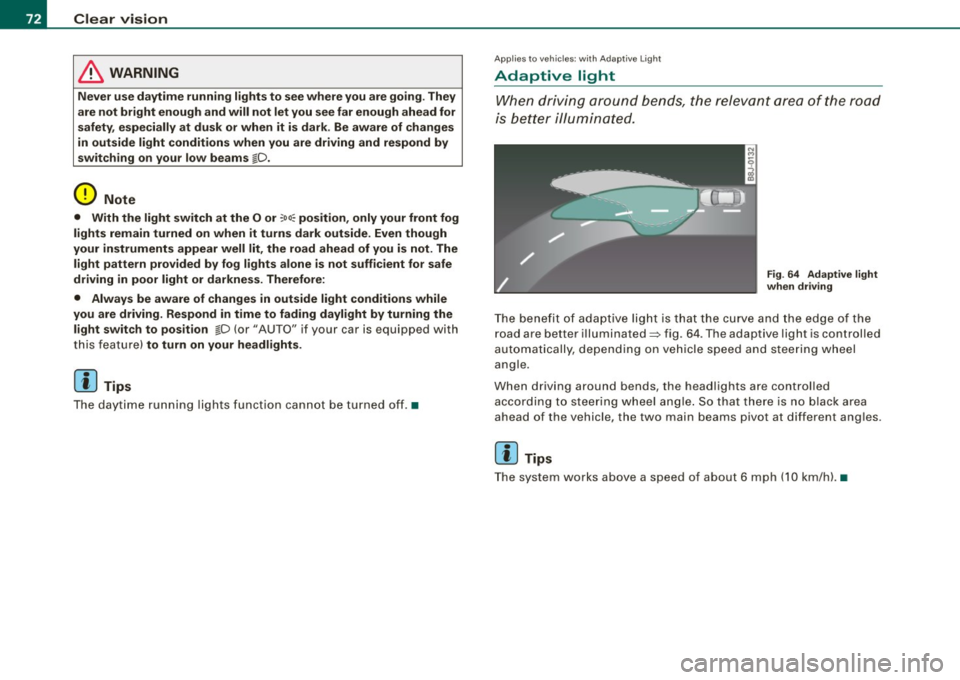
T he bene fit of ada ptive lig ht is th at t he cu rve a nd the e dge of the
road are b etter illuminated=> fig. 64 . The adaptive light is controlled
a uto ma tically, de pendin g on ve hicle speed a nd s tee rin g w heel
angle.
When d riving around bends , the headlights are controlled
according t o steeri ng w heel angle. S o that ther e is no blac k ar ea
ahead of the veh icle, the two main beams pivot at different angles.
[ i ] Tips
T he system wor ks above a speed of about 6 mp h (10 km/ h). •
Page 75 of 316
Front fog lights }0
Use the light switch to turn on the front fog lights.
Fig. 65 Fog light acti
vation : light switch
position on vehicles
WITHOUT sensor light
Switching on the front fog lights }D
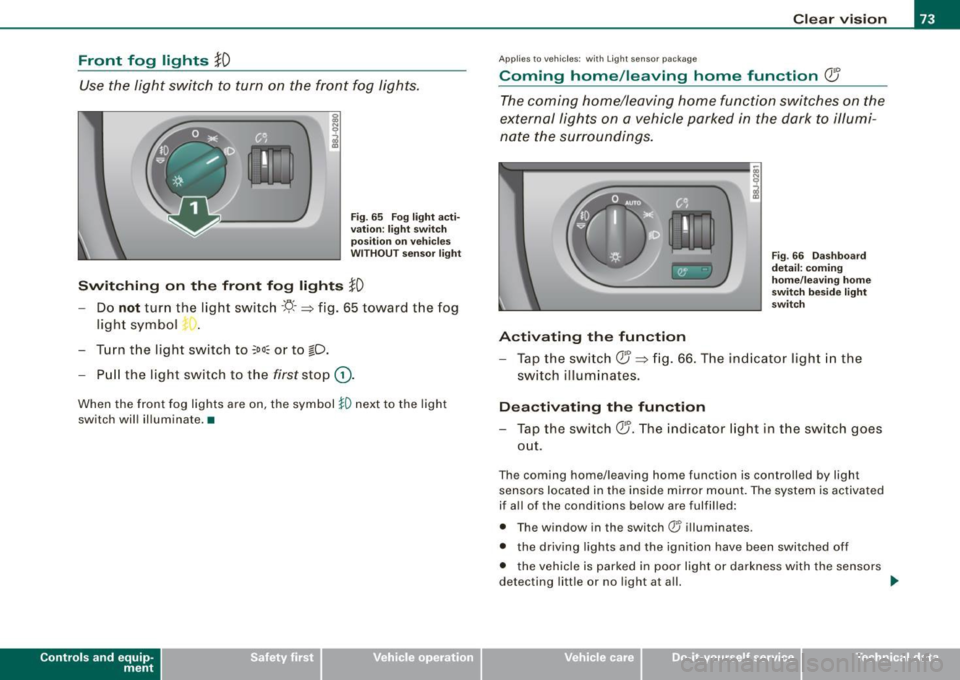
-Do not turn the light switch -'ti- -~ fig. 65 toward the fog
light symbol
- Turn the light switch to
~oo: or to !D.
- Pull the light switch to the first stop G).
When the front fog lights are on, the symbol }O next to the light
switch will illuminate.•
Contro ls and eq uip
ment
Clear vision
Applies to veh icles: with Light se nso r package
Coming home /leaving home function (}J
The coming home/leaving home function switches on the
external lights on a vehicle parked in the dark to illumi
nate the surroundings.
Activating the function
Fig. 66 Dashboard
detail : coming
home/leaving home
switch beside lig ht
switch
- Tap the switch QJ ~ fig. 66. The indicator light in the
switch illuminates .
Deactivating the function
-Tap the switch QJ. The indicator light in the switch goes
out.
The coming home/leaving home function is controlled by light
sensors located in the inside mirror mount. The system is activated
if all of the conditions be low are fulfilled:
• The window in the switch ® illuminates.
• the driving lights and the ignition have been switched off
• the vehicle is parked in poor light or darkness with the sensors
detecting little or no light at all.
tJl>
Vehicle care I I irechnical data
Page 76 of 316
Clear vision
Coming home situation
In
darkness, the activated system will turn on the headlights, side
marker lights , rear side marker lights , tail lights, and rear license
plate light as soon as the driver's door is opened from inside.
As long as one of the doors or the rear lid remains open, the set of
external lights will keep burning for about four minutes maximum.
To provide light for departure, the set of vehicle lights will keep
burning for about another 30 seconds after all doors and the rear lid
have been closed.
The factory-set time of 30 seconds until the lights are switched off can be adjusted if you prefer a longer or shorter duration. Have the
adjustment done by your authorized Audi dealer or a qualified work
shop. The system can be adjusted to keep the lights burning for a
maximum of 60 seconds.
Leaving home situation
As soon as the vehicle is unlocked by pressing the
ti button on your
remot e control, the set of external l ights is switched on .
The external lights are switched off as soon as the driver's door is
opened from outside . Even if you had the system readjusted to keep
the lights burning for an extended time for coming home, the
external lights will be turned off if you do not open the driver's door
within 60 seconds after unlocking. See chapter "Opening and
Closing" in your Owner's Manual. If the lights are switched off
before you reach the driver's door, press the
a button once more to
turn them on again.
[ i] Tips
• Do not attach any stickers to the windshield in front of the two
light sensors, as this would interfere with both the automatic oper
ation of the headlights and the automatic dimming of the inside
mirror(s). • If
the vehicle is remotely unlocked and locked three times in
succession, leaving home will not turn on the lights a fourth time to
safeguard the battery and lights.
• If you wish to use the coming home/leaving home function regu
larly, you can leave it activated at all times without risking perma
nent strain on the electrical system. As the system is controlled by
light sensors, it will only be energized in darkness .
• Frequent use of the coming home/leaving home function for
approaching and departing a vehicle parked in the dark will strain
the battery. This applies particularly if only short distances are
driven between stops . Occasionally drive longer distances to make
sure the battery is recharged sufficiently.
• If the fog lights have been switched on by the coming
home/leaving home function, they will always be switched off when
you switch on the ignition. •
Instrument panel illumination
The illumination of the instruments, displays and the
center console can be adjusted.
Fig. 67 Instrument
panel illumination
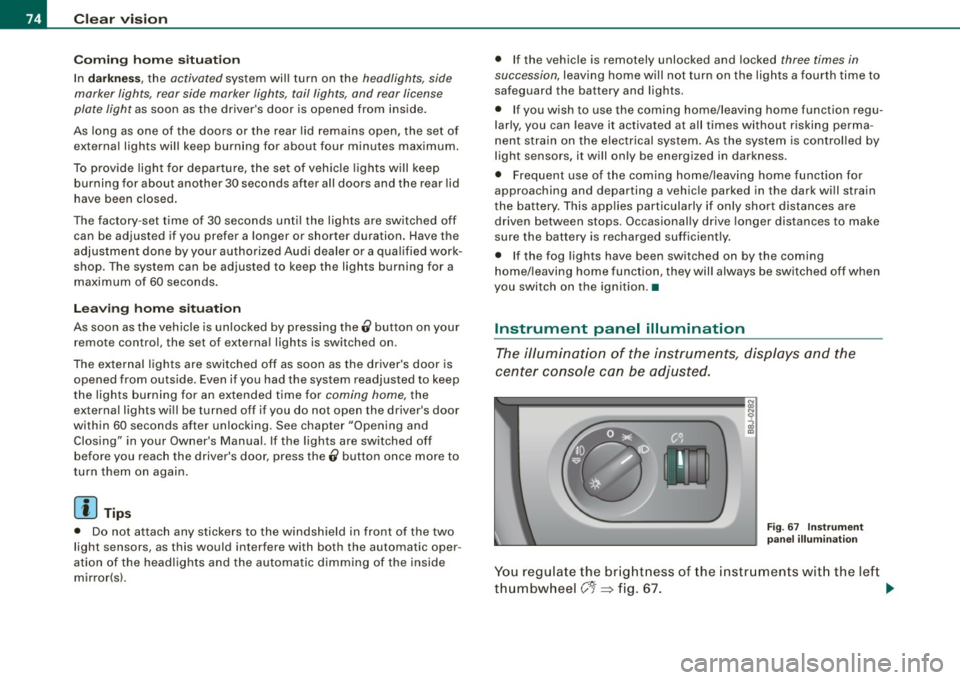
You regulate the brightness of the instruments with the left
thumbwheel
C J=> fig. 67. ~
Page 77 of 316
Ignition ON , light swit ch at @ .
With the ignition switched ON, the g low of instrument needles can
be adjusted to appear brighter or dimmer.
Ignition ON , ligh t switch at :oo ; or io.
With the lights switched on , the brightness of instrument cluster
(i .e. needles, gauges and displays) and center conso le i llu m in ation
can be adjusted .
0 Note
The instrument c luster and center console illumination (gauges and
needles) comes on when you switch on the igni tion and the
vehicle
headlights are off .
Be aware of the followin g difference be tween
models built to US o r Canadian specifications :
• USA models : illumination of the in strument cluster (gauges and
needles), dash and center console around the gearshift lever is
controlled by a light sensor located in the instrument panel. The
instrument panel illum ination will automatically become dimmer
as the daylight fades away and eventually will go out completely
when outside light is very low . This is to remind you , the d river , to
s witch on the headlight s before it gets too dark.
• Canada models : instrument panel illum ination will stay br ight
regardle ss of the inten sity of ambient light . Always be aware of
c hanges in outside light conditions while you are driving . Respond
in time to fading dayli ght by turning the light switch to position
iD
(or "AUTO" if your car is equipped with this feature) to turn on your
headlights. •
Bi-Xenon headlights*
Afte r starting the engi ne, the b i- xeno n headlights are au tomatical ly
adjusted to the load and angle of the vehic le (for example, during
acce lera tion and braking). This prevents oncoming traffi c from
experiencing unnecessary headlight g lare from your bi -xenon head
lig hts .
Con tro ls and eq uip
ment
Clear vision
I f the system is not operating properly, a warning symbo l in the
Au to-Check C ontr ol is displayed
=> page 35 . •
Emergency flasher tfft,,.
T he e mergency flasher m akes other motor ists aware that
y o u or yo ur vehicle are i n an e merge ncy si tuation.
Fig . 68 Center
co nsole : emergency
fla sher sw itch
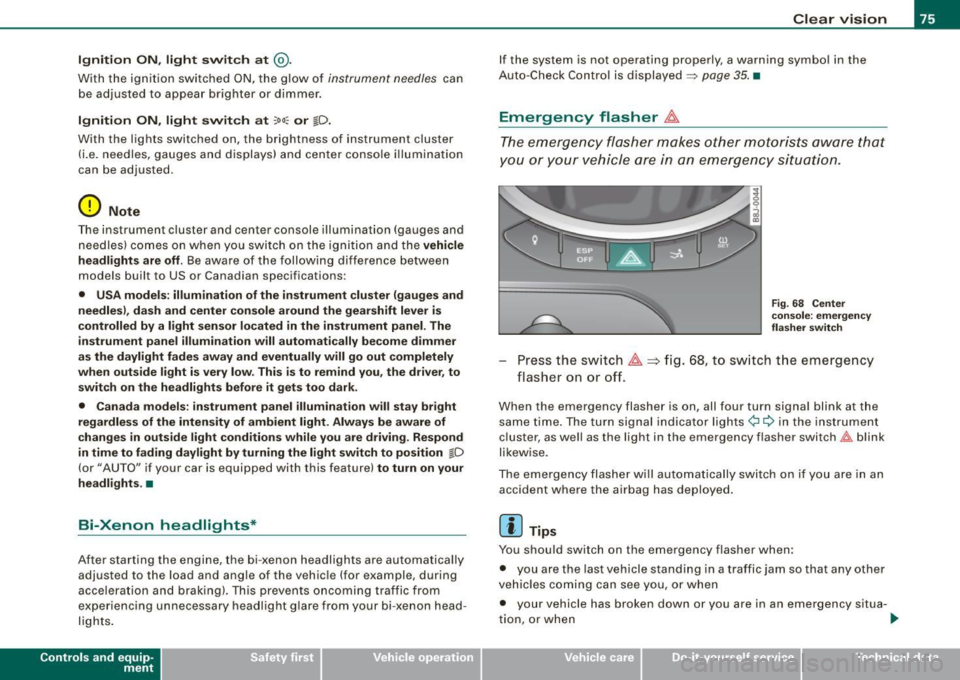
Press the sw itch ~=:,fig. 68, to s witch t he emergency
flasher on or off.
When the emergency flasher is on, all four turn signal blink at the
same time . The tu rn signal indi cato r lights
¢i Q in the instrument
c luster, as well as the light in the emergency flasher switch
J:&. b link
likewise.
The eme rgency flashe r will automat ically switch on i f you are in an
accident where the airbag has deployed .
[ i ] Tips
You should switch on the emergency flasher when:
• you are the last vehicle standing in a traffic jam so that any other
vehicles coming can see you, or when
• your vehicle has broken down or you are in an emergency s itua -
tion, o r when _,,,
Vehicle care I I irechnical data
Page 78 of 316
Clear vision
• your vehicle is being towed by a tow truck or if you are towing
another vehicle behind you. •
Turn signals -¢ ¢ and high beam ~D lever
The lever on the left side of the steering column is used to
operate the turn signals and the high beam as well as the
headlight flasher.
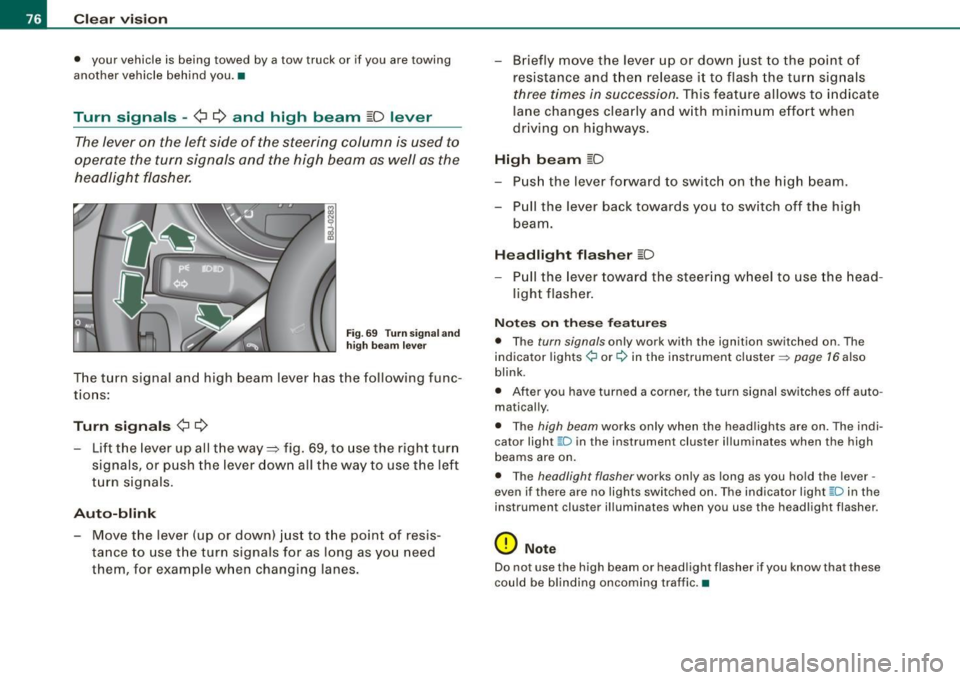
Fig. 69 Turn signa l and
high beam leve r
The turn signal and high beam lever has the following func
tions:
Turn signals ¢ Q
- Lift the lever up all the way ~ fig. 69, to use the right turn
signals, or push the lever down all the way to use the left
turn signals .
Auto-blink
-Move the lever (up or down) just to the point of resis
tance to use the turn signals for as long as you need
them, for example when changing lanes. - Briefly
move the lever up or down just to the point of
resistance and then release it to flash the turn signals
three times in succession. This feature allows to indicate
lane changes clearly and with minimum effort when
driving on highways.
High beam [D
- Push the lever forward to switch on the high beam.
- Pull the lever back towards you to switch off the high
beam.
Headlight flasher [D
- Pull the lever toward the steering wheel to use the head
light flasher.
Notes on these features
• The turn signals only work with the ignition switched on . The
indicator lights ¢ or¢ in the instrument cluster => page 16 also
blink .
• After you have turned a corner, the turn signal switches off auto
matically.
• The high beam works only when the head lights are on . The indi
cator light ~D in the instrument cluster i lluminates when the high
beams are on.
• The headlight flasher works only as long as you hold the lever -
even if there are no lights switched on. The ind icator light ~D in the
instrument cluster illuminates when you use the headlight flasher .
0 Note
Do not use the high beam or headlight flasher if you know that these
could be blinding oncoming traffic. •
Page 79 of 316
Interior lights
Interior lights
The interior lights include the reading lights for the driver
and the front passenger.
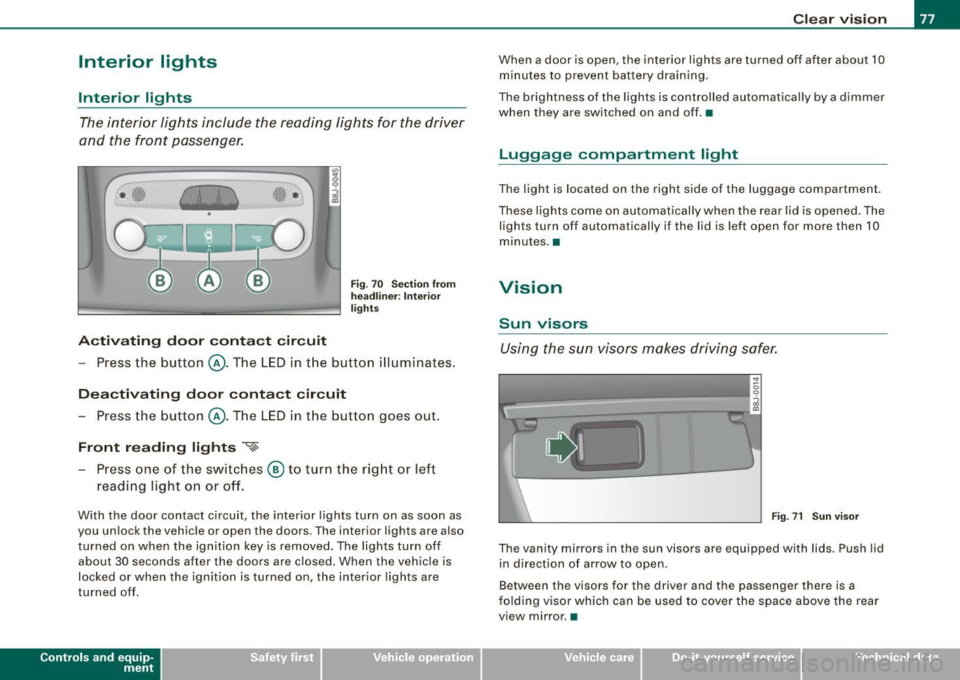
Activating door contact circuit
Fig. 70 Section from
headliner: Interior
lights
- Press the button @. The LED in the button illuminates.
Deactivating door contact circuit
- Press the button @. The LED in the button goes out.
Front reading lights ~
- Press one of the switches @ to turn the right or left
reading light on or off.
With the door contact circuit, the interior lights turn on as soon as
you unlock the vehicle or open the doors. The interior lights are also
turned on when the ignition key is removed. The lights turn off
about 30 seconds after the doors are closed. When the vehicle is
locked or when the ignition is turned on, the interior lights are
turned off .
Contro ls and eq uip
ment
Clear vision
When a door is open, the interior lights are turned off after about 10
minutes to prevent battery draining.
The brightness of the lights is controlled automatically by a dimmer
when they are switched on and off. •
Luggage compa rtm ent light
The light is located on the right side of the luggage compartment.
These lights come on automatically when the rear lid is opened. The
lights turn off automatically if the lid is left open for more then 10
minutes. •
Vision
Sun visors
Using the sun visors makes driving safer.
•
Fig. 71 Sun visor
The vanity mirrors in the sun visors are equipped with lids . Push lid
in direction of arrow to open.
Between the visors for the driver and the passenger there is a
folding visor which can be used to cover the space above the rear
view mirror .•
Vehicle care I I irechnical data
Page 80 of 316
Clear vision
Wiper and washer system
Windshield wiper ~
The windshield wiper lever controls both the windshield
wipers and the washer system.
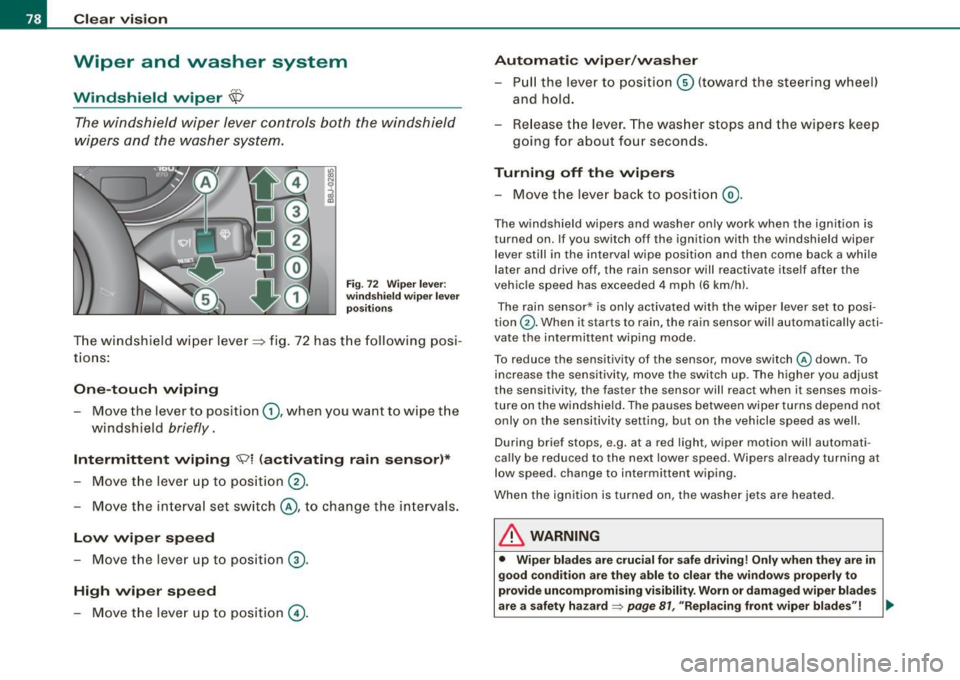
Fig. 72 Wiper lever:
windshield wiper lever
positions
T he windshield wiper lever :::::> fig. 72 has the following posi
tions:
One -touch wiping
Move the lever to position G), when you want to wipe the
windshield
briefly.
Intermittent wiping ~ l (activating rain sensor)*
Move the lever up to position 0-
- Move the interval set switch@, to change the inter vals .
Low wiper speed
-Move the lever up to position ©-
High wiper speed
- Move the lever up to position @.
Automatic wiper/washer
- Pull the lever to position© (toward the steering wheel)
and hold.
- Re lease the lever . The washer stops and the wipers keep
going for about four seconds .
Turning off the wipers
-Move the lever back to position @.
The windshield wipers and washer only work when the ignition is
turned on. If you switch off the ignition with th e windshield wiper
lever still in the interval wipe position and then come back a while
later and drive off, the rain sensor will reactivate itse lf after the
vehic le speed has exceeded 4 mph (6 km/h).
The rain sensor* is only activated with the wiper lever set to posi
tion
G) . When it starts to rain, the rain sensor will automatically acti
vate the intermittent wiping mode.
To reduce the sensitivity of the sensor , move switch
@ down . To
increase the sensitivity , move the switch up. The higher you adjust
the sensi tivity, the faster the sensor will react when it senses mois
ture on the windshield. The pauses between wiper turns depend not
only on the sensitivity setting , but on the vehicle speed as well.
During brief stops , e.g. at a r ed light, wiper mot ion wil l automati
cally be reduced to the next lower speed. Wipers a lready turning at
low speed . change to intermittent wip ing.
When the igni tion is turned on, the washer jets are heated.
& WARNING
• Wiper blades are crucial for safe driving! Only when they are in
good condition are they able to clear the windows properly to
provide uncompromising visibility. Worn or damaged wiper blades
are a safety hazard~
page 81 , "Replacing front wiper blades"! ..,_
Page 81 of 316
& WARN IN G ( continu ed)
• The light /ra in sens or* is only de signed to assist and support
the dri ver. It rem ain s e ntirely th e dr iver's re spon sibilit y to m onitor
out side weather cond it ions and to m anu ally activ ate the wipers a s
s oo n as rain or drizz le reduce s visibility t hroug h th e w indsh ield .
• The windshield mu st not be tr eated with w ater-r ep ellent mate
rial s. They c an in creas e glare u nder poor visibilit y cond ition s suc h
a s wetn ess, darkne ss, or when t he sun is low on the hori zon . In
a dditi on, they can cause the wi nd shield wipers to chatter.
0 Note
In freezing or near freezing conditions:
• Always check that the wiper blades are not frozen to the glass
before you turn the wipers on. Loosen a wiper blade which is frozen
in place before operating the wipers to prevent damage to the wiper
blade or the wiper motor.
• Do not use the wipers to clear a frosted window. Using the
wipers as a convenient ice scraper wil l destroy the wiper blades.
• Before you take your vehicle to an automatic car wash, make sure
you have the windshield wiper system switched off (lever in position
0), otherwise the windshield wiper system could get damaged in the
car wash if it should sudden ly come on .
[ i] Tips
• The rain sensor is pa rt of the interva l wiping system. Turning off
the ignition will also deactivate the rain sensor . To reactivate the
sensor, switch off the interva l wiping function, then switch it back
on again.
• Worn or dirty windshield wiper b lades cause smearing, which
can affect the operation of the light/rain sensor *. Check the condi
tion of your windshield wiper b lades regular ly .
• Applies to vehicles with light/rain sensor : When the wipers are
switched on manually and in rain conditions, the automatic head -
Controls and equip
ment
Cl ea r vision
lights * turn on~ page 70, "Sensor activated head and tail light
control" or off during the day when the wipers are n o longer oper
ating . The automatic headlights * function is available in this case
only when the light switch is in the "AUTO" position~
page 70,
fig. 62.
• Make sure the washer fluid reservoir in the engine compartment
is topped off before going on a long trip. Look up~
page 236 for
checking and filling the washer container.
• The wipers only operate with the hood completely closed .•
App lies to vehicles: with headlight washer system
Headlight washer system
The headlight washer system cleans the headlights.
Operate the winds hield wiper/washer system=> page 78,
fig. 72
© wit h the head lights turned on by holding the
lever for longer than one seco nd.
The washer jets extend forward out of the front bumper driven by
water pressure to spray the front head ligh ts with water.
You should inspect the head lights regular ly {for examp le when refu
e ling) and clean off any solid dirt or insects from the lenses .
To ensure the sys tem works proper ly in winter, keep the washer jets
free of snow and remove any ice using a de-icing spray.•
I • •
Page 84 of 316
Clear vision
& WARNING
• Clea n your wiper blade s regu larly w ith a w indshi eld w asher
s oluti on t o prev ent stre aking . If the wiper blade s are very dirt y, for
exa mpl e wit h inse cts, c arefull y cle an th e wi per blades w ith a
sponge or a soft bru sh .
• For yo ur safety , you should rep lac e th e w iper b lade s on ce or
twi ce a ye ar. S ee y our auth orized Audi de aler f or replacement
b lad es.
0 Note
• The wiper blades may on ly be changed=> page 80 in service
posit ion! Otherwise, you risk damaging the paint on the hood or the
windshield wiper motor .
• To prevent damage to the wiper system:
-Always loosen blades which are fro zen to the windshield
before operating wipers.
- Do not use gasoline , kerosene , paint th inner , or other solvents
on or near the wiper blades .
- Do not attempt to move the wipers by hand.
[ i ] Tip s
Commercial hot waxes applied by automatic car washes affect the
cleanab ility of the g lass surface .
• The front wiper blades are different lengths; the blade on th e
driver's side is longer. •
Mirrors
Manual glare dimming
Standard setting
- Move the small leve r !located on the bottom edge of t he
m irror) to the front.
Anti -glare setting
Move the small lever (located on the bottom edge of t he
m irror) to the rear. •
Applies to vehic les: wit h autom atically dimm in g inside rearview mirro r
Automatically dimming inside mirror
The automatic dimming function can be turned on and off
if required.
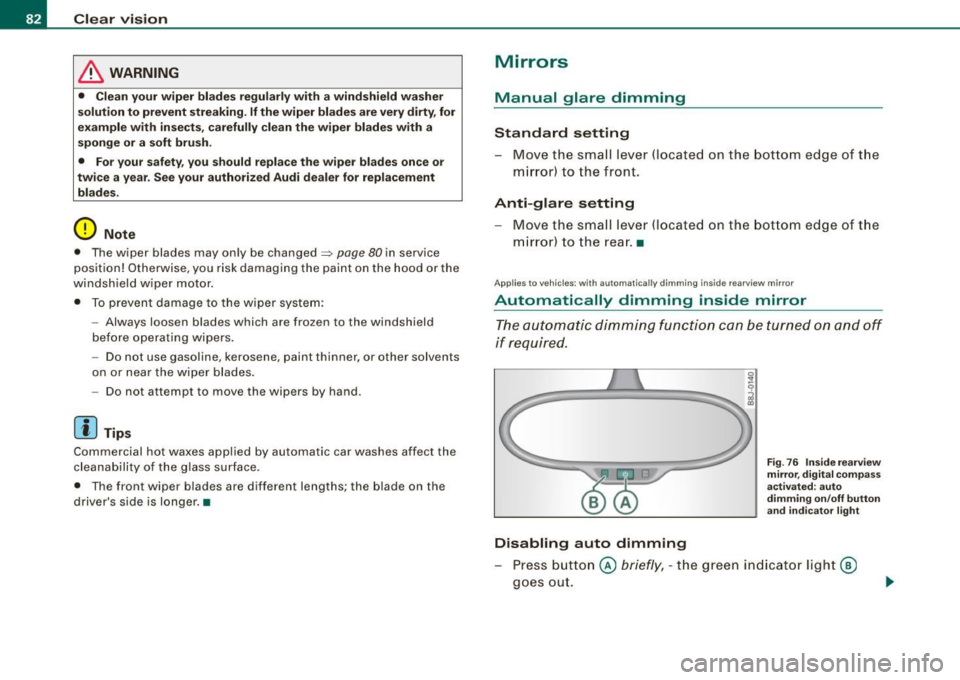
Disabling auto dimming
F ig . 76 Insid e rea rview
mir ror, d ig ital co m pa ss
activate d: au to
d imm in g on /off butt on
an d in dicator light
Press button @ briefly, -the green indicator light@
goes out.
Page 85 of 316
Activating /re ac tiv ating auto dimming
- Press button @
briefly, -the green indicator light ®
goes on.
Aut om ati c dimmin g fun ction
The automatic dimming function is activated every time the ignition
is turned on. The green indicator light is lit to indicate auto dimming
is active .
When dimming is activated, the inside mirror will darken
automati
cally
in response to the amount of light striking the mirror (such as
headlights from rearward approaching vehicles). Even in dimming
mode, the mirror surface turns bright when :
• the interior light is switched on
• reverse gear is engaged .
Sensors for automati c headligh ts *
With the help of the sensors in the mirror, when the light switch is
in the
AUTO posi tion, the low beams are switched on and off auto
matically depending on the ambient light conditions=>
page 70.
& WARNING
The glass of the inside rearview mirror is l ayered and contain s an
e lectrolyt e to a chieve its pr opert ie s . Be aware of liquid electr olyte
le aki ng fr om a broken mirror glass . This l iquid can cause irritation
to skin , eyes , and r espiratory sy stem .
• If you get ele ctrolyt e in your e yes or on your sk in , immediately
rin se with p lenty of water . If irritation per sists, s eek medical atten
tio n.
0 Note
Liquid electrolyte leaked from a broken mirror glass wi ll damage any
p lastic surfaces it comes in contact with. Clean up spilled electrolyte
immediately wi th clear wa ter and a sponge .
Contro ls and eq uip
ment
Clear vision
[ i ] Tip s
• If you switch off the automatic di mming function on the in side
mirr or, automatic dimming of the outside mirrors w ill like wise be
di sabled .
• Check to make sure there are no objects preventing light from
reaching t he inside mirror.
• Do no t attach any stickers to the windshield in front of the two
light sensors, as this would interfere with both the automatic oper
ation of the headlights and the automatic dimming of the inside
mirror(sl. •
Outside mirrors
The outside mirrors are electrically adjusted.
Adjusting the outside mirrors
Fig. 77 Fo rw ar d
s e ctio n of dri ver's
arm rest: pow er m irr or
co ntr ols
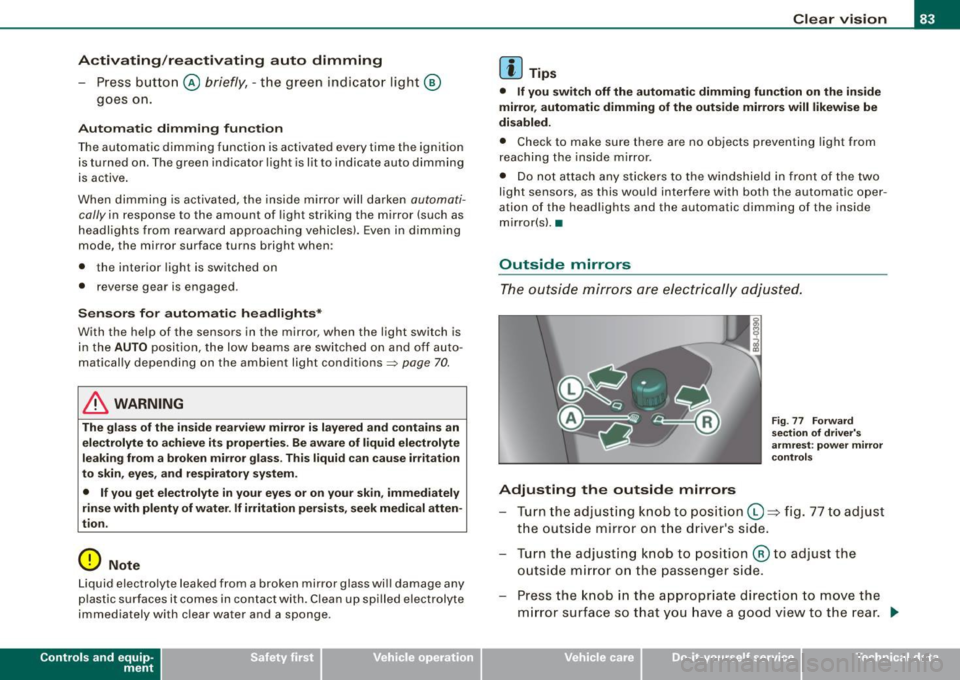
Tu rn th e adjust ing knob to pos iti on Q => fig . 77 to adjust
t h e outs ide mirror on t he driver's side .
Tu rn the adjusting knob to position @to adjust the
o utside m irror o n the passenger side .
Press the knob in the appropr iate d irection to
move the
m irror surface so that you have a good view to the rear .
1)1,
Vehicle care I I irechnical data