light AUDI TT ROADSTER 2008 Workshop Manual
[x] Cancel search | Manufacturer: AUDI, Model Year: 2008, Model line: TT ROADSTER, Model: AUDI TT ROADSTER 2008Pages: 316, PDF Size: 70.1 MB
Page 86 of 316
Clear vision Heated mirrors
- T urn th e kn ob to posi tio n @ .
Depending on the outside tem perature , the mirror surfaces are
h eate d unt il th e ig nitio n is s witche d off -eve n if t he k no b is no
longer in position
@ .
0 Note
• C urved (i .e. convex) mirror surfac es increas e your field of view .
Reme mber that ve hicles or other ob jec ts w ill appear smalle r and
farther away than when seen in a flat mirror . If you use this mirror to
e stimate d istances of fo llowing vehicles when changing lanes, yo u
cou ld estimat e in correc tly and cause a n acc id en t.
• I f the mirr or housing is moved uninten tionally (for e xample,
wh ile par king your veh icle), then you must first fold the mirro r elec
t rically. Do n ot readjust the mi rror housing man ually. You co uld
da mag e the motor w hic h con trol s the mirr or.
[ i ] Tips
If the re s hould be a malfu n ct ion i n th e electrical syste m, you ca n
sti ll adjus t the outside mirrors by pressing the edge of the mirror. •
Applies to vehicles : w ith aut oma tic dimming for ou ts id e mir ro rs
Automatic dimming for outside mirrors
The outsi de m irr or s are d immed t ogether w it h the au toma tic
dimming of the inside mirror. When the ignition is sw itched on, the
mi rrors dar ken automat ica lly depe nd ing on t he ligh t stri kin g th em
(e.g. headl ights from the rear) .
When the in te rior lighting is switched on and when reve rse gear is
engaged, the mi rrors a re switched back to their or iginal b rightness
(not dimmed) .
& WARNING
The glass of the inside rear view mirror is layered and contains an
electrolyte to achieve its properties. Be aware of liquid electrolyte
leaking from a broken mirror glass . This liquid can cause irr itation
to skin , eyes, and respiratory system . If you get electrolyte in your
eyes or on your skin , immed iately rinse with plenty of water . If irri
tation persists, seek medical attention .
0 Note
Electrolyte leaking from a bro ken mi rror glass attacks t he vehic le
p aint and plast ic su rfaces. Clea n up sp illed e lect ro lyte im med iately
with clear water and a sponge .
[ i ] Tips
• If automatic dimming for the inside mirror is switched off , the
outside mirrors are also not dimmed automatically.
• Automatic d imming for the mirror only operates properly if the
suns hade* fo r the rear w indow is re tr acted, or the l ig ht str iking the
inside mirror is not hindered by other objects .•
Page 89 of 316
Seats and storage
General recommendations
Why is your seat adjustment so important?
The safety belts and the airbag system can only provide
maximum protection if the front seats are correctly
adjusted.
There are various ways of adjusting the front seats to provide safe
and comfortable support for the driver and the front passenger.
Adjust your seat properly so that:
• you can easily and quickly reach all the switches and controls in
the instrument panel
• your body is properly supported thus reducing physical stress
and fatigue
• the safety belts and airbag system can offer maximum protec
tion
~ page 146.
In the following sections, you will see exactly how you can best
adjust your seats.
There are special regulations and instructions for installing a child safety seat on the front passenger's seat. Always heed the informa
tion regarding child safety provided in~
page 168, "Child Safety".
& WARNING
Incorrect seating position of the driver and all other passengers
can result in serious personal injury.
• Always keep your feet on the floor when the vehicle is in motion
- never put your feet on top of the instrument panel, out of the
window or on top of the seat cushion! This applies especially to
the passengers. If your seating position is incorrect you increase
the risk of injury in the case of sudden braking or an accident. If
Controls and equip
ment
Seats and storage
& WARNING (continued)
the airbag inflates and the seating position is incorrect this could
result in personal injury or even death.
• It is important for both the driver and front passenger to keep
a distance of at least 10 inches (25 cml between themselves and
the steering wheel and/or instrument panel. If you're sitting any closer than this, the airbag system cannot protect you properly. In
addition to this, the front seats and head restraints must be
adjusted to your body height so that they can give you maximum
protection.
• Always try to keep as much distance as possible between your
self and the steering wheel or instrument panel.
• Do not adjust the driver's or front passenger's seat while the
vehicle is moving. Your seat may move unexpectedly, causing
sudden loss of vehicle control and personal injury. If you adjust
your seat while the vehicle is moving, you are out of position. •
Driver's seat
The correct seat position is important for safe and relaxed
driving.
We recommend that you adjust the driver's seat in the
following manner:
- Adjust the seat in fore and aft direction so that you can
easily push the pedals to the floor while keeping your
knee slightly bent:::>
& in "Why is your seat adjustment
so important?".
Adjust the seatback so that when you sit with your back against the seatback, you can still grasp the top of the
steering wheel. _..
I • •
Page 97 of 316
Cigarette lighter/socket
Cigarette lighter
The socket of the cigarette lighter may be used for 12 volt
appliances.
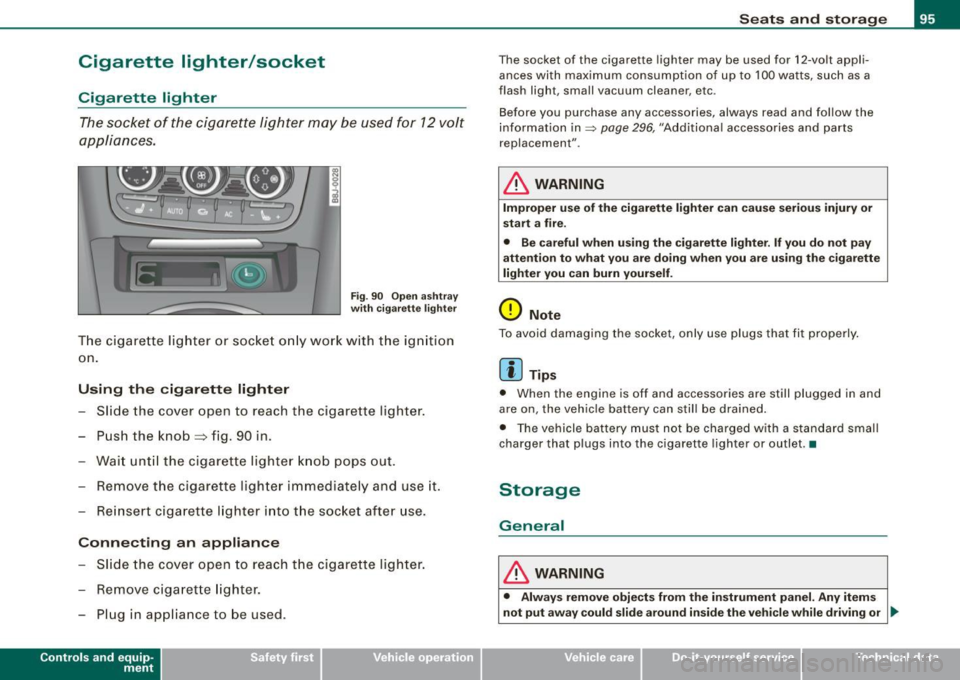
Fig . 90 Open ashtray
with cigarette lighter
The cigarette lighter or socket only work with the ignition
on.
Using the cigarette lighter
- Slide the cover open to reach the c igarette lighter.
- Push the knob=> fig. 90 in .
- Wait until the cigarette lighter knob pops out.
- Remove the cigarette lighter immediately and use it.
- Reinsert cigarette lighter into the socket after use.
Connecting an appliance
- Slide the cover open to reach the cigarette lighter.
- Remove cigarette lighter.
- Plug in appliance to be used .
Contro ls and eq uip
ment
Seats and storage
The socket of the cigarette lighter may be used for 12-volt appli
ances with maximum consumption of up to 100 watts , such as a
flash ligh t, small vacuum cleaner, etc.
Before you purchase any accessories, always read and follow the
information in=>
page 296, "Additional accessories and parts
replacement" .
& WARNING
Improper use of the cigarette lighter can cause serious injury or
start a fire.
• Be careful when using the cigarette lighter. If you do not pay
attention to what you are doing when you are using the cigarette
lighter you can burn yourself.
0 Note
To avoid damaging the socket, only use plugs that fit properly.
[ i] Tips
• When the engine is off and accessories are still plugged in and
are on, the vehicle battery can still be drained.
• The vehicle battery must not be charged with a standard small
charger that plugs into the cigarette lighter or outlet .•
Storage
General
& WARNING
• Always remove objects from the instrument panel. Any items
not put away could slide around inside the vehicle while driving or
~
Vehicle care I I irechnical data
Page 105 of 316
___________________________________________________ W_ a_ r_m _ a_ n_d_ c_ o_ ld _ __.11111
- To adjust the direction o f the airflow from the o utlet,
move the tab in the cen ter of the o utlet in the desired
direction . The direction of the air delivered from the
vents can be adjusted hor izontally and vertically .
G) Air flows to the windshield and the driver and front passenger
side windows
@ Air flows to the driver/fron t passeng er or to the driver and front
passenger side windows
© Air flows to the driver/front passenger
© Air flows to the footwe ll
Using the rotary knob, you can adjust air distribution=>
page 101 so
that air flows from specific vents=>
page 102, fig. 97.
Heated or unheated fresh air, or cooled air flows from the vents.
[ i ] Tip s
If climate control is running in cooling mode, air should flow mainly
from vents @ and
G). To achieve adequate coo ling, you should
never c lose the outlets completely .•
Using the climate controls economically
Economical use of the climate controls helps to save fuel.
When climate co ntrol is w orking in c ooling mode, engine
performa nce is reduced and fuel consum ption is affected .
To keep the t ime the air cond itioning is on as s hort as
poss ible, you s hould do the following :
- If yo u would like to save fue l, sw itch the air con ditioning
off .
- If you open t he windows while driving, switch the air
conditio ning off .
Contro ls and eq uip
ment
- If the ve hicle is extremely hot due to the heat of the sun,
br ie fl y open doors and windows .
c£> For the sake of the environment
When you save fuel, you reduce emissions from the vehicle .•
Rear window defogger [ffiJ
The rear window defogger clears the rear window of
condensation.
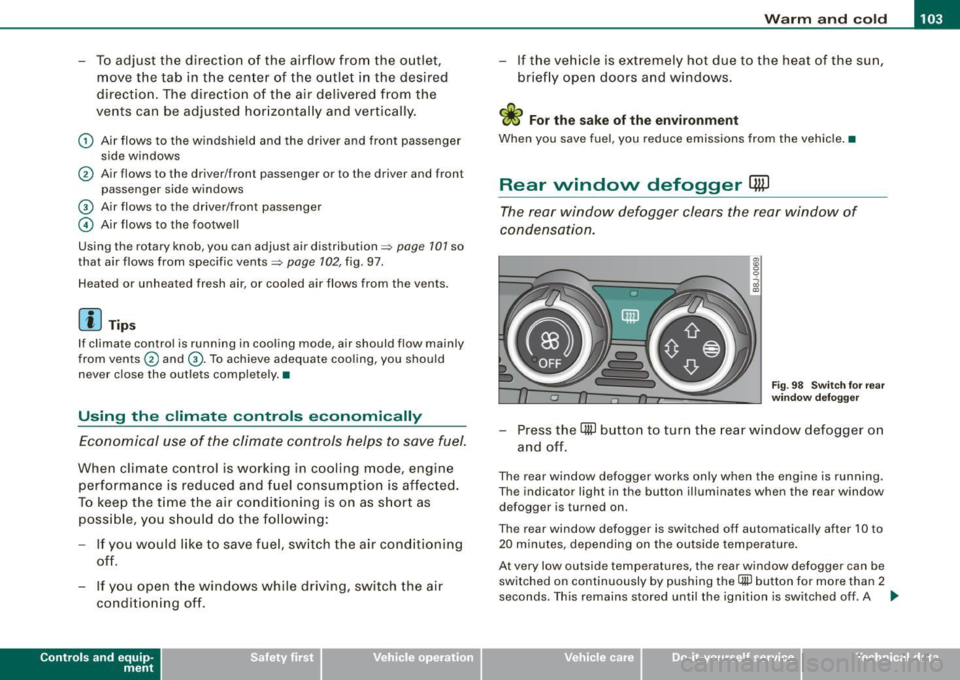
F ig . 9 8 Switc h for rear
w ind ow defo gg er
- Press the [ml button to turn t he rear window defogger on
and off.
The rear window defogger works only when the engine is running .
The indicator light in the button illuminates when the rear window
defogger is turned on .
The rear window defogger is switched off automatica lly after 10 to
20 m inutes, depending on the outside temperature .
At very low outside temperatures, the rear window defogger can be switched on continuously by pushing the
Qii) button for more than 2
seconds. This remains stored until the ignition is switched off . A ..,
Vehicle care I I Technical data
Page 108 of 316
• ..__O_ n_ t_h _ e_ r_ o_ a_ d ____________________________________________________ _
Ignition lock and ignition switch
Ignition lock
The igniti on key starts or s tops the eng ine.
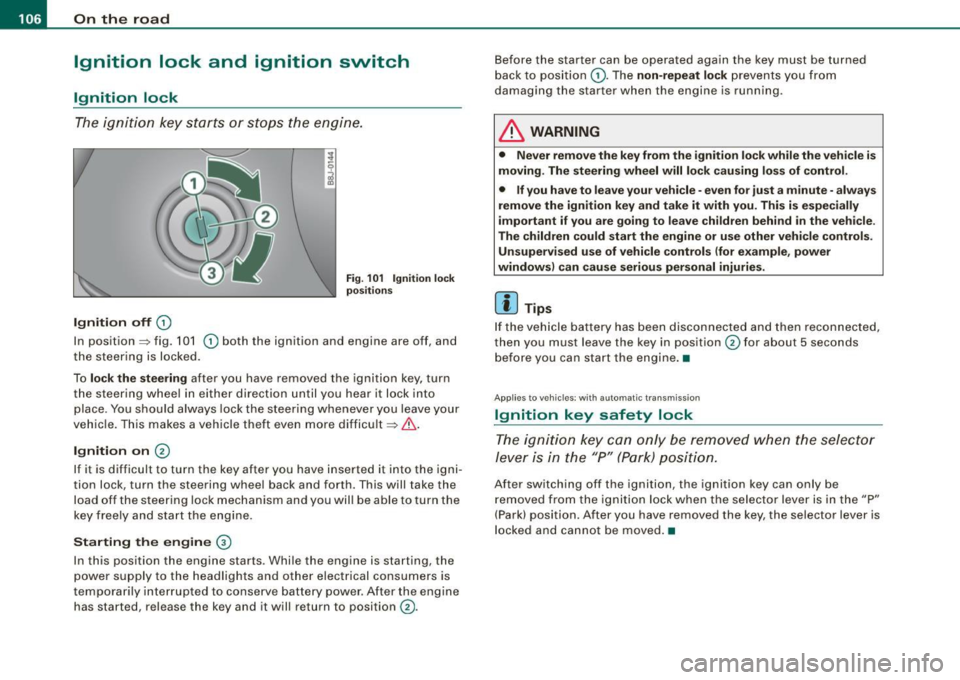
Ignition off G)
Fi g. 1 01 Ign it io n lock
po sition s
In posit ion => fig. 101 G) both the ignition and engine are off, and
t he steering is locked.
To
lo ck the steering after you have removed the ignition key, turn
the steering whee l in either direction until you hear it lock into
place . You should always lock the steering whenever you leave your
vehic le. This makes a vehicle theft even more difficult =>& .
Ignition on 0
If it is difficult to turn the key after you have inserted it into the igni
tion lock, turn the steering wheel back and forth. This will take the
load off the steering lock mechanism and you wil l be able to turn the
key freely and start the engine.
Starting the engine ®
In this position the engine starts . Whi le the engine is starting, the
power supply to the headlights and other electrical consumers is
temporari ly interrupted to conserve battery power . After the engine
has started, release the key and it will return to position
G) .
Before the starter can be operated again the key must be turned
back to posi tion
G) . The non -repeat lock prevents you from
damaging the starter when the engine is running.
& WARNING
• Never remove the key from the ignition lo ck while the veh icle is
moving. The steering wheel will lo ck causing lo ss of control .
• If you have to leave your vehicle -even for just a minute -always
remove the ign ition key and take it with you . This i s especially
i mportant if you are going to l eave children behind in the vehi cle .
The children could start the eng ine or u se other vehi cle control s.
Unsupe rv ised use of vehicle controls (for e xample , power
window s) can cau se serious per sonal injurie s.
[ i ] Tips
If the veh icle ba ttery has been disconnected a nd then reconnected,
then you must leave the key in position
G) for about 5 seconds
bef ore you can start the engine .•
Appl ies to vehicles: with automat ic trans miss io n
Ignition key safety lock
The ig nition ke y can only be rem oved when the selec tor
le ver i s in the "P" (Par k) p osition.
After switching off the ignition, the ignition key can only be
r emoved from the igni tio n lock w hen the se lector leve r is in the "P"
(Park) position . After you have removed the key, the selector lever is
l ocked and cannot be moved. •
Page 109 of 316
___________________________________________________ O _n_ t_h _ e_ r_ o _ a_ d __ ,n
Starting and stopping the engine
Starting the engine
The engine can only be started with on original Audi key
and the clutch pedal* depressed.
- Set the parking brake.
Move the selector lever to the neutral position (automatic
transmission: selector lever in P or N)
~ & .
- On vehicles with manual transmission, fully depress the
clutch pedal.
- Turn the ignition key to position
G) ~ page 106, fig. 101
- do not depress the gas pedal when starting the engine!
- Let go of the key as soon as the engine starts.
A cold engine may at first be loud after it has been started. This is
due to the hydraulic valves building up the oil pressure . This normal
and no need for concern.
If the engine does not star t immediately, stop trying after 10
seconds and then try to restart the engine about 30 seconds later.
& WARNING
Never start or let the engine run in a confined or enclosed area.
Exhaust fumes from the engine contain carbon monoxide, a color
less and odorless gas. Carbon monoxide can be fatal if inhaled .
• Never leave the engine idling unattended. An unattended
vehicle with a running engine poses a danger of personal injury or
theft.
Controls and equip
ment
0 Note
• Avoid high engine speeds, fast acceleration or heavy engine
loads while the engine is still cold. This could damage the engine.
• The engine cannot be started by pushing o r towing the vehicle.
~ For the sake of the environment
To avoid unnecessary engine wear and to reduce exhaust emis
sions, do not let your vehicle stand and warm up. Be ready to drive
off immediately after starting your vehicle. Maintain moderate
speed until the engine is completely warm. Remember, the engine
performs best at operating temperature. •
Stopping the engine
-Turn the ignition key to position G) ~ page 106 , fig. 101.
& WARNING
• Never turn off the engine until the vehicle has come to a
complete stop.
• The brake booster and servotronic only work when the engine
is running . With the ignition turned off, you have to apply more
force when steering or braking. Since you cannot steer and stop
normally, this can lead to accidents and serious injuries.
• The radiator fan can continue to run for up to 10 minutes even
after you have turned off the engine and removed the ignition key.
The radiator fan can also turn on again if the engine coolant heats
up because of intense sunlight or heat build-up in the engine
compartment. .,
I • •
Page 110 of 316
• ..__O_ n_ t_h _ e_ r_ o_ a_ d ____________________________________________________ _
0 Note
Do not stop the engine immediately after hard or extended driving.
Keep the engine running for approximately two minutes to prevent
excessive heat build-up. •
Parking brake
Parking brake
When the parking brake is set, it prevents the vehicle from
rolling away unintentionally.
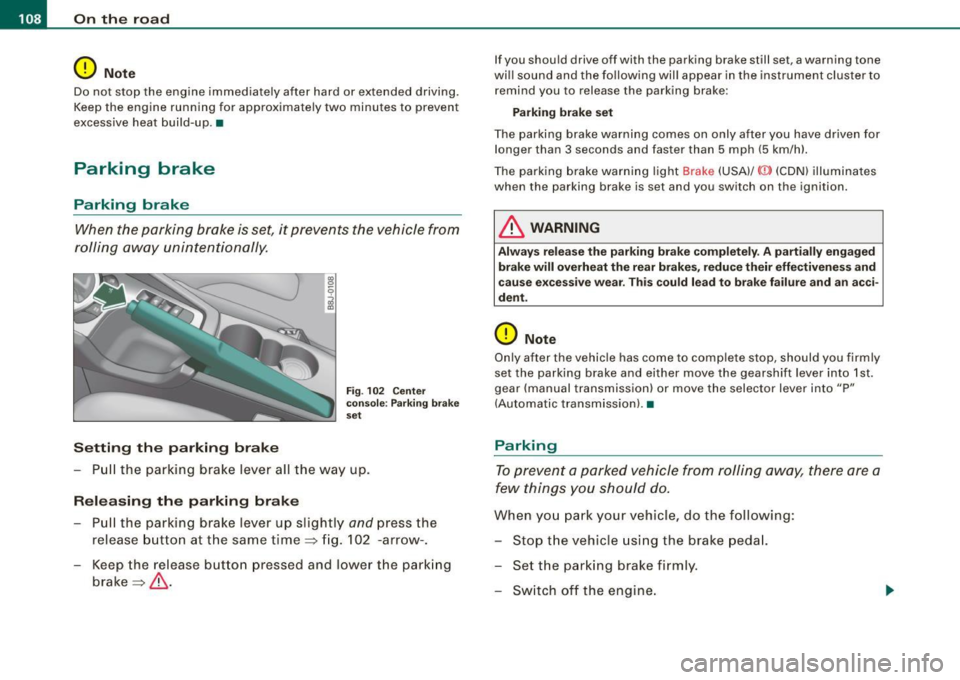
Setting the parking brake
Fig . 102 Center
console: Parking brake
set
- Pull the parking brake lever all the way up.
Releasing the parking brake Pull the parking brake lever up slightly
and press the
release button at the same time=> fig. 102 -arrow-.
Keep the release button pressed and lower the parking
brake=>
& -
If you should drive off with the parking brake still set, a warning tone
will sound and the following will appear in the instrument cluster to remind you to release the parking brake:
Parking brake set
The parking brake warning comes on only after you have driven for longer than 3 seconds and faster than 5 mph (5 km/h).
The parking brake warning light Brake (USA)/
{CD) (CON) illuminates
when the parking brake is set and you switch on the ignition.
& WARNING
Always release the parking brake completely . A partially engaged
brake will overheat the rear brakes, reduce their effectiveness and
cause excessive wear. This could lead to brake failure and an acci
dent.
0 Note
Only after the vehicle has come to complete stop, should you firmly
set the parking brake and either move the gearshift lever into 1st .
gear (manual transmission) or move the selector lever into "P"
(Automatic transmission). •
Parking
To prevent a parked vehicle from rolling away, there are a
few things you should do.
When you park your vehicle, do the following:
- Stop the vehicle using the brake pedal.
- Set the parking brake firmly.
- Switch off the engine.
Page 112 of 316
• ..__O_ n_ t_h _ e_ r_ o_ a_ d ____________________________________________________ _
Pote nt ial malf un cti ons
If a warning buzzer sounds for a few seconds when the ign ition is
switched on, there is a system malfunction with the acoustic park
assist. If the malfunction persists until the ignition is switched off,
there will be no acoustic warning at the next attempt to activate the system. Have the problem corrected.
There is no confirmation tone when reverse gea r is engaged if there
is a system malfunction .
For the parking assist to operate, the sensors must be kept clean
and free of ice.
& WARNING
• Sen sor s hav e blind spots in w hic h obj ec ts can not b e dete cted.
P ay s pecial attenti on to small childr en and anim als . They cannot
al ways be dete cte d b y the sensor s -dan ger of an accident !
• The p arking a ssis t cann ot r eplace th e driver' s attention . The
d rive r alone is re spon sible f or p ark ing an d simil ar d riv ing mane u
ver s. A lway s wat ch whe re you are driving .
(D Note
Low obstacles a lready signa lled by a warn ing can disappear from
the system's detection range as they are approached and wi ll not
continue to be signalled. Objects such as barrier chains, trailer draw
bars, thin pa inted vertical poles , or fences may not be detected by
the system -risk of damage.
[ i J Tip s
For the parking assist to operate, the sensors must be kept clean
and free of snow and ice. •
Cruise control
Switching the system on
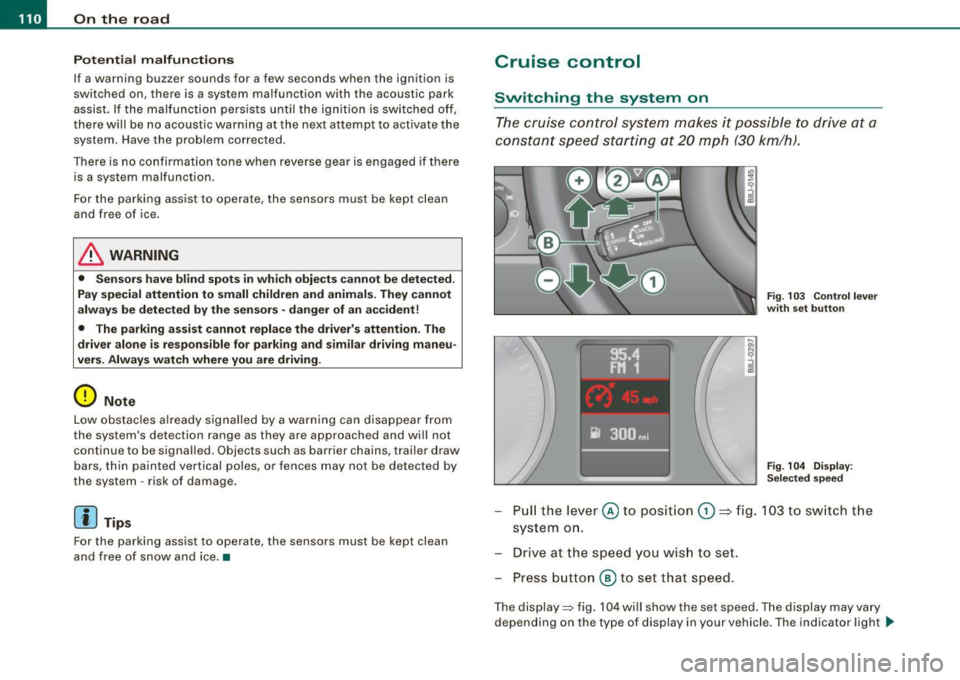
The cruise control system makes it possible t o drive at a
constant speed sta rting at 20 mph (30 km/h) .
Fig. 103 C ontrol l ever
w ith se t butt on
Fig . 104 Di sp lay :
Se lec te d spee d
Pull the lever @ to posit ion (D ::::> fig. 103 to sw itch t he
system on.
Drive at the speed y ou wis h to se t.
Press button
@ to set that speed.
The disp lay=> fig. 104 will show the set speed . The display may vary
depending on the type of display in your vehicle . The indicator light
~
Page 113 of 316
On the road -
----------------
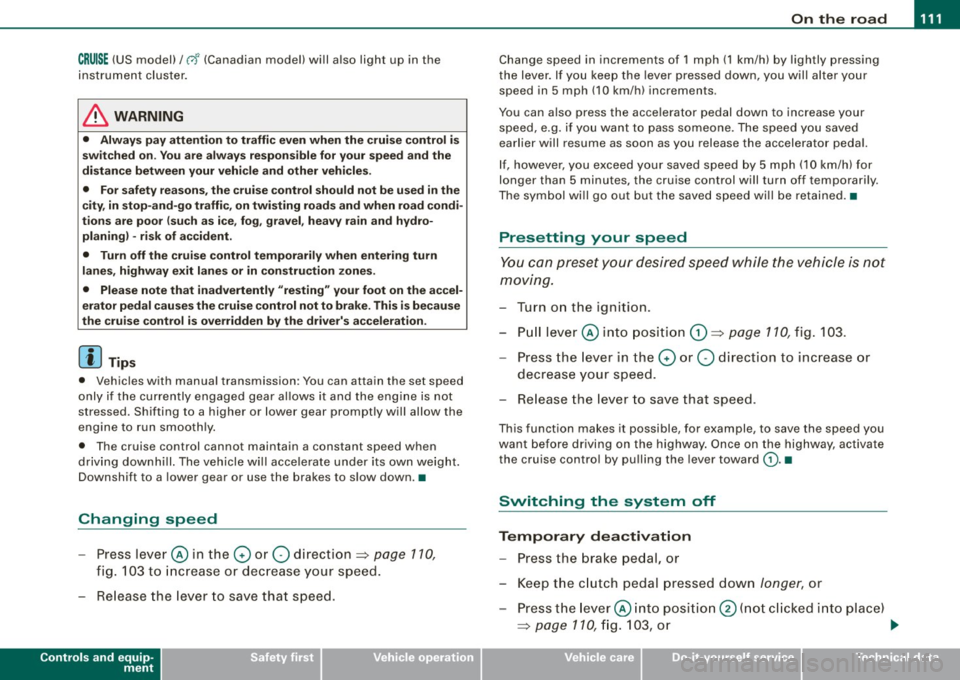
CRUISE (US mod ell/ f-f (Canadian mod ell will a lso light up in the
instrument cluster .
& WARNING
• Always pay att enti on to traffic ev en whe n the c rui se control is
swi tched o n. Yo u are alway s resp onsi ble for your spe ed and the
di stanc e betw een your veh icle and other ve hic le s.
• Fo r sa fet y re as on s, th e c ruise control shou ld not be u sed in the
c it y, in stop -and -go traffic , on twi sting road s and when road condi
t ion s a re poor (such as ice, fog, gra vel, hea vy ra in and hydro
planing ) - risk of accid ent.
• Turn off the cr uis e control t empor arily when e nte ring turn
lane s, highwa y ex it lane s or in con stru ctio n z one s.
• Please note that inad vertentl y "re sting " your foot on the a ccel
er ato r ped al ca use s t he crui se control not to br ake . Thi s is because
the cru ise control i s overridden b y the dri ve r's acc eleration .
[ i] Tip s
• Vehicles w ith manua l transmission : You can at tain the set speed
only if the currently engaged gear allows it and the engine is not
stressed. Shifting to a higher or lower gear promptly will allow the
engine to run smooth ly .
• The cruise control cannot maintain a constant speed when
driving downhi ll. The vehicle will acce lerate under its own weight .
Downshift to a lower gear or use the brakes to s low down. •
Changing speed
-Press lever © in the 0 or O direction ~ page 110,
fig. 103 to increase or dec rease your speed.
- Release the lever to save that speed .
Controls and equip
ment
Change speed in increments of 1 mph (1 km/h) by lightly pressing
the lever . If you keep the lever pressed down, you will a lter your
speed in 5 mph (10 km /h) increments .
You can a lso press the acce lerator pedal down to increase your
speed, e.g. if you want to pass someone. The speed you saved
earlier will resume as soon as you release the accelerator pedal.
I f , however, you exceed your saved speed by 5 mph (10 km/h) for
longer than 5 minutes, the cruise control will turn off temporarily .
The symbol will go ou t but the saved speed will be retained. •
Presetting your sp eed
You can preset your desired speed while the vehicle is not
moving.
Turn on the ignition.
P ull lever @into position
0 ~ page 110, fig. 103.
Press the lever in the
0 or O direction to increase or
decrease your speed.
- Release the lever to save that speed .
This function makes it possible, for example, to save the speed you
want before driving on the highway . Once on the highway, activate
the cruise contro l by pulling the lever toward
(D . •
Switching the system off
Tempor ary d ea ctiv ati o n
Press the brake pedal, or
- Keep the c lutch pedal pressed down
longer, or
- Press t he lever © into positio n
0 (n ot c licked i nto pla ce)
~ page 110 , fig. 1 03 , or ~
I • •
Page 114 of 316
-On th
e ro ad
..___ ______________ _
- Drive for longer than 5 minutes at more than 5 m ph
(10 km/h) above the st ored speed .
Switching off compl etely
Press lever @ into pos ition 0 (c licked into place), or
- Sw itch the ignition off .
The system retains the saved speed if you deactivate the cruise
control temporarily. To resume the saved speed, release the brake or
clutch peda l and pull the leve r to position
G) .
Switching the igni tion off erases the saved speed .
& WARNING
You should only return t o the saved speed if it i s not t oo f ast for
the current tr affi c c ondition s -ri sk of an accid ent! •
App lies t o vehicles: wit h magn etic rid e
Audi magnetic ride
Damping can be adjusted to the driver's preference and it
a dap ts automa tically t o the current driv ing si tuation.
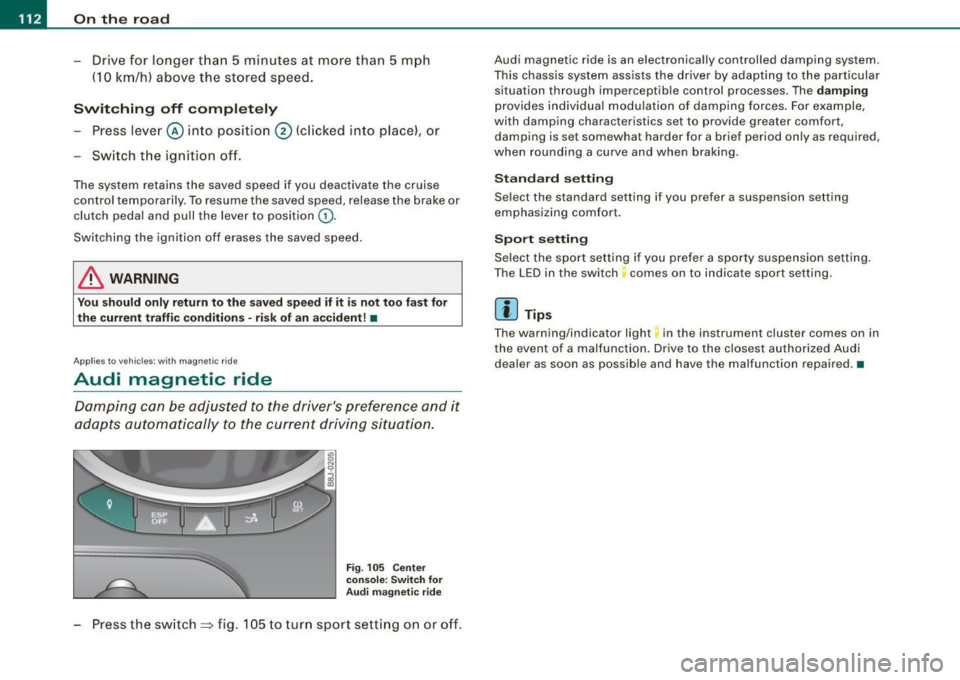
F ig . 105 C enter
co nsole: Sw itch for
A udi m agn etic ride
Press the switch => fig. 105 to turn sport sett ing on or off .
Audi magnetic ride is an e lectronically controlled damping system.
This chassis system assists the driver by adap ting to the particular
situation through imperceptib le control processes. The
damping
provides individua l modulation of damp ing forces. For example,
with damping characteristics set to provide greater comfort ,
damping is set somewhat harder for a brief period only as required,
when rounding a curve and when braking .
Standard setting
Select the standard setting if you prefer a suspension setting
emphasizing comfort .
Spo rt setting
Se lect the sport setting if you prefer a sporty suspension setting .
The LED in the switch comes on to indicate sport setting.
[ i ] Tip s
The warning/indicator light in the ins trument cluster comes on in
the event of a malfunction. Drive to the c losest authori zed Audi
dea ler as soon as possible and have the malfunction repaired. •