automatic transmission AUDI TT ROADSTER 2008 Owners Manual
[x] Cancel search | Manufacturer: AUDI, Model Year: 2008, Model line: TT ROADSTER, Model: AUDI TT ROADSTER 2008Pages: 316, PDF Size: 70.1 MB
Page 14 of 316
Inst rum ent s a nd warning /indi cato r li ghts
Instruments and warning/indicator lights
Instruments
Instrument cluster and controls
The instrument cluster is your central source of informa
tion .
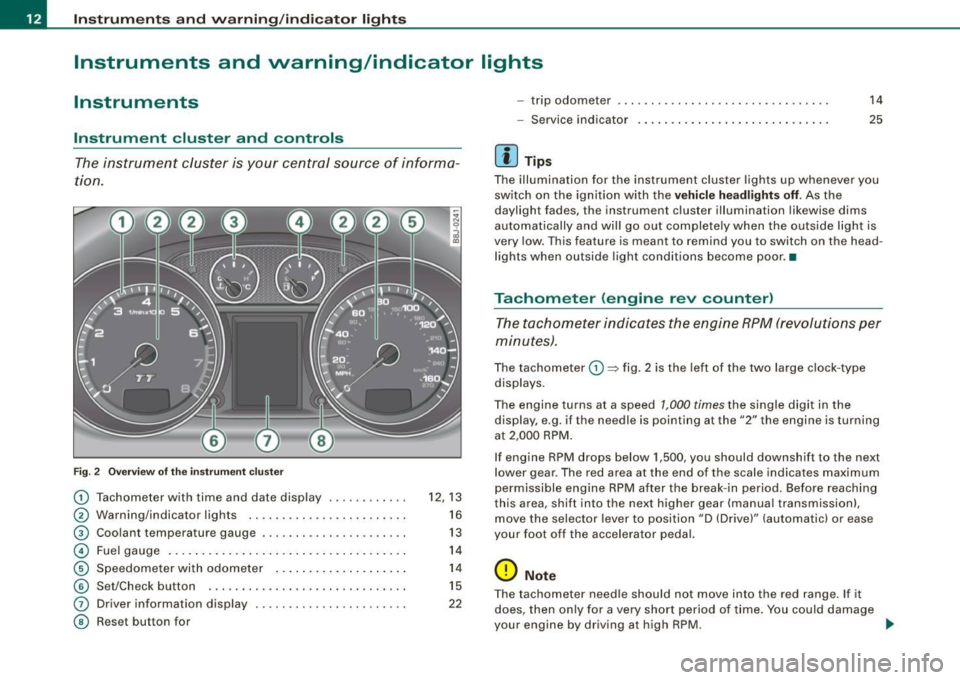
6
Fig . 2 Ove rv iew of the ins trum ent cluster
0
0
0
©
©
©
G)
©
Tachometer with time and date display ......•.....
Warning/indicator lights .. ... ..... ... ........ .. .
Coolant temperature gaug e .... ... ...... ...... .. .
Fuel gauge .. .... ... .. ...... .... ... ..... ... ... .
Speedome ter with odometer ..... .... ... .. .. ... .
Set/Chec k button ..... ... ..... ..... ... ........ .
Driver information display
Reset but ton for
~
"' N 9
i
12, 13
16
13
14
14
15
22
- trip odometer
- Service indicator
[ i ] Tip s
14
25
The illumination for the instrument cluster lights up whenever you
switch on the ign ition with the
ve hicle hea dlight s off. As the
daylight fades, the instrument cluster illumination likewise dims
automatically and wil l go out completely when the outside light is
very low. This feature is meant to remind you to switch on th e head
lights when outside light conditions become poor. •
Tachometer (engine rev counter)
The tachometer indicates the engine RPM (revolutions per
minutes) .
The tachometer 0 ~ fig. 2 is the left of the two large c lock -type
displays.
The engine turns at a speed
1,000 times the single digit in the
display, e.g . if th e ne edle is pointing a t the
"2" the engine is turning
at 2,000 RPM .
If engine RPM drops below 1,500, you should downshif t to the next
lower gear . The red ar ea at the end of th e scale indica tes maximum
permissible engine RPM after the break- in period. Before reaching
th is area , shift into the next higher gear (manua l transmission),
move the selec tor lever to position "D (Drive)" (automatic) or ease
your foot off the accelerator pedal.
0 Note
T he tachometer need le should not move into the red range . If it
does, then on ly for a very short period of time . You could damage
your engine by driving a t high RPM. ...
Page 24 of 316
Driver inf ormation sy ste m
Driver information system
Introduction
General notes
The driver information display inside the instrument
cluster provides you, the driver, with important informa
tion.
F ig. 7 In st rum ent
c luster : center d is p lay
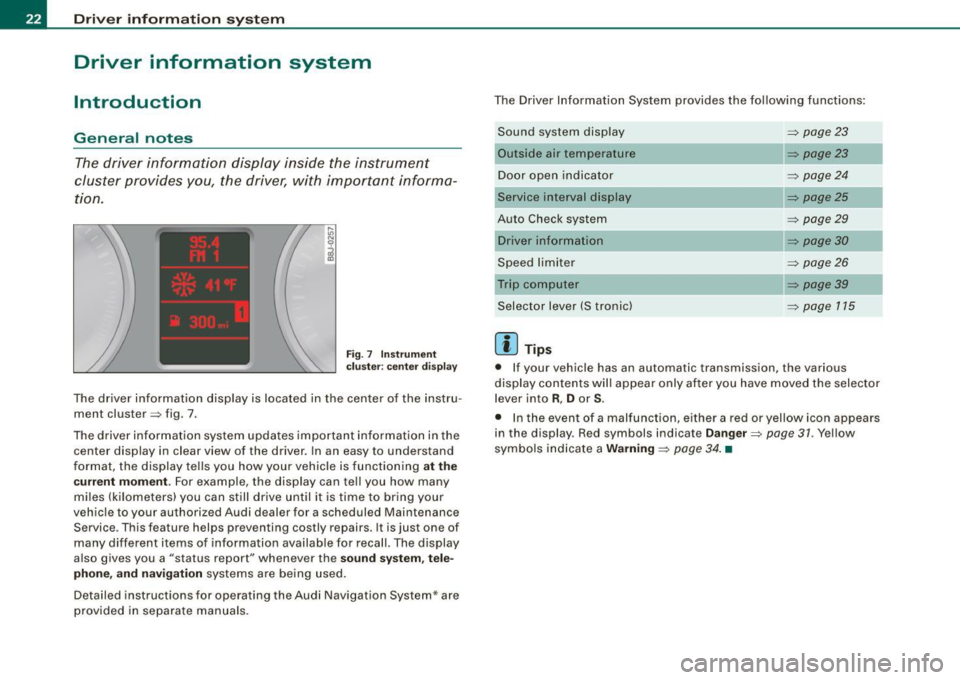
The driver information display is located in the center of the instru
ment cluster => fig . 7 .
The driver information system updates important information in the center display in clear view of the driver. In an easy to understand
format, the display tells you how your vehicle is functioning
at t he
cu rre nt m omen t.
For example, the display can tell you how many
miles (kilometers) you can still drive until it is time to bring your
vehicle to your authorized Audi dealer for a scheduled Maintenance Service . This feature helps preventing costly repairs. It is just one of
many different items of information availab le for recall. The display
a lso gives you a "status report" whenever the
so und s ystem , tel e
ph on e, a nd navi gation
systems are being used.
Detailed instructions for operating the Audi Navigation System* are provided in separate manuals . The Driver Information System provides the following functions:
Sound system display
Outside air temperature
Door open indicator
Service interval display
Auto Check system
Speed limiter
Selector lever (S t ronic)
[ i ] Tip s
=> page 23
=> page23
=> page 24
=> page25
=> page29
=> page30
=> page 26
=> page 39
=> page 115
• If your vehicle has an automatic transmission, the various
display contents will appear only after you have moved the selector
lever into
R , D or S.
• In the event of a malfunction, e ither a red or yellow icon appears
in the display. Red symbols indicate
D anger => page 31 . Yellow
sy mbols indicate a
W arning => page 34 . •
Page 33 of 316
Applies to vehi cles : wi th m anua l tra nsmi ssion
Function test: manual transmission
When the ignition is switched on, the Auto-Check Control automati
cally performs an operational check . If the functions tested are O .K .,
no message is shown in the display.
If one or more faul ts exist, the driver information disappears
approximately 15 seconds after the engine has been started and the
appropriate fault symbol appears in the display.
If malfunctions exist , this is indicat ed by r ed (prio rity
1) or yellow
(priority
2) symbols. A warning signal sounds at the same time. •
Applies to vehicle s: with autom ati c tra nsm iss io n
Function test: automatic transmission
Th e Auto-Check Con trol will automatically p erform a test each tim e
you switch on the ignition. When the selector lever in
P or N, the
following message appears in the display :
WHEN STATIONARY APPLY FOOTBRAKE WHILE SELECTING GEAR.
When you a select a different gear (for example: R, D, etc.), the
messag e will disappear and th e Auto-Check function is display ed .
If the functions tested are O.K., no message is shown in the display .
If there is a malfunction, then the malfunction message will appear
about 15 seconds after the you start the vehicle. At the same time
you will hear a warning tone.
[ i] Tips
On vehicles with automatic transmission*, the driver message
WHEN STATIONARY APPLY FOOTBRAKE WHILE SELECTING GEAR
cannot be shown again. This driver message appears in the display
only un til a gear is engaged. •
Controls and equip
ment
Driver information system
Red symbols
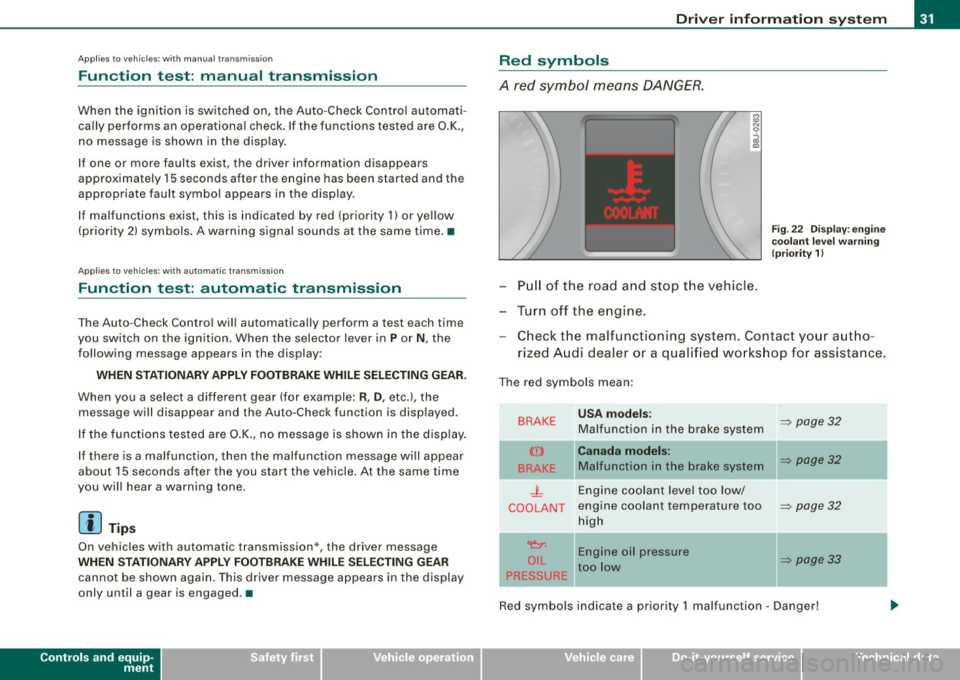
A red symbol means DANGER.
Pull of the road and stop the vehicle.
Turn off the engine.
Fig . 22 Display : engine
coolant level warning
(priority 1)
Check the malfunctioning system . Contact your autho
rized Audi dealer or a qualified workshop for assistance.
The red symbols mean :
BRAKE
(Ci)
BRAKE
.J_
COOLANT
'e:1:
O IL
PRESSURE
-
USA models:
Malfunction in the brake system
Canada models:
Malfunction in the brake system
Engine coolant level too low/
engine coolant tempera ture too
high
Engine oil pressure
too low
-
~ page 32
~ page32
~ page32
~ page33
Red symbols indicate a priority 1 malfunc tion - Danger!
I • •
Page 109 of 316
___________________________________________________ O _n_ t_h _ e_ r_ o _ a_ d __ ,n
Starting and stopping the engine
Starting the engine
The engine can only be started with on original Audi key
and the clutch pedal* depressed.
- Set the parking brake.
Move the selector lever to the neutral position (automatic
transmission: selector lever in P or N)
~ & .
- On vehicles with manual transmission, fully depress the
clutch pedal.
- Turn the ignition key to position
G) ~ page 106, fig. 101
- do not depress the gas pedal when starting the engine!
- Let go of the key as soon as the engine starts.
A cold engine may at first be loud after it has been started. This is
due to the hydraulic valves building up the oil pressure . This normal
and no need for concern.
If the engine does not star t immediately, stop trying after 10
seconds and then try to restart the engine about 30 seconds later.
& WARNING
Never start or let the engine run in a confined or enclosed area.
Exhaust fumes from the engine contain carbon monoxide, a color
less and odorless gas. Carbon monoxide can be fatal if inhaled .
• Never leave the engine idling unattended. An unattended
vehicle with a running engine poses a danger of personal injury or
theft.
Controls and equip
ment
0 Note
• Avoid high engine speeds, fast acceleration or heavy engine
loads while the engine is still cold. This could damage the engine.
• The engine cannot be started by pushing o r towing the vehicle.
~ For the sake of the environment
To avoid unnecessary engine wear and to reduce exhaust emis
sions, do not let your vehicle stand and warm up. Be ready to drive
off immediately after starting your vehicle. Maintain moderate
speed until the engine is completely warm. Remember, the engine
performs best at operating temperature. •
Stopping the engine
-Turn the ignition key to position G) ~ page 106 , fig. 101.
& WARNING
• Never turn off the engine until the vehicle has come to a
complete stop.
• The brake booster and servotronic only work when the engine
is running . With the ignition turned off, you have to apply more
force when steering or braking. Since you cannot steer and stop
normally, this can lead to accidents and serious injuries.
• The radiator fan can continue to run for up to 10 minutes even
after you have turned off the engine and removed the ignition key.
The radiator fan can also turn on again if the engine coolant heats
up because of intense sunlight or heat build-up in the engine
compartment. .,
I • •
Page 110 of 316
• ..__O_ n_ t_h _ e_ r_ o_ a_ d ____________________________________________________ _
0 Note
Do not stop the engine immediately after hard or extended driving.
Keep the engine running for approximately two minutes to prevent
excessive heat build-up. •
Parking brake
Parking brake
When the parking brake is set, it prevents the vehicle from
rolling away unintentionally.
Setting the parking brake
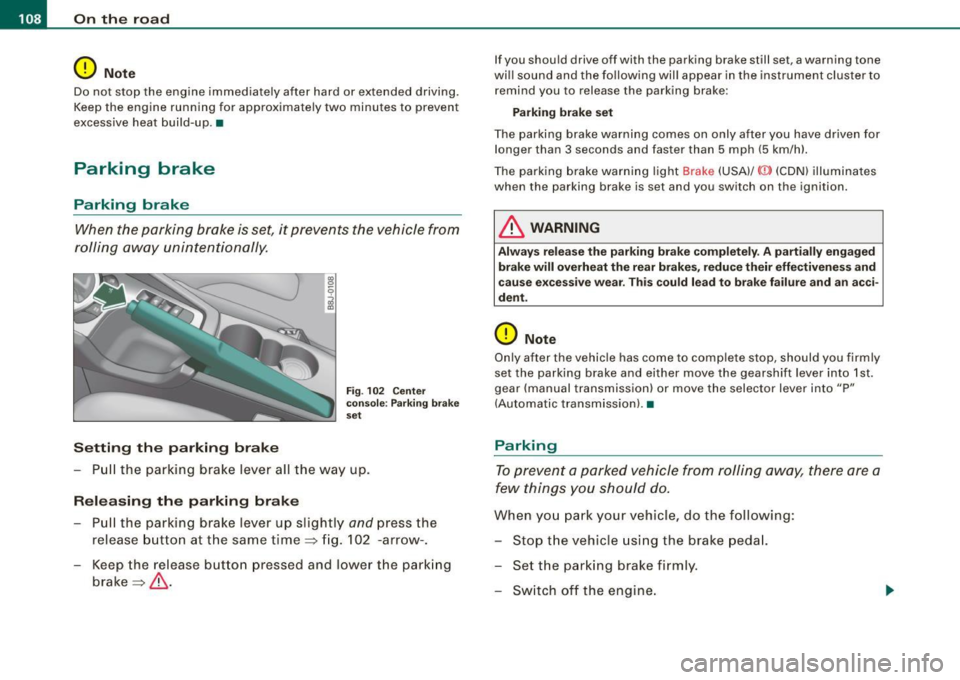
Fig . 102 Center
console: Parking brake
set
- Pull the parking brake lever all the way up.
Releasing the parking brake Pull the parking brake lever up slightly
and press the
release button at the same time=> fig. 102 -arrow-.
Keep the release button pressed and lower the parking
brake=>
& -
If you should drive off with the parking brake still set, a warning tone
will sound and the following will appear in the instrument cluster to remind you to release the parking brake:
Parking brake set
The parking brake warning comes on only after you have driven for longer than 3 seconds and faster than 5 mph (5 km/h).
The parking brake warning light Brake (USA)/
{CD) (CON) illuminates
when the parking brake is set and you switch on the ignition.
& WARNING
Always release the parking brake completely . A partially engaged
brake will overheat the rear brakes, reduce their effectiveness and
cause excessive wear. This could lead to brake failure and an acci
dent.
0 Note
Only after the vehicle has come to complete stop, should you firmly
set the parking brake and either move the gearshift lever into 1st .
gear (manual transmission) or move the selector lever into "P"
(Automatic transmission). •
Parking
To prevent a parked vehicle from rolling away, there are a
few things you should do.
When you park your vehicle, do the following:
- Stop the vehicle using the brake pedal.
- Set the parking brake firmly.
- Switch off the engine.
Page 116 of 316
_L--_T.:...:.. ra:::.:.. n;.:s:..: m:.:....:..: i;.: s ;.:s:..: i;.: o :....:n...:.... __________________________________________________ _
converter of conventional automatic transmissions and allow the
vehic le to accelerate without a noticeable break in the power flow.
With the aid of
tiptronic , the gears can optionally be shifted manu
ally~ page 118 . •
Ap plies to ve hic les: w ith S troni c®
Driving Notes
The forward gears are shifted up or down automatically.
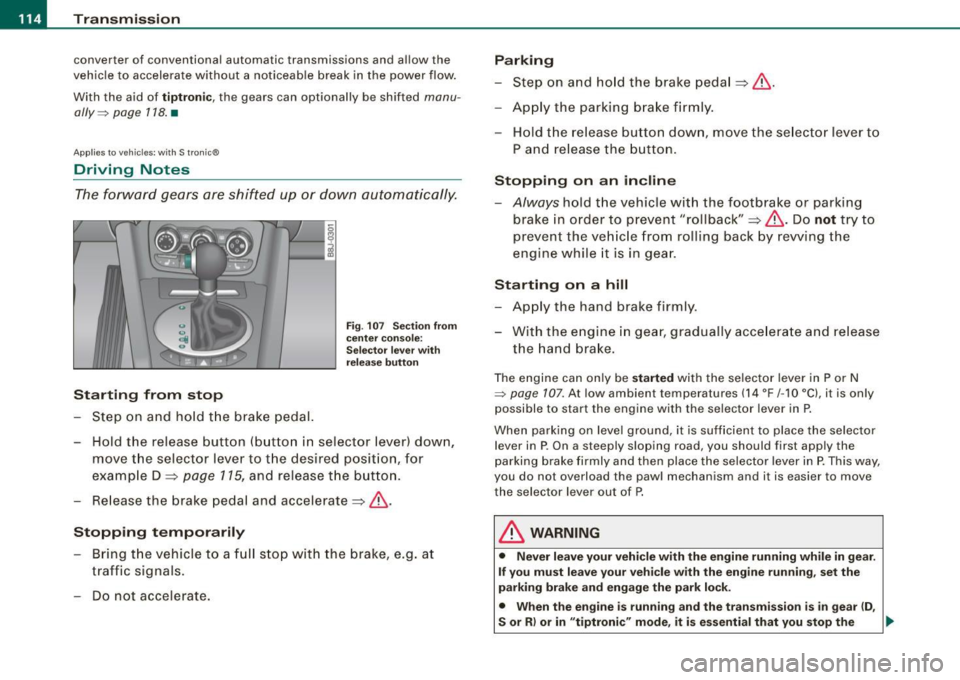
Starting from stop
Step on and hold t he brake pedal.
Fig. 107 Section from
ce nter console:
Selector lever with
release button
-Hold the release button (button in selector lever) down,
move the selector lever to t he desired position, for
example D :::>
page 115, and release the button.
- Release the brake pedal and accelerate:::>& .
Stopping temporarily
-Bring th e vehicle to a full stop with the brake, e.g. at
traffic signals.
- Do not accelerate.
Parking
-Step on and hold the brake pedal :::> & .
- Apply the parking brake firmly .
- Hold the release button down, move the selector lever to
P and release the button.
Stopping on an incline
-Always hold the vehic le with the footbrake or parking
brake in orde r to prevent "rollback":::> &. Do
not try to
prevent the vehicle from rolling back by rewing the
engine while it is in gear.
Starting on a hill
- Apply the hand brake firmly .
- With the engine in gear, gradually accelerate and release
the hand brake.
The engine can on ly be started with the selector lever in P or N
~ page 107. At low ambient temperatures (14 °F /-1 O °C), it is only
possible to start the engine with the se lector lever in P.
When park ing on leve l ground, it is sufficient to place the selector
lever in P. On a steeply sloping road , you should first apply the
parking brake firmly and then place the selector lever in
P. This way,
you do not overload the paw l mechanism and it is easier to move
the selector lever out of P.
& WARNING
• Never leave your vehicle with the engine running while in gear.
If you must leave your vehicle with the engine running, set the
parking brake and engage the park lock .
• When the engine is running and the transmission is in gear (D ,
S or R ) or in "tiptronic " mode , it is essential that you stop the
~
Page 118 of 316
....... _T _r_a _ n_ s_m _ i_s _s _i_o _n ______________________________________________________ _
N -Neutral
The transmission is in neutral in this position.
D -Normal position for driving forward
In this position, the forward gears are automatically shifted up and
down, depending on engine load and vehicle speed.
To engage S from N, the brake pedal must be depressed at speeds
below 5 km/h or when the vehicle is stationary=>&.
In certain circumstances (driving in the mountains for example) it
can be beneficial to switch temporarily to the manual shift program
=> page 118 in order to adjust the gear ratios to driving conditions
manually.
S -Sport setting
The S setting should be selected for sporting driving. The power
reserves of the engine can be fully exploited through later upshifts .
To engage S from N, the brake pedal must be depressed at speeds
below 5 km/h or when the vehicle is stationary=>&,.
& WARNING
• Never place the selector lever in the R or P position while the
vehicle is moving -risk of an accident!
• With the engine running, it is necessary to hold the vehicle with
the foot brake in all selector lever positions (except P and N), because even at idle speed the transfer of power is never
completely interrupted -the vehicle "creeps". If the vehicle is
stationary and the transmission is engaged, the engine should
never be speeded up unintentionally (e.g. manually from under the
hood). Otherwise the vehicle will immediately start to move -
sometimes even if the parking brake is firmly applied - risk of an
accident!
• Before you or other persons open the hood and work on a
running engine, the selector lever must be moved to P and the
& WARNING (continued)
parking brake applied firmly -risk of an accident! Follow the
warning stickers=>
page 212, "Engine compartment".
[ i] Tips
If you have inadvertently shifting into N while the vehicle is moving,
you should remove your foot from the accelerator and wait until the
engine speed has dropped to idle before shifting back to Dor S. •
Applies to vehicles : wi th S tronic ®
Selector lever lock
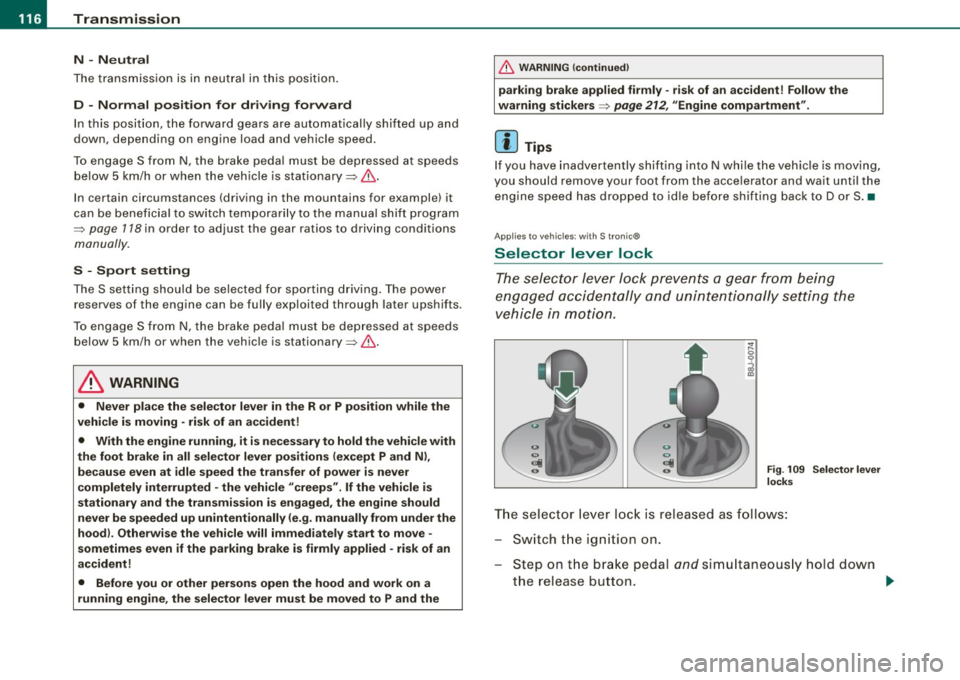
The selector lever lock prevents a gear from being
engaged accidentally and unintentionally setting the
vehicle in motion.
Fig. 109 Selector lever
locks
The selector lever lock is released as follows:
Switch the ignition on.
Step on the brake pedal
and simultaneously hold down
the release button. _.,
Page 119 of 316
____________________________________________________ T_ r_a _n _ s_ m __ is_ s_ i _o _ n __ ftllll
A ut omat ic selec to r l ever lock <&
The se lector lever is locked in the P and N positions when the igni
tion is on . To move the lever from these positions the driver must
depress the brake pedal. As a reminder to the driver, the fol lowing
warning appears in the instrument cluster display when the selector is in P and N:
A PP LY BRAK E WHEN ENGAGING GEAR WITH VEHIC LE
S TATIONARY
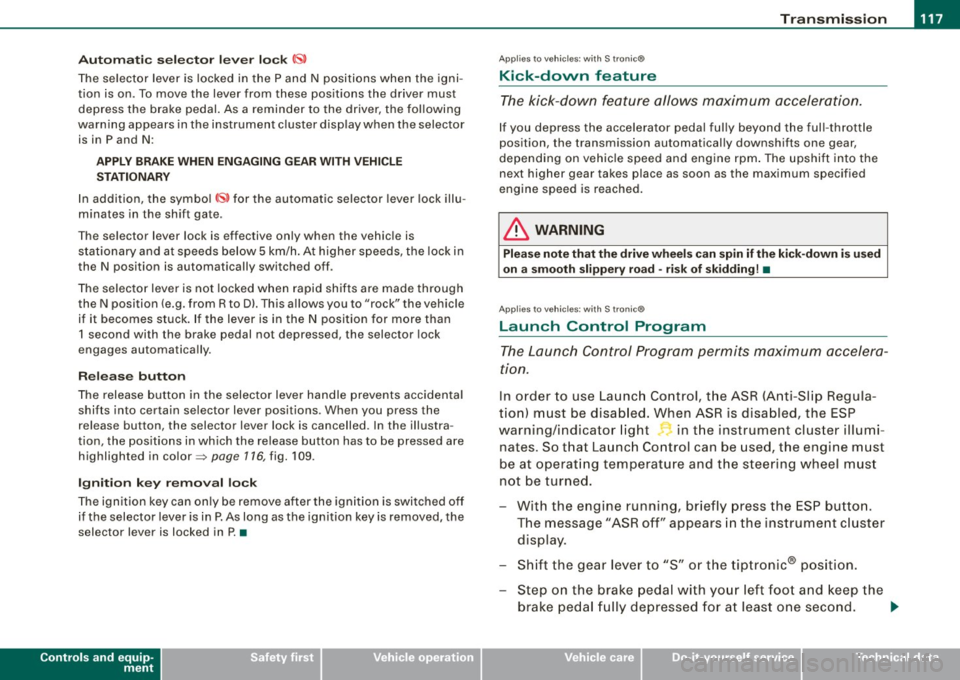
In addition, the symbo l<& for the automat ic selector lever lock illu
minates in the shift gate.
T he selector lever lock is effective only when the vehicle is
stationary and at speeds below 5 km/h . At higher speeds, the lock in
the N position is automatically switched off .
The selecto r lever is not locked when rapid shifts are made through
the N position (e.g . from R to Dl. This allows you to "rock" the vehicle
if it becomes stuck. If the lever is in the N position for more than
1 second with the brake pedal not depressed, the selector lock
engages automatica lly.
R elease button
The release button in the selector lever handle prevents accidenta l
shifts into certain selector lever positions . When you press the
release button, the selector lever lock is cancelled. In the illustra
tion, the positions in wh ich the release button has to be pressed are
highlighted in color=>
page 116, fig. 109 .
I g nition key re m ova l lock
The ignition key can on ly be remove after the ignition is switched off
if the selector lever is in P. As long as the ignition key is removed, the
selector lever is locked in P. •
Controls and equip
ment
Ap plies to vehicles: with S tronic®
Kick -down feature
T he kick-down feature allows maximum acceleration.
If you depress the accelerator pedal ful ly beyond the ful l- th rott le
position, the transmission automatical ly downshifts one gear,
depending on vehicle speed a nd engine rpm . The upshi ft into the
next higher gear takes place as soon as the maximum specified
engine speed is reached.
& WARNING
Pl ease note that the driv e wheel s can sp in if the kick -do wn is used
o n a s mooth slipper y ro ad -ri sk of sk id d ing! •
Applies to vehicles: with S tronic®
Launch Control Program
The Launch Control Program permits maximum accelera
tion.
In order to use Launc h Control, t he ASR (Anti-Slip Regula
tion) must be disab led. When ASR is disabled, the ESP
warning/indicator light
f in t he instrument cluster illumi
nates . So that Launch Control can be used, the engine must
be at operat ing temperature and the steering wheel must
not be turned.
- With the engine running, briefly press the ES P button.
The message "ASR off" appears in the instrument cluster
display .
- Shift the gear lever to "S" or the tiptronic® position.
- Step on the brake peda l w ith yo ur left foo t an d keep the
brake peda l fully depressed for at least one second. ._
I • •
Page 121 of 316
_______________________________________________________ T_ r _a_ n_s_ m __ is_ s_ io_ n _ __.1111111
Downshifting
- Tap the selector lever backward (in the tiptronic setting)
o.
Switching to manual can be carried out with the vehicle stationary
as well as moving .
When accelerating, the transmission shifts into the next gear in
gears 1, 2, 3, 4 and 5 shortly before the maximum permissible
engine speed is reached.
If you have selected a lower gear than the current one, the transmis
sion wil l only shift down when the engine cannot be overspeeded.
If kick -down is actuated, the transmission shifts into a lower gear
independently of speed and engine rpm.•
Applies to vehicles: with S tron ic® and with T iptronic controls on the s tee ring wheel
Steering wheel with Tiptronic ® controls
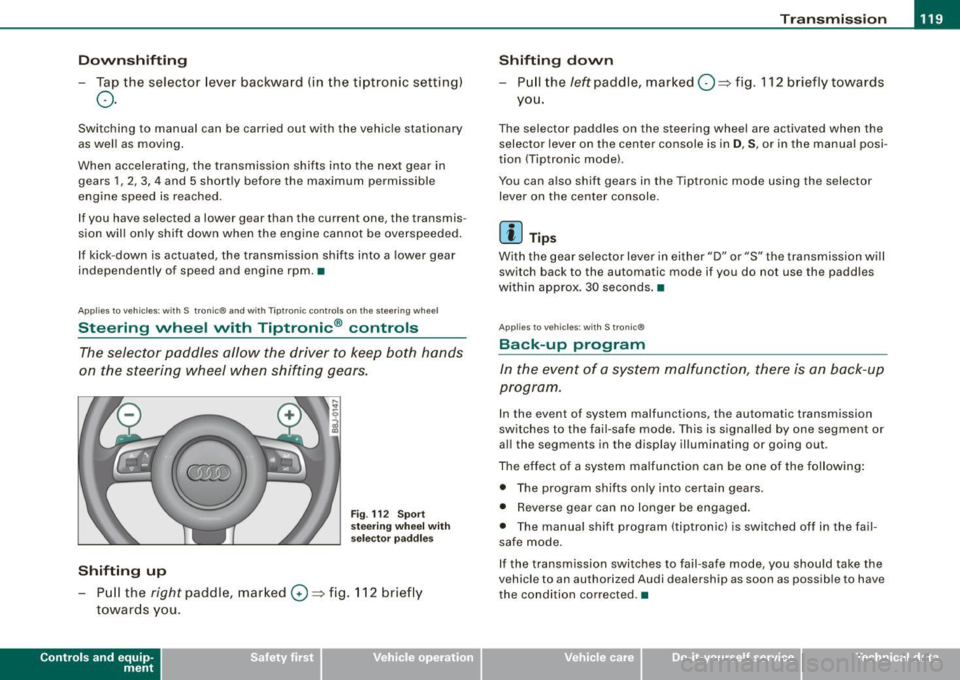
The selector paddles allow the driver to keep both hands
on the steering wheel when shifting gears.
Shifting up
F ig . 112 S port
stee ring w he el wi th
se lector paddl es
- Pu ll the right paddle, marked 0 => fig . 112 briefly
towards you .
Contro ls and eq uip
ment
Shifting d own
Pull the left paddle, marked O ::::> fig. 112 brief ly towards
you .
The selector paddles on the steering wheel are activated when the
selector lever on the center console is in
D, S, or in the manual posi
tion (Tiptronic model.
You can also shift gears in the Tiptronic mode using the selector
lever on the center console .
[ i ] Tips
With the gear se lector lever in either "D" or "S" the transmission wi ll
switch back to the automatic mode if you do not use the paddles
within approx . 30 seconds .•
App lies to vehic les: w ith S tronic®
Back -up program
In the event of a sys tem malfunction, there is an back-up
program .
In the event of system malfunctions, the automatic transmission
switches to the fai l-safe mode . This is signa lled by one segment or
al l the segments in the display illuminating or going out.
The effect of a system ma lfunction can be one of the fo llowing :
• The program shifts only into certain gears.
• Reverse gear can no longer be engaged .
• The manua l shift program (tiptronicl is switched off in the fail
safe mode.
If the transmission switches to fail-safe mode, you should take the
vehicle to an authorized Audi dea lership as soon as possible to have
the condition corrected .•
Vehicle care I I irechnical data
Page 194 of 316
___ D_ r _i_v _i_n ""'g "'- a_ n_ d _ e_ n_v_ i_ r _o _n_ m_ e_ n_t ___________________________________________ _
Driving and environment
The first 1,000 miles ( 1 ,500 km) and
afterwards
New engine
The engine needs to be run-in during the first 1,000 miles
(1,500 km).
For the first 600 miles (1,000 kilometres):
Do not use full throttle.
- Do not drive faster than 3/4 of the top speed marked on
the speedometer.
- Avoid high engine speeds .
From 600 to 1,000 miles (1,000 to 1,500
kilometres):
- Speeds can gradually be increased to the max imum
permissible road or engine speed.
During and after break-in period
- Do not rev the engine up to high speeds when it is cold.
This applies whether the transmission is in N (Neutral) or
1n gear.
After the break-in period
- Do not exceed maximum engine speed under any
circumstances.
- Upshift into the next higher gear before reaching the red
area at the end of the tachometer scale=> page 12.
During the first few hours of driving, the engine's internal friction is
higher than later when all the moving parts have been broken in.
How well this break-in process is done depends to a considerable
extent on the way the vehicle is driven during the first 1,000 miles
(1,500 kilometres).
0 Note
Extremely high engine speeds are automatically reduced. However,
these RPM-limits were programmed for an engine well run-in, not a
new engine.
~ For the sake of the environment
Do not drive with unnecessarily high engine speeds - upshifting
early saves fuel, reduces noise and protects the environment .•
New tires
If your vehicle is running on new tires, drive particularly
careful for the first 350 miles (500 kilometres) after fitting.
& WARNING
New tires tend to be slippery and must also be "broken-in". Be
sure to remember this during the first 350 miles (500 kilometres).
Brake gently. Avoid following closely behind other vehicles or
other situations that might require sudden, hard braking.
:I