oil AUDI TT ROADSTER 2008 Owners Manual
[x] Cancel search | Manufacturer: AUDI, Model Year: 2008, Model line: TT ROADSTER, Model: AUDI TT ROADSTER 2008Pages: 316, PDF Size: 70.1 MB
Page 5 of 316
Knee airbags . . . . . . . . . . . . . . . . . . 161
Side airbags . . . . . . . • . . . . . . . . . . . 164
Child Safe ty . . . . . . . . . . . . . . . . . . . . 168
Important things to know . . . . . . . 168
Important safety instruct ions for
using child safety seats ........ .
Child safety seats .. ...... ..... .
Insta lling a ch ild safety seat .... .
Add it ional Information .... ... .. .
Vehicle operation ....... .
Intelligent technology ......... .
Notice about da ta recorded by
veh icle contro l modules ....... .
Electronic Stab ilizat ion Program
(ESP) ... ... ... ... .... .... .. ... .
Rear spoiler .................. .
Braking .................... .. .
El ectro -mechanical power assist .
Driving with your quattro® ..... .
Driving and environment .... . .
171
173
177
180
183
184
184
184
187
188
190
191
192
The first 1,000 miles (1,500 km) and
afterwards . . . . . . . . . . . . . . . . . . . . 192
Cata lytic converter . . . . . . . . . . . . . 193
Avoid damaging the vehicle . . . . . 194
Operate your vehicle economically
and minimize pollution ... .. ... . 194
Trailer towing . . . . . . . . . . . . . . . . . . 196
Vehicle care ..... ... ... ... .
C leaning and protection ...... .
General information
Care of exterior ............ .... .
Care of interior .. .. .. .... ... .. . .
Fue l supply and filling your fuel
tank .. ... ... ... ... ...... .... .. . .
Gasoline .... ...... ........•. ...
Fuel tank ..................... .
Checking and filling ...... ... .. .
Eng ine hood ... ........ ....... .
Engine compartment .......... .
Engine oil ........ ... ...... .... .
E ngine cooling system ......... .
Brake fluid ..... .. ... ... ...•. ...
Battery . ...... .. .. .......... .. .
W indshield/headlight washer
conta iner .. .... ... ... .. ... .. .. .
Tires and whee ls ...... ..... ... .
T ires . ............ ...... · ·, · · · ·
Run -flat tires ......... ... .... .. . 199
200
200
200
208
214
2 14
2 15
2 19
219
221
222
227
230
231
236
238
238
257
Table of contents
Do-it-yourself service .. . 261
What do I do now? . . . . . . . . . . . . . 262
Trunk escape handle . . . . . . . . . . . . 262
Veh icle tool kit . . . . . . . . . . . . . . . . . . 262
T ire repair . . . . . . . . . . . . . . . . . . . . . . 263
What should I be aware of when
changing a tire? . . . . . . . . . . . . . . . . 267
Fuses and bulbs ................ 273
Fuses . . . . . . . . . . . . . . . . . . . . . . . . . . 273
Bu lbs ......... .. ... .... ... ..... 277
Emergency situations . . . . . . . . . . 278
Genera l . . . . . . . . . . . . . . . . . . . . . . . . 278
Starting by pushing or towing . . . . 278
Starting with jumper cables . . . . . . 278
Use of jumper cables . . . . . . . . . . . . 279
Emergency towing with commercial
tow truck . . . . . . . . . . . . . . . . . . . . . . 281
Lif ting vehicle . . . . . . . . . . . . . . . . . . 283
Technical data
General information
287
288
Explanation of technical data 288
Vehic le identif ication . . . . . . . . . . . . 288
Vehicle care I I irechnical data
Page 13 of 316
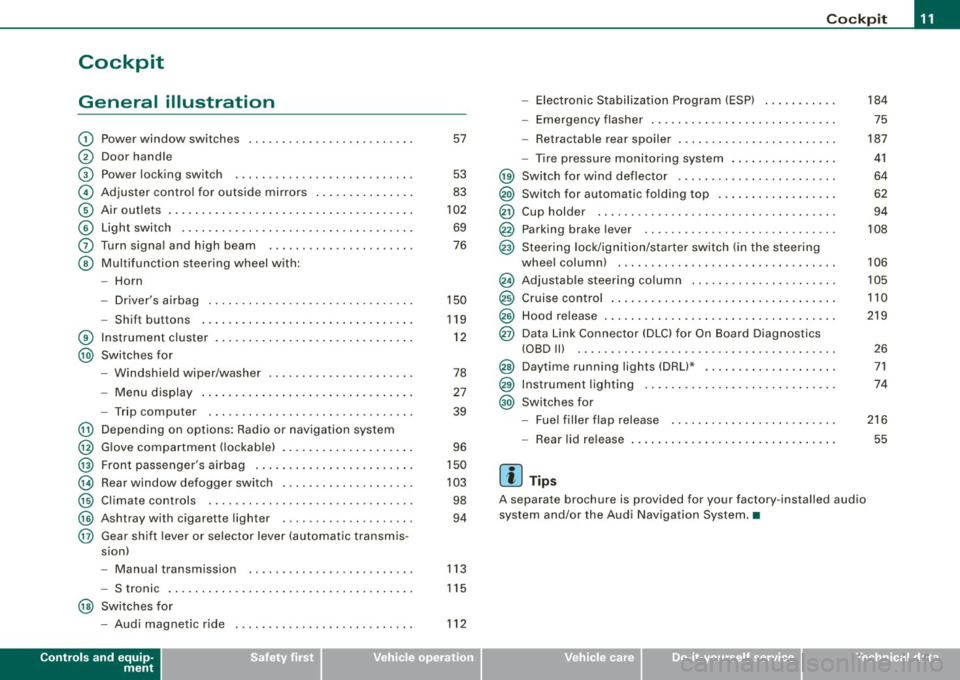
Cockpit
General illustration
G)
0
©
©
©
©
0
©
®
@
@
@
@
@
@
@
@
Power window switches
Door handle
Pow er lo cking switc h
Adjus te r contro l fo r ou tsid e mirro rs ...... .... ... . .
Air outlets ..... .. . ..... .... .... .. . .... .. . ..... .
Light switch .. ...... .... ... .... .... .... .... ... .
Turn signa l and high beam
Multifunc tion steering wheel with:
- Horn
- Driver's a irbag .... .... ... .... .... .... .... ... .
- Shift b uttons ... .. .... ... .... .... .... .... ... .
Instr um en t cluster . ...... ... .... .. ...... .. .. ... .
Switches for
- Windshield wipe r/wash er ... .... .. ....... .. ... .
- Menu d isplay ...... ... .. .. .... .... .... ... ... .
- Trip computer ..... .. .... .... ...... ....... .. .
Depending on options : Radio or navigation sys tem
G love compa rtmen t (loc kab le) ... .. .. .. ... .... ... .
Front passenger 's airbag .. ...... .. . .... .. .. .... .
Rear window defogger switch .... ..... .. .... .... .
Climate controls ..... .. .... .... ..... .. ... ... .. .
Ashtray wi th cigare tte lighter ....... ............ .
Gear sh ift l ever or s elector lever (automatic transmis -
sion) 57
53
83
102
69
76
150
119
1 2
78
27
39
96
150
10 3
98
94
- Manual transm ission . . . . . . . . . . . . . . . . . . . . . . . . . 113
- S tronic . . . . . . . . . . . . . . . . . . . . . . . . . . . . . . . . . . . . . 115
@ Switches for
- Aud i magnetic r ide
Controls and equip
ment
112
Co ckpit
- Electronic Stabilization Program (ESP) . .... .. ... .
- Emerge ncy flasher ... .. .. .. .... .... .... .. . ... .
- Retractab le r ear spoiler .... ...... .... .... .... . .
- Tire pressure mon itor ing system ..... .... .. . ... .
@ Sw itc h f or wind deflector .... .. ..... .. .... ... ... .
@) Switch for automatic folding top ..... .. .... ... ... .
@ Cup hold er ....... .. .. .. .... .... ....... ....... .
@ Parking brak e le ver ... .... ..... .. .... .... ..... . .
@ S teeri ng lock/igniti on/sta rter sw itch (in t he s teer ing
whee l column) ... .... ... ... ... .. .... .... ...... .
@ Adjus tab le steering co lu m n .. ...... ..... ... ... .. .
@ Cruise contro l .... ... .... .... .... .... .... ... ... .
@ Hood release ... .. .. .. ..... .. .... .... .... ...... .
@ Data Link Connect or (DLC) for On Boa rd Diag nostics
(OBD Ill .... ... .. ...... .... ... .... ... .. ... .... .
@ Daytim e running l ights (DRU* .... .... .... .... ... .
@ Instrumen t lighting ...... .... .... .... ... .... ... .
@ Switc hes f or
- Fue l filler flap release .... .. .... .... .... ... ... .
- Rea r lid r elease
[ i ] Tip s
A separate brochure is provided for your factory -insta lled audio
system and/or the Aud i Nav igation System .•
I • •
184
75
187
41
64
62
94
108
106
105
110
219
2 6
71
74
216
55
Page 16 of 316
Instruments and warning/indicator lights
& WARNING
• Always observe the warning in=;, page 212, " Engine compart
ment" before opening the engine hood and checking the engine
coolant level.
• Never open the engine hood if you see or hear steam , or if you
see engine coolant dripping from the engine compartment . You
c ould burn your self. Let the engine cool off first so that you cannot
hear or see any steam or engine coolant .
0 Note
• Mounting additiona l lights or accessories in front of the a ir inlets
reduces the co oling effect of the radiat or. At high outside tempera
tures or h igh engi ne load, the eng ine could overheat.
• The fron t spoile r has been designed t o properly dis trib ute the
coo ling air when the veh icle is mov ing . If the spo iler is damaged,
this could red uce the coo ling effect and the engine co uld then ove r
heat. Ask your authorized Audi deale r for assistance. •
Fuel gauge
The fuel gauge wor ks only when the ignition is on .
When the needle reaches the red area, the warning light in the i nstrument cluster w ill illu m ina te =;,
page 35 . Thi s means yo u
have approx imate ly 1.9 gallons (7 litres) of fuel left in the tank.
Time
to refuel!
The tota l tank capacity of your vehicle is listed in=;, page 297. Be
awa re of the diffe rent ta nk capaci ties of front -wheel a nd q uat tro®
a ll- w hee l d ri ve models .
0 Note
Never run the tank comple tely dry! An irre gular suppl y of fuel can
cause engine m isf iring and fuel could enter into the exhaust system.
The catalytic converter could then overheat and be
damag ed. •
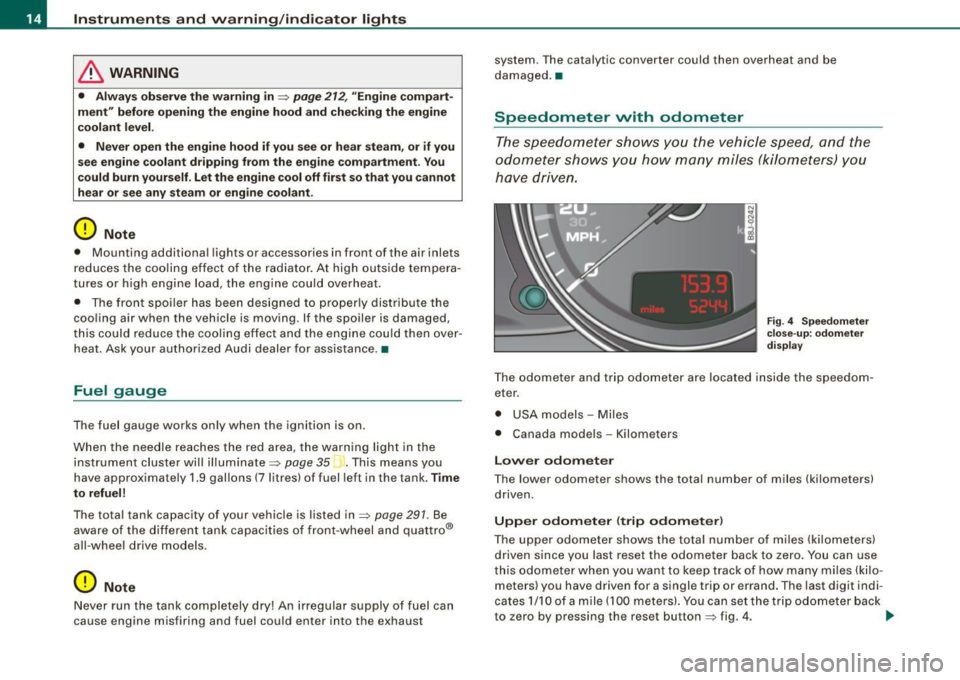
Speedometer with odometer
The speedometer shows y ou t he vehic le speed, and the
o dome ter sho ws you ho w ma ny m iles (kilo meters) yo u
have dri ven.
Fig . 4 Speedomete r
close -up : odomet er
displ ay
T he od ometer an d trip odo mete r are locate d insid e th e spe edom
eter .
• USA model s - Miles
• Canada mode ls - Kilometers
Lower odometer
The lower odometer shows the total number of miles (kilometers)
d riven.
Upper odometer (trip odometer )
The upper o dometer shows the tota l number o f mi les ( kilom eters)
driven since you last reset the odometer bac k to ze ro . You can use
thi s odomete r w hen you want to keep track of how ma ny m iles ( kilo
meters) you have driven for a single trip or errand. The last digit indi
cates 1/10 of a m ile (10 0 meters). You ca n set t he trip od o meter back
to zero by pressing the reset button
=;, fig . 4 . ..,,
Page 18 of 316
Inst rum ent s a nd warning /indi cato r li ghts
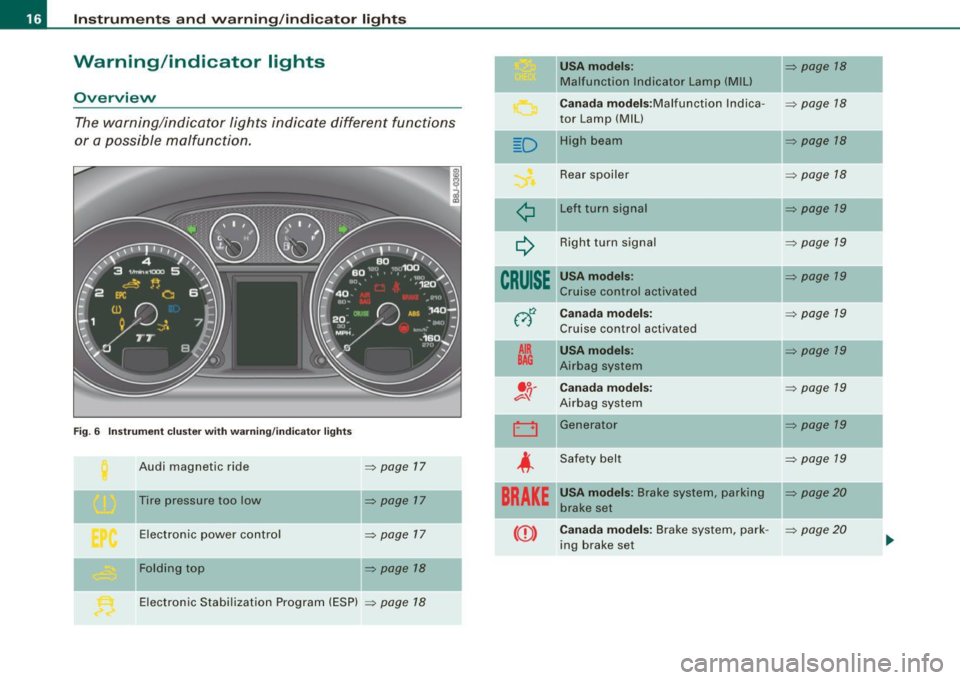
Warning /indicator lights
Ov erview
The warning/indicator lights indicate different functions
or a possible malfunction.
F ig. 6 Inst rum ent cluste r w ith warning/ indicator lig hts
Audi magnetic ride => page 17
Tire pressure too low => page 17
Electronic power control => page 17
-Fol ding top => page 18
II
Electronic Stabi lization Program (ESP) => page 18
D
¢
~
CRUISE
012
A IR
BAG
. o.
e::=- -!J
LJ
-
4
BRAKE
USA model s: => page 18
Malfunction Indicator Lamp (M IU
-
C an ada m od els :Malfunction lndica -=> page 18
tor Lamp (MIU
High bea m
=> page 18
Rear spoiler => page 18
Left turn signa l => page 19
Right turn signal => page 19
USA models: => page 19
Cruise control activated
Cana da mod els: => page 19
Cruis e control activated
USA mod els: => page 19
Airbag system
Ca nada mod els : => page 19
Airbag system
Generator
=> page 19
-
Safety belt => page 19
USA model s: Brake system, parking II=> page 20
brake set
Ca nad a model s: Brake system, park -
=> page 20
ing brake set
Page 20 of 316
Inst rum ents and w arnin g/indi cat or li ghts
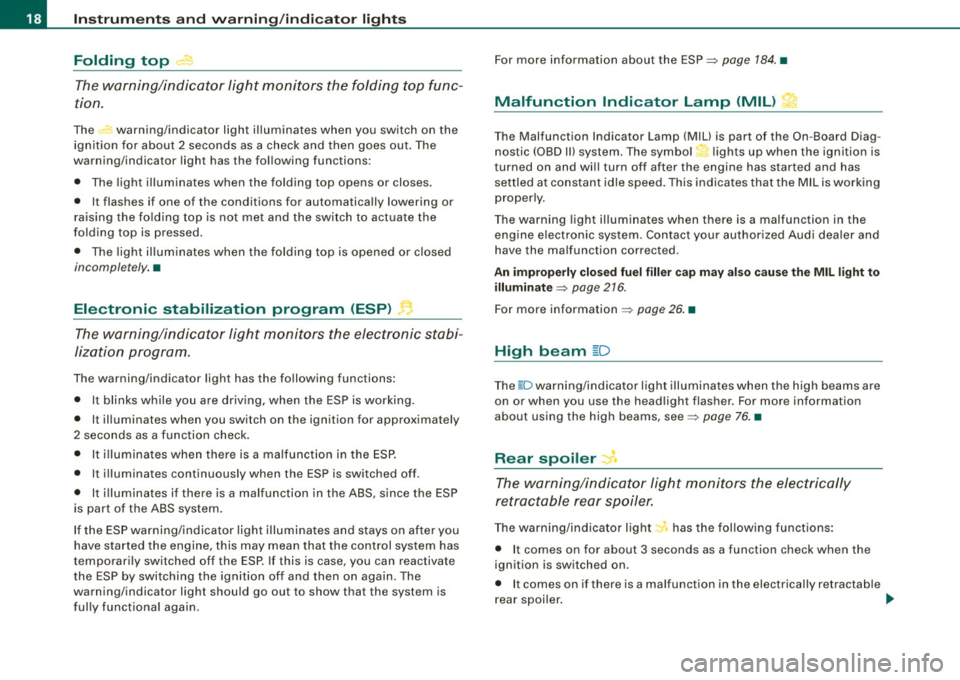
Folding top ,.... ·
The warning/indic ato r l ight monitors the folding top func
tion.
The warning/indicator light illuminates when you switch on the
ignit ion for about 2 seconds as a check and then goes out. The
warning/indicator light has the following functions:
• The light illuminates when the folding top opens or closes .
• It flashes if one of the conditions for automatically lowering or
raising the folding top is not met and the switch to actuate the
folding top is pressed .
• The ligh t illuminates when the folding top is opened or c losed
incompletely. •
Electronic stabilization program (ESP) ~
The warning/indicator light monitors the electronic stabi
lization program .
The warning/indicator light has the following functions:
• It blinks while you are driving, when the ESP is working.
• It illuminates when you switch on the ignition for approximately
2 seconds as a function check.
• It illuminates when there is a malfunction in the ESP .
• It illuminates continuously when the ESP is switched off.
• It illuminates if there is a malfunction in the ABS, s ince the ESP
is part of the ABS system.
If the ESP warning/indicator light illuminates and stays on after you
have started the engine, this may mean that the control system has
temporari ly switched off the ESP. If this is case, you can reactivate
the ESP by switching the ign ition off and then on again. The
warning/indicator light should go out to show that the system is
ful ly functional again. For more information about the
ESP=>
page 184 . •
Malfunction Indicator Lamp (MIL) I
•
T he Malfunction Indicator Lamp (MIU is part of the On-Board Diag
n ostic (OBD II) system . The symbol lights up when the ignition is
turned on and will turn off after the engine has started and has
sett led at constant id le speed. This indicates tha t the MIL is working
properly.
The warning light il luminates when there is a malfunction in the
engine e lectronic system. Contact your authorized Audi dealer and
have the malfunction corrected.
An imprope rly clo sed fuel filler cap m ay al so cau se the MIL light to
illumi nate =>
page 216.
For more information => page 26. •
High beam ~D
The@:D warning/indicator light illuminates when the high beams are
on or when you use the headlight flasher. For more information
about using the high beams, see=>
page 76. •
Rear spoiler J
The warning/indicator light monitors the electrically
retrac table rear spoiler.
The warning/indicator light~ has the following functions :
• It comes on for about 3 seconds as a function check when the
ignition is switched on.
• I t comes on if there is a malfunction in the electrical ly retractab le
rear spoiler . _,,,
Page 21 of 316
Additional information about the electrically retractable rear spoiler
=:> page 187 . •
Turn signals ¢ Q
The indicator light blinks when you use either turn signal.
Whenever you use the left¢ or the right c::::> turn signal, the indicator
light blinks. When you use the emergency flasher, both indicator
lights flash .
If one of the turn signa l light bu lbs burn out, the turn signal will
blink twice as fast as normal.
Additiona l information on the turn signals :::::>
page 76. •
Cruise control
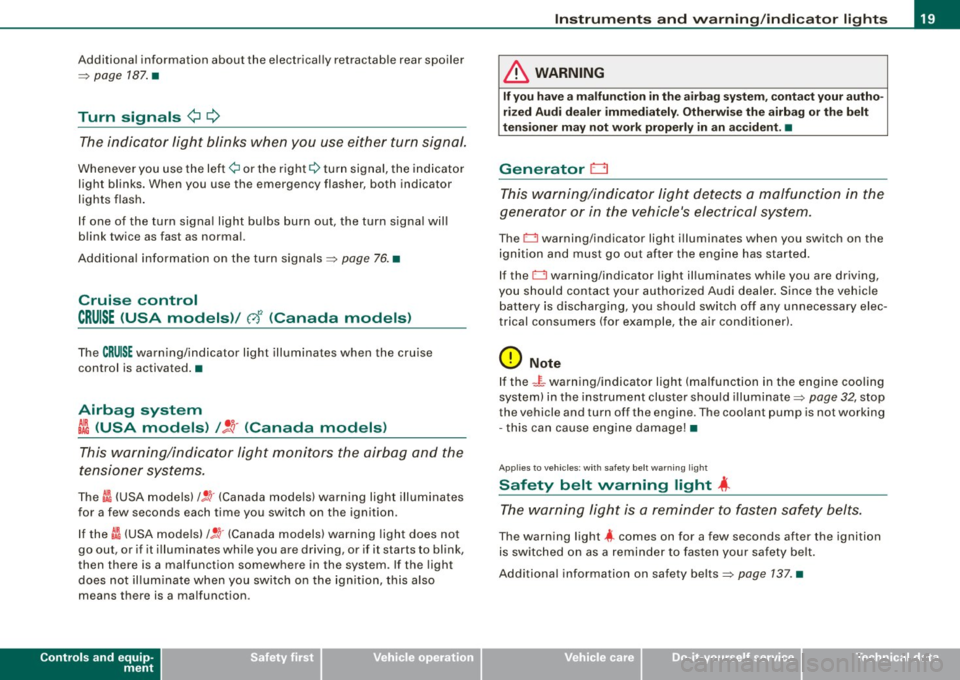
CRUISE (USA models )/ (')<> (Canada models)
The CRUISE warning/indicator light illuminates when the cruise
control is activated. •
Airbag system
~~ (USA models) / !_~· (Canada models)
This warning/indicator light monitors the airbag and the
tensioner systems .
The ti (USA models) !! 'tr (Canada models) warning light illuminates
for a few seconds each time you switch on the ignition .
If the m (USA mode ls)
/ J q· (Canada models) warning light does not
go out, or if it i lluminates whi le you are driving, or if it starts to blink,
then there is a malfunction somewhere in the system. If the light
does not illuminate when you switch on the ignition, this also
means there is a malfunction.
Controls and equip
ment
Instruments and warning /indi cator lights
& WARNING
If you have a malfunction in the airbag system, contact your autho
rized Audi dealer immediately. Otherwise the airbag or the belt
tensioner may not work properly in an accident. •
Generator 0
This warning/indicator light detects a malfunction in the
generator or in the vehicle's electrical system.
The D warning/indicator light illuminates when you switch on the
ignition and must go out after the engine has started.
If the D warning/indicator light illuminates while you are driving,
you should contact your authorized Audi deale r. Since the vehicle
battery is discharging, you should switch off any unnecessary elec
trical consumers (for example, the air conditioner).
0 Note
If the -~- warning/indicator light (malfunction in the engine cooling
system) in the instrument cluster shou ld illuminate :::::>
page 32, stop
the vehicle and turn off the engine . The coolant pump is not working
- this can cause engine damage!•
Applies to veh ic les : w ith safety belt warning l ight
Safety belt warning light 4
The warning light is a reminder to fasten safety belts.
The warning light 4 comes on for a few seconds after the ignition
is switched on as a reminder to fasten your safety belt.
Additional information on safety belts:::::>
page 137. •
I • •
Page 27 of 316
If, however, the Malfunction Indicator Lamp (MIU comes on,
always drive to your nearest authorized Audi dealer or qualified
workshop and have the vehicle checked.
For more information =>
page 216, "Refuelling".•
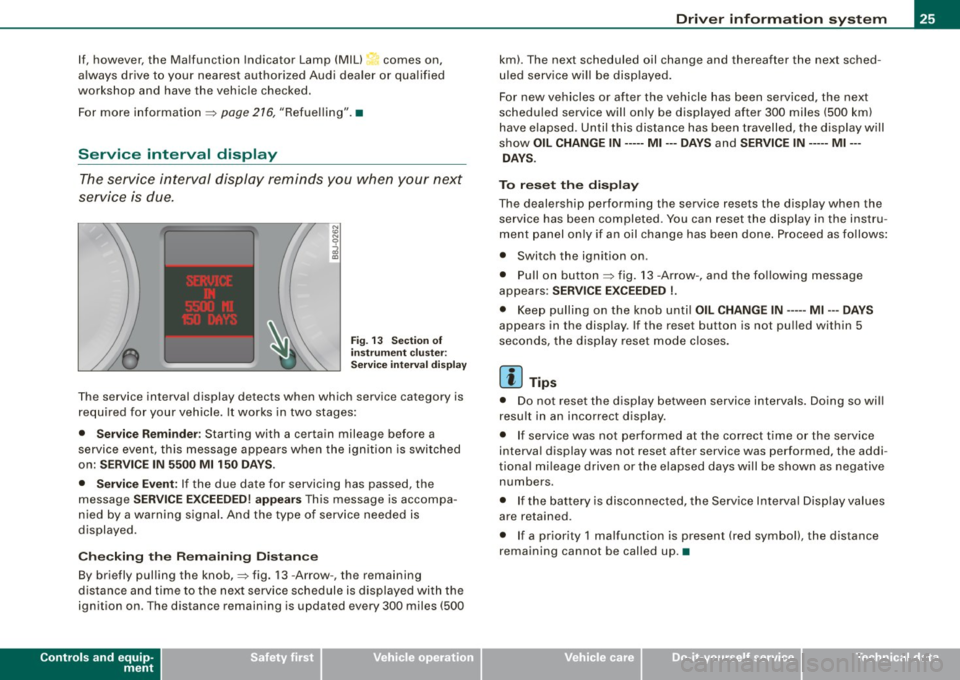
Service interval display
The service interval display reminds you when your next
service is due.
Fig. 13 Section of
instrument cluster:
Service interval display
The service interval display detects when which service category is
required for your vehicle. It works in two stages:
• Service Reminder : Starting with a certain mileage before a
service event, this message appears when the ignition is switched
on:
SERVICE IN 5500 Ml 150 DAYS.
• Service Event:
If the due date for servicing has passed, the
message
SERVICE EXCEEDED! appears This message is accompa
nied by a warning signal. And the type of service needed is
displayed.
Checking the Remaining Distance
By briefly pulling the knob,=> fig. 13 -Arrow -, the remaining
distance and time to the next service schedule is displayed with the
ignition on . The distance remaining is updated every 300 miles (500
Controls and equip
ment
Driver information system
km). The next scheduled oil change and thereafter the next sched
uled service will be displayed.
For new vehicles or after the vehicle has been serviced, the next
scheduled service will only be displayed after 300 miles (500 km)
have elapsed. Until this distance has been travelled, the display will
show
OIL CHANGE IN----- Ml ---DAYS and SERVICE IN----- Ml --
DAYS.
To reset the display
The dealership performing the service resets the display when the service has been completed . You can reset the display in the instru
ment panel only if an oil change has been done. Proceed as follows:
• Switch the ignition on .
• Pull on button=> fig.
13 -Arrow-, and the following message
appears:
SERVICE EXCEEDED !.
• Keep pulling on the knob until OIL CHANGE IN ---- -Ml ---DAYS
appears in the display. If the reset button is not pulled within 5
seconds, the display reset mode closes.
[ i] Tips
• Do not reset the display between service intervals. Doing so will
result in an incorrect display.
• If service was not performed at the correct time or the service
interval display was not reset after service was performed, the addi
tional mileage driven or the elapsed days will be shown as negative
numbers.
• If the battery is disconnected, the Service Interval Display values
are retained.
• If a priority 1 malfunction is present (red symbol), the distance
remaining cannot be called up. •
I • •
Page 29 of 316
& WARNING
Always observe the posted speed limits and adjust your speed to suit prevailing road, traffic and weather conditions. Never drive
your vehicle faster than the maximum speed rating of the tires
installed. •
Menu display
Introduction
0 ,...
"' 9 .., 00 m
Fig. 15 Wiper lever:
Controls for the menu
display
"'
"'
~ m
Fig . 16 Display: Start
menu
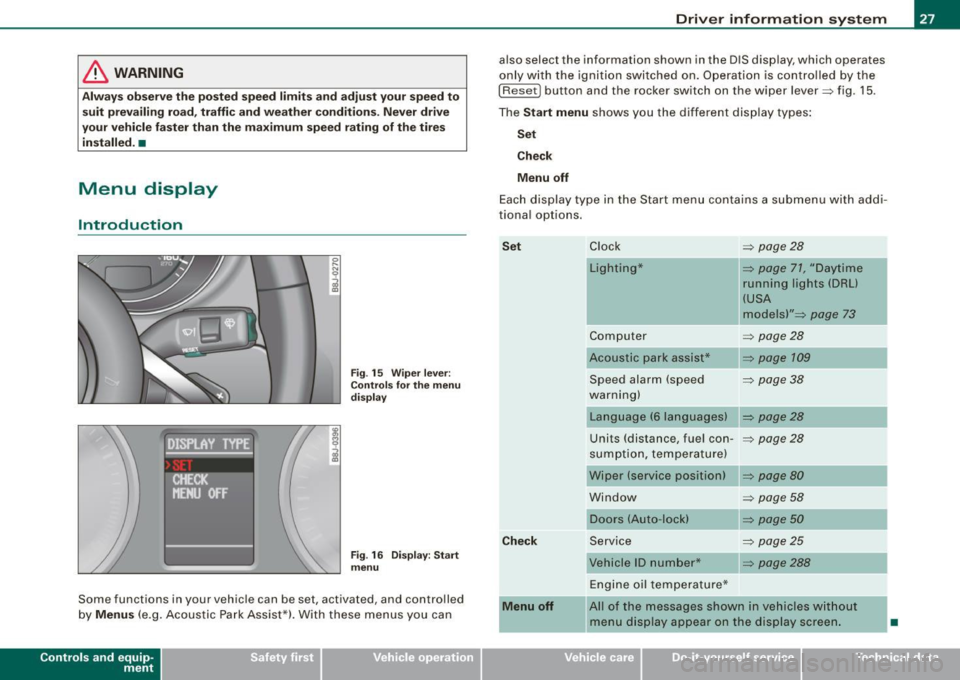
Some functions in your vehicle can be set, activated , and controlled
by
Menus (e.g. Acoustic Park Assist*). With these menus you can
Con tro ls and eq uip
ment
Driver information system
also select the information shown in the DIS display, which operates
only with the ignition switched on. Operation is controlled by the
I Reset) button and the rocker switch on the wiper lever::::, fig. 15.
The Start menu shows you the different display types:
Set
Check
Menu off
Each display type in the Start menu contains a submenu with addi
tional options.
Set
Check
Menu off Clock ::::, page 28
Lighting* => page 71, "Daytime
running lights (DRU
(USA
models)" =>
page 73
Computer ::::, page 28
Acoustic park assist* => page 109
Speed alarm (speed ::::, page 38
warning)
Language (6 languages) => page 28
Units (distance, fuel con-::::, page 28
sumption, temperature)
Wiper (service position) => page80
Window => page 58
Doors (Auto-lock) => page 50
Service ::::, page 25
Vehicle ID number* => page288
Engine oil temperature*
l! AII of the messages shown in vehicles without
menu display appear on the display screen.
•
Vehicle care I I Technical data
Page 32 of 316
Driver inf ormation sy ste m
If Auto Check senses an irregu lar condition or a malfunction
requiring urgent repair, it generates a specific symbol or short message in the instrument cluster center display . You will also hear
an audible warning tone. The displays are color coded in either red
or yellow depending on their level of priority.
The red symbols indicate a
d angerou s conditio n which is addition
a lly signal led by
th ree warning tones. Whereas the ye llow symbols
represent a
W arning which is signalled by one warning tone. In
specific situations, messages for the driver appear in addition to the red symbols~
page 30. •
Driver information messages
Along with some particular warning/indic ator lights and
instrument cluster symbols, additional messages will
appear in the display .
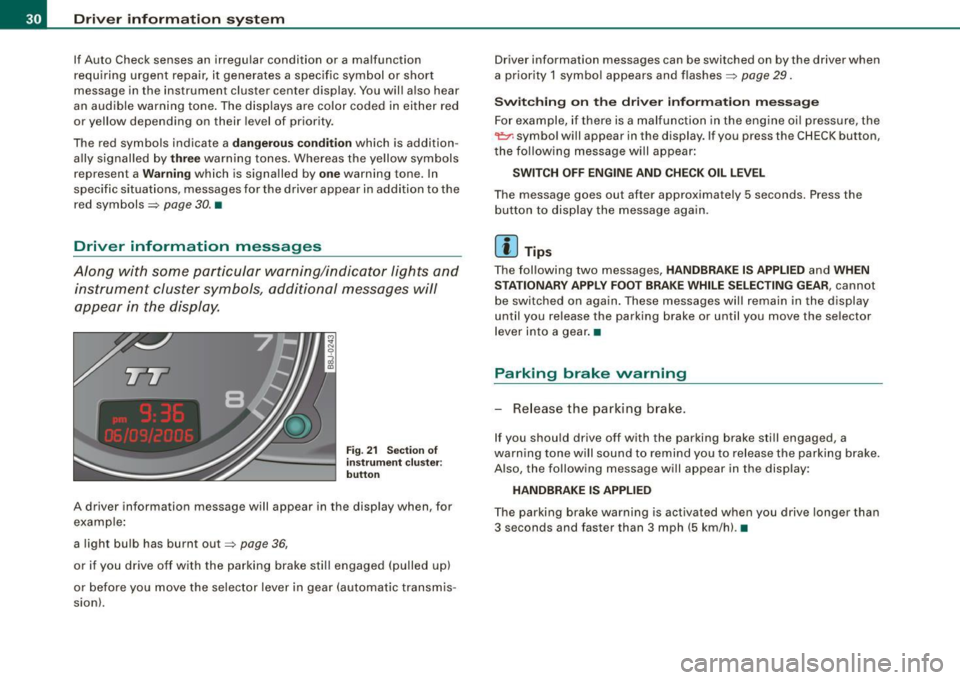
Fig. 21 Sectio n of
i n strum ent c luster:
b utton
A driver information message will appear in the disp lay when, for
example :
a light bulb has burnt out~
page 36,
or if you drive off with the parking brake still engaged (pulled up)
or before you move the se lector lever in gear (automatic transmis
sion). Driver information messages can be switched on by the driver when
a priority 1 symbo
l appears and flashes~
page 29.
Sw itc hing on th e driv e r inf orm ation m ess ag e
For example, if there is a malfunction in the engine oi l pressure, the
~ symbo l will appear in the display. If you press the CHECK button,
the fo llowing message will appear :
SWITCH O FF ENG IN E AND CHE CK OIL LE VEL
The message goes out after approximately 5 seconds. Press the
button to disp lay the message again.
[ i ] Tips
The fol lowing two messages, HANDBRAKE IS APPLIED and WHEN
S TA TIONARY APPLY FOOT BRA KE WHILE SELE CTIN G G EAR ,
cannot
be switched on again . These messages will remain in the display
until you release the parking brake or until you move the selector
l ever into a gear .•
Parking brake warning
- Release the parking brake.
If you should drive off with the parking brake still engaged, a
warning tone w ill sound to remind you to release the parking brake.
A lso, the following message will appear in the display:
HANDBR AKE IS APPLIED
The parking brake warning is activated when you drive longer than
3 seconds and faster than 3 mph (5 km/h). •
Page 33 of 316
Applies to vehi cles : wi th m anua l tra nsmi ssion
Function test: manual transmission
When the ignition is switched on, the Auto-Check Control automati
cally performs an operational check . If the functions tested are O .K .,
no message is shown in the display.
If one or more faul ts exist, the driver information disappears
approximately 15 seconds after the engine has been started and the
appropriate fault symbol appears in the display.
If malfunctions exist , this is indicat ed by r ed (prio rity
1) or yellow
(priority
2) symbols. A warning signal sounds at the same time. •
Applies to vehicle s: with autom ati c tra nsm iss io n
Function test: automatic transmission
Th e Auto-Check Con trol will automatically p erform a test each tim e
you switch on the ignition. When the selector lever in
P or N, the
following message appears in the display :
WHEN STATIONARY APPLY FOOTBRAKE WHILE SELECTING GEAR.
When you a select a different gear (for example: R, D, etc.), the
messag e will disappear and th e Auto-Check function is display ed .
If the functions tested are O.K., no message is shown in the display .
If there is a malfunction, then the malfunction message will appear
about 15 seconds after the you start the vehicle. At the same time
you will hear a warning tone.
[ i] Tips
On vehicles with automatic transmission*, the driver message
WHEN STATIONARY APPLY FOOTBRAKE WHILE SELECTING GEAR
cannot be shown again. This driver message appears in the display
only un til a gear is engaged. •
Controls and equip
ment
Driver information system
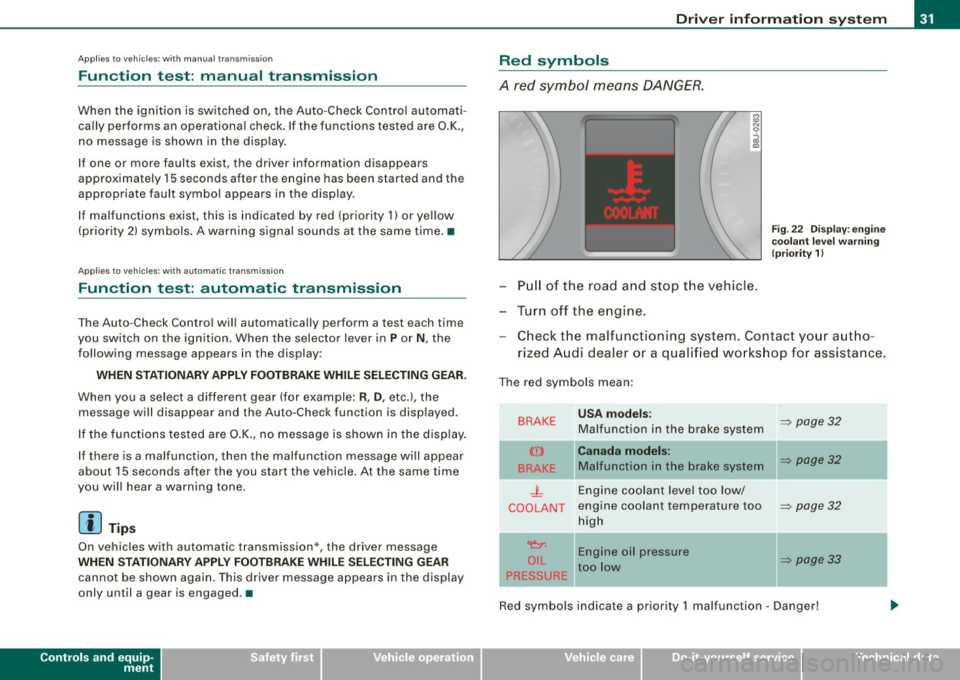
Red symbols
A red symbol means DANGER.
Pull of the road and stop the vehicle.
Turn off the engine.
Fig . 22 Display : engine
coolant level warning
(priority 1)
Check the malfunctioning system . Contact your autho
rized Audi dealer or a qualified workshop for assistance.
The red symbols mean :
BRAKE
(Ci)
BRAKE
.J_
COOLANT
'e:1:
O IL
PRESSURE
-
USA models:
Malfunction in the brake system
Canada models:
Malfunction in the brake system
Engine coolant level too low/
engine coolant tempera ture too
high
Engine oil pressure
too low
-
~ page 32
~ page32
~ page32
~ page33
Red symbols indicate a priority 1 malfunc tion - Danger!
I • •