remote control AUDI TT ROADSTER 2011 User Guide
[x] Cancel search | Manufacturer: AUDI, Model Year: 2011, Model line: TT ROADSTER, Model: AUDI TT ROADSTER 2011Pages: 260, PDF Size: 64.11 MB
Page 96 of 260
94 Homelin k®
Homelink ®
Universal remote
control
General information
The Homelink ® feature can learn up to three
radio frequency codes for most current trans
mitters used for operating garage doors, es tate gates, home or outdoor lighting sys
tems , and other devices.
You must first program the Homelink ® trans
mitter before you can use the system
¢ page 95, Programming the HomeLink ®
transmitter.
In order to program the Home Link ® transmit
ter for devices utilizing rolling code, a second person on a ladder who can safely reach the
garage door opener motor is recommended.
It is also necessary to locate the "learn" but
ton on your garage door opener motor . Refer
to the operating instructions for the opener,
as the location and color of this button may
vary by manufacturer .
You can still use the original remote control
for the device at any time.
A WARNING -
- Never use the Homelink® transmitter
with any garage door opener that does
have not the safety stop and reverse fea
ture as requ ired by federal safety stand
ards. This includes any garage door open
er mode l manufactured before April 1,
1982.
- A garage door opener which cannot de
tect an object, signaling the door to stop
and reverse does not meet current feder
al safety standards. Using a garage door
opener without these features increases
risk of serious injury or death.
- For safety reasons never release the
parking brake or start the engine while
anyone is standing in front of the vehicle .
- A garage door or an estate gate may
sometimes be set in motion when the Homelink
® remote control is being pro
grammed. If the device is repeatedly ac
tivated, this can overstrain motor and
damage its electrical components -an
overheated motor is a fire hazard!
- To avoid possible injuries or property
damage, please always make absolutely
certain that no persons or objects are lo
cated in the range of motion of any
equ ipment being operated.
0) Tips
- If you would like more information on
Homelink®, where to purchase the
Homelink ® compatible products, or
would like to purchase the Homelink ®
Home Lighting Package, please call toll
free: 1-800-355-3515.
- For Declaration of Comp liance to United
States FCC and Industry Canada regula
tions ¢
page 244.
Page 97 of 260
Programming the Homelink®
transmitter
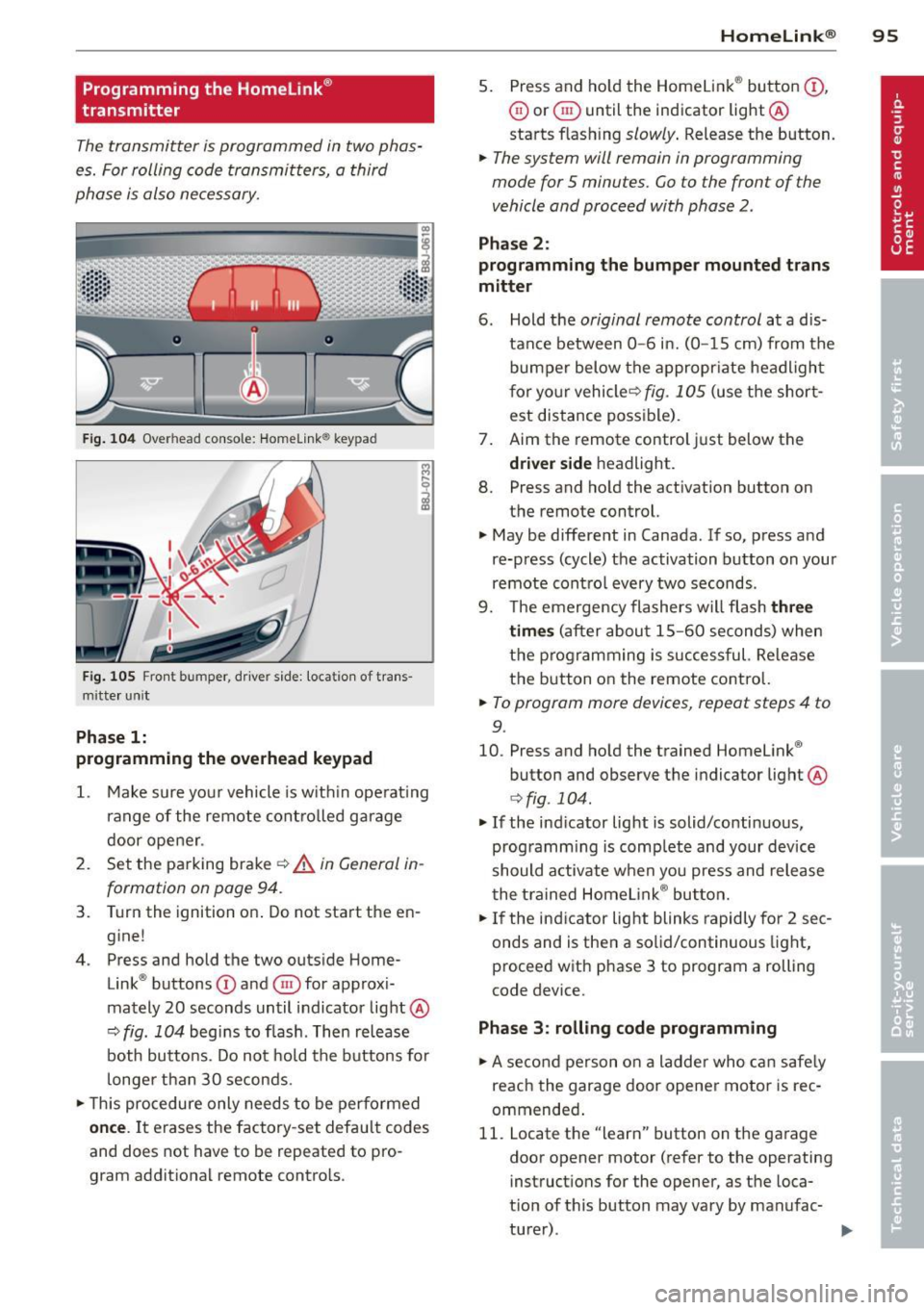
The transmitter is programmed in two phas
es. For rolling code transmitters, a third
phase is also necessary.
F ig . 104 Overhead console: Homelink ® keypad
Fig. 105 Front bumper, driver side: locat ion of trans
mitte r unit
Phase 1:
programming the overhead keypad
1. Make sure your vehicle is w ith in operat ing
ra nge of the remote controlled garage
door opener .
2. Set the parking brake~&.
in General in
formation on page 94.
3. Turn the ignition on . Do not start the en
g ine!
4 . Press and hold the two outside Home
Link ® buttons
(D and @for approxi
mately 20 seconds until indicator light@
~ fig. 104 begins to flash . Then release
both buttons . Do not hold the buttons for
longer than 30 seconds.
.. This procedure only needs to be performed
once. It erases the factory-set default codes
and does not have to be repeated to pro
gram additional remote controls .
Homelin k® 95
5. Press and ho ld the Homelink ® button (D ,
@ or§ until the indicator light@
starts flashing
slowly . Release the button.
.. The system will remain in programming
mode for 5 minutes.
Go to the front of the
vehicle and proceed with phase 2 .
Phase 2:
programming the bumper mounted trans
mitter
6. Hold the original remote control at a d is
tance between
0 -6 in. (0 -15 cm) from the
bumper below the appropr iate headlight
for your vehicleQ
fig . 105 (use the short
est distance possible) .
7. Aim the remote control just below the
driver side headligh t.
8. Press and hold the activation button on
the remote control.
.. May be different in Canada . If so, press and
re-press (cycle) the activation button on your
remote control every two seconds .
9. The emergency flashers will flash
three
times
(after about 15-60 seconds) when
the programming is successful. Re lease
the button on the remote control.
.. To program more devices, repeat steps 4 to
9.
10. Press and hold the trained Homelink ®
button and observe the indicator light @
Qfig . 104.
.. If the indicator light is solid/continuous,
programm ing is complete and your device
should activate when you press and release
the trained Homelink ® button.
.. If the indicator light blinks rapidly for 2 sec
onds and is then a solid/continuous light,
proceed w ith phase 3 to program a rolling
code device.
Phase 3: rolling code programming
.. A second person on a ladder who can safely
reach the garage door opener motor is rec
ommended .
11. Locate the "learn" button on the garage
door opener motor (refer to the operating
instructions for the opener, as the loca
tion of this button may vary by manufac
turer) .
Page 98 of 260
96 Homelink®
12. Press and release the learn button on the
garage door opener motor.
• Note: once the button is pressed, there are
30 seconds in which to initiate the next
step.
13 . On the Homel ink ® keypad inside the vehi
cle, firmly press and hold the Homelink ®
button previously programmed in phases
1 and 2 for two seconds and release. Re
peat this sequence
twice .
• Some vehicles may require the press/hold/
release sequence up to t hree times to com
plete the training process.
• HomeLink ® should now activate your rolling
code equipped device.
If the 5 minute time limit is exceeded, the
emergency flashers will flash one time to in
d icate that the process has been terminated.
In this case, repeat steps 4 through 9 .
If the emergency flashers do not flas h
three
times (after about 15-60 seconds), program
ming was not successful. In this case, repeat
steps 4 through 9.
Remote control units for garage door openers
i n Canada are set to stop transmitting radio
frequency signals after two seconds. This time
may not be sufficient for the Homelink ® sys
tem to learn the radio frequency s ignal. Per
form all other steps as described above .
Operating the Homelink® transmitter
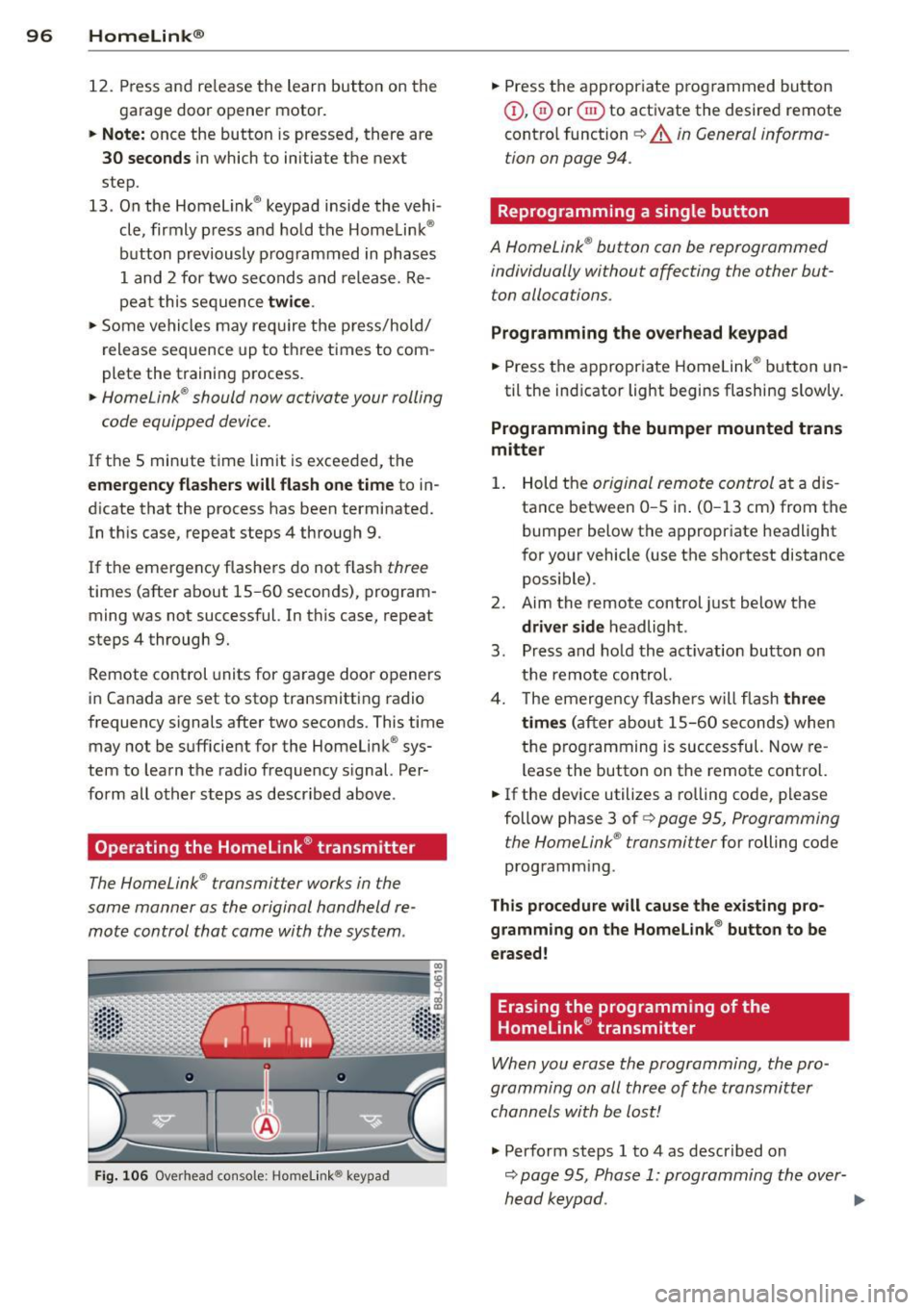
The HomeLink ® transmitter works in the
same manner as the original handheld re
mote control that came with the system .
Fig. 106 Overhead console: Homelin k® keypad
• Press the appropr iate p rogrammed button
(D, ® or@ to activate the desired remote
contro l function
~ A in General informa
tion on page 94.
Reprogramming a single button
A HomeLink ® button can be reprogrammed
individually without affecting the other but
ton allocations.
Programming the overhead keypad
• Press the appropriate Homelink ® button un-
til the indicator light begins flashing slowly.
Programming the bumper mounted trans
mitter
1. Hold the original remote control at a dis
tance between
0-5 i n. (0 -13 cm) from the
bumper below the appropriate headlight
for your vehicle (use the shortest distance
possible) .
2. Aim the remote control just below the
driver side headlight .
3 . Press and hold the act ivation button on
the remote control.
4. The emerge ncy flashers will flash
three
times
(after about 15-60 seconds) when
the programming is successful. Now re
l ease the button on the remote control.
• If the device utilizes a rolling code, please
follow phase 3 of
c:> page 95, Programming
the HomeLink ® transmitter
for rolling code
programm ing .
This procedure will cause the existing pro
gramming on the Homelink ® button to be
erased!
Erasing the programming of the
Homelink ® transmitter
When you erase the programming, the pro
gramming on all three of the transmitter
channels with be lost!
.,. Perform steps 1 to 4 as described on
c:> page 95, Phase 1: programming the over-
head keypad . ..,.
Page 157 of 260

Energy management
Starting ability is optimized
Energy management controls the distribution
of electrical energy and thus optimizes the
availability of electrical energy for starting the engine .
If a vehicle with a conventional energy system
is not driven for a long period of time, the bat
tery is discharged by idling current consumers
(e.g. immobilizer). In ce rtain c ircumstances it
can result in there being insuff icient ene rgy
avai lab le to start the engine .
Intell igent energy management in your vehi
cle handles the d istribution of electrical ener
gy. Starting ab il ity is markedly imp roved and
the life of the battery is extended .
Basically, energy management consists of
batt ery diagno sis, idlin g current man ag e
m ent
and dyn ami c en ergy manag emen t.
Batter y diagnosis
Battery diagnosis continuously determines
the state of the battery . Sensors determ ine
battery vo ltage, battery current and battery
temperature. This determ ines the current
state of charge and the powe r of the battery.
Idling curr ent man agement
Idling current management reduces energy
consumption while the vehicle is stand ing .
W ith the ignition switched off, it cont ro ls the
energy s upply to the various electr ical compo
nents . Data from battery diagnosis is consid
ered.
D epending on the batte ry's state of charge,
i nd ividua l consumers are gradual ly t urned off
to prevent excess ive d ischarge of the battery
and thus maintain starting capability .
Dynam ic en ergy management
While the vehicle is being driven, dynamic en
e rgy management dist ributes the energy gen
e rated according to the needs of the individu
a l components.
It reg ulates cons umption, so
that more electrical energy is not being used
Int ellig ent technolog y 155
than is being generated and ensures an opti
mal state of charge for the battery.
(0 Tips
- But even energy management canno t
negate the limits of physics . Consider
that the power and life of a battery are
limited .
- If starting ability is threatened, you are
informed by a warning
r::!)poge 156,
Driver notification in the instrument
cluster display.
What you should know
The highest priority is given to maintaining
starting capability.
The battery is severe ly taxed in short -distance
driving, in city traffic and during the cold time
of year. Abundant electrical energy is re quired, but only a little is generated .
It is also
critical if the engine is not running and electri
cal components are turned on . In this in
stance energy is be ing consumed but none is
being generated.
It is in precisely these situations that you will
notice energy management actively regulat
ing the d istribution of energy .
Vehicle stands for an e xtended peri od
If you do not drive your vehicle over a period
of several days or weeks, e lectr ical compo
nents are gradually cut back or switched off.
This reduces energy consumption and ma in
ta ins start ing capability over a longer period .
Take into considerat ion that when you unlock
your vehicle, some convenience functions, such as the remote key or power seat adjust
ment, may not be available . The conven ience
funct ions w ill be available again when you
tu rn o n the ignition and start the engine .
With the engine turned off
If you listen to the radio, for example, w ith
the engine turned off, the battery is being d is-
charged.
~
•
•
Page 246 of 260
244 Consumer Information
Technical Modifications
Our guidelines must be complied with when technical modifications are made .
Always consult an authorized Audi dealer be
fore starting work on any modifications.
This will help ensure that vehicle function,
performance and safety are not impaired
¢ &. .
Attempting to work on electronic components
and the software used with them can cause
malfunctions. Because of the way electronic
components are interconnected with each
other, such malfunctions can also have an ad
verse affect on other systems that are not di
rectly involved. This means that you risk both
a substantial reduction in the operational
safety of your vehicle and an increased wear of
ve hicle parts ¢
A:,..
Author ized Audi dealers will perform th is
wo rk in a professiona l and competent manner
or, in special cases, refer you to a professional
company that specializes in such modifica
tions .
A WARNING
Improper repairs and modifications can
change the way vehicle systems work and
cause damage to the veh icle and serious
personal injury.
If emergency repairs must be performed
elsewhere, have the vehicle examined by
an authorized Audi dealership as soon as
possible.
-
Declaration of
Compliance, Telecom
munications and
Electronic Systems
Radio Frequency Devices and Radiocommuni
cation Equipment User Manual Notice.
The manufacturer is not responsib le for any
radio or TV interference caused by unauthor
ized modifications to this equipment.
Devices
T he following devices each comply with FCC
Part 15.19, FCC Part 15.2 1 and RSS-Gen Iss ue
1:
- Cell phone package
- Electronic immobilizer
- Homelink® universal remote control
- Remote control key
FCC Part 15.19
This device complies with part 15 of the FCC
Rules . Operation is subject to the following
two conditions:
(1) This device may not cause harmful inter
ference, and
(2) this device must accept any interference
received, including interference that may
cause undesi red operation.
FCC Part 15.21
CAUTION:
Changes or mod ifications not expressly ap
proved by the party responsible for compli
ance could vo id the user's autho rity to operate
the equipment .
RSS-Gen Issue 1
Operation is subject to the following two con
ditions:
(1) this device may not cause interference,
and
(2) this device must accept any interfe rence,
including interference that may cause unde
sired operation of the device.
Page 249 of 260
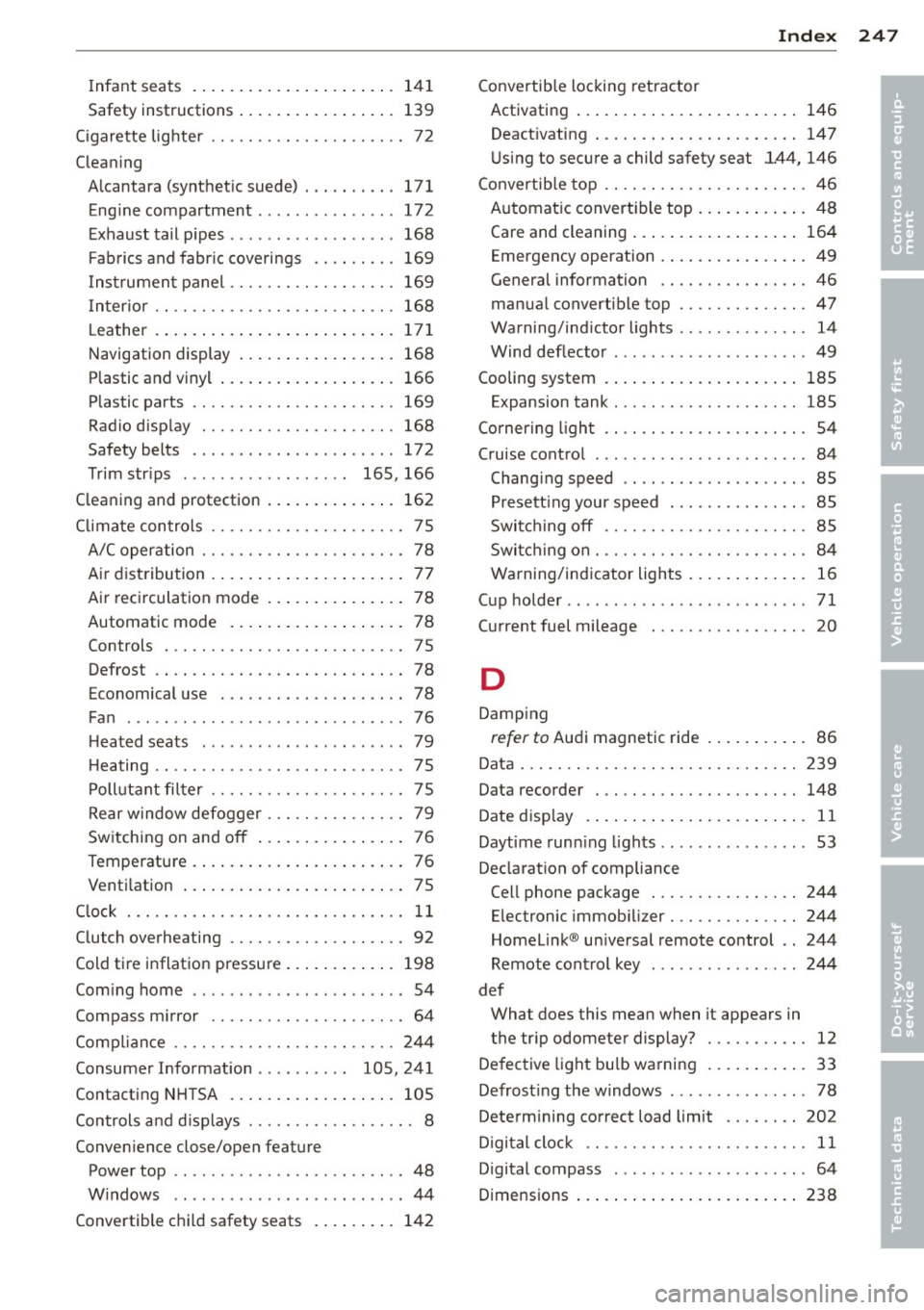
Infant seats . ............ .. .. .. ... 141
Safety instructions . . . . . . . . . . . . . . . . . 139
C igarette lig hter ........... .... .. .... 72
Cleaning Alcantara (synthet ic suede) . .. .. .. .. . 171
Eng ine compartment .......... ... .. 172
Exhaust tail pipes .............. .... 168
Fabr ics and fabric coverings .. .. .. .. . 169
Instr ument panel ......... .. .. .. .. . 169
Int erior .. .. ............. .. .. .. .. . 168
L eather . . . . . . . . . . . . . . . . . . . . . . . . . . 171
Navigation display ........ .. .. .... . 168
P lastic and vinyl ............ .. .. ... 166
Plastic parts ............. .... .. .. . 169
Radio display . ........... .. .. .. ... 168
Safety belts . . . . . . . . . . . . . . . . . . . . . . 172
Trim str ips . . . . . . . . . . . . . . . . . . 165 , 166
Cleaning and protection ........... .. . 162
Climate controls ........... .. .. .. .... 75
A/C operation . . . . . . . . . . . . . . . . . . . . . . 78
Air distribution ........... .. .. .. .... 77
Air rec irculation mode ............... 78
Automatic mode . . . . . . . . . . . . . . . . . . . 78
Controls ... ............. .... .. .... 75
Defrost .... .. ........... .. .. .. .... 78
Economical use . . . . . . . . . . . . . . . . . . . . 78
Fan ...... ... ................ .... . 76
Heated seats . . . . . . . . . . . . . . . . . . . . . . 79
H eating .. .. ............. .... .. .... 75
Po llutant filter ........... .. .. .. .... 75
Rear window defogger ....... .. .. .. .. 79
Switching on and
off . . . . . . . . . . . . . . . . 76
Temperature . ............ .. .. ...... 76
Ventilation ... ........... .. .. .. .... 75
Clock ....... ................. .. .... 11
Clutch overheating ......... .. .. .. .. .. 92
Cold tire inflation pressure ..... .. .. .. . 198
Coming home ................ .... ... 54
Compass m irror ........... .... .. .... 64
Compliance .. ............. .... .. .. . 244
Consumer Information . . . . . . . . . . 105, 241
Contacting NHTSA .................. 105
Controls and displays ......... .. .. .. .. . 8
Convenience close/open feature
Power top .. ... .. .. ...... .. .. .. .. .. 48
Windows .. ................ ... ... . 44
Convertible child safety seats . ... .. .. . 142
Index 247
Convertible locking retractor
Activating ... .. .... . ............ .. 146
Deactivating ... .. .. . .. .......... .. 147
U sing to secure a child safety seat 1.44, 146
Convertible top .. .. ................. . 46
Automat ic convertible top ......... .. . 48
Care and cleaning .... .......... .. .. 164
Emergency operation ........... .. .. . 49
General information ............. .. . 46
manua l convertible top ............. . 47
Warning/indictor lights ............ .. 14
Wind deflecto r ... .. . .. .. ...... .. .. . 49
Cooling system . . . . . . . . . . . . . . . . . . . . . 185
Expansion tank . . . . . . . . . . . . . . . . . . . . 185
Cornering light . . . . . . . . . . . . . . . . . . . . . . 54
Cruise contro l . . . . . . . . . . . . . . . . . . . . . . . 84
Changin g speed .. .. ... ....... .... .. 85
Presetting your speed . .. .... ... .. .. . 85
Switching
off .. .. ................. . 8S
Switching on . .. .. .... ........... .. . 84
Warning/indicator lights ........ .. .. . 16
Cup holder .. .. .. .. .. . .. .. ...... .. .. . 71
Current fuel mileage
20
D
Damping
refer to Audi magnetic ride ........... 86
Data ....... .. .. .. ... ............ .. 239
Data recorder . . . . . . . . . . . . . . . . . . . . . . 148
Date display . . . . . . . . . . . . . . . . . . . . . . . . 11
Daytime runn ing lights ... .. ...... .. .. . 53
Declarat ion of compliance
Cell phone package . . . . . . . . . . . . . . . . 244
E le ctronic immob ilizer .............. 244
Homelink ® un iversal remote control .. 244
Remote control key .. .. .. ...... .. .. 244
def What does this mean when it appears in
the tr ip odometer display? ...... .. .. . 12
Defective light bulb warning .......... . 33
Defrosting the windows ......... .... .. 78
Determ ining correct load limit ...... .. 202
Digital clock . . . . . . . . . . . . . . . . . . . . . . . . 11
Digital compass . . . . . . . . . . . . . . . . . . . . . 64
Dimens ions ... .... .. . .. .......... .. 238
•
•
Page 251 of 260
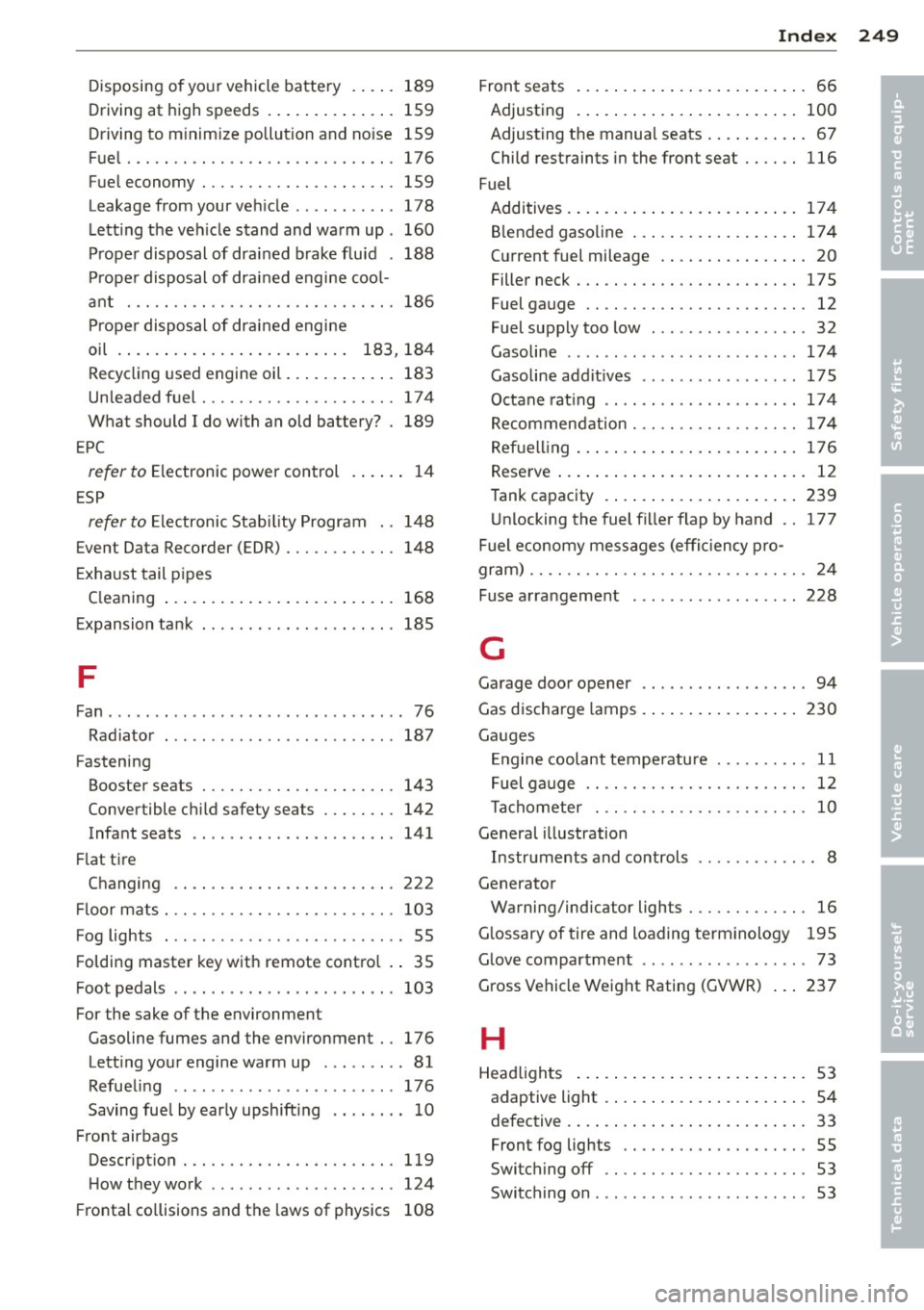
Disposing of your vehicle battery .. .. . 189
Driving at high speeds . . . . . . . . . . . . . . 159
Driving to minimize pollution and no ise 159
Fuel ... .. .. ................. .. ... 176
Fuel economy ................ .. ... 159
Leakage from your veh icle ...... . ... . 178
Letti ng the ve hicle stand and warm up . 160
Proper disposal of drained brake fluid . 188
Proper disposal of drained engine coo l-
ant ... .. .. ................. .. ... 186
Proper disposal of drained engine
oil . . . . . . . . . . . . . . . . . . . . . . . . . 183, 184
Recycling used engine oil ......... .. . 183
Un leaded fuel ............ .. .. .. ... 174
What should I do with an old battery? . 189
EP C
refer to Electronic power control . . . . . . 14
E SP
refer to Electronic Stability Program . . 148
Event Data Recorder (E DR) ... .. .. .. .. . 148
E xhaust tail pipes
Cleaning ... .. ... ........ .. .. .. ... 168
E xpansion tank .... .. ... ... .. .. .. .. . 185
F
Fan .... .... ... ................ .... . 76
Radiator ... .. ........ ... .. ... ... . 187
Fastening Booster seats . . . . . . . . . . . . . . . . . . . . . 143
Convertible c hild safety sea ts . .. .. .. . 142
Infant seats .. ..... ............. .. 141
Fl at tire
Changing .. .. .. ........... .. .. ... 222
Fl oor mats ... .... ............. .. .. . 103
Fog lights . . . . . . . . . . . . . . . . . . . . . . . . . . 55
F olding master key with remote contro l .. 35
Foot pedals .. .......... ... .... .. .. . 103
For the sake of the environment
Gasoline fumes and the environment .. 176
Lett ing your engine warm up . .. ... ... 81
Refuel ing . . . . . . . . . . . . . . . . . . . . . . . . 176
Saving fuel by early upshift ing .. .. .. .. 10
Front airbags Descr ipt ion ..... ............. .. .. . 119
H ow they work ... .. ...... .. .. .. .. . 124
Fr onta l co llisions and the laws of physics 108
Index 249
Front seats . . . . . . . . . . . . . . . . . . . . . . . . . 66
Adjusting ... .. .... . ............ .. 100
Adjusting the manual seats . . . . . . . . . . . 67
Child restraints in the front seat .... .. 116
Fuel Additives . ... .. .... . ............ .. 174
Blended gasoline . . . . . . . . . . . . . . . . . . 17 4
C ur rent fuel mileage . .......... .. .. . 20
Filler neck . .. .. .. .. .. ........... .. 175
Fuel gauge . . . . . . . . . . . . . . . . . . . . . . . . 12
Fuel supply too low . . . . . . . . . . . . . . . . . 32
Gasoline .. .. .. .. .. . .. .. ...... .. .. 174
Gasoline addit ives .. .............. . 175
Octane rat ing .. .. ................. 174
Recommendation . .... ......... .. .. 174
Refuelling ... .. .. .. . .. .......... .. 176
Reserve ... .. .. .... . ............ .. . 12
Tank capacity ....... .. ........ .. .. 239
Unlocking the fuel filler flap by hand .. 177
Fuel economy messages (efficiency pro-
gram) ...... .. .. .. .. . .............. . 24
Fuse arra ngeme nt ........ ......... . 228
G
Garage door opener .. ............... . 94
Gas discharge lamps . .. .. .......... .. 230
Ga uges
En gine coolant temperatu re . . . . . . . . . . 11
Fuel gauge . . . . . . . . . . . . . . . . . . . . . . . . 12
Tachom eter . . . . . . . . . . . . . . . . . . . . . . . 10
General illustration
Instruments and controls ... ... ... .. .. 8
Generator Warning/indicator lights .......... .. . 16
Glossary of tire and loading terminology 195
G lo ve compar tme nt . . . . . . . . . . . . . . . . . . 73
Gross Vehicle Weight Rating (GVWR) ... 237
H
Head lights ....... .. . .. .......... .. . 53
adaptive light . . . . . . . . . . . . . . . . . . . . . . 54
defective . . . . . . . . . . . . . . . . . . . . . . . . . . 33
Front fog lights . . . . . . . . . . . . . . . . . . . . 55
Switching off . . . . . . . . . . . . . . . . . . . . . . 53
Switching on . . . . . . . . . . . . . . . . . . . . . . . 53
•
•
Page 252 of 260

250 Index
Washer system . . . . . . . . . . . . . . . . . . . . . 62
Xenon headlights . . . . . . . . . . . . . . . . . . . 53
H ead restraints . ........... .... .... . 101
Adjusting .. ............. .. .. .. .. . 101
Heated front seats (climate control) . . . . . . . . . .
79
rear window . . . . . . . . . . . . . . . . . . . . . . . 79
Heated outside mirrors ..... .... .... .. 59
Heated seats . . . . . . . . . . . . . . . . . . . . . . . .
79
Heated washer jets
W iper and washer system .. .. .. .. .. . . 60
Heating ... .. ................ ..... .. 75
H igh beam . . . . . . . . . . . . . . . . . . . . . . 53, 55
Warn ing/ indicator l ights . .. .... .. .. .. 15
High voltage warn ing label ...... .. .. . 237
Hill Descent Assist .......... ... .... ..
90
H omeLink ® universal remote control . . . . 94
Hood
Opening . .. ..... ........... ... .. . 178
Release lever .. .... ...... .. .. .. .. . 178
Horn .. ... .................. ..... .. .
8
H ow many airbags does my vehicle have? 121
How often should I check my tire pres-
sures? .. .. .. ................ ... ... 201
How safety belt pretensioners work ... . 113
H ydroplaning 204
I
Ignition key . . . . . . . . . . . . . . . . . . . . . . . . . 80
Ignition key safety lock ..... .. .. .... .. 81
I gnition lock . . . . . . . . . . . . . . . . . . . . . . . . 80
Ignition lock pos itions . . . . . . . . . . . . . . . . 80
Immobilizer ................ .. .... .. 12
Important things to do before driving . . . 98
Improperly worn safety belts . .. .. .. .. . 112
I ndicator light
Airbag system . . . . . . . . . . . . . . . 125, 126
Audi magnetic ride ......... ... .... .. 14
C lutch overheating . . . . . . . . . . . . . . . . . . 92
PASSENGER AIR BAG OFF .. .... .... . 126
I ndicator lights ............ .. .. .. .. .. 13
Red symbols in the center disp lay .... . . 29
Ye llow symbols in the center disp lay ... 29
Infant seats . ... .......... .. .. .. .. . 141
Inside rearview mirror ...... .. .. .... .. 58 Installing child safety seats
Safety be lts . . . . . . . . . . . . . . . . . . . . . . 144
Instrument cluster and controls ... .... . 10
Instrument panel illumination .... .... . 57
Instruments and controls General illustration . . . . . . . . . . . . . . . . . . 8
Interior lights . . . . . . . . . . . . . . . . . . . . . . . 56
Luggage compartment ............. . 57
J
Jump-starting . .. .. ..... ....... ... .. 231
Jumper cables ... .. ............. .... 232
K
Key ........ .... .. .................. 35
Battery replacement .............. .. 36
Convenience opening and closing of pow-
er top .... ...... ............. .... . 48
Convenience opening and closing of win-
dows ........ ... .. ................ 44
Emergency key ... ....... ...... .. .. . 35
Key replacement .............. ..... 35
Master key ....................... . 35
Valet key .. .. .. .. ... .......... .... . 35
Keyless entry remote control .. .. ... ... . 35
Kick -down . . . . . . . . . . . . . . . . . . . . . . . . . . 91
Knee air bags .. .. .. ... .......... .... 130
Description .. .. .. ............. .. .. 130
How they work ... ................ . 131
Important safety instructions ........ 132
L
Lap timer ... .. .. .. ............. .. .. . 25
Launch Control Program ... ...... .. .. . 91
Leather . . . . . . . . . . . . . . . . . . . . . . . . . . . 170
Cleaning ......................... 171
Leaving home ..... ............. .... . 54
Lifting jack . .... .. .. ... ... ..... .. .. 223
Lifting vehicle ..... ................ . 236
Light/rain sensor defective ........... . 34
Lights . .... .... .. ............. .... . 53
Coming/Leaving home . . . . . . . . . . . . . . . 54
Emergency flasher . . . . . . . . . . . . . . . . . . 56
Exterior lighting . . . . . . . . . . . . . . . . . . . . 54
Front fog lights . . . . . . . . . . . . . . . . . . . . 55
Page 254 of 260

252 Index
Power locking system . . . . . . . . . . . . . . . . . 3 7
Convenience close/open feature ... .. .. 44
Locking and unlocking the vehicle from
inside ... ............... .. .. .... .. 40
Opening and closing the windows .... .. 44
Rear lid/trunk lid .......... ... .. ... . 41
Remote control .......... .. .. .. .. .. 35
Un lock ing and locking vehicle . .. .. .. .. 38
Power outlets . . . . . . . . . . . . . . . . . . . . . . . 72
Power seats
Adjusting the seatback ..... ... .. ... . 69
Adjustment .............. ... .... .. 68
Power steering
refer to Electro-mechanical power as-
sist . . . . . . . . . . . . . . . . . . . . . . . . . 18, 153
Power top Care and cleaning .......... ... .. .. . 164
Convenience close/open feature . .. .. .. 48
Conven ience opening/closing . .. .... .. 48
Power window switches ....... .. .... .. 43
Reactivating the system ....... .. .... 45
Pregnant women
Special considerations when wearing a
safety belt . . . . . . . . . . . . . . . . . . . . . . . 112
Programming the Homelink ® universal re
mote control . . . . . . . . . . . . . . . . . . . . . . . . 94
Proper occupant seating positions .. .. .. 99
Proper safety belt position . . . . . . . . . . . . 111
Proper seating pos ition
Fr ont passenger .............. .... . 100
Occupants . ................ .. .... .. 99
Q
Quartz clock . . . . . . . . . . . . . . . . . . . . . . . . 11
quattro ®
refer to All-wheel drive .... .. .. .. .. . 154
Question What happens to unbelted occupants? 108
Why safety belts? . . . . . . . . . . . . . . . . . 107
R
Radiator fan ... ........... .. .. .... . 187
Ra in sensor defective ......... .. .. .. . . 34
Reading lights ... .... ...... .. .. .. .. .. 56
Rear lid .................... .. .... .. 41
Emergency release . . . . . . . . . . . . . . . . . . 42 Rear light
defective ............. .... . 33
Rear spoiler . . . . . . . . . . . . . . . . . . . . . . . . 150
Rearview mirror
refer to Mirrors .. ............. .... . 58
Rear window defogger .............. .. 79
Refuelling ........ ................ . 176
Release lever for hood .............. . 178
Remote control . . . . . . . . . . . . . . . . . . 35, 39
Remote control garage door opener
(Homelink ®) .. .. .. ..... ....... ... .. . 94
Remote master key Unlocking and locking .......... .... . 38
Remote rear lid release .......... .. .. . 41
Repair manuals .. .. ................ . 241
Repairs Airbag system ... ................ . 128
Replacement parts . ............. .... 243
Replacing Wheel rims .. .. .. .......... ...... . 205
Rep lacing a fuse ... ................ . 227
Replacing light bulbs ............ .. .. 230
Replacing tires and wheels .......... .. 205
Replacing windshield wiper b lades ...... 63
Reporting Safety Defects ............ . 105
Reset button . . . . . . . . . . . . . . . . . . . . . . . . 12
Resetting remote contro l ......... .. .. . 39
Retractor ....... .. .. .............. . 110
Reverse (Automatic transmission) ... ... . 87
Rims Cast alloy . .. .. .. ............. .. .. 167
Replac ing . ...... ............. .... 205
Stee l rims ..... .. ................ . 167
Run-flat tires .. .. .. ..... ....... ... .. 215
Driving . .. .. .. .. .. .. ... ..... ... .. 216
Introduction . .. .. ............. .... 215
Replac ing defects parts ......... .. .. 217
s
SAFE ...... .... .. ................. . 12
Safe driving habits .............. ..... 98
Safety belt position . . . . . . . . . . . . . . . . . 111
Safety be lts worn by pregnant women 112
Safety belt pretensioner Serv ice and disposal ........... .. .. 113
Page 257 of 260
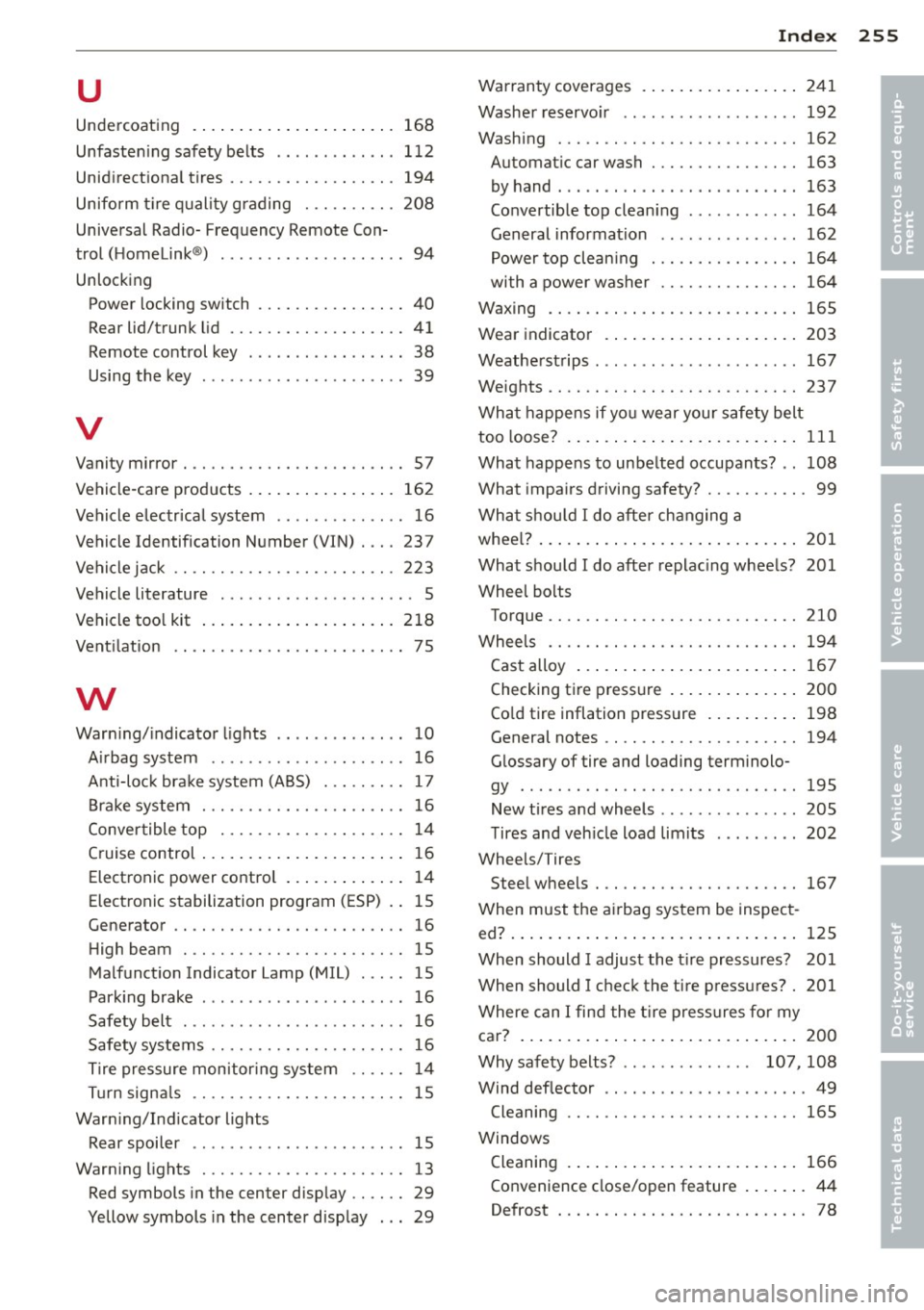
u
Undercoating ................... ... 168
Unfastening safety belts .. .. .. .. .. .. . 112
Unidirectional tires ......... .. .. .. .. . 194
Uniform tire quality grading . .. .. .. .. . 208
Universal Radio- Frequency Remote Con-
trol (Homelink ®) ....... ...... .... ... 94
Unlocking Power locking switch ...... .. .. .. .. .. 40
Rear lid/trunk lid ......... .. .. .. .. .. 41
Remote control key . . . . . . . . . . . . . . . . . 38
Using the key ............... ... ... . 39
V
Vanity mirror . .. ........... .. .. .. .. .. 57
Vehicle-care products .......... ... .. . 162
Vehicle electr ical system .... .. .. .. .. .. 16
Vehicle Identification Number (VIN) . .. . 237
Vehicle jack .. .... ............. .. .. . 223
Vehicle literature . . . . . . . . . . . . . . . . . . . . . 5
Vehicle tool kit ..................... 218
Ventilation . . . . . . . . . . . . . . . . . . . . . . . . .
7 5
w
Warning/indicator lights .. ..... .... ... 10
Airbag system ... .. ...... .. .. .. .. .. 16
Anti-lock brake system (ABS) . . . . . . . . . 17
Brake system ............ .. .. .. .. .. 16
Convertible top . . . . . . . . . . . . . . . . . . . . 14
Cruise control .................. .... 16
Electronic power control . . . . . . . . . . . . . 14
Electronic stabilization program (ESP) .. 15
Generator .. ............. .... .. .. .. 16
High beam . ............. .... .. .... 15
Malfunction Indicator Lamp (MIL) ..... 15
Parking brake ............... .... ... 16
Safety belt .... .. .. ...... .. .. .. .. .. 16
Safety systems ........... .... .. .. .. 16
Tire pressure monitoring system .. .. .. 14
Turn signals ............. .... .. .... 15
Warning/Indicator lights Rear spoiler .......... .... ... ... ... 15
Warning lights ............ .... .. .... 13
Red symbols in the center display .. .. .. 29
Yellow symbols in the center display . .. 29
Index 255
Warranty coverages ................ .
241
Washer reservoir .................. . 192
Washing ... .. .. .. ... ............ . .
162
Automatic car wash ............ ... .
163
by hand . .. .. .. .. .. . ... ...... ... . .
163
Convertible top cleaning . .......... . 164
General information .............. . 162
Power top clean ing ............ .. . . 164
with a power washer .............. . 164
Waxing .... .. .. .. .. .. ........... . .
165
Wear indicator ...... .............. .
203
Weatherstrips ...... .... ... ........ . 167
Weights .... .. .. .. .. .. ........... . .
237
What happens if you wear your safety belt
too loose? ........ .. ............... 111
What happens to unbelted occupants? .. 108
What impairs driving safety? ........... 99
What should I do after changing a
wheel? ............................ 201
What should I do after replacing wheels? 201
Wheel bolts Torque .... .. .. .. ............... .. 210
Wheels ........ ................... 194
Cast alloy ..... .. .. ............... 167
Checking tire pressure .............. 200
Cold tire inflation pressure ......... . 198
General notes .. ................... 194
Glossary of tire and loading terminolo-
gy ....... .. .. .. .... ... .... .... .. 195
New tires and wheels .. .. .......... . 205
Tires and vehicle load limits ........ . 202
Wheels/Tires Steel wheels . .. ...... ............. 167
When must the airbag system be inspect-
ed? ......... ..... ................. 125
When should I adjust the tire pressures? 201
When should I check the tire pressures? . 201
Where can I find the tire pressures for my
car? ........ ... .... ............... 200
Why safety belts? . . . . . . . . . . . . . . 107, 108
Wind deflector .. .. ................. . 49
Cleaning .... .. ................... 165
Windows Cleaning 166
Convenience close/open feature ..... .. 44
Defrost . .. .. .. .. .. ................ 78
•
•