reset AUDI TT ROADSTER 2011 User Guide
[x] Cancel search | Manufacturer: AUDI, Model Year: 2011, Model line: TT ROADSTER, Model: AUDI TT ROADSTER 2011Pages: 260, PDF Size: 64.11 MB
Page 29 of 260
or if you do not want to exceed a specified
speed for w inter t ires.
The speed warning 2 symbol,
1mj (USA mod
e ls)/
laJ (Canada models) appears in the dis
p lay when you exceed the stored speed lim it.
Unlike war ning 1, it will not go out until the
ve hicle speed drops be low the stored speed
limit.
Sett ing speed warning 2
c:> page 2 7 .
(0 Tips
Even t ho ugh yo ur vehicle is equipped with
a speed warning sys tem, yo u shou ld st ill
watch the speedomete r to make sure you
are not driving faster than the speed limit.
Speed warning 1: setting a speed limit
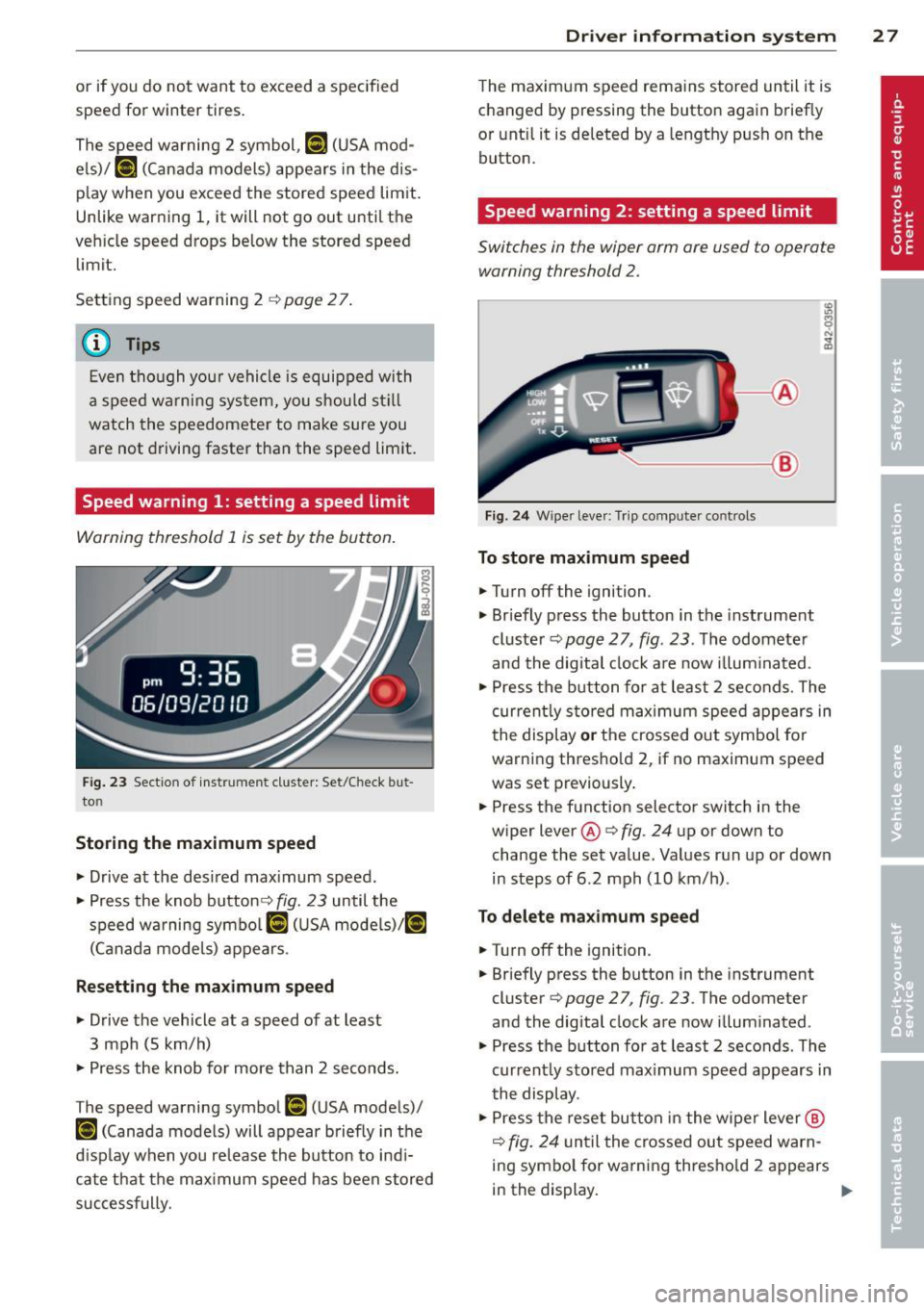
Warning threshold 1 is s et by the button.
F ig. 23 Sec tio n of ins trume nt clus ter: Set/Check but
to n
Storing the maximum speed
• Drive a t the desi red max imum speed.
• Press the knob button¢
fig. 23 until the
speed wa rning symbo l
[I (U SA mode ls)l [°i
(Canad a mode ls) appears .
Resetting the maximum speed
• Drive the vehicle at a speed of at least
3 mph (5 km/h)
• Press the knob fo r more than 2 seconds.
T he speed warning symbo l
[I (U SA mode ls)/
t•) (Canada models) will appear b riefly in t he
d isp lay when you re lease the button to indi
cate that the max imum speed has been stored
successfully.
Dr iver in formation system 2 7
The maximum speed rema ins stored until it is
c hanged by pressing the button again b rief ly
or unti l it is deleted by a lengthy push on the
button .
Speed warning 2: setting a speed limit
Switches in the wiper arm are used to operate warning threshold 2 .
-----@
Fig. 2 4 Wipe r leve r: T rip comp uter co ntrols
To store maximum speed
• Turnoff the igni tion .
• Briefly press the button in the instrument
cluste r
c:> page 2 7 , fig . 23 . The odomete r
and the digital clock a re now illum inated .
• Press the b utton for at least 2 se co nds. The
curren tly s to red max imum spee d appears in
the display
or t h e crossed o ut symbol for
warni ng thresho ld 2, if no maximum speed
was set previously .
• Press the f unction selector switch in the
wiper lever @
c:> fig. 24 up or down to
change the set va lue. Values run up or down
in steps of 6 .2 mph (10 km/h) .
To delete ma ximum speed
• Turnoff the ignit ion.
• Briefly press the button in the instrument
cluster
c:> page 2 7 , fig . 23 . The odometer
and the digital clock are now illum inated .
• Press the b utton fo r at least 2 seconds . The
current ly sto red max imum speed appears in
t he display .
• Press the reset button in the wipe r lever @
c:> fig. 24 unt il the crosse d ou t speed warn
ing sym bo l for warning thresho ld 2 a ppears
in the display.
~
Page 41 of 260
The turn signals will flash briefly whenever
you lock or unlock the vehicle. Also, the interi
or light will come on or go
off whenever you
open or clo se the driver 's door .
The transmitter and battery are located in the head of the remote control. The r eceiver is lo
cated inside the vehicle. The maximum effec
tive range depends on several things. Remem
ber, if the ba ttery is weak, the effec tive range
decreases .
T he remote-control key contains a fold-o ut
key that you can use to manu ally lock or un
lock the vehicle and to start the engine .
If you need to replace the remote contro l, or if
you need to have it repaired, you must see
your author iz ed Audi dealer. Only then can
you use the key again.
A WARNING
Read and follow all WARNINGS¢.&. in
General description on page 38 .
{!) Tips
-The remote control key is automatica lly
deactivated when the ignition is switch
ed on .
-
-The operation of the remote control key
can be temporarily disrupted by interfer
ence from transmitters in the v icin ity of
the veh icle work ing in the same frequen
cy range (e.g. a ce ll phone, radio equip
ment) .
- In order to make sure the locking func
tion is working, you shou ld always keep
your eye on the vehicle to make sure it is
proper ly locked.
- Do n ot use t he remo te control if you are
i nside the car, otherwise yo u may unin
tentiona lly lock the ve hicle, and then you
would set
off the anti-theft ala rm when
you try to start the engine or open a
door. In case this happens anyhow, push
the un lock button
m .
- Use the panic funct ion only if you are in
an emergency situation .
Openin g an d clos ing 39
Resetting the remote control
T he remote control must be reset if the vehi
cle does not unlock .
.,. Press the unlock 0 button on the remote
control.
.,. Unlock or lock the ve hicle once at the door
lock using the stem of the remote control
key.
The synchronization process must not take longer than 30 seco nds .
Operating locks with the key
To lock and unlock the vehicle from the ou t
side, turn the key in the lock of the driver's
door .
® ifijiilil @
c_c~ ~~......- 1_J2)
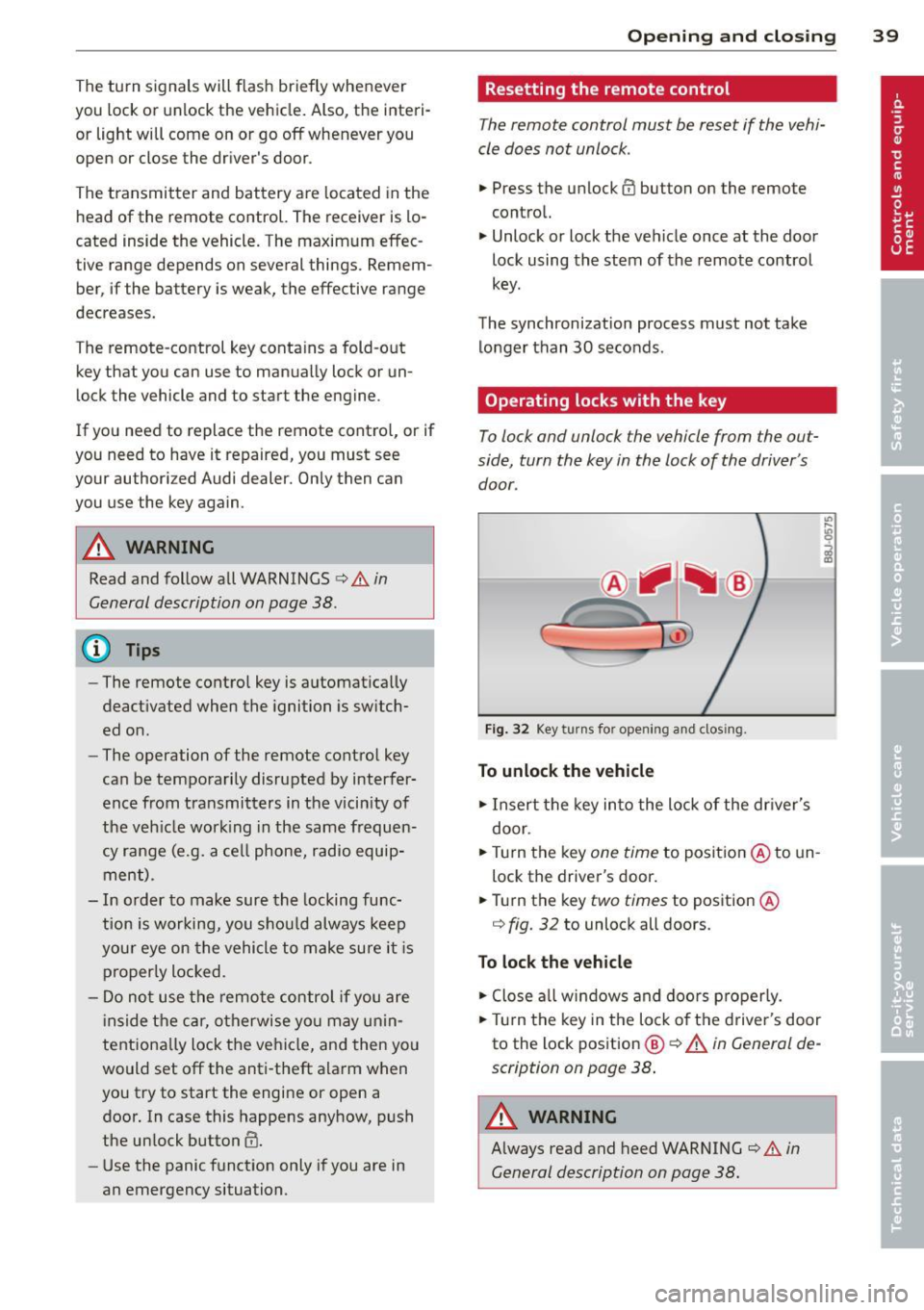
Fig . 32 Key turn s fo r open ing an d clos ing.
To unlock the vehicle
.,. Insert the key into the lock of the dr iver's
door .
.,. Tu rn the key
one time to position @to un
lock the driver's door .
.,. Turn the key
two times to position @
¢
fig. 32 to unlock all doo rs .
To lock the vehicle
.,. Close a ll w indows and doo rs p roperly.
.,. Tu rn the key i n the lock of t he driver's door
to the lock pos ition
@ ¢ A in General de
scription on page 38 .
A WARNING
~ -
Always read and heed WARNING¢.&. in
General description on page 38.
Page 55 of 260

Clear vision Lights
Switching the headlights on and off
Fig . 57 Instrument pane l: light switch
F ig. 58 Instrument pane l: light switch w ith daytime
running lights (DRL)
The light switch must not be overturned past
the stops in
either dire ct ion.
Switching on automatic headlight
control*
.,. Turn the light switch to AUTO* ¢ fig. 57 .
Switching on the side ma rker lights
.,. Turn the light switch to ,oo:.
Switching on the headlights and high
beam
.,. Turn the light switch to gD .
.,. Push the high beam lever forward towards
the instrument panel¢
page 55.
Switching off the lights
.,. Turn the light switch to 0.
The headlights only work when the ignition is
switched on. While starting the engine or
when switching
off the ignition, the head-
Clear vision 53
lights will go off and only the side marker
lights will be on.
Daytime running lights (DRL) (USA
models)
The daytime r unning lights can be turned on
or
off using this function. If the function is ac
tive, the daytime running lights are turned on
automatica lly when the ignition is switched
on.
The daytime running lights are activated
only
when the light switch is at the AUTO* or DRL *
position.
Daytime running lights (Canada models
only)
The daytime running lights are activated only
when the light switch ¢ fig. 57 is either at the
0 or the ,oo: position.
The daytime r unning lights function cannot be
turned
off .
Automatic headlight control*
In the switch position AUTO the automatic
headlight control
is turned on. The low
beams are turned on automatically through a
light sensor as soon as ambient brightness
(e .g. when driving into a tunnel) falls below a
value preset at the factory. When ambient
brightness increases aga in, the low beams are
turned
off again automatica lly c:> & .
In the AUTO position the low beams are
switc hed
off automatically when the ignition
is tur ned
off.
Light Sensor Malfunction*
In the event of a light sensor malfunction, the
driver is notified in the instrument cluster dis
play:
ral Automatic headlights/automatic wipers
defective
For safety reasons the low beams are turned
on permanen tly with the switch in
AUTO* .
However, you can continue to turn the lights
on and
off using the light switch. Have the ..,.
Page 64 of 260
62 Clear vis ion
- Make sure the washer fl uid reservoir in
the engine compartment is topped
off
before going on a long trip . Look up
c:> page 192 for checking and fi lling the
washer container.
- The w ipers only operate w ith the hood
completely closed.
Headlight washer system
App lies to vehicles: with hea dlig ht washer system
The headlight washer system cleans the
headlights.
.. Operate the winds hield wiper/washer sys
tem
c:> page 60, fig. 68 ® with the head
li ghts turned on by holding the lever for lon
ger than one second.
The washer jets extend forward o ut of the
front bumper driven by water pressure to
spray the front headlights with water.
You shou ld inspect the headlights regularly
(for example when refue ling) and clean
off
any solid dirt or insects from the lenses .
To ensure the system works properly in winter,
keep the washer jets free of snow and remove
any ice using a de-icing spray.
Service position
It is only possible to change wiper blades if
you move the wiper arms to the service posi
tion
I n o rder to use the windsh ie ld w ipers, the
front lid must be comp letely closed
Moving wiper blades to the service
position
.. When there is a ris k of frost, ma ke s ure that
the wiper b lades are not frozen to the wind
shield .
.. Switch the ignition on .
.. Move the wiper lever to pos ition
0
c:> page 60, fig. 68 .
.. Press the I Reset I button until the Display
type menu appears in the Driver Informa
t ion System display . ..
Using the rocker switch and the
I R ese t I but
ton, se lect the Set > Wipe rs > Front > Se rv
ice po sition on function . The w indshield
w iper arms move to the service posit ion.
Mo ving wip er blades to pa rk position
.. Make certain that the w iper arms are ly ing
against the windshield .
.. Switch the ignition on and move the wipe r
lever from pos ition O
to 4 c:> page 60,
fig. 68.
The w iper arms will move back to
the park position.
@ Note
Never drive your veh icle when the wind
sh ield wiper arms are in the service posi
tion and pulled away from the winds hield.
When you d rive faster than 4 mph (6 km/
h), the wiper a rms automatically return to
the pa rk position and cou ld cause paint
d amage to the front l id!
@ Tips
= Yo u can also tur n on the se rvice posit ion,
for example, if yo u want to p rotect the
w indshield from icing by us ing a cover.
- The service posit ion moves to
off a uto
matically whe n you ope ra te the w ind
shield wiper lever, o r speed exceeds
4 mph (6 km/h) .
Page 87 of 260
ice, fog, gravel, heavy rain and hydro
planing) -risk of accident.
- Turn off the cruise control tempo rari ly
when entering turn lanes, highway exit
lanes or in construction zones.
- Please note that inadvertent ly "rest ing"
yo ur foot on the accelerator peda l causes
the cruise control not to brake. Th is is
because the cru ise control is overridden
by the d river's acce le rat ion .
(D Tips
The cruise control cannot mainta in a con
stant speed when driving downhill. The ve
hicle will acce lerate under its own weight.
Downshift to a lower gear or use the
brakes to slow down.
Changing speed
.,. Press leve r in the 0 or O direction
¢ page 84, fig. 92 to increase or decrease
your speed.
... Re lease the lever to save that speed .
Change speed in incremen ts of 1 mph (1 km/
h) by light ly pressing the lever.
If you keep the
l ever pressed down, yo u will alter yo ur speed
in 5 mph ( 10 km/h) increments .
You ca n also press the acceler ator peda l down
to inc rease your speed, e .g. if yo u want to
pass someone. The speed yo u saved earlier
will resume as soon as you release the acceler
ator peda l.
I f, however, yo u exceed your saved speed by
S mph ( 10 km/h) for longer than 5 mi nutes,
the cruise contro l will turn off tempora rily.
T he symbol will go o ut but the saved speed
will be retained.
Presetting your speed
You can preset your desired speed while the
vehicle is not moving .
... Turn on the ignition .
... Pull lever into position
(D ~ page 84,
fig. 92.
On th e ro ad 85
... Press the lever in the 0 or O direction to
increase or decrease your speed .
... Release the lever to save that speed.
T his function makes it possib le, for e xamp le,
to save the speed you want before driving on
the highway . Once on the highway, activate
the cr uise control by pulling the lever toward
(D .
Switching the system off
Temporary deacti vation
... Press the brake pedal, or
... Press the lever into position @(not clicked
into place)
¢ page 84, fig . 92, or
... Dr ive fo r longe r than 5 m inutes at mo re
than 5 mph (10 km/h) above the stored
speed.
Switching off completely
... Press lever into position @(clicked into
place), or
... Switch the ignit ion off .
The system retains the saved speed if you de activate the cruise control temporar ily. To re
sume the saved speed, re lease the brake ped
al and pu ll th e leve r to pos it ion
(D .
Switc hing the ignit ion off erases the saved
speed .
A WARNING
You shou ld only ret urn to the saved speed
i f it is not too fast for the cu rrent traffic
conditions -ris k of an accident!
Page 215 of 260
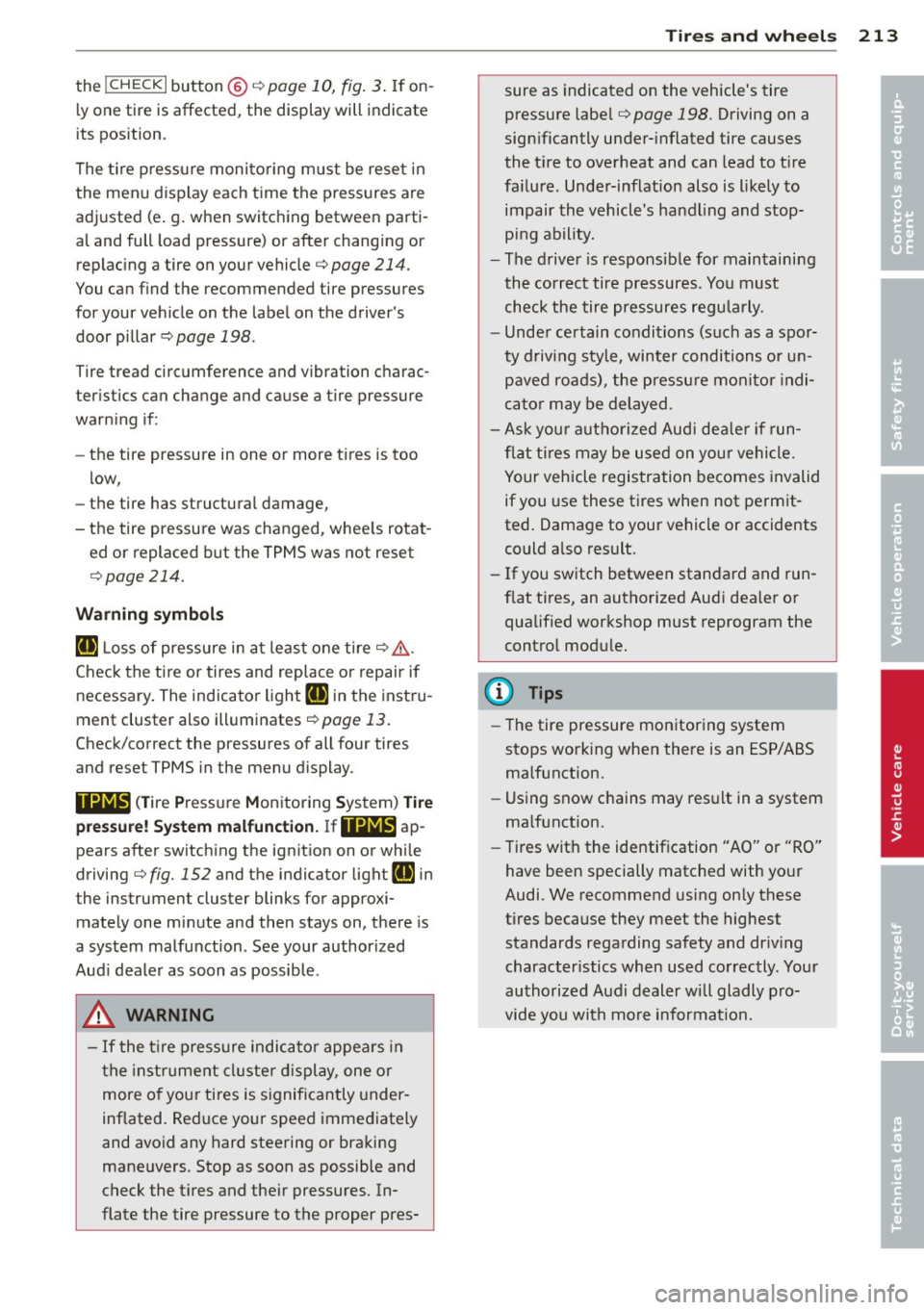
the !CHECK I button @c:> page 10, fig. 3. If on
l y one tire is affected, the display will indicate
its pos ition.
The tire p ress ure moni to ring m ust be reset in
the menu display each time the pressures are
adjusted (e .g. when switc hing between parti
a l and full load pressure) or after chang ing or
replac ing a tire on your vehicle
c:> page 214.
You can find the recommended tire pressures
for your vehicle on the label on the driver's
door p illar
c:> page 198.
Tire tread circumference and vibration charac
ter istics can change and cause a tire pressure
warn ing if:
- the tire pressure in one or more t ires is too
low,
- the tire has structural damage,
- the tire pressure was changed, whee ls rotat -
ed or replaced but the TPMS was not reset
c:> page 214 .
Warning symbol s
[@] Loss of pressure in at least one tire c:> ,&..
Check the ti re or tires and rep lace or repair if
necessary . The indicator light
RI] in the instru
ment cluster also illuminates
r=:>page 13.
Check/correct the pressures of all four tires
and reset TPMS in the menu display.
11@1@1 < T ire Pressure Monitoring Sys tem) Tire
p re ss ure! Sy stem malfunction. JfllAl@ ap
pears after switching the ignition on or while
driving
r=:> fig. 152 and the indicator light RI] in
the instrument cluster blinks for approxi
mately one minute and then stays on, there is
a system malfunction . See your author ized
Aud i dealer as soon as possible.
.&, WARNING
- If the t ire pressure indicator appea rs in
the instrument cl uster d isplay, one or
more o f you r tires is s ignificantly under
inflated. Reduce your speed immediately
and avoid any hard steering or bra king
maneuvers. Stop as soon as possible and
check the t ires and the ir pressures. In
flate the tire pressure to the proper pres-
.
Tire s an d wheel s 213
sure as indicated on the vehicle's tire
pressure labe l
r=:>page 198. Driving on a
significantly under-inflated tire causes
the t ire to overheat and can lead to tire
fa ilure . Unde r-inflation also is l ikely to
impair the vehicle's handling and stop
ping ability.
- The d rive r is respons ib le for maintaining
the co rrect tire pressures. You must
check the tire pressures regularly.
- Unde r ce rtain conditions (such as a spo r
ty driving style, winter conditions or u n
p aved roads), the pressu re monitor indi
ca tor may be delayed.
- Ask you r authorized Aud i dea le r i f run
f lat tires may be used on your vehicle.
Your vehicle registration becomes invalid
if you use these t ires when not perm it
ted. Damage to your vehicle or accidents
could a lso result.
- If you switch between standard and run
flat tires, an autho rized Audi dealer o r
qualified workshop must reprogram the
contro l modu le.
(D Tips
- The tire pressure monitor ing system
stops work ing when there is an ESP/ABS
ma lfunction.
- Us ing snow c hains may res ult in a system
ma lfunction.
- Tires wit h the identification "AO" or "RO"
have been specially matched with yo ur
Audi. We recommend using on ly these
tires because they meet the highest
standards regarding safety and dr iv ing
character istics when used correctly. Your
authorized Audi dealer wi ll gladly pro
vide you with more information .
•
•
Page 216 of 260
214 Tires and wheels
Reset tire pressure monitoring system (Stepl)
Applies to vehicles: with tire pressure monitoring system
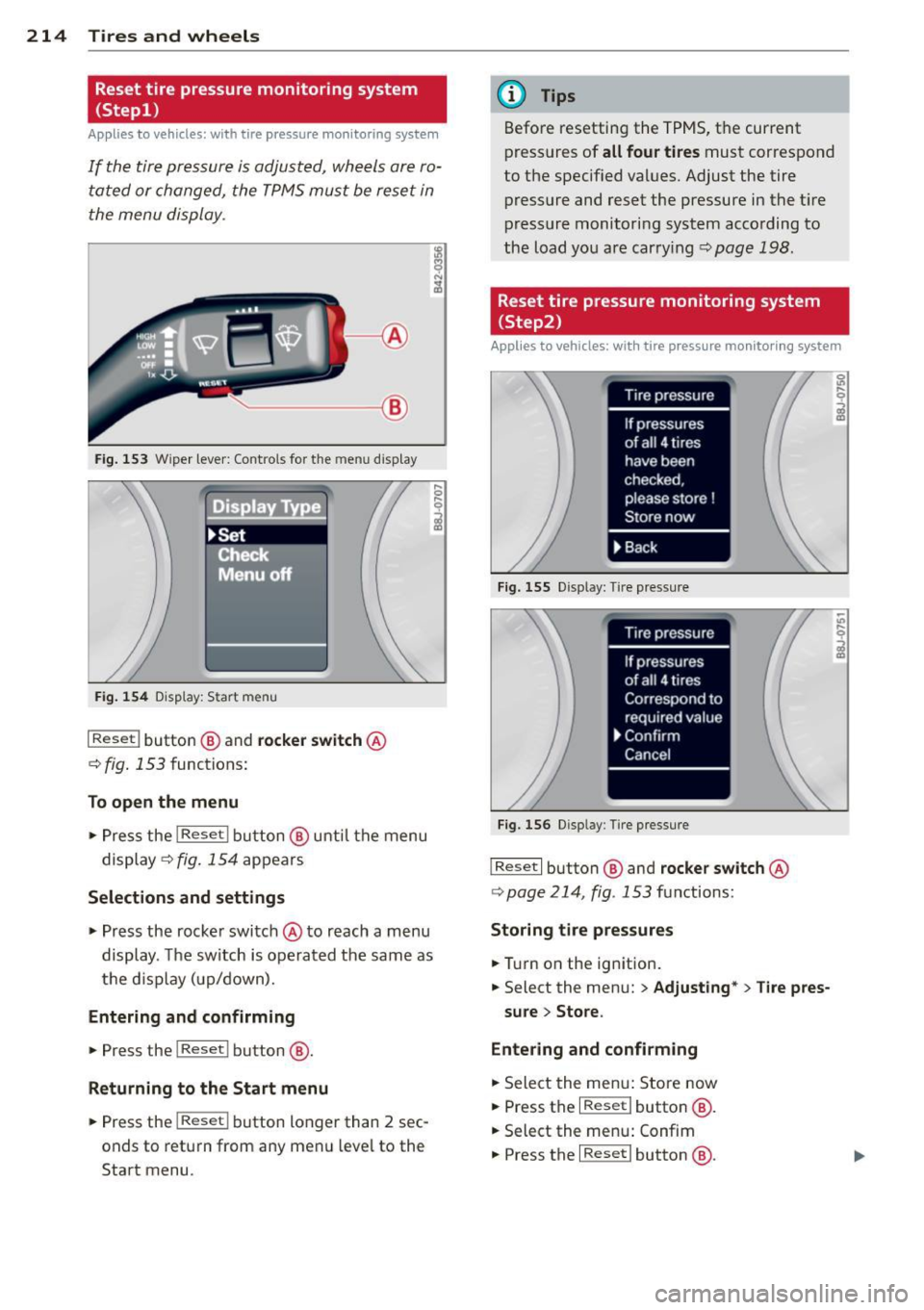
If the tire pressure is adjusted, wheels are ro
ta ted or changed, the TPMS must be reset in
t he menu display.
------ @
Fig. 1 53 Wiper lever: Contro ls for t he menu disp lay
Displa Type.
~Set
!TCfieck f
Menu off
Fig . 1 54 D isp lay: Start menu
I Reset I button @ and rocke r switch @
c::> fig. 153 functions:
To open the menu
• Pre ss the I Reset I b utt on@ unt il th e menu
display
c::> fig . 154 appears
Selections and settings
• Press the rocke r swi tch @ to reach a menu
display. The switch is operated the same as
the d is p lay ( up/down).
Entering and confirming
• Press the I Reset I button @.
Returning to the Start menu
• Press the I Reset I button longer than 2 sec
onds to retu rn from any men u leve l to the
Start menu.
(D Tips
Before resetting the TP MS, t he cur rent
press ures of
all four tires must correspond
to the specif ied val ues. Adjust the tire
p ress ure and reset the pressure in the t ire
p ress ure m onitoring system acco rding to
the load you are car ry ing
<=:>page 198.
Reset tire pressure monitoring system
( Step2)
Applies to vehicles: with tire pressure monitoring system
Fig. 15 5 Display: Tire press ure
Fi g. 156 Display: Tire p ress ure
I Reset I button @and rocker switch @
c::> page 214, fig . 153 functions:
Storing tire pressure s
• Tur n on the ig nition .
• Select the men u:
> Adjusting* > Tire pres-
su re > Store .
Entering and confirming
• Sele ct the men u: Sto re now
• Press the
I Reset I butto n @ .
• Select the menu: Confim
• Press the
I Reset I button @.
Page 217 of 260
Returning to the Start menu
"' Pre ss the I Reset ! button longer than 2 sec
onds to return from any menu leve l to the
Start menu .
(D Tips
Before resetting the TPMS, the current
pressures of
all four tire s must correspond
to the specified values. Adjust the tire
pressure and reset the pressure in the tire
pressure monitoring system according to
the load you are carrying
c::;, page 198.
Run-flat tires
Introduction
Applies to vehicles: with Run-flat tires
Run-flat tires help keep you moving if a tire
goes flat.
Reinforced s idewalls give the tires run-flat ca
pability if tire pressure is lost.
We recommend that run-flat tires only be
mounted on vehicles that were originally
equ ipped w ith these special tires at the facto
ry and have a Tire Pressure Monitor ing Sys
tem.
Run-flat t ires can be ident ifi ed by th e lett ers
"RSC" on the tire sidewall.
If you do change the tires on yo ur vehicle from
normal to run-flat tires, you must buy the
specia l rims required for run-flat tires, and the
Ti re Pressure Monito ring System must be re
programmed by an a uthorized Audi dea ler or
other qualified workshop.
What do run-flat tires do?
These special tires have run-flat capabilities
that help keep you moving if a tire loses pres
sure and goes flat. Under favorable cond itions
tires can be driven
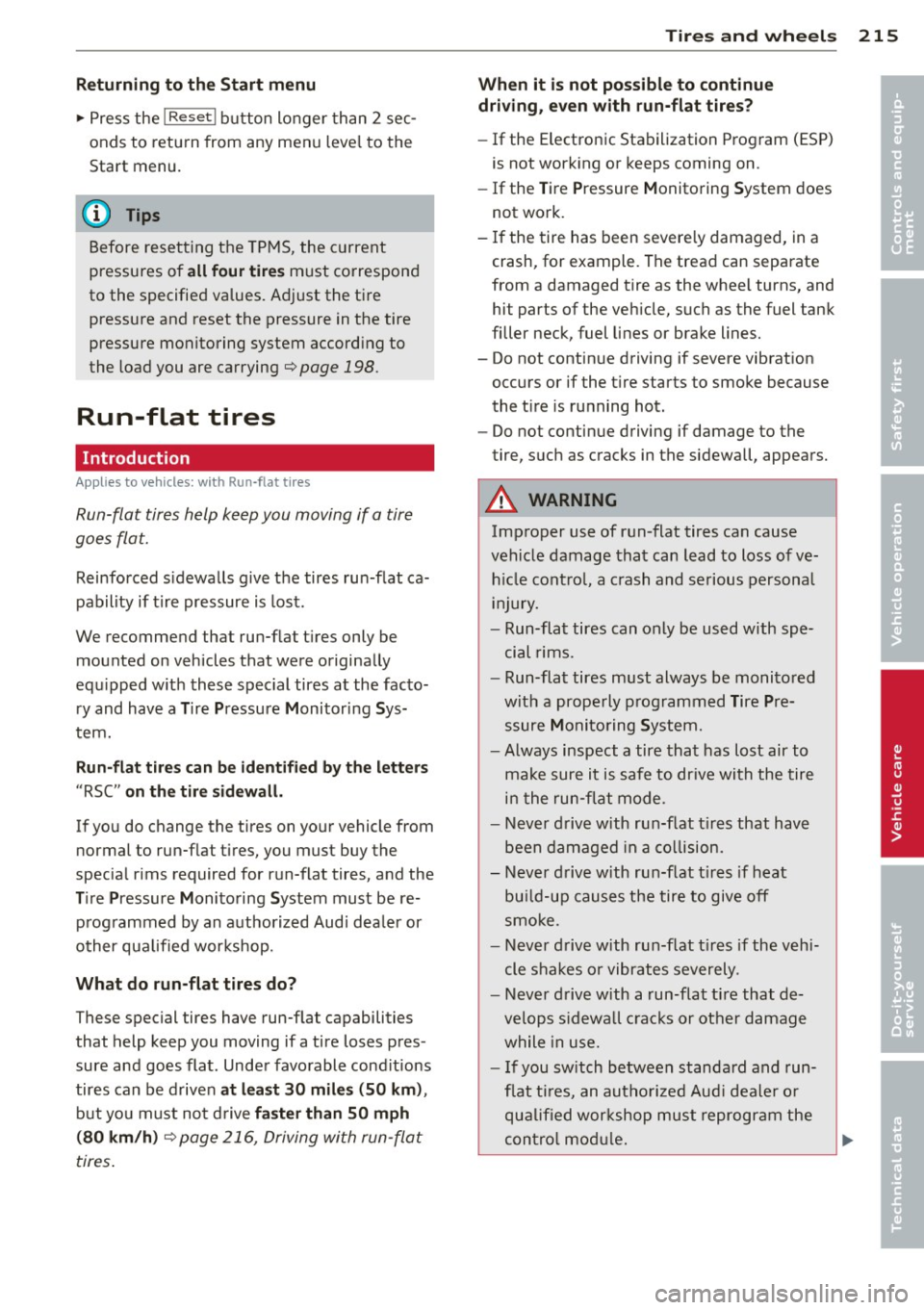
at l ea st 30 mil es (SO km ),
but you must not d rive fa ste r than SO mph
(80 km /h)
c::;, page 216, Driving with run-flat
tires .
Tire s an d wheel s 215
When it is not po ssible to continue
driv ing , ev en with run-flat tire s?
- If the Electronic Stabilization Program (ESP)
is not work ing or keeps coming on.
- If the Tire Pressure Monitoring System does
not work.
- If the tire has been severely damaged, in a
crash, for example. The tread can separate
from a damaged tire as the wheel turns, and
hit parts of the vehicle, such as the fuel tank
filler neck, fuel lines or brake lines.
- Do not continue driving if severe vibration
occurs or if the t ire starts to smoke because
the tire is ru nning hot.
- Do not continue driving if damage to the
tire, such as cracks in the sidewall, appears.
A WARNING
Improper use of run-flat tires can cause
vehicle damage that can lead to loss of ve h icl e cont ro l, a c rash and serious personal
in Jury.
- Run-flat tires can only be used with spe
cial rims.
- Run-flat tires must always be monito red
with a prope rly p rogrammed Tire Pre
ssure Monito ring System.
- Always inspect a tire that has lost air to
make sure it is sa fe to dr ive with the tire
in the run-flat mode.
- Never d rive with run-f lat t ires that have
been damaged in a co llision.
- Never d rive with run-flat t ires if heat
bu ild-up causes the tire to give off
smoke.
- Never d rive with run-f lat t ires if the vehi
cle shakes or vibrates severely.
- Never d rive with a run-flat ti re that de
velops s idewa ll cracks or other damage
while in use.
- I f you sw itch between standa rd and run
f lat ti res, an aut horiz ed Aud i dealer o r
qu alified wor kshop must reprogram the
con tro l mod ule.
•
•
Page 230 of 260
228 Fuses and bulbs
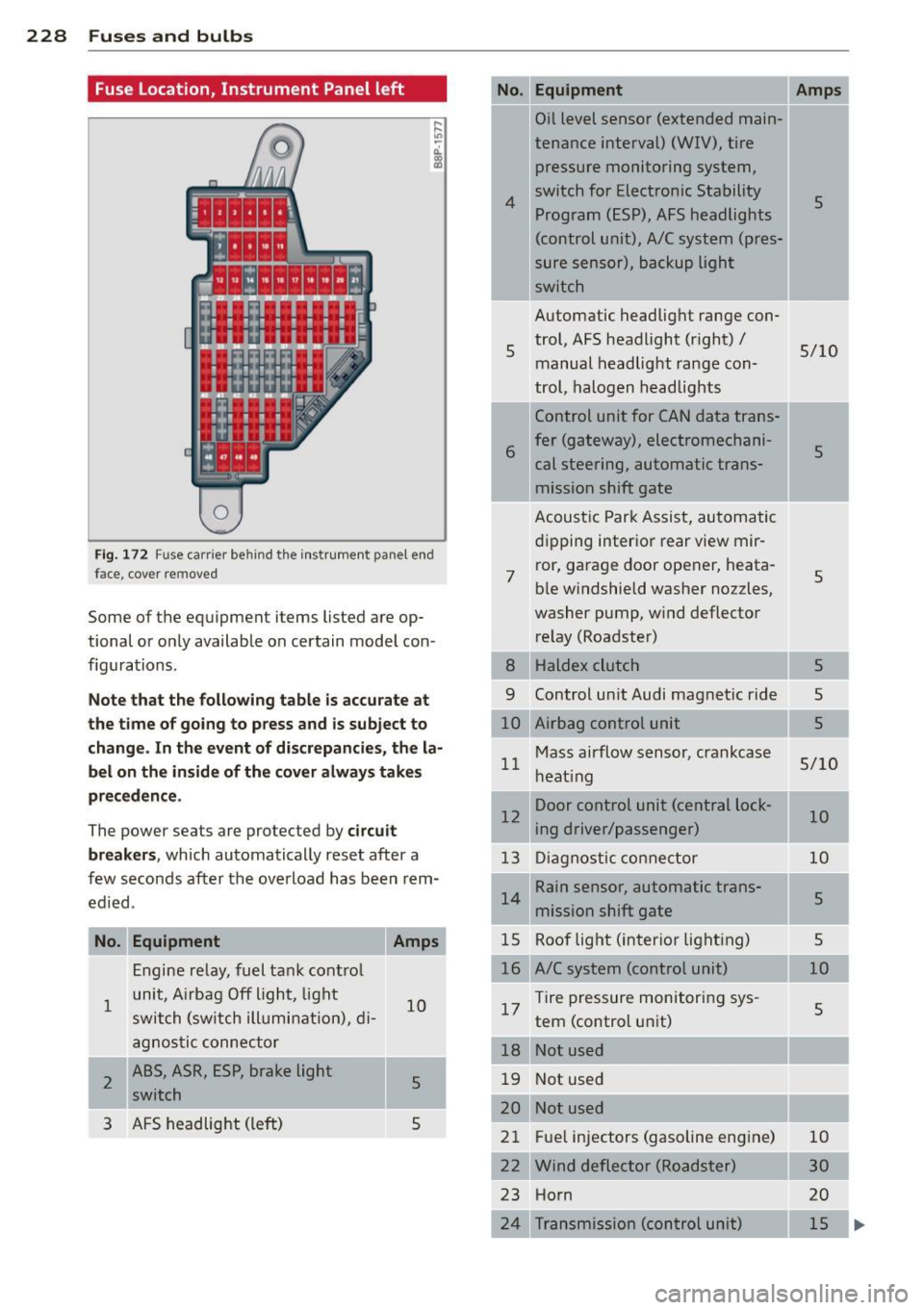
Fuse Location, Instrument Panel left
0
Fig. 172 Fuse ca rrier be hind the inst rum ent pan el end
fa ce, cover rem oved
Some of the equipment i tems lis ted are op
tional or only available on certain model con
figurations.
Note that the following table is accurate at
the time of going to press and is subject to
change. In the event of discrepancies, the la
bel on the inside of the cover always takes
precedence.
The power seats are protected by circuit
breakers,
which automatically reset after a
few seconds after the overload has been rem
edied .
No. Equipment
1
I 2
Engine relay, fuel tank control
unit , Airbag Off light, light
switch (switch illumination), di-
agnostic connector
ABS, ASR, ESP, brake light switch
3 AFS headlight (left)
Amps
10
5
s
No.
4
5
6
7
Equipment
Oil level sensor (extended main-
tenance interval)
(WIV), tire
pressure monitoring system,
switch for Electronic Stability Program (ESP), AFS headlights
(control unit), A/C system (pres-
sure sensor), backup light
switch
Automatic headlight range con
trol, AFS headlight (right)/
manual headlight range con
trol, halogen headlights
Control unit for CAN data trans
fer (gateway), electromechani
cal steering, automatic trans mission shift gate
Acoustic Park Assist, automatic
dipping interior rear
view mir-
ror, garage door opener, heata
ble windshield washer nozzles,
washer pump, wind deflector
relay (Roadster)
--r-
Amps
5
5/10
5
5
8 Haldex clutch 5
9 Control unit Audi magnetic ride 5
10 Airbag control unit 5
Mass airflow sensor, crankcase
11 5/10
heating
Door control unit (central lock-
12 10
ing driver/passenger)
--
13 Diagnostic connector 10
Rain sensor, automatic trans-
14 5
mission shift gate
15 Roof light (interior lighting) 5
16 A/C system (control unit) 10
17 Tire pressure monitoring sys-
5
tern (control unit)
l
I
18 Notused -
19 Not used
20 Not used
21 Fuel injectors (gasoline engine)
Wind deflector (Roadster)
Horn
24 Transmission (control unit) 10
30
20
15
..,.
Page 249 of 260
Infant seats . ............ .. .. .. ... 141
Safety instructions . . . . . . . . . . . . . . . . . 139
C igarette lig hter ........... .... .. .... 72
Cleaning Alcantara (synthet ic suede) . .. .. .. .. . 171
Eng ine compartment .......... ... .. 172
Exhaust tail pipes .............. .... 168
Fabr ics and fabric coverings .. .. .. .. . 169
Instr ument panel ......... .. .. .. .. . 169
Int erior .. .. ............. .. .. .. .. . 168
L eather . . . . . . . . . . . . . . . . . . . . . . . . . . 171
Navigation display ........ .. .. .... . 168
P lastic and vinyl ............ .. .. ... 166
Plastic parts ............. .... .. .. . 169
Radio display . ........... .. .. .. ... 168
Safety belts . . . . . . . . . . . . . . . . . . . . . . 172
Trim str ips . . . . . . . . . . . . . . . . . . 165 , 166
Cleaning and protection ........... .. . 162
Climate controls ........... .. .. .. .... 75
A/C operation . . . . . . . . . . . . . . . . . . . . . . 78
Air distribution ........... .. .. .. .... 77
Air rec irculation mode ............... 78
Automatic mode . . . . . . . . . . . . . . . . . . . 78
Controls ... ............. .... .. .... 75
Defrost .... .. ........... .. .. .. .... 78
Economical use . . . . . . . . . . . . . . . . . . . . 78
Fan ...... ... ................ .... . 76
Heated seats . . . . . . . . . . . . . . . . . . . . . . 79
H eating .. .. ............. .... .. .... 75
Po llutant filter ........... .. .. .. .... 75
Rear window defogger ....... .. .. .. .. 79
Switching on and
off . . . . . . . . . . . . . . . . 76
Temperature . ............ .. .. ...... 76
Ventilation ... ........... .. .. .. .... 75
Clock ....... ................. .. .... 11
Clutch overheating ......... .. .. .. .. .. 92
Cold tire inflation pressure ..... .. .. .. . 198
Coming home ................ .... ... 54
Compass m irror ........... .... .. .... 64
Compliance .. ............. .... .. .. . 244
Consumer Information . . . . . . . . . . 105, 241
Contacting NHTSA .................. 105
Controls and displays ......... .. .. .. .. . 8
Convenience close/open feature
Power top .. ... .. .. ...... .. .. .. .. .. 48
Windows .. ................ ... ... . 44
Convertible child safety seats . ... .. .. . 142
Index 247
Convertible locking retractor
Activating ... .. .... . ............ .. 146
Deactivating ... .. .. . .. .......... .. 147
U sing to secure a child safety seat 1.44, 146
Convertible top .. .. ................. . 46
Automat ic convertible top ......... .. . 48
Care and cleaning .... .......... .. .. 164
Emergency operation ........... .. .. . 49
General information ............. .. . 46
manua l convertible top ............. . 47
Warning/indictor lights ............ .. 14
Wind deflecto r ... .. . .. .. ...... .. .. . 49
Cooling system . . . . . . . . . . . . . . . . . . . . . 185
Expansion tank . . . . . . . . . . . . . . . . . . . . 185
Cornering light . . . . . . . . . . . . . . . . . . . . . . 54
Cruise contro l . . . . . . . . . . . . . . . . . . . . . . . 84
Changin g speed .. .. ... ....... .... .. 85
Presetting your speed . .. .... ... .. .. . 85
Switching
off .. .. ................. . 8S
Switching on . .. .. .... ........... .. . 84
Warning/indicator lights ........ .. .. . 16
Cup holder .. .. .. .. .. . .. .. ...... .. .. . 71
Current fuel mileage
20
D
Damping
refer to Audi magnetic ride ........... 86
Data ....... .. .. .. ... ............ .. 239
Data recorder . . . . . . . . . . . . . . . . . . . . . . 148
Date display . . . . . . . . . . . . . . . . . . . . . . . . 11
Daytime runn ing lights ... .. ...... .. .. . 53
Declarat ion of compliance
Cell phone package . . . . . . . . . . . . . . . . 244
E le ctronic immob ilizer .............. 244
Homelink ® un iversal remote control .. 244
Remote control key .. .. .. ...... .. .. 244
def What does this mean when it appears in
the tr ip odometer display? ...... .. .. . 12
Defective light bulb warning .......... . 33
Defrosting the windows ......... .... .. 78
Determ ining correct load limit ...... .. 202
Digital clock . . . . . . . . . . . . . . . . . . . . . . . . 11
Digital compass . . . . . . . . . . . . . . . . . . . . . 64
Dimens ions ... .... .. . .. .......... .. 238
•
•