brake pads AUDI TT ROADSTER 2016 Owners Manual
[x] Cancel search | Manufacturer: AUDI, Model Year: 2016, Model line: TT ROADSTER, Model: AUDI TT ROADSTER 2016Pages: 306, PDF Size: 31.82 MB
Page 13 of 306
Downloaded from www.Manualslib.com manuals search engine 0
N
,.....
N
......
0
,.....
Vl
CX) Instruments
and warning/indicator lamps
The tank capacity of your vehicle is given in the
Technical data section ¢ page 288.
CD CAUTION
Never run the tank completely dry. If there is
an irregular fuel supply, misfiring can occur.
Unburnt fuel can then enter the exhaust sys
tem. This can lead to overheating and dam
age to the catalytic converter.
Warning and indicator
Lamps
Description
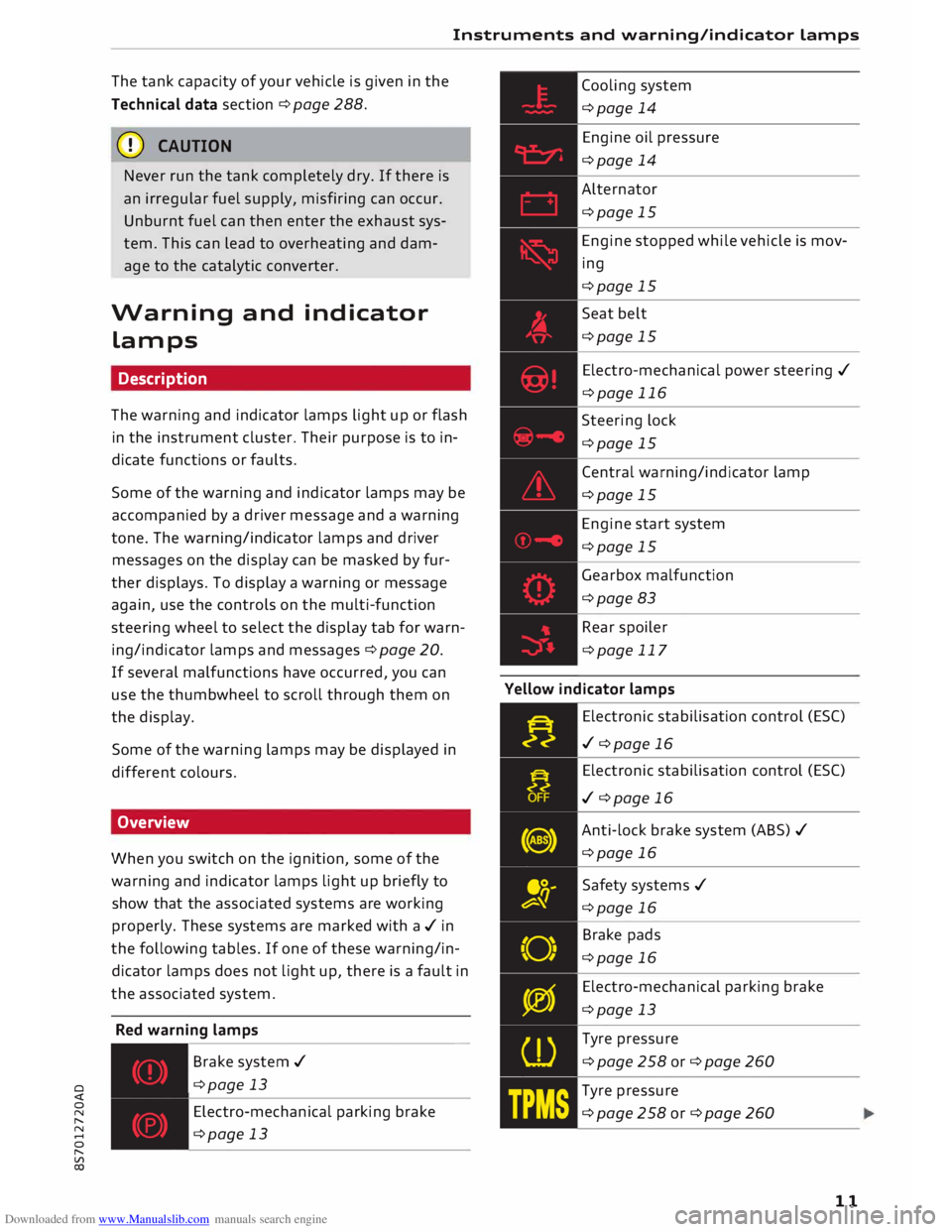
The warning and indicator lamps light up or flash
in the instrument cluster. Their purpose is to in
dicate functions or faults.
Some of the warning and indicator lamps may be
accompanied by a driver message and a warning
tone. The warning/indicator lamps and driver
messages on the display can be masked by fur
ther displays. To display a warning or message
again, use the controls on the multi-function
steering wheel to select the display tab for warn
ing/indicator lamps and messages ¢ page 20.
If several malfunctions have occurred, you can
use the thumbwheel to scroll through them on
the display.
Some of the warning lamps may be displayed in
different colours.
Overview
When you switch on the ignition, some of the
warning and indicator lamps light up briefly to
show that the associated systems are working
properly. These systems are marked with a../ in
the following tables. If one of these warning/in
dicator lamps does not light up, there is a fault in
the associated system.
Red warning lamps
---------------
Br a k e system ../
¢page 13
Electro-mechanical parking brake
¢page 13 Cooling
system
¢page 14
Engine oil pressure
¢page 14
Alternator
¢page 15
Engine stopped while vehicle is mov
ing
¢page 15
Seat belt
¢page 15
Electro-mechanical power steering ../
¢page 116
Steering lock
¢page 15
Central warning/indicator lamp
¢page 15
Engine start system
¢page 15
Gearbox malfunction
¢page 83
Rear spoiler
¢page 117
Yellow indicator lamps
Electronic stabilisation control (ES()
../ ¢page 16
Electronic stabilisation control (ES()
../ ¢page 16
Anti-lock brake system (ABS) ../
¢page 16
Safety systems ../
¢page 16
Brake pads
¢page 16
Electro-mechanical parking brake
¢page 13
Tyre pressure
¢page258or¢page260
Tyre pressure
¢page258or¢page260
11
Page 18 of 306
Downloaded from www.Manualslib.com manuals search engine Instruments
and warning/indicator Lamps
Do not switch off the ignition; otherwise you may
not be able to switch it on again.
Drive to a qualified workshop without delay and
have the fault rectified.
Im Engine start system: fault. Please contact
workshop
There is a malfunction in the engine start system.
Drive to a qualified workshop soon and have the
fault rectified.
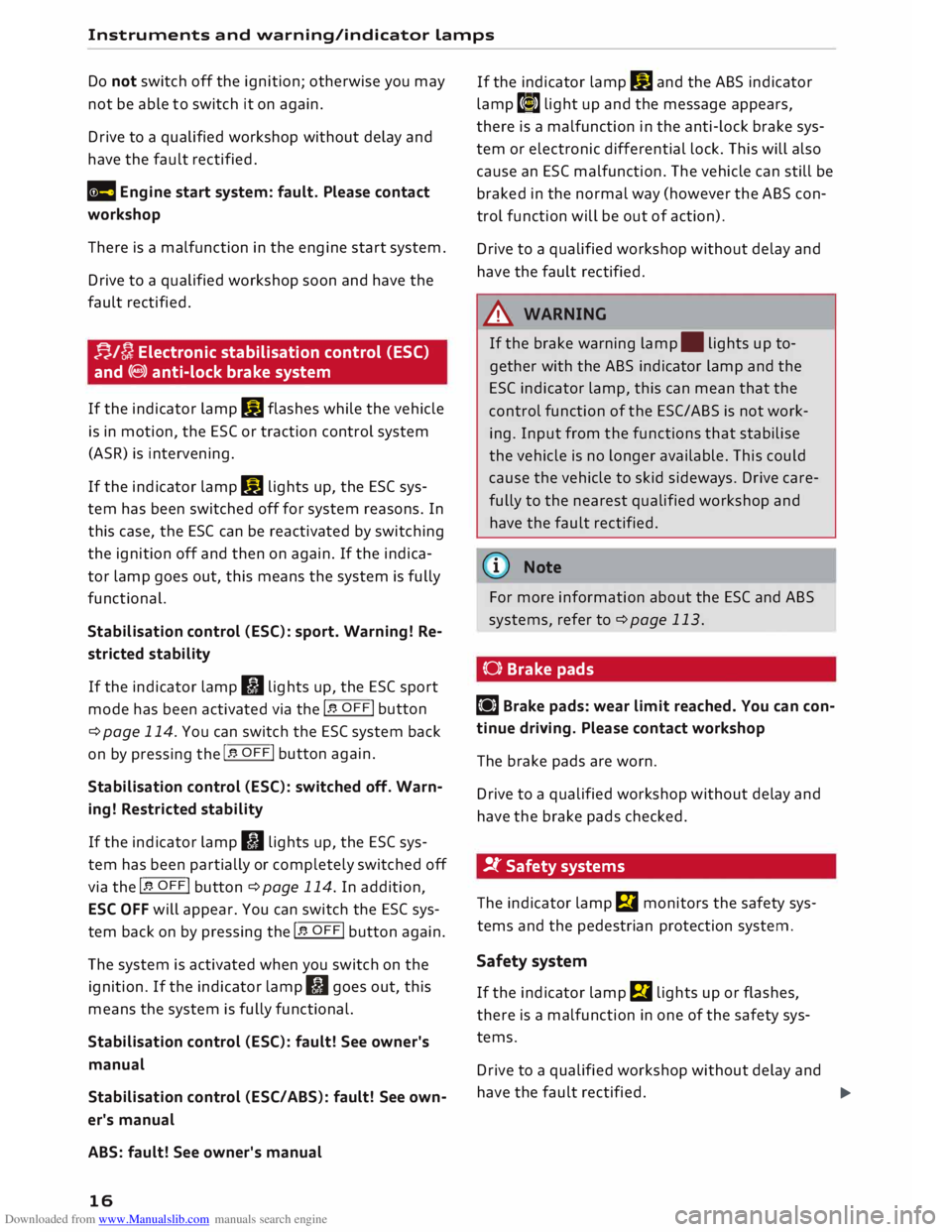
f-j./[}; Electronic stabilisation control (ESC)
and (8) anti-lock brake system
If the indicator lamp DJ flashes while the vehicle
is in motion, the ESC or traction control system
(ASR) is intervening.
If the indicator lamp DJ lights up, the ESC sys
tem has been switched off for system reasons. In
this case, the ESC can be reactivated by switching
the ignition off and then on again. If the indica
tor lamp goes out, this means the system is fully
functional.
Stabilisation control (ESC): sport. Warning! Re
stricted stability
If the indicator lamp II lights up, the ESC sport
mode has been activated via the 1.$ OFF! button
¢page 114. You can switch the ESC system back
on by pressing the 1.$ OFF! button
again.
Stabilisation control (ESC): switched off. Warn
ing! Restricted stability
If the indicator lamp II lights up, the ESC sys
tem has been partially or completely switched off
via the I.$ OFF! button ¢page 114. In addition,
ESC OFF will appear. You can switch the ESC sys
tem back on by pressing the 1.$ OFF!
button again.
The system is activated when you switch on the
ignition. If the indicator lamp II goes out, this
means the system is fully functional.
Stabilisation control (ESC): fault! See owner's
manual
Stabilisation control (ESC/ ABS): fault! See own
er's manual
ABS: fault! See owner's manual
16 If
the indicator lamp DJ and the ABS indicator
lamp t�» light up and the message appears,
there is a malfunction in the anti-lock brake sys
tem or electronic differential lock. This will also
cause an ESC malfunction. The vehicle can still be
braked in the normal way (however the ABS con
trol function will be out of action).
Drive to a qualified workshop without delay and
have the fault rectified.
_& WARNING
If the brake warning lamp. lights up to
gether with the ABS indicator lamp and the
ES( indicator lamp, this can mean that the
control function of the ESC/ ABS is not work
ing. Input from the functions that stabilise
the vehicle is no longer available. This could
cause the vehicle to skid sideways. Drive care
fully to the nearest qualified workshop and
have the fault rectified.
{D) Note
For more information about the ESC and ABS
systems, refer to ¢page 113.
(0) Brake pads
LiJ Brake pads: wear limit reached. You can con
tinue driving. Please contact workshop
The brake pads are worn.
Drive to a qualified workshop without delay and
have the brake pads checked.
!f Safety systems
The indicator lamp El monitors the safety sys
tems and the pedestrian protection system.
Safety system
If the indicator lamp El lights up or flashes,
there is a malfunction in one of the safety sys
tems.
Drive to a qualified workshop without delay and
have the fault rectified.
liJII>
Page 68 of 306
Downloaded from www.Manualslib.com manuals search engine Driving
Driving
General notes
Running in
A new vehicle should be run in over a distance of
1,500 km. For the first 1,000 km the engine
speed should not exceed 2/3 of the maximum
permissible engine speed -do not use full throt
tle. From 1,000 to 1,500 km you can gradually
increase the engine rpm and road speed.
During its first few hours of running, the internal
friction in the engine is greater than later on
when all the moving parts have bedded down.
How the vehicle is driven for the first 1,500 km
also influences the engine quality. After this peri
od you should continue driving at moderate en
gine speeds, in particular when the engine is
cold. This helps to reduce wear and tear on the
engine and increases the potential mileage which
can be covered by the engine.
You should also avoid driving with the engine
speed too low. Change down to a lower gear
when the engine no longer runs "smoothly". Ex
cessively high engine speeds are prevented by an
automatic rev limiter.
Letting the engine warm up/cool down
Applies to: Sand RS models
You can reduce the amount of wear and tear on
your vehicle during a sporty driving session sim
ply by adopting a more restrained driving style
while the engine is warming up and cooling
down.
When the engine is cold, the engine speed is limi
ted so that the full range of engine power is not
available. Once the engine has reached operating
temperature, the rev Limit moves to a higher
range of engine speeds. In addition, the tyres will
not develop their full grip potential until they
have had a chance to warm up on the road.
Even though the engine continues to be cooled
after you switch it off, it is particularly important
to give it time to cool down before parking. The
engine, brakes, exhaust system and gearbox will
66 all
reach very high temperatures when you adopt
a sporty driving style. Before you park the vehi
cle, allow it to cool down to normal temperature
by driving at moderate engine speeds for several
miles.
Avoiding damage to the car
CD CAUTION
Take care not to damage low-mounted parts
of the car (such as the spoiler or exhaust sys
tem) on steep ramps, uneven road surfaces or
roadside kerbs, etc. This applies especially to
vehicles with low ground clearance and to all
vehicles when fully laden.
Driving through water on roads
Please note the following in order to prevent
damage to the vehicle when driving through wa
ter (e.g. on flooded roads):
- The water level must not be higher than the ve
hicle's underbody.
- Do not drive faster than walking pace.
A WARNING
After driving through water, mud, sludge,
etc., the braking effect can be delayed slightly
due to moisture on the discs and brake pads.
Applying the brakes carefully several times
will remove the moisture and restore the full
braking effect.
CD CAUTION
- Parts of the vehicle (e.g. engine, gearbox,
running gear or electrical components) can
be badly damaged when driving through
water.
- Always switch off the start/stop system*
¢ page 71 before driving through water.
i Note
- It is advisable to check the depth at the
deepest point before approaching the wa
ter.
Page 117 of 306
Downloaded from www.Manualslib.com manuals search engine 0
N
,.....
N
......
0
,.....
Vl
CX) A
WARNING
You should switch on the sport mode or
switch off the ESC/traction control system
(ASR) only if your driving ability and the traf
fic conditions allow you to do so safely -dan
ger of skidding!
- The stabilising function is restricted when
sport mode is switched on. The driven
wheels may start to spin, causing the vehi
cle to lose grip, in particular on slippery or
wet roads.
- When the ESC/traction control system
(ASR) is switched off, the vehicle will not be
stabilised.
@ Note
- The ESC/traction control system (ASR) can
not be switched off and the sport mode can
not be switched on when the cruise control
system* is on.
- In the event of a malfunction in the rear
spoiler system or the Audi magnetic ride, it
may not be possible to switch off the ESC/
ASR or switch on the sport mode.
Brakes
New brake pads
New brake pads do not give full braking effect for
the first 400 km, they must first be "bedded in".
However, you can compensate for the slightly re
duced braking effect by applying more pressure
on the brake pedal. Avoid placing a heavy load on
the brakes during the running-in period.
Wear
The rate of wear on the brake pads depends a
great deal on how you drive and the conditions in
which the vehicle is operated. Negative factors
are, for instance, city traffic, frequent short trips
or hard driving with abrupt starts and stops.
Noises
Brake noise may develop in certain situations, de
pending on the speed, braking force and ambient
conditions (such as temperature and relative hu
midity). Intelligent
technology
Effect of moisture and salt
In certain conditions, such as in heavy rain, early
morning dew, or after washing the car or driving
through water, the full braking effect can be de
layed by moisture (or in winter by ice) on the
discs and brake pads. The brakes should be
"dried" by pressing the pedal to restore full brak
ing effect.
When you are driving at higher speeds with the
windscreen wipers on, the brake pads are very
briefly brought into contact with the brake discs.
This automatic process which goes unnoticed by
the driver is carried out at regular intervals and is
intended to improve braking response in wet con
ditions.
The effectiveness of the brakes can also be tem
porarily reduced if the car is driven for some dis
tance without using the brakes when there is a
lot of salt on the road in winter. The layer of salt
that accumulates on the discs and pads can be
removed with a few cautious brake applications.
Corrosion
There may be a tendency for dirt to build up on
the brake pads and corrosion to form on the discs
if the car is used infrequently, or if you only drive
low mileages without using the brakes very
much.
If the brakes are not used frequently, or if corro
sion has formed on the discs, it is advisable to
clean off the pads and discs by braking firmly a
few times from a moderately high speed ¢ A.
Faults in the brake system
If the brake pedal travel should ever increase
suddenly, this may mean that one of the two
brake circuits has failed. Drive immediately to the
nearest qualified workshop and have the fault
rectified. On the way to the dealer, be prepared
to use more pressure on the brake pedal and al
low for longer stopping distances.
Low brake fluid level
Malfunctions can occur in the brake system if the
brake fluid level is too low. The brake fluid level
is monitored electronically.
llll-
115
Page 118 of 306
Downloaded from www.Manualslib.com manuals search engine Intelligent
technology
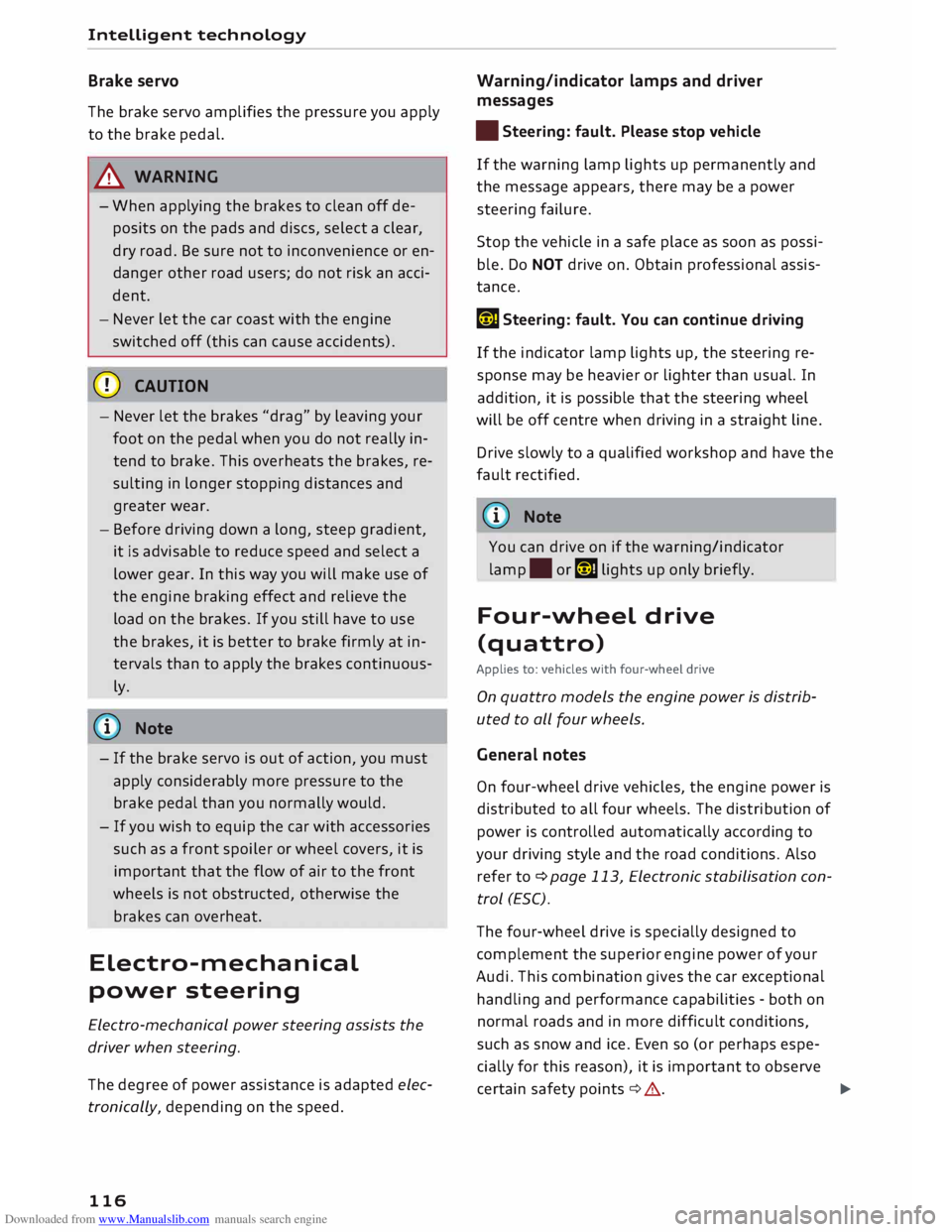
Brake servo
The brake servo amplifies the pressure you apply
to the brake pedal.
A WARNING
- When applying the brakes to clean off de
posits on the pads and discs, select a clear,
dry road. Be sure not to inconvenience or en
danger other road users; do not risk an acci
dent.
- Never let the car coast with the engine
switched off (this can cause accidents).
CD CAUTION
- Never let the brakes "drag" by leaving your
foot on the pedal
when
you do not really in
tend to brake. This overheats the brakes, re
sulting in longer stopping distances and
greater wear.
- Before driving down a long, steep gradient,
it is advisable to reduce speed and select a
lower gear. In this way you will make use of
the engine braking effect and relieve the
load on the brakes. If you still have to use
the brakes, it is better to brake firmly at in
tervals than to apply the brakes continuous
ly.
� Note
-If the brake servo is out of action, you must
apply considerably more pressure to the
brake pedal than you normally would.
- If you wish to equip the car with accessories
such as a front spoiler or wheel covers, it is
important that the flow of air to the front
wheels is not obstructed, otherwise the
brakes can overheat.
Electro-mechanical
power steering
Electro-mechanical power steering assists the
driver when steering.
The degree of power assistance is adapted elec
tronically, depending on the speed.
116 Warning/indicator
lamps and driver
messages
• Steering: fault. Please stop vehicle
If the warning lamp Lights up permanently and
the message appears, there may be a power
steering failure.
Stop the vehicle in a safe place as soon as possi
ble. Do NOT drive on. Obtain professional assis
tance.
� Steering: fault. You can continue driving
If the indicator lamp lights up, the steering re
sponse may be heavier or Lighter than usual. In
addition, it is possible that the steering wheel
will be off centre when driving in a straight Line.
Drive slowly to a qualified workshop and have the
fault rectified.
('!)) Note
You can drive on if the warning/indicator
lamp . or� Lights up only briefly.
Four-wheel drive
(quattro)
Applies to: vehicles with four-wheel drive
On quattro models the engine power is distrib
uted to all four wheels.
General notes
On four-wheel drive vehicles, the engine power is
distributed to all four wheels. The distribution of
power is controlled automatically according to
your driving style and the road conditions. Also
refer to¢ page 113, Electronic stabilisation con
trol (ESC).
The four-wheel drive is specially designed to
complement the superior engine power of your
Audi. This combination gives the car exceptional
handling and performance capabilities -both on
normal roads and in more difficult conditions,
such as snow and ice. Even so (or perhaps espe
cially for this reason), it is important to observe
certain safety points¢&.
�
Page 266 of 306
Downloaded from www.Manualslib.com manuals search engine Care
of vehicle and cleaning
.&_ WARNING
- Follow the rules and recommendations of
the car wash operator and do not wash the
vehicle with the ignition switched on -risk
of accident!
- To avoid cutting yourself on sharp metal
parts, always wear suitable protection when
cleaning the underside of the car or inside
the wheel arches.
-After the car has been washed, the full brak
ing effect can be delayed by moisture (or in
winter by ice) on the discs and brake pads -
risk of accident! The brakes should be dried
by pressing the pedal to restore full braking
effect.
CD CAUTION
- Before washing the vehicle in an automatic
car wash, please make sure to retract the
exterior mirrors and, if necessary, retract
the automatic rear spoiler* to prevent dam
age. Always use the electrical power control
to fold the mirrors in/out on vehicles with
electrically retractable exterior mirrors*.-
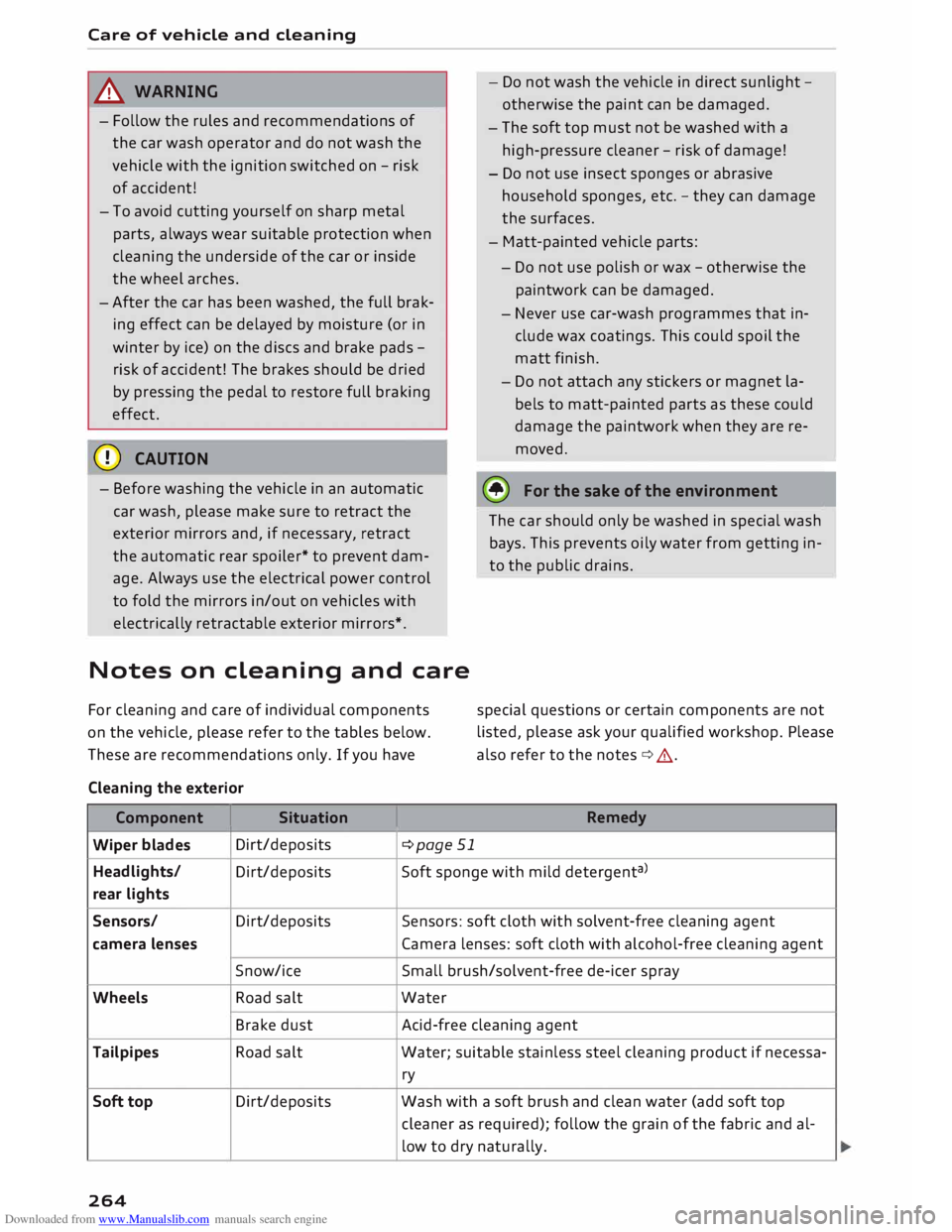
Notes on cleaning and care
For cleaning and care of individual components
on the vehicle, please refer to the tables below.
These are recommendations only. If you have
Cleaning the exterior
Component I Situation
Wiper blades Dirt/deposits
¢page 51 -
Do not wash the vehicle in direct sunlight -
otherwise the paint can be damaged.
- The soft top must not be washed with a
high-pressure cleaner -risk of damage!
- Do not use insect sponges or abrasive
household sponges, etc. -they can damage
the surfaces.
- Matt-painted vehicle parts:
- Do not use polish or wax -otherwise the
paintwork can be damaged.
- Never use car-wash programmes that in
clude wax coatings. This could spoil the
matt finish.
- Do not attach any stickers or magnet la
bels to matt-painted parts as these could
damage the paintwork when they are re
moved.
@ For
the sake of the environment
The car should only be washed in special wash
bays. This prevents oily water from getting in
to the public drains.
special questions or certain components are not
listed, please ask your qualified workshop. Please
also refer to the notes ¢,&.
Remedy
Headlights/ Dirt/deposits Soft
sponge with mild detergent a
>
rear lights
Sensors/ Dirt/deposits Sensors:
soft cloth with solvent-free cleaning agent
camera lenses Camera lenses: soft cloth with alcohol-free cleaning agent
Snow/ice Small brush/solvent-free de-icer spray
Wheels Road salt Water
Brake dust Acid-free
cleaning agent
Tailpipes Road salt Water;
suitable stainless steel cleaning product if necessa-
ry
Soft top Dirt/deposits
Wash with a soft brush and clean water (add soft top
cleaner as required); follow the grain of the fabric and al-
low to dry naturally.
264
Page 293 of 306
Downloaded from www.Manualslib.com manuals search engine Audi
phone box . . . . . . . . . . . . . . . . . . . . . . . 146
Audi side assist
see Side assist . . . . . . . . . . . . . . . . . . . . . . . 97
Audi smartphone interface ......... 210, 215
Audi virtual cockpit (instrument cluster) 10
AUTO Automatic air conditioner . . . . . . . . . . . . . . 62
Automatic headlights . . . . . . . . . . . . . . . . . 44
Auto Lock (central locking system) . . . . . . . .
27
Automatic air conditioner
see Air conditioner (automatic) . . . . . . . . . . 62
Automatic gearbox . . . . . . . . . . . . . . . . . . . . .
76
Back-up programme . . . . . . . . . . . . . . . . . . 83
Downhill speed control
. . . . . . . . . . . . . . . .
80
Driving tips . . . . . . . . . . . . . . . . . . . . . . . . . .
79
Kick-down . . . . . . . . . . . . . . . . . . . . . . . . . . . 81
Launch control programme . . . . . . . . . . . . . 82
Malfunction . . . . . . . . . . . . . . . . . . . . . . . . . 78
Manual gear selection . . . . . . . . . . . . . . . . . 81
Manual release of selector lever . . . . . . 84, 85
Selector lever lock . . . . . . . . . . . . . . . . . . . . 78
Selector lever positions . . . . . . . . . . . . . . . .
77
Steering wheel with paddle levers . . . . . . . 81
tiptronic . . . . . . . . . . . . . . . . . . . . . . . . . . . .
81
Automatic zoom (navigation) . . . . . . . . . . .
180
AUX input . . . . . . . . . . . . . . . . . . . . . . . 198, 199
Average fuel consumption . . . . . . . . . . . . . . .
25
Average speed . . . . . . . . . . . . . . . . . . . . . . . .
25
Axle loads . . . . . . . . . . . . . . . . . . . . . . . . . . . 288
B
BACK button . . . . . . . . . . . . . . . . . . . . . . . . .
121
Background lighting . . . . . . . . . . . . . . . . . . . . 48
Balance (sound) ...................... 217
Bandages see First-aid kit . . . . . . . . . . . . . . . . . . . . . 269
Bass (sound) . . . . . . . . . . . . . . . . . . . . . . . . .
217
Battery . . . . . . . . . . . . . . . . . . . . . . . . . . . . .
250
Charge . . . . . . . . . . . . . . . . . . . . . . . . . . . . 118
Charging . . . . . . . . . . . . . . . . . . . . . . . . 15, 251
Indicator lamp . . . . . . . . . . . . . . . . . . . . . . . 15
Power management .. . . . . . . . . . . . . . . . . 118
Winter conditions . . . . . . . . . . . . . . . . . . . 251
0
� Battery,
charging (mobile devices) . . . . . . . 146
� Belts
::2 see
Seat belts . . . . . . . . . . . . . . . . . . . . . . . 230
Vl
CX) Index
Better route (navigation) . . . . . . . . . . . . . . . 184
Biodiesel . . . . . . . . . . . . . . . . . . . . . . . . . . . . 241
Bioethanol (fuel) . . . . . . . . . . . . . . . . . . . . .
241
Blower (air conditioner) . . . . . . . . . . . . . . 61, 62
Bluetooth Audio player . . . . . . . . . . . . . . . . . . . . . . . . 194
Connecting a mobile phone . . . . . . . . . . . . 142
Remote SIM Access Profile . . . . . . . . . . . . 160
Settings . . . . . . . . . . . . . . . . . . . . . . . . . . . 215
Boost pressure display . . . . . . . . . . . . . . . . . . 26
Boot see Luggage compartment . . . . . . . . . . . . 227
Boot lid
Manual release . . . . . . . . . . . . . . . . . . . . . . . 34
Opening/closing . . . . . . . . . . . . . . . . . . . . . . 33
Brake fluid Checking brake fluid level . . . . . . . . . . . . . 250
Brakes . . . . . . . . . . . . . . . . . . . . . . . . . . . . . . 115
Brake assist system . . . . . . . . . . . . . . . . . . 113
Brake fluid . . . . . . . . . . . . . . . . . . . . . . . . . 250
Brake pads worn . . . . . . . . . . . . . . . . . . . . . 16
Brake pedal . . . . . . . . . . . . . . . . . . . . . . . .
226
Brake servo . . . . . . . . . . . . . . . . . . . . . . . . .
115
Electro-mechanical parking brake. . . . . . . . 74
Emergency braking aid . . . . . . . . . . . . . . . 113
Emergency braking function . . . . . . . . . . . . 74
New brake pads . . . . . . . . . . . . . . . . . . . . . 115
Warning lamp . . . . . . . . . . . . . . . . . . . . . . . 13
Browser see Media centre . . . . . . . . . . . . . . . . . . . .
201
Bucket seat . . . . . . . . . . . . . . . . . . . . . . . . . . . 55
Bulbs, changing . . . . . . . . . . . . . . . . . . . . . . 284
Buttons Multi-function steering wheel. . . . . . . . 21, 23
Operating unit (MMI)................. 121
C
Cables (USB adapter/AUX adapter) . . . . . . . 197
Calling up media . . . . . . . . . . . . . . . . . . . . . .
200
Call list . . . . . . . . . . . . . . . . . . . . . . . . . . . . . 147
Call options . . . . . . . . . . . . . . . . . . . . . . . . . .
155
Camera-based traffic sign recognition . . . . . 90
Capacities Fuel tank. . . . . . . . . . . . . . . . . . . . . . . . . . .
288
Washer fluid reservoir . . . . . . . . . . . . . . . . 288
Caps for wheel bolts, removing . . . . . . . . . .
272
291
Page 301 of 306
Downloaded from www.Manualslib.com manuals search engine 0
N
,.....
N
......
0
,.....
Vl
CX) Reset
see Restart (MMI) . . . . . . . . . . . . . . . . . . .
218
Reset button (trip recorder) . . . . . . . . . . . . . . 24
Restart (MMI) . . . . . . . . . . . . . . . . . . . . . . . . 218
Rev counter . . . . . . . . . . . . . . . . . . . . . . . . 10, 24
Reverse gear (automatic gearbox) . . . . . . . . . 77
Reversing camera
see Parking aids . . . . . . . . . . . . . . . . . 104, 106
Rewind (audio/video
file) . . . . . . . . . . . . . . . 200
Rims ............................... 257
Ring tone settings . . . . . . . . . . . . . . . . . . . .
156
Roaming see Data connection . . . . . . . . . . . . . . . . . .
166
Roof load . . . . . . . . . . . . . . . . . . . . . . . . . . . .
288
Rotary pushbutton with joystick function . .
126
Route criteria . . . . . . . . . . . . . . . . . . . . . . . .
176
Route guidance
see Navigation . . . . . . . . . . . . . . . . . . . . . . 169
Running in
New brake pads . . . . . . . . . . . . . . . . . . . . . 115
New engine . . . . . . . . . . . . . . . . . . . . . . . . . 66
New tyres . . . . . . . . . . . . . . . . . . . . . . . . . . 254
s
Safe driving . . . . . . . . . . . . . . . . . . . . . . . . . . 220
Safelock mechanism . . . . . . . . . . . . . . . . . 27, 32
Safety Airbag system . . . . . . . . . . . . . . . . . . . . . .
235
Child seats . . . . . . . . . . . . . . . . . . . . . . . . .
223
Correct sitting position . . . . . . . . . . . . . . . 221
Luggage . . . . . . . . . . . . . . . . . . . . . . . . . . . 227
Pedal area . . . . . . . . . . . . . . . . . . . . . . . . . . 226
Seat belts . . . . . . . . . . . . . . . . . . . . . . . . . . 230
Telephone . . . . . . . . . . . . . . . . . . . . . . . . . .
141
Safety features . . . . . . . . . . . . . . . . . . . . . . .
220
Safety systems (warning lamp) . . . . . . . . . . . 16
Saving fuel
Recuperation . . . . . . . . . . . . . . . . . . . . . . . .
25
Screen see Audi virtual cockpit (instrument
cluster) . . . . . . . . . . . . . . . . . . . . . . . . . . 21,
23
Screwdriver . . . . . . . . . . . . . . . . . . . . . . . . . . 270
SD card readers . . . . . . . . . . . . . . . . . . . . . . .
192
SDS see Speech dialogue system . . . . . . . . . . . 132
Search areas (special destination) . . . . . . . . 172 Index
Search function . . . . . . . . . . . . . . . . . . . . . . .
129
Media ............................. 202
Navigation . . . . . . . . . . . . . . . . . . . . . . . . . 170
Radio . . . . . . . . . . . . . . . . . . . . . . . . . . . . .
185
Telephone . . . . . . . . . . . . . . . . . . . . . . . . . .
154
Seat belt microphone . . . . . . . . . . . . . . . . . .
157
Seat belts . . . . . . . . . . . . . . . . . . . . . . . . . . .
230
Adjusting seat belts . . . . . . . . . . . . . . . . . .
233
Belt tensioners . . . . . . . . . . . . . . . . . . . . . .
234
Cleaning . . . . . . . . . . . . . . . . . . . . . . . . . . .
265
During pregnancy. . . . . . . . . . . . . . . . . . . . 233
Putting on . . . . . . . . . . . . . . . . . . . . . . . . . 232
Securing child seats . . . . . . . . . . . . . . . . . . 226
Taking off . . . . . . . . . . . . . . . . . . . . . . . . . . 234
Warning lamp . . . . . . . . . . . . . . . . . . . . . . .
15
Seat heating . . . . . . . . . . . . . . . . . . . . . . . . . .
63
Seats Adjusting . . . . . . . . . . . . . . . . . . . . . . . . . . .
54
Bucket seat adjustment . . . . . . . . . . . . . . . .
55
Correct sitting position . . . . . . . . . . . . . . . 221
Selection menu . . . . . . . . . . . 21, 123, 126, 127
Multi-function steering wheel. . . . . . . . . . . 23
Selective wheel torque control . . . . . . . . . . 113
Selector lever (automatic gearbox)
Manual release . . . . . . . . . . . . . . . . . . . .
84, 85
Positions . . . . . . . . . . . . . . . . . . . . . . . . . . . . 77
Self-help . . . . . . . . . . . . . . . . . . . . . . . . . . . . 269
Serial number (IMEi) . . . . . . . . . . . . . . . . . .
156
Service interval display.. . . . . . . . . . . . . . . .
252
Service intervals . . . . . . . . . . . . . . . . . . . . . . 247
Service position
see Wiper blades, changing . . . . . . . . . . . .
51
Settings Directory . . . . . . . . . . . . . . . . . . . . . . . . . . .
156
Map............................... 180
Media ............................. 203
Navigation .. . . . . . . . . . . . . . . . . . . . . . . . 176
Radio . . . . . . . . . . . . . . . . . . . . . . . . . . . . . 188
System . . . . . . . . . . . . . . . . . . . . . . . . . . . . 212
Telephone . . . . . . . . . . . . . . . . . . . . . . . . . .
155
Shift light display . . . . . . . . . . . . . . . . . . . . . . 24
Shuffle see Random playback . . . . . . . . . . . . . . . .
203
Side assist . . . . . . . . . . . . . . . . . . . . . . . . . . . .
97
Adjusting brightness . . . . . . . . . . . . . . . . . .
99
Area covered by sensors . . . . . . . . . . . . . . .
98
299