low beam AUDI TT ROADSTER 2016 Owners Manual
[x] Cancel search | Manufacturer: AUDI, Model Year: 2016, Model line: TT ROADSTER, Model: AUDI TT ROADSTER 2016Pages: 306, PDF Size: 31.82 MB
Page 15 of 306
Downloaded from www.Manualslib.com manuals search engine 0
N
,.....
N
......
0
,.....
Vl
CX) Instruments
and warning/indicator lamps
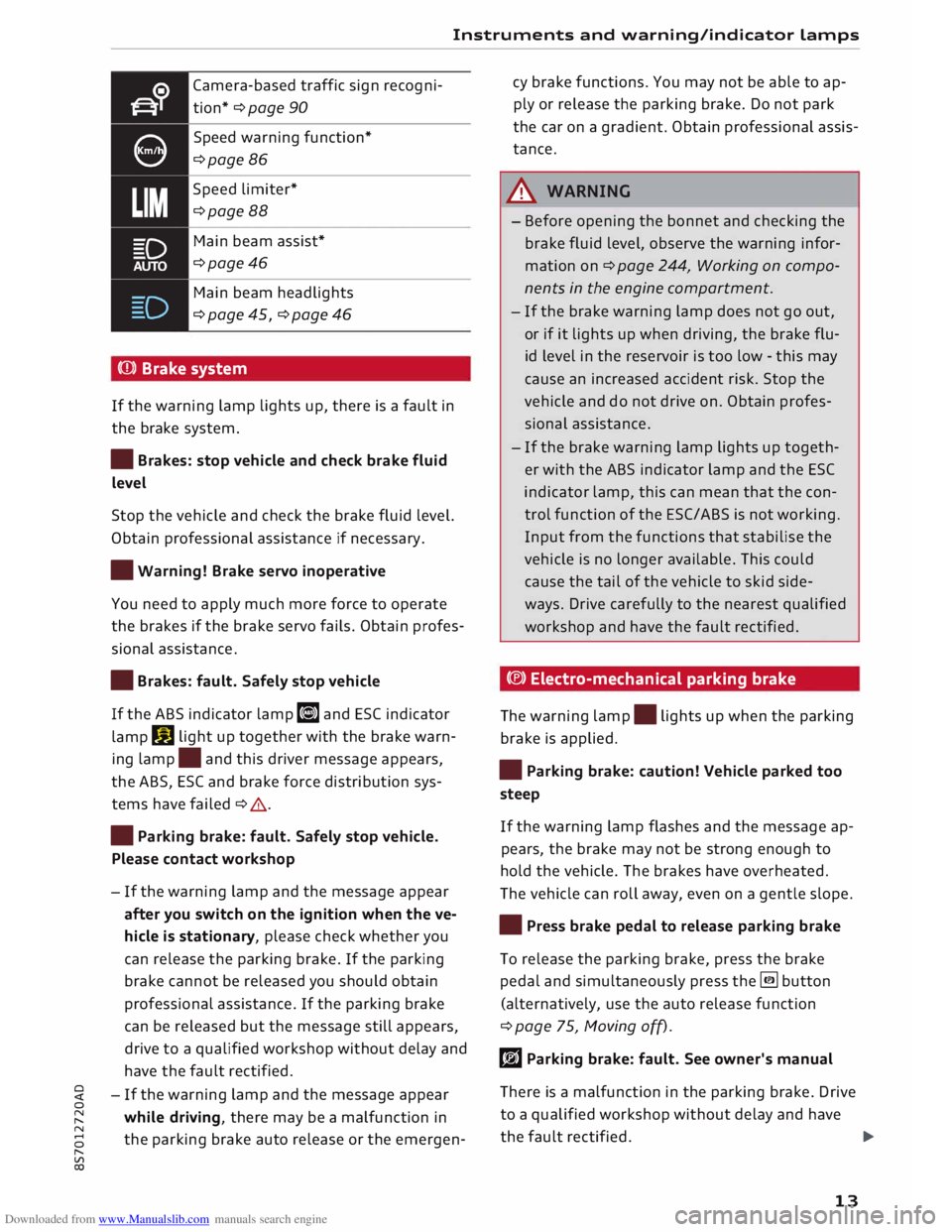
Camera-based traffic sign recogni
tion* ¢ page 90
Speed warning function*
¢page 86
Speed limiter*
¢page 88
Main beam assist*
¢page46
Main beam headlights
¢ page 45, ¢ page 46
(Q)) Brake system
If the warning lamp lights up, there is a fault in
the brake system.
• Brakes: stop vehicle and check brake fluid
Level
Stop the vehicle and check the brake fluid level.
Obtain professional assistance if necessary.
• Warning! Brake servo inoperative
You need to apply much more force to operate
the brakes if the brake servo fails. Obtain profes
sional assistance .
• Brakes: fault. Safely stop vehicle
If the ABS indicator lamp liJ and ESC indicator
lamp DJ
light up together with the brake warn
ing lamp .
and this driver message appears,
the ABS, ESC and brake force distribution sys
tems have failed ¢ .&. .
• Parking brake: fault. Safely stop vehicle.
Please contact workshop
- If the warning lamp and the message appear
after you switch on the ignition when the ve
hicle is stationary, please check whether you
can release the parking brake. If the parking
brake cannot be released you should obtain
professional assistance. If the parking brake
can be released but the message still appears,
drive to a qualified workshop without delay and
have the fault rectified.
- If the warning lamp and the message appear
while driving, there may be a malfunction in
the parking brake auto release or the emergen- cy
brake functions. You may not be able to ap
ply or release the parking brake. Do not park
the car on a gradient. Obtain professional assis
tance.
A WARNING
- Before opening the bonnet and checking the
brake fluid level, observe the warning infor
mation on ¢ page 244, Working on compo
nents in the engine compartment.
- If the brake warning lamp does not go out,
or if it lights up when driving, the brake flu
id level in the reservoir is too low -this may
cause an increased accident risk. Stop the
vehicle and do not drive on. Obtain profes
sional assistance.
- If the brake warning lamp lights up togeth
er with the ABS indicator lamp and the ESC
indicator lamp, this can mean that the con
trol function of the ESC/ABS is not working.
Input from the functions that stabilise the
vehicle is no longer available. This could
cause the tail of the vehicle to skid side
ways. Drive carefully to the nearest qualified
workshop and have the fault rectified.
C®) Electro-mechanical parking brake
The warning lamp.
lights up when the parking
brake is applied.
• Parking brake: caution! Vehicle parked too
steep
If the warning lamp flashes and the message ap
pears, the brake may not be strong enough to
hold the vehicle. The brakes have overheated.
The vehicle can roll away, even on a gentle slope.
• Press brake pedal to release parking brake
To release the parking brake, press the brake
pedal and simultaneously press the� button
(alternatively, use the auto release function
¢ page 75, Moving off).
rlJ Parking brake: fault. See owner's manual
There is a malfunction in the parking brake. Drive
to a qualified workshop without delay and have
the fault rectified.
..,.
13
Page 46 of 306
Downloaded from www.Manualslib.com manuals search engine Lights
and vision
Lights and vision
Exterior lights
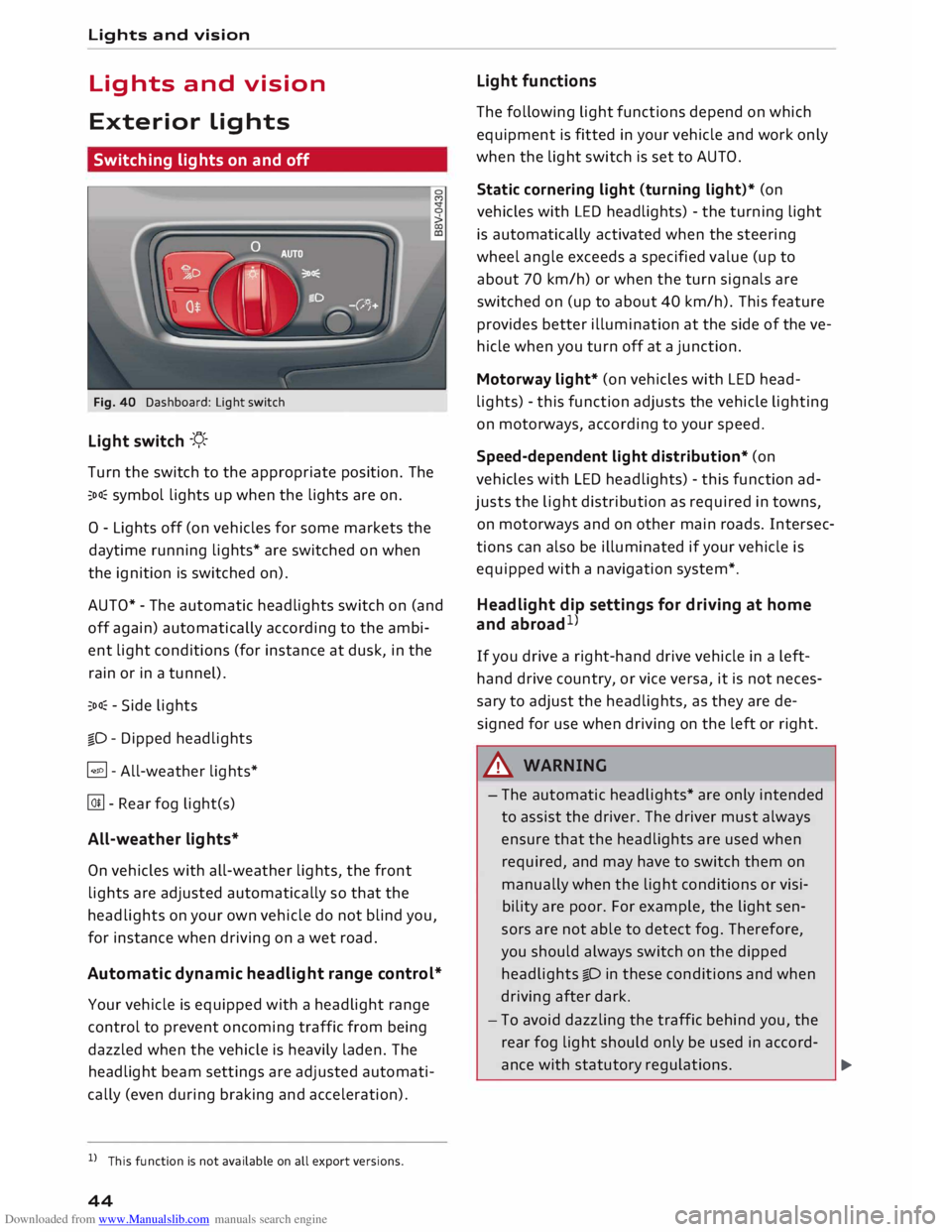
Switching lights on and off
Fig. 40 Dashboard: Light switch
Light switch -f/_-
T urn the switch to the appropriate position. The
::oo� symbol lights up when the lights are on.
0 - Lights off (on vehicles for some markets the
daytime running lights* are switched on when
the ignition is switched on).
AUTO* -The automatic headlights switch on (and
off again) automatically according to the ambi
ent light conditions (for instance at dusk, in the
rain or in a tunnel).
::oo� -Side lights
io -Dipped headlights
�- All-weather lights*
@!l - Rear fog Lig ht(s)
All-weather lights*
On vehicles with all-weather lights, the front
lights are adjusted automatically so that the
headlights on your own vehicle do not blind you,
for instance when driving on a wet road.
Automatic dynamic headlight range control*
Your vehicle is equipped with a headlight range
control to prevent oncoming traffic from being
dazzled when the vehicle is heavily laden. The
headlight beam settings are adjusted automati
cally (even during braking and acceleration).
l l
This function is not available on all export versions.
44 Light
functions
The following Light functions depend on which
equipment is fitted in your vehicle and work only
when the Light switch is set to AUTO.
Static cornering light (turning light)* (on
vehicles with LED headlights) -the turning Light
is automatically activated when the steering
wheel angle exceeds a specified value (up to
about 70 km/h) or when the turn signals are
switched on (up to about 40 km/h). This feature
provides better illumination at the side of the ve
hicle when you turn off at a junction.
Motorway light* (on vehicles with LED head
lights) -this function adjusts the vehicle Lighting
on motorways, according to your speed.
Speed-dependent light distribution* (on
vehicles with LED headlights) -this function ad
justs the light distribution as required in towns,
on motorways and on other main roads. Intersec
tions can also be illuminated if your vehicle is
equipped with a navigation system*.
Headlight dip settings for driving at home
and abroad 1
)
If you drive a right-hand drive vehicle in a left
hand drive country, or vice versa, it is not neces
sary to adjust the headlights, as they are de
signed for use when driving on the left or right.
A WARNING
- The automatic headlights* are only intended
to assist the driver. The driver must always
ensure that the headlights are used when
required, and may have to switch them on
manually when the Light conditions or visi
bility are poor. For example, the light sen
sors are not able to detect fog. Therefore,
you should always switch on the dipped
headlights io in these conditions and when
driving after dark.
- To avoid dazzling the traffic behind you, the
rear fog light should only be used in accord-
ance with statutory regulations.
..,.
Page 48 of 306
Downloaded from www.Manualslib.com manuals search engine Lights
and vision
Main beam assist
Applies to: vehicles with main beam assist
The main beam assist automatically switches
the main beam headlights on or off depending
on the surrounding light conditions.
A sensor (Located in the mounting for the interior
mirror) detects light sources from other road
users. The main beams are activated or deactiva
ted automatically depending on the position of
vehicles on either side of the road, on the road
speed, and on other traffic and ambient condi
tions.
On vehicles with matrix LED headlights, individu
al segments of the main beam are activated or
deactivated. The relevant sector in front of the
vehicle is masked, while the surrounding areas
remain lit. The ambient surroundings are thus il
luminated optimally without dazzling other road
users.
Activating the main beam assist
Important: The light switch must be set to AUTO,
the dipped beam headlights must be on and the
main beam assist must be activated on the info
tainment system¢ page 47.
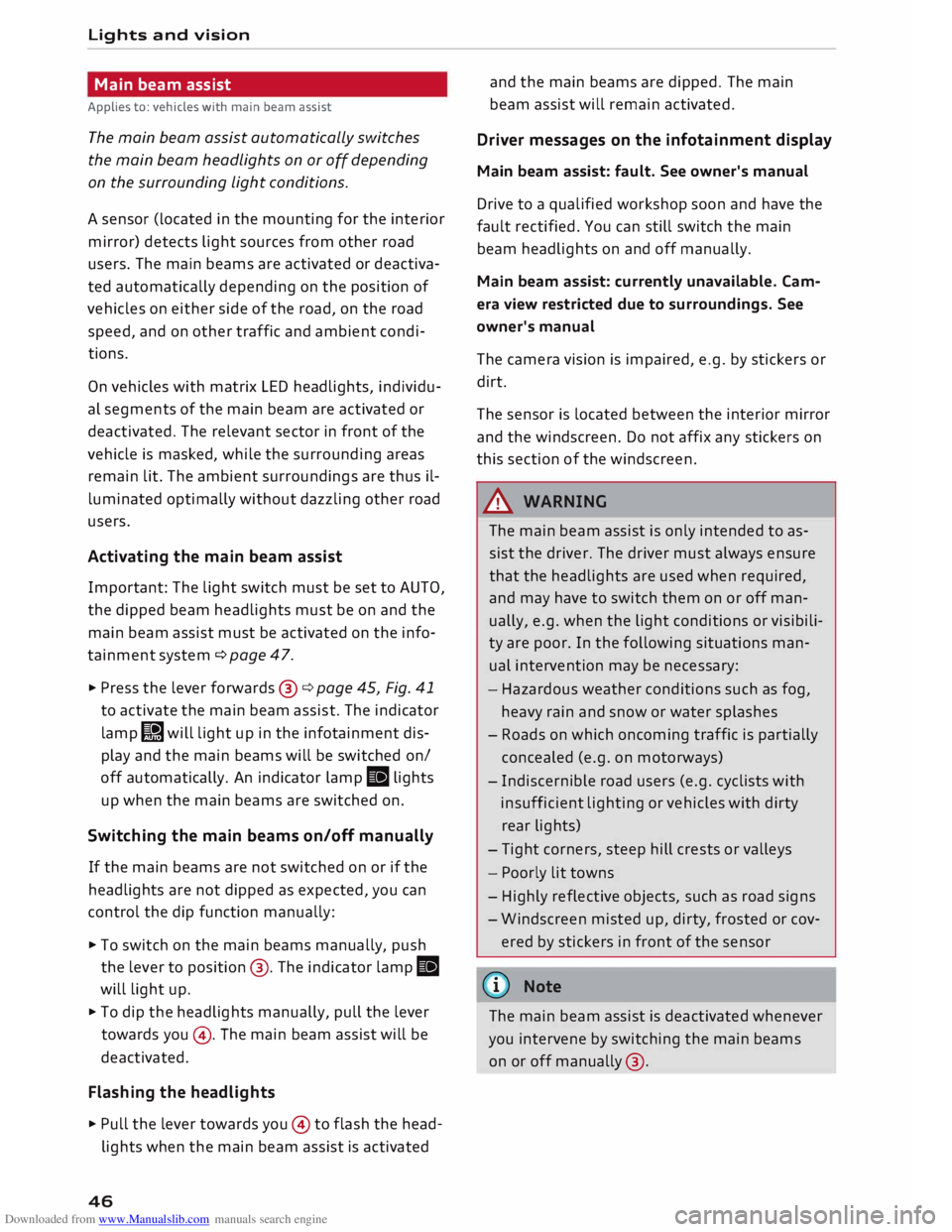
... Press the lever forwards ®¢ page 45, Fig. 41
to activate the main beam assist. The indicator
lamp� will light up in the infotainment dis
play and the main beams will be switched on/
off automatically. An indicator lamp. lights
up when the main beams are switched on.
Switching the main beams on/off manually
If the main beams are not switched on or if the
headlights are not dipped as expected, you can
control the dip function manually:
.., To switch on the main beams manually, push
the lever to position @. The indicator lamp.
will light up .
... To dip the headlights manually, pull the lever
towards you@. The main beam assist will be
deactivated.
Flashing the headlights
... Pull the lever towards you© to flash the head
lights when the main beam assist is activated
46 and
the main beams are dipped. The main
beam assist will remain activated.
Driver messages on the infotainment display
Main beam assist: fault. See owner's manual
Drive to a qualified workshop soon and have the
fault rectified. You can still switch the main
beam headlights on and off manually.
Main beam assist: currently unavailable. Cam
era view restricted due to surroundings. See
owner's manual
The camera vision is impaired, e.g. by stickers or
dirt.
The sensor is located between the interior mirror
and the windscreen. Do not affix any stickers on
this section of the windscreen.
A WARNING
The main beam assist is only intended to as
sist the driver. The driver must always ensure
that the headlights are used when required,
and may have to switch them on or off man
ually, e.g. when the light conditions or visibili
ty are poor. In the following situations man
ual intervention may be necessary:
- Hazardous weather conditions such as fog,
heavy rain and snow or water splashes
- Roads on which oncoming traffic is partially
concealed (e.g. on motorways)
- Indiscernible road users (e.g. cyclists with
insufficient lighting or vehicles with dirty
rear lights)
- Tight corners, steep hill crests or valleys
- Poorly lit towns
- Highly reflective objects, such as road signs
- Windscreen misted up, dirty, frosted or cov-
ered by stickers in front of the sensor
(CD) Note
The main beam assist is deactivated whenever
you intervene by switching the main beams
on or off manually @.
Page 49 of 306
Downloaded from www.Manualslib.com manuals search engine 0
N
,.....
N Adjusting
the settings for the exterior
lighting
You can change the settings for these functions
on the infotainment system .
.., Select the following on the infotainment sys
tem: I MENU
I button >Car> left control button
> Vehicle settings > Exterior lighting.
Automatic headlights
The following settings are available in the Auto
matic headlights menu:
Activation time -You can determine how soon
the lights are switched on by using the settings
early, medium or late to adjust the sensitivity of
the light sensor.
Main beam assist* -You can switch the main
beam assist* on and off.
Audi adaptive light* -You can switch the adap
tive light on and off.
Headlight dip settings for driving at home
and abroad
If you drive a rig ht-hand drive vehicle in a left
hand drive country, or vice versa, it is not neces
sary to adjust the headlights, as they are de
signed for use when driving on the left or right.
Entry/exit lights
The entry lights illuminate the area around the
vehicle after dark when the vehicle is unlocked.
To activate this function, select Entry/exit lights.
The exit lights illuminate the area around the ve
hicle after dark when the ignition has been
switched off and the driver's door opened. To ac
tivate this function, select Entry/exit lights.
The entry and exit lights are operational after
dark when the light switch is set to AUTO.
8 l} This function is not available on all models or export ver
,.....
� sions. Lights
and vision
Hazard warning lights
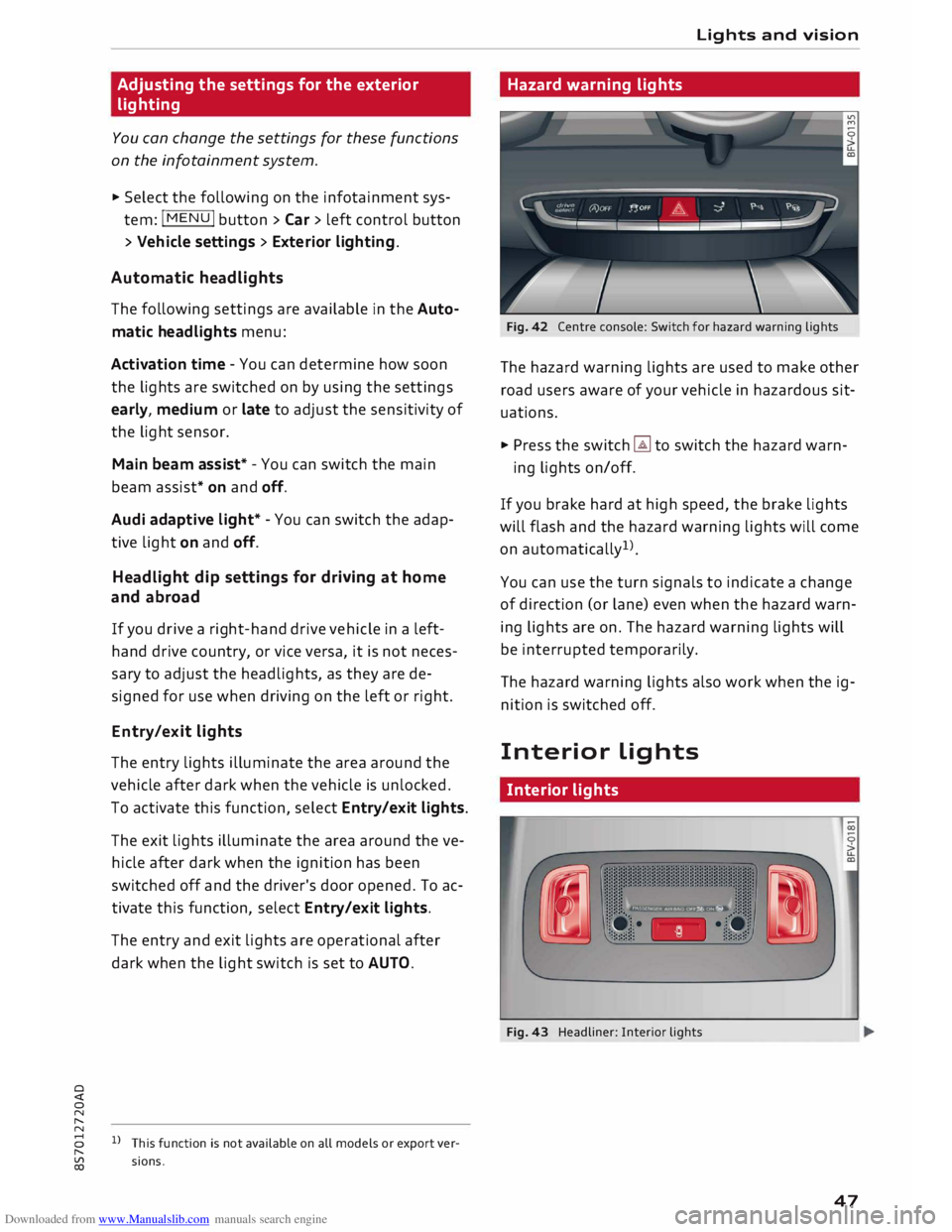
Fig. 42 Centre console: Switch for hazard warning lights
The hazard warning lights are used to make other
road users aware of your vehicle in hazardous sit
uations.
.., Press the switch � to switch the hazard warn-
ing lights on/off.
If you brake hard at high speed, the brake lights
will flash and the hazard warning lights will come
on automatically 1
).
You can use the turn signals to indicate a change
of direction (or lane) even when the hazard warn
ing lights are on. The hazard warning lights will
be interrupted temporarily.
The hazard warning lights also work when the ig
nition is switched off.
Interior Lights
Interior lights
Fig. 43 Headliner: Interior lights
47
Page 75 of 306
Downloaded from www.Manualslib.com manuals search engine 0
N
,.....
N
......
0
,.....
Vl
CX) -
The engine has not yet reached the minimum
temperature required for start/stop mode.
- The interior temperature selected on the air
conditioner has not yet been reached.
- The exterior temperature is very high/Low.
- The windscreen is being defrosted @.
- The parking aid* or park assist* is switched on.
- The vehicle battery charge is too Low.
- The steering wheel is close to full Lock or the
vehicle is being steered.
- Reverse gear has just been selected.
- The vehicle is on a steep gradient.
� will appear in the infotainment display to in
dicate this status.
Engine cuts in again automatically
The stop phase is interrupted in the following sit
uations, for example. The engine cuts in auto
matically without intervention from the driver.
- The vehicle starts to roll (e.g. on a hill).
- The interior temperature deviates from the air
conditioner setting.
- The windscreen is being defrosted @.
- The brake pedal is pressed several times in suc-
cession.
- The vehicle battery charge drops to an insuffi-
cient level.
- The power consumption is high.
Ignition is switched off automatically
To prevent the vehicle battery from being dis
charged, the ignition will be switched off auto
matically if certain conditions are met. For in
stance:
- The vehicle has already been driven.
- The start/stop system has switched off the en-
gine.
- The driver's door is opened.
- The driver's seat belt is unbuckled.
- The brake pedal is not pressed.
- The vehicle is stationary.
If the dipped beam headlights are on when this
happens, the side lights will be turned on instead
and the message Side Lights will be automatical
ly switched off in 30 minutes. See owner's man
ual will appear on the infotainment display. After Driving
approx. 30 minutes, or when you Lock the vehicle,
the side lights will be switched off.
If the start/stop system has not stopped the en
gine or if you have switched off the start/stop
system manually, the engine will continue run
ning and the ignition will not be switched off au
tomatically¢,&..
A WARNING
Never run the engine in confined spaces. The
exhaust gases are toxic -risk of poisoning!
(© Note
If you select D, No r S (on vehicles with auto
matic gearbox) after selecting reverse gear,
the car must have been moving at over
10 km/h before the system can switch off the
engine again.
Switching the start/stop system off and on
manually
Applies to: vehicles with start/stop system
You can switch the system off manually if you
don't want to use it.
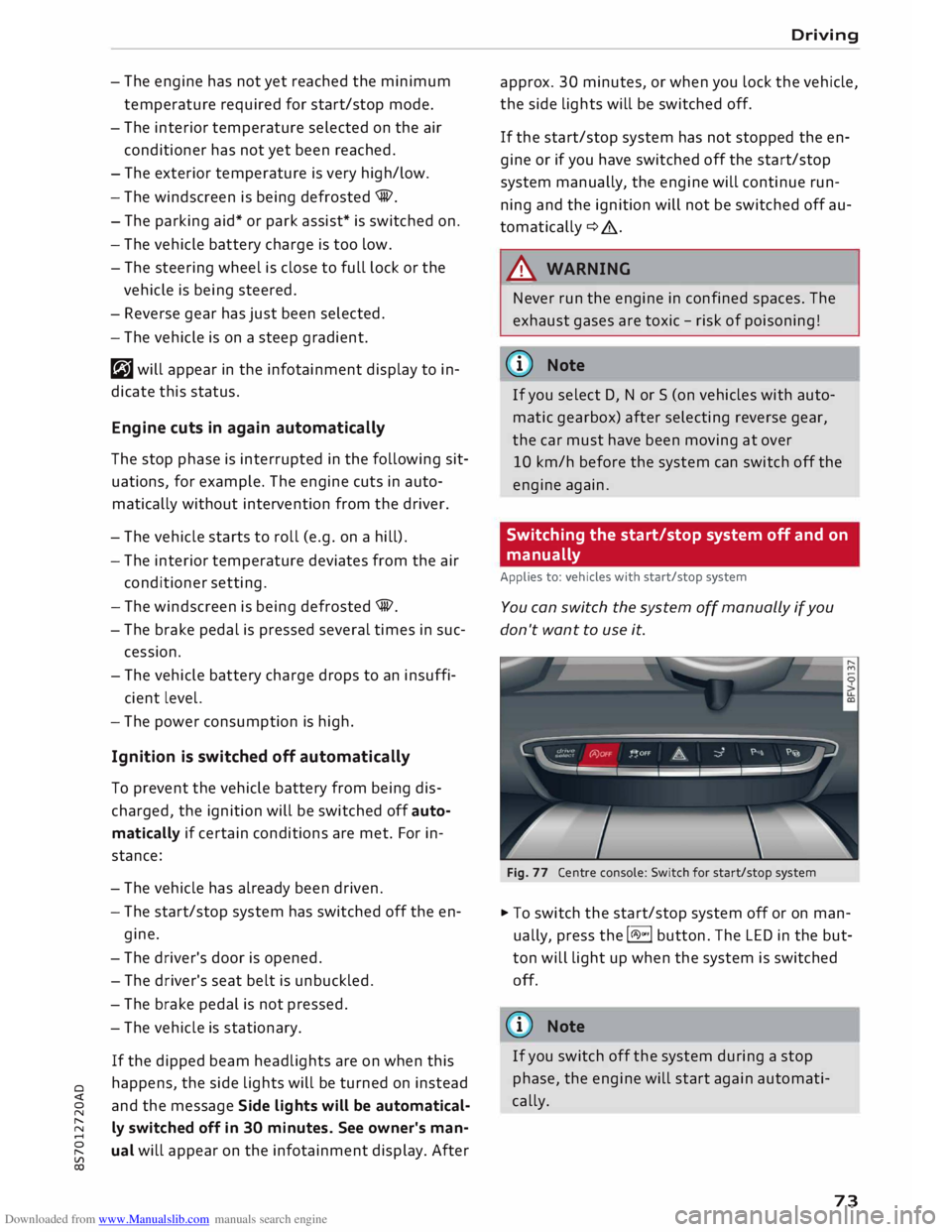
Fig. 77 Centre console: Switch for start/stop system
� To switch the start/stop system off or on man
ually, press the l(A)"'I button. The LED in the but
ton will light up when the system is switched
off.
@ Note
If you switch off the system during a stop
phase, the engine will start again automati
cally.
73
Page 298 of 306
Downloaded from www.Manualslib.com manuals search engine Index
Key fob with vehicle code . . . . . . . . . . . . . . 28
Locking and unlocking the vehicle . 29, 30, 32
No key identified . . . . . . . . . . . . . . . . . . . . .
71
Replacement keys . . . . . . . . . . . . . . . . . . . .
27
Replacing the battery . . . . . . . . . . . . . . . . .
29
Kick-down Automatic gearbox . . . . . . . . . . . . . . . . . . .
81
L
Lamp failure (indicator lamp) . . . . . . . . . . . . 18
Lane assist
see Active lane assist . . . . . . . . . . . . . . . . . . 92
Lane change assist feature
see Side assist . . . . . . . . . . . . . . . . . . . . . . .
97
Lane departure warning feature
see Active lane assist . . . . . . . . . . . . . . . . . . 92
Language, setting..................... 212
Lap timer . . . . . . . . . . . . . . . . . . . . . . . . . . . . . 94
Evaluating lap times . . . . . . . . . . . . . . . . . .
96
Starting . . . . . . . . . . . . . . . . . . . . . . . . . . . . 95
Launch control programme (automatic gear-
box) . . . . . . . . . . . . . . . . . . . . . . . . . . . . . . . . .
82
Leaving home . . . . . . . . . . . . . . . . . . . . . . . . .
47
Left-hand traffic . . . . . . . . . . . . . . . . . . . . . . .
44
Letters, entering (using the speller) . . . . . .
128
Licence conditions (MMI) . . . . . . . . . . . . . . .
218
Lights Coming/leaving home . . . . . . . . . . . . . . . . . 47
Daytime running lights . . . . . . . . . . . . . . . . 44
Dipped headlights . . . . . . . . . . . . . . . . . . . . 44
Entry/exit lights . . . . . . . . . . . . . . . . . . . . . . 47
Exterior lights . . . . . . . . . . . . . . . . . . . . . . . 44
Front/rear fog lights . . . . . . . . . . . . . . . . . . 44
Headlight flasher . . . . . . . . . . . . . . . . . . . . . 45
Headlight range control . . . . . . . . . . . . . . . 44
Interior/reading lights . . . . . . . . . . . . . . . . 47
Main beam assist . . . . . . . . . . . . . . . . . . . . . 46
Main beam headlights . . . . . . . . . . . . . . . . . 45
Parking lights . . . . . . . . . . . . . . . . . . . . . . . . 45
Right-hand traffic . . . . . . . . . . . . . . . . . . . .
44
Side lights . . . . . . . . . . . . . . . . . . . . . . . . . . 44
Light sensor/rain sensor
Headlights . . . . . . . . . . . . . . . . . . . . . . . . . . 44
Indicator lamp . . . . . . . . . . . . . . . . . . . . . . .
19
Intermittent wipe (windscreen wipers) . . .
SO
Load-through hatch . . . . . . . . . . . . . . . . . . . . 58
296 Locking/unlocking
By remote control . . . . . . . . . . . . . . . . . . . .
29
With the central locking switch . . . . . . . . .
31
With the convenience key . . . . . . . . . . . . . . 30
With the key . . . . . . . . . . . . . . . . . . . . . . . . . 32
Locking and unlocking the vehicle
Locking/unlocking . . . . . . . . . . . . . . . . . . . . 30
Low-profile tyres . . . . . . . . . . . . . . . . . . . . . 258
Luggage compartment
Ba g
. . . . . . . . . . . . . . . . . . . . . . . . . . . . . . . . 58
Fastening rings . . . . . . . . . . . . . . . . . . . . .
228
Loading . . . . . . . . . . . . . . . . . . . . . . . . . . . .
227
Stowing luggage safely . . . . . . . . . . . . . . .
227
Lumbar support . . . . . . . . . . . . . . . . . . . . . . . 54
M
Mailbox . . . . . . . . . . . . . . . . . . . . . . . . . . . . .
152
Main beam headlights . . . . . . . . . . . . . . . . . .
45
Main beam assist . . . . . . . . . . . . . . . . . . . . .
46
Maintenance intervals . . . . . . . . . . . . . . . . . 252
Make-up mirrors . . . . . . . . . . . . . . . . . . . . . . . 49
Manual operation
Boot lid . . . . . . . . . . . . . . . . . . . . . . . . . . . . . 34
Doors . . . . . . . . . . . . . . . . . . . . . . . . . . . . . .
32
Soft top . . . . . . . . . . . . . . . . . . . . . . . . . . . .
41
Manual release
Fuel tank flap . . . . . . . . . . . . . . . . . . . . . . . 244
Selector lever . . . . . . . . . . . . . . . . . . . . . 84, 85
Map Functions . . . . . . . . . . . . . . . . . . . . . . . . . . 179
How to use . . . . . . . . . . . . . . . . . . . . . . . . . 178
Map content . . . . . . . . . . . . . . . . . . . . . . . .
178
Settings . . . . . . . . . . . . . . . . . . . . . . . . . . .
180
Update . . . . . . . . . . . . . . . . . . . . . . . . . . . .
169
Matt paintwork, washing . . . . . . . . . . . . . . .
263
Maximum speed . . . . . . . . . . . . . . . . . . . . . .
289
Media . . . . . . . . . . . . . . . . . . . . . . . . . . . . . .
191
Drives . . . . . . . . . . . . . . . . . . . . . . . . . . . . . 192
Media centre . . . . . . . . . . . . . . . . . . . . . . . . . 201
Media drives
Formats supported . . . . . . . . . . . . . . . . . . 206
Memory capacity
Directory . . . . . . . . . . . . . . . . . . . . . . . . . . . 154
Jukebox . . . . . . . . . . . . . . . . . . . . . . . . . . . .
193