park assist AUDI TT ROADSTER 2016 Owners Manual
[x] Cancel search | Manufacturer: AUDI, Model Year: 2016, Model line: TT ROADSTER, Model: AUDI TT ROADSTER 2016Pages: 306, PDF Size: 31.82 MB
Page 4 of 306
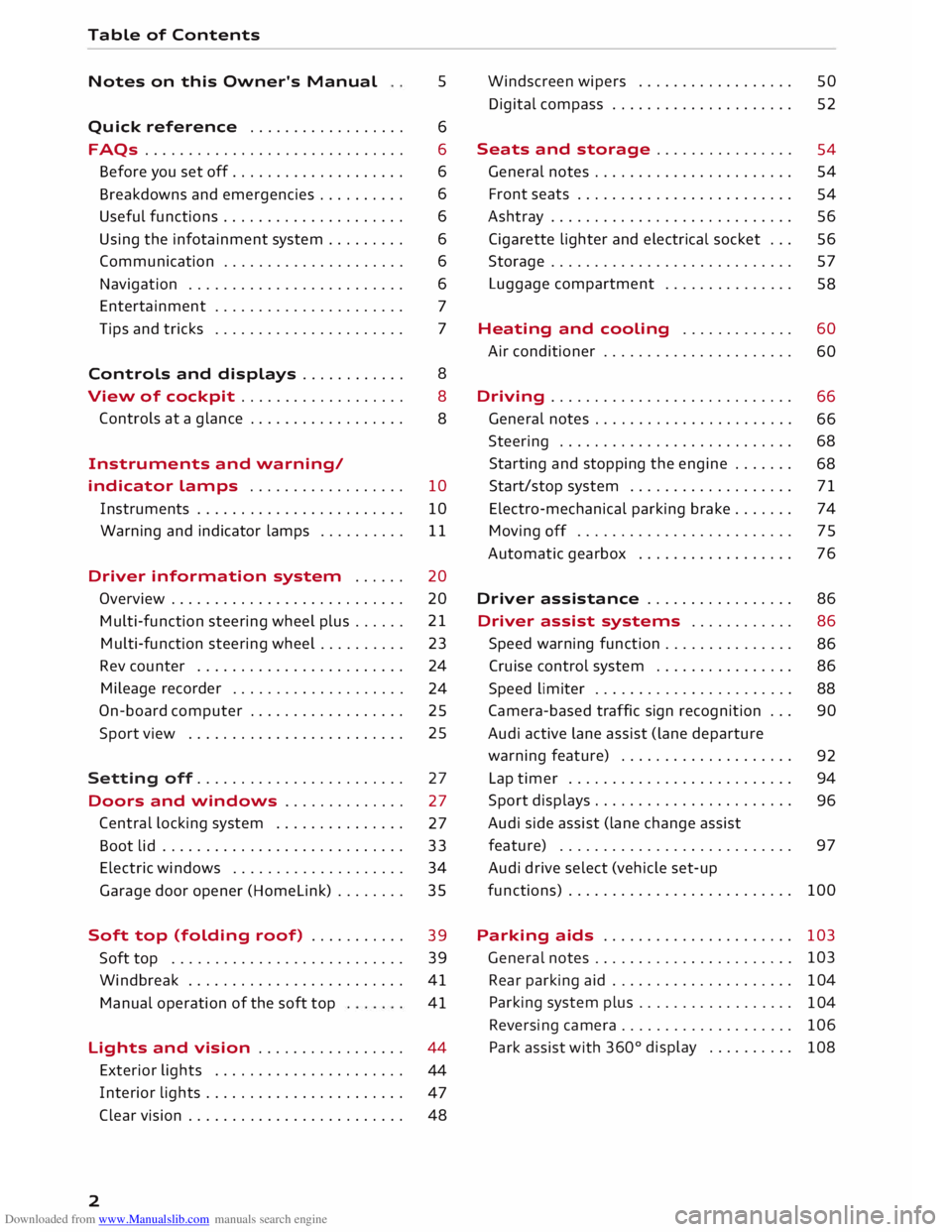
Downloaded from www.Manualslib.com manuals search engine Table
of Contents
Notes on this Owner's Manual 5
Quick reference ................. . 6
6
6
6
6
6
6
6
7
7
FAQs
............................. .
Before you set off ................... .
Breakdowns and emergencies ......... .
Useful functions .................... .
Using the infotainment system ........ .
Communication .................... .
Navigation ........................ .
Entertainment ..................... .
Tips and tricks ..................... .
Controls and displays . . . . . . . . . . . . 8
View of cockpit . . . . . . . . . . . . . . . . . . .
8
Controls at a glance . . . . . . . . . . . . . . . . . .
8
Instruments and warning/
indicator lamps . . . . . . . . . . . . . . . . . . 10
Instruments . . . . . . . . . . . . . . . . . . . . . . . . 10
Warning and indicator lamps . . . . . . . . . . 11
Driver information system . . . . . . 20
Overview . . . . . . . . . . . . . . . . . . . . . . . . . . .
20
Multi-function steering wheel plus...... 21
Multi-function steering wheel . . . . . . . . . . 23
Rev counter . . . . . . . . . . . . . . . . . . . . . . . . 24
Mileage recorder . . . . . . . . . . . . . . . . . . . .
24
On-board computer . . . . . . . . . . . . . . . . . . 25
Sport view . . . . . . . . . . . . . . . . . . . . . . . . . 25
Setting off. . . . . . . . . . . . . . . . . . . . . . . .
27
Doors and windows . . . . . . . . . . . . . . 27
Central locking system . . . . . . . . . . . . . . .
27
Boot lid . . . . . . . . . . . . . . . . . . . . . . . . . . . .
33
Electric windows ................... .
Garage door opener (Homelink) ....... . 34
35
Soft top (folding roof) .......... .
39
39
41
41
Soft
top .......................... .
Windbreak ........................ .
Manual operation of the soft top
Lights and vision ................ .
44
44
47
2 Exterior
lights ..................... .
Interior lights ...................... .
Clear vision . . . . . . . . . . . . . . . . . . . . . . . . .
48 Windscreen
wipers . . . . . . . . . . . . . . . . . .
50
Digital compass . . . . . . . . . . . . . . . . . . . . . 52
Seats and storage . . . . . . . . . . . . . . . .
54
General notes . . . . . . . . . . . . . . . . . . . . . . .
54
Front seats . . . . . . . . . . . . . . . . . . . . . . . . .
54
Ashtray . . . . . . . . . . . . . . . . . . . . . . . . . . . . 56
Cigarette lighter and electrical socket . . . 56
Storage . . . . . . . . . . . . . . . . . . . . . . . . . . . . 57
Luggage compartment . . . . . . . . . . . . . . . 58
Heating and cooling . . . . . . . . . . . . . 60
Air conditioner . . . . . . . . . . . . . . . . . . . . . .
60
Driving ............................ 66
General notes . . . . . . . . . . . . . . . . . . . . . . .
66
Steering . . . . . . . . . . . . . . . . . . . . . . . . . . .
68
Starting and stopping the engine . . . . . . .
68
Start/stop system . . . . . . . . . . . . . . . . . . .
71
Electro-mechanical parking brake. . . . . . .
74
Moving off. . . . . . . . . . . . . . . . . . . . . . . . .
75
Automatic gearbox . . . . . . . . . . . . . . . . . .
76
Driver assistance . . . . . . . . . . . . . . . . . 86
Driver assist
systems . . . . . . . . . . . . 86
Speed warning function . . . . . . . . . . . . . . .
86
Cruise control system . . . . . . . . . . . . . . . . 86
Speed limiter . . . . . . . . . . . . . . . . . . . . . . .
88
Camera-based traffic sign recognition . . .
90
Audi active Lane assist (Lane departure
warning feature) . . . . . . . . . . . . . . . . . . . .
92
Lap timer . . . . . . . . . . . . . . . . . . . . . . . . . .
94
Sport displays . . . . . . . . . . . . . . . . . . . . . . .
96
Audi side assist (lane change assist
feature) . . . . . . . . . . . . . . . . . . . . . . . . . . .
97
Audi drive select (vehicle set-up
functions) . . . . . . . . . . . . . . . . . . . . . . . . . . 100
Parking aids . . . . . . . . . . . . . . . . . . . . . . 103
General notes . . . . . . . . . . . . . . . . . . . . . . . 103
Rear parking aid . . . . . . . . . . . . . . . . . . . . .
104
Parking system plus . . . . . . . . . . . . . . . . . .
104
Reversing camera . . . . . . . . . . . . . . . . . . . .
106
Park assist with 360°
display . . . . . . . . . .
108
Page 8 of 306
Downloaded from www.Manualslib.com manuals search engine FAQs
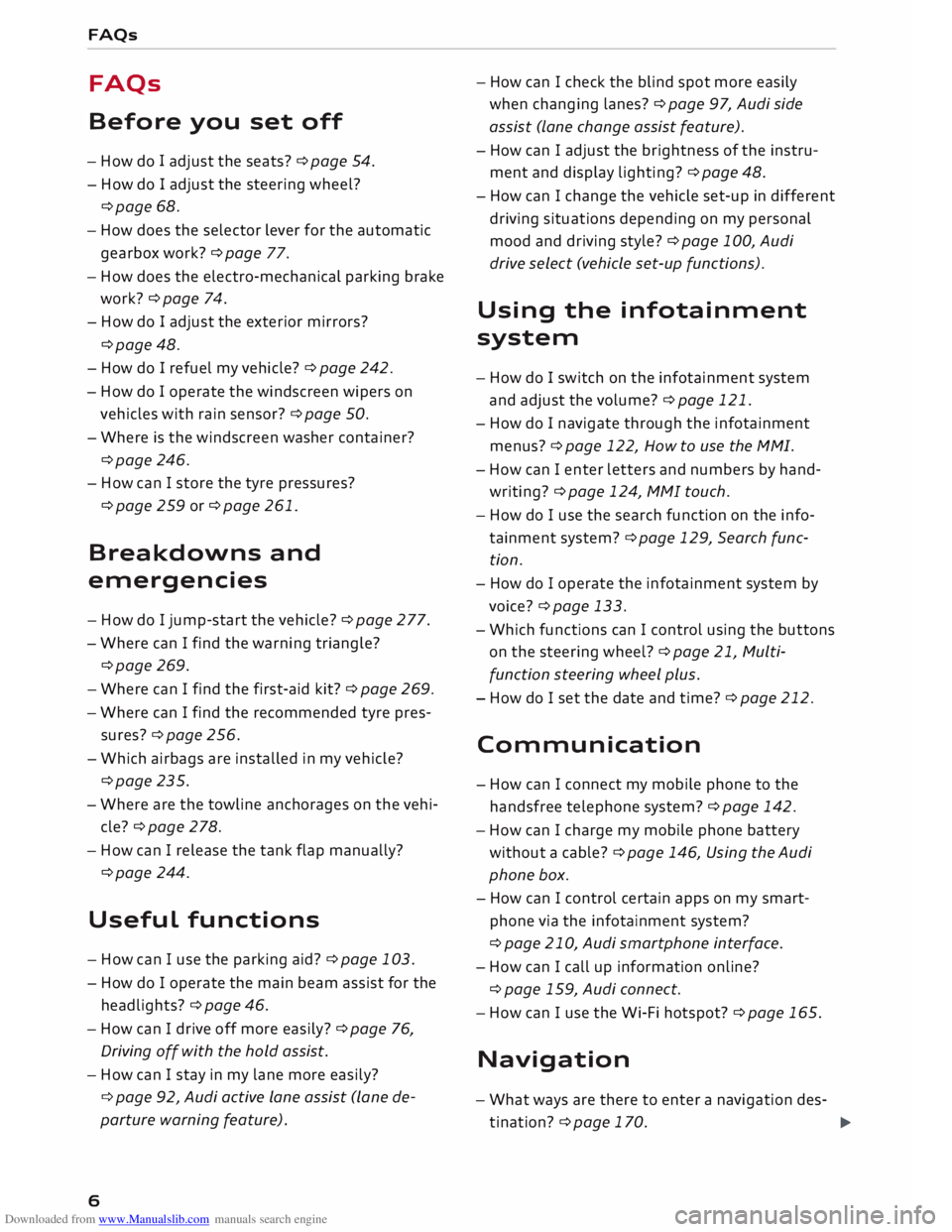
FAQs
Before you set off
- How do I adjust the seats? ¢ page 54.
- How do I adjust the steering wheel?
¢page 68.
- How does the selector lever for the automatic
gearbox work? ¢ page 77.
- How does the electro-mechanical parking brake
work? ¢page 74.
- How do I adjust the exterior mirrors?
¢page 48.
- How do I refuel my vehicle? ¢ page 242.
- How do
I operate
the windscreen wipers on
vehicles with rain sensor? ¢ page 50.
- Where is the windscreen washer container?
¢page 246.
- How can I store the tyre pressures?
¢page 259 or ¢page 261.
Breakdowns and
emergencies
- How do I jump-start the vehicle? ¢page 277.
- Where can I find the warning triangle?
¢page 269.
- Where can I find the first-aid kit? ¢ page 269.
- Where can I find the recommended tyre pres-
sures? ¢ page 256.
- Which airbags are installed in my vehicle?
¢page 235.
- Where are the towline anchorages on the vehi
cle? ¢page 278.
- How can I release the tank flap manually?
¢page 244.
Useful functions
- How can I use the parking aid?¢ page 103.
- How do I operate the main beam assist for the
headlights? ¢ page 46.
- How can I drive off more easily? ¢ page 76,
Driving off with the hold assist.
- How can I stay in my lane more easily?
6 ¢
page 92, Audi active lane assist (lane de
parture warning feature). -
How can I check the blind spot more easily
when changing lanes? ¢page 97, Audi side
assist (lane change assist feature).
- How can I adjust the brightness of the instru
ment and display lighting? ¢ page 48.
- How can I change the vehicle set-up in different
driving situations depending on my personal
mood and driving style? ¢page 100, Audi
drive select (vehicle set-up functions).
Using the infotainment
system
- How do I switch on the infotainment system
and adjust the volume? ¢ page 121.
- How do
I navigate
through the infotainment
menus? ¢ page 122, How to use the MMI.
- How can I enter letters and numbers by hand
writing? ¢ page 124, MMI touch.
- How do I use the search function on the info
tainment system?¢ page 129, Search func
tion.
- How do I operate the infotainment system by
voice? ¢ page 133.
- Which functions can I control using the buttons
on the steering wheel?¢ page 21, Multi
function steering wheel plus.
- How do I set the date and time? ¢ page 212.
Communication
- How can I connect my mobile phone to the
handsfree telephone system? ¢ page 142.
- How can I charge my mobile phone battery
without a cable? ¢ page 146, Using the Audi
phone box.
- How can I control certain apps on my smart
phone via the infotainment system?
¢ page 210, Audi smartphone interface.
- How can I call up information online?
¢ page 159, Audi connect.
- How can I use the Wi-Fi hotspot?¢ page 165.
Navigation
- What ways are there to enter a navigation des-
tination? ¢ page 170.
�
Page 11 of 306
Downloaded from www.Manualslib.com manuals search engine 0
N
,.....
N
....
0
,.....
Vl
CX) (D
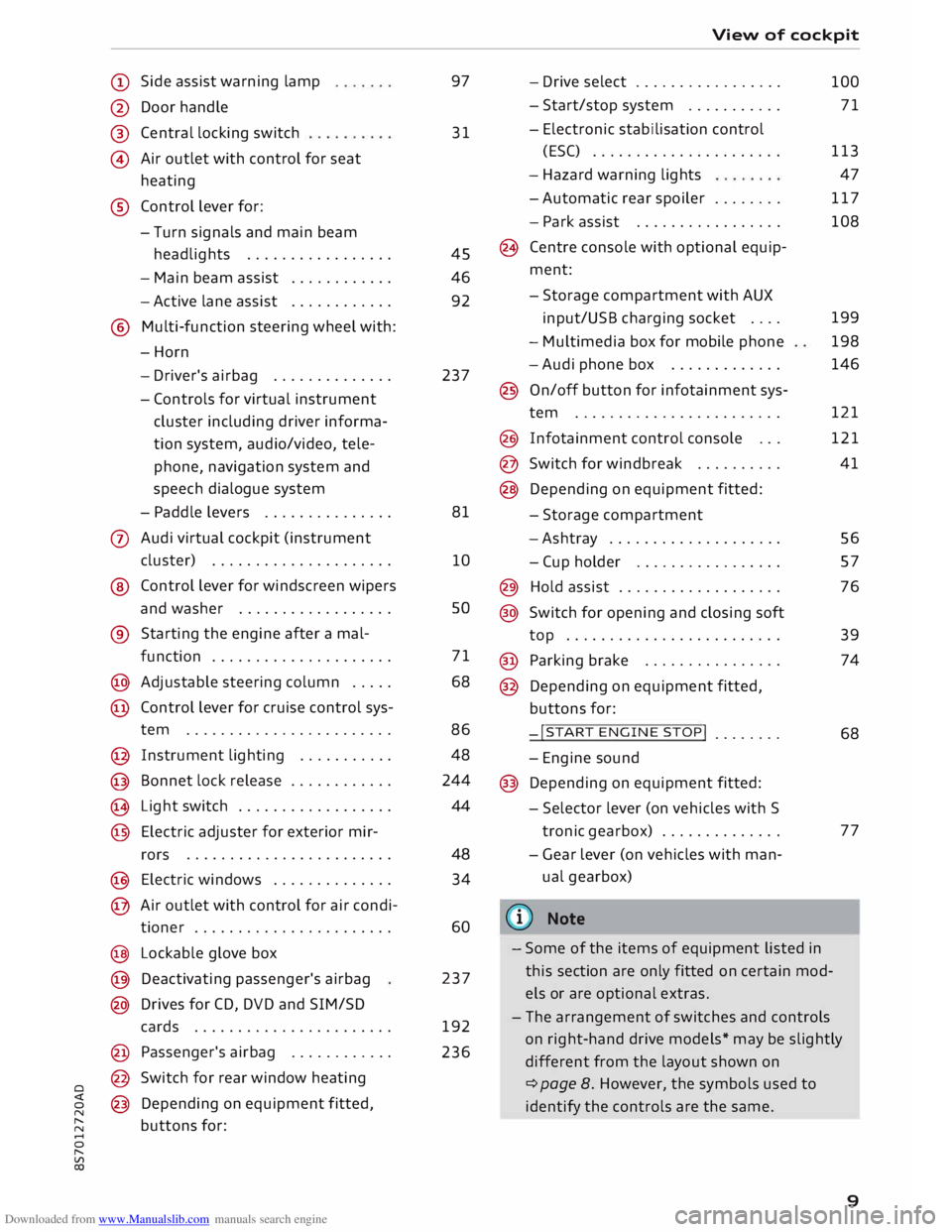
Side assist warning lamp
@ Door handle
®
@ Central
locking switch
Air outlet with control for seat
heating
® Control lever for:
- Turn signals and main beam
headlights ................ .
- Main beam assist ...........
.
- Active lane assist
........... .
@ Multi-function steering wheel with:
-Horn
- Driver's airbag ............. .
- Controls for virtual instrument
cluster including driver informa
tion system, audio/video, tele
phone, navigation system and
speech dialogue system
- Paddle levers .............. .
0 Audi virtual cockpit (instrument
cluster) .................... .
® Control lever for windscreen wipers
and washer ................. .
® Starting the
engine
after a mal-
function .................... .
@ Adjustable steering column .... .
@ Control lever for cruise control sys-
tem ....................... .
@ Instrument lighting .......... .
@ Bonnet lock release ........... .
� Light switch ................. .
@ Electric adjuster for exterior mir-
rors .......................
.
@ Electric windows ............. .
@ Air outlet with control for air condi-
tioner ...................... .
@ Lockable glove box
@ Deactivating passenger's airbag
@ Drives for CD, DVD and SIM/SD
cards ...................... .
@ Passenger's airbag ........... .
@ Switch for rear window heating
@ Depending on equipment fitted,
buttons for: 97
31
45
46
92
237
81
10 so
71
68
86 48
244
44
48 34
60
237
192
236 View
of cockpit
- Drive select ................ .
- Start/stop system .......... .
- Electronic stabilisation control
(ESC) ..................... .
- Hazard warning lights
- Automatic rear spoiler ....... .
- Park assist ................ .
(8 Centre console with optional equip
ment:
- Storage compartment with AUX
input/USB charging socket ....
- Multimedia box for mobile phone
-Audi phone box ............ .
@ On/off button for infotainment sys-
tem ....................... .
@ Infotainment control console .. .
@ Switch for windbreak ......... .
@ Depending on equipment fitted:
- Storage compartment
-Ashtray ................... .
- Cup holder ................ .
@) Hold assist .................. .
@ Switch for opening and closing soft
top ........................ .
@ Parking brake ............... .
@ Depending on equipment fitted,
buttons for:
-!START ENGINE STOP!
....... .
- Engine sound
@ Depending on equipment fitted:
- Selector lever (on vehicles with S
tronic gearbox) ............. .
- Gear lever (on vehicles with man
ual gearbox)
(© Note 100
71
113 47
117
108
199
198
146
121
121
41
56
57
76
39
74
68
77
- Some of the items of equipment listed in
this section are only fitted on certain mod
els or are optional extras.
- The arrangement of switches and controls
on right-hand drive models* may be slightly
different from the layout shown on
¢ page 8. However, the symbols used to
identify the controls are the same.
9
Page 14 of 306
Downloaded from www.Manualslib.com manuals search engine Instruments
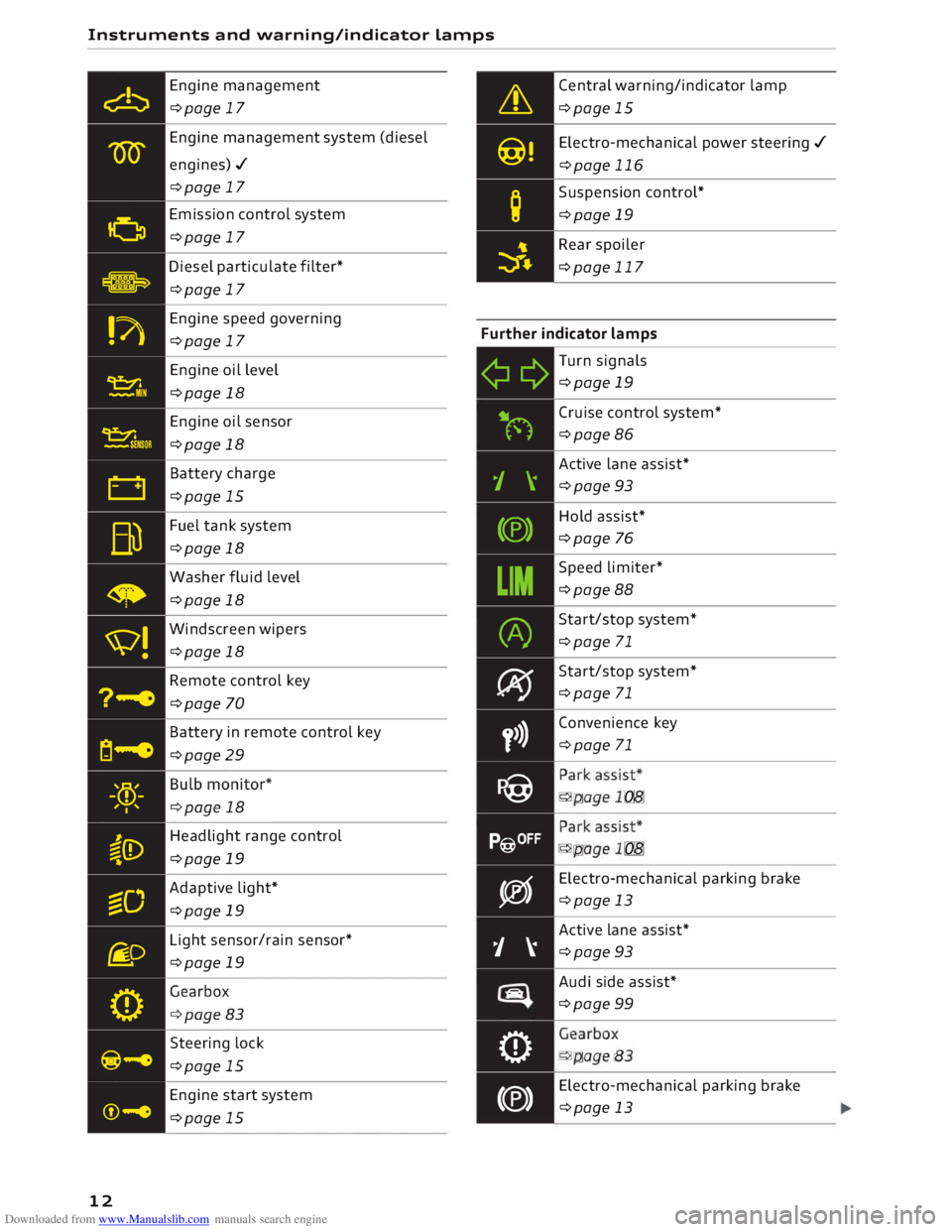
and warning/indicator Lamps
Engine management
¢page 17
Engine management system (diesel
engines)./ ¢page 17
Emission control system
¢page 17
Diesel particulate filter*
¢page 17 Central
warning/indicator lamp
¢page 15
Electro -mechanical power steering ./
¢page 116
Suspension control*
¢page 19
Rear spoiler
¢page 117
Engine speed governing
¢page 17 Further
indicator lamps
12 Engine
oil level
¢page 18
Engine oil sensor
¢page 18
Battery charge
¢page 15
Fuel tank system
¢page 18
Washer fluid level
¢page 18
Windscreen wipers
¢page 18
Remote control key
¢page 70
Battery in remote control key
¢page 29
Headlight range control
¢page 19
Adaptive light*
¢page 19
Light sensor/rain sensor*
¢page 19
Steering lock
¢page 15
Engine start system
¢page 15 ¢¢
iljN
1 \
(®)
LIM (A)
� y>)}
P@
P@OFF
�
j �
tiiiq
0
(®) Turn
signals
¢page 19
Cruise control system*
¢page 86
Active lane assist*
¢page 93
Hold assist*
¢page 76
Speed limiter*
¢page 88
Start/stop system*
¢page 71
Start/stop system*
¢page 71
Convenience key
¢page 71
•
... ,,,. ,:
•
... ,,,. ,:
Electro -mechanical parking brake
¢page 13
Active lane assist*
¢page 93
Audi side assist*
¢page 99
. . . .
.
- '... .
Electro -mechanical parking brake
¢page 13
Page 15 of 306
Downloaded from www.Manualslib.com manuals search engine 0
N
,.....
N
......
0
,.....
Vl
CX) Instruments
and warning/indicator lamps
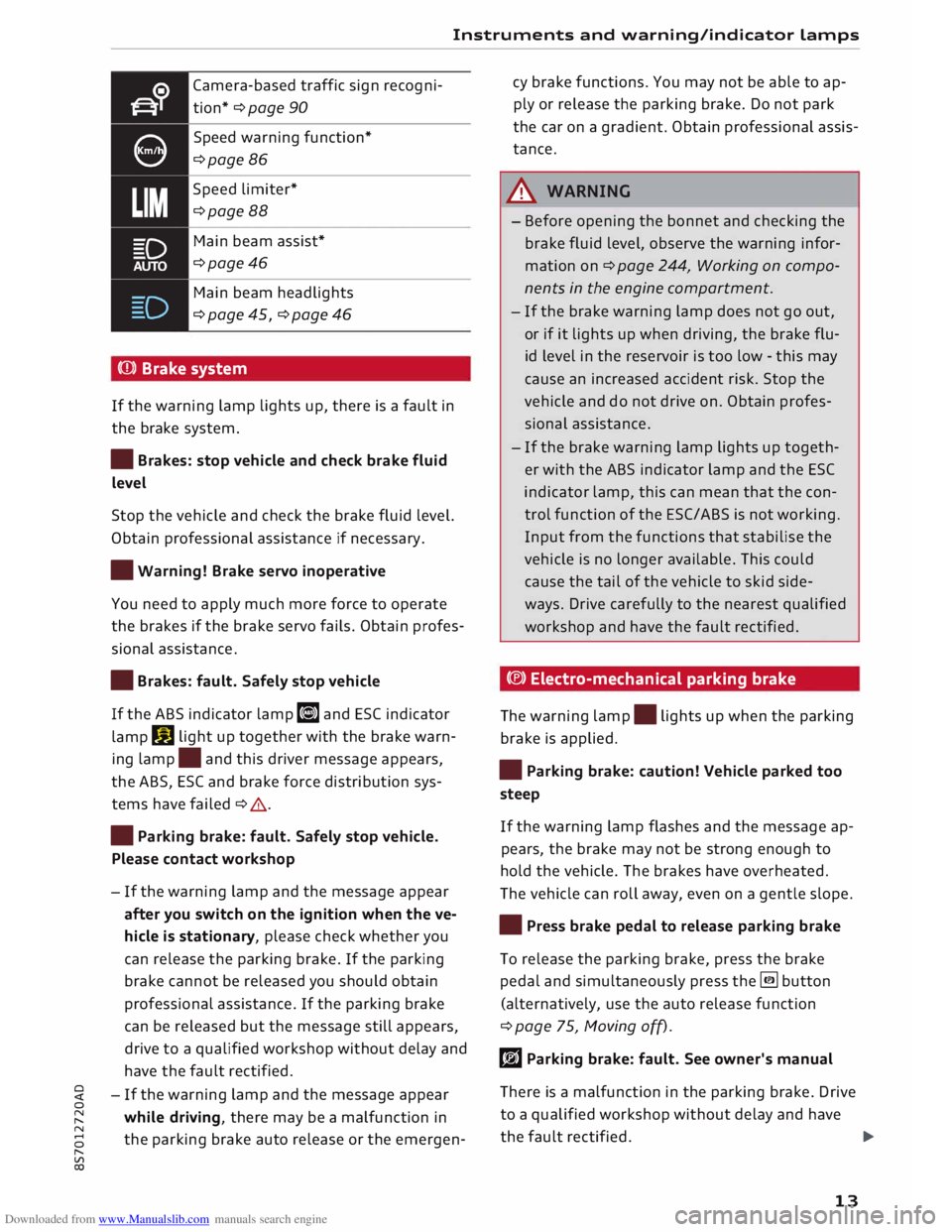
Camera-based traffic sign recogni
tion* ¢ page 90
Speed warning function*
¢page 86
Speed limiter*
¢page 88
Main beam assist*
¢page46
Main beam headlights
¢ page 45, ¢ page 46
(Q)) Brake system
If the warning lamp lights up, there is a fault in
the brake system.
• Brakes: stop vehicle and check brake fluid
Level
Stop the vehicle and check the brake fluid level.
Obtain professional assistance if necessary.
• Warning! Brake servo inoperative
You need to apply much more force to operate
the brakes if the brake servo fails. Obtain profes
sional assistance .
• Brakes: fault. Safely stop vehicle
If the ABS indicator lamp liJ and ESC indicator
lamp DJ
light up together with the brake warn
ing lamp .
and this driver message appears,
the ABS, ESC and brake force distribution sys
tems have failed ¢ .&. .
• Parking brake: fault. Safely stop vehicle.
Please contact workshop
- If the warning lamp and the message appear
after you switch on the ignition when the ve
hicle is stationary, please check whether you
can release the parking brake. If the parking
brake cannot be released you should obtain
professional assistance. If the parking brake
can be released but the message still appears,
drive to a qualified workshop without delay and
have the fault rectified.
- If the warning lamp and the message appear
while driving, there may be a malfunction in
the parking brake auto release or the emergen- cy
brake functions. You may not be able to ap
ply or release the parking brake. Do not park
the car on a gradient. Obtain professional assis
tance.
A WARNING
- Before opening the bonnet and checking the
brake fluid level, observe the warning infor
mation on ¢ page 244, Working on compo
nents in the engine compartment.
- If the brake warning lamp does not go out,
or if it lights up when driving, the brake flu
id level in the reservoir is too low -this may
cause an increased accident risk. Stop the
vehicle and do not drive on. Obtain profes
sional assistance.
- If the brake warning lamp lights up togeth
er with the ABS indicator lamp and the ESC
indicator lamp, this can mean that the con
trol function of the ESC/ABS is not working.
Input from the functions that stabilise the
vehicle is no longer available. This could
cause the tail of the vehicle to skid side
ways. Drive carefully to the nearest qualified
workshop and have the fault rectified.
C®) Electro-mechanical parking brake
The warning lamp.
lights up when the parking
brake is applied.
• Parking brake: caution! Vehicle parked too
steep
If the warning lamp flashes and the message ap
pears, the brake may not be strong enough to
hold the vehicle. The brakes have overheated.
The vehicle can roll away, even on a gentle slope.
• Press brake pedal to release parking brake
To release the parking brake, press the brake
pedal and simultaneously press the� button
(alternatively, use the auto release function
¢ page 75, Moving off).
rlJ Parking brake: fault. See owner's manual
There is a malfunction in the parking brake. Drive
to a qualified workshop without delay and have
the fault rectified.
..,.
13
Page 16 of 306
Downloaded from www.Manualslib.com manuals search engine Instruments
and warning/indicator Lamps
rlJ Parking brake: fault. Safely stop vehicle.
Please contact workshop
There is a malfunction in the parking brake. Drive
to a qualified workshop soon and have the fault
rectified.
[i] Hold assist: only available when door is
closed and engine is running
If this message appears, make sure that the door
is closed, the seat belt is buckled and the engine
is running.
[i] Hold assist: unavailable
If this message appears, the system require
ments have not been met.
� Please release parking brake
If this message appears, release the parking
brake.
� Parking brake auto release: unavailable
If this message appears, press the brake pedal
and then release the parking brake.
� Parking brake: caution! Vehicle parked too
steep
If the warning Lamp flashes and the message ap
pears, the brake may not be strong enough to
hold the vehicle. The brakes have overheated.
The vehicle can roll away, even on a gentle slope.
� Parking brake is applied
If this message appears, press the brake pedal
and then release the parking brake as necessary.
(D Note
For further information on the parking brake
refer to¢ page 74.
_t Cooling system
• Switch off engine and check coolant level.
See owner's manual
The coolant Level is too Low.
Switch off the engine and do not drive on. Check
the coolant Level¢ page 249.
14 -
If the coolant Level is too Low, add more coolant
¢ page 249. Do not drive on until the warning
Lamp has gone out.
• Coolant temperature: too high. Let engine
run with vehicle stationary
Let the engine cool down by running it at idling
speed for a few minutes until the warning Lamp
goes out.
- Do not drive on if the warning Lamp does not
disappear. Obtain professional assistance.
A WARNING
- Never open the bonnet if you can see or hear
steam or coolant escaping from the engine
compartment; there is a risk of being scal
ded. Wait until you can no Longer see or
hear escaping steam or coolant.
- The engine compartment of any motor vehi
cle is a dangerous place. Before carrying out
any work in the engine compartment, switch
off the engine and allow it to cool down.
Please observe the important safety warn
ings ¢ page 244, Working on components
in the engine compartment.
CD CAUTION
Do not drive on if the warning Lamp. Lights
up; otherwise there is a risk of engine dam
age.
9::::r. Engine oil pressure
• Switch off engine. Oil pressure too low
Switch off the engine and do not drive on. Check
the engine oil Level ¢ page 247.
- If the engine oil Level is too Low, add more oil
¢ page 247. Do not drive on until the warning
Lamp has gone out .
- If the engine oil Level is OK and the warning
Lamp is flashing, switch off the engine and do
not drive on. Obtain professional assistance.
Page 30 of 306
Downloaded from www.Manualslib.com manuals search engine Doors
and windows
@ Key fob with vehicle code*
You can reveal the vehicle code* on the key fob by
rubbing off the coating. It is not, however, rele
vant for this vehicle.
Replacing a key
If you should lose a key, please contact an Audi
dealer. Have the remote control coding for that
key deactivated. For this purpose you should
bring all available keys with you. It is also impor
tant to notify your insurance company if a key has
been lost.
Number of keys
You can check how many keys are initialised for
your vehicle using the infotainment system. To
do so, select: I MENU I button >Car> left control
button > Servicing & checks > Car information.
This feature enables used car buyers to make
sure they have received all of the keys.
Electronic immobiliser
The immobiliser is designed to prevent unauthor
ised persons from driving the vehicle.
It may not be possible to start the engine with
the key if there is another remote control key
from a different make of vehicle on the same key
ring.
Data stored on remote control key
Data related to the service and maintenance of
the vehicle are stored continuously on your re
mote control key while you are driving. Your Audi
dealer can read out the data and will then be able
to tell you what service work is required. This also
applies to vehicles with convenience key*.
Personal convenience settings
If two people use the same car regularly, it is a
good idea for each person to have his or her
"own" remote control key. When you switch off
the ignition or lock the vehicle, your personal set
tings for the following convenience features are
stored and assigned to the remote control key:
- Air conditioner
- Parking aid*
- Active lane assist*
28 -
Side assist*
- Drive select
The stored settings are then recalled automati
cally the next time the vehicle is unlocked, the
doors are opened or the ignition is switched on.
A WARNING
Always take the key with you when leaving the
vehicle -even if you only intend to be gone for
a short time. This is especially important if
children are left in the car. They might other
wise be able to start the engine or use power
operated equipment such as the electric win
dows -this could lead to injuries.
.
1 Note
The function of the remote control key may
be impaired by interference from other near
by radio signals (for example from a mobile
telephone or TV transmitter) if these are in
the same frequency range. You should always
check that your vehicle is locked.
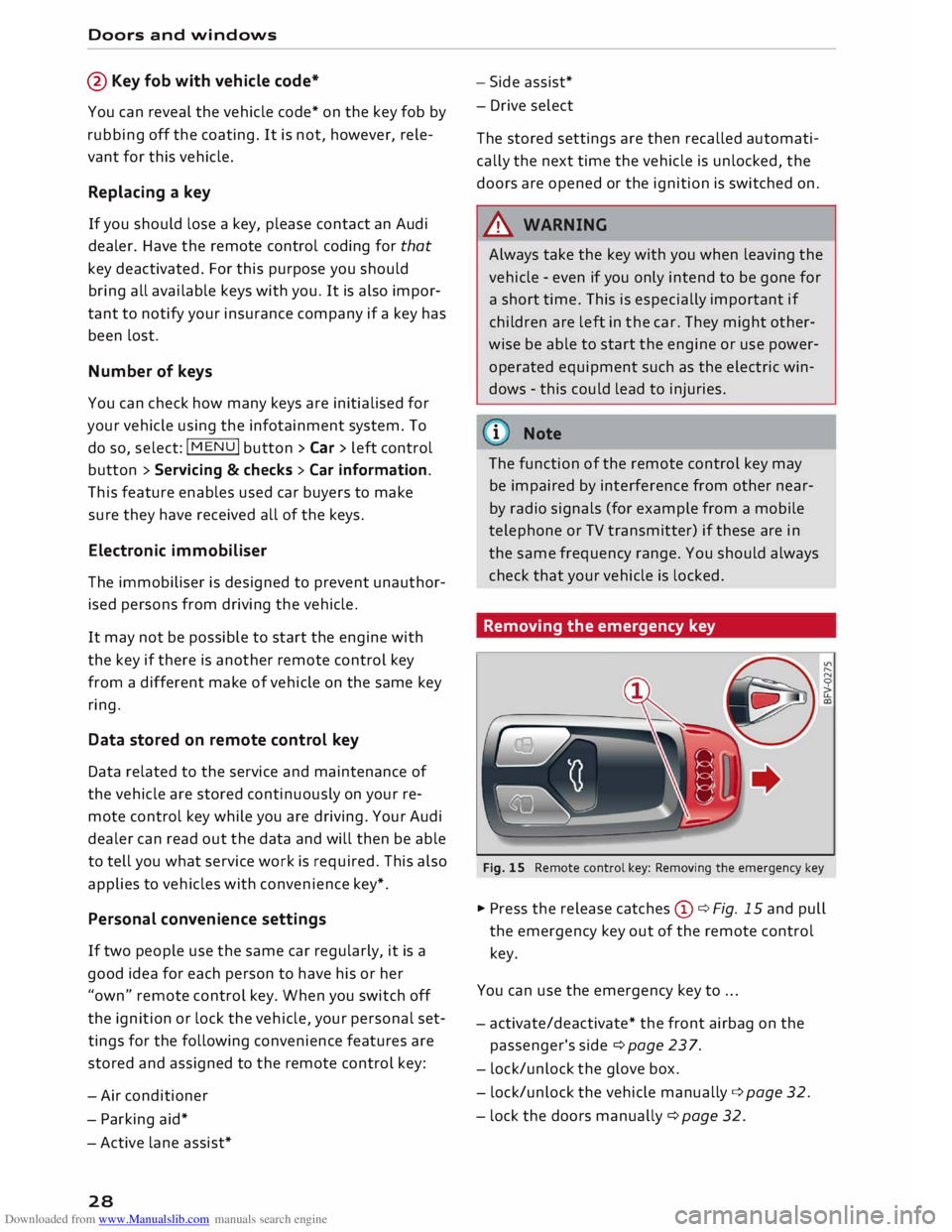
Removing the emergency key
Fig. 15 Remote control key: Removing the emergency key
� Press the release catches Cy¢ Fig. 15 and pull
the emergency key out of the remote control
key.
You can use the emergency key to ...
- activate/deactivate* the front airbag on the
passenger's side¢ page 237.
- lock/unlock the glove box.
- lock/unlock the vehicle manually ¢page 32.
- lock the doors manually ¢ page 32.
Page 32 of 306
Downloaded from www.Manualslib.com manuals search engine Doors
and windows
_& WARNING
On vehicles with an anti-theft alarm system*,
do not leave anyone (especially children) in
the car if it is locked from the outside and the
safelock mechanism* is activated: the doors
and windows cannot then be opened from the
inside ¢ page 32. Locked doors could delay
assistance in an emergency, potentially put
ting lives at risk.
Note
- Do not use the remote control key when the
vehicle is out of sight.
- On vehicles with the convenience key* the
selector lever must be in P, otherwise it will
not be possible to lock the vehicle.
Locking and unlocking the vehicle with the
convenience key
Applies to: vehicles with convenience key
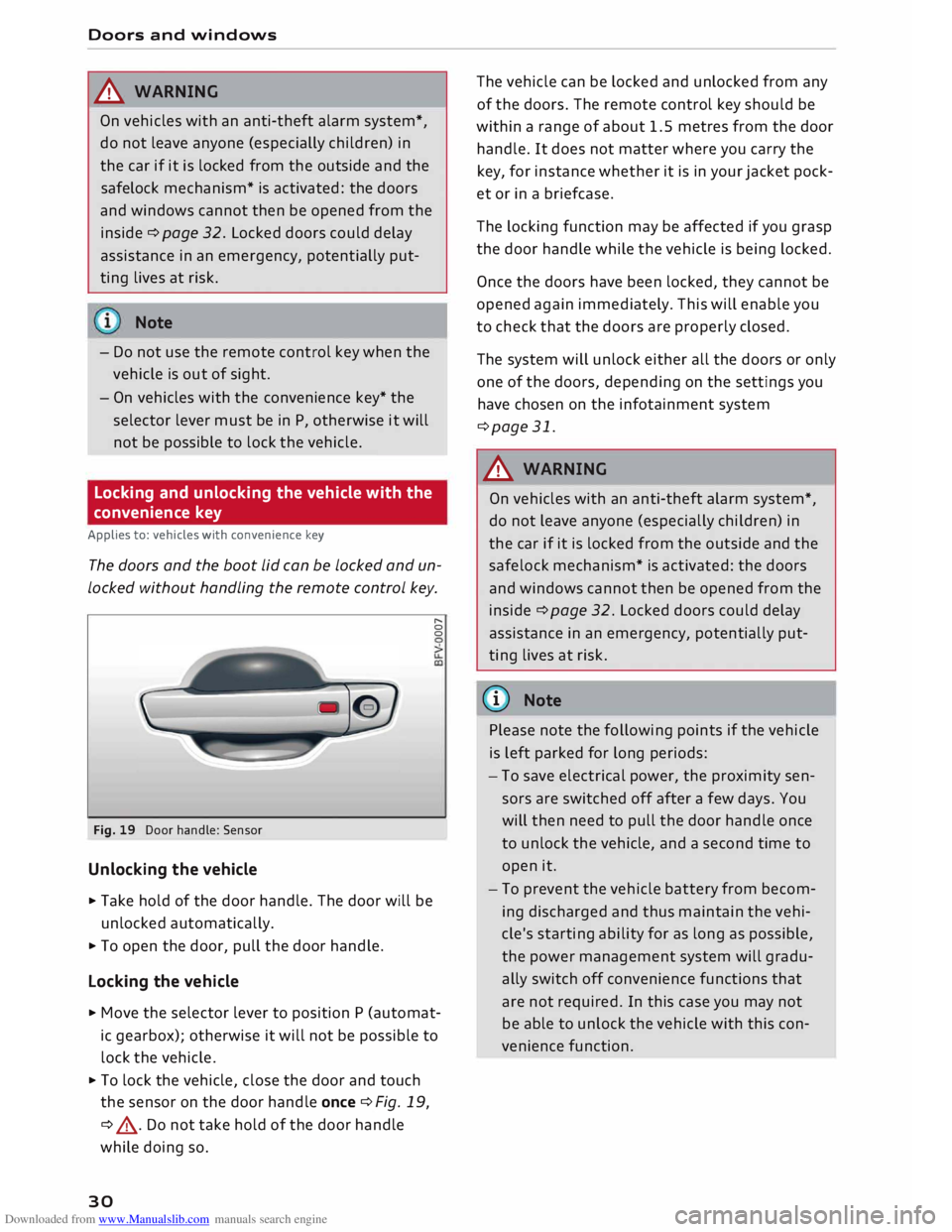
The doors and the boot lid can be locked and un
locked without handling the remote control key.
Fig. 19 Door handle: Sensor
Unlocking the vehicle
... Take hold of the door handle. The door will be
unlocked automatically.
... To open the door, pull the door handle.
Locking the vehicle r,.
0
0
... Move the selector lever to position P (automat
ic gearbox); otherwise it will not be possible to
lock the vehicle .
... To lock the vehicle, close the door and touch
the sensor on the door handle once ¢Fig. 19,
¢ .&, . Do not take hold of the door handle
while doing so.
30 The
vehicle can be locked and unlocked from any
of the doors. The remote control key should be
within a range of about 1.5 metres from the door
handle. It does not matter where you carry the
key, for instance whether it is in your jacket pock
et or in a briefcase.
The locking function may be affected if you grasp
the door handle while the vehicle is being locked.
Once the doors have been locked, they cannot be
opened again immediately. This will enable you
to check that the doors are properly closed.
The system will unlock either all the doors or only
one of the doors, depending on the settings you
have chosen on the infotainment system
¢page 31.
_& WARNING
On vehicles with an anti-theft alarm system*,
do not leave anyone (especially children) in
the car if it is locked from the outside and the
safelock mechanism* is activated: the doors
and windows cannot then be opened from the
inside ¢ page 32. Locked doors could delay
assistance in an emergency, potentially put
ting lives at risk.
{Q)) Note
Please note the following points if the vehicle
is left parked for long periods:
- To save electrical power, the proximity sen
sors are switched off after a few days. You
will then need to pull the door handle once
to unlock the vehicle, and a second time to
open it.
- To prevent the vehicle battery from becom
ing discharged and thus maintain the vehi
cle's starting ability for as long as possible,
the power management system will gradu
ally switch off convenience functions that
are not required. In this case you may not
be able to unlock the vehicle with this con
venience function.
Page 47 of 306
Downloaded from www.Manualslib.com manuals search engine 0
N
,.....
N
....
0
,.....
Vl
CX) -
If the battery has been losing charge for a
while, the side lights or parking lights may
be switched off automatically. Always park
your car in a safe and suitably lit place ac
cording to the applicable regulations. Avoid
using the side lights for long periods (sever
al hours). If possible, switch the left or right
parking lights on.
- Observe all relevant statutory requirements
when using the lighting systems described
here.
(D} Note
- The light sensor for the automatic head
lights* is located in the mounting for the in
terior mirror. Do not affix any stickers on
this section of the windscreen.
- Some of the settings for the exterior light
ing can be adjusted ¢ page 47.
-A buzzer will sound if you switch off the ig
nition and open the door when the exterior
lighting is on.
- On vehicles for some markets, the rear
lights switch on together with the daytime
running lights.
- In cool or damp weather, the inside of the
headlights, turn signals or rear lights can
sometimes mist up, due to the temperature
difference between the interior and exterior
of the car. They should clear again partially
or completely soon after you switch on the
headlights. This phenomenon has no influ
ence on the life expectancy of the vehicle
lights. Lights
and vision
Turn signal and main beam lever
The turn signal Lever also operates the main
beam headlights, parking Lights and headlight
flasher.
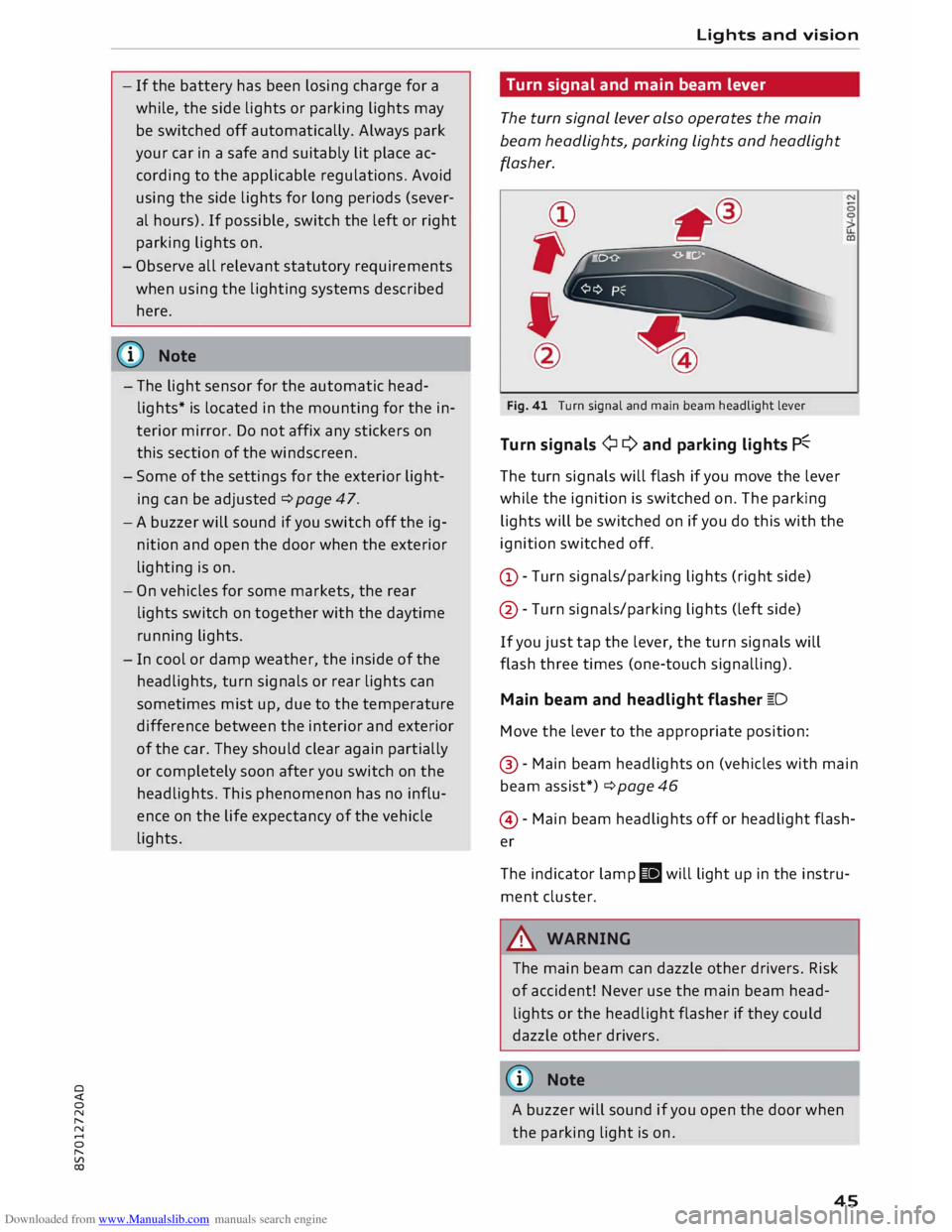
Fig. 41 Turn signal and main beam headlight lever
Turn signals ¢ Q and parking lights P�
The turn signals will flash if you move the lever
while the ignition is switched on. The parking
lights will be switched on if you do this with the
ignition switched off.
(D -Turn signals/parking lights (right side)
@ -Turn signals/parking lights (left side)
If you just tap the lever, the turn signals will
flash three times (one-touch signalling).
Main beam and headlight flasher �D
Move the lever to the appropriate position:
@ -Main beam headlights on (vehicles with main
beam assist*) ¢ page 46
@ -Main beam headlights off or headlight flash
er
The indicator lamp II will light up in the instru
ment cluster.
A WARNING
The main beam can dazzle other drivers. Risk
of accident! Never use the main beam head
lights or the headlight flasher if they could
dazzle other drivers.
(© Note
A buzzer will sound if you open the door when
the parking light is on .
45
Page 51 of 306
Downloaded from www.Manualslib.com manuals search engine 0
N
,.....
N
......
0
,.....
Vl
CX) really
are. If you use these mirrors to esti
mate the distance to vehicles behind you
when changing lane, you could misjudge the
distance. Risk of accident!
CD CAUTION
If one of the mirror housings is knocked out
of position (e.g. when parking), the mirrors
must first be fully retracted with the electric
control. Do not readjust the mirror housing by
hand, as this will interfere with the mirror ad
juster function.
(!J) Note
If the electrical adjustment should fail to op
erate, both of the mirrors can be adjusted by
hand by lightly pressing the edge of the mir
ror glass.
Anti-dazzle setting
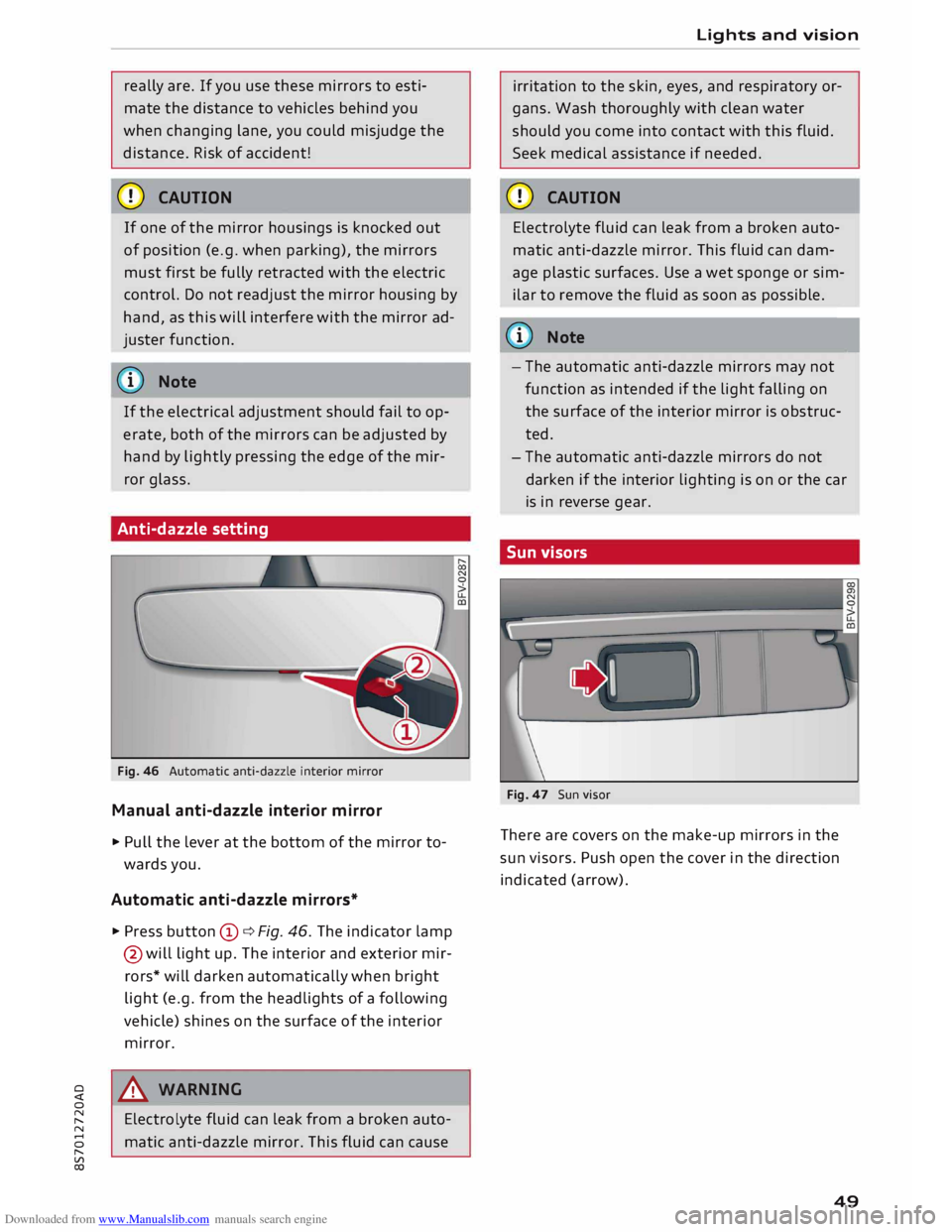
Fig. 46 Automatic anti-dazzle interior mirror
Manual anti-dazzle interior mirror
... Pull the lever at the bottom of the mirror to
wards you.
Automatic anti-dazzle mirrors*
.., Press button (D ¢ Fig. 46. The indicator lamp
@ will light up. The interior and exterior mir
rors* will darken automatically when bright
light (e.g. from the headlights of a following
vehicle) shines on the surface of the interior
mirror.
8_ WARNING
Electrolyte fluid can leak from a broken auto
matic anti-dazzle mirror. This fluid can cause Lights
and vision
irritation to the skin, eyes, and respiratory or
gans. Wash thoroughly with clean water
should you come into contact with this fluid.
Seek medical assistance if needed.
CD CAUTION
Electrolyte fluid can leak from a broken auto
matic anti-dazzle mirror. This fluid can dam
age plastic surfaces. Use a wet sponge or sim
ilar to remove the fluid as soon as possible.
@ Note
- The automatic anti-dazzle mirrors may not
function as intended if the light falling on
the surface of the interior mirror is obstruc
ted.
- The automatic anti-dazzle mirrors do not
darken if the interior lighting is on or the car
is in reverse gear.
Sun visors
Fig. 47 Sun visor
There are covers on the make-up mirrors in the
sun visors. Push open the cover in the direction
indicated (arrow).
49