oil change AUDI TT ROADSTER 2016 Owners Manual
[x] Cancel search | Manufacturer: AUDI, Model Year: 2016, Model line: TT ROADSTER, Model: AUDI TT ROADSTER 2016Pages: 306, PDF Size: 31.82 MB
Page 20 of 306
Downloaded from www.Manualslib.com manuals search engine Instruments
and warning/indicator Lamps
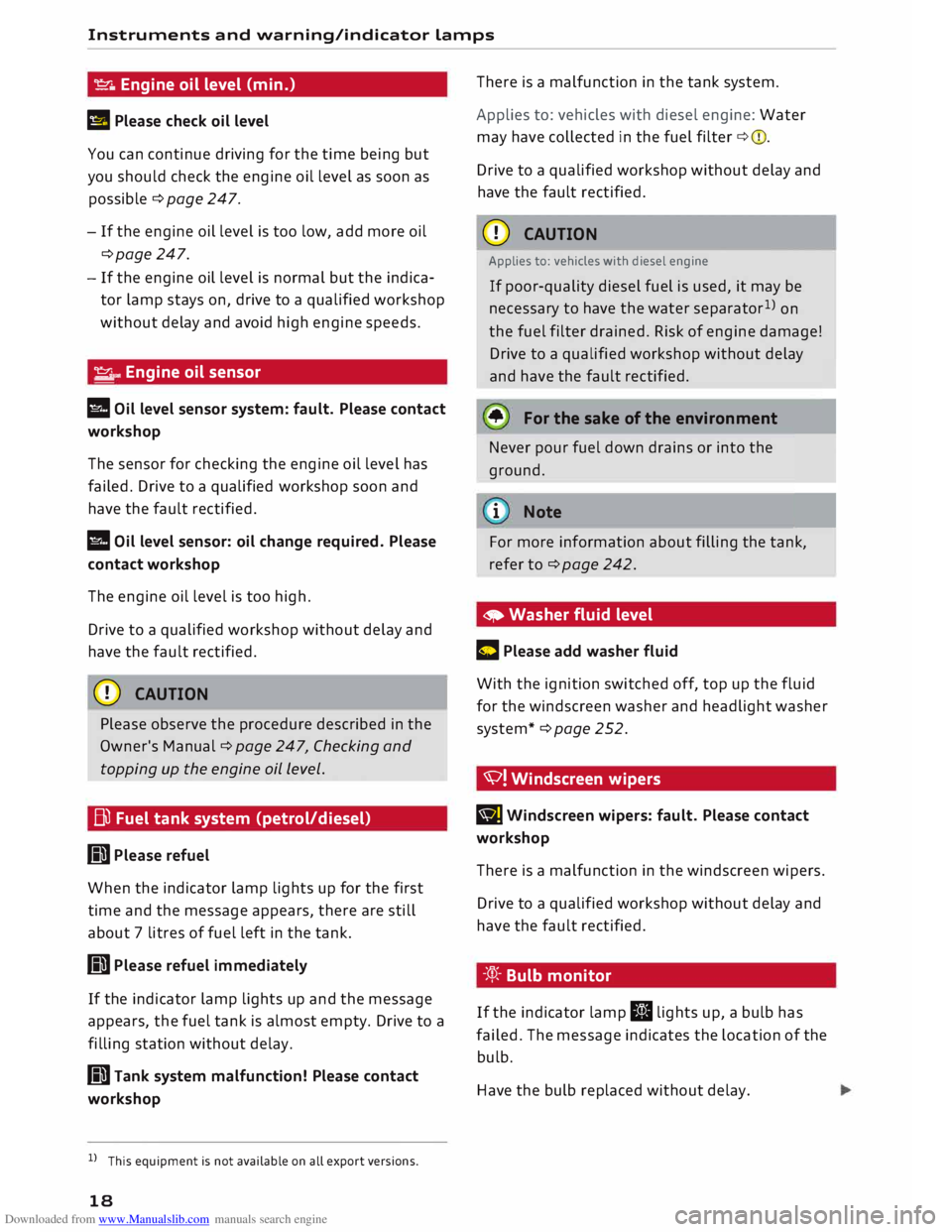
� Engine oil level (min.)
II Please check oil level
You can continue driving for the time being but
you should check the engine oil level as soon as
possible ¢ page 247.
- If the engine oil level is too low, add more oil
¢page 247.
- If the engine oil level is normal but the indica
tor lamp stays on, drive to a qualified workshop
without delay and avoid high engine speeds.
� ..
Engine oil sensor
l!I Oil level sensor system: fault. Please contact
workshop
The sensor for checking the engine oil level has
failed. Drive to a qualified workshop soon and
have the fault rectified.
l!I Oil level sensor: oil change required. Please
contact workshop
The engine oil level is too high.
Drive to a qualified workshop without delay and
have the fault rectified.
CD CAUTION
Please observe the procedure described in the
Owner's Manual¢ page 247, Checking and
topping up the engine oil Level.
Bi) Fuel tank system (petrol/diesel)
GD Please refuel
When the indicator lamp lights up for the first
time and the message appears, there are still
about 7 litres of fuel left in the tank.
GD Please refuel immediately
If the indicator lamp lights up and the message
appears, the fuel tank is almost empty. Drive to a
filling station without delay.
GD Tank system malfunction! Please contact
workshop
l l
This equipment is not available on all export versions.
18 There
is a malfunction in the tank system.
Applies to: vehicles with diesel engine: Water
may have collected in the fuel filter ¢(D.
Drive to a qualified workshop without delay and
have the fault rectified.
CD CAUTION
Applies to: vehicles with diesel engine
If poor-quality diesel fuel is used, it may be
necessary to have the water separator 1
)
on
the fuel filter drained. Risk of engine damage!
Drive to a qualified workshop without delay
and have the fault rectified.
• For the sake of the environment
Never pour fuel down drains or into the
ground.
.
1 Note
For more information about filling the tank,
refer to ¢page 242.
• Washer fluid level
C Please add washer fluid
With the ignition switched off, top up the fluid
for the windscreen washer and headlight washer
system* ¢page 252.
'V! Windscreen wipers
BJ Windscreen
wipers: fault. Please contact
workshop
There is a malfunction in the windscreen wipers.
Drive to a qualified workshop without delay and
have the fault rectified.
-'.q):- Bulb monitor
If the indicator lamp II lights up, a bulb has
failed. The message indicates the location of the
bulb.
Have the bulb replaced without delay.
Page 27 of 306
Downloaded from www.Manualslib.com manuals search engine 0
N
,.....
N
....
0
,.....
Vl
CX) Trip
recorder/odometer
The trip recorder shows the distance that has
been travelled since it was last reset. It is used to
measure individual journeys.
The trip recorder can be reset to zero by pressing
the reset button lo.al ¢Fig. 12.
The odometer records the vehicle's total mileage.
Fault display
If there is a fault in the instruments, the letters
DEF appear in the trip recorder display. Have the
fault rectified as soon as possible.
On-board computer
You can call up the following information se
quentially on the on-board computer ¢ page 20,
Fig. 4@ :
-Time & date ¢page 212
-Average consumption
- Fuel range
- Single journey memory summary
- Total journey memory summary
The single journey memory processes the infor
mation on a journey from the time the ignition is
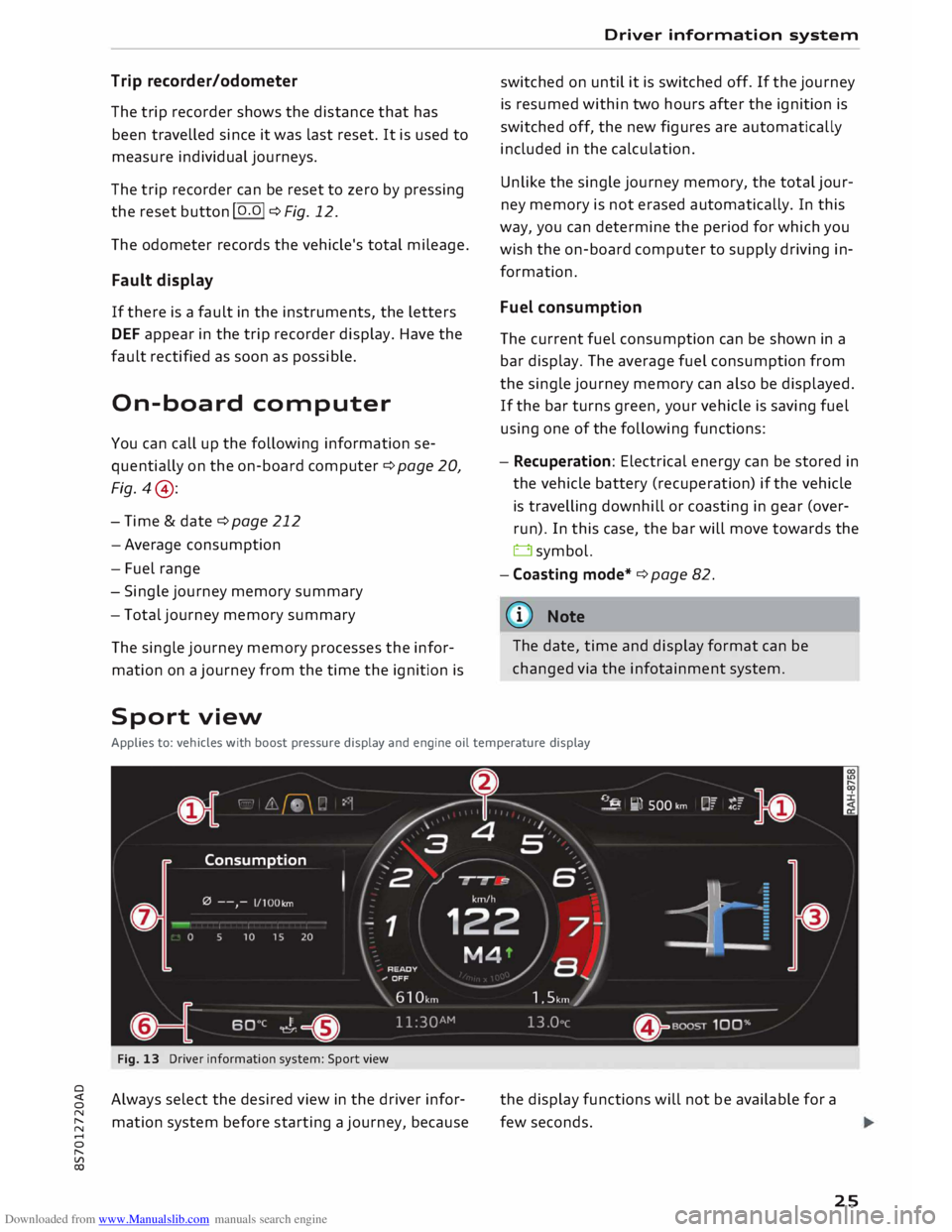
Sport view Driver
information system
switched on until it is switched off. If the journey
is resumed within two hours after the ignition is
switched off, the new figures are automatically
included in the calculation.
Unlike the single journey memory, the total jour
ney memory is not erased automatically. In this
way, you can determine the period for which you
wish the on-board computer to supply driving in
formation.
Fuel consumption
The current fuel consumption can be shown in a
bar display. The average fuel consumption from
the single journey memory can also be displayed.
If the bar turns green, your vehicle is saving fuel
using one of the following functions:
- Recuperation: Electrical energy can be stored in
the vehicle battery (recuperation) if the vehicle
is travelling downhill or coasting in gear (over
run). In this case, the bar will move towards the
t:::3 symbol.
- Coasting mode* ¢ page 82.
@ Note
The date, time and display format can be
changed via the infotainment system.
Applies to: vehicles with boost pressure display and engine oil temperature display
Fig. 13 Driver information system: Sport view
Always select the desired view in the driver infor
mation system before starting a journey, because the
display functions will not be available for a
few seconds.
25
Page 28 of 306
Downloaded from www.Manualslib.com manuals search engine Driver
information system
... Select the following on the infotainment sys
tem: I MEN
U I
button > Car > left control button
> Layout .
... Move the cursor (red frame) to select the de-
sired setting.
The driver information system displays various
components.
(D Tab area
@ Rev counter including digital speedometer
and mileage recorders
@ Secondary display (two separate sections in
extended view)
@ Boost pressure display
® Engine oil temperature display
@ Status line
(J) Function area (central area shifted to left)
Boost pressure display
The current boost level of the engine (that is the
current charge pressure) is indicated by a bar
which moves from left to right.
Engine oil temperature gauge
The display shows ---°Cat low engine oil temper
atures.
The engine has reached its operating tempera
ture in normal driving conditions when the oil
temperature is between 80 °C and 120 °C. If the
engine is running under increased load at high
ambient temperatures, the oil temperature may
increase above this value. This is no cause for
concern, provided that the indicator/warning
lamps. ¢page 14 orl! ¢page 18 in the dis
play do not start flashing.
{(!)) Note
- You can change the measurement units for
temperature or speed, etc. via the infotain
ment system.
- When the vehicle is stationary or travelling
at very low speeds, the temperature dis
played may be slightly higher than the ac
tual outside temperature as a result of the
heat radiated from the engine.
26 -At
temperatures below +5 °( a snowflake
symbol appears next to the temperature
display ¢&. in Overview on page 20.
Page 68 of 306
Downloaded from www.Manualslib.com manuals search engine Driving
Driving
General notes
Running in
A new vehicle should be run in over a distance of
1,500 km. For the first 1,000 km the engine
speed should not exceed 2/3 of the maximum
permissible engine speed -do not use full throt
tle. From 1,000 to 1,500 km you can gradually
increase the engine rpm and road speed.
During its first few hours of running, the internal
friction in the engine is greater than later on
when all the moving parts have bedded down.
How the vehicle is driven for the first 1,500 km
also influences the engine quality. After this peri
od you should continue driving at moderate en
gine speeds, in particular when the engine is
cold. This helps to reduce wear and tear on the
engine and increases the potential mileage which
can be covered by the engine.
You should also avoid driving with the engine
speed too low. Change down to a lower gear
when the engine no longer runs "smoothly". Ex
cessively high engine speeds are prevented by an
automatic rev limiter.
Letting the engine warm up/cool down
Applies to: Sand RS models
You can reduce the amount of wear and tear on
your vehicle during a sporty driving session sim
ply by adopting a more restrained driving style
while the engine is warming up and cooling
down.
When the engine is cold, the engine speed is limi
ted so that the full range of engine power is not
available. Once the engine has reached operating
temperature, the rev Limit moves to a higher
range of engine speeds. In addition, the tyres will
not develop their full grip potential until they
have had a chance to warm up on the road.
Even though the engine continues to be cooled
after you switch it off, it is particularly important
to give it time to cool down before parking. The
engine, brakes, exhaust system and gearbox will
66 all
reach very high temperatures when you adopt
a sporty driving style. Before you park the vehi
cle, allow it to cool down to normal temperature
by driving at moderate engine speeds for several
miles.
Avoiding damage to the car
CD CAUTION
Take care not to damage low-mounted parts
of the car (such as the spoiler or exhaust sys
tem) on steep ramps, uneven road surfaces or
roadside kerbs, etc. This applies especially to
vehicles with low ground clearance and to all
vehicles when fully laden.
Driving through water on roads
Please note the following in order to prevent
damage to the vehicle when driving through wa
ter (e.g. on flooded roads):
- The water level must not be higher than the ve
hicle's underbody.
- Do not drive faster than walking pace.
A WARNING
After driving through water, mud, sludge,
etc., the braking effect can be delayed slightly
due to moisture on the discs and brake pads.
Applying the brakes carefully several times
will remove the moisture and restore the full
braking effect.
CD CAUTION
- Parts of the vehicle (e.g. engine, gearbox,
running gear or electrical components) can
be badly damaged when driving through
water.
- Always switch off the start/stop system*
¢ page 71 before driving through water.
i Note
- It is advisable to check the depth at the
deepest point before approaching the wa
ter.
Page 69 of 306
Downloaded from www.Manualslib.com manuals search engine 0
N
,.....
N
......
0
,.....
Vl
CX) -
Do NOT stop the vehicle, drive in reverse or
switch off the engine before you are out of
the water.
- Bear in mind that waves created by oncom
ing traffic could exceed the permissible
wading depth of your vehicle.
- Avoid driving through salt water (corrosion).
How to improve economy and minimise
pollution
Fuel economy, environmental impact and wear
on the engine, brakes and tyres depend largely
on the way you drive the vehicle. By adopting an
economical driving style and anticipating the
traffic situation ahead, you can reduce fuel con
sumption by 10-15%. The following section gives
you some tips on lessening the impact on the en
vironment and reducing your operating costs at
the same time.
Anticipate well in advance
A car uses most fuel when accelerating. If you an
ticipate hazards and speed changes well in ad
vance, you will need to brake less and thus accel
erate less. Wherever possible, let the car slow
down gradually with a gear engaged, for in
stance when you can see that the next traffic
lights are red.
Change gear early to save fuel
An effective way of saving fuel is to change up
quickly through the gears. Running the engine at
high rpm in the lower gears uses an unnecessary
amount of fuel. Press the accelerator slowly and
avoid using the "kick-down" feature.
Avoid driving at high speed
Avoid travelling at top speed. Fuel consumption,
exhaust emissions and noise levels all increase
very rapidly at higher speeds. Driving at moder
ate speeds will help to save fuel.
Do not let the engine idle for longer than
necessary
Engine idling periods are automatically reduced
on vehicles with start/stop system*. On vehicles
without start/stop system*, it is worthwhile
switching off the engine at level crossings, for in- Driving
stance, or at traffic lights with a long red phase.
The fuel saved after only 30 -40 seconds is
greater than the amount of fuel needed to re
start the engine.
The engine takes a very long time to warm up
when it is running at idling speed. Mechanical
wear and pollutant emissions are also especially
high during this initial warm-up phase. It is
therefore best to drive off immediately after
starting the engine. Avoid running the engine at
high speed.
Regular servicing
Regular servicing can establish a basis for good
fuel economy before you start driving. A well
serviced engine gives you the benefit of im
proved fuel efficiency as well as maximum relia
bility and an enhanced resale value.
A poorly maintained engine can consume up to
ten percent more fuel than necessary.
Check the oil level when filling the tank. Oil con
sumption depends to a great extent on the en
gine load and engine speed. It is quite normal
that the oil consumption of a new engine only
reaches its lowest level after a certain mileage.
This means that the oil consumption can only be
properly assessed after about 5,000 km.
Avoid short trips
The engine and emission control system need to
reach their proper working temperature in order
to minimise fuel consumption and emissions.
A cold engine uses disproportionately more fuel.
The engine only reaches its working temperature
after about four kilometres, when fuel consump
tion will return to a normal level.
Check tyre pressures
Always make sure the tyres are inflated to the
correct tyre pressures to save fuel. If the tyre
pressures are just 0.5 bar too low, this can in
crease the fuel consumption by as much as 5 %.
Due to the greater rolling resistance, under-infla
tion also increases tyre wear and impairs han
dling.
67
Page 101 of 306
Downloaded from www.Manualslib.com manuals search engine 0
N
,.....
N
......
0
,.....
Vl
CX) -
In certain situations, the system may not
function properly, or the functionality of the
system may be restricted. For example:
- If other vehicles are approaching very
quickly, or if you are overtaking other
vehicles quickly. The warning lamp may
not light up in time.
- In poor weather conditions, such as heavy
rain, snow or road spray.
- If you are travelling in very wide lanes, in
tight bends or over crests. The system
may not detect vehicles in the adjacent
lane because they are outside the area
covered by the sensors.
CD CAUTION
Impacts or damage to the bumper, wheel
arches or underbody can cause misalignment
of the sensors. This can impair the functional
ity of the system. Have the systems checked
by a qualified workshop.
(D} Note
The warning lamps on the exterior mirrors
may not be properly visible if tinted foil is af
fixed to the side windows on the driver's or
passenger's side.
Switching on and off
Applies to: vehicles with Audi side assist
The system can be switched on and off on the in
fotainment system.
"' Select the following on the infotainment sys
tem: I MENU I button >Car> left control button
> Driver assist> Audi side assist.
The warning lamps in the exterior mirrors light
up briefly each time the ignition is switched on to
indicate that the system is activated. Driver
assist systems
Adjusting brightness of warning lamp
Applies to: vehicles with Audi side assist
The brightness of the warning lamp can be ad
justed on the infotainment system.
"' Select the following on the infotainment sys
tem: I MENU I button >Car> left control button
> Driver assist> Audi side assist.
The brightness of the warning lamp in both the
information and warning modes is regulated au
tomatically according to the ambient light level.
If you are in very dark or very light surroundings
when you adjust the brightness of the warning
lamp, the automatic brightness control may al
ready have reached the lowest or the brightest
setting. In such a case it is possible that you
won't notice a difference while you are adjusting
the brightness or that you will only notice it once
the light surroundings have changed.
Please adjust the brightness of the warning lamp
for the information mode so that it does not dis
tract you while you are looking at the road in
front. When you change the brightness, the
warning lamp on the exterior mirror will light up
briefly with the intensity set for the information
mode. The intensity of the lamp in the warning
mode is linked to the intensity in the information
mode and is adjusted automatically.
(CD) Note
- The side assist is not active while the set
tings are being adjusted.
- Your personal settings are stored automati
cally and assigned to the remote control key
which is being used.
Driver messages
Applies to: vehicles with Audi side assist
Should the side assist be deactivated automati
cally, a driver message will appear on the info
tainment display.
@j Audi
side assist: currently unavailable.
Sensor view restricted due to surroundi ngs.
See owner's manual
The radar sensors are blocked. The area in front
of the sensors must not be obstructed by bicycle
..,..
99
Page 249 of 306
Downloaded from www.Manualslib.com manuals search engine 0
N
,.....
N
......
0
,.....
Vl
CX) ®
Fuse box¢ page 282
0 Windscreen washer container {�)
c:::>page 252
The positions of the engine oil dipstick and en
gine oil filler cap¢ Fig. 214 (items @and @)
may be different on some engine versions.
Engine oil
Choosing the correct engine oil grade
The service interval display in the instrument
cluster of your vehicle will inform you when it is
time for an oil change. We recommend having
the oil changed by a qualified workshop.
If you have to top up the oil between oil changes,
use the grades of oil specified in the table in ac
cordance with VW standards.
- the vehicle is being serviced based on the flexi
ble or fixed oil change service (see last service
record).
- the vehicle has a petrol or diesel engine (see
sticker on inside of fuel tank flap).
Oil Change Service
Flexible Fixed
Petrol engines vw
504 00 vw 502 00
Diesel engines
vw 507 00 With
diesel
particulate fil-
ter:
vw 507 00
Without diesel
particulate fil-
ter:
vw sos 00
Audi recommends
�Castrol )g[Ij)@[g ?m»E«!JJ1)JJ.lf..
Audi recommends Longlife high-performance
engine oil from Audi Genuine Parts
(© Note
If the oil grades specified in the table are not
available, you can use one of the following
grades as a substitute. To prevent damage to
the engine, this should not be done more Checking
and topping up fluids
than once between oil changes and no more
than 0.5 litres should be used.
- Petrol engines: ACEA A3 or API SN (API SM)
standard
- Diesel engines: ACEA C3 or API CJ-4 stand
ard
((!)) Note
The flexible oil change service is not available
for all models in all countries.
Checking and topping up the engine oil
level
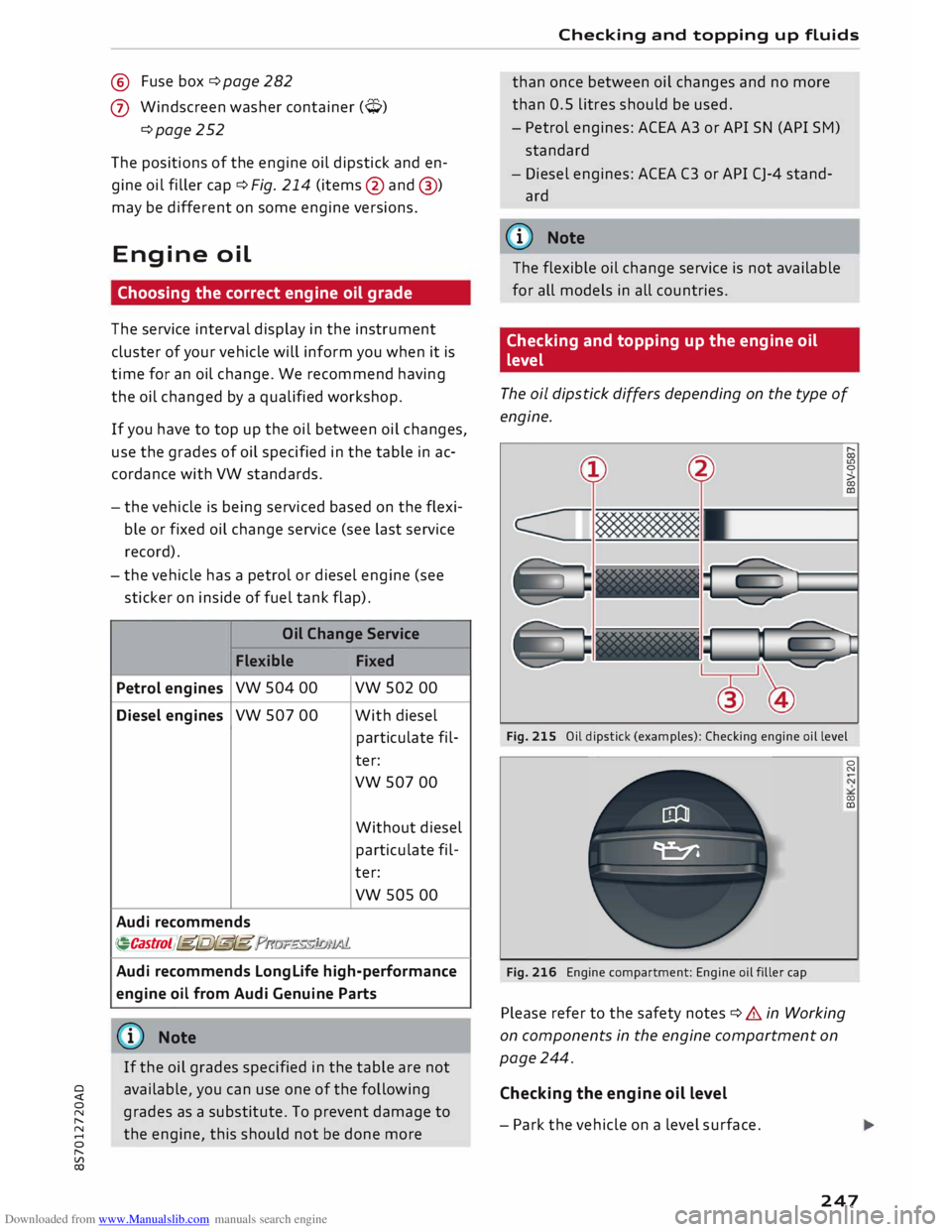
The oil dipstick differs depending on the type of
engine.
Fig. 215 Oil dipstick (examples): Checking engine oil level
Fig. 216 Engine compartment: Engine oil filler cap
Please refer to the safety notes ¢ .& in Working
on components in the engine compartment on
page 244.
Checking the engine oil level
- Park the vehicle on a level surface. 0
N
00
a:,
247
Page 250 of 306
Downloaded from www.Manualslib.com manuals search engine Checking
and topping up fluids
- Switch off the warm engine. Wait for a few mi
nutes for the oil to drain back into the sump.
- Open the bonnet ¢page 245.
- Pull out the oil dipstick ¢page 246, Fig. 214,
wipe it with a clean cloth and insert it again,
pushing it in as far as it will go.
- Then pull the dipstick out again and check the
oil level ¢table on page 248.
- If the oil level is too low, add more engine oil.
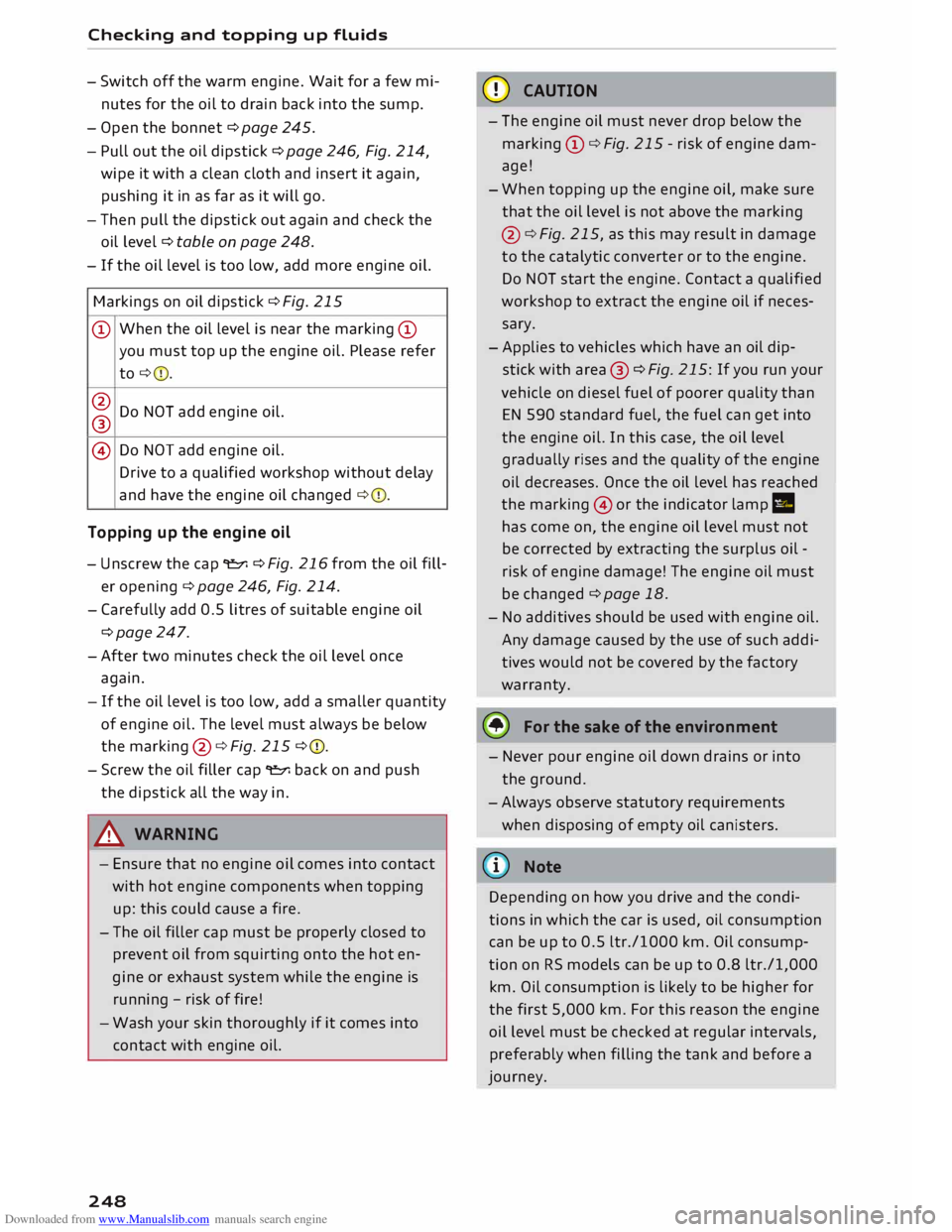
Markings on oil dipstick ¢ Fig. 215
@ When
the oil Level is near the marking @
you must top up the engine oil. Please refer
to ¢ 0.
@ Do NOT add engine oil.
®
@ Do
NOT add engine oil.
Drive to a qualified workshop without delay
and have the engine oil changed ¢0.
Topping up the engine oil
- Unscrew the cap "E::71 ¢Fig. 216from the oil fill
er opening ¢ page 246, Fig. 214.
- Carefully add 0.5 litres of suitable engine oil
¢page 247.
-After two minutes check the oil level once
again.
- If the oil level is too low, add a smaller quantity
of engine oil. The level must always be below
the marking @¢Fig. 215 ¢0.
- Screw the oil filler cap "E::71 back on and push
the dipstick all the way in.
A WARNING
- Ensure that no engine oil comes into contact
with hot engine components when topping
up: this could cause a fire.
- The oil filler cap must be properly closed to
prevent oil from squirting onto the hot en
gine or exhaust system while the engine is
running -risk of fire!
- Wash your skin thoroughly if it comes into
contact with engine oil.
248 CD
CAUTION
- The engine oil must never drop below the
marking (!)¢ Fig. 215 -risk of engine dam
age!
- When topping up the engine oil, make sure
that the oil level is not above the marking
@ ¢Fig. 215, as this may result in damage
to the catalytic converter or to the engine.
Do NOT start the engine. Contact a qualified
workshop to extract the engine oil if neces
sary.
- Applies to vehicles which have an oil dip
stick with area® ¢Fig. 215: If you run your
vehicle on diesel fuel of poorer quality than
EN 590 standard fuel, the fuel can get into
the engine oil. In this case, the oil Level
gradually rises and the quality of the engine
oil decreases. Once the oil level has reached
the marking @or the indicator lamp II
has come on, the engine oil level must not
be corrected by extracting the surplus oil -
risk of engine damage! The engine oil must
be changed ¢ page 18.
- No additives should be used with engine oil.
Any damage caused by the use of such addi
tives would not be covered by the factory
warranty.
® For the sake of the environment
- Never pour engine oil down drains or into
the ground.
-Always observe statutory requirements
when disposing of empty oil canisters.
@ Note
Depending on how you drive and the condi
tions in which the car is used, oil consumption
can be up to 0.5 Ltr./1000 km. Oil consump
tion on RS models can be up to 0.8 ltr./1,000
km. Oil consumption is likely to be higher for
the first 5,000 km. For this reason the engine
oil level must be checked at regular intervals,
preferably when filling the tank and before a
journey.
Page 252 of 306
Downloaded from www.Manualslib.com manuals search engine Checking
and topping up fluids
Any loss of coolant normally indicates a leak in
the cooling system. Drive to a qualified workshop
without delay and have the cooling system
checked. If there are no leaks in the system, a
loss of coolant can only occur if the coolant boils
and is forced out of the system as a result of
overheating.
A WARNING
- The cooling system is under pressure. Do
not unscrew the cap on the expansion tank
when the engine is hot: you could be scal
ded by escaping steam.
- The coolant and coolant additive can be a
health hazard. Store the coolant additive in
the original container in a safe place out of
reach of children -risk of poisoning.
- When working in the engine compartment
be aware that the radiator fan may start
running suddenly, even if the ignition is
switched off- risk of injury!
CD CAUTION
Do not add coolant if the expansion tank is
empty. Air could have got into the cooling
system -risk of engine damage! In this case,
do NOT drive on. Obtain professional assis
tance.
Brake fluid
&
8cm DOT 4 �
0
0
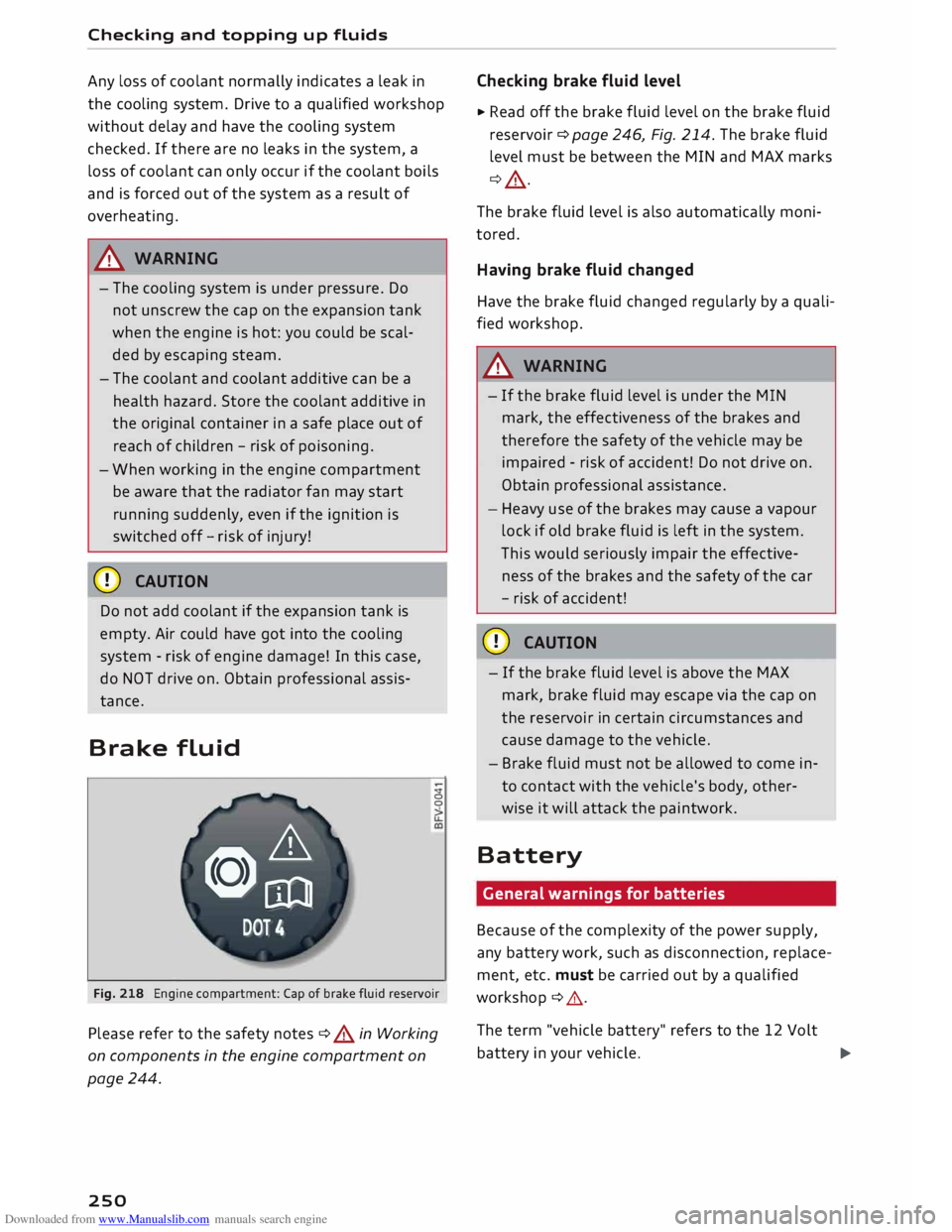
Fig. 218 Engine compartment: Cap of brake fluid reservoir
Please refer to the safety notes ¢ A in Working
on components in the engine compartment on
page 244.
250 Checking
brake fluid level
� Read off the brake fluid level on the brake fluid
reservoir ¢page 246, Fig. 214. The brake fluid
level must be between the MIN and MAX marks
¢_A.
The brake fluid level is also automatically moni
tored.
Having brake fluid changed
Have the brake fluid changed regularly by a quali
fied workshop.
A WARNING
- If the brake fluid level is under the MIN
mark, the effectiveness of the brakes and
therefore the safety of the vehicle may be
impaired -risk of accident! Do not drive on.
Obtain professional assistance.
- Heavy use of the brakes may cause a vapour
lock if old brake fluid is left in the system.
This would seriously impair the effective
ness of the brakes and the safety of the car
- risk of accident!
CD CAUTION
- If the brake fluid level is above the MAX
mark, brake fluid may escape via the cap on
the reservoir in certain circumstances and
cause damage to the vehicle.
- Brake fluid must not be allowed to come in
to contact with the vehicle's body, other
wise it will attack the paintwork.
Battery General warnings for batteries
Because of the complexity of the power supply,
any battery work, such as disconnection, replace
ment, etc. must be carried out by a qualified
workshop ¢ ,& .
The term "vehicle battery" refers to the 12 Volt
battery in your vehicle.
�
Page 254 of 306
Downloaded from www.Manualslib.com manuals search engine Checking
and topping up fluids
... Now connect the battery charger to the mains
and switch on.
... After charging the battery: switch off the bat-
tery charger and disconnect the mains cable .
... Detach the charger cables from the terminals.
... Refit
the red cap onto the positive terminal.
... Close the bonnet ¢page 245.
A WARNING
- A highly explosive mixture of gases may be
given off when the battery is under charge.
Only charge the vehicle battery in a well
ventilated area.
- When it is discharged the vehicle battery
can freeze at temperatures around 0°
(. You
must not use a vehicle battery which has
frozen, even after it has thawed, because
the ice may have cracked the battery casing
and allowed the battery acid to escape -risk
of explosion and chemical burns! Please
contact a qualified workshop if you have any
questions.
- Do not connect or disconnect the charging
cables during the charging process -risk of
explosion!
1 Note
- Use only the terminals in the engine com
partment to charge the vehicle battery.
- Before you charge the vehicle battery, al
ways read and follow the manufacturer's in
structions for using the battery charger.
Windscreen washer
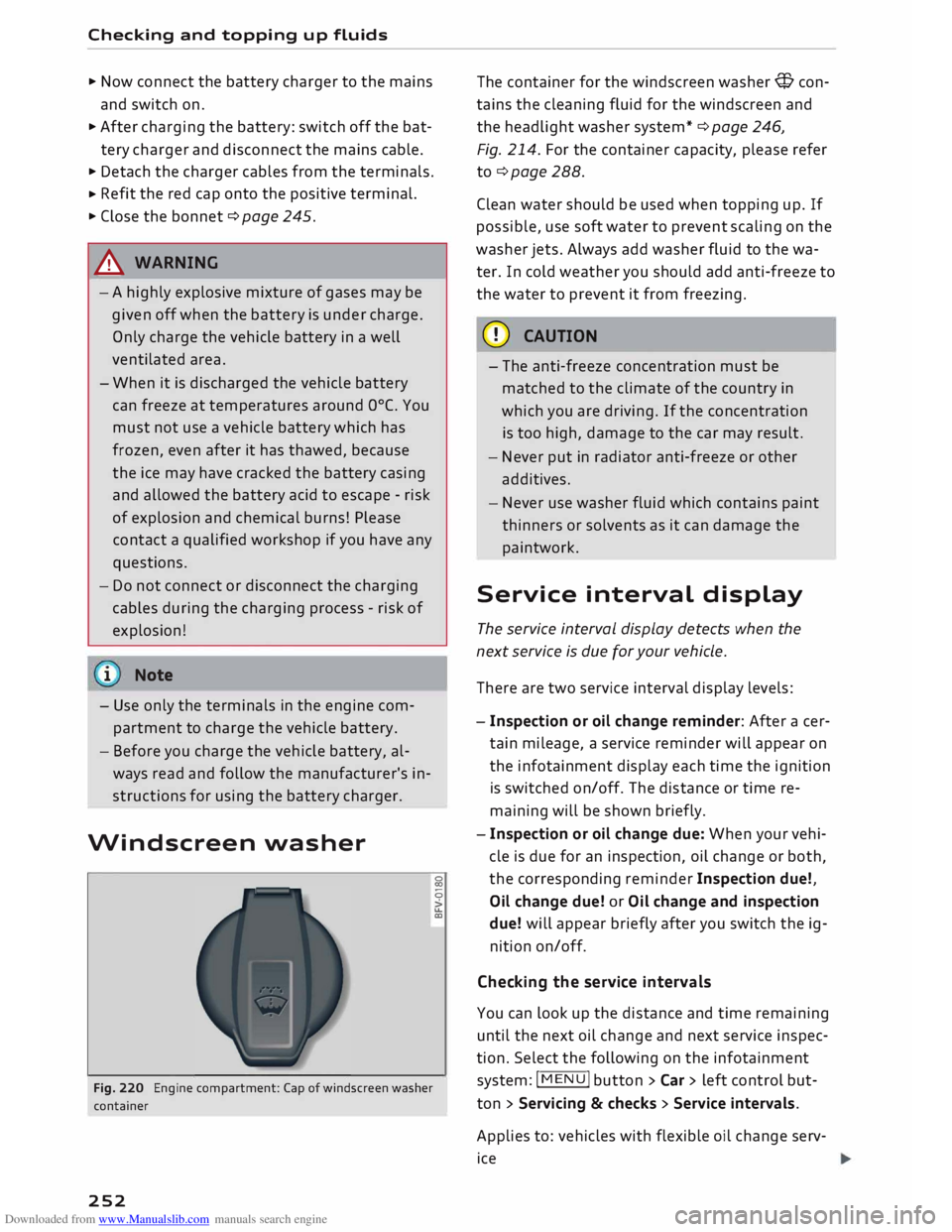
Fig. 220 Engine compartment: Cap of windscreen washer
container
252 �
0
>
u..
co The
container for the windscreen washer@ con
tains the cleaning fluid for the windscreen and
the headlight washer system* ¢ page 246,
Fig. 214. For the container capacity, please refer
to¢ page 288 .
Clean water should be used when topping up. If
possible, use soft water to prevent scaling on the
washer jets. Always add washer fluid to the wa
ter. In cold weather you should add anti-freeze to
the water to prevent it from freezing.
CD CAUTION
- The anti-freeze concentration must be
matched to the climate of the country in
which you are driving. If the concentration
is too high, damage to the car may result.
- Never put in radiator anti-freeze or other
additives.
- Never use washer fluid which contains paint
thinners or solvents as it can damage the
paintwork.
Service interval display
The service interval display detects when the
next service is due for your vehicle .
There are two service interval display levels:
- Inspection or oil change reminder: After a cer
tain mileage, a service reminder will appear on
the infotainment display each time the ignition
is switched on/off. The distance or time re
maining will be shown briefly.
- Inspection or oil change due: When your vehi
cle is due for an inspection, oil change or both,
the corresponding reminder Inspection due!,
Oil change due! or Oil change and inspection
due! will appear briefly after you switch the ig
nition on/off.
Checking the service intervals
You can look up the distance and time remaining
until the next oil change and next service inspec
tion. Select the following on the infotainment
system: IM EN u I button > Car > left control but
ton > Servicing & checks > Service intervals.
Applies to: vehicles with flexible oil change serv
ice