wipers AUDI TT ROADSTER 2016 Owners Manual
[x] Cancel search | Manufacturer: AUDI, Model Year: 2016, Model line: TT ROADSTER, Model: AUDI TT ROADSTER 2016Pages: 306, PDF Size: 31.82 MB
Page 4 of 306
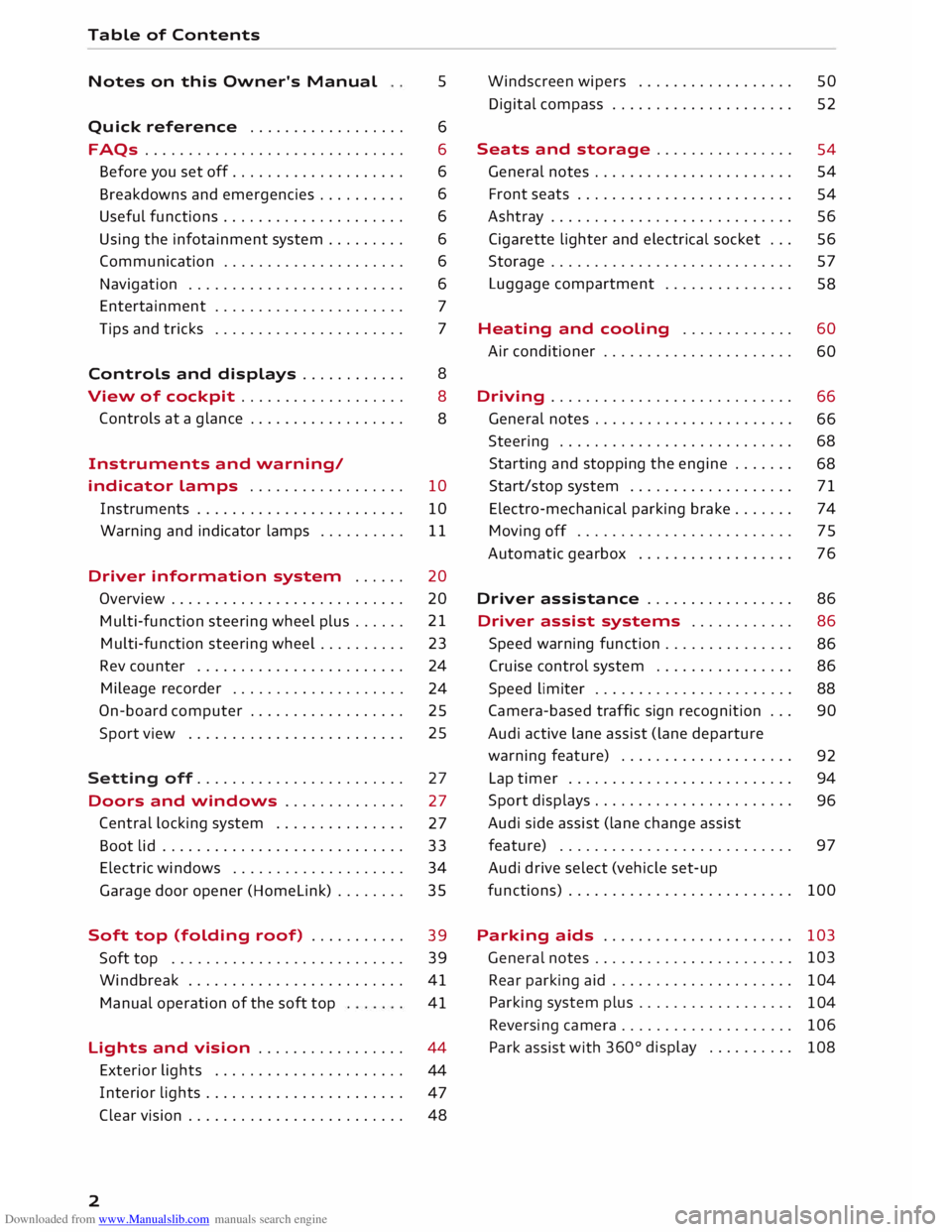
Downloaded from www.Manualslib.com manuals search engine Table
of Contents
Notes on this Owner's Manual 5
Quick reference ................. . 6
6
6
6
6
6
6
6
7
7
FAQs
............................. .
Before you set off ................... .
Breakdowns and emergencies ......... .
Useful functions .................... .
Using the infotainment system ........ .
Communication .................... .
Navigation ........................ .
Entertainment ..................... .
Tips and tricks ..................... .
Controls and displays . . . . . . . . . . . . 8
View of cockpit . . . . . . . . . . . . . . . . . . .
8
Controls at a glance . . . . . . . . . . . . . . . . . .
8
Instruments and warning/
indicator lamps . . . . . . . . . . . . . . . . . . 10
Instruments . . . . . . . . . . . . . . . . . . . . . . . . 10
Warning and indicator lamps . . . . . . . . . . 11
Driver information system . . . . . . 20
Overview . . . . . . . . . . . . . . . . . . . . . . . . . . .
20
Multi-function steering wheel plus...... 21
Multi-function steering wheel . . . . . . . . . . 23
Rev counter . . . . . . . . . . . . . . . . . . . . . . . . 24
Mileage recorder . . . . . . . . . . . . . . . . . . . .
24
On-board computer . . . . . . . . . . . . . . . . . . 25
Sport view . . . . . . . . . . . . . . . . . . . . . . . . . 25
Setting off. . . . . . . . . . . . . . . . . . . . . . . .
27
Doors and windows . . . . . . . . . . . . . . 27
Central locking system . . . . . . . . . . . . . . .
27
Boot lid . . . . . . . . . . . . . . . . . . . . . . . . . . . .
33
Electric windows ................... .
Garage door opener (Homelink) ....... . 34
35
Soft top (folding roof) .......... .
39
39
41
41
Soft
top .......................... .
Windbreak ........................ .
Manual operation of the soft top
Lights and vision ................ .
44
44
47
2 Exterior
lights ..................... .
Interior lights ...................... .
Clear vision . . . . . . . . . . . . . . . . . . . . . . . . .
48 Windscreen
wipers . . . . . . . . . . . . . . . . . .
50
Digital compass . . . . . . . . . . . . . . . . . . . . . 52
Seats and storage . . . . . . . . . . . . . . . .
54
General notes . . . . . . . . . . . . . . . . . . . . . . .
54
Front seats . . . . . . . . . . . . . . . . . . . . . . . . .
54
Ashtray . . . . . . . . . . . . . . . . . . . . . . . . . . . . 56
Cigarette lighter and electrical socket . . . 56
Storage . . . . . . . . . . . . . . . . . . . . . . . . . . . . 57
Luggage compartment . . . . . . . . . . . . . . . 58
Heating and cooling . . . . . . . . . . . . . 60
Air conditioner . . . . . . . . . . . . . . . . . . . . . .
60
Driving ............................ 66
General notes . . . . . . . . . . . . . . . . . . . . . . .
66
Steering . . . . . . . . . . . . . . . . . . . . . . . . . . .
68
Starting and stopping the engine . . . . . . .
68
Start/stop system . . . . . . . . . . . . . . . . . . .
71
Electro-mechanical parking brake. . . . . . .
74
Moving off. . . . . . . . . . . . . . . . . . . . . . . . .
75
Automatic gearbox . . . . . . . . . . . . . . . . . .
76
Driver assistance . . . . . . . . . . . . . . . . . 86
Driver assist
systems . . . . . . . . . . . . 86
Speed warning function . . . . . . . . . . . . . . .
86
Cruise control system . . . . . . . . . . . . . . . . 86
Speed limiter . . . . . . . . . . . . . . . . . . . . . . .
88
Camera-based traffic sign recognition . . .
90
Audi active Lane assist (Lane departure
warning feature) . . . . . . . . . . . . . . . . . . . .
92
Lap timer . . . . . . . . . . . . . . . . . . . . . . . . . .
94
Sport displays . . . . . . . . . . . . . . . . . . . . . . .
96
Audi side assist (lane change assist
feature) . . . . . . . . . . . . . . . . . . . . . . . . . . .
97
Audi drive select (vehicle set-up
functions) . . . . . . . . . . . . . . . . . . . . . . . . . . 100
Parking aids . . . . . . . . . . . . . . . . . . . . . . 103
General notes . . . . . . . . . . . . . . . . . . . . . . . 103
Rear parking aid . . . . . . . . . . . . . . . . . . . . .
104
Parking system plus . . . . . . . . . . . . . . . . . .
104
Reversing camera . . . . . . . . . . . . . . . . . . . .
106
Park assist with 360°
display . . . . . . . . . .
108
Page 8 of 306
Downloaded from www.Manualslib.com manuals search engine FAQs
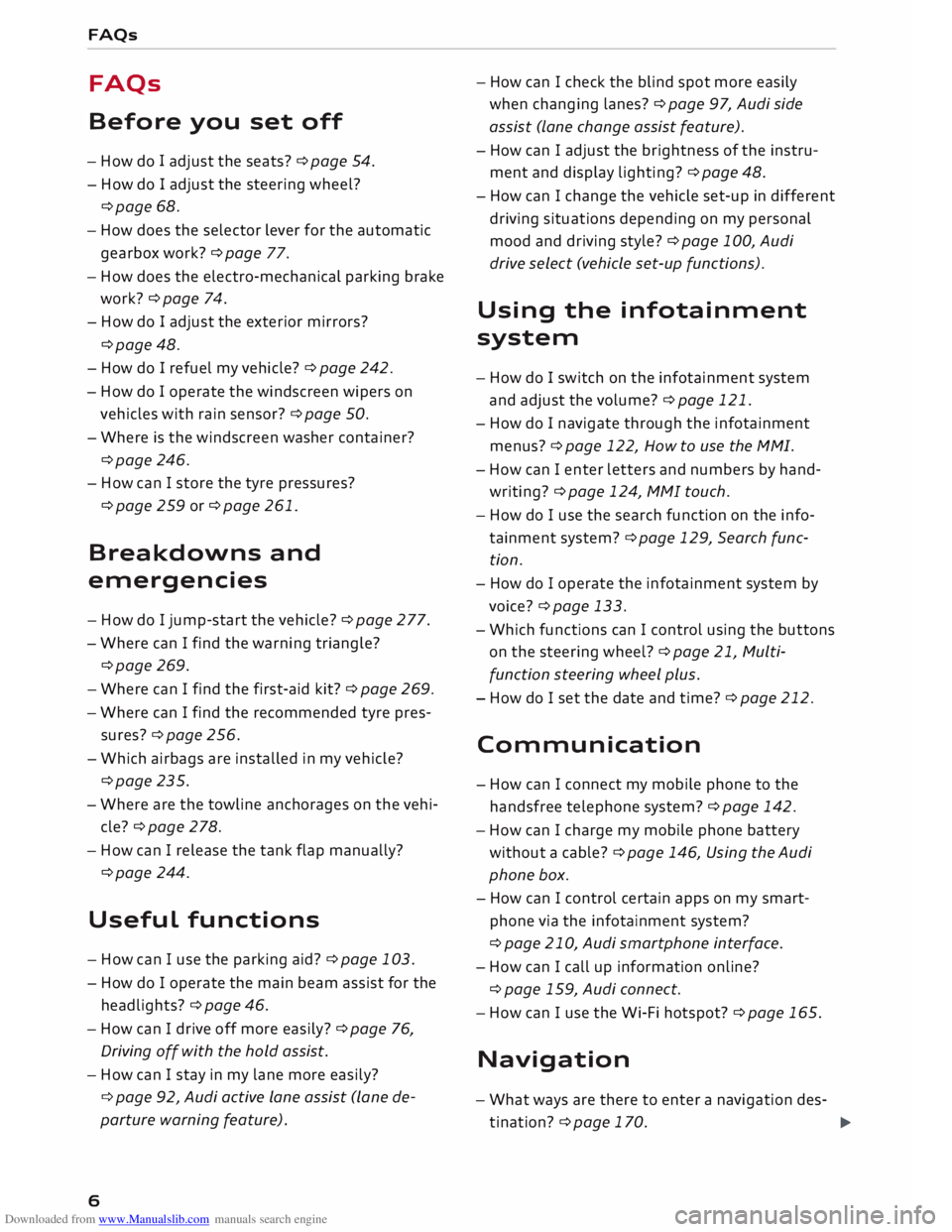
FAQs
Before you set off
- How do I adjust the seats? ¢ page 54.
- How do I adjust the steering wheel?
¢page 68.
- How does the selector lever for the automatic
gearbox work? ¢ page 77.
- How does the electro-mechanical parking brake
work? ¢page 74.
- How do I adjust the exterior mirrors?
¢page 48.
- How do I refuel my vehicle? ¢ page 242.
- How do
I operate
the windscreen wipers on
vehicles with rain sensor? ¢ page 50.
- Where is the windscreen washer container?
¢page 246.
- How can I store the tyre pressures?
¢page 259 or ¢page 261.
Breakdowns and
emergencies
- How do I jump-start the vehicle? ¢page 277.
- Where can I find the warning triangle?
¢page 269.
- Where can I find the first-aid kit? ¢ page 269.
- Where can I find the recommended tyre pres-
sures? ¢ page 256.
- Which airbags are installed in my vehicle?
¢page 235.
- Where are the towline anchorages on the vehi
cle? ¢page 278.
- How can I release the tank flap manually?
¢page 244.
Useful functions
- How can I use the parking aid?¢ page 103.
- How do I operate the main beam assist for the
headlights? ¢ page 46.
- How can I drive off more easily? ¢ page 76,
Driving off with the hold assist.
- How can I stay in my lane more easily?
6 ¢
page 92, Audi active lane assist (lane de
parture warning feature). -
How can I check the blind spot more easily
when changing lanes? ¢page 97, Audi side
assist (lane change assist feature).
- How can I adjust the brightness of the instru
ment and display lighting? ¢ page 48.
- How can I change the vehicle set-up in different
driving situations depending on my personal
mood and driving style? ¢page 100, Audi
drive select (vehicle set-up functions).
Using the infotainment
system
- How do I switch on the infotainment system
and adjust the volume? ¢ page 121.
- How do
I navigate
through the infotainment
menus? ¢ page 122, How to use the MMI.
- How can I enter letters and numbers by hand
writing? ¢ page 124, MMI touch.
- How do I use the search function on the info
tainment system?¢ page 129, Search func
tion.
- How do I operate the infotainment system by
voice? ¢ page 133.
- Which functions can I control using the buttons
on the steering wheel?¢ page 21, Multi
function steering wheel plus.
- How do I set the date and time? ¢ page 212.
Communication
- How can I connect my mobile phone to the
handsfree telephone system? ¢ page 142.
- How can I charge my mobile phone battery
without a cable? ¢ page 146, Using the Audi
phone box.
- How can I control certain apps on my smart
phone via the infotainment system?
¢ page 210, Audi smartphone interface.
- How can I call up information online?
¢ page 159, Audi connect.
- How can I use the Wi-Fi hotspot?¢ page 165.
Navigation
- What ways are there to enter a navigation des-
tination? ¢ page 170.
�
Page 11 of 306
Downloaded from www.Manualslib.com manuals search engine 0
N
,.....
N
....
0
,.....
Vl
CX) (D
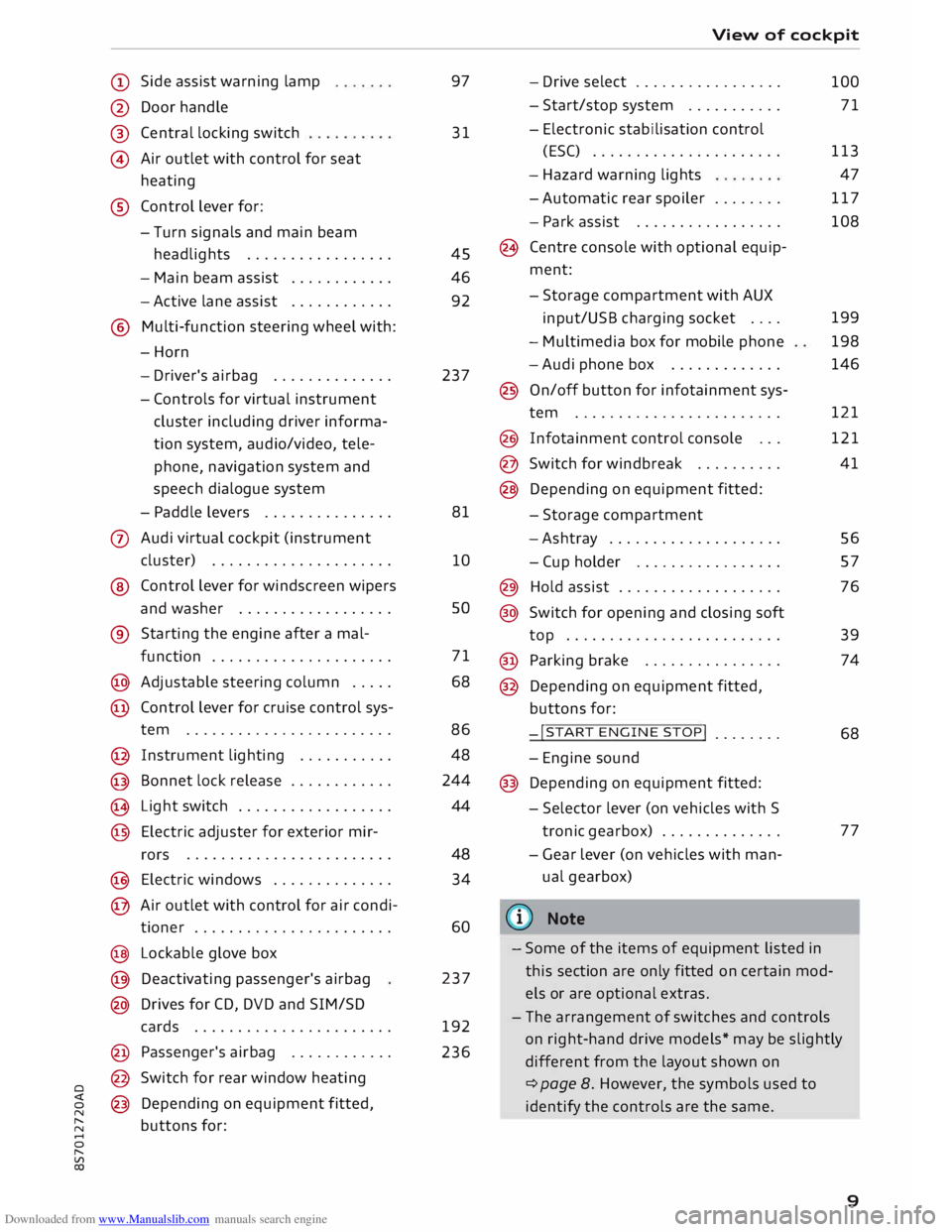
Side assist warning lamp
@ Door handle
®
@ Central
locking switch
Air outlet with control for seat
heating
® Control lever for:
- Turn signals and main beam
headlights ................ .
- Main beam assist ...........
.
- Active lane assist
........... .
@ Multi-function steering wheel with:
-Horn
- Driver's airbag ............. .
- Controls for virtual instrument
cluster including driver informa
tion system, audio/video, tele
phone, navigation system and
speech dialogue system
- Paddle levers .............. .
0 Audi virtual cockpit (instrument
cluster) .................... .
® Control lever for windscreen wipers
and washer ................. .
® Starting the
engine
after a mal-
function .................... .
@ Adjustable steering column .... .
@ Control lever for cruise control sys-
tem ....................... .
@ Instrument lighting .......... .
@ Bonnet lock release ........... .
� Light switch ................. .
@ Electric adjuster for exterior mir-
rors .......................
.
@ Electric windows ............. .
@ Air outlet with control for air condi-
tioner ...................... .
@ Lockable glove box
@ Deactivating passenger's airbag
@ Drives for CD, DVD and SIM/SD
cards ...................... .
@ Passenger's airbag ........... .
@ Switch for rear window heating
@ Depending on equipment fitted,
buttons for: 97
31
45
46
92
237
81
10 so
71
68
86 48
244
44
48 34
60
237
192
236 View
of cockpit
- Drive select ................ .
- Start/stop system .......... .
- Electronic stabilisation control
(ESC) ..................... .
- Hazard warning lights
- Automatic rear spoiler ....... .
- Park assist ................ .
(8 Centre console with optional equip
ment:
- Storage compartment with AUX
input/USB charging socket ....
- Multimedia box for mobile phone
-Audi phone box ............ .
@ On/off button for infotainment sys-
tem ....................... .
@ Infotainment control console .. .
@ Switch for windbreak ......... .
@ Depending on equipment fitted:
- Storage compartment
-Ashtray ................... .
- Cup holder ................ .
@) Hold assist .................. .
@ Switch for opening and closing soft
top ........................ .
@ Parking brake ............... .
@ Depending on equipment fitted,
buttons for:
-!START ENGINE STOP!
....... .
- Engine sound
@ Depending on equipment fitted:
- Selector lever (on vehicles with S
tronic gearbox) ............. .
- Gear lever (on vehicles with man
ual gearbox)
(© Note 100
71
113 47
117
108
199
198
146
121
121
41
56
57
76
39
74
68
77
- Some of the items of equipment listed in
this section are only fitted on certain mod
els or are optional extras.
- The arrangement of switches and controls
on right-hand drive models* may be slightly
different from the layout shown on
¢ page 8. However, the symbols used to
identify the controls are the same.
9
Page 14 of 306
Downloaded from www.Manualslib.com manuals search engine Instruments
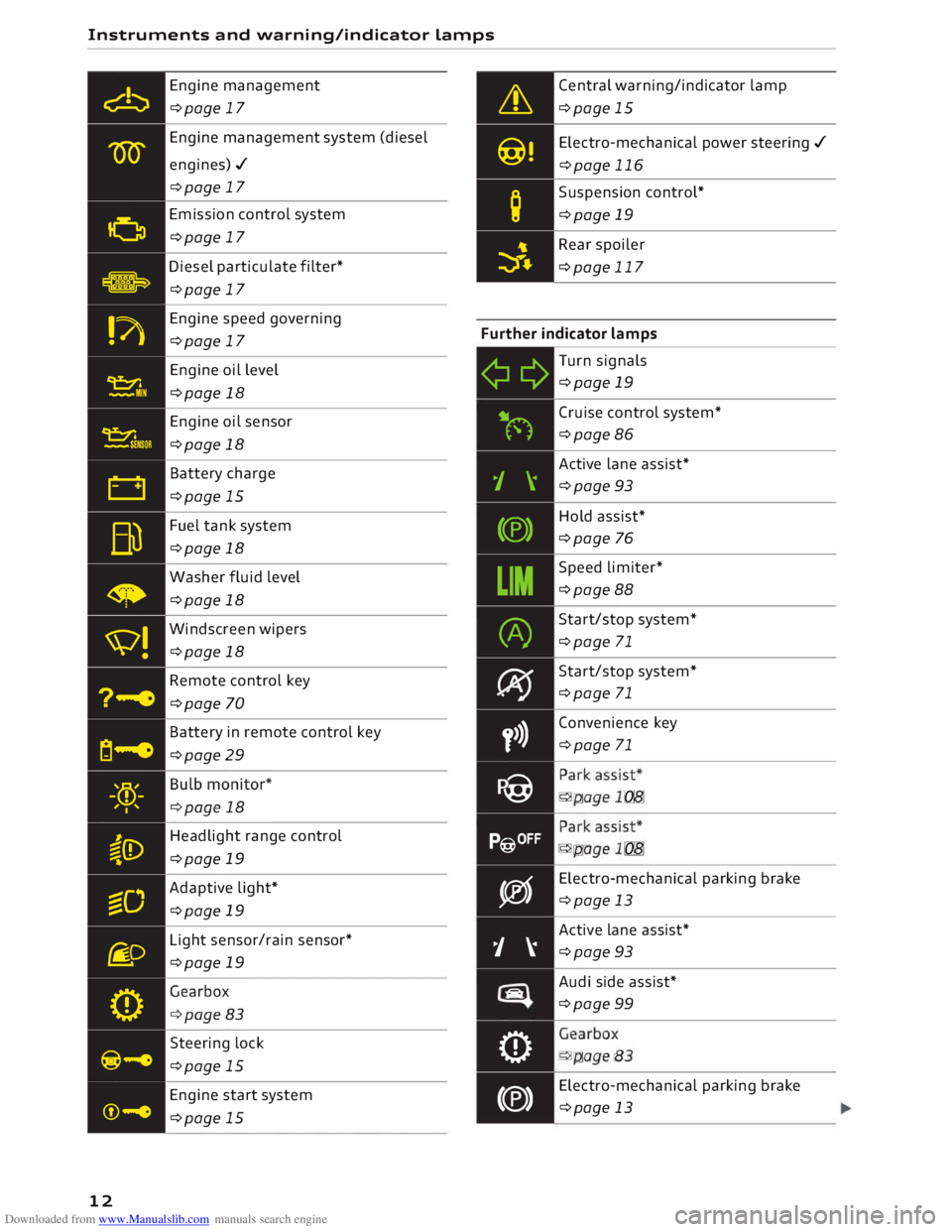
and warning/indicator Lamps
Engine management
¢page 17
Engine management system (diesel
engines)./ ¢page 17
Emission control system
¢page 17
Diesel particulate filter*
¢page 17 Central
warning/indicator lamp
¢page 15
Electro -mechanical power steering ./
¢page 116
Suspension control*
¢page 19
Rear spoiler
¢page 117
Engine speed governing
¢page 17 Further
indicator lamps
12 Engine
oil level
¢page 18
Engine oil sensor
¢page 18
Battery charge
¢page 15
Fuel tank system
¢page 18
Washer fluid level
¢page 18
Windscreen wipers
¢page 18
Remote control key
¢page 70
Battery in remote control key
¢page 29
Headlight range control
¢page 19
Adaptive light*
¢page 19
Light sensor/rain sensor*
¢page 19
Steering lock
¢page 15
Engine start system
¢page 15 ¢¢
iljN
1 \
(®)
LIM (A)
� y>)}
P@
P@OFF
�
j �
tiiiq
0
(®) Turn
signals
¢page 19
Cruise control system*
¢page 86
Active lane assist*
¢page 93
Hold assist*
¢page 76
Speed limiter*
¢page 88
Start/stop system*
¢page 71
Start/stop system*
¢page 71
Convenience key
¢page 71
•
... ,,,. ,:
•
... ,,,. ,:
Electro -mechanical parking brake
¢page 13
Active lane assist*
¢page 93
Audi side assist*
¢page 99
. . . .
.
- '... .
Electro -mechanical parking brake
¢page 13
Page 20 of 306
Downloaded from www.Manualslib.com manuals search engine Instruments
and warning/indicator Lamps
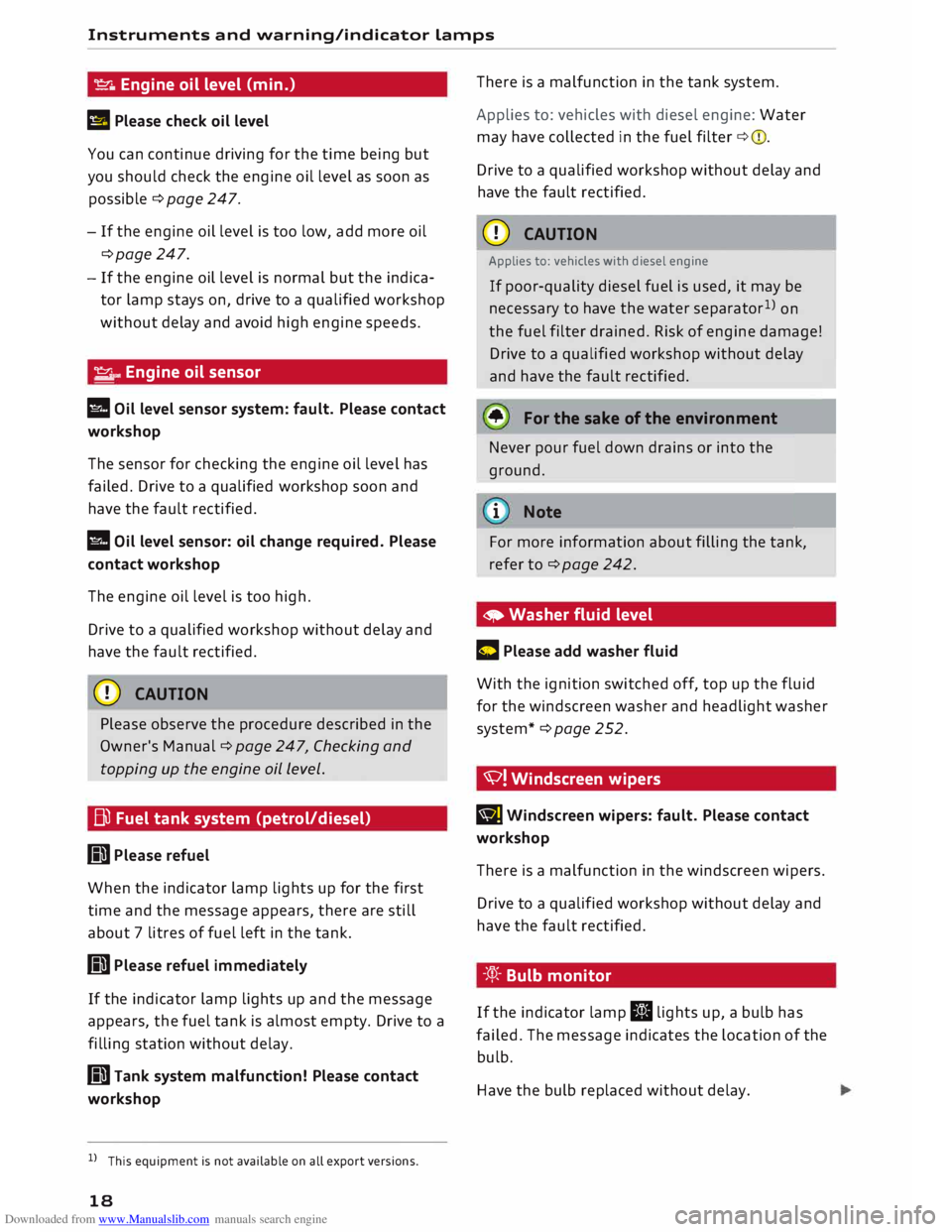
� Engine oil level (min.)
II Please check oil level
You can continue driving for the time being but
you should check the engine oil level as soon as
possible ¢ page 247.
- If the engine oil level is too low, add more oil
¢page 247.
- If the engine oil level is normal but the indica
tor lamp stays on, drive to a qualified workshop
without delay and avoid high engine speeds.
� ..
Engine oil sensor
l!I Oil level sensor system: fault. Please contact
workshop
The sensor for checking the engine oil level has
failed. Drive to a qualified workshop soon and
have the fault rectified.
l!I Oil level sensor: oil change required. Please
contact workshop
The engine oil level is too high.
Drive to a qualified workshop without delay and
have the fault rectified.
CD CAUTION
Please observe the procedure described in the
Owner's Manual¢ page 247, Checking and
topping up the engine oil Level.
Bi) Fuel tank system (petrol/diesel)
GD Please refuel
When the indicator lamp lights up for the first
time and the message appears, there are still
about 7 litres of fuel left in the tank.
GD Please refuel immediately
If the indicator lamp lights up and the message
appears, the fuel tank is almost empty. Drive to a
filling station without delay.
GD Tank system malfunction! Please contact
workshop
l l
This equipment is not available on all export versions.
18 There
is a malfunction in the tank system.
Applies to: vehicles with diesel engine: Water
may have collected in the fuel filter ¢(D.
Drive to a qualified workshop without delay and
have the fault rectified.
CD CAUTION
Applies to: vehicles with diesel engine
If poor-quality diesel fuel is used, it may be
necessary to have the water separator 1
)
on
the fuel filter drained. Risk of engine damage!
Drive to a qualified workshop without delay
and have the fault rectified.
• For the sake of the environment
Never pour fuel down drains or into the
ground.
.
1 Note
For more information about filling the tank,
refer to ¢page 242.
• Washer fluid level
C Please add washer fluid
With the ignition switched off, top up the fluid
for the windscreen washer and headlight washer
system* ¢page 252.
'V! Windscreen wipers
BJ Windscreen
wipers: fault. Please contact
workshop
There is a malfunction in the windscreen wipers.
Drive to a qualified workshop without delay and
have the fault rectified.
-'.q):- Bulb monitor
If the indicator lamp II lights up, a bulb has
failed. The message indicates the location of the
bulb.
Have the bulb replaced without delay.
Page 21 of 306
Downloaded from www.Manualslib.com manuals search engine 0
N
,.....
N
....
0
,.....
Vl
CX) Instruments
and warning/indicator lamps
Vehicle lights: fault. Please contact workshop
There is a fault with the headlights or light
switch. Drive to a qualified workshop soon and
have the fault rectified.
A WARNING
- Bulbs are sensitive to pressure. The glass
can break when you touch the bulb, causing
injury.
- Incorrect handling of the high-voltage ele
ment of xenon gas-discharge bulbs* can
have potentially fatal consequences.
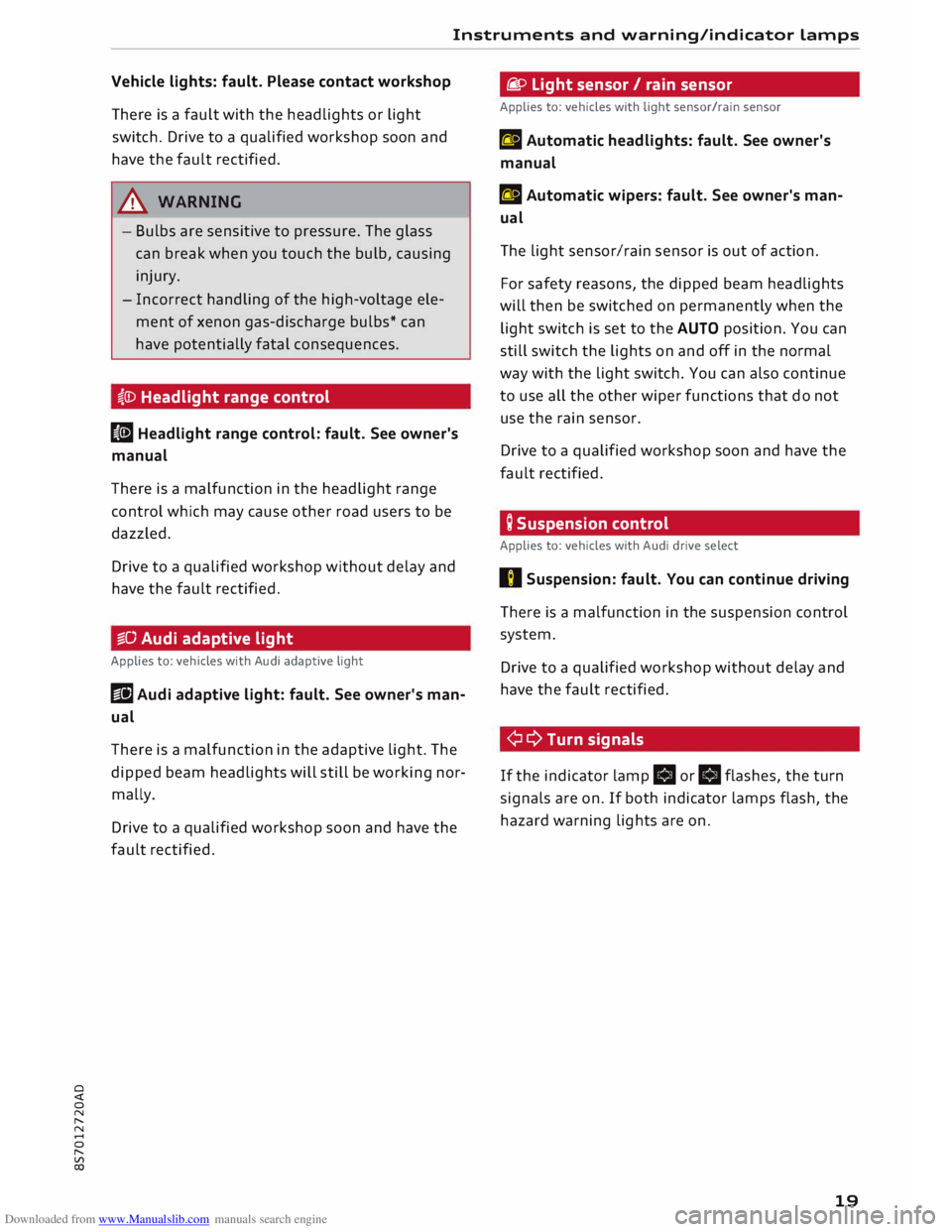
�CD Headlight range control
II Headlight range control: fault. See owner's
manual
There is a malfunction in the headlight range
control which may cause other road users to be
dazzled.
Drive to a qualified workshop without delay and
have the fault rectified.
iSD Audi adaptive light
Applies to: vehicles with Audi adaptive light
Ill Audi adaptive light: fault. See owner's man
ual
There is a malfunction in the adaptive light. The
dipped beam headlights will still be working nor
mally.
Drive to a qualified workshop soon and have the
fault rectified. fi.D
Light sensor/ rain sensor
Applies to: vehicles with light sensor/rain sensor
fal Automatic headlights: fault. See owner's
manual
fal Automatic wipers: fault. See owner's man
ual
The light sensor/rain sensor is out of action.
For safety reasons, the dipped beam headlights
will then be switched on permanently when the
light switch is set to the AUTO position. You can
still switch the lights on and off in the normal
way with the light switch. You can also continue
to use all the other wiper functions that do not
use the rain sensor.
Drive to a qualified workshop soon and have the
fault rectified.
; Suspension control
Applies to: vehicles with Audi drive select
II Suspension: fault. You can continue driving
There is a malfunction in the suspension control
system.
Drive to a qualified workshop without delay and
have the fault rectified.
¢ Q Turn signals
If the indicator lamp.
or.
flashes, the turn
signals are on. If both indicator lamps flash, the
hazard warning lights are on.
19
Page 52 of 306
Downloaded from www.Manualslib.com manuals search engine Lights
and vision
Windscreen wipers
Switching on the windscreen wipers
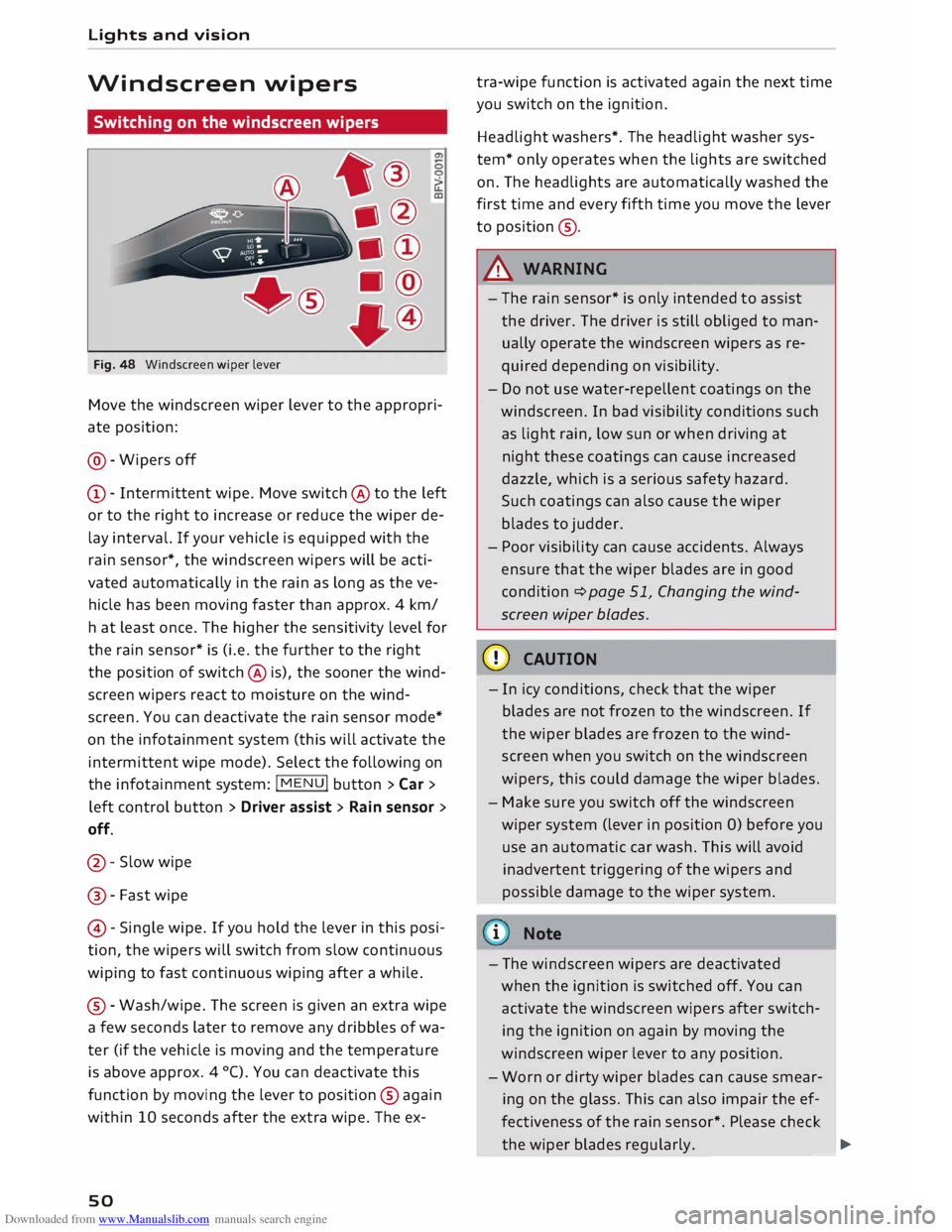
Fig. 48 Windscreen wiper lever
Move the windscreen wiper lever to the appropri
ate position:
@- Wipers off
CD- Intermittent wipe. Move switch @ to the left
or to the right to increase or reduce the wiper de
lay interval. If your vehicle is equipped with the
rain sensor*, the windscreen wipers will be acti
vated automatically in the rain as long as the ve
hicle has been moving faster than approx. 4 km/
ha t least once. The higher the sensitivity level for
the rain sensor* is (i.e. the further to the right
the position of switch @ is), the sooner the wind
screen wipers react to moisture on the wind
screen. You can deactivate the rain sensor mode*
on the infotainment system (this will activate the
intermittent wipe mode). Select the following on
the infotainment system: !MENU! button> Car >
left control button > Driver assist> Rain sensor >
off.
@- Slow wipe
@ -Fast wipe
@ -Single wipe. If you hold the lever in this posi
tion, the wipers will switch from slow continuous
wiping to fast continuous wiping after a while.
® -Wash/wipe. The screen is given an extra wipe
a few seconds later to remove any dribbles of wa
ter (if the vehicle is moving and the temperature
is above approx. 4 °C). You can deactivate this
function by moving the lever to position @again
within 10 seconds after the extra wipe. The ex-
so tra-wipe
function is activated again the next time
you switch on the ignition.
Headlight washers*. The headlight washer sys
tem* only operates when the lights are switched
on. The headlights are automatically washed the
first time and every fifth time you move the lever
to position ®·
A WARNING
- The rain sensor* is only intended to assist
the driver. The driver is still obliged to man
ually operate the windscreen wipers as re
quired depending on visibility.
- Do not use water-repellent coatings on the
windscreen. In bad visibility conditions such
as light rain, low sun or when driving at
night these coatings can cause increased
dazzle, which is a serious safety hazard.
Such coatings can also cause the wiper
blades to judder.
- Poor visibility can cause accidents. Always
ensure that the wiper blades are in good
condition ¢ page 51, Changing the wind
screen wiper blades.
CD CAUTION
- In icy conditions, check that the wiper
blades are not frozen to the windscreen. If
the wiper blades are frozen to the wind
screen when you switch on the windscreen
wipers, this could damage the wiper blades.
- Make sure you switch off the windscreen
wiper system (lever in position 0) before you
use an automatic car wash. This will avoid
inadvertent triggering of the wipers and
possible damage to the wiper system.
i Note
- The windscreen wipers are deactivated
when the ignition is switched off. You can
activate the windscreen wipers after switch
ing the ignition on again by moving the
windscreen wiper lever to any position.
- Worn or dirty wiper blades can cause smear
ing on the glass. This can also impair the ef
fectiveness of the rain sensor*. Please check
the wiper blades regularly. ______ �
Page 53 of 306
Downloaded from www.Manualslib.com manuals search engine 0
N
,.....
N
......
0
,.....
Vl
CX) -
The windscreen washer jets are heated*
when the ignition is switched on if the out
side temperature is low.
- If you stop briefly, e.g. at traffic lights, the
wiper speed setting will automatically be re
duced by one level.
Cleaning windscreen wiper blades
Clean the wiper blades if the wipers leave smear
ing on the glass. Clean the wiper blades using a
soft cloth and a glass cleaning solution.
11- Set the wiper arms to the service position
¢page 51.
11- Lift the wiper arms away from the glass.
A WARNING
Dirty wiper blades can impair the driver's view
- risk of accident!
Changing the windscreen wiper blades
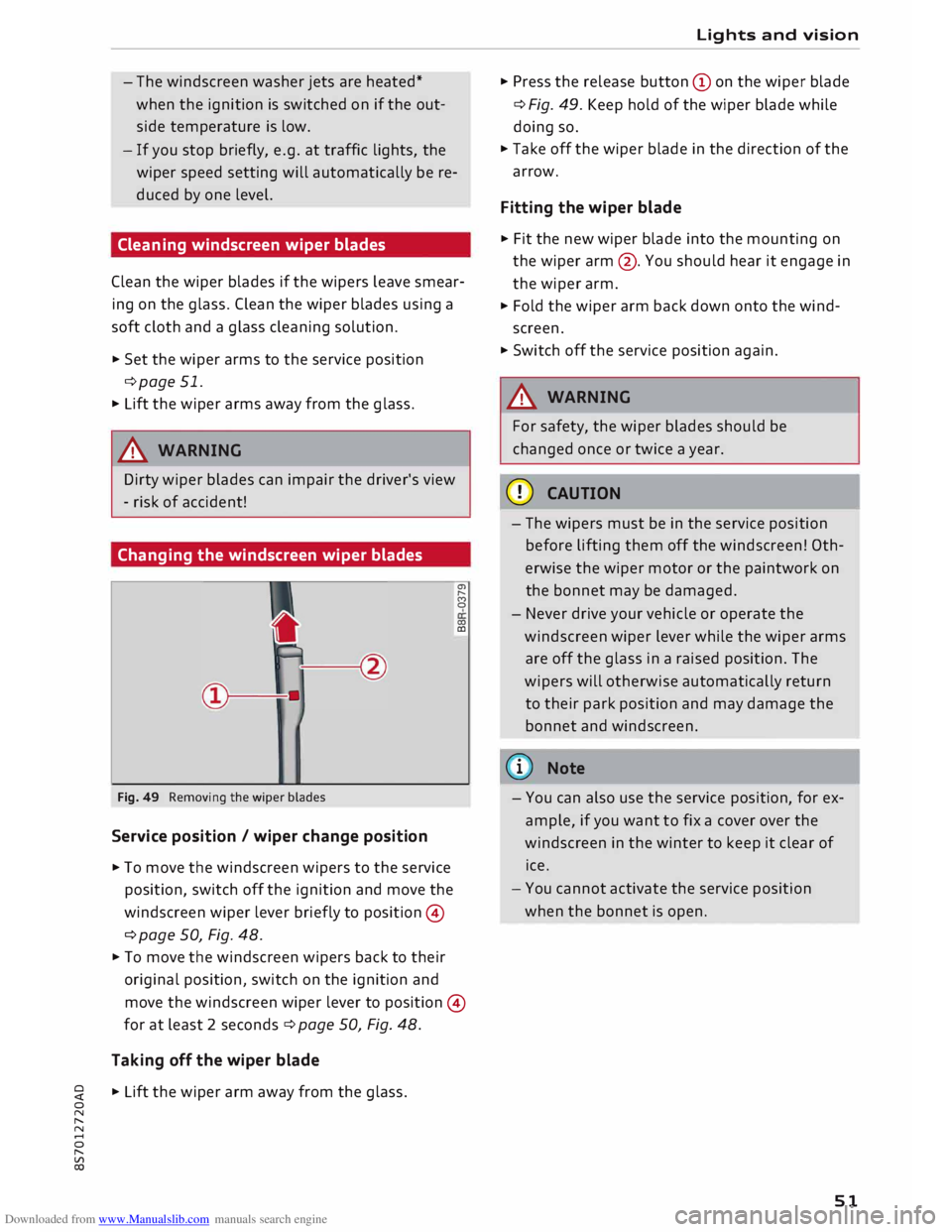
Fig. 49 Removing the wiper blades
Service position / wiper change position
11- To move the windscreen wipers to the service
position, switch off the ignition and move the
windscreen wiper lever briefly to position ©
¢ page 50, Fig. 48. a,
,._.
(')
0
0)
CD
11- To move the windscreen wipers back to their
original position, switch on the ignition and
move the windscreen wiper lever to position ©
for at least 2 seconds¢ page 50, Fig. 48.
Taking off the wiper blade
11- Lift the wiper arm away from the glass. Lights
and vision
11- Press the release button (Don the wiper blade
¢ Fig. 49. Keep hold of the wiper blade while
doing so.
11- Take off the wiper blade in the direction of the
arrow.
Fitting the wiper blade
11- Fit the new wiper blade into the mounting on
the wiper arm@. You should hear it engage in
the wiper arm.
11- Fold the wiper arm back down onto the wind
screen.
11- Switch off the service position again.
A WARNING
For safety, the wiper blades should be
changed once or twice a year.
CD CAUTION
- The wipers must be in the service position
before lifting them off the windscreen! Oth
erwise the wiper motor or the paintwork on
the bonnet may be damaged.
- Never drive your vehicle or operate the
windscreen wiper lever while the wiper arms
are off the glass in a raised position. The
wipers will otherwise automatically return
to their park position and may damage the
bonnet and windscreen.
(D) Note
- You can also use the service position, for ex
ample, if you want to fix a cover over the
windscreen in the winter to keep it clear of
ice.
- You cannot activate the service position
when the bonnet is open.
51
Page 93 of 306
Downloaded from www.Manualslib.com manuals search engine 0
N
,.....
N
......
0
,.....
Vl
CX) signify
mph or km/h, depending on the
country.
Controls
Applies to: vehicles with camera-based traffic sign recogni
tion
�� ' 1(. � 1
-�� 0 8.9. :oo,m
--
1 ', ·11 l', ,'
;
...
'
/ �-
-
(@) �
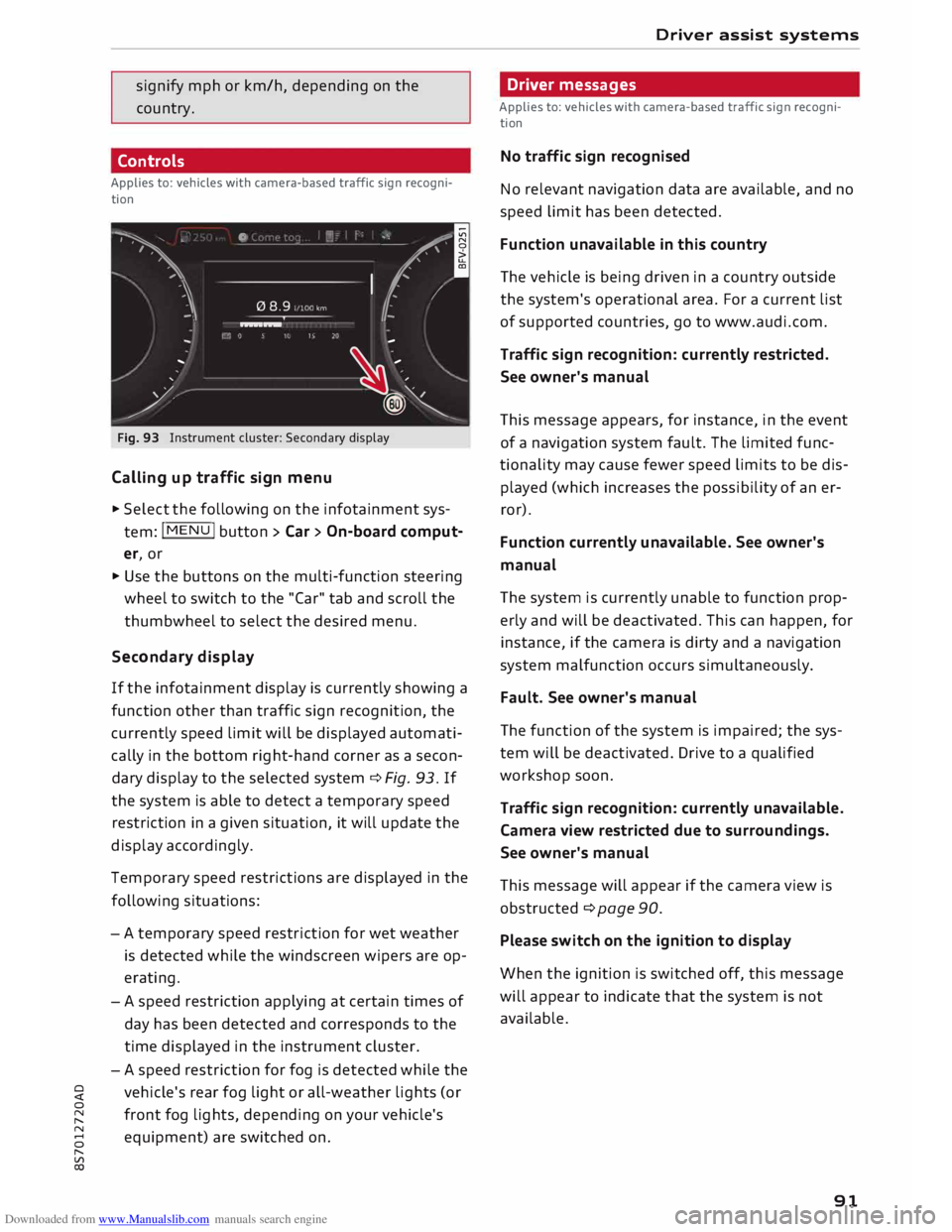
Fig. 93 Instrument cluster: Secondary display
Calling up traffic sign menu
.,. Select the following on the infotainment sys
tem: I MENU
I button > Car> On-board comput
er, or
.,. Use the buttons on the multi-function steering
wheel to switch to the "Car" tab and scroll the
thumbwheel to select the desired menu.
Secondary display
If the infotainment display is currently showing a
function other than traffic sign recognition, the
currently speed limit will be displayed automati
cally in the bottom right-hand corner as a secon
dary display to the selected system ¢ Fig. 93. If
the system is able to detect a temporary speed
restriction in a given situation, it will update the
display accordingly.
Temporary speed restrictions are displayed in the
following situations:
- A temporary speed restriction for wet weather
is detected while the windscreen wipers are op
erating.
- A speed restriction applying at certain times of
day has been detected and corresponds to the
time displayed in the instrument cluster.
- A speed restriction for fog is detected while the
vehicle's rear fog light or all-weather lights (or
front fog lights, depending on your vehicle's
equipment) are switched on . Driver
assist systems
Driver messages
Applies to: vehicles with camera-based traffic sign recogni
tion
No traffic sign recognised
No relevant navigation data are available, and no
speed limit has been detected.
Function unavailable in this country
The vehicle is being driven in a country outside
the system's operational area. For a current list
of supported countries, go to www.audi.com.
Traffic sign recognition: currently restricted.
See owner's manual
This message appears, for instance, in the event
of a navigation system fault. The limited func
tionality may cause fewer speed limits to be dis
played (which increases the possibility of an er
ror).
Function currently unavailable. See owner's
manual
The system is currently unable to function prop
erly and will be deactivated. This can happen, for
instance, if the camera is dirty and a navigation
system malfunction occurs simultaneously.
Fault. See owner's manual
The function of the system is impaired; the sys
tem will be deactivated. Drive to a qualified
workshop soon.
Traffic sign recognition: currently unavailable.
Camera view restricted due to surroundings.
See owner's manual
This message will appear if the camera view is
obstructed ¢ page 90.
Please switch on the ignition to display
When the ignition is switched off, this message
will appear to indicate that the system is not
available.
91
Page 117 of 306
Downloaded from www.Manualslib.com manuals search engine 0
N
,.....
N
......
0
,.....
Vl
CX) A
WARNING
You should switch on the sport mode or
switch off the ESC/traction control system
(ASR) only if your driving ability and the traf
fic conditions allow you to do so safely -dan
ger of skidding!
- The stabilising function is restricted when
sport mode is switched on. The driven
wheels may start to spin, causing the vehi
cle to lose grip, in particular on slippery or
wet roads.
- When the ESC/traction control system
(ASR) is switched off, the vehicle will not be
stabilised.
@ Note
- The ESC/traction control system (ASR) can
not be switched off and the sport mode can
not be switched on when the cruise control
system* is on.
- In the event of a malfunction in the rear
spoiler system or the Audi magnetic ride, it
may not be possible to switch off the ESC/
ASR or switch on the sport mode.
Brakes
New brake pads
New brake pads do not give full braking effect for
the first 400 km, they must first be "bedded in".
However, you can compensate for the slightly re
duced braking effect by applying more pressure
on the brake pedal. Avoid placing a heavy load on
the brakes during the running-in period.
Wear
The rate of wear on the brake pads depends a
great deal on how you drive and the conditions in
which the vehicle is operated. Negative factors
are, for instance, city traffic, frequent short trips
or hard driving with abrupt starts and stops.
Noises
Brake noise may develop in certain situations, de
pending on the speed, braking force and ambient
conditions (such as temperature and relative hu
midity). Intelligent
technology
Effect of moisture and salt
In certain conditions, such as in heavy rain, early
morning dew, or after washing the car or driving
through water, the full braking effect can be de
layed by moisture (or in winter by ice) on the
discs and brake pads. The brakes should be
"dried" by pressing the pedal to restore full brak
ing effect.
When you are driving at higher speeds with the
windscreen wipers on, the brake pads are very
briefly brought into contact with the brake discs.
This automatic process which goes unnoticed by
the driver is carried out at regular intervals and is
intended to improve braking response in wet con
ditions.
The effectiveness of the brakes can also be tem
porarily reduced if the car is driven for some dis
tance without using the brakes when there is a
lot of salt on the road in winter. The layer of salt
that accumulates on the discs and pads can be
removed with a few cautious brake applications.
Corrosion
There may be a tendency for dirt to build up on
the brake pads and corrosion to form on the discs
if the car is used infrequently, or if you only drive
low mileages without using the brakes very
much.
If the brakes are not used frequently, or if corro
sion has formed on the discs, it is advisable to
clean off the pads and discs by braking firmly a
few times from a moderately high speed ¢ A.
Faults in the brake system
If the brake pedal travel should ever increase
suddenly, this may mean that one of the two
brake circuits has failed. Drive immediately to the
nearest qualified workshop and have the fault
rectified. On the way to the dealer, be prepared
to use more pressure on the brake pedal and al
low for longer stopping distances.
Low brake fluid level
Malfunctions can occur in the brake system if the
brake fluid level is too low. The brake fluid level
is monitored electronically.
llll-
115