engine AUDI TT ROADSTER 2019 User Guide
[x] Cancel search | Manufacturer: AUDI, Model Year: 2019, Model line: TT ROADSTER, Model: AUDI TT ROADSTER 2019Pages: 304, PDF Size: 80.77 MB
Page 18 of 304
![AUDI TT ROADSTER 2019 User Guide Instrument cluster
Accessing the sport displays in the central
area
> Open the first Vehicle tab (trip computer) using
the [<>] button on the multifunction steering
wheel.
> Select on the mul](/img/6/57667/w960_57667-17.png "AUDI TT ROADSTER 2019 User Guide Instrument cluster
Accessing the sport displays in the central
area
> Open the first Vehicle tab (trip computer) using
the [<>] button on the multifunction steering
wheel.
> Select on the mul")
Instrument cluster
Accessing the sport displays in the central
area
> Open the first Vehicle tab (trip computer) using
the [<>] button on the multifunction steering
wheel.
> Select on the multifunction steering wheel: left
control button > Sport displays.
> Turn the left thumbwheel on the multifunction
steering wheel until the desired sport display
appears in the instrument cluster.
Accessing the sport displays in the additional
display
> Select on the multifunction steering wheel:
right control button > Additional display.
> Select the desired additional display.
G meter*
The G meter displays the longitudinal and lateral
acceleration. The maximum values that are
reached are stored and displayed when the vehi-
cle is stationary.
> To reset the stored values, select on the multi-
function steering wheel: right control button >
Reset values.
Engine data*
The engine data displays the current power and
torque.
Tire Pressure Monitoring System*
The tire pressure monitoring system displays the
current tire pressures and temperature. Also see
=> page 258, Tire pressure monitoring system.
Messages
BRAKE/@)/‘C} Brake system
If this indicator light turns on, there is a malfunc-
tion in the brake system.
GG © Brakes: stop vehicle and check brake
fluid level
Stop the vehicle and check the brake fluid level.
See an authorized Audi dealer or authorized Audi
Service Facility for assistance.
Ga / © Warning! No brake booster function
16
If the brake booster is not working, you have to
use much more force when braking the vehicle.
See an authorized Audi dealer or authorized Audi
Service Facility for assistance.
EG / @ Brakes: malfunction! Safely stop ve-
hicle
If the indicator light turns on and this message
appears, there is a malfunction in the brake sys-
tem
1f 9 / Gana B also turn on, there is a mal-
function in the ABS, ESC, and braking distribu-
tion.
Do not continue driving. See an authorized Audi
dealer or authorized Audi Service Facility for as-
sistance > A\.
EG / o Parking brake: malfunction! Safely
stop vehicle. See owner's manual
— If the indicator light and the message appear
when the vehicle is stationary or after switch-
ing the ignition on, check if you can release the
parking brake. If you cannot release the parking
brake, see an authorized Audi dealer or author-
ized Audi Service Facility. If you can release the
parking brake and the message still appears,
see an authorized Audi dealer or authorized Au-
di Service Facility immediately to have the mal-
function corrected.
— If the indicator light and message appear while
driving, the hill start assist or emergency brak-
ing function may be malfunctioning. It may not
be possible to set the parking brake or release
it once it has been set. Do not park your vehicle
on hills. See an authorized Audi dealer or au-
thorized Audi Service Facility for assistance.
The KO] indicator light turns on when the brake
pads are worn. Drive to an authorized Audi dealer
or authorized Audi Service Facility immediately to
have the brake pads checked.
Applies to: USA models: The fa] indicator light
turns on together with the EG indicator light.
ZX WARNING
— Read and follow the warnings in
= page 227, General information before >
Page 19 of 304

8S8012721BA
Instrument cluster
opening the hood and checking the brake
fluid level.
— If the brake fluid level is below the MIN
marking, it can impair the braking effect and
driving safety, which increase the risk of an
accident. Do not continue driving. See an au-
thorized Audi dealer or authorized Audi
Service Facility for assistance.
— If the brake system indicator light turns on
together with the ABS and ESC indicator
lights, the ABS/ESC regulating function may
be malfunctioning. Functions that stabilize
the vehicle are no longer available. This
could cause the rear of the vehicle to
swerve, which increases the risk that the ve-
hicle will slide. Drive carefully to the nearest
authorized Audi dealer or authorized Audi
Service Facility and have the malfunction
corrected.
PARK/(@)/‘@i, Electromechanical parking
brake
If the Zin i © indicator light turns on, the
parking brake has been set.
Zi if oa Parking brake: warning! Vehicle
parked too steep
If the indicator light blinks and the message ap-
pears, there is not enough braking power to se-
cure the vehicle. The brakes have overheated. The
vehicle could roll away, even on a small incline.
ww Parking brake: malfunction! Please contact
Service
There is a malfunction in the parking brake. Drive
to an authorized Audi dealer or authorized Audi
Service Facility immediately to have the malfunc-
tion corrected.
HL@t3 / {@) Parking brake: warning! Vehicle
parked too steep
There is not enough braking force to hold the ve-
hicle in place. The brakes have overheated. The
vehicle could roll away, even on a small incline.
(9 / (@) Parking brake: applied
If this message appears, press the brake pedal
first and then release the parking brake if neces-
sary.
(i) Tips
For additional information on the parking
brake, see > page 59.
meer ee
|| Turn off engine and check coolant level. See
owner's manual
The coolant level is too low.
Stop driving and switch the engine off. Check the
coolant level > page 234.
— If the coolant level is too low, add coolant
=> page 234. Only continue driving once the in-
dicator light turns off.
|_| Coolant temperature: too high. Let engine
run while vehicle is stationary
Let the engine run at idle for a few minutes to
cool off, until the indicator light turns off.
— If the indicator light does not turn off, do not
continue driving the vehicle. See an authorized
Audi dealer or authorized Audi Service Facility
for assistance.
ZA\ WARNING
— Never open the hood if you can see or hear
steam or coolant escaping from the engine
compartment. This increases the risk of
burns. When you no longer see or hear
steam or coolant escaping, you may open
the engine compartment with caution.
— The engine compartment in any vehicle can
be a dangerous area. Stop the engine and al-
low it to cool before working in the engine
compartment. Always follow the informa-
tion found in > page 227, General informa-
tion.
() Note
Do not continue driving if the Bg indicator
light turns on as this increases the risk of en-
gine damage.
17
Page 20 of 304
Instrument cluster
BF st aN
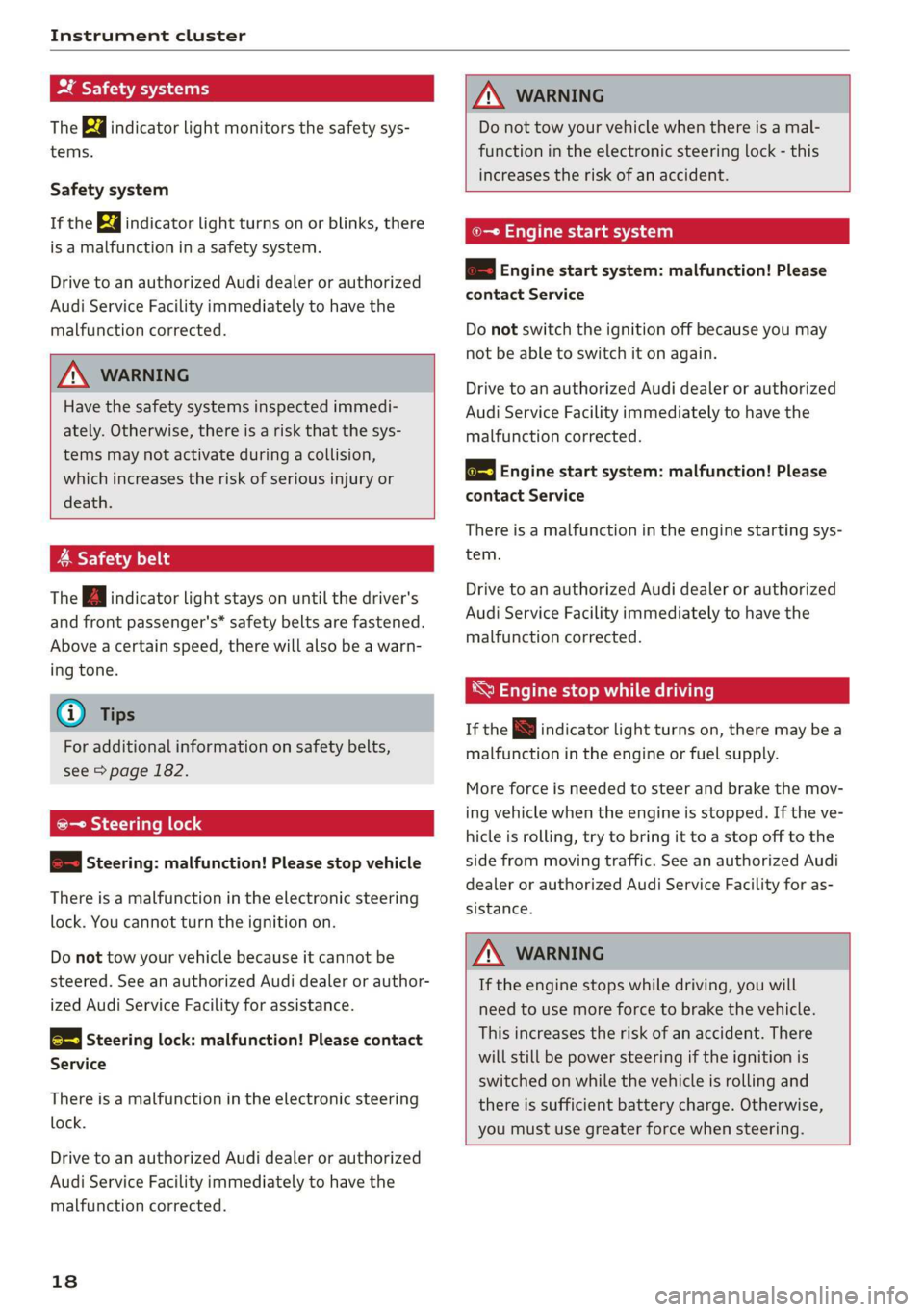
The Ba indicator light monitors the safety sys-
tems.
Safety system
If the ka indicator light turns on or blinks, there
is a malfunction in a safety system.
Drive to an authorized Audi dealer or authorized
Audi Service Facility immediately to have the
malfunction corrected.
Z\ WARNING
Have the safety systems inspected immedi-
ately. Otherwise, there is a risk that the sys-
tems may not activate during a collision,
which increases the risk of serious injury or
death.
A Safety belt
The Ba indicator light stays on until the driver's
and front passenger's* safety belts are fastened.
Above a certain speed, there will also be a warn-
ing tone.
@) Tips
For additional information on safety belts,
see > page 182.
@- Steering lock
2 —o| Steering: malfunction! Please stop vehicle
There is a malfunction in the electronic steering
lock. You cannot turn the ignition on.
Do not tow your vehicle because it cannot be
steered. See an authorized Audi dealer or author-
ized Audi Service Facility for assistance.
@—<| Steering lock: malfunction! Please contact
Service
There is a malfunction in the electronic steering
lock.
Drive to an authorized Audi dealer or authorized
Audi Service Facility immediately to have the
malfunction corrected.
18
Z\ WARNING
Do not tow your vehicle when there is a mal-
function in the electronic steering lock - this
increases the risk of an accident.
oe Engine start system
&S Engine start system: malfunction! Please
contact Service
Do not switch the ignition off because you may
not be able to switch it on again.
Drive to an authorized Audi dealer or authorized
Audi Service Facility immediately to have the
malfunction corrected.
& Engine start system: malfunction! Please
contact Service
There is a malfunction in the engine starting sys-
tem.
Drive to an authorized Audi dealer or authorized
Audi Service Facility immediately to have the
malfunction corrected.
*S Engine stop while driving
If the S indicator light turns on, there may bea
malfunction in the engine or fuel supply.
More force is needed to steer and brake the mov-
ing vehicle when the engine is stopped. If the ve-
hicle is rolling, try to bring it to a stop off to the
side from moving traffic. See an authorized Audi
dealer or authorized Audi Service Facility for as-
sistance.
ZA\ WARNING
If the engine stops while driving, you will
need to use more force to brake the vehicle.
This increases the risk of an accident. There
will still be power steering if the ignition is
switched on while the vehicle is rolling and
there is sufficient battery charge. Otherwise,
you must use greater force when steering.
Page 21 of 304
8S8012721BA
Instrument cluster
1
8/8 Electronic Stabilization Control (ESC)
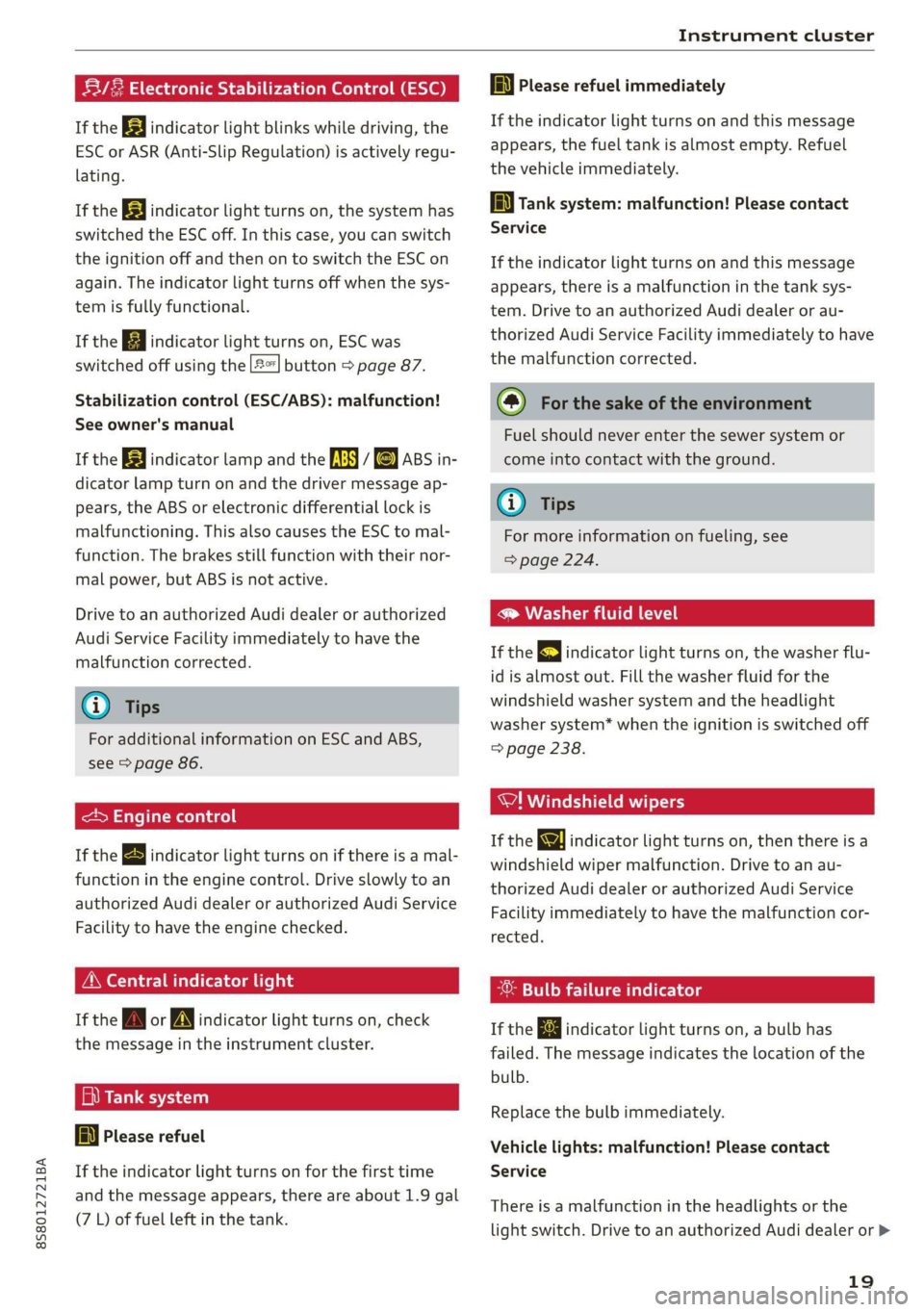
If the B indicator light blinks while driving, the
ESC or ASR (Anti-Slip Regulation) is actively regu-
lating.
If the BB indicator light turns on, the system has
switched the ESC off. In this case, you can switch
the ignition off and then on to switch the ESC on
again. The indicator light turns off when the sys-
tem is fully functional.
If the B indicator light turns on, ESC was
switched off using the |£*| button > page 87.
Stabilization control (ESC/ABS): malfunction!
See owner's manual
If the B indicator lamp and the fs / &) ABS in-
dicator lamp turn on and the driver message ap-
pears, the ABS or electronic differential lock is
malfunctioning. This also causes the ESC to mal-
function. The brakes still function with their nor-
mal power, but ABS is not active.
Drive to an authorized Audi dealer or authorized
Audi Service Facility immediately to have the
malfunction corrected.
@) Tips
For additional information on ESC and ABS,
see > page 86.
<5 Engine control
If the B indicator light turns on if there is a mal-
function in the engine control. Drive slowly to an
authorized Audi dealer or authorized Audi Service
Facility to have the engine checked.
ON eae
If the A or indicator light turns on, check
the message in the instrument cluster.
— Tank system
AD} Please refuel
If the indicator light turns on for the first time
and the message appears, there are about 1.9 gal
(7 L) of fuel left in the tank.
la Please refuel immediately
If the indicator light turns on and this message
appears, the fuel tank is almost empty. Refuel
the vehicle immediately.
AN} Tank system: malfunction! Please contact
Service
If the indicator light turns on and this message
appears, there is a malfunction in the tank sys-
tem. Drive to an authorized Audi dealer or au-
thorized Audi Service Facility immediately to have
the malfunction corrected.
(@) For the sake of the environment
Fuel should never enter the sewer system or
come into contact with the ground.
G) Tips
For more information on fueling, see
=> page 224.
CCTM CU
If the 3 indicator light turns on, the washer flu-
id is almost out. Fill the washer fluid for the
windshield washer system and the headlight
washer system* when the ignition is switched off
=> page 238.
7! Windshield wipers
If the ke indicator light turns on, then there is a
windshield wiper malfunction. Drive to an au-
thorized Audi dealer or authorized Audi Service
Facility immediately to have the malfunction cor-
rected.
& Bulb failure indicator
If the ka indicator light turns on, a bulb has
failed. The message indicates the location of the
bulb.
Replace the bulb immediately.
Vehicle lights: malfunction! Please contact
Service
There is a malfunction in the headlights or the
light switch. Drive to an authorized Audi dealer or >
19
Page 36 of 304
Power top
— Visibility to the rear is limited when operat-
ing the power top. Avoid operating the top
while driving in reverse.
@) Note
—To prevent damage to the power top:
— do not store any objects in the power top
storage compartment.
— make sure there is enough space above
the vehicle when opening or closing the
power top.
0} Tips
— To prevent the vehicle battery from draining
unnecessarily, do not open or close the pow-
er top repeatedly when the engine is switch-
ed off.
— A message will appear in the instrument
cluster if there is a malfunction in the power
top > page 34.
— The power top can also be operated manual-
ly temporarily if there is a malfunction
= page 35, Power top emergency opera-
tion. An authorized Audi dealer or author-
ized Audi Service Facility should diagnose
and correct the cause of the malfunction as
soon as possible.
— If the vehicle is parked with the power top
open, the vehicle interior is not protected
from
damaging weather or unauthorized ac-
cess. Lock any items you leave behind in the
luggage compartment. Close the power top
before leaving the vehicle.
— The side windows automatically lower
slightly when opening or closing the power
top.
34
Power top convenience opening and closing
BFV-0271
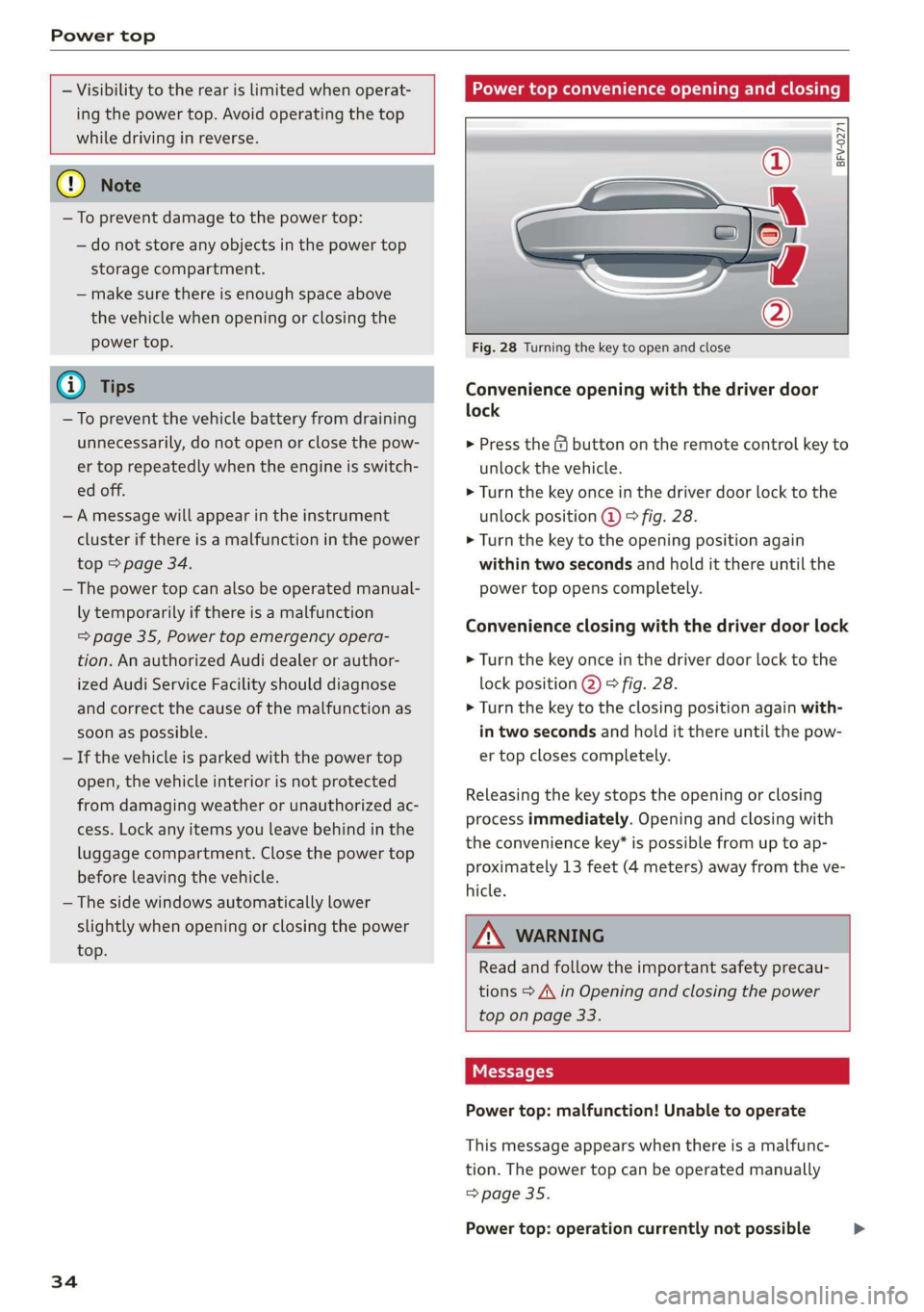
Fig. 28 Turning the key to open and close
Convenience opening with the driver door
lock
> Press the & button on the remote control key to
unlock the vehicle.
> Turn the key once in the driver door lock to the
unlock position @ © fig. 28.
> Turn the key to the opening position again
within two seconds and hold it there until the
power top opens completely.
Convenience closing with the driver door lock
> Turn the key once in the driver door lock to the
lock position @) © fig. 28.
> Turn the key to the closing position again with-
in two seconds and hold it there until the pow-
er top closes completely.
Releasing the key stops the opening or closing
process immediately. Opening and closing with
the convenience key* is possible from up to ap-
proximately 13 feet (4 meters) away from the ve-
hicle.
ZA WARNING
Read and follow the important safety precau-
tions > A\ in Opening and closing the power
top on page 33.
Messages
Power top: malfunction! Unable to operate
This message appears when there is a malfunc-
tion. The power top can be operated manually
=> page 35.
Power top: operation currently not possible >
Page 55 of 304
8S58012721BA
Warm and cold
PNT erates elem icel eT)
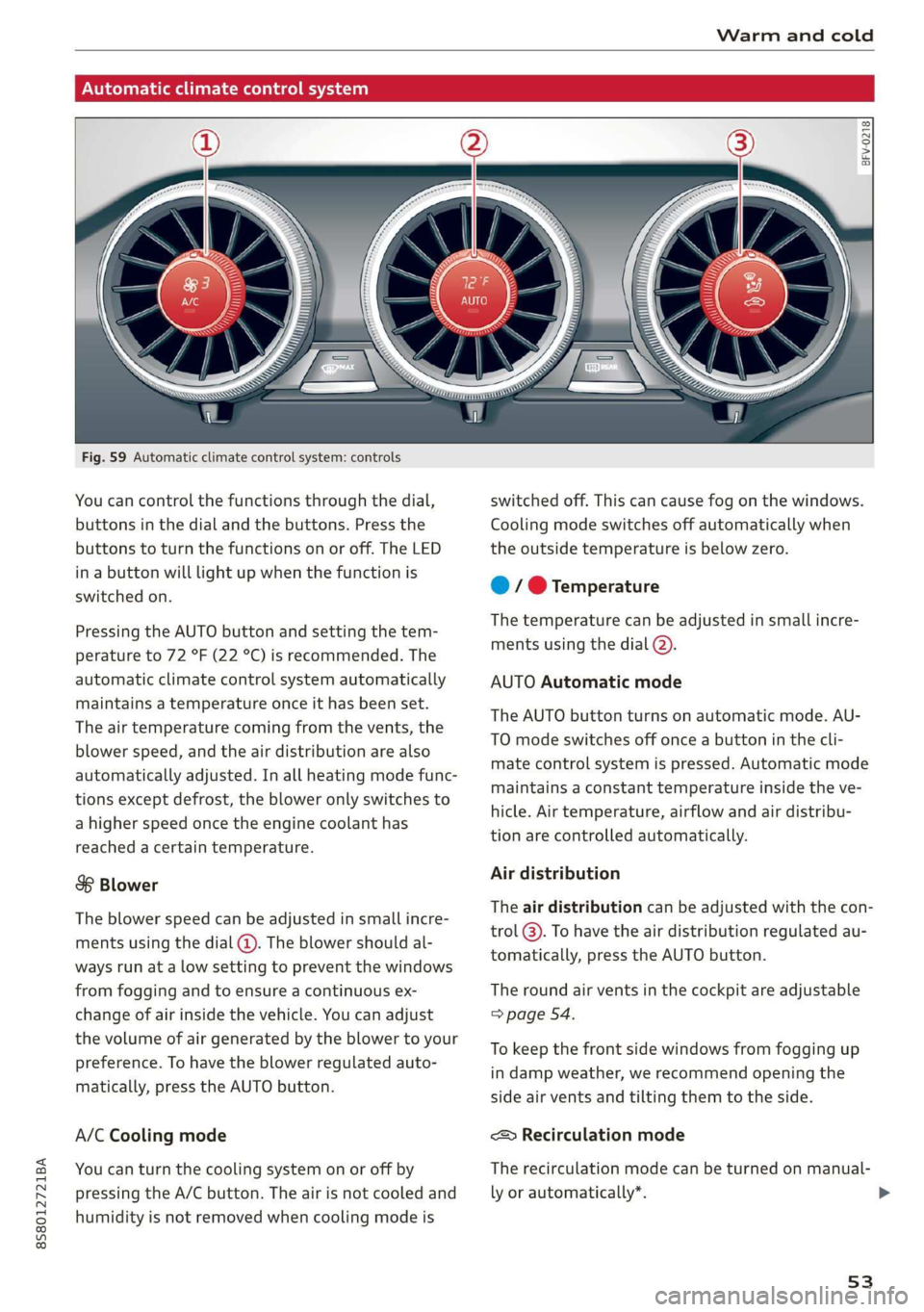
Fig. 59 Automatic climate control system: controls
You can control the functions through the dial,
buttons in the dial and the buttons. Press the
buttons to turn the functions on or off. The LED
in a button will light up when the function is
switched on.
Pressing the AUTO button and setting the tem-
perature to 72 °F (22 °C) is recommended. The
automatic climate control system automatically
maintains a temperature once it has been set.
The air temperature coming from the vents, the
blower speed, and the air distribution are also
automatically adjusted. In all heating mode func-
tions except defrost, the blower only switches to
a higher speed once the engine coolant has
reached a certain temperature.
8 Blower
The blower speed can be adjusted in small incre-
ments using the dial (@). The blower should al-
ways run at a low setting to prevent the windows
from fogging and to ensure a continuous ex-
change of air inside the vehicle. You can adjust
the volume of air generated by the blower to your
preference. To have the blower regulated auto-
matically, press the AUTO button.
A/C Cooling mode
You can turn the cooling system on or off by
pressing the A/C button. The air is not cooled and
humidity is not removed when cooling mode is
BFV-0218
switched off. This can cause fog on the windows.
Cooling mode switches off automatically when
the outside temperature is below zero.
@ / @ Temperature
The temperature can be adjusted in small incre-
ments using the dial (2).
AUTO Automatic mode
The AUTO button turns on automatic mode. AU-
TO mode switches off once a button in the cli-
mate control system is pressed. Automatic mode
maintains a constant temperature inside the ve-
hicle. Air temperature, airflow and air distribu-
tion are controlled automatically.
Air distribution
The air distribution can be adjusted with the con-
trol @). To have the air distribution regulated au-
tomatically, press the AUTO button.
The round air vents in the cockpit are adjustable
=> page 54.
To keep the front side windows from fogging up
in damp weather, we recommend opening the
side air vents and tilting them to the side.
<> Recirculation mode
The recirculation mode can be turned on manual-
ly or automatically*.
53
>
Page 56 of 304
Warm and cold
— Switching manual recirculation mode on and
off: Press the > button.
— Automatic* recirculation mode: auto recircula-
tion needs to be activated in the Infotainment
system. Select in the Infotainment system:
[MENU] button > Vehicle > left control button >
Vehicle settings > Air conditioning > Auto re-
circulation. The air quality sensor that is de-
signed for diesel and gasoline exhaust auto-
matically switches the recirculation mode on or
off depending on the level of pollutants in the
outside air.
In recirculation mode, the air inside the vehicle is
circulated and filtered. This prevents the unfil-
tered air outside the vehicle from entering the
vehicle interior. Switching recirculation mode on
when driving through a tunnel or when sitting in
traffic is recommended > A.
Pressing the <> button, AUTO or the & button
switches recirculation mode off.
® Defrosting
The windshield and side windows are defrosted
or cleared of condensation as quickly as possible.
The optimum amount of air flows mainly out of
the vents under the windshield. Recirculation
mode switches off. The temperature is controlled
automatically.
The AUTO button switches the defroster off.
{ Rear window defogger
If the rear window defogger is activated when
the ignition is switched on, the battery manage-
ment determines based on the battery charge if
it is possible to turn on. Otherwise, the rear win-
dow defogger functions with the engine running
and switches off automatically after approxi-
mately 10 - 20 minutes, depending on the out-
side temperature.
To prevent the rear window defogger from
switching off automatically, press and hold the
® button for more than two seconds. This re-
mains stored up to approximately 15 minutes af-
ter turning off the ignition.
54
Z\ WARNING
You should not use the recirculation mode for
an extended period since no fresh air is drawn
in. With the air-conditioning switched off, the
windows can fog up, which increases the risk
of an accident.
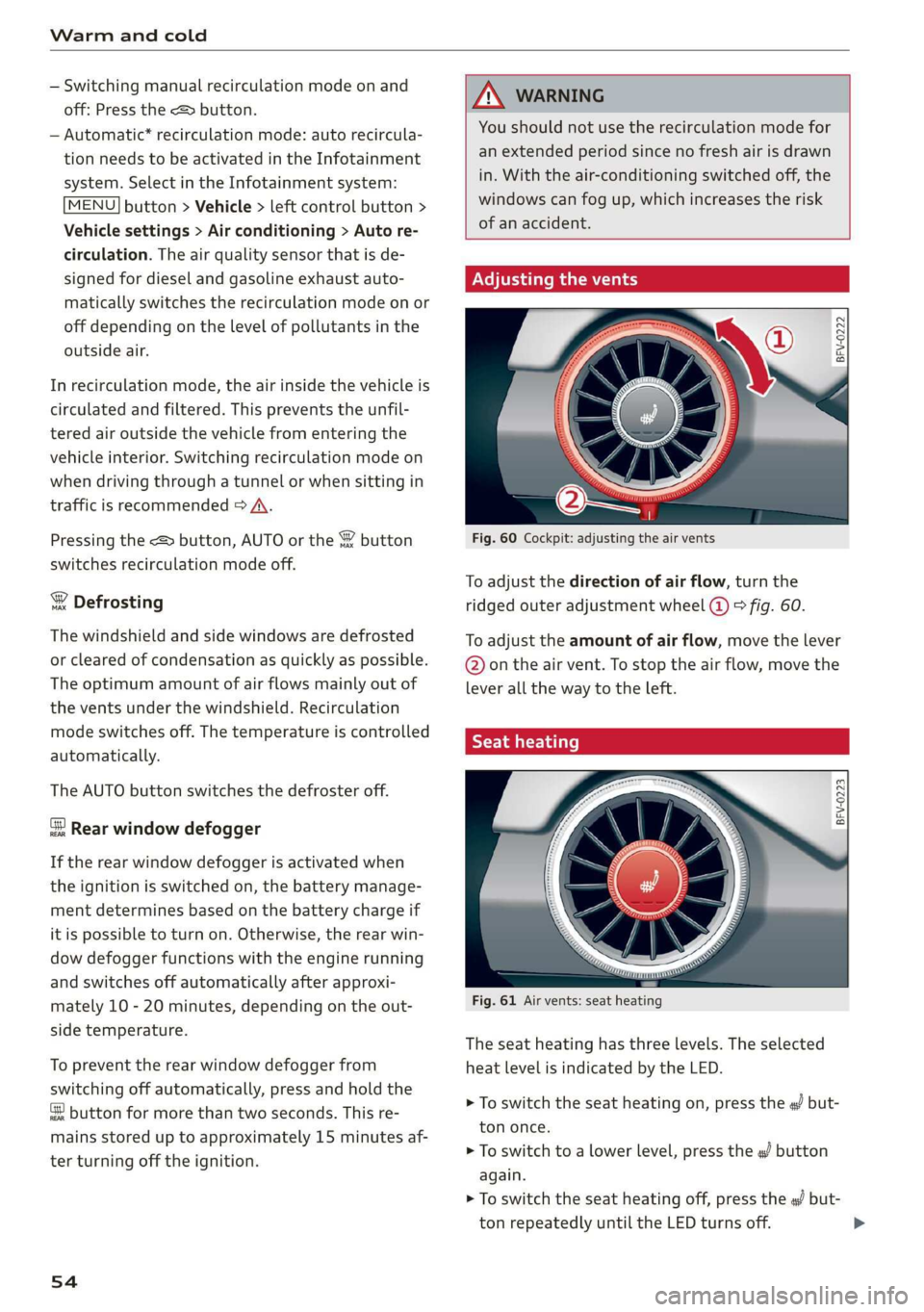
Adjusting the vents
BFV-0222
Fig. 60 Cockpit: adjusting the air vents
To adjust the direction of air flow, turn the
ridged outer adjustment wheel (@) fig. 60.
To adjust the amount of air flow, move the lever
@ on the air vent. To stop the air flow, move the
lever all the way to the left.
Syl)
Fig. 61 Air vents: seat heating
The seat heating has three levels. The selected
heat level is indicated by the LED.
> To switch the seat heating on, press the «/ but-
ton once.
> To switch to a lower level, press the «/ button
again.
> To switch the seat heating off, press the a but-
ton repeatedly until the LED turns off.
Page 58 of 304
Driving
Driving
General information
A new vehicle must be broken in within the first
1,000 miles (1,500 km) so that all moving parts
work smoothly together, which helps to increase
the service life of the engine.
Do not drive higher than two-thirds of the maxi-
mum permitted engine RPM during the first 600
miles (1,000 km) and do not use full accelera-
tion. The engine can be increased RPM gradually
during the next 300 miles (500 km).
rela ire ma Mae aoa Cle (
@) Note
When driving on poor roads, over curbs, and
on steep ramps, make sure that components
that hang below the vehicle, such as the spoil-
er and exhaust system, are not struck because
they could be damaged. This especially ap-
plies to vehicles with low ground clearance
and vehicles that are heavily loaded.
Driving through water on roads
Note the following to reduce the risk of vehicle
damage when driving through water, for example
on flooded roads:
— The water must not be any higher than the bot-
tom of the vehicle body.
— Do not drive faster than walking speed.
ZA\ WARNING
After driving through water or mud, the effec-
tiveness of the brakes may be reduced due to
moisture on the brake rotors and brake pads.
A few careful brake applications should dry off
the brakes and restore the full braking effect.
@) Note
Vehicle components such as the engine,
transmission, suspension, or electrical sys-
56
tem, can be severely damaged by driving
through water.
G) Tips
— Determine the depth before driving through
water.
— Do not stop the vehicle, drive in reverse, or
switch the engine off when driving through
water.
— Keep in mind that oncoming vehicles may
create waves that raise the water level and
make it too deep for your vehicle to drive
through safely.
— Avoid driving through salt water, because
this can cause corrosion.
Efficient and environmentally-conscious
The amount of fuel consumption, the environ-
mental impact, and the wear to the engine,
brakes, and tires depends mostly on your driving
style. Note the following information for efficient
and environmentally-conscious driving:
— Do not let the engine run while the vehicle
parked.
— Turn off electrical equipment that is not need-
ed, for example seat heating*.
— Anticipate upcoming traffic situations while
driving to avoid unnecessary acceleration and
braking.
— Utilize the engine braking effect.
— Avoid driving short distances or at high speeds
when possible.
— Avoid adding extra weight to the vehicle if pos-
sible, for example by not leaving roof racks or
bike racks installed when they are not needed.
— Have maintenance performed regularly on the
vehicle.
— Do not drive with winter tires during the summ-
ef,
— Make sure the tire pressure is correct
=> page 250.
G@) Tips
The amount of noise produced by the vehicle
can increase significantly when driving with a >
Page 59 of 304
8S8012721BA
Driving
sporty style. Show respect to others around
you and the environment with the way you op-
erate your vehicle, especially at night.
Steering
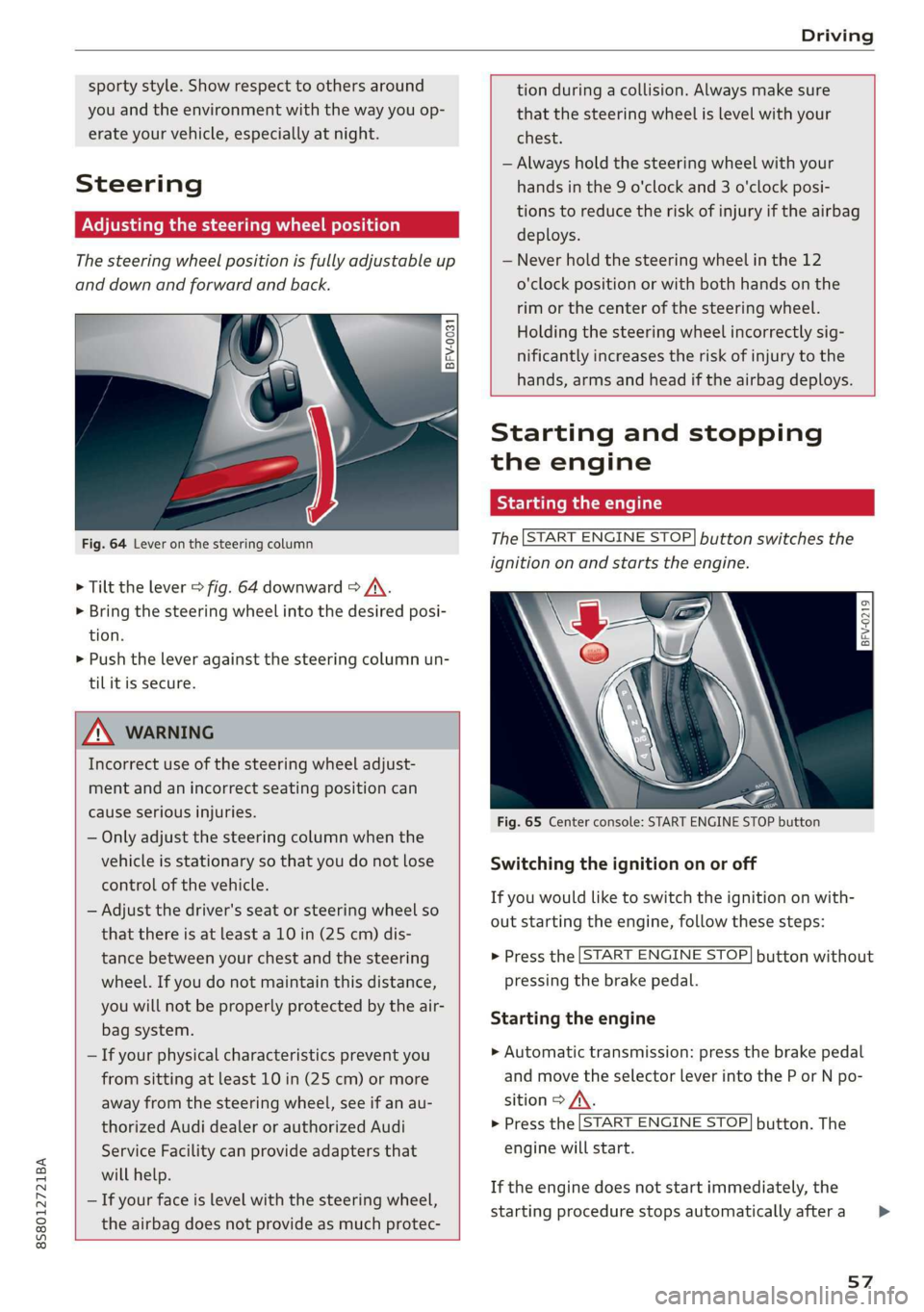
Adjusting the steering wheel position
The steering wheel position is fully adjustable up
and down and forward and back.
2 s g
> gc oa
Fig. 64 Lever on the steering column
> Tilt the lever = fig. 64 downward > A\.
> Bring the steering wheel into the desired posi-
tion.
> Push the lever against the steering column un-
tilit is secure.
tion during a collision. Always make sure
that the steering wheel is level with your
chest.
— Always hold the steering wheel with your
hands in the 9 o'clock and 3 o'clock posi-
tions to reduce the risk of injury if the airbag
deploys.
— Never hold the steering wheel in the 12
o'clock position or with both hands on the
rim or the center of the steering wheel.
Holding the steering wheel incorrectly sig-
nificantly increases the risk of injury to the
hands, arms and head if the airbag deploys.
ZA WARNING
Incorrect use of the steering wheel adjust-
ment and an incorrect seating position can
cause serious injuries.
— Only adjust the steering column when the
vehicle is stationary so that you do not lose
control of the vehicle.
— Adjust the driver's seat or steering wheel so
that there is at least a 10 in (25 cm) dis-
tance between your chest and the steering
wheel. If you do not maintain this distance,
you will not be properly protected by the air-
bag system.
— If your physical characteristics prevent you
from sitting at least 10 in (25 cm) or more
away from the steering wheel, see if an au-
thorized Audi dealer or authorized Audi
Service Facility can provide adapters that
will help.
— If your face is level with the steering wheel,
the airbag does not provide as much protec-
Starting and stopping
the engine
Tatars ma eae tn
The [START ENGINE STOP] button switches the
ignition on and starts the engine.
a
Sg
x >
i o
Fig. 65 Center console: START ENGINE STOP button
Switching the ignition on or off
If you would like to switch the ignition on with-
out starting the engine, follow these steps:
> Press the [START ENGINE STOP] button without
pressing the brake pedal.
Starting the engine
> Automatic transmission: press the brake pedal
and move the selector lever into the P or N po-
sition > A\.
> Press the [START ENGINE STOP] button. The
engine will start.
If the engine does not start immediately, the
starting procedure stops automatically after a
57
>
Page 60 of 304
Driving
short time. If this is the case, repeat the starting
procedure after approximately 30 seconds.
ZA\ WARNING
— To reduce the risk of asphyxiation, never al-
low the engine to run in confined spaces.
— Never turn off the engine before the vehicle
has come to a complete stop.
— The brake booster and power steering only
work when the engine is running. If the en-
gine is off, you have to use more force when
steering or braking. The fact that you cannot
steer and brake as usual may increase the
risk of accidents and serious injuries.
© Note
Avoid high engine speed, full throttle, and
heavy engine load if the engine has not
reached operating temperature yet. You could
damage the engine.
@ For the sake of the environment
Do not let the engine run while parked to
warm up. Begin driving immediately. This re-
duces unnecessary emissions.
@ Tips
— Some noise after starting the engine is nor-
mal and is no cause for concern.
— If you leave the vehicle with the ignition
switched on, the ignition will switch off af-
ter a certain amount of time. Make sure that
electrical equipment such as the exterior
lights are switched off.
Stopping the engine
> Bring the vehicle to a full stop.
> Press the [START ENGINE STOP
button.
Emergency off function*
If it is absolutely necessary, the engine can also
be turned off while driving at speeds starting at
4 mph (7 km/h). To stop the engine, press the
START ENGINE STOP] button twice in a row or
press and hold it one time.
58
Z\ WARNING
— Never turn off the engine before the vehicle
has come to a complete stop. Switching it
off before the vehicle has stopped may im-
pair the function of the brake booster and
power steering. You may need to use more
force when braking or steering. Because you
cannot brake and steer as you usually would,
this could lead to accidents and serious inju-
ries.
— If you leave the vehicle, switch the ignition
off and take the vehicle key with you. If you
do not do this, the engine could be started
and electrical equipment such as the power
windows could be activated. This can lead to
serious injuries.
— For safety reasons, always park the vehicle
with the selector lever in the P position.
Otherwise, there is the risk that the vehicle
could roll unintentionally.
@) Note
If the engine has been under heavy load for
an extended period of time, heat builds up in
the engine compartment after the engine is
switched off and there is a risk of damaging
the engine. For this reason, let the engine run
at idle for approximately two minutes before
shutting it off.
(i) Tips
For up to 10 minutes after stopping the en-
gine, the radiator fan may turn on again auto-
matically or it may continue to run, even if the
ignition is switched off.
Messages
Pressing the start/stop button again will switch
off the engine
This message appears when you press the
START ENGINE STOP] button while driving.
Engine start system: malfunction! Please con-
tact Service
The engine automatic start system has a mal-
function. Drive to an authorized Audi dealer or >