ECU AUDI TT ROADSTER 2019 Owners Manual
[x] Cancel search | Manufacturer: AUDI, Model Year: 2019, Model line: TT ROADSTER, Model: AUDI TT ROADSTER 2019Pages: 304, PDF Size: 80.77 MB
Page 6 of 304
Table of contents
Kiteerairbagsicc 2 secs ee esac a w anaes ¥ vo 204
Side airbags. ........... eee eee eee 206
SRC SARSEY ois i ese se ween 4 & ese a 210
Important information............... 210
Child 'safety S@atSiivec 2s gcan
Additional information............... 222
Maintenance and Care........... 223
Checking and Filling............. 223
Fuel... 2. cece eee eee eee eee 223
Refuelingjecs ss sees se ane + eeee § s peme 224
Emissions control system...........4. 227
Engine compartment................. 227
ERGINGOtls seus 2 x seme « ¥ neue =e oRBER Fae 230
Cooling:system . « sscses v < ssesens vo eevee so ave 234
Brake fluid... 2... eee eee eee 235
Electrical SySteMi wis ¢ scm ae mews eg ey 236
Battery: « & cess 6 6 ceva © 5 mews « wenn ¥ © oi 236
Windshield washer system...........- 238
Service interval display............... 239
Wheels ........ 0... eee 240
Wheels and Tires . . 240
Tire pressure monitoring system....... 256
Tire pressure monitoring system....... 258
Care and cleaning................ 262
General information wo. ceo saeco es 262
Car washes...............2..20.00005 262
Cleaning and care information......... 263
Taking your vehicle out of service....... 267
Do-It YOUrSEUT v5 ¢ «gee8 & peas es eee 268
Emergency assistance........... 268
General
information................. 268
EQUIPITICNE sass ¢ ¢ eens + eeen a 3 ces 3s He 268
Tire mobility kit ose: <2 cere ae eee se ees 268
Replacing wheels..............000005 270
Sparetire........... 0.00.0 20.000000. 274
TOWING scsvss = ¢ wesos « § eeons & 2 Keres 4 = HES 274
Fuses and bulbs.................. 277
FUSES an + x css 5 © ames + © eRe = Beem He 277
BULDSisi0e svowave 4 6 oniuen a a stants a Hanon w 8 ave 279
Customer information........... 280
Accessories and technical
CHANGES: « s seve + a wees ¢ s eee oe ee Ze 280
Warratttys: < s wexsas os menus vo oncans © 0 sence 280
Audi Literature Shop.............005- 280
Driving in other countries............. 280
Maintenance, repairs, and technical
modifications...............02.-00 280
Accessories and parts..............-. 282
Reporting Safety Defects.............. 282
Declaration
of compliance for
telecommunications equipment and
electroniesystemss: + - seca ss sec oo waren 283
Technical data.................... 285
Identification data................0.. 285
Ne@hicle’datiabaccic = 2 cms » @ canseae » 1 sumone a oo 285
TWAS Rey + xaos 5c owe co UE a eee se 287
Page 17 of 304
8S8012721BA
Instrument cluster
Vehicle functions
On-board computer
Depending on the vehicle equipment, you may be
able to access the following information in this
order on the on-board computer > page 10, fig. 3
@:
—Time and date > page 171
— Average consumption
— Short-term memory overview
— Long-term memory overview
— Energy consumers > page 15
— Driver assistance
— Traffic sign recognition
The short-term memory collects driving informa-
tion from the time the ignition is switched on un-
til it is switched off. If you continue driving within
two hours after switching the ignition off, the
new values are included when calculating the cur-
rent trip information.
Unlike the short-term memory, the long-term
memory is not erased automatically. You can se-
lect the time period for evaluating trip informa-
tion yourself.
Energy consumers*
The Energy consumers view lists other equip-
ment that is currently affecting fuel consump-
tion. The display shows up to three equipment
items. The equipment using the most power is
listed first. If more than three items using power
are switched on, the equipment that is currently
using the most power is displayed. A chart also
shows you the current total of all other consum-
ers.
Fuel consumption
The current fuel consumption can be shown using
a bar graph. The average consumption stored in
the short-term memory is also displayed. If the
bar is green, your vehicle is saving fuel through
one of the following functions:
— Recuperation: electrical energy can be stored in
the battery when the vehicle is coasting or driv-
ing downhill. The bar will move toward (1.
Engine oil temperature display and boost
atelte- hele
Applies to: vehicles with engine oil temperature display/boost
indicator
The
engine oil temperature display and boost in-
dicator are only shown in the enhanced view or in
the sport view > page 13.
Engine oil temperature indicator =
The engine has reached its operating tempera-
ture when the engine oil temperature is between
176 °F (80 °C) and 248 °F (120 °C) under normal
driving conditions. The engine oil temperature
may be higher if there is heavy engine load and
high temperatures outside. This is not a cause for
concern as long as the = => page 231 or EA
= page 231 indicator lights do not turn on.
Boost indicator
The current engine load (meaning the current
boost pressure) is indicated by a bar.
Shift light indicator
Applies to: vehicles with shift light indicator
The
shift light indicator informs the driver when
the rpm limit is reached.
Accessing the shift light indicator
Requirement: tiptronic mode must be activated
=> page 66.
> Select the sport view > page 13. The shift light
indicator is displayed with green, yellow and
red ranges in the upper areas of the tachome-
ter.
The shift light indicator will blink red when ap-
proaching the engine speed limit. Shift to the
next highest gear at the right time.
Sy eame ENE
Applies to: vehicles with Sport displays
Depending on the vehicle equipment, the sport
displays may include the G-meter, the engine da-
ta and the tire pressure monitoring system. You
can access the sport displays in the central area
or in the additional display in the driver informa-
tion system. >
15
Page 27 of 304
8S58012721BA
Opening and closing
> Press the ff lock button on the convenience key
and touch the sensor on the door handle (driv-
er's door) one time within five seconds of press-
ing the button > fig. 16. Do not grasp the door
handle while locking the vehicle, or else the ve-
hicle will not lock.
> To check if the function has been deactivated,
wait at least 10 seconds and pull the door han-
dle again. The door should not open.
After that, it will only be possible to unlock the
vehicle using the remote control key or by me-
chanically unlocking the lock cylinder. Keyless ac-
cess will be active again after the next time the
vehicle is locked/unlocked.
You can unlock/lock the vehicle at every door. The
convenience key must no be more than approxi-
mately 5 feet (1.5 m) away from the door handle.
The function should not be impaired if the con-
venience key is in your jacket pocket or in your
briefcase, for example.
If you hold the door handle while locking, this
can impair the locking function.
The door cannot be opened for a brief period di-
rectly after locking it. This way you have the op-
portunity to check if the doors locked correctly.
The settings in the Infotainment system deter-
mine if the entire vehicle or only one of the doors
is unlocked when unlocking the vehicle
=> page 26.
ZA\ WARNING
No one, especially children, should stay in the
vehicle when it is locked from the outside, be-
cause the windows can no longer be opened
from the inside > page 27. Locked doors
make it more difficult for emergency workers
to get into the vehicle, which puts lives at risk.
Z\ WARNING
Read and following all WARNINGS. > A in
Key set on page 22
@) Tips
If your vehicle is left standing for a long peri-
od
of time, note the following:
—To prevent the vehicle battery from dis-
charging, the energy management gradual-
ly switches off convenience functions that
are not needed. You then may no longer be
able to unlock your vehicle with the sensors.
— For an explanation on conformity with the
FCC regulations in the United States and the
Industry Canada regulations, see
=> page 283.
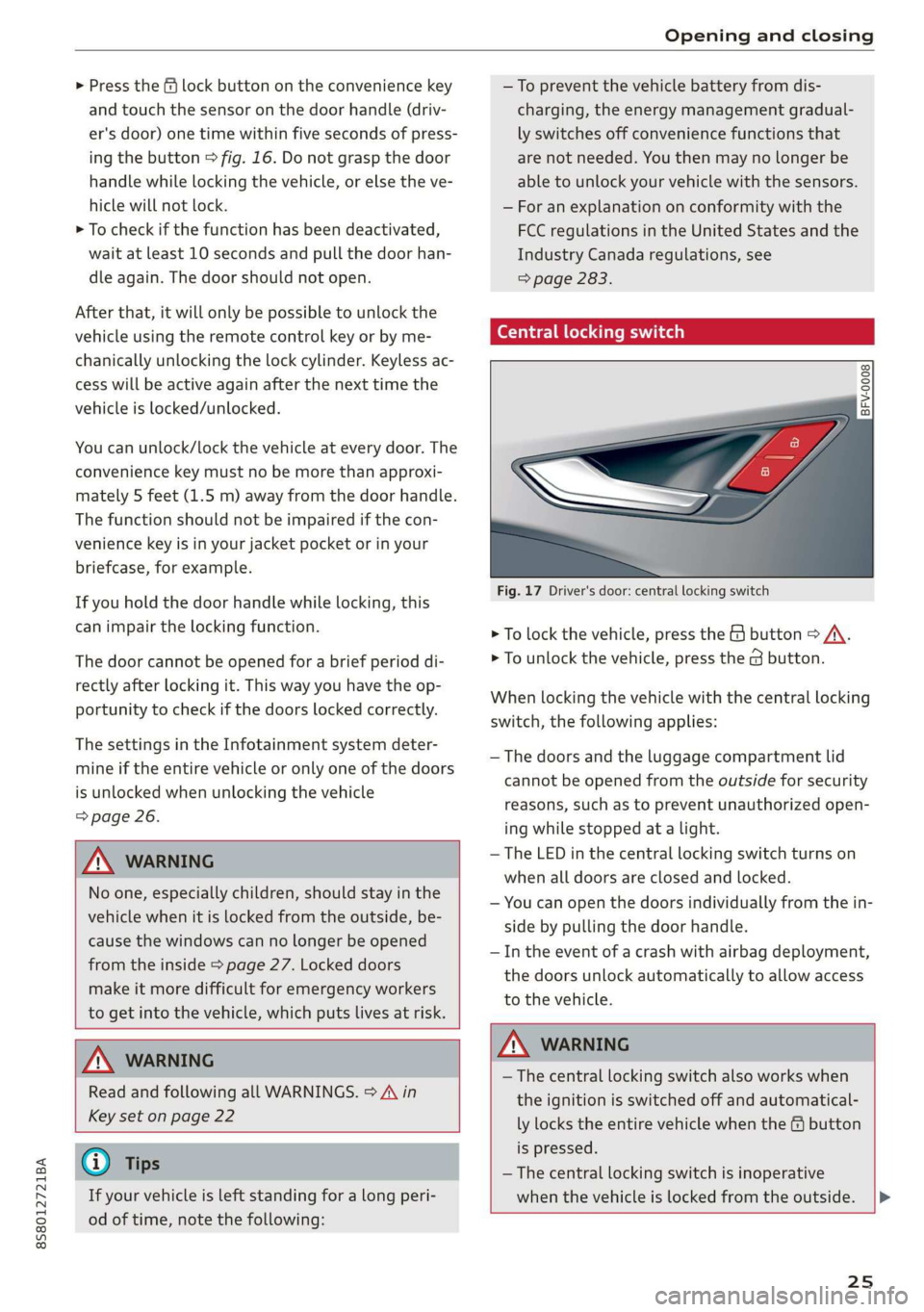
Central locking switch
©) 3 S
2 s x
oo
Fig. 17 Driver's door: central locking switch
> To lock the vehicle, press the & button > A\.
> To unlock the vehicle, press the @ button.
When locking the vehicle with the central locking
switch, the following applies:
— The doors and the luggage compartment lid
cannot be opened from the outside for security
reasons, such as to prevent unauthorized open-
ing while stopped at a light.
— The LED in the central locking switch turns on
when all doors are closed and locked.
— You can open the doors individually from the in-
side by pulling the door handle.
— In the event of a crash with airbag deployment,
the doors unlock automatically to allow access
to the vehicle.
Z\ WARNING
—The central locking switch also works when
the ignition is switched off and automatical-
ly locks the entire vehicle when the & button
is pressed.
— The central locking switch is inoperative
when the vehicle is locked from the outside. |>
25
Page 29 of 304
8S8012721BA
Opening and closing
> Insert the key into the slot inside and turn it all
the way to the right (right door) or to the left
(left door*).
Once the front passenger's door is closed, it is no
longer possible to open it from the outside. The
door can be opened from the inside by pulling
the door handle.
PV ae Te
If the anti-theft alarm system detects a vehicle
break-in, audio and visual warning signals are
triggered. The anti-theft alarm system is switch-
ed on or off when locking or unlocking your vehi-
cle. If the alarm is triggered, it will shut off auto-
matically after a certain amount of time.
Switching the alarm off manually
> To switch the alarm off, press the G button on
the remote control key or switch the ignition
on.
Break-in security feature
The alarm will sound if there is a break-in at the
doors, hood, and/or luggage compartment lid.
Luggage compartment
lid
Opening and closing the luggage
compartment lid
Opening the luggage compartment lid
> To unlock the luggage compartment lid, press
the < button on the remote control key. Or
> Lift the luggage compartment lid.
Closing the luggage compartment lid
>» Use the inside grip to pull the luggage com-
partment lid down and allow it to close using a
gentle push > A\.
Z\ WARNING
— After closing the luggage compartment lid,
make sure that it is latched. Otherwise the
luggage compartment lid could open sud-
denly when driving, which increases the risk
of an accident.
— Never drive with the luggage compartment
lid ajar or open, because poisonous gases
can enter the vehicle interior and create the
risk of asphyxiation.
— Never leave your vehicle unattended when
the luggage compartment lid is open. A
child could crawl into the luggage compart-
ment. If the luggage compartment lid was
then closed, the child would be trapped in
the vehicle and unable to escape. To reduce
the risk of injury, do not allow children to
play in or around the vehicle. Always keep
the luggage compartment lid and the doors
closed when the vehicle is not in use.
— Always make sure no one is in the luggage
compartment lid's range of motion when it
is closing, especially near the hinges. Fin-
gers or hands could be pinched.
@) Tips
— When the vehicle is locked, the luggage
compartment lid can be unlocked separately
by pressing the << button on the remote
control key. The luggage compartment lid
locks automatically when it is closed again.
— Incase of an emergency or a faulty handle,
the luggage compartment lid can be opened
manually from the inside > page 28.
27
Page 31 of 304
8S8012721BA
Opening and closing
the second level. The operation will stop if the
switch is pressed or pulled again.
> To select a position in between opened and
closed,
press or pull the switch to the first level
until
the desired window position is reached.
Power window switches
@ Left door
@ Right door
ZA WARNING
— Pay careful attention when closing the win-
dows. Pinching could cause serious injuries.
— When locking the vehicle from outside, the
vehicle must be unoccupied since the win-
dows can no longer be opened in an emer-
gency.
G@) Tips
— You can still open and close the windows for
approximately 10 minutes after turning the
ignition off. The power windows do not
switch off until the driver's door or front
passenger's door has been opened.
— When opening the doors and when open-
ing/closing the power top, the windows au-
tomatically lower approximately 0.4 inches
(10 mm).
Convenience opening and closing
All windows can be opened and closed at the
same time.
For power top* convenience opening/closing, re-
fer to the information in > page 34.
Convenience opening feature
> Press and hold the @ button on the remote con-
trol key until all windows reach the desired po-
sition.
Convenience closing feature
> Press and hold the & button on the remote con-
trol key until all windows are closed > /\.
Convenience closing with the convenience
key*
> Touch the sensor* on the door handle long
enough until all windows are closed. Do not
place your hand in the door handle when doing
this.
Setting convenience opening in the
Infotainment system
The function can be switched on/off in the Info-
tainment system > page 26.
ZA WARNING
— Never close the windows carelessly or in an
uncontrolled manner, because this increases
the risk of injury.
— For security reasons, the windows can only
be opened and closed with the remote con-
trol key at a maximum distance of approxi-
mately 6 ft (2 m) away from the vehicle.
When pressing the ff button, always watch
the windows while they are closing so that
no one is pinched in the window. The closing
process will stop immediately when the f&
button is released.
Correcting power window malfunctions
You can reactivate the one-touch up/down func-
tion if it malfunctions.
> Pull the power window switch up until the win-
dow is completely raised.
> Release the switch and pull it up again for at
least one second.
29
Page 32 of 304
Opening and closing
Garage door opener
Applies to: vehicles with garage door opener
TTA
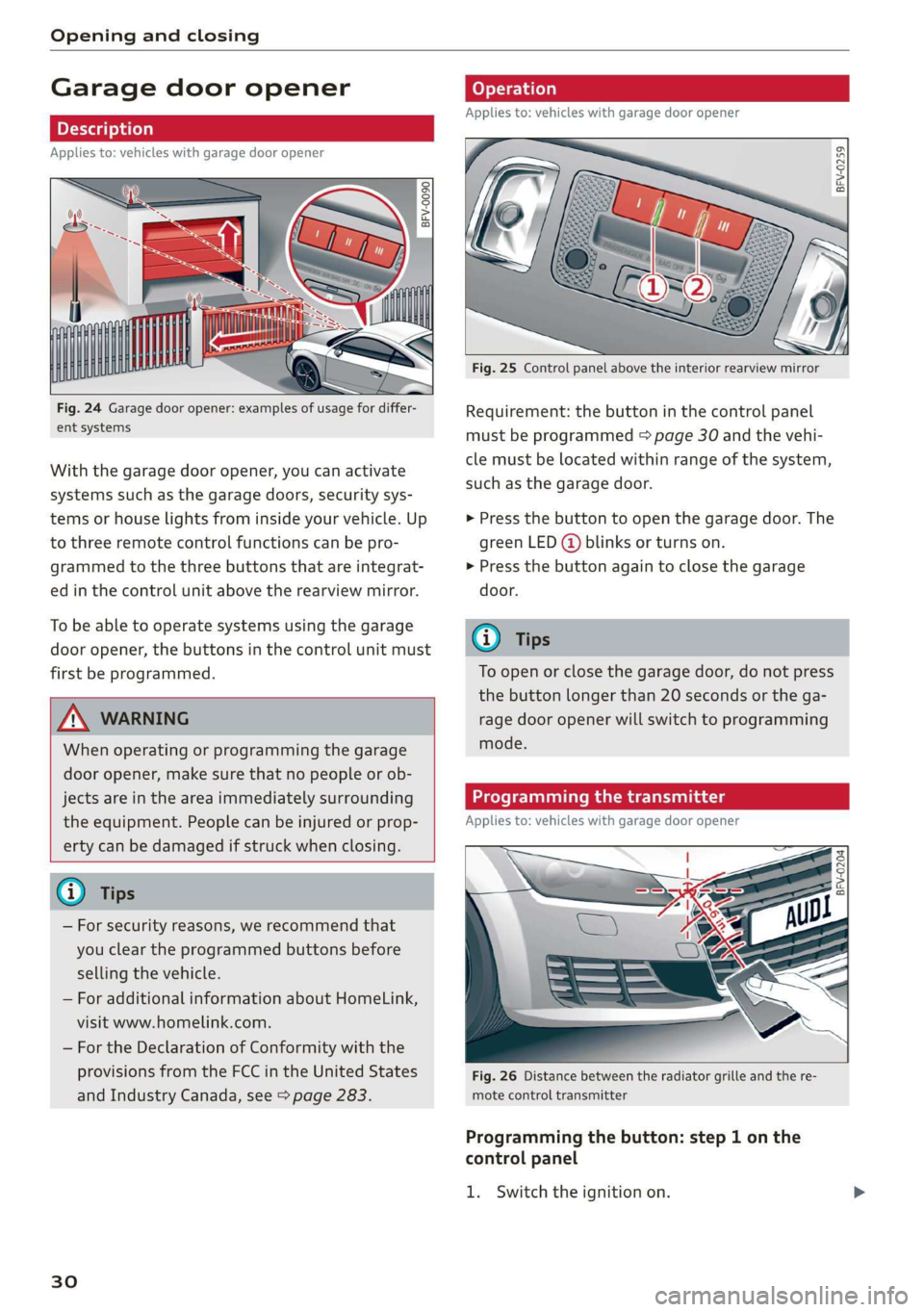
Fig. 24 Garage door opener: examples of usage for differ-
ent systems
With the garage door opener, you can activate
systems such as the garage doors, security sys-
tems or house lights from inside your vehicle. Up
to three remote control functions can be pro-
grammed to the three buttons that are integrat-
ed in the control unit above the rearview mirror.
To be able to operate systems using the garage
door opener, the buttons in the control unit must
first be programmed.
ZX WARNING
When operating or programming the garage
door opener, make sure that no people or ob-
jects are in the area immediately surrounding
the equipment. People can be injured or prop-
erty can be damaged if struck when closing.
— For security reasons, we recommend that
you clear the programmed buttons before
selling the vehicle.
— For additional information about HomeLink,
visit www.homelink.com.
— For the Declaration of Conformity with the
provisions from the FCC in the United States
and Industry Canada, see > page 283.
30
Applies to: vehicles with garage door opener
a a
aq
g >
i o
Fig. 25 Control panel above the interior rearview mirror
Requirement: the button in the control panel
must be programmed > page 30 and the vehi-
cle must be located within range of the system,
such as the garage door.
> Press the button to open the garage door. The
green LED (@ blinks or turns on.
» Press the button again to close the garage
door.
@ Tips
To open or close the garage door, do not press
the button longer than 20 seconds or the ga-
rage door opener will switch to programming
mode.
Programming the transmitter
Applies to: vehicles with garage door opener
BFV-0204
Fig. 26 Distance between the radiator grille and the re-
mote control transmitter
Programming the button: step 1 on the
control panel
1. Switch the ignition on.
Page 37 of 304
8S58012721BA
Power top
If the power top is operated continually for a
long period of time, the overload protection acti-
vates for approximately 15 to 30 minutes. You
can open or close the power top again after that.
Power top: malfunction! You may continue driv-
ing (limited functionality). See owner's manual
This message appears if there is a malfunction in
the system. Try to open or close the power top
again. If the message still appears, then have an
authorized Audi dealer or authorized Audi Service
Facility correct the malfunction. Do not drive
more than 30 mph (50 km/h) until it is corrected.
A WARNING
Never drive when the power top is not locked
correctly. The wind from driving could cause
the power top to open. This can result in inju-
ries and damage to the vehicle.
Wind deflector
Applies to: vehicles with wind deflector
The wind deflector reduces air movement in the
passenger compartment in order to increase
driving comfort.
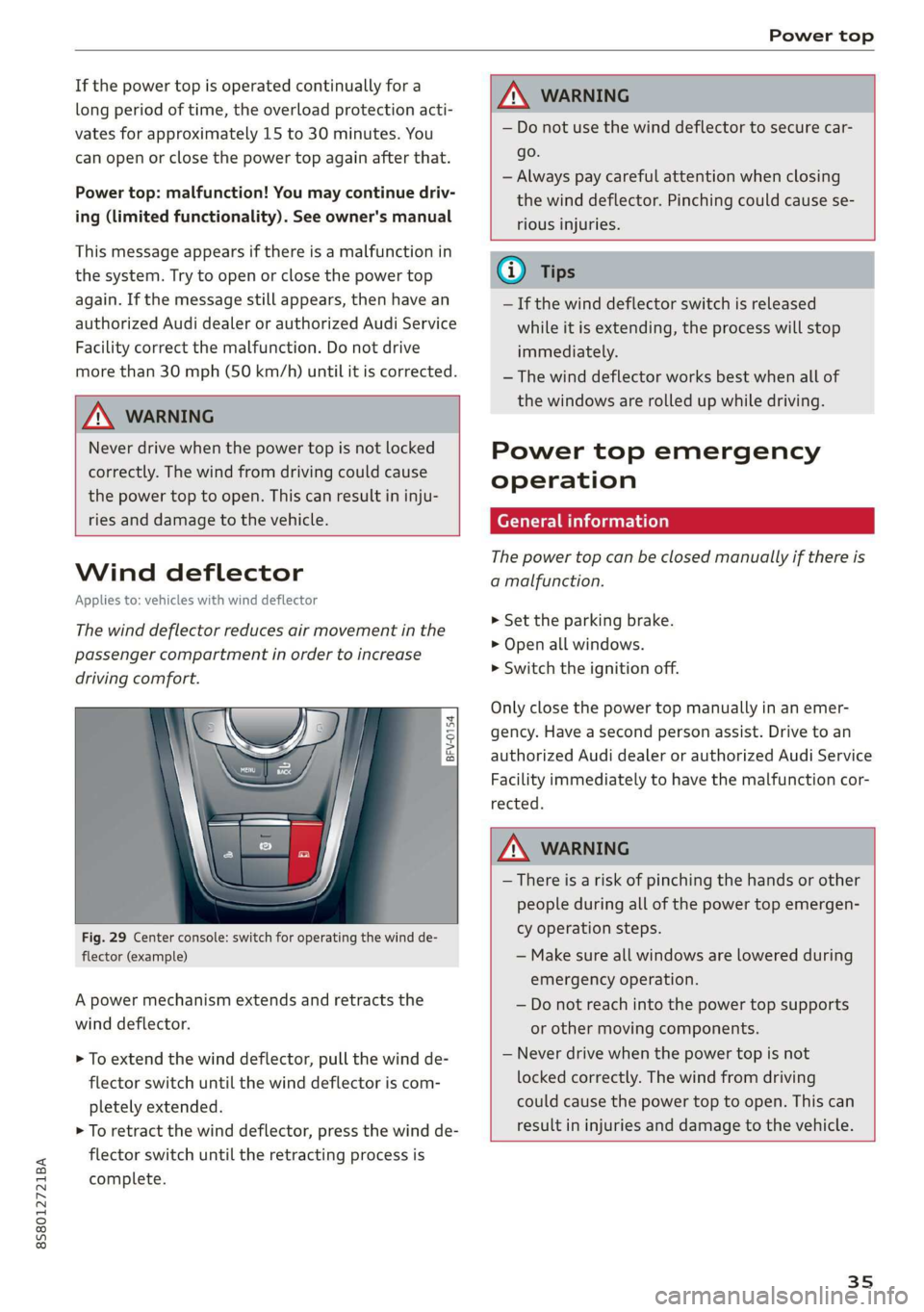
z 5
g
g
Fig. 29 Center console: switch for operating the wind de-
flector (example)
A power mechanism extends and retracts the
wind deflector.
> To extend the wind deflector, pull the wind de-
flector switch until the wind deflector is com-
pletely extended.
> To retract the wind deflector, press the wind de-
flector switch until the retracting process is
complete.
ZX, WARNING
— Do not use the wind deflector to secure car-
go.
— Always pay careful attention when closing
the wind deflector. Pinching could cause se-
rious injuries.
— If the wind deflector switch is released
while it is extending, the process will stop
immediately.
— The wind deflector works best when all of
the windows are rolled up while driving.
Power top emergency
operation
General information
The power top can be closed manually if there is
a malfunction.
> Set the parking brake.
> Open all windows.
> Switch the ignition off.
Only close the power top manually in an emer-
gency. Have a second person assist. Drive to an
authorized Audi dealer or authorized Audi Service
Facility immediately to have the malfunction cor-
rected.
WARNING
— There is a risk of pinching the hands or other
people during all of the power top emergen-
cy operation steps.
— Make sure all windows are lowered during
emergency operation.
— Do not reach into the power top supports
or other moving components.
— Never drive when the power top is not
locked correctly. The wind from driving
could cause the power top to open. This can
result in injuries and damage to the vehicle.
35
Page 39 of 304
8S58012721BA
Power top
>» Remove the cover in the center of the power
top using a screwdriver > fig. 35.
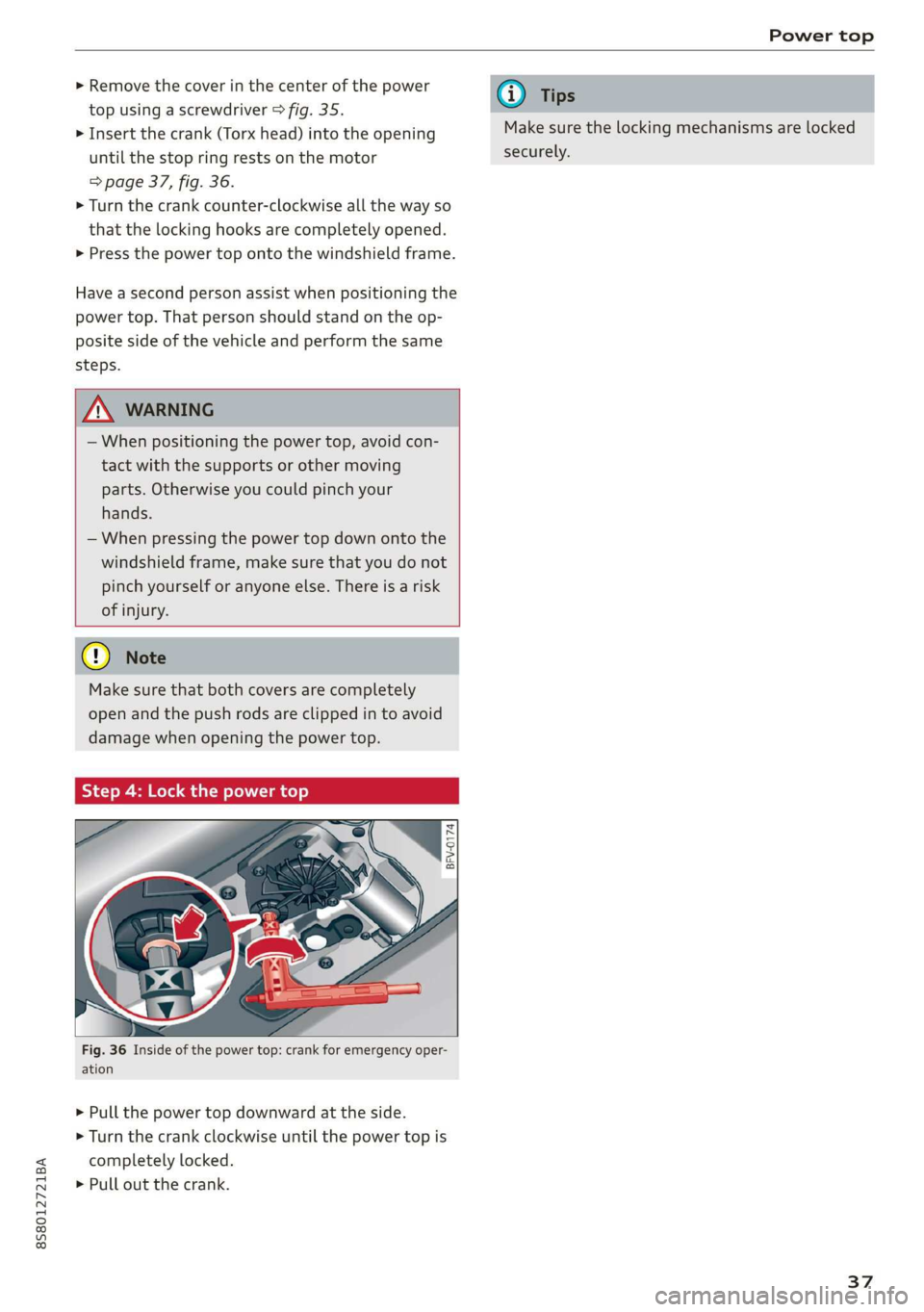
> Insert the crank (Torx head) into the opening
until the stop ring rests on the motor
=> page 37, fig. 36.
> Turn the crank counter-clockwise all the way so
that the locking hooks are completely opened.
> Press the power top onto the windshield frame.
Have a second person assist when positioning the
power top. That person should stand on the op-
posite side of the vehicle and perform the same
steps.
Z\ WARNING
— When positioning the power top, avoid con-
tact with the supports or other moving
parts. Otherwise you could pinch your
hands.
— When pressing the power top down onto the
windshield frame, make sure that you do not
pinch yourself or anyone else. There is a risk
of injury.
Cy Note
Make sure that both covers are completely
open and the push rods are clipped in to avoid
damage when opening the power top.
Step 4: Lock the power top
BFV-0174
ig. 36 Inside of the power top: crank for emergency oper-
ation
> Pull the power top downward at the side.
> Turn the crank clockwise until the power top is
completely locked.
> Pull out the crank.
@) Tips
Make sure the locking mechanisms are locked
securely.
37
Page 50 of 304
Stowing and using
Stowing and using
Ashtray
Applies to: vehicles with ashtray
2 3 ° >
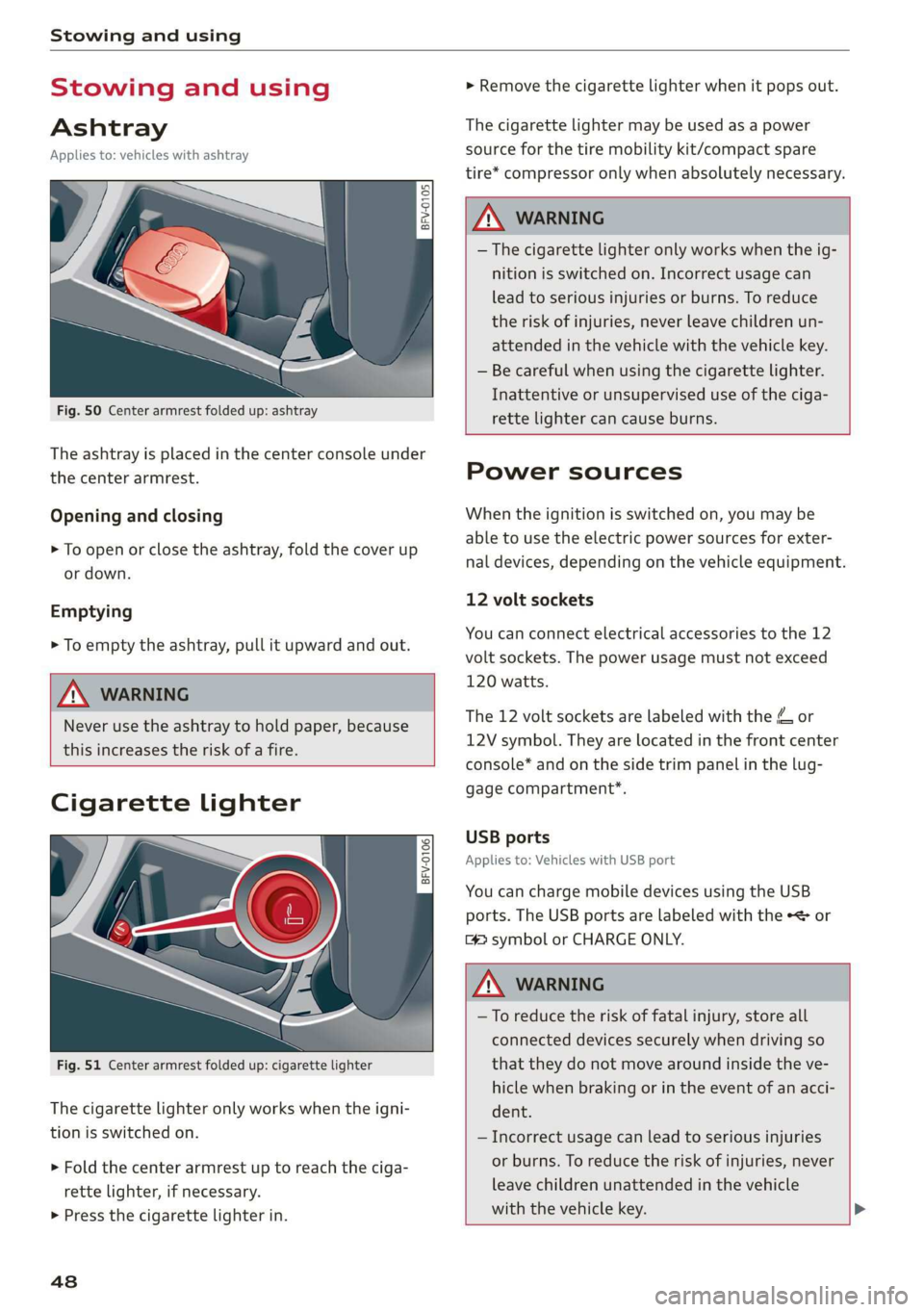
c o
Fig. 50 Center armrest folded up: ashtray
The ashtray is placed in the center console under
the center armrest.
Opening and closing
> To open or close the ashtray, fold the cover up
or down.
Emptying
> To empty the ashtray, pull it upward and out.
ZA WARNING
Never use the ashtray to hold paper, because
this increases the risk of a fire.
Cigarette lighter
Fig. 51 Center armrest folded up: cigarette lighter
The
cigarette lighter only works when the igni-
tion is switched on.
> Fold the center armrest up to reach the ciga-
rette lighter, if necessary.
> Press the cigarette lighter in.
48
> Remove the cigarette lighter when it pops out.
The cigarette lighter may be used as a power
source for the tire mobility kit/compact spare
tire* compressor only when absolutely necessary.
Z\ WARNING
— The cigarette lighter only works when the ig-
nition is switched on. Incorrect usage can
lead to serious injuries or burns. To reduce
the risk of injuries, never leave children un-
attended in the vehicle with the vehicle key.
— Be careful when using the cigarette lighter.
Inattentive or unsupervised use of the ciga-
rette
lighter can cause burns.
Power sources
When the ignition is switched on, you may be
able to use the electric power sources for exter-
nal devices, depending on the vehicle equipment.
12 volt sockets
You can connect electrical accessories to the 12
volt sockets. The power usage must not exceed
120 watts.
The 12 volt sockets are labeled with the & or
12V symbol. They are located in the front center
console* and on the side trim panel in the lug-
gage compartment*.
USB ports
Applies to: Vehicles with USB port
You can charge mobile devices using the USB
ports. The USB ports are labeled with the «<> or
[4 symbol or CHARGE ONLY.
Z\ WARNING
—To reduce the risk of fatal injury, store all
connected devices securely when driving so
that they do not move around inside the ve-
hicle when braking or in the event of an acci-
dent.
— Incorrect usage can lead to serious injuries
or burns. To reduce the risk of injuries, never
leave children unattended in the vehicle
with the vehicle key. >
Page 52 of 304
Stowing and using
Luggage compartment
General information
All pieces of luggage or objects must be securely
fastened in the luggage compartment. Note the
following to maintain good vehicle handling:
> Distribute the load evenly in the luggage com-
partment.
> Stow heavy luggage as far forward in the lug-
gage compartment as possible.
» Use non-elastic cords attached to the tie-downs
to secure objects.
Z\ WARNING
— Loose objects can be thrown around the ve-
hicle interior during sudden driving or brak-
ing maneuvers, which increases the risk of
an accident. Always stow objects securely in
the luggage compartment and secure them
at the tie-downs. Use straps suitable for
heavy objects.
— If pieces of luggage or objects are secured
to the tie-downs with unsuitable or dam-
aged straps, this can increase the risk of in-
jury during braking maneuvers or accidents.
— When transporting heavy objects, the vehi-
cle characteristics will change due to the
shift in the center of gravity, which increases
the risk of an accident. You may need to
adapt your driving style and speed to the
current conditions.
— The cargo net is only strong enough to se-
cure light objects. Heavy objects are not ade-
quately secured. Attempting to secure heavy
objects increases the risk of injury.
— Never exceed the permitted axle and load
and vehicle weight > page 286.
— Never secure a child safety seat to the tie-
downs.
— Never leave your vehicle unattended, espe-
cially if the luggage compartment lid is
open. Children could enter the luggage com-
partment and close the luggage compart-
ment lid from the inside. This creates the
risk of fatal injury, since the children would
be locked in and may not be able to escape
by themselves.
sO
— Do not allow children to play in or on the ve-
hicle. Close and lock the luggage compart-
ment lid as well as all other doors when you
leave the vehicle.
— Never transport passengers in the luggage
compartment. Every passenger must be cor-
rectly secured with the safety belts in the
vehicle > page 182.
() Note
Make sure that the heating grid strips for the
rear window defogger are not damaged by
abrasive objects.
G) Tips
— The tire pressure must be adapted to the
load > page 250.
— You can purchase straps at specialty stores.
Pass-through with bag
Applies to: vehicles with pass-through and removable ski bag
BFV-0159
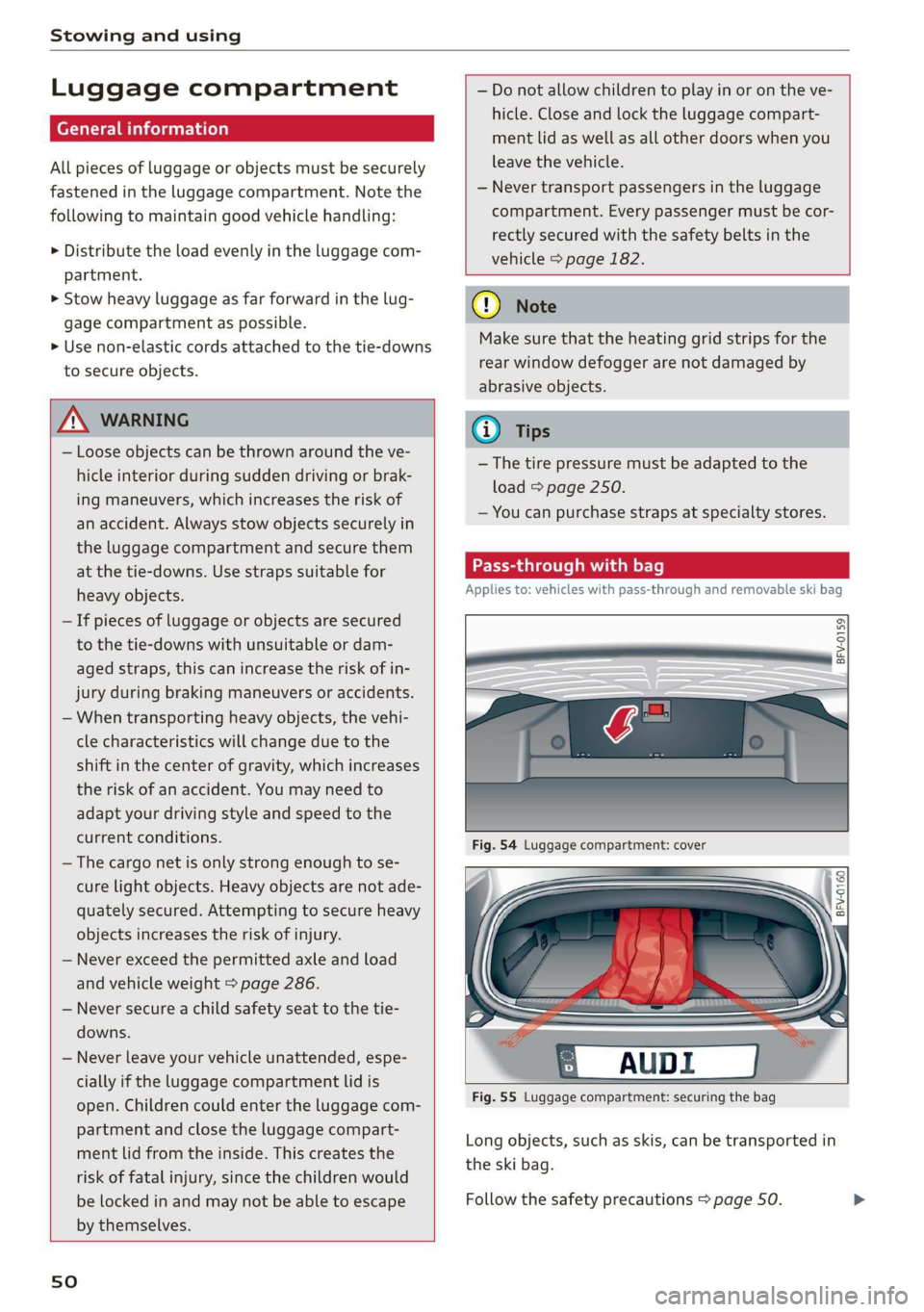
Fig. 55 Luggage compartment: securing the bag
Long objects, such as skis, can be transported in
the ski bag.
Follow the safety precautions > page 50.