fuel AUDI TT ROADSTER 2019 User Guide
[x] Cancel search | Manufacturer: AUDI, Model Year: 2019, Model line: TT ROADSTER, Model: AUDI TT ROADSTER 2019Pages: 304, PDF Size: 80.77 MB
Page 105 of 304
8S58012721BA
Voice recognition system
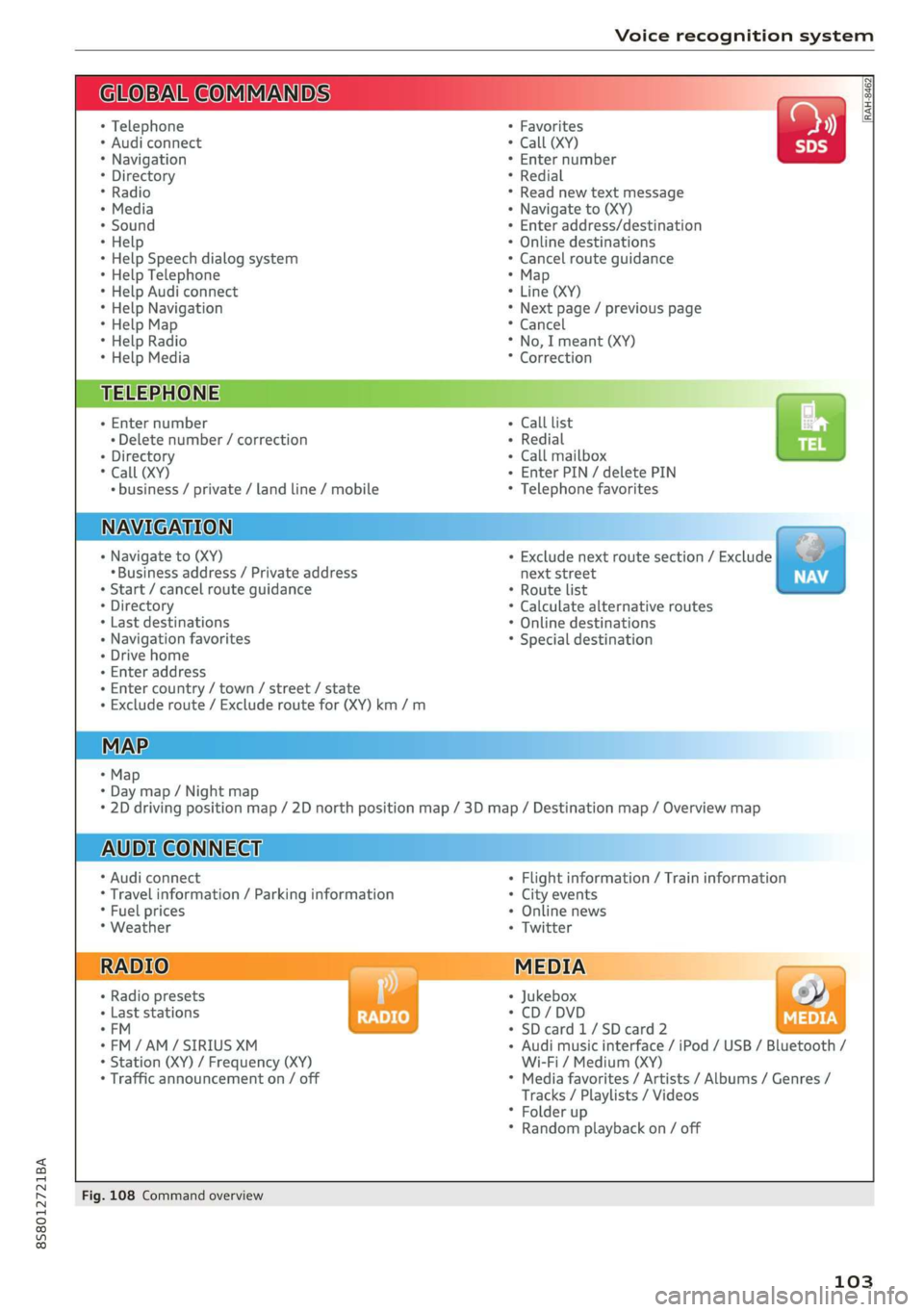
BAR COMMANDS
RAH-8462|
* Telephone + Favorites a)
+ Audi connect * Call (XY) SDS
* Navigation + Enter number
* Directory * Redial
* Radio * Read new text message
+ Media + Navigate to (XY)
* Sound + Enter address/destination
* Help + Online destinations
+ Help Speech dialog system * Cancel route guidance
* Help Telephone * Map
* Help Audi connect + Line (XY)
* Help Navigation * Next page / previous page
* Help Map * Cancel
* Help Radio * No, I meant (XY)
* Help Media * Correction
TELEPHONE: a
+ Enter number Call list a.
+ Delete number / correction Redial sie
+ Directory Call mailbox
* Call (XY) Enter PIN / delete PIN
* business / private / land line / mobile Telephone favorites
NAVIGATION i
+ Navigate to (XY) + Exclude next route section / Exclude
«Business address / Private address next street
+ Start / cancel route guidance * Route list
+ Directory * Calculate alternative routes
+ Last destinations * Online destinations
+ Navigation favorites * Special destination
+ Drive home
- Enter address
+ Enter country / town / street / state
+ Exclude route / Exclude route for (XY) km /m
MAP.
* Map
* Day map / Night map
* 2D driving position map / 2D north position map / 3D map / Destination map / Overview map
AUDI CONNECT
* Audi connect * Flight information / Train information
* Travel information / Parking information + City events
* Fuel prices * Online news
* Weather + Twitter
+ Radio presets « Jukebox rs}
+ Last stations * CD/DVD MEDIA
*FM + SDcard1/SDcard2
*FM/AM/ SIRIUS XM « Audi music interface / iPod / USB / Bluetooth /
+ Station (XY) / Frequency (XY) Wi-Fi / Medium (XY)
* Traffic announcement on / off * Media favorites / Artists / Albums / Genres /
Tracks / Playlists / Videos
* Folder up
* Random playback on / off
Fig. 108 Command overview
103
Page 112 of 304
Telephone
Telephone
Introduction
Applies to: vehicles with telephone
To make phone calls in your vehicle using the
MMI, connect your cell phone to the MMI via
Bluetooth.
Handsfree
After you have connected your mobile device to
the MMI via Bluetooth, you can use the handsfree
system and operate telephone functions through
your MMI. You can make calls using the antenna
on your mobile device.
Z\ WARNING
— Medical experts warn that mobile devices
can interfere with the function of pacemak-
ers. Always maintain a minimum distance of
about 8 inches (20 cm) between the cell
phone antenna and the pacemaker.
— Do not carry the mobile device in a pocket
directly over the pacemaker when the
phone is switched on.
— Switch the mobile device off immediately
if you suspect it may be interfering with
the pacemaker.
— Do not use the voice recognition system*
= page 104 in emergencies because your
voice may change in stressful situations. The
system may take longer to dial the number
or may not be able to dial it at all. Dial the
emergency number manually.
— Switch your mobile device off in areas where
there is a risk of an explosion. These loca-
tions are not always clearly marked. This
may include gas stations, fuel and chemical
storage facilities or transport vehicles, or lo-
cations where fuel vapors (such as propane
or gasoline vapor in vehicles or buildings),
chemicals or large quantities of dust parti-
cles (such as flour, sawdust or metal) may
be present in the air. This also applies to all
other locations where you would normally
turn your vehicle engine off.
— The demands of traffic require your full at-
tention. Always read the chapter > page 92,
Traffic safety information.
110
@) Note
Always follow the information found in >@ in
General information on page 125.
G) Tips
—To learn which Bluetooth connections and
which of the functions in your mobile device
are supported, check with your mobile de-
vice service provider or the database for mo-
bile devices at www.audiusa.com/
bluetooth.
— The Bluetooth connection range is limited
to inside the vehicle. It can also be affected
by local conditions and interference with
other devices.
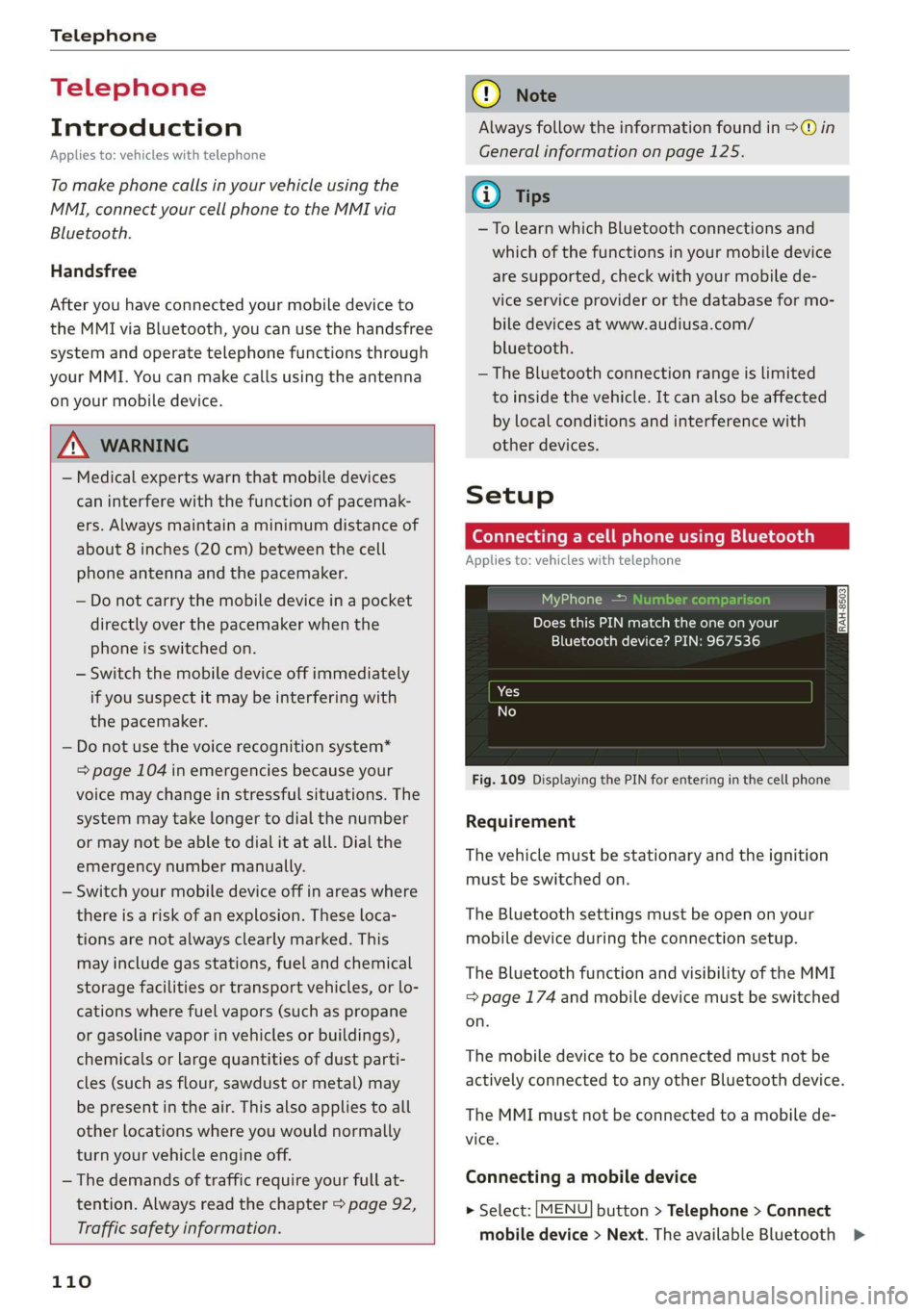
Setup
Connecting a cell phone using Bluetooth
Applies to: vehicles with telephone
MyPhone
Does this PIN match the one on your
Bluetooth device? PIN: 967536
Fig. 109 Displaying the PIN for entering in the cell phone
Requirement
The vehicle must be stationary and the ignition
must be switched on.
The Bluetooth settings must be open on your
mobile device during the connection setup.
The Bluetooth function and visibility of the MMI
= page 174 and mobile device must be switched
on.
The mobile device to be connected must not be
actively connected to any other Bluetooth device.
The MMI must not be connected to a mobile de-
vice.
Connecting a mobile device
> Select: [MENU] button > Telephone > Connect
mobile device > Next. The available Bluetooth >
Page 140 of 304
Navigation
Country/state selection: see > page 133, Nar-
rowing the search area.
Store as favorite: see > page 138.
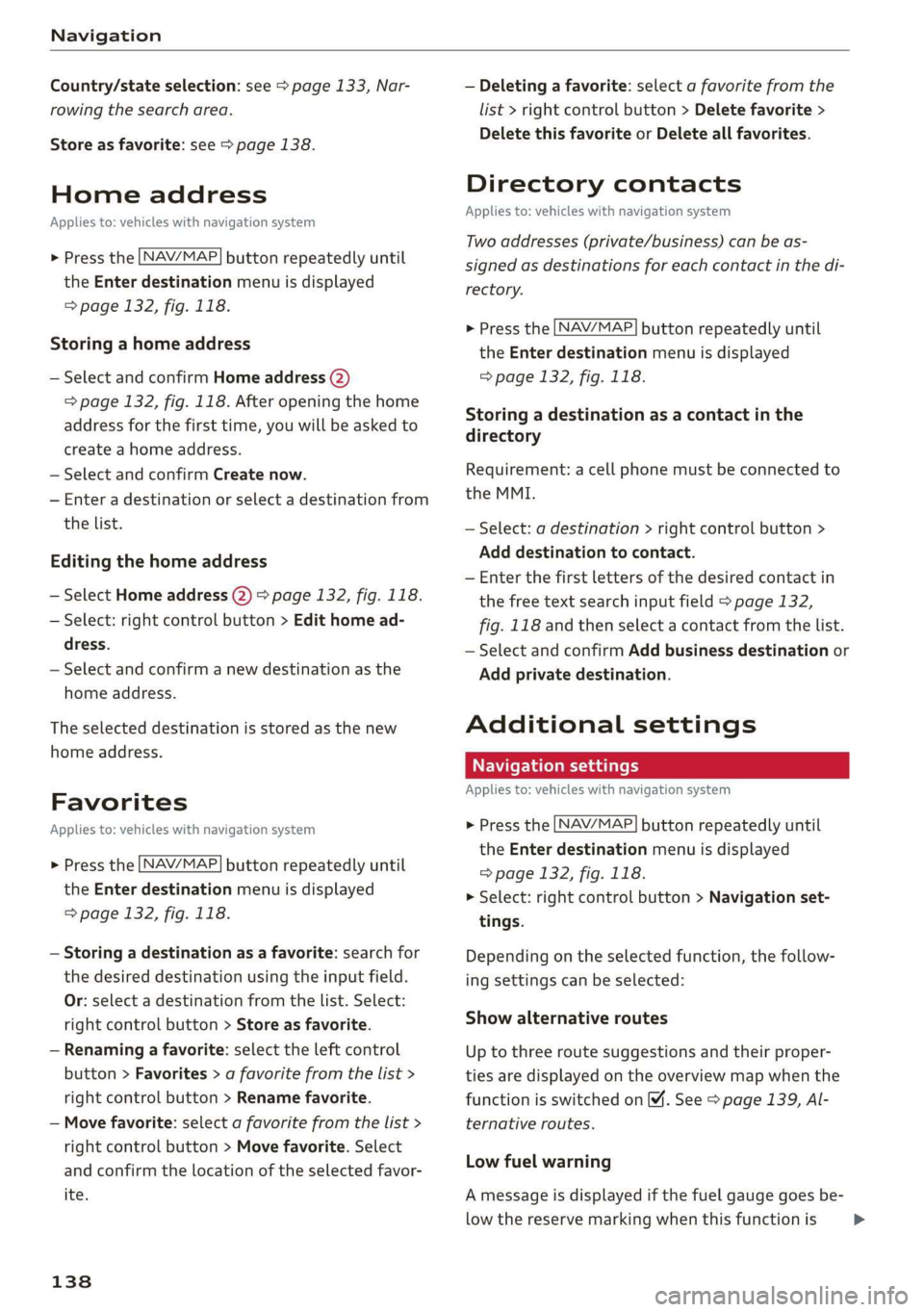
Home address
Applies to: vehicles with navigation system
NAV/MAP. > Press the button repeatedly until
the Enter destination menu is displayed
=> page 132, fig. 118.
Storing a home address
— Select and confirm Home address (2)
=> page 132, fig. 118. After opening the home
address for the first time, you will be asked to
create a home address.
— Select and confirm Create now.
— Enter a destination or select a destination from
the list.
Editing the home address
— Select Home address (2) > page 132, fig. 118.
— Select: right control button > Edit home ad-
dress.
— Select and confirm a new destination as the
home address.
The selected destination is stored as the new
home address.
Favorites
Applies to: vehicles with navigation system
NAV/MAP > Press the button repeatedly until
the Enter destination menu is displayed
=> page 132, fig. 118.
— Storing a destination as a favorite: search for
the desired destination using the input field.
Or: select a destination from the list. Select:
right control button > Store as favorite.
— Renaming a favorite: select the left control
button > Favorites > a favorite from the list >
right control button > Rename favorite.
— Move favorite: select a favorite from the list >
right control button > Move favorite. Select
and confirm the location of the selected favor-
ite.
138
— Deleting a favorite: select a favorite from the
list > right control button > Delete favorite >
Delete this favorite or Delete all favorites.
Directory contacts
Applies to: vehicles with navigation system
Two addresses (private/business) can be as-
signed as destinations for each contact in the di-
rectory.
NAV/MAP > Press the button repeatedly until
the Enter destination menu is displayed
=> page 132, fig. 118.
Storing a destination as a contact in the
directory
Requirement: a cell phone must be connected to
the MMI.
— Select: a destination > right control button >
Add destination to contact.
— Enter the first letters of the desired contact in
the free text search input field > page 132,
fig. 118 and then select a contact from the list.
— Select and confirm Add business destination or
Add private destination.
Additional settings
Navigation settings
Applies
to: vehicles with navigation system
> Press the [NAV/MAP button repeatedly until
the Enter destination menu is displayed
=> page 132, fig. 118.
> Select: right control button > Navigation set-
tings.
Depending on the selected function, the follow-
ing settings can be selected:
Show alternative routes
Up to three route suggestions and their proper-
ties are displayed on the overview map when the
function is switched on 4. See > page 139, Al-
ternative routes.
Low fuel warning
A message is displayed if the fuel gauge goes be-
low the reserve marking when this function is >
Page 173 of 304
![AUDI TT ROADSTER 2019 User Guide 8S8012721BA
System settings
System settings
Setting the date and
time
You can set the clock time manually or using the
GPS.
> Select: [MENU] button > Settings > left control
button](/img/6/57667/w960_57667-172.png "AUDI TT ROADSTER 2019 User Guide 8S8012721BA
System settings
System settings
Setting the date and
time
You can set the clock time manually or using the
GPS.
> Select: [MENU] button > Settings > left control
button")
8S8012721BA
System settings
System settings
Setting the date and
time
You can set the clock time manually or using the
GPS.
> Select: [MENU] button > Settings > left control
button > MMI settings > Date & time.
> Or: select: [MENU] button > Vehicle > left con-
trol button > Vehicle settings > Date & time.
Automatic setting
When this function is switched on ¥, the time
and date are automatically set.
Time
Requirement: the Automatic setting must be
switched off.
Press the control knob. You can set the Time
manually by turning and pressing the control
knob.
Date
Requirement: the Automatic setting must be
switched off.
Press the control knob. You can set the Date
manually by turning and pressing the control
knob.
Time zone
When selecting the appropriate time zone, a
sampling of countries in this zone will be listed.
Automatic time zone*
When this function is switched on @, the time
will automatically adjust to the corresponding
time zone.
Time format
If you select 24h, the clock will display, for exam-
ple, 13:00. If you select AM/PM, the clock will
display, for example, 1:00 PM.
D_ The Qi standard makes it possible to charge your mobile
device wirelessly.
Date format
If you select DD.MM.YYYY, the date display will
show, for example, 31.08.2017. If you select
MM/DD/YYVY, the date display will show, for ex-
ample, 08/31/2017. If you select YYYY-MM-DD,
the date display will show, for example,
2017-08-31.
MMI settings
> Select: [MENU] button > Settings > left control
button > MMI settings.
Language
You can change the display language as well as
the language for the voice guidance* and voice
recognition system*.
The number of languages available depends on
the market.
Measurement units
The following measurement units can be set de-
pending on availability: Speed, Distance, Tem-
perature, Fuel consumption, Volume, Pressure.
Mobile device reminder signal
Applies to: vehicles with Audi phone box
Requirement: your cell phone must be Qi-capa-
ble ) or connected to the Audi music interface @
with a USB adapter cable > page 113, fig. 110.
When the device reminder signal is switched on,
you will be notified that your mobile device is still
in the Audi phone box* when you leave the vehi-
cle. You can select between Spoken cue, Signal
tone
and Off.
Mobile device reminder signal volume: you can
adjust the reminder signal volume by turning the
control knob.
Switch off pop-up: when the function is switched
on [M, the messages in the Infotainment system
display regarding the charging status of your cell
phone in the Audi phone box* are hidden. The re-
minder not to forget your cell phone when leav-
ing the vehicle is likewise switched off.
171
Page 225 of 304
8S8012721BA
Checking and Filling
Checking and Filling
Fuel
Types of gasoline
The correct gasoline grade is stated on the inside
of the fuel filler door.
The vehicle is equipped with a catalytic converter
and must only be driven with unleaded gasoline.
Audi recommends using TOP TIER Detergent Gas-
oline. For additional information on TOP TIER De-
tergent Gasoline, visit www.toptiergas.com.
The individual gasoline grades are differentiated
by octane ratings. This value is given with (R
+M)/2 equating to AKI or in RON.
The headings below match the sticker in the fuel
filler door.
UNLEADED FUEL ONLY MIN. (R+M)/2 87
Regular / MIN. RON 91 Regular
Use regular gasoline with minimum 87 AKI /
91 RON > ©.
The maximum engine power is only reached if
premium gasoline 91 AKI / 95 RON is used.
UNLEADED FUEL ONLY PREMIUM MIN. (R
+M)/2 91 / SUPER MIN. RON 95
Using premium gasoline with minimum 91 AKI /
95 RON is recommended.
If premium gasoline is not available, you can also
use regular gasoline 87 AKI / 91 RON. However
this does reduce the engine power slightly.
@) Note
— Filling the tank just one time with leaded
fuel or other metallic additives will cause
permanent deterioration to the catalytic
converter function.
— When gasoline with an octane rating that is
too low is used, high speeds or heavy engine
load can lead to engine damage.
@) Tips
The vehicle may be filled with fuel that has a
higher octane rating than what is required by
the engine.
Gasoline mixture
Gasoline with alcohol or MTBE (Methyl-Tert-
Butyl-Ether)
You can use unleaded gasoline mixed with alco-
hol or MTBE (generally labeled as oxygenated
compounds) as long as the fuel meets the follow-
ing conditions:
Gasoline with methanol content (methyl alco-
hol
or methanol)
— Anti-Knock Index is at least 87 AKI
—No more than 3% methanol
— More than 2% solvent
Gasoline with ethanol content (ethyl alcohol or
ethanol)
— Anti-Knock Index is at least 87 AKI
—No more than 15% ethanol
Gasoline with MTBE content
— Anti-Knock Index is at least 87 AKI
—No more than 15% MTBE
Gasoline adapted to the season
Many gasoline fuels are adapted to the seasons.
When the season changes, we recommend refu-
eling at high-traffic gas stations. It is more likely
that the gasoline will be suitable for the season
there.
() Note
— Gasoline with methanol content that does
not meet the specified conditions may cause
corrosion damage and damage to plastic or
rubber components in the fuel system.
— Do not use gasoline that does not meet the
specifications.
— If you are unable to find out if a specific gas-
oline mixture meets the specifications, ask
the gas station operator or their fuel suppli-
er.
223
>
Page 226 of 304
Checking and Filling
— Do not use any gasoline mixture whose
composition cannot be identified.
— Audi does not assume any responsibility for
damage to the fuel system or for perform-
ance problems caused by using gasoline
mixtures different from those specified.
This type of damage also does not fall under
the New Vehicle Limited Warranty or under
the emissions control system warranty.
— If you notice a higher fuel consumption or
poor handling or performance problems due
to such gasoline mixtures, we recommend
fueling with unblended gasoline.
Gasoline additives
An important issue for many automobile manu-
facturers is combustion residue in the engine
that results from the use of certain fuels.
Although types of gasoline differ depending on
the manufacturer, there are similarities. Certain
substances in the gasoline may cause deposits in
the engine. Additives in the gasoline that should
keep the engine and fuel system clean do not all
function equally.
Audi recommends using TOP TIER Detergent Gas-
oline. For additional information on TOP TIER De-
tergent Gasoline, visit www.toptiergas.com.
If you use incorrect fuels over a long period of
time, the maximum engine performance may be
impaired by combustion residue.
@) Note
Damage or malfunctions caused by the use of
incorrect types of gasoline are not covered by
the New Vehicle Limited Warranty.
224
Refueling
Fueling procedure
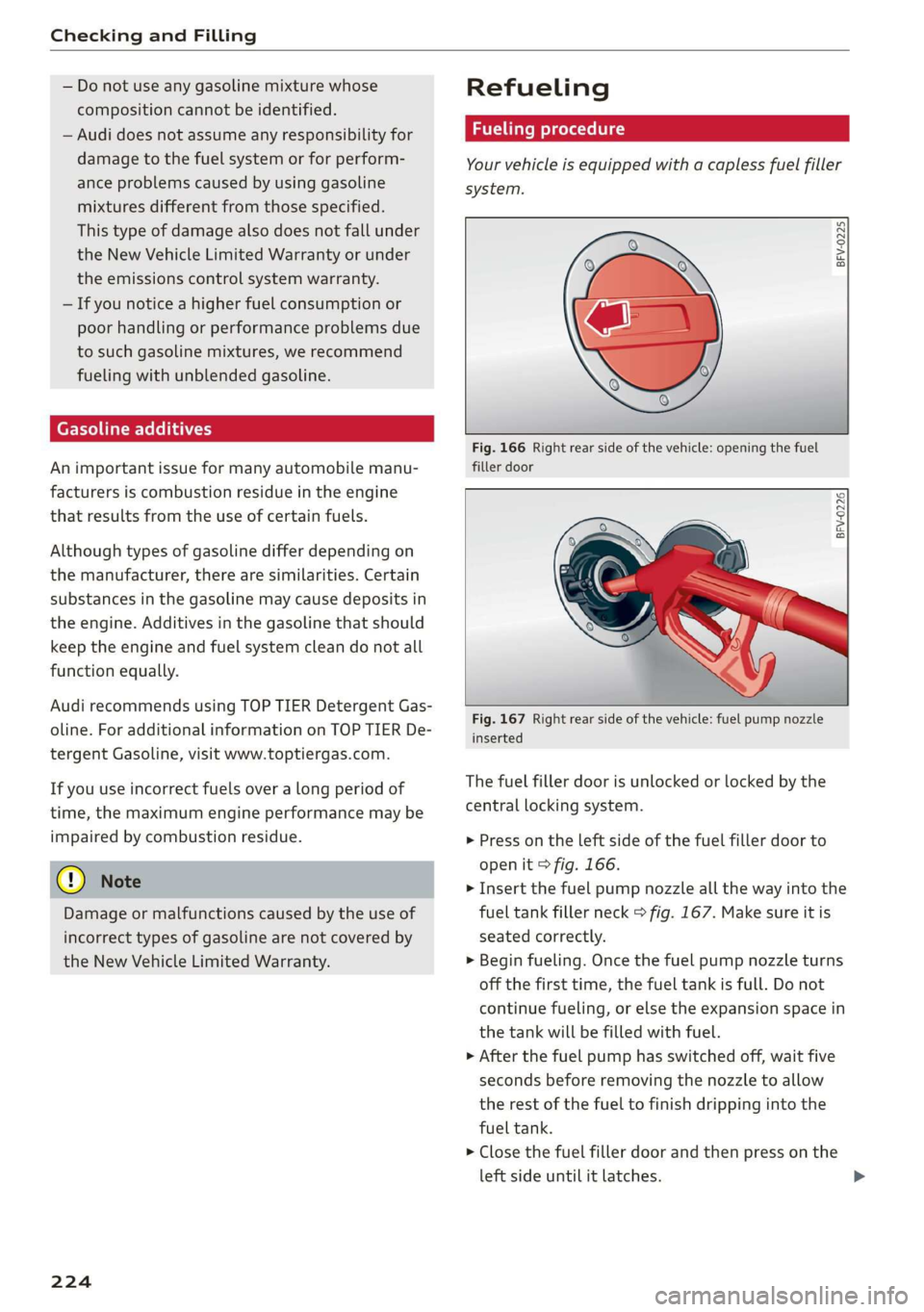
Your vehicle is equipped with a capless fuel filler
system.
BFV-0225
Fig. 166 Right rear side of the vehicle: opening the fuel
filler door
BFV-0226
__ . —|)
Fig. 167 Right rear side of the vehicle: fuel pump nozzle
inserted
The fuel filler door is unlocked or locked by the
central locking system.
> Press on the left side of the fuel filler door to
open it > fig. 166.
> Insert the fuel pump nozzle all the way into the
fuel tank filler neck > fig. 167. Make sure it is
seated correctly.
> Begin fueling. Once the fuel pump nozzle turns
off the first time, the fuel tank is full. Do not
continue fueling, or else the expansion space in
the tank will be filled with fuel.
> After the fuel pump has switched off, wait five
seconds before removing the nozzle to allow
the rest of the fuel to finish dripping into the
fuel tank.
> Close the fuel filler door and then press on the
left side until it latches.
Page 227 of 304
8S8012721BA
Checking and Filling
The correct fuel type for your vehicle can be
found on a label located on the inside of the fuel
filler door. For additional information on fuel, see
=> page 223.
For the tank capacity in your vehicle, refer to the
Technical Data > page 285.
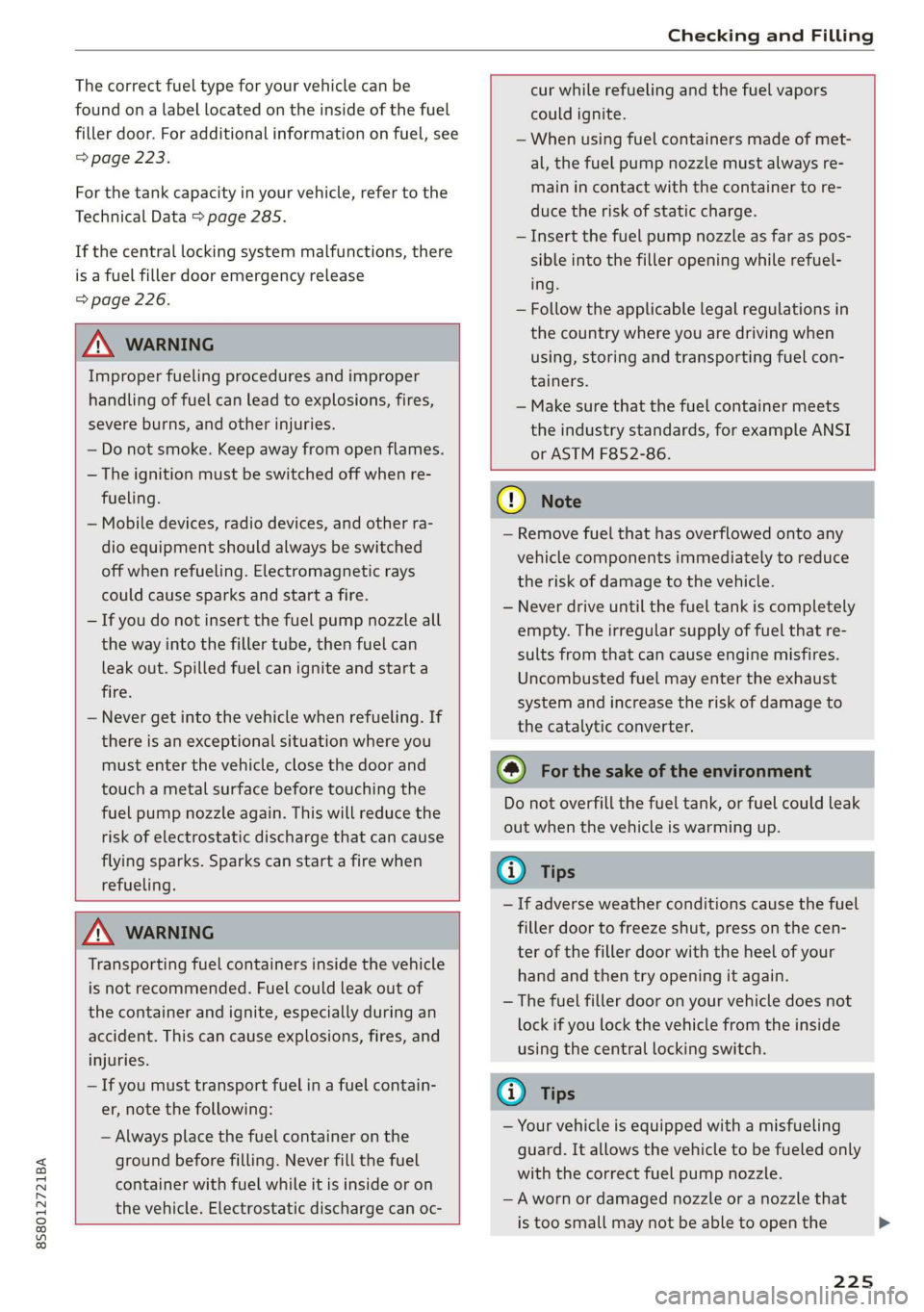
If the central locking system malfunctions, there
is a fuel filler door emergency release
=> page 226.
Z\ WARNING
Improper fueling procedures and improper
handling of fuel can lead to explosions, fires,
severe burns, and other injuries.
— Do not smoke. Keep away from open flames.
— The ignition must be switched off when re-
fueling.
— Mobile devices, radio devices, and other ra-
dio equipment should always be switched
off when refueling. Electromagnetic rays
could cause sparks and start a fire.
— If you do not insert the fuel pump nozzle all
the way into the filler tube, then fuel can
leak out. Spilled fuel can ignite and start a
fire.
— Never get into the vehicle when refueling. If
there is an exceptional situation where you
must enter the vehicle, close the door and
touch a metal surface before touching the
fuel pump nozzle again. This will reduce the
risk of electrostatic discharge that can cause
flying sparks. Sparks can start a fire when
refueling.
cur while refueling and the fuel vapors
could ignite.
— When using fuel containers made of met-
al, the fuel pump nozzle must always re-
main in contact with the container to re-
duce the risk of static charge.
— Insert the fuel pump nozzle as far as pos-
sible into the filler opening while refuel-
ing.
— Follow the applicable legal regulations in
the country where you are driving when
using, storing and transporting fuel con-
tainers.
— Make sure that the fuel container meets
the industry standards, for example ANSI
or ASTM F852-86.
Z\ WARNING
Transporting fuel containers inside the vehicle
is not recommended. Fuel could leak out of
the container and ignite, especially during an
accident. This can cause explosions, fires, and
injuries.
— If you must transport fuel in a fuel contain-
er, note the following:
— Always place the fuel container on the
ground before filling. Never fill the fuel
container with fuel while it is inside or on
the vehicle. Electrostatic discharge can oc-
C) Note
— Remove fuel that has overflowed onto any
vehicle
components immediately to reduce
the risk of damage to the vehicle.
— Never drive until the fuel tank is completely
empty. The irregular supply of fuel that re-
sults from that can cause engine misfires.
Uncombusted fuel may enter the exhaust
system and increase the risk of damage to
the catalytic converter.
@) For the sake of the environment
Do not overfill the fuel tank, or fuel could leak
out when the vehicle is warming up.
@) Tips
— If adverse weather conditions cause the fuel
filler door to freeze shut, press on the cen-
ter of the filler door with the heel of your
hand and then try opening it again.
— The fuel filler door on your vehicle does not
lock if you lock the vehicle from the inside
using the central locking switch.
G) Tips
— Your vehicle is equipped with a misfueling
guard. It allows the vehicle to be fueled only
with the correct fuel pump nozzle.
—Aworn or damaged nozzle or a nozzle that
is too small may not be able to open the
225
Page 228 of 304
Checking and Filling
diesel misfueling guard. If this is the case,
try turning the nozzle before inserting it in
the fuel filler neck, use a different fuel
pump, or see an authorized Audi dealer or
authorized Audi Service Facility for assis-
tance.
— The misfueling guard does not open when
adding fuel from a fuel container. When re-
fueling with a reserve canister, you must use
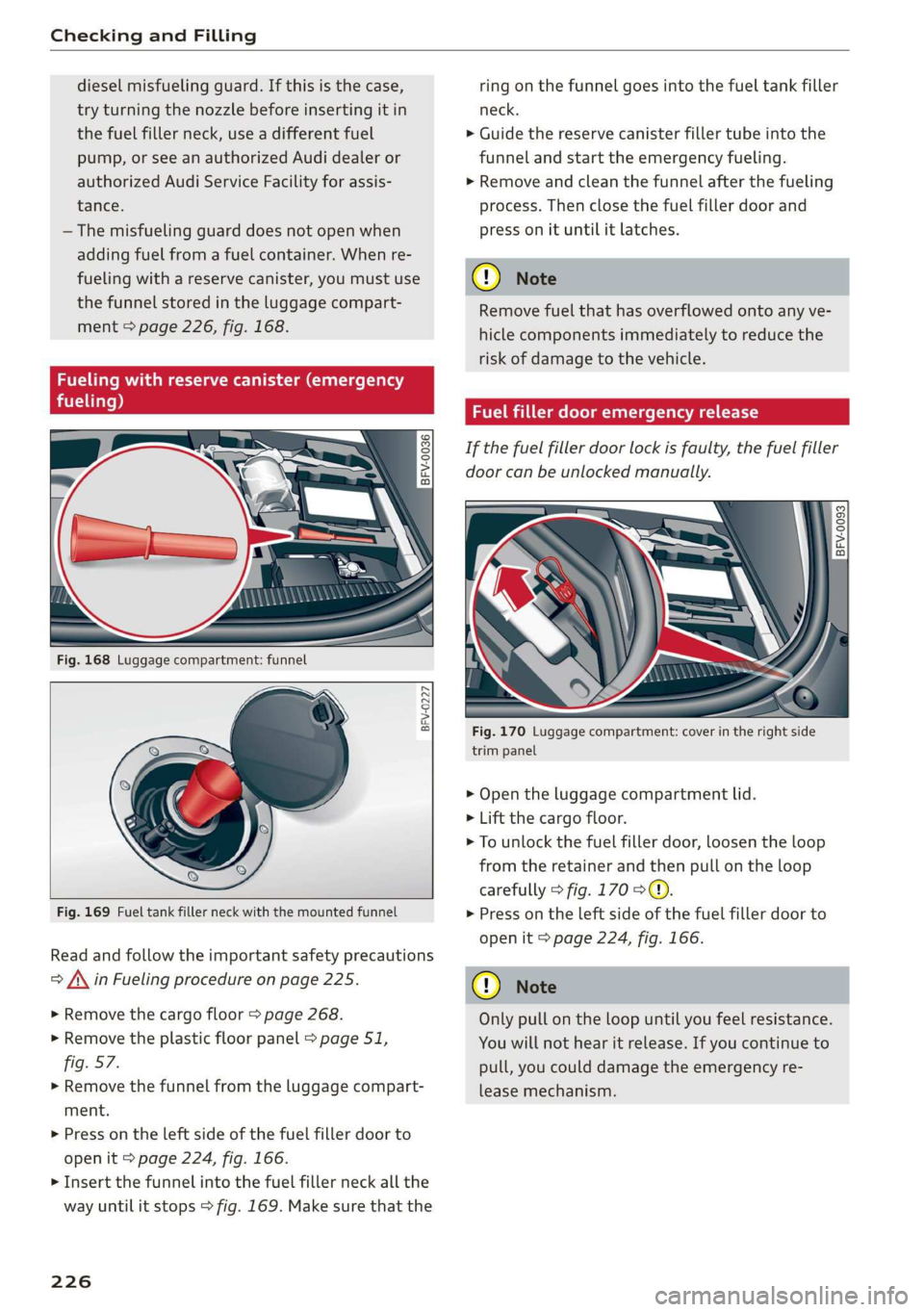
the
funnel stored in the luggage compart-
ment > page 226, fig. 168.
Fueling with reserve canister (emergency
fueling)
° i) 3°
8 >
c co
BFV-0227
Fig. 169 Fuel tank filler neck with the mounted funnel
Read and follow the important safety precautions
= A\ in Fueling procedure on page 225.
> Remove the cargo floor > page 268.
> Remove the plastic floor panel > page 51,
fig. 57.
> Remove the funnel from the luggage compart-
ment.
> Press on the left side of the fuel filler door to
open it > page 224, fig. 166.
> Insert the funnel into the fuel filler neck all the
way until it stops > fig. 169. Make sure that the
226
ring on the funnel goes into the fuel tank filler
neck.
> Guide the reserve canister filler tube into the
funnel and start the emergency fueling.
>» Remove and clean the funnel after the fueling
process. Then close the fuel filler door and
press on it until it latches.
() Note
Remove fuel that has overflowed onto any ve-
hicle components immediately to reduce the
risk of damage to the vehicle.
Fuel filler door emergency release
If the fuel filler door lock is faulty, the fuel filler
door can be unlocked manually.
| a 3
= >
cg a
Fig. 170 Luggage compartment: cover in the right side
trim panel
> Open the luggage compartment lid.
> Lift the cargo floor.
> To unlock the fuel filler door, loosen the loop
from the retainer and then pull on the loop
carefully > fig. 170 >@.
> Press on the left side of the fuel filler door to
open it > page 224, fig. 166.
@) Note
Only pull on the loop until you feel resistance.
You will not hear it release. If you continue to
pull, you could damage the emergency re-
lease mechanism.
Page 229 of 304
8S58012721BA
Checking and Filling
Emissions control
system
General information
ZA WARNING
The temperature of the exhaust system is
high, both when driving and after stopping
the engine.
— Never touch the exhaust tail pipes once they
have
become hot. This could result in burns.
— Do not park your vehicle over flammable
materials such as grass or leaves because
the high temperature of the emissions sys-
tem could start a fire.
— Do not apply underbody protectant in the
exhaust system area, because this increases
the risk of fire.
(e)e-1 Mid (Reel Tale
Follow the safety precautions > page 227, Gener-
al information.
The vehicle may only be driven with unleaded
gasoline, or the catalytic converter will be de-
stroyed.
Never drive until the tank is completely empty.
The irregular supply of fuel that results from that
can cause engine misfires. Uncombusted fuel
could enter the exhaust system, which could
cause overheating and damage to the catalytic
converter.
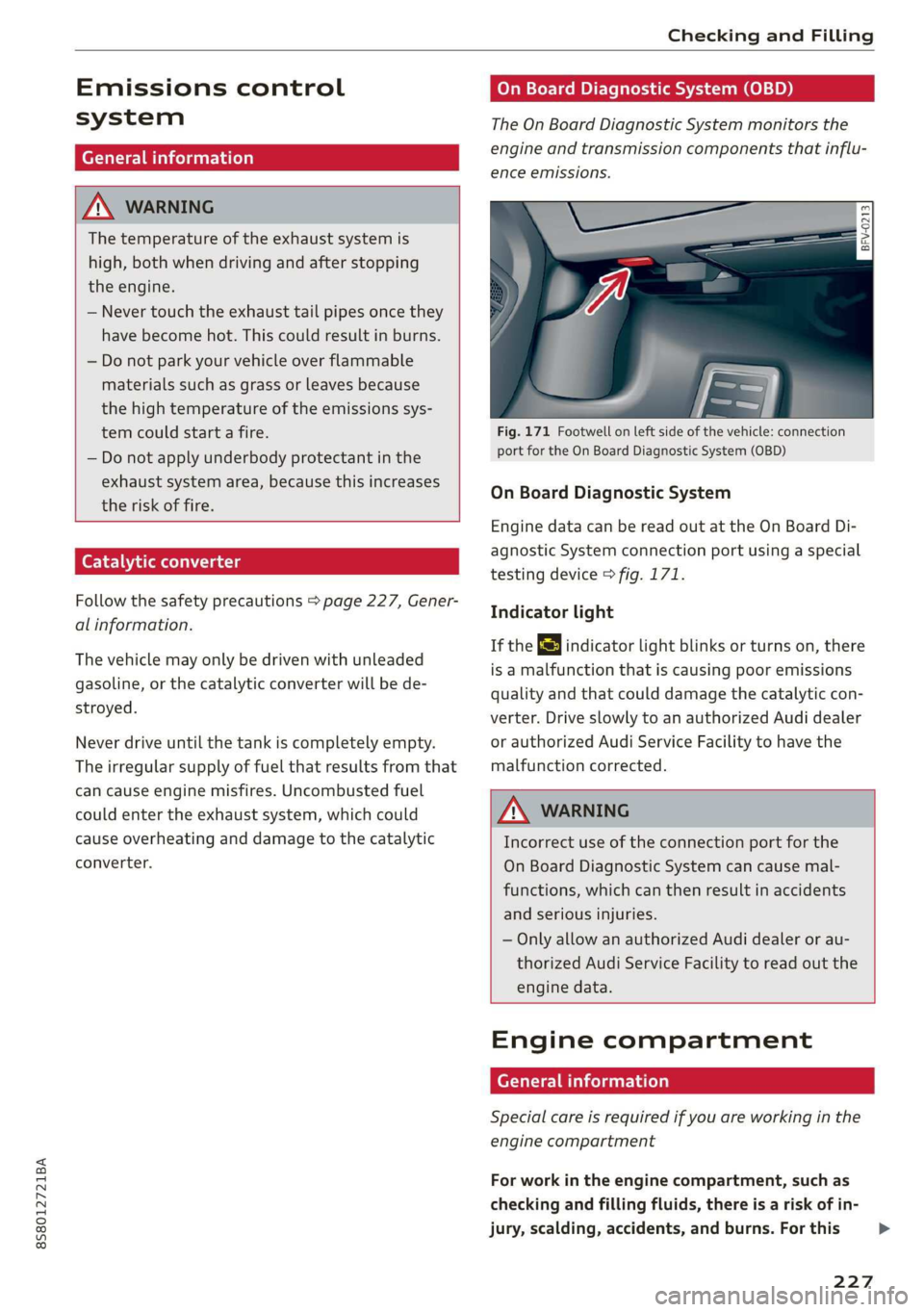
On Board Diagnostic System (OBD)
The On Board Diagnostic System monitors the
engine and transmission components that influ-
ence emissions.
- 5
z é
port for the On Board Diagnostic System (OBD)
On Board Diagnostic System
Engine data can be read out at the On Board Di-
agnostic System connection port using a special
testing device > fig. 171.
Indicator light
If the S indicator light blinks or turns on, there
is a malfunction that is causing poor emissions
quality and that could damage the catalytic con-
verter. Drive slowly to an authorized Audi dealer
or authorized Audi Service Facility to have the
malfunction corrected.
Z\ WARNING
Incorrect use of the connection port for the
On Board Diagnostic System can cause mal-
functions, which can then result in accidents
and serious injuries.
— Only allow an authorized Audi dealer or au-
thorized Audi Service Facility to read out the
engine data.
Engine compartment
General information
Special care is required if you are working in the
engine compartment
For work in the engine compartment, such as
checking and filling fluids, there is a risk of in-
jury, scalding, accidents, and burns. For this
227
>
Page 230 of 304
Checking and Filling
reason, follow all the warnings and general
safety precautions provided in the following in-
formation. The engine compartment is a dan-
gerous area. > /\.
ZA WARNING
— Turn the engine off.
— Switch the ignition off.
— Set the parking brake.
— Select the “P” (Park) selector lever position.
— Allow the engine to cool.
— Keep children away from the engine com-
partment.
— Never spill fluids on a hot engine. These flu-
ids (such as the freeze protection contained
in the coolant) can catch fire.
— Avoid short circuits in the electrical system.
— Never reach into the radiator fan. The fan is
temperature-controlled and can turn on
suddenly, even when the ignition is switched
off.
— Never open the hood when there is steam or
coolant escaping from the engine compart-
ment, because there is a risk that you could
be burned. Wait until no steam or coolant is
escaping.
— Never open the cap on the coolant expan-
sion tank when the engine is warm. The
cooling system is under pressure.
— To protect your face, hands, and arms from
hot steam or coolant, cover the cap with a
thick cloth when opening.
— Do not remove the engine cover under any
circumstances. This increases the risk of
burns.
— Due to the risk of electric shock, never touch
the ignition cable or other components in
the electronic high-voltage ignition system
when the engine is running or is starting.
— If a gear is engaged while the vehicle is sta-
tionary and the engine is running, do not
press the accelerator pedal inadvertently.
Pressing the accelerator pedal will cause the
vehicle to move, and this could result in an
accident.
— If inspections or repairs must be performed
while the engine is running, moving compo-
nents (such as the ribbed belt, generator,
and radiator fan) pose an additional risk.
— Set the parking brake first and select the
“P” (Park) selector lever position.
— Always make sure that no parts of the
body, jewelry, ties, loose clothing, and
long hair can be caught in moving engine
components. Before any work, always re-
move any jewelry and ties, tie back long
hair, and make sure all clothing fits close
to the body to to reduce the risk of any-
thing becoming caught in engine compo-
nents.
— Pay attention to the following warnings list-
ed when work on the fuel system or on the
electrical equipment is required.
— Do not smoke.
— Never work near open flames.
— Always have a working fire extinguisher
nearby.
— All work on the battery or electrical system
in your vehicle can result in injuries, chemi-
cal burns, accidents, or burns. Because of
this, all work must be performed only by an
authorized Audi dealer or authorized Audi
Service Facility.
— Limit your exposure to exhaust and chemi-
cals to as short a time as possible.
ZA WARNING
California Proposition 65 Warning:
— Engine exhaust, some of its constituents,
and certain vehicle components contain or
emit chemicals known to the State of Cali-
fornia to cause cancer and birth defects and
reproductive harm. In addition, certain flu-
ids contained in vehicles and certain prod-
ucts of component wear contain or emit
chemicals known to the State of California
to cause cancer and birth defects or other
reproductive harm.
— Battery posts, terminals and related acces-
sories contain lead and lead compounds,
chemicals known to the State of California
to cause cancer and reproductive harms.
Wash hands after handling.
228