transmission AUDI TT ROADSTER 2019 Owners Manual
[x] Cancel search | Manufacturer: AUDI, Model Year: 2019, Model line: TT ROADSTER, Model: AUDI TT ROADSTER 2019Pages: 304, PDF Size: 80.77 MB
Page 4 of 304
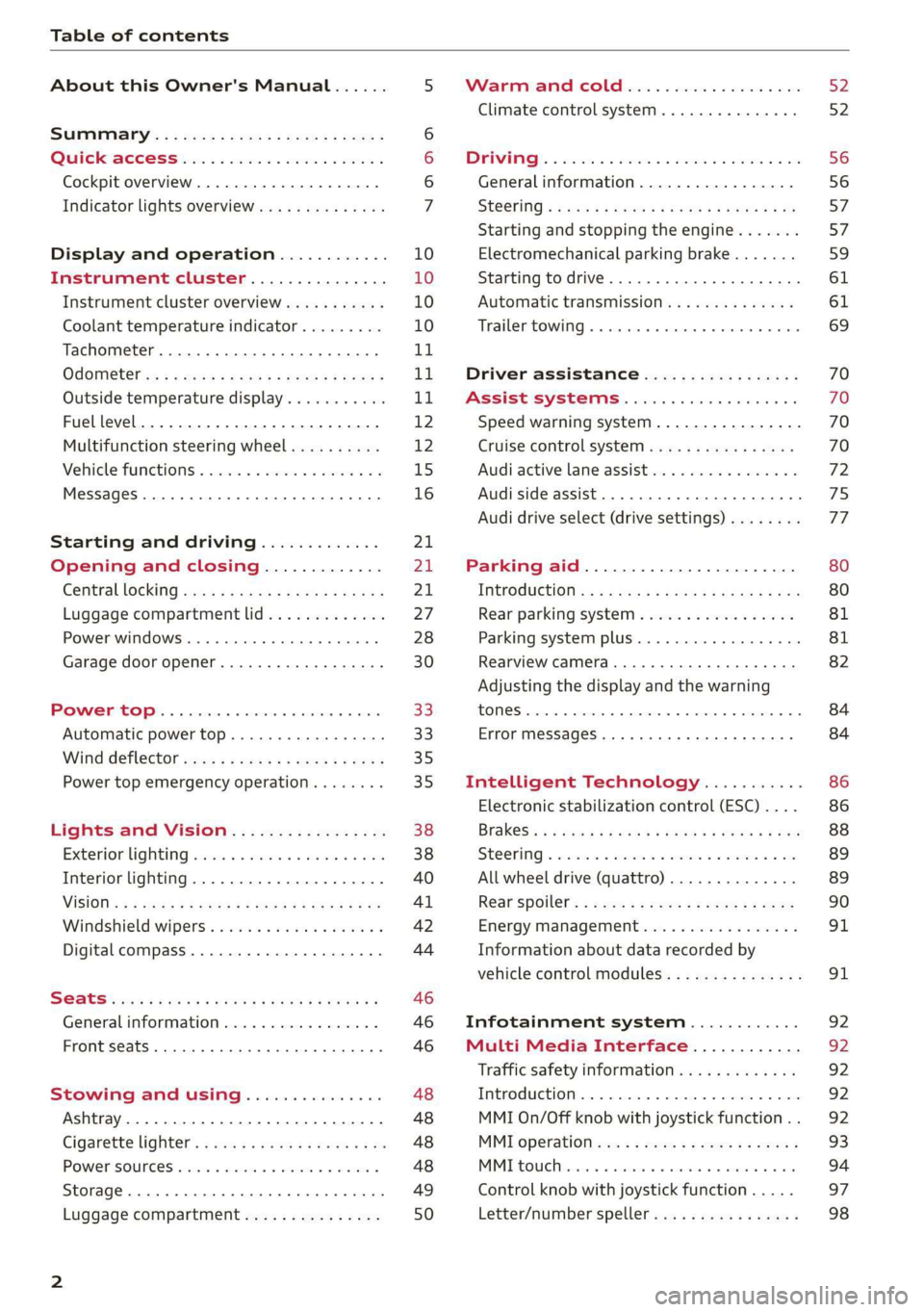
Table of contents
About this Owner's Manual......
SUMIMALY: ; « ss6% : osen ss sean cs poe s
QC CCeS Skis: si esis a 6 ores os ewe
Cockpit overview.............-000005
Indicator lights overview...........0.
Display and operation............
Instrument cluster...............
Instrument cluster overview...........
Coolant temperature indicator.........
Tachometer.......... 0.0 eee eee eee
Odometer as = s eee = seen ge zee a tows e
Outside temperature display...........
Fuellevel.......... 0. cece eee eee eee
Multifunction steering wheel..........
Vehicle functions « se-0 2. ese ve eee ees
MessageS ... 0... eee eee eee
Starting and driving.............
Opening and closing.............
Central locking 2.2% ieee seven a eevee
Luggage compartment lid.............
Power windows.............0.00 0005
Garage door opener...............0..
POWER EOPE: « «cece 0 csv « o semiens 6 0 eens
Automatic power top.................
Wind deflector ecax « x came + 5 yom 2 4 ews
Power top emergency operation........
Lights and Vision.................
Exterior lighting ssivses + « ssa 3s inane 9 & sou
Interior lighting. ................000.
VISION s « s saas ss sees Fo Hees Eo ee ee
Windshield wipers..............00005
Digital compass................0000.
Storage... eee eee eee
Luggage compartment...............
NOD
OO
11 il 12 12 15
16
21 21 21
27
28
30
3.
33 35 35
38 38
40
Al 42
44
46 46
46
48
48
48 48 49
50
Warm and cold...
Climate control system............00.
DRIVING: & tacos 6 2 maemo e eae 0 x iano 4
General information .
Steering.........6.
Starting and stopping
Electromechanical par
Starting to drive.....
theengine.......
king brake.......
Automatic transmission..............
Trailer towing.......
Driver assistance.
Assist systems...
Speed warning system...............-
Cruise control system
Audi active lane assist
Audi side assist
Audi drive select (drive settings) ........
Parking aid.......
Introduction........
Rear parking system .
Parking system plus.............-.00.
Rearview camera
Intelligent Technology...........
Electronic stabilization control (ESC) ....
StEOKing © esse we wssuse
All wheel drive (quattro) ..............
Rear spoiler........
Energy management .
Information about data recorded by
vehicle control modules...............
Infotainment system............
Multi Media Interface............
Traffic safety information.............
Introduction........
MMI On/Off knob with joystick function . .
MMI operation......
MMT OU CPi ccm. » 6 camere
Control knob with joys
Letter/number speller
tick function. ....
52
56 56 57 57 59
61
61
69 70 70 70
70
72
75
77
80
80
81
81
82
84
84
86
86
88
89
89 90
91
91 92
92
92
92
92
93
94
97
98
Page 10 of 304
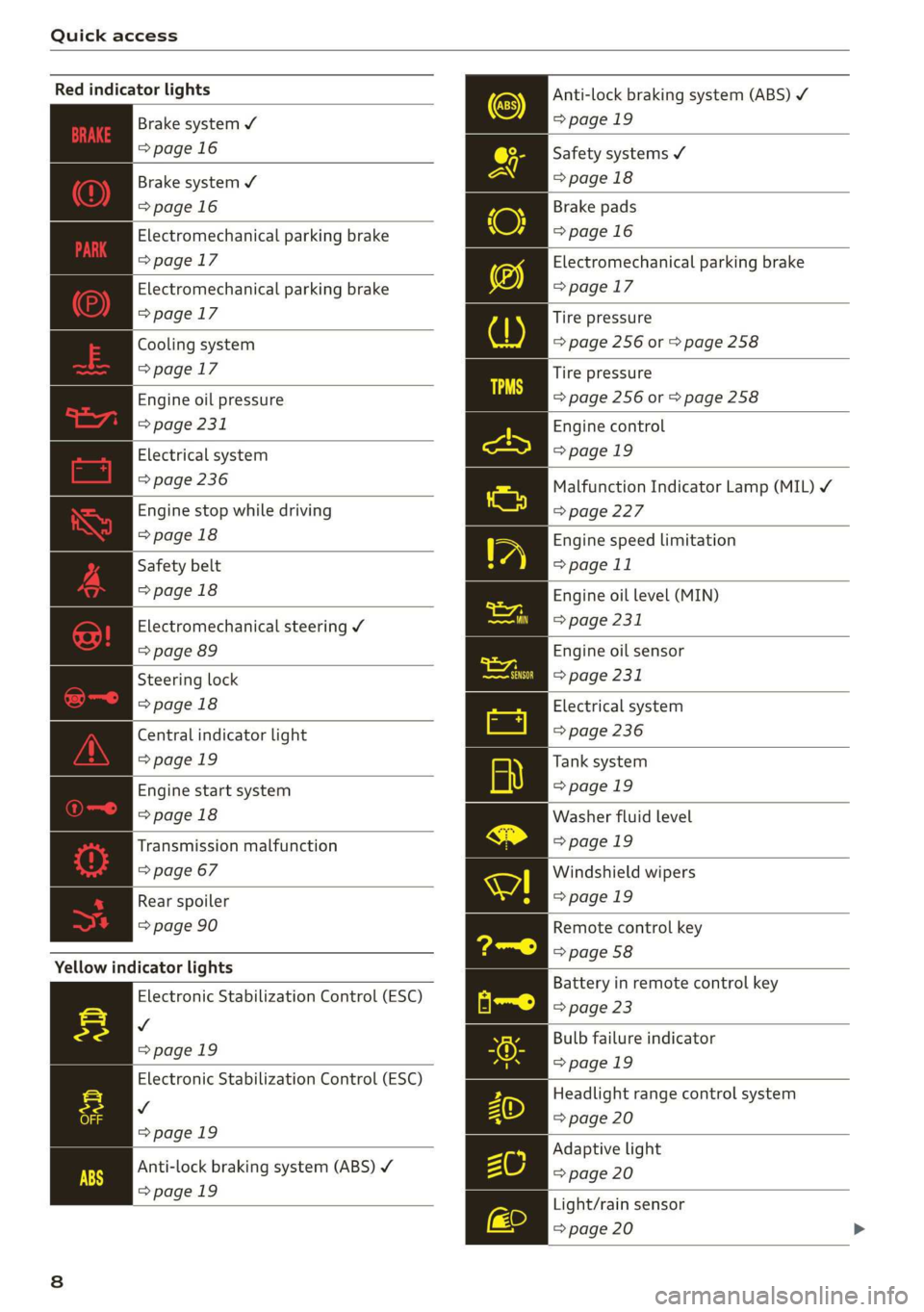
Quick access
Red indicator lights
Anti-lock braking system (ABS)
=>page 19
Safety systems ¥
>page 18
Brake pads
=>page 16
Electromechanical parking brake
>page 17
Tire pressure
=> page 256 or > page 258
Brake system ¥
=>page 16
Brake system 4
=>page 16
Electromechanical parking brake
=>page 17
Electromechanical parking brake
=>page 17
Cooling system
=>page 17
Tire pressure
Engine oil pressure => page 256 or © page 258
> page 231
Electrical system
=> page 236
Engine stop while driving
>page 18
Safety belt
>page 18
Electromechanical steering Y
=> page 89
Steering lock
>page 18
Central indicator light
=>page 19
Engine start system
>page 18
Transmission malfunction
=> page 67
Engine control
>page 19
Malfunction Indicator Lamp (MIL) ¥
=>page 227
Engine speed limitation
=> page 11
Engine oil level (MIN)
=> page 231
Engine oil sensor
=> page 231
Electrical system
=> page 236
Tank system
>page 19
Washer fluid level
>page 19
Windshield wipers
Rear spoiler = page 19
=> page 90 Remote control key
=> page 58
Yellow indicator lights
Electronic Stabilization Control (ESC)
v
=>page 19
Electronic Stabilization Control (ESC)
Vv
=>page 19
Battery in remote control key
=> page 23
Bulb failure indicator
=>page 19
Headlight range control system
=> page 20
Adaptive light
Anti-lock braking system (ABS) ¥ > page 20
=>page 19
Light/rain sensor
=> page 20
Page 11 of 304

8S8012721BA
Quick access
Transmission High beams
=> page 67
Steering lock = High beam assistant
=> page 18 Vy
Engine start system
>page 18
High beam assistant
Central indicator light
=>page 19
Electromechanical steering
=> page 89
Suspension control
=> page 20
Rear spoiler
=> page 90
Other indicator lights
Turn signals
=> page 20
Cruise control system
=> page 70
Cruise control system
=> page 70
Active lane assist
=> page 73
Convenience key
=> page 59
Electromechanical parking brake
>page 17
Active lane assist
=> page 73
Audi side assist
=> page 76
Transmission
=> page 67
)
(®
7 ¥
0;
PARK BRAKE Electromechanical parking brake
=>page 17
Electromechanical parking brake
‘@)) => page 17
Speed warning system
=> page 70
Speed warning system
=> page 70
Page 28 of 304
Opening and closing
— Locked doors make it more difficult for
emergency workers to get into the vehicle,
which puts lives at risk. Do not leave anyone
behind in the vehicle, especially children.
@ Tips
Your vehicle locks automatically when it
reaches a speed of 9 mph (15 km/h) (Auto
Lock) = page 21. You can unlock the vehicle
again using the @ button in the central lock-
ing switch.
Setting the central locking system
You can adjust the central locking system to your
preferences. The settings depend on the vehicle
equipment.
> Select in the Infotainment system: [MENU] but-
ton > Vehicle > left control button >Vehicle set-
tings.
Door unlocking - you can decide if All doors or
only the Driver door should unlock. The luggage
compartment lid also unlocks when All is select-
ed. If you select Driver in a vehicle with a conven-
ience key*, only the door whose handle you pull
will unlock.
Long press to open windows - you can select if
all windows should open using the vehicle key
=> page 29, Convenience opening and closing. If
you press and hold the f button on the vehicle
key, all of the windows will close.
If you select Driver, all the doors and luggage
compartment lid will unlock if you press the @
button on the remote control key twice.
Lock when driving”) - if you select On, all doors
and the luggage compartment lid will be locked
automatically when driving (Auto Lock).
Fold mirrors - if you select On, the exterior rear-
view mirrors fold will in automatically when you
press the f button on the remote control key or
touch the sensor* in the handle.
D This function is not available in all countries.
26
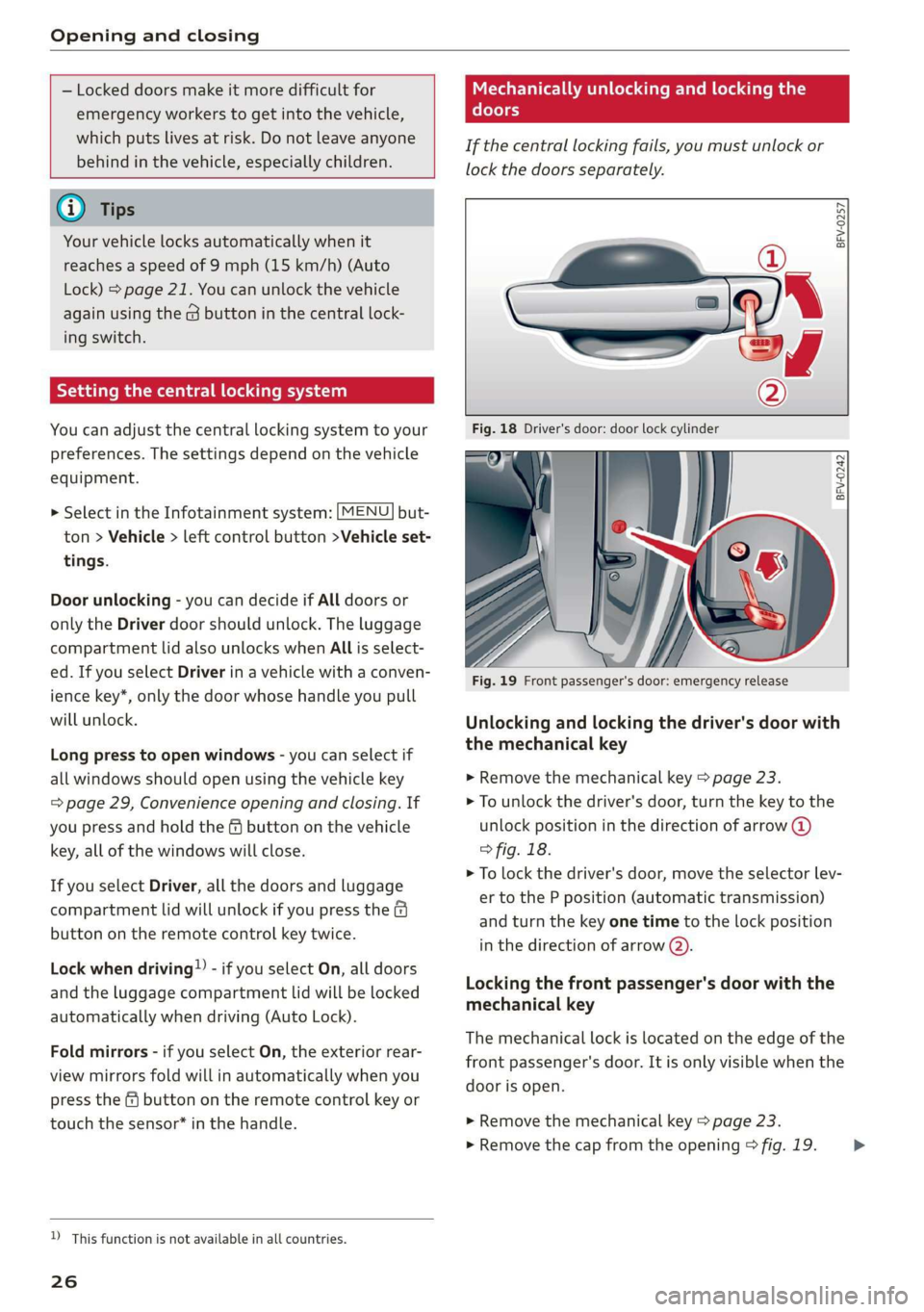
Mechanically unlocking and locking the
doors
If the central locking fails, you must unlock or
lock the doors separately.
BFV-0257
BFV-0242
Fig. 19 Front passenger's door: emergency release
Unlocking and locking the driver's door with
the mechanical key
>» Remove the mechanical key > page 23.
> To unlock the driver's door, turn the key to the
unlock position in the direction of arrow @)
° fig. 18.
> To lock the driver's door, move the selector lev-
er to the P position (automatic transmission)
and turn the key one time to the lock position
in the direction of arrow @).
Locking the front passenger's door with the
mechanical key
The
mechanical lock is located on the edge of the
front passenger's door. It is only visible when the
door is open.
> Remove the mechanical key > page 23.
> Remove the cap from the opening > fig. 19. >
Page 58 of 304
Driving
Driving
General information
A new vehicle must be broken in within the first
1,000 miles (1,500 km) so that all moving parts
work smoothly together, which helps to increase
the service life of the engine.
Do not drive higher than two-thirds of the maxi-
mum permitted engine RPM during the first 600
miles (1,000 km) and do not use full accelera-
tion. The engine can be increased RPM gradually
during the next 300 miles (500 km).
rela ire ma Mae aoa Cle (
@) Note
When driving on poor roads, over curbs, and
on steep ramps, make sure that components
that hang below the vehicle, such as the spoil-
er and exhaust system, are not struck because
they could be damaged. This especially ap-
plies to vehicles with low ground clearance
and vehicles that are heavily loaded.
Driving through water on roads
Note the following to reduce the risk of vehicle
damage when driving through water, for example
on flooded roads:
— The water must not be any higher than the bot-
tom of the vehicle body.
— Do not drive faster than walking speed.
ZA\ WARNING
After driving through water or mud, the effec-
tiveness of the brakes may be reduced due to
moisture on the brake rotors and brake pads.
A few careful brake applications should dry off
the brakes and restore the full braking effect.
@) Note
Vehicle components such as the engine,
transmission, suspension, or electrical sys-
56
tem, can be severely damaged by driving
through water.
G) Tips
— Determine the depth before driving through
water.
— Do not stop the vehicle, drive in reverse, or
switch the engine off when driving through
water.
— Keep in mind that oncoming vehicles may
create waves that raise the water level and
make it too deep for your vehicle to drive
through safely.
— Avoid driving through salt water, because
this can cause corrosion.
Efficient and environmentally-conscious
The amount of fuel consumption, the environ-
mental impact, and the wear to the engine,
brakes, and tires depends mostly on your driving
style. Note the following information for efficient
and environmentally-conscious driving:
— Do not let the engine run while the vehicle
parked.
— Turn off electrical equipment that is not need-
ed, for example seat heating*.
— Anticipate upcoming traffic situations while
driving to avoid unnecessary acceleration and
braking.
— Utilize the engine braking effect.
— Avoid driving short distances or at high speeds
when possible.
— Avoid adding extra weight to the vehicle if pos-
sible, for example by not leaving roof racks or
bike racks installed when they are not needed.
— Have maintenance performed regularly on the
vehicle.
— Do not drive with winter tires during the summ-
ef,
— Make sure the tire pressure is correct
=> page 250.
G@) Tips
The amount of noise produced by the vehicle
can increase significantly when driving with a >
Page 59 of 304
8S8012721BA
Driving
sporty style. Show respect to others around
you and the environment with the way you op-
erate your vehicle, especially at night.
Steering
Adjusting the steering wheel position
The steering wheel position is fully adjustable up
and down and forward and back.
2 s g
> gc oa
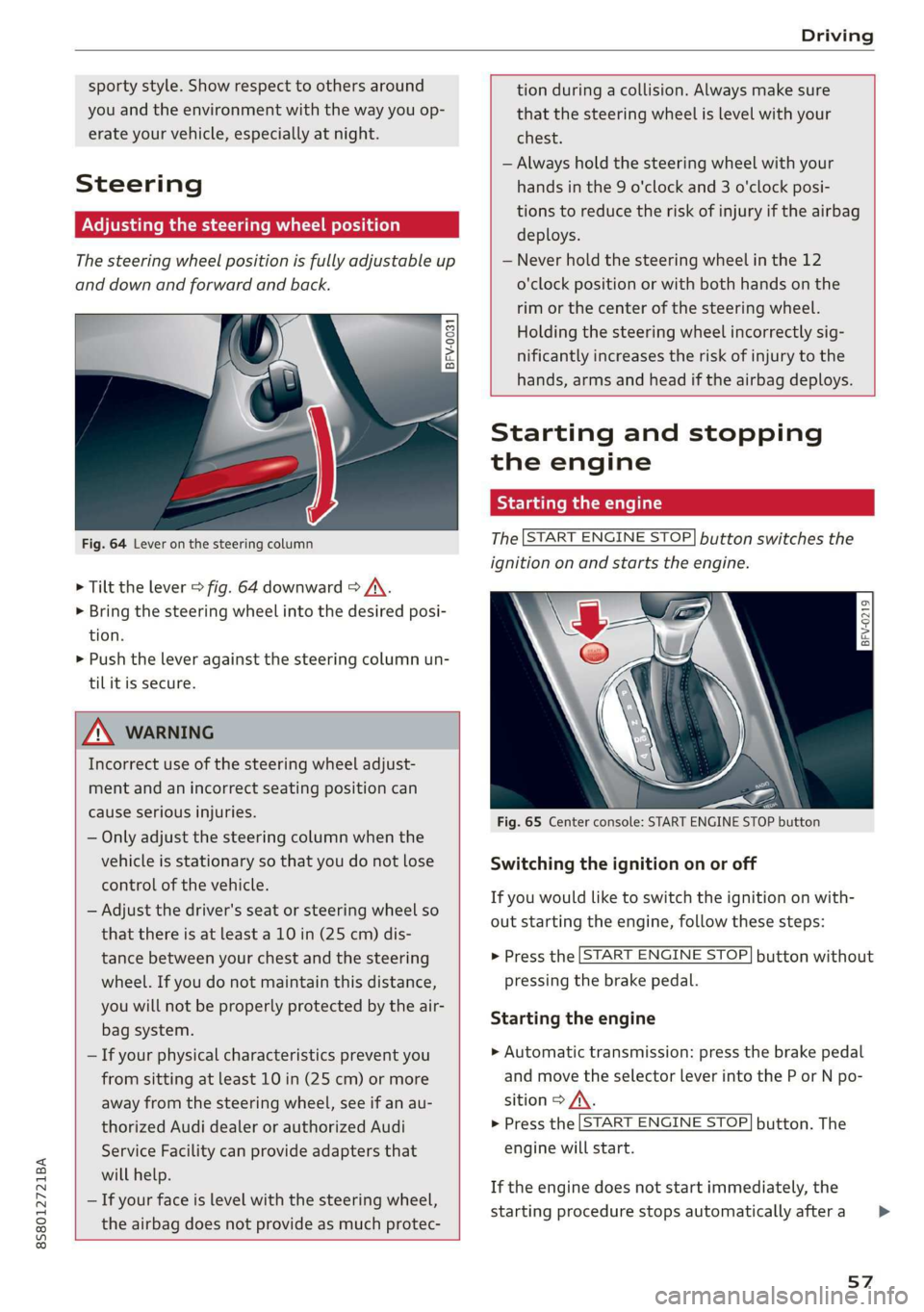
Fig. 64 Lever on the steering column
> Tilt the lever = fig. 64 downward > A\.
> Bring the steering wheel into the desired posi-
tion.
> Push the lever against the steering column un-
tilit is secure.
tion during a collision. Always make sure
that the steering wheel is level with your
chest.
— Always hold the steering wheel with your
hands in the 9 o'clock and 3 o'clock posi-
tions to reduce the risk of injury if the airbag
deploys.
— Never hold the steering wheel in the 12
o'clock position or with both hands on the
rim or the center of the steering wheel.
Holding the steering wheel incorrectly sig-
nificantly increases the risk of injury to the
hands, arms and head if the airbag deploys.
ZA WARNING
Incorrect use of the steering wheel adjust-
ment and an incorrect seating position can
cause serious injuries.
— Only adjust the steering column when the
vehicle is stationary so that you do not lose
control of the vehicle.
— Adjust the driver's seat or steering wheel so
that there is at least a 10 in (25 cm) dis-
tance between your chest and the steering
wheel. If you do not maintain this distance,
you will not be properly protected by the air-
bag system.
— If your physical characteristics prevent you
from sitting at least 10 in (25 cm) or more
away from the steering wheel, see if an au-
thorized Audi dealer or authorized Audi
Service Facility can provide adapters that
will help.
— If your face is level with the steering wheel,
the airbag does not provide as much protec-
Starting and stopping
the engine
Tatars ma eae tn
The [START ENGINE STOP] button switches the
ignition on and starts the engine.
a
Sg
x >
i o
Fig. 65 Center console: START ENGINE STOP button
Switching the ignition on or off
If you would like to switch the ignition on with-
out starting the engine, follow these steps:
> Press the [START ENGINE STOP] button without
pressing the brake pedal.
Starting the engine
> Automatic transmission: press the brake pedal
and move the selector lever into the P or N po-
sition > A\.
> Press the [START ENGINE STOP] button. The
engine will start.
If the engine does not start immediately, the
starting procedure stops automatically after a
57
>
Page 63 of 304
8S8012721BA
Driving
@) Tips
When stopping at a traffic signal or stopping
in city traffic, you can set the parking brake
manually. The vehicle does not have to be
held with the brake pedal. The parking brake
eliminates the tendency to creep when a se-
lector lever position is engaged. As soon as
you press the accelerator pedal, the parking
brake releases automatically and the vehicle
starts to move > page 61.
G) Tips
— Occasional noises when the parking brake is
set and released are normal and are not a
cause for concern.
— The parking brake goes through a self-test
cycle at regular intervals when the vehicle is
stopped. Any noises associated with this are
normal.
— If there is a power failure, the parking brake
will not set if it is released, and it will not
release if it is set > A\. See an authorized
Audi dealer or authorized Audi Service Fa-
cility for assistance.
Starting to drive
Various convenience and safety functions may be
available when the vehicle begins driving, de-
pending on vehicle equipment.
Starting on hills with the parking brake set
Requirement: the driver's door must be closed.
> To start driving comfortably when on a hill, set
the parking brake and begin driving as usual.
The braking force of the parking brake does not
release automatically until the wheels build up
enough driving force.
Starting on hills with hill hold assist
Hill hold assist makes it easier to start on hills.
Requirement: the driver's door must be closed
and the engine must be running.
> To activate hill hold assist, press and hold the
brake pedal for several seconds. The vehicle
must be facing uphill.
After releasing the brake pedal, the braking pow-
er is maintained briefly > A\ to prevent the vehi-
cle from rolling back when starting. This allows
you to begin driving more easily.
ZX WARNING
Applies to: vehicles with hill hold assist
— If you do not begin driving immediately or
the engine stalls after releasing the brake
pedal, your vehicle may begin to roll back-
ward. Press the brake pedal or set the park-
ing brake immediately.
— The intelligent technology of hill hold assist
cannot overcome the limitations imposed by
natural physical laws. The increased comfort
offered by hill hold assist should not cause
you to take safety risks.
— Hill hold assist cannot hold the vehicle in
place on all hills (for example, if the ground
is slippery or icy).
—To reduce the risk of an accident, always
make sure the vehicle is situated safely
while stationary.
Automatic transmission
Introduction
Your vehicle is equipped with an electronically-
controlled DSG transmission called S tronic. Two
independent clutches transfer the power be-
tween the engine and transmission. It allows the
vehicle to accelerate without a noticeable inter-
ruption in traction.
The transmission upshifts or downshifts auto-
matically. The driving style continuously influen-
ces the selection of the driving program.
When a moderate driving style is used, the
transmission selects the most economical driving
mode. The transmission upshifts at a lower RPM
and downshifts at a higher RPM to improve fuel
efficiency.
The transmission switches to a sporty mode after
a kick-down or when the driver uses a sporty driv-
ing style characterized by quick accelerator pedal
movements, heavy acceleration, frequent
61
>
Page 64 of 304
Driving
changes in speed, and traveling at the maximum
speed.
If desired, the driver can also select the gears
manually (tiptronic mode).
RY ta cela (Oa eid
7
BFV-0245
a
Lee
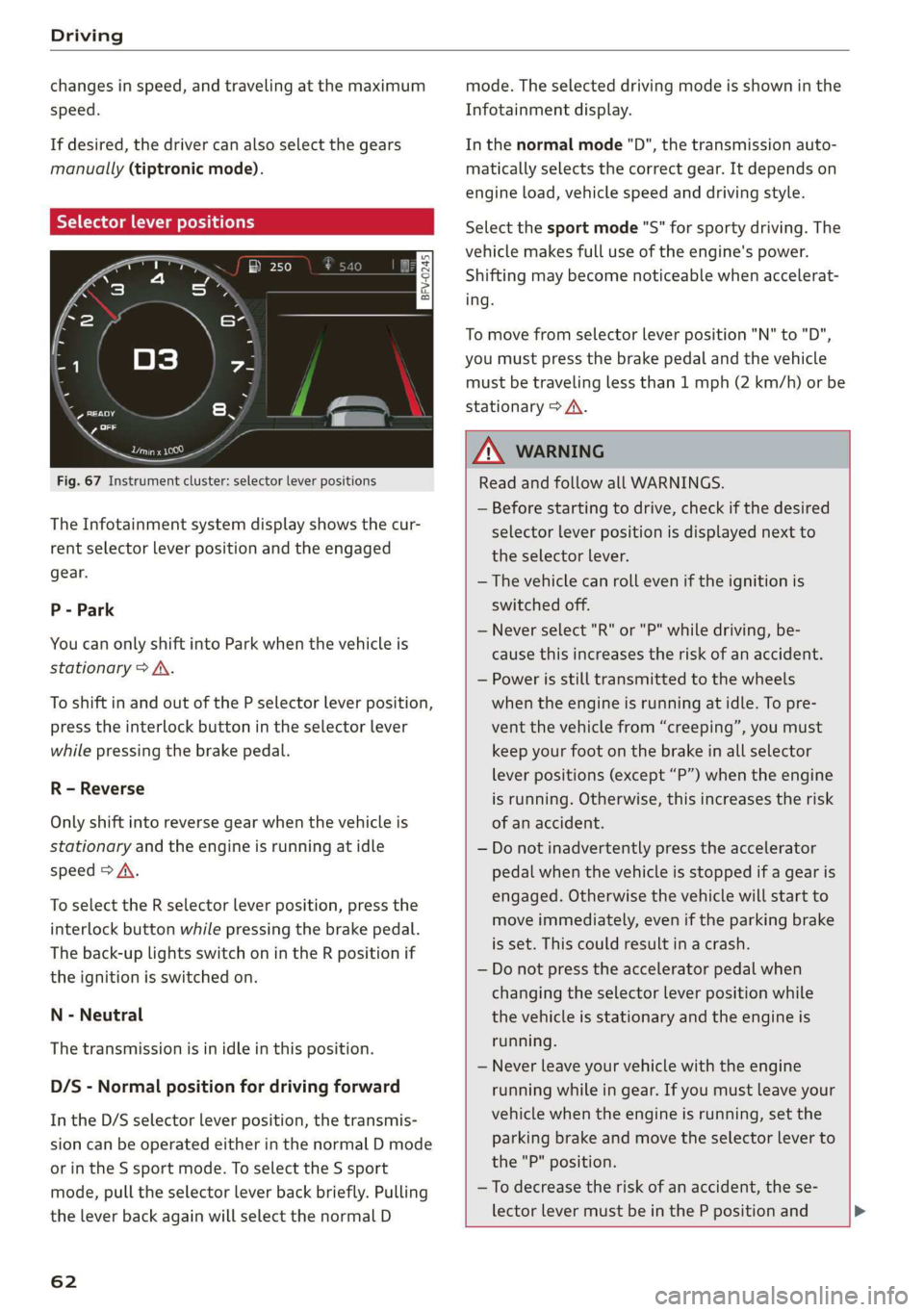
Fig. 67 Instrument cluster: selector lever positions
The Infotainment system display shows the cur-
rent selector lever position and the engaged
gear.
P - Park
You can only shift into Park when the vehicle is
stationary > A.
To shift in and out of the P selector lever position,
press the interlock button in the selector lever
while pressing the brake pedal.
R - Reverse
Only shift into reverse gear when the vehicle is
stationary and the engine is running at idle
speed > A\.
To select the R selector lever position, press the
interlock button while pressing the brake pedal.
The back-up lights switch on in the R position if
the ignition is switched on.
N - Neutral
The transmission is in idle in this position.
D/S - Normal position for driving forward
In the D/S selector lever position, the transmis-
sion can be operated either in the normal D mode
or in the S sport mode. To select the S sport
mode, pull the selector lever back briefly. Pulling
the lever back again will select the normal D
62
mode. The selected driving mode is shown in the
Infotainment display.
In the normal mode "D", the transmission auto-
matically selects the correct gear. It depends on
engine load, vehicle speed and driving style.
Select the sport mode "S" for sporty driving. The
vehicle makes full use of the engine's power.
Shifting may become noticeable when accelerat-
ing.
To move from selector lever position "N" to "D",
you must press the brake pedal and the vehicle
must be traveling less than 1 mph (2 km/h) or be
stationary > A.
Z\ WARNING
Read and follow all WARNINGS.
— Before starting to drive, check if the desired
selector lever position is displayed next to
the selector lever.
— The vehicle can roll even if the ignition is
switched off.
— Never select "R" or "P" while driving, be-
cause this increases the risk of an accident.
— Power is still transmitted to the wheels
when the engine is running at idle. To pre-
vent the vehicle from “creeping”, you must
keep your foot on the brake in all selector
lever positions (except “P”) when the engine
is running. Otherwise, this increases the risk
of an accident.
— Do not inadvertently press the accelerator
pedal when the vehicle is stopped if a gear is
engaged. Otherwise the vehicle will start to
move immediately, even if the parking brake
is set. This could result in a crash.
— Do not press the accelerator pedal when
changing the selector lever position while
the vehicle is stationary and the engine is
running.
— Never leave your vehicle with the engine
running while in gear. If you must leave your
vehicle when the engine is running, set the
parking brake and move the selector lever to
the "P" position.
—To decrease the risk of an accident, the se-
lector lever must be in the P position and
Page 65 of 304
8S8012721BA
Driving
the parking brake must be set before open-
ing the hood and working ona running en-
gine. Always read and follow the applicable
warnings > page 227, General information.
@) Note
Never let the vehicle roll downhill with engine
off and the selector lever in the "N" position,
because this could damage the automatic
transmission and catalytic converter.
G) Tips
— Drive select: sporty shifting characteristics
can be selected using the Dynamic driving
mode. The Infotainment display shows S as
the selector lever position instead of D.
— If you accidentally select "N" while driving,
take your foot off the accelerator pedal im-
mediately and wait for the engine to slow
down to idle before selecting "D" or "S".
— If there is a power failure, the selector lever
will not move out of the "P" position. The
emergency release can be used if this hap-
pens. Left-hand drive vehicles > page 68.
Selector lever lock
The selector lever lock prevents you from select-
ing a gear accidentally, causing the vehicle to
roll.
BFV-0112
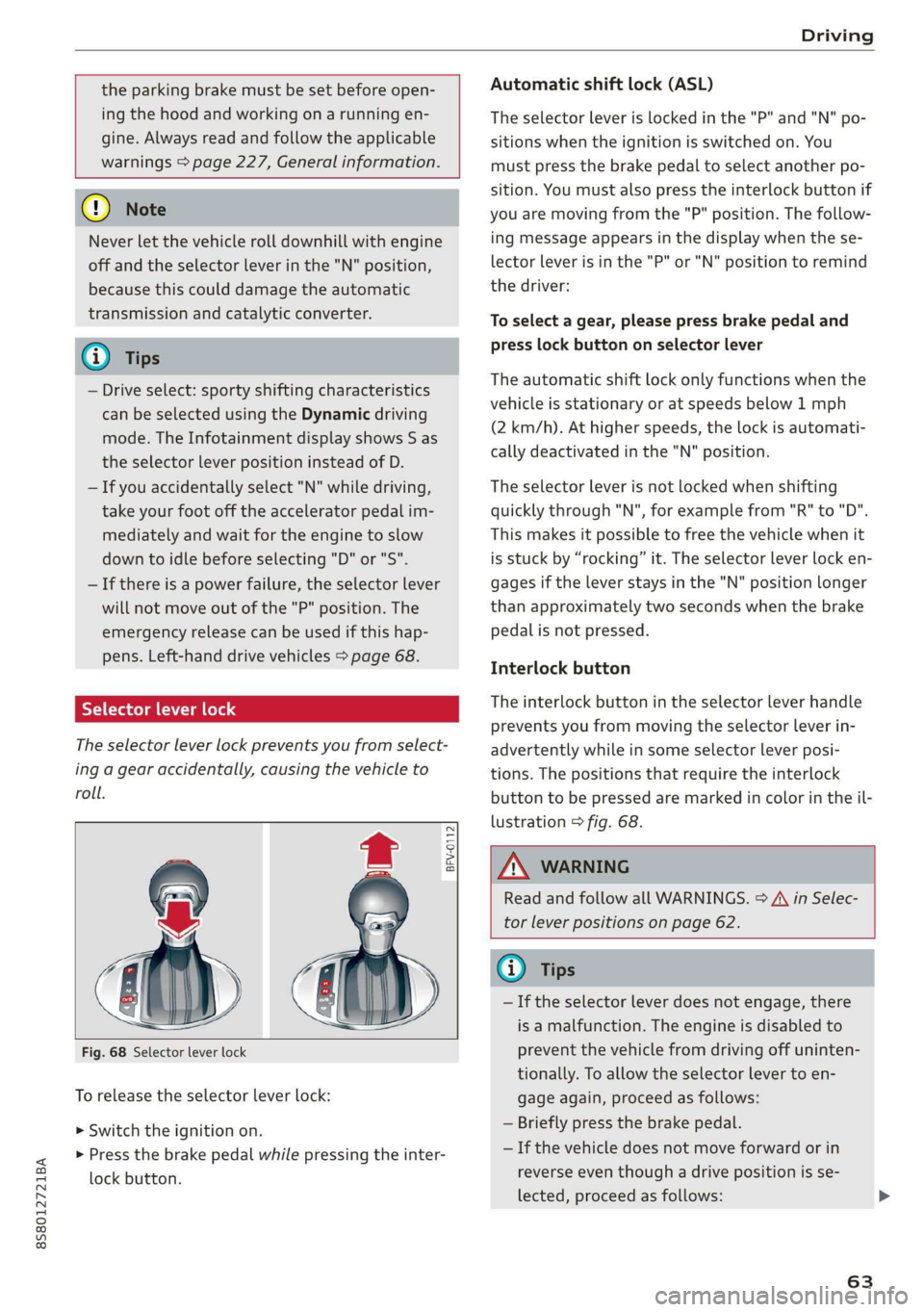
Fig. 68 Selector lever lock
To release the selector lever lock:
> Switch the ignition on.
> Press the brake pedal while pressing the inter-
lock button.
Automatic shift lock (ASL)
The selector Lever is locked in the "P" and "N" po-
sitions when the ignition is switched on. You
must press the brake pedal to select another po-
sition. You must also press the interlock button if
you are moving from the "P" position. The follow-
ing message appears in the display when the se-
lector lever is in the "P" or "N" position to remind
the driver:
To select a gear, please press brake pedal and
press lock button on selector lever
The automatic shift lock only functions when the
vehicle is stationary or at speeds below 1 mph
(2 km/h). At higher speeds, the lock is automati-
cally deactivated in the "N" position.
The selector lever is not locked when shifting
quickly through "N", for example from "R" to "D".
This makes it possible to free the vehicle when it
is stuck by “rocking” it. The selector lever lock en-
gages if the lever stays in the "N" position longer
than approximately two seconds when the brake
pedal is not pressed.
Interlock button
The interlock button in the selector lever handle
prevents you from moving the selector lever in-
advertently while in some selector lever posi-
tions. The positions that require the interlock
button to be pressed are marked in color in the il-
lustration > fig. 68.
Z\ WARNING
Read and follow all WARNINGS. > A\ in Selec-
tor lever positions on page 62.
@) Tips
—If the selector lever does not engage, there
is a malfunction. The engine is disabled to
prevent the vehicle from driving off uninten-
tionally. To allow the selector lever to en-
gage again, proceed as follows:
— Briefly press the brake pedal.
— If the vehicle does not move forward or in
reverse even though a drive position is se-
lected, proceed as follows:
63
Page 66 of 304
Driving
— If the vehicle does not move in the desired
direction, the system may not have engaged
the drive position correctly. Press the brake
pedal and select the drive position again.
— If the vehicle still does not move in the de-
sired direction, there is a system malfunc-
tion. See an authorized Audi dealer or au-
thorized Audi Service Facility for assistance
to have the system checked.
The transmission shifts up and down automati-
cally when in the driving gears.
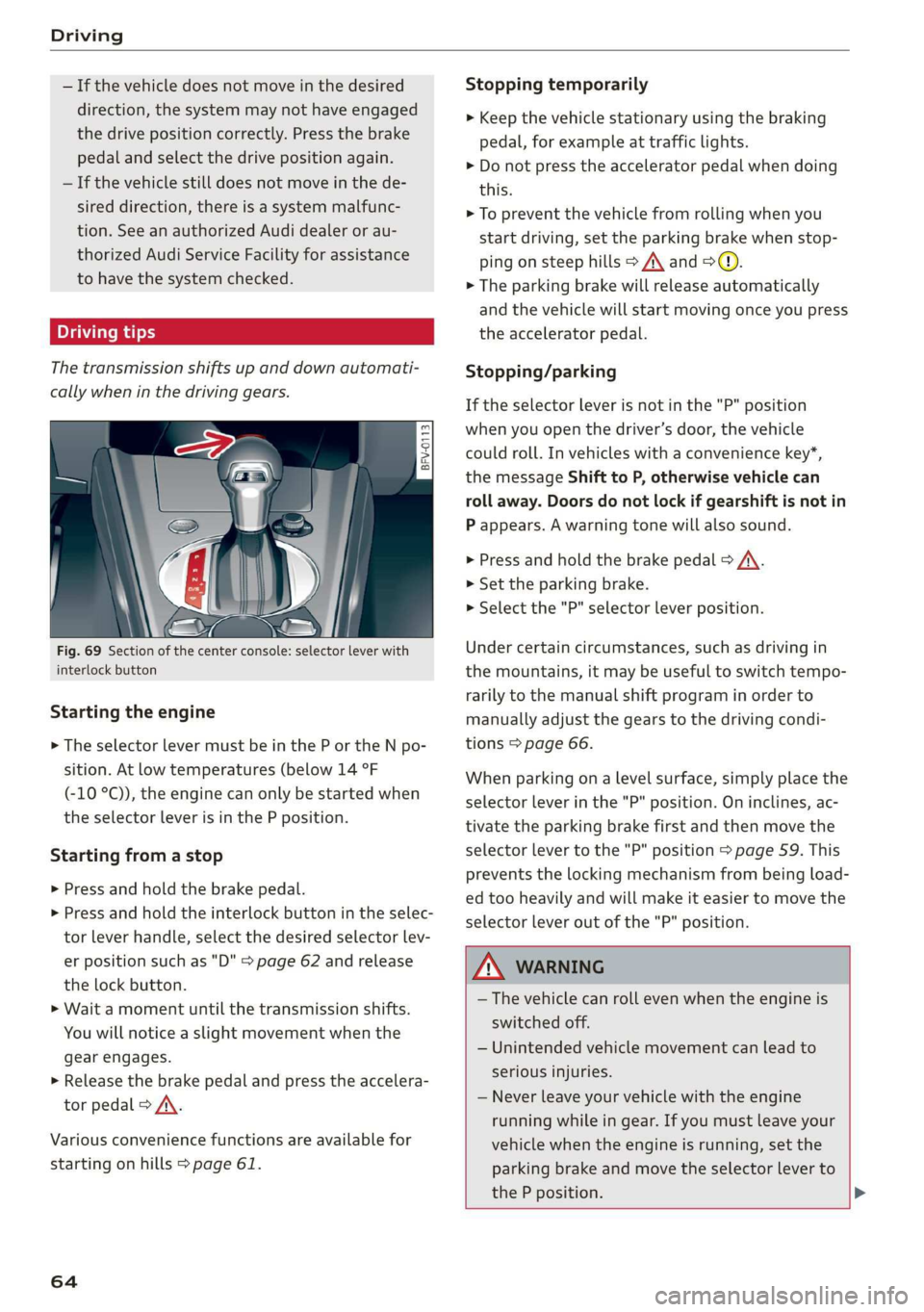
Fig. 69 Section of the center console: selector lever with
interlock button
Starting the engine
> The selector lever must be in the P or the N po-
sition. At low temperatures (below 14 °F
(-10 °C)), the engine can only be started when
the selector lever is in the P position.
Starting from a stop
> Press and hold the brake pedal.
> Press and hold the interlock button in the selec-
tor lever handle, select the desired selector lev-
er position such as "D" > page 62 and release
the lock button.
> Wait a moment until the transmission shifts.
You will notice a slight movement when the
gear engages.
> Release the brake pedal and press the accelera-
tor pedal > A\.
Various convenience functions are available for
starting on hills > page 61.
64
Stopping temporarily
> Keep the vehicle stationary using the braking
pedal, for example at traffic lights.
> Do not press the accelerator pedal when doing
this.
> To prevent the vehicle from rolling when you
start driving, set the parking brake when stop-
ping on steep hills > A\ and >@.
> The parking brake will release automatically
and the vehicle will start moving once you press
the accelerator pedal.
Stopping/parking
If the selector lever is not in the "P" position
when you open the driver’s door, the vehicle
could roll. In vehicles with a convenience key*,
the message Shift to P, otherwise vehicle can
roll away. Doors do not lock if gearshift is not in
P appears. A warning tone will also sound.
> Press and hold the brake pedal > A\.
>» Set the parking brake.
> Select the "P" selector lever position.
Under certain circumstances, such as driving in
the mountains, it may be useful to switch tempo-
rarily to the manual shift program in order to
manually adjust the gears to the driving condi-
tions > page 66.
When parking ona level surface, simply place the
selector lever in the "P" position. On inclines, ac-
tivate the parking brake first and then move the
selector lever to the "P" position > page 59. This
prevents the locking mechanism from being load-
ed too heavily and will make it easier to move the
selector lever out of the "P" position.
ZA WARNING
— The vehicle can roll even when the engine is
switched off.
— Unintended vehicle movement can lead to
serious injuries.
— Never leave your vehicle with the engine
running while in gear. If you must leave your
vehicle when the engine is running, set the
parking brake and move the selector lever to
the P position. >