vent BMW 1 SERIES 2009 Workshop Manual
[x] Cancel search | Manufacturer: BMW, Model Year: 2009, Model line: 1 SERIES, Model: BMW 1 SERIES 2009Pages: 166, PDF Size: 5.01 MB
Page 126 of 166
Replacing components
124
Replacing components
Onboard tool kit
The onboard tool kit is stored below the floor
mat in the cargo bay.
Wiper blades
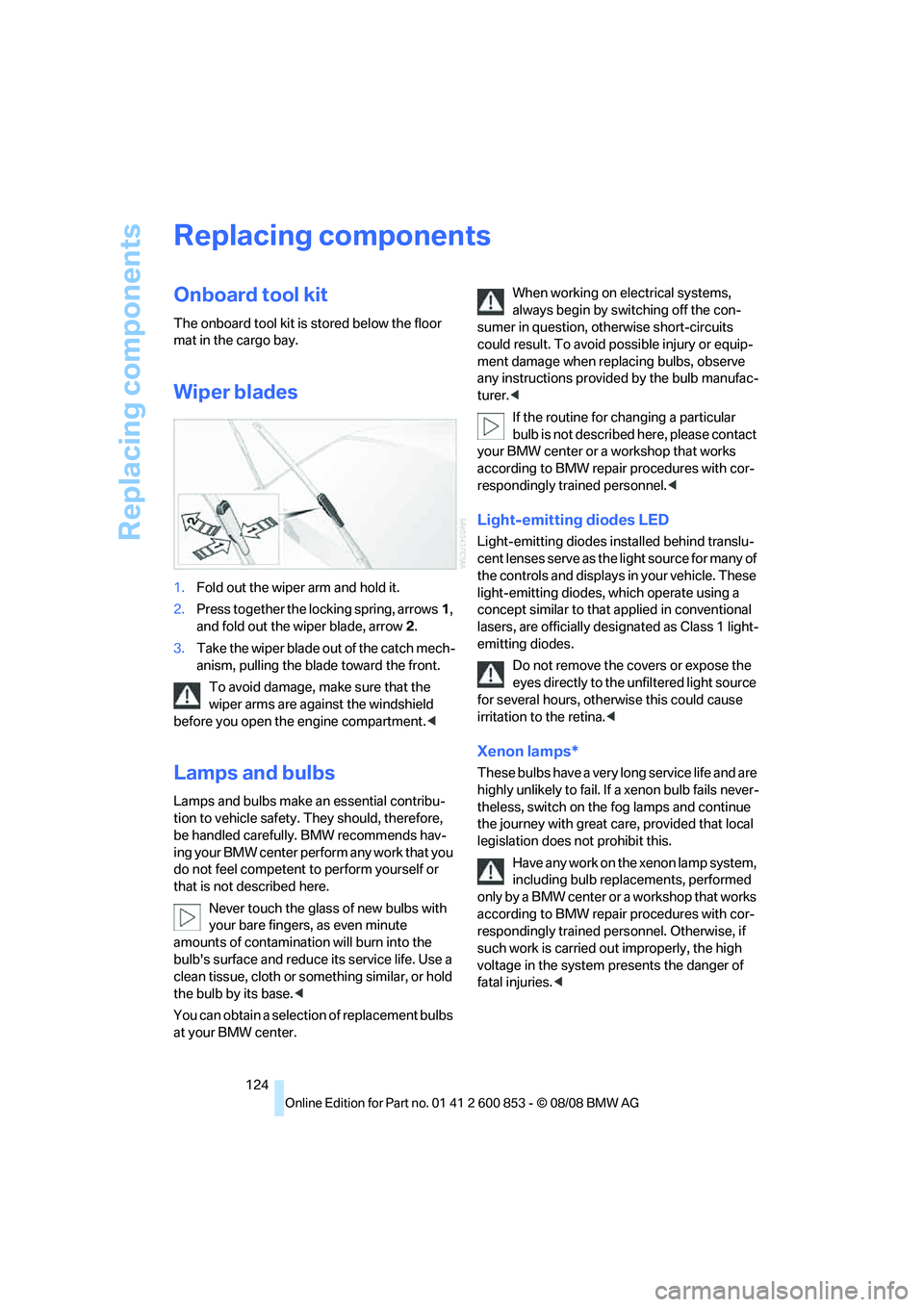
1.Fold out the wiper arm and hold it.
2.Press together the locking spring, arrows1,
and fold out the wiper blade, arrow2.
3.Take the wiper blade out of the catch mech-
anism, pulling the blade toward the front.
To avoid damage, make sure that the
wiper arms are against the windshield
before you open the engine compartment.<
Lamps and bulbs
Lamps and bulbs make an essential contribu-
tion to vehicle safety. They should, therefore,
be handled carefully. BMW recommends hav-
ing your BMW center perform any work that you
do not feel competent to perform yourself or
that is not described here.
Never touch the glass of new bulbs with
your bare fingers, as even minute
amounts of contamination will burn into the
bulb's surface and reduce its service life. Use a
clean tissue, cloth or something similar, or hold
the bulb by its base.<
You can obtain a selection of replacement bulbs
at your BMW center.When working on electrical systems,
always begin by switching off the con-
sumer in question, otherwise short-circuits
could result. To avoid possible injury or equip-
ment damage when replacing bulbs, observe
any instructions provided by the bulb manufac-
turer.<
If the routine for changing a particular
bulb is not described here, please contact
your BMW center or a workshop that works
according to BMW repair procedures with cor-
respondingly trained personnel.<
Light-emitting diodes LED
Light-emitting diodes installed behind translu-
cent lenses serve as the light source for many of
the controls and displays in your vehicle. These
light-emitting diodes, which operate using a
concept similar to that applied in conventional
lasers, are officially designated as Class 1 light-
emitting diodes.
Do not remove the covers or expose the
eyes directly to the unfiltered light source
for several hours, otherwise this could cause
irritation to the retina.<
Xenon lamps*
These bulbs have a very long service life and are
highly unlikely to fail. If a xenon bulb fails never-
theless, switch on the fog lamps and continue
the journey with great care, provided that local
legislation does not prohibit this.
Have any work on the xenon lamp system,
including bulb replacements, performed
only by a BMW center or a workshop that works
according to BMW repair procedures with cor-
respondingly trained personnel. Otherwise, if
such work is carried out improperly, the high
voltage in the system presents the danger of
fatal injuries.<
Page 129 of 166
Reference
At a glance
Controls
Driving tips
Mobility
127
3Lateral reflector
4Roadside parking lamp and tail lamp LED
5Reflector
6Turn signal
7Backup lamp
8Brake Force Display lamp
Replacing tail lamps
Outer brake lamp
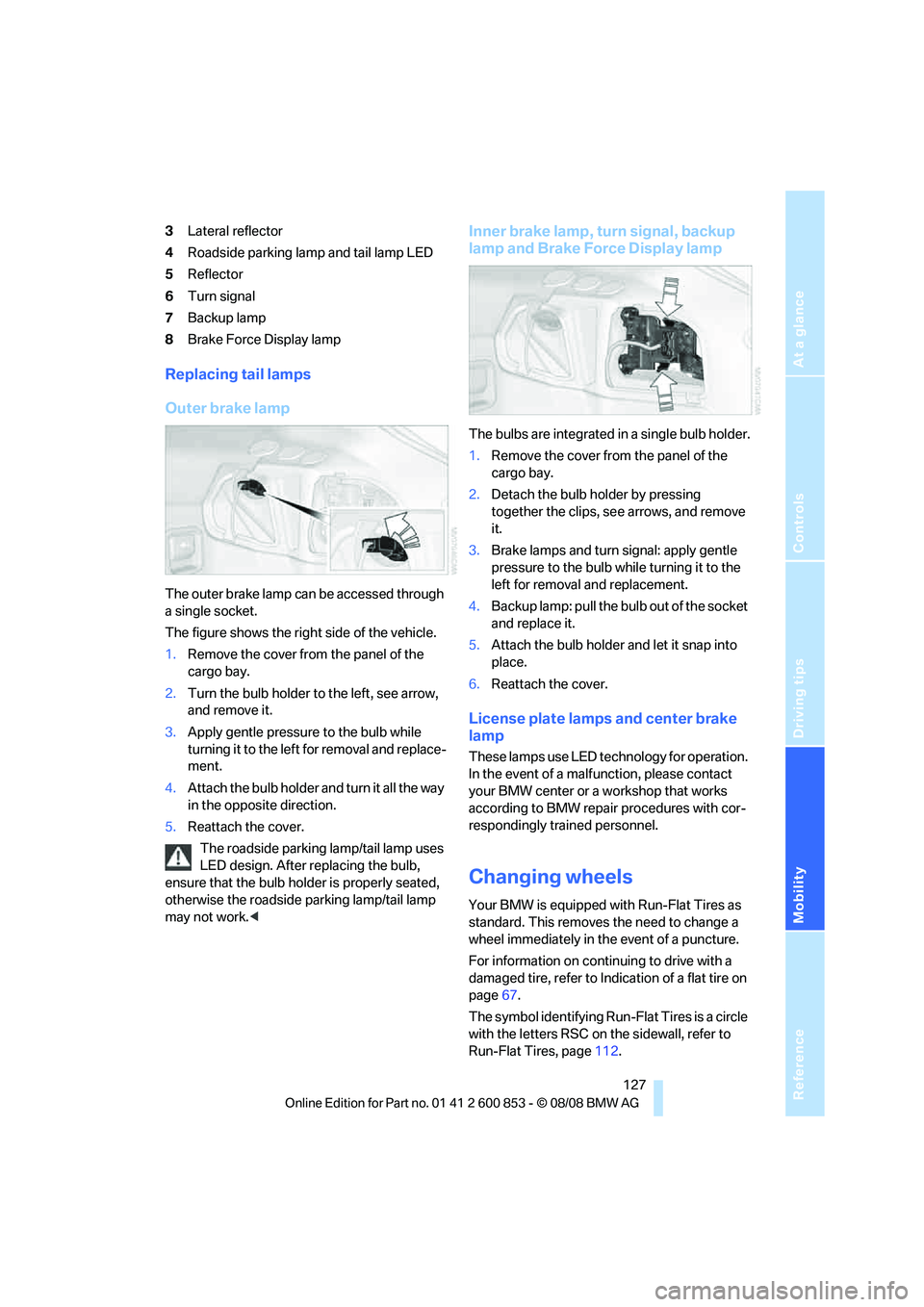
The outer brake lamp can be accessed through
a single socket.
The figure shows the right side of the vehicle.
1.Remove the cover from the panel of the
cargo bay.
2.Turn the bulb holder to the left, see arrow,
and remove it.
3.Apply gentle pressure to the bulb while
turning it to the left for removal and replace-
ment.
4.Attach the bulb holder and turn it all the way
in the opposite direction.
5.Reattach the cover.
The roadside parking lamp/tail lamp uses
LED design. After replacing the bulb,
ensure that the bulb holder is properly seated,
otherwise the roadside parking lamp/tail lamp
may not work.<
Inner brake lamp, turn signal, backup
lamp and Brake Force Display lamp
The bulbs are integrated in a single bulb holder.
1.Remove the cover from the panel of the
cargo bay.
2.Detach the bulb holder by pressing
together the clips, see arrows, and remove
it.
3.Brake lamps and turn signal: apply gentle
pressure to the bulb while turning it to the
left for removal and replacement.
4.Backup lamp: pull the bulb out of the socket
and replace it.
5.Attach the bulb holder and let it snap into
place.
6.Reattach the cover.
License plate lamps and center brake
lamp
These lamps use LED technology for operation.
In the event of a malfunction, please contact
your BMW center or a workshop that works
according to BMW repair procedures with cor-
respondingly trained personnel.
Changing wheels
Your BMW is equipped with Run-Flat Tires as
standard. This removes the need to change a
wheel immediately in the event of a puncture.
For information on continuing to drive with a
damaged tire, refer to Indication of a flat tire on
page67.
The symbol identifying Run-Flat Tires is a circle
with the letters RSC on the sidewall, refer to
Run-Flat Tires, page112.
Page 130 of 166
Replacing components
128 When mounting new tires or changing over
from summer to winter tires and vice versa,
mount Run-Flat Tires for your own safety. In the
event of a flat, no spare wheel is available. Your
BMW center will be glad to advise you. Refer
also to New wheels and tires, page112.
The tools for changing wheels are avail-
able as optional accessories from your
BMW center.<
Jack mounting points
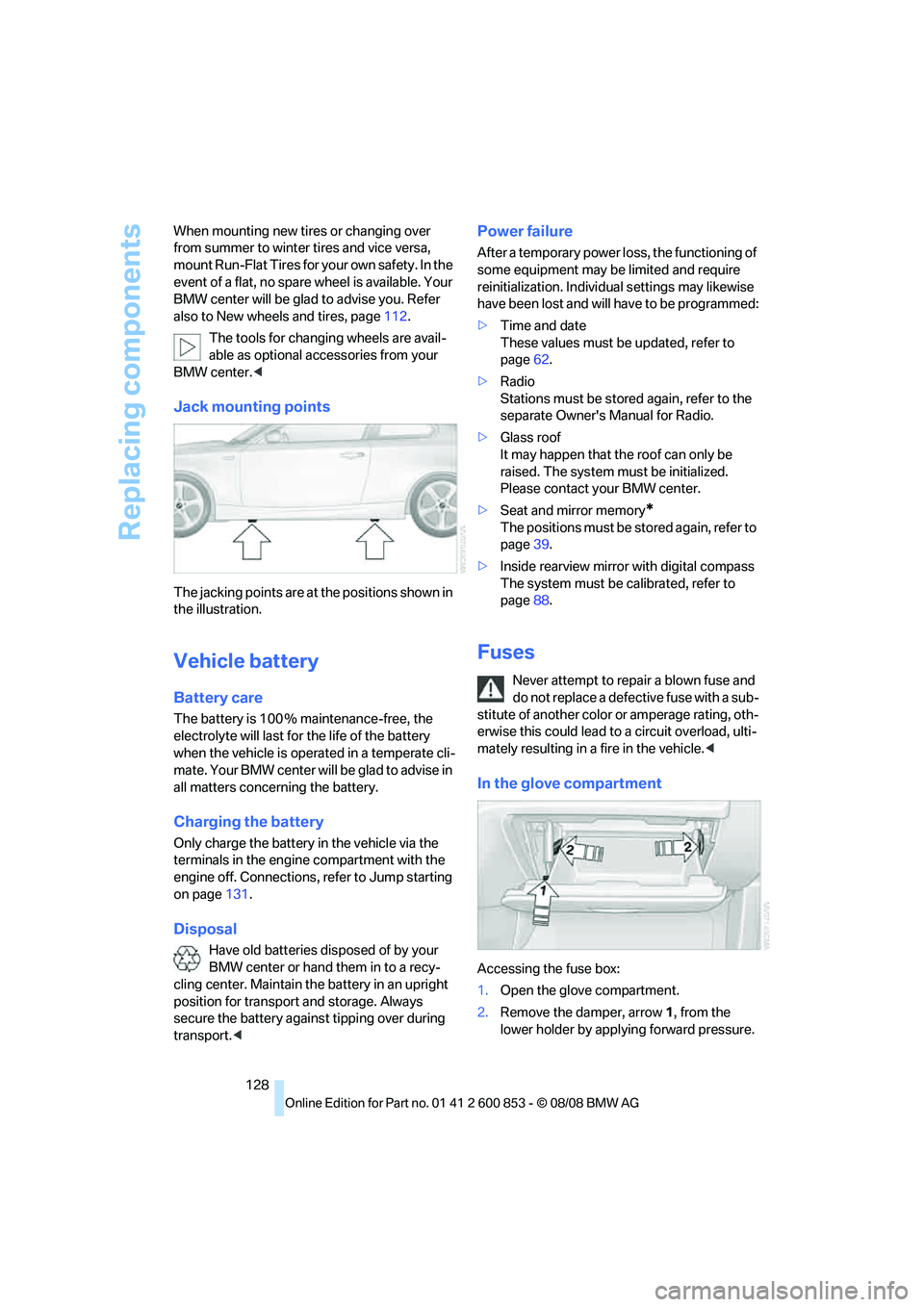
The jacking points are at the positions shown in
the illustration.
Vehicle battery
Battery care
The battery is 100 % maintenance-free, the
electrolyte will last for the life of the battery
when the vehicle is operated in a temperate cli-
mate. Your BMW center will be glad to advise in
all matters concerning the battery.
Charging the battery
Only charge the battery in the vehicle via the
terminals in the engine compartment with the
engine off. Connections, refer to Jump starting
on page131.
Disposal
Have old batteries disposed of by your
BMW center or hand them in to a recy-
cling center. Maintain the battery in an upright
position for transport and storage. Always
secure the battery against tipping over during
transport.<
Power failure
After a temporary power loss, the functioning of
some equipment may be limited and require
reinitialization. Individual settings may likewise
have been lost and will have to be programmed:
>Time and date
These values must be updated, refer to
page62.
>Radio
Stations must be stored again, refer to the
separate Owner's Manual for Radio.
>Glass roof
It may happen that the roof can only be
raised. The system must be initialized.
Please contact your BMW center.
>Seat and mirror memory
*
The positions must be stored again, refer to
page39.
>Inside rearview mirror with digital compass
The system must be calibrated, refer to
page88.
Fuses
Never attempt to repair a blown fuse and
do not replace a defective fuse with a sub-
stitute of another color or amperage rating, oth-
erwise this could lead to a circuit overload, ulti-
mately resulting in a fire in the vehicle.<
In the glove compartment
Accessing the fuse box:
1.Open the glove compartment.
2.Remove the damper, arrow1, from the
lower holder by applying forward pressure.
Page 132 of 166
Giving and receiving assistance
130
Giving and receiving assistance
Emergency Request*
Conditions for an Emergency Request:
>Full preparation package mobile phone: this
equipment makes it possible to send an
Emergency Request even if no mobile
phone is paired with the vehicle.
>Radio readiness is on.
>BMW Assist is activated. Activating
BMW Assist, refer to separate Owner's
Manual.
>The BMW Assist system is logged on to a
mobile phone network.
>The Emergency Request system is opera-
ble.
Once your service contract for BMW Assist
expires, the BMW Assist system can be deacti-
vated by a BMW center without you having to
visit a workshop. Once the BMW Assist system
has been deactivated, Emergency Requests
are not possible. The BMW Assist system can
be reactivated by a BMW center after a new
contract has been signed.
Sending an Emergency Request
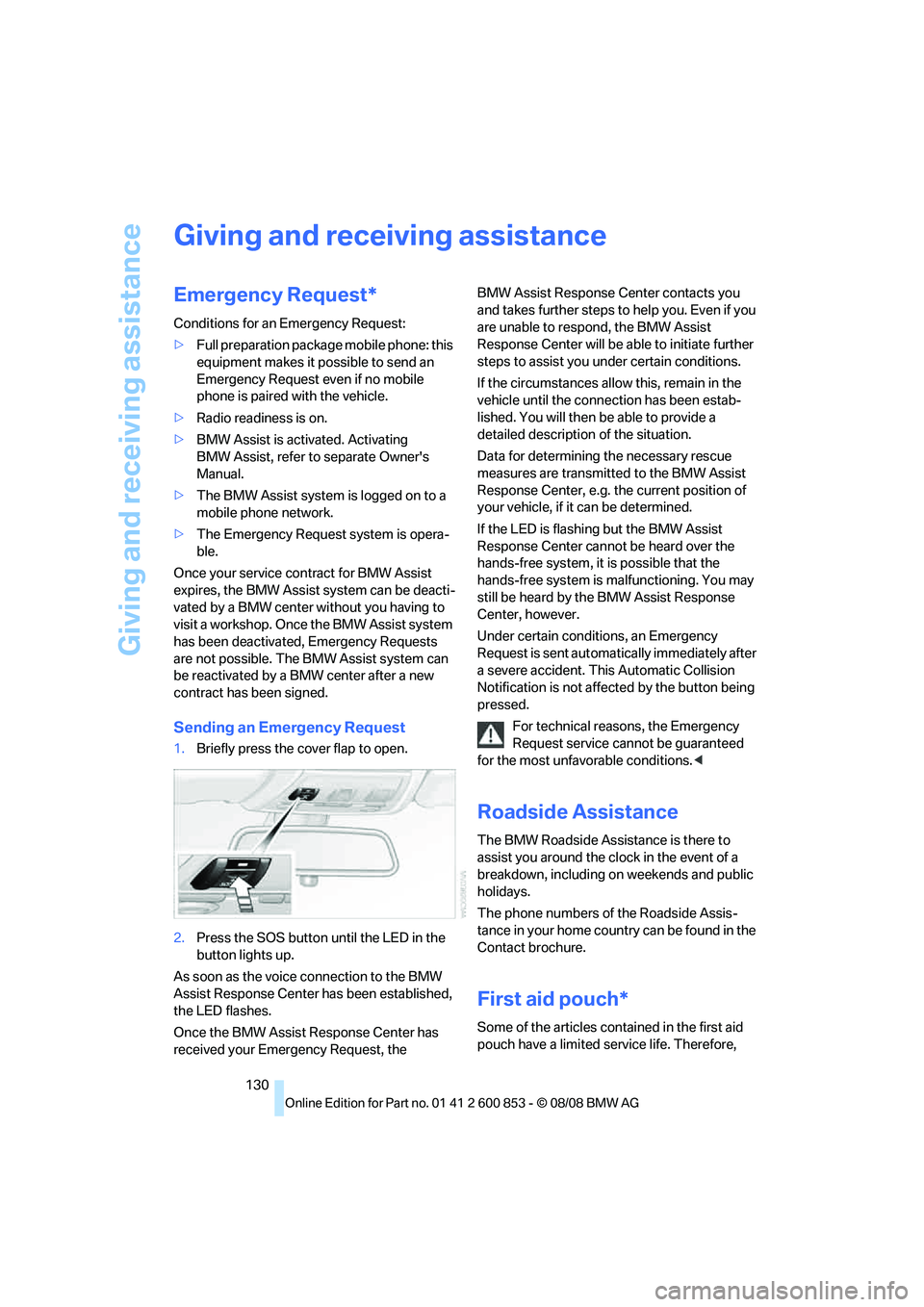
1.Briefly press the cover flap to open.
2.Press the SOS button until the LED in the
button lights up.
As soon as the voice connection to the BMW
Assist Response Center has been established,
the LED flashes.
Once the BMW Assist Response Center has
received your Emergency Request, the BMW Assist Response Center contacts you
and takes further steps to help you. Even if you
are unable to respond, the BMW Assist
Response Center will be able to initiate further
steps to assist you under certain conditions.
If the circumstances allow this, remain in the
vehicle until the connection has been estab-
lished. You will then be able to provide a
detailed description of the situation.
Data for determining the necessary rescue
measures are transmitted to the BMW Assist
Response Center, e.g. the current position of
your vehicle, if it can be determined.
If the LED is flashing but the BMW Assist
Response Center cannot be heard over the
hands-free system, it is possible that the
hands-free system is malfunctioning. You may
still be heard by the BMW Assist Response
Center, however.
Under certain conditions, an Emergency
Request is sent automatically immediately after
a severe accident. This Automatic Collision
Notification is not affected by the button being
pressed.
For technical reasons, the Emergency
Request service cannot be guaranteed
for the most unfavorable conditions.<
Roadside Assistance
The BMW Roadside Assistance is there to
assist you around the clock in the event of a
breakdown, including on weekends and public
holidays.
The phone numbers of the Roadside Assis-
tance in your home country can be found in the
Contact brochure.
First aid pouch*
Some of the articles contained in the first aid
pouch have a limited service life. Therefore,
Page 133 of 166
Reference
At a glance
Controls
Driving tips
Mobility
131
check the expiration dates of the contents reg-
ularly and replace any items in good time, if nec-
essary.
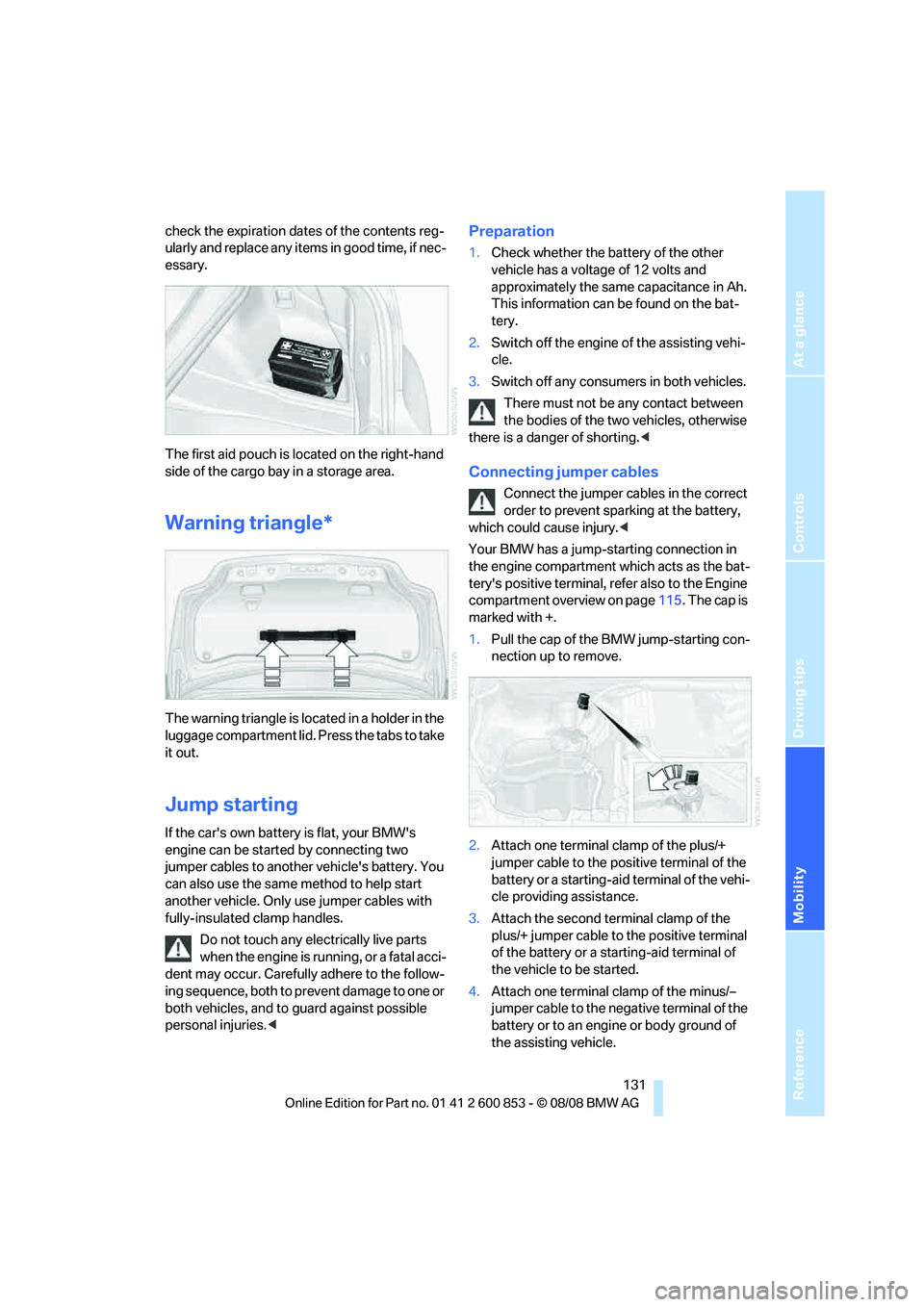
The first aid pouch is located on the right-hand
side of the cargo bay in a storage area.
Warning triangle*
The warning triangle is located in a holder in the
luggage compartment lid. Press the tabs to take
it out.
Jump starting
If the car's own battery is flat, your BMW's
engine can be started by connecting two
jumper cables to another vehicle's battery. You
can also use the same method to help start
another vehicle. Only use jumper cables with
fully-insulated clamp handles.
Do not touch any electrically live parts
when the engine is running, or a fatal acci-
dent may occur. Carefully adhere to the follow-
ing sequence, both to prevent damage to one or
both vehicles, and to guard against possible
personal injuries.<
Preparation
1.Check whether the battery of the other
vehicle has a voltage of 12 volts and
approximately the same capacitance in Ah.
This information can be found on the bat-
tery.
2.Switch off the engine of the assisting vehi-
cle.
3.Switch off any consumers in both vehicles.
There must not be any contact between
the bodies of the two vehicles, otherwise
there is a danger of shorting.<
Connecting jumper cables
Connect the jumper cables in the correct
order to prevent sparking at the battery,
which could cause injury.<
Your BMW has a jump-starting connection in
the engine compartment which acts as the bat-
tery's positive terminal, refer also to the Engine
compartment overview on page115. The cap is
marked with +.
1.Pull the cap of the BMW jump-starting con-
nection up to remove.
2.Attach one terminal clamp of the plus/+
jumper cable to the positive terminal of the
battery or a starting-aid terminal of the vehi-
cle providing assistance.
3.Attach the second terminal clamp of the
plus/+ jumper cable to the positive terminal
of the battery or a starting-aid terminal of
the vehicle to be started.
4.Attach one terminal clamp of the minus/–
jumper cable to the negative terminal of the
battery or to an engine or body ground of
the assisting vehicle.
Page 143 of 166
Reference
At a glance
Controls
Driving tips
Mobility
141
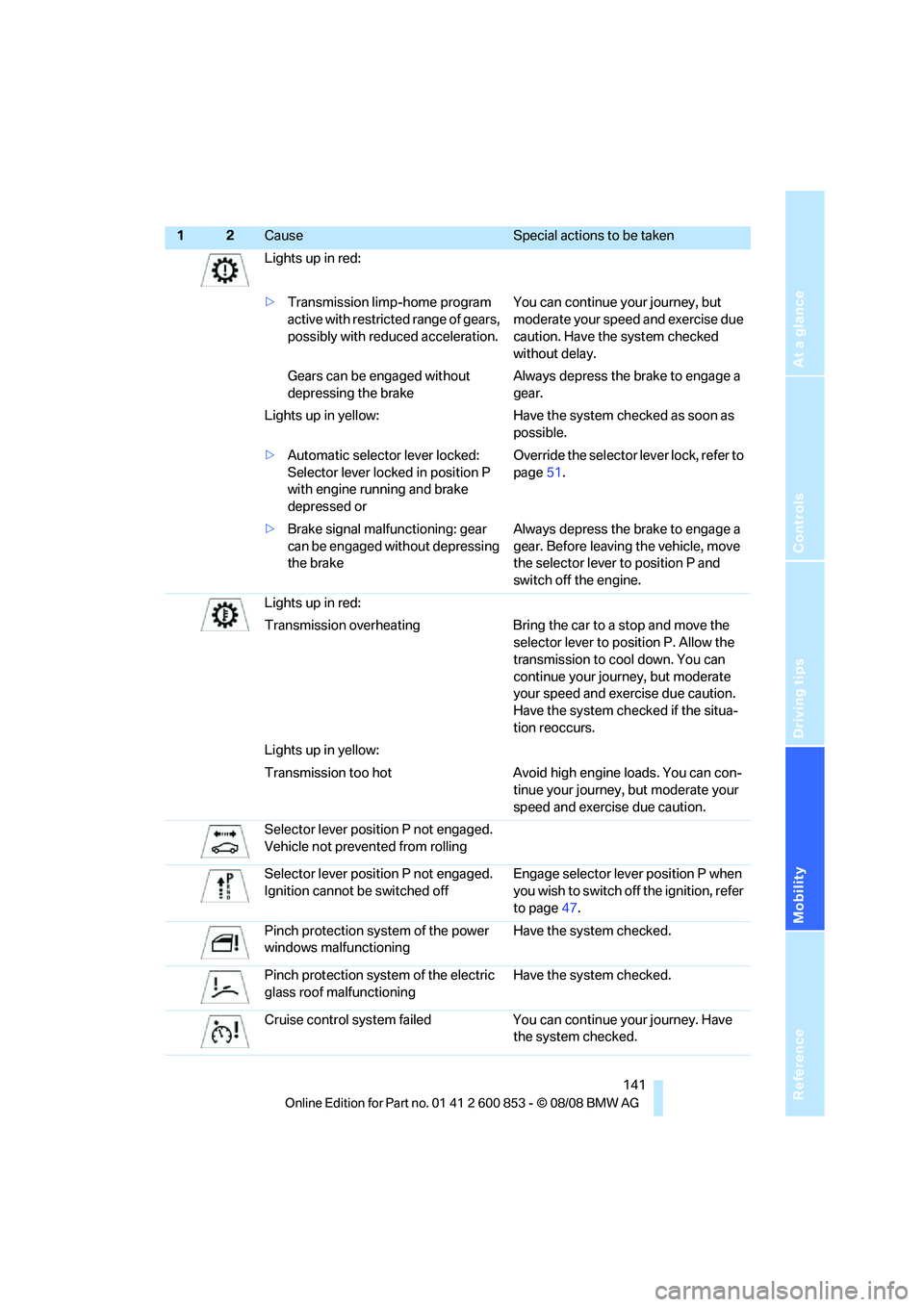
Lights up in red:
>Transmission limp-home program
active with restricted range of gears,
possibly with reduced acceleration. You can continue your journey, but
moderate your speed and exercise due
caution. Have the system checked
without delay.
Gears can be engaged without
depressing the brakeAlways depress the brake to engage a
gear.
Lights up in yellow: Have the system checked as soon as
possible.
>Automatic selector lever locked:
Selector lever locked in position P
with engine running and brake
depressed orOverride the selector lever lock, refer to
page51.
>Brake signal malfunctioning: gear
can be engaged without depressing
the brakeAlways depress the brake to engage a
gear. Before leaving the vehicle, move
the selector lever to position P and
switch off the engine.
Lights up in red:
Transmission overheating Bring the car to a stop and move the
selector lever to position P. Allow the
transmission to cool down. You can
continue your journey, but moderate
your speed and exercise due caution.
Have the system checked if the situa-
tion reoccurs.
Lights up in yellow:
Transmission too hot Avoid high engine loads. You can con-
tinue your journey, but moderate your
speed and exercise due caution.
Selector lever position P not engaged.
Vehicle not prevented from rolling
Selector lever position P not engaged.
Ignition cannot be switched offEngage selector lever position P when
you wish to switch off the ignition, refer
to page47.
Pinch protection system of the power
windows malfunctioningHave the system checked.
Pinch protection system of the electric
glass roof malfunctioningHave the system checked.
Cruise control system failed You can continue your journey. Have
the system checked.
12Cause Special actions to be taken
Page 154 of 166
Everything from A to Z
152
Everything from A to Z
Index
A
ABS Antilock Brake
System64
Accessories, refer to The
individual vehicle5
Accident, reporting, refer to
Emergency Request130
Activated-charcoal filter84
Active steering70
Adaptive Head Light76
Additives
– coolant117
– engine oil116
Airbags71
– sitting safely35
– warning lamp72
Air conditioner79
Air distribution
– automatic83
– individual80
Air flow rate80,83
Airing, refer to
Ventilation81,84
Air outlets, refer to Air
vents79
Air pressure, checking, refer
to Tire inflation
pressure106
Air recirculation, refer to
Recirculated-air
mode80,83
Air vents79
AKI, refer to Fuel
specifications104
Alarm system24
– avoiding unintentional
alarms25
– interior motion sensor25
– switching off an alarm25
– tilt alarm sensor25
All-season tires, refer to
Winter tires113Ambient air, refer to
Recirculated-air
mode80,83
Antifreeze
– coolant117
– washer fluid53
Antilock Brake System
ABS64
Anti-theft alarm system, refer
to Alarm system24
Anti-theft system19
Approved axle loads, refer to
Weights149
Approved gross vehicle
weight, refer to Weights149
Armrest, refer to Center
armrest
88
Ashtray90
Assistance systems, refer to
Dynamic Stability Control
DSC65
AUC Automatic recirculated-
air control83
Automatic
– air distribution83
– air flow rate83
– cruise control54
– headlamp control74
Automatic car wash, refer to
Car wash98
Automatic car washes120
Automatic climate control79
– automatic air distribution83
Automatic curb monitor42
Automatic lamps
– refer to Welcome lamps74
Automatic recirculated-air
control AUC83Automatic transmission with
Steptronic49
– interlock50
– selector lever lock50
– shiftlock50
– towing132
– tow-starting132
AUTO program for automatic
climate control83
Average fuel consumption58
– setting the units60
Average speed58
Avoiding unintentional
alarms25
Axle loads, refer to
Weights149
B
Backrests, refer to Seats36
Backrest width adjustment37
Back seats, refer to Rear seats
– adjusting head restraints38
Backup lamp, replacing
bulb127
Bag for skis, refer to Ski
bag92
Band-aids, refer to First-aid
pouch130
Bar, refer to Tow-starting,
towing away133
Battery128
– charging128
– disposal27,128
– jump starting131
– temporary power failure128
Battery renewal
– remote control for vehicle27
Being towed132
Belts, refer to Safety belts41
Belt tensioner, refer to Safety
belts41
Page 157 of 166
Reference
At a glance
Controls
Driving tips
Mobility
155
Doors, emergency
operation22
DOT Quality Grades110
Draft-free ventilation81,84
Drinks holders, refer to Cup
holders89
Drive-off assistance, refer to
DSC65
Drive-off assistant66
Driving lamps, refer to Parking
lamps/low beams74
Driving notes96
Driving off on hills, refer to
Drive-off assistant66
Driving stability control
systems64
Driving through water98
Driving tips, refer to Driving
notes96
Dry air, refer to Cooling
function84
DSC Dynamic Stability
Control65
DTC Dynamic Traction
Control65
– indicator lamps65
Dynamic Brake Control
DBC65
Dynamic Stability Control
DSC65
Dynamic Traction Control
DTC
– indicator lamps66
E
EBV Electronic brake-force
distribution65
Electrical malfunction
– door lock22
– fuel filler door104
– glass roof30
Electronic brake-force
distribution EBV65
Electronic oil level check115
Electronic Stability Program
ESP, refer to Dynamic
Stability Control DSC65Emergency operation, refer to
Manual operation
– door lock22
– fuel filler door104
– glass roof30
– transmission lock, automatic
transmission51
Emergency release, luggage
compartment lid24
Emergency Request130
Emergency services, refer to
Roadside Assistance130
Energy, saving
– saving fuel96
Engine
– breaking in96
– data146
– speed146
– starting48
– starting, convenient
access26
– switching off48
Engine compartment115
Engine coolant, refer to
Coolant117
Engine oil
– adding116
– additives116
– BMW Maintenance
System118
– checking level115
– intervals between changes,
refer to Service
requirements61
– specified engine oils116
Engine output, refer to Engine
data146
Engine speed, refer to Engine
data146
Engine starting, refer to
Starting the engine48
ESP Electronic Stability
Program, refer to Dynamic
Stability Control DSC65
Event data recorders119
Exhaust system, refer to Hot
exhaust system97Exterior mirrors41
– adjusting41
– automatic dimming
feature43
– automatic heating42
– folding in and out42
Eyes
– for tow-starting and towing
away132
– for tying down loads100
F
Failure messages, refer to
Check Control62
Failure of an electrical
consumer128
False alarm, refer to Avoiding
unintentional alarms25
Fastening safety belts, refer to
Safety belts41
Filter of automatic climate
control, refer to Microfilter/
activated charcoal filter84
Filter of heating or air
conditioner, refer to
Microfilter81
First aid pouch130
Fixture for remote control,
refer to Ignition lock47
Flash when locking/
unlocking21
Flat tire
– Run-Flat Tires112
– Tire Pressure Monitor
TPM68
Flat Tire Monitor FTM66
– indicating a flat tire67
– initializing the system66
– malfunction67
– system limits66
Flat tires, refer to Tire
condition111
Fog lamps77
– indicator lamp77,134
Footbrake, refer to Braking
safely98
Footwell lamps77
For your own safety5
Page 158 of 166
Everything from A to Z
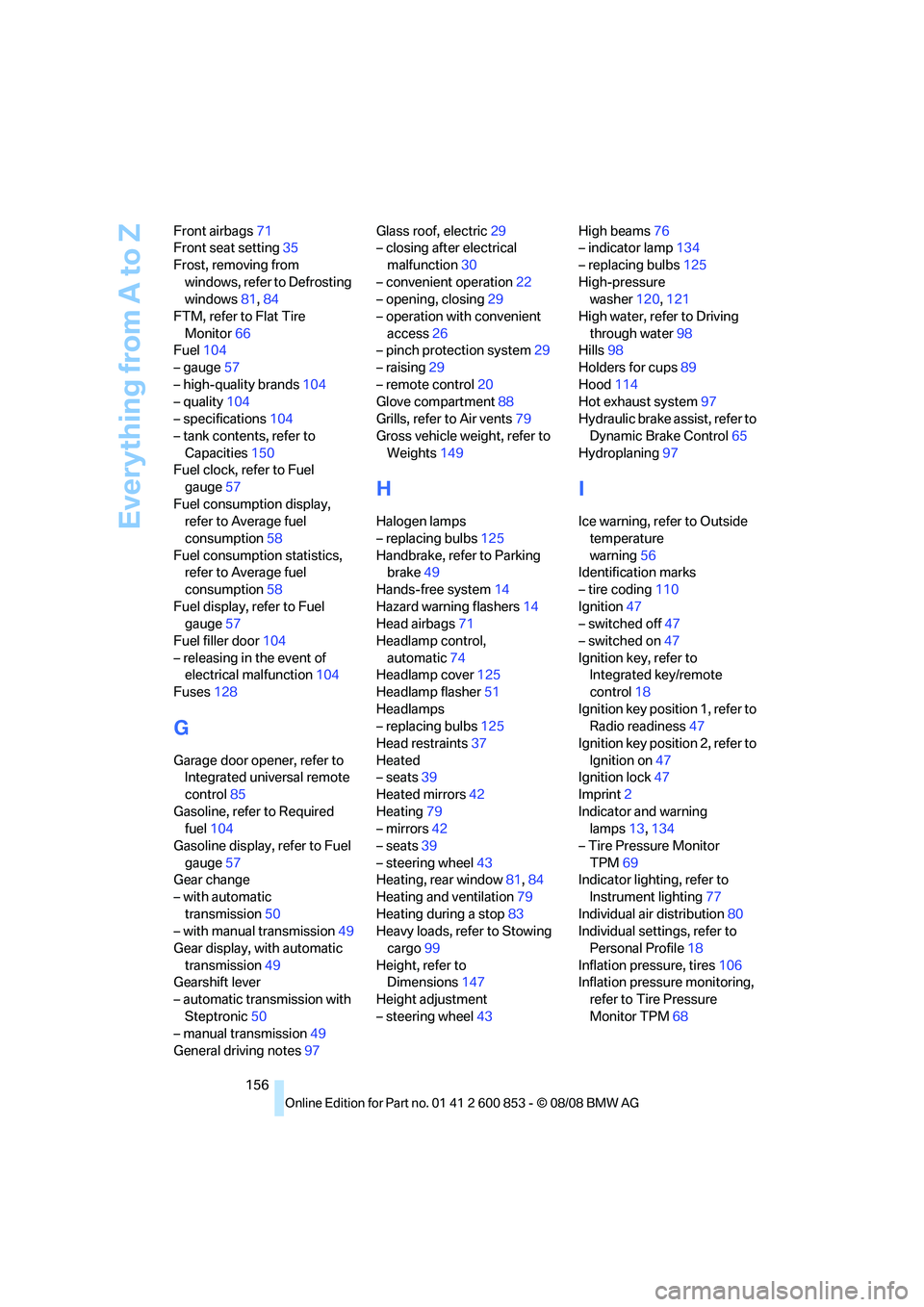
156 Front airbags71
Front seat setting35
Frost, removing from
windows, refer to Defrosting
windows81,84
FTM, refer to Flat Tire
Monitor66
Fuel104
– gauge57
– high-quality brands104
– quality104
– specifications104
– tank contents, refer to
Capacities150
Fuel clock, refer to Fuel
gauge57
Fuel consumption display,
refer to Average fuel
consumption58
Fuel consumption statistics,
refer to Average fuel
consumption58
Fuel display, refer to Fuel
gauge57
Fuel filler door104
– releasing in the event of
electrical malfunction104
Fuses128
G
Garage door opener, refer to
Integrated universal remote
control85
Gasoline, refer to Required
fuel104
Gasoline display, refer to Fuel
gauge57
Gear change
– with automatic
transmission50
– with manual transmission49
Gear display, with automatic
transmission49
Gearshift lever
– automatic transmission with
Steptronic50
– manual transmission49
General driving notes97Glass roof, electric29
– closing after electrical
malfunction30
– convenient operation22
– opening, closing29
– operation with convenient
access26
– pinch protection system29
– raising29
– remote control20
Glove compartment88
Grills, refer to Air vents79
Gross vehicle weight, refer to
Weights149
H
Halogen lamps
– replacing bulbs125
Handbrake, refer to Parking
brake49
Hands-free system14
Hazard warning flashers14
Head airbags71
Headlamp control,
automatic74
Headlamp cover125
Headlamp flasher51
Headlamps
– replacing bulbs125
Head restraints37
Heated
– seats39
Heated mirrors42
Heating79
– mirrors42
– seats39
– steering wheel43
Heating, rear window81,84
Heating and ventilation79
Heating during a stop83
Heavy loads, refer to Stowing
cargo99
Height, refer to
Dimensions147
Height adjustment
– steering wheel43High beams76
– indicator lamp134
– replacing bulbs125
High-pressure
washer120,121
High water, refer to Driving
through water98
Hills98
Holders for cups89
Hood114
Hot exhaust system97
Hydraulic brake assist, refer to
Dynamic Brake Control65
Hydroplaning97
I
Ice warning, refer to Outside
temperature
warning56
Identification marks
– tire coding110
Ignition47
– switched off47
– switched on47
Ignition key, refer to
Integrated key/remote
control18
Ignition key position 1, refer to
Radio readiness47
Ignition key position 2, refer to
Ignition on47
Ignition lock47
Imprint2
Indicator and warning
lamps13,134
– Tire Pressure Monitor
TPM69
Indicator lighting, refer to
Instrument lighting77
Individual air distribution80
Individual settings, refer to
Personal Profile18
Inflation pressure, tires106
Inflation pressure monitoring,
refer to Tire Pressure
Monitor TPM68
Page 160 of 166
Everything from A to Z
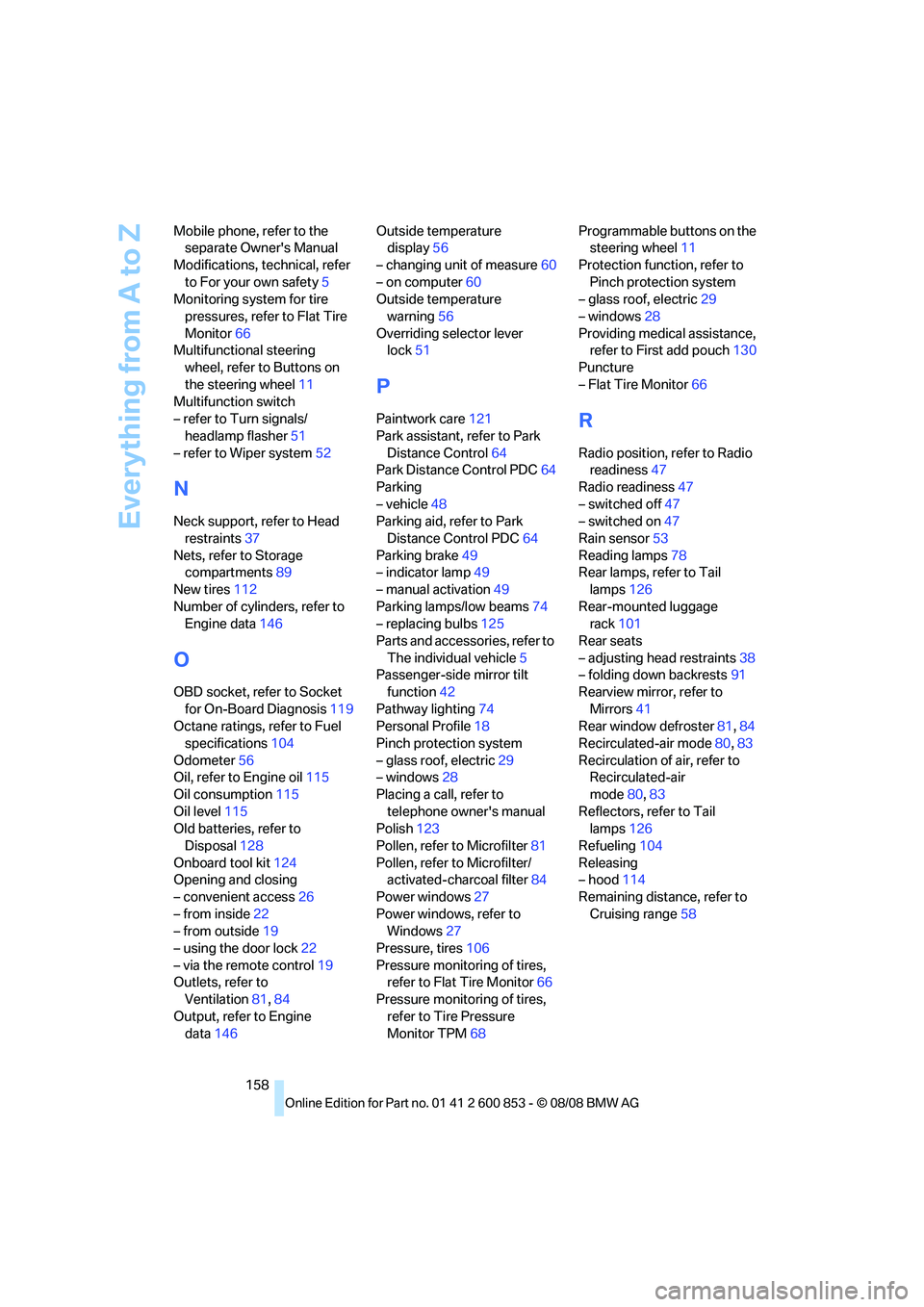
158 Mobile phone, refer to the
separate Owner's Manual
Modifications, technical, refer
to For your own safety5
Monitoring system for tire
pressures, refer to Flat Tire
Monitor66
Multifunctional steering
wheel, refer to Buttons on
the steering wheel11
Multifunction switch
– refer to Turn signals/
headlamp flasher51
– refer to Wiper system52
N
Neck support, refer to Head
restraints37
Nets, refer to Storage
compartments89
New tires112
Number of cylinders, refer to
Engine data146
O
OBD socket, refer to Socket
for On-Board Diagnosis119
Octane ratings, refer to Fuel
specifications104
Odometer56
Oil, refer to Engine oil115
Oil consumption115
Oil level115
Old batteries, refer to
Disposal128
Onboard tool kit124
Opening and closing
– convenient access26
– from inside22
– from outside19
– using the door lock22
– via the remote control19
Outlets, refer to
Ventilation81,84
Output, refer to Engine
data146Outside temperature
display56
– changing unit of measure60
– on computer60
Outside temperature
warning56
Overriding selector lever
lock51
P
Paintwork care121
Park assistant, refer to Park
Distance Control64
Park Distance Control PDC64
Parking
– vehicle48
Parking aid, refer to Park
Distance Control PDC64
Parking brake49
– indicator lamp49
– manual activation49
Parking lamps/low beams74
– replacing bulbs125
Parts and accessories, refer to
The individual vehicle5
Passenger-side mirror tilt
function42
Pathway lighting74
Personal Profile18
Pinch protection system
– glass roof, electric29
– windows28
Placing a call, refer to
telephone owner's manual
Polish123
Pollen, refer to Microfilter81
Pollen, refer to Microfilter/
activated-charcoal filter84
Power windows27
Power windows, refer to
Windows27
Pressure, tires106
Pressure monitoring of tires,
refer to Flat Tire Monitor66
Pressure monitoring of tires,
refer to Tire Pressure
Monitor TPM68Programmable buttons on the
steering wheel11
Protection function, refer to
Pinch protection system
– glass roof, electric29
– windows28
Providing medical assistance,
refer to First add pouch130
Puncture
– Flat Tire Monitor66R
Radio position, refer to Radio
readiness47
Radio readiness47
– switched off47
– switched on47
Rain sensor53
Reading lamps78
Rear lamps, refer to Tail
lamps126
Rear-mounted luggage
rack101
Rear seats
– adjusting head restraints38
– folding down backrests91
Rearview mirror, refer to
Mirrors41
Rear window defroster81,84
Recirculated-air mode80,83
Recirculation of air, refer to
Recirculated-air
mode80,83
Reflectors, refer to Tail
lamps126
Refueling104
Releasing
– hood114
Remaining distance, refer to
Cruising range58