Comfort access BMW 1 SERIES 2013 E82 User Guide
[x] Cancel search | Manufacturer: BMW, Model Year: 2013, Model line: 1 SERIES, Model: BMW 1 SERIES 2013 E82Pages: 288, PDF Size: 6.73 MB
Page 48 of 288
43
Opening and closing
Controls
After switching off the ignition
When the remote control
is removed or the igni-
tion is switched off, you can still operate the
windows for approx. 1 minute as long as no
door has been opened.
Convenient opening and closing
For Convenient opening and closing using the
remote control, refer to page 34. For Conve-
nient closing using Comfort Access, refer to
Locking on page 40.
Pinch protection system
If the closing force exceeds a specific value as a
power window closes, the closing action is
interrupted and the window reopens slightly.
Despite the pinch protection system
check and clear the window's travel path
prior to closing it; otherwise, the safety system
might fail to detect certain kinds of obstruc-
tions, such as thin objects, and the window
would continue closing.
Do not install any accessories that might inter-
fere with window movement. Otherwise, the
pinch protection system could be impaired.
Convertible: the rear windows are not equipped
with pinch protection. Therefore, watch them
closely when closing to avoid personal injury. <
Closing without pinch protection
If there is an external danger, or if ice on the
windows, etc., prevents you from closing the
windows normally, proceed as follows:
1.Pull the switch past the resistance point and
hold it there. Pinch protection is limited and
the window reopens slightly if the closing
force exceeds a certain value.
2. Pull the switch again past the resistance
point within approx. 4 seconds and hold it
there. The window closes without pinch
protection.
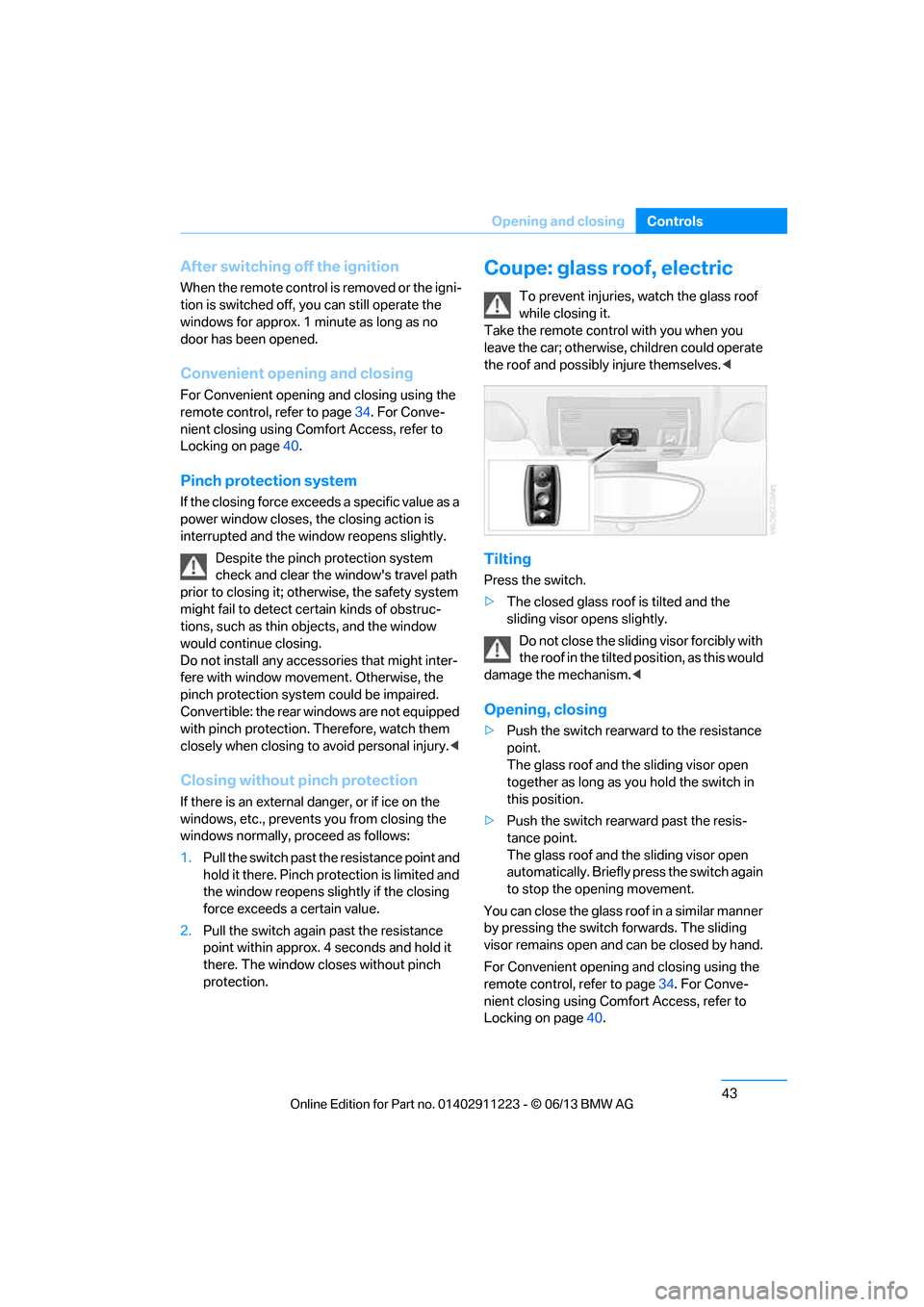
Coupe: glass roof, electric
To prevent injuries, watch the glass roof
while closing it.
Take the remote contro l with you when you
leave the car; otherwise, children could operate
the roof and possibly injure themselves. <
Tilting
Press the switch.
>The closed glass roof is tilted and the
sliding visor opens slightly.
Do not close the sliding visor forcibly with
the roof in the tilted position, as this would
damage the mechanism. <
Opening, closing
>Push the switch rearward to the resistance
point.
The glass roof and the sliding visor open
together as long as you hold the switch in
this position.
> Push the switch rearward past the resis-
tance point.
The glass roof and the sliding visor open
automatically. Briefly press the switch again
to stop the opening movement.
You can close the glass roof in a similar manner
by pressing the switch forwards. The sliding
visor remains open and can be closed by hand.
For Convenient opening and closing using the
remote control, refer to page 34. For Conve-
nient closing using Comfort Access, refer to
Locking on page 40.
00320051004F004C00510048000300280047004C0057004C005200510003
Page 50 of 288
45
Opening and closing
Controls
Before opening and closing
>
Comply with the sa fety precautions
described above.
> Ensure that the trunk partition is folded
down and engaged on both sides, refer to
page 118; otherwise, it will not be possible
to open the convertible top.
> Ensure that the cargo does not press
against the trunk partition from below.
> Ensure that the tr unk lid is closed.
Opening and closing
Convertible top operation with Comfort Access,
also refer to page 34.
As of radio readiness, refer to page 61:
To conserve battery power, if possible
operate the convertible top only while the
engine is running.
Prior to closing the conv ertible top, check for
and remove all debris from the windshield
frame; otherwise, the closing of the top may be
hampered. <
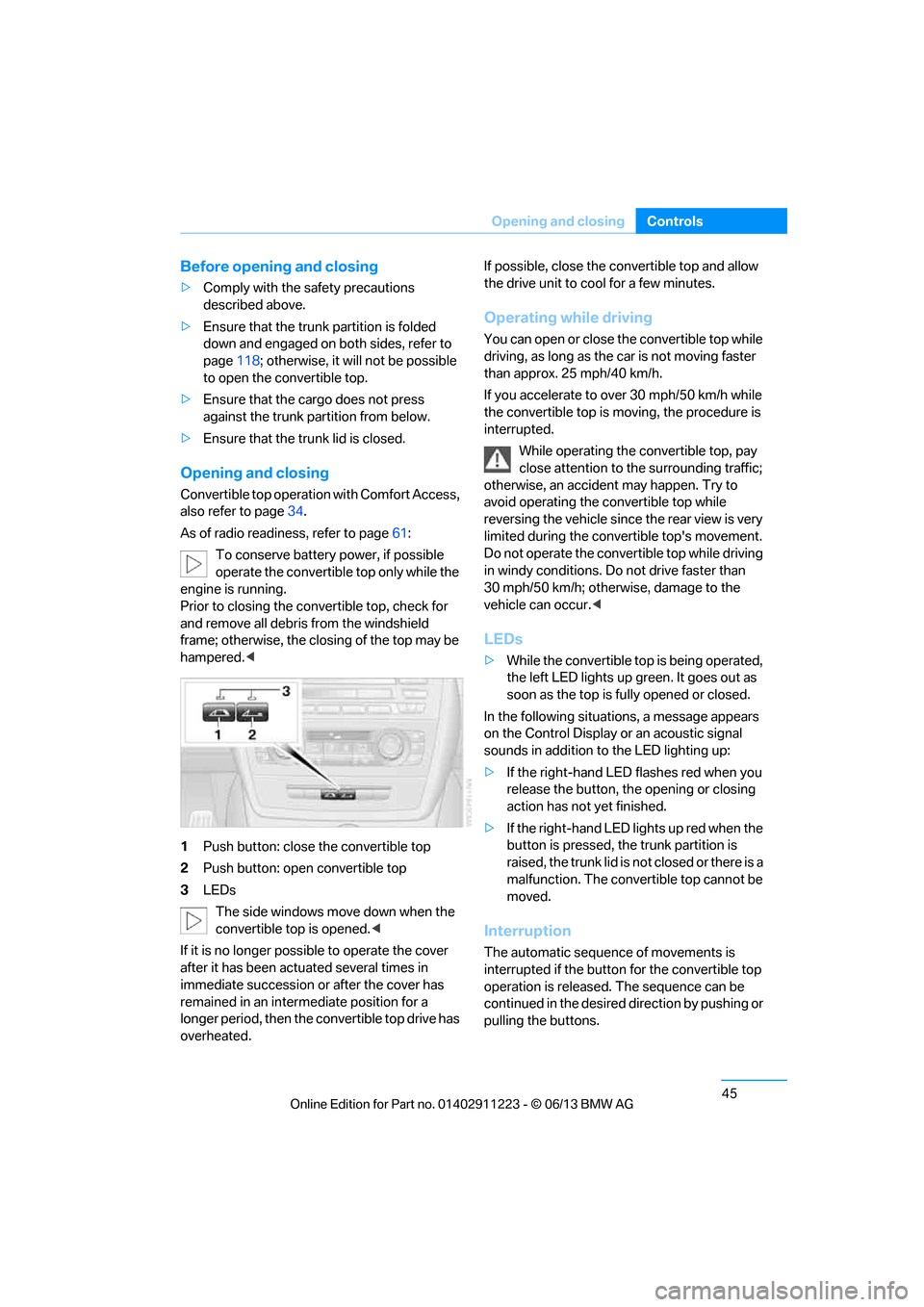
1 Push button: close the convertible top
2 Push button: open convertible top
3 LEDs
The side windows move down when the
convertible top is opened. <
If it is no longer possible to operate the cover
after it has been actuated several times in
immediate succession or after the cover has
remained in an interm ediate position for a
longer period, then the convertible top drive has
overheated. If possible, close the convertible top and allow
the drive unit to cool for a few minutes.
Operating while driving
You can open or close the convertible top while
driving, as long as the car is not moving faster
than approx. 25 mph/40 km/h.
If you accelerate to ov
er 30 mph/50 km/h while
the convertible top is moving, the procedure is
interrupted.
While operating the convertible top, pay
close attention to the surrounding traffic;
otherwise, an accident may happen. Try to
avoid operating the convertible top while
reversing the vehicle since the rear view is very
limited during the convertible top's movement.
Do not operate the convertible top while driving
in windy conditions. Do not drive faster than
30 mph/50 km/h; otherwise, damage to the
vehicle can occur. <
LEDs
>While the convertible top is being operated,
the left LED lights up green. It goes out as
soon as the top is fully opened or closed.
In the following situations, a message appears
on the Control Display or an acoustic signal
sounds in addition to the LED lighting up:
> If the right-hand LED flashes red when you
release the button, th e opening or closing
action has not yet finished.
> If the right-hand LED lights up red when the
button is pressed, the trunk partition is
raised, the trunk lid is not closed or there is a
malfunction. The convertible top cannot be
moved.
Interruption
The automatic sequence of movements is
interrupted if the button for the convertible top
operation is released. The sequence can be
continued in the desired direction by pushing or
pulling the buttons.
00320051004F004C00510048000300280047004C0057004C005200510003
Page 66 of 288
61
Driving
Controls
Driving
Vehicle equipment
In this chapter, all production, country, and
optional equipment that is offered in the model
range is described. For this reason, descrip-
tions will be given of some equipment that may
not be available in a vehi
cle, for example due to
the special options or national-market version
selected. This also app lies to safety related
functions and systems.
Ignition lock
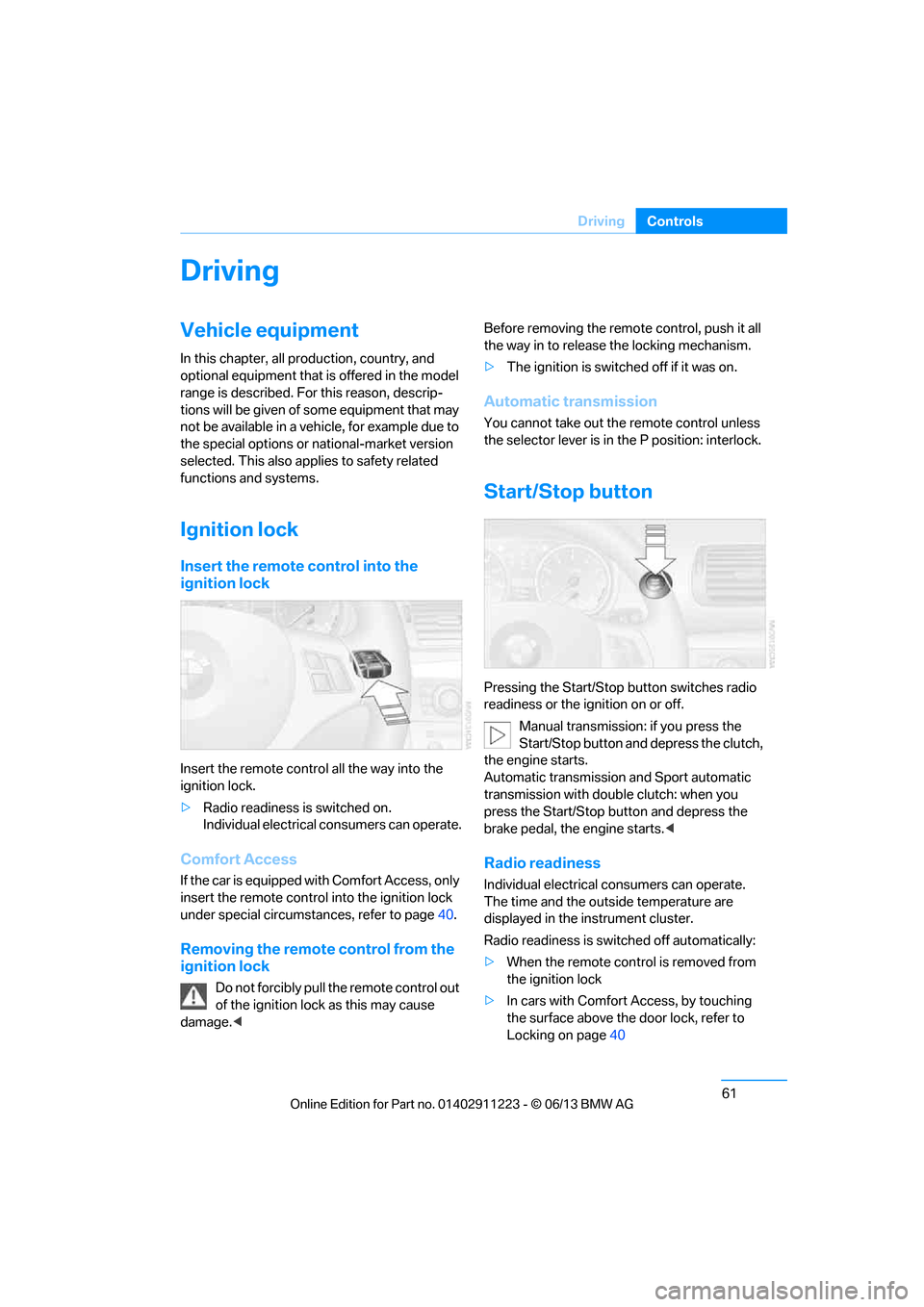
Insert the remote control into the
ignition lock
Insert the remote contro l all the way into the
ignition lock.
> Radio readiness is switched on.
Individual electrical consumers can operate.
Comfort Access
If the car is equipped with Comfort Access, only
insert the remote control into the ignition lock
under special circumstances, refer to page 40.
Removing the remote control from the
ignition lock
Do not forcibly pull the remote control out
of the ignition lock as this may cause
damage. < Before removing the remote control, push it all
the way in to release
the locking mechanism.
> The ignition is switched off if it was on.
Automatic transmission
You cannot take out the remote control unless
the selector lever is in the P position: interlock.
Start/Stop button
Pressing the Start/Stop button switches radio
readiness or the ignition on or off.
Manual transmission: if you press the
Start/Stop button and depress the clutch,
the engine starts.
Automatic transmission and Sport automatic
transmission with doub le clutch: when you
press the Start/Stop button and depress the
brake pedal, the engine starts. <
Radio readiness
Individual electrical consumers can operate.
The time and the outside temperature are
displayed in the instrument cluster.
Radio readiness is switched off automatically:
> When the remote control is removed from
the ignition lock
> In cars with Comfort Access, by touching
the surface above the door lock, refer to
Locking on page 40
00320051004F004C00510048000300280047004C0057004C005200510003
Page 67 of 288
62
ControlsDriving
Ignition on
All electrical consumers can operate. The
odometer and trip odometer are displayed in
the instrument cluster.
When the engine is off, please switch
off the ignition and any unnecessary
electrical consumers in order to preserve the
battery. <
Radio readiness and ignition off
All indicator and warnin g lamps as well as
displays in the instrument cluster go out.
Starting the engine
Do not run the engine in enclosed areas;
otherwise, the inhalati on of toxic exhaust
gases can cause loss of consciousness and
death. The exhaust gases contain carbon mon-
oxide, an odorless and colorless, but highly
toxic gas. Never leave an unattended vehicle
with the engine running; otherwise, such a
vehicle represents a po tential safety hazard.
Before leaving the car with the engine running,
place the transmission in neutral or move the
selector lever to positi on P and forcefully apply
the parking brake to prevent the car from
moving. <
Do not wait for the engine to warm up while the
vehicle remains stationary. Start driving right
away, but at moderate engine speeds. Avoid frequent starting in quick succes-
sion as well as repeated start attempts in
which the engine does no t start. Otherwise, the
fuel is not burned or incompletely burned and
there is a danger of overheating and damaging
the catalytic converter. <
Manual transmission
Remote control in the ignition lock or, with
Comfort Access, inside the vehicle, refer to
page40.
1. Depress the brake.
2. Depress the clutch an d shift into neutral.
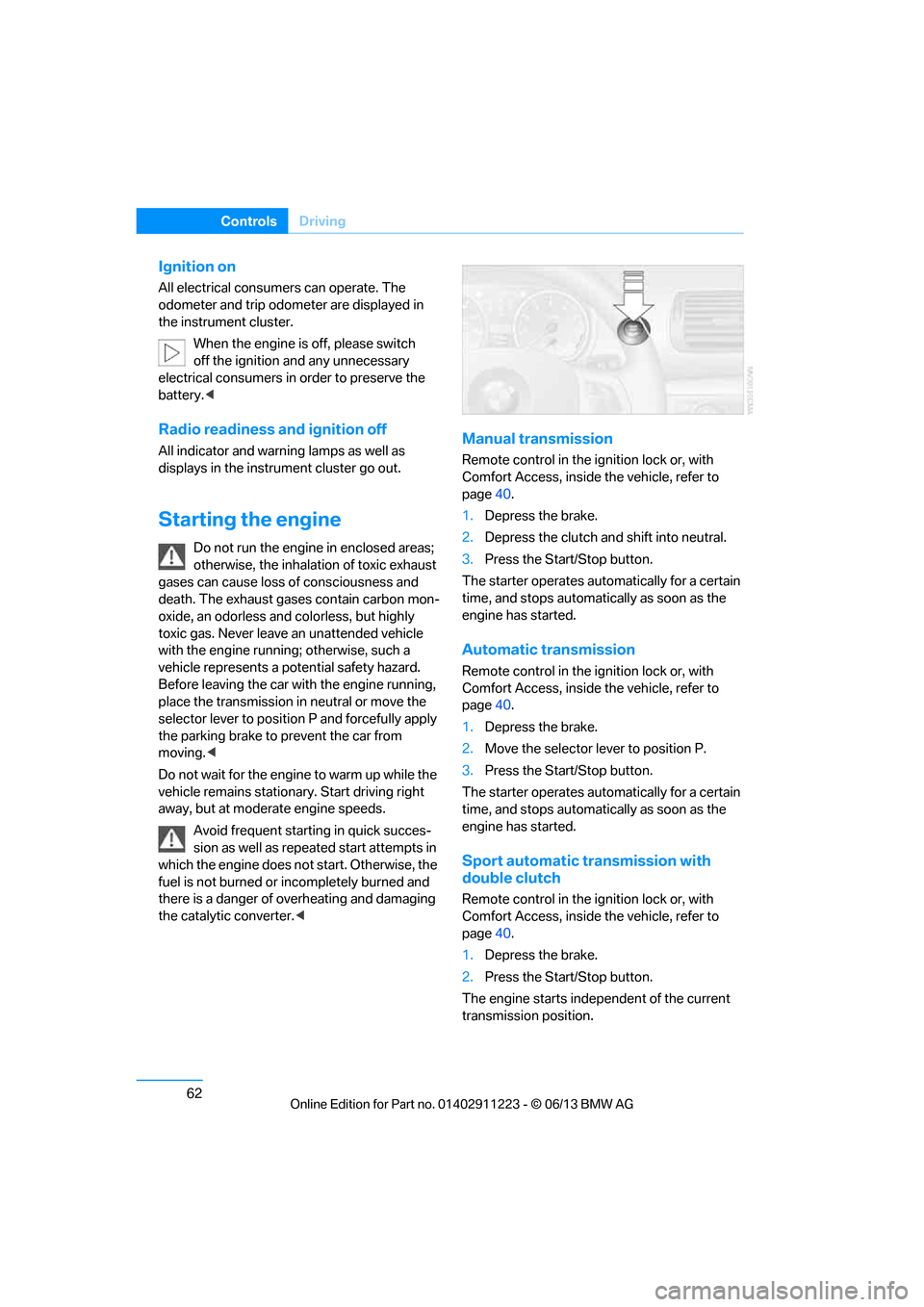
3. Press the Start/Stop button.
The starter operates automatically for a certain
time, and stops automatically as soon as the
engine has started.
Automatic transmission
Remote control in the ignition lock or, with
Comfort Access, inside the vehicle, refer to
page 40.
1. Depress the brake.
2. Move the selector lever to position P.
3. Press the Start/Stop button.
The starter operates automatically for a certain
time, and stops automatically as soon as the
engine has started.
Sport automatic transmission with
double clutch
Remote control in the ignition lock or, with
Comfort Access, inside the vehicle, refer to
page 40.
1. Depress the brake.
2. Press the Start/Stop button.
The engine starts independent of the current
transmission position.
00320051004F004C00510048000300280047004C0057004C005200510003
Page 245 of 288
240
MobilityCare
Driving into an automatic car wash
Perform the following steps to ensure that the
vehicle can roll:
Manual transmission:
1.Shift into neutral.
2. Release parking brake, refer to page 63.
3. Switch off the engine.
4. Leave the remote control in the ignition
lock.
Automatic transmission:
1. Insert the remote cont rol into the ignition
lock, even with Comfort Access.
2. Shift selector lever into position N.
3. Release parking brake, refer to page 63.
4. Switch off the engine.
5. Leave the remote control in the ignition
lock.
Sport automatic transmission with double
clutch:
1. Insert the remote cont rol into the ignition
lock, even with Comfort Access.
2. Shift selector lever into position N.
3. Release parking brake, refer to page 63.
4. Switch off the engine.
5. Leave the remote control in the ignition
lock.
The transmission is switched into position P:
> Automatically after approx. 30 minutes
> If you remove the infrared remote control
from the ignition lock
Headlamps
Do not rub them dry and do not use abrasive or
corrosive cleaning agents.
Loosen dirt, e.g. insects, with shampoo and
rinse away with water.
Thaw ice with a de-icer and do not use an ice
scraper.
After washing the vehicle
After washing the vehicle, apply the
brakes briefly to dry them; otherwise,
water can reduce braking efficiency over the
short term and the brake discs can corrode. <
R e m o v e r e s i d u e s o n t h e windows completely in
order to prevent impaired vision due to smear
formation and to reduce wiper noise and wiper
blade wear.
Vehicle care
Care products
BMW recommends using BMW cleaning and
care products since they have been tested and
approved for this purpose.
Follow the instructions on the packaging.
When cleaning inside the vehicle, always
open the doors and windows. Only use prod-
ucts designed for cleaning vehicles. Cleaning
agents can contain substa nces that are danger-
ous or hazardous to your health. <
Vehicle paintwork
Regular care contributes to driving safety and
value retention. Environmental influences in
regions with elevated levels of air pollution or
natural contaminants such as tree sap or pollen
can impact vehicle paintwork. The frequency
and scope of car care should be adapted
accordingly.
Immediately remove particularly corrosive sub-
stances such as spilled fuel, oil, grease, or bird
droppings to prevent damage to the paintwork.
Leather care
Frequently remove dust from the leather using
a cloth or vacuum cleaner.
Otherwise, dust and road grit in the pores and
folds of the leather will otherwise have an abra-
sive effect, resulting in increased wear and
causing the leather surf ace to become brittle
prematurely.
00320051004F004C00510048000300280047004C0057004C005200510003
Page 253 of 288
248
MobilityReplacing components
Changing wheels
Your BMW is equipped with run-flat tires as
standard. This eliminates the need to change a
wheel immediately in the event of a puncture.
For information on continuing to drive with a
damaged tire, refer to Indica tion of a flat tire on
page 92.
The symbol identifying run- flat tires is a circle
with the letters RSC on the sidewall, refer to
New wheels and tires, page 230.
When mounting new tires or changing over
from summer to winter tires and vice versa,
mount run-flat tires for your own safety. In the
event of a flat, no spare wheel is available. Your
BMW center will be glad to advise you. Refer
also to New wheels and tires, page 230.
The tools for changing wheels are avail-
able as optional accessories from your
BMW center. <
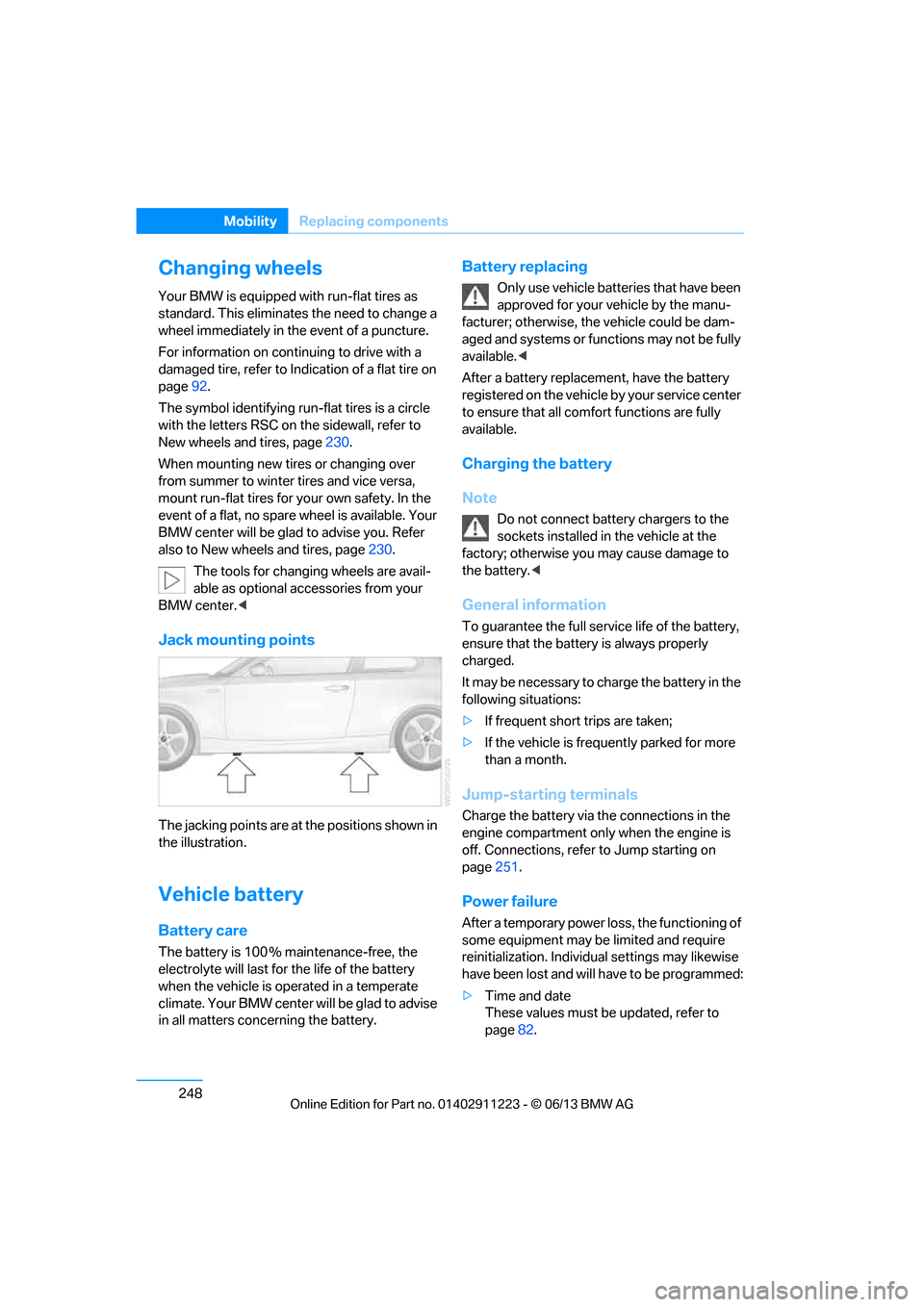
Jack mounting points
The jacking points are at the positions shown in
the illustration.
Vehicle battery
Battery care
The battery is 100 % maintenance-free, the
electrolyte will last for the life of the battery
when the vehicle is operated in a temperate
climate. Your BMW center will be glad to advise
in all matters conc erning the battery.
Battery replacing
Only use vehicle batteries that have been
approved for your vehicle by the manu-
facturer; otherwise, the vehicle could be dam-
aged and systems or functions may not be fully
available. <
After a battery replacem ent, have the battery
registered on the vehicle by your service center
to ensure that all comfort functions are fully
available.
Charging the battery
Note
Do not connect battery chargers to the
sockets installed in the vehicle at the
factory; otherwise you may cause damage to
the battery. <
General information
To guarantee the full serv ice life of the battery,
ensure that the battery is always properly
charged.
It may be necessary to ch arge the battery in the
following situations:
> If frequent short trips are taken;
> If the vehicle is frequently parked for more
than a month.
Jump-starting terminals
Charge the battery via the connections in the
engine compartment only when the engine is
off. Connections, refer to Jump starting on
page 251.
Power failure
After a temporary power lo ss, the functioning of
some equipment may be limited and require
reinitialization. Individual settings may likewise
have been lost and will have to be programmed:
> Time and date
These values must be updated, refer to
page 82.
00320051004F004C00510048000300280047004C0057004C005200510003
Page 275 of 288
270
ReferenceEverything from A to Z
Care239
– automatic car washes 239
– care products 240
– carpets 242
– chrome parts 241
– convertible top 242
– displays 242
– fine wood parts 241
– headlamps 240
– leather 240
– light-alloy wheels 241
– paintwork 240
– plastic parts 241
– rubber seals 241
– safety belts 241
– sensors and cameras 242
– upholstery and cloth trim 241
Cargo, securing 128
Cargo area, refer to Trunk
Cargo area lid, refer to Trunk lid 37
Cargo loading 127
– securing cargo 128
– stowing cargo 128
– vehicle 127
Car jack
– jacking points 248
Car key, refer to Integrated key/remote control 32
Car phone
– installation location, refer to Center armrest 115
Car phone, refer to
Telephone 188
Car radio, refer to Radio 157
Car wash 239
Catalytic converter, refer to Hot exhaust system 126
CD, audio playback 166CD player
166
– controls 154
– fast forward/reverse 168
– random sequence 167
– selecting a track 166
– switching on/off 154
– tone control 155
– volume 155
Center armrest 115
Center brake lamp, replacing bulb 247
Center console, refer to Around the center
console 16
Central key, refer to Integrated key/remote control 32
Central locking
– from inside 37
– from outside 33
Central lo cking
system33
– comfort access 40
Changes, technical, refer to
For your own safety 5
Changing bulbs 243
Changing gears 68
Changing the language on the Control Display 87
Changing wheels 248
Chassis number, refer to Engine compartment 232
Check Control 84
Child restraint fixing system LATCH 59
Child restraint systems 58
Child seats 58
Chrome parts 241
Chrome polish 241
Cigarette lighter 117
Cleaning headlamps 72
– washer fluid 73
Cleaning your BMW, refer to Care 239 Climate control
– automatic air
distribution 107
Clock 75
– 12h/24h mode 83
– setting the time and date 83
– setting time 82
Closing
– from inside 37
– from outside 34
Clothes hooks 116
Cold start, refer to Starting the engine 62
Comfort Access 40
– replacing the battery 41
Comfort area, refer to Around
the center console 16
Compartment for remote control, refer to Ignition
lock 61
Compass 113
Computer 77
– displays on Control Display 78
Computer, refer to iDrive 20
Concierge service 213
Condensation, refer to When the vehicle is parked 127
Condition Based Service CBS 237
Configuring settings, refer to
Personal Profile 32
Confirmation signals for locking/unlocking the
vehicle 35
ConnectedDrive 212
Con n
ecting a music player,
AUX-In connection 177
Connecting a music player, USB audio interface 178
Connecting an iPod, refer to AUX-In connection 177
Connecting an iPod, refer to
USB audio interface 178
00320051004F004C00510048000300280047004C0057004C005200510003
Page 276 of 288
271
Everything from A to Z
Reference
Connecting an MP3 player,
refer to AUX-In
connection 177
Connecting an MP3 player, refer to USB audio
interface 178
Connecting vacuum cleaner, refer to Connecting
electrical appliances 117
Consumption, refer to Average fuel
consumption 77
Contacts 202
– deleting 204,211
– exporting/importing 211
– new contact 203
Control Center, refer to iDrive 20
Control Display 20,21
Control Display, refer to iDrive
– switching on/off 21
Controller, refer to iDrive 20
Controls and displays 12
Convenient opening and closing
– windows 34
– windows with Comfort Access 40
– with Comfort Access 40
Convenient start, refer to Starting the engine 62
Convertible
– rollover protection system 99
– top 44
– wind deflector 47
Convertible top
– convenient opening 34
Convertible top care 242
Coolant 235
– checking level 236
– filling 236
Coolant temperature 236
Cooling, maximum 107Cooling fluid, refer to
Coolant 235
Corner-illuminating lamps 102
Cornering light, refer to
Adaptive Light Control 101
Courtesy lamps 104
Criteria for route 143
Cross-hairs in navigation139
Cruise control 73
Cruising range 77
Cupholders 116
Curb weight, refer to Weights 259
Current fuel consumption 77
Cu rrent playback
– e
xternal devices 180
– in music collection 174
Customer Relations 215
D
Dashboard, refer to
Cockpit 12
Dashboard lighting, refer to
Instrument lighting 104
Data, technical
– capacities 259
– dimensions 258
– weights 259
Data memory 7
Data transfer 216
Date
– setting 84
– setting format 84
Daytime running lights, switch positions 101
DBC Dynamic Brake Control 89
Deactivating front passenger
airbags 97
Deadlocking, refer to Locking 34 Defect
– door lock
36
– fuel filler flap 221
Defining a home address 203
Defogging windows 109
Defrosting windows 109
Defrosting windows and removing condensation 109
Defrosting windshield, refer to Defrosting windows 109
Defrost position, refer to
Defrosting windows 109
Destination, entering by town/ city name 134
Destination address
– entering 134,140
Destination entry via BMW Assist 139
Destination for navigation
– entering by voice 140
– entering via map 139
– entry 134
– home address 137
– manual entry 134
Destination guidance 143
– bypassing a route section 144
– changing specified
route 143
– continuing 143
– starting 143
– voice instructions 145
– volume of voice instructions 145
Differential, breaking in 124
Digital clock 75,82
Digital compass 113
Digital radio, refer to HD Radio 159
Dime nsion
s258
Directional indicators, refer to Turn signals 71
Direction instructions, refer to
Voice instructions 145
00320051004F004C00510048000300280047004C0057004C005200510003
Page 277 of 288
272
ReferenceEverything from A to Z
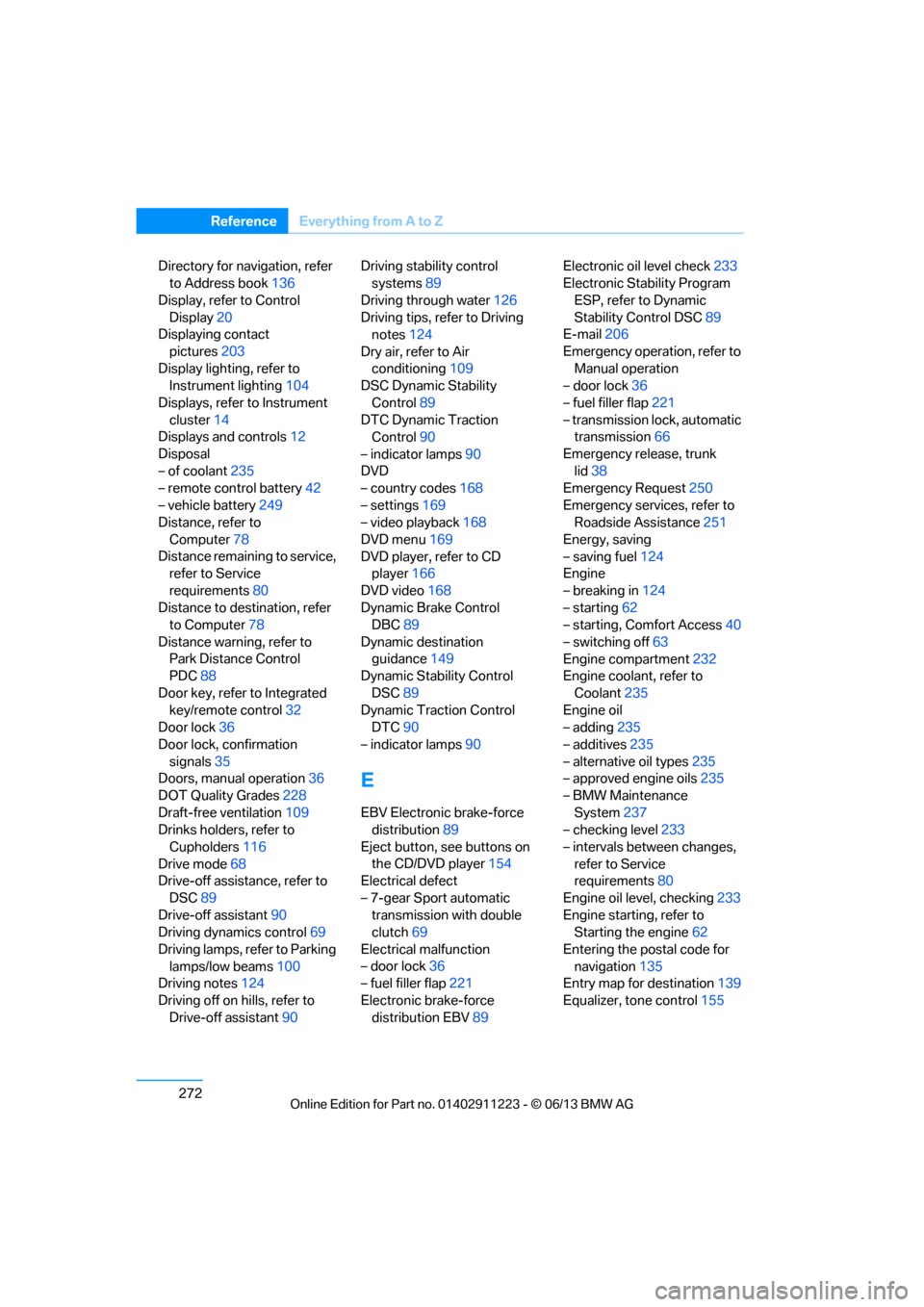
Directory for navigation, refer
to Address book 136
Display, refer to Control Display 20
Displaying contact
pictures 203
Display lighting, refer to Instrument lighting 104
Displays, refer to Instrument cluster 14
Displays and controls 12
Disposal
– of coolant 235
– remote control battery 42
– vehicle battery 249
Distance, refer to
Computer 78
Distance remaining to service, refer to Service
requirements 80
Distance to destination, refer to Computer 78
Distance warning, refer to Park Distance Control
PDC 88
Door key, refer to Integrated key/remote control 32
Door lock 36
Door lock, confirmation signals 35
Doors, manual operation 36
DOT Quality Grades 228
Draft-free ventilation 109
Drinks holders, refer to
Cupholders 116
Drive mode 68
Drive-off assistance, refer to
DSC 89
Drive-off assistant 90
Driving dynamics control 69
Driving lamps, refer to Parking lamps/low beams 100
Driving notes 124
Driving off on hills, refer to Drive-off assistant 90Driving stability control
systems 89
Driving through water 126
Driving tips, refer to Driving notes 124
Dry air, refer to Air conditioning 109
DSC Dynamic Stability
Control 89
DTC Dynamic Traction Control 90
– indicator lamps 90
DVD
– country codes 168
– settings 169
– video playback 168
DVD menu 169
DVD player, refer to CD player 166
DVD video 168
D y
namic Brake Control
DBC 89
Dynamic destination guidance 149
Dynamic Stability Control
DSC 89
Dynamic Traction Control DTC 90
– indicator lamps 90
E
EBV Electronic brake-force
distribution 89
Eject button, see buttons on the CD/DVD player 154
Electrical defect
– 7-gear Sport automatic transmission with double
clutch 69
Electrical malfunction
– door lock 36
– fuel filler flap 221
Electronic brake-force distribution EBV 89Electronic oil level check
233
Electronic Stability Program
ESP, refer to Dynamic
Stability Control DSC 89
E-mail 206
Emergency operation, refer to Manual operation
– door lock 36
– fuel filler flap 221
– transmission lock, automatic transmission 66
Emergency release, trunk lid 38
Emergency Request 250
Emergency services, refer to Roadside Assistance 251
Energy, saving
– saving fuel 124
Engine
– breaking in 124
– starting 62
– starting, Comfort Access 40
– switching off 63
Engine compartment 232
Engine coolant, refer to
Coolant 235
Engine oil
– adding 235
– additives 235
– alternative oil types 235
– approved engine oils 235
– BMW Maintenance System 237
– checking level 233
– intervals between changes, refer to Service
requirements 80
Engine oil level, checking 233
Engine starting, refer to Starting the engine 62
Entering the postal code for navigation 135
Entry map for destination 139
Equalizer, tone control 155
00320051004F004C00510048000300280047004C0057004C005200510003
Page 278 of 288
273
Everything from A to Z
Reference
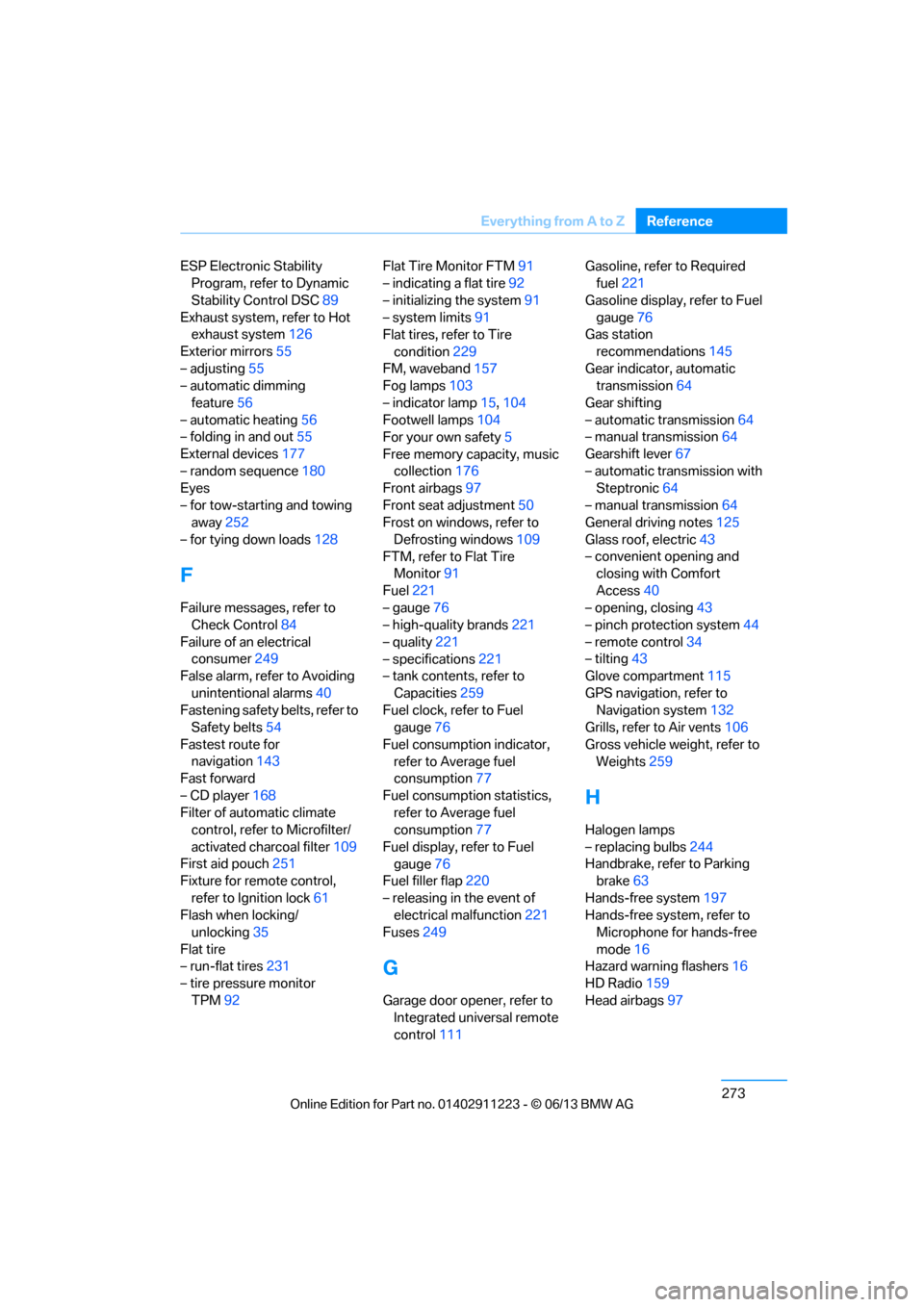
ESP Electronic Stability
Program, refer to Dynamic
Stability Control DSC 89
Exhaust system, refer to Hot exhaust system 126
Exterior mirrors 55
– adjusting 55
– automatic dimming
feature 56
– automatic heating 56
– folding in and out 55
External devices 177
– random sequence 180
Eyes
– for tow-starting and towing away 252
– for tying down loads 128
F
Failure messages, refer to
Check Control 84
Failure of an electrical consumer 249
False alarm, refer to Avoiding
unintentional alarms 40
Fastening safety belts, refer to Safety belts 54
Fastest route for navigation 143
Fast forward
– CD player 168
Filter of automatic climate control, refer to Microfilter/
activated charcoal filter 109
First aid pouch 251
Fixture for remote control,
refer to Ignition lock 61
Flash when locking/ unlocking 35
Flat tire
– run-flat tires 231
– tire pressure monitor
TPM 92 Flat Tire Monitor FTM
91
– indicating a flat tire 92
– initializing the system 91
– system limits 91
Flat tires, refer to Tire
condition 229
FM, waveband 157
Fog lamps 103
– indicator lamp 15,104
Footwell lamps 104
For your own safety 5
Free memory capacity, music collection 176
Front airbags 97
Front seat adjustment 50
Frost on windows, refer to
Defrosting windows 109
FTM, refer to Flat Tire Monitor 91
Fuel 221
– gauge 76
– high-quality brands 221
– quality 221
– specifications 221
– tank contents, refer to
Capacities 259
Fuel clock, refer to Fuel gauge 76
Fuel consumption indicator, refer to Average fuel
consumption 77
Fuel consumption statistics, refer to Average fuel
consumption 77
Fuel display, refer to Fuel gauge 76
Fuel filler flap 220
– releasing in the event of electrical malfunction 221
Fuses 249
G
Garage door opener, refer to
Integrated universal remote
control 111 Gasoline, refer to Required
fuel 221
Gasoline display, refer to Fuel gauge 76
Gas station
recommendations 145
Gear indicator, automatic transmission 64
Gear shifting
– automatic transmission 64
– manual transmission 64
Gearshift lever 67
– automatic transmission with Steptronic 64
– manual transmission 64
General driving notes 125
Glass roof, electric 43
– convenient opening and closing with Comfort
Access 40
– opening, closing 43
– pinch protection system 44
– remote control 34
– tilting 43
Glove compartment 115
GPS navigation, refer to Navigation system 132
Grills, refer to Air vents 106
Gross vehicle weight, refer to Weights 259
H
Halogen lamps
– replacing bulbs 244
Handbrake, refer to Parking brake 63
Hands-free system 197
Hands-free system, refer to Microphone for hands-free
mode 16
Hazard warning flashers 16
HD Radio 159
Head airbags 97
00320051004F004C00510048000300280047004C0057004C005200510003