Indicator BMW 135I CONVERTIBLE 2012 Owner's Manual
[x] Cancel search | Manufacturer: BMW, Model Year: 2012, Model line: 135I CONVERTIBLE, Model: BMW 135I CONVERTIBLE 2012Pages: 272, PDF Size: 8.49 MB
Page 98 of 272
Lamps
96
Malfunction
The warning lamp lights up. A mes-
sage appears on the Control Display.
The Adaptive Light Control is mal-
functioning or failed. Have the system checked
as soon as possible.
High beams/roadside parking
lamps*
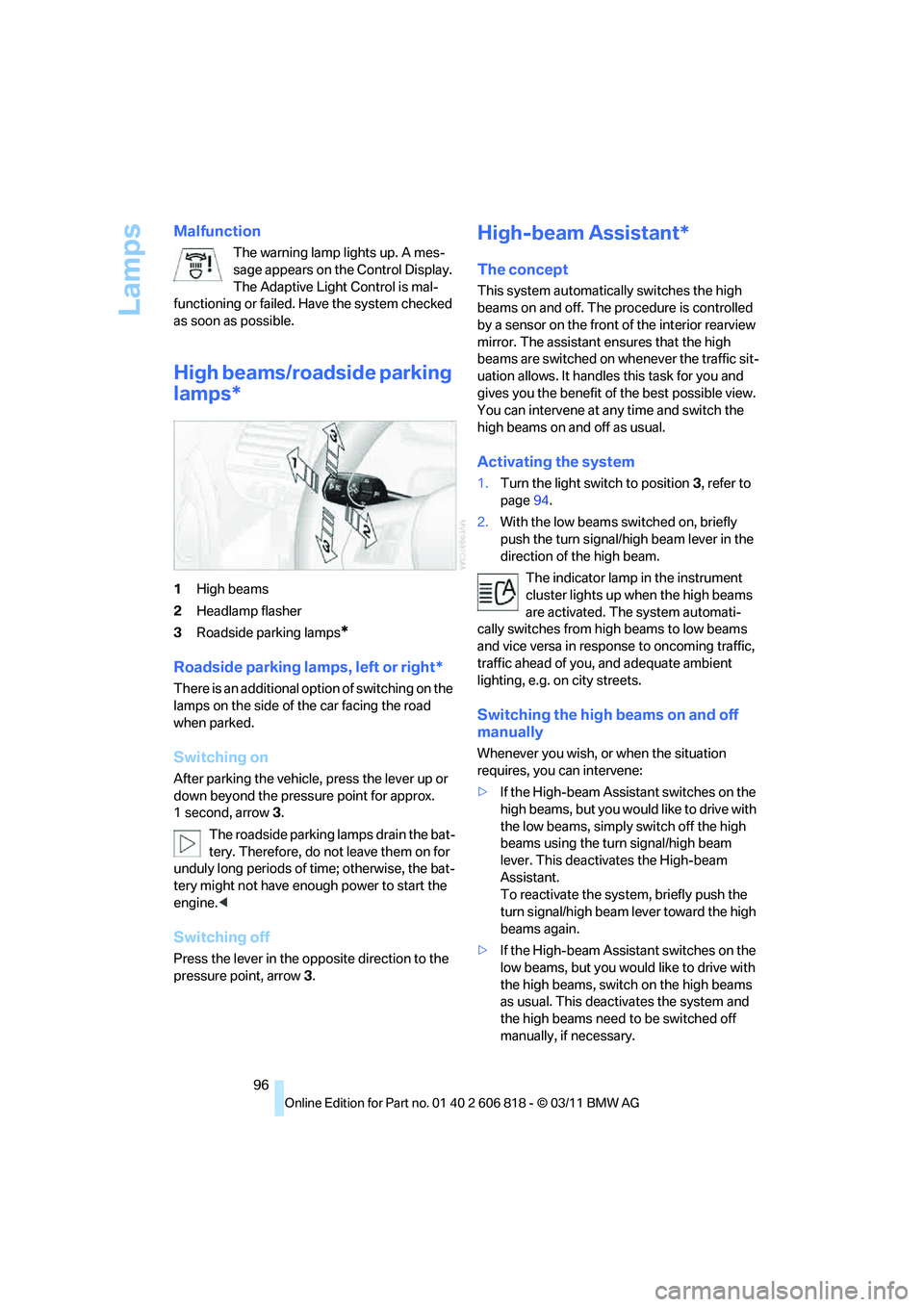
1High beams
2Headlamp flasher
3Roadside parking lamps
*
Roadside parking lamps, left or right*
There is an additional option of switching on the
lamps on the side of the car facing the road
when parked.
Switching on
After parking the vehicle, press the lever up or
down beyond the pressure point for approx.
1 second, arrow 3.
The roadside parking lamps drain the bat-
tery. Therefore, do not leave them on for
unduly long periods of time; otherwise, the bat-
tery might not have enough power to start the
engine.<
Switching off
Press the lever in the opposite direction to the
pressure point, arrow 3.
High-beam Assistant*
The concept
This system automatically switches the high
beams on and off. The procedure is controlled
by a sensor on the front of the interior rearview
mirror. The assistant ensures that the high
beams are switched on whenever the traffic sit-
uation allows. It handles this task for you and
gives you the benefit of the best possible view.
You can intervene at any time and switch the
high beams on and off as usual.
Activating the system
1.Turn the light switch to position3, refer to
page94.
2.With the low beams switched on, briefly
push the turn signal/high beam lever in the
direction of the high beam.
The indicator lamp in the instrument
cluster lights up when the high beams
are activated. The system automati-
cally switches from high beams to low beams
and vice versa in response to oncoming traffic,
traffic ahead of you, and adequate ambient
lighting, e.g. on city streets.
Switching the high beams on and off
manually
Whenever you wish, or when the situation
requires, you can intervene:
>If the High-beam Assistant switches on the
high beams, but you would like to drive with
the low beams, simply switch off the high
beams using the turn signal/high beam
lever. This deactivates the High-beam
Assistant.
To reactivate the system, briefly push the
turn signal/high beam lever toward the high
beams again.
>If the High-beam Assistant switches on the
low beams, but you would like to drive with
the high beams, switch on the high beams
as usual. This deactivates the system and
the high beams need to be switched off
manually, if necessary.
Page 99 of 272
Controls
97Reference
At a glance
Driving tips
Communications
Navigation
Entertainment
Mobility
To reactivate the system, briefly push the
turn signal/high beam lever toward the high
beams again.
>Use the headlamp flasher as usual with the
low beams switched on.
System limitations
The High-beam Assistant cannot serve
as a substitute for the driver's personal
judgment of when to use the high beams.
Therefore, manually switch off the high beams
in situations where this is required to avoid a
safety risk.<
The system is not fully functional in situations
such as the following, and driver intervention
may be necessary:
>In very unfavorable weather conditions,
such as fog or heavy precipitation
>In detecting poorly-lit road users, such as
pedestrians, cyclists, horseback riders and
wagons; when driving close to train or ship
traffic; and at animal crossings
>In tight curves, on hilltops or in depressions,
in cross traffic or half-obscured oncoming
traffic on highways
>In poorly lit towns and cities and in the pres-
ence of highly reflective signs
>At low speeds
>When the windshield in front of the interior
rearview mirror is fogged over, dirty or cov-
ered with stickers, etc.
>If the sensor is dirty. Clean the sensor on
the front of the interior rearview mirror using
a cloth moistened with a small amount of
glass cleaner
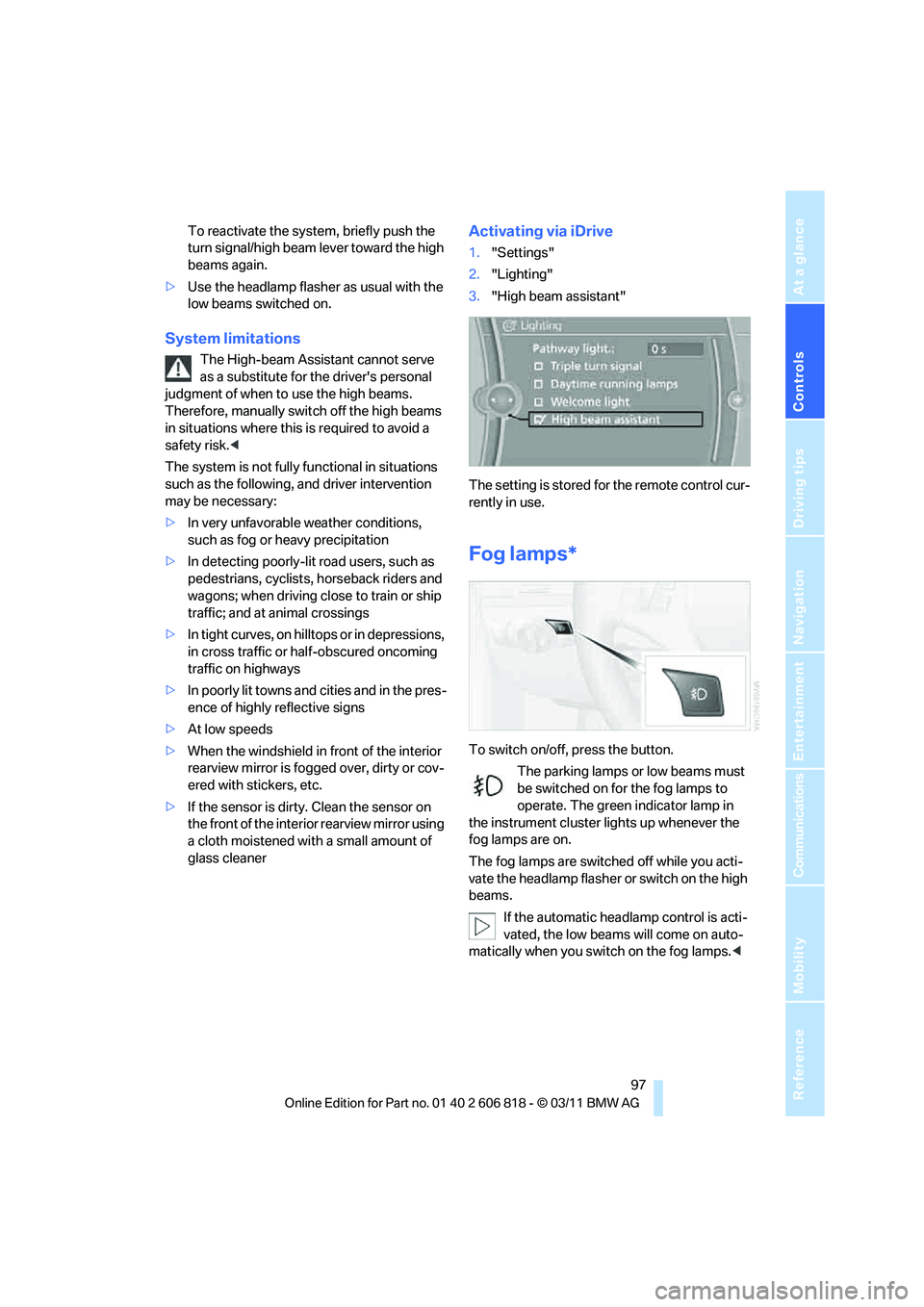
Activating via iDrive
1."Settings"
2."Lighting"
3."High beam assistant"
The setting is stored for the remote control cur-
rently in use.
Fog lamps*
To switch on/off, press the button.
The parking lamps or low beams must
be switched on for the fog lamps to
operate. The green indicator lamp in
the instrument cluster lights up whenever the
fog lamps are on.
The fog lamps are switched off while you acti-
vate the headlamp flasher or switch on the high
beams.
If the automatic headlamp control is acti-
vated, the low beams will come on auto-
matically when you switch on the fog lamps.<
Page 215 of 272
Mobility
213Reference
At a glance
Controls
Driving tips
Communications
Navigation
Entertainment
Temperature
The temperature grades are A, the highest, B,
and C, representing the tire's resistance to the
generation of heat and its ability to dissipate
heat when tested under controlled conditions
on a specified indoor laboratory test wheel.
Sustained high temperature can cause the
material of the tire to degenerate and reduce
tire life, and excessive temperature can lead to
sudden tire failure. The grade C corresponds to
a level of performance which all passenger car
tires must meet under the Federal Motor Vehi-
cle Safety Standard No. 109. Grades B and A
represent higher levels of performance on the
laboratory test wheel than the minimum
required by law.
The temperature grade for this tire is
established for a tire that is properly
inflated and not overloaded. Excessive speed,
underinflation, or excessive loading, either sep-
arately or in combination, can cause heat
buildup and possible tire failure.<
RSC – run-flat tires
You will recognize run-flat tires by a circular
symbol containing the letters RSC on the side
of the tire, refer to page214.
M+S
Winter and all-season tires.
These have better winter properties than sum-
mer tires.
XL
Designation for specially reinforced tires.
Tire condition
Inspect your tires frequently for tread wear,
signs of damage and for foreign objects lodged
in the tread. Check the tread depth.
Minimum tread depth
The tread depth should not drop below 0.12 in/
3 mm, although, for example, European legisla-
tion only specifies a minimum tread depth of 0.063 in/1.6 mm. At tread depths below 0.12 in/
3 mm there is an increased risk of high-speed
hydroplaning, even when only small amounts of
water are present on the road surface.
When winter tires wear down past a tread depth
of 0.16 in/4 mm, they become perceptibly less
suitable for winter conditions. In the interest of
safety, new tires should be installed.
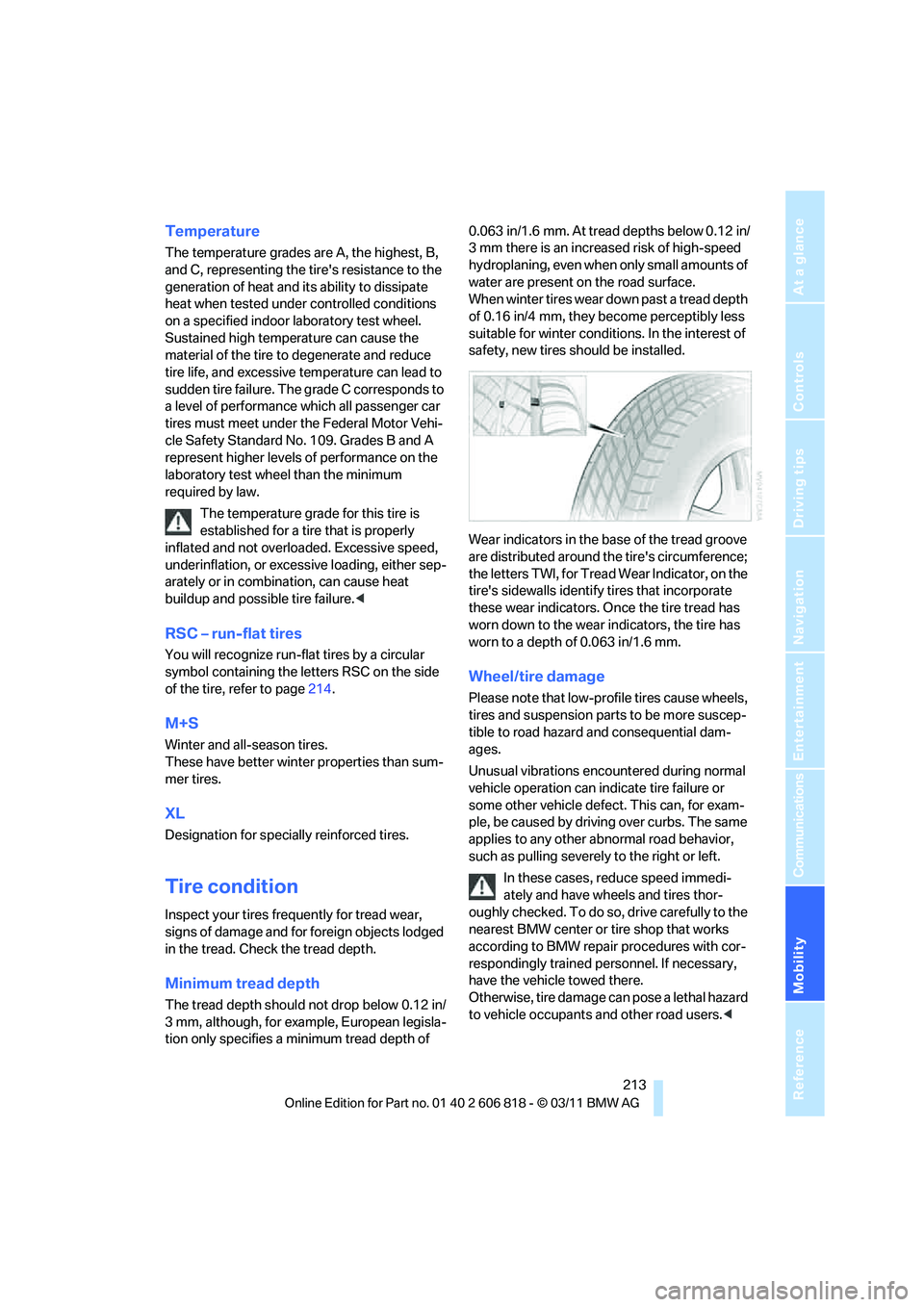
Wear indicators in the base of the tread groove
are distributed around the tire's circumference;
the letters TWI, for Tread Wear Indicator, on the
tire's sidewalls identify tires that incorporate
these wear indicators. Once the tire tread has
worn down to the wear indicators, the tire has
worn to a depth of 0.063 in/1.6 mm.
Wheel/tire damage
Please note that low-profile tires cause wheels,
tires and suspension parts to be more suscep-
tible to road hazard and consequential dam-
ages.
Unusual vibrations encountered during normal
vehicle operation can indicate tire failure or
some other vehicle defect. This can, for exam-
ple, be caused by driving over curbs. The same
applies to any other abnormal road behavior,
such as pulling severely to the right or left.
In these cases, reduce speed immedi-
ately and have wheels and tires thor-
oughly checked. To do so, drive carefully to the
nearest BMW center or tire shop that works
according to BMW repair procedures with cor-
respondingly trained personnel. If necessary,
have the vehicle towed there.
Otherwise, tire damage can pose a lethal hazard
to vehicle occupants and other road users.<
Page 239 of 272
Mobility
237Reference
At a glance
Controls
Driving tips
Communications
Navigation
Entertainment
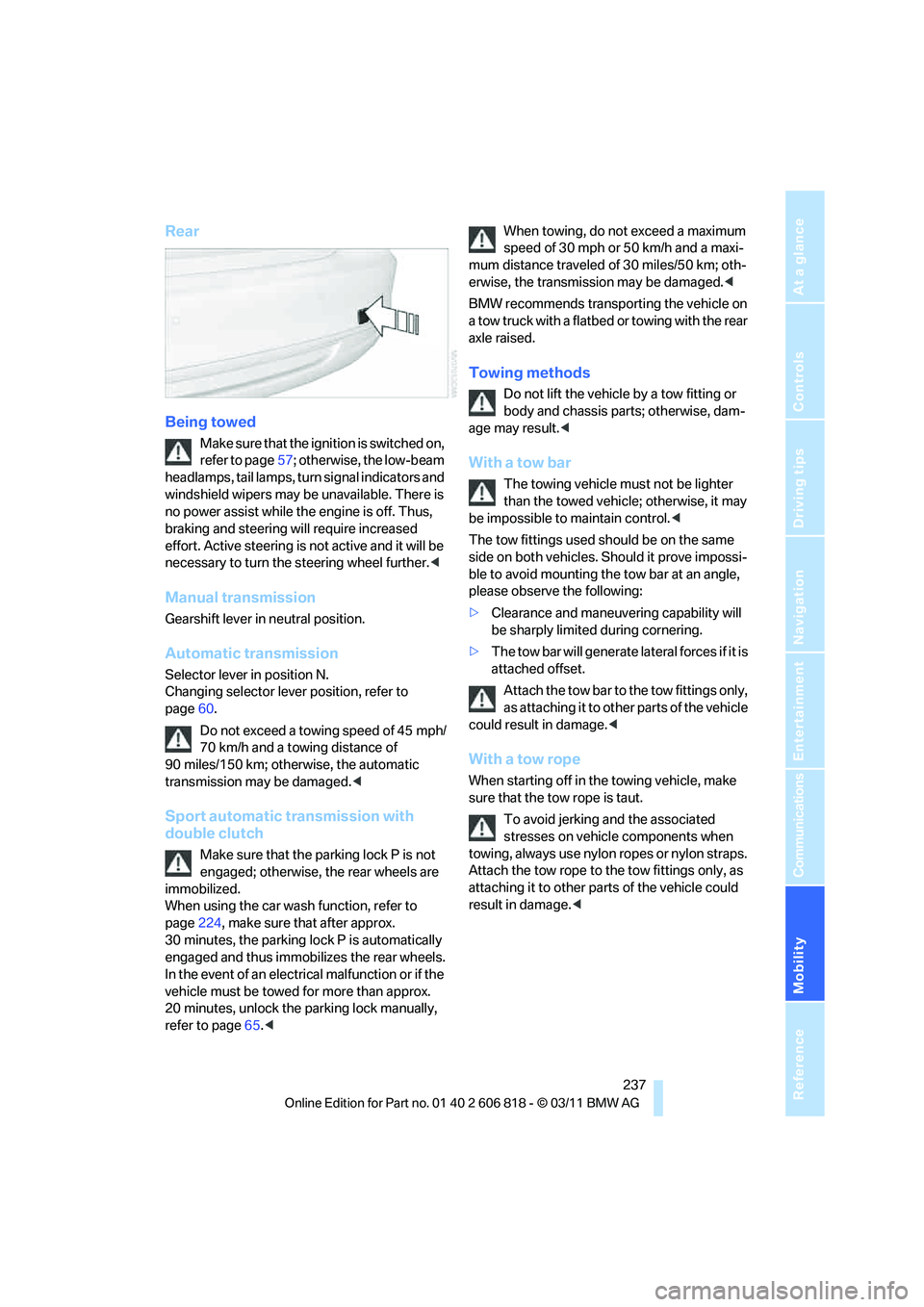
Rear
Being towed
Make sure that the ignition is switched on,
refer to page57; otherwise, the low-beam
headlamps, tail lamps, turn signal indicators and
windshield wipers may be unavailable. There is
no power assist while the engine is off. Thus,
braking and steering will require increased
effort. Active steering is not active and it will be
necessary to turn the steering wheel further.<
Manual transmission
Gearshift lever in neutral position.
Automatic transmission
Selector lever in position N.
Changing selector lever position, refer to
page60.
Do not exceed a towing speed of 45 mph/
70 km/h and a towing distance of
90 miles/150 km; otherwise, the automatic
transmission may be damaged.<
Sport automatic transmission with
double clutch
Make sure that the parking lock P is not
engaged; otherwise, the rear wheels are
immobilized.
When using the car wash function, refer to
page224, make sure that after approx.
30 minutes, the parking lock P is automatically
engaged and thus immobilizes the rear wheels.
In the event of an electrical malfunction or if the
vehicle must be towed for more than approx.
20 minutes, unlock the parking lock manually,
refer to page65.
mum distance traveled of 30 miles/50 km; oth-
erwise, the transmission may be damaged.<
BMW recommends transporting the vehicle on
a tow truck with a flatbed or towing with the rear
axle raised.
Towing methods
Do not lift the vehicle by a tow fitting or
body and chassis parts; otherwise, dam-
age may result.<
With a tow bar
The towing vehicle must not be lighter
than the towed vehicle; otherwise, it may
be impossible to maintain control.<
The tow fittings used should be on the same
side on both vehicles. Should it prove impossi-
ble to avoid mounting the tow bar at an angle,
please observe the following:
>Clearance and maneuvering capability will
be sharply limited during cornering.
>The tow bar will generate lateral forces if it is
attached offset.
Attach the tow bar to the tow fittings only,
as attaching it to other parts of the vehicle
could result in damage.<
With a tow rope
When starting off in the towing vehicle, make
sure that the tow rope is taut.
To avoid jerking and the associated
stresses on vehicle components when
towing, always use nylon ropes or nylon straps.
Attach the tow rope to the tow fittings only, as
attaching it to other parts of the vehicle could
result in damage.<
Page 259 of 272
Reference 257
At a glance
Controls
Driving tips
Communications
Navigation
Entertainment
Mobility
Convertible top
– convenient opening30
Convertible top care224
Coolant219
– checking level220
– filling220
Coolant temperature219
Cooling, maximum100
Cooling fluid, refer to
Coolant219
Copyright2
Corner-illuminating lamps95
Cornering light, refer to
Adaptive Light Control95
Country codes DVD157
Courtesy lamps98
Criteria for route134
Cross-hairs in navigation130
Cruise control68
Cruising range72
Cupholders108
Curb weight, refer to
Weights245
Current fuel consumption72
Current playback
– external devices168
– of music collection163
Customer Relations201
D
Dashboard, refer to
Cockpit10
Dashboard lighting, refer to
Instrument lighting98
Data, technical242
– capacities246
– dimensions243
– engine242
– weights245
Data memory222
Data transfer202
Date
– setting78
– setting format78
Daytime running lights, switch
positions95
DBC Dynamic Brake
Control83Deactivating front passenger
airbags91
Deadlocking, refer to
Locking30
Defect
– door lock32
– fuel filler flap206
– glass roof40
Defining a home address190
Defogging windows101
Defrosting windows101
Defrosting windows and
removing condensation101
Defrosting windshield, refer to
Defrosting windows101
Defrost position, refer to
Defrosting windows101
Destination, entering by town/
city name125
Destination address
– entering125,131
Destination entry via BMW
Assist129
Destination for navigation
– entering by voice131
– entering via map130
– entry125
– home address128
– manual entry125
Destination guidance134
– bypassing a route
section135
– changing specified
route134
– continuing134
– starting134
– voice instructions136
– volume of voice
instructions136
Differential, breaking in116
Digital clock70
,76
Digital compass106
Digital radio, refer to HD
Radio148
Dimensions243
Directional indicators, refer to
Turn signals66
Direction instructions, refer to
Voice instructions136Directory for navigation, refer
to Address book127
Displacement, refer to Engine
data242
Display, refer to Control
Display16
Displaying contact
pictures190
Display lighting, refer to
Instrument lighting98
Displays, refer to Instrument
cluster12
Displays and controls10
Disposal
– of coolant219
– remote control battery37
– vehicle battery232
Distance, refer to
Computer72
Distance remaining to service,
refer to Service
requirements74
Distance to destination, refer
to Computer72
Distance warning, refer to
Park Distance Control
PDC82
Door key, refer to Integrated
key/remote control28
Door lock32
Door lock, confirmation
signals30
Doors, manual operation32
DOT Quality Grades212
Draft-free ventilation102
Drinks holders, refer to
Cupholders108
Drive mode63
Drive-off assistance, refer to
DSC83
Drive-off assistant84
Driving dynamics control64
Driving lamps, refer to Parking
lamps/low beams94
Driving notes116
Driving off on hills, refer to
Drive-off assistant84
Driving stability control
systems83
Page 260 of 272
Everything from A to Z
258 Driving through water118
Driving tips, refer to Driving
notes116
Dry air, refer to Cooling
function101
DSC Dynamic Stability
Control83
DTC Dynamic Traction
Control84
– indicator lamps84
DVD
– country codes157
– settings158
– video playback157
DVD menu158
DVD player, refer to CD
player155
DVD video157
Dynamic Brake Control
DBC83
Dynamic destination
guidance140
Dynamic Stability Control
DSC83
Dynamic Traction Control
DTC84
– indicator lamps84
E
EBV Electronic brake-force
distribution83
Eject button, refer to Buttons
on the CD/DVD player144
Electrical defect
– 7-gear Sport automatic
transmission with double
clutch65
Electrical malfunction
– door lock32
– fuel filler flap206
– glass roof40
Electronic brake-force
distribution EBV83
Electronic oil level check217
Electronic Stability Program
ESP, refer to Dynamic
Stability Control DSC83
Email192Emergency operation, refer to
Manual operation
– door lock32
– fuel filler flap206
– glass roof40
– transmission lock, automatic
transmission61
Emergency release, trunk
lid34
Emergency Request234
Emergency services, refer to
Roadside Assistance234
Energy, saving
– saving fuel116
Engine
– breaking in116
– data242
– speed242
– starting58
– starting, Comfort Access35
– switching off58
Engine compartment217
Engine coolant, refer to
Coolant219
Engine oil
– adding219
– additives219
– alternative oil types219
– approved engine oils219
– BMW Maintenance
System221
– checking level217
– intervals between changes,
refer to Service
requirements74
Engine oil level, checking217
Engine output, refer to Engine
data242
Engine speed, refer to Engine
data242
Engine starting, refer to
Starting the engine58
Entering the postal code for
navigation126
Entry map for destination130
Equalizer, tone setting145
ESP Electronic Stability
Program, refer to Dynamic
Stability Control DSC83Exhaust system, refer to Hot
exhaust system117
Exterior mirrors51
– adjusting51
– automatic dimming
feature52
– automatic heating52
– folding in and out51
External devices
– random play sequence168
– software update172
Eyes
– for tow-starting and towing
away236
– for tying down loads120
F
Failure messages, refer to
Check Control78
Failure of an electrical
consumer232
False alarm, refer to Avoiding
unintentional alarms35
Fastening safety belts, refer to
Safety belts50
Fastest route for
navigation134
Fast forward
– CD changer157
– CD player157
Filter of automatic climate
control, refer to Microfilter/
activated charcoal filter102
First aid pouch235
Fixture for remote control,
refer to Ignition lock57
Flash when locking/
unlocking30
Flat tire
– run-flat tires214
– Tire Pressure Monitor
TPM86
Flat Tire Monitor FTM84
– indicating a flat tire85
– initializing the system85
– system limits84
Flat tires, refer to Tire
condition213
Page 261 of 272
Reference 259
At a glance
Controls
Driving tips
Communications
Navigation
Entertainment
Mobility
FM, waveband147
Fog lamps97
– indicator lamp13,97
Footwell lamps98
For your own safety5
Free memory capacity, music
collection164
Front airbags90
Front seat adjustment46
Frost on windows, refer to
Defrosting windows101
FTM, refer to Flat Tire
Monitor84
Fuel207
– gauge71
– high-quality brands207
– quality207
– specifications207
– tank contents, refer to
Capacities246
Fuel clock, refer to Fuel
gauge71
Fuel consumption indicator,
refer to Average fuel
consumption72
Fuel consumption statistics,
refer to Average fuel
consumption72
Fuel display, refer to Fuel
gauge71
Fuel filler flap206
– releasing in the event of
electrical malfunction206
Fuses232
G
Garage door opener, refer to
Integrated universal remote
control104
Gasoline, refer to Required
fuel207
Gasoline display, refer to Fuel
gauge71
Gas station
recommendations136
Gear display, with automatic
transmission60Gear shifting
– automatic transmission60
– manual transmission59
Gearshift lever62
– automatic transmission with
Steptronic60
– manual transmission59
General driving notes117
Glass roof, electric39
– closing after electrical
malfunction40
– convenient opening and
closing32
– convenient opening and
closing with Comfort
Access36
– opening, closing39
– pinch protection system39
– remote control30
– tilting39
Glove compartment107
GPS navigation, refer to
Navigation system124
Grills, refer to Air vents99
Gross vehicle weight, refer to
Weights245
H
Halogen lamps
– replacing bulbs228
Handbrake, refer to Parking
brake59
Hands-free system184
Hands-free system, refer to
Microphone for hands-free
mode14
Hazard warning flashers14
HD Radio148
Head airbags90
Headlamp control,
automatic94
Headlamp cover228
Headlamp flasher66
– indicator lamp13
Headlamps
– replacing bulbs228Head Light, refer to Adaptive
Light Control95
Head restraints48
Heated
– seats50
– steering wheel53
Heated mirrors52
Heating
– mirrors52
– seats50
– steering wheel53
Heating, rear window101
Heating and ventilation99
Heavy loads, refer to Stowing
cargo120
Height, refer to
Dimensions243
Height adjustment
– steering wheel52
High-beam Assistant96
High beams96
– indicator lamp13
– replacing bulbs228
High beams and low beams,
automatic, refer to High-
beam Assistant96
High-pressure
washer223,224
High water, refer to Driving
through water118
Highways, refer to Route
criteria134
Hills118
Holders for cups108
Hood216
Hot exhaust system117
Hydraulic brake assist, refer to
Dynamic Brake Control83
Hydroplaning117
Page 262 of 272
Everything from A to Z
260
I
IBOC, refer to HD Radio148
Ice warning, refer to Outside
temperature warning70
Identification marks
– tire coding212
iDrive16
– adjusting brightness81
– changing date and time77
– changing language81
– menu guidance17
– operating principle16
– status information19
Ignition57
– switched off58
– switched on57
Ignition key, refer to
Integrated key/remote
control28
Ignition key position 1, refer to
Radio readiness57
Ignition key position 2, refer to
Ignition on57
Ignition lock57
Imprint2
Incoming call180
Indicator and warning
lamps13
– Tire Pressure Monitor
TPM87
Individual settings, refer to
Personal Profile28
Inflation pressure monitoring,
refer to Tire Pressure
Monitor TPM86
Initializing
– compass, refer to
Calibrating107
– radio, refer to Station,
storing147
– refer to Setting the time and
date77
Initializing, Flat Tire Monitor
FTM85
Instructions for navigation
system, refer to Voice
instructions136Instrument cluster12
Instrument combination, refer
to Instrument cluster12
Instrument lighting98
Integrated key28
Integrated universal remote
control104
Interactive map130
Interior lamps98
– remote control30
Interior motion sensor35
Interior rearview mirror52
– automatic dimming
feature52
– compass106
Intermittent mode of the
wipers67
Intersection, entering,
navigation126
iPod, connecting, refer to
AUX-IN port166
iPod, connecting, refer to USB
audio interface166
J
Jacking points232
Jets, refer to Air vents99
Jets, refer to Window washer
nozzles68
Joystick, refer to iDrive16
Jumpering, refer to Jump-
starting235
Jump-starting235
K
Key, refer to Integrated key/
remote control28
Keyless go, refer to Comfort
Access35
Keyless opening and closing,
refer to Comfort Access35
Key Memory, refer to Personal
Profile28
Keypad dialing182
Kickdown60
Knock control207
L
Lamps
– Adaptive Light Control95
– interior lighting98
Lamps, refer to Parking lamps/
Low beams94
Lamps and bulbs, replacing
bulbs227
Lashing eyes, refer to
Securing cargo120
Last destinations128
LATCH child restraint fixing
system55
Launch Control66
Leather care225
LED Light-emitting
diodes227
Length, refer to
Dimensions243
License plate lamp, replacing
bulb231
Light
– instrument lighting98
– refer to High-beam
Assistant96
Light-alloy wheels225
Light control
– refer to High-beam
Assistant96
Light-emitting diodes
LED227
Lighter109
– socket109
Lighting
– lamps and bulbs227
– of the instruments98
– of vehicle, refer to Lamps94
Light switch94
Limit, refer to Speed limit80
Load119
Load securing equipment,
refer to Securing cargo120
Lock buttons of doors, refer to
Locking33
Page 264 of 272
Everything from A to Z
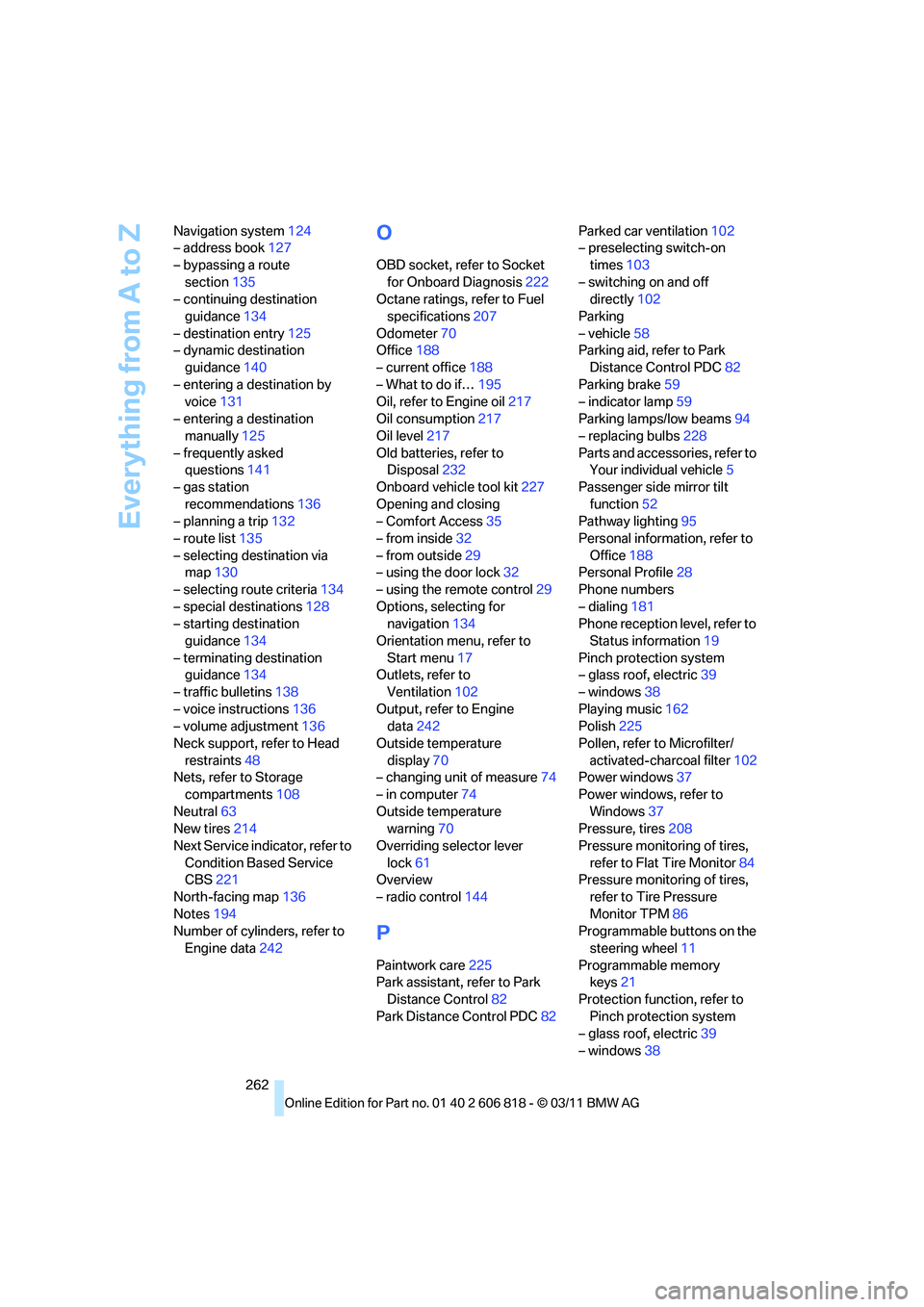
262 Navigation system124
– address book127
– bypassing a route
section135
– continuing destination
guidance134
– destination entry125
– dynamic destination
guidance140
– entering a destination by
voice131
– entering a destination
manually125
– frequently asked
questions141
– gas station
recommendations136
– planning a trip132
– route list135
– selecting destination via
map130
– selecting route criteria134
– special destinations128
– starting destination
guidance134
– terminating destination
guidance134
– traffic bulletins138
– voice instructions136
– volume adjustment136
Neck support, refer to Head
restraints48
Nets, refer to Storage
compartments108
Neutral63
New tires214
Next Service indicator, refer to
Condition Based Service
CBS221
North-facing map136
Notes194
Number of cylinders, refer to
Engine data242
O
OBD socket, refer to Socket
for Onboard Diagnosis222
Octane ratings, refer to Fuel
specifications207
Odometer70
Office188
– current office188
– What to do if…195
Oil, refer to Engine oil217
Oil consumption217
Oil level217
Old batteries, refer to
Disposal232
Onboard vehicle tool kit227
Opening and closing
– Comfort Access35
– from inside32
– from outside29
– using the door lock32
– using the remote control29
Options, selecting for
navigation134
Orientation menu, refer to
Start menu17
Outlets, refer to
Ventilation102
Output, refer to Engine
data242
Outside temperature
display70
– changing unit of measure74
– in computer74
Outside temperature
warning70
Overriding selector lever
lock61
Overview
– radio control144
P
Paintwork care225
Park assistant, refer to Park
Distance Control82
Park Distance Control PDC82Parked car ventilation102
– preselecting switch-on
times103
– switching on and off
directly102
Parking
– vehicle58
Parking aid, refer to Park
Distance Control PDC82
Parking brake59
– indicator lamp59
Parking lamps/low beams94
– replacing bulbs228
Parts and accessories, refer to
Your individual vehicle5
Passenger side mirror tilt
function52
Pathway lighting95
Personal information, refer to
Office188
Personal Profile28
Phone numbers
– dialing181
Phone reception level, refer to
Status information19
Pinch protection system
– glass roof, electric39
– windows38
Playing music162
Polish225
Pollen, refer to Microfilter/
activated-charcoal filter102
Power windows37
Power windows, refer to
Windows37
Pressure, tires208
Pressure monitoring of tires,
refer to Flat Tire Monitor84
Pressure monitoring of tires,
refer to Tire Pressure
Monitor TPM86
Programmable buttons on the
steering wheel11
Programmable memory
keys21
Protection function, refer to
Pinch protection system
– glass roof, electric39
– windows38
Page 266 of 272
Everything from A to Z
264
S
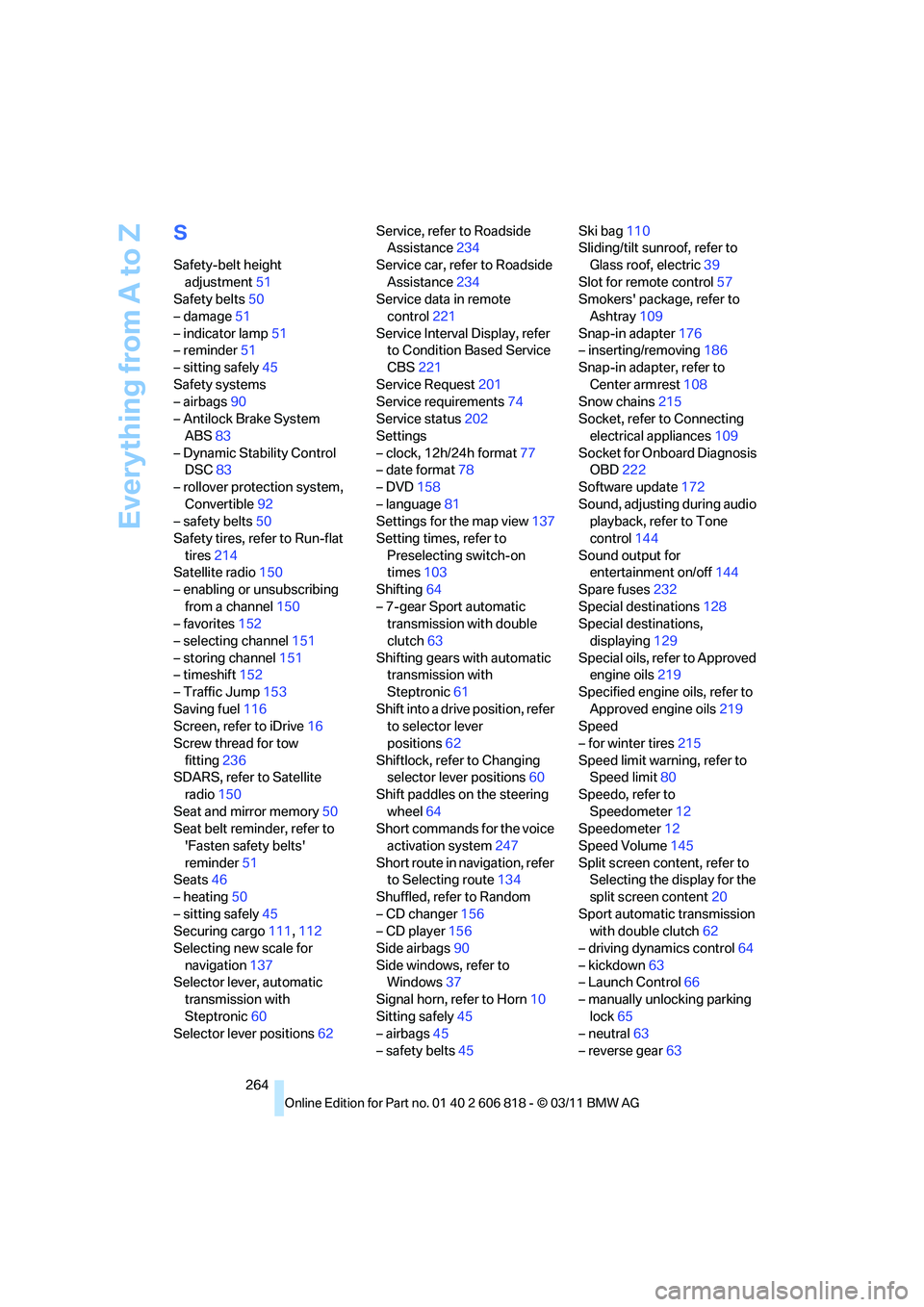
Safety-belt height
adjustment51
Safety belts50
– damage51
– indicator lamp51
– reminder51
– sitting safely45
Safety systems
– airbags90
– Antilock Brake System
ABS83
– Dynamic Stability Control
DSC83
– rollover protection system,
Convertible92
– safety belts50
Safety tires, refer to Run-flat
tires214
Satellite radio150
– enabling or unsubscribing
from a channel150
– favorites152
– selecting channel151
– storing channel151
– timeshift152
– Traffic Jump153
Saving fuel116
Screen, refer to iDrive16
Screw thread for tow
fitting236
SDARS, refer to Satellite
radio150
Seat and mirror memory50
Seat belt reminder, refer to
'Fasten safety belts'
reminder51
Seats46
– heating50
– sitting safely45
Securing cargo111,112
Selecting new scale for
navigation137
Selector lever, automatic
transmission with
Steptronic60
Selector lever positions62Service, refer to Roadside
Assistance234
Service car, refer to Roadside
Assistance234
Service data in remote
control221
Service Interval Display, refer
to Condition Based Service
CBS221
Service Request201
Service requirements74
Service status202
Settings
– clock, 12h/24h format77
– date format78
– DVD158
– language81
Settings for the map view137
Setting times, refer to
Preselecting switch-on
times103
Shifting64
– 7-gear Sport automatic
transmission with double
clutch63
Shifting gears with automatic
transmission with
Steptronic61
Shift into a drive position, refer
to selector lever
positions62
Shiftlock, refer to Changing
selector lever positions60
Shift paddles on the steering
wheel64
Short commands for the voice
activation system247
Short route in navigation, refer
to Selecting route134
Shuffled, refer to Random
– CD changer156
– CD player156
Side airbags90
Side windows, refer to
Windows37
Signal horn, refer to Horn10
Sitting safely45
– airbags45
– safety belts45Ski bag110
Sliding/tilt sunroof, refer to
Glass roof, electric39
Slot for remote control57
Smokers' package, refer to
Ashtray109
Snap-in adapter176
– inserting/removing186
Snap-in adapter, refer to
Center armrest108
Snow chains215
Socket, refer to Connecting
electrical appliances109
Socket for Onboard Diagnosis
OBD222
Software update172
Sound, adjusting during audio
playback, refer to Tone
control144
Sound output for
entertainment on/off144
Spare fuses232
Special destinations128
Special destinations,
displaying129
Special oils, refer to Approved
engine oils219
Specified engine oils, refer to
Approved engine oils219
Speed
– for winter tires215
Speed limit warning, refer to
Speed limit80
Speedo, refer to
Speedometer12
Speedometer12
Speed Volume145
Split screen content, refer to
Selecting the display for the
split screen content20
Sport automatic transmission
with double clutch62
– driving dynamics control64
– kickdown63
– Launch Control66
– manually unlocking parking
lock65
– neutral63
– reverse gear63