update BMW 135I COUPE 2012 User Guide
[x] Cancel search | Manufacturer: BMW, Model Year: 2012, Model line: 135I COUPE, Model: BMW 135I COUPE 2012Pages: 272, PDF Size: 8.49 MB
Page 204 of 272
ConnectedDrive
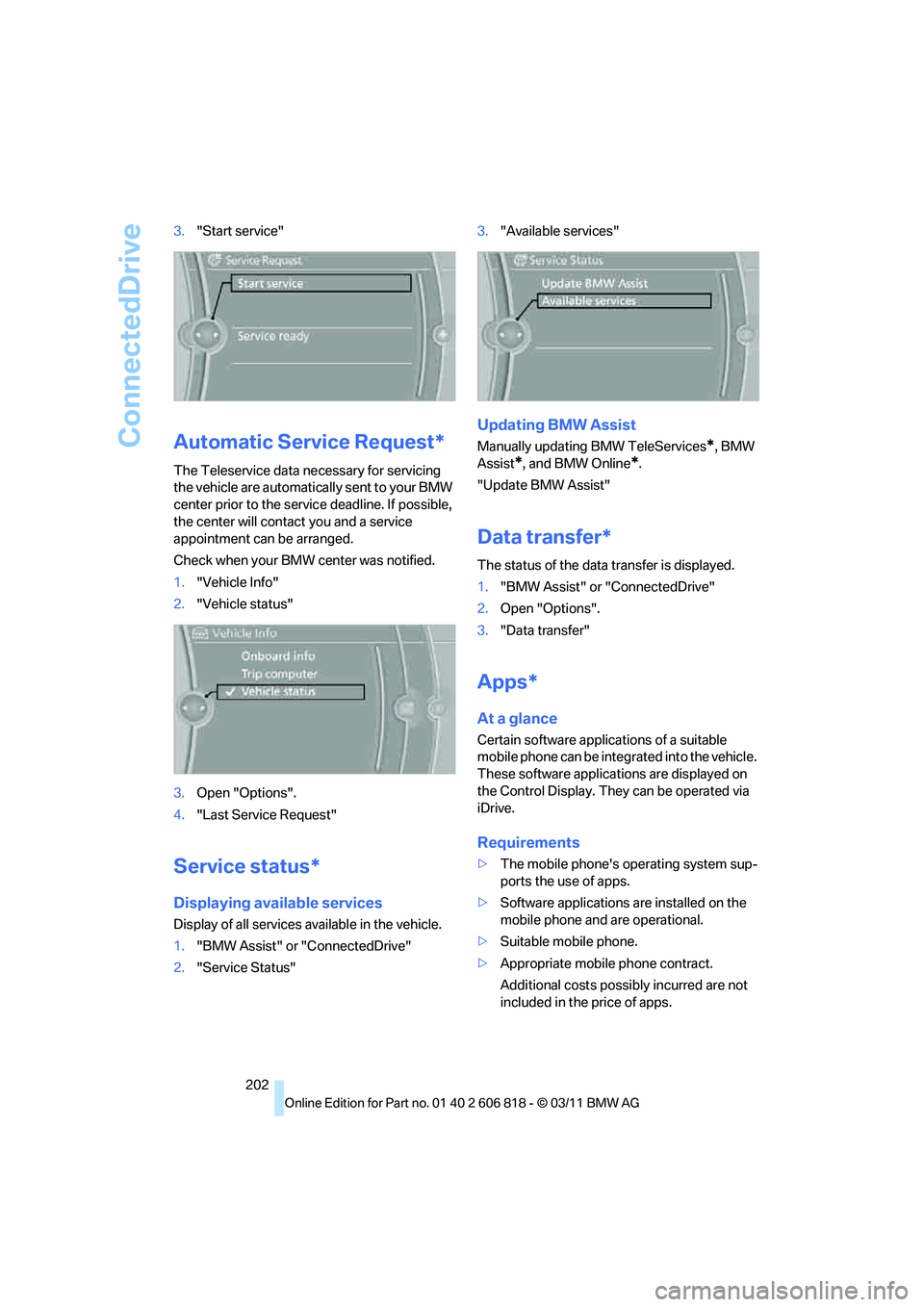
202 3."Start service"
Automatic Service Request*
The Teleservice data necessary for servicing
the vehicle are automatically sent to your BMW
center prior to the service deadline. If possible,
the center will contact you and a service
appointment can be arranged.
Check when your BMW center was notified.
1."Vehicle Info"
2."Vehicle status"
3.Open "Options".
4."Last Service Request"
Service status*
Displaying available services
Display of all services available in the vehicle.
1."BMW Assist" or "ConnectedDrive"
2."Service Status"3."Available services"
Updating BMW Assist
Manually updating BMW TeleServices*, BMW
Assist
*, and BMW Online*.
"Update BMW Assist"
Data transfer*
The status of the data transfer is displayed.
1."BMW Assist" or "ConnectedDrive"
2.Open "Options".
3."Data transfer"
Apps*
At a glance
Certain software applications of a suitable
mobile phone can be integrated into the vehicle.
These software applications are displayed on
the Control Display. They can be operated via
iDrive.
Requirements
>The mobile phone's operating system sup-
ports the use of apps.
>Software applications are installed on the
mobile phone and are operational.
>Suitable mobile phone.
>Appropriate mobile phone contract.
Additional costs possibly incurred are not
included in the price of apps.
Page 234 of 272
Replacing components
232
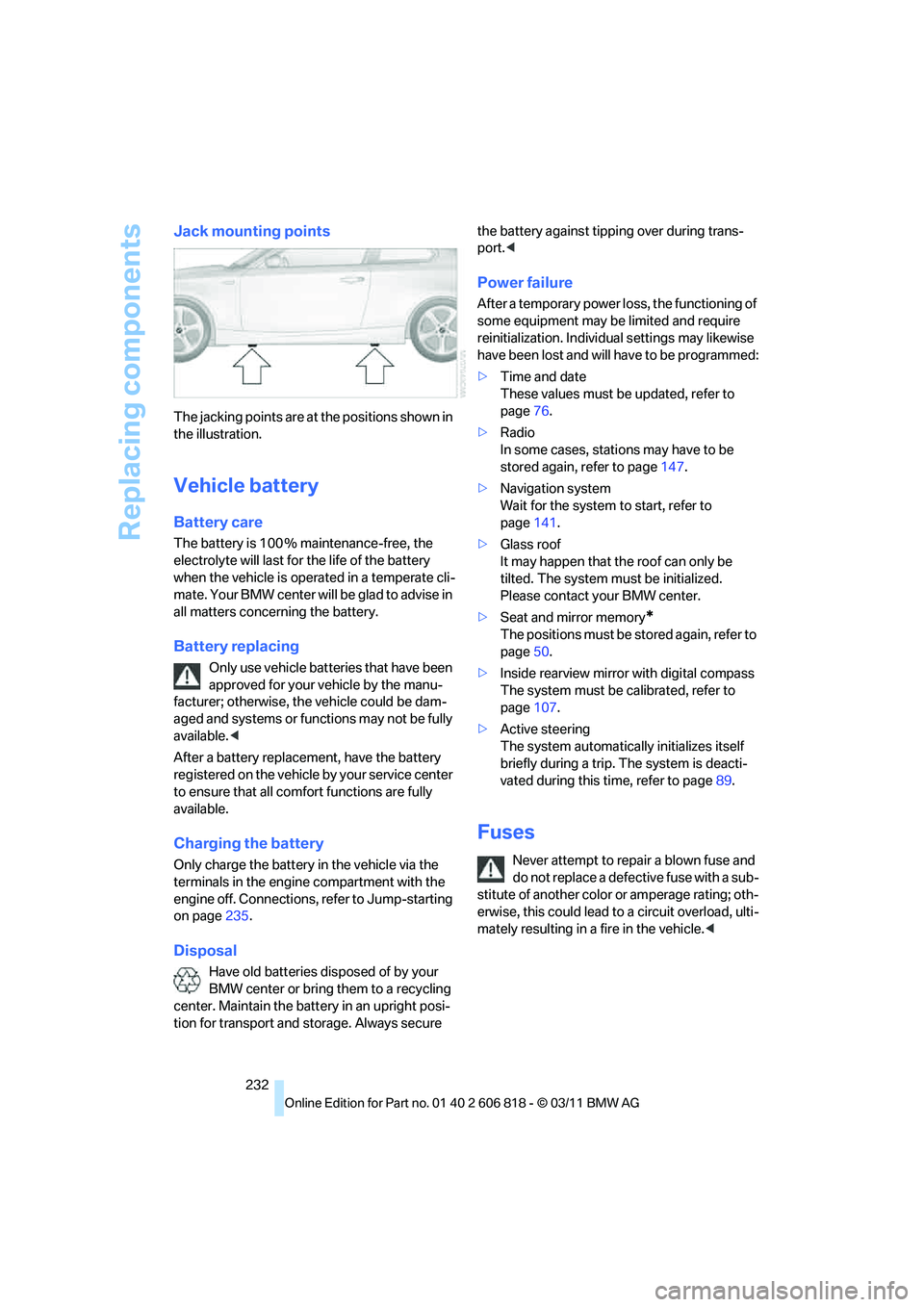
Jack mounting points
The jacking points are at the positions shown in
the illustration.
Vehicle battery
Battery care
The battery is 100 % maintenance-free, the
electrolyte will last for the life of the battery
when the vehicle is operated in a temperate cli-
mate. Your BMW center will be glad to advise in
all matters concerning the battery.
Battery replacing
Only use vehicle batteries that have been
approved for your vehicle by the manu-
facturer; otherwise, the vehicle could be dam-
aged and systems or functions may not be fully
available.<
After a battery replacement, have the battery
registered on the vehicle by your service center
to ensure that all comfort functions are fully
available.
Charging the battery
Only charge the battery in the vehicle via the
terminals in the engine compartment with the
engine off. Connections, refer to Jump-starting
on page235.
Disposal
Have old batteries disposed of by your
BMW center or bring them to a recycling
center. Maintain the battery in an upright posi-
tion for transport and storage. Always secure the battery against tipping over during trans-
port.<
Power failure
After a temporary power loss, the functioning of
some equipment may be limited and require
reinitialization. Individual settings may likewise
have been lost and will have to be programmed:
>Time and date
These values must be updated, refer to
page76.
>Radio
In some cases, stations may have to be
stored again, refer to page147.
>Navigation system
Wait for the system to start, refer to
page141.
>Glass roof
It may happen that the roof can only be
tilted. The system must be initialized.
Please contact your BMW center.
>Seat and mirror memory
*
The positions must be stored again, refer to
page50.
>Inside rearview mirror with digital compass
The system must be calibrated, refer to
page107.
>Active steering
The system automatically initializes itself
briefly during a trip. The system is deacti-
vated during this time, refer to page89.
Fuses
Never attempt to repair a blown fuse and
do not replace a defective fuse with a sub-
stitute of another color or amperage rating; oth-
erwise, this could lead to a circuit overload, ulti-
mately resulting in a fire in the vehicle.<
Page 260 of 272
Everything from A to Z
258 Driving through water118
Driving tips, refer to Driving
notes116
Dry air, refer to Cooling
function101
DSC Dynamic Stability
Control83
DTC Dynamic Traction
Control84
– indicator lamps84
DVD
– country codes157
– settings158
– video playback157
DVD menu158
DVD player, refer to CD
player155
DVD video157
Dynamic Brake Control
DBC83
Dynamic destination
guidance140
Dynamic Stability Control
DSC83
Dynamic Traction Control
DTC84
– indicator lamps84
E
EBV Electronic brake-force
distribution83
Eject button, refer to Buttons
on the CD/DVD player144
Electrical defect
– 7-gear Sport automatic
transmission with double
clutch65
Electrical malfunction
– door lock32
– fuel filler flap206
– glass roof40
Electronic brake-force
distribution EBV83
Electronic oil level check217
Electronic Stability Program
ESP, refer to Dynamic
Stability Control DSC83
Email192Emergency operation, refer to
Manual operation
– door lock32
– fuel filler flap206
– glass roof40
– transmission lock, automatic
transmission61
Emergency release, trunk
lid34
Emergency Request234
Emergency services, refer to
Roadside Assistance234
Energy, saving
– saving fuel116
Engine
– breaking in116
– data242
– speed242
– starting58
– starting, Comfort Access35
– switching off58
Engine compartment217
Engine coolant, refer to
Coolant219
Engine oil
– adding219
– additives219
– alternative oil types219
– approved engine oils219
– BMW Maintenance
System221
– checking level217
– intervals between changes,
refer to Service
requirements74
Engine oil level, checking217
Engine output, refer to Engine
data242
Engine speed, refer to Engine
data242
Engine starting, refer to
Starting the engine58
Entering the postal code for
navigation126
Entry map for destination130
Equalizer, tone setting145
ESP Electronic Stability
Program, refer to Dynamic
Stability Control DSC83Exhaust system, refer to Hot
exhaust system117
Exterior mirrors51
– adjusting51
– automatic dimming
feature52
– automatic heating52
– folding in and out51
External devices
– random play sequence168
– software update172
Eyes
– for tow-starting and towing
away236
– for tying down loads120
F
Failure messages, refer to
Check Control78
Failure of an electrical
consumer232
False alarm, refer to Avoiding
unintentional alarms35
Fastening safety belts, refer to
Safety belts50
Fastest route for
navigation134
Fast forward
– CD changer157
– CD player157
Filter of automatic climate
control, refer to Microfilter/
activated charcoal filter102
First aid pouch235
Fixture for remote control,
refer to Ignition lock57
Flash when locking/
unlocking30
Flat tire
– run-flat tires214
– Tire Pressure Monitor
TPM86
Flat Tire Monitor FTM84
– indicating a flat tire85
– initializing the system85
– system limits84
Flat tires, refer to Tire
condition213
Page 266 of 272
Everything from A to Z
264
S
Safety-belt height
adjustment51
Safety belts50
– damage51
– indicator lamp51
– reminder51
– sitting safely45
Safety systems
– airbags90
– Antilock Brake System
ABS83
– Dynamic Stability Control
DSC83
– rollover protection system,
Convertible92
– safety belts50
Safety tires, refer to Run-flat
tires214
Satellite radio150
– enabling or unsubscribing
from a channel150
– favorites152
– selecting channel151
– storing channel151
– timeshift152
– Traffic Jump153
Saving fuel116
Screen, refer to iDrive16
Screw thread for tow
fitting236
SDARS, refer to Satellite
radio150
Seat and mirror memory50
Seat belt reminder, refer to
'Fasten safety belts'
reminder51
Seats46
– heating50
– sitting safely45
Securing cargo111,112
Selecting new scale for
navigation137
Selector lever, automatic
transmission with
Steptronic60
Selector lever positions62Service, refer to Roadside
Assistance234
Service car, refer to Roadside
Assistance234
Service data in remote
control221
Service Interval Display, refer
to Condition Based Service
CBS221
Service Request201
Service requirements74
Service status202
Settings
– clock, 12h/24h format77
– date format78
– DVD158
– language81
Settings for the map view137
Setting times, refer to
Preselecting switch-on
times103
Shifting64
– 7-gear Sport automatic
transmission with double
clutch63
Shifting gears with automatic
transmission with
Steptronic61
Shift into a drive position, refer
to selector lever
positions62
Shiftlock, refer to Changing
selector lever positions60
Shift paddles on the steering
wheel64
Short commands for the voice
activation system247
Short route in navigation, refer
to Selecting route134
Shuffled, refer to Random
– CD changer156
– CD player156
Side airbags90
Side windows, refer to
Windows37
Signal horn, refer to Horn10
Sitting safely45
– airbags45
– safety belts45Ski bag110
Sliding/tilt sunroof, refer to
Glass roof, electric39
Slot for remote control57
Smokers' package, refer to
Ashtray109
Snap-in adapter176
– inserting/removing186
Snap-in adapter, refer to
Center armrest108
Snow chains215
Socket, refer to Connecting
electrical appliances109
Socket for Onboard Diagnosis
OBD222
Software update172
Sound, adjusting during audio
playback, refer to Tone
control144
Sound output for
entertainment on/off144
Spare fuses232
Special destinations128
Special destinations,
displaying129
Special oils, refer to Approved
engine oils219
Specified engine oils, refer to
Approved engine oils219
Speed
– for winter tires215
Speed limit warning, refer to
Speed limit80
Speedo, refer to
Speedometer12
Speedometer12
Speed Volume145
Split screen content, refer to
Selecting the display for the
split screen content20
Sport automatic transmission
with double clutch62
– driving dynamics control64
– kickdown63
– Launch Control66
– manually unlocking parking
lock65
– neutral63
– reverse gear63