transmission BMW 228I 2016 Owner's Manual
[x] Cancel search | Manufacturer: BMW, Model Year: 2016, Model line: 228I, Model: BMW 228I 2016Pages: 234, PDF Size: 5.93 MB
Page 170 of 234
prox. 50 km/h to 100 mph, approx. 160 km/h, if
the following conditions are met:▷Accelerator pedal and brake pedal are not
operated.▷The selector lever is in selector lever posi‐
tion D.▷Engine and transmission are at operating
temperature.
The driving status Coast can be influenced
with the shift paddles.
Display Display in the instrument cluster
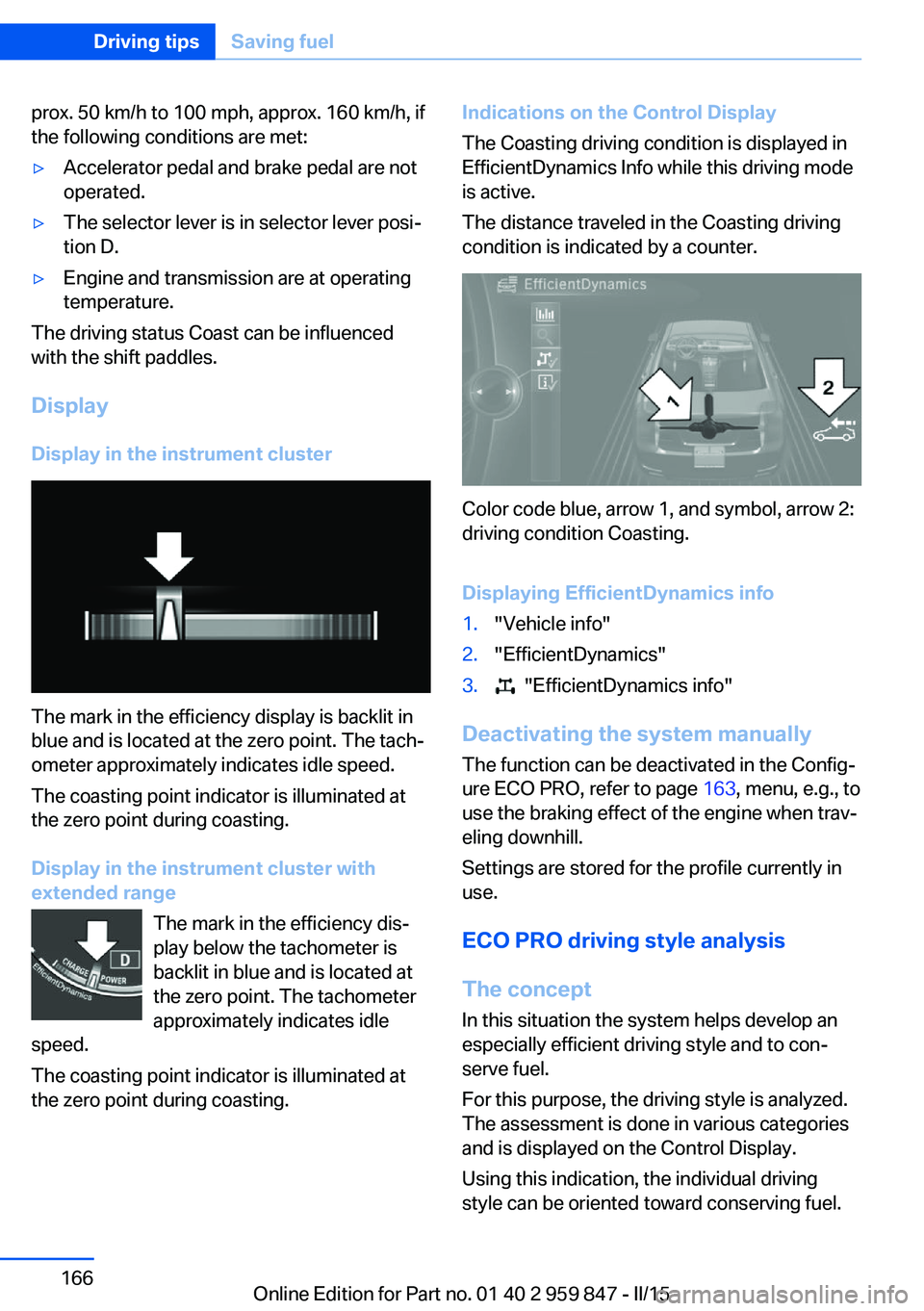
The mark in the efficiency display is backlit in
blue and is located at the zero point. The tach‐
ometer approximately indicates idle speed.
The coasting point indicator is illuminated at
the zero point during coasting.
Display in the instrument cluster with
extended range
The mark in the efficiency dis‐
play below the tachometer is
backlit in blue and is located at
the zero point. The tachometer
approximately indicates idle
speed.
The coasting point indicator is illuminated at
the zero point during coasting.
Indications on the Control Display
The Coasting driving condition is displayed in
EfficientDynamics Info while this driving mode
is active.
The distance traveled in the Coasting driving
condition is indicated by a counter.
Color code blue, arrow 1, and symbol, arrow 2:
driving condition Coasting.
Displaying EfficientDynamics info
1."Vehicle info"2."EfficientDynamics"3. "EfficientDynamics info"
Deactivating the system manually The function can be deactivated in the Config‐
ure ECO PRO, refer to page 163, menu, e.g., to
use the braking effect of the engine when trav‐
eling downhill.
Settings are stored for the profile currently in
use.
ECO PRO driving style analysis
The concept
In this situation the system helps develop an
especially efficient driving style and to con‐
serve fuel.
For this purpose, the driving style is analyzed.
The assessment is done in various categories
and is displayed on the Control Display.
Using this indication, the individual driving
style can be oriented toward conserving fuel.
Seite 166Driving tipsSaving fuel166
Online Edition for Part no. 01 40 2 959 847 - II/15
Page 194 of 234
Gasoline engine:
If the engine oil level reaches the minimum
level, a check control message is displayed.
Diesel engine:
During the measurement, the idle speed is in‐
creased somewhat.
General information A detailed measurement is only possible with
certain engines.
Requirements▷Vehicle is on level road.▷Manual transmission: shift lever in neutral
position, clutch and accelerator pedals not
depressed.▷Steptronic transmission: selector lever in
selector lever position N or P and accelera‐
tor pedal not depressed.▷Engine is running and is at operating tem‐
perature.
Performing a detailed measurement
In order to perform a detailed measurement of
the engine oil level:
1."Vehicle info"2."Vehicle status"3. "Measure engine oil level"4."Start measurement"
The engine oil level is checked and displayed
via a scale.
Time: approx. 1 minute.
Adding engine oil General information
Switch off the ignition and safely park the vehi‐
cle before engine oil is added.
Oil filler neck
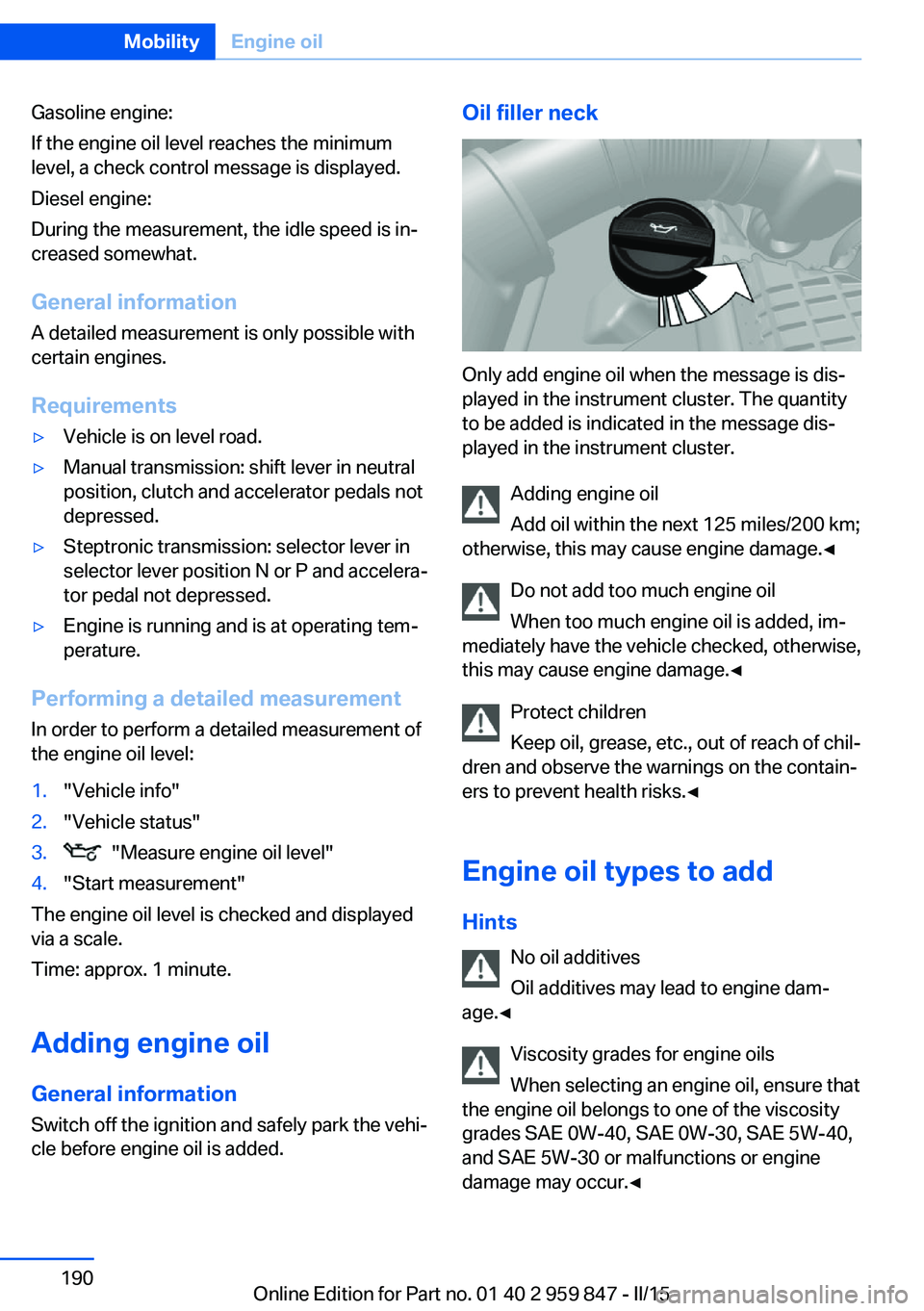
Only add engine oil when the message is dis‐
played in the instrument cluster. The quantity
to be added is indicated in the message dis‐
played in the instrument cluster.
Adding engine oil
Add oil within the next 125 miles/200 km;
otherwise, this may cause engine damage.◀
Do not add too much engine oil
When too much engine oil is added, im‐
mediately have the vehicle checked, otherwise,
this may cause engine damage.◀
Protect children
Keep oil, grease, etc., out of reach of chil‐
dren and observe the warnings on the contain‐
ers to prevent health risks.◀
Engine oil types to add Hints No oil additives
Oil additives may lead to engine dam‐
age.◀
Viscosity grades for engine oils
When selecting an engine oil, ensure that
the engine oil belongs to one of the viscosity
grades SAE 0W-40, SAE 0W-30, SAE 5W-40,
and SAE 5W-30 or malfunctions or engine
damage may occur.◀
Seite 190MobilityEngine oil190
Online Edition for Part no. 01 40 2 959 847 - II/15
Page 211 of 234
Tow-starting and towingNote Tow-starting and towing
For tow-starting or towing, switch off the
Intelligent Safety systems; otherwise malfunc‐
tions of the individual braking systems might
lead to accidents.◀
Manual transmission Gearshift lever in neutral position.
Towing Follow the towing instructions
Follow all towing instructions; otherwise,
vehicle damage or accidents may occur.◀▷Make sure that the ignition is switched on;
otherwise, the low beams, tail lights, turn
signals, and wipers may be unavailable.▷Do not tow the vehicle with the rear axle
tilted, as the front wheels could turn.▷When the engine is stopped, there is no
power assist. Consequently, more force
needs to be applied when braking and
steering.▷Larger steering wheel movements are re‐
quired.▷The towing vehicle must not be lighter
than the vehicle being towed; otherwise,
it will not be possible to control the vehi‐
cle's response.Tow truck
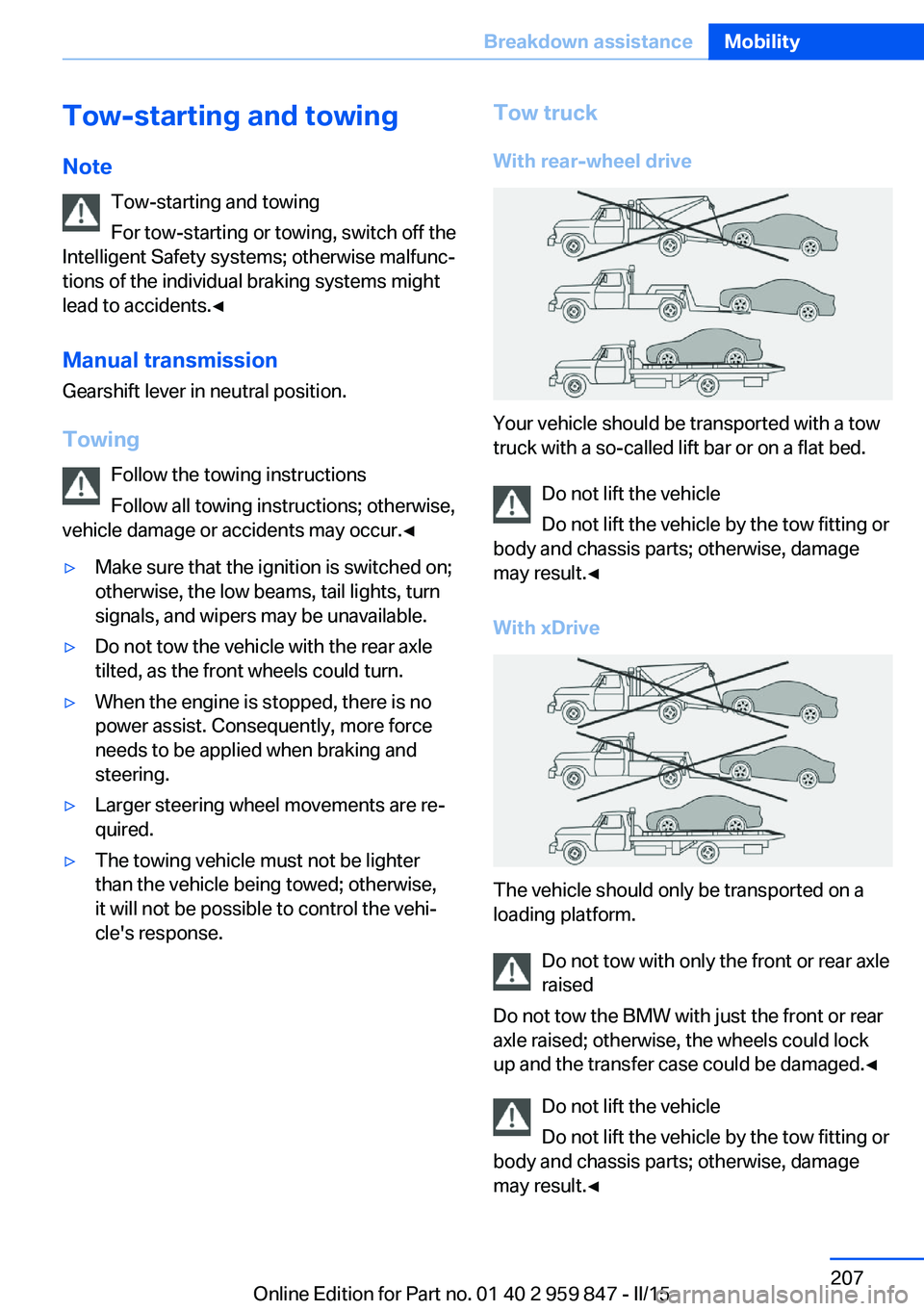
With rear-wheel drive
Your vehicle should be transported with a tow
truck with a so-called lift bar or on a flat bed.
Do not lift the vehicle
Do not lift the vehicle by the tow fitting or
body and chassis parts; otherwise, damage
may result.◀
With xDrive
The vehicle should only be transported on a
loading platform.
Do not tow with only the front or rear axle
raised
Do not tow the BMW with just the front or rear
axle raised; otherwise, the wheels could lock
up and the transfer case could be damaged.◀
Do not lift the vehicle
Do not lift the vehicle by the tow fitting or
body and chassis parts; otherwise, damage
may result.◀
Seite 207Breakdown assistanceMobility207
Online Edition for Part no. 01 40 2 959 847 - II/15
Page 212 of 234
Steptronic transmission: transporting
your vehicle
Note Your vehicle is not permitted to be towed.
Therefore, contact a service center in the
event of a breakdown.
Do not have the vehicle towed
Have your vehicle transported on a load‐
ing platform only; otherwise, damage may oc‐
cur.◀
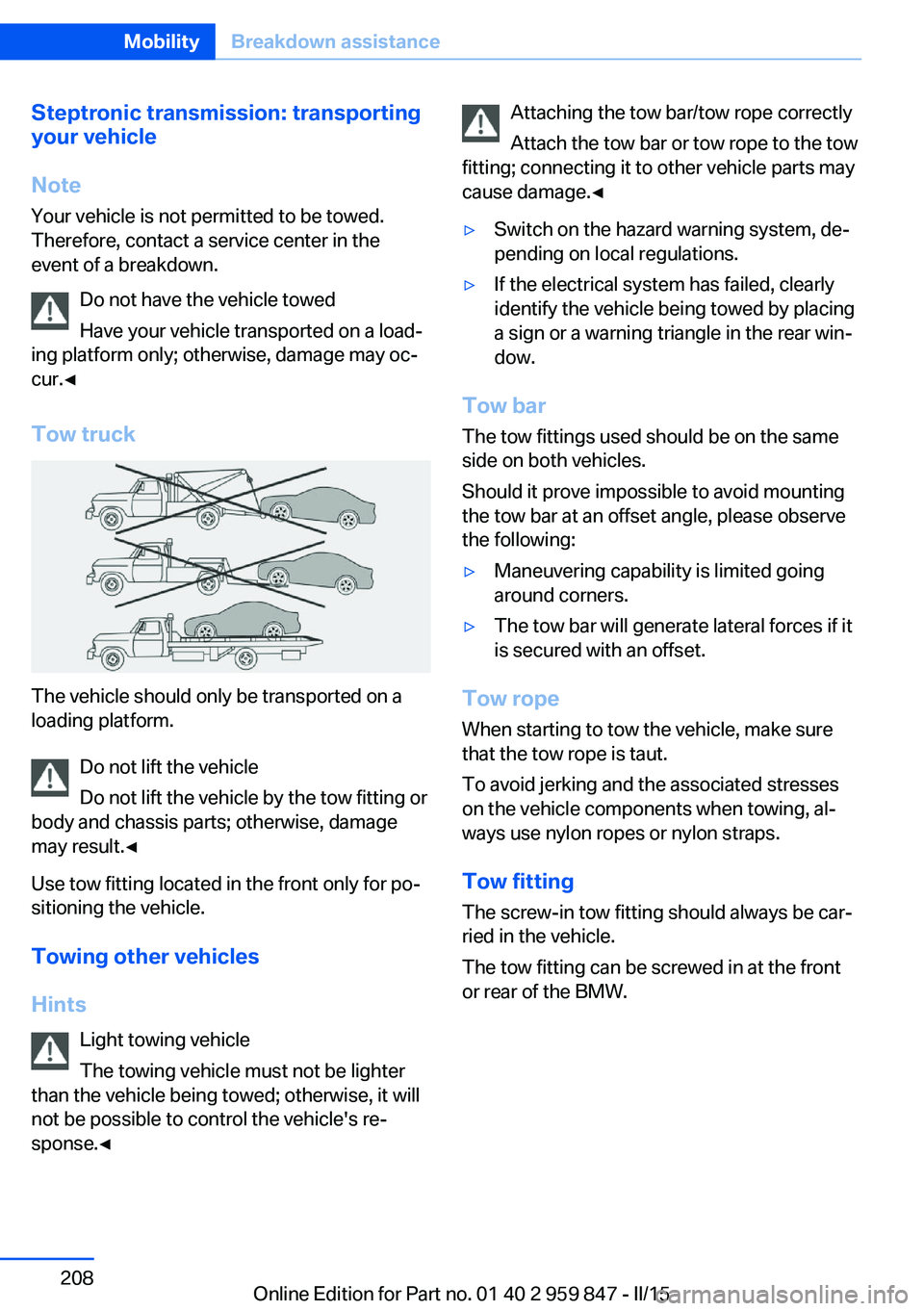
Tow truck
The vehicle should only be transported on a
loading platform.
Do not lift the vehicle
Do not lift the vehicle by the tow fitting or
body and chassis parts; otherwise, damage
may result.◀
Use tow fitting located in the front only for po‐
sitioning the vehicle.
Towing other vehicles
Hints Light towing vehicle
The towing vehicle must not be lighter
than the vehicle being towed; otherwise, it will
not be possible to control the vehicle's re‐
sponse.◀
Attaching the tow bar/tow rope correctly
Attach the tow bar or tow rope to the tow
fitting; connecting it to other vehicle parts may
cause damage.◀▷Switch on the hazard warning system, de‐
pending on local regulations.▷If the electrical system has failed, clearly
identify the vehicle being towed by placing
a sign or a warning triangle in the rear win‐
dow.
Tow bar
The tow fittings used should be on the same
side on both vehicles.
Should it prove impossible to avoid mounting
the tow bar at an offset angle, please observe
the following:
▷Maneuvering capability is limited going
around corners.▷The tow bar will generate lateral forces if it
is secured with an offset.
Tow rope
When starting to tow the vehicle, make sure
that the tow rope is taut.
To avoid jerking and the associated stresses
on the vehicle components when towing, al‐
ways use nylon ropes or nylon straps.
Tow fitting
The screw-in tow fitting should always be car‐
ried in the vehicle.
The tow fitting can be screwed in at the front
or rear of the BMW.
Seite 208MobilityBreakdown assistance208
Online Edition for Part no. 01 40 2 959 847 - II/15
Page 213 of 234
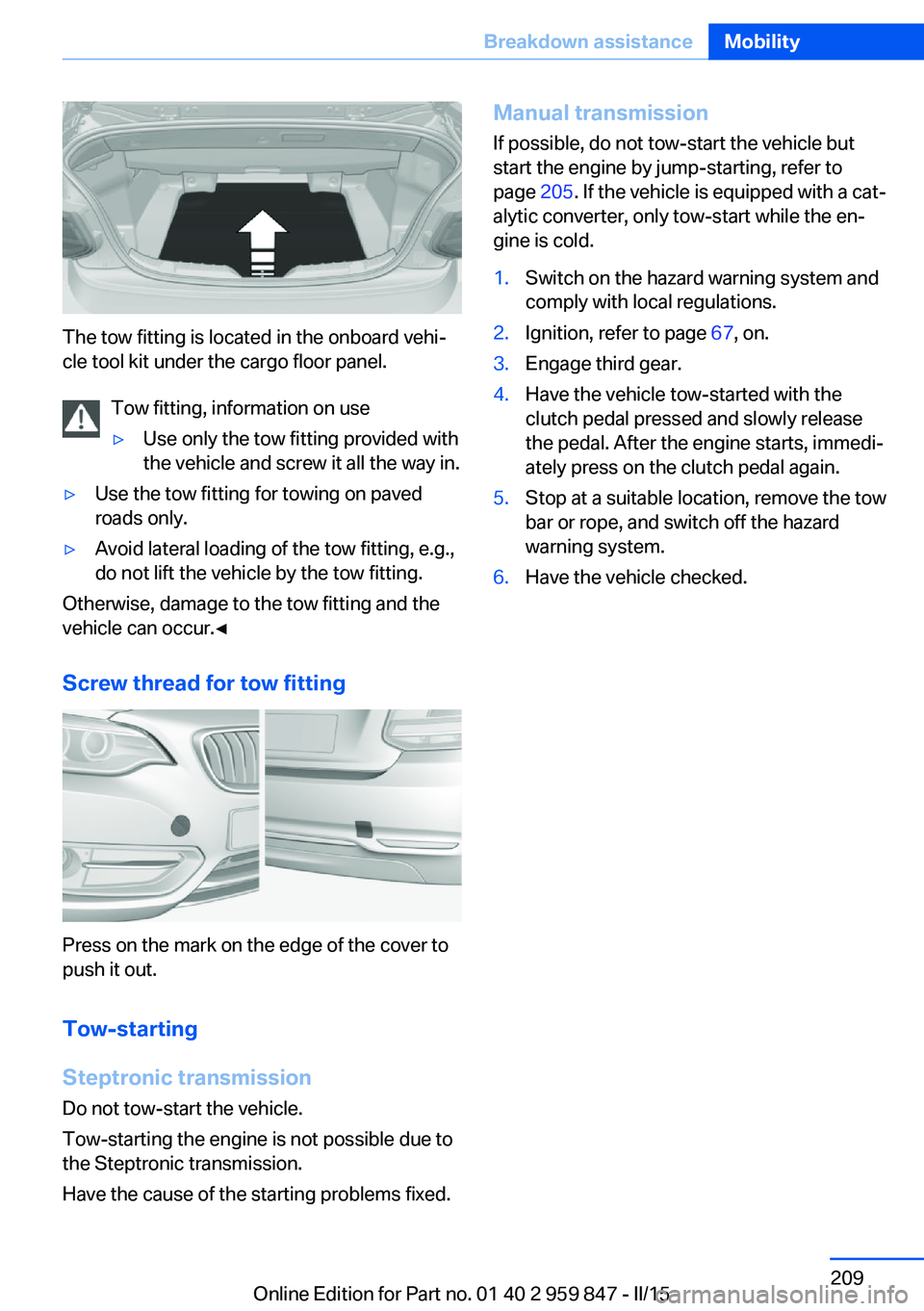
The tow fitting is located in the onboard vehi‐
cle tool kit under the cargo floor panel.
Tow fitting, information on use
▷Use only the tow fitting provided with
the vehicle and screw it all the way in.▷Use the tow fitting for towing on paved
roads only.▷Avoid lateral loading of the tow fitting, e.g.,
do not lift the vehicle by the tow fitting.
Otherwise, damage to the tow fitting and the
vehicle can occur.◀
Screw thread for tow fitting
Press on the mark on the edge of the cover to
push it out.
Tow-starting
Steptronic transmission
Do not tow-start the vehicle.
Tow-starting the engine is not possible due to
the Steptronic transmission.
Have the cause of the starting problems fixed.
Manual transmission If possible, do not tow-start the vehicle but
start the engine by jump-starting, refer to
page 205. If the vehicle is equipped with a cat‐
alytic converter, only tow-start while the en‐
gine is cold.1.Switch on the hazard warning system and
comply with local regulations.2.Ignition, refer to page 67, on.3.Engage third gear.4.Have the vehicle tow-started with the
clutch pedal pressed and slowly release
the pedal. After the engine starts, immedi‐
ately press on the clutch pedal again.5.Stop at a suitable location, remove the tow
bar or rope, and switch off the hazard
warning system.6.Have the vehicle checked.Seite 209Breakdown assistanceMobility209
Online Edition for Part no. 01 40 2 959 847 - II/15
Page 215 of 234
Manual transmission:1.Drive into the car wash.2.Shift to neutral.3.Switch the engine off.4.Switch on the ignition.
Steptronic transmission:
1.Drive into the car wash.2.Engage selector lever position N.3.Switch the engine off.
In this way, the ignition remains switched
on, and a Check-Control message is dis‐
played.
Do not turn off the ignition in the car
wash
Do not turn off the ignition in the car wash;
otherwise, selector lever position P is en‐
gaged and damages can result.◀
The vehicle cannot be locked from the outside
when in selector lever position N. A signal
sounds when an attempt is made to lock the
vehicle.
To start the engine with manual transmission:
1.Press on the clutch pedal.2.Press the Start/Stop button.
To start the engine with Steptronic transmis‐
sion:
1.Depress the brake pedal.2.Press the Start/Stop button.
Pressing the Start/Stop button without step‐
ping on the brake turns the ignition off.
Selector lever positionSelector lever position P is engaged automati‐
cally:
▷When the ignition is switched off.▷After approx. 15 minutes.Headlights▷Do not rub dry and do not use abrasive or
acidic cleansers.▷Soak areas that have been dirtied e. g.,
from insects, with shampoo and wash off
with water.▷Thaw ice with de-icing spray; do not use an
ice scraper.
After washing the vehicle
After washing the vehicle, apply the brakes
briefly to dry them; otherwise, braking action
can be reduced and corrosion of the brake
discs can occur.
Completely remove all residues on the win‐
dows, to minimize loss of visibility due to
smearing and to reduce wiper noises and
wiper blade wear.
Vehicle care
Car care products BMW recommends using care and cleaning
products from BMW, since these have been
tested and approved.
Car care and cleaning products
Follow the instructions on the container.
When cleaning the interior, open the doors or
windows.
Only use products intended for cleaning vehi‐
cles.
Cleansers can contain substances that are
dangerous and harmful to your health.◀
Vehicle paint
Regular care contributes to driving safety and
value retention. Environmental influences in
areas with elevated air pollution or natural con‐
taminants, such as tree resin or pollen can af‐
fect the vehicle's paintwork. Tailor the fre‐
quency and extent of your car care to these
influences.
Seite 211CareMobility211
Online Edition for Part no. 01 40 2 959 847 - II/15
Page 222 of 234
Technical dataVehicle features and options
This chapter describes all standard, country-
specific and optional features offered with the
series. It also describes features that are not
necessarily available in your car, e. g., due tothe selected options or country versions. This
also applies to safety-related functions and
systems. The respectively applicable country
provisions must be observed when using the
respective features and systems.
Note
The technical data and specifications in this
Owner's Manual are used as guidance values.
The vehicle-specific data can deviate from this,
for example, due to the selected special equip‐
ment, country version or country-specific
measurement method. Detailed values can befound in the approval documents, on informa‐
tion signs on the vehicle or can be obtained
from the service center.
The information in the vehicle documents al‐
ways has priority.
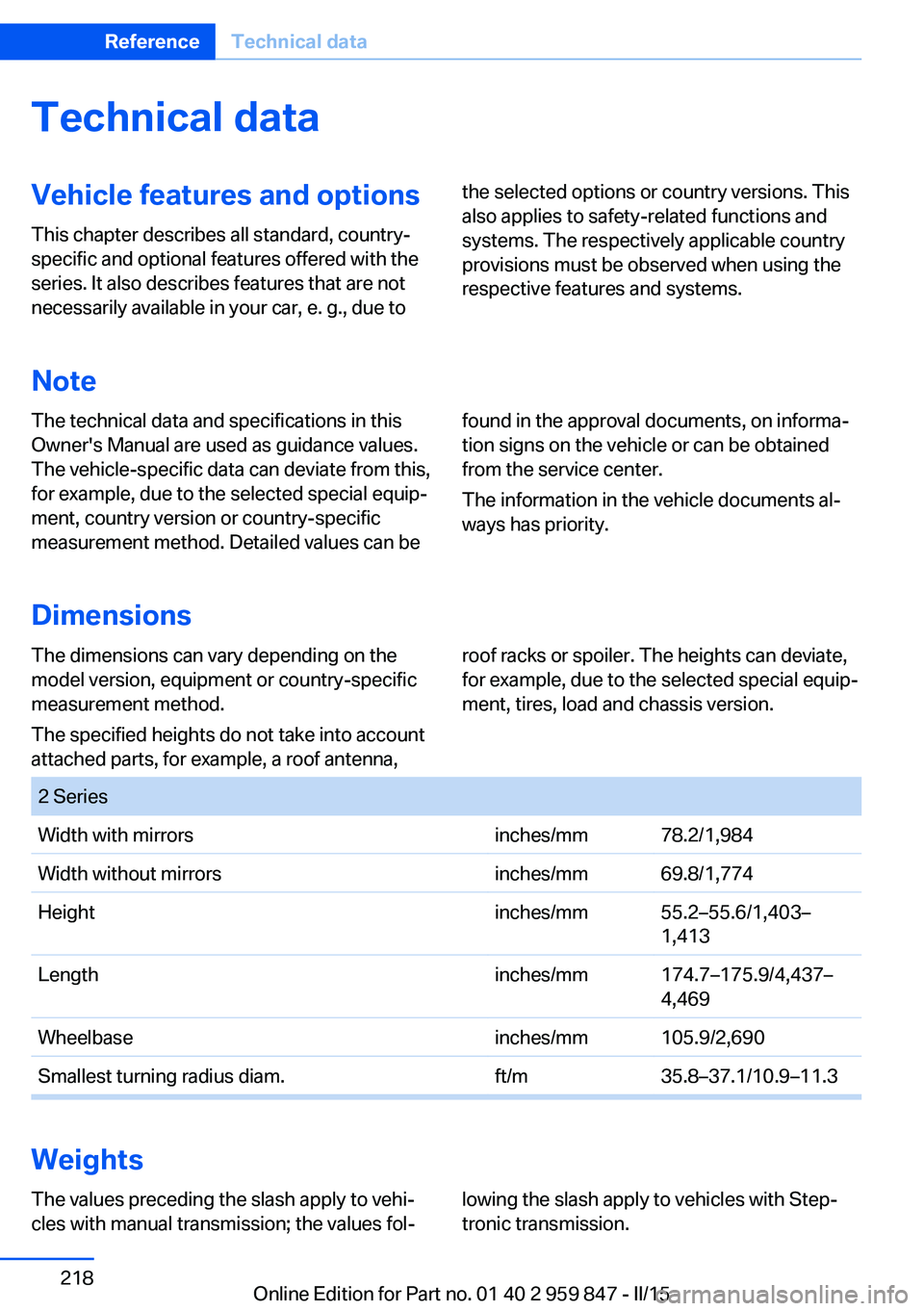
Dimensions
The dimensions can vary depending on the
model version, equipment or country-specific
measurement method.
The specified heights do not take into account
attached parts, for example, a roof antenna,roof racks or spoiler. The heights can deviate,
for example, due to the selected special equip‐
ment, tires, load and chassis version. 2 SeriesWidth with mirrorsinches/mm78.2/1,984Width without mirrorsinches/mm69.8/1,774Heightinches/mm55.2–55.6/1,403–
1,413Lengthinches/mm174.7–175.9/4,437–
4,469Wheelbaseinches/mm105.9/2,690Smallest turning radius diam.ft/m35.8–37.1/10.9–11.3
Weights
The values preceding the slash apply to vehi‐
cles with manual transmission; the values fol‐lowing the slash apply to vehicles with Step‐
tronic transmission.Seite 218ReferenceTechnical data218
Online Edition for Part no. 01 40 2 959 847 - II/15
Page 224 of 234
Everything from A to Z
IndexA ABS, Antilock Brake Sys‐ tem 117
Acceleration Assistant, refer to Launch Control 78
Accessories and parts 7
Activated-charcoal filter 140
Adaptive brake lights, refer to Brake force display 116
Adaptive Light Control 95
Additives, oil 190
Adjustments, seats/head re‐ straints 54
After washing vehicle 211
Airbags 99
Airbags, indicator/warning light 100
Air circulation, refer to Recir‐ culated-air mode 137, 139
Air, dehumidifying, refer to Cooling function 136, 139
Air distribution, manual 136, 140
Air flow, air conditioner 136
Air flow, automatic climate control 140
Air pressure, tires 174
Air vents, refer to Ventila‐ tion 141
Alarm system 44
Alarm, unintentional 45
All around the center con‐ sole 16
All around the roofliner 17
All around the steering wheel 14
All-season tires, refer to Win‐ ter tires 181
All-wheel-drive 118 Alternating-code hand-held
transmitter 144
Alternative oil types 191
Ambient light 98
Antifreeze, washer fluid 74
Antilock Brake System, ABS 117
Anti-slip control, refer to DSC 117
Approved axle load 218
Approved engine oils, see Suitable engine oil
types 191
Arrival time 90
Ash tray 147
Assistance when driving off 121
Attentiveness assistant 116
AUTO intensity 139
Automatic car wash 210
Automatic climate con‐ trol 135
Automatic Curb Monitor 61
Automatic deactivation, front- seat passenger airbags 101
Automatic headlight con‐ trol 95
Automatic locking 44
Automatic recirculated-air control 139
Automatic transmission, see Steptronic transmission 75
AUTO program, automatic cli‐ mate control 139
AUTO program, climate con‐ trol 136
AUTO program, intensity 139
Auto Start/Stop function 69
Average fuel consumption 90
Average speed 90
Axle loads, weights 218 B
Backrest curvature, refer to Lumbar support 56
Backrest, width 56
Band-aids, refer to First aid kit 205
Bar for tow-starting/ towing 208
Battery replacement, vehicle battery 202
Battery replacement, vehicle remote control 35
Battery, vehicle 202
Belts, safety belts 58
Beverage holder, cu‐ pholder 153
BMW Assist, see user's manual for Navigation, En‐
tertainment and Communi‐
cation
BMW Driver’s Guide App 6
BMW Homepage 6
BMW Internet page 6
BMW maintenance sys‐ tem 193
Bonus range, ECO PRO 163
Bottle holder, refer to Cu‐ pholder 153
Brake assistant 117
Brake discs, break-in 156
Brake force display 116
Brake lights, adaptive 116
Brake lights, brake force dis‐ play 116
Brake pads, break-in 156
Braking, hints 157
Breakdown assistance 204
Break-in 156
Brightness of Control Dis‐ play 92 Seite 220ReferenceEverything from A to Z220
Online Edition for Part no. 01 40 2 959 847 - II/15
Page 227 of 234
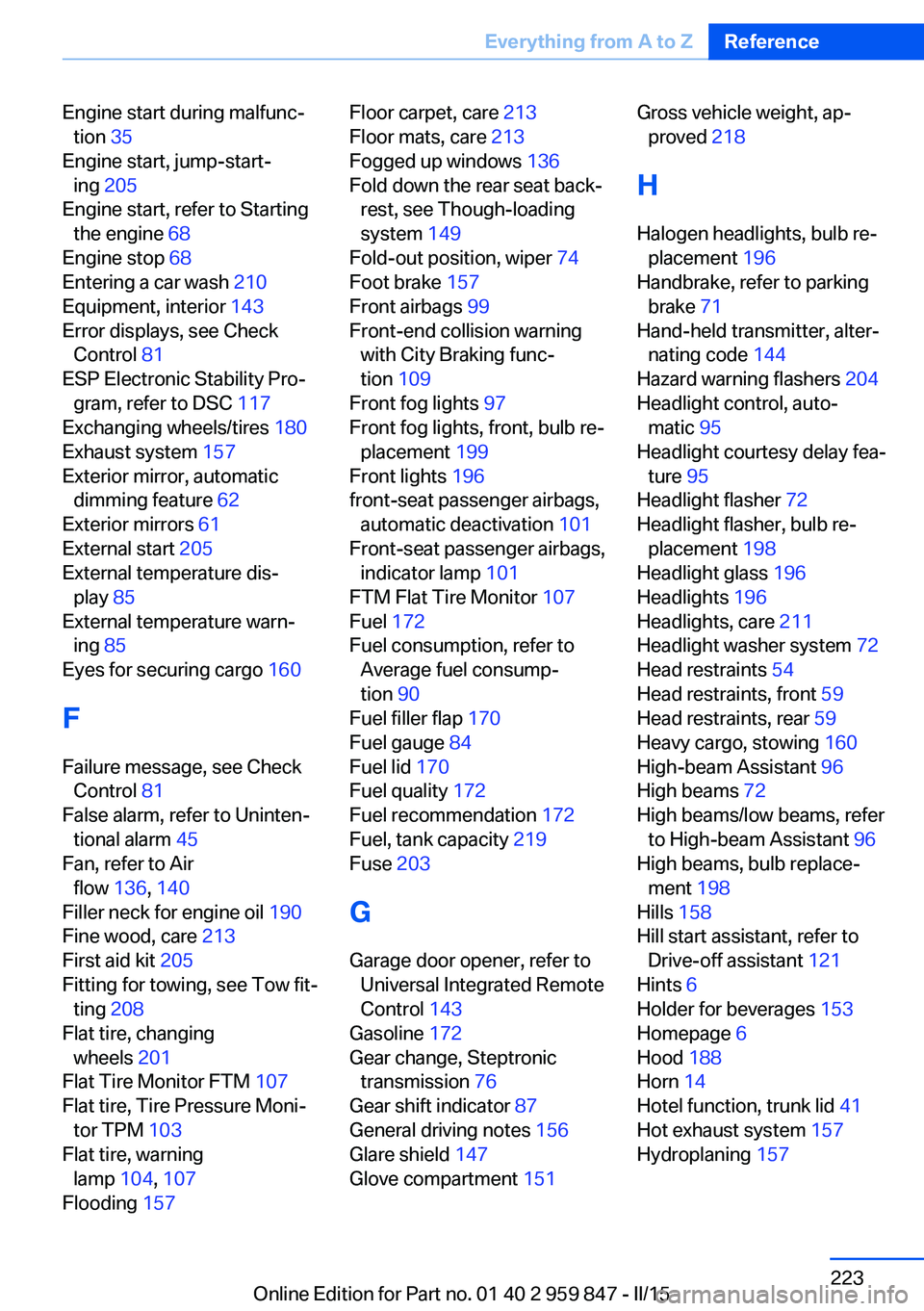
Engine start during malfunc‐tion 35
Engine start, jump-start‐ ing 205
Engine start, refer to Starting the engine 68
Engine stop 68
Entering a car wash 210
Equipment, interior 143
Error displays, see Check Control 81
ESP Electronic Stability Pro‐ gram, refer to DSC 117
Exchanging wheels/tires 180
Exhaust system 157
Exterior mirror, automatic dimming feature 62
Exterior mirrors 61
External start 205
External temperature dis‐ play 85
External temperature warn‐ ing 85
Eyes for securing cargo 160
F
Failure message, see Check Control 81
False alarm, refer to Uninten‐ tional alarm 45
Fan, refer to Air flow 136, 140
Filler neck for engine oil 190
Fine wood, care 213
First aid kit 205
Fitting for towing, see Tow fit‐ ting 208
Flat tire, changing wheels 201
Flat Tire Monitor FTM 107
Flat tire, Tire Pressure Moni‐ tor TPM 103
Flat tire, warning lamp 104, 107
Flooding 157 Floor carpet, care 213
Floor mats, care 213
Fogged up windows 136
Fold down the rear seat back‐ rest, see Though-loading
system 149
Fold-out position, wiper 74
Foot brake 157
Front airbags 99
Front-end collision warning with City Braking func‐
tion 109
Front fog lights 97
Front fog lights, front, bulb re‐ placement 199
Front lights 196
front-seat passenger airbags, automatic deactivation 101
Front-seat passenger airbags, indicator lamp 101
FTM Flat Tire Monitor 107
Fuel 172
Fuel consumption, refer to Average fuel consump‐
tion 90
Fuel filler flap 170
Fuel gauge 84
Fuel lid 170
Fuel quality 172
Fuel recommendation 172
Fuel, tank capacity 219
Fuse 203
G
Garage door opener, refer to Universal Integrated Remote
Control 143
Gasoline 172
Gear change, Steptronic transmission 76
Gear shift indicator 87
General driving notes 156
Glare shield 147
Glove compartment 151 Gross vehicle weight, ap‐
proved 218
H
Halogen headlights, bulb re‐ placement 196
Handbrake, refer to parking brake 71
Hand-held transmitter, alter‐ nating code 144
Hazard warning flashers 204
Headlight control, auto‐ matic 95
Headlight courtesy delay fea‐ ture 95
Headlight flasher 72
Headlight flasher, bulb re‐ placement 198
Headlight glass 196
Headlights 196
Headlights, care 211
Headlight washer system 72
Head restraints 54
Head restraints, front 59
Head restraints, rear 59
Heavy cargo, stowing 160
High-beam Assistant 96
High beams 72
High beams/low beams, refer to High-beam Assistant 96
High beams, bulb replace‐ ment 198
Hills 158
Hill start assistant, refer to Drive-off assistant 121
Hints 6
Holder for beverages 153
Homepage 6
Hood 188
Horn 14
Hotel function, trunk lid 41
Hot exhaust system 157
Hydroplaning 157 Seite 223Everything from A to ZReference223
Online Edition for Part no. 01 40 2 959 847 - II/15
Page 229 of 234
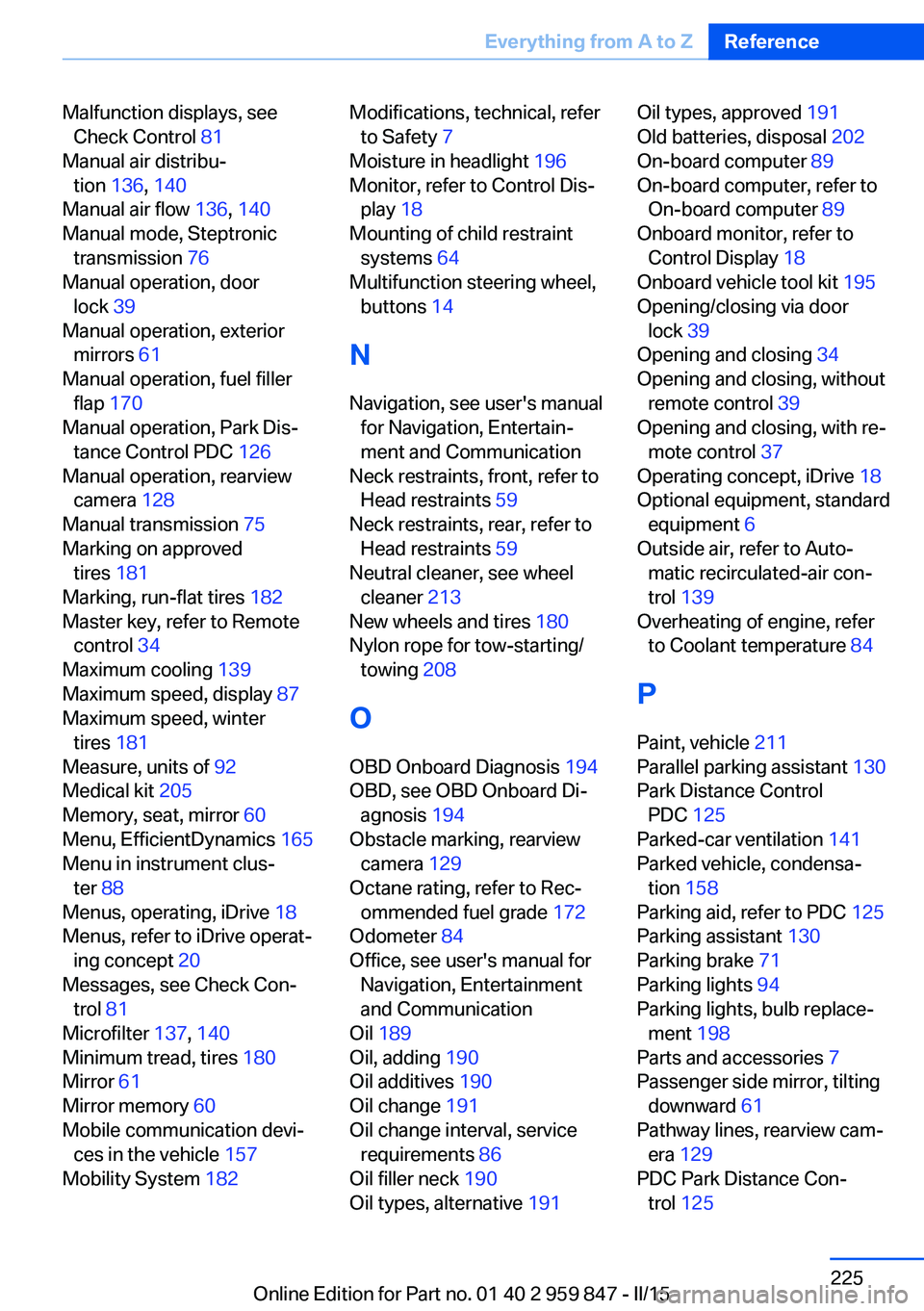
Malfunction displays, seeCheck Control 81
Manual air distribu‐ tion 136, 140
Manual air flow 136, 140
Manual mode, Steptronic transmission 76
Manual operation, door lock 39
Manual operation, exterior mirrors 61
Manual operation, fuel filler flap 170
Manual operation, Park Dis‐ tance Control PDC 126
Manual operation, rearview camera 128
Manual transmission 75
Marking on approved tires 181
Marking, run-flat tires 182
Master key, refer to Remote control 34
Maximum cooling 139
Maximum speed, display 87
Maximum speed, winter tires 181
Measure, units of 92
Medical kit 205
Memory, seat, mirror 60
Menu, EfficientDynamics 165
Menu in instrument clus‐ ter 88
Menus, operating, iDrive 18
Menus, refer to iDrive operat‐ ing concept 20
Messages, see Check Con‐ trol 81
Microfilter 137, 140
Minimum tread, tires 180
Mirror 61
Mirror memory 60
Mobile communication devi‐ ces in the vehicle 157
Mobility System 182 Modifications, technical, refer
to Safety 7
Moisture in headlight 196
Monitor, refer to Control Dis‐ play 18
Mounting of child restraint systems 64
Multifunction steering wheel, buttons 14
N Navigation, see user's manual for Navigation, Entertain‐
ment and Communication
Neck restraints, front, refer to Head restraints 59
Neck restraints, rear, refer to Head restraints 59
Neutral cleaner, see wheel cleaner 213
New wheels and tires 180
Nylon rope for tow-starting/ towing 208
O OBD Onboard Diagnosis 194
OBD, see OBD Onboard Di‐ agnosis 194
Obstacle marking, rearview camera 129
Octane rating, refer to Rec‐ ommended fuel grade 172
Odometer 84
Office, see user's manual for Navigation, Entertainment
and Communication
Oil 189
Oil, adding 190
Oil additives 190
Oil change 191
Oil change interval, service requirements 86
Oil filler neck 190
Oil types, alternative 191 Oil types, approved 191
Old batteries, disposal 202
On-board computer 89
On-board computer, refer to On-board computer 89
Onboard monitor, refer to Control Display 18
Onboard vehicle tool kit 195
Opening/closing via door lock 39
Opening and closing 34
Opening and closing, without remote control 39
Opening and closing, with re‐ mote control 37
Operating concept, iDrive 18
Optional equipment, standard equipment 6
Outside air, refer to Auto‐ matic recirculated-air con‐
trol 139
Overheating of engine, refer to Coolant temperature 84
P Paint, vehicle 211
Parallel parking assistant 130
Park Distance Control PDC 125
Parked-car ventilation 141
Parked vehicle, condensa‐ tion 158
Parking aid, refer to PDC 125
Parking assistant 130
Parking brake 71
Parking lights 94
Parking lights, bulb replace‐ ment 198
Parts and accessories 7
Passenger side mirror, tilting downward 61
Pathway lines, rearview cam‐ era 129
PDC Park Distance Con‐ trol 125 Seite 225Everything from A to ZReference225
Online Edition for Part no. 01 40 2 959 847 - II/15