light BMW 3.0i ROADSTER&COUPE 2004 Service Manual
[x] Cancel search | Manufacturer: BMW, Model Year: 2004, Model line: 3.0i ROADSTER&COUPE, Model: BMW 3.0i ROADSTER&COUPE 2004Pages: 120, PDF Size: 3.44 MB
Page 87 of 120
Reference
At a glance
Controls
Driving tips
Mobility
85
allow accumulated pressure to escape,
then open completely
2.The coolant level is correct when the
upper end of the red float is at least
even with the upper edge of the filler
neck but no more than 3/4 in/2 cm
above it, that is up to the second mark
on the float. Refer also to the schematic
diagram next to the filler neck
3.If necessary, add coolant. Slowly add
coolant until the correct level is
reached; do not overfill.
Comply with the applicable environ-
mental laws regulating the disposal of
antifreeze with corrosion inhibitor.<
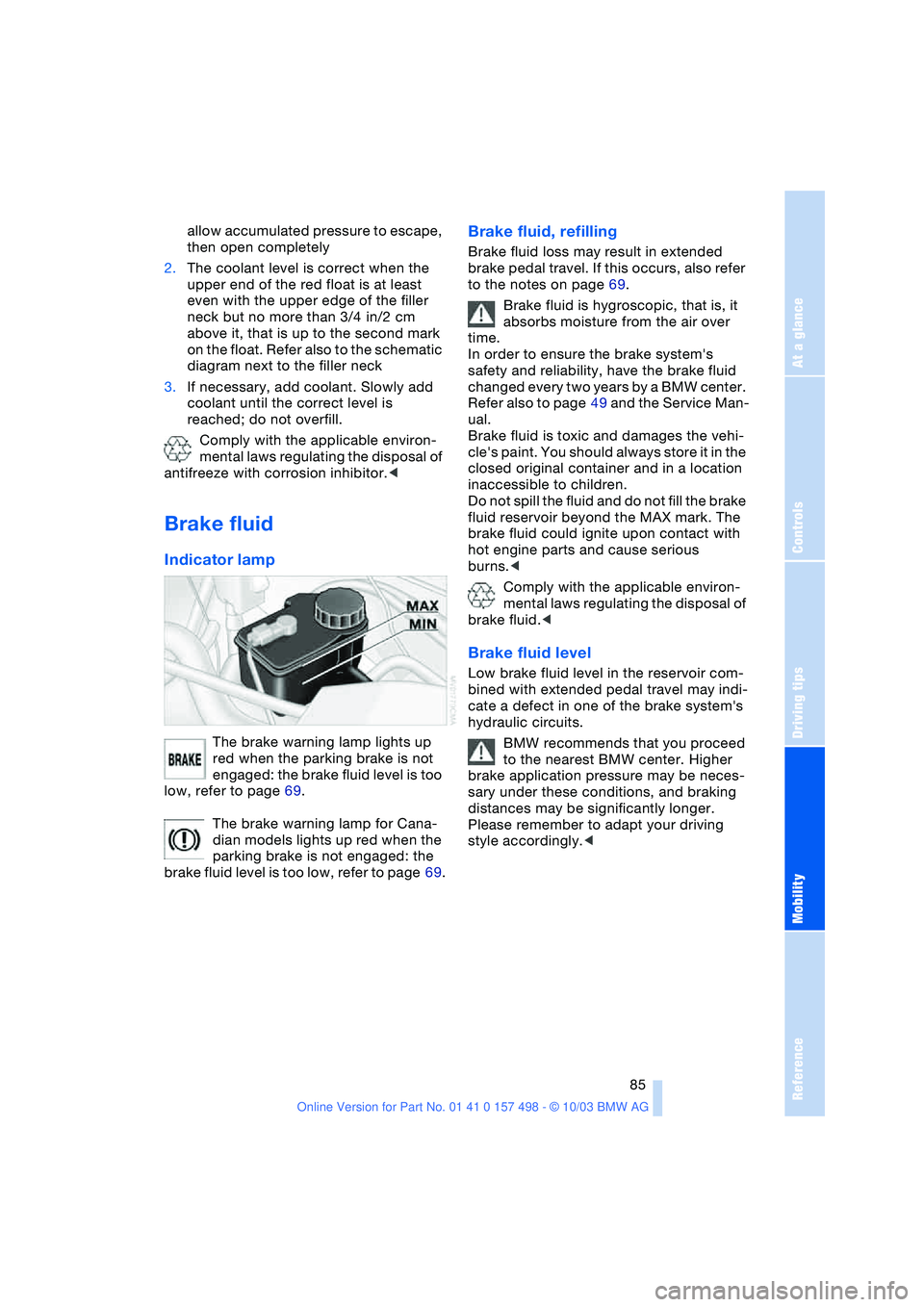
Brake fluid
Indicator lamp
The brake warning lamp lights up
red when the parking brake is not
engaged: the brake fluid level is too
low, refer to page 69.
The brake warning lamp for Cana-
dian models lights up red when the
parking brake is not engaged: the
brake fluid level is too low, refer to page 69.
Brake fluid, refilling
Brake fluid loss may result in extended
brake pedal travel. If this occurs, also refer
to the notes on page 69.
Brake fluid is hygroscopic, that is, it
absorbs moisture from the air over
time.
In order to ensure the brake system's
safety and reliability, have the brake fluid
changed every two years by a BMW center.
Refer also to page 49 and the Service Man-
ual.
Brake fluid is toxic and damages the vehi-
cle's paint. You should always store it in the
closed original container and in a location
inaccessible to children.
Do not spill the fluid and do not fill the brake
fluid reservoir beyond the MAX mark. The
brake fluid could ignite upon contact with
hot engine parts and cause serious
burns.<
Comply with the applicable environ-
mental laws regulating the disposal of
brake fluid.<
Brake fluid level
Low brake fluid level in the reservoir com-
bined with extended pedal travel may indi-
cate a defect in one of the brake system's
hydraulic circuits.
BMW recommends that you proceed
to the nearest BMW center. Higher
brake application pressure may be neces-
sary under these conditions, and braking
distances may be significantly longer.
Please remember to adapt your driving
style accordingly.<
Page 89 of 120
Reference
At a glance
Controls
Driving tips
Mobility
87
Laws and regulations
California Proposition 65
warning
California laws require us to state the fol-
lowing warning:
Engine exhaust and a wide variety of
automobile components and parts,
including components found in the interior
furnishings in a vehicle, contain or emit
chemicals known to the State of California
to cause cancer and birth defects and
reproductive harm. In addition, certain flu-
ids contained in vehicles and certain prod-
ucts of component wear contain or emit
chemicals known to the State of CA to
cause cancer and birth defects or other
reproductive harm. Battery posts, terminals
and related accessories contain lead and
lead compounds. Wash your hands after
handling. Used engine oil contains chemi-
cals that have caused cancer in laboratory
animals. Always protect your skin by wash-
ing thoroughly with soap and water.<
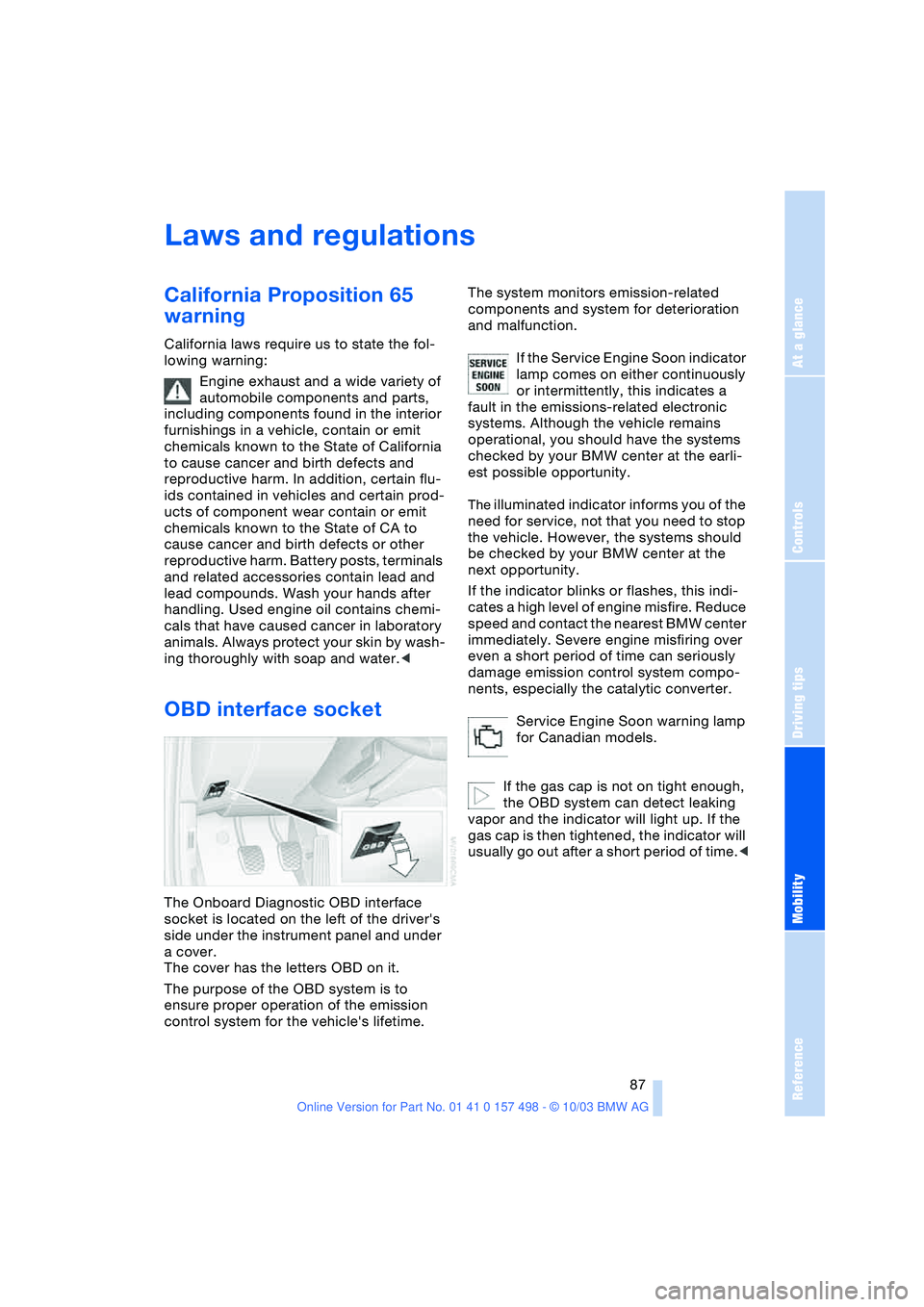
OBD interface socket
The Onboard Diagnostic OBD interface
socket is located on the left of the driver's
side under the instrument panel and under
a cover.
The cover has the letters OBD on it.
The purpose of the OBD system is to
ensure proper operation of the emission
control system for the vehicle's lifetime. The system monitors emission-related
components and system for deterioration
and malfunction.
If the Service Engine Soon indicator
lamp comes on either continuously
or intermittently, this indicates a
fault in the emissions-related electronic
systems. Although the vehicle remains
operational, you should have the systems
checked by your BMW center at the earli-
est possible opportunity.
The illuminated indicator informs you of the
need for service, not that you need to stop
the vehicle. However, the systems should
be checked by your BMW center at the
next opportunity.
If the indicator blinks or flashes, this indi-
cates a high level of engine misfire. Reduce
speed and contact the nearest BMW center
immediately. Severe engine misfiring over
even a short period of time can seriously
damage emission control system compo-
nents, especially the catalytic converter.
Service Engine Soon warning lamp
for Canadian models.
If the gas cap is not on tight enough,
the OBD system can detect leaking
vapor and the indicator will light up. If the
gas cap is then tightened, the indicator will
usually go out after a short period of time.<
Page 91 of 120
Reference
At a glance
Controls
Driving tips
Mobility
89
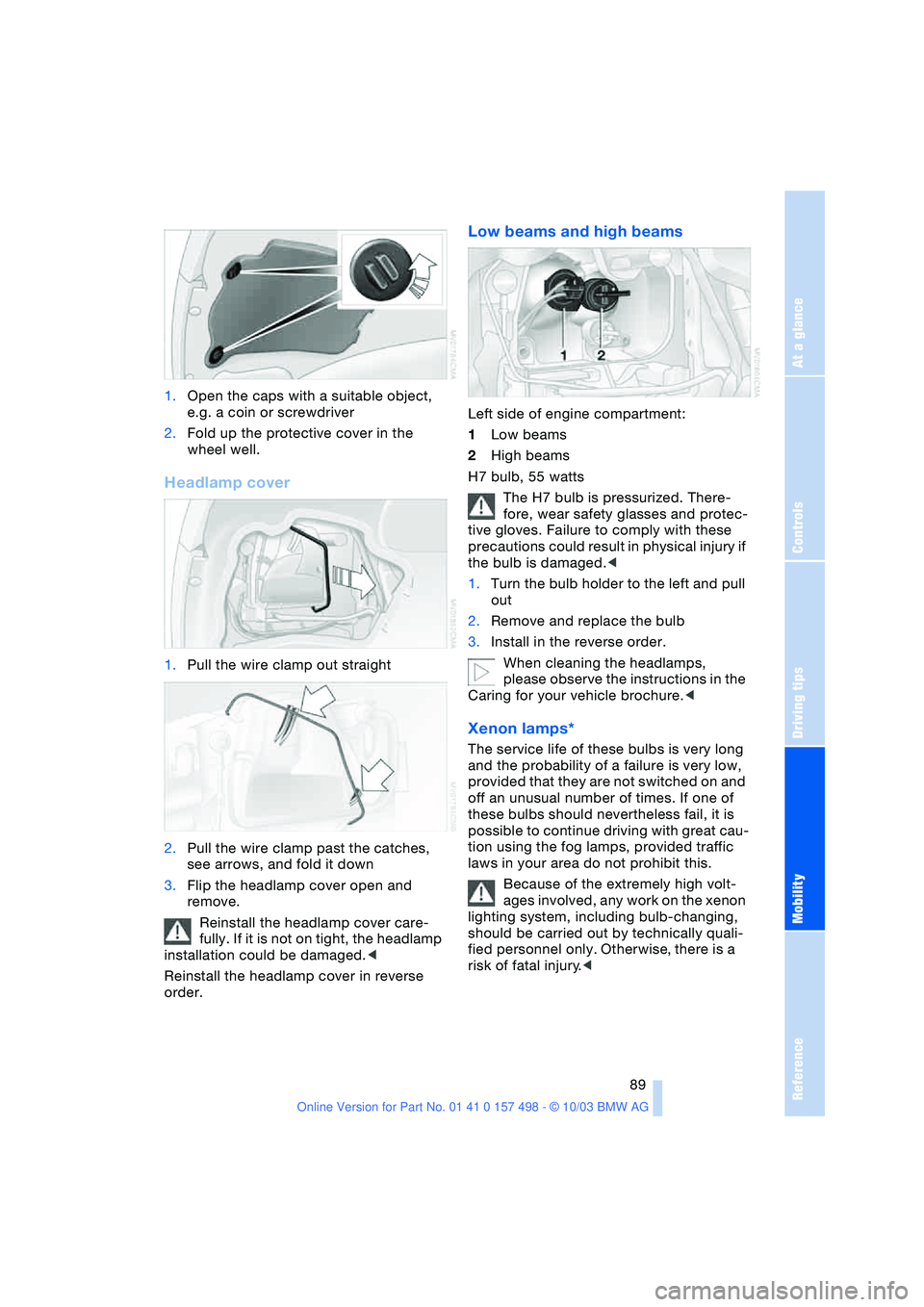
1.Open the caps with a suitable object,
e.g. a coin or screwdriver
2.Fold up the protective cover in the
wheel well.
Headlamp cover
1.Pull the wire clamp out straight
2.Pull the wire clamp past the catches,
see arrows, and fold it down
3.Flip the headlamp cover open and
remove.
Reinstall the headlamp cover care-
fully. If it is not on tight, the headlamp
installation could be damaged.<
Reinstall the headlamp cover in reverse
order.
Low beams and high beams
Left side of engine compartment:
1Low beams
2High beams
H7 bulb, 55 watts
The H7 bulb is pressurized. There-
fore, wear safety glasses and protec-
tive gloves. Failure to comply with these
precautions could result in physical injury if
the bulb is damaged.<
1.Turn the bulb holder to the left and pull
out
2.Remove and replace the bulb
3.Install in the reverse order.
When cleaning the headlamps,
please observe the instructions in the
Caring for your vehicle brochure.<
Xenon lamps*
The service life of these bulbs is very long
and the probability of a failure is very low,
provided that they are not switched on and
off an unusual number of times. If one of
these bulbs should nevertheless fail, it is
possible to continue driving with great cau-
tion using the fog lamps, provided traffic
laws in your area do not prohibit this.
Because of the extremely high volt-
ages involved, any work on the xenon
lighting system, including bulb-changing,
should be carried out by technically quali-
fied personnel only. Otherwise, there is a
risk of fatal injury.<
Page 92 of 120
Replacement procedures
90
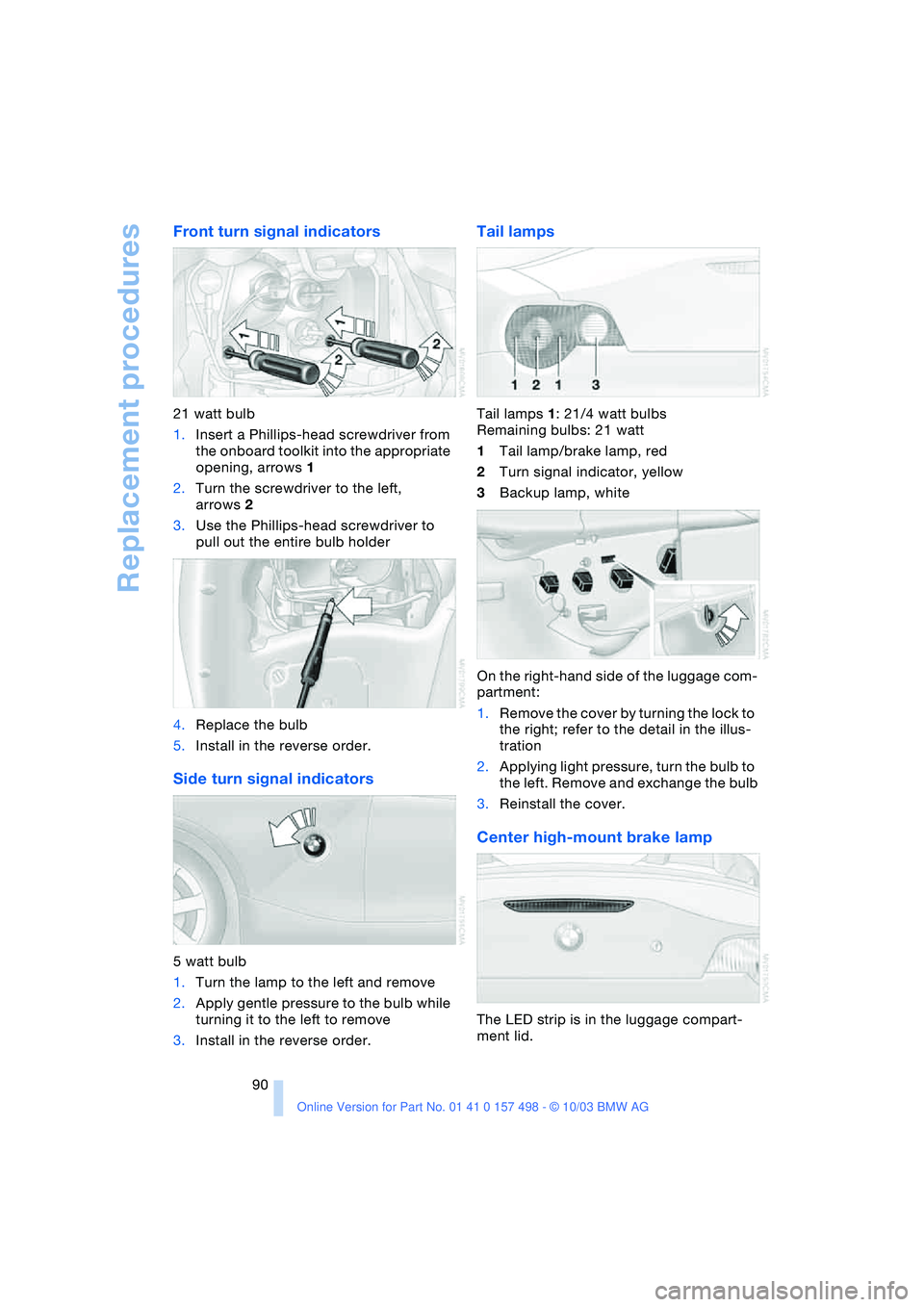
Front turn signal indicators
21 watt bulb
1.Insert a Phillips-head screwdriver from
the onboard toolkit into the appropriate
opening, arrows 1
2.Turn the screwdriver to the left,
arrows 2
3.Use the Phillips-head screwdriver to
pull out the entire bulb holder
4.Replace the bulb
5.Install in the reverse order.
Side turn signal indicators
5 watt bulb
1.Turn the lamp to the left and remove
2.Apply gentle pressure to the bulb while
turning it to the left to remove
3.Install in the reverse order.
Tail lamps
Tail lamps 1: 21/4 watt bulbs
Remaining bulbs: 21 watt
1Tail lamp/brake lamp, red
2Turn signal indicator, yellow
3Backup lamp, white
On the right-hand side of the luggage com-
partment:
1.Remove the cover by turning the lock to
the right; refer to the detail in the illus-
tration
2.Applying light pressure, turn the bulb to
the left. Remove and exchange the bulb
3.Reinstall the cover.
Center high-mount brake lamp
The LED strip is in the luggage compart-
ment lid.
Page 93 of 120
Reference
At a glance
Controls
Driving tips
Mobility
91
Please contact a BMW center in case of a
malfunction.
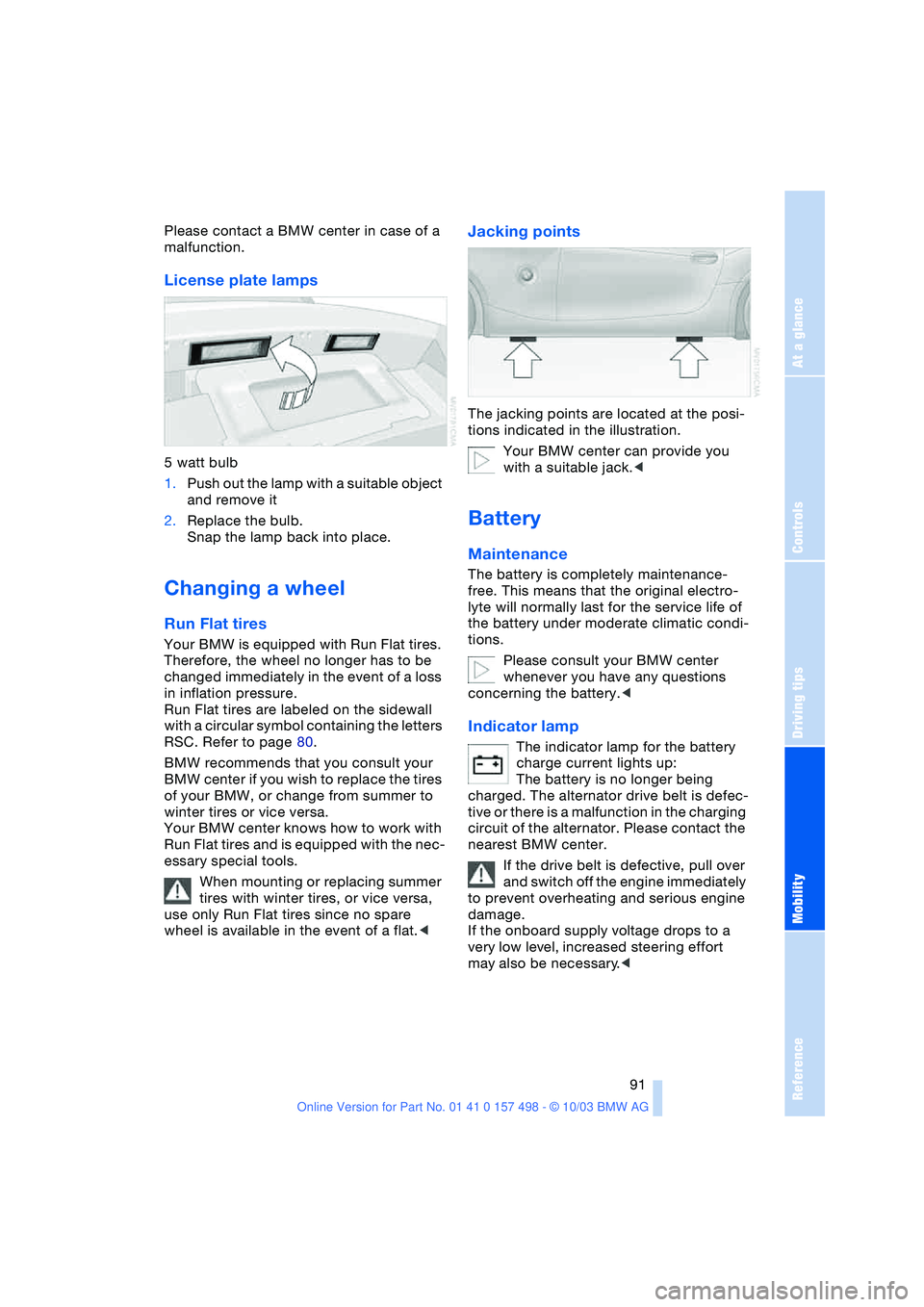
License plate lamps
5 watt bulb
1.Push out the lamp with a suitable object
and remove it
2.Replace the bulb.
Snap the lamp back into place.
Changing a wheel
Run Flat tires
Your BMW is equipped with Run Flat tires.
Therefore, the wheel no longer has to be
changed immediately in the event of a loss
in inflation pressure.
Run Flat tires are labeled on the sidewall
with a circular symbol containing the letters
RSC. Refer to page 80.
BMW recommends that you consult your
BMW center if you wish to replace the tires
of your BMW, or change from summer to
winter tires or vice versa.
Your BMW center knows how to work with
Run Flat tires and is equipped with the nec-
essary special tools.
When mounting or replacing summer
tires with winter tires, or vice versa,
use only Run Flat tires since no spare
wheel is available in the event of a flat.<
Jacking points
The jacking points are located at the posi-
tions indicated in the illustration.
Your BMW center can provide you
with a suitable jack.<
Battery
Maintenance
The battery is completely maintenance-
free. This means that the original electro-
lyte will normally last for the service life of
the battery under moderate climatic condi-
tions.
Please consult your BMW center
whenever you have any questions
concerning the battery.<
Indicator lamp
The indicator lamp for the battery
charge current lights up:
The battery is no longer being
charged. The alternator drive belt is defec-
tive or there is a malfunction in the charging
circuit of the alternator. Please contact the
nearest BMW center.
If the drive belt is defective, pull over
and switch off the engine immediately
to prevent overheating and serious engine
damage.
If the onboard supply voltage drops to a
very low level, increased steering effort
may also be necessary.<
Page 97 of 120
Reference
At a glance
Controls
Driving tips
Mobility
95
Connecting jumper cables
Always adhere to this sequence when
connecting jumper cables; failure to
observe this procedure can lead to sparks
at the battery terminals and pose an injury
hazard.<
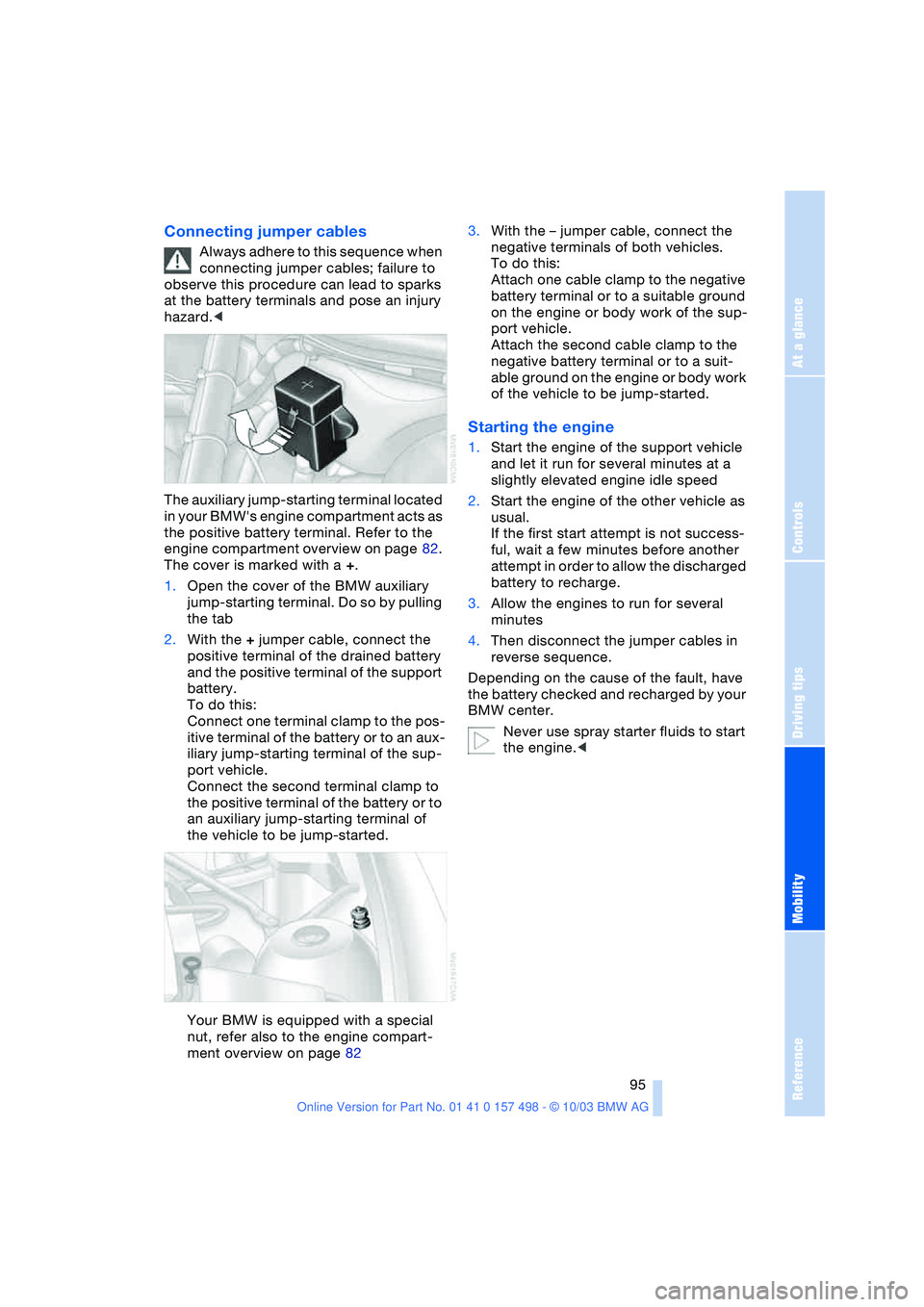
The auxiliary jump-starting terminal located
in your BMW's engine compartment acts as
the positive battery terminal. Refer to the
engine compartment overview on page 82.
The cover is marked with a +.
1.Open the cover of the BMW auxiliary
jump-starting terminal. Do so by pulling
the tab
2.With the + jumper cable, connect the
positive terminal of the drained battery
and the positive terminal of the support
battery.
To do this:
Connect one terminal clamp to the pos-
itive terminal of the battery or to an aux-
iliary jump-starting terminal of the sup-
port vehicle.
Connect the second terminal clamp to
the positive terminal of the battery or to
an auxiliary jump-starting terminal of
the vehicle to be jump-started.
Your BMW is equipped with a special
nut, refer also to the engine compart-
ment overview on page 823.With the – jumper cable, connect the
negative terminals of both vehicles.
To do this:
Attach one cable clamp to the negative
battery terminal or to a suitable ground
on the engine or body work of the sup-
port vehicle.
Attach the second cable clamp to the
negative battery terminal or to a suit-
able ground on the engine or body work
of the vehicle to be jump-started.
Starting the engine
1.Start the engine of the support vehicle
and let it run for several minutes at a
slightly elevated engine idle speed
2.Start the engine of the other vehicle as
usual.
If the first start attempt is not success-
ful, wait a few minutes before another
attempt in order to allow the discharged
battery to recharge.
3.Allow the engines to run for several
minutes
4.Then disconnect the jumper cables in
reverse sequence.
Depending on the cause of the fault, have
the battery checked and recharged by your
BMW center.
Never use spray starter fluids to start
the engine.<
Page 107 of 120
Reference
At a glance
Controls
Driving tips
Mobility
105
Battery 91
– disposal 92
– indicator lamp 13, 91
– jump-starting 94
– remote control 17
Belts, refer to Safety
belts 30
Belt tensioner, refer to
Safety belts 30
Beverage holders 65
Blower
– air conditioning 59
– automatic climate
control 62
Blower, refer to Air
supply 59, 62
BMW 5
Bore, refer to Engine
data 100
Bottle holders, refer to
Beverage holders 65
Brake fluid 85
– filling 85
– indicator/warning
lamp 13, 85
– level 85
Brake force display 53
Brake hydraulic system 85
– indicator/warning
lamp 13, 69, 85
Brake lamps
– bulb replacement 90
– indicator lamp, defective
lamp 13
Brake pads 70
– break-in procedures 68
– indicator lamp 70
Brake pad wear indicator
– brake pads 70
– indicator lamp 13
Brake rotors
– brake system 69
– break-in procedures 68
Brakes 69
– ABS 54
– brake fluid 85
– break-in procedures 68
– indicator/warning
lamps 13, 52, 53, 54
– parking brake 38Brake system 69
– brake fluid level 85
– brake pads 70
– break-in procedures 68
– disc brakes 69
– indicator lamp 13
Breakdown
– Flat Tire Monitor 54
Break-in procedures 68
Bulb replacement, refer to
Lamps and bulbs 88
Buttons in steering
wheel 11
C
California Proposition
65 warning 87
Can holders, refer to
Beverage holders 65
Capacities 103
Car battery 91
Car care, refer to the Caring
for your vehicle brochure
Car-care products, refer to
the Caring for your
vehicle brochure
Care, refer to the Caring for
your vehicle brochure
Cargo loading
– vehicle 70
Car keys, refer to Keys 16
Carpet care, refer to the
Caring for your vehicle
brochure
Car radio, refer to Owner's
Manual for Radio
Car telephone, refer to
Owner's Manual for
Telephone
Car wash, refer to the
Caring for your vehicle
brochure
Catalytic converter, refer to
High temperatures 69
CD player operation, refer
to Owner's Manual
for Radio
Center high-mount brake
lamp
– bulb replacement 90Central locking system 16
– interior 18
Changing a wheel 91
Charge indicator
lamp 13, 91
Check Gas Cap
– indicator lamp 13
Child-restraint mounting
system, LATCH 35
Child-restraint systems 33
Child seat, refer to Child-
restraint systems 33
Chrome parts, refer to the
Caring for your vehicle
brochure
Cigarette lighter 65
Cigarette lighter socket 65
Cleaning the rear window,
refer to the Caring for
your vehicle brochure
Cleaning the vehicle, refer
to the Caring for your
vehicle brochure
Cleaning the windshield 44
Clock 49, 50
– 12- or 24-hour mode 50
– refer to Owner's Manual
for Radio/Onboard
Computer
– setting 49
Clothes hooks 25
Clutch
– break-in procedures 68
Cockpit 10
Cold start, refer to
Starting the engine 36
Compact disc operation,
refer to Owner's Manual
for Radio
Compartments 64
Compression ratio, refer to
Engine data 100
Computer 50
– clock, 12- or 24-hour
mode 50
– refer to Owner's Manual
for Onboard Computer
Computer, refer to
Onboard Computer 50
Condensation, refer to Air
conditioning mode 59, 62
Page 108 of 120
Everything from A to Z
106 Condensation, removing
from windows
– air conditioning 60
– automatic climate
control 62
Configuring settings, refer
to Vehicle Memory,
Key Memory 31
Connecting a vacuum
cleaner, refer to Cigarette
lighter 65
Consumption, refer to
Average consumption 51
Consumption display, refer
to Fuel gauge 48
Control elements, refer to
Cockpit 10
Convenience operation
– convertible top 18
– from outside 18
– windows 18
Convertible top 21, 22
– care, refer to the Caring
for your vehicle brochure
– convenience operation 18
– electrical fault 23
– emergency closing 23
– fully automatic 22
– malfunction 23
– manual 21
Convertible top
compartment panel 20
Coolant 84
– indicator lamp 13
– level 84
– temperature 48
Coolant water, refer to
Coolant 84
Cooling, maximum 62
Cooling, refer to Air
conditioning mode 59, 62
Cooling system, refer to
Capacities 103
Cruise control 45
Cruising range 51
Cup holders, refer to
Beverage holders 65
Curb weight, refer to
Weights 101
Cylinders, refer to Engine
data 100
D
Data, technical 100
– capacities 103
– dimensions 102
– engine data 100
– weights 101
Daytime driving lamps 46
DBC Dynamic Brake
Control 53
– indicator lamp 13, 52
Defective bulb 46
Defrosting rear window
– air conditioning 59
– automatic climate
control 63
Defrosting windows 60, 62
– air conditioning 60
– automatic climate
control 62
Defrosting windows and
removing condensation
– air conditioning 60
– automatic climate
control 62
Defrosting windshield, refer
to Defrosting
windows 60, 62
Defrost position, refer to
Defrosting
windows 60, 62
Differential
– break-in procedures 68
Digital clock 49
Dimensions 102
Dimming mirror 31
Dipstick, engine oil 83
Directional indicators, refer
to Turn signal
indicators 43
Disc brakes 69
Displacement, refer to
Engine data 100
Display elements 12
Display lighting,
refer to Instrument
lighting 47
Displays, refer to
Instrument cluster 12Disposal
– oil 84
– vehicle battery 92
Distance remaining, refer to
Range 51
Door key 16
Door lock 18
Doors, unlocking and
locking
– from inside 18
– from outside 17, 18
DOT quality grades 77
Draft-free ventilation 59, 63
Driving Dynamic Control 42
Driving light, refer to
Parking lamps/Low
beams 46
Driving notes 69
– break-in procedures 68
– driving tips 69
Driving stability control 52
Dry air, refer to Air
conditioning mode 59, 62
DSC Dynamic Stability
Control 52
– indicator lamp 13, 52
DTC Dynamic Traction
Control 53
– indicator lamp 13, 52
Dynamic Brake Control
DBC 53
– indicator lamp 13, 52
Dynamic Stability Control
DSC 52
– indicator lamp 13, 52
Dynamic Traction Control
DTC 53
– indicator lamp 13, 52
E
Electrical fault
– automatic transmission
with Steptronic 40
– convertible top 23
– door lock 18
– driver's door 18
– fuel filler door 74
– luggage compartment
lid 19
– storage compartments 64
Page 110 of 120
Everything from A to Z
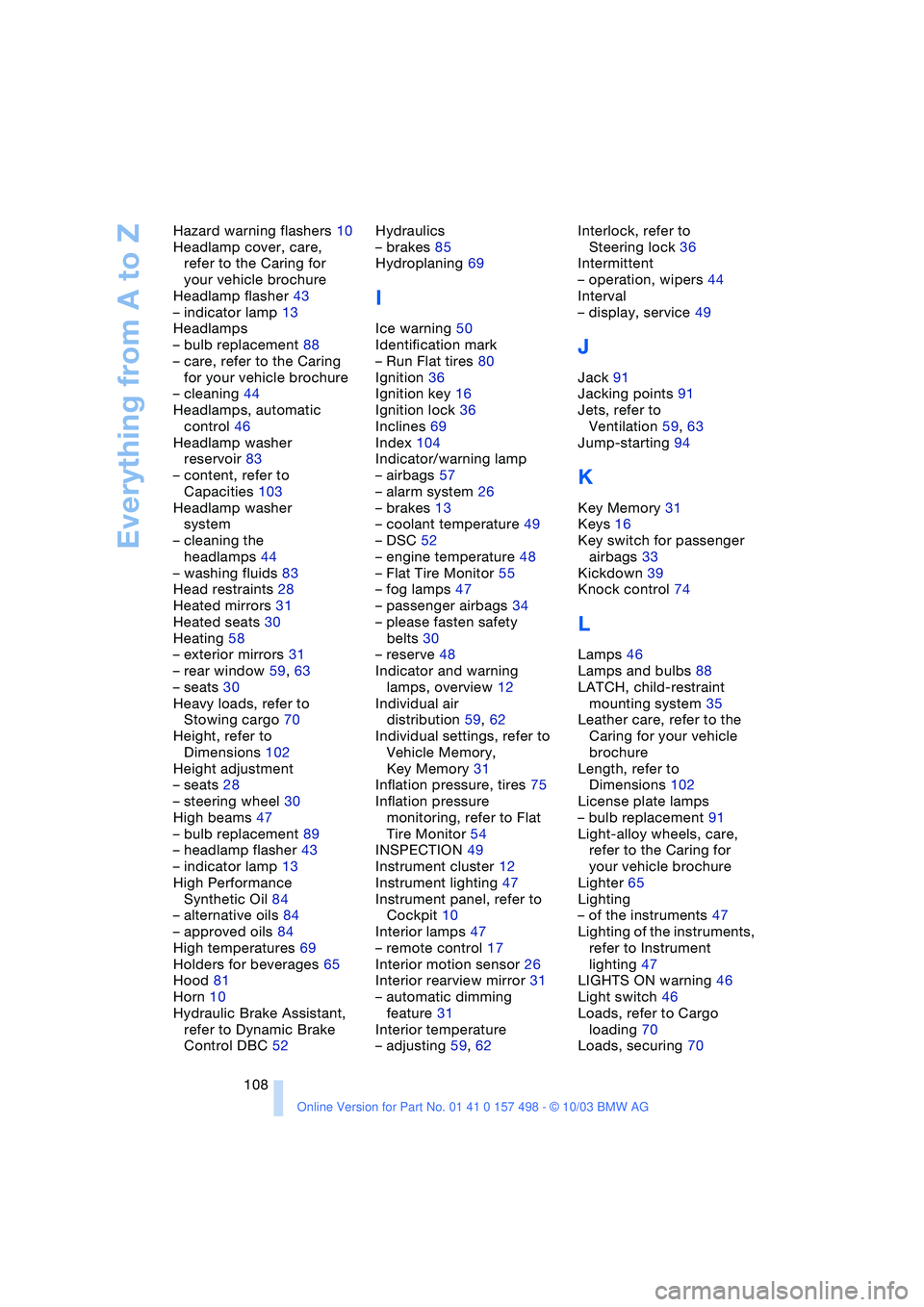
108 Hazard warning flashers 10
Headlamp cover, care,
refer to the Caring for
your vehicle brochure
Headlamp flasher 43
– indicator lamp 13
Headlamps
– bulb replacement 88
– care, refer to the Caring
for your vehicle brochure
– cleaning 44
Headlamps, automatic
control 46
Headlamp washer
reservoir 83
– content, refer to
Capacities 103
Headlamp washer
system
– cleaning the
headlamps 44
– washing fluids 83
Head restraints 28
Heated mirrors 31
Heated seats 30
Heating 58
– exterior mirrors 31
– rear window 59, 63
– seats 30
Heavy loads, refer to
Stowing cargo 70
Height, refer to
Dimensions 102
Height adjustment
– seats 28
– steering wheel 30
High beams 47
– bulb replacement 89
– headlamp flasher 43
– indicator lamp 13
High Performance
Synthetic Oil 84
– alternative oils 84
– approved oils 84
High temperatures 69
Holders for beverages 65
Hood 81
Horn 10
Hydraulic Brake Assistant,
refer to Dynamic Brake
Control DBC 52Hydraulics
– brakes 85
Hydroplaning 69
I
Ice warning 50
Identification mark
– Run Flat tires 80
Ignition 36
Ignition key 16
Ignition lock 36
Inclines 69
Index 104
Indicator/warning lamp
– airbags 57
– alarm system 26
– brakes 13
– coolant temperature 49
– DSC 52
– engine temperature 48
– Flat Tire Monitor 55
– fog lamps 47
– passenger airbags 34
– please fasten safety
belts 30
– reserve 48
Indicator and warning
lamps, overview 12
Individual air
distribution 59, 62
Individual settings, refer to
Vehicle Memory,
Key Memory 31
Inflation pressure, tires 75
Inflation pressure
monitoring, refer to Flat
Tire Monitor 54
INSPECTION 49
Instrument cluster 12
Instrument lighting 47
Instrument panel, refer to
Cockpit 10
Interior lamps 47
– remote control 17
Interior motion sensor 26
Interior rearview mirror 31
– automatic dimming
feature 31
Interior temperature
– adjusting 59, 62Interlock, refer to
Steering lock 36
Intermittent
– operation, wipers 44
Interval
– display, service 49
J
Jack 91
Jacking points 91
Jets, refer to
Ventilation 59, 63
Jump-starting 94
K
Key Memory 31
Keys 16
Key switch for passenger
airbags 33
Kickdown 39
Knock control 74
L
Lamps 46
Lamps and bulbs 88
LATCH, child-restraint
mounting system 35
Leather care, refer to the
Caring for your vehicle
brochure
Length, refer to
Dimensions 102
License plate lamps
– bulb replacement 91
Light-alloy wheels, care,
refer to the Caring for
your vehicle brochure
Lighter 65
Lighting
– of the instruments 47
Lighting of the instruments,
refer to Instrument
lighting 47
LIGHTS ON warning 46
Light switch 46
Loads, refer to Cargo
loading 70
Loads, securing 70
Page 113 of 120
Reference
At a glance
Controls
Driving tips
Mobility
111
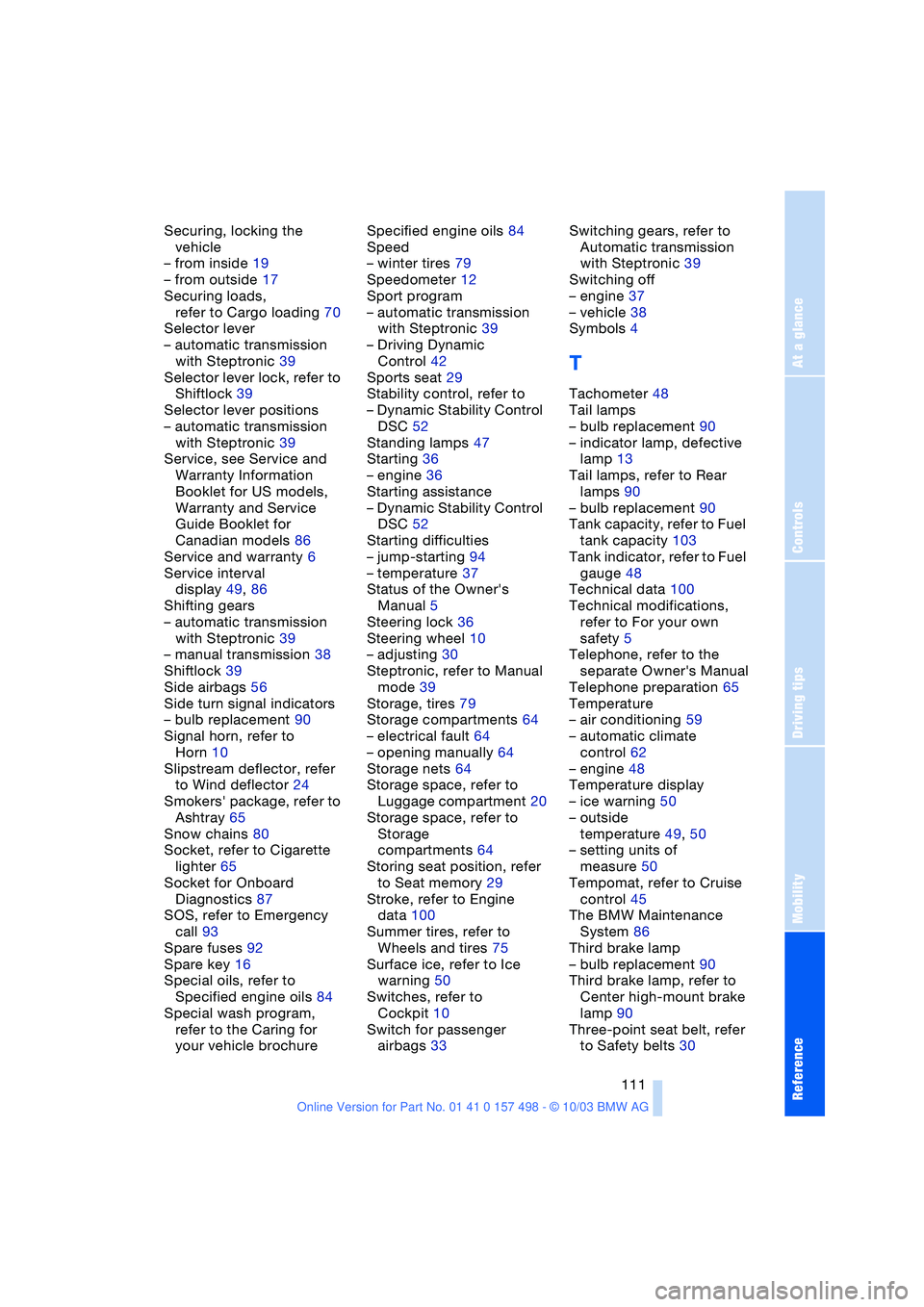
Securing, locking the
vehicle
– from inside 19
– from outside 17
Securing loads,
refer to Cargo loading 70
Selector lever
– automatic transmission
with Steptronic 39
Selector lever lock, refer to
Shiftlock 39
Selector lever positions
– automatic transmission
with Steptronic 39
Service, see Service and
Warranty Information
Booklet for US models,
Warranty and Service
Guide Booklet for
Canadian models 86
Service and warranty 6
Service interval
display 49, 86
Shifting gears
– automatic transmission
with Steptronic 39
– manual transmission 38
Shiftlock 39
Side airbags 56
Side turn signal indicators
– bulb replacement 90
Signal horn, refer to
Horn 10
Slipstream deflector, refer
to Wind deflector 24
Smokers' package, refer to
Ashtray 65
Snow chains 80
Socket, refer to Cigarette
lighter 65
Socket for Onboard
Diagnostics 87
SOS, refer to Emergency
call 93
Spare fuses 92
Spare key 16
Special oils, refer to
Specified engine oils 84
Special wash program,
refer to the Caring for
your vehicle brochureSpecified engine oils 84
Speed
– winter tires 79
Speedometer 12
Sport program
– automatic transmission
with Steptronic 39
– Driving Dynamic
Control 42
Sports seat 29
Stability control, refer to
– Dynamic Stability Control
DSC 52
Standing lamps 47
Starting 36
– engine 36
Starting assistance
– Dynamic Stability Control
DSC 52
Starting difficulties
– jump-starting 94
– temperature 37
Status of the Owner's
Manual 5
Steering lock 36
Steering wheel 10
– adjusting 30
Steptronic, refer to Manual
mode 39
Storage, tires 79
Storage compartments 64
– electrical fault 64
– opening manually 64
Storage nets 64
Storage space, refer to
Luggage compartment 20
Storage space, refer to
Storage
compartments 64
Storing seat position, refer
to Seat memory 29
Stroke, refer to Engine
data 100
Summer tires, refer to
Wheels and tires 75
Surface ice, refer to Ice
warning 50
Switches, refer to
Cockpit 10
Switch for passenger
airbags 33Switching gears, refer to
Automatic transmission
with Steptronic 39
Switching off
– engine 37
– vehicle 38
Symbols 4
T
Tachometer 48
Tail lamps
– bulb replacement 90
– indicator lamp, defective
lamp 13
Tail lamps, refer to Rear
lamps 90
– bulb replacement 90
Tank capacity, refer to Fuel
tank capacity 103
Tank indicator, refer to Fuel
gauge 48
Technical data 100
Technical modifications,
refer to For your own
safety 5
Telephone, refer to the
separate Owner's Manual
Telephone preparation 65
Temperature
– air conditioning 59
– automatic climate
control 62
– engine 48
Temperature display
– ice warning 50
– outside
temperature 49, 50
– setting units of
measure 50
Tempomat, refer to Cruise
control 45
The BMW Maintenance
System 86
Third brake lamp
– bulb replacement 90
Third brake lamp, refer to
Center high-mount brake
lamp 90
Three-point seat belt, refer
to Safety belts 30