Courtesy BMW 3 SERIES CONVERTIBLE 2013 E93 Owner's Manual
[x] Cancel search | Manufacturer: BMW, Model Year: 2013, Model line: 3 SERIES CONVERTIBLE, Model: BMW 3 SERIES CONVERTIBLE 2013 E93Pages: 311, PDF Size: 7.05 MB
Page 38 of 311
33
Opening and closing
Controls
Personal Profile settings
For more information on
specific settings, refer
to the specified pages.
> Assignment of programmable memory
keys, refer to page 25
> Response of the central locking system
when the car is unlocked, refer to page 34
> Automatic locking of th e vehicle, refer to
page 36
> Automatic call-up of the driver's seat
position, refer to page 53
> Triple turn signal activation, refer to
page 72
> Settings for the display on the Control
Display and in the instrument cluster:
>12h/24h format of the clock, refer to
page 91
> Date format, refer to page 92
> Brightness of the Control Display, refer
to page 95
> Language on the Control Display, refer
to page 95
> Units of measure, refer to page 88
> Show visual warning for Park Distance
Control PDC, refer to page 97
> Light settings:
>Welcome lamps, refer to page 111
> Pathway lighting, refer to page 111
> Daytime running lights, refer to
page 111
> High-beam Assistant, refer to page 112
> Automatic climate control: activating/deac-
tivating AUTO program, air conditioning
and automatic recirculated air control,
setting temperature, air volume and
distribution, refer to page 116 ff
> Entertainment:
>Setting tone controls, refer to page 167
> Speed-dependent volume control, refer
to page 168
Central locking system
The concept
The central locking system functions when the
driver's door is closed.
The system simultaneously engages and
releases the locks on the following:
>Doors
> Trunk lid
> Fuel filler flap
> Convertible: glove compartment
Operating from outside
>Via the remote control
> Using the door lock
> In cars with Comfort Access, via the handles
on the driver's door and the front passenger
door
At the same time as locking and unlocking via
the remote control:
> Welcome lights, the inte rior light, and the
courtesy lighting are switched on and off.
> Alarm system, refer to page 38, is armed or
disarmed.
Operating from inside
By means of the button fo r central locking, refer
to page 36.
In the event of a sufficiently severe accident,
the central locking syst em unlocks automati-
cally. In addition, the hazard warning flashers
and interior lamps come on.
Opening and closing:
Using the remote control
Persons or animals in a parked vehicle
could lock the doors from the inside. You
should therefore take th e remote control with
you when you leave the ve hicle so that the latter
can be opened from outside. <
00320051004F004C00510048000300280047004C0057004C005200510003
Page 39 of 311
34
ControlsOpening and closing
Convertible: to operate the retractable
hardtop with the re mote control, the
doors and trunk lid must be closed and the
trunk partition must be folded down and
engaged on both sides. Refer also to page 44.<
Unlocking
Press the button.
The interior lamps, the courtesy lighting of the
doors, and the welcome lamps come on.
Setting unlocking characteristics
You can set whether only the driver's door or
the entire vehicle is to be unlocked when the
button is pressed for the first time.
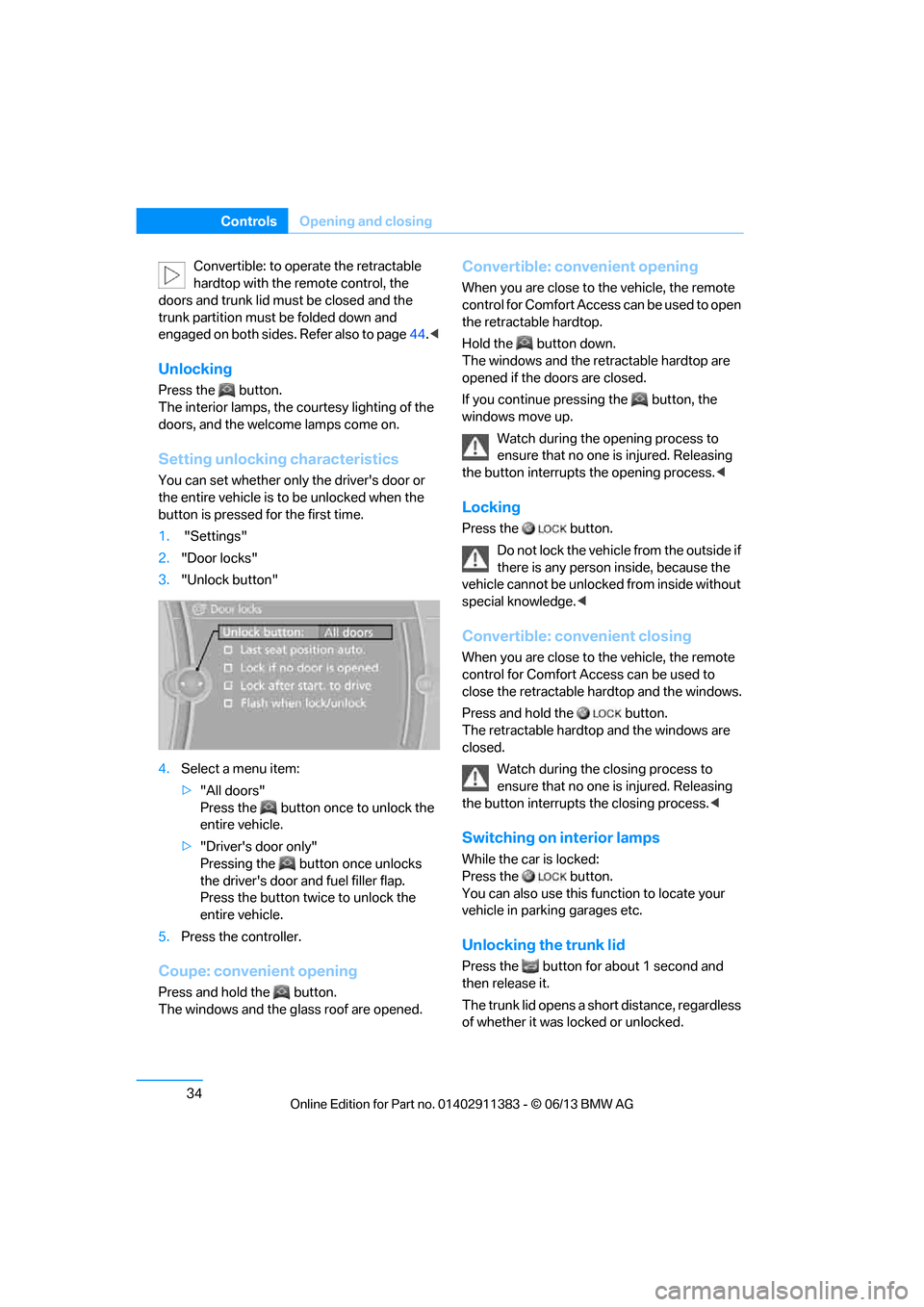
1. "Settings"
2. "Door locks"
3. "Unlock button"
4. Select a menu item:
>"All doors"
Press the button once to unlock the
entire vehicle.
> "Driver's door only"
Pressing the button once unlocks
the driver's door and fuel filler flap.
Press the button twice to unlock the
entire vehicle.
5. Press the controller.
Coupe: convenient opening
Press and hold the button.
The windows and the glass roof are opened.
Convertible: convenient opening
When you are close to the vehicle, the remote
control for Comfort Access can be used to open
the retracta ble hardtop.
Hold the button down.
The windows and the re tractable hardtop are
opened if the doors are closed.
If you continue pressing the button, the
windows move up.
Watch during the opening process to
ensure that no one is injured. Releasing
the button interrupts the opening process. <
Locking
Press the button.
Do not lock the vehicl e from the outside if
there is any person inside, because the
vehicle cannot be unlocked from inside without
special knowledge. <
Convertible: convenient closing
When you are close to the vehicle, the remote
control for Comfort Access can be used to
close the retractable ha rdtop and the windows.
Press and hold the button.
The retractable hardto p and the windows are
closed.
Watch during the closing process to
ensure that no one is injured. Releasing
the button interrupts the closing process. <
Switching on interior lamps
While the car is locked:
Press the button.
You can also use this function to locate your
vehicle in parking garages etc.
Unlocking the trunk lid
Press the button for about 1 second and
then release it.
The trunk lid opens a short distance, regardless
of whether it was locked or unlocked.
00320051004F004C00510048000300280047004C0057004C005200510003
Page 119 of 311
114
ControlsLamps
Instrument lighting
You can adjust the brightness of the instrument
lighting only when the parking lamps or the low
beams are switched on.
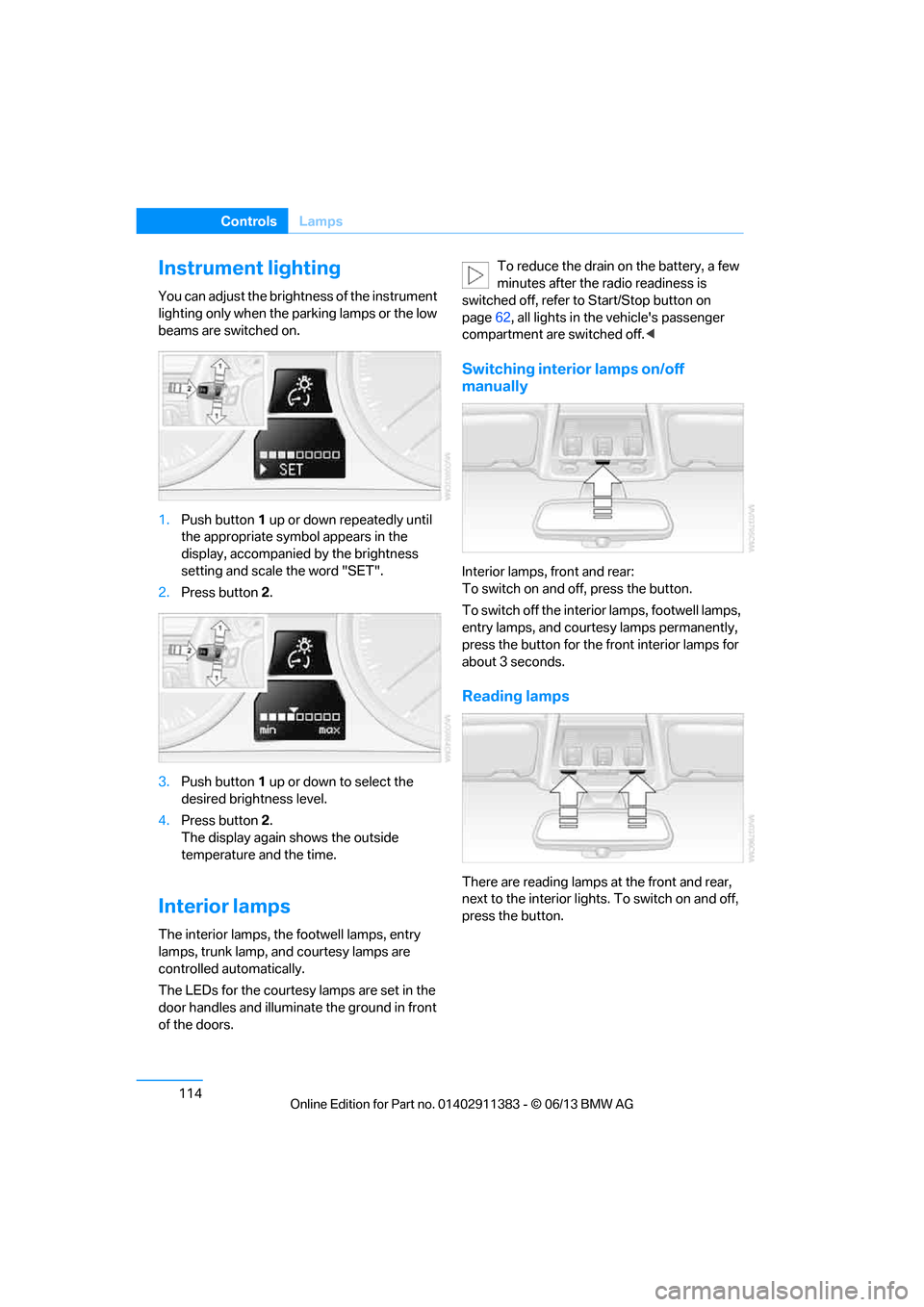
1.Push button 1 up or down repeatedly until
the appropriate symbol appears in the
display, accompanie d by the brightness
setting and scale the word "SET".
2. Press button 2.
3. Push button 1 up or down to select the
desired brightness level.
4. Press button 2.
The display again shows the outside
temperature and the time.
Interior lamps
The interior lamps, the footwell lamps, entry
lamps, trunk lamp, and courtesy lamps are
controlled automatically.
The LEDs for the courtesy lamps are set in the
door handles and illuminate the ground in front
of the doors. To reduce the drain on the battery, a few
minutes after the radio readiness is
switched off, refer to Start/Stop button on
page 62, all lights in the vehicle's passenger
compartment are switched off. <
Switching interior lamps on/off
manually
Interior lamps, front and rear:
To switch on and off, press the button.
To switch off the interior lamps, footwell lamps,
entry lamps, and courtesy lamps permanently,
press the button for the front interior lamps for
about 3 seconds.
Reading lamps
There are reading lamps at the front and rear,
next to the interior lights. To switch on and off,
press the button.
00320051004F004C00510048000300280047004C0057004C005200510003
Page 298 of 311
293
Everything from A to Z
Reference
Computer
85
– displays on Control
Display 85
Computer, refer to iDrive 20
Concierge service 225
Condensation, refer to When the vehicle is parked 139
Condition Based Service
CBS 260
Configuring settings, refer to Personal Profile 32
Confirmation signals for locking/unlocking the
vehicle 35
ConnectedDrive 224
Connecting a music player,
AUX-In connection 189
Connecting a music player, USB audio interface 190
Connecting an iPod, refer to AUX-In connection 189
Connecting an iPod, refer to
USB audio interface 190
Connecting an MP3 player, refer to AUX-In
connection 189
Connecting an MP3 player, refer to USB audio
interface 190
Connecting vacuum cleaner, refer to Connecting
electrical appliances 127
Consumption, refer to Average fuel
consumption 85
Contacts 214
– deleting 216,223
– exporting/importing 223
– new contact 215
Control Center, refer to
iDrive 20
Control Display 21
– switching off 21
Control Display, refer to iDrive 20
– adjusting brightness 95Controller, refer to iDrive
20
Controls and displays 12
Control unit, refer to iDrive 20
Convenient loading in Convertible 35
Convenient opening and closing
– glass roof 34
– glass roof with Comfort Access 40
– retractable hardtop 34
– windows 34
– windows with Comfort Access 40
– with Comfort Access 40
Convertible
– bag holder 129
– convenient loading 35
– enlarging trunk 128
– folding down rear
backres
t128
– retractable hardtop 44
– rollover protection system 109
– securing cargo 140
– stowing cargo 140
Coolant 259
– checking level 259
Coolant temperature 259
Cooling, maximum 116
Cooling fluid, refer to
Coolant 259
Cooling system, refer to Coolant 259
Copyright 2
Corner-illuminating lamps
– replacing bulbs 267
Cornering light, refer to Adaptive Light Control 111
Correct tires 252
Courtesy lamps, refer to Interior lamps 114
Criteria for route 155
Cross-hairs in navigation151
Cruise control 74
– active 76
– malfunction 76 Cruise control, refer to Active
Cruise Control 76
Cruising range 85
Cupholders 125
Curb weight, refer to
Weights 281
Current playback
– external devices 191
– in music collection 186
Customer Relations 227
D
Dashboard, refer to
Cockpit 12
Dashboard lighting, refer to
Instrument lighting 114
Data, technical
– capacities 282
– dimensions 280
– weights 281
Data memory 7
Data transfer 228
Date
– date format 92
– setting 92
Daytime running lights 111
– replacing bulbs 267
DBC Dynamic Brake Control 97
Deactivating front passenger
airbags 107
Deadlocking, refer to Locking 34
Defect
– door lock 36
– fuel filler flap 232
Defining a home address 215
Deleting the music collection 188
Destination, entering by town/ city name 146
Destination address
– entering 146,152
Destination entry via BMW Assist 151
00320051004F004C00510048000300280047004C0057004C005200510003