open top BMW 3 SERIES CONVERTIBLE 2013 E93 Owner's Manual
[x] Cancel search | Manufacturer: BMW, Model Year: 2013, Model line: 3 SERIES CONVERTIBLE, Model: BMW 3 SERIES CONVERTIBLE 2013 E93Pages: 311, PDF Size: 7.05 MB
Page 8 of 311
Contents
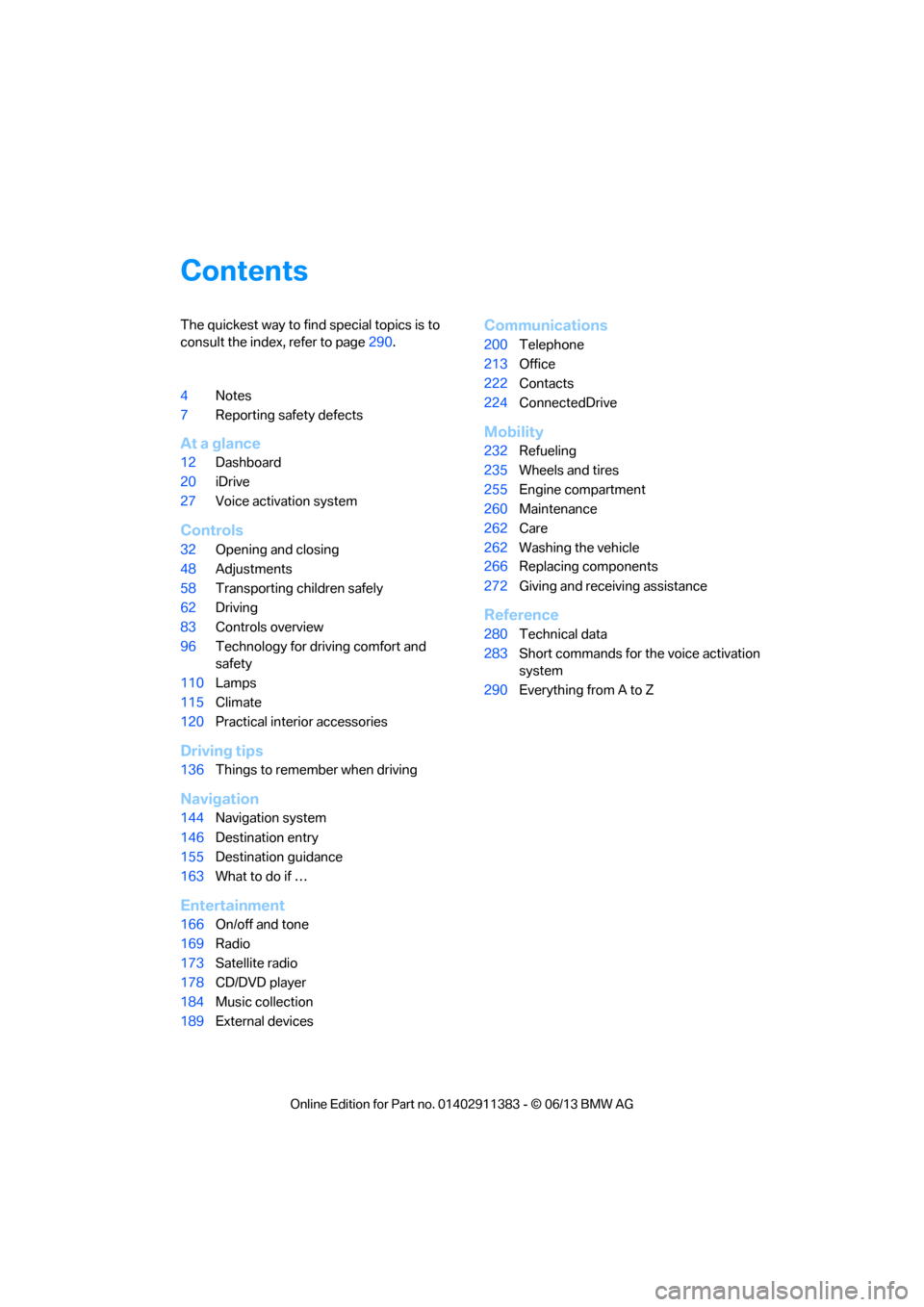
The quickest way to find special topics is to
consult the index, refer to page290.
4 Notes
7 Reporting safety defects
At a glance
12Dashboard
20 iDrive
27 Voice activation system
Controls
32Opening and closing
48 Adjustments
58 Transporting children safely
62 Driving
83 Controls overview
96 Technology for driving comfort and
safety
110 Lamps
115 Climate
120 Practical interior accessories
Driving tips
136Things to remember when driving
Navigation
144Navigation system
146 Destination entry
155 Destination guidance
163 What to do if …
Entertainment
166On/off and tone
169 Radio
173 Satellite radio
178 CD/DVD player
184 Music collection
189 External devices
Communications
200Telephone
213 Office
222 Contacts
224 ConnectedDrive
Mobility
232Refueling
235 Wheels and tires
255 Engine compartment
260 Maintenance
262 Care
262 Washing the vehicle
266 Replacing components
272 Giving and receiving assistance
Reference
280Technical data
283 Short commands for the voice activation
system
290 Everything from A to Z
00320051004F004C00510048000300280047004C0057004C005200510003
Page 18 of 311
13
Dashboard
At a glance
4
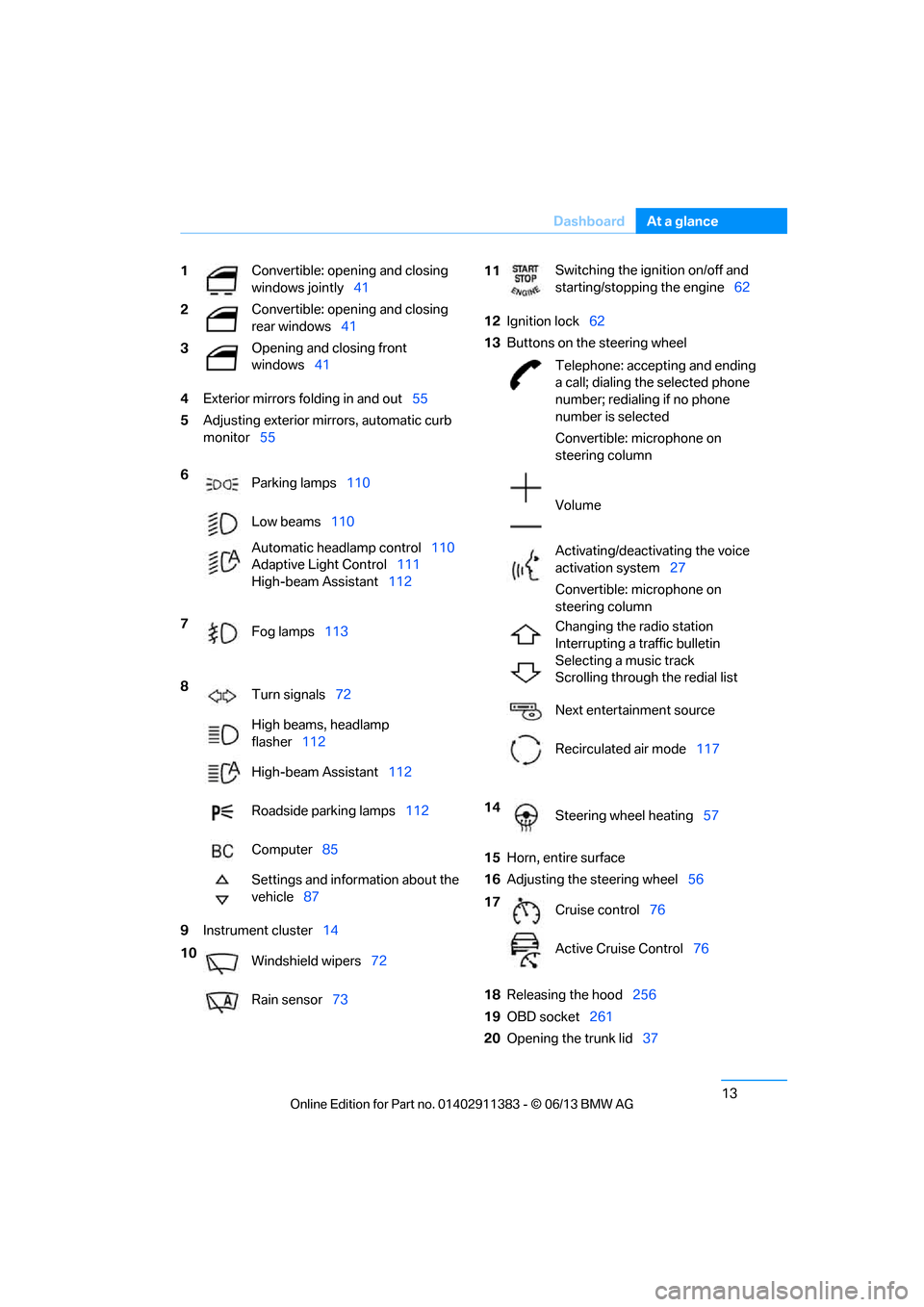
Exterior mirrors fo lding in and out55
5 Adjusting exterior mirrors, automatic curb
monitor 55
9 Instrument cluster 14 12
Ignition lock 62
13 Buttons on the steering wheel
15 Horn, entire surface
16 Adjusting the steering wheel 56
18 Releasing the hood 256
19 OBD socket 261
20 Opening the trunk lid 37
1
Convertible: opening and closing
windows jointly
41
2 Convertible: opening and closing
rear windows
41
3 Opening and closing front
windows
41
6 Parking lamps 110
Low beams 110
Automatic head lamp control110
Adaptive Light Control 111
High-beam Assistant 112
7 Fog lamps 113
8 Turn signals 72
High beams, headlamp
flasher 112
High-beam Assistant 112
Roadside parking lamps 112
Computer 85
Settings and information about the
vehicle 87
10 Windshield wipers 72
Rain sensor 73
11Switching the ignition on/off and
starting/stopping the engine
62
Telephone: accepting and ending
a call; dialing the selected phone
number; redialing if no phone
number is selected
Convertible: microphone on
steering column
Volume
Activating/deactivating the voice
activation system 27
Convertible: microphone on
steering column
Changing the radio station
Interrupting a traffic bulletin
Selecting a music track
Scrolling through the redial list
Next entertainment source
Recirculated air mode 117
14 Steering wheel heating 57
17 Cruise control 76
Active Cruise Control 76
00320051004F004C00510048000300280047004C0057004C005200510003
Page 22 of 311
17
Dashboard
At a glance
6
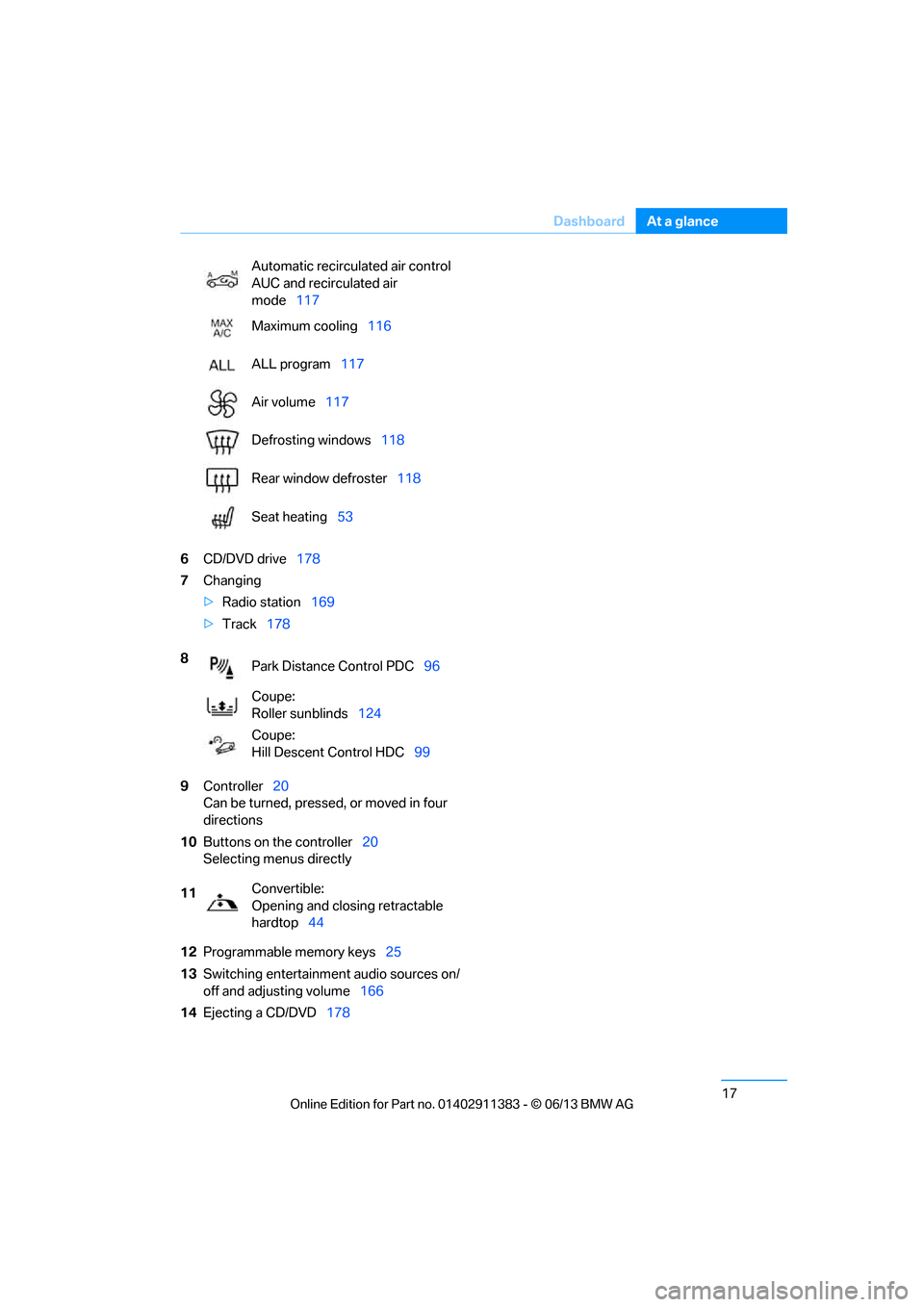
CD/DVD drive 178
7 Changing
>Radio station 169
> Track 178
9 Controller 20
Can be turned, pressed, or moved in four
directions
10 Buttons on the controller 20
Selecting menus directly
12 Programmable memory keys 25
13 Switching entertainment audio sources on/
off and adjusting volume 166
14 Ejecting a CD/DVD 178
Automatic recirculated air control
AUC and recirculated air
mode
117
Maximum cooling 116
ALL program 117
Air volume 117
Defrosting windows 118
Rear window defroster 118
Seat heating 53
8 Park Distance Control PDC 96
Coupe:
Roller sunblinds 124
Coupe:
Hill Descent Control HDC 99
11 Convertible:
Opening and closing retractable
hardtop
44
00320051004F004C00510048000300280047004C0057004C005200510003
Page 39 of 311
34
ControlsOpening and closing
Convertible: to operate the retractable
hardtop with the re mote control, the
doors and trunk lid must be closed and the
trunk partition must be folded down and
engaged on both sides. Refer also to page 44.<
Unlocking
Press the button.
The interior lamps, the courtesy lighting of the
doors, and the welcome lamps come on.
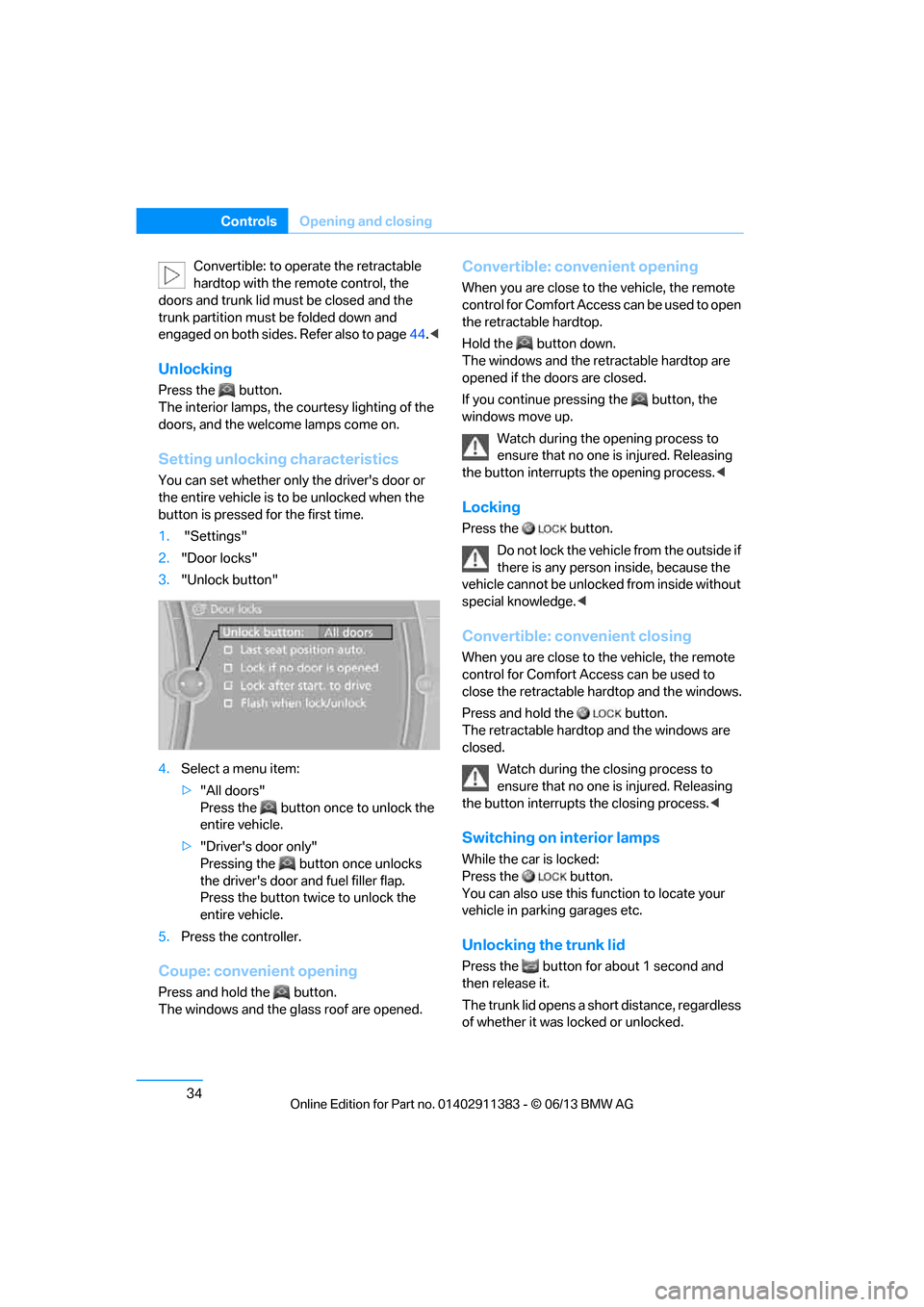
Setting unlocking characteristics
You can set whether only the driver's door or
the entire vehicle is to be unlocked when the
button is pressed for the first time.
1. "Settings"
2. "Door locks"
3. "Unlock button"
4. Select a menu item:
>"All doors"
Press the button once to unlock the
entire vehicle.
> "Driver's door only"
Pressing the button once unlocks
the driver's door and fuel filler flap.
Press the button twice to unlock the
entire vehicle.
5. Press the controller.
Coupe: convenient opening
Press and hold the button.
The windows and the glass roof are opened.
Convertible: convenient opening
When you are close to the vehicle, the remote
control for Comfort Access can be used to open
the retracta ble hardtop.
Hold the button down.
The windows and the re tractable hardtop are
opened if the doors are closed.
If you continue pressing the button, the
windows move up.
Watch during the opening process to
ensure that no one is injured. Releasing
the button interrupts the opening process. <
Locking
Press the button.
Do not lock the vehicl e from the outside if
there is any person inside, because the
vehicle cannot be unlocked from inside without
special knowledge. <
Convertible: convenient closing
When you are close to the vehicle, the remote
control for Comfort Access can be used to
close the retractable ha rdtop and the windows.
Press and hold the button.
The retractable hardto p and the windows are
closed.
Watch during the closing process to
ensure that no one is injured. Releasing
the button interrupts the closing process. <
Switching on interior lamps
While the car is locked:
Press the button.
You can also use this function to locate your
vehicle in parking garages etc.
Unlocking the trunk lid
Press the button for about 1 second and
then release it.
The trunk lid opens a short distance, regardless
of whether it was locked or unlocked.
00320051004F004C00510048000300280047004C0057004C005200510003
Page 40 of 311
35
Opening and closing
Controls
The trunk lid swings back and up when
opened. Ensure that there is sufficient
clearance. To avoid lo cking yourself out by
accident, do not place th e remote control in the
trunk. A previously locked trunk lid is locked
again after closing.
Before and after each tr ip, check that the trunk
lid has not been inad vertently unlocked.<
Convertible: convenient loading
When you are close to the vehicle, the remote
control for Comfort Access can be used to
partially raise the op en hardtop for more
convenient loading of the trunk.
1. Briefly press the butto n and, within one
second, press again and hold until the
retractable hardtop stop s in an intermediate
position. The trunk lid opens slightly.
2. Open the trunk lid, press the trunk partition
upward and stow the cargo in the trunk.
3. Press down the trunk partition until it
engages on both sides and close the
trunk lid.
4. Press the button for a longer period to
fold the retractable hardtop back in.
Confirmation signals
You can activate or deac tivate the confirmation
signals.
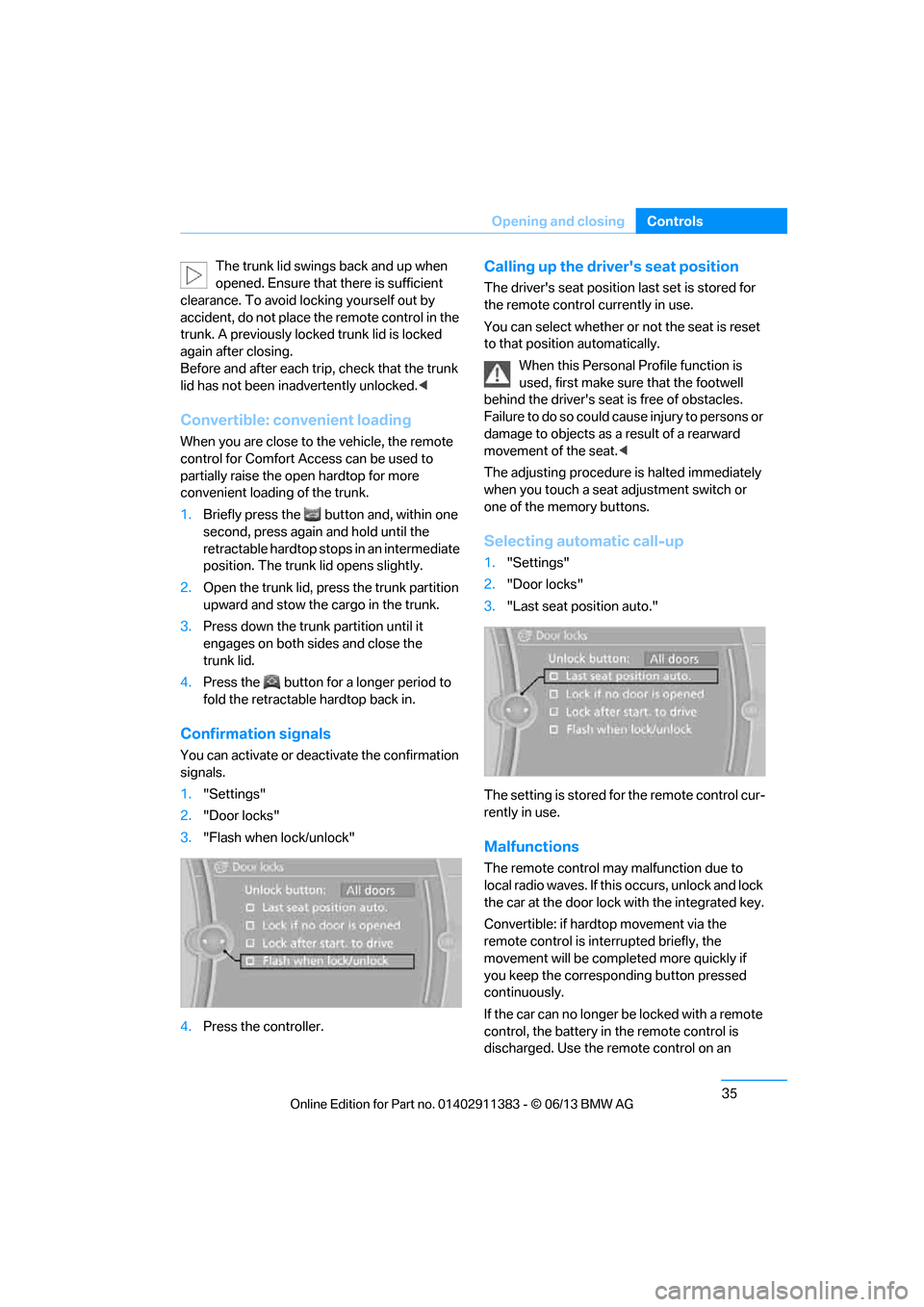
1. "Settings"
2. "Door locks"
3. "Flash when lock/unlock"
4. Press the controller.
Calling up the driver's seat position
The driver's seat position last set is stored for
the remote control currently in use.
You can select whether or not the seat is reset
to that position automatically.
When this Personal Profile function is
used, first make sure that the footwell
behind the driver's seat is free of obstacles.
Failure to do so could ca use injury to persons or
damage to objects as a result of a rearward
movement of the seat. <
The adjusting procedure is halted immediately
when you touch a seat adjustment switch or
one of the memory buttons.
Selecting automatic call-up
1. "Settings"
2. "Door locks"
3. "Last seat position auto."
The setting is stored fo r the remote control cur-
rently in use.
Malfunctions
The remote control ma y malfunction due to
local radio waves. If this occurs, unlock and lock
the car at the door lock with the integrated key.
Convertible: if hardtop movement via the
remote control is inte rrupted briefly, the
movement will be completed more quickly if
you keep the correspo nding button pressed
continuously.
If the car can no longer be locked with a remote
control, the battery in the remote control is
discharged. Use the remote control on an
00320051004F004C00510048000300280047004C0057004C005200510003
Page 44 of 311
39
Opening and closing
Controls
Door lock with armed alarm system
In some national-market versions, unlocking via
the door lock tr
iggers the alarm.
To switch off this alarm, unlock the vehicle with
the remote control or sw itch on the ignition.
Trunk lid with the alarm system armed
The trunk lid can be opened via the remote
control even when the alarm system is armed.
Press the button on th e remote control for
approx. 1 second.
The trunk lid is locked and monitored again as
soon as it is closed.
Panic mode
You can trigger the alarm system if you find
yourself in a dangerous situation:
Press the button for at least three seconds.
To switch off the alarm: press any button.
Switching off an alarm
> Unlock the car with the remote control, refer
to page 34.
> Insert the remote contro l all the way into the
ignition lock.
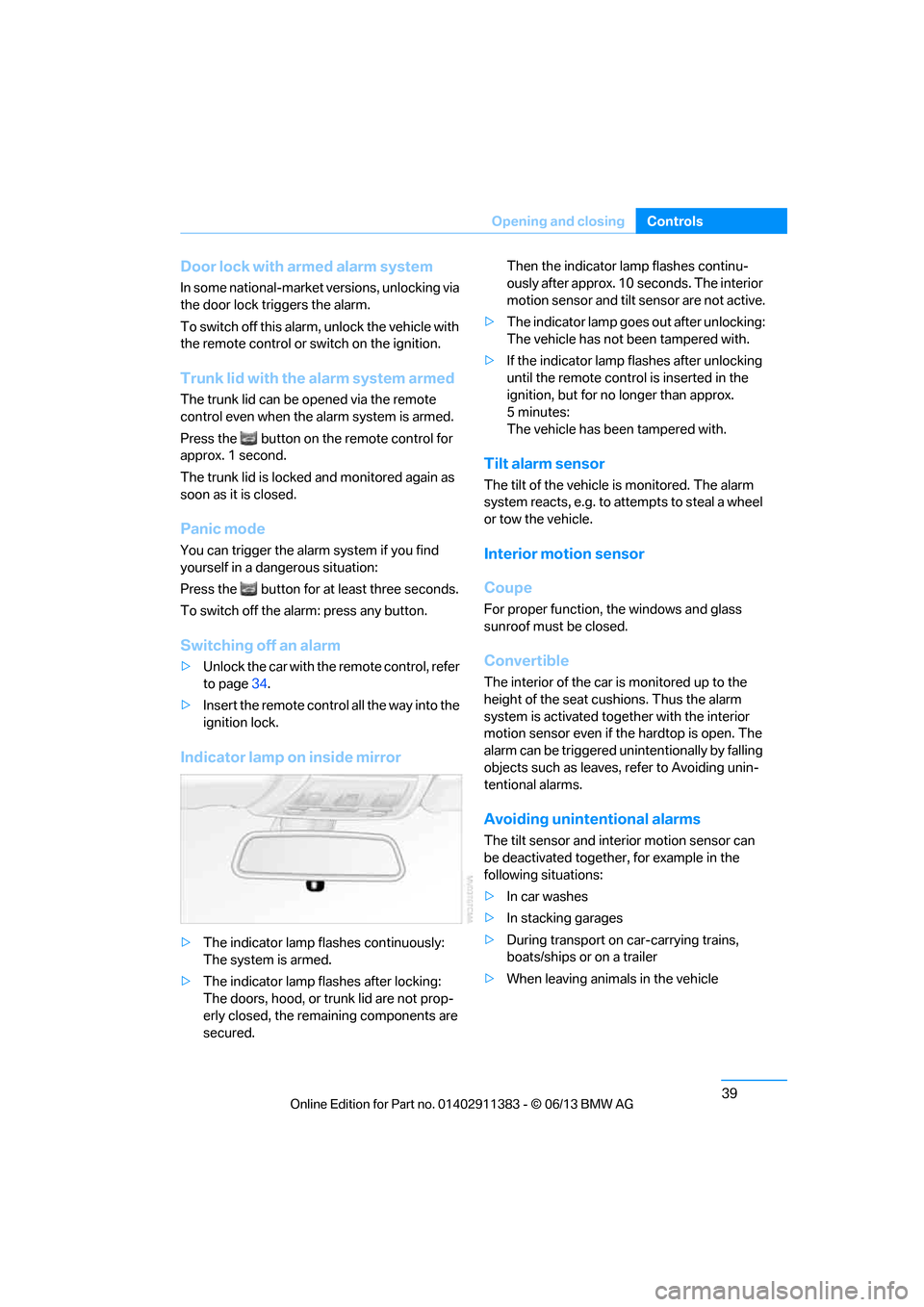
Indicator lamp on inside mirror
> The indicator lamp fl ashes continuously:
The system is armed.
> The indicator lamp flashes after locking:
The doors, hood, or trunk lid are not prop-
erly closed, the remaining components are
secured. Then the indicator lamp flashes continu-
ously after approx. 10 seconds. The interior
motion sensor and tilt
sensor are not active.
> The indicator lamp goes out after unlocking:
The vehicle has not been tampered with.
> If the indicator lamp flashes after unlocking
until the remote control is inserted in the
ignition, but for no longer than approx.
5minutes:
The vehicle has been tampered with.
Tilt alarm sensor
The tilt of the vehicle is monitored. The alarm
system reacts, e.g. to attempts to steal a wheel
or tow the vehicle.
Interior motion sensor
Coupe
For proper function, the windows and glass
sunroof must be closed.
Convertible
The interior of the car is monitored up to the
height of the seat cushions. Thus the alarm
system is activated toge ther with the interior
motion sensor even if the hardtop is open. The
alarm can be triggered un intentionally by falling
objects such as leaves, refer to Avoiding unin-
tentional alarms.
Avoiding uninten tional alarms
The tilt sensor and interior motion sensor can
be deactivated together , for example in the
following situations:
> In car washes
> In stacking garages
> During transport on car-carrying trains,
boats/ships or on a trailer
> When leaving animals in the vehicle
00320051004F004C00510048000300280047004C0057004C005200510003
Page 45 of 311
40
ControlsOpening and closing
Switching off tilt alarm sensor and
interior motion sensor
Once the vehicle is locked, press the
button on the remote control again
within approx. 10 seconds.
The indicator lamp light s up briefly and then
flashes continuously. The tilt alarm sensor and
the interior motion sensor are switched off until
the next time the vehicle is unlocked and subse-
quently locked again.
Comfort Access
The concept
It is possible to access the vehicle without actu-
ating the remote control. It is sufficient to have
the remote control with you, for example in your
jacket pocket. The vehicle automatically
detects the remote control in the vicinity or in
the passenger compartment.
Comfort Access supports the following
functions:
> Unlocking/locking the vehicle
> Convenient closing
> Unlocking the trunk lid separately
> Engine starting
Functional requirement
>There are no external sources of interfer-
ence in the vicinity.
> The remote control mu st be outside the
vehicle to lock it.
> The next unlocking and locking cycle is not
possible until after approx. 2 seconds.
> It is only possible to start the engine if the
remote control is inside the vehicle.
Comparison to the standard remote
control
The above functions can be controlled by
pressing the remote control buttons or by using
Comfort Access. If you notice a brief delay while opening or
closing windows, the glass roof or retract-
able hardtop, the system is checking whether a
remote control is inside the vehicle. Please
repeat the opening or closing procedure, if
necessary. <
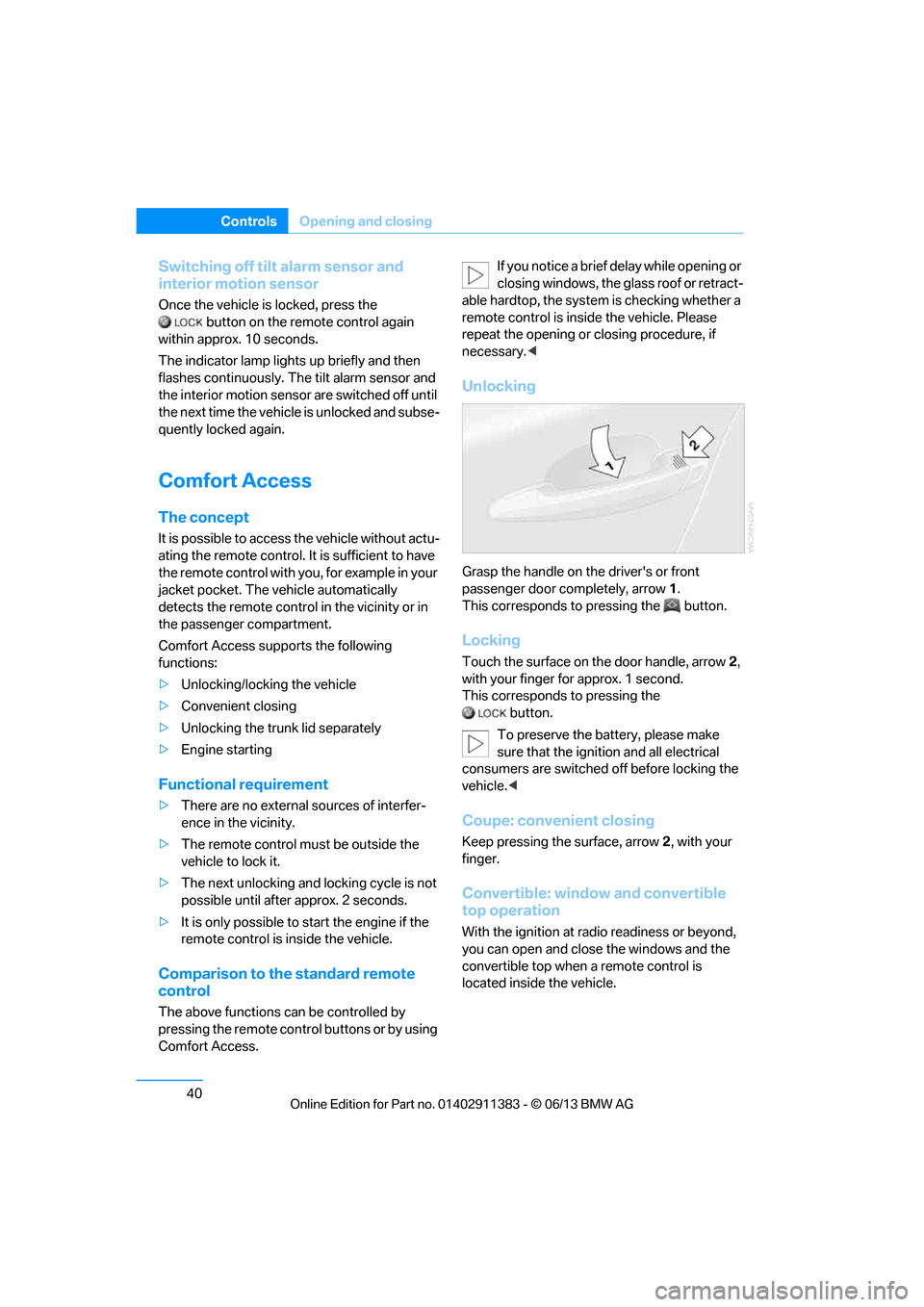
Unlocking
Grasp the handle on the driver's or front
passenger door completely, arrow 1 .
This corresponds to pressing the button.
Locking
Touch the surface on the door handle, arrow 2,
with your finger for approx. 1 second.
This corresponds to pressing the
button.
To preserve the battery, please make
sure that the ignition and all electrical
consumers are switched off before locking the
vehicle. <
Coupe: convenient closing
Keep pressing the surface, arrow 2, with your
finger.
Convertible: window and convertible
top operation
With the ignition at ra dio readiness or beyond,
you can open and close the windows and the
convertible top when a remote control is
located inside the vehicle.
00320051004F004C00510048000300280047004C0057004C005200510003
Page 46 of 311
41
Opening and closing
Controls
Unlocking the trunk lid separately
Press the button on the ou
tside of the trunk lid.
This corresponds to pressing the button.
If the vehicle detects that a remote
control has been accide ntally left inside
the locked vehicle's trunk after the trunk lid is
closed, the lid will reopen. The hazard warning
flashers flash and a signal sounds. <
Switching on radio readiness
Pressing the Start/Stop button switches on
radio readiness.
Do not depress the brake or the clutch; other-
wise, the engine will start immediately.
Starting the engine
The engine can be started or the ignition can be
switched on when a remote control is inside the
vehicle. It is not necessa ry to insert a remote
control into the ignition lock, refer to page 62.
Switching off the engine in cars with
automatic transmission
The engine can only be switched off when the
selector lever is in po sition P, refer to page 64.
To switch the engine off when the selector lever
is in position N, the remote control must be in
the ignition lock.
Malfunction
Local radio waves can in terfere with the func-
tion of Comfort Access, for example when a
mobile phone is in the immediate vicinity of the
remote control or by when a mobile phone is
being charged in the vehicle.
If this happens, open or close the vehicle via the
buttons on the remote co ntrol or using the inte-
grated key. To start the engine afterward, insert
the remote control into the ignition lock.
Warning lamps
The warning lamp in the instrument
cluster lights up when you attempt to
start the engine: the engine cannot
be started. The remote co ntrol is not inside the
vehicle or is malfunctioning. Take the remote contro
l with you inside the
vehicle or have it checked. If necessary, insert
another remote control in to the ignition lock.
The warning lamp in the instrument
cluster lights up wh ile the engine is
running: the remote control is no
longer inside the vehicle. After the engine is
switched off, the engine can only be restarted
within approx. 10 seconds.
The indicator lamp in the instrument
cluster lights up and a message
appears on the Control Display:
replace the battery in the remote control.
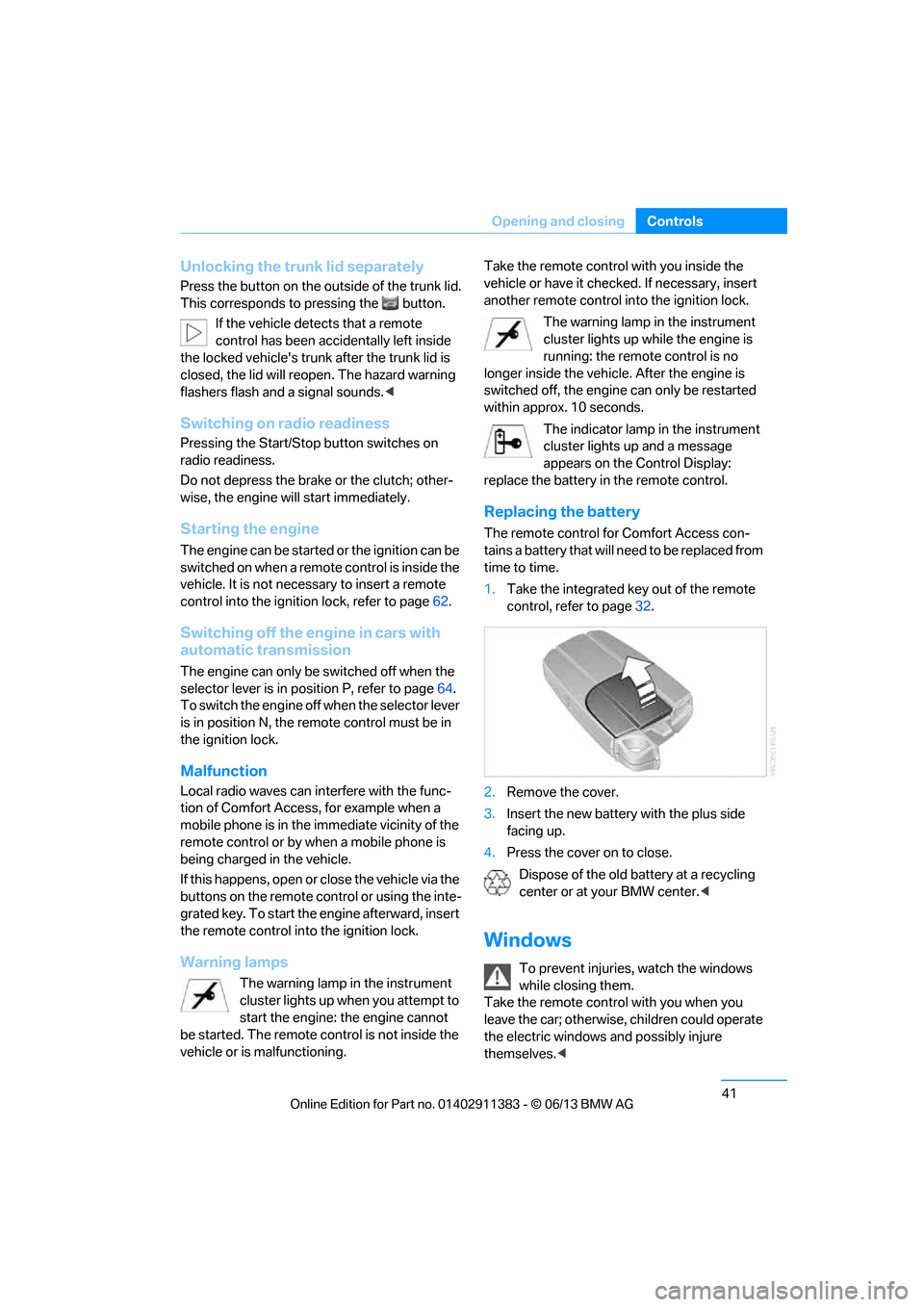
Replacing the battery
The remote control for Comfort Access con-
tains a battery that will need to be replaced from
time to time.
1. Take the integrated ke y out of the remote
control, refer to page 32.
2. Remove the cover.
3. Insert the new battery with the plus side
facing up.
4. Press the cover on to close.
Dispose of the old battery at a recycling
center or at your BMW center. <
Windows
To prevent injuries, watch the windows
while closing them.
Take the remote contro l with you when you
leave the car; otherwise, children could operate
the electric windows and possibly injure
themselves. <
00320051004F004C00510048000300280047004C0057004C005200510003
Page 47 of 311
42
ControlsOpening and closing
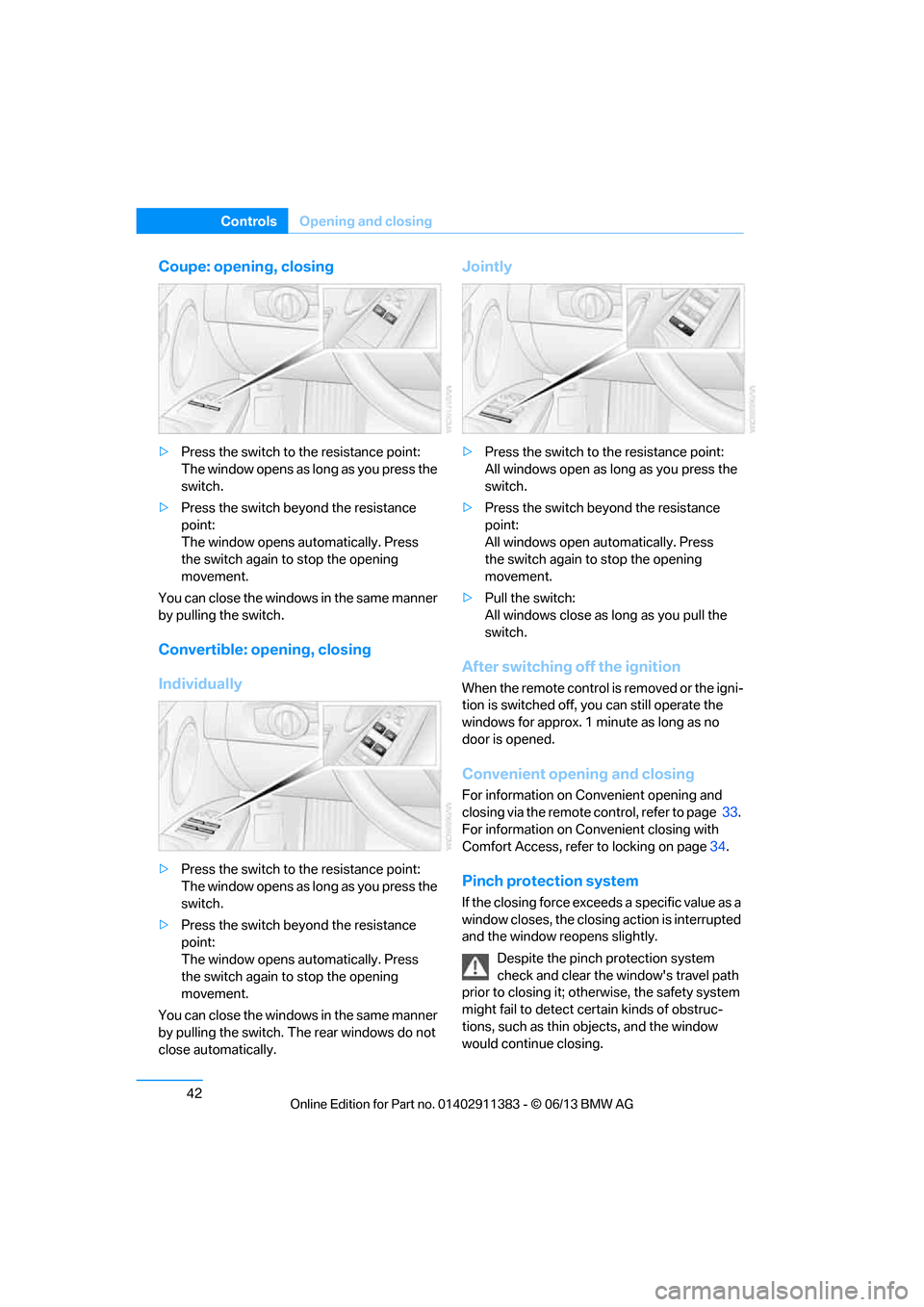
Coupe: opening, closing
>Press the switch to the resistance point:
The window opens as long as you press the
switch.
> Press the switch beyond the resistance
point:
The window opens automatically. Press
the switch again to stop the opening
movement.
You can close the windows in the same manner
by pulling the switch.
Convertible: opening, closing
Individually
> Press the switch to the resistance point:
The window opens as long as you press the
switch.
> Press the switch beyond the resistance
point:
The window opens automatically. Press
the switch again to stop the opening
movement.
You can close the windows in the same manner
by pulling the switch. The rear windows do not
close automatically.
Jointly
> Press the switch to the resistance point:
All windows open as lo ng as you press the
switch.
> Press the switch beyond the resistance
point:
All windows open automatically. Press
the switch again to stop the opening
movement.
> Pull the switch:
All windows close as long as you pull the
switch.
After switching off the ignition
When the remote control is removed or the igni-
tion is switched off, you can still operate the
windows for approx. 1 minute as long as no
door is opened.
Convenient opening and closing
For information on Convenient opening and
closing via the remote control, refer to page 33.
For information on Convenient closing with
Comfort Access, refer to locking on page 34.
Pinch protection system
If the closing force exceeds a specific value as a
window closes, the closing action is interrupted
and the window reopens slightly.
Despite the pinch protection system
check and clear the window's travel path
prior to closing it; otherw ise, the safety system
might fail to detect certain kinds of obstruc-
tions, such as thin objects, and the window
would continue closing.
00320051004F004C00510048000300280047004C0057004C005200510003
Page 48 of 311
43
Opening and closing
Controls
Do not install any accessories that might inter-
fere with window movement. Otherwise, the
pinch protection system could be impaired.
Convertible: the rear windows are not equipped
with pinch protection. Therefore, watch them
closely when closing to avoid personal injury.
<
Closing without pinch protection
If there is an external danger, or if ice on the
windows, etc., prevents you from closing the
windows normally, proceed as follows:
1.Pull the switch past the resistance point and
hold it there. Pinch protection is limited and
the window reopens slightly if the closing
force exceeds a certain value.
2. Pull the switch again past the resistance
point within approx. 4 seconds and hold it
there. The window closes without pinch
protection.
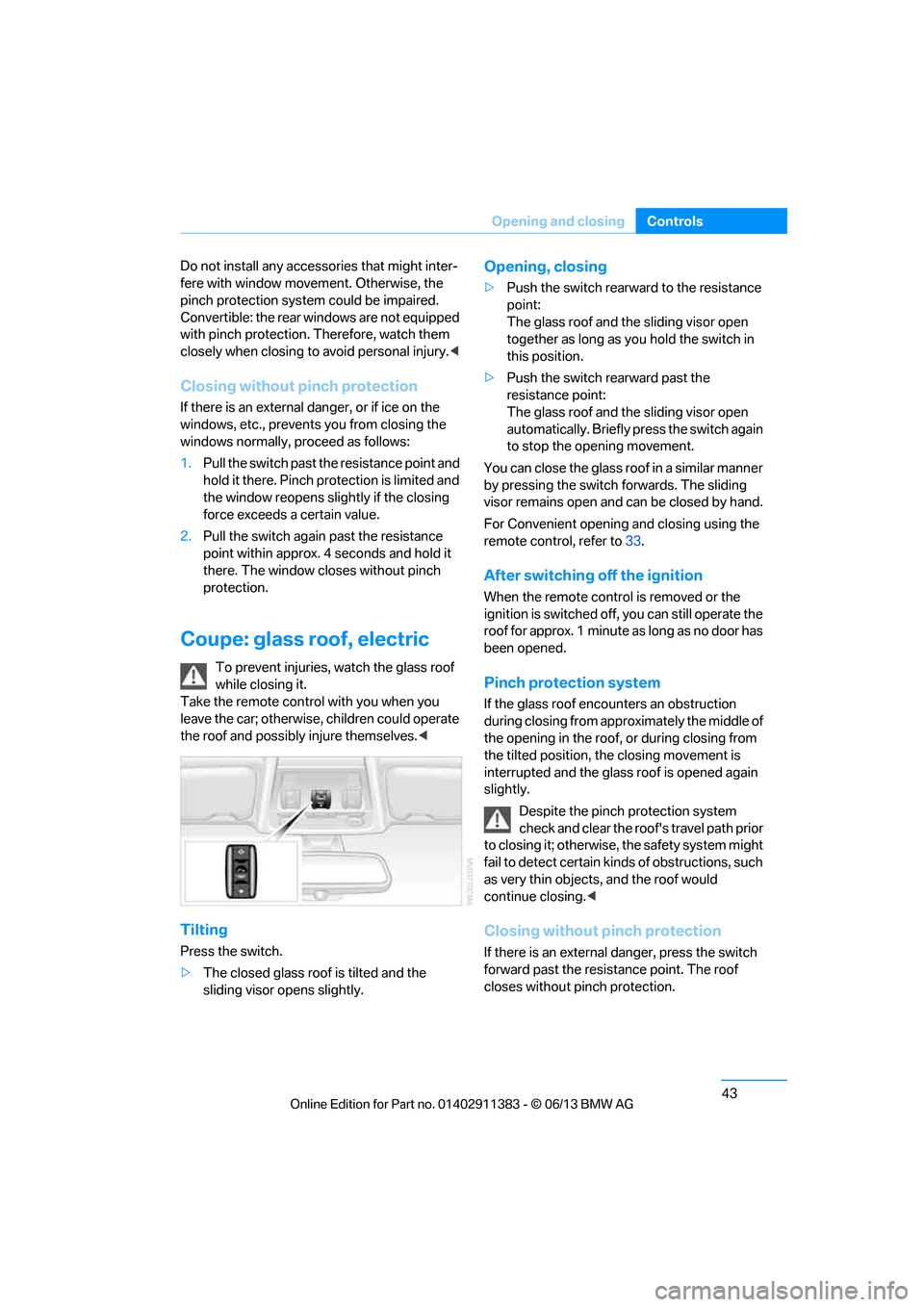
Coupe: glass roof, electric
To prevent injuries, watch the glass roof
while closing it.
Take the remote contro l with you when you
leave the car; otherwise, children could operate
the roof and possibly injure themselves. <
Tilting
Press the switch.
>The closed glass roof is tilted and the
sliding visor opens slightly.
Opening, closing
>Push the switch rearward to the resistance
point:
The glass roof and the sliding visor open
together as long as you hold the switch in
this position.
> Push the switch rearward past the
resistance point:
The glass roof and the sliding visor open
automatically. Briefly press the switch again
to stop the opening movement.
You can close the glass roof in a similar manner
by pressing the switch forwards. The sliding
visor remains open and can be closed by hand.
For Convenient opening and closing using the
remote control, refer to 33.
After switching off the ignition
When the remote contro l is removed or the
ignition is switched off, you can still operate the
roof for approx. 1 minute as long as no door has
been opened.
Pinch protection system
If the glass roof encounters an obstruction
during closing from approximately the middle of
the opening in the roof, or during closing from
the tilted position, the closing movement is
interrupted and the glass roof is opened again
slightly.
Despite the pinch protection system
check and clear the roof's travel path prior
to closing it; otherwise, the safety system might
fail to detect certain kinds of obstructions, such
as very thin objects, and the roof would
continue closing. <
Closing without pinch protection
If there is an external danger, press the switch
forward past the resistance point. The roof
closes without pinch protection.
00320051004F004C00510048000300280047004C0057004C005200510003