div BMW 3 SERIES SEDAN 2013 F30 Owner's Guide
[x] Cancel search | Manufacturer: BMW, Model Year: 2013, Model line: 3 SERIES SEDAN, Model: BMW 3 SERIES SEDAN 2013 F30Pages: 248, PDF Size: 5.21 MB
Page 161 of 248
With Professional navigation system
or TV: at a glance
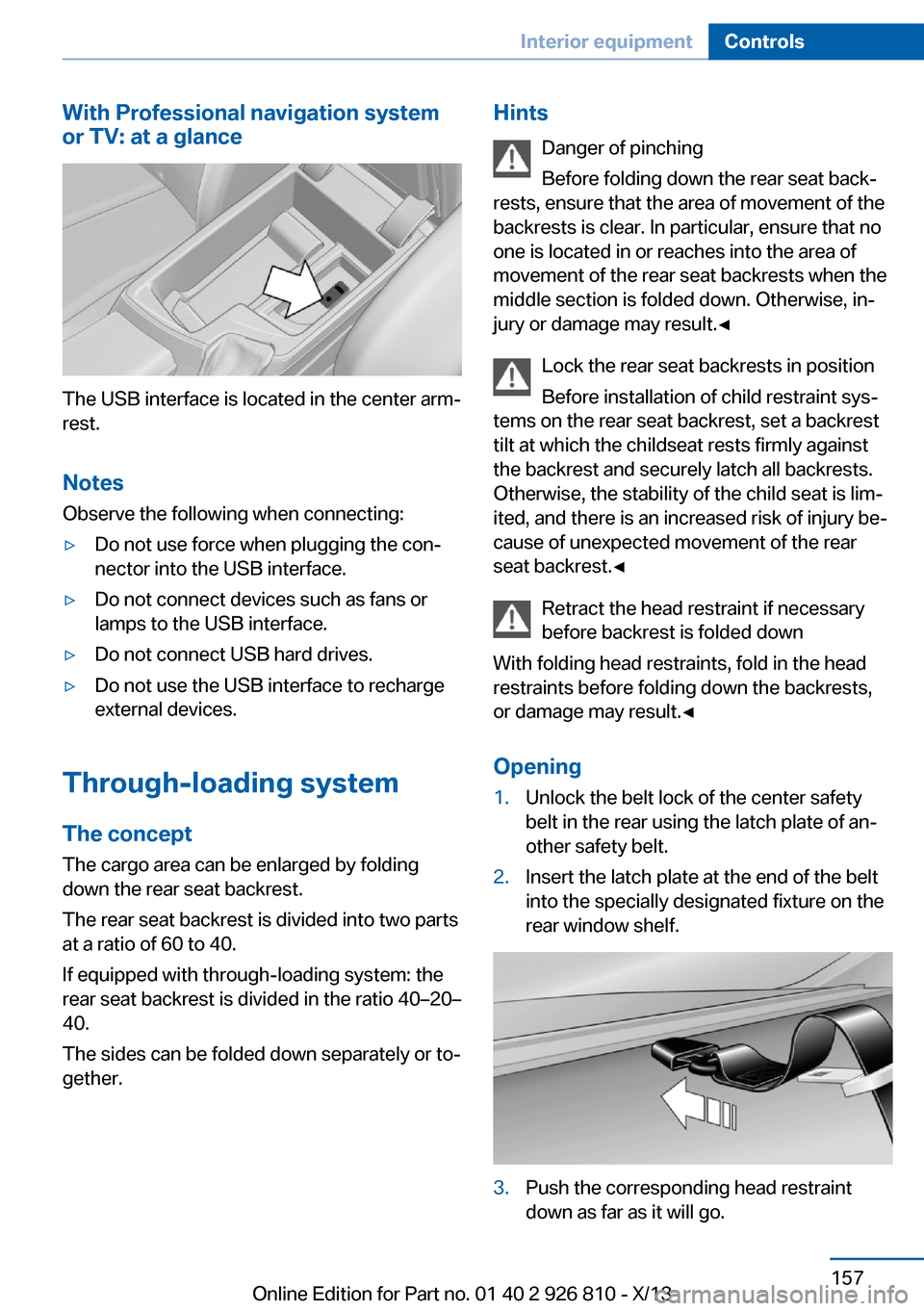
The USB interface is located in the center arm‐
rest.
Notes Observe the following when connecting:
▷Do not use force when plugging the con‐
nector into the USB interface.▷Do not connect devices such as fans or
lamps to the USB interface.▷Do not connect USB hard drives.▷Do not use the USB interface to recharge
external devices.
Through-loading system
The concept The cargo area can be enlarged by folding
down the rear seat backrest.
The rear seat backrest is divided into two parts at a ratio of 60 to 40.
If equipped with through-loading system: the
rear seat backrest is divided in the ratio 40–20– 40.
The sides can be folded down separately or to‐
gether.
Hints
Danger of pinching
Before folding down the rear seat back‐
rests, ensure that the area of movement of the
backrests is clear. In particular, ensure that no
one is located in or reaches into the area of
movement of the rear seat backrests when the
middle section is folded down. Otherwise, in‐
jury or damage may result.◀
Lock the rear seat backrests in position
Before installation of child restraint sys‐
tems on the rear seat backrest, set a backrest
tilt at which the childseat rests firmly against
the backrest and securely latch all backrests.
Otherwise, the stability of the child seat is lim‐
ited, and there is an increased risk of injury be‐
cause of unexpected movement of the rear
seat backrest.◀
Retract the head restraint if necessary
before backrest is folded down
With folding head restraints, fold in the head
restraints before folding down the backrests, or damage may result.◀
Opening1.Unlock the belt lock of the center safety
belt in the rear using the latch plate of an‐
other safety belt.2.Insert the latch plate at the end of the belt
into the specially designated fixture on the
rear window shelf.3.Push the corresponding head restraint
down as far as it will go.Seite 157Interior equipmentControls157
Online Edition for Part no. 01 40 2 926 810 - X/13
Page 166 of 248
No heavy objects
Do not hang heavy objects from the
hooks; otherwise, they may present a danger
to passengers during braking and evasive ma‐
neuvers.◀
Storage compartments in the
cargo area
Storage compartment A storage compartment is located on the left
side.
Located on the right side is a storage compart‐
ment for the onboard vehicle tool kit, refer to
page 206, and first aid kit, refer to page 218.
Net
Small objects can be stowed in the net on the
left side.
Hooks/multi-function hook
A multi-function hook is located on each side
of the cargo area. The multi-function hooks
can be loaded up to a max. of 8.8 lbs/4 kg.
Light and suitable objects only
Only hang light bags or suitable objects
from the holders. Otherwise, there is a danger
of objects flying about during braking and eva‐
sive maneuvers.
Only transport heavy luggage in the trunk if it
has been appropriately secured.◀
Retaining strap
A retaining strap is available on the right side
trim for fastening small objects.
Lashing eyes in the cargo area To secure the cargo, refer to page 170, there
are four lashing eyes in the cargo area.
Floor net The floor net can also be used to Secure the
load, refer to page 170, and to store small
parts.
Storage compartment under cargo
floor panel
Maximum load
To avoid damage to the vehicle, do not
exceed a maximum permitted load of 44 lbs/
20 kg in the storage compartment under the
cargo floor panel.◀
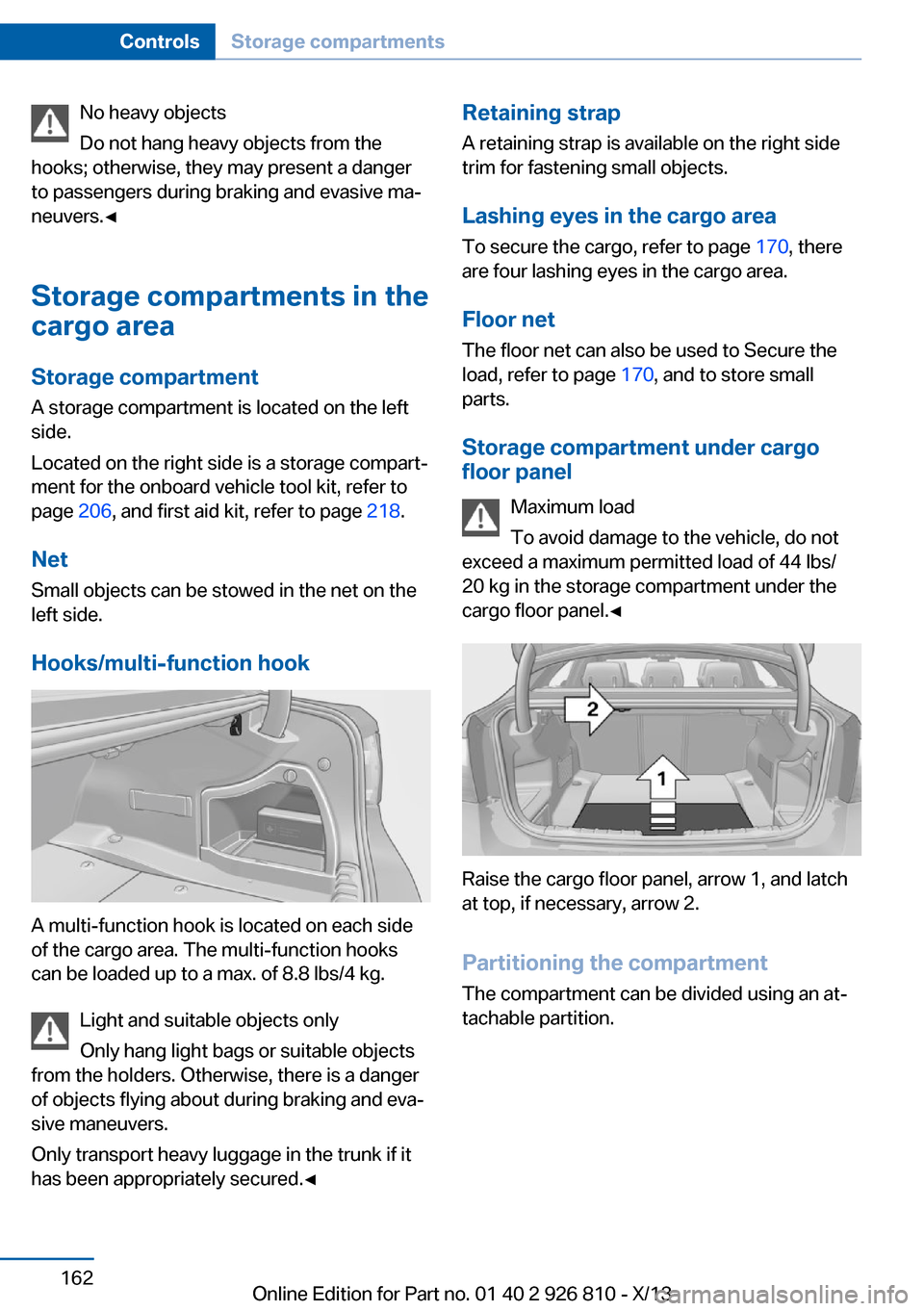
Raise the cargo floor panel, arrow 1, and latch
at top, if necessary, arrow 2.
Partitioning the compartment
The compartment can be divided using an at‐
tachable partition.
Seite 162ControlsStorage compartments162
Online Edition for Part no. 01 40 2 926 810 - X/13
Page 181 of 248
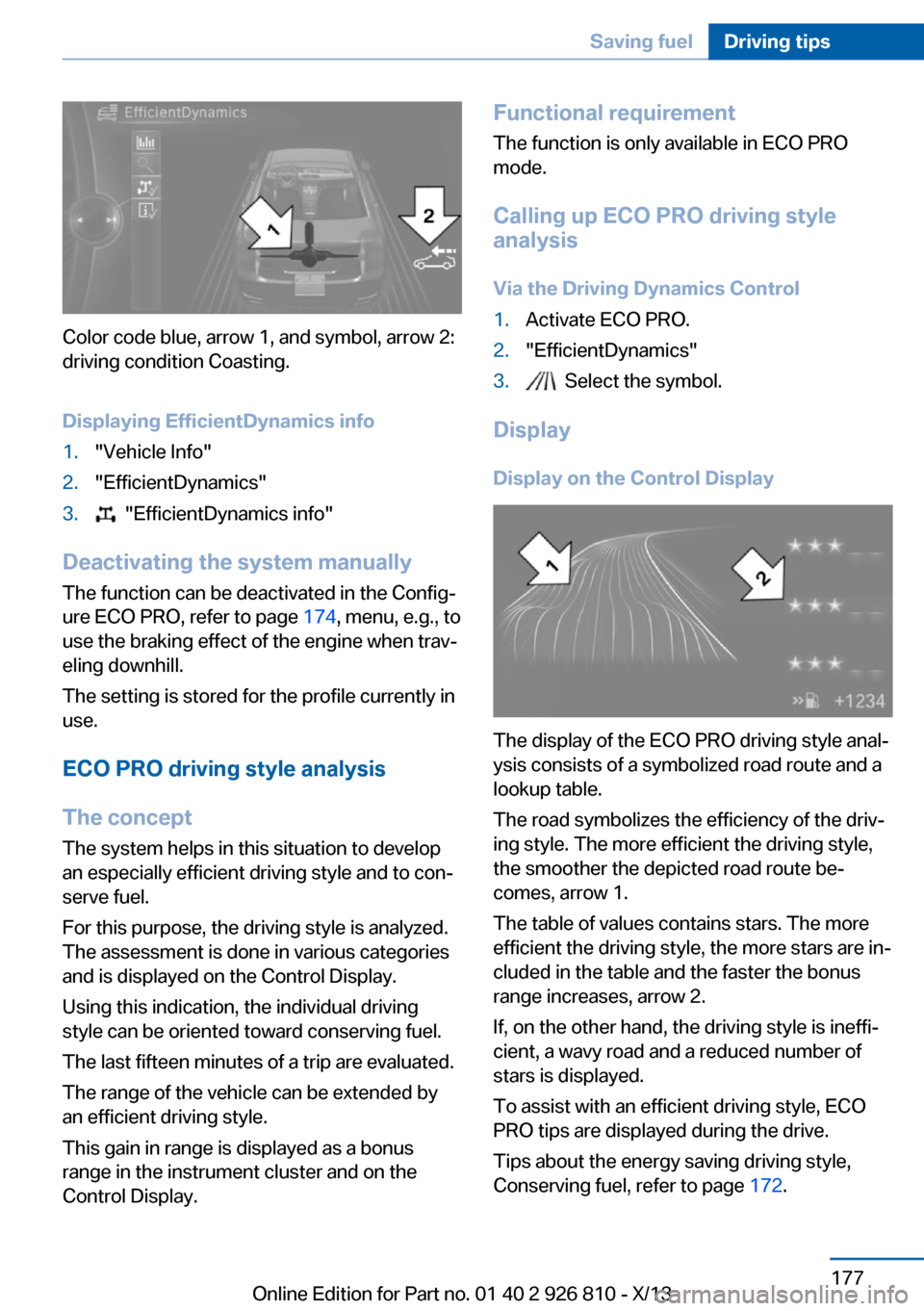
Color code blue, arrow 1, and symbol, arrow 2:
driving condition Coasting.
Displaying EfficientDynamics info
1."Vehicle Info"2."EfficientDynamics"3. "EfficientDynamics info"
Deactivating the system manually The function can be deactivated in the Config‐
ure ECO PRO, refer to page 174, menu, e.g., to
use the braking effect of the engine when trav‐
eling downhill.
The setting is stored for the profile currently in
use.
ECO PRO driving style analysis
The concept
The system helps in this situation to develop
an especially efficient driving style and to con‐
serve fuel.
For this purpose, the driving style is analyzed.
The assessment is done in various categories
and is displayed on the Control Display.
Using this indication, the individual driving
style can be oriented toward conserving fuel.
The last fifteen minutes of a trip are evaluated.
The range of the vehicle can be extended by
an efficient driving style.
This gain in range is displayed as a bonus
range in the instrument cluster and on the
Control Display.
Functional requirement
The function is only available in ECO PRO
mode.
Calling up ECO PRO driving style
analysis
Via the Driving Dynamics Control1.Activate ECO PRO.2."EfficientDynamics"3. Select the symbol.
Display
Display on the Control Display
The display of the ECO PRO driving style anal‐
ysis consists of a symbolized road route and a
lookup table.
The road symbolizes the efficiency of the driv‐
ing style. The more efficient the driving style,
the smoother the depicted road route be‐
comes, arrow 1.
The table of values contains stars. The more
efficient the driving style, the more stars are in‐
cluded in the table and the faster the bonus
range increases, arrow 2.
If, on the other hand, the driving style is ineffi‐
cient, a wavy road and a reduced number of
stars is displayed.
To assist with an efficient driving style, ECO
PRO tips are displayed during the drive.
Tips about the energy saving driving style,
Conserving fuel, refer to page 172.
Seite 177Saving fuelDriving tips177
Online Edition for Part no. 01 40 2 926 810 - X/13
Page 219 of 248
Battery replacementUse approved vehicle batteries only
Only use vehicle batteries that have been
approved for your vehicle by the manufacturer;
otherwise, the vehicle could be damaged and
systems or functions may not be fully availa‐
ble.◀
After a battery replacement, have the battery registered on the vehicle by your service cen‐
ter to ensure that all comfort functions are fully
available and that any Check Control mes‐
sages of these comfort functions are no longer
displayed.
Charging the battery
Note Do not plug chargers into the socket
Do not connect battery chargers to the
factory-installed sockets in the vehicle as this
may damage the battery.◀
General information Make sure that the battery is always suffi‐
ciently charged to guarantee that the battery
remains usable for its full service life.
The battery may need to be charged in the fol‐
lowing cases:▷When making frequent short-distance
drives.▷If the vehicle is not used for prolonged pe‐
riods, longer than a month.
Starting aid terminals
In the vehicle, only charge the battery via the
starting aid terminals, refer to page 219, in the
engine compartment with the engine off.
Power failure After a temporary power loss, some equipment
needs to be reinitialized.
Individual settings need to be reprogrammed:
▷Seat and mirror memory: store the posi‐
tions again.▷Time: update.▷Date: update.▷Navigation system: wait for the operability
of the navigation.
Disposing of old batteries
Have old batteries disposed of by your
service center or bring them to a recy‐
cling center.
Maintain the battery in an upright position for
transport and storage. Secure the battery so
that it does not tip over during transport.
Fuses Hints Replacing fuses
Never attempt to repair a blown fuse and
do not replace a defective fuse with a substi‐
tute of another color or amperage rating; this
could lead to a circuit overload, ultimately re‐
sulting in a fire in the vehicle.◀
Plastic tweezers and information on the fuse
types and locations are stored in the fuse box
in the cargo area.
In the engine compartment
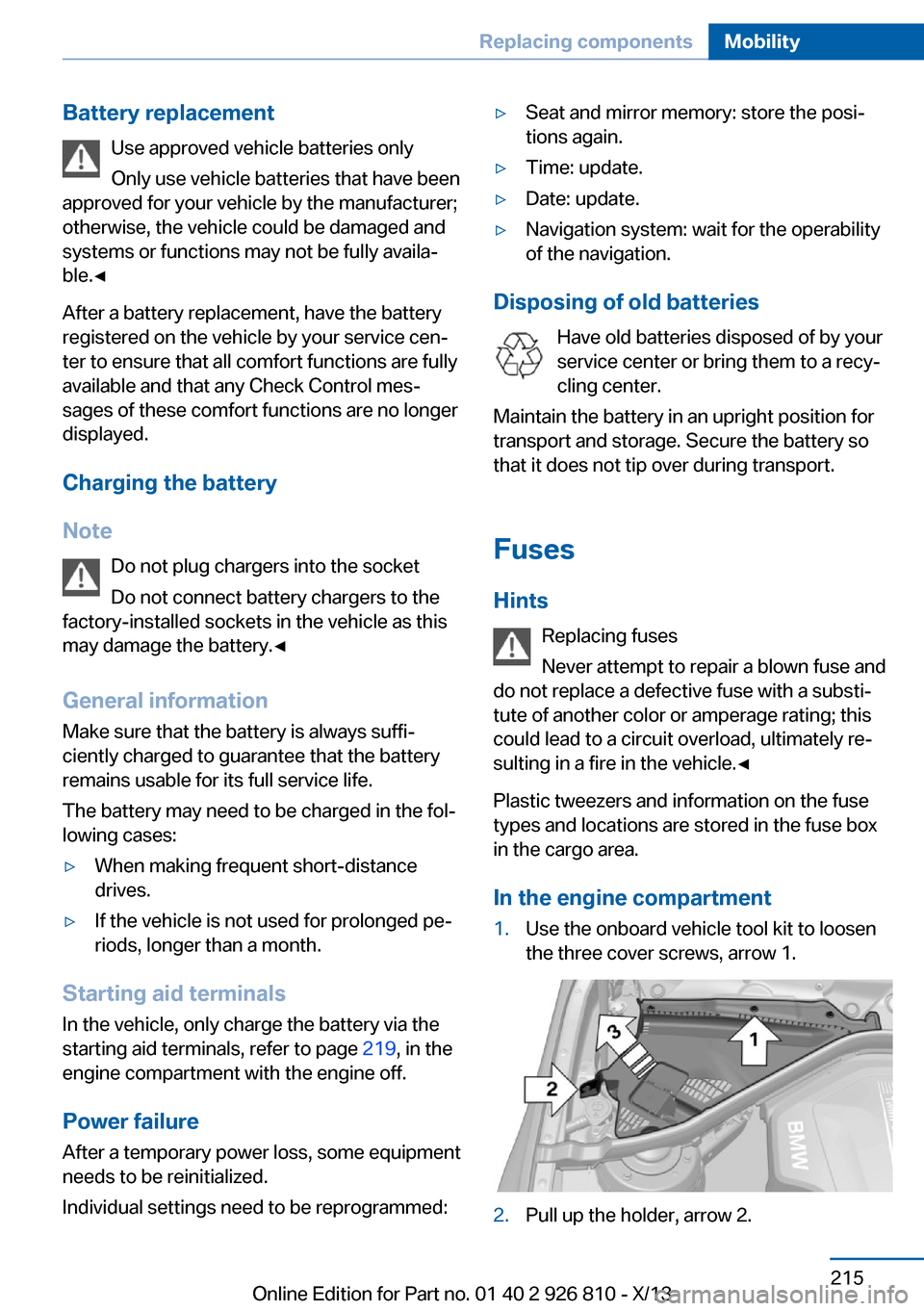
1.Use the onboard vehicle tool kit to loosen
the three cover screws, arrow 1.2.Pull up the holder, arrow 2.Seite 215Replacing componentsMobility215
Online Edition for Part no. 01 40 2 926 810 - X/13
Page 224 of 248
If the first starting attempt is not success‐
ful, wait a few minutes before making an‐
other attempt in order to allow the dis‐
charged battery to recharge.3.Let both engines run for several minutes.4.Disconnect the jumper cables in the re‐
verse order.
Check the battery and recharge if necessary.
Tow-starting and towing Note Tow-starting and towing
When tow-starting and towing the vehi‐
cle, switch off the Intelligent Safety systems;
otherwise, improper behavior of the braking
function of individual systems could result in
an accident.◀
Switch off Intelligent Safety systems, refer to
page 104.
Automatic transmission: transporting
your vehicle
Note
Your vehicle is not permitted to be towed.
Therefore, contact a service center in the
event of a breakdown.
Do not have the vehicle towedHave your vehicle transported on a load‐
ing platform only; otherwise, damage may oc‐ cur.◀
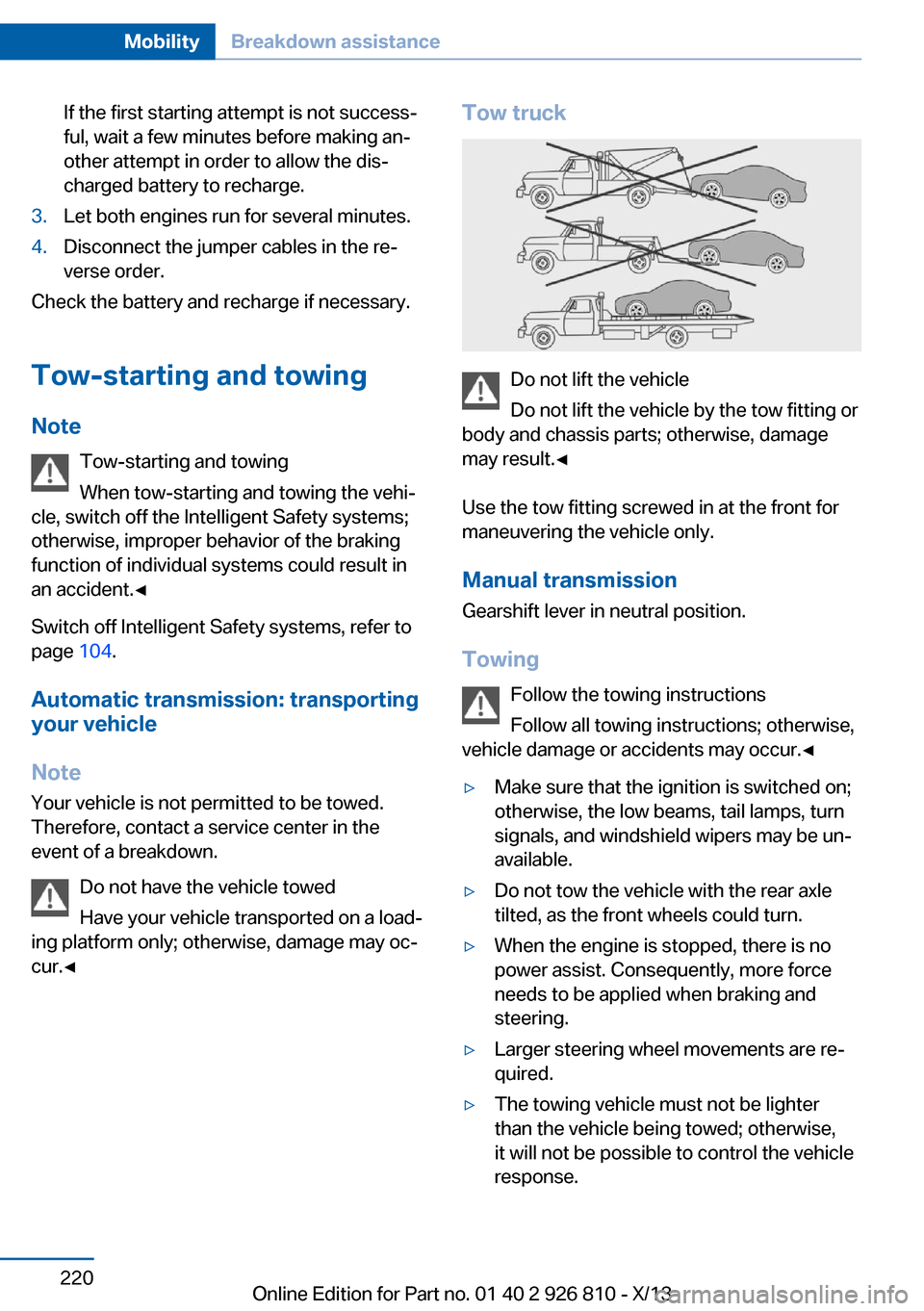
Tow truck
Do not lift the vehicle
Do not lift the vehicle by the tow fitting or
body and chassis parts; otherwise, damage
may result.◀
Use the tow fitting screwed in at the front for
maneuvering the vehicle only.
Manual transmission
Gearshift lever in neutral position.
Towing Follow the towing instructions
Follow all towing instructions; otherwise,
vehicle damage or accidents may occur.◀
▷Make sure that the ignition is switched on;
otherwise, the low beams, tail lamps, turn
signals, and windshield wipers may be un‐
available.▷Do not tow the vehicle with the rear axle
tilted, as the front wheels could turn.▷When the engine is stopped, there is no
power assist. Consequently, more force
needs to be applied when braking and
steering.▷Larger steering wheel movements are re‐
quired.▷The towing vehicle must not be lighter
than the vehicle being towed; otherwise,
it will not be possible to control the vehicle
response.Seite 220MobilityBreakdown assistance220
Online Edition for Part no. 01 40 2 926 810 - X/13
Page 240 of 248
Control Display 18
Control Display, settings 88
Controller 18, 19
Control systems, driving sta‐ bility 116
Convenient opening 38
Coolant 203
Coolant temperature 81
Cooling function 145, 147
Cooling, maximum 147
Cooling system 203
Corrosion on brake discs 168
Cruise control 128
Cruise control, active with Stop & Go 121
Cruising range 81
Cupholder 161
Current fuel consumption 82
D
Damage, tires 195
Damping control, dy‐ namic 117
Data, technical 230
Date 81
Daytime running lights 92
Defrosting, refer to defrosting the windows 145
Defrosting, refer to Windows, defrosting 148
Defrosting the windows 145
Dehumidifying, air 145, 147
Destination distance 87
Diesel exhaust fluid, at low temperatures 184
Diesel exhaust fluid, having refilled 184
Diesel exhaust fluid, on mini‐ mum 184
Diesel exhaust fluid, replen‐ ishing yourself 184
Diesel particulate filter 167
Digital clock 81
Digital compass 153
Dimensions 230 Dimmable exterior mirrors 57
Dimmable interior rearview mirror 58
Direction indicator, refer to Turn signals 68
Display, electronic, instru‐ ment cluster 77
Display in windshield 89
Display lighting, refer to In‐ strument lighting 94
Displays 75
Displays, cleaning 226
Disposal, coolant 203
Disposal, vehicle battery 215
Distance control, refer to PDC 130
Distance to destination 87
Divided screen view, split screen 24
Door lock, refer to Remote control 34
Drive-off assistant 120
Drive-off assistant, refer to DSC 116
Driver assistance, see Intelli‐ gent Safety 104
Driving Assistant, see Intelli‐ gent Safety 104
Driving Dynamics Con‐ trol 118
Driving instructions, breaking in 166
Driving mode 118
Driving notes, general 166
Driving stability control sys‐ tems 116
Driving style analysis 177
Driving tips 166
DSC Dynamic Stability Con‐ trol 116
DTC Dynamic Traction Con‐ trol 117
Dynamic Damping Con‐ trol 117
Dynamic Stability Control DSC 116 Dynamic Traction Control
DTC 117
E
ECO PRO 173
ECO PRO, bonus range 174
ECO PRO display 173
ECO PRO driving mode 173
ECO PRO driving style analy‐ sis 177
ECO PRO mode 173
ECO PRO Tip - driving in‐ struction 175
EfficientDynamics 175
Electronic displays, instru‐ ment cluster 77
Electronic Stability Program ESP, refer to DSC 116
Emergency detection, remote control 35
Emergency release, door lock 40
Emergency release, fuel filler flap 180
Emergency Request 217
Emergency service, refer to Roadside Assistance 218
Emergency start function, en‐ gine start 35
Emergency unlocking, trunk lid 41
Energy Control 82
Energy recovery 82
Engine, automatic Start/Stop function 65
Engine, automatic switch- off 65
Engine compartment 198
Engine compartment, work‐ ing in 199
Engine coolant 203
Engine idling when driving, coasting 176
Engine oil 200
Engine oil, adding 201 Seite 236ReferenceEverything from A to Z236
Online Edition for Part no. 01 40 2 926 810 - X/13
Page 242 of 248
Hill start assistant, refer toDrive-off assistant 120
Hints 6
Holder for beverages 161
Homepage 6
Hood 199
Horn 14
Hotel function, trunk lid 41
Hot exhaust system 167
HUD Head-up Display 89
Hydroplaning 167
I Ice warning, refer to External temperature warning 81
Icy roads, refer to External temperature warning 81
Identification marks, tires 193
Identification number, refer to Important features in the en‐
gine compartment 198
iDrive 18
Ignition key, refer to Remote control 34
Ignition off 63
Ignition on 63
Indication of a flat tire 100 , 103
Indicator and warning lamps 78
Individual air distribu‐ tion 145, 148
Individual settings, refer to Personal Profile 35
Inflation pressure, tires 187
Inflation pressure warning FTM, tires 102
Info display, refer to Com‐ puter 86
Initialize, Tire Pressure Moni‐ tor TPM 100
Initializing, Flat Tire Monitor FTM 103
Instrument cluster 75 Instrument cluster, electronic
displays 77
Instrument lighting 94
Integrated key 34
Intelligent Emergency Re‐ quest 217
Intelligent Safety 104
Intensity, AUTO pro‐ gram 147
Interior equipment 151
Interior lamps 94
Interior lamps via remote con‐ trol 38
Interior motion sensor 45
Interior rearview mirror, auto‐ matic dimming feature 58
Interior rearview mirror, com‐ pass 153
Interior rearview mirror, man‐ ually dimmable 58
Internet page 6
Interval display, service re‐ quirements 82
J Jacking points for the vehicle jack 214
Joystick, automatic transmis‐ sion 72
Jump-starting 218
K
Key/remote control 34
Keyless Go, refer to Comfort Access 41
Key Memory, refer to Per‐ sonal Profile 35
Kickdown, automatic trans‐ mission 72
Knee airbag 96
L Lamp replacement 206 Lamp replacement, front 207
Lamp replacement, rear 212
Lamps 91
Lamps and bulbs 206
Lane departure warning 112
Lane margin, warning 112
Language on Control Dis‐ play 88
Lashing eyes, securing cargo 170
LATCH child restraint fixing system 60
Launch Control 74
Leather, care 224
LEDs, light-emitting di‐ odes 207
Letters and numbers, enter‐ ing 25
Light alloy wheels, care 225
Light control 92
Light-emitting diodes, LEDs 207
Lighter 155
Lighting 91
Lighting via remote con‐ trol 38
Light switch 91
Load 170
Loading 169
Lock, door 39
Locking/unlocking from in‐ side 40
Locking/unlocking via door lock 39
Locking/unlocking with re‐ mote control 38
Locking, automatic 43
Locking, central 37
Locking, settings 43
Lock, power window 46
Locks, doors, and win‐ dows 62
Low beams 91
Low beams, automatic, refer to High-beam Assistant 93
Lower back support 51 Seite 238ReferenceEverything from A to Z238
Online Edition for Part no. 01 40 2 926 810 - X/13