key BMW 320i 2002 Owner's Guide
[x] Cancel search | Manufacturer: BMW, Model Year: 2002, Model line: 320i, Model: BMW 320i 2002Pages: 155, PDF Size: 2.24 MB
Page 78 of 155
78n
Tire Pressure Monitor (RDC)
*
The conceptRDC monitors the tire pressures at all
four wheels while the vehicle is moving.
The system provides an alert whenever
the inflation pressure drops significantly
below the specified pressure in one or
more tires.
In order for the system to "learn" the
correct tire inflation pressure, check the
inflation pressure in all tires according
to the inflation pressures table on
page 25 and make corrections as
necessary. Then activate the system.
This indicator lamp in the instru-
ment cluster will inform you if
the tire pressure is not correct.
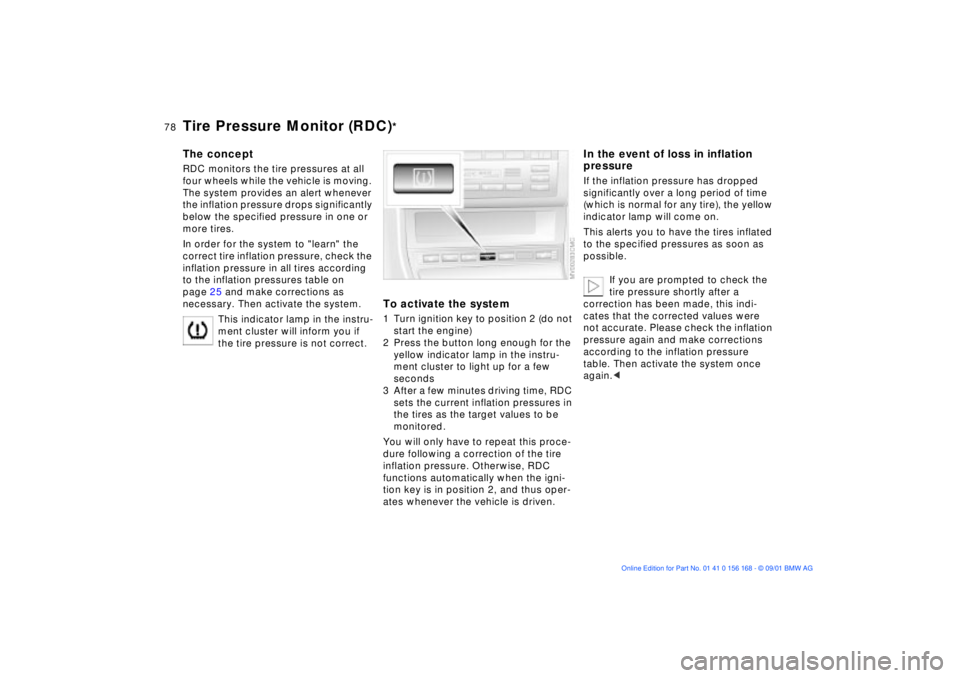
To activate the system1 Turn ignition key to position 2 (do not
start the engine)
2 Press the button long enough for the
yellow indicator lamp in the instru-
ment cluster to light up for a few
seconds
3 After a few minutes driving time, RDC
sets the current inflation pressures in
the tires as the target values to be
monitored.
You will only have to repeat this proce-
dure following a correction of the tire
inflation pressure. Otherwise, RDC
functions automatically when the igni-
tion key is in position 2, and thus oper-
ates whenever the vehicle is driven.
In the event of loss in inflation
pressureIf the inflation pressure has dropped
significantly over a long period of time
(which is normal for any tire), the yellow
indicator lamp will come on.
This alerts you to have the tires inflated
to the specified pressures as soon as
possible.
If you are prompted to check the
tire pressure shortly after a
correction has been made, this indi-
cates that the corrected values were
not accurate. Please check the inflation
pressure again and make corrections
according to the inflation pressure
table. Then activate the system once
again.<
Page 80 of 155
80n
Flat Tire Monitor
*
The conceptAs you drive, the Flat Tire Monitor
keeps track of pressure levels in all four
tires in order to detect and warn of any
substantial pressure loss.
The system actually detects pressure
loss by monitoring differences in the
relative speeds of the four wheels. It
interprets variations outside specified
limits as severe pressure loss, and then
responds by generating a warning.
Initializing the systemInitializing is necessary to familiarize the
system with the correct inflation pres-
sure.
Repeat this process after any changes
in tire inflation pressure, tire rotation or
replacement. Do not carry out further
system initialization after adjusting the
inflation pressure and letting the system
"learn" the correct pressures.
1 Check the tire inflation pressure in all
the tires, comparing them with the
inflation pressure table on page 25
and adjust their pressure if necessary
2 Turn the ignition key to position 2
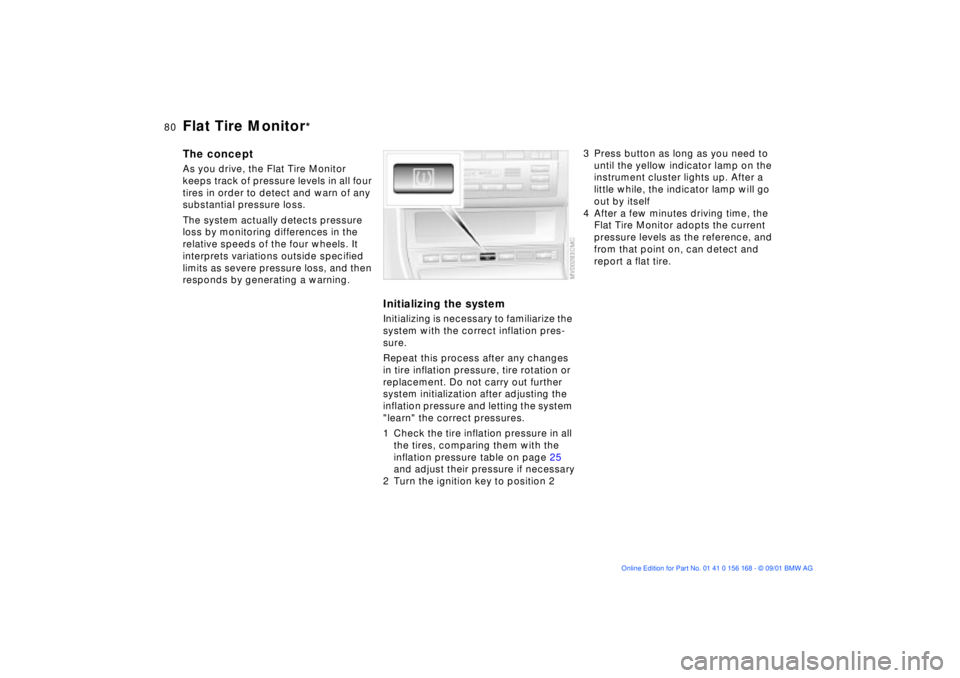
3 Press button as long as you need to
until the yellow indicator lamp on the
instrument cluster lights up. After a
little while, the indicator lamp will go
out by itself
4 After a few minutes driving time, the
Flat Tire Monitor adopts the current
pressure levels as the reference, and
from that point on, can detect and
report a flat tire.
Page 81 of 155
81n
OverviewControlsMaintenanceRepairsDataIndex
Flat Tire Monitor
*
To activate/deactivate the systemThe Flat Tire Monitor automatically
assumes operation whenever you turn
the ignition key to position 2. Unless
manually deactivated, it is always on
during normal vehicle operation.
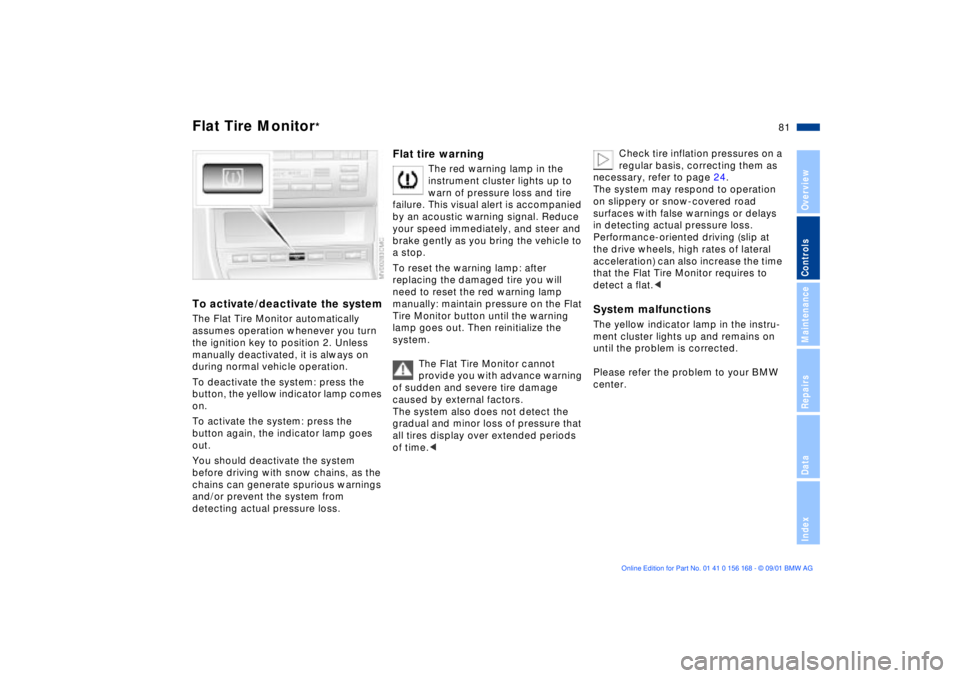
To deactivate the system: press the
button, the yellow indicator lamp comes
on.
To activate the system: press the
button again, the indicator lamp goes
out.
You should deactivate the system
before driving with snow chains, as the
chains can generate spurious warnings
and/or prevent the system from
detecting actual pressure loss.
Flat tire warning
The red warning lamp in the
instrument cluster lights up to
warn of pressure loss and tire
failure. This visual alert is accompanied
by an acoustic warning signal. Reduce
your speed immediately, and steer and
brake gently as you bring the vehicle to
a stop.
To reset the warning lamp: after
replacing the damaged tire you will
need to reset the red warning lamp
manually: maintain pressure on the Flat
Tire Monitor button until the warning
lamp goes out. Then reinitialize the
system.
The Flat Tire Monitor cannot
provide you with advance warning
of sudden and severe tire damage
caused by external factors.
The system also does not detect the
gradual and minor loss of pressure that
all tires display over extended periods
of time.<
Check tire inflation pressures on a
regular basis, correcting them as
necessary, refer to page 24.
The system may respond to operation
on slippery or snow-covered road
surfaces with false warnings or delays
in detecting actual pressure loss.
Performance-oriented driving (slip at
the drive wheels, high rates of lateral
acceleration) can also increase the time
that the Flat Tire Monitor requires to
detect a flat.<
System malfunctionsThe yellow indicator lamp in the instru-
ment cluster lights up and remains on
until the problem is corrected.
Please refer the problem to your BMW
center.
Page 82 of 155
82n
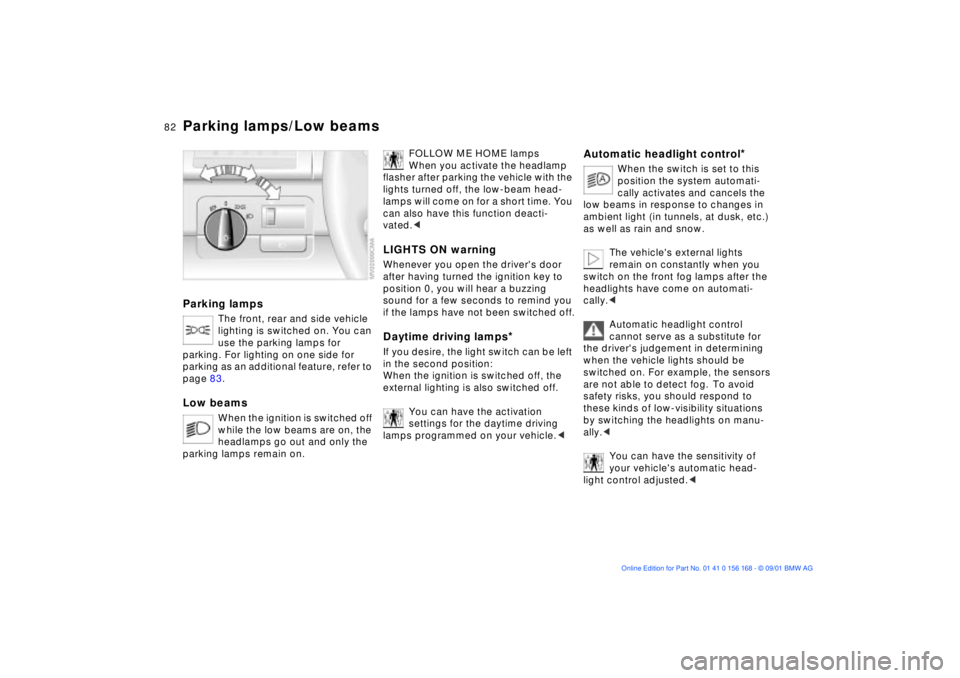
Parking lamps/Low beamsParking lamps
The front, rear and side vehicle
lighting is switched on. You can
use the parking lamps for
parking. For lighting on one side for
parking as an additional feature, refer to
page 83.
Low beams
When the ignition is switched off
while the low beams are on, the
headlamps go out and only the
parking lamps remain on.
FOLLOW ME HOME lamps
When you activate the headlamp
flasher after parking the vehicle with the
lights turned off, the low-beam head-
lamps will come on for a short time. You
can also have this function deacti-
vated.<
LIGHTS ON warningWhenever you open the driver's door
after having turned the ignition key to
position 0, you will hear a buzzing
sound for a few seconds to remind you
if the lamps have not been switched off.Daytime driving lamps
*
If you desire, the light switch can be left
in the second position:
When the ignition is switched off, the
external lighting is also switched off.
You can have the activation
settings for the daytime driving
lamps programmed on your vehicle.<
Automatic headlight control
*
When the switch is set to this
position the system automati-
cally activates and cancels the
low beams in response to changes in
ambient light ( in tunnels, at dusk, etc.)
as well as rain and snow.
The vehicle's external lights
remain on constantly when you
switch on the front fog lamps after the
headlights have come on automati-
cally.<
Automatic headlight control
cannot serve as a substitute for
the driver's judgement in determining
when the vehicle lights should be
switched on. For example, the sensors
are not able to detect fog. To avoid
safety risks, you should respond to
these kinds of low-visibility situations
by switching the headlights on manu-
ally.<
You can have the sensitivity of
your vehicle's automatic head-
light control adjusted.<
Page 83 of 155
83n
OverviewControlsMaintenanceRepairsDataIndex
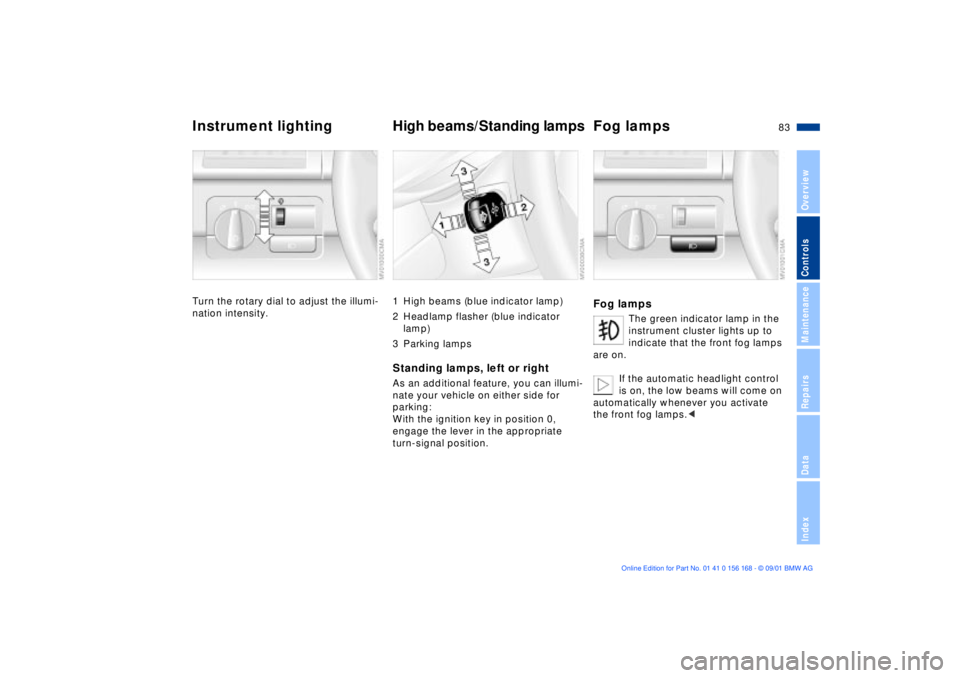
Instrument lighting High beams/Standing lampsFog lampsTurn the rotary dial to adjust the illumi-
nation intensity.
1 High beams (blue indicator lamp)
2 Headlamp flasher (blue indicator
lamp)
3 Parking lampsStanding lamps, left or rightAs an additional feature, you can illumi-
nate your vehicle on either side for
parking:
With the ignition key in position 0,
engage the lever in the appropriate
turn-signal position.
Fog lamps
The green indicator lamp in the
instrument cluster lights up to
indicate that the front fog lamps
are on.
If the automatic headlight control
is on, the low beams will come on
automatically whenever you activate
the front fog lamps.<
Page 84 of 155
84n
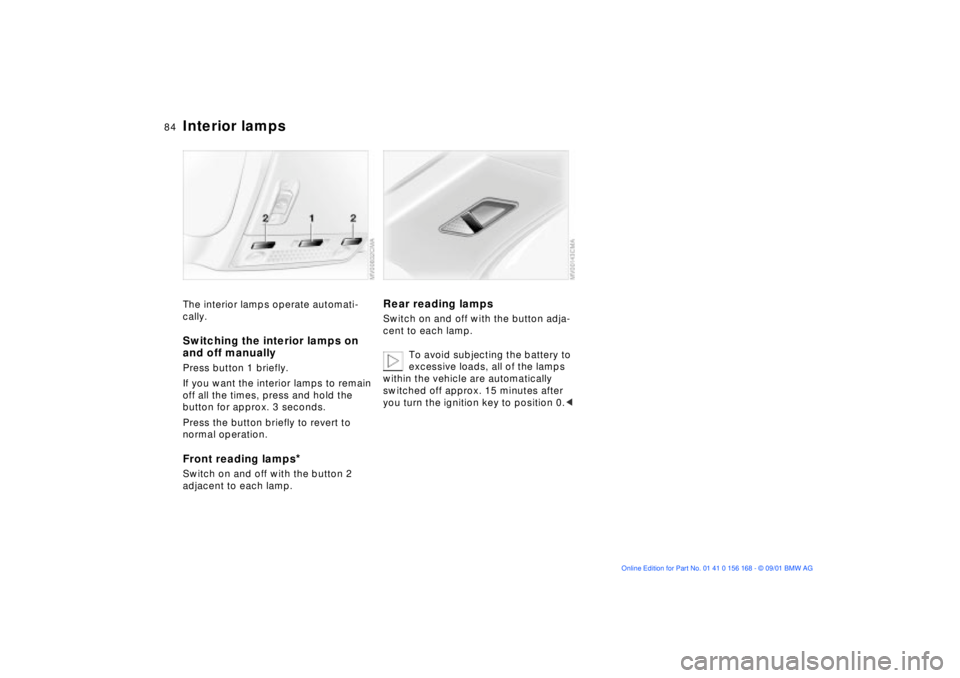
Interior lampsThe interior lamps operate automati-
cally.Switching the interior lamps on
and off manuallyPress button 1 briefly.
If you want the interior lamps to remain
off all the times, press and hold the
button for approx. 3 seconds.
Press the button briefly to revert to
normal operation.Front reading lamps
*
Switch on and off with the button 2
adjacent to each lamp.
Rear reading lampsSwitch on and off with the button adja-
cent to each lamp.
To avoid subjecting the battery to
excessive loads, all of the lamps
within the vehicle are automatically
switched off approx. 15 minutes after
you turn the ignition key to position 0.<
Page 91 of 155

91n
OverviewControlsMaintenanceRepairsDataIndex
Automatic climate control
*Roller sun blind
*
Premium sound system
*
Microfilter/activated-charcoal
filterThe built-in microfilter removes dust
and pollen from the incoming air. The
activated-charcoal filter provides addi-
tional protection by filtering gaseous
pollutants from the outside air. Your
BMW center replaces this combined
filter as a standard part of your sched-
uled maintenance. A substantial reduc-
tion in airflow indicates that the filter
needs to be replaced before scheduled
maintenance.
To activate, press the button briefly
with ignition key in position 1 or 2.
The illustration depicts the arrangement
of the buttons if the vehicle is fully
equipped. The arrangement may vary,
depending on the equipment actually
installed.
Harman Kardon premium sound
systemPress the button to activate and deacti-
vate the acoustic enhancement.
The system creates the acoustic
impression of a much larger passenger
compartment accompanied by
improved stereophonic sound at all
seating positions.
The system responds to poor reception
conditions by repeatedly alternating
between the stereo and monophonic
modes. You should then switch the
system off.
Page 92 of 155

92n
Glove compartment Storage compartmentsTo openPull the handle. The lamp in the glove
compartment comes on.To closeFold the cover up.
To prevent injury in the event of an
accident, close the glove
compartment immediately after use.<
To lockLock with one of the master keys. A
master key will also be required to
unlock the glove compartment.
If you turn over only your door and
ignition key for valet parking, refer
to page 28, access to the glove
compartment is not possible.
The flashlight is located on the left side
of the glove compartment.
It features integral overload-protection,
so it can be left in its holder continu-
ously.
To avoid completely discharging
and possibly damaging the lamp,
always ensure that it is switched off
before inserting it in the socket.<
Front center armrest To release: press the button (arrow) and
lift upward.Additional compartments and
nets
*
You will find additional storage
compartments in the front doors and in
the center console. Storage nets are on
the front seat backrests.
Page 95 of 155
95n
OverviewControlsMaintenanceRepairsDataIndex
Ashtray, front
*
Ashtray, rear
*
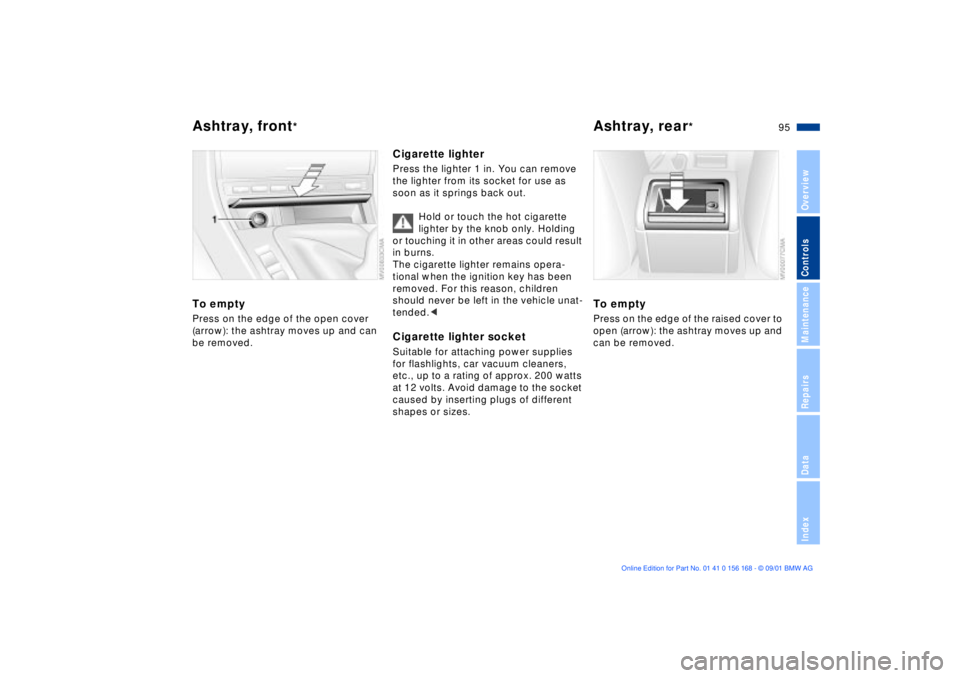
To emptyPress on the edge of the open cover
(arrow): the ashtray moves up and can
be removed.
Cigarette lighterPress the lighter 1 in. You can remove
the lighter from its socket for use as
soon as it springs back out.
Hold or touch the hot cigarette
lighter by the knob only. Holding
or touching it in other areas could result
in burns.
The cigarette lighter remains opera-
tional when the ignition key has been
removed. For this reason, children
should never be left in the vehicle unat-
tended.
etc., up to a rating of approx. 200 watts
at 12 volts. Avoid damage to the socket
caused by inserting plugs of different
shapes or sizes.
To emptyPress on the edge of the raised cover to
open (arrow): the ashtray moves up and
can be removed.
Page 147 of 155

Everything from A to Z
147n
OverviewControlsMaintenanceRepairsDataIndex
C
California Proposition
65 Warning120
Capacities143
Car care, refer to the "Caring
for your vehicle" manual
Car key28
Car phone94
refer also to the separate
"Owner's Manual"
Car wash systems, refer to
the "Caring for your
vehicle" manual
Care of upholstery materials,
refer to the "Caring for your
vehicle" manual
Cargo loading99
Cassette operation, refer to
the "Radio Owner's
Manual"
CBC (Cornering Brake
Control)18, 73
CD operation, refer to the
"Radio Owner's Manual"
Cellular phone94
refer also to the separate
"Owner's Manual"94 Center (high-mount) brake
lamp128
Center armrest92
Central locking system28
button32
Changing a wheel/tire129
Check Control68
Checking coolant level117
Checking engine oil
level115
Child-restraint systems52
Clean the headlamps63
Cleaning windshield63
Clock68
refer to the "Radio Owner's
Manual"
Cockpit14
Coin box93
Compartments92
Compression ratio140
Computer69
refer also to the "Onboard
Computer Owner's
Manual"69
Configuring individual
settings via Vehicle and
Key Memory55 Consumption70
display67
Convenience operation via
the door lock
sliding/tilt sunroof31
windows31
Coolant117
add117
capacity143
checking level117
Coolant temperature
gauge67
Cooling system including
heater circuit,
capacity143
Copyright4
Cornering Brake Control
(CBC)18, 73
Correct sitting posture41
Cover, sun blinds91
Cruise control64
Cruising range70
Cup holder, refer to
beverage holder93
Curb monitor47
Curb weight142
Current check indicator17
D
Data
dimensions141
engine140
weights142
Daytime driving lamps82
DBC (Dynamic Brake
Control)73, 74
Deep water105
Defrost windows and
remove
condensation87, 89
Defroster, rear
window86, 90
Digital clock68
Dimensions141
Dipstick, engine oil115
Displacement140
Display lighting83
Displays15
Distance warning71
Divided rear-seat
backrest96
Door key28