fuel BMW 320i 2004 User Guide
[x] Cancel search | Manufacturer: BMW, Model Year: 2004, Model line: 320i, Model: BMW 320i 2004Pages: 182, PDF Size: 2.76 MB
Page 37 of 182
37
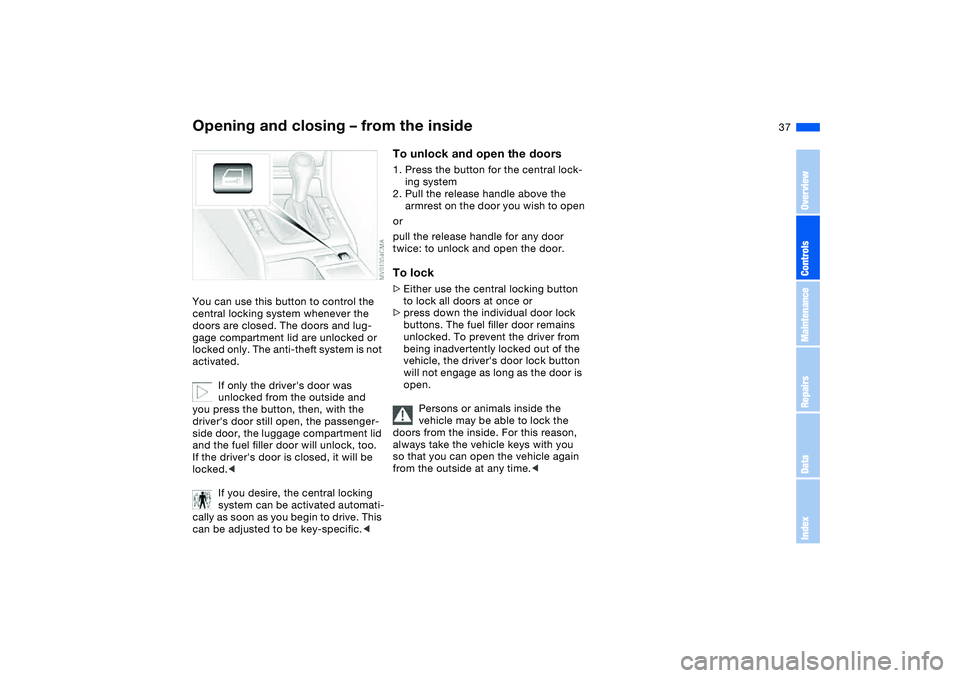
Opening and closing – from the insideYou can use this button to control the
central locking system whenever the
doors are closed. The doors and lug-
gage compartment lid are unlocked or
locked only. The anti-theft system is not
activated.
If only the driver's door was
unlocked from the outside and
you press the button, then, with the
driver's door still open, the passenger-
side door, the luggage compartment lid
and the fuel filler door will unlock, too.
If the driver's door is closed, it will be
locked.<
If you desire, the central locking
system can be activated automati-
cally as soon as you begin to drive. This
can be adjusted to be key-specific.<
To unlock and open the doors1. Press the button for the central lock-
ing system
2. Pull the release handle above the
armrest on the door you wish to open
or
pull the release handle for any door
twice: to unlock and open the door.To lock>Either use the central locking button
to lock all doors at once or
>press down the individual door lock
buttons. The fuel filler door remains
unlocked. To prevent the driver from
being inadvertently locked out of the
vehicle, the driver's door lock button
will not engage as long as the door is
open.
Persons or animals inside the
vehicle may be able to lock the
doors from the inside. For this reason,
always take the vehicle keys with you
so that you can open the vehicle again
from the outside at any time.<
OverviewControlsMaintenanceRepairsDataIndex
Page 64 of 182
64
Vehicle Memory, Key MemoryHow the system functionsNo doubt you have reflected at one
time or another on how great it would
be if you could permanently configure
your vehicle's various features and
adjustments to mirror your own individ-
ual preferences. In engineering your
vehicle, BMW has provided for a num-
ber of options for personal adjustment
that can be programmed into your vehi-
cle at your BMW center.
The available configuration data fall into
two categories, according to whether
their primary orientation is the vehicle –
Vehicle Memory – or the individual –
Key Memory. Provided that each per-
son has a separate remote-control key,
you can have your BMW center enter
basic adjustment data for up to four
individuals in the system.
The system then relies on a bilateral
data exchange to identify the individual
user and executes the selected settings
whenever the remote control unit is
used to disengage the door locks.
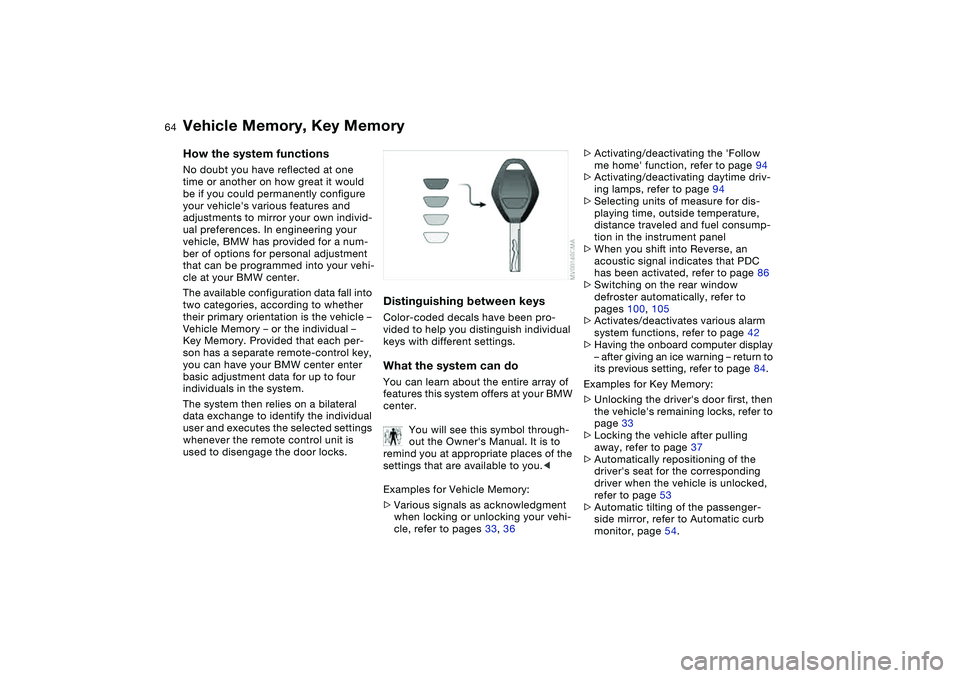
Distinguishing between keysColor-coded decals have been pro-
vided to help you distinguish individual
keys with different settings.What the system can doYou can learn about the entire array of
features this system offers at your BMW
center.
You will see this symbol through-
out the Owner's Manual. It is to
remind you at appropriate places of the
settings that are available to you.<
Examples for Vehicle Memory:
>Various signals as acknowledgment
when locking or unlocking your vehi-
cle, refer to pages 33, 36
>Activating/deactivating the 'Follow
me home' function, refer to page 94
>Activating/deactivating daytime driv-
ing lamps, refer to page 94
>Selecting units of measure for dis-
playing time, outside temperature,
distance traveled and fuel consump-
tion in the instrument panel
>When you shift into Reverse, an
acoustic signal indicates that PDC
has been activated, refer to page 86
>Switching on the rear window
defroster automatically, refer to
pages 100, 105
>Activates/deactivates various alarm
system functions, refer to page 42
>Having the onboard computer display
– after giving an ice warning – return to
its previous setting, refer to page 84.
Examples for Key Memory:
>Unlocking the driver's door first, then
the vehicle's remaining locks, refer to
page 33
>Locking the vehicle after pulling
away, refer to page 37
>Automatically repositioning of the
driver's seat for the corresponding
driver when the vehicle is unlocked,
refer to page 53
>Automatic tilting of the passenger-
side mirror, refer to Automatic curb
monitor, page 54.
Page 73 of 182
73
Automatic transmission with Steptronic*You can drive as with a normal auto-
matic transmission. In addition, you can
also shift manually.
When you move the selector lever from
the D position to the left into the M/S
range, the performance-oriented shift
programs of the automatic transmission
are engaged. Steptronic enters the
manual selection mode and executes
the desired shift whenever you tap the
selector lever in the direction indicated
by + or –. Whenever you want to use
automatic again, just move the selector
lever toward the right to position D.
Under normal operating conditions, fuel
consumption is lowest when driving in
position D.Selector lever positions P R N D M/S + –Starting the engineThe engine can only be started in selec-
tor lever positions P – for Park – or N –
for Neutral.
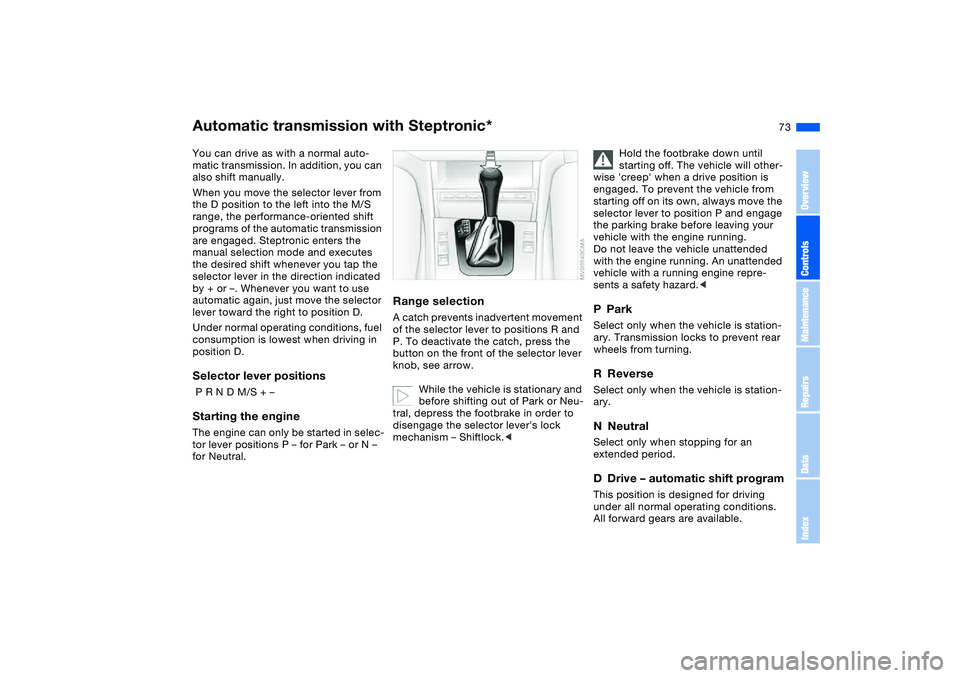
Range selectionA catch prevents inadvertent movement
of the selector lever to positions R and
P. To deactivate the catch, press the
button on the front of the selector lever
knob, see arrow.
While the vehicle is stationary and
before shifting out of Park or Neu-
tral, depress the footbrake in order to
disengage the selector lever's lock
mechanism – Shiftlock.<
Hold the footbrake down until
starting off. The vehicle will other-
wise 'creep' when a drive position is
engaged. To prevent the vehicle from
starting off on its own, always move the
selector lever to position P and engage
the parking brake before leaving your
vehicle with the engine running.
Do not leave the vehicle unattended
with the engine running. An unattended
vehicle with a running engine repre-
sents a safety hazard.<
PParkSelect only when the vehicle is station-
ary. Transmission locks to prevent rear
wheels from turning.RReverseSelect only when the vehicle is station-
ary.NNeutralSelect only when stopping for an
extended period.DDrive – automatic shift programThis position is designed for driving
under all normal operating conditions.
All forward gears are available.
OverviewControlsMaintenanceRepairsDataIndex
Page 80 of 182
80Everything under control
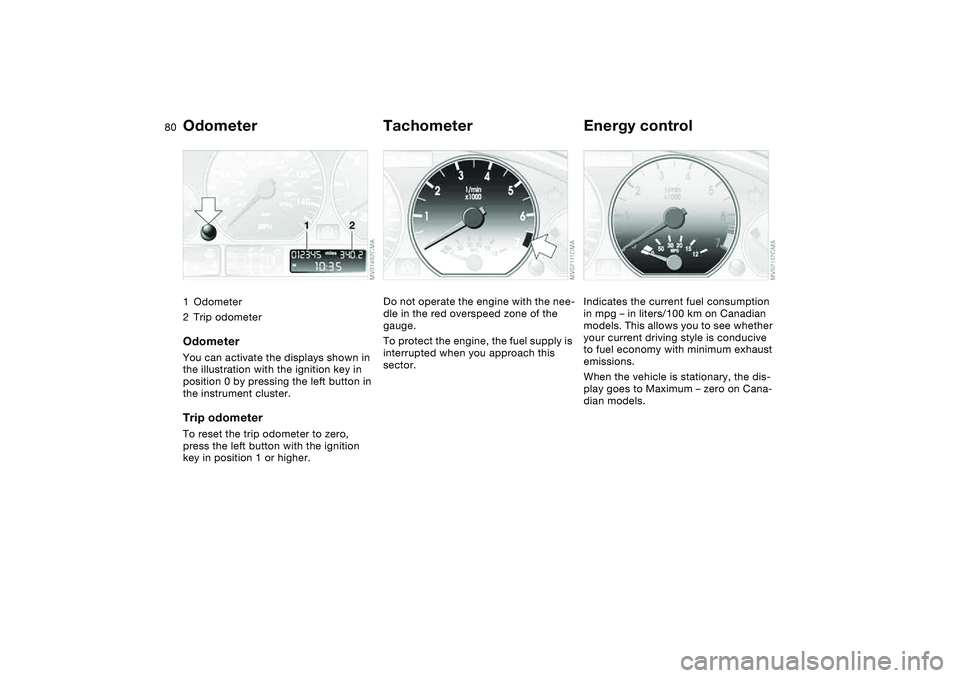
Odometer1Odometer
2Trip odometerOdometerYou can activate the displays shown in
the illustration with the ignition key in
position 0 by pressing the left button in
the instrument cluster.Trip odometerTo reset the trip odometer to zero,
press the left button with the ignition
key in position 1 or higher.
TachometerDo not operate the engine with the nee-
dle in the red overspeed zone of the
gauge.
To protect the engine, the fuel supply is
interrupted when you approach this
sector.
Energy controlIndicates the current fuel consumption
in mpg – in liters/100 km on Canadian
models. This allows you to see whether
your current driving style is conducive
to fuel economy with minimum exhaust
emissions.
When the vehicle is stationary, the dis-
play goes to Maximum – zero on Cana-
dian models.
Page 81 of 182
81
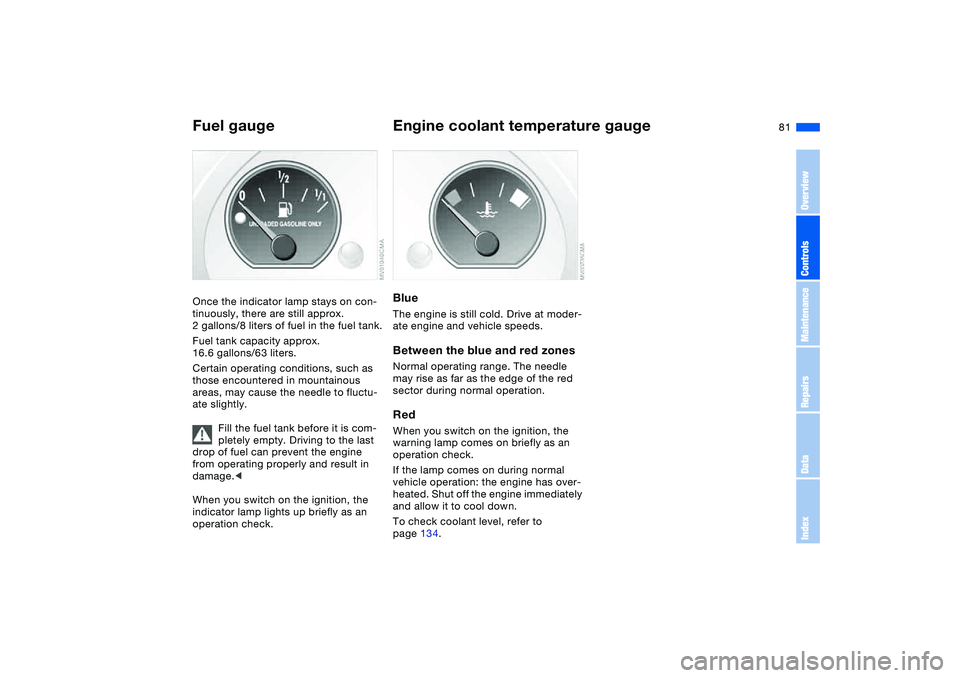
Fuel gaugeOnce the indicator lamp stays on con-
tinuously, there are still approx.
2 gallons/8 liters of fuel in the fuel tank.
Fuel tank capacity approx.
16.6 gallons/63 liters.
Certain operating conditions, such as
those encountered in mountainous
areas, may cause the needle to fluctu-
ate slightly.
Fill the fuel tank before it is com-
pletely empty. Driving to the last
drop of fuel can prevent the engine
from operating properly and result in
damage.<
When you switch on the ignition, the
indicator lamp lights up briefly as an
operation check.
Engine coolant temperature gaugeBlueThe engine is still cold. Drive at moder-
ate engine and vehicle speeds.Between the blue and red zonesNormal operating range. The needle
may rise as far as the edge of the red
sector during normal operation.RedWhen you switch on the ignition, the
warning lamp comes on briefly as an
operation check.
If the lamp comes on during normal
vehicle operation: the engine has over-
heated. Shut off the engine immediately
and allow it to cool down.
To check coolant level, refer to
page 134.
OverviewControlsMaintenanceRepairsDataIndex
Page 84 of 182
84
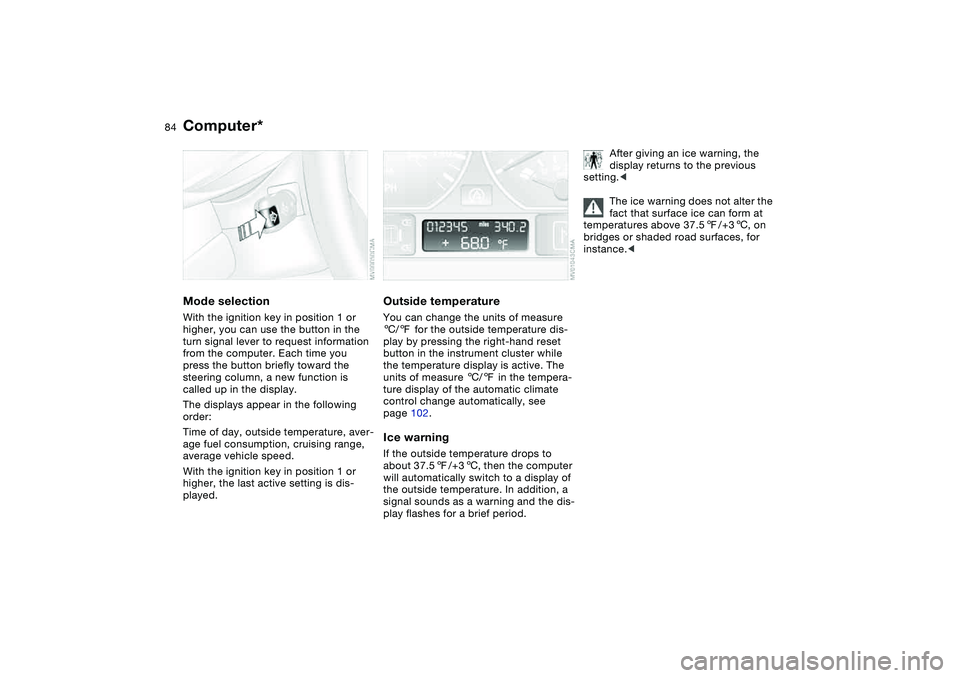
Computer*Mode selectionWith the ignition key in position 1 or
higher, you can use the button in the
turn signal lever to request information
from the computer. Each time you
press the button briefly toward the
steering column, a new function is
called up in the display.
The displays appear in the following
order:
Time of day, outside temperature, aver-
age fuel consumption, cruising range,
average vehicle speed.
With the ignition key in position 1 or
higher, the last active setting is dis-
played.
Outside temperatureYou can change the units of measure
6/7 for the outside temperature dis-
play by pressing the right-hand reset
button in the instrument cluster while
the temperature display is active. The
units of measure 6/7 in the tempera-
ture display of the automatic climate
control change automatically, see
page 102.Ice warningIf the outside temperature drops to
about 37.57/+36, then the computer
will automatically switch to a display of
the outside temperature. In addition, a
signal sounds as a warning and the dis-
play flashes for a brief period.
After giving an ice warning, the
display returns to the previous
setting.<
The ice warning does not alter the
fact that surface ice can form at
temperatures above 37.57/+36, on
bridges or shaded road surfaces, for
instance.<
Page 85 of 182
85
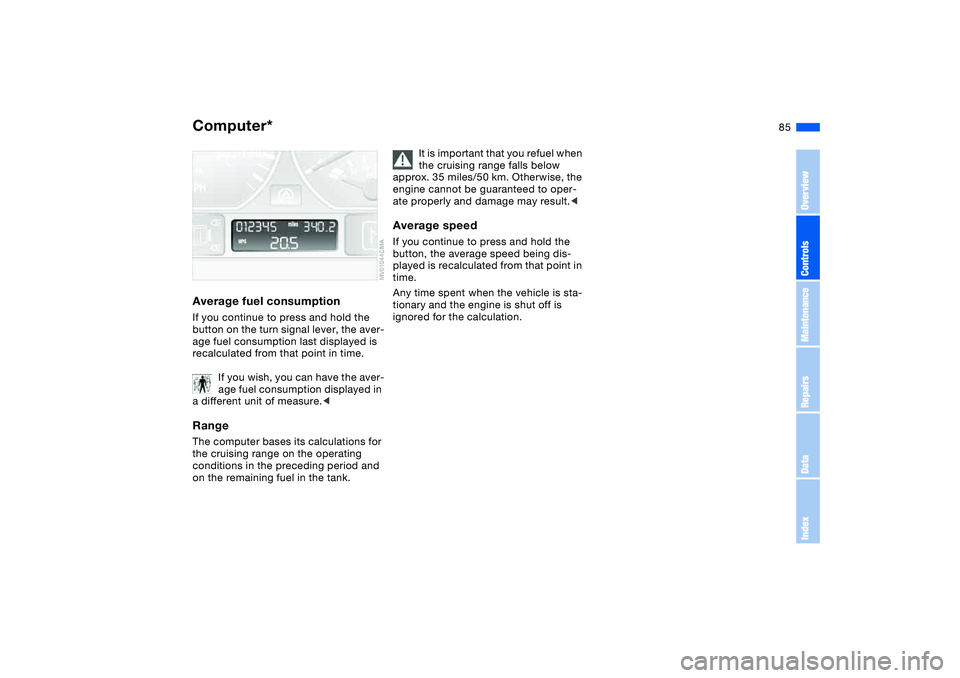
Average fuel consumptionIf you continue to press and hold the
button on the turn signal lever, the aver-
age fuel consumption last displayed is
recalculated from that point in time.
If you wish, you can have the aver-
age fuel consumption displayed in
a different unit of measure.
conditions in the preceding period and
on the remaining fuel in the tank.
It is important that you refuel when
the cruising range falls below
approx. 35 miles/50 km. Otherwise, the
engine cannot be guaranteed to oper-
ate properly and damage may result.<
Average speedIf you continue to press and hold the
button, the average speed being dis-
played is recalculated from that point in
time.
Any time spent when the vehicle is sta-
tionary and the engine is shut off is
ignored for the calculation.
Computer*
OverviewControlsMaintenanceRepairsDataIndex
Page 117 of 182

117
Roof-mounted luggage rack*A special roof-rack system is available
as an optional extra for your BMW.
Please observe the precautions
included with the installation instruc-
tions.AnchoragesAccess to the anchorages:
To fold up the covers, please use the
tool provided with the roof-rack system.Loading and driving notesRoof-mounted luggage racks raise the
center of gravity of the vehicle when
they are loaded. For this reason, they
exercise a major effect on the vehicle's
handling and steering response.
You should therefore always remember
not to exceed the approved roof load
capacity, the approved gross vehicle
weight or the axle loads when loading
the rack. These weights are listed under
Technical data on page 162.
Make sure that the load is not too
heavy, and attempt to distribute it
evenly. Always load the heaviest pieces
first so that they are at the bottom. Be
sure that adequate clearance is main-
tained for raising the glass sunroof, and
that objects do not project into the
opening path of the luggage compart-
ment lid.
Secure the roof-mounted luggage cor-
rectly and securely to prevent it from
shifting or being lost during driving.
Drive smoothly and avoid sudden
acceleration and braking. Do not corner
at high speeds.
The roof-mounted luggage rack and the
roof load increase the aerodynamic
resistance: increased fuel consumption
and additional stress on the vehicle's
body are the result.
OverviewControlsMaintenanceRepairsDataIndex
Page 127 of 182
127
Wheel and tire combinationsThe right choice
BMW recommends using only
wheels and tires that have been
approved by BMW for use on your par-
ticular model. Although other wheels
and tires may theoretically have the
same dimensions, variations in factors
such as manufacturing tolerances can
result in contact between tire and body-
work, ultimately leading to serious acci-
dents. BMW cannot evaluate all tires
and wheels on the market, and is thus
unable to guarantee that the vehicle will
continue to perform safely if unap-
proved tires and/or wheels are
mounted.<
For each tire size, BMW has assessed
the safe performance of specific tire
brands and approved them for use.
Consult any BMW center for details.
Comply with any local/national regula-
tions, for example by recording the tire
type in the vehicle documents.
The correct wheel and tire combi-
nation affects various systems
that would otherwise be impaired, for
example ABS, DSC and ADB-X/DBC.
For this reason, use only tires of the
same manufacture and tread configura-
tion. In the event of a flat tire, for exam-
ple, remount the approved wheel and
tire combination as soon as possible.<
StorageAlways store tires in a cool, dry place.
Store them away from light whenever
possible. Protect the tires against con-
tact with oil, grease and fuel.
Do not exceed the maximum tire infla-
tion pressures specified on the tire
sidewall.
Winter tiresChoosing the right tireBMW recommends the use of winter
tires for operation under winter road
conditions. While all-season tires – with
M+S designation – provide better winter
traction than the corresponding sum-
mer tires, they generally do not achieve
the performance of winter tires.
In the interest of safe tracking and
steering response, install winter tires
made by the same manufacturer and
having the same tread configuration on
all four wheels.
Never exceed the maximum
speed for which the winter tires
are rated.
Unprofessional attempts by laymen to
service tires can lead to damage and
accidents.
Have this work performed by trained
professionals only. Any BMW center
has the required technical knowledge
and the proper equipment and will be
happy to assist you.
tires. These are indicated by a circular
symbol containing the letters RSC on
OverviewControlsMaintenanceRepairsDataIndex
Page 132 of 182
132
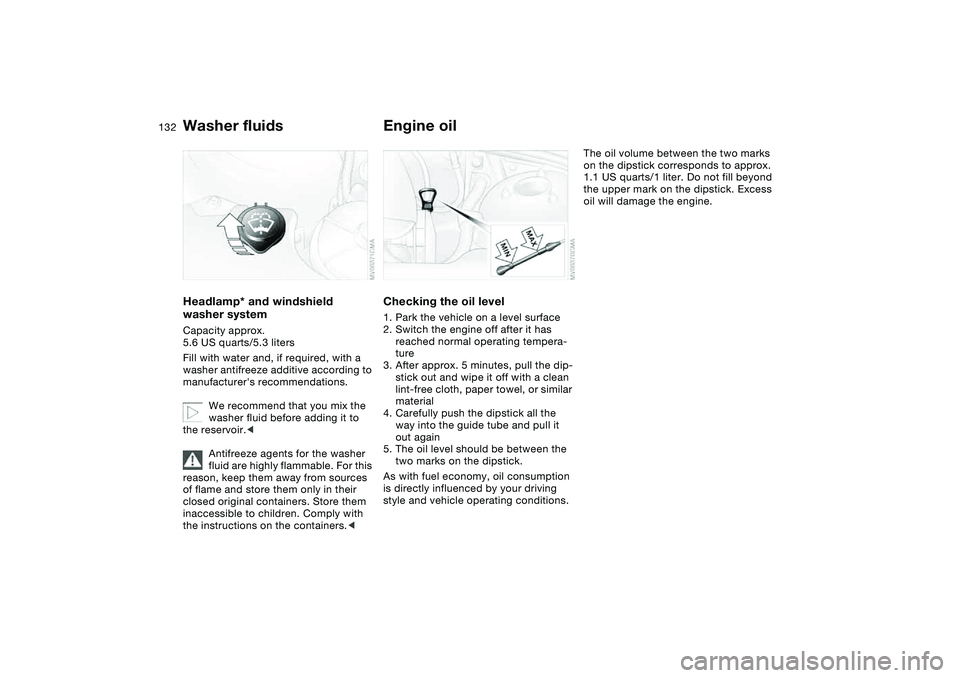
Washer fluidsHeadlamp* and windshield
washer systemCapacity approx.
5.6 US quarts/5.3 liters
Fill with water and, if required, with a
washer antifreeze additive according to
manufacturer's recommendations.
We recommend that you mix the
washer fluid before adding it to
the reservoir.<
Antifreeze agents for the washer
fluid are highly flammable. For this
reason, keep them away from sources
of flame and store them only in their
closed original containers. Store them
inaccessible to children. Comply with
the instructions on the containers.<
Engine oilChecking the oil level1. Park the vehicle on a level surface
2. Switch the engine off after it has
reached normal operating tempera-
ture
3. After approx. 5 minutes, pull the dip-
stick out and wipe it off with a clean
lint-free cloth, paper towel, or similar
material
4. Carefully push the dipstick all the
way into the guide tube and pull it
out again
5. The oil level should be between the
two marks on the dipstick.
As with fuel economy, oil consumption
is directly influenced by your driving
style and vehicle operating conditions.
The oil volume between the two marks
on the dipstick corresponds to approx.
1.1 US quarts/1 liter. Do not fill beyond
the upper mark on the dipstick. Excess
oil will damage the engine.