Time BMW 323I 2011 E90 Manual Online
[x] Cancel search | Manufacturer: BMW, Model Year: 2011, Model line: 323I, Model: BMW 323I 2011 E90Pages: 286, PDF Size: 8.25 MB
Page 230 of 286
Under the hood
228
Possible displays
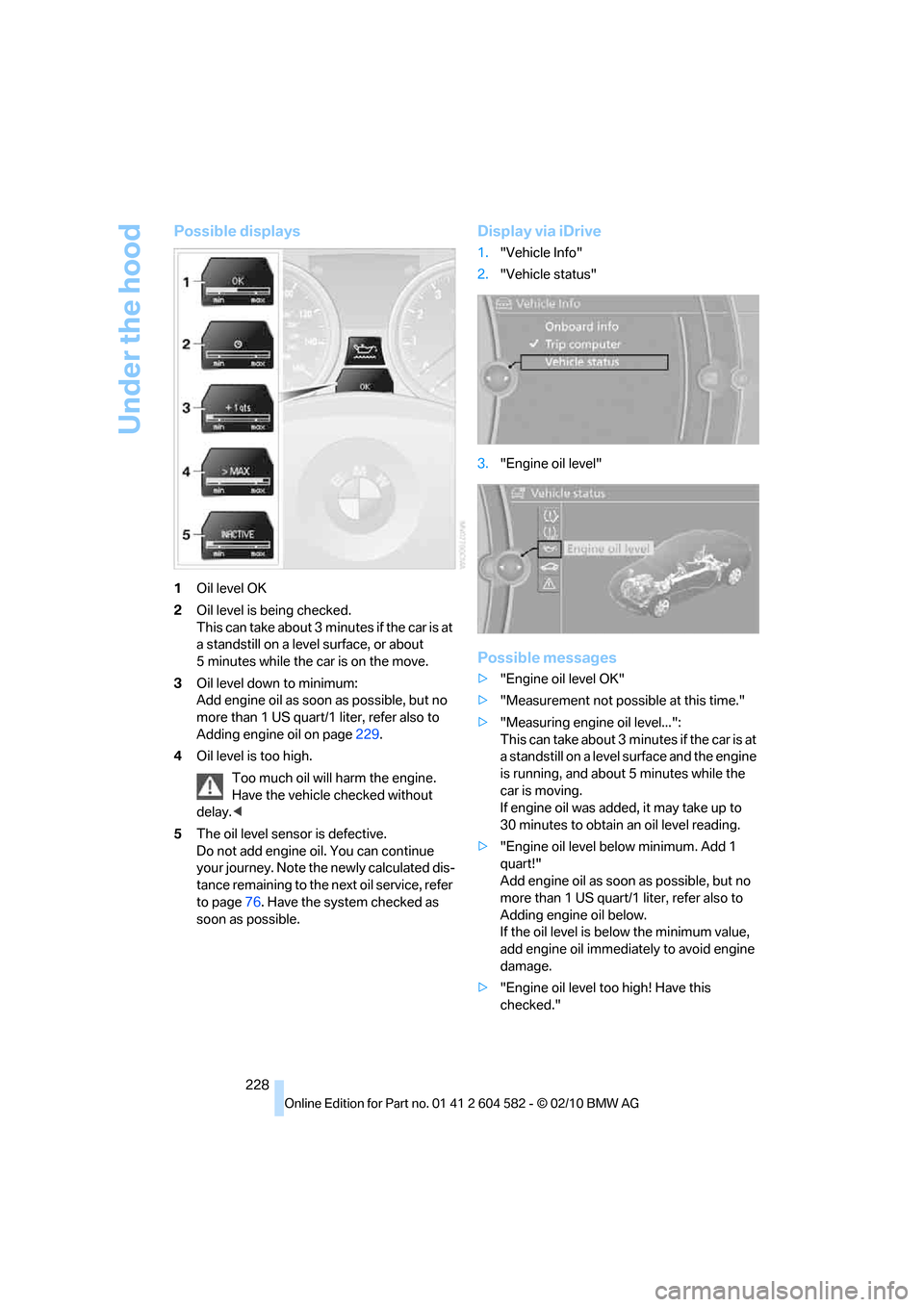
1Oil level OK
2Oil level is being checked.
This can take about 3 minutes if the car is at
a standstill on a level surface, or about
5 minutes while the car is on the move.
3Oil level down to minimum:
Add engine oil as soon as possible, but no
more than 1 US quart/1 liter, refer also to
Adding engine oil on page229.
4Oil level is too high.
Too much oil will harm the engine.
Have the vehicle checked without
delay.<
5The oil level sensor is defective.
Do not add engine oil. You can continue
your journey. Note the newly calculated dis-
tance remaining to the next oil service, refer
to page76. Have the system checked as
soon as possible.
Display via iDrive
1."Vehicle Info"
2."Vehicle status"
3."Engine oil level"
Possible messages
>"Engine oil level OK"
>"Measurement not possible at this time."
>"Measuring engine oil level...":
This can take about 3 minutes if the car is at
a standstill on a level surface and the engine
is running, and about 5 minutes while the
car is moving.
If engine oil was added, it may take up to
30 minutes to obtain an oil level reading.
>"Engine oil level below minimum. Add 1
quart!"
Add engine oil as soon as possible, but no
more than 1 US quart/1 liter, refer also to
Adding engine oil below.
If the oil level is below the minimum value,
add engine oil immediately to avoid engine
damage.
>"Engine oil level too high! Have this
checked."
Page 233 of 286
Mobility
231Reference
At a glance
Controls
Driving tips
Communications
Navigation
Entertainment
Maintenance
BMW Maintenance System
The BMW Maintenance System supports the
preservation of the traffic and operating safety
of your BMW. The objective is to optimize
efforts with respect to minimal vehicle mainte-
nance costs.
If and when you come to sell your BMW, a com-
prehensive record of servicing will prove a sig-
nificant benefit.
Condition Based Service CBS
Sensors and special algorithms take the differ-
ent driving conditions of your BMW into
account. Condition Based Service uses this to
determine the current and future service
requirements. By letting you define a service
and maintenance regimen that reflects your
own individual requirements, the system builds
the basis for trouble-free driving.
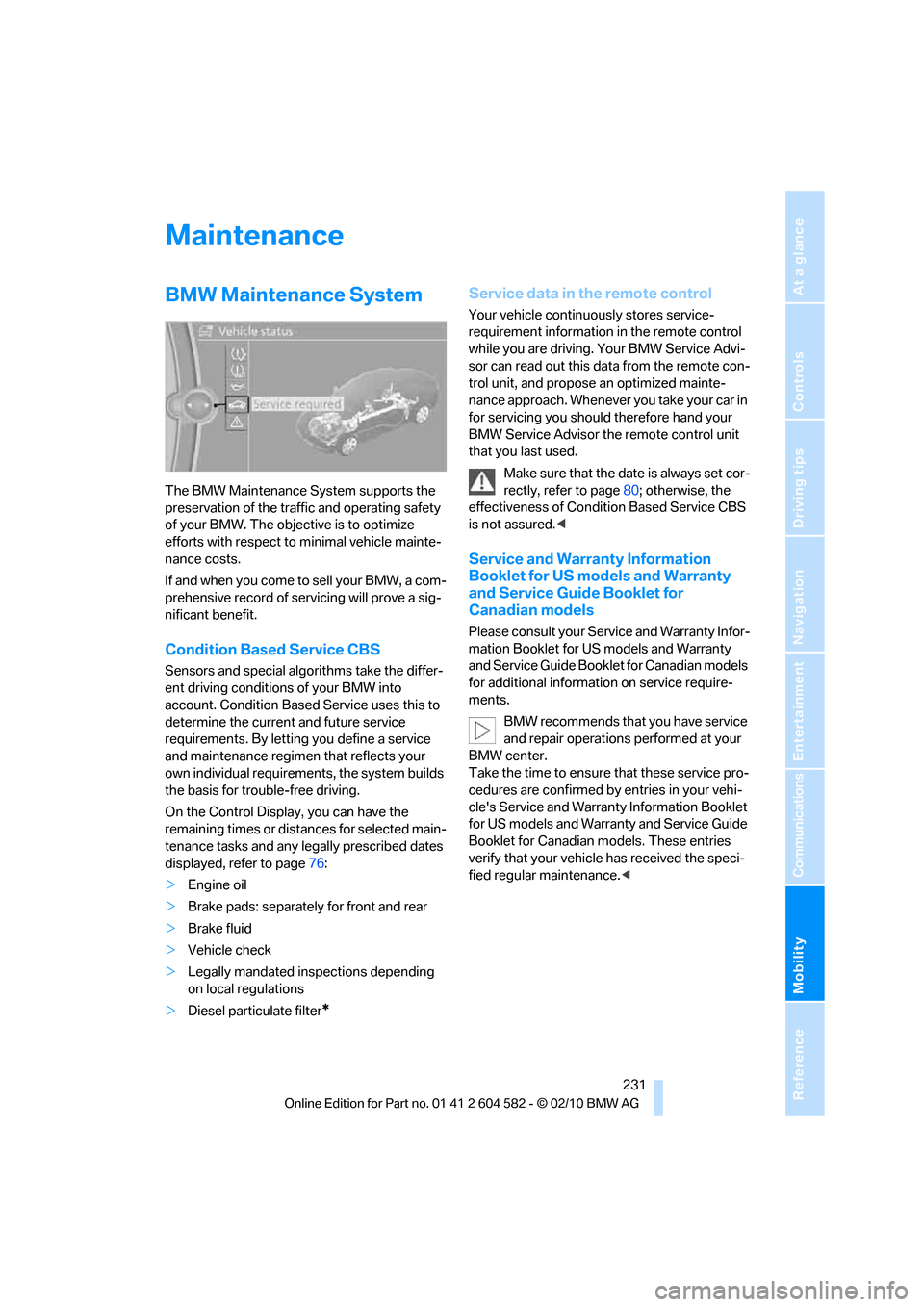
On the Control Display, you can have the
remaining times or distances for selected main-
tenance tasks and any legally prescribed dates
displayed, refer to page76:
>Engine oil
>Brake pads: separately for front and rear
>Brake fluid
>Vehicle check
>Legally mandated inspections depending
on local regulations
>Diesel particulate filter
*
Service data in the remote control
Your vehicle continuously stores service-
requirement information in the remote control
while you are driving. Your BMW Service Advi-
sor can read out this data from the remote con-
trol unit, and propose an optimized mainte-
nance approach. Whenever you take your car in
for servicing you should therefore hand your
BMW Service Advisor the remote control unit
that you last used.
Make sure that the date is always set cor-
rectly, refer to page80; otherwise, the
effectiveness of Condition Based Service CBS
is not assured.<
Service and Warranty Information
Booklet for US models and Warranty
and Service Guide Booklet for
Canadian models
Please consult your Service and Warranty Infor-
mation Booklet for US models and Warranty
and Service Guide Booklet for Canadian models
for additional information on service require-
ments.
BMW recommends that you have service
and repair operations performed at your
BMW center.
Take the time to ensure that these service pro-
cedures are confirmed by entries in your vehi-
cle's Service and Warranty Information Booklet
for US models and Warranty and Service Guide
Booklet for Canadian models. These entries
verify that your vehicle has received the speci-
fied regular maintenance.<
Page 240 of 286
Replacing components
238
Lamps and bulbs
Lamps and bulbs make an essential contribu-
tion to vehicle safety. They should, therefore,
be handled carefully. BMW recommends hav-
ing your BMW center perform any work that you
do not feel competent to perform yourself or
that is not described here.
Never touch the glass of new bulbs with
your bare fingers, as even minute
amounts of contamination will burn into the
bulb's surface and reduce its service life. Use a
clean tissue, cloth or something similar, or hold
the bulb by its base.<
You can obtain a selection of replacement bulbs
at your BMW center.
Only change bulbs while they are cool to
the touch; otherwise, you could suffer
burns.<
When working on electrical systems,
always begin by switching off the con-
sumer in question; otherwise, short-circuits
could result. To avoid possible injury or equip-
ment damage when replacing bulbs, observe
any instructions provided by the bulb manufac-
turer.<
For care of the headlamps, please follow the
instructions in the chapter entitled 'Care'.
If the routine for changing a particular
bulb is not described here, please contact
your BMW center or a workshop that works
according to BMW repair procedures with cor-
respondingly trained personnel.<
Light-emitting diodes LED
Light-emitting diodes installed behind translu-
cent lenses serve as the light source for many of
the controls, displays, and equipment in your
vehicle. These light-emitting diodes, which
operate using a concept similar to that applied
in conventional lasers, are officially designated
as Class 1 light-emitting diodes.
Do not remove the covers or expose the
eyes directly to the unfiltered light source
for several hours; otherwise, this could cause
irritation of the retina.<
Headlight lenses
In cool or humid weather, condensation may
form on the interior of outside lamps. When the
light is switched on, the condensation will dis-
appear after a short time. The headlight lenses
do not need to be replaced.
At high humidities, e.g. water droplets may form
in the lights; have these checked by your BMW
center.,
Xenon lamps*
These bulbs have a very long service life and are
highly unlikely to fail. If a xenon lamp fails never-
theless, switch on the fog lamps and continue
the journey with great care, provided that local
legislation does not prohibit this.
Have any work on the xenon lamp system,
including bulb replacements, performed
only by a BMW center or a workshop that works
according to BMW repair procedures with cor-
respondingly trained personnel. Otherwise, if
such work is carried out improperly, the high
voltage in the system presents the danger of
fatal injuries.<
Replacing parking lamps, roadside
parking lamps, and daytime running
lights
H8 bulb, 35 watts
1.Switch off the lamps and take the remote
control out of the ignition lock.
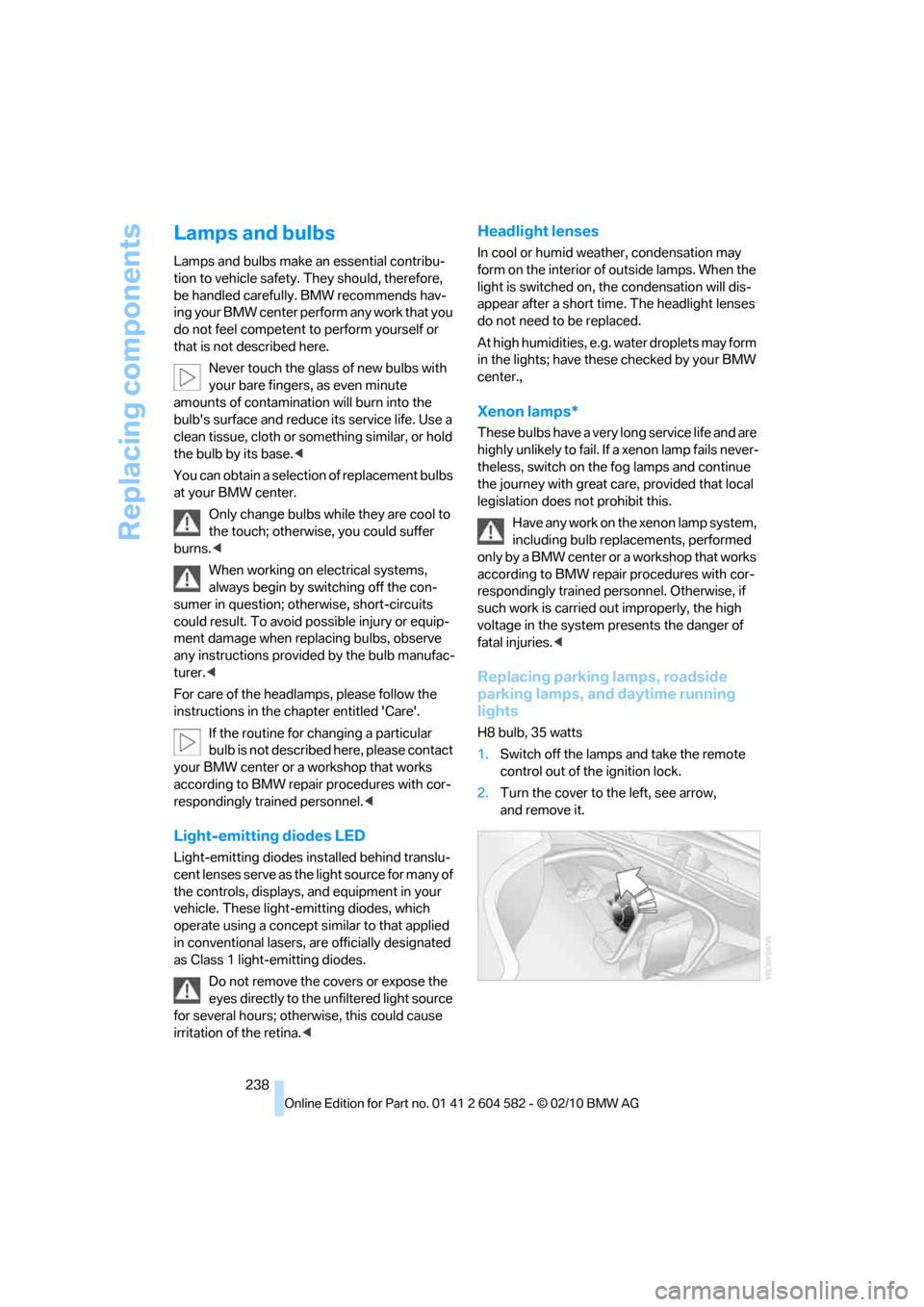
2.Turn the cover to the left, see arrow,
and remove it.
Page 247 of 286
Mobility
245Reference
At a glance
Controls
Driving tips
Communications
Navigation
Entertainment
Power failure
After a temporary power loss, the functioning of
some equipment may be limited and require
reinitialization. Individual settings may likewise
have been lost and will have to be programmed:
>Time and date
These values must be updated, refer to
page79.
>Radio
In some cases, stations may have to be
stored again, refer to page154.
>Navigation system
Operability must be waited for, refer to
page130.
>Glass roof
It may happen that the roof can only be
raised. The system must be initialized.
Please contact your BMW center.
>Panorama glass roof
It may happen that the roof can only be
raised. The system must be initialized.
Please contact your BMW center.
>Seat and mirror memory
The positions must be stored again, refer to
page46.
>Inside rearview mirror with digital compass
The system must be calibrated, refer to
page110.
>Active steering
The system automatically initializes itself
briefly during a trip. The system is deacti-
vated during this time, refer to page92.
>xDrive
The system automatically initializes itself
during a trip. Indicator lamps light up during
this time. If the lamps do not go out during
the current trip, have the system checked.
Fuses
Never attempt to repair a blown fuse and
do not replace a defective fuse with a sub-
stitute of another color or amperage rating; oth-
erwise, this could lead to a circuit overload, ulti-
mately resulting in a fire in the vehicle.<
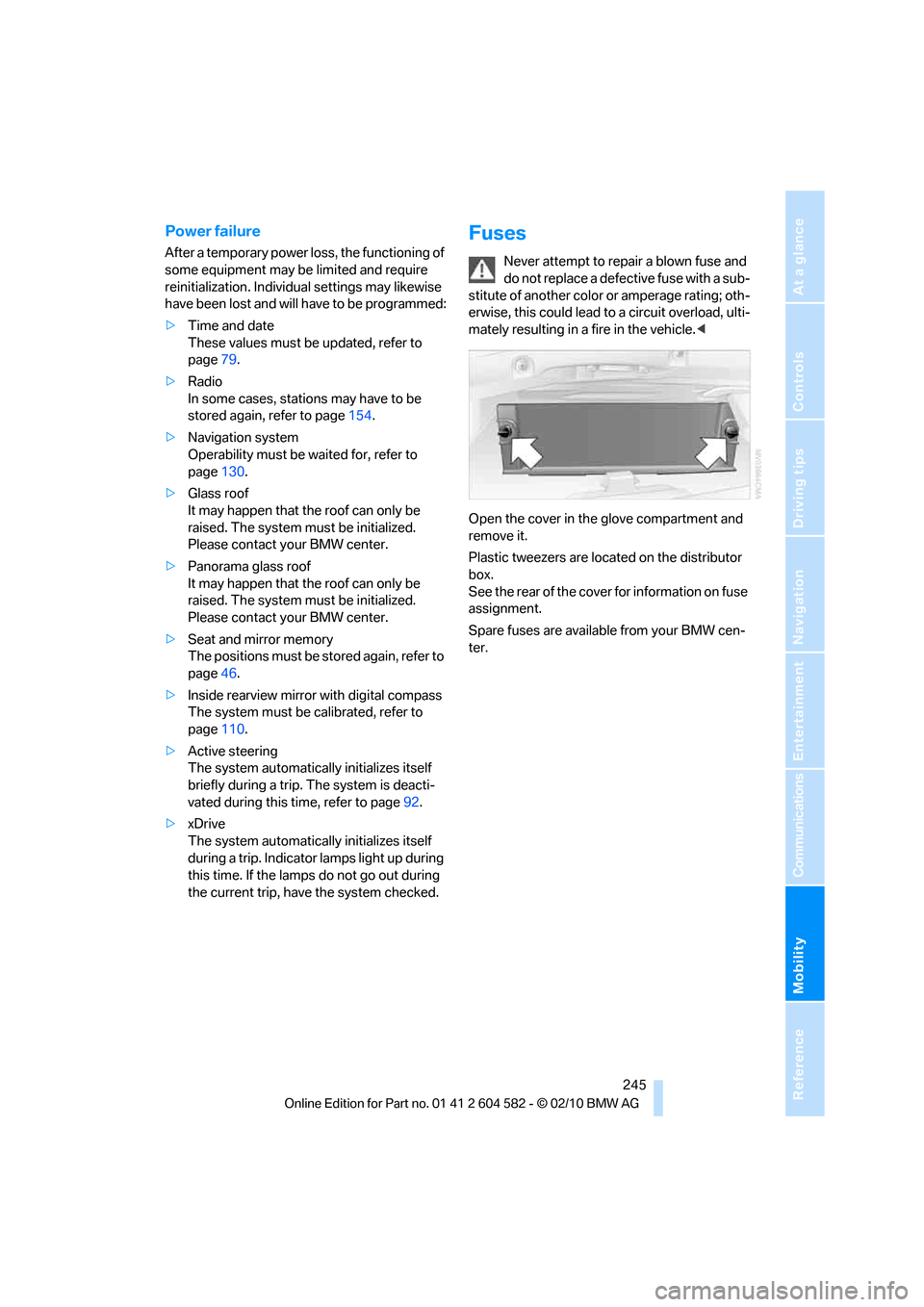
Open the cover in the glove compartment and
remove it.
Plastic tweezers are located on the distributor
box.
See the rear of the cover for information on fuse
assignment.
Spare fuses are available from your BMW cen-
ter.
Page 249 of 286
Mobility
247Reference
At a glance
Controls
Driving tips
Communications
Navigation
Entertainment
First aid pouch*
Some of the articles contained in the first aid
pouch have a limited service life. Therefore,
check the expiration dates of the contents reg-
ularly and replace any items in good time, if nec-
essary.
Sedan
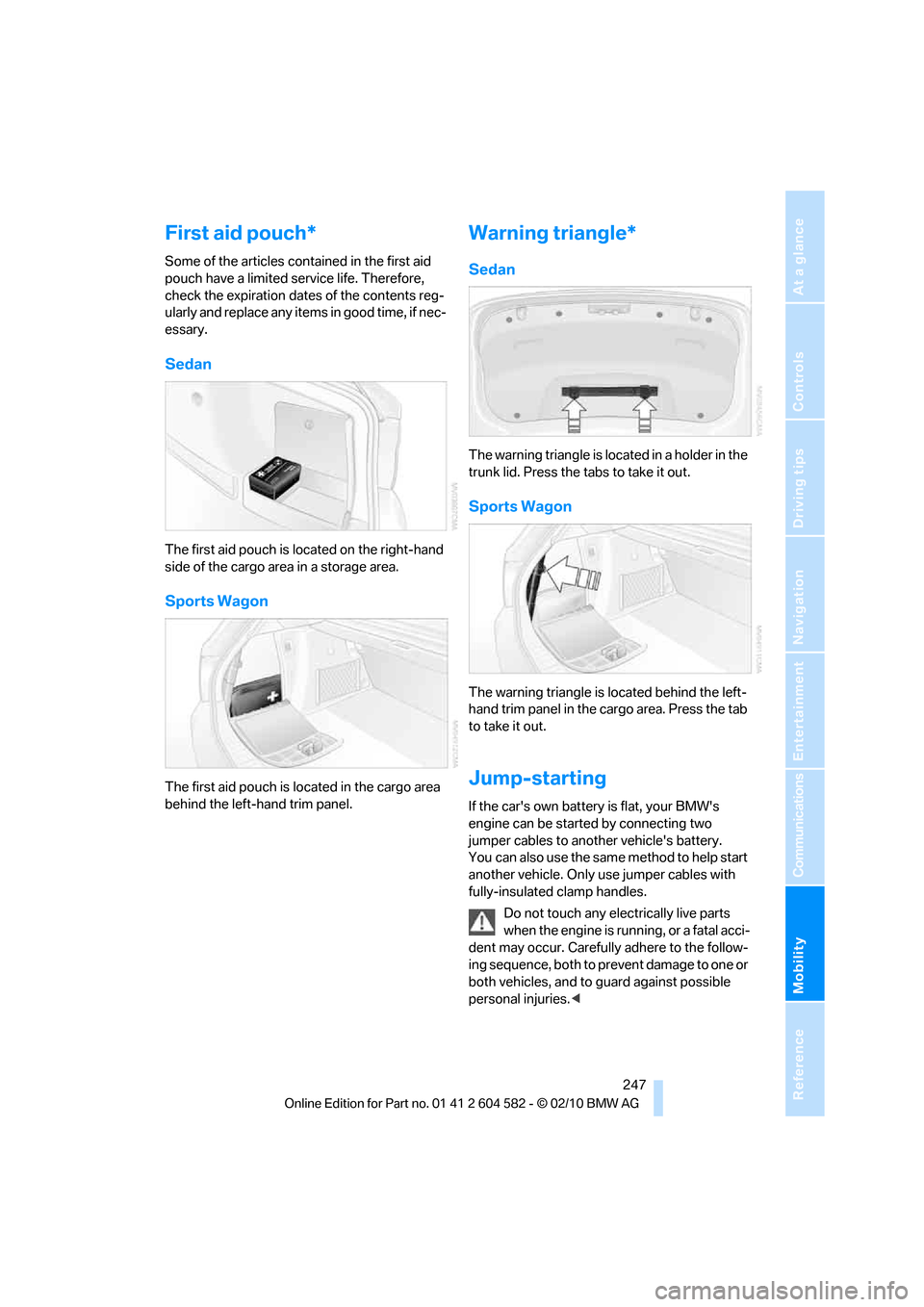
The first aid pouch is located on the right-hand
side of the cargo area in a storage area.
Sports Wagon
The first aid pouch is located in the cargo area
behind the left-hand trim panel.
Warning triangle*
Sedan
The warning triangle is located in a holder in the
trunk lid. Press the tabs to take it out.
Sports Wagon
The warning triangle is located behind the left-
hand trim panel in the cargo area. Press the tab
to take it out.
Jump-starting
If the car's own battery is flat, your BMW's
engine can be started by connecting two
jumper cables to another vehicle's battery.
You can also use the same method to help start
another vehicle. Only use jumper cables with
fully-insulated clamp handles.
Do not touch any electrically live parts
when the engine is running, or a fatal acci-
dent may occur. Carefully adhere to the follow-
ing sequence, both to prevent damage to one or
both vehicles, and to guard against possible
personal injuries.<
Page 261 of 286
Reference 259
At a glance
Controls
Driving tips
Communications
Navigation
Entertainment
Mobility
Short commands for the voice activation
system
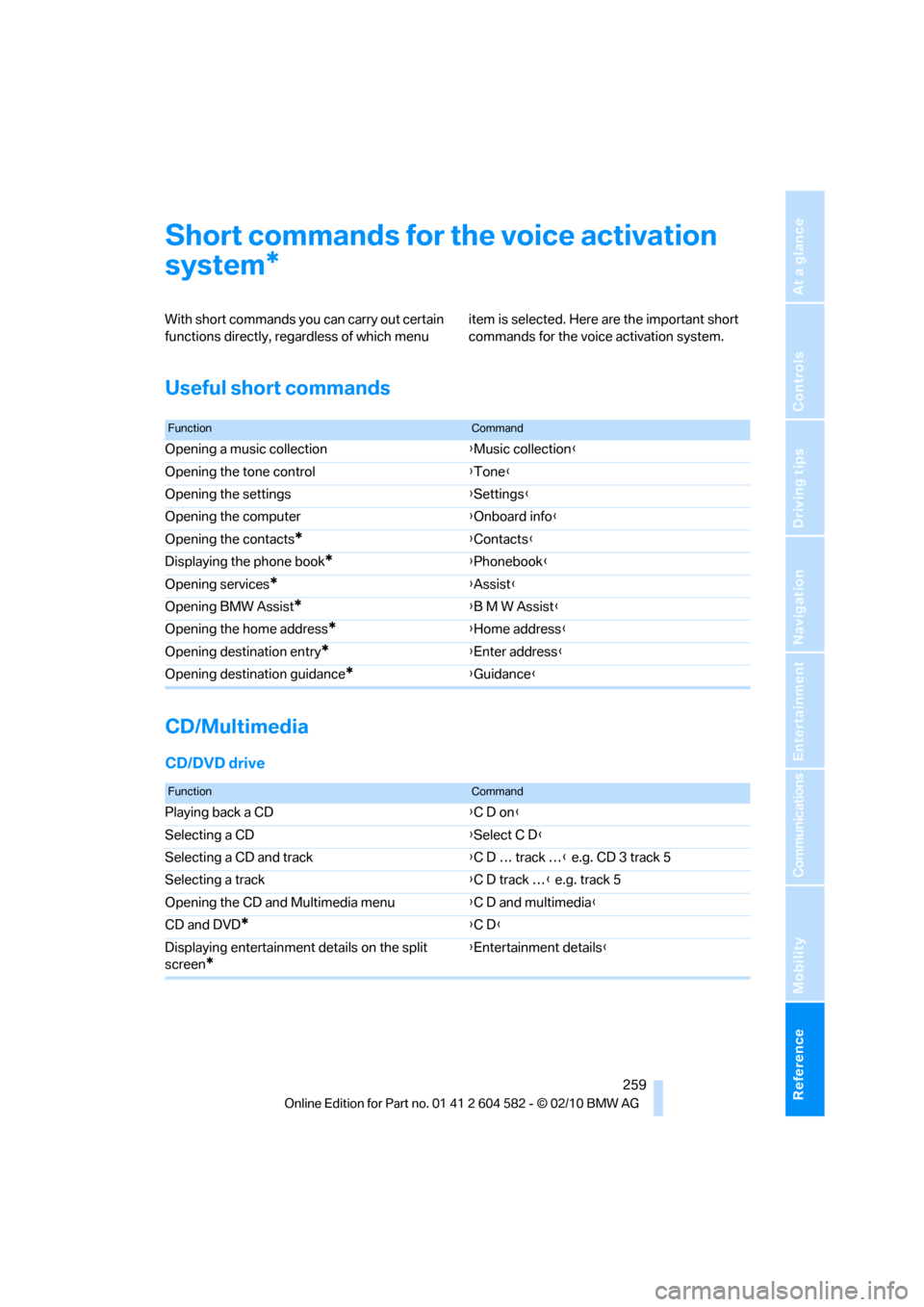
With short commands you can carry out certain
functions directly, regardless of which menu item is selected. Here are the important short
commands for the voice activation system.
Useful short commands
CD/Multimedia
CD/DVD drive
*
FunctionCommand
Opening a music collection{Music collection}
Opening the tone control{Tone}
Opening the settings{Settings}
Opening the computer{Onboard info}
Opening the contacts
*{Contacts}
Displaying the phone book
*{Phonebook}
Opening services
*{Assist}
Opening BMW Assist
*{B M W Assist}
Opening the home address
*{Home address}
Opening destination entry
*{Enter address}
Opening destination guidance
*{Guidance}
FunctionCommand
Playing back a CD{C D on}
Selecting a CD{Select C D}
Selecting a CD and track{C D … track …} e.g. CD 3 track 5
Selecting a track{C D track …} e.g. track 5
Opening the CD and Multimedia menu{C D and multimedia}
CD and DVD
*{C D}
Displaying entertainment details on the split
screen
*
{Entertainment details}
Page 266 of 286
Short commands for the voice activation system
264
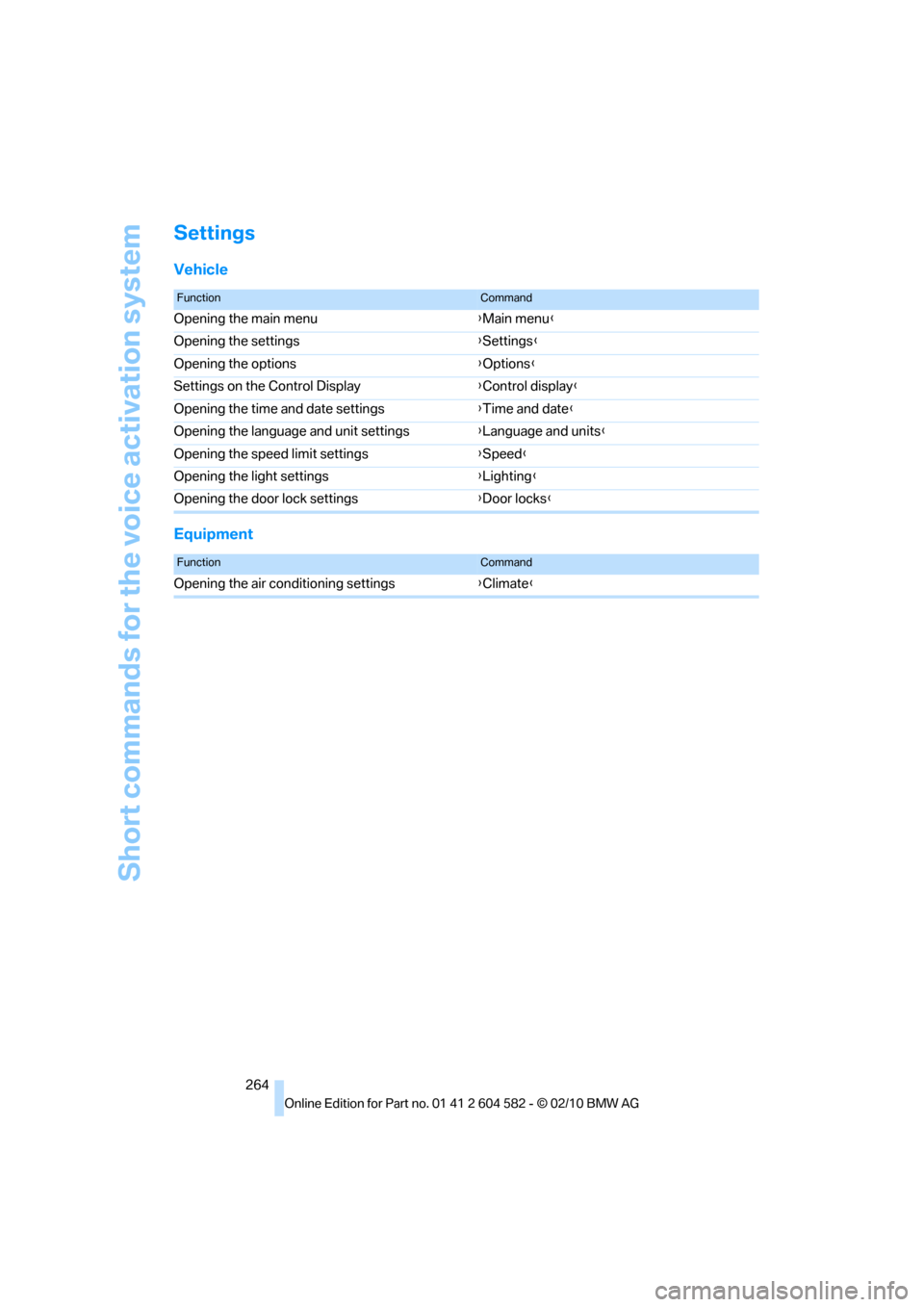
Settings
Vehicle
Equipment
FunctionCommand
Opening the main menu{Main menu}
Opening the settings{Settings}
Opening the options{Options}
Settings on the Control Display{Control display}
Opening the time and date settings{Time and date}
Opening the language and unit settings{Language and units}
Opening the speed limit settings{Speed}
Opening the light settings{Lighting}
Opening the door lock settings{Door locks}
FunctionCommand
Opening the air conditioning settings{Climate}
Page 268 of 286
Everything from A to Z
266
Everything from A to Z
Index
A
ABS Antilock Brake
System85
ACC, refer to Active cruise
control64
Accident, refer to Sending an
Emergency Request246
Activated-charcoal filter for
automatic climate
control105
Active Cruise Control
– indicator lamp67
– malfunction68
– selecting distance66
– sensor68
Active cruise control64
Active steering92
Adaptive brake light
– Brake Force Display93
Adaptive light control98
Additives
– coolant230
Address, entering131,137
Address for navigation
– entering131
Adjusting temperature inside
the car, refer to Automatic
climate control103
Adjusting the thigh support43
Airbags94
– indicator/warning lamp96
– sitting safely42
Air conditioning mode
– automatic climate
control103
– ventilation105
Air distribution
– automatic103
Airing, refer to Ventilation105
Air pressure, refer to Tire
inflation pressure208Air recirculation, refer to
Recirculated-air mode104
Air supply
– automatic climate
control103
– ventilation105
Air vents102
Air volume104
AKI, refer to Fuel
specifications203
Alarm system33
– avoiding unintentional
alarms34
– interior motion sensor34
– switching off an alarm34
– tilt alarm sensor34
Albums of music
collection170
ALL program104
All-season tires, refer to
Winter tires224
All-wheel drive, refer to
xDrive86
AM, waveband153
Ambient air, refer to
Recirculated-air mode104
Antenna for mobile phone180
Antifreeze
– coolant230
– washer fluid62
Antilock Brake System
ABS85
Anti-theft alarm system, refer
to Alarm system33
Anti-theft system27
Approved axle loads, refer to
Weights257
Approved gross vehicle
weight, refer to Weights257
Armrest, refer to Center
armrest111
Arrival time, refer to
Computer74Ashtray112
Assist systems, refer to
Driving stability control85
AUC Automatic recirculated-
air control104
Audible instructions, refer to
Spoken instructions142
Audio150
– controls150
– switching on/off150
– tone control150
– volume150
Audio device, external111
Automatic
– air distribution103
– air volume103
– cruise control62,64
– headlamp control97
Automatic car washes233
Automatic climate control102
Automatic curb monitor49
Automatic high beams and
low beams, refer to High-
beam assistant99
Automatic recirculated-air
control AUC104
Automatic Service
Request199
Automatic transmission with
Steptronic57
– interlock58
– overriding selector lever
lock60
– shiftlock, refer to Changing
selector lever position58
– sport program59
– towing248
– tow-starting248
AUTO program for automatic
climate control103
AUX-IN
– port111
AUX-IN port173
Page 270 of 286
Everything from A to Z
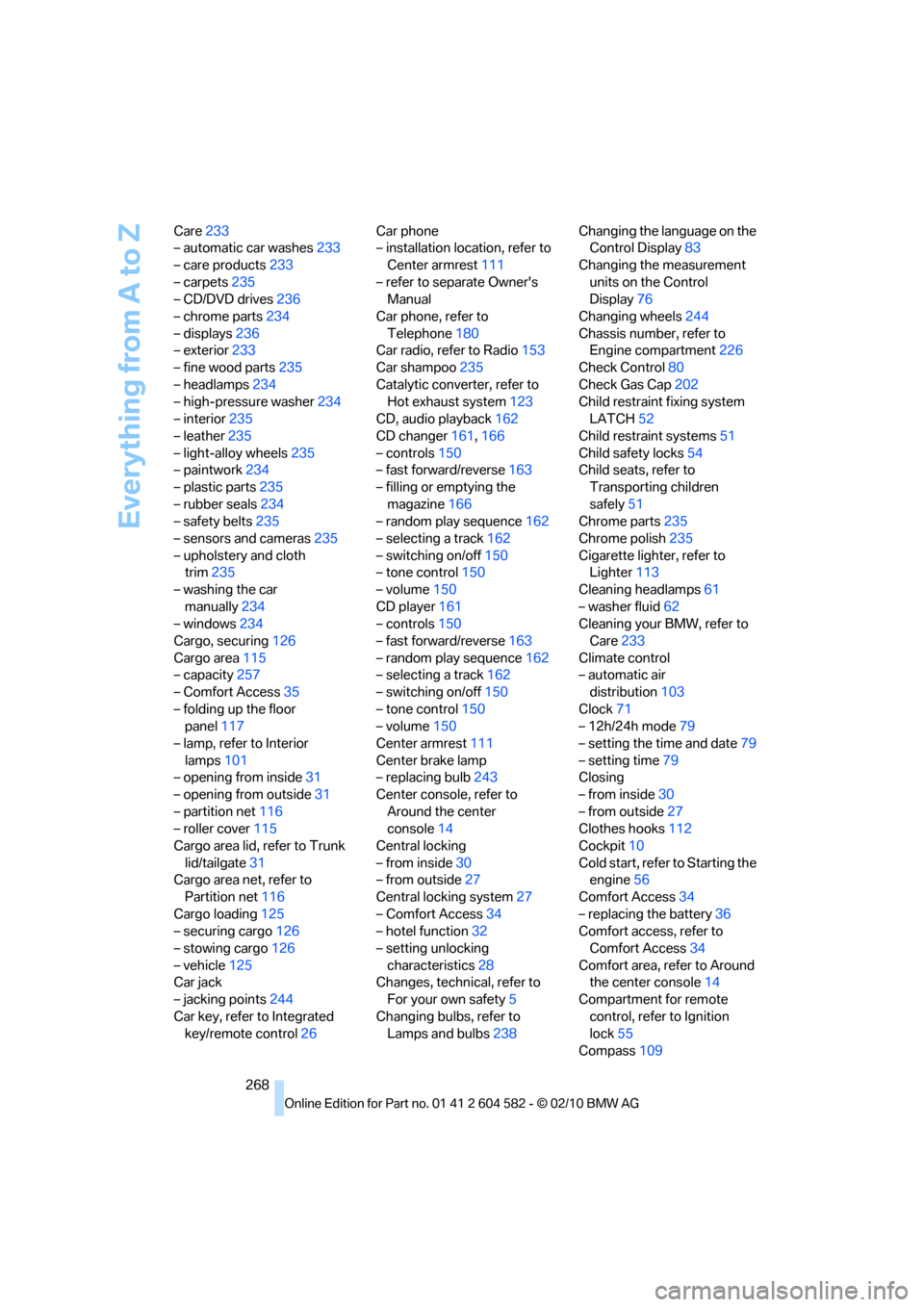
268 Care233
– automatic car washes233
– care products233
– carpets235
– CD/DVD drives236
– chrome parts234
– displays236
– exterior233
– fine wood parts235
– headlamps234
– high-pressure washer234
– interior235
– leather235
– light-alloy wheels235
– paintwork234
– plastic parts235
– rubber seals234
– safety belts235
– sensors and cameras235
– upholstery and cloth
trim235
– washing the car
manually234
– windows234
Cargo, securing126
Cargo area115
– capacity257
– Comfort Access35
– folding up the floor
panel117
– lamp, refer to Interior
lamps101
– opening from inside31
– opening from outside31
– partition net116
– roller cover115
Cargo area lid, refer to Trunk
lid/tailgate31
Cargo area net, refer to
Partition net116
Cargo loading125
– securing cargo126
– stowing cargo126
– vehicle125
Car jack
– jacking points244
Car key, refer to Integrated
key/remote control26Car phone
– installation location, refer to
Center armrest111
– refer to separate Owner's
Manual
Car phone, refer to
Telephone180
Car radio, refer to Radio153
Car shampoo235
Catalytic converter, refer to
Hot exhaust system123
CD, audio playback162
CD changer161,166
– controls150
– fast forward/reverse163
– filling or emptying the
magazine166
– random play sequence162
– selecting a track162
– switching on/off150
– tone control150
– volume150
CD player161
– controls150
– fast forward/reverse163
– random play sequence162
– selecting a track162
– switching on/off150
– tone control150
– volume150
Center armrest111
Center brake lamp
– replacing bulb243
Center console, refer to
Around the center
console14
Central locking
– from inside30
– from outside27
Central locking system27
– Comfort Access34
– hotel function32
– setting unlocking
characteristics28
Changes, technical, refer to
For your own safety5
Changing bulbs, refer to
Lamps and bulbs238Changing the language on the
Control Display83
Changing the measurement
units on the Control
Display76
Changing wheels244
Chassis number, refer to
Engine compartment226
Check Control80
Check Gas Cap202
Child restraint fixing system
LATCH52
Child restraint systems51
Child safety locks54
Child seats, refer to
Transporting children
safely51
Chrome parts235
Chrome polish235
Cigarette lighter, refer to
Lighter113
Cleaning headlamps61
– washer fluid62
Cleaning your BMW, refer to
Care233
Climate control
– automatic air
distribution103
Clock71
– 12h/24h mode79
– setting the time and date79
– setting time79
Closing
– from inside30
– from outside27
Clothes hooks112
Cockpit10
Cold start, refer to Starting the
engine56
Comfort Access34
– replacing the battery36
Comfort access, refer to
Comfort Access34
Comfort area, refer to Around
the center console14
Compartment for remote
control, refer to Ignition
lock55
Compass109
Page 271 of 286
Reference 269
At a glance
Controls
Driving tips
Communications
Navigation
Entertainment
Mobility
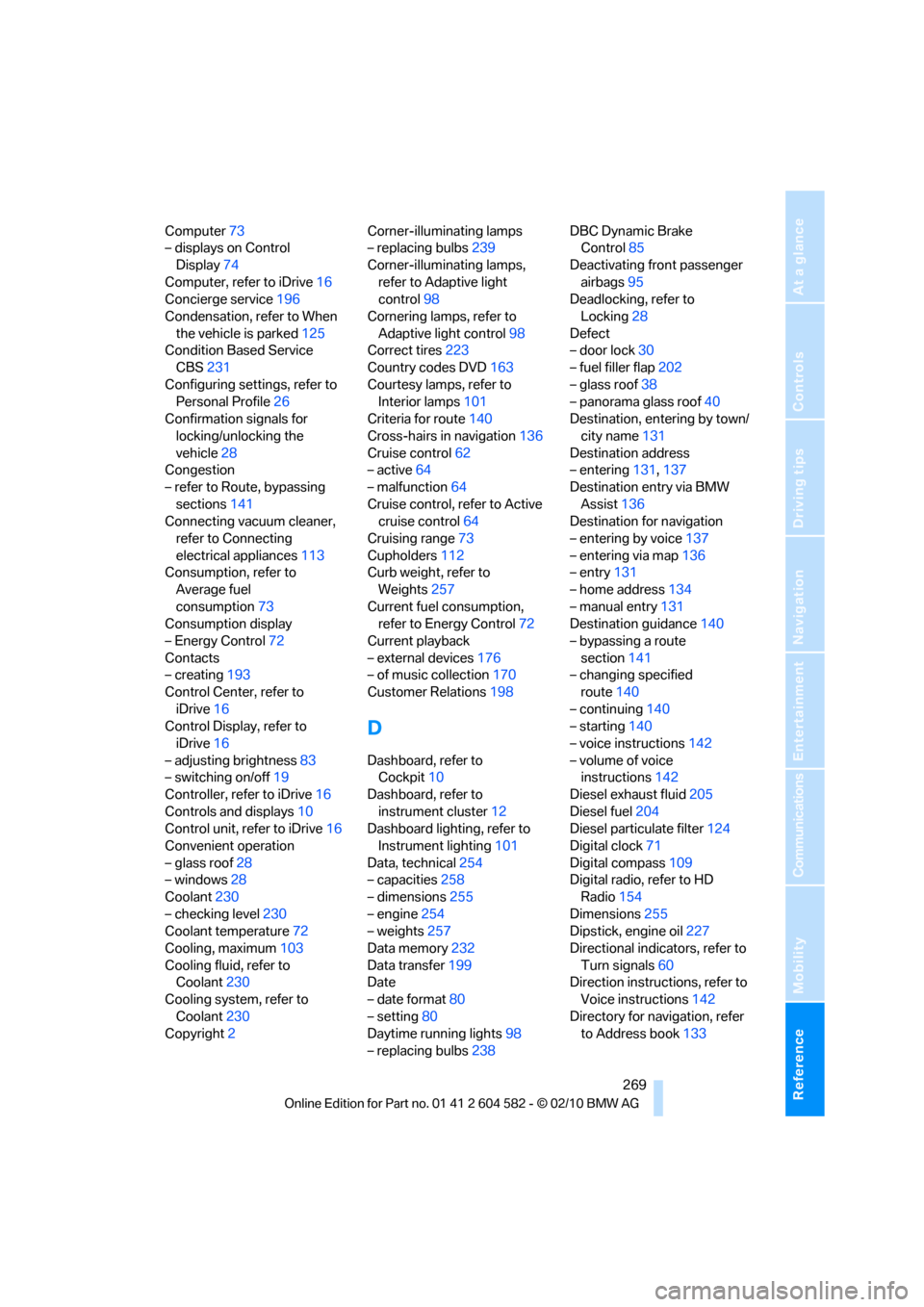
Computer73
– displays on Control
Display74
Computer, refer to iDrive16
Concierge service196
Condensation, refer to When
the vehicle is parked125
Condition Based Service
CBS231
Configuring settings, refer to
Personal Profile26
Confirmation signals for
locking/unlocking the
vehicle28
Congestion
– refer to Route, bypassing
sections141
Connecting vacuum cleaner,
refer to Connecting
electrical appliances113
Consumption, refer to
Average fuel
consumption73
Consumption display
– Energy Control72
Contacts
– creating193
Control Center, refer to
iDrive16
Control Display, refer to
iDrive16
– adjusting brightness83
– switching on/off19
Controller, refer to iDrive16
Controls and displays10
Control unit, refer to iDrive16
Convenient operation
– glass roof28
– windows28
Coolant230
– checking level230
Coolant temperature72
Cooling, maximum103
Cooling fluid, refer to
Coolant230
Cooling system, refer to
Coolant230
Copyright2Corner-illuminating lamps
– replacing bulbs239
Corner-illuminating lamps,
refer to Adaptive light
control98
Cornering lamps, refer to
Adaptive light control98
Correct tires223
Country codes DVD163
Courtesy lamps, refer to
Interior lamps101
Criteria for route140
Cross-hairs in navigation136
Cruise control62
– active64
– malfunction64
Cruise control, refer to Active
cruise control64
Cruising range73
Cupholders112
Curb weight, refer to
Weights257
Current fuel consumption,
refer to Energy Control72
Current playback
– external devices176
– of music collection170
Customer Relations198
D
Dashboard, refer to
Cockpit10
Dashboard, refer to
instrument cluster12
Dashboard lighting, refer to
Instrument lighting101
Data, technical254
– capacities258
– dimensions255
– engine254
– weights257
Data memory232
Data transfer199
Date
– date format80
– setting80
Daytime running lights98
– replacing bulbs238DBC Dynamic Brake
Control85
Deactivating front passenger
airbags95
Deadlocking, refer to
Locking28
Defect
– door lock30
– fuel filler flap202
– glass roof38
– panorama glass roof40
Destination, entering by town/
city name131
Destination address
– entering131,137
Destination entry via BMW
Assist136
Destination for navigation
– entering by voice137
– entering via map136
– entry131
– home address134
– manual entry131
Destination guidance140
– bypassing a route
section141
– changing specified
route140
– continuing140
– starting140
– voice instructions142
– volume of voice
instructions142
Diesel exhaust fluid205
Diesel fuel204
Diesel particulate filter124
Digital clock71
Digital compass109
Digital radio, refer to HD
Radio154
Dimensions255
Dipstick, engine oil227
Directional indicators, refer to
Turn signals60
Direction instructions, refer to
Voice instructions142
Directory for navigation, refer
to Address book133