automatic transmission BMW 325Ci 2003 Owners Manual
[x] Cancel search | Manufacturer: BMW, Model Year: 2003, Model line: 325Ci, Model: BMW 325Ci 2003Pages: 178, PDF Size: 4.59 MB
Page 9 of 178
Contents
9
Passenger safety systems:
Airbags61
Transporting children safely63
Rollover protection system67
Vehicle Memory, Key
Memory69
Driving:
Ignition lock70
Starting the engine70
Switching off the engine72
Parking brake72
Manual transmission73
Automatic transmission with
Steptronic*74
Turn signal indicator/Headlamp
flasher77
Washer/wiper system/Rain
sensor*78
Cruise control*79
Everything under control:
Odometer81
Tachometer81
Energy control81
Fuel gauge82
Engine coolant temperature
gauge82
Service interval display83
Check Control83
Clock84
Computer85
Technology for safety and
driving convenience:
Park Distance Control (PDC)*87
Automatic Stability Control plus
Traction (ASC+T)*88
Dynamic Stability Control
(DSC)*90
Tire Pressure Monitor (TPM)*92
Flat Tire Monitor*93
Lamps:
Parking lamps/Low beams96
Instrument lighting97
High beams/Standing lamps97
Fog lamps*98
Interior lamps98
Controlling the climate for
pleasant driving:
Air conditioning100
Automatic climate control*104
Interior conveniences:
Glove compartment109
BMW Universal Transmitter*110
Storage compartments112
Cellular phone*113
Ashtray, front*113
Ashtray, rear*114
Loading and transporting:
Ski bag*115
Cargo loading116
Roof-mounted luggage rack for
the hardtop*118
Controls and features
handbook.book Page 9 Wednesday, July 31, 2002 9:29 AM
Page 17 of 178
17
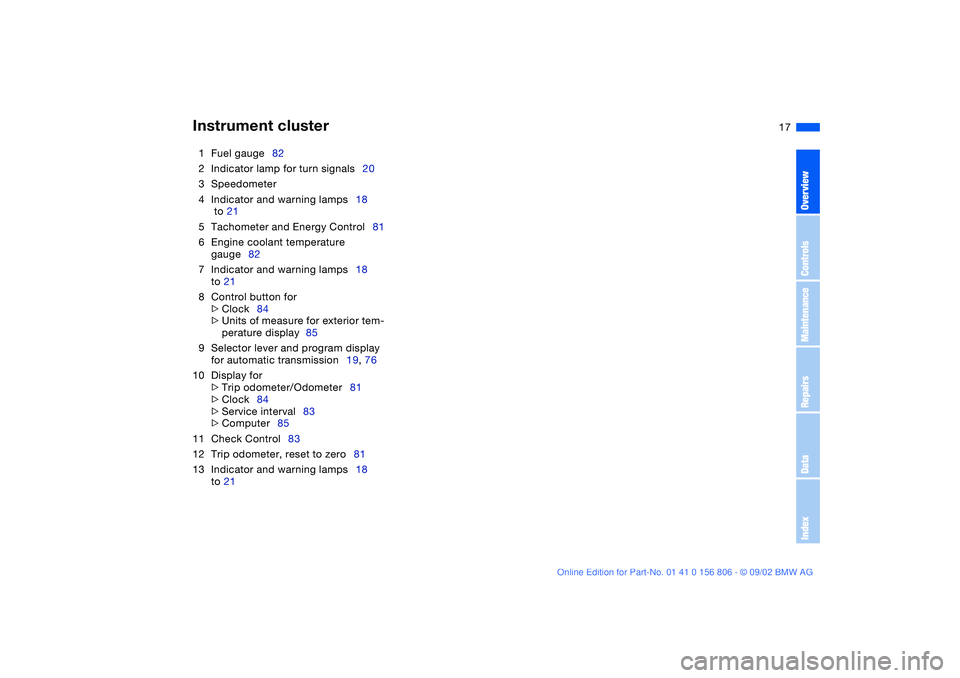
1Fuel gauge82
2Indicator lamp for turn signals20
3Speedometer
4Indicator and warning lamps18
to 21
5Tachometer and Energy Control81
6Engine coolant temperature
gauge82
7Indicator and warning lamps18
to 21
8Control button for
>
Clock84
>
Units of measure for exterior tem-
perature display 85
9Selector lever and program display
for automatic transmission19, 76
10 Display for
>
Trip odometer/Odometer81
>
Clock84
>
Service interval83
>
Computer85
11 Check Control83
12 Trip odometer, reset to zero81
13 Indicator and warning lamps18
to 21
Instrument cluster
OverviewControlsMaintenanceRepairsDataIndex
handbook.book Page 17 Wednesday, July 31, 2002 9:29 AM
Page 19 of 178
19
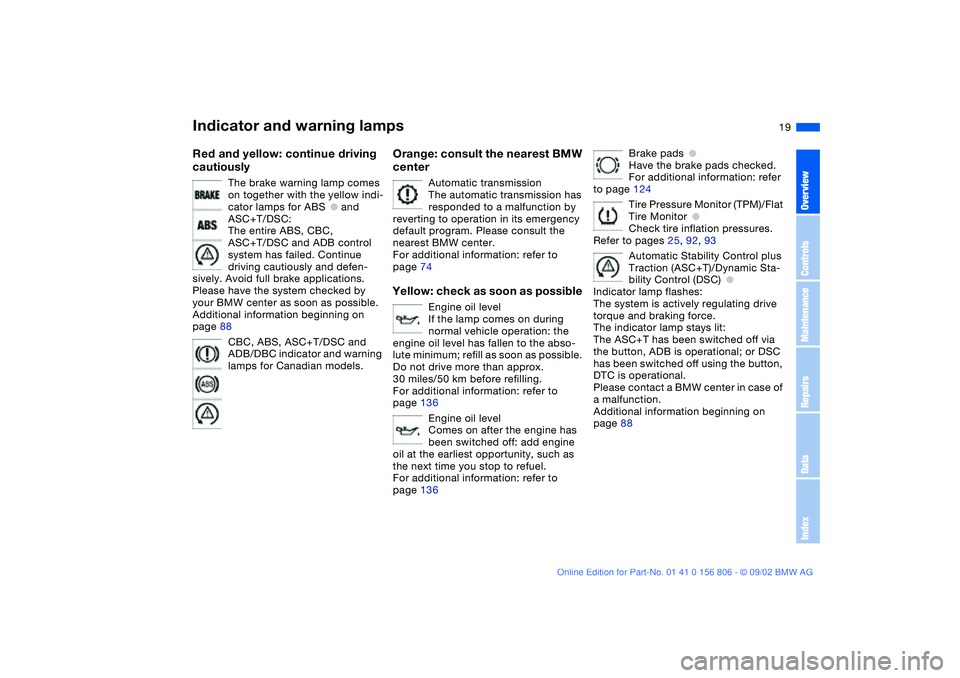
Red and yellow: continue driving
cautiously
The brake warning lamp comes
on together with the yellow indi-
cator lamps for ABS
●
and
ASC+T/DSC:
The entire ABS, CBC,
ASC+T/DSC and ADB control
system has failed. Continue
driving cautiously and defen-
sively. Avoid full brake applications.
Please have the system checked by
your BMW center as soon as possible.
Additional information beginning on
page 88
CBC, ABS, ASC+T/DSC and
ADB/DBC indicator and warning
lamps for Canadian models.
Orange: consult the nearest BMW
center
Automatic transmission
The automatic transmission has
responded to a malfunction by
reverting to operation in its emergency
default program. Please consult the
nearest BMW center.
For additional information: refer to
page 74
Yellow: check as soon as possible
Engine oil level
If the lamp comes on during
normal vehicle operation: the
engine oil level has fallen to the abso-
lute minimum; refill as soon as possible.
Do not drive more than approx.
30 miles/50 km before refilling.
For additional information: refer to
page 136
Engine oil level
Comes on after the engine has
been switched off: add engine
oil at the earliest opportunity, such as
the next time you stop to refuel.
For additional information: refer to
page 136
Brake pads
●
Have the brake pads checked.
For additional information: refer
to page 124
Tire Pressure Monitor (TPM)/Flat
Tire Monitor
●
Check tire inflation pressures.
Refer to pages 25, 92, 93
Automatic Stability Control plus
Traction (ASC+T)/Dynamic Sta-
bility Control (DSC)
●
Indicator lamp flashes:
The system is actively regulating drive
torque and braking force.
The indicator lamp stays lit:
The ASC+T has been switched off via
the button, ADB is operational; or DSC
has been switched off using the button,
DTC is operational.
Please contact a BMW center in case of
a malfunction.
Additional information beginning on
page 88
Indicator and warning lamps
OverviewControlsMaintenanceRepairsDataIndex
handbook.book Page 19 Wednesday, July 31, 2002 9:29 AM
Page 72 of 178
72
Switching off the engineTurn the ignition key to position 1 or 0.
You should never remove the igni-
tion key when the vehicle is in
motion, as the steering lock could
engage.
When you leave the vehicle, always
remove the ignition key and engage the
steering lock.<
Vehicles with manual transmis-
sion:
Always engage the parking brake when
parking on slopes and inclined sur-
faces. Placing the lever in gear may not
provide adequate resistance to rolling.
Vehicles with automatic transmission:
place the selector lever in P.<
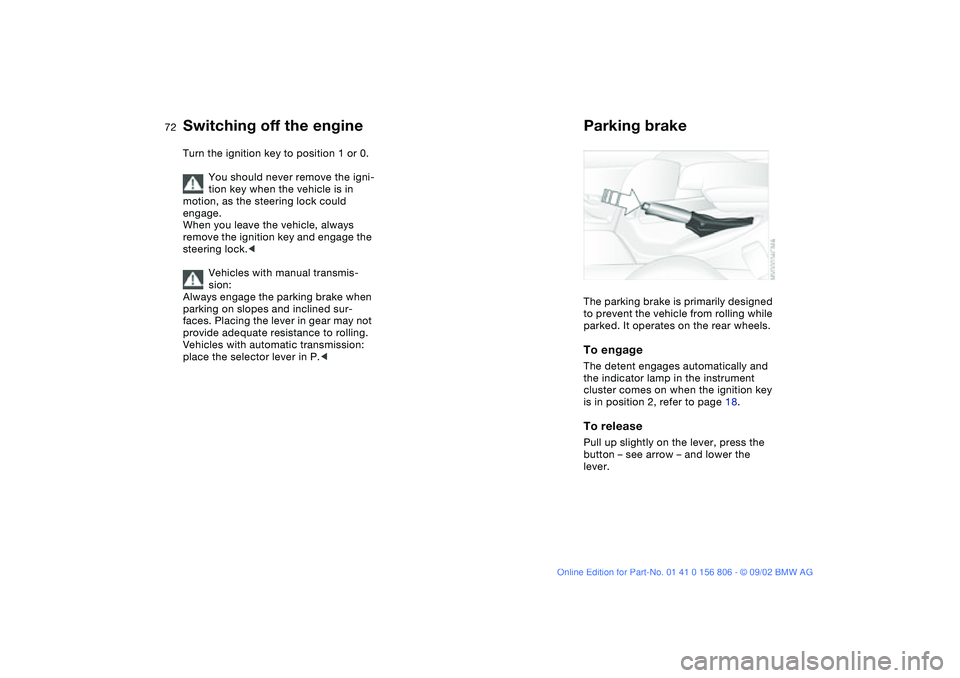
Parking brakeThe parking brake is primarily designed
to prevent the vehicle from rolling while
parked. It operates on the rear wheels.To engageThe detent engages automatically and
the indicator lamp in the instrument
cluster comes on when the ignition key
is in position 2, refer to page 18.To releasePull up slightly on the lever, press the
button – see arrow – and lower the
lever.
handbook.book Page 72 Wednesday, July 31, 2002 9:29 AM
Page 73 of 178
73
If exceptional circumstances
make it necessary to engage the
parking brake while the vehicle is in
motion, do not pull it with excessive
pressure. Keep your thumb pressed
against the release button while care-
fully pulling the lever up.
Excessive pressure can lead to over-
braking and loss of traction – fishtailing
– at the rear axle.
The brake lamps do not come on when
the parking brake is engaged.
Vehicles with manual transmission:
Always engage the parking brake when
parking on slopes and inclined sur-
faces. Placing the lever in gear may not
provide adequate resistance to rolling.
Vehicles with automatic transmission:
place the selector lever in P.<
To avoid corrosion and one-sided
braking, apply the parking brake
lightly from time to time when coasting
to a standstill – at a traffic signal, for
instance – provided that it is safe to do
so.<
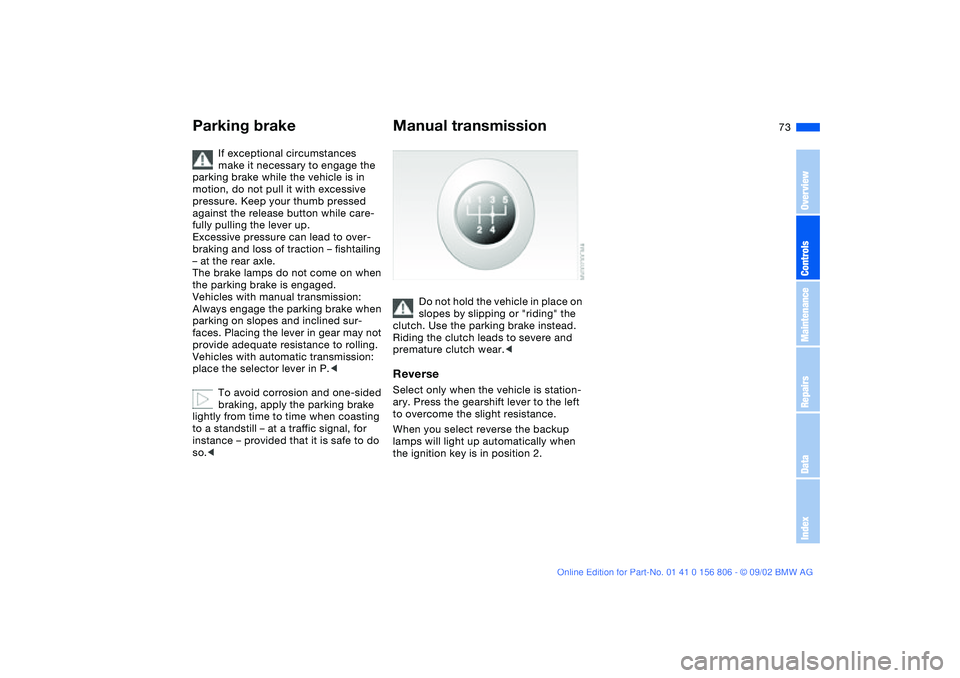
Manual transmission
Do not hold the vehicle in place on
slopes by slipping or "riding" the
clutch. Use the parking brake instead.
Riding the clutch leads to severe and
premature clutch wear.<
ReverseSelect only when the vehicle is station-
ary. Press the gearshift lever to the left
to overcome the slight resistance.
When you select reverse the backup
lamps will light up automatically when
the ignition key is in position 2.
Parking brake
OverviewControlsMaintenanceRepairsDataIndex
handbook.book Page 73 Wednesday, July 31, 2002 9:29 AM
Page 74 of 178
74
Automatic transmission with Steptronic*You can drive as with a normal auto-
matic transmission. In addition, you can
also shift manually.
When you move the selector lever from
the D position to the left into the M/S
range, the performance-oriented shift
programs of the automatic transmission
are engaged. Steptronic enters the
manual selection mode and executes
the desired shift whenever you tap the
selector lever in the direction indicated
by + or –. Whenever you want to use
automatic again, just move the selector
lever toward the right to position D.
Under normal operating conditions, fuel
consumption is lowest when driving in
position D.
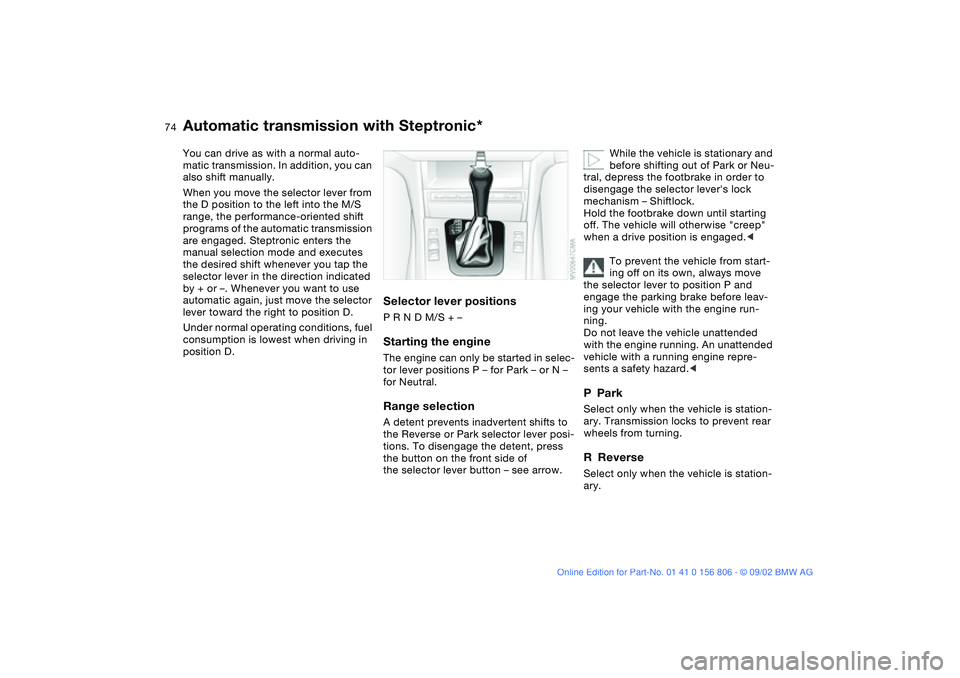
Selector lever positionsP R N D M/S + –Starting the engineThe engine can only be started in selec-
tor lever positions P – for Park – or N –
for Neutral.Range selectionA detent prevents inadvertent shifts to
the Reverse or Park selector lever posi-
tions. To disengage the detent, press
the button on the front side of
the selector lever button – see arrow.
While the vehicle is stationary and
before shifting out of Park or Neu-
tral, depress the footbrake in order to
disengage the selector lever's lock
mechanism – Shiftlock.
Hold the footbrake down until starting
off. The vehicle will otherwise "creep"
when a drive position is engaged.<
To prevent the vehicle from start-
ing off on its own, always move
the selector lever to position P and
engage the parking brake before leav-
ing your vehicle with the engine run-
ning.
Do not leave the vehicle unattended
with the engine running. An unattended
vehicle with a running engine repre-
sents a safety hazard.<
PParkSelect only when the vehicle is station-
ary. Transmission locks to prevent rear
wheels from turning.RReverseSelect only when the vehicle is station-
ary.
handbook.book Page 74 Wednesday, July 31, 2002 9:29 AM
Page 75 of 178
75
NNeutralSelect only when stopping for an
extended period.DDrive – automatic shift programThis position is designed for driving
under all normal operating conditions.
All forward gears are available.KickdownIn the kickdown mode, you achieve
maximum acceleration and top speed
in position D.
Depress the accelerator pedal past the
increased resistance point at the full-
throttle position.
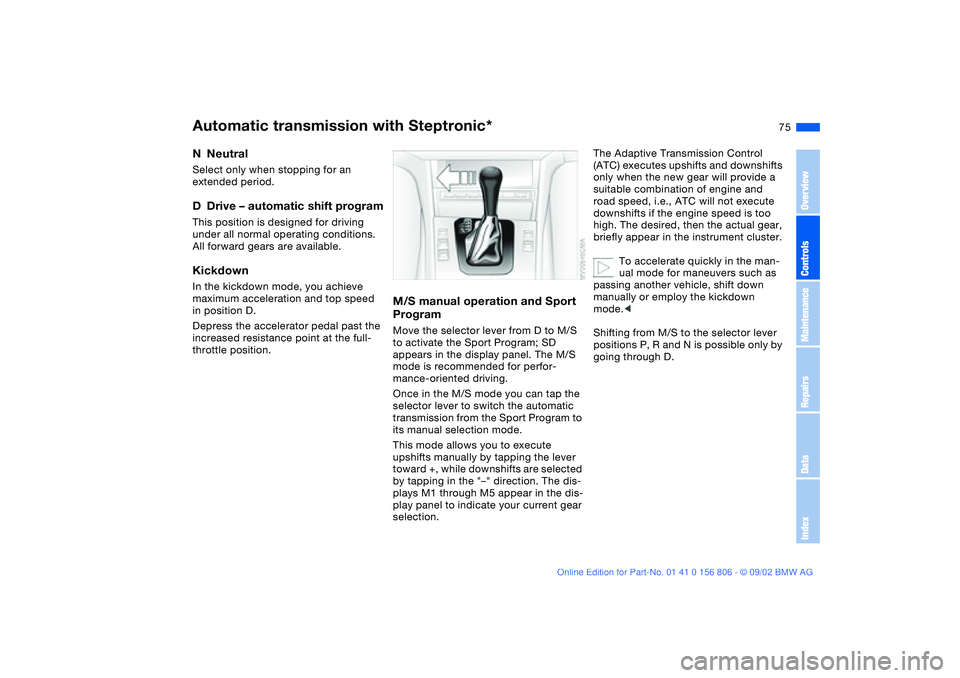
M/S manual operation and Sport
ProgramMove the selector lever from D to M/S
to activate the Sport Program; SD
appears in the display panel. The M/S
mode is recommended for perfor-
mance-oriented driving.
Once in the M/S mode you can tap the
selector lever to switch the automatic
transmission from the Sport Program to
its manual selection mode.
This mode allows you to execute
upshifts manually by tapping the lever
toward +, while downshifts are selected
by tapping in the "–" direction. The dis-
plays M1 through M5 appear in the dis-
play panel to indicate your current gear
selection.
The Adaptive Transmission Control
(ATC) executes upshifts and downshifts
only when the new gear will provide a
suitable combination of engine and
road speed, i.e., ATC will not execute
downshifts if the engine speed is too
high. The desired, then the actual gear,
briefly appear in the instrument cluster.
To accelerate quickly in the man-
ual mode for maneuvers such as
passing another vehicle, shift down
manually or employ the kickdown
mode.<
Shifting from M/S to the selector lever
positions P, R and N is possible only by
going through D.
Automatic transmission with Steptronic*
OverviewControlsMaintenanceRepairsDataIndex
handbook.book Page 75 Wednesday, July 31, 2002 9:29 AM
Page 76 of 178
76
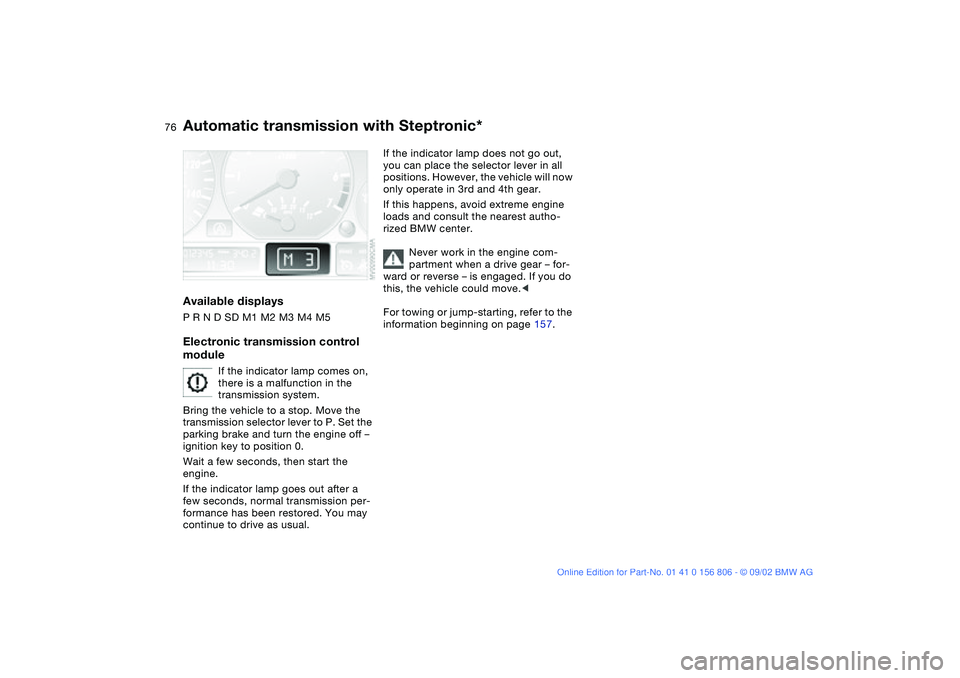
Available displaysP R N D SD M1 M2 M3 M4 M5Electronic transmission control
module
If the indicator lamp comes on,
there is a malfunction in the
transmission system.
Bring the vehicle to a stop. Move the
transmission selector lever to P. Set the
parking brake and turn the engine off –
ignition key to position 0.
Wait a few seconds, then start the
engine.
If the indicator lamp goes out after a
few seconds, normal transmission per-
formance has been restored. You may
continue to drive as usual.
If the indicator lamp does not go out,
you can place the selector lever in all
positions. However, the vehicle will now
only operate in 3rd and 4th gear.
If this happens, avoid extreme engine
loads and consult the nearest autho-
rized BMW center.
Never work in the engine com-
partment when a drive gear – for-
ward or reverse – is engaged. If you do
this, the vehicle could move.<
For towing or jump-starting, refer to the
information beginning on page 157.
Automatic transmission with Steptronic*
handbook.book Page 76 Wednesday, July 31, 2002 9:29 AM
Page 80 of 178
80
The speed stored in memory is deleted.To store and maintain speed or to
acceleratePress button + briefly:
The system maintains and stores the
current vehicle speed. Every time you
tap the button, the speed increases by
approx. 0.6 mph / 1 km/h.
Press and hold button +:
The vehicle accelerates without pres-
sure on the accelerator pedal. When
you release the button, the system
maintains and stores the current speed.
If on a downhill gradient the
engine braking effect is not suffi-
cient, the controlled speed can be
exceeded. Speed can drop on uphill
grades if the engine output is insuffi-
cient.<
To deceleratePress button "–" briefly:
If you are already driving with activated
cruise control, the speed is decreased
by approx. 0.6 mph / 1 km/h every time
you tap the button.
Press and hold button "–":
With the cruise control active, the sys-
tem automatically reduces the throttle
opening to slow the vehicle. When you
release the button, the system main-
tains and stores the current speed.To interrupt the cruise controlWhen the system is activated, press the
button. The indicator lamp stays on.
You can use the cruise control again
whenever you want by calling up the
speed that was stored last.
In addition, cruise control is interrupted
automatically:
>When the brakes are applied
>When you apply pressure to the
clutch pedal, or when you move the
automatic transmission selector lever
from D to N
>If you exceed or fall below the pro-
grammed speed for an extended
period – by depressing the accelera-
tor, for example.To recall the stored settingPress the button:
The vehicle accelerates to and main-
tains the last speed stored.
Cruise control*
handbook.book Page 80 Wednesday, July 31, 2002 9:29 AM
Page 110 of 178
110
BMW Universal Transmitter*The conceptThe BMW Universal Transmitter
replaces up to three hand-held trans-
mitters of different devices such as
garage-door openers, alarm systems,
or door locking systems. The BMW Uni-
versal Transmitter recognizes and
learns the transmitted signal of each of
the original hand-held transmitters.
The signal of an original hand-held
transmitter can be programmed on one
of the three channel keys. Following
that, each of the devices can be actu-
ated with the appropriately-pro-
grammed channel key. The indicator
lamp flashes to confirm transmission of
the signal.
If the vehicle is sold, the memory of the
channel keys should be cleared as
described on page 112.
During programming and before
every remote actuation of a pro-
grammed device by the BMW Universal
Transmitter, check to be sure that there
are no persons, animals or objects
within the actuation range of the device
in order to prevent possible injuries or
damage. Also, comply with the safety
precautions of the original hand-held
transmitter.<
To Canadian residents:
During programming, your hand-
held transmitter may automatically stop
transmitting after two seconds. This
may not be long enough to program the
BMW Universal Transmitter. If you are
programming from one of these hand-
held transmitters, the Universal Trans-
mitter's light may begin to flash in a
series of double-blinks. If this occurs,
continue to hold the key of the Univer-
sal Transmitter while you reactivate
your hand-held transmitter. You may
have to repeat this function several
times while programming.<
Before programming, read the
User information section on
page 112.<
Original hand-held transmitter
If this symbol is present on the
packaging or in the instructions
of the original hand-held trans-
mitter, it may be assumed that this
hand-held transmitter is compatible
with the BMW Universal Transmitter.
Checking for the conversion codeTo determine whether the original
hand-held transmitter is provided with a
conversion-code system, you may
either read the instructions for the origi-
nal hand-held transmitter or program a
channel key as described on the next
page, left-hand column under Program-
ming.
Then press and hold the programmed
channel key of the BMW Universal
Transmitter. If the indicator lamp of the
BMW Universal Transmitter flashes for
two seconds and then comes on
steadily, the original hand-held trans-
mitter is provided with a conversion-
code system. With a conversion-code
system, program the channel keys as
described on the next page, right-hand
column under Programming a hand-
held transmitter with conversion code.
If you have additional questions,
please consult your BMW center
or call toll-free 1-800-355-3515.
You can also visit the website
www.bmwusa.com.<
handbook.book Page 110 Wednesday, July 31, 2002 9:29 AM