page 97 BMW 325CI 2004 Service Manual
[x] Cancel search | Manufacturer: BMW, Model Year: 2004, Model line: 325CI, Model: BMW 325CI 2004Pages: 186, PDF Size: 2.76 MB
Page 94 of 186
94
Under these special circumstances
traction is increased by deactivating the
control systems that enhance traction
under normal conditions.Deactivating the DSC and the
DTCHold the DSC button down for at least
3 seconds. The indicator lamp and the
yellow brake warning lamp light up and
remain on continuously.
The systems for enhancing stability and
traction are deactivated, and there is no
active braking intervention or torque
control.
To maintain vehicle stability,
always drive with the DSC acti-
vated whenever possible.
DTC is deactivated.
The laws of physics cannot be
repealed even with DSC. An
appropriate driving style always
remains the responsibility of the driver.
We therefore urge you to avoid using
the additional safety margin of the sys-
tem as an excuse for taking risks.
Whenever the DTC is activated, the
DSC is switched off and performs minor
stabilizing intervention.
Do not make any modifications to the
DSC system. Allow only authorized
technicians to perform service proce-
dures on the DSC.<
Flat Tire Monitor*The conceptAs you drive, the Flat Tire Monitor
keeps track of pressure levels in all four
tires. The system alerts you whenever
the inflation pressure of a tire falls sig-
nificantly below the pressure of another
tire.
The system actually detects pressure
loss by monitoring differences in the
relative speeds of the four wheels. It
interprets variations outside specified
limits as severe pressure loss, and then
responds by generating a warning.Functional requirementsIn order for the Flat Tire Monitor to learn
the correct tire inflation pressure,
please do the following:
1. Check the tire inflation pressures in
all tires
2. Compare them with the tire inflation
pressure table on page 25 and cor-
rect them, if necessary
3. Initialize the system.
Dynamic Stability Control (DSC)
Page 95 of 186
95
System limitations
The Flat Tire Monitor cannot pro-
vide you with advance warning of
sudden and severe tire damage caused
by external factors and does not detect
the balanced and very gradual pressure
loss that takes place in all four tires
over an extended period of time.<
On the other hand, the following situa-
tions can lead to a delayed detection of
pressure loss and even to the system
not functioning:
>Driving on snow-covered or slippery
roads
>Performance-oriented driving: slip at
the drive wheels, high levels of lateral
acceleration
>When driving with snow chains, false
warnings and undetected pressure
losses may occur
>When driving with a space-saver
spare tire, the Flat Tire Monitor can-
not function.
Initializing the system
Each time you correct the pres-
sure in a tire, or change a wheel or
tire, reinitialize the system immediately
afterwards. This requires a bit of driv-
ing.<
1. Before driving off, start the engine
but do not start driving
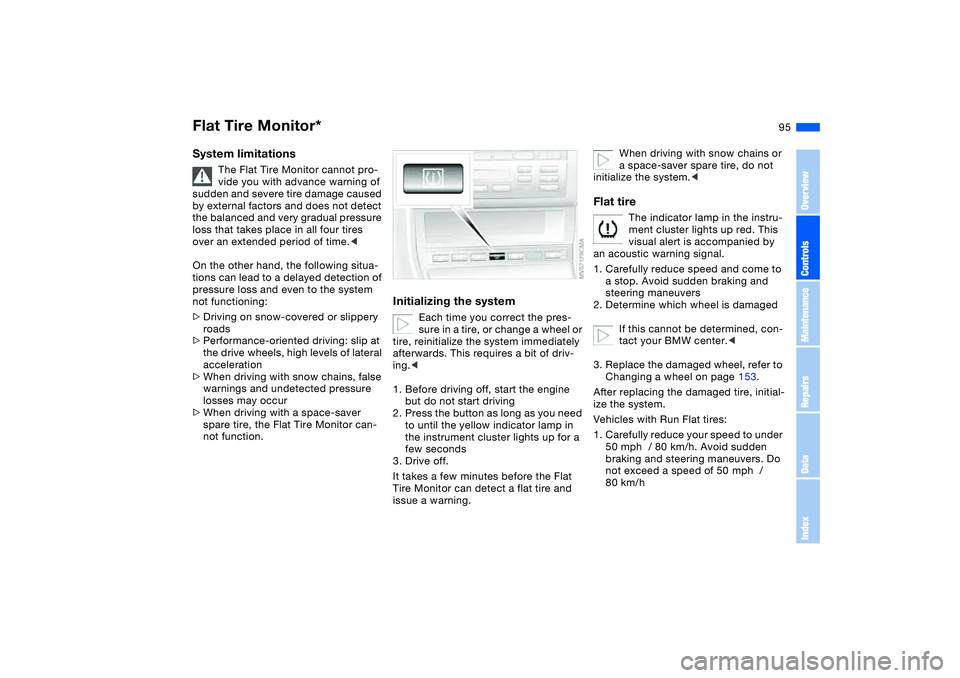
2. Press the button as long as you need
to until the yellow indicator lamp in
the instrument cluster lights up for a
few seconds
3. Drive off.
It takes a few minutes before the Flat
Tire Monitor can detect a flat tire and
issue a warning.
When driving with snow chains or
a space-saver spare tire, do not
initialize the system.<
Flat tire
The indicator lamp in the instru-
ment cluster lights up red. This
visual alert is accompanied by
an acoustic warning signal.
1. Carefully reduce speed and come to
a stop. Avoid sudden braking and
steering maneuvers
2. Determine which wheel is damaged
If this cannot be determined, con-
tact your BMW center.<
3. Replace the damaged wheel, refer to
Changing a wheel on page 153.
After replacing the damaged tire, initial-
ize the system.
Vehicles with Run Flat tires:
1. Carefully reduce your speed to under
50 mph / 80 km/h. Avoid sudden
braking and steering maneuvers. Do
not exceed a speed of 50 mph /
80 km/h
Flat Tire Monitor*
OverviewControlsMaintenanceRepairsDataIndex
Page 96 of 186
96
Because the sides of Run Flat
tires are reinforced, a drop in infla-
tion pressure usually cannot be
detected from the outside, refer to Run
Flat tires, page 156.<
2. To continue driving, follow the
instructions under Driving with a
damaged tire on page 157.
System malfunction
The indicator lamp in the instru-
ment cluster lights up yellow.
The Flat Tire Monitor is malfunc-
tioning or out of order. Please refer the
problem to your BMW center.
Brake force displayThe brake force display indicates to the
driver of the vehicle behind you how
hard you are braking your vehicle.
The display has two levels:
>Normal braking: the brake lamps
among the rear lamps and the center
brake lamp light up
>Hard braking or use of ABS: the tail
lamps light up with the same bright-
ness as the brake lamps and thereby
intensify the visual effect of the brake
lamps.
Flat Tire Monitor*
Page 97 of 186
97 Lamps
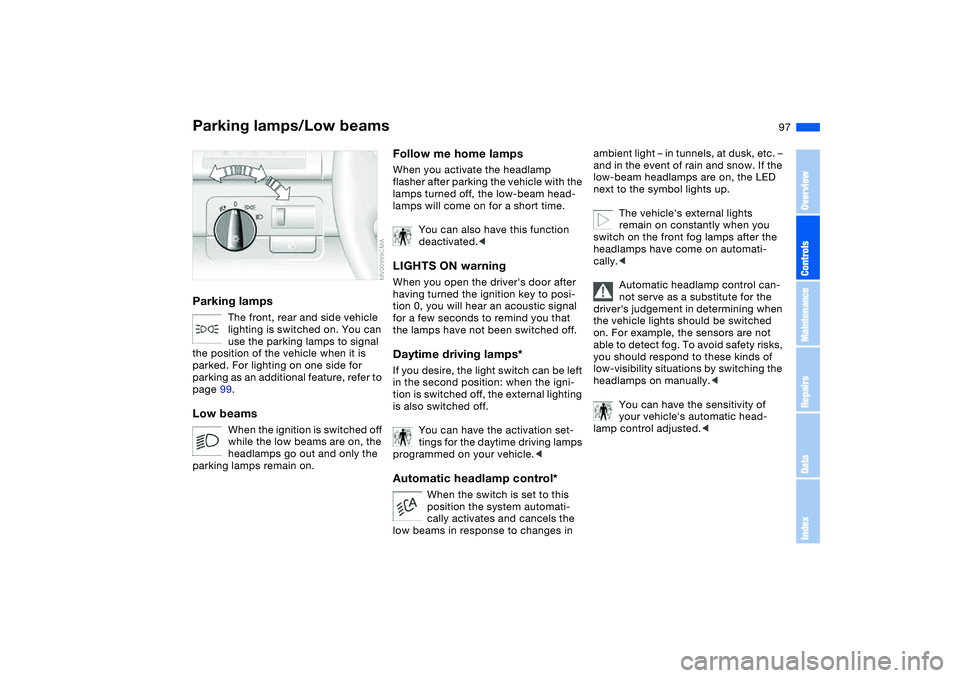
Parking lamps/Low beamsParking lamps
The front, rear and side vehicle
lighting is switched on. You can
use the parking lamps to signal
the position of the vehicle when it is
parked. For lighting on one side for
parking as an additional feature, refer to
page 99.
Low beams
When the ignition is switched off
while the low beams are on, the
headlamps go out and only the
parking lamps remain on.
Follow me home lampsWhen you activate the headlamp
flasher after parking the vehicle with the
lamps turned off, the low-beam head-
lamps will come on for a short time.
You can also have this function
deactivated.
tion 0, you will hear an acoustic signal
for a few seconds to remind you that
the lamps have not been switched off.Daytime driving lamps*If you desire, the light switch can be left
in the second position: when the igni-
tion is switched off, the external lighting
is also switched off.
You can have the activation set-
tings for the daytime driving lamps
programmed on your vehicle.
position the system automati-
cally activates and cancels the
low beams in response to changes in
ambient light – in tunnels, at dusk, etc. –
and in the event of rain and snow. If the
low-beam headlamps are on, the LED
next to the symbol lights up.
The vehicle's external lights
remain on constantly when you
switch on the front fog lamps after the
headlamps have come on automati-
cally.<
Automatic headlamp control can-
not serve as a substitute for the
driver's judgement in determining when
the vehicle lights should be switched
on. For example, the sensors are not
able to detect fog. To avoid safety risks,
you should respond to these kinds of
low-visibility situations by switching the
headlamps on manually.<
You can have the sensitivity of
your vehicle's automatic head-
lamp control adjusted.<
OverviewControlsMaintenanceRepairsDataIndex
Page 98 of 186
98
Adaptive headlights*The conceptAdaptive headlights is a variable head-
lamp control system for dynamically
illuminating the road. Depending on the
steering angle and other factors the
light from the headlamps follows the
course of the road.Activating Adaptive headlights
With the ignition key in position
2, turn the light switch to the
automatic headlamp control
position, refer to page 97.
Adaptive headlights is not active
while reversing, and only in one
direction while at a standstill.<
System malfunctionThe LED above the symbol for the auto-
matic headlamp control flashes, refer to
page 97. Please have the system
inspected at your BMW center.
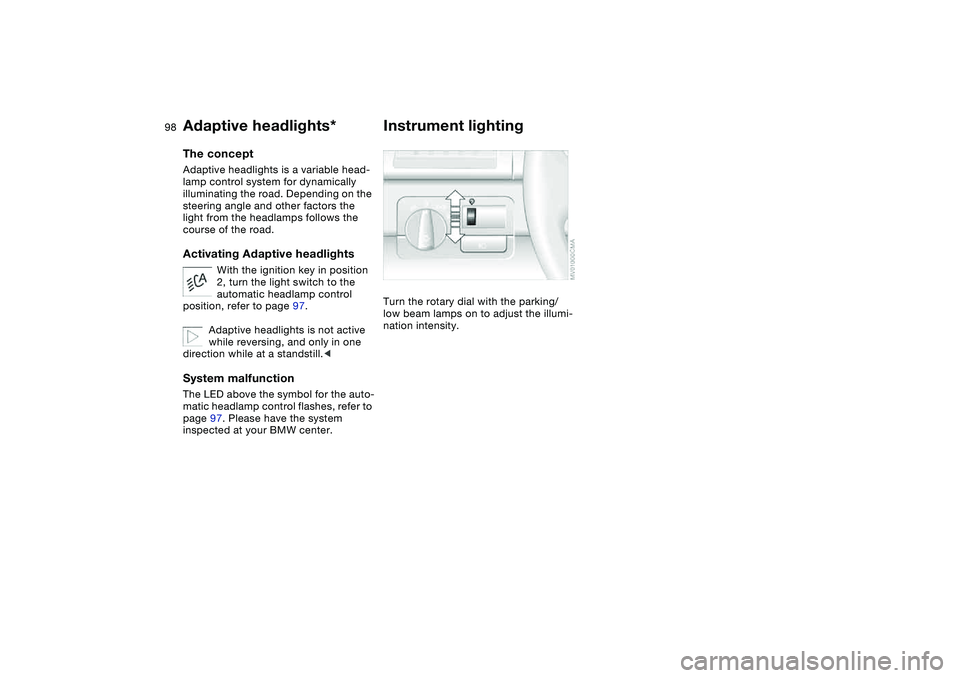
Instrument lightingTurn the rotary dial with the parking/
low beam lamps on to adjust the illumi-
nation intensity.
Page 100 of 186
100
Interior lampsThe interior lamps operate automati-
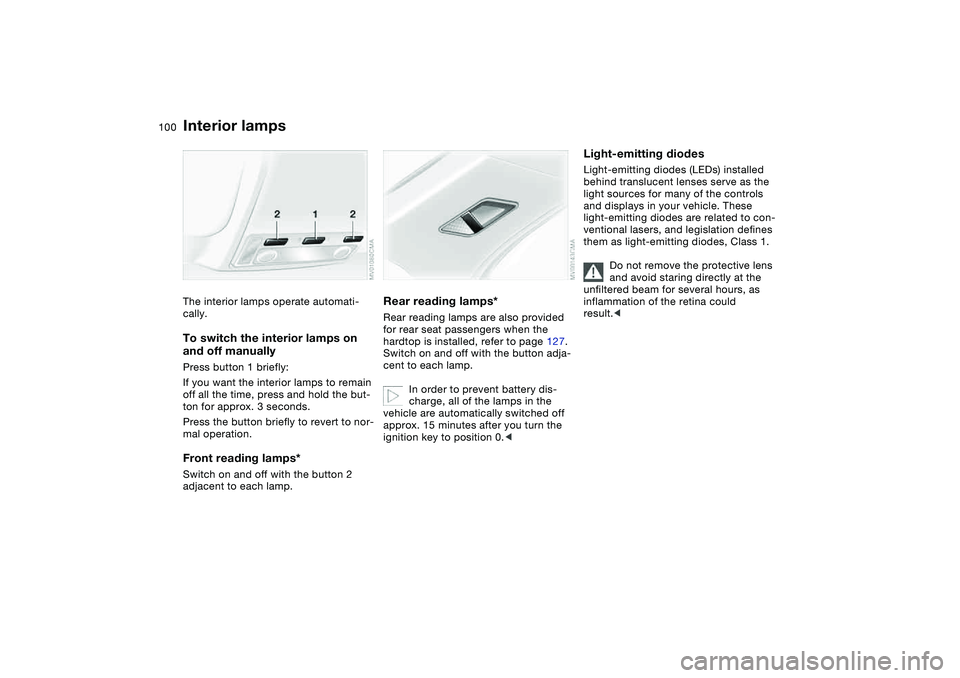
cally.To switch the interior lamps on
and off manuallyPress button 1 briefly:
If you want the interior lamps to remain
off all the time, press and hold the but-
ton for approx. 3 seconds.
Press the button briefly to revert to nor-
mal operation.Front reading lamps*Switch on and off with the button 2
adjacent to each lamp.
Rear reading lamps*Rear reading lamps are also provided
for rear seat passengers when the
hardtop is installed, refer to page 127.
Switch on and off with the button adja-
cent to each lamp.
In order to prevent battery dis-
charge, all of the lamps in the
vehicle are automatically switched off
approx. 15 minutes after you turn the
ignition key to position 0.<
Light-emitting diodesLight-emitting diodes (LEDs) installed
behind translucent lenses serve as the
light sources for many of the controls
and displays in your vehicle. These
light-emitting diodes are related to con-
ventional lasers, and legislation defines
them as light-emitting diodes, Class 1.
Do not remove the protective lens
and avoid staring directly at the
unfiltered beam for several hours, as
inflammation of the retina could
result.<
Page 108 of 186
108
Tips for pleasant drivingUse the automatic mode – switch on
with AUTO button 6. Select the desired
interior temperature.
Detailed setting options are described
for you in the following section.
You can make the settings of your
vehicle in such a manner that,
when you unlock the vehicle with the
remote control of your personal key,
your own personalized setting for the
automatic climate control is initiated.
The AUTO program adjusts the
air distribution and the air sup-
ply for you and in addition adapts the
temperature to external influences –
summer, winter – to meet preferences
you can specify.
Individual air distribution
You can cancel the AUTO pro-
gram by selecting specific dis-
tribution patterns to suit your
own individual requirements.
While the AUTO program is then deacti-
vated, the automatic airflow control
remains in operation. Air flows onto
the windows , toward the upper
body , and into the footwell . You
can reactivate the automatic air distri-
bution mode by selecting the AUTO
button.Temperature
The interior temperature that
appears in the display panel is a
general figure intended for refer-
ence purposes. We recommend 727/
+226 as a comfortable setting, even if
the air conditioning is on. When you
start the vehicle, the system ensures
that the selected temperature is
achieved as quickly as possible. It then
maintains this temperature, regardless
of the season.
To select the units of measure 6/7 of
the display, refer to page 90.
Air supply/Blower
By pressing the upper or lower
button, you can vary the air sup-
ply. This deactivates the auto-
matic control of the air supply, AUTO
disappears from the display panel. Nev-
ertheless, the automatic air distribution
remains unchanged. You can reactivate
the automatic air distribution mode by
selecting the AUTO button.
When the lowest blower speed is set
and you press the lower button, all of
the displays are canceled: the blower,
heating and air conditioning are
switched off. The outside air supply is
blocked. You can reactivate the system
by pressing any button for the auto-
matic climate control.To defrost windows and remove
condensation
This program quickly removes
ice and condensation from the
windshield and the side windows.
Air conditioning
The air is cooled and dehumidi-
fied and – depending on the
temperature setting – rewarmed.
Depending on the weather, the wind-
shield may fog over briefly when the
engine is started. Air conditioning helps
prevent the windows from fogging up.
Condensation forms during opera-
tion of the air conditioning system,
which then exits under the vehicle. It is
thus not unusual for a small puddle to
form under the car while the system is
running.<
Automatic climate control*
Page 111 of 186
111 Interior conveniences
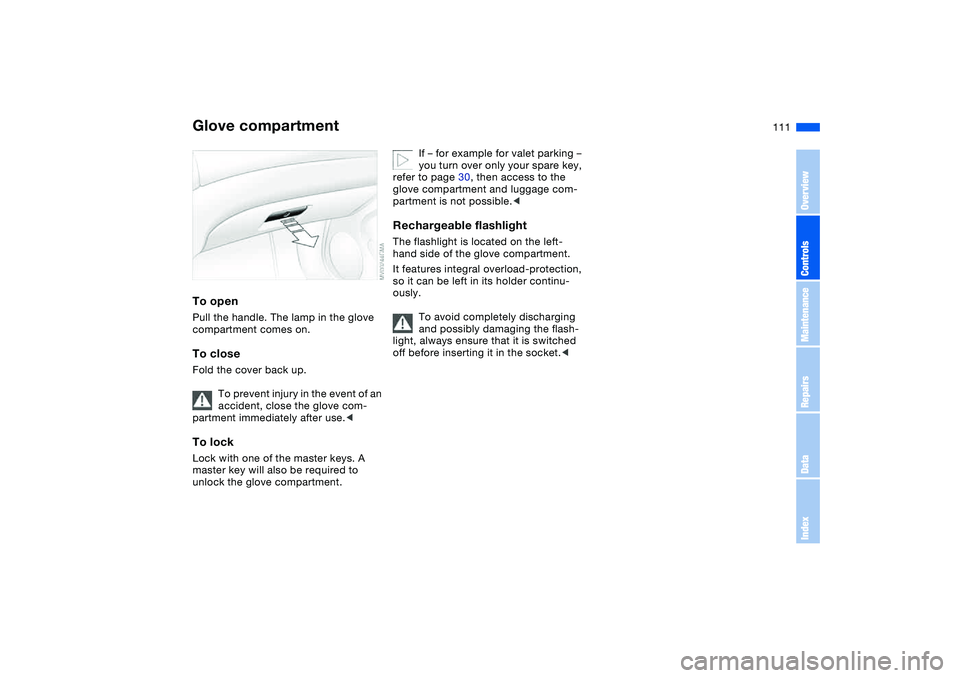
Glove compartmentTo openPull the handle. The lamp in the glove
compartment comes on.To closeFold the cover back up.
To prevent injury in the event of an
accident, close the glove com-
partment immediately after use.
unlock the glove compartment.
If – for example for valet parking –
you turn over only your spare key,
refer to page 30, then access to the
glove compartment and luggage com-
partment is not possible.<
Rechargeable flashlightThe flashlight is located on the left-
hand side of the glove compartment.
It features integral overload-protection,
so it can be left in its holder continu-
ously.
To avoid completely discharging
and possibly damaging the flash-
light, always ensure that it is switched
off before inserting it in the socket.<
OverviewControlsMaintenanceRepairsDataIndex
Page 112 of 186
112
Integrated universal remote control*The conceptThe integrated universal remote control
takes the place of up to three different
handheld transmitters belonging to var-
ious radio remote control devices, such
as door openers and home alarm sys-
tems. The integrated universal remote
control recognizes and learns the signal
sent by each original control device.
The signal of an original control device
can be programmed into one of the
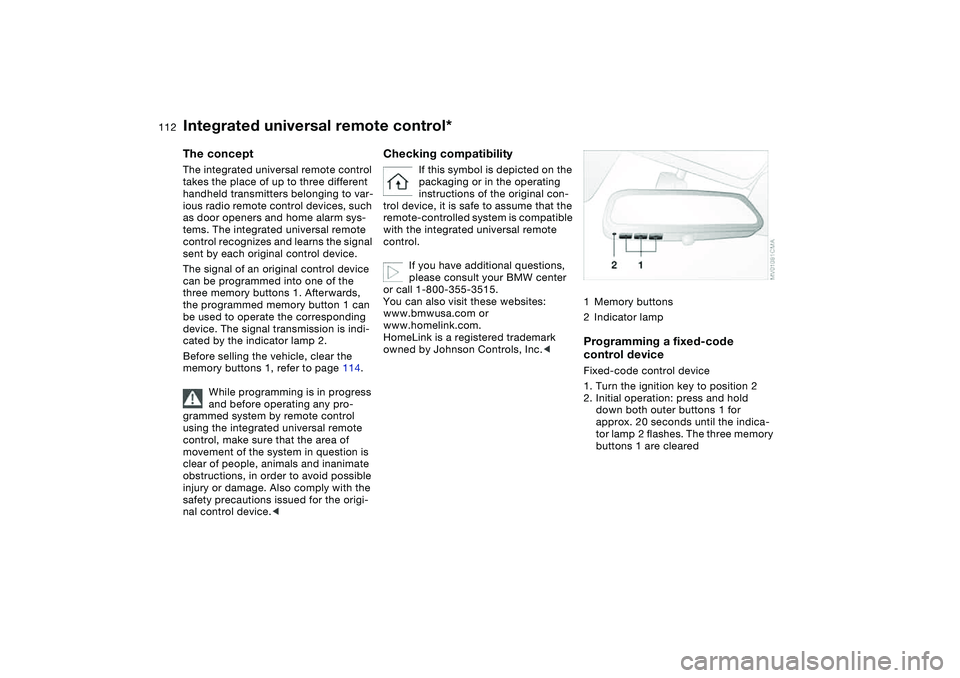
three memory buttons 1. Afterwards,
the programmed memory button 1 can
be used to operate the corresponding
device. The signal transmission is indi-
cated by the indicator lamp 2.
Before selling the vehicle, clear the
memory buttons 1, refer to page 114.
While programming is in progress
and before operating any pro-
grammed system by remote control
using the integrated universal remote
control, make sure that the area of
movement of the system in question is
clear of people, animals and inanimate
obstructions, in order to avoid possible
injury or damage. Also comply with the
safety precautions issued for the origi-
nal control device.<
Checking compatibility
If this symbol is depicted on the
packaging or in the operating
instructions of the original con-
trol device, it is safe to assume that the
remote-controlled system is compatible
with the integrated universal remote
control.
If you have additional questions,
please consult your BMW center
or call 1-800-355-3515.
You can also visit these websites:
www.bmwusa.com or
www.homelink.com.
HomeLink is a registered trademark
owned by Johnson Controls, Inc.<
1Memory buttons
2Indicator lampProgramming a fixed-code
control deviceFixed-code control device
1. Turn the ignition key to position 2
2. Initial operation: press and hold
down both outer buttons 1 for
approx. 20 seconds until the indica-
tor lamp 2 flashes. The three memory
buttons 1 are cleared
Page 119 of 186
119
4. The resulting figure equals the avail-
able amount of cargo and luggage
load capacity.
For example, if the XXX amount
equals 1,400 lbs. and there will be
five 150 lbs. passengers in your vehi-
cle, the amount of available cargo
and luggage load capacity is
650 lbs.:
1,400 lbs. minus 750 lbs. = 650 lbs.
5. Determine the combined weight of
luggage and cargo being loaded on
the vehicle. That weight may not
safely exceed the available cargo
and luggage load capacity calculated
in Step 4
6. If your vehicle will be towing a trailer,
load from your trailer will be trans-
fered to your vehicle. Consult the
manual for transporting a trailer to
determine how this may reduce the
available cargo and luggage load
capacity of your vehicle.
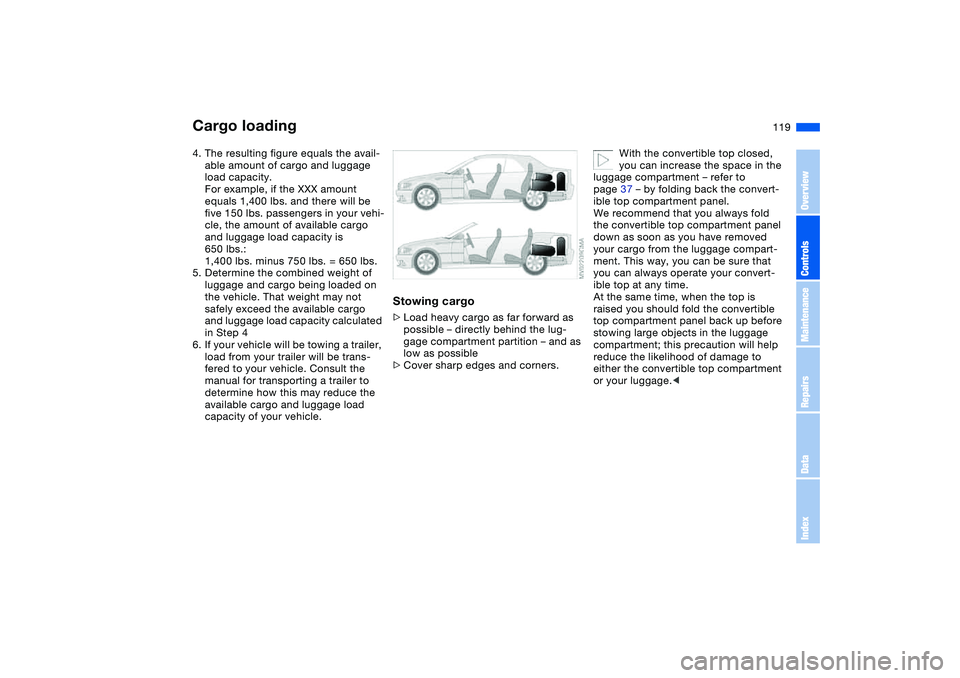
Stowing cargo>Load heavy cargo as far forward as
possible – directly behind the lug-
gage compartment partition – and as
low as possible
>Cover sharp edges and corners.
With the convertible top closed,
you can increase the space in the
luggage compartment – refer to
page 37 – by folding back the convert-
ible top compartment panel.
We recommend that you always fold
the convertible top compartment panel
down as soon as you have removed
your cargo from the luggage compart-
ment. This way, you can be sure that
you can always operate your convert-
ible top at any time.
At the same time, when the top is
raised you should fold the convertible
top compartment panel back up before
stowing large objects in the luggage
compartment; this precaution will help
reduce the likelihood of damage to
either the convertible top compartment
or your luggage.<
Cargo loading
OverviewControlsMaintenanceRepairsDataIndex