warning light BMW 325CI 2006 User Guide
[x] Cancel search | Manufacturer: BMW, Model Year: 2006, Model line: 325CI, Model: BMW 325CI 2006Pages: 174, PDF Size: 2.73 MB
Page 128 of 174
128
Coolant
Do not add coolant to the cooling
system when the engine is hot. If
you attempt to do so, escaping coolant
can cause burns.<
Coolant consists of water as well as an
additive such as antifreeze with corro-
sion inhibitor. Not all commercially
available additives are suitable for your
BMW. Your BMW center knows which
additives are appropriate.
Only use approved additives, as
the engine could otherwise be
damaged. The additives are hazardous
to your health; therefore, follow the
instructions on the containers.<
Comply with the applicable envi-
ronmental laws regulating the dis-
posal of antifreeze with corrosion inhib-
itor.<
Checking the coolant level and
adding coolantCheck the coolant level when the
engine is cold, approx. 687/+206.
1. Open the cap for the expansion tank
by turning it slightly counterclock-
wise to allow accumulated pressure
to escape. Then open
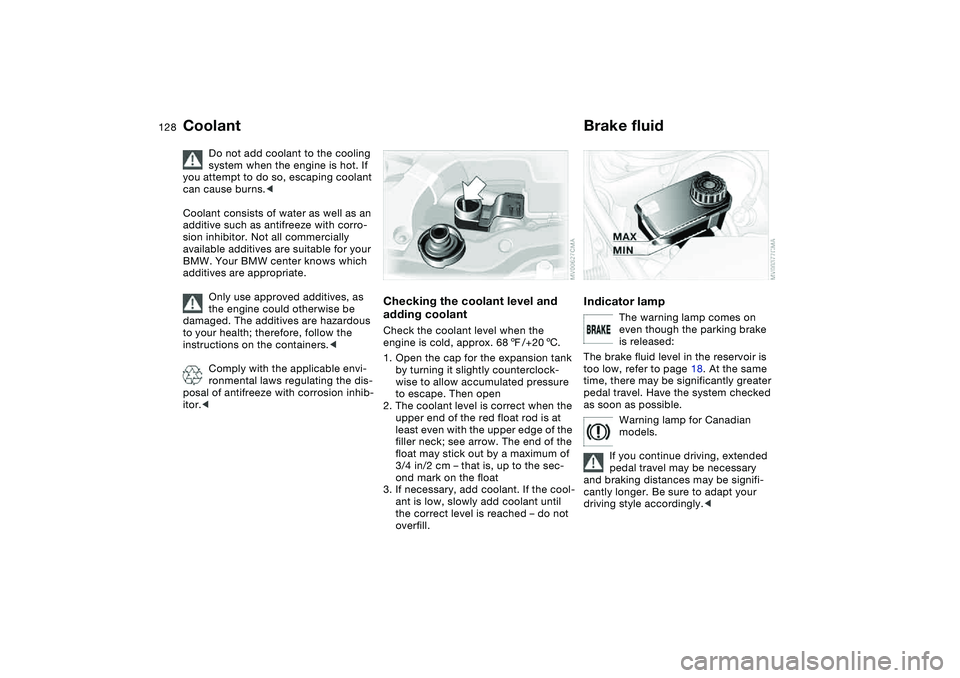
2. The coolant level is correct when the
upper end of the red float rod is at
least even with the upper edge of the
filler neck; see arrow. The end of the
float may stick out by a maximum of
3/4 in/2 cm – that is, up to the sec-
ond mark on the float
3. If necessary, add coolant. If the cool-
ant is low, slowly add coolant until
the correct level is reached – do not
overfill.
Brake fluidIndicator lamp
The warning lamp comes on
even though the parking brake
is released:
The brake fluid level in the reservoir is
too low, refer to page 18. At the same
time, there may be significantly greater
pedal travel. Have the system checked
as soon as possible.
Warning lamp for Canadian
models.
If you continue driving, extended
pedal travel may be necessary
and braking distances may be signifi-
cantly longer. Be sure to adapt your
driving style accordingly.<
Page 133 of 174
133
engine misfiring for even a short period
of time can seriously damage emission
control system components, especially
the catalytic converter.
Service Engine Soon warning
lamp for Canadian models.
If the gas cap is not on tight
enough, the OBD system can
detect leaking vapor and the indicator
will light up. If the gas cap is then tight-
ened, the indicator will usually go out
after a short period of time.
Page 141 of 174
141
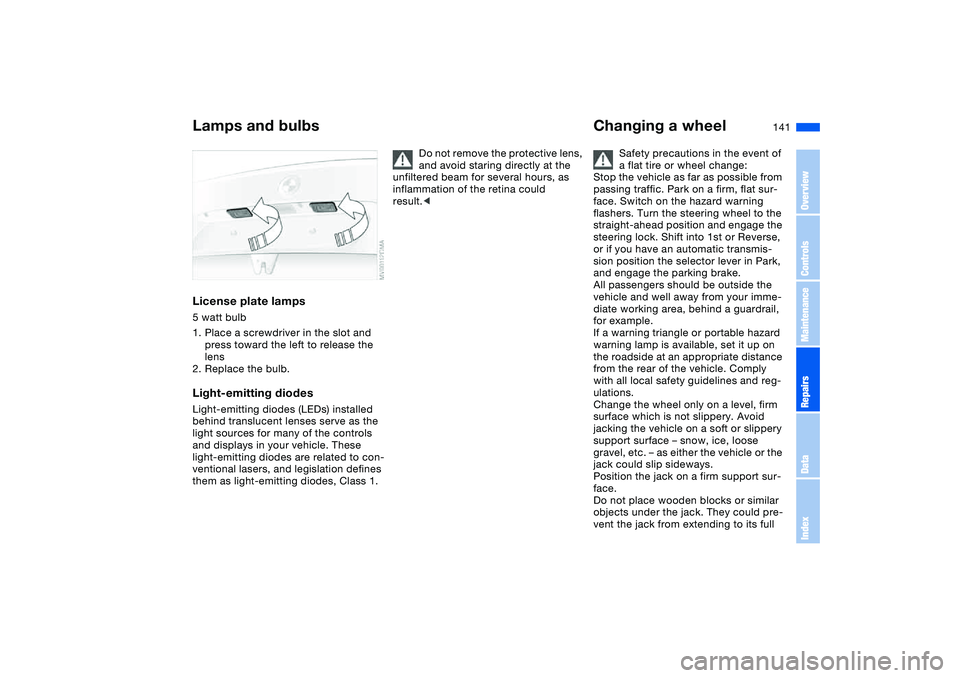
License plate lamps5 watt bulb
1. Place a screwdriver in the slot and
press toward the left to release the
lens
2. Replace the bulb.Light-emitting diodesLight-emitting diodes (LEDs) installed
behind translucent lenses serve as the
light sources for many of the controls
and displays in your vehicle. These
light-emitting diodes are related to con-
ventional lasers, and legislation defines
them as light-emitting diodes, Class 1.
Do not remove the protective lens,
and avoid staring directly at the
unfiltered beam for several hours, as
inflammation of the retina could
result.<
Changing a wheel
Safety precautions in the event of
a flat tire or wheel change:
Stop the vehicle as far as possible from
passing traffic. Park on a firm, flat sur-
face. Switch on the hazard warning
flashers. Turn the steering wheel to the
straight-ahead position and engage the
steering lock. Shift into 1st or Reverse,
or if you have an automatic transmis-
sion position the selector lever in Park,
and engage the parking brake.
All passengers should be outside the
vehicle and well away from your imme-
diate working area, behind a guardrail,
for example.
If a warning triangle or portable hazard
warning lamp is available, set it up on
the roadside at an appropriate distance
from the rear of the vehicle. Comply
with all local safety guidelines and reg-
ulations.
Change the wheel only on a level, firm
surface which is not slippery. Avoid
jacking the vehicle on a soft or slippery
support surface – snow, ice, loose
gravel, etc. – as either the vehicle or the
jack could slip sideways.
Position the jack on a firm support sur-
face.
Do not place wooden blocks or similar
objects under the jack. They could pre-
vent the jack from extending to its full
Lamps and bulbs
OverviewControlsMaintenanceRepairsDataIndex
Page 150 of 174
150
With a tow bar
The towing vehicle must not be
lighter than the vehicle being
towed; otherwise, vehicle handling can
no longer be controlled.<
The towing eyelets of both vehicles
should be on the same side.
If the tow bar can only be used in a
diagonal position, please note the fol-
lowing:
>Clearance is restricted while you are
driving around corners
>The inclination of the tow bar pro-
duces lateral force.
Only attach the tow bar to the
towing eyelets. Other parts of the
vehicles could otherwise be dam-
aged.<
With a tow ropeWhen the towing vehicle is driving off,
make sure that the tow rope is taut.
Use nylon ropes or straps for tow-
ing because they prevent sudden
jerking movements. Attach the tow rope
only to the towing eyelets. Other parts
of the vehicles could otherwise be
damaged.<
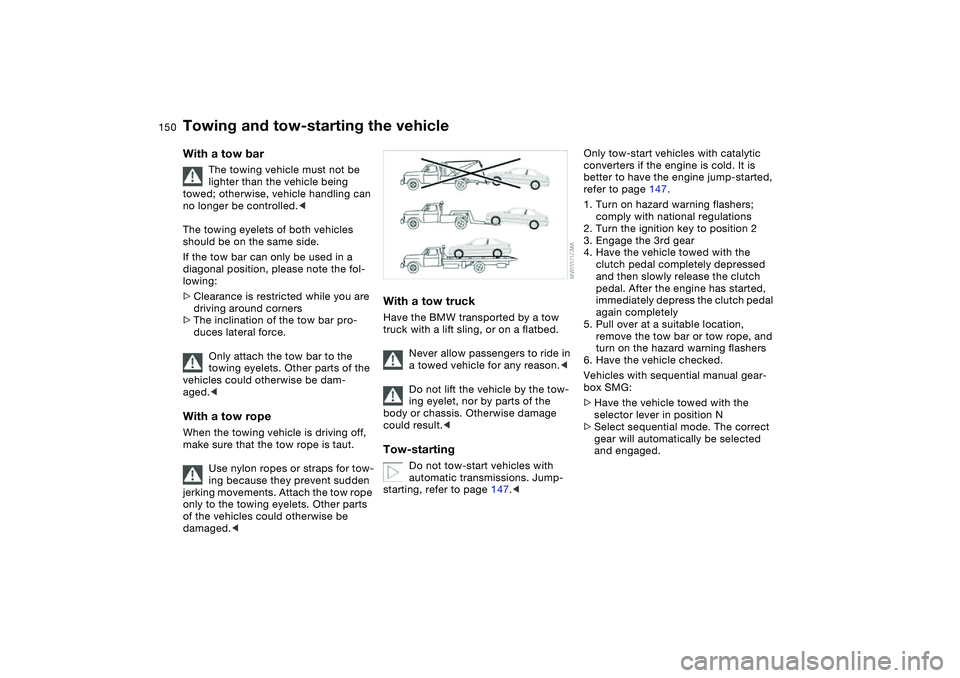
With a tow truckHave the BMW transported by a tow
truck with a lift sling, or on a flatbed.
Never allow passengers to ride in
a towed vehicle for any reason.<
Do not lift the vehicle by the tow-
ing eyelet, nor by parts of the
body or chassis. Otherwise damage
could result.
automatic transmissions. Jump-
starting, refer to page 147.<
Only tow-start vehicles with catalytic
converters if the engine is cold. It is
better to have the engine jump-started,
refer to page 147.
1. Turn on hazard warning flashers;
comply with national regulations
2. Turn the ignition key to position 2
3. Engage the 3rd gear
4. Have the vehicle towed with the
clutch pedal completely depressed
and then slowly release the clutch
pedal. After the engine has started,
immediately depress the clutch pedal
again completely
5. Pull over at a suitable location,
remove the tow bar or tow rope, and
turn on the hazard warning flashers
6. Have the vehicle checked.
Vehicles with sequential manual gear-
box SMG:
>Have the vehicle towed with the
selector lever in position N
>Select sequential mode. The correct
gear will automatically be selected
and engaged.
Towing and tow-starting the vehicle
Page 160 of 174
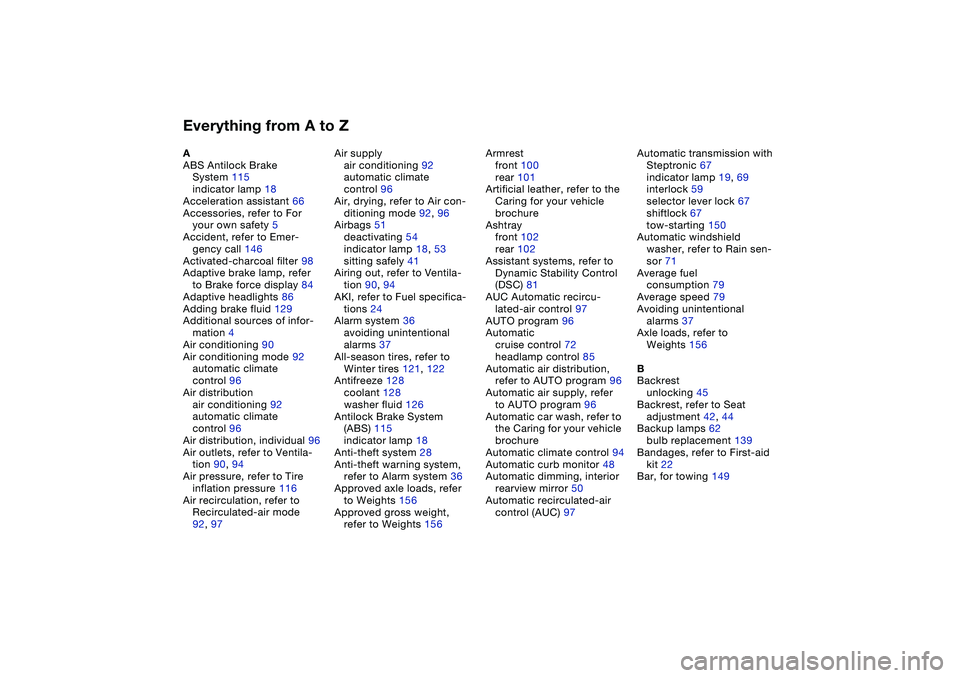
Everything from A to ZA
ABS Antilock Brake
System 115
indicator lamp 18
Acceleration assistant 66
Accessories, refer to For
your own safety 5
Accident, refer to Emer-
gency call 146
Activated-charcoal filter 98
Adaptive brake lamp, refer
to Brake force display 84
Adaptive headlights 86
Adding brake fluid 129
Additional sources of infor-
mation 4
Air conditioning 90
Air conditioning mode 92
automatic climate
control 96
Air distribution
air conditioning 92
automatic climate
control 96
Air distribution, individual 96
Air outlets, refer to Ventila-
tion 90, 94
Air pressure, refer to Tire
inflation pressure 116
Air recirculation, refer to
Recirculated-air mode
92, 97Air supply
air conditioning 92
automatic climate
control 96
Air, drying, refer to Air con-
ditioning mode 92, 96
Airbags 51
deactivating 54
indicator lamp 18, 53
sitting safely 41
Airing out, refer to Ventila-
tion 90, 94
AKI, refer to Fuel specifica-
tions 24
Alarm system 36
avoiding unintentional
alarms 37
All-season tires, refer to
Winter tires 121, 122
Antifreeze 128
coolant 128
washer fluid 126
Antilock Brake System
(ABS) 115
indicator lamp 18
Anti-theft system 28
Anti-theft warning system,
refer to Alarm system 36
Approved axle loads, refer
to Weights 156
Approved gross weight,
refer to Weights 156Armrest
front 100
rear 101
Artificial leather, refer to the
Caring for your vehicle
brochure
Ashtray
front 102
rear 102
Assistant systems, refer to
Dynamic Stability Control
(DSC) 81
AUC Automatic recircu-
lated-air control 97
AUTO program 96
Automatic
cruise control 72
headlamp control 85
Automatic air distribution,
refer to AUTO program 96
Automatic air supply, refer
to AUTO program 96
Automatic car wash, refer to
the Caring for your vehicle
brochure
Automatic climate control 94
Automatic curb monitor 48
Automatic dimming, interior
rearview mirror 50
Automatic recirculated-air
control (AUC) 97Automatic transmission with
Steptronic 67
indicator lamp 19, 69
interlock 59
selector lever lock 67
shiftlock 67
tow-starting 150
Automatic windshield
washer, refer to Rain sen-
sor 71
Average fuel
consumption 79
Average speed 79
Avoiding unintentional
alarms 37
Axle loads, refer to
Weights 156
B
Backrest
unlocking 45
Backrest, refer to Seat
adjustment 42, 44
Backup lamps 62
bulb replacement 139
Bandages, refer to First-aid
kit 22
Bar, for towing 149
Page 161 of 174
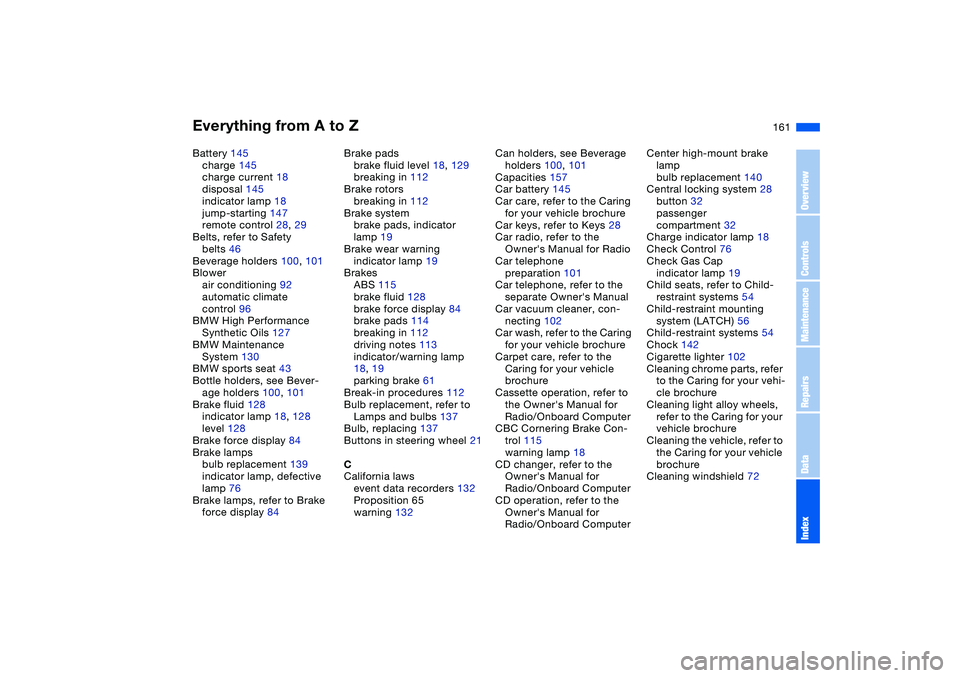
Everything from A to Z
161
Battery 145
charge 145
charge current 18
disposal 145
indicator lamp 18
jump-starting 147
remote control 28, 29
Belts, refer to Safety
belts 46
Beverage holders 100, 101
Blower
air conditioning 92
automatic climate
control 96
BMW High Performance
Synthetic Oils 127
BMW Maintenance
System 130
BMW sports seat 43
Bottle holders, see Bever-
age holders 100, 101
Brake fluid 128
indicator lamp 18, 128
level 128
Brake force display 84
Brake lamps
bulb replacement 139
indicator lamp, defective
lamp 76
Brake lamps, refer to Brake
force display 84Brake pads
brake fluid level 18, 129
breaking in 112
Brake rotors
breaking in 112
Brake system
brake pads, indicator
lamp 19
Brake wear warning
indicator lamp 19
Brakes
ABS 115
brake fluid 128
brake force display 84
brake pads 114
breaking in 112
driving notes 113
indicator/warning lamp
18, 19
parking brake 61
Break-in procedures 112
Bulb replacement, refer to
Lamps and bulbs 137
Bulb, replacing 137
Buttons in steering wheel 21
C
California laws
event data recorders 132
Proposition 65
warning 132Can holders, see Beverage
holders 100, 101
Capacities 157
Car battery 145
Car care, refer to the Caring
for your vehicle brochure
Car keys, refer to Keys 28
Car radio, refer to the
Owner's Manual for Radio
Car telephone
preparation 101
Car telephone, refer to the
separate Owner's Manual
Car vacuum cleaner, con-
necting 102
Car wash, refer to the Caring
for your vehicle brochure
Carpet care, refer to the
Caring for your vehicle
brochure
Cassette operation, refer to
the Owner's Manual for
Radio/Onboard Computer
CBC Cornering Brake Con-
trol 115
warning lamp 18
CD changer, refer to the
Owner's Manual for
Radio/Onboard Computer
CD operation, refer to the
Owner's Manual for
Radio/Onboard ComputerCenter high-mount brake
lamp
bulb replacement 140
Central locking system 28
button 32
passenger
compartment 32
Charge indicator lamp 18
Check Control 76
Check Gas Cap
indicator lamp 19
Child seats, refer to Child-
restraint systems 54
Child-restraint mounting
system (LATCH) 56
Child-restraint systems 54
Chock 142
Cigarette lighter 102
Cleaning chrome parts, refer
to the Caring for your vehi-
cle brochure
Cleaning light alloy wheels,
refer to the Caring for your
vehicle brochure
Cleaning the vehicle, refer to
the Caring for your vehicle
brochure
Cleaning windshield 72
OverviewControlsMaintenanceRepairsDataIndex
Page 162 of 174
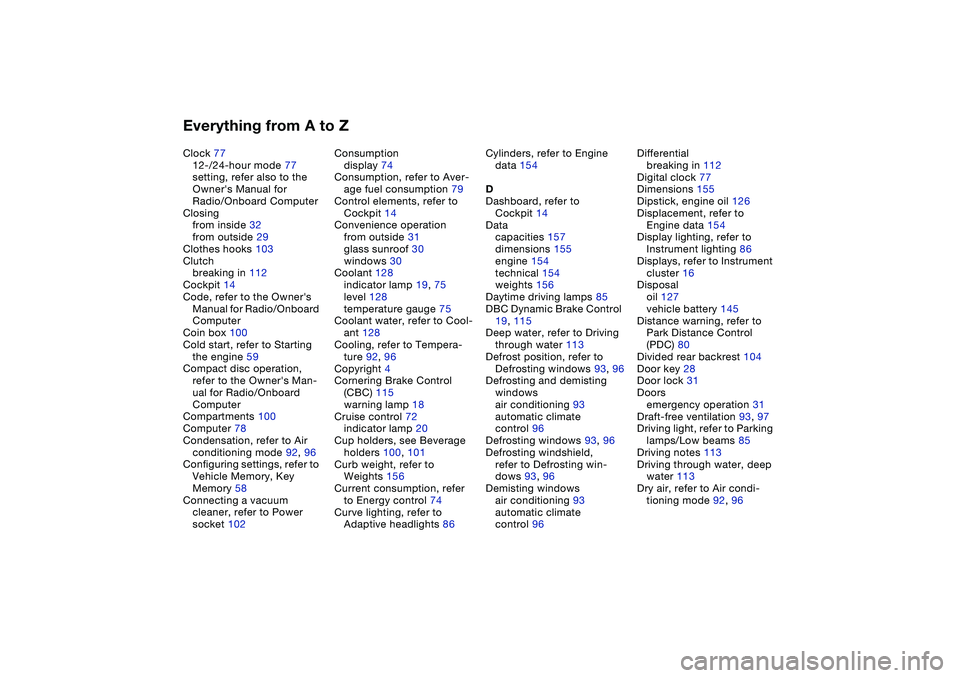
Everything from A to ZClock 77
12-/24-hour mode 77
setting, refer also to the
Owner's Manual for
Radio/Onboard Computer
Closing
from inside 32
from outside 29
Clothes hooks 103
Clutch
breaking in 112
Cockpit 14
Code, refer to the Owner's
Manual for Radio/Onboard
Computer
Coin box 100
Cold start, refer to Starting
the engine 59
Compact disc operation,
refer to the Owner's Man-
ual for Radio/Onboard
Computer
Compartments 100
Computer 78
Condensation, refer to Air
conditioning mode 92, 96
Configuring settings, refer to
Vehicle Memory, Key
Memory 58
Connecting a vacuum
cleaner, refer to Power
socket 102Consumption
display 74
Consumption, refer to Aver-
age fuel consumption 79
Control elements, refer to
Cockpit 14
Convenience operation
from outside 31
glass sunroof 30
windows 30
Coolant 128
indicator lamp 19, 75
level 128
temperature gauge 75
Coolant water, refer to Cool-
ant 128
Cooling, refer to Tempera-
ture 92, 96
Copyright 4
Cornering Brake Control
(CBC) 115
warning lamp 18
Cruise control 72
indicator lamp 20
Cup holders, see Beverage
holders 100, 101
Curb weight, refer to
Weights 156
Current consumption, refer
to Energy control 74
Curve lighting, refer to
Adaptive headlights 86Cylinders, refer to Engine
data 154
D
Dashboard, refer to
Cockpit 14
Data
capacities 157
dimensions 155
engine 154
technical 154
weights 156
Daytime driving lamps 85
DBC Dynamic Brake Control
19, 115
Deep water, refer to Driving
through water 113
Defrost position, refer to
Defrosting windows 93, 96
Defrosting and demisting
windows
air conditioning 93
automatic climate
control 96
Defrosting windows 93, 96
Defrosting windshield,
refer to Defrosting win-
dows 93, 96
Demisting windows
air conditioning 93
automatic climate
control 96Differential
breaking in 112
Digital clock 77
Dimensions 155
Dipstick, engine oil 126
Displacement, refer to
Engine data 154
Display lighting, refer to
Instrument lighting 86
Displays, refer to Instrument
cluster 16
Disposal
oil 127
vehicle battery 145
Distance warning, refer to
Park Distance Control
(PDC) 80
Divided rear backrest 104
Door key 28
Door lock 31
Doors
emergency operation 31
Draft-free ventilation 93, 97
Driving light, refer to Parking
lamps/Low beams 85
Driving notes 113
Driving through water, deep
water 113
Dry air, refer to Air condi-
tioning mode 92, 96
Page 163 of 174
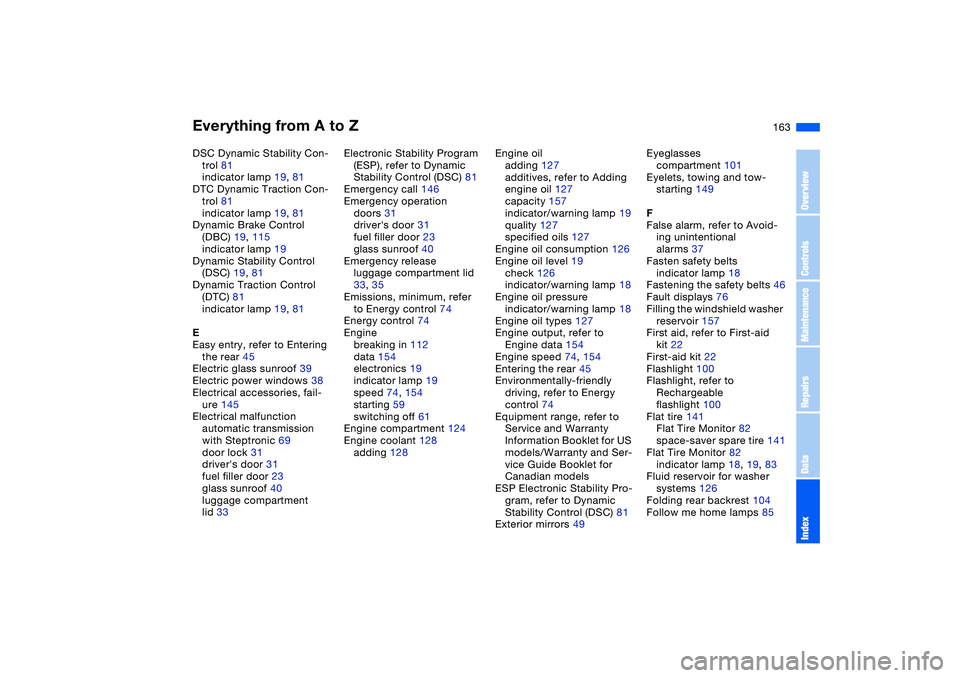
Everything from A to Z
163
DSC Dynamic Stability Con-
trol 81
indicator lamp 19, 81
DTC Dynamic Traction Con-
trol 81
indicator lamp 19, 81
Dynamic Brake Control
(DBC) 19, 115
indicator lamp 19
Dynamic Stability Control
(DSC) 19, 81
Dynamic Traction Control
(DTC) 81
indicator lamp 19, 81
E
Easy entry, refer to Entering
the rear 45
Electric glass sunroof 39
Electric power windows 38
Electrical accessories, fail-
ure 145
Electrical malfunction
automatic transmission
with Steptronic 69
door lock 31
driver's door 31
fuel filler door 23
glass sunroof 40
luggage compartment
lid 33Electronic Stability Program
(ESP), refer to Dynamic
Stability Control (DSC) 81
Emergency call 146
Emergency operation
doors 31
driver's door 31
fuel filler door 23
glass sunroof 40
Emergency release
luggage compartment lid
33, 35
Emissions, minimum, refer
to Energy control 74
Energy control 74
Engine
breaking in 112
data 154
electronics 19
indicator lamp 19
speed 74, 154
starting 59
switching off 61
Engine compartment 124
Engine coolant 128
adding 128Engine oil
adding 127
additives, refer to Adding
engine oil 127
capacity 157
indicator/warning lamp 19
quality 127
specified oils 127
Engine oil consumption 126
Engine oil level 19
check 126
indicator/warning lamp 18
Engine oil pressure
indicator/warning lamp 18
Engine oil types 127
Engine output, refer to
Engine data 154
Engine speed 74, 154
Entering the rear 45
Environmentally-friendly
driving, refer to Energy
control 74
Equipment range, refer to
Service and Warranty
Information Booklet for US
models/Warranty and Ser-
vice Guide Booklet for
Canadian models
ESP Electronic Stability Pro-
gram, refer to Dynamic
Stability Control (DSC) 81
Exterior mirrors 49Eyeglasses
compartment 101
Eyelets, towing and tow-
starting 149
F
False alarm, refer to Avoid-
ing unintentional
alarms 37
Fasten safety belts
indicator lamp 18
Fastening the safety belts 46
Fault displays 76
Filling the windshield washer
reservoir 157
First aid, refer to First-aid
kit 22
First-aid kit 22
Flashlight 100
Flashlight, refer to
Rechargeable
flashlight 100
Flat tire 141
Flat Tire Monitor 82
space-saver spare tire 141
Flat Tire Monitor 82
indicator lamp 18, 19, 83
Fluid reservoir for washer
systems 126
Folding rear backrest 104
Follow me home lamps 85
OverviewControlsMaintenanceRepairsDataIndex
Page 165 of 174
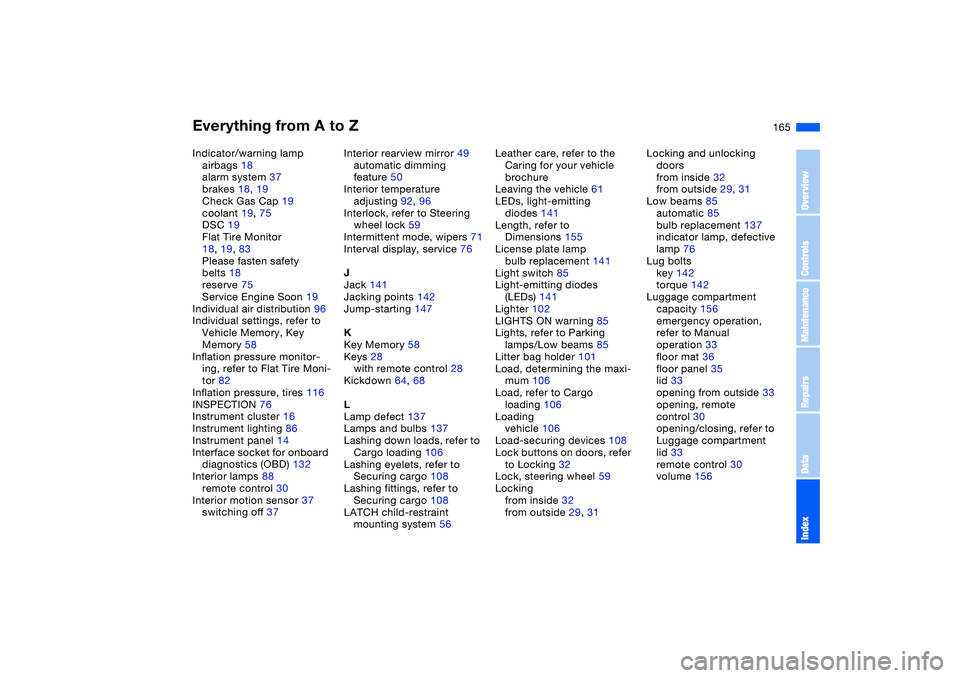
Everything from A to Z
165
Indicator/warning lamp
airbags 18
alarm system 37
brakes 18, 19
Check Gas Cap 19
coolant 19, 75
DSC 19
Flat Tire Monitor
18, 19, 83
Please fasten safety
belts 18
reserve 75
Service Engine Soon 19
Individual air distribution 96
Individual settings, refer to
Vehicle Memory, Key
Memory 58
Inflation pressure monitor-
ing, refer to Flat Tire Moni-
tor 82
Inflation pressure, tires 116
INSPECTION 76
Instrument cluster 16
Instrument lighting 86
Instrument panel 14
Interface socket for onboard
diagnostics (OBD) 132
Interior lamps 88
remote control 30
Interior motion sensor 37
switching off 37Interior rearview mirror 49
automatic dimming
feature 50
Interior temperature
adjusting 92, 96
Interlock, refer to Steering
wheel lock 59
Intermittent mode, wipers 71
Interval display, service 76
J
Jack 141
Jacking points 142
Jump-starting 147
K
Key Memory 58
Keys 28
with remote control 28
Kickdown 64, 68
L
Lamp defect 137
Lamps and bulbs 137
Lashing down loads, refer to
Cargo loading 106
Lashing eyelets, refer to
Securing cargo 108
Lashing fittings, refer to
Securing cargo 108
LATCH child-restraint
mounting system 56Leather care, refer to the
Caring for your vehicle
brochure
Leaving the vehicle 61
LEDs, light-emitting
diodes 141
Length, refer to
Dimensions 155
License plate lamp
bulb replacement 141
Light switch 85
Light-emitting diodes
(LEDs) 141
Lighter 102
LIGHTS ON warning 85
Lights, refer to Parking
lamps/Low beams 85
Litter bag holder 101
Load, determining the maxi-
mum 106
Load, refer to Cargo
loading 106
Loading
vehicle 106
Load-securing devices 108
Lock buttons on doors, refer
to Locking 32
Lock, steering wheel 59
Locking
from inside 32
from outside 29, 31Locking and unlocking
doors
from inside 32
from outside 29, 31
Low beams 85
automatic 85
bulb replacement 137
indicator lamp, defective
lamp 76
Lug bolts
key 142
torque 142
Luggage compartment
capacity 156
emergency operation,
refer to Manual
operation 33
floor mat 36
floor panel 35
lid 33
opening from outside 33
opening, remote
control 30
opening/closing, refer to
Luggage compartment
lid 33
remote control 30
volume 156
OverviewControlsMaintenanceRepairsDataIndex
Page 170 of 174
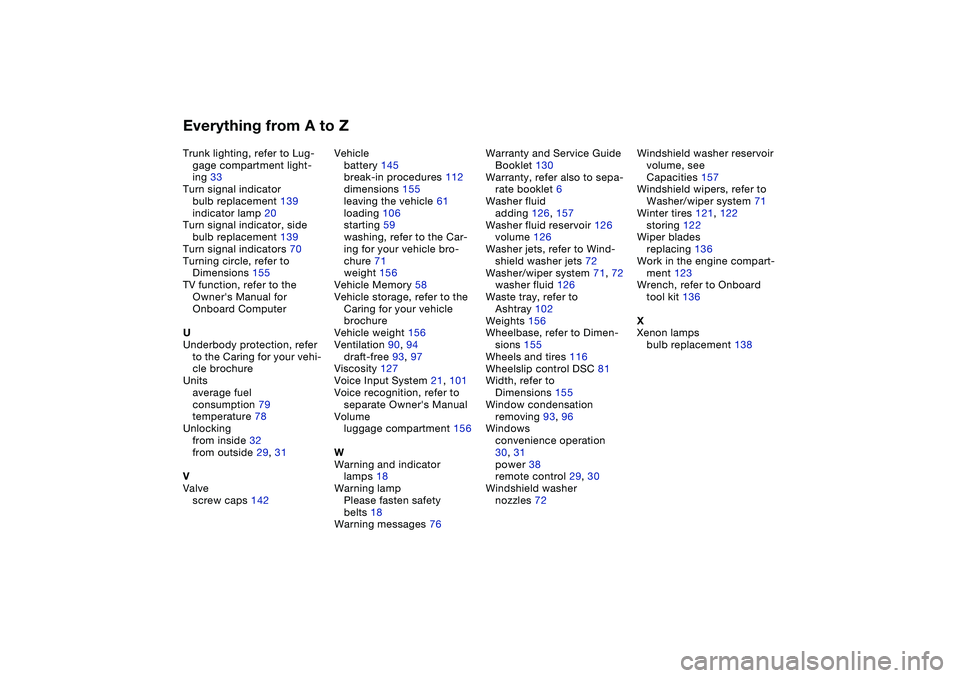
Everything from A to ZTrunk lighting, refer to Lug-
gage compartment light-
ing 33
Turn signal indicator
bulb replacement 139
indicator lamp 20
Turn signal indicator, side
bulb replacement 139
Turn signal indicators 70
Turning circle, refer to
Dimensions 155
TV function, refer to the
Owner's Manual for
Onboard Computer
U
Underbody protection, refer
to the Caring for your vehi-
cle brochure
Units
average fuel
consumption 79
temperature 78
Unlocking
from inside 32
from outside 29, 31
V
Valve
screw caps 142Vehicle
battery 145
break-in procedures 112
dimensions 155
leaving the vehicle 61
loading 106
starting 59
washing, refer to the Car-
ing for your vehicle bro-
chure 71
weight 156
Vehicle Memory 58
Vehicle storage, refer to the
Caring for your vehicle
brochure
Vehicle weight 156
Ventilation 90, 94
draft-free 93, 97
Viscosity 127
Voice Input System 21, 101
Voice recognition, refer to
separate Owner's Manual
Volume
luggage compartment 156
W
Warning and indicator
lamps 18
Warning lamp
Please fasten safety
belts 18
Warning messages 76Warranty and Service Guide
Booklet 130
Warranty, refer also to sepa-
rate booklet 6
Washer fluid
adding 126, 157
Washer fluid reservoir 126
volume 126
Washer jets, refer to Wind-
shield washer jets 72
Washer/wiper system 71, 72
washer fluid 126
Waste tray, refer to
Ashtray 102
Weights 156
Wheelbase, refer to Dimen-
sions 155
Wheels and tires 116
Wheelslip control DSC 81
Width, refer to
Dimensions 155
Window condensation
removing 93, 96
Windows
convenience operation
30, 31
power 38
remote control 29, 30
Windshield washer
nozzles 72Windshield washer reservoir
volume, see
Capacities 157
Windshield wipers, refer to
Washer/wiper system 71
Winter tires 121, 122
storing 122
Wiper blades
replacing 136
Work in the engine compart-
ment 123
Wrench, refer to Onboard
tool kit 136
X
Xenon lamps
bulb replacement 138