warning BMW 325Ci COUPE 2003 E46 User Guide
[x] Cancel search | Manufacturer: BMW, Model Year: 2003, Model line: 325Ci COUPE, Model: BMW 325Ci COUPE 2003 E46Pages: 162, PDF Size: 4.23 MB
Page 58 of 162
58
Vehicle Memory, Key MemoryHow the system functionsNo doubt you have reflected at one
time or another on how great it would
be if you could permanently configure
your vehicle's various features and
adjustments to mirror your own individ-
ual preferences. In engineering your
vehicle, BMW has provided for a num-
ber of options for personal adjustment
that can be programmed into your vehi-
cle at your BMW center.
The available configuration data fall into
two categories, according to whether
their primary orientation is the vehicle –
Vehicle Memory – or the individual –
Key Memory. Provided that each per-
son has a separate remote-control key,
you can have your BMW center enter
adjustment data for as many as four dif-
ferent individuals into the system.
The system then relies on a bilateral
data exchange to identify the individual
user and executes the selected settings
whenever the remote control unit is
used to disengage the door locks.
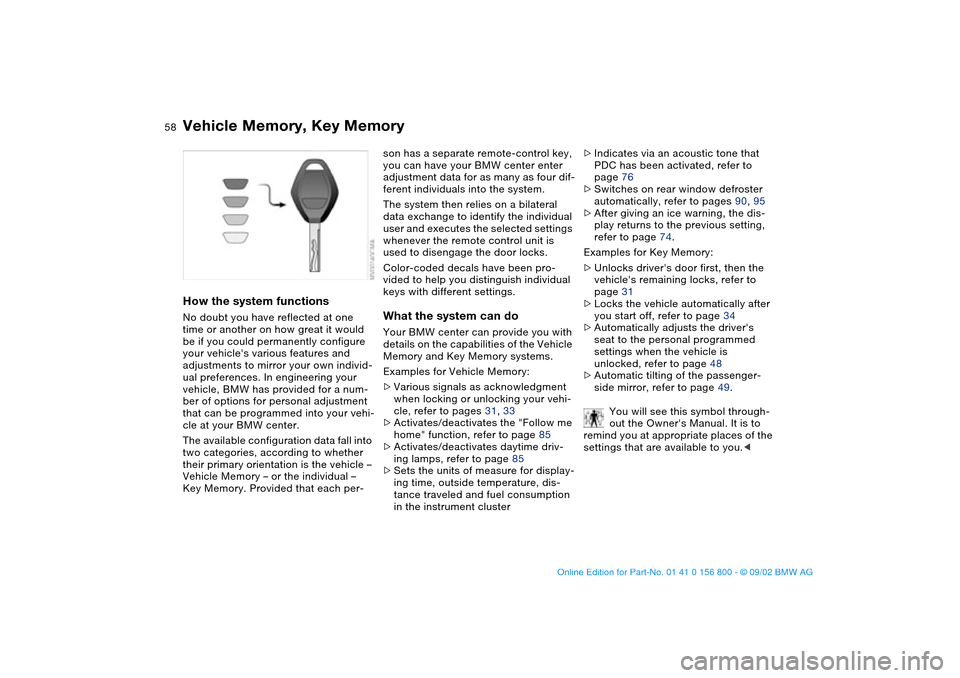
Color-coded decals have been pro-
vided to help you distinguish individual
keys with different settings.What the system can doYour BMW center can provide you with
details on the capabilities of the Vehicle
Memory and Key Memory systems.
Examples for Vehicle Memory:
>Various signals as acknowledgment
when locking or unlocking your vehi-
cle, refer to pages 31, 33
>Activates/deactivates the "Follow me
home" function, refer to page 85
>Activates/deactivates daytime driv-
ing lamps, refer to page 85
>Sets the units of measure for display-
ing time, outside temperature, dis-
tance traveled and fuel consumption
in the instrument cluster>Indicates via an acoustic tone that
PDC has been activated, refer to
page 76
>Switches on rear window defroster
automatically, refer to pages 90, 95
>After giving an ice warning, the dis-
play returns to the previous setting,
refer to page 74.
Examples for Key Memory:
>Unlocks driver's door first, then the
vehicle's remaining locks, refer to
page 31
>Locks the vehicle automatically after
you start off, refer to page 34
>Automatically adjusts the driver's
seat to the personal programmed
settings when the vehicle is
unlocked, refer to page 48
>Automatic tilting of the passenger-
side mirror, refer to page 49.
You will see this symbol through-
out the Owner's Manual. It is to
remind you at appropriate places of the
settings that are available to you.<
handbook.book Page 58 Tuesday, July 30, 2002 12:16 PM
Page 71 of 162
71
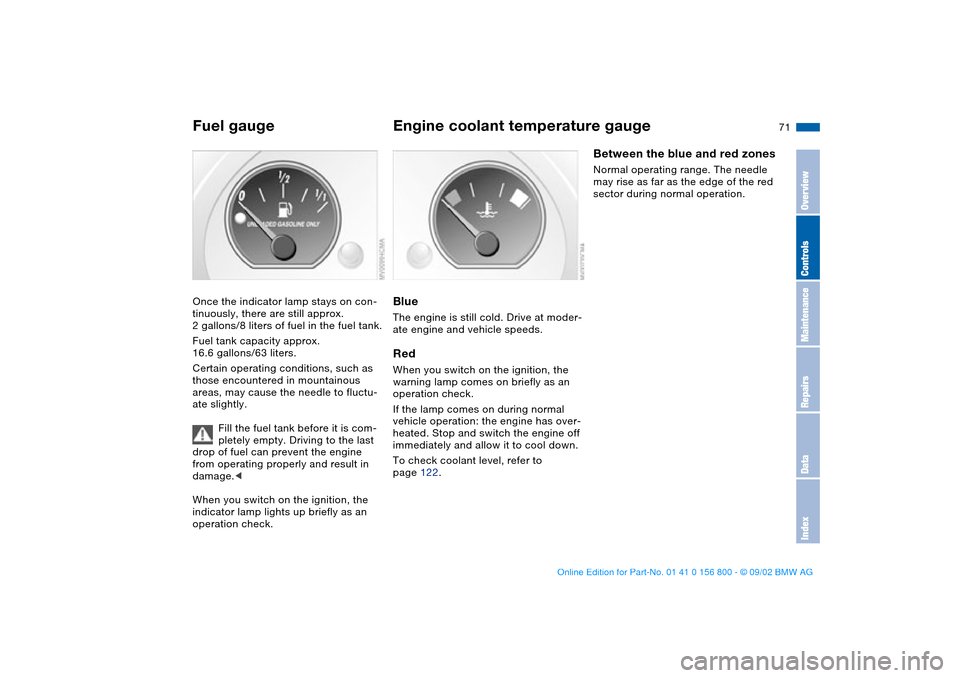
Fuel gaugeOnce the indicator lamp stays on con-
tinuously, there are still approx.
2 gallons/8 liters of fuel in the fuel tank.
Fuel tank capacity approx.
16.6 gallons/63 liters.
Certain operating conditions, such as
those encountered in mountainous
areas, may cause the needle to fluctu-
ate slightly.
Fill the fuel tank before it is com-
pletely empty. Driving to the last
drop of fuel can prevent the engine
from operating properly and result in
damage.<
When you switch on the ignition, the
indicator lamp lights up briefly as an
operation check.
Engine coolant temperature gaugeBlueThe engine is still cold. Drive at moder-
ate engine and vehicle speeds.RedWhen you switch on the ignition, the
warning lamp comes on briefly as an
operation check.
If the lamp comes on during normal
vehicle operation: the engine has over-
heated. Stop and switch the engine off
immediately and allow it to cool down.
To check coolant level, refer to
page 122.
Between the blue and red zonesNormal operating range. The needle
may rise as far as the edge of the red
sector during normal operation.
OverviewControlsMaintenanceRepairsDataIndex
handbook.book Page 71 Tuesday, July 30, 2002 12:16 PM
Page 74 of 162
74
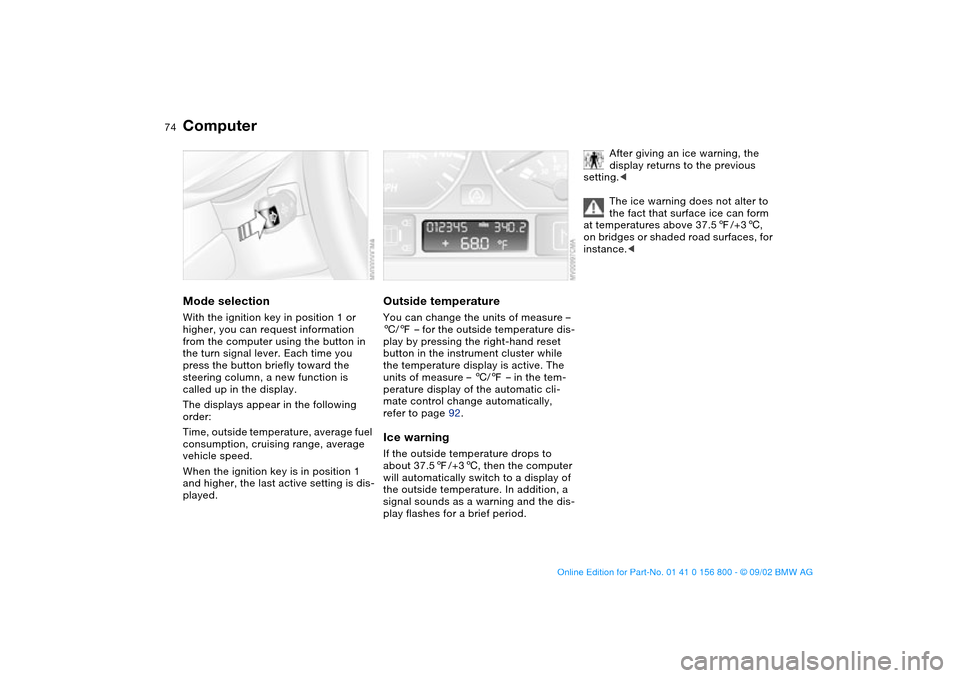
ComputerMode selectionWith the ignition key in position 1 or
higher, you can request information
from the computer using the button in
the turn signal lever. Each time you
press the button briefly toward the
steering column, a new function is
called up in the display.
The displays appear in the following
order:
Time, outside temperature, average fuel
consumption, cruising range, average
vehicle speed.
When the ignition key is in position 1
and higher, the last active setting is dis-
played.
Outside temperatureYou can change the units of measure –
6/7 – for the outside temperature dis-
play by pressing the right-hand reset
button in the instrument cluster while
the temperature display is active. The
units of measure – 6/7 – in the tem-
perature display of the automatic cli-
mate control change automatically,
refer to page 92.Ice warningIf the outside temperature drops to
about 37.57/+36, then the computer
will automatically switch to a display of
the outside temperature. In addition, a
signal sounds as a warning and the dis-
play flashes for a brief period.
After giving an ice warning, the
display returns to the previous
setting.<
The ice warning does not alter to
the fact that surface ice can form
at temperatures above 37.57/+36,
on bridges or shaded road surfaces, for
instance.<
handbook.book Page 74 Tuesday, July 30, 2002 12:16 PM
Page 76 of 162
76Technology for safety and driving convenience
Park Distance Control (PDC)*The conceptPDC provides extra safety and conve-
nience during parking maneuvers.
Acoustic signals alert you to the
momentary distance to an object
behind your vehicle. For this purpose,
four ultrasonic sensors in the rear
bumper measure the distance to the
next object. The monitoring range for
the rear bumper's two corner sensors
extends outward roughly 2 ft/60 cm,
while the two centrally located sensors
detect objects at distances of up to
approx. 5 ft/1.50 meters.
PDC is a parking aid that can
identify objects if they are
approached slowly, as is generally the
case when parking. Avoid driving
towards objects rapidly; due to underly-
ing physical principles, the system may
otherwise alert you too late for you to
take evasive steps.<
The system starts to operate automati-
cally approx. one second after you
select Reverse or move the selector
lever into the R position with the igni-
tion key in position 2.
Let this short period elapse before
driving backwards.<
PDC is deactivated when you shift back
out of Reverse.
You can have a signal set to con-
firm that the PDC has been acti-
vated.
intervals. As the distance between vehi-
cle and object decreases, the intervals
between the tones become shorter. A
continuous tone indicates the pres-
ence of an object less than 1 ft/30 cm
away.
The warning signal is canceled after
approx. three seconds if the distance to
the object remains constant during this
time – if you are moving parallel to
a wall, for instance.
System malfunctions will be indicated
by a continuous high-pitched tone
when the system is activated the first
time. Please have the problem fixed by
your BMW center.
PDC does not replac the driver's
personal responsibility for evaluat-
ing the distance between the vehicle
and any objects. Even when sensors
are involved, there is a blind spot in
which objects cannot be detected. This
applies especially in those cases where
the system approaches the physical
limits of ultrasonic measurement, as
occurs with tow bars and trailer cou-
plings, and in the vicinity of thin or
wedge-shaped objects. Moreover, low
objects that have already been
detected – such as a curb edge – can
disappear out of the detection range of
the sensors before a continuous tone
sounds.
Loud sources of sound from outside or
inside the vehicle could drown out the
PDC signal tone.<
Keep the sensors clean and free
of ice or snow in order to ensure
that they will continue to operate effec-
tively.
Do not apply high pressure spray to the
sensors for a prolonged period of time.
Always maintain a distance of more
than 4 in/10 cm.<
handbook.book Page 76 Tuesday, July 30, 2002 12:16 PM
Page 77 of 162
77
Automatic Stability Control plus Traction (ASC+T)*The conceptASC+T optimizes vehicle stability and
traction, especially when just starting
off, when accelerating or when going
through curves.
ASC+T is ready each time you start the
engine.
ASC+T incorporates the Automatic Dif-
ferential Brake (ADB) and Cornering
Brake Control (CBC) functions.
Additional information on ASC+T is
found in the "Technology" brochure.Indicator lamp
The indicator lamp in the instru-
ment cluster goes out shortly
after you switch on the ignition,
refer to page 19.
>The indicator lamp flashes: ASC+T is
actively controlling drive torque and
braking intervention
>The indicator lamp stays lit: ASC+T
has been switched off with the but-
ton; ADB is operational. ADB control
intervention is not indicated.
The indicator and the brake
warning lamps will remain on
continuously yellow:
The ASC+T and ADB have been
switched off manually or there is
a system malfunction.
You can still drive the vehicle as normal
without ASC+T.
In the event of a fault, please consult
your BMW center.
Indicator and warning lamps for
Canadian models.
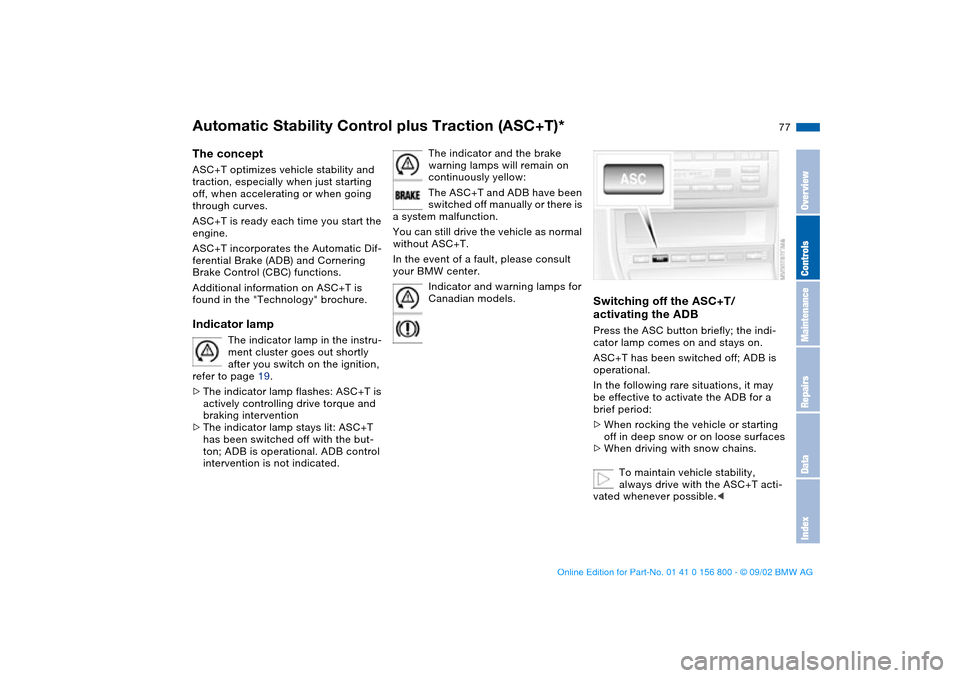
Switching off the ASC+T/
activating the ADBPress the ASC button briefly; the indi-
cator lamp comes on and stays on.
ASC+T has been switched off; ADB is
operational.
In the following rare situations, it may
be effective to activate the ADB for a
brief period:
>When rocking the vehicle or starting
off in deep snow or on loose surfaces
>When driving with snow chains.
To maintain vehicle stability,
always drive with the ASC+T acti-
vated whenever possible.<
OverviewControlsMaintenanceRepairsDataIndex
handbook.book Page 77 Tuesday, July 30, 2002 12:16 PM
Page 78 of 162
78
Deactivating the ASC+T and ADBPress the ASC button for at least 3 sec-
onds; the indicator lamps and the yel-
low brake warning lamp come on and
stay on.
The systems for enhancing stability and
traction are deactivated, and there is no
active braking intervention or torque
control.
To maintain vehicle stability,
always drive with the ASC+T acti-
vated whenever possible.
out. ADB is deactivated.
The laws of physics cannot be
repealed even with ASC+T. It will
always be the driver's responsibility to
drive in a manner that matches road
conditions. This is why you should not
use the additional safety margin the
system provides as an excuse to take
risks.
Page 79 of 162
79
Dynamic Stability Control (DSC)*The conceptDSC maintains vehicle stability, even in
critical driving situations.
The DSC is operational every time you
start the engine.
DSC incorporates the Dynamic Traction
Control (DTC) and Cornering Brake
Control (CBC) functions.
Additional information on DSC is found
in the "Technology" brochure.Indicator lamp
The indicator lamp in the instru-
ment cluster goes out shortly
after you switch on the ignition,
refer to page 19.
>The indicator lamp flashes: DSC is
actively controlling drive torque and
braking intervention
>The indicator lamp stays lit: DSC has
been switched off with the button;
DTC and DBC are operational. DTC
control intervention is not indicated.
The indicator and the brake
warning lamps will remain on
continuously yellow:
The DSC, DTC and DBC have
been switched off manually or
there is a system malfunction.
The vehicle will remain completely
operational, however, without DSC. In
the event of a fault, please consult your
BMW center.
Indicator and warning lamps for
Canadian models.
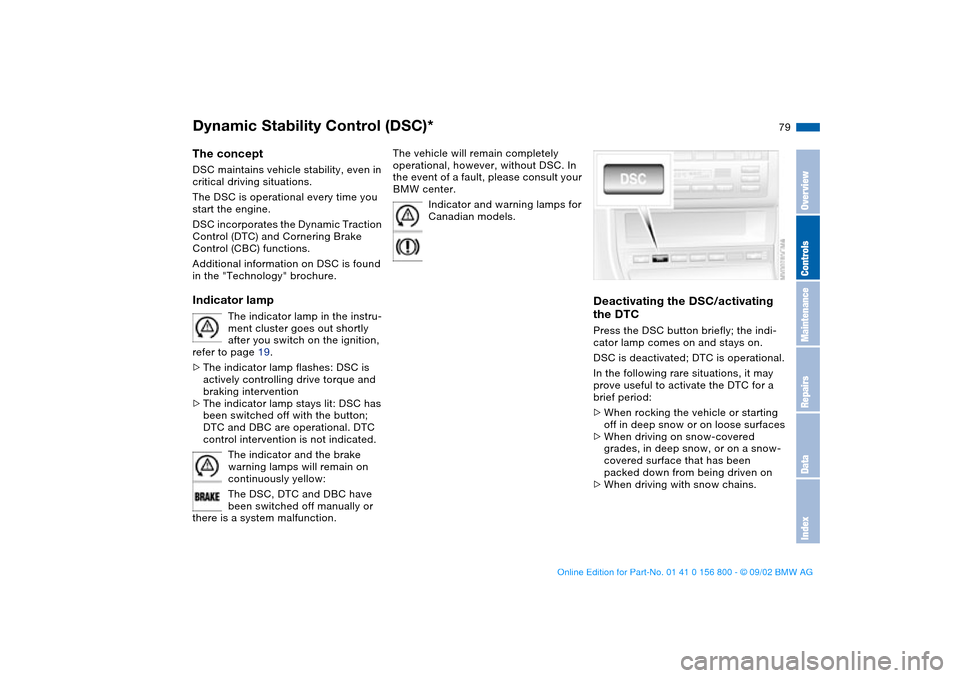
Deactivating the DSC/activating
the DTCPress the DSC button briefly; the indi-
cator lamp comes on and stays on.
DSC is deactivated; DTC is operational.
In the following rare situations, it may
prove useful to activate the DTC for a
brief period:
>When rocking the vehicle or starting
off in deep snow or on loose surfaces
>When driving on snow-covered
grades, in deep snow, or on a snow-
covered surface that has been
packed down from being driven on
>When driving with snow chains.
OverviewControlsMaintenanceRepairsDataIndex
handbook.book Page 79 Tuesday, July 30, 2002 12:16 PM
Page 80 of 162
80
Under these special circumstances
traction is increased by deactivating the
control systems that enhance traction
under normal conditions.Deactivating the DSC and the
DTCPress the DSC button down for at least
3 seconds; the indicator lamp and the
yellow brake warning lamp will remain
on continuously.
The systems for enhancing stability and
traction are deactivated, and there is no
active braking intervention or torque
control.
To maintain vehicle stability,
always drive with the DSC acti-
vated whenever possible.
out. DTC is deactivated.
The laws of physics cannot be
repealed even with DSC. It will
always be the driver's responsibility to
drive in a manner that matches road
conditions. This is why you should not
use the additional safety margin the
system provides as an excuse to take
risks.
Whenever the DTC is activated, the
DSC is switched off and DTC performs
minor stabilizing intervention.
Do not make any modifications to the
DSC system. Allow only authorized
technicians to perform service proce-
dures on the DSC.<
Dynamic Stability Control (DSC)*
handbook.book Page 80 Tuesday, July 30, 2002 12:16 PM
Page 81 of 162
81
Tire Pressure Monitor (TPM)*The conceptTPM monitors the tire pressures at all
four tires even while the vehicle is mov-
ing. The system provides an alert when-
ever the inflation pressure drops signifi-
cantly below the specified pressure in
one or more tires.
This indicator lamp in the instru-
ment cluster informs you that
the tire pressure deviates from
the target values.
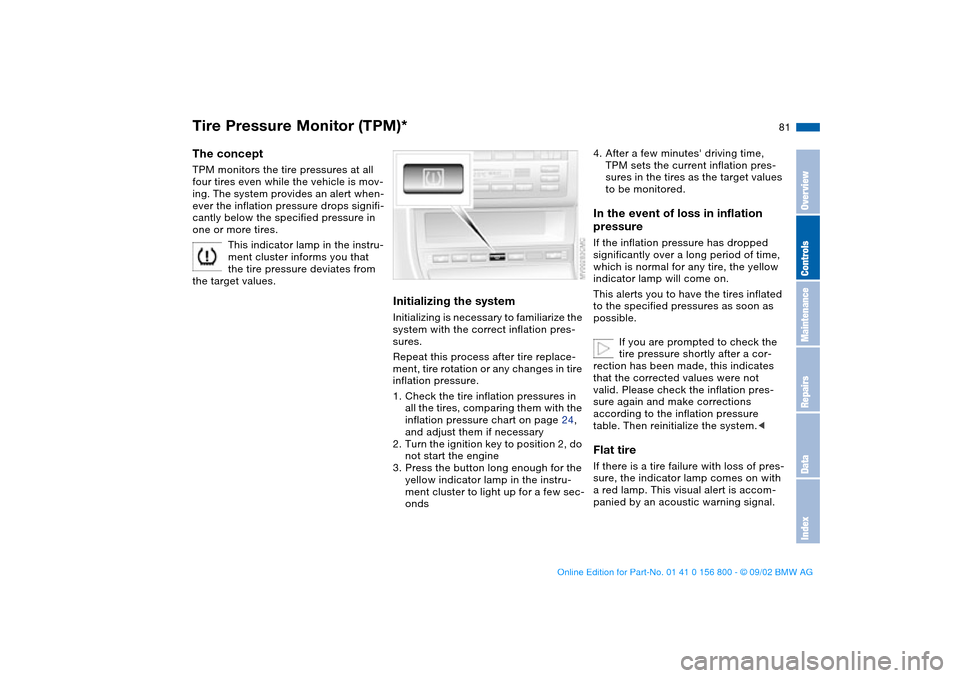
Initializing the systemInitializing is necessary to familiarize the
system with the correct inflation pres-
sures.
Repeat this process after tire replace-
ment, tire rotation or any changes in tire
inflation pressure.
1. Check the tire inflation pressures in
all the tires, comparing them with the
inflation pressure chart on page 24,
and adjust them if necessary
2. Turn the ignition key to position 2, do
not start the engine
3. Press the button long enough for the
yellow indicator lamp in the instru-
ment cluster to light up for a few sec-
onds
4. After a few minutes' driving time,
TPM sets the current inflation pres-
sures in the tires as the target values
to be monitored.In the event of loss in inflation
pressureIf the inflation pressure has dropped
significantly over a long period of time,
which is normal for any tire, the yellow
indicator lamp will come on.
This alerts you to have the tires inflated
to the specified pressures as soon as
possible.
If you are prompted to check the
tire pressure shortly after a cor-
rection has been made, this indicates
that the corrected values were not
valid. Please check the inflation pres-
sure again and make corrections
according to the inflation pressure
table. Then reinitialize the system.
a red lamp. This visual alert is accom-
panied by an acoustic warning signal.
OverviewControlsMaintenanceRepairsDataIndex
handbook.book Page 81 Tuesday, July 30, 2002 12:16 PM
Page 82 of 162
82
If this occurs, reduce vehicle speed
immediately and stop the vehicle in a
safe location. Avoid hard brake applica-
tions. Do not oversteer. Replace the
defective tire, refer to page 135.
The space-saver spare tire is pro-
vided for temporary use only in the
case of a tire failure. It does not have
TPM electronics and is not monitored.
The spare tire that has the same dimen-
sions as the tires already mounted on
the vehicle is equipped with the neces-
sary TPM electronics and will also be
monitored once the tire has been
mounted and the system initialized.<
The TPM cannot alert you to
severe and sudden tire damage
caused by external factors.<
Have the tires changed by your
BMW center.
Your BMW center has the information
needed for working with TPM and is
equipped with the necessary special
tools.
The yellow indicator lamp will come on
during the malfunction.
The indicator lamp also comes on
>in the event of a system fault
>if a wheel is mounted without the
appropriate electronics
>if, in addition to the spare tire, addi-
tional wheels with TPM electronics
are on board.
Please refer the problem to your BMW
center.
Flat Tire Monitor*The conceptAs you drive, the Flat Tire Monitor
keeps track of pressure levels in all four
tires in order to detect and warn of any
substantial pressure loss.
The system actually detects pressure
loss by monitoring differences in the
relative speeds of the four wheels. It
interprets variations outside specified
limits as severe pressure loss, and then
responds by generating a warning.
Tire Pressure Monitor (TPM)*
handbook.book Page 82 Tuesday, July 30, 2002 12:16 PM