remote control BMW 325I 2005 Owner's Manual
[x] Cancel search | Manufacturer: BMW, Model Year: 2005, Model line: 325I, Model: BMW 325I 2005Pages: 166, PDF Size: 4.98 MB
Page 85 of 166
Reference
At a glance
Controls
Driving tips
Mobility
83
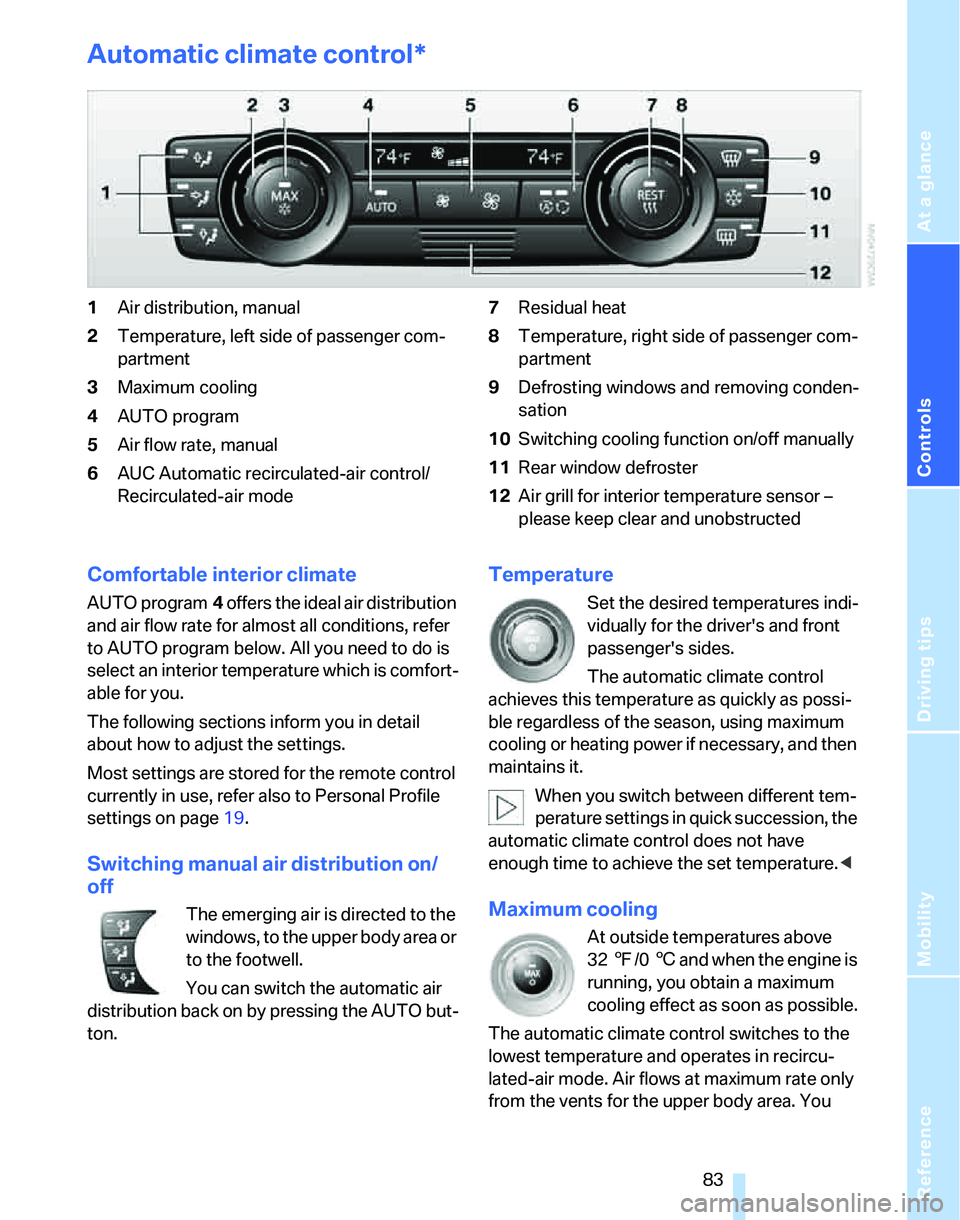
Automatic climate control*
1Air distribution, manual
2Temperature, left side of passenger com-
partment
3Maximum cooling
4AUTO program
5Air flow rate, manual
6AUC Automatic recirculated-air control/
Recirculated-air mode7Residual heat
8Temperature, right side of passenger com-
partment
9Defrosting windows and removing conden-
sation
10Switching cooling function on/off manually
11Rear window defroster
12Air grill for interior temperature sensor –
please keep clear and unobstructed
Comfortable interior climate
AUTO program4 offers the ideal air distribution
and air flow rate for almost all conditions, refer
to AUTO program below. All you need to do is
select an interior temperature which is comfort-
able for you.
The following sections inform you in detail
about how to adjust the settings.
Most settings are stored for the remote control
currently in use, refer also to Personal Profile
settings on page19.
Switching manual air distribution on/
off
The emerging air is directed to the
windows, to the upper body area or
to the footwell.
You can switch the automatic air
distribution back on by pressing the AUTO but-
ton.
Temperature
Set the desired temperatures indi-
vidually for the driver's and front
passenger's sides.
The automatic climate control
achieves this temperature as quickly as possi-
ble regardless of the season, using maximum
cooling or heating power if necessary, and then
maintains it.
When you switch between different tem-
perature settings in quick succession, the
automatic climate control does not have
enough time to achieve the set temperature.<
Maximum cooling
At outside temperatures above
327/06 and when the engine is
running, you obtain a maximum
cooling effect as soon as possible.
The automatic climate control switches to the
lowest temperature and operates in recircu-
lated-air mode. Air flows at maximum rate only
from the vents for the upper body area. You
Page 88 of 166
Practical interior accessories
86
Practical interior accessories
Integrated universal remote
control*
The concept
The integrated universal remote control can
replace as many as three hand-held transmit-
ters for various remote-controlled devices,
such as door openers and house alarm sys-
tems. The integrated universal remote control
registers and stores signals from the original
hand-held transmitters.
The signal of an original hand-held transmitter
can be programmed on one of the three mem-
ory buttons1. After this, the programmed
memory button1 will operate the system in
question. The LED2 flashes to confirm trans-
mission of the signal.
Should you sell your vehicle one day, be sure to
delete the stored programs beforehand for your
safety, refer to page87.
To prevent possible damage or injury,
before programming or using the inte-
grated universal remote control, always inspect
the immediate area to make certain that no peo-
ple, animals or objects are within the pivoting or
travel range of the device being operated. Com-
ply also with the safety instructions supplied
with the original hand-held transmitter.<
Checking compatibility
If this symbol appears on the package
or in the instructions supplied with the
original hand-held transmitter, you can
assume that the radio remote control device will
be compatible with the integrated universal
remote control.
For additional information, please contact your
BMW Center or call: 1-800-355-3515.
You can also obtain information on the Internet
at:
www.bmwusa.com or
www.homelink.com. HomeLink is a registered trademark of Johnson
Controls, Inc.<
Programming
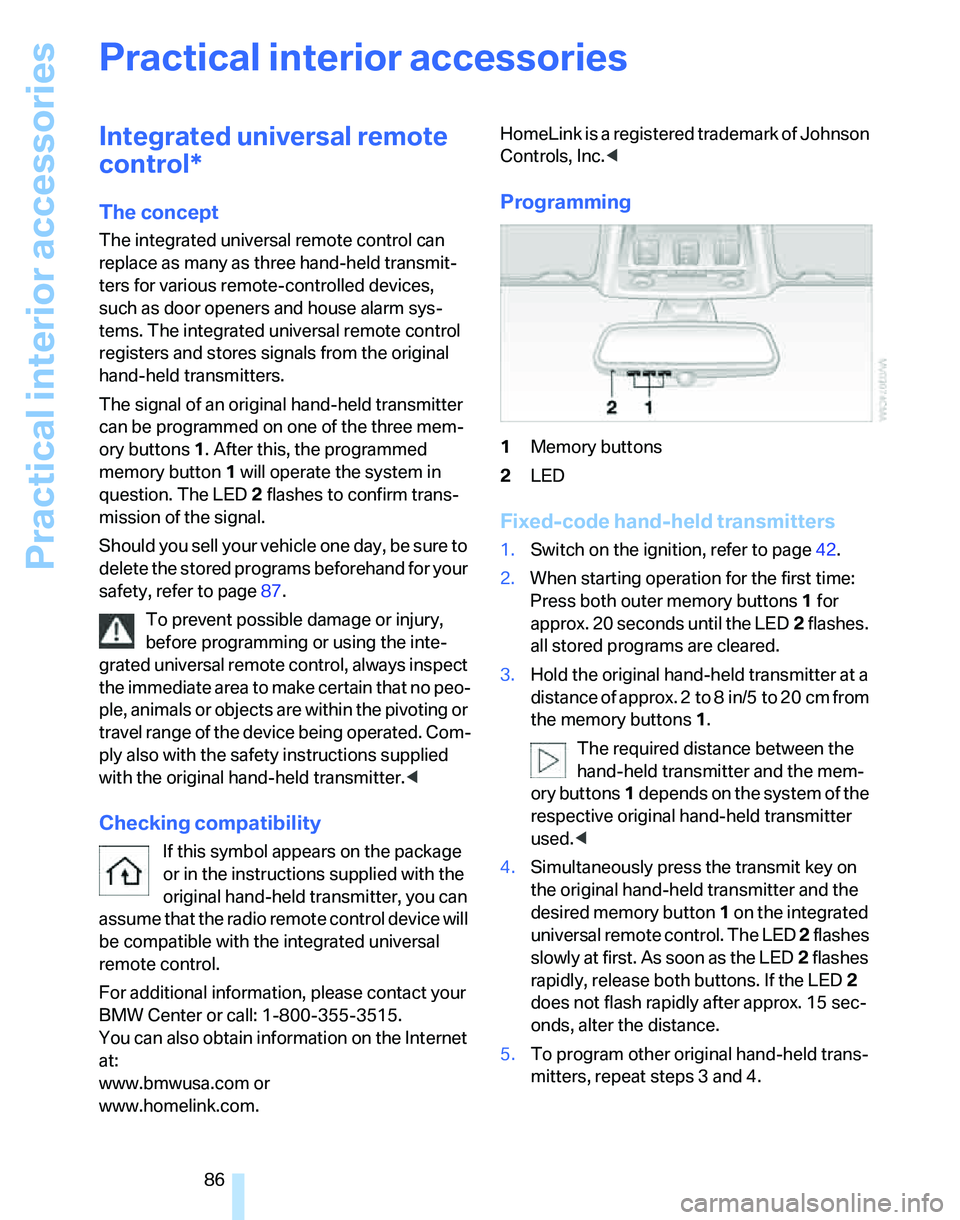
1Memory buttons
2LED
Fixed-code hand-held transmitters
1.Switch on the ignition, refer to page42.
2.When starting operation for the first time:
Press both outer memory buttons1 for
approx. 20 seconds until the LED2 flashes.
all stored programs are cleared.
3.Hold the original hand-held transmitter at a
distance of approx. 2 to 8 in/5 to 20 cm from
the memory buttons1.
The required distance between the
hand-held transmitter and the mem-
ory buttons1 depends on the system of the
respective original hand-held transmitter
used.<
4.Simultaneously press the transmit key on
the original hand-held transmitter and the
desired memory button 1 on the integrated
universal remote control. The LED 2 flashes
slowly at first. As soon as the LED2 flashes
rapidly, release both buttons. If the LED2
does not flash rapidly after approx. 15 sec-
onds, alter the distance.
5.To program other original hand-held trans-
mitters, repeat steps 3 and 4.
Page 89 of 166
Reference
At a glance
Controls
Driving tips
Mobility
87
The corresponding memory button 1 is now
programmed with the signal of the original
hand-held transmitter.
You can operate the system when the engine is
running or when the ignition is switched on.
If the system fails to function even after
repeated programming, check whether
the original hand-held transmitter uses an alter-
nating-code system. To do so, either read the
instructions for the original hand-held transmit-
ter or hold down the programmed memory
button1 of the integrated universal remote
control. If the LED2 on the integrated universal
remote control flashes rapidly for a short while
and then remains lit for about two seconds, the
original hand-held transmitter uses an alternat-
ing-code system. If it uses an alternating-code
system, program the memory buttons1 as
described under Alternating-code hand-held
transmitters.<
Alternating-code hand-held
transmitters
To program the integrated universal remote
control, consult the operating instructions for
the device to be set. You will find information
there on the possibilities for synchronization.
When programming hand-held transmitters that employ an alternating code, please observe
the following supplementary instructions:
P r o g ra m m in g w i ll b e ea s i er w it h t h e a i d o f
a second person.<
1.Park your vehicle within the range of the
remote-controlled device.
2.Program the integrated universal remote
control as described above in the section
Fixed-code hand-held transmitters.
3.Locate the button on the receiver of the
device to be set, e.g. on the drive unit.
4.Press the button on the receiver of the
device to be set. After step 4, you have
approx. 30 seconds for step 5.
5.Press the programmed memory button1 of
the integrated universal remote control
three times.
The corresponding memory button 1 is now
programmed with the signal of the original
hand-held transmitter.
If you have any questions, please contact
your BMW Center.<
Deleting stored programs
Press both outer memory buttons1 for approx.
20 seconds until the LED2 flashes: all stored
programs are cleared.
It is not possible to clear individual programs.
Interior rearview mirror with digital compass*
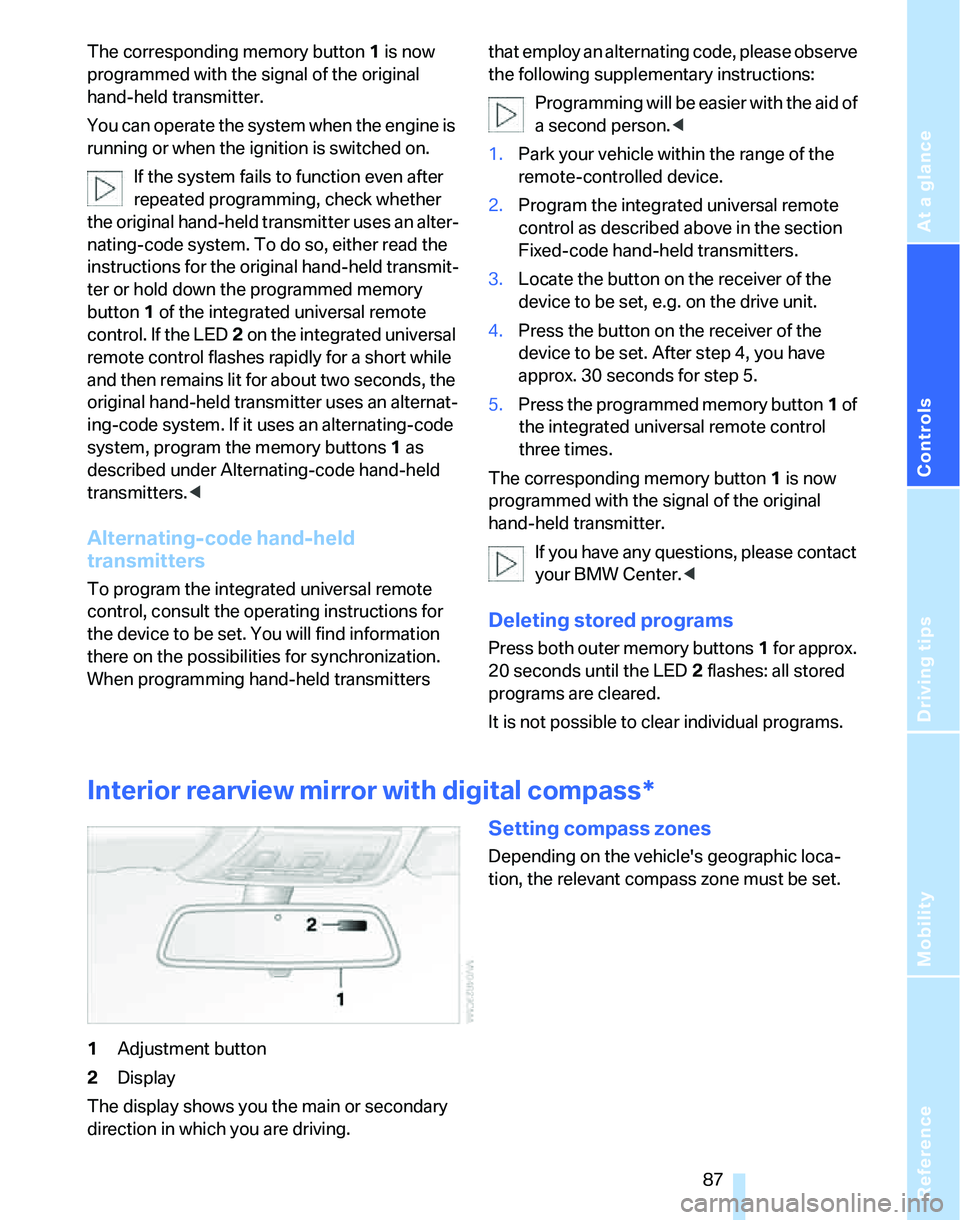
1Adjustment button
2Display
The display shows you the main or secondary
direction in which you are driving.
Setting compass zones
Depending on the vehicle's geographic loca-
tion, the relevant compass zone must be set.
Page 91 of 166
Reference
At a glance
Controls
Driving tips
Mobility
89
Roller sun blinds*
Rear window blind
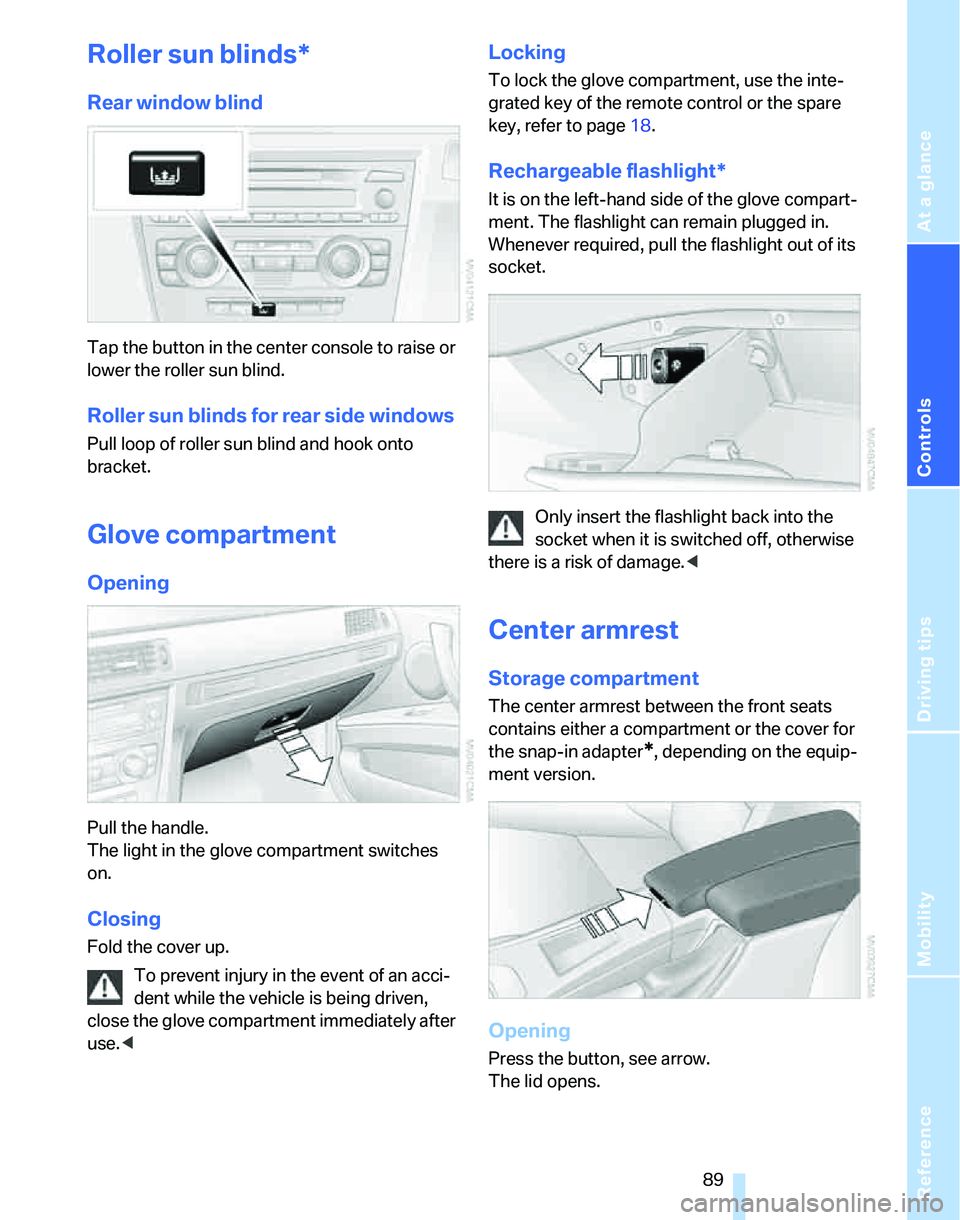
Tap the button in the center console to raise or
lower the roller sun blind.
Roller sun blinds for rear side windows
Pull loop of roller sun blind and hook onto
bracket.
Glove compartment
Opening
Pull the handle.
The light in the glove compartment switches
on.
Closing
Fold the cover up.
To prevent injury in the event of an acci-
dent while the vehicle is being driven,
close the glove compartment immediately after
use.<
Locking
To lock the glove compartment, use the inte-
grated key of the remote control or the spare
key, refer to page18.
Rechargeable flashlight*
It is on the left-hand side of the glove compart-
ment. The flashlight can remain plugged in.
Whenever required, pull the flashlight out of its
socket.
Only insert the flashlight back into the
socket when it is switched off, otherwise
there is a risk of damage.<
Center armrest
Storage compartment
The center armrest between the front seats
contains either a compartment or the cover for
the snap-in adapter
*, depending on the equip-
ment version.
Opening
Press the button, see arrow.
The lid opens.
Page 93 of 166
Reference
At a glance
Controls
Driving tips
Mobility
91
Ashtray, front
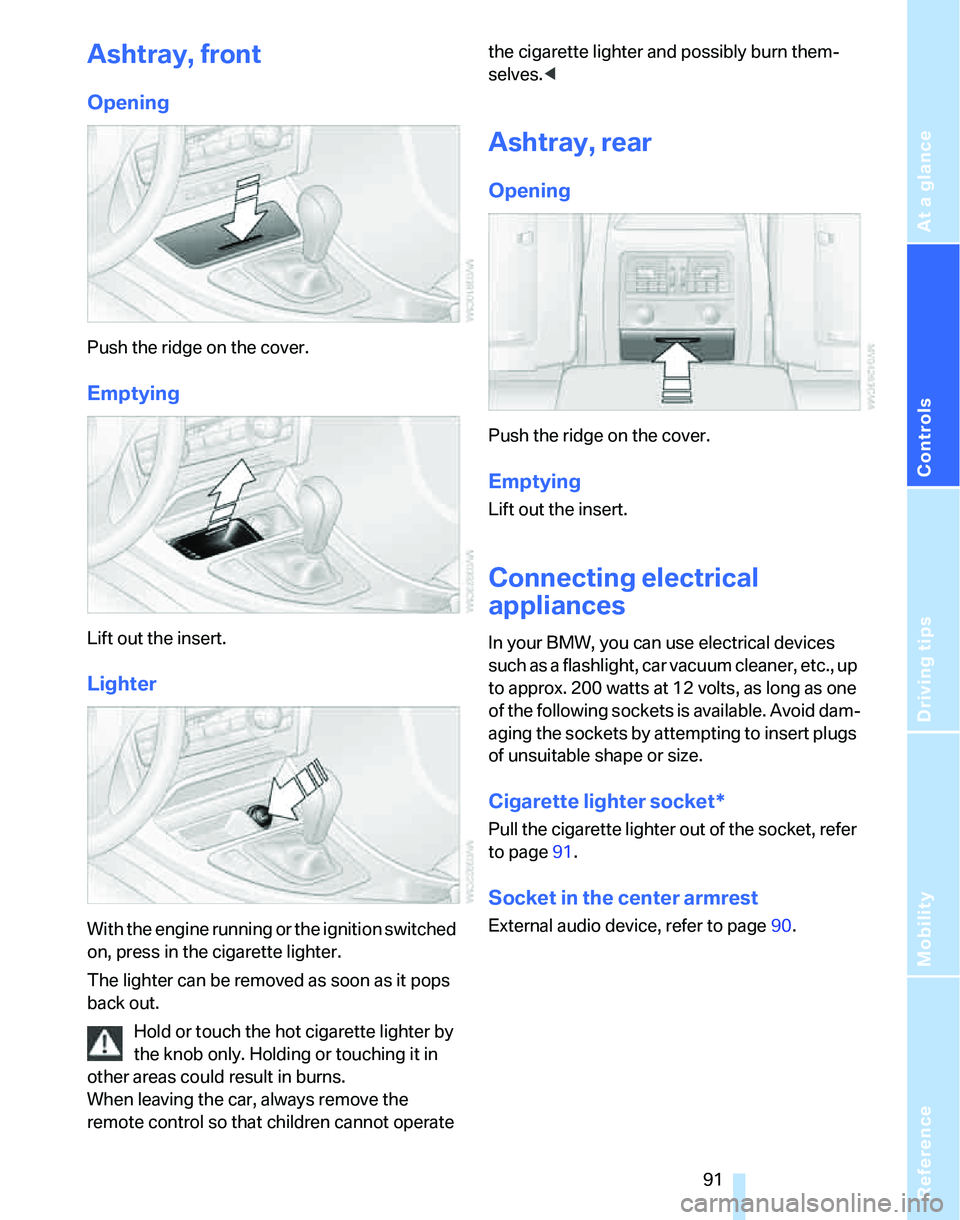
Opening
Push the ridge on the cover.
Emptying
Lift out the insert.
Lighter
With the engine running or the ignition switched
on, press in the cigarette lighter.
The lighter can be removed as soon as it pops
back out.
Hold or touch the hot cigarette lighter by
the knob only. Holding or touching it in
other areas could result in burns.
When leaving the car, always remove the
remote control so that children cannot operate the cigarette lighter and possibly burn them-
selves.<
Ashtray, rear
Opening
Push the ridge on the cover.
Emptying
Lift out the insert.
Connecting electrical
appliances
In your BMW, you can use electrical devices
such as a flashlight, car vacuum cleaner, etc., up
to approx. 200 watts at 12 volts, as long as one
of the following sockets is available. Avoid dam-
aging the sockets by attempting to insert plugs
of unsuitable shape or size.
Cigarette lighter socket*
Pull the cigarette lighter out of the socket, refer
to page91.
Socket in the center armrest
External audio device, refer to page90.
Page 102 of 166
Things to remember when driving
100 You can increase the engine's braking effect by
shifting down, all the way to first gear if neces-
sary. This strategy helps you avoid placing
excessive loads on the brake system. Down-
shifting in manual mode of the automatic trans-
mission, refer to page48.
Never drive with the clutch held down,
with the transmission in idle or with the
engine switched off; otherwise, engine braking
action will not be present or there will be no
power assistance to the brakes or steering.
Never allow floor mats, carpets or any other
objects to protrude into the area around the
pedals, otherwise pedal function could be
impaired.<
Corrosion on brake rotors
When the vehicle is driven only occasionally,
during extended periods when the vehicle is not
used at all, and in operating conditions where
brake applications are less frequent, there is an
increased tendency for corrosion to form on
rotors, while contaminants accumulate on the
brake pads. This occurs because the minimum
pressure which must be exerted by the pads
during brake applications to clean the rotors is
not reached.
Should corrosion form on the brake rotors, the
brakes will tend to respond with a pulsating
effect that even extended application will fail to
cure.
When the vehicle is parked
Condensation forms while the automatic cli-
mate control is in operation, and then exits
under the vehicle. Traces of condensed water
under the vehicle are therefore normal.
Before driving into a car wash
For general information about taking care of
your BMW, refer to the Caring for your vehicle
brochure.
With convenient access and automatic
transmission
Insert the remote control into the ignition
switch.The engine can be switched off when the selec-
tor lever is in position N. Refer also to page27.
Cargo loading
To avoid loading the tires beyond their
approved carrying capacity, never over-
load the vehicle. Overloading can lead to over-
heating and increases the rate at which damage
develops inside the tires. The ultimate result
can assume the form of a sudden blow-out.<
Determining loading limit
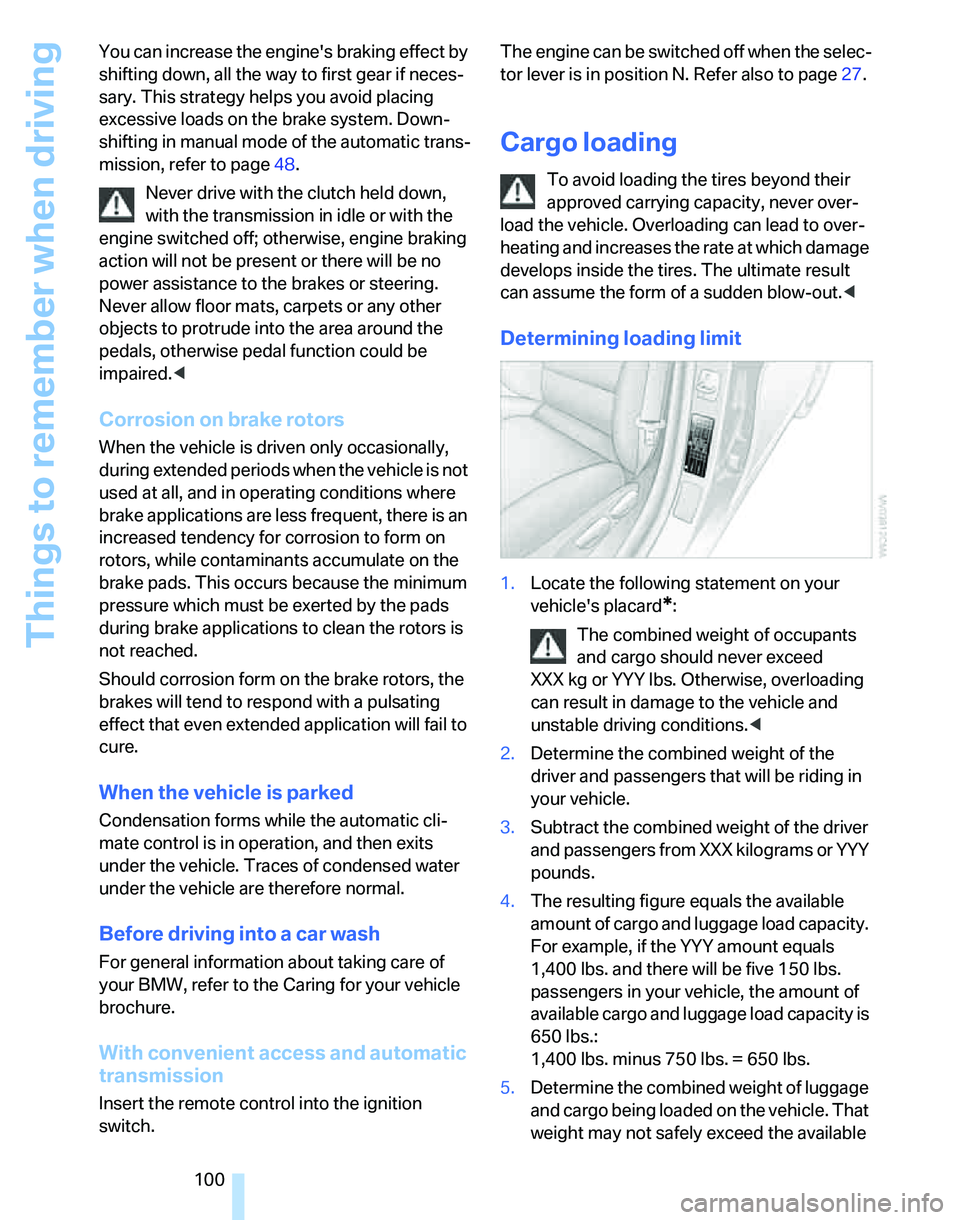
1.Locate the following statement on your
vehicle's placard
*:
The combined weight of occupants
and cargo should never exceed
XXX kg or YYY lbs. Otherwise, overloading
can result in damage to the vehicle and
unstable driving conditions.<
2.Determine the combined weight of the
driver and passengers that will be riding in
your vehicle.
3.Subtract the combined weight of the driver
and passengers from XXX kilograms or YYY
pounds.
4.The resulting figure equals the available
amount of cargo and luggage load capacity.
For example, if the YYY amount equals
1,400 lbs. and there will be five 150 lbs.
passengers in your vehicle, the amount of
available cargo and luggage load capacity is
650 lbs.:
1,400 lbs. minus 750 lbs. = 650 lbs.
5.Determine the combined weight of luggage
and cargo being loaded on the vehicle. That
weight may not safely exceed the available
Page 125 of 166
Reference
At a glance
Controls
Driving tips
Mobility
123
Maintenance
BMW Maintenance System
The BMW Maintenance System supports the
preservation of the traffic and operating safety
of your BMW. The service schedule also
includes operations related to the vehicle's
comfort and convenience features, such as
replacement of the filters for the inside air. The
objective is to optimize efforts with respect to
minimal vehicle maintenance costs.
If and when you come to sell your BMW, a com-
prehensive record of servicing will prove a sig-
nificant benefit.
CBS Condition Based Service
Sensors and special algorithms take the differ-
ent driving conditions of your BMW into
account. Condition Based Service uses this to
determine the current and future service
requirements. By letting you define a service
and maintenance regimen that reflects your
own individual requirements, the system builds
the basis for trouble-free driving.
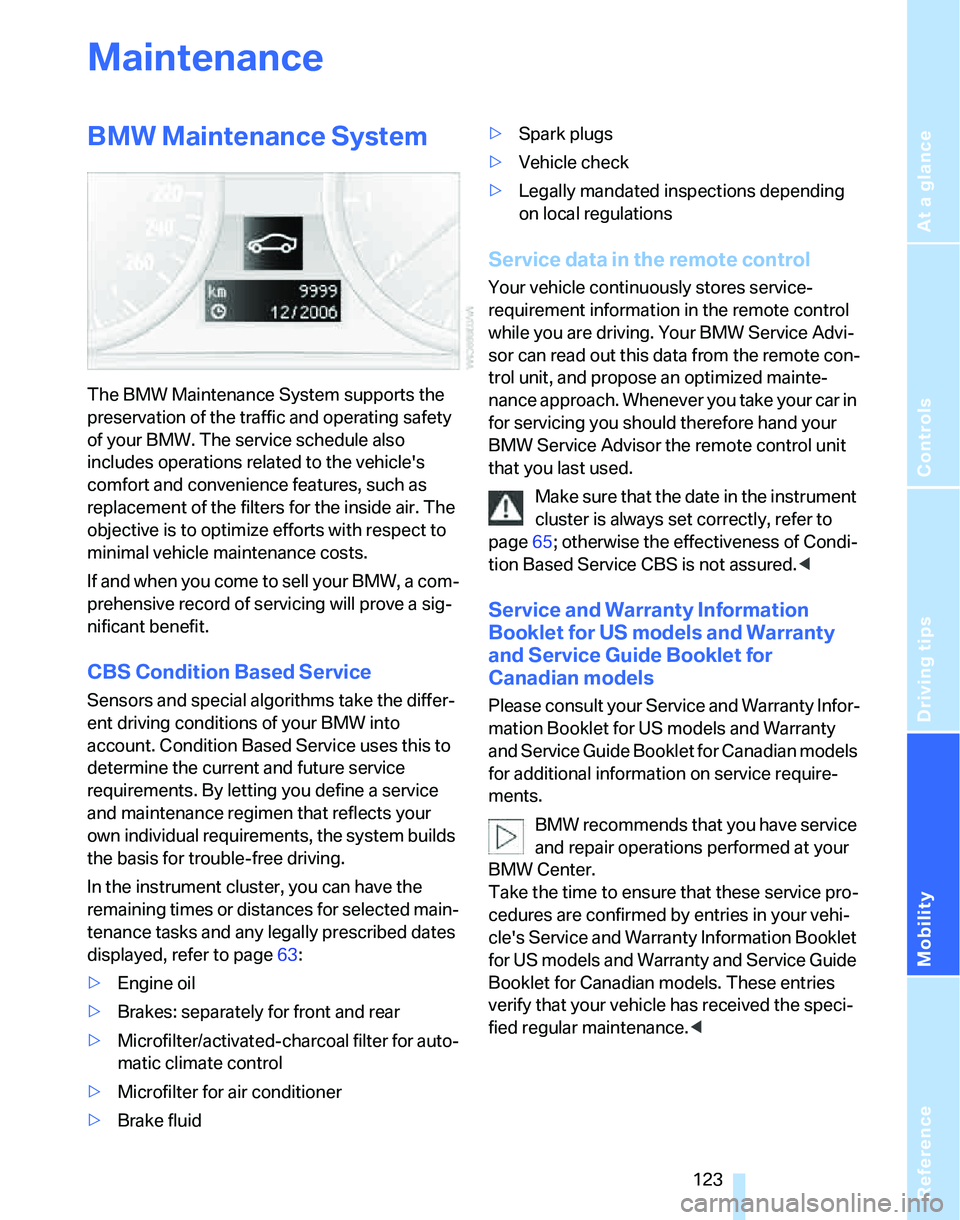
In the instrument cluster, you can have the
remaining times or distances for selected main-
tenance tasks and any legally prescribed dates
displayed, refer to page63:
>Engine oil
>Brakes: separately for front and rear
>Microfilter/activated-charcoal filter
for auto-
matic climate control
>Microfilter
for air conditioner
>Brake fluid>Spark plugs
>Vehicle check
>Legally mandated inspections depending
on local regulations
Service data in the remote control
Your vehicle continuously stores service-
requirement information in the remote control
while you are driving. Your BMW Service Advi-
sor can read out this data from the remote con-
trol unit, and propose an optimized mainte-
nance approach. Whenever you take your car in
for servicing you should therefore hand your
BMW Service Advisor the remote control unit
that you last used.
Make sure that the date in the instrument
cluster is always set correctly, refer to
page65; otherwise the effectiveness of Condi-
tion Based Service CBS is not assured.<
Service and Warranty Information
Booklet for US models and Warranty
and Service Guide Booklet for
Canadian models
Please consult your Service and Warranty Infor-
mation Booklet for US models and Warranty
and Service Guide Booklet for Canadian models
for additional information on service require-
ments.
BMW recommends that you have service
and repair operations performed at your
BMW Center.
Take the time to ensure that these service pro-
cedures are confirmed by entries in your vehi-
cle's Service and Warranty Information Booklet
for US models and Warranty and Service Guide
Booklet for Canadian models. These entries
verify that your vehicle has received the speci-
fied regular maintenance.<
Page 139 of 166
Reference
At a glance
Controls
Driving tips
Mobility
137
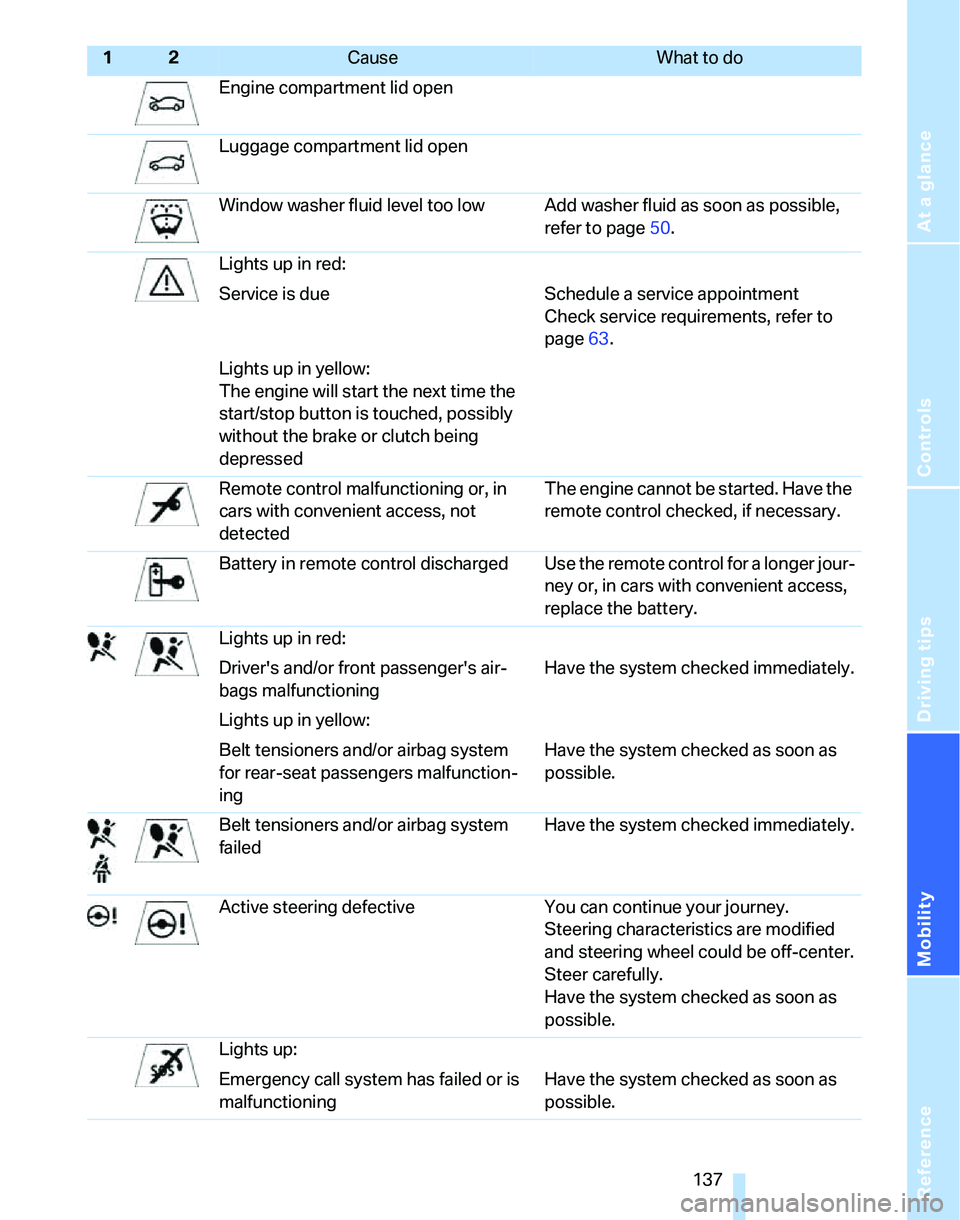
Engine compartment lid open
Luggage compartment lid open
Window washer fluid level too low Add washer fluid as soon as possible,
refer to page50.
Lights up in red:
Service is due Schedule a service appointment
Check service requirements, refer to
page63.
Lights up in yellow:
The engine will start the next time the
start/stop button is touched, possibly
without the brake or clutch being
depressed
Remote control malfunctioning or, in
cars with convenient access, not
detectedThe engine cannot be started. Have the
remote control checked, if necessary.
Battery in remote control discharged Use the remote control for a longer jour-
ney or, in cars with convenient access,
replace the battery.
Lights up in red:
Driver's and/or front passenger's air-
bags malfunctioningHave the system checked immediately.
Lights up in yellow:
Belt tensioners and/or airbag system
for rear-seat passengers malfunction-
ingHave the system checked as soon as
possible.
Belt tensioners and/or airbag system
failedHave the system checked immediately.
Active steering defective You can continue your journey.
Steering characteristics are modified
and steering wheel could be off-center.
Steer carefully.
Have the system checked as soon as
possible.
Lights up:
Emergency call system has failed or is
malfunctioningHave the system checked as soon as
possible.
12Cause What to do
Page 155 of 166
Reference
At a glance
Controls
Driving tips
Mobility
153
Back seats
– refer to Rear seats
Backup lamps
– replacing bulbs128
Backup lamps, refer to Tail
lamps127
Band-aids, refer to First-aid
pouch131
Bar, refer to Tow-starting,
towing away134
Battery129
– charging129
– disposal27,129
– jump starting132
– temporary power failure129
Battery renewal
– remote control27
Being towed133
Belts, refer to Safety belts36
Belt tensioner, refer to Safety
belts36
Beverage holders, refer to
Cup holders90
Black ice, refer to Outside
temperature warning59
Blower, refer to Air flow
rate81,84
BMW Homepage4
BMW Maintenance
System123
BMW webpage4
Bottle holders, refer to Cup
holders90
Brake assist, refer to Dynamic
Brake Control68
Brake fluid121
– level too low121
– warning lamp121,122
Brake fluid, refer to Service
requirements63
Brake Force Display73
Brake hydraulics, refer to
Brakes121
Brake lamps
– Brake Force Display73
– replacing bulbs128
Brake pads, breaking in98Brake rotors100
– brakes98
– breaking in98
Brakes
– ABS68
– BMW Maintenance
System123
– brake fluid121
– brake pads122
– breaking in98
– handbrake44
– service requirements63
Brakes, refer to Braking
safely99
Brake system98
– BMW Maintenance
System123
– brake fluid121
– brake pads122
– breaking in98
– disc brakes100
Breakdown services, refer to
Roadside Assistance131
Breaking in
– sequential manual gearbox
SMG98
Breaking in the clutch98
Breaking in the differential98
Break-in period98
Bulb changing, refer to Lamps
and bulbs125
Burned fuel
– refer to Average
consumption60
Button for starting engine42
Buttons on steering wheel11
C
California Proposition 65
warning6
Can holders, refer to Cup
holders90
Capacities151
Capacity of luggage
compartment150
Car battery, refer to Vehicle
battery129Car care, refer to Caring for
your vehicle brochure
Car-care products, refer to
Caring for your vehicle
brochure
Care, refer to Caring for your
vehicle brochure
Cargo, securing101
Cargo loading
– stowing cargo101
– vehicle100
Caring for artificial leather,
refer to Caring for your
vehicle brochure
Caring for leather, refer to
Caring for your vehicle
brochure
Caring for light-alloy wheels,
refer to Caring for your
vehicle brochure
Caring for plastic, refer to
Caring for your vehicle
brochure
Caring for the carpet, refer to
Caring for your vehicle
brochure
Caring for the vehicle finish,
refer to Caring for your
vehicle brochure
Car jack
– jacking points129
Car key, refer to Integrated
key/remote control18
Car phone
– installation location, refer to
Center armrest89
– refer to separate Owner's
Manual
Car wash100
– also refer to Caring for your
vehicle brochure
Catalytic converter, refer to
Hot exhaust system98
CBS Condition Based
Service123
Center armrest89
Center brake lamp
– replacing bulbs128
Page 156 of 166
Everything from A to Z
154 Center console, refer to
Around the center
console14
Central locking
– from inside22
– from outside19
Central locking system19
– convenient access25
Changing bulbs125
Changing wheels129
Chassis number, refer to
Engine compartment119
Check Control65
Check Gas Cap106
Checking the air pressure,
refer to Tire inflation
pressure108
Child-restraint fixing system
LATCH40
Child-restraint systems39
Child-safety lock41
Child seats39
Chrome parts, care, refer to
Caring for your vehicle
brochure
Cigarette lighter91
– socket91
Cleaning, refer to Caring for
your vehicle brochure
Cleaning headlamps50
– washer fluid50
Clock59
– 12h/24h mode62
– setting time64
Closing
– from inside22
– from outside20
Clothes hooks90
Cockpit10
Cold start, refer to Starting the
engine43
Combined instrument, refer to
Instrument cluster12
Comfort Access, refer to
Convenient access25
Comfort area, refer to Around
the center console14Compartment for remote
control, refer to Ignition
lock42
Compass87
Computer60
Condensation, refer to When
the vehicle is parked100
Configuring settings, refer to
Personal Profile19
Confirmation signals for
locking/unlocking of the
vehicle21
Connecting vacuum cleaner,
refer to Connecting
electrical appliances91
Consumption display
– average consumption60
Consumption indicator
– Energy Control60
Control Display
– settings61
Controls and displays10
Convenience operation
– windows20
Convenience start, refer to
Starting the engine43
Convenient access25
– replacing the battery27
– what to observe before
entering a car wash27
Convenient operation
– windows with convenient
access26
– with convenient access26
Coolant121
– adding121
– checking level121
Coolant temperature59
Cooling, maximum83
Cooling fluid, refer to
Coolant121
Cornering lamps, refer to
Adaptive Head Light77
Courtesy lamps79
Cruise control51
– active53
– malfunction52
Cruising range60
Cup holders90Curb weight, refer to
Weights150
Current consumption, refer to
Energy Control60
D
Dashboard, refer to
Cockpit10
Dashboard, refer to
Instrument cluster12
Dashboard lighting, refer to
Instrument lighting78
Data148
– capacities151
– dimensions149
– engine148
– weights150
Date
– setting65
Daytime driving lamps77
DBC Dynamic Brake
Control68
DCC, refer to Cruise
control51
Deactivating front passenger
airbags74
Deadlocking, refer to
Locking20
Decommissioning the vehicle
– refer to Caring for your
vehicle brochure
Defect
– door lock22
– fuel filler door106
– glass sunroof29
Defogging windows82,85
Defrosting windows82,85
Defrosting windows and
removing condensation
– air conditioner82
– automatic climate control85
Defrosting windshield, refer to
Defrosting windows82,85
Defrost position, refer to
Defrosting windows82,85
Digital clock59
Digital compass87
Dimensions149