tailgate lamp BMW 325i TOURING 2003 E46 Owner's Manual
[x] Cancel search | Manufacturer: BMW, Model Year: 2003, Model line: 325i TOURING, Model: BMW 325i TOURING 2003 E46Pages: 166, PDF Size: 4.29 MB
Page 8 of 166
Contents
Notes
About this Owner's Manual4
Symbols used4
Your individual vehicle4
Status at time of printing5
For your own safety5
Symbol on vehicle parts6
Service and warranty6
Reporting safety defects6
Overview
Cockpit14
Instrument cluster16
Indicator and warning lamps18
Steering wheel with multifunction
buttons*22
Hazard warning triangle*23
First-aid kit*23
Refueling24
Fuel specifications25
Tire inflation pressure25
Controls and features
Opening and closing:
Keys30
Central locking system30
Opening and closing – via the
remote control31
Opening and closing – via the
door lock33
Opening and closing – from the
inside34
Tailgate34
Rear window35
Cargo area36
Alarm system*37
Electric power windows39
Sliding/tilt sunroof*40
To adjust:
Safe seating position43
Seats44
Manual seat adjustment44
Power seat adjustment*46
Lumbar support*46
Head restraints47
Safety belts47
Seat and mirror memory*48
Seat heating*49
Steering wheel50
Mirrors50
handbook.book Page 8 Saturday, July 27, 2002 1:36 PM
Page 30 of 166
30Opening and closing
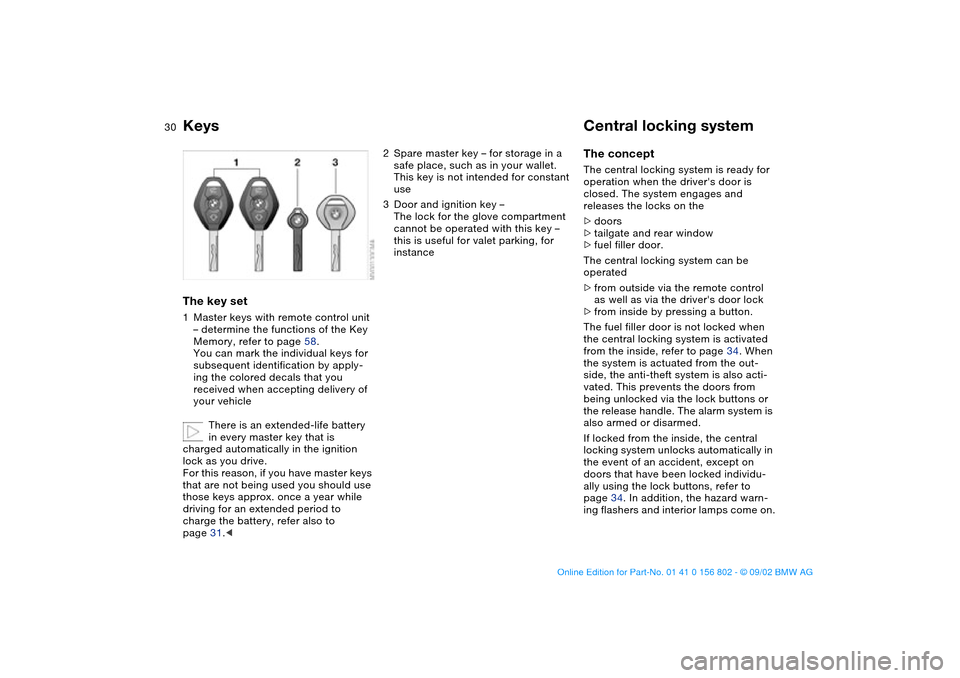
KeysThe key set1Master keys with remote control unit
– determine the functions of the Key
Memory, refer to page 58.
You can mark the individual keys for
subsequent identification by apply-
ing the colored decals that you
received when accepting delivery of
your vehicle
There is an extended-life battery
in every master key that is
charged automatically in the ignition
lock as you drive.
For this reason, if you have master keys
that are not being used you should use
those keys approx. once a year while
driving for an extended period to
charge the battery, refer also to
page 31.<
2Spare master key – for storage in a
safe place, such as in your wallet.
This key is not intended for constant
use
3Door and ignition key –
The lock for the glove compartment
cannot be operated with this key –
this is useful for valet parking, for
instance
Central locking systemThe conceptThe central locking system is ready for
operation when the driver's door is
closed. The system engages and
releases the locks on the
>doors
>tailgate and rear window
>fuel filler door.
The central locking system can be
operated
>from outside via the remote control
as well as via the driver's door lock
>from inside by pressing a button.
The fuel filler door is not locked when
the central locking system is activated
from the inside, refer to page 34. When
the system is actuated from the out-
side, the anti-theft system is also acti-
vated. This prevents the doors from
being unlocked via the lock buttons or
the release handle. The alarm system is
also armed or disarmed.
If locked from the inside, the central
locking system unlocks automatically in
the event of an accident, except on
doors that have been locked individu-
ally using the lock buttons, refer to
page 34. In addition, the hazard warn-
ing flashers and interior lamps come on.
handbook.book Page 30 Saturday, July 27, 2002 1:36 PM
Page 32 of 166
32
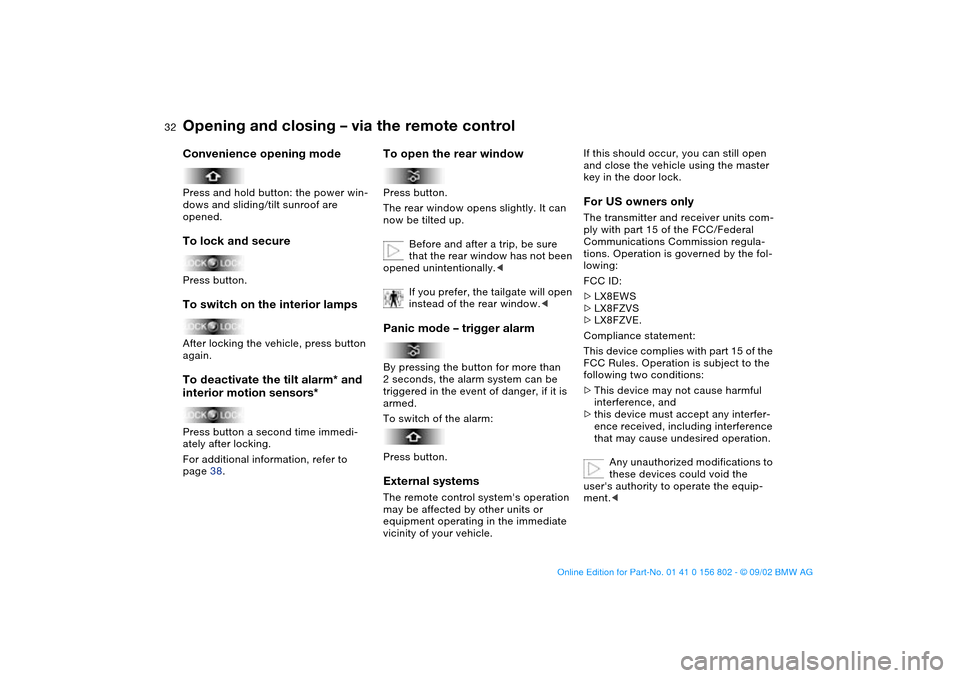
Convenience opening modePress and hold button: the power win-
dows and sliding/tilt sunroof are
opened.To lock and securePress button.To switch on the interior lampsAfter locking the vehicle, press button
again.To deactivate the tilt alarm* and
interior motion sensors*Press button a second time immedi-
ately after locking.
For additional information, refer to
page 38.
To open the rear windowPress button.
The rear window opens slightly. It can
now be tilted up.
Before and after a trip, be sure
that the rear window has not been
opened unintentionally.<
If you prefer, the tailgate will open
instead of the rear window.
triggered in the event of danger, if it is
armed.
To switch of the alarm:
Press button.External systemsThe remote control system's operation
may be affected by other units or
equipment operating in the immediate
vicinity of your vehicle.
If this should occur, you can still open
and close the vehicle using the master
key in the door lock.For US owners onlyThe transmitter and receiver units com-
ply with part 15 of the FCC/Federal
Communications Commission regula-
tions. Operation is governed by the fol-
lowing:
FCC ID:
>LX8EWS
>LX8FZVS
>LX8FZVE.
Compliance statement:
This device complies with part 15 of the
FCC Rules. Operation is subject to the
following two conditions:
>This device may not cause harmful
interference, and
>this device must accept any interfer-
ence received, including interference
that may cause undesired operation.
Any unauthorized modifications to
these devices could void the
user's authority to operate the equip-
ment.<
Opening and closing – via the remote control
handbook.book Page 32 Saturday, July 27, 2002 1:36 PM
Page 37 of 166
37
Alarm system*The conceptThe vehicle alarm system responds:
>When a door, the hood, the tailgate
or the rear window is opened
>To movement inside the vehicle –
interior motion sensor
>To variations in the vehicle's tilt angle
such as those occurring during
attempts to steal the wheels or tow
the vehicle
>To interruption of battery voltage.
The system responds to unauthorized
vehicle entry and attempted theft by
simultaneously activating the following:
>Sounding an acoustic alarm for
30 seconds
>The hazard warning flashers are acti-
vated for approx. five minutes
>Flashing the high beams on and off in
rhythm with the hazard warning flash-
ers.To arm and disarm the alarm
systemWhen the vehicle is locked or unlocked
via the driver's door lock or with the
remote control, the alarm system is also
simultaneously armed or disarmed.You can have different acknowl-
edgment signals set to confirm
arming and disarming.<
You can also open the rear window
when the system is armed by pressing
the remote control button, refer to
page 32. The window is once again
secured when it is closed.
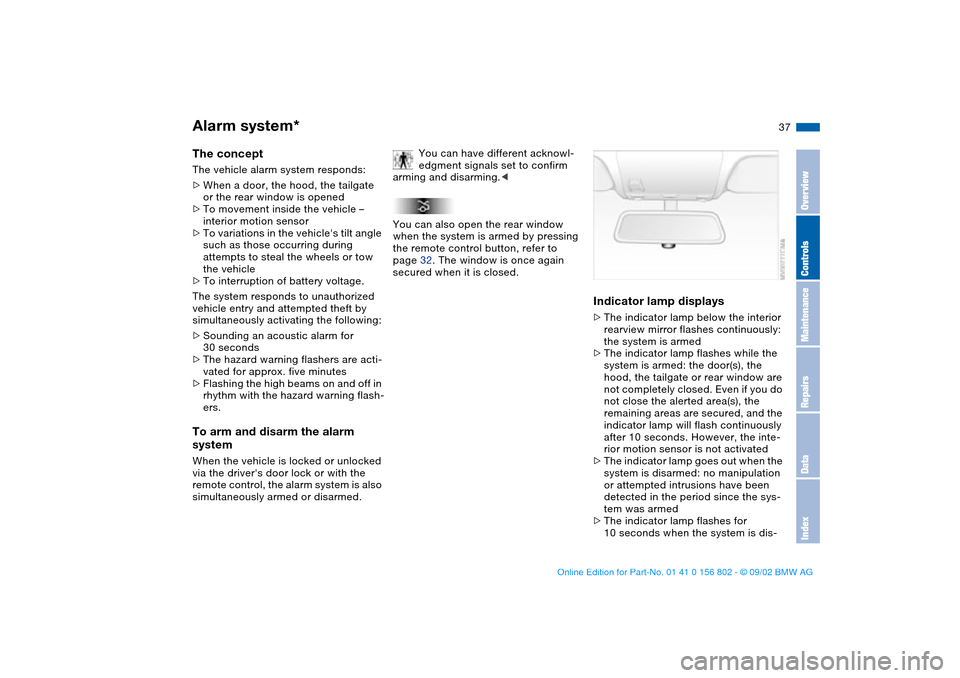
Indicator lamp displays>The indicator lamp below the interior
rearview mirror flashes continuously:
the system is armed
>The indicator lamp flashes while the
system is armed: the door(s), the
hood, the tailgate or rear window are
not completely closed. Even if you do
not close the alerted area(s), the
remaining areas are secured, and the
indicator lamp will flash continuously
after 10 seconds. However, the inte-
rior motion sensor is not activated
>The indicator lamp goes out when the
system is disarmed: no manipulation
or attempted intrusions have been
detected in the period since the sys-
tem was armed
>The indicator lamp flashes for
10 seconds when the system is dis-
OverviewControlsMaintenanceRepairsDataIndex
handbook.book Page 37 Saturday, July 27, 2002 1:36 PM
Page 58 of 166
58
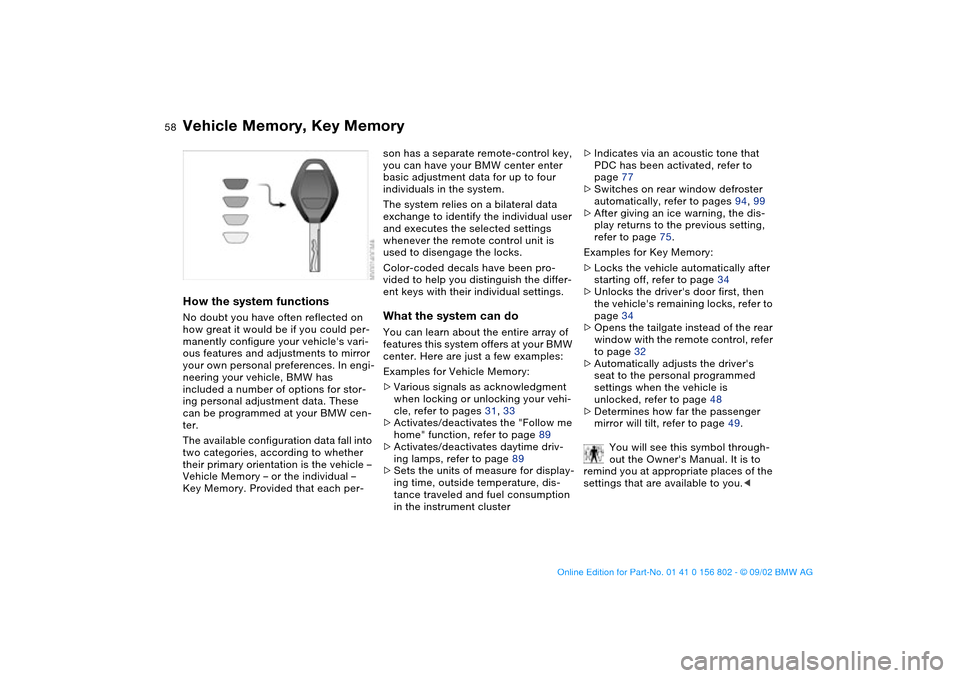
Vehicle Memory, Key MemoryHow the system functionsNo doubt you have often reflected on
how great it would be if you could per-
manently configure your vehicle's vari-
ous features and adjustments to mirror
your own personal preferences. In engi-
neering your vehicle, BMW has
included a number of options for stor-
ing personal adjustment data. These
can be programmed at your BMW cen-
ter.
The available configuration data fall into
two categories, according to whether
their primary orientation is the vehicle –
Vehicle Memory – or the individual –
Key Memory. Provided that each per-
son has a separate remote-control key,
you can have your BMW center enter
basic adjustment data for up to four
individuals in the system.
The system relies on a bilateral data
exchange to identify the individual user
and executes the selected settings
whenever the remote control unit is
used to disengage the locks.
Color-coded decals have been pro-
vided to help you distinguish the differ-
ent keys with their individual settings.What the system can doYou can learn about the entire array of
features this system offers at your BMW
center. Here are just a few examples:
Examples for Vehicle Memory:
>Various signals as acknowledgment
when locking or unlocking your vehi-
cle, refer to pages 31, 33
>Activates/deactivates the "Follow me
home" function, refer to page 89
>Activates/deactivates daytime driv-
ing lamps, refer to page 89
>Sets the units of measure for display-
ing time, outside temperature, dis-
tance traveled and fuel consumption
in the instrument cluster>Indicates via an acoustic tone that
PDC has been activated, refer to
page 77
>Switches on rear window defroster
automatically, refer to pages 94, 99
>After giving an ice warning, the dis-
play returns to the previous setting,
refer to page 75.
Examples for Key Memory:
>Locks the vehicle automatically after
starting off, refer to page 34
>Unlocks the driver's door first, then
the vehicle's remaining locks, refer to
page 34
>Opens the tailgate instead of the rear
window with the remote control, refer
to page 32
>Automatically adjusts the driver's
seat to the personal programmed
settings when the vehicle is
unlocked, refer to page 48
>Determines how far the passenger
mirror will tilt, refer to page 49.
You will see this symbol through-
out the Owner's Manual. It is to
remind you at appropriate places of the
settings that are available to you.<
handbook.book Page 58 Saturday, July 27, 2002 1:36 PM
Page 73 of 166
73
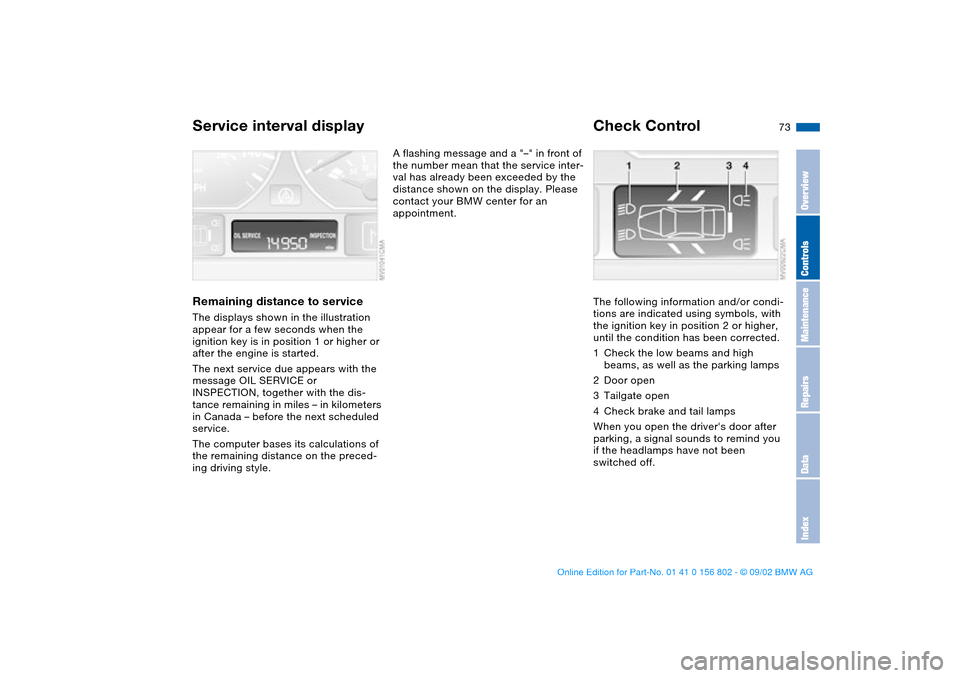
Service interval displayRemaining distance to serviceThe displays shown in the illustration
appear for a few seconds when the
ignition key is in position 1 or higher or
after the engine is started.
The next service due appears with the
message OIL SERVICE or
INSPECTION, together with the dis-
tance remaining in miles – in kilometers
in Canada – before the next scheduled
service.
The computer bases its calculations of
the remaining distance on the preced-
ing driving style.
A flashing message and a "–" in front of
the number mean that the service inter-
val has already been exceeded by the
distance shown on the display. Please
contact your BMW center for an
appointment.
Check ControlThe following information and/or condi-
tions are indicated using symbols, with
the ignition key in position 2 or higher,
until the condition has been corrected.
1Check the low beams and high
beams, as well as the parking lamps
2Door open
3Tailgate open
4Check brake and tail lamps
When you open the driver's door after
parking, a signal sounds to remind you
if the headlamps have not been
switched off.
OverviewControlsMaintenanceRepairsDataIndex
handbook.book Page 73 Saturday, July 27, 2002 1:36 PM
Page 140 of 166
140
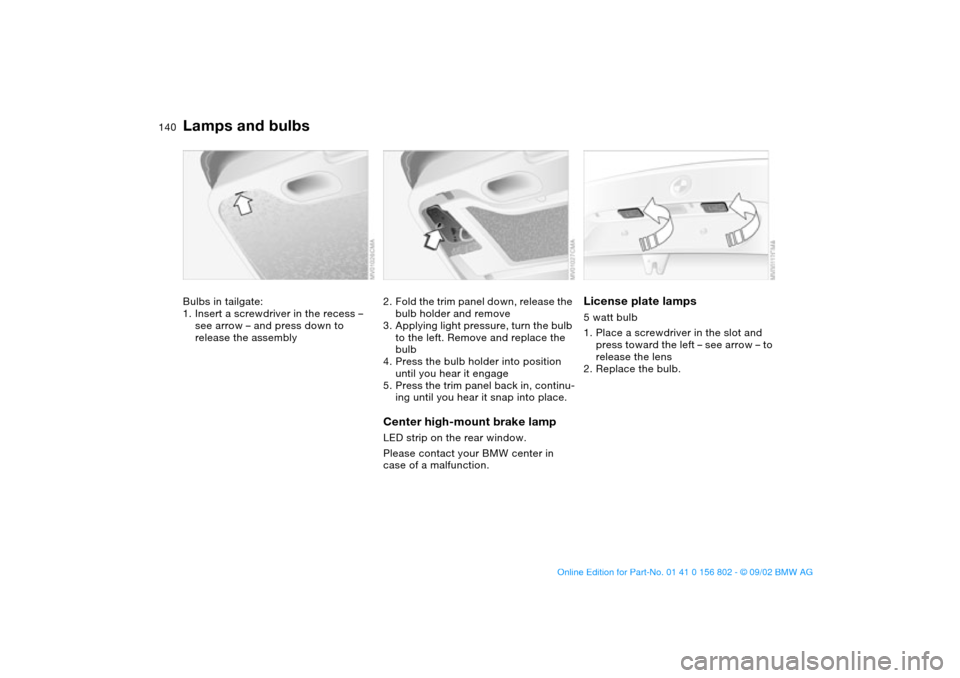
Bulbs in tailgate:
1. Insert a screwdriver in the recess –
see arrow – and press down to
release the assembly
2. Fold the trim panel down, release the
bulb holder and remove
3. Applying light pressure, turn the bulb
to the left. Remove and replace the
bulb
4. Press the bulb holder into position
until you hear it engage
5. Press the trim panel back in, continu-
ing until you hear it snap into place.Center high-mount brake lampLED strip on the rear window.
Please contact your BMW center in
case of a malfunction.
License plate lamps5 watt bulb
1. Place a screwdriver in the slot and
press toward the left – see arrow – to
release the lens
2. Replace the bulb.
Lamps and bulbs
handbook.book Page 140 Saturday, July 27, 2002 1:36 PM
Page 141 of 166
141
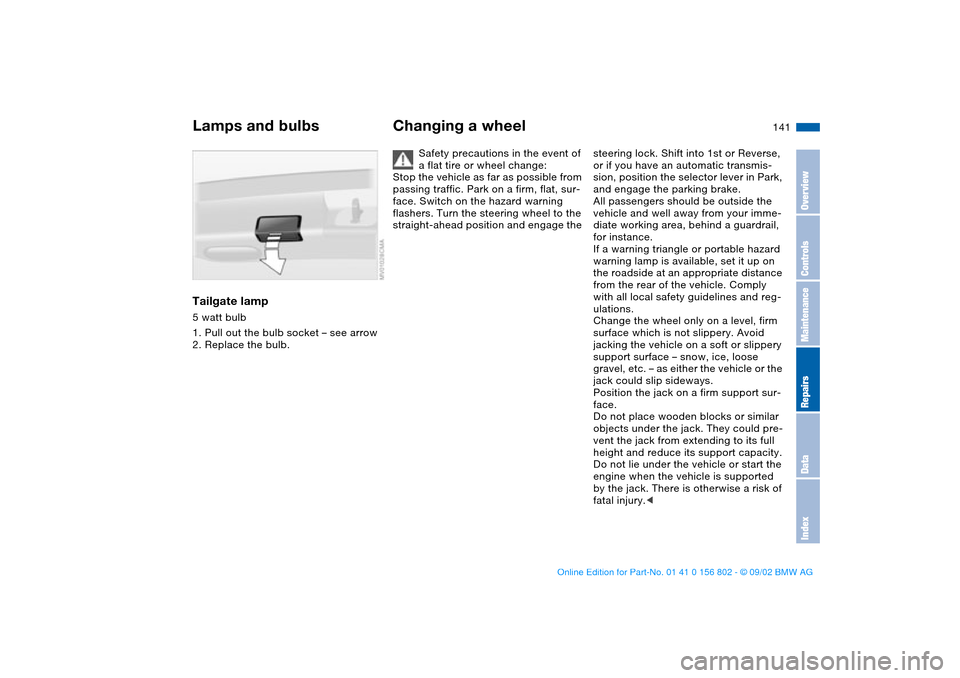
Tailgate lamp5 watt bulb
1. Pull out the bulb socket – see arrow
2. Replace the bulb.
Changing a wheel
Safety precautions in the event of
a flat tire or wheel change:
Stop the vehicle as far as possible from
passing traffic. Park on a firm, flat, sur-
face. Switch on the hazard warning
flashers. Turn the steering wheel to the
straight-ahead position and engage the
steering lock. Shift into 1st or Reverse,
or if you have an automatic transmis-
sion, position the selector lever in Park,
and engage the parking brake.
All passengers should be outside the
vehicle and well away from your imme-
diate working area, behind a guardrail,
for instance.
If a warning triangle or portable hazard
warning lamp is available, set it up on
the roadside at an appropriate distance
from the rear of the vehicle. Comply
with all local safety guidelines and reg-
ulations.
Change the wheel only on a level, firm
surface which is not slippery. Avoid
jacking the vehicle on a soft or slippery
support surface – snow, ice, loose
gravel, etc. – as either the vehicle or the
jack could slip sideways.
Position the jack on a firm support sur-
face.
Do not place wooden blocks or similar
objects under the jack. They could pre-
vent the jack from extending to its full
height and reduce its support capacity.
Do not lie under the vehicle or start the
engine when the vehicle is supported
by the jack. There is otherwise a risk of
fatal injury.<
Lamps and bulbs
OverviewControlsMaintenanceRepairsDataIndex
handbook.book Page 141 Saturday, July 27, 2002 1:36 PM
Page 162 of 166
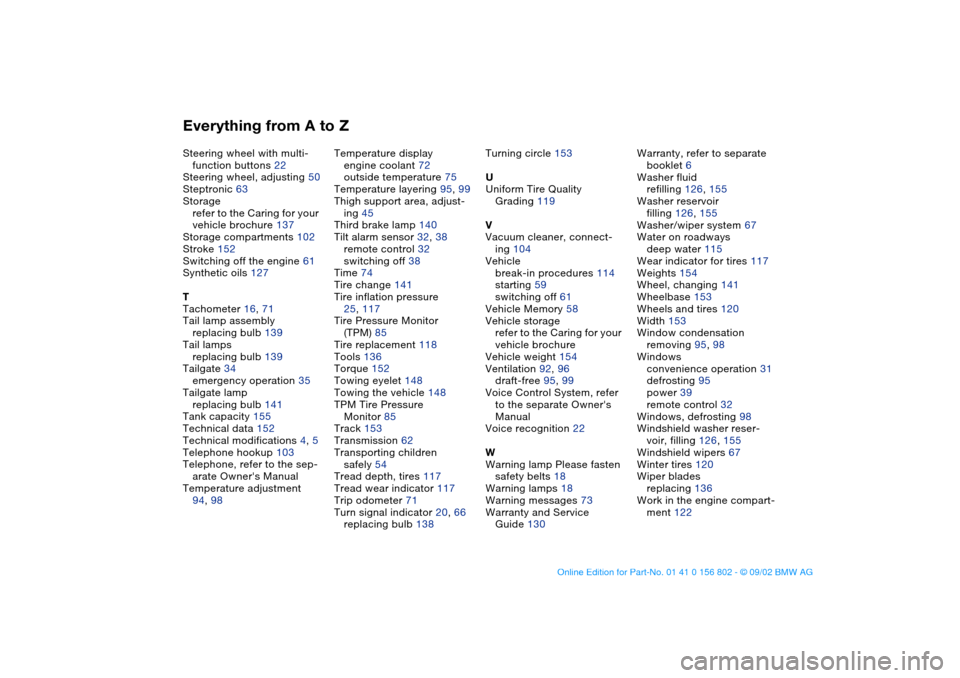
Everything from A to ZSteering wheel with multi-
function buttons 22
Steering wheel, adjusting 50
Steptronic 63
Storage
refer to the Caring for your
vehicle brochure 137
Storage compartments 102
Stroke 152
Switching off the engine 61
Synthetic oils 127
T
Tachometer 16, 71
Tail lamp assembly
replacing bulb 139
Tail lamps
replacing bulb 139
Tailgate 34
emergency operation 35
Tailgate lamp
replacing bulb 141
Tank capacity 155
Technical data 152
Technical modifications 4, 5
Telephone hookup 103
Telephone, refer to the sep-
arate Owner's Manual
Temperature adjustment
94, 98Temperature display
engine coolant 72
outside temperature 75
Temperature layering 95, 99
Thigh support area, adjust-
ing 45
Third brake lamp 140
Tilt alarm sensor 32, 38
remote control 32
switching off 38
Time 74
Tire change 141
Tire inflation pressure
25, 117
Tire Pressure Monitor
(TPM) 85
Tire replacement 118
Tools 136
Torque 152
Towing eyelet 148
Towing the vehicle 148
TPM Tire Pressure
Monitor 85
Track 153
Transmission 62
Transporting children
safely 54
Tread depth, tires 117
Tread wear indicator 117
Trip odometer 71
Turn signal indicator 20, 66
replacing bulb 138Turning circle 153
U
Uniform Tire Quality
Grading 119
V
Vacuum cleaner, connect-
ing 104
Vehicle
break-in procedures 114
starting 59
switching off 61
Vehicle Memory 58
Vehicle storage
refer to the Caring for your
vehicle brochure
Vehicle weight 154
Ventilation 92, 96
draft-free 95, 99
Voice Control System, refer
to the separate Owner's
Manual
Voice recognition 22
W
Warning lamp Please fasten
safety belts 18
Warning lamps 18
Warning messages 73
Warranty and Service
Guide 130Warranty, refer to separate
booklet 6
Washer fluid
refilling 126, 155
Washer reservoir
filling 126, 155
Washer/wiper system 67
Water on roadways
deep water 115
Wear indicator for tires 117
Weights 154
Wheel, changing 141
Wheelbase 153
Wheels and tires 120
Width 153
Window condensation
removing 95, 98
Windows
convenience operation 31
defrosting 95
power 39
remote control 32
Windows, defrosting 98
Windshield washer reser-
voir, filling 126, 155
Windshield wipers 67
Winter tires 120
Wiper blades
replacing 136
Work in the engine compart-
ment 122
handbook.book Page 162 Saturday, July 27, 2002 1:36 PM