instrument cluster BMW 325XI SEDAN 2005 User Guide
[x] Cancel search | Manufacturer: BMW, Model Year: 2005, Model line: 325XI SEDAN, Model: BMW 325XI SEDAN 2005Pages: 178, PDF Size: 2.69 MB
Page 79 of 178
79 Everything under control
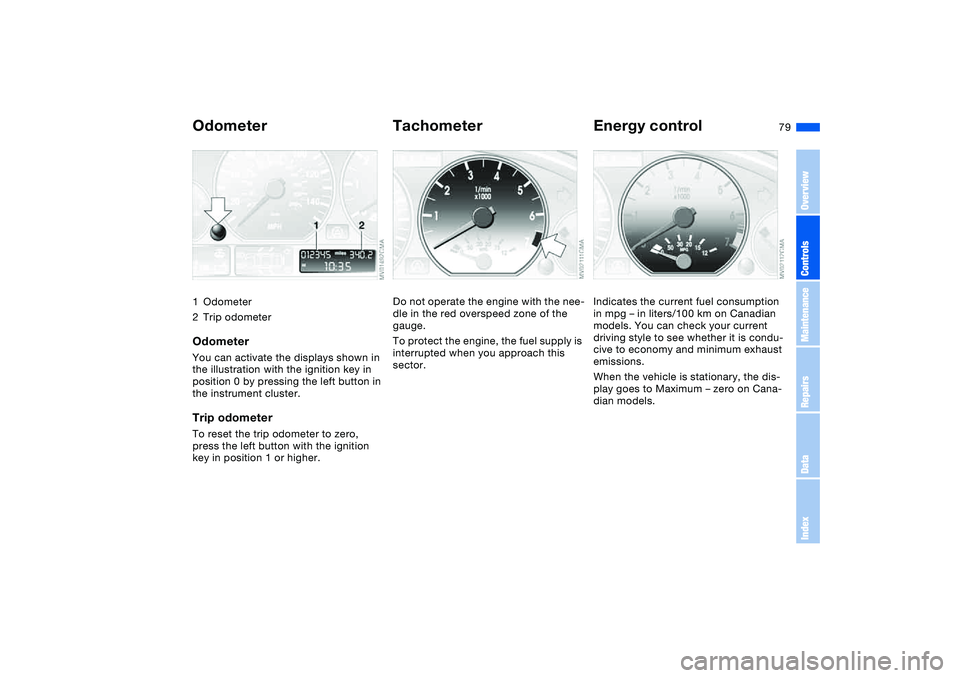
Odometer1Odometer
2Trip odometerOdometerYou can activate the displays shown in
the illustration with the ignition key in
position 0 by pressing the left button in
the instrument cluster.Trip odometerTo reset the trip odometer to zero,
press the left button with the ignition
key in position 1 or higher.
TachometerDo not operate the engine with the nee-
dle in the red overspeed zone of the
gauge.
To protect the engine, the fuel supply is
interrupted when you approach this
sector.
Energy controlIndicates the current fuel consumption
in mpg – in liters/100 km on Canadian
models. You can check your current
driving style to see whether it is condu-
cive to economy and minimum exhaust
emissions.
When the vehicle is stationary, the dis-
play goes to Maximum – zero on Cana-
dian models.
OverviewControlsMaintenanceRepairsDataIndex
Page 82 of 178
82
ClockIf you wish to have a permanent time
display, you can make this setting in the
radio display, refer to the Owner's Man-
ual for Radio.
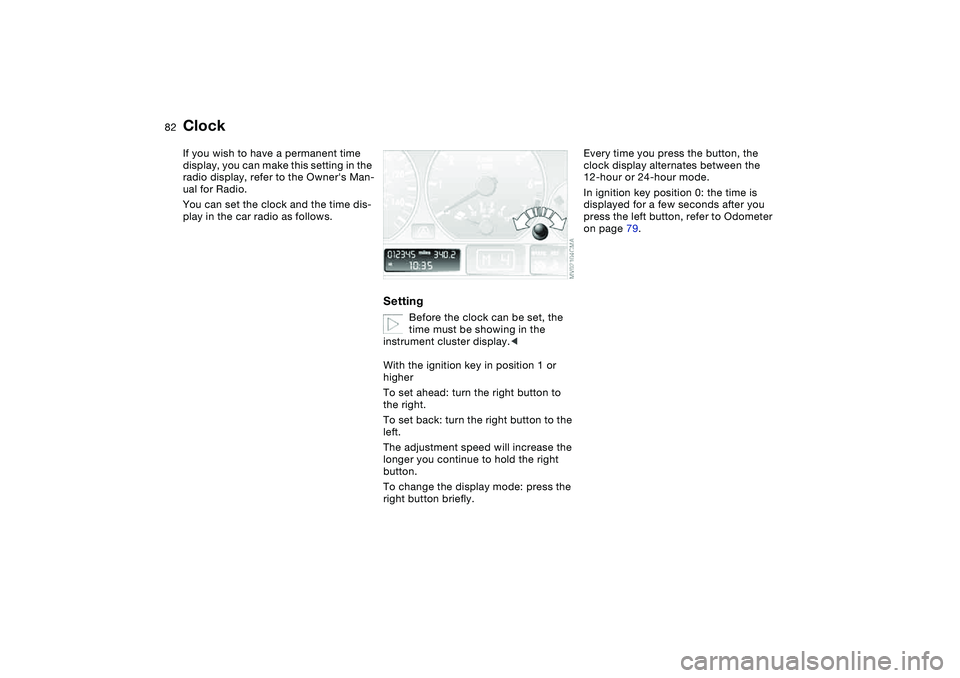
You can set the clock and the time dis-
play in the car radio as follows.
Setting
Before the clock can be set, the
time must be showing in the
instrument cluster display.<
With the ignition key in position 1 or
higher
To set ahead: turn the right button to
the right.
To set back: turn the right button to the
left.
The adjustment speed will increase the
longer you continue to hold the right
button.
To change the display mode: press the
right button briefly.
Every time you press the button, the
clock display alternates between the
12-hour or 24-hour mode.
In ignition key position 0: the time is
displayed for a few seconds after you
press the left button, refer to Odometer
on page 79.
Page 83 of 178
83
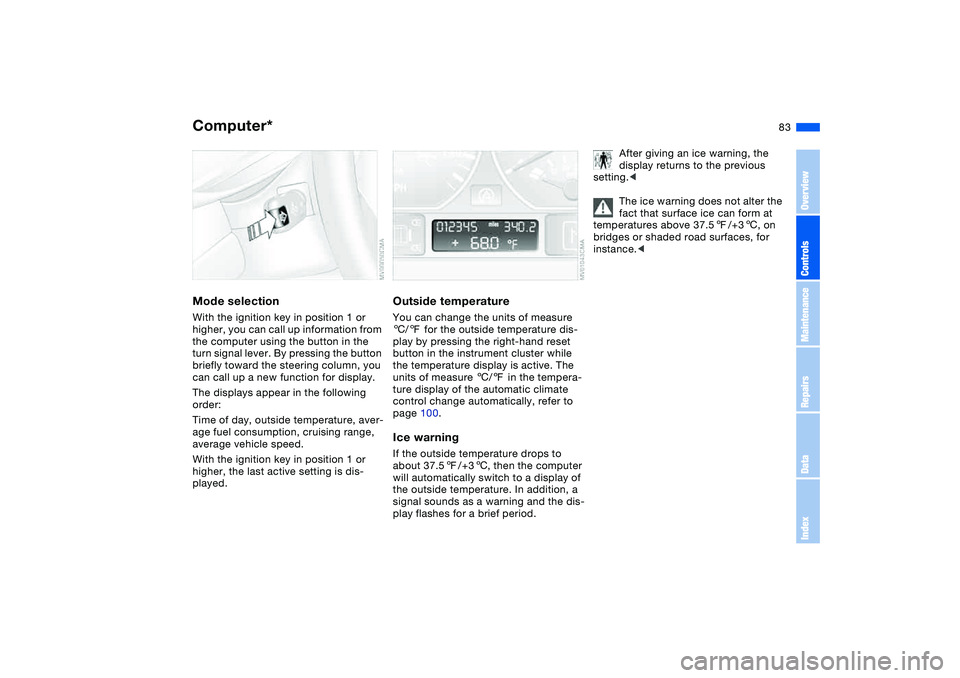
Computer*Mode selectionWith the ignition key in position 1 or
higher, you can call up information from
the computer using the button in the
turn signal lever. By pressing the button
briefly toward the steering column, you
can call up a new function for display.
The displays appear in the following
order:
Time of day, outside temperature, aver-
age fuel consumption, cruising range,
average vehicle speed.
With the ignition key in position 1 or
higher, the last active setting is dis-
played.
Outside temperatureYou can change the units of measure
6/7 for the outside temperature dis-
play by pressing the right-hand reset
button in the instrument cluster while
the temperature display is active. The
units of measure 6/7 in the tempera-
ture display of the automatic climate
control change automatically, refer to
page 100.Ice warningIf the outside temperature drops to
about 37.57/+36, then the computer
will automatically switch to a display of
the outside temperature. In addition, a
signal sounds as a warning and the dis-
play flashes for a brief period.
After giving an ice warning, the
display returns to the previous
setting.<
The ice warning does not alter the
fact that surface ice can form at
temperatures above 37.57/+36, on
bridges or shaded road surfaces, for
instance.<
OverviewControlsMaintenanceRepairsDataIndex
Page 91 of 178
91
Flat Tire Monitor*The conceptAs you drive, the Flat Tire Monitor
keeps track of pressure levels in all four
tires. The system alerts you whenever
the inflation pressure of a tire falls sig-
nificantly below the pressure of another
tire.
The system actually detects pressure
loss by monitoring differences in the
relative speeds of the four wheels. It
interprets variations outside specified
limits as severe pressure loss, and then
responds by generating a warning.Functional requirementsIn order for the Flat Tire Monitor to learn
the correct tire inflation pressure,
please do the following:
1. Check the tire inflation pressures in
all tires
2. Compare them with the tire inflation
pressure table on page 26 and cor-
rect them, if necessary
3. Initialize the system.
System limitations
The Flat Tire Monitor cannot pro-
vide you with advance warning of
sudden and severe tire damage caused
by external factors and does not detect
the balanced and very gradual pressure
loss that takes place in all four tires
over an extended period of time.<
On the other hand, the following situa-
tions can lead to a delayed detection of
pressure loss and even to the system
not functioning:
>Driving on snow-covered or slippery
roads
>Performance-oriented driving: slip at
the drive wheels, high levels of lateral
acceleration
>When driving with snow chains, false
warnings and undetected pressure
losses may occur
>When driving with a space-saver
spare tire, the Flat Tire Monitor can-
not function.
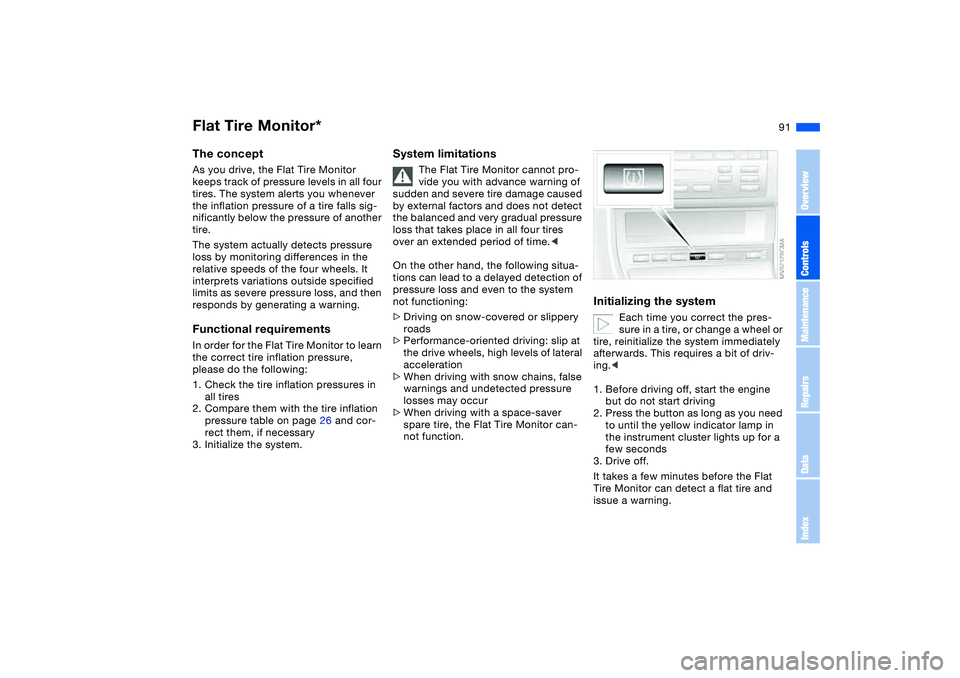
Initializing the system
Each time you correct the pres-
sure in a tire, or change a wheel or
tire, reinitialize the system immediately
afterwards. This requires a bit of driv-
ing.<
1. Before driving off, start the engine
but do not start driving
2. Press the button as long as you need
to until the yellow indicator lamp in
the instrument cluster lights up for a
few seconds
3. Drive off.
It takes a few minutes before the Flat
Tire Monitor can detect a flat tire and
issue a warning.
OverviewControlsMaintenanceRepairsDataIndex
Page 95 of 178
95
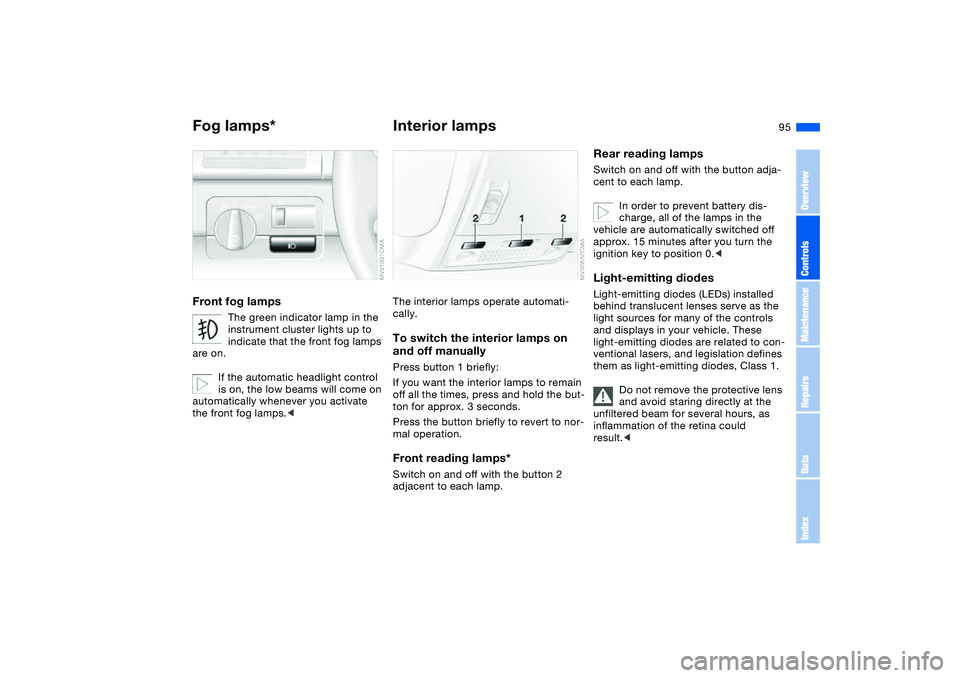
Fog lamps*Front fog lamps
The green indicator lamp in the
instrument cluster lights up to
indicate that the front fog lamps
are on.
If the automatic headlight control
is on, the low beams will come on
automatically whenever you activate
the front fog lamps.<
Interior lampsThe interior lamps operate automati-
cally.To switch the interior lamps on
and off manuallyPress button 1 briefly:
If you want the interior lamps to remain
off all the times, press and hold the but-
ton for approx. 3 seconds.
Press the button briefly to revert to nor-
mal operation.Front reading lamps*Switch on and off with the button 2
adjacent to each lamp.
Rear reading lampsSwitch on and off with the button adja-
cent to each lamp.
In order to prevent battery dis-
charge, all of the lamps in the
vehicle are automatically switched off
approx. 15 minutes after you turn the
ignition key to position 0.
light sources for many of the controls
and displays in your vehicle. These
light-emitting diodes are related to con-
ventional lasers, and legislation defines
them as light-emitting diodes, Class 1.
Do not remove the protective lens
and avoid staring directly at the
unfiltered beam for several hours, as
inflammation of the retina could
result.<
OverviewControlsMaintenanceRepairsDataIndex
Page 168 of 178
Everything from A to ZCleaning light alloy wheels,
refer to the Caring for your
vehicle brochure
Cleaning the vehicle, refer to
the Caring for your vehicle
brochure
Cleaning windshield 76
Clock 82
12-/24-hour mode 82
setting, refer also to the
Owner's Manual for
Radio/Onboard Computer
Closing
from inside 35
from outside 31
Clothes hooks 121
Clutch
breaking in 120
Cockpit 14
Code, refer to the Owner's
Manual for Radio/Onboard
Computer
Coin box 106
Cold start, refer to Starting
the engine 63
Compact disc operation,
refer to the Owner's Man-
ual for Radio/Onboard
Computer
Compartments 106
Compartments in cargo
area 113Compression ratio, refer to
Engine data 160
Computer 83
Condensation, refer to Air
conditioning mode 98, 102
Configuring settings, refer to
Vehicle Memory, Key
Memory 61
Connecting a vacuum
cleaner, refer to Cigarette
lighter 108
Consumption
display 79
Consumption, refer to Aver-
age fuel consumption 84
Control elements, refer to
Cockpit 14
Convenience operation
from outside 34
glass sunroof 32
windows 32
Coolant 134
indicator lamp 19, 80
level 134
temperature gauge 80
Coolant water, refer to Cool-
ant 134
Cooling, refer to Tempera-
ture 98, 102
Copyright 4Cornering Brake Control
(CBC) 121
warning lamp 18
Correct tires 127
Cover, refer to Cargo area
cover 111
Cruise control 77
indicator lamp 20
Cup holders, see Beverage
holders 106, 107
Curb weight, refer to
Weights 162
Current consumption, refer
to Energy control 79
Cylinders, refer to Engine
data 160
D
Dashboard, refer to
Cockpit 14
Data
capacities 163
dimensions 161
engine 160
technical 160
weights 162
Daytime driving lamps 93
DBC Dynamic Brake Control
19, 121
Deep water, refer to Water
on roadways 121Defrost position, refer
to Defrosting windows
99, 102
Defrosting and demisting
windows
air conditioning 99
automatic climate
control 102
Defrosting windows 99, 102
Defrosting windshield,
refer to Defrosting win-
dows 99, 102
Demisting windows
air conditioning 99
automatic climate
control 102
Determining the maximum
load 114
Differential
breaking in 120
Digital clock 82
Dimensions 161
Dipstick, engine oil 132
Disc brakes 122
Displacement, refer to
Engine data 160
Display lighting, refer to
Instrument lighting 94
Displays, refer to Instrument
cluster 16
Page 171 of 178
Everything from A to Z
171
Ignition lock 63
Imprint 4
Indicator lamps 18
Indicator/warning lamp
airbags 18
alarm system 38
brakes 18, 19
Check Gas Cap 19
coolant 19, 80
DSC 19
Flat Tire Monitor
18, 19, 92
fog lamps 20
Please fasten safety
belts 18
reserve 80
Service Engine Soon 19
Individual air distribution 102
Individual settings, refer to
Vehicle Memory, Key
Memory 61
Inflation pressure 124
Inflation pressure monitor-
ing, refer to Flat Tire Moni-
tor 91
Inflation pressure, tires 25
INSPECTION 81
Instrument cluster 16
Instrument lighting 94
Instrument panel 14
Interface socket for onboard
diagnostics (OBD) 138Interior lamps 95
remote control 32
Interior motion sensor 38
switching off 39
Interior rearview mirror 53
automatic dimming
feature 53
Interior temperature
adjusting 98, 102
Interlock, refer to Steering
wheel lock 63
Intermittent
mode, wipers 75
Interval
display, service 81
J
Jack 147
Jacking points 148
Jump-starting 153
K
Key Memory 61
Keys 30
with remote control 30
Kickdown 68, 72
L
Lamp defect 143
Lamps and bulbs 143
Lashing down loads, refer to
Cargo loading 113Lashing eyelets, refer to
Securing cargo 115
Lashing fittings, refer to
Securing cargo 115
LATCH child-restraint
mounting system 59
Leather care, refer to the
Caring for your vehicle
brochure
LEDs light-emitting
diodes 95
Length, refer to
Dimensions 161
License plate lamp
bulb replacement 146
Light switch 93
Light-emitting diodes
LEDs 95
Lighter 108
LIGHTS ON warning 93
Lights, refer to Parking
lamps/Low beams 93
Litter bag holder 107
Load, refer to Cargo
loading 113
Loading
vehicle 113
Lock buttons on doors, refer
to Locking 35
Lock, steering wheel 63Locking
from inside 35
from outside 31, 34
Locking and unlocking
doors
from inside 35
from outside 31, 34
Low beams 93
automatic 93
bulb replacement 143
indicator lamp, defective
lamp 81
Lug bolts 148
key 148
torque 148
Luggage area cover, see
Cargo area cover 111
Luggage compartment, refer
to Cargo area 37
Luggage net, refer to Parti-
tion net 111
Luggage rack, refer to Roof-
mounted luggage rack 116
Luggage straps 37
Lumbar support 47
M
M+S tires, refer to Winter
tires 127
Maintenance 81, 136
Maintenance system 136
OverviewControlsMaintenanceRepairsDataIndex