wheel BMW 328Ci CONVERTIBLE 2000 E46 User Guide
[x] Cancel search | Manufacturer: BMW, Model Year: 2000, Model line: 328Ci CONVERTIBLE, Model: BMW 328Ci CONVERTIBLE 2000 E46Pages: 199, PDF Size: 1.77 MB
Page 53 of 199
53n
IndexDataTechnologyRepairsCar careControlsOverview
For your personal safety when adjusting
the seat position, please follow the in-
structions below carefully.
Never try to adjust your seat while
driving the vehicle. The seat could
respond with an unexpected movement,
and the ensuing loss of vehicle control
could lead to an accident.
Be sure that the safety belt remains
firmly against your body at all times. In
the event of a frontal impact, a loose lap
belt could slide over the hips, leading to
abdominal injury. In addition, the safety
belt's restraint effectiveness is reduced
if the belt is worn loosely.
Never ride with the backrest reclined to
an extreme angle (this particularly
applies to the front passenger). If you do
so, there is a risk that you will slide
under the safety belt in an accident,
thus reducing the protection provided
by the safety belt.<
Correct sitting postureTo reduce strain on the spinal column,
sit all the way back in the seat and rest
your back fully against the backrest.
In the ideal sitting posture, your head is
positioned along a straight line in rela-
tionship to your spinal column.
For long-distance driving, you may wish
to increase the backrest tilt-angle
slightly to reduce muscular tension.
You should be able to grasp the steer-
ing wheel at its highest point with your
arms slightly bent.
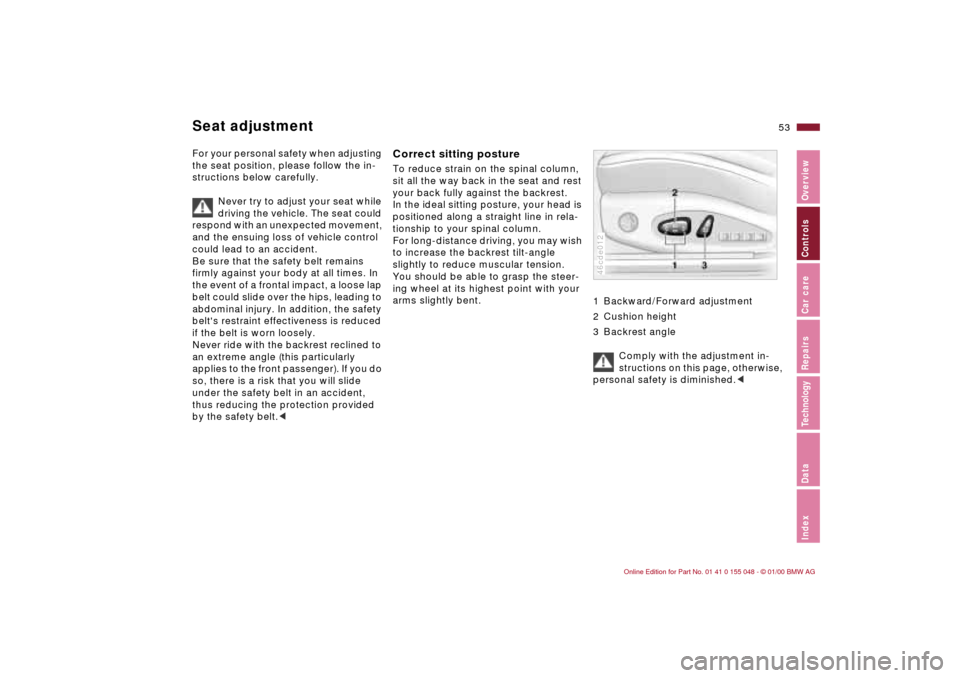
1 Backward/Forward adjustment
2 Cushion height
3 Backrest angle
Comply with the adjustment in-
structions on this page, otherwise,
personal safety is diminished.<
46cde012
Seat adjustment
Page 58 of 199
58n
Seat and mirror memory
*
Adjusting steering wheel Mirrors
Passenger side exterior mirror
tilt function(automatic curb monitor)
*
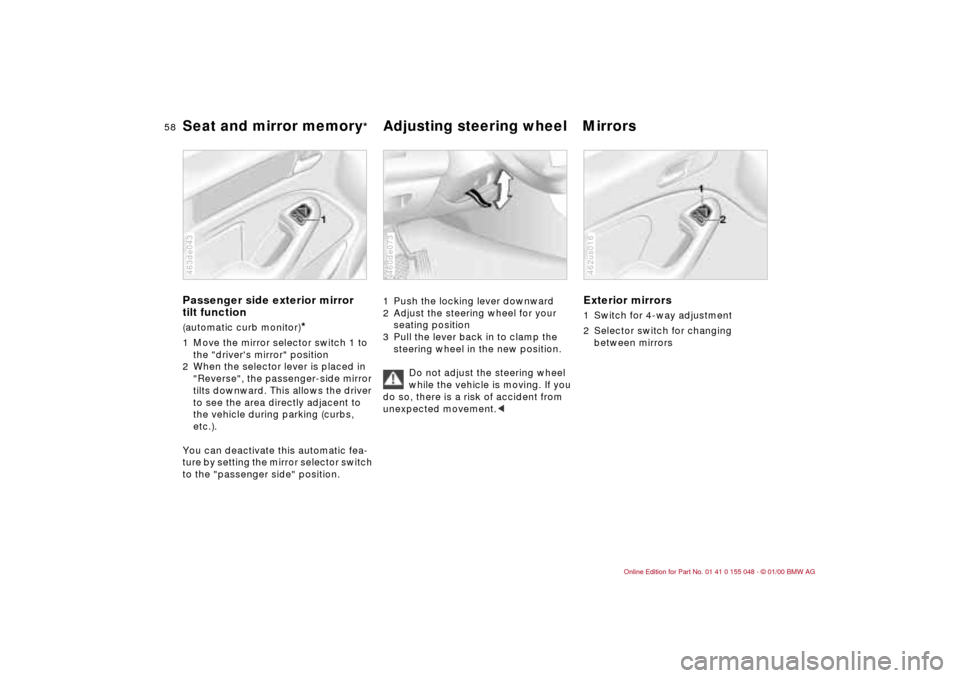
1 Move the mirror selector switch 1 to
the "driver's mirror" position
2 When the selector lever is placed in
"Reverse", the passenger-side mirror
tilts downward. This allows the driver
to see the area directly adjacent to
the vehicle during parking (curbs,
etc.).
You can deactivate this automatic fea-
ture by setting the mirror selector switch
to the "passenger side" position.463de043
1 Push the locking lever downward
2 Adjust the steering wheel for your
seating position
3 Pull the lever back in to clamp the
steering wheel in the new position.
Do not adjust the steering wheel
while the vehicle is moving. If you
do so, there is a risk of accident from
unexpected movement.<460de073
Exterior mirrors1 Switch for 4-way adjustment
2 Selector switch for changing
between mirrors462us016
Page 64 of 199

64n
AirbagsSitting correctly with airbags
For your safety, comply with the
following instructions for the air-
bags. If you do not, the airbags may not
be able to provide their maximum pro-
tection. All passengers in the vehicle
should be aware of and comply with
this information:
The airbags are supplemental restraint
devices designed to provide extra pro-
tection; they are not a substitute for
safety belts. Wear your safety belt at all
times. The airbags will not be triggered
in the event of a minor accident, a vehi-
cle roll-over, or collisions from the rear.
In these instances, the safety belt pro-
vides optimal protection.
Airbags are located under cover panels
in the steering wheel, in the dashboard
and in the side trim panels in the front.
Adjust your seat to a position that pro-
vides maximum distance between you
and the steering wheel, the instrument
panel and the door while still allowing
comfortable and safe access to all
vehicle controls.
To avoid sustaining hand and arm inju-
ries, always grasp the steering wheel
on the rim with the hands at the 9 and
3 o'clock positions. Do not place your
hands on the center pad.
Never allow any objects to obstruct the
area between the airbag and an occu-
pant.
Do not use the cover panel above the
passenger-side airbag as a storage
area.
Do not apply adhesive materials to the
cover panels of the airbags, cover them
or modify them in any other way.
Do not install a rear-facing child re-
straint system in the front passenger
seat of this car.
Children under 13 years of age and
children less than 5 feet (150 cm) tall
should ride only in the rear seat.
Infants or small children should never
be held on the lap of a passenger.
If your car is equipped with side airbags
in the rear passenger area, be sure that
child restraints are mounted correctly
and provided with the greatest-possible
distance between the airbags in the
side trim panels. Do not allow children
to lean out of the child's seat in the di-
rection of the side trim panels. If they
do so, serious injuries can occur if the
airbag is triggered.
(infants and small children in appropri-
ate child restraint systems; larger chil-
dren and adults using the safety belts).
Never let an occupant's head rest near
or on a side airbag because the inflating
airbag could cause a serious or fatal in-
jury. Please note that the word "Airbag"
imprinted on the door trim panel indi-
cates the airbag's location.
Accident research shows that the saf-
est place for children in an automobile
is in the rear seat. However, a child sit-
ting in the rear seat and not properly re-
strained may place his or her head on
or near the airbag, if so equipped. For
example, a child — even though belted
— may fall asleep with his or her head
against the side airbag. It may be diffi-
cult for a driver to ensure that children
in the rear seat will remain properly po-
sitioned at all times and not place their
heads on or near the side airbag.
Therefore, we recommend that the rear
seat side airbags, if so equipped, be
deactivated if children will travel in the
rear seat.
The rear seat side airbags may already
have been deactivated, either at the
time of manufacture or by a BMW
center. Labels in the rear door opening
Page 70 of 199
70n
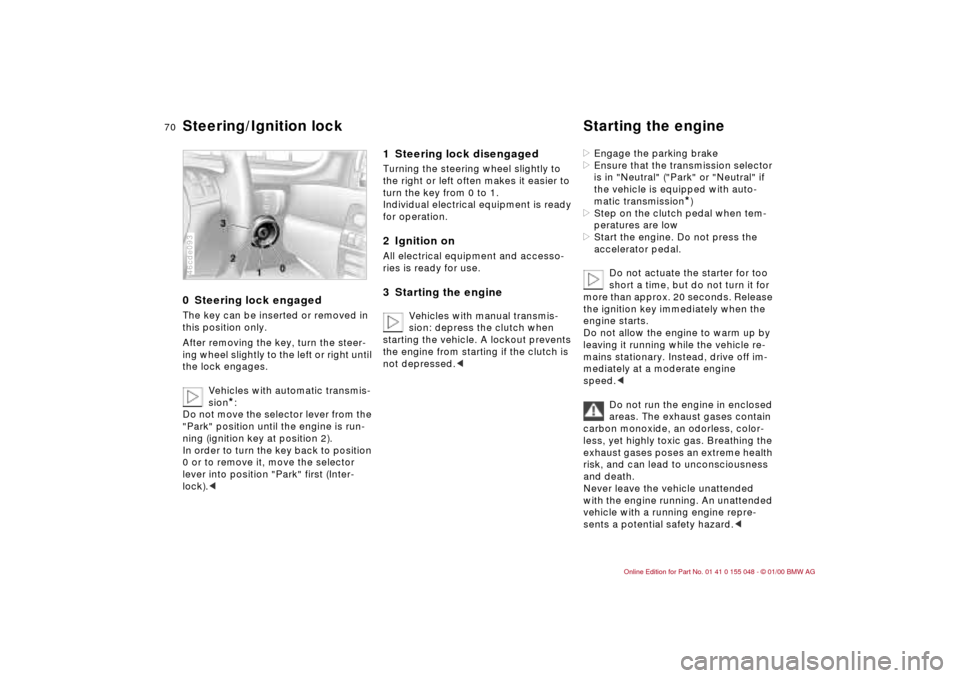
0 Steering lock engaged The key can be inserted or removed in
this position only.
After removing the key, turn the steer-
ing wheel slightly to the left or right until
the lock engages.
Vehicles with automatic transmis-
sion
*:
Do not move the selector lever from the
"Park" position until the engine is run-
ning (ignition key at position 2).
In order to turn the key back to position
0 or to remove it, move the selector
lever into position "Park" first (Inter-
lock).<
46cde093
1 Steering lock disengaged Turning the steering wheel slightly to
the right or left often makes it easier to
turn the key from 0 to 1.
Individual electrical equipment is ready
for operation.2 Ignition onAll electrical equipment and accesso-
ries is ready for use.3 Starting the engine
Vehicles with manual transmis-
sion: depress the clutch when
starting the vehicle. A lockout prevents
the engine from starting if the clutch is
not depressed.<
>Engage the parking brake
>Ensure that the transmission selector
is in "Neutral" ("Park" or "Neutral" if
the vehicle is equipped with auto-
matic transmission
*)
>Step on the clutch pedal when tem-
peratures are low
>Start the engine. Do not press the
accelerator pedal.
Do not actuate the starter for too
short a time, but do not turn it for
more than approx. 20 seconds. Release
the ignition key immediately when the
engine starts.
Do not allow the engine to warm up by
leaving it running while the vehicle re-
mains stationary. Instead, drive off im-
mediately at a moderate engine
speed.<
Do not run the engine in enclosed
areas. The exhaust gases contain
carbon monoxide, an odorless, color-
less, yet highly toxic gas. Breathing the
exhaust gases poses an extreme health
risk, and can lead to unconsciousness
and death.
Never leave the vehicle unattended
with the engine running. An unattended
vehicle with a running engine repre-
sents a potential safety hazard.<
Steering/Ignition lock Starting the engine
Page 71 of 199

71n
IndexDataTechnologyRepairsCar careControlsOverview
Starting the engine Switching off the engine If the engine does not start on the first
attempt (if it is very hot or cold, for in-
stance):
>Press the accelerator pedal halfway
down while engaging the starter.
Cold start at extremely low tempera-
tures, from approx. +5 7 (–15 6)
and at elevations above 3,300 feet
(1,000 meters):
>On the first start attempt, engage the
starter for a longer period (approx.
10 seconds)
>Press the accelerator pedal halfway
down while engaging the starter.Turn the ignition key to position 1 or 0.
Do not remove the ignition key
while the vehicle is still moving. If
you did, the steering lock would engage
when the steering wheel is turned.
When you leave the vehicle, always re-
move the ignition key and engage the
steering lock.
Vehicles with manual transmission:
Always engage the parking brake when
parking on slopes and inclined sur-
faces, since placing the lever in 1st
gear or reverse may not provide ade-
quate resistance to rolling.
Vehicles with automatic transmission
*:
Place the selector lever in "Park".<
Page 72 of 199
72n
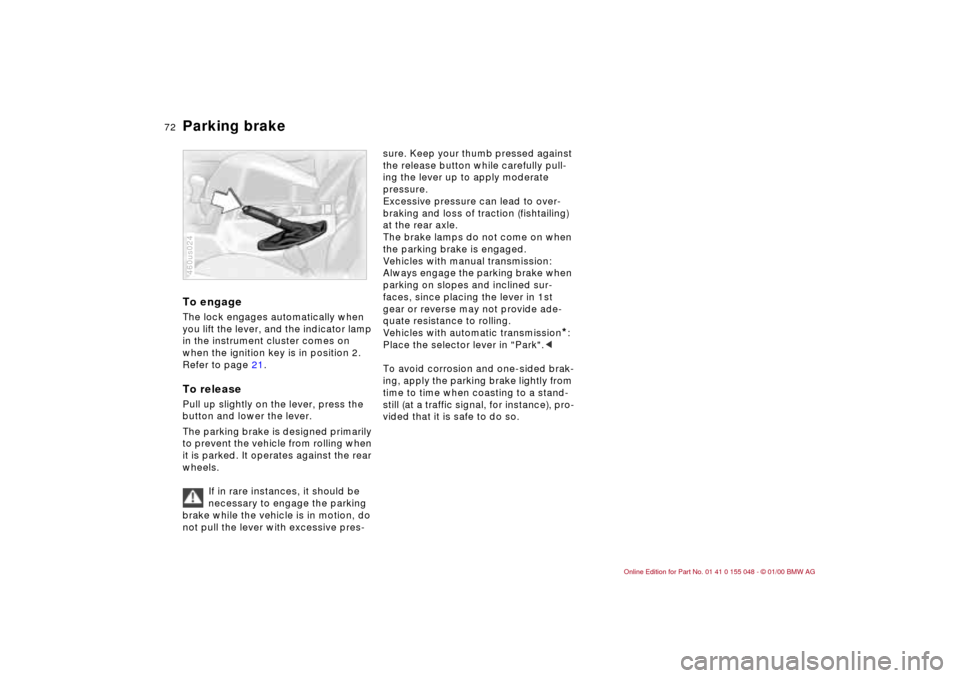
Parking brake To engageThe lock engages automatically when
you lift the lever, and the indicator lamp
in the instrument cluster comes on
when the ignition key is in position 2.
Refer to page 21.To releasePull up slightly on the lever, press the
button and lower the lever.
The parking brake is designed primarily
to prevent the vehicle from rolling when
it is parked. It operates against the rear
wheels.
If in rare instances, it should be
necessary to engage the parking
brake while the vehicle is in motion, do
not pull the lever with excessive pres-460us024
sure. Keep your thumb pressed against
the release button while carefully pull-
ing the lever up to apply moderate
pressure.
Excessive pressure can lead to over-
braking and loss of traction (fishtailing)
at the rear axle.
The brake lamps do not come on when
the parking brake is engaged.
Vehicles with manual transmission:
Always engage the parking brake when
parking on slopes and inclined sur-
faces, since placing the lever in 1st
gear or reverse may not provide ade-
quate resistance to rolling.
Vehicles with automatic transmission
*:
Place the selector lever in "Park".<
To avoid corrosion and one-sided brak-
ing, apply the parking brake lightly from
time to time when coasting to a stand-
still (at a traffic signal, for instance), pro-
vided that it is safe to do so.
Page 74 of 199
74n
Automatic transmission with Steptronic
*
You have the option of driving with a
normal automatic transmission or
switching to manual.
When you move the selector lever from
the "D" position to the left into the M/S
range, the performance-oriented shift
programs of the automatic transmission
are engaged. As soon as you briefly
touch the selector lever in the "+" or "–"
direction, Steptronic changes the gear.
The manual mode is engaged. When-
ever you want to use automatic again,
just shift the selector lever toward the
right to position "D".
The automatic transmission with Step-
tronic is equipped with ATC (Adaptive
Transmission Control). ATC reacts with
precision to your individual driving style
and the current driving conditions. To
achieve this, different shift programs
are engaged.
For additional details concerning ATC,
please refer to the chapter describing
"Advanced technology" on page 172.
Selector lever positions
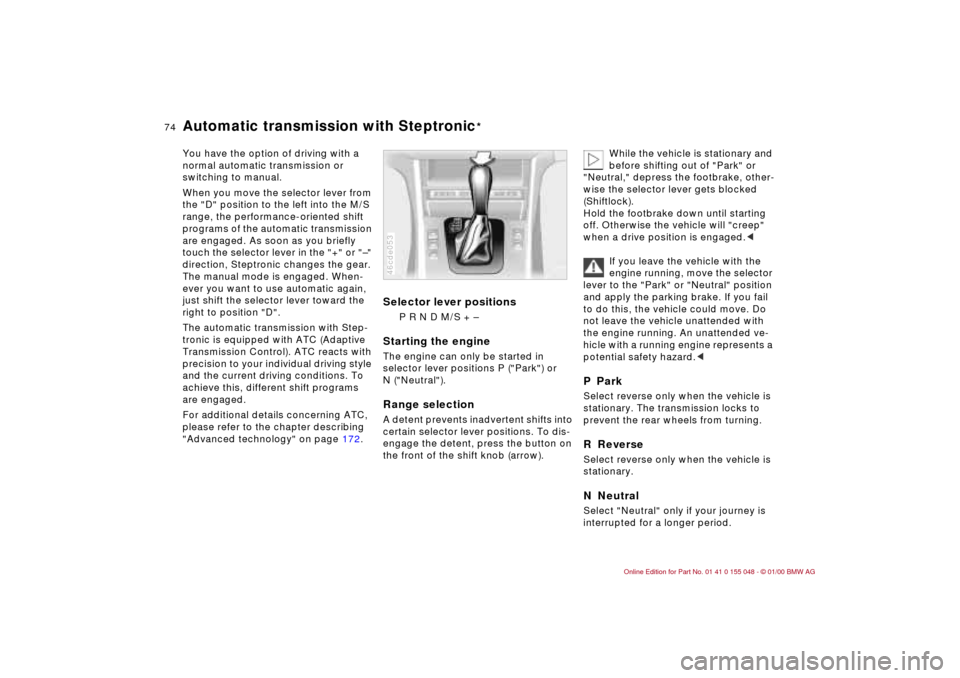
P R N D M/S + –
Starting the engineThe engine can only be started in
selector lever positions P ("Park") or
N ("Neutral").Range selectionA detent prevents inadvertent shifts into
certain selector lever positions. To dis-
engage the detent, press the button on
the front of the shift knob (arrow).46cde053
While the vehicle is stationary and
before shifting out of "Park" or
"Neutral," depress the footbrake, other-
wise the selector lever gets blocked
(Shiftlock).
Hold the footbrake down until starting
off. Otherwise the vehicle will "creep"
when a drive position is engaged.<
If you leave the vehicle with the
engine running, move the selector
lever to the "Park" or "Neutral" position
and apply the parking brake. If you fail
to do this, the vehicle could move. Do
not leave the vehicle unattended with
the engine running. An unattended ve-
hicle with a running engine represents a
potential safety hazard.<
P ParkSelect reverse only when the vehicle is
stationary. The transmission locks to
prevent the rear wheels from turning.R ReverseSelect reverse only when the vehicle is
stationary.N NeutralSelect "Neutral" only if your journey is
interrupted for a longer period.
Page 88 of 199
88n
Dynamic Stability Control (DSC) The conceptDSC helps maintain vehicle stability,
even in critical driving situations.
The system optimizes vehicle stability
during acceleration and when starting
from a full stop, as well as optimizing
traction. In addition, the system recog-
nizes unstable vehicle conditions (un-
dersteering or oversteering, for exam-
ple) and helps hold the vehicle on a
sure course by intervening via the
engine and by braking intervention at
the individual wheels.
The system activates automatically
each time you start the engine.46cus012
Indicator lamp
The indicator lamp in the instru-
ment cluster goes out shortly
after you switch on the ignition.
Refer to pages 21 and 22.
Indicator lamp flashes:
The system is active and governs drive
force and braking force.
If the indicator lamp fails to go out after
the engine is started, or if it comes on
during normal driving and stays on:
There is a system malfunction or the
system was deactivated with the but-
ton. You can continue to drive the vehi-
cle normally, but without DSC. Please
consult your BMW center for repairs.
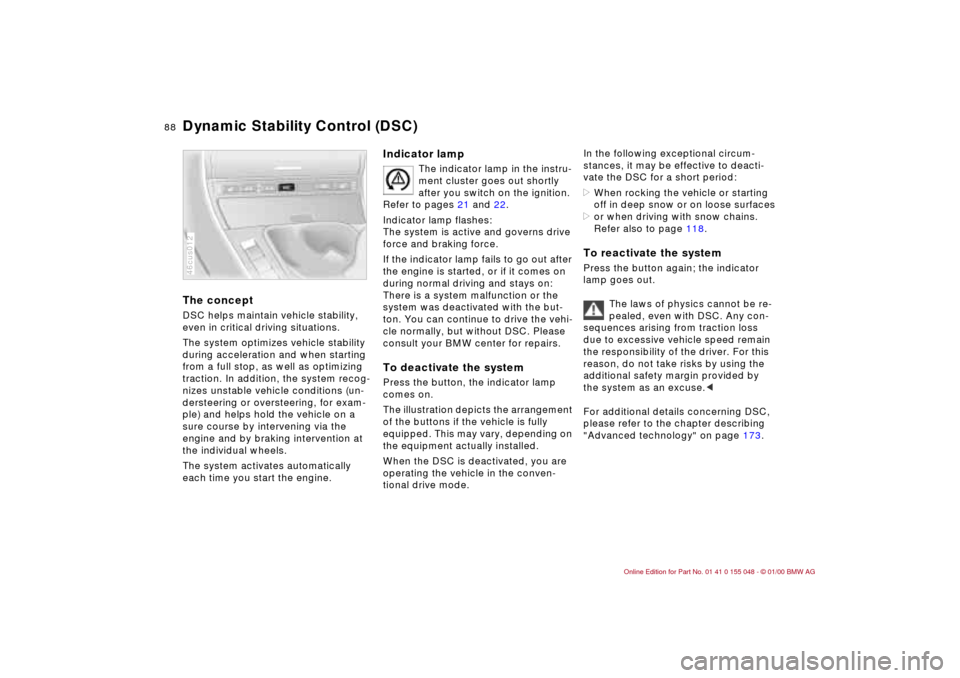
To deactivate the systemPress the button, the indicator lamp
comes on.
The illustration depicts the arrangement
of the buttons if the vehicle is fully
equipped. This may vary, depending on
the equipment actually installed.
When the DSC is deactivated, you are
operating the vehicle in the conven-
tional drive mode.
In the following exceptional circum-
stances, it may be effective to deacti-
vate the DSC for a short period:
>When rocking the vehicle or starting
off in deep snow or on loose surfaces
>or when driving with snow chains.
Refer also to page 118.To reactivate the systemPress the button again; the indicator
lamp goes out.
The laws of physics cannot be re-
pealed, even with DSC. Any con-
sequences arising from traction loss
due to excessive vehicle speed remain
the responsibility of the driver. For this
reason, do not take risks by using the
additional safety margin provided by
the system as an excuse.<
For additional details concerning DSC,
please refer to the chapter describing
"Advanced technology" on page 173.
Page 89 of 199
89n
IndexDataTechnologyRepairsCar careControlsOverview
Tire Pressure Control (RDC)
*
The conceptRDC monitors the tire pressure at all
four wheels – even while you are driv-
ing. The system provides an alert when-
ever the inflation pressure drops signifi-
cantly below the specified pressure in
one or more tires.
In order for the system to "learn" cor-
rect tire inflation pressure, check the
pressure in all the tires, compare your
pressures with those in the tire inflation
tables (page 28), and make corrections
as necessary. Then activate the system.
This indicator lamp in the
instrument cluster informs you
whenever the tire pressure is
not normal.
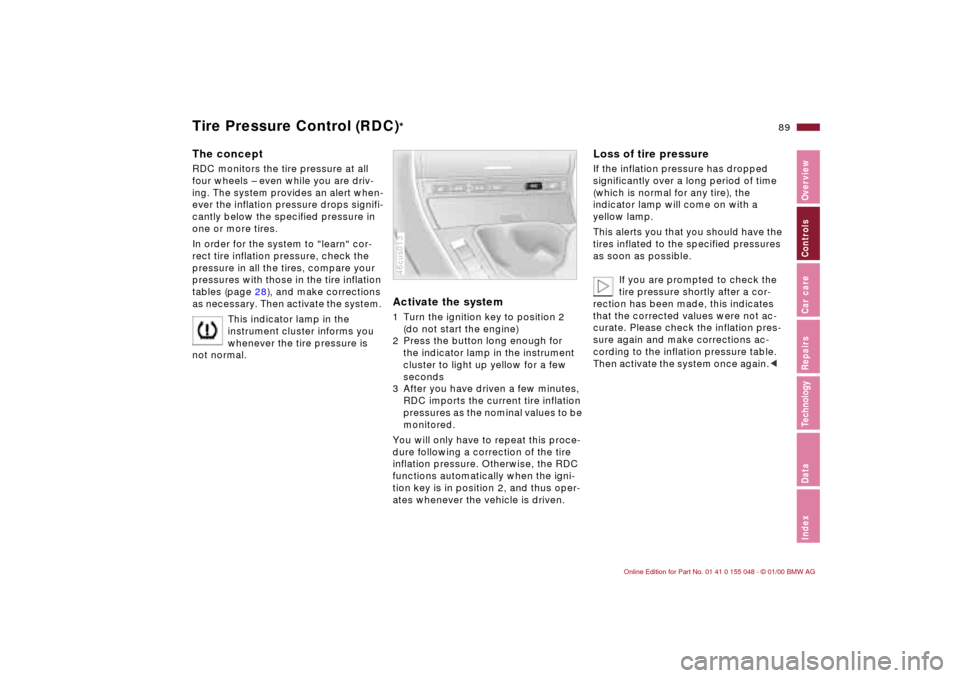
Activate the system 1 Turn the ignition key to position 2
(do not start the engine)
2 Press the button long enough for
the indicator lamp in the instrument
cluster to light up yellow for a few
seconds
3 After you have driven a few minutes,
RDC imports the current tire inflation
pressures as the nominal values to be
monitored.
You will only have to repeat this proce-
dure following a correction of the tire
inflation pressure. Otherwise, the RDC
functions automatically when the igni-
tion key is in position 2, and thus oper-
ates whenever the vehicle is driven.46cus013
Loss of tire pressureIf the inflation pressure has dropped
significantly over a long period of time
(which is normal for any tire), the
indicator lamp will come on with a
yellow lamp.
This alerts you that you should have the
tires inflated to the specified pressures
as soon as possible.
If you are prompted to check the
tire pressure shortly after a cor-
rection has been made, this indicates
that the corrected values were not ac-
curate. Please check the inflation pres-
sure again and make corrections ac-
cording to the inflation pressure table.
Then activate the system once again.<
Page 90 of 199
90n
Tire Pressure Control (RDC)
*
Flat tireIf there is a tire failure with loss of pres-
sure, the indicator lamp comes on with
a red lamp. In addition, an acoustic sig-
nal goes off.
If this occurs, reduce vehicle speed im-
mediately and stop the vehicle. Avoid
hard brake applications. Do not over-
steer. Replace the wheel and flat tire.
The space-saver spare tire is pro-
vided for temporary use only in the
case of a tire failure. It does not have
RDC electronics and is not monitored.<
RDC cannot inform you of sudden
and severe tire damage caused by
external influences.<
Have the tires changed by your
BMW center.
Your BMW center is familiar with, and
has the special tools necessary, for
working on the RDC.<
System interferenceThe RDC may encounter interference
from outside equipment or devices
which use the same radio frequency.
The indicator lamp will come on with a
yellow lamp during the malfunction.
The indicator lamp also comes on
>in the event of a system fault
>if a wheel is mounted without RDC
electronics
>or if additional wheels using RDC
electronics are transported.
Please contact your BMW center for
additional information.