turn signal BMW 328I COUPE 2010 E92 User Guide
[x] Cancel search | Manufacturer: BMW, Model Year: 2010, Model line: 328I COUPE, Model: BMW 328I COUPE 2010 E92Pages: 266, PDF Size: 8.6 MB
Page 226 of 266
Replacing components
224 Do not remove the covers or expose the
eyes directly to the unfiltered light source
for several hours; otherwise, this could cause
irritation of the retina.<
Xenon lamps
These bulbs have a very long service life and are
highly unlikely to fail. If a xenon lamp fails never-
theless, switch on the fog lamps and continue
the journey with great care, provided that local
legislation does not prohibit this.
Have any work on the xenon lamp system,
including bulb replacements, performed
o n ly b y a BM W c e n t e r o r a w o r k s h o p t h a t w o r k s
according to BMW repair procedures with cor-
respondingly trained personnel. Otherwise, if
such work is carried out improperly, the high
voltage in the system presents the danger of
fatal injuries.<
Access to the lamps
1.Switch off the lamps and take the remote
control out of the ignition lock.
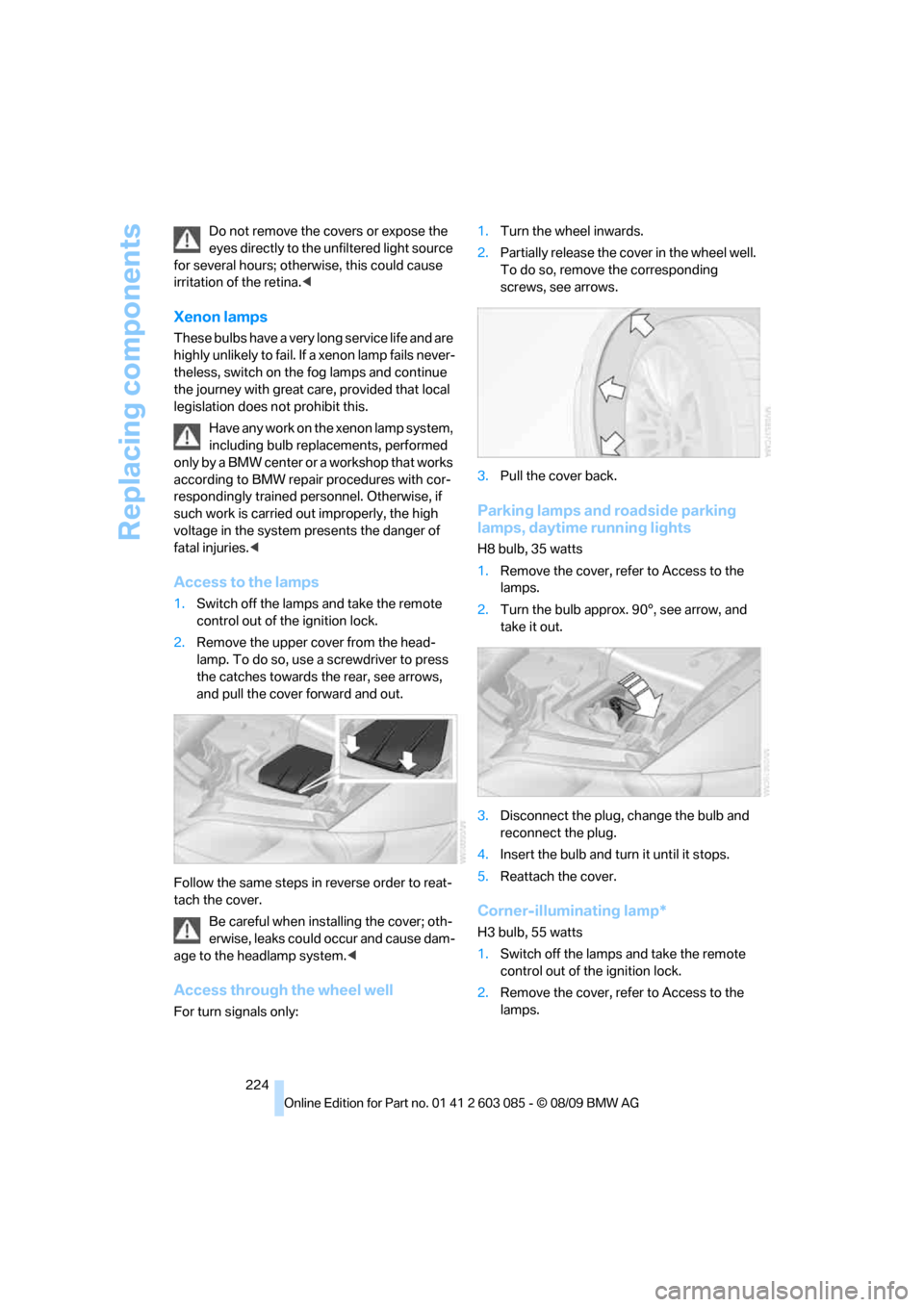
2.Remove the upper cover from the head-
lamp. To do so, use a screwdriver to press
the catches towards the rear, see arrows,
and pull the cover forward and out.
Follow the same steps in reverse order to reat-
tach the cover.
Be careful when installing the cover; oth-
erwise, leaks could occur and cause dam-
age to the headlamp system.<
Access through the wheel well
For turn signals only:1.Turn the wheel inwards.
2.Partially release the cover in the wheel well.
To do so, remove the corresponding
screws, see arrows.
3.Pull the cover back.
Parking lamps and roadside parking
lamps, daytime running lights
H8 bulb, 35 watts
1.Remove the cover, refer to Access to the
lamps.
2.Turn the bulb approx. 90°, see arrow, and
take it out.
3.Disconnect the plug, change the bulb and
reconnect the plug.
4.Insert the bulb and turn it until it stops.
5.Reattach the cover.
Corner-illuminating lamp*
H3 bulb, 55 watts
1.Switch off the lamps and take the remote
control out of the ignition lock.
2.Remove the cover, refer to Access to the
lamps.
Page 227 of 266
Mobility
225Reference
At a glance
Controls
Driving tips
Communications
Navigation
Entertainment
3.Push the wire bracket out of the anchor
towards the right and fold it up.
4.Disconnect the plug, change the bulb and
reconnect the plug.
5.Insert the bulb.
6.Fold the wire bracket down and engage it.
7.Reattach the cover.
Turn signals, front
PY21W bulb, 21 watts
1.Release the cover in the wheel well, refer to
Access through the wheel well on
page224.
2.Rotate turn signal bulb socket 1 to the left
and remove.
3.Apply gentle pressure to the bulb while
turning it to the left for removal and replace-
ment.
4.Insert turn signal bulb socket 1.
5.Reattach the cover in the wheel well.
Tail lamps
Coupe
>Turn signal:
PY21W bulb, 21 watts>Brake lamp in the trunk lid:
H21W bulb, 21 watts
>Other lamps:
W16W bulb, 16 watts
The tail lamps are divided in two parts. One part
is in the trunk lid, the other is in the fender.
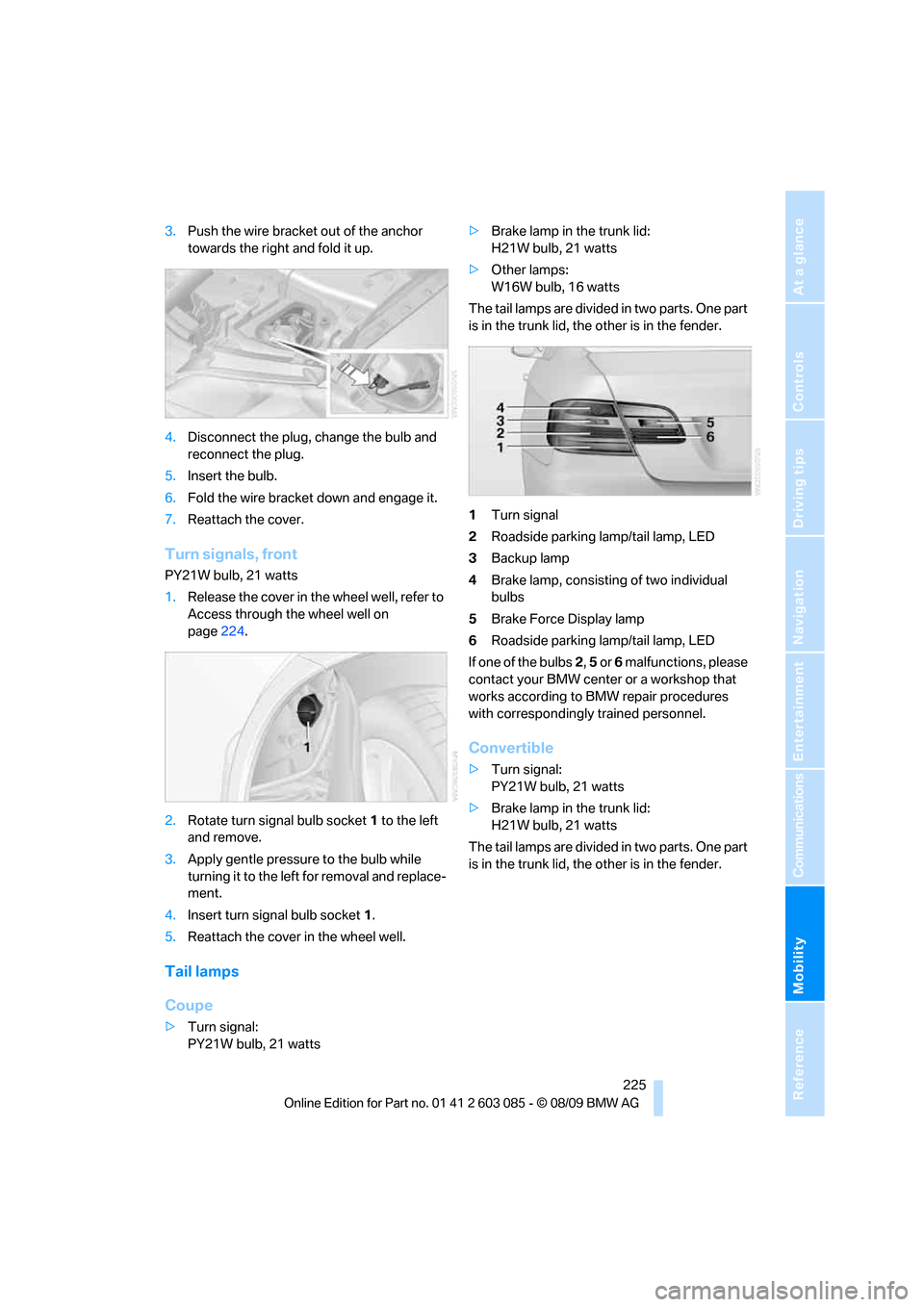
1Turn signal
2Roadside parking lamp/tail lamp, LED
3Backup lamp
4Brake lamp, consisting of two individual
bulbs
5Brake Force Display lamp
6Roadside parking lamp/tail lamp, LED
If one of the bulbs 2, 5 or 6 malfunctions, please
contact your BMW center or a workshop that
works according to BMW repair procedures
with correspondingly trained personnel.
Convertible
>Turn signal:
PY21W bulb, 21 watts
>Brake lamp in the trunk lid:
H21W bulb, 21 watts
The tail lamps are divided in two parts. One part
is in the trunk lid, the other is in the fender.
Page 228 of 266
Replacing components
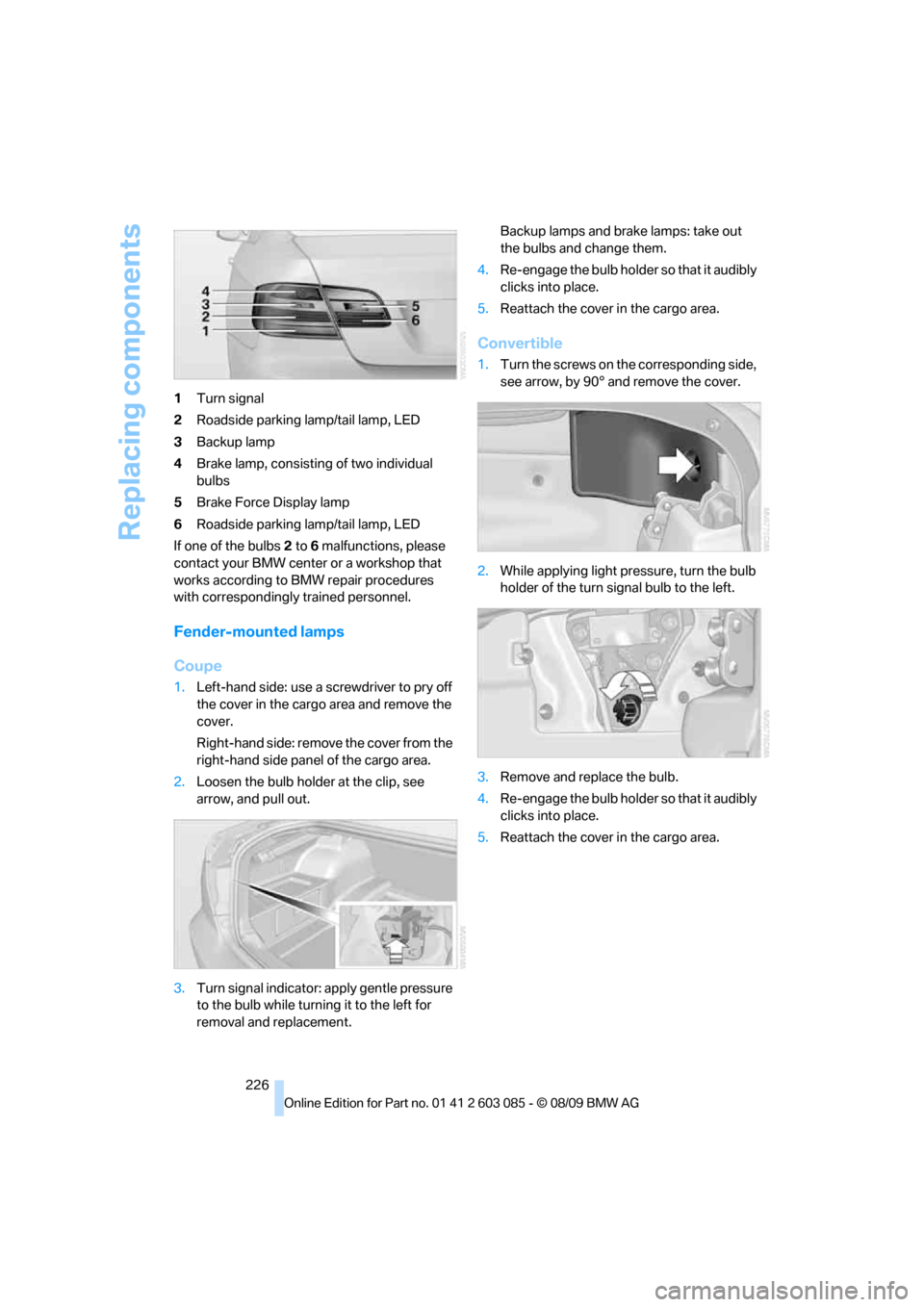
226 1Turn signal
2Roadside parking lamp/tail lamp, LED
3Backup lamp
4Brake lamp, consisting of two individual
bulbs
5Brake Force Display lamp
6Roadside parking lamp/tail lamp, LED
If one of the bulbs 2 to 6 malfunctions, please
contact your BMW center or a workshop that
works according to BMW repair procedures
with correspondingly trained personnel.
Fender-mounted lamps
Coupe
1.Left-hand side: use a screwdriver to pry off
the cover in the cargo area and remove the
cover.
Right-hand side: remove the cover from the
right-hand side panel of the cargo area.
2.Loosen the bulb holder at the clip, see
arrow, and pull out.
3.Turn signal indicator: apply gentle pressure
to the bulb while turning it to the left for
removal and replacement.Backup lamps and brake lamps: take out
the bulbs and change them.
4.Re-engage the bulb holder so that it audibly
clicks into place.
5.Reattach the cover in the cargo area.
Convertible
1.Turn the screws on the corresponding side,
see arrow, by 90° and remove the cover.
2.While applying light pressure, turn the bulb
holder of the turn signal bulb to the left.
3.Remove and replace the bulb.
4.Re-engage the bulb holder so that it audibly
clicks into place.
5.Reattach the cover in the cargo area.
Page 235 of 266
Mobility
233Reference
At a glance
Controls
Driving tips
Communications
Navigation
Entertainment
Using a tow fitting
The screw-in tow fitting must always be carried
in the car. It can be screwed in at the front or
rear of the BMW.
Coupe: it is stored in the onboard vehicle tool kit
underneath the cover on the right-hand side of
the cargo area, refer to page223.
Convertible: it is stored in the onboard vehicle
tool kit underneath the cargo area floor, refer to
page223.
Use only the tow fitting provided with the
vehicle and screw it all the way in. Use the
tow fitting for towing on paved roads only. Avoid
lateral loading of the tow fitting, e.g. do not lift
the vehicle by the tow fitting. Otherwise, the
tow fitting and the vehicle could be damaged.<
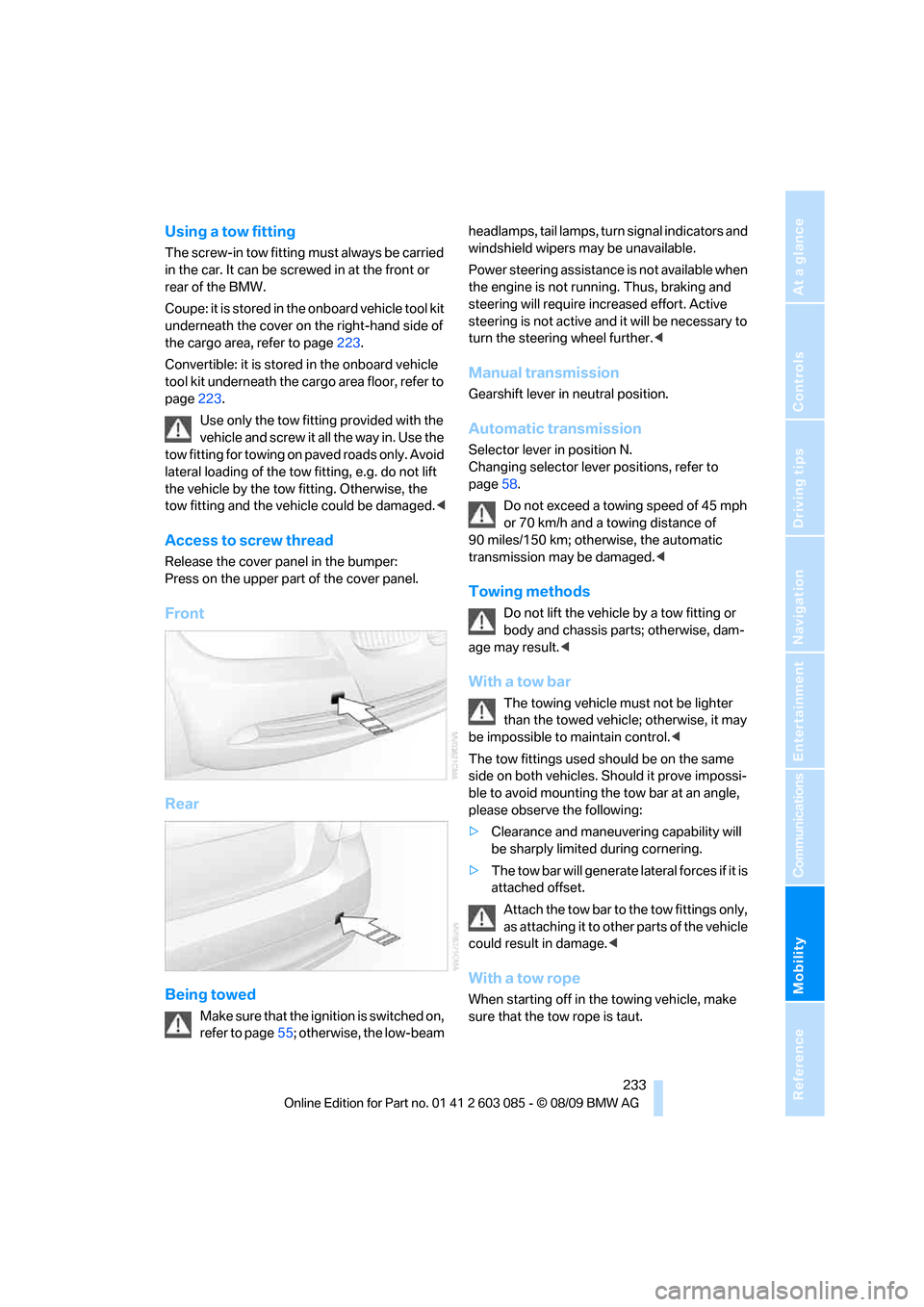
Access to screw thread
Release the cover panel in the bumper:
Press on the upper part of the cover panel.
Front
Rear
Being towed
Make sure that the ignition is switched on,
refer to page55; otherwise, the low-beam headlamps, tail lamps, turn signal indicators and
windshield wipers may be unavailable.
Power steering assistance is not available when
the engine is not running. Thus, braking and
steering will require increased effort. Active
steering is not active and it will be necessary to
turn the steering wheel further.<
Manual transmission
Gearshift lever in neutral position.
Automatic transmission
Selector lever in position N.
Changing selector lever positions, refer to
page58.
Do not exceed a towing speed of 45 mph
or 70 km/h and a towing distance of
90 miles/150 km; otherwise, the automatic
transmission may be damaged.<
Towing methods
Do not lift the vehicle by a tow fitting or
body and chassis parts; otherwise, dam-
age may result.<
With a tow bar
The towing vehicle must not be lighter
than the towed vehicle; otherwise, it may
be impossible to maintain control.<
The tow fittings used should be on the same
side on both vehicles. Should it prove impossi-
ble to avoid mounting the tow bar at an angle,
please observe the following:
>Clearance and maneuvering capability will
be sharply limited during cornering.
>The tow bar will generate lateral forces if it is
attached offset.
Attach the tow bar to the tow fittings only,
as attaching it to other parts of the vehicle
could result in damage.<
With a tow rope
When starting off in the towing vehicle, make
sure that the tow rope is taut.
Page 253 of 266
Reference 251
At a glance
Controls
Driving tips
Communications
Navigation
Entertainment
Mobility
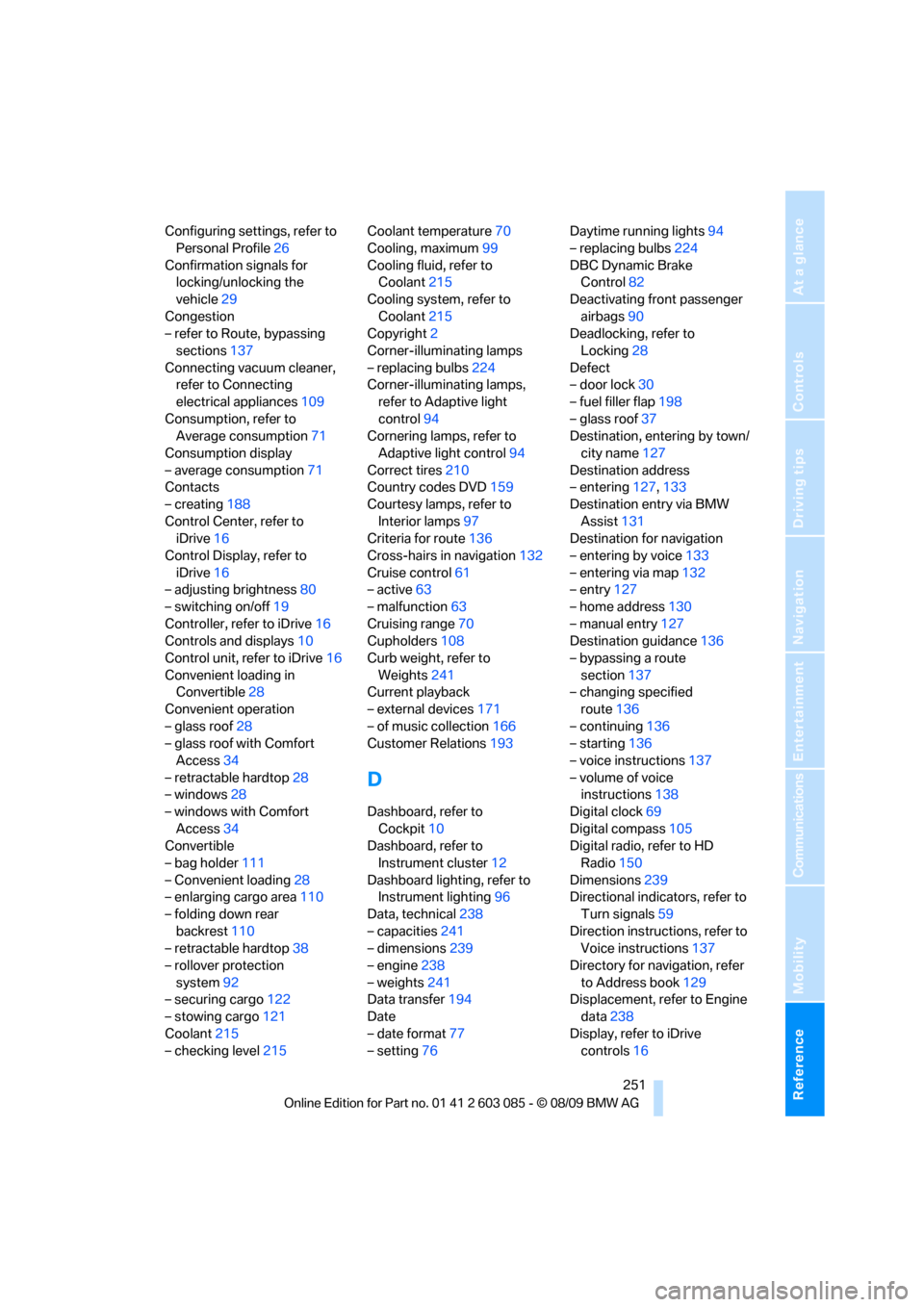
Configuring settings, refer to
Personal Profile26
Confirmation signals for
locking/unlocking the
vehicle29
Congestion
– refer to Route, bypassing
sections137
Connecting vacuum cleaner,
refer to Connecting
electrical appliances109
Consumption, refer to
Average consumption71
Consumption display
– average consumption71
Contacts
– creating188
Control Center, refer to
iDrive16
Control Display, refer to
iDrive16
– adjusting brightness80
– switching on/off19
Controller, refer to iDrive16
Controls and displays10
Control unit, refer to iDrive16
Convenient loading in
Convertible28
Convenient operation
– glass roof28
– glass roof with Comfort
Access34
– retractable hardtop28
– windows28
– windows with Comfort
Access34
Convertible
– bag holder111
– Convenient loading28
– enlarging cargo area110
– folding down rear
backrest110
– retractable hardtop38
– rollover protection
system92
– securing cargo122
– stowing cargo121
Coolant215
– checking level215Coolant temperature70
Cooling, maximum99
Cooling fluid, refer to
Coolant215
Cooling system, refer to
Coolant215
Copyright2
Corner-illuminating lamps
– replacing bulbs224
Corner-illuminating lamps,
refer to Adaptive light
control94
Cornering lamps, refer to
Adaptive light control94
Correct tires210
Country codes DVD159
Courtesy lamps, refer to
Interior lamps97
Criteria for route136
Cross-hairs in navigation132
Cruise control61
– active63
– malfunction63
Cruising range70
Cupholders108
Curb weight, refer to
Weights241
Current playback
– external devices171
– of music collection166
Customer Relations193
D
Dashboard, refer to
Cockpit10
Dashboard, refer to
Instrument cluster12
Dashboard lighting, refer to
Instrument lighting96
Data, technical238
– capacities241
– dimensions239
– engine238
– weights241
Data transfer194
Date
– date format77
– setting76Daytime running lights94
– replacing bulbs224
DBC Dynamic Brake
Control82
Deactivating front passenger
airbags90
Deadlocking, refer to
Locking28
Defect
– door lock30
– fuel filler flap198
– glass roof37
Destination, entering by town/
city name127
Destination address
– entering127,133
Destination entry via BMW
Assist131
Destination for navigation
– entering by voice133
– entering via map132
– entry127
– home address130
– manual entry127
Destination guidance136
– bypassing a route
section137
– changing specified
route136
– continuing136
– starting136
– voice instructions137
– volume of voice
instructions138
Digital clock69
Digital compass105
Digital radio, refer to HD
Radio150
Dimensions239
Directional indicators, refer to
Turn signals59
Direction instructions, refer to
Voice instructions137
Directory for navigation, refer
to Address book
129
Displacement, refer to Engine
data238
Display, refer to iDrive
controls16
Page 258 of 266
Everything from A - Z
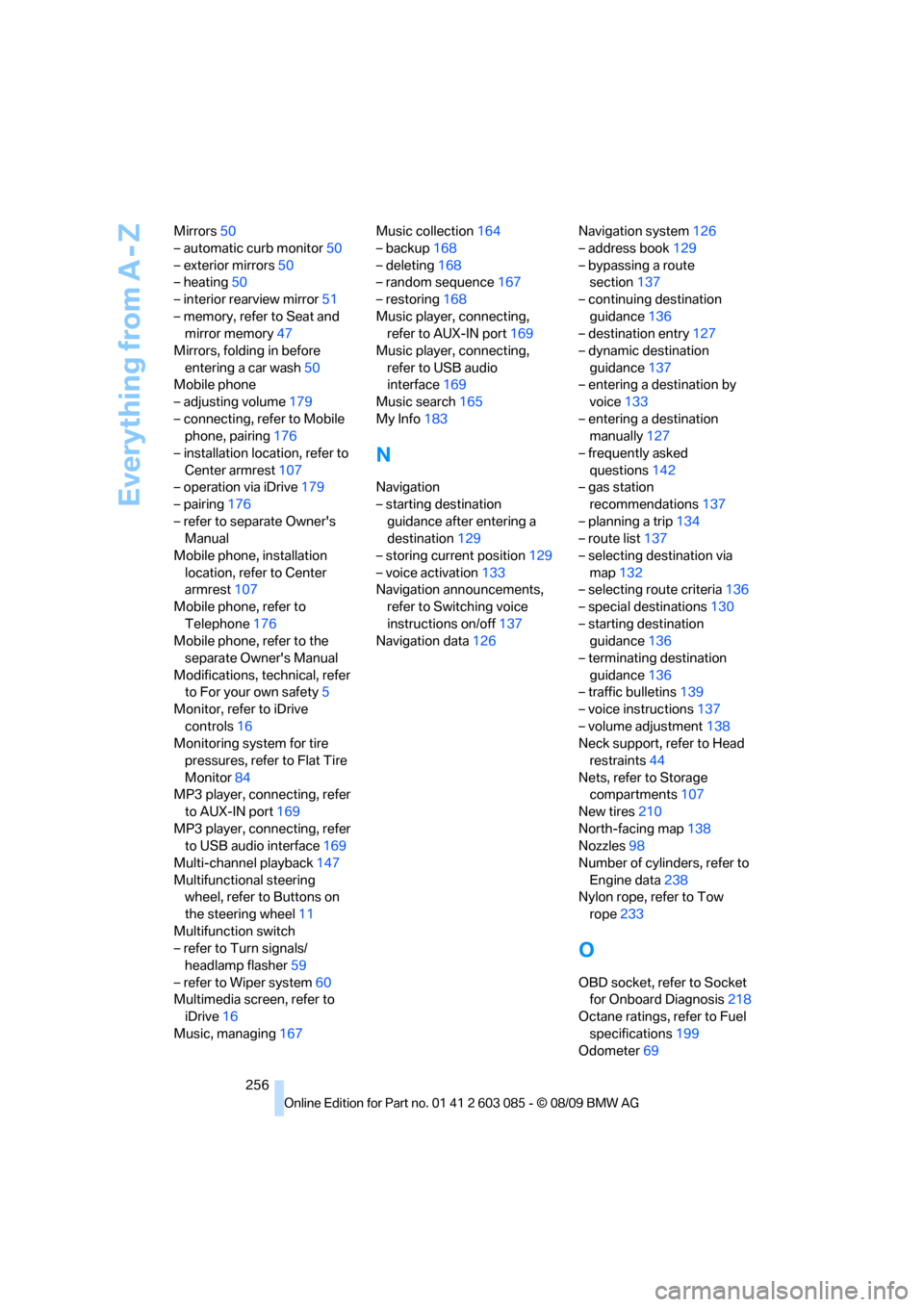
256 Mirrors50
– automatic curb monitor50
– exterior mirrors50
– heating50
– interior rearview mirror51
– memory, refer to Seat and
mirror memory47
Mirrors, folding in before
entering a car wash50
Mobile phone
– adjusting volume179
– connecting, refer to Mobile
phone, pairing176
– installation location, refer to
Center armrest107
– operation via iDrive179
– pairing176
– refer to separate Owner's
Manual
Mobile phone, installation
location, refer to Center
armrest107
Mobile phone, refer to
Telephone176
Mobile phone, refer to the
separate Owner's Manual
Modifications, technical, refer
to For your own safety5
Monitor, refer to iDrive
controls16
Monitoring system for tire
pressures, refer to Flat Tire
Monitor84
MP3 player, connecting, refer
to AUX-IN port169
MP3 player, connecting, refer
to USB audio interface169
Multi-channel playback147
Multifunctional steering
wheel, refer to Buttons on
the steering wheel11
Multifunction switch
– refer to Turn signals/
headlamp flasher59
– refer to Wiper system60
Multimedia screen, refer to
iDrive16
Music, managing167Music collection164
– backup168
– deleting168
– random sequence167
– restoring168
Music player, connecting,
refer to AUX-IN port169
Music player, connecting,
refer to USB audio
interface169
Music search165
My Info183
N
Navigation
– starting destination
guidance after entering a
destination129
– storing current position129
– voice activation133
Navigation announcements,
refer to Switching voice
instructions on/off137
Navigation data126Navigation system126
– address book129
– bypassing a route
section137
– continuing destination
guidance136
– destination entry127
– dynamic destination
guidance137
– entering a destination by
voice133
– entering a destination
manually127
– frequently asked
questions142
– gas station
recommendations137
– planning a trip134
– route list137
– selecting destination via
map132
– selecting route criteria136
– special destinations130
– starting destination
guidance136
– terminating destination
guidance136
– traffic bulletins139
– voice instructions137
– volume adjustment138
Neck support, refer to Head
restraints44
Nets, refer to Storage
compartments107
New tires210
North-facing map138
Nozzles98
Number of cylinders, refer to
Engine data238
Nylon rope, refer to Tow
rope233
O
OBD socket, refer to Socket
for Onboard Diagnosis218
Octane ratings, refer to Fuel
specifications199
Odometer69
Page 259 of 266
Reference 257
At a glance
Controls
Driving tips
Communications
Navigation
Entertainment
Mobility
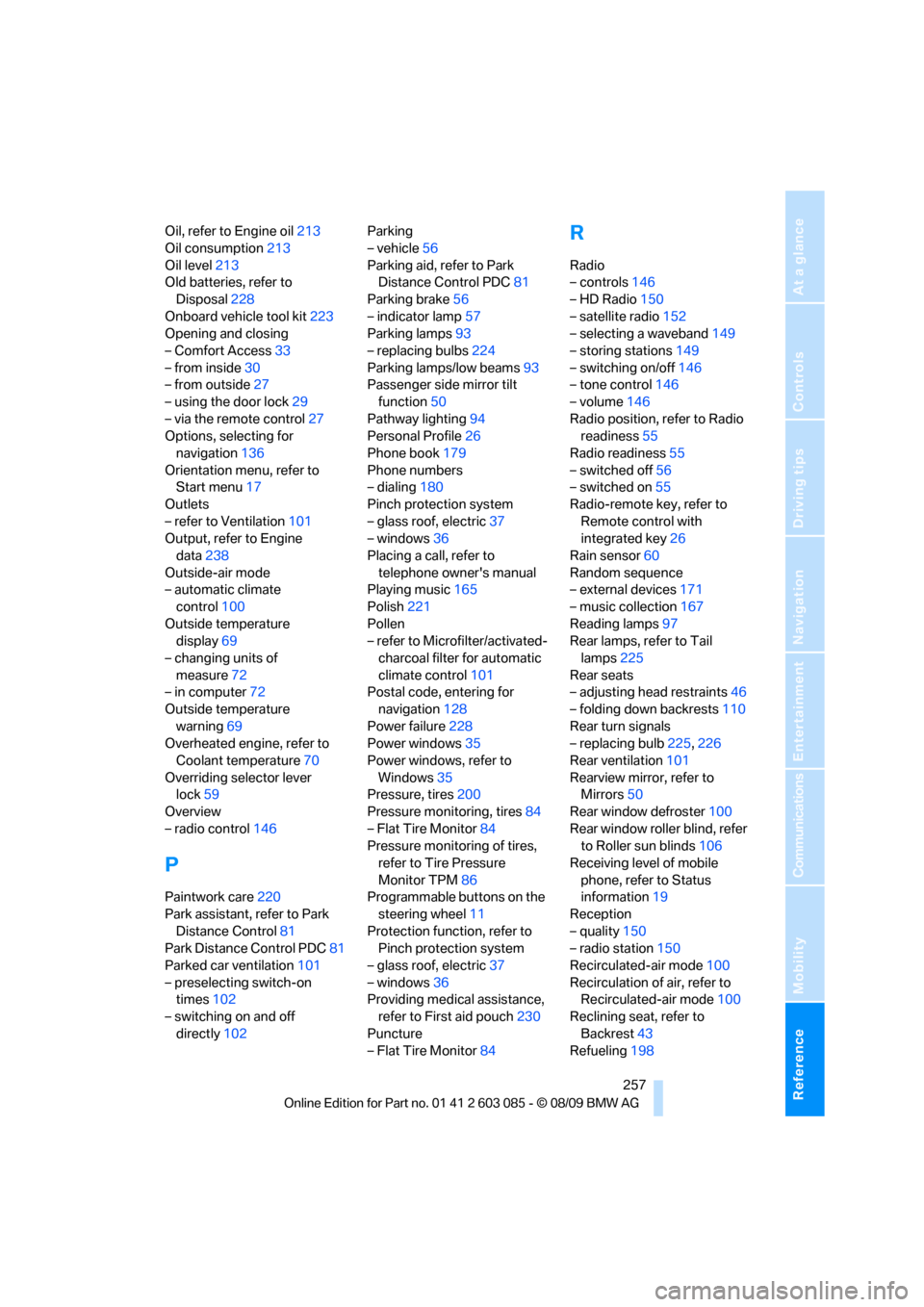
Oil, refer to Engine oil213
Oil consumption213
Oil level213
Old batteries, refer to
Disposal228
Onboard vehicle tool kit223
Opening and closing
– Comfort Access33
– from inside30
– from outside27
– using the door lock29
– via the remote control27
Options, selecting for
navigation136
Orientation menu, refer to
Start menu17
Outlets
– refer to Ventilation101
Output, refer to Engine
data238
Outside-air mode
– automatic climate
control100
Outside temperature
display69
– changing units of
measure72
– in computer72
Outside temperature
warning69
Overheated engine, refer to
Coolant temperature70
Overriding selector lever
lock59
Overview
– radio control146
P
Paintwork care220
Park assistant, refer to Park
Distance Control81
Park Distance Control PDC81
Parked car ventilation101
– preselecting switch-on
times102
– switching on and off
directly102Parking
– vehicle56
Parking aid, refer to Park
Distance Control PDC81
Parking brake56
– indicator lamp57
Parking lamps93
– replacing bulbs224
Parking lamps/low beams93
Passenger side mirror tilt
function50
Pathway lighting94
Personal Profile26
Phone book179
Phone numbers
– dialing180
Pinch protection system
– glass roof, electric37
– windows36
Placing a call, refer to
telephone owner's manual
Playing music165
Polish221
Pollen
– refer to Microfilter/activated-
charcoal filter for automatic
climate control101
Postal code, entering for
navigation128
Power failure228
Power windows35
Power windows, refer to
Windows35
Pressure, tires200
Pressure monitoring, tires84
– Flat Tire Monitor84
Pressure monitoring of tires,
refer to Tire Pressure
Monitor TPM86
Programmable buttons on the
steering wheel11
Protection function, refer to
Pinch protection system
– glass roof, electric37
– windows36
Providing medical assistance,
refer to First aid pouch230
Puncture
– Flat Tire Monitor84
R
Radio
– controls146
– HD Radio150
– satellite radio152
– selecting a waveband149
– storing stations149
– switching on/off146
– tone control146
– volume146
Radio position, refer to Radio
readiness55
Radio readiness55
– switched off56
– switched on55
Radio-remote key, refer to
Remote control with
integrated key26
Rain sensor60
Random sequence
– external devices171
– music collection167
Reading lamps97
Rear lamps, refer to Tail
lamps225
Rear seats
– adjusting head restraints46
– folding down backrests110
Rear turn signals
– replacing bulb225,226
Rear ventilation101
Rearview mirror, refer to
Mirrors50
Rear window defroster100
Rear window roller blind, refer
to Roller sun blinds106
Receiving level of mobile
phone, refer to Status
information19
Reception
– quality150
– radio station150
Recirculated-air mode100
Recirculation of air, refer to
Recirculated-air mode100
Reclining seat, refer to
Backrest43
Refueling198
Page 263 of 266
Reference 261
At a glance
Controls
Driving tips
Communications
Navigation
Entertainment
Mobility
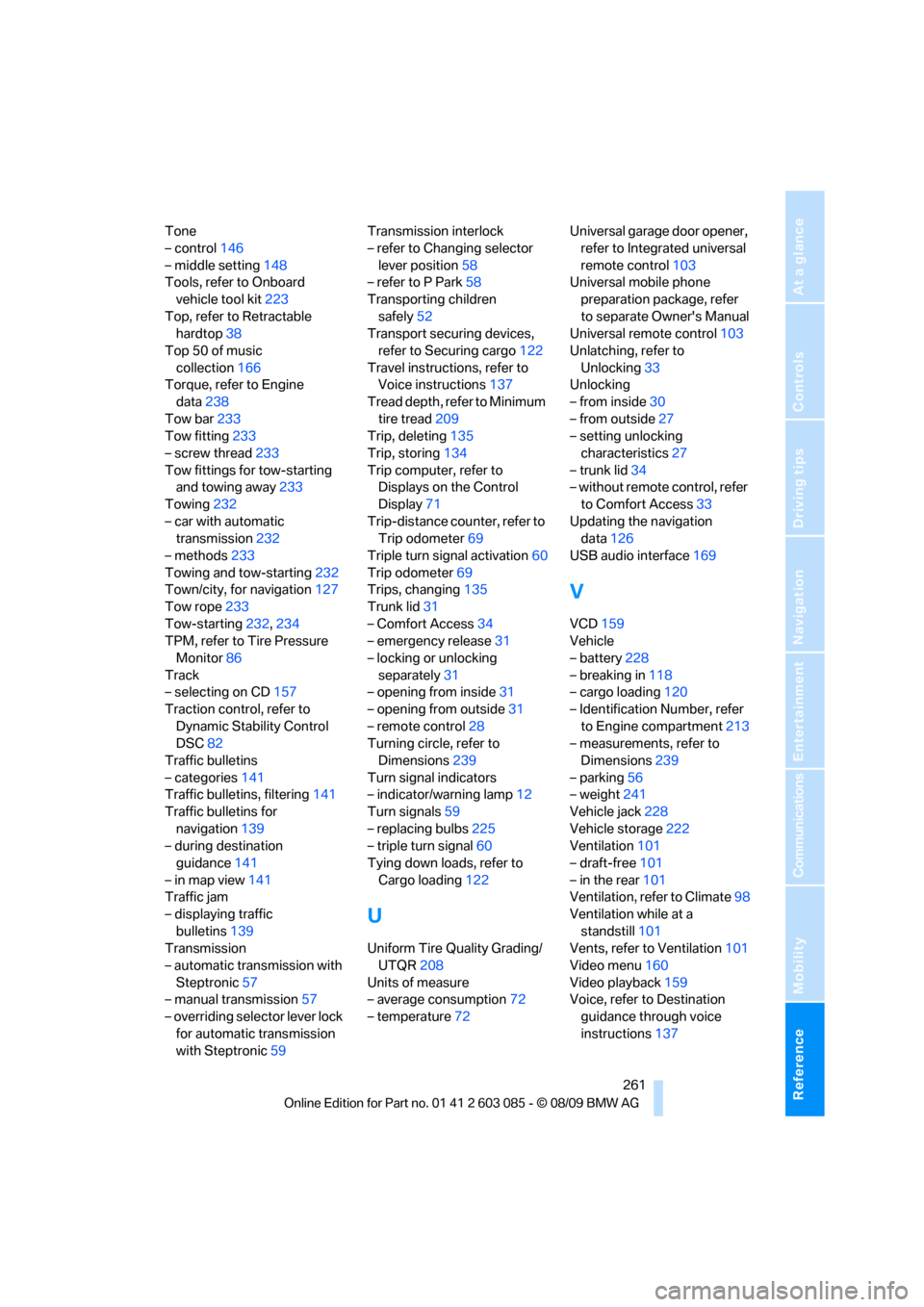
Tone
– control146
– middle setting148
Tools, refer to Onboard
vehicle tool kit223
Top, refer to Retractable
hardtop38
Top 50 of music
collection166
Torque, refer to Engine
data238
Tow bar233
Tow fitting233
– screw thread233
Tow fittings for tow-starting
and towing away233
Towing232
– car with automatic
transmission232
– methods233
Towing and tow-starting232
Town/city, for navigation127
Tow rope233
Tow-starting232,234
TPM, refer to Tire Pressure
Monitor86
Track
– selecting on CD157
Traction control, refer to
Dynamic Stability Control
DSC82
Traffic bulletins
– categories141
Traffic bulletins, filtering141
Traffic bulletins for
navigation139
– during destination
guidance141
– in map view141
Traffic jam
– displaying traffic
bulletins139
Transmission
– automatic transmission with
Steptronic57
– manual transmission57
– overriding selector lever lock
for automatic transmission
with Steptronic59Transmission interlock
– refer to Changing selector
lever position58
– refer to P Park58
Transporting children
safely52
Transport securing devices,
refer to Securing cargo122
Travel instructions, refer to
Voice instructions137
Tread depth, refer to Minimum
tire tread209
Trip, deleting135
Trip, storing134
Trip computer, refer to
Displays on the Control
Display71
Trip-distance counter, refer to
Trip odometer69
Triple turn signal activation60
Trip odometer69
Trips, changing135
Trunk lid31
– Comfort Access34
– emergency release31
– locking or unlocking
separately31
– opening from inside31
– opening from outside31
– remote control28
Turning circle, refer to
Dimensions239
Turn signal indicators
– indicator/warning lamp12
Turn signals59
– replacing bulbs225
– triple turn signal60
Tying down loads, refer to
Cargo loading122
U
Uniform Tire Quality Grading/
UTQR208
Units of measure
– average consumption72
– temperature72Universal garage door opener,
refer to Integrated universal
remote control103
Universal mobile phone
preparation package, refer
to separate Owner's Manual
Universal remote control103
Unlatching, refer to
Unlocking33
Unlocking
– from inside30
– from outside27
– setting unlocking
characteristics27
– trunk lid34
– without remote control, refer
to Comfort Access33
Updating the navigation
data126
USB audio interface169
V
VCD159
Vehicle
– battery228
– breaking in118
– cargo loading120
– Identification Number, refer
to Engine compartment213
– measurements, refer to
Dimensions239
– parking56
– weight241
Vehicle jack228
Vehicle storage222
Ventilation101
– draft-free101
– in the rear101
Ventilation, refer to Climate98
Ventilation while at a
standstill101
Vents, refer to Ventilation101
Video menu160
Video playback159
Voice, refer to Destination
guidance through voice
instructions137