ECO mode BMW 328I SEDAN 2013 Owner's Manual
[x] Cancel search | Manufacturer: BMW, Model Year: 2013, Model line: 328I SEDAN, Model: BMW 328I SEDAN 2013Pages: 248, PDF Size: 5.21 MB
Page 180 of 248
▷Energy recovery.▷Climate control output.▷Coasting.
Display ECO PRO tips
"ECO PRO Tips"
The setting is stored for the profile currently in
use.
Coasting
The concept
The system helps to conserve fuel.
To do this, under certain conditions the engine
is automatically decoupled from the transmis‐
sion when transmission position D is engaged.
The vehicle continues traveling with the engine
idling to reduce fuel consumption. Transmis‐
sion position D remains engaged.
This driving condition is referred to as coast‐
ing.
As soon as the brake or accelerator pedal is
depressed, the engine is automatically coupled
to the transmission again.
Hints Coasting is a component of the ECO PRO, re‐
fer to page 173, driving mode.
Coasting is automatically activated when ECO
PRO mode is called via the Driving Dynamics
Control.
The function is available in a certain speed
range.
A forward-looking driving style helps the driver
to use the function as often as possible and supports the fuel-conserving effect of coast‐
ing.
Safety mode
The function is not available if one of the fol‐ lowing conditions is satisfied.
▷DSC OFF or TRACTION activated.▷Driving in the dynamic limit range and on
steep uphill or downhill grades.▷Battery charge status temporarily too low
or vehicle electrical system drawing exces‐
sive current.▷Cruise control activated.
Functional requirements
In ECO PRO mode, this function is available in
a speed range from approximately 30 mph, ap‐
prox. 50 km/h to 100 mph, approx. 160 km/h, if
the following conditions are satisfied:
▷Accelerator pedal and brake pedal are not
operated.▷The selector lever is in transmission posi‐
tion D.▷Engine and transmission are at operating
temperature.
Display
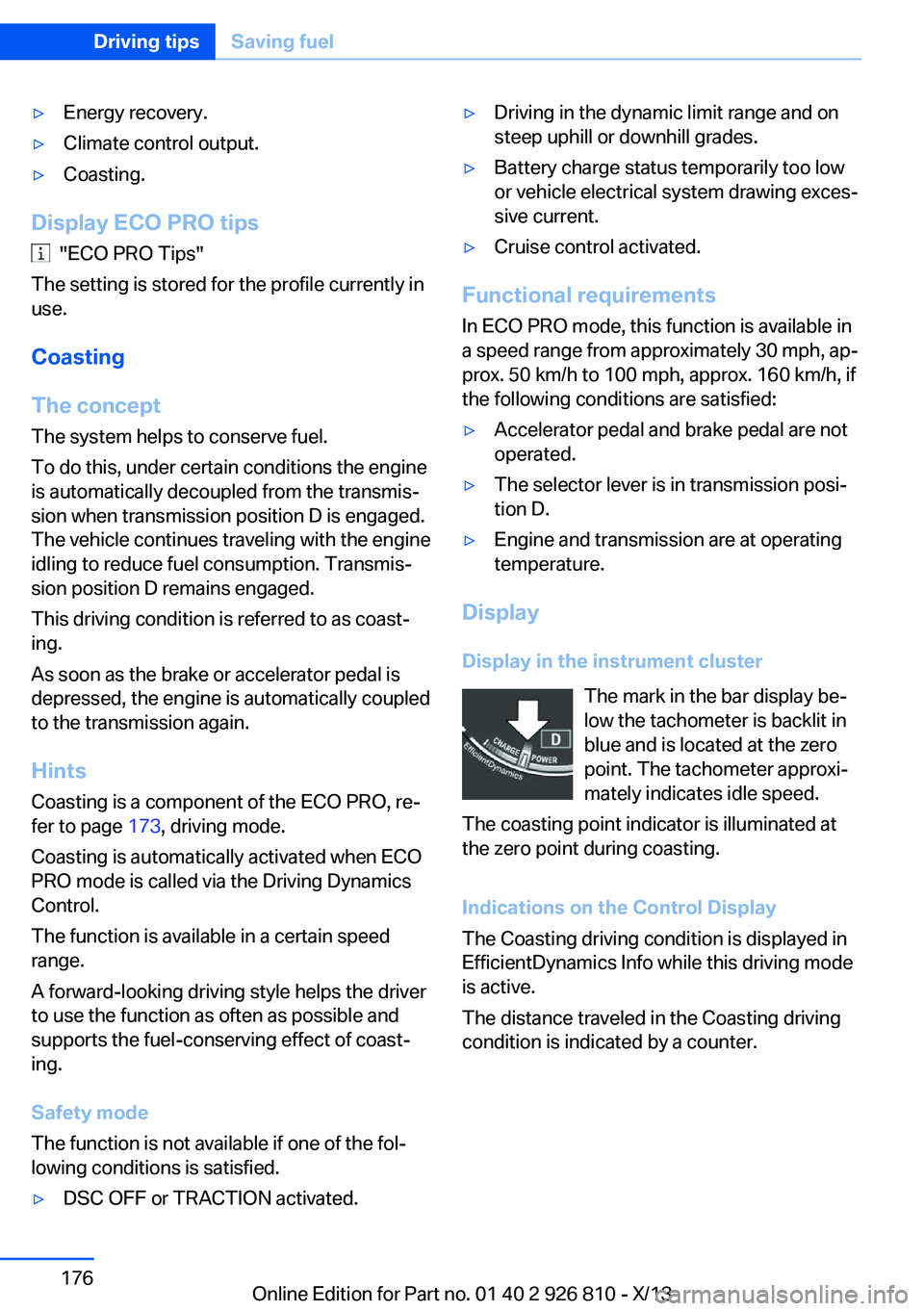
Display in the instrument cluster The mark in the bar display be‐
low the tachometer is backlit in
blue and is located at the zero
point. The tachometer approxi‐
mately indicates idle speed.
The coasting point indicator is illuminated at
the zero point during coasting.
Indications on the Control Display
The Coasting driving condition is displayed in
EfficientDynamics Info while this driving mode
is active.
The distance traveled in the Coasting driving
condition is indicated by a counter.
Seite 176Driving tipsSaving fuel176
Online Edition for Part no. 01 40 2 926 810 - X/13
Page 181 of 248
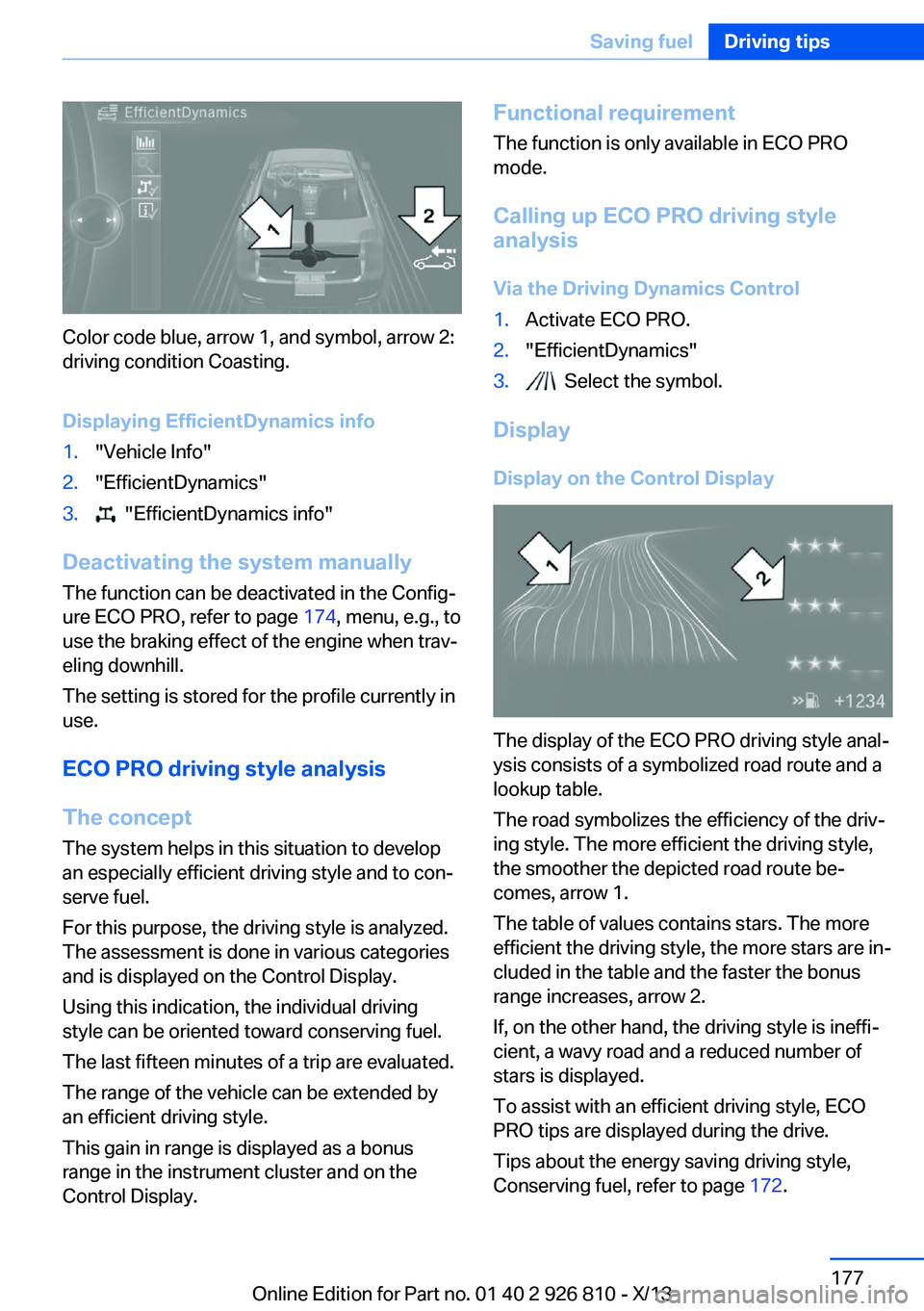
Color code blue, arrow 1, and symbol, arrow 2:
driving condition Coasting.
Displaying EfficientDynamics info
1."Vehicle Info"2."EfficientDynamics"3. "EfficientDynamics info"
Deactivating the system manually The function can be deactivated in the Config‐
ure ECO PRO, refer to page 174, menu, e.g., to
use the braking effect of the engine when trav‐
eling downhill.
The setting is stored for the profile currently in
use.
ECO PRO driving style analysis
The concept
The system helps in this situation to develop
an especially efficient driving style and to con‐
serve fuel.
For this purpose, the driving style is analyzed.
The assessment is done in various categories
and is displayed on the Control Display.
Using this indication, the individual driving
style can be oriented toward conserving fuel.
The last fifteen minutes of a trip are evaluated.
The range of the vehicle can be extended by
an efficient driving style.
This gain in range is displayed as a bonus
range in the instrument cluster and on the
Control Display.
Functional requirement
The function is only available in ECO PRO
mode.
Calling up ECO PRO driving style
analysis
Via the Driving Dynamics Control1.Activate ECO PRO.2."EfficientDynamics"3. Select the symbol.
Display
Display on the Control Display
The display of the ECO PRO driving style anal‐
ysis consists of a symbolized road route and a
lookup table.
The road symbolizes the efficiency of the driv‐
ing style. The more efficient the driving style,
the smoother the depicted road route be‐
comes, arrow 1.
The table of values contains stars. The more
efficient the driving style, the more stars are in‐
cluded in the table and the faster the bonus
range increases, arrow 2.
If, on the other hand, the driving style is ineffi‐
cient, a wavy road and a reduced number of
stars is displayed.
To assist with an efficient driving style, ECO
PRO tips are displayed during the drive.
Tips about the energy saving driving style,
Conserving fuel, refer to page 172.
Seite 177Saving fuelDriving tips177
Online Edition for Part no. 01 40 2 926 810 - X/13
Page 186 of 248
FuelVehicle equipmentAll standard, country-specific and optional
equipment that is offered in the model series is
described in this chapter. Therefore, equip‐
ment is also described that is not available in a
vehicle, e. g., because of the selected optional
equipment or country variant. This also applies
for safety-related functions and systems.
Fuel recommendation Note General fuel quality
Even fuels that conform to the specifica‐
tions can be of low quality. Switch gas stations
or use fuel from brand name producers having
a higher octane level; otherwise, engine prob‐
lems, such as poor engine starting perform‐
ance, poorer handling characteristics or driving
performance may occur.◀
Gasoline For the best fuel economy, the gasoline should
be sulfur-free or very low in sulfur content.
Fuels that are marked on the gas pump as con‐
taining metal must not be used.
Refuel only with unleaded gasoline with‐out metallic additives.
Do not refuel with any leaded gasoline or gaso‐
line with metallic additives, e. g. manganese or
iron, or permanent damage to the catalytic
converter and other components.◀
Fuels with a maximum ethanol content of
10 %, i. e., E10, may be used for refueling.
Ethanol should satisfy the following quality
standards:
US: ASTM 4806–xx
CAN: CGSB-3.511–xxxx: comply with the current standard in each
case.
Do not refuel with Ethanol above the
maximum Ethanol proportion
Do not refuel with Ethanol above the maximum
Ethanol proportion, that is, refueling with fuel
that contains more than 10 % Ethanol, flex fuel
or other alcohols; otherwise, damage to the
engine and fuel supply could result.◀
Gasoline quality BMW recommends AKI 91.
Minimum fuel grade
BMW recommends AKI 89.
Minimum fuel grade
Do not use any gasoline below the mini‐
mum fuel grade as this may impair engine per‐
formance.◀
If you use gasoline with this minimum AKI Rat‐
ing, the engine may produce knocking sounds
when starting at high outside temperatures.
This has no effect on the engine life.
Fuel quality
The use of poor-quality fuels may result
in harmful engine deposits or damage. Addi‐
tionally, problems relating to drivability, start‐
ing and stalling, especially under certain envi‐
ronmental conditions such as high ambient
temperature and high altitude, may occur.
If drivability problems are encountered, we rec‐
ommend switching to a high quality gasoline
brand and a higher octane grade — AKI num‐
ber — for a few tank fills. To avoid harmful en‐
gine deposits, it is highly recommended to
purchase gasoline from BP or Top Tier retail‐
ers.Seite 182MobilityFuel182
Online Edition for Part no. 01 40 2 926 810 - X/13
Page 191 of 248
Wheels and tiresVehicle equipment
All standard, country-specific and optional
equipment that is offered in the model series is
described in this chapter. Therefore, equip‐
ment is also described that is not available in a
vehicle, e. g., because of the selected optional
equipment or country variant. This also applies
for safety-related functions and systems.
Tire inflation pressure Safety information
The tire characteristics and tire inflation pres‐
sure influence the following:▷The service life of the tires.▷Road safety.▷Driving comfort.
Checking the pressure
Tires have a natural, consistent loss of pres‐
sure.
Check the tire inflation pressure regularly
Regularly check the tire inflation pres‐
sure, and correct it as needed: at least twice a
month and before a long trip. If you fail to ob‐
serve this precaution, you may be driving on
tires with incorrect tire pressures, a condition
that may not only compromise your vehicle's
driving stability, but also lead to tire damage
and the risk of an accident.◀
Tires heat up during driving, and the tire infla‐
tion pressure increases along with the temper‐
ature of the tire. The tire inflation pressure
specifications relate to cold tires or tires with
the ambient temperature.
Only check the tire inflation pressure when the
tires are cold. This means after driving no more
than 1.25 miles/2 km or when the vehicle has
been parked for at least 2 hours.
After correcting the tire inflation pressure:▷Reinitialize the Flat Tire Monitor.▷Reinitialize the Tire Pressure Monitor.
Pressure specifications The tire inflation pressure table, refer to
page 188, contains all pressure specifications
for the specified tire sizes at the ambient tem‐
perature. Pressure specifications apply to ap‐
proved tire sizes and recommended tire
brands. This information can be obtained from
your service center.
To identify the correct tire inflation pressure,
please note the following:
▷Tire sizes of your vehicle.▷Maximum permitted driving speed.
Tire inflation pressures up to
100 mph/160 km/h
For speeds of up to 100 mph/160 km/h and for
optimum driving comfort, note the pressure
values in the tire inflation pressure table, refer
to page 188, and adjust as necessary.
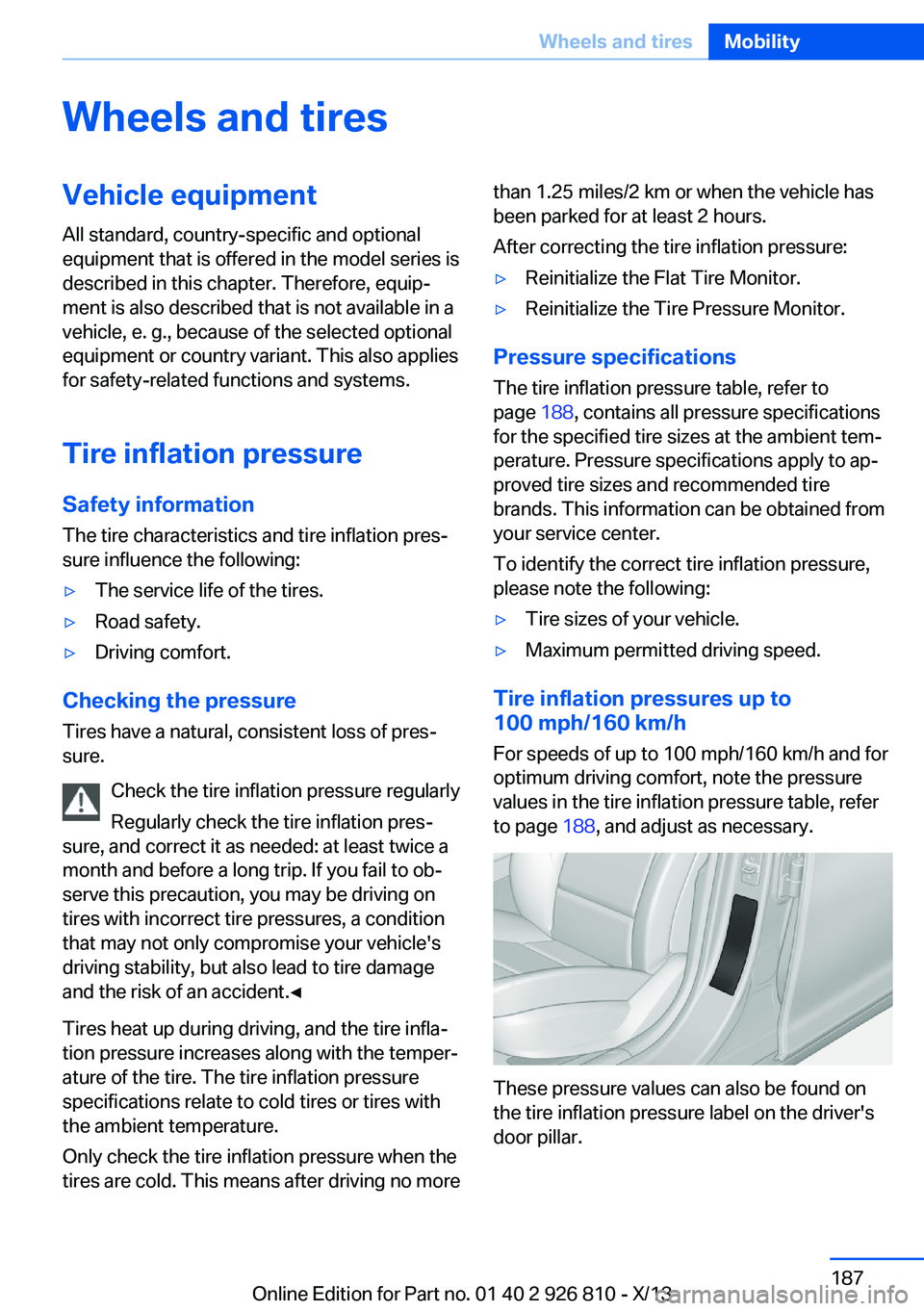
These pressure values can also be found on
the tire inflation pressure label on the driver's
door pillar.
Seite 187Wheels and tiresMobility187
Online Edition for Part no. 01 40 2 926 810 - X/13
Page 200 of 248
Approved wheels and tires
The manufacturer of your vehicle recom‐
mends that you use only wheels and tires that
have been approved for your particular vehicle
model.
For example, despite having the same official
size ratings, variations can lead to body con‐
tact and with it, the risk of severe accidents.
The manufacturer of your vehicle cannot eval‐
uate non-approved wheels and tires to deter‐
mine if they are suited for use, and therefore
cannot ensure the operating safety of the vehi‐
cle if they are mounted.◀
Recommended tire brands
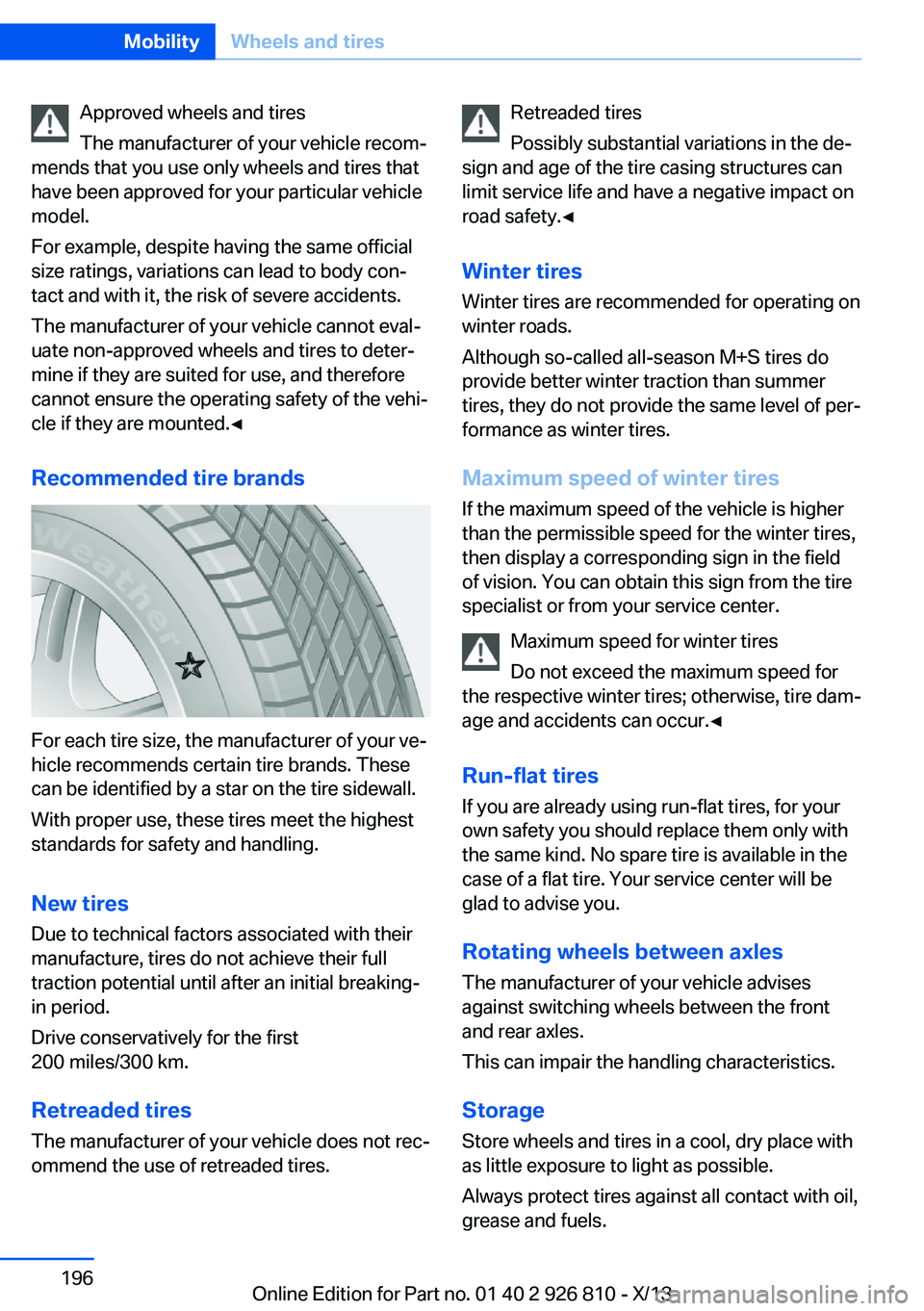
For each tire size, the manufacturer of your ve‐
hicle recommends certain tire brands. These
can be identified by a star on the tire sidewall.
With proper use, these tires meet the highest
standards for safety and handling.
New tires Due to technical factors associated with their
manufacture, tires do not achieve their full
traction potential until after an initial breaking-
in period.
Drive conservatively for the first
200 miles/300 km.
Retreaded tires
The manufacturer of your vehicle does not rec‐
ommend the use of retreaded tires.
Retreaded tires
Possibly substantial variations in the de‐
sign and age of the tire casing structures can
limit service life and have a negative impact on
road safety.◀
Winter tires
Winter tires are recommended for operating on
winter roads.
Although so-called all-season M+S tires do
provide better winter traction than summer tires, they do not provide the same level of per‐
formance as winter tires.
Maximum speed of winter tires If the maximum speed of the vehicle is higher
than the permissible speed for the winter tires,
then display a corresponding sign in the field
of vision. You can obtain this sign from the tire
specialist or from your service center.
Maximum speed for winter tires
Do not exceed the maximum speed for
the respective winter tires; otherwise, tire dam‐
age and accidents can occur.◀
Run-flat tires If you are already using run-flat tires, for your
own safety you should replace them only with
the same kind. No spare tire is available in the
case of a flat tire. Your service center will be
glad to advise you.
Rotating wheels between axles The manufacturer of your vehicle advises
against switching wheels between the front
and rear axles.
This can impair the handling characteristics.
StorageStore wheels and tires in a cool, dry place with
as little exposure to light as possible.
Always protect tires against all contact with oil,
grease and fuels.Seite 196MobilityWheels and tires196
Online Edition for Part no. 01 40 2 926 810 - X/13
Page 208 of 248
MaintenanceVehicle equipment
All standard, country-specific and optional
equipment that is offered in the model series is
described in this chapter. Therefore, equip‐
ment is also described that is not available in a
vehicle, e. g., because of the selected optional
equipment or country variant. This also applies
for safety-related functions and systems.
BMW maintenance system The maintenance system indicates required
maintenance measures, and thereby provides
support in maintaining road safety and the op‐ erational reliability of the vehicle.
Condition Based Service
CBS
Sensors and special algorithms take into ac‐
count the driving conditions of your vehicle.
Based on this, Condition Based Service deter‐
mines the maintenance requirements.
The system makes it possible to adapt the
amount of maintenance you need to your user
profile.
Detailed information on service requirements,
refer to page 82, can be displayed on the Con‐
trol Display.
Service data in the remote control Information on the required maintenance is
continuously stored in the remote control. Your service center will read out this data and
suggest the right array of service procedures
for your vehicle.
Therefore, hand your service specialist the re‐
mote control with which the vehicle was driven
most recently.Storage periods
Storage periods during which the vehicle bat‐
tery was disconnected are not taken into ac‐
count.
If this occurs, have a service center update the
time-dependent maintenance procedures,
such as checking brake fluid and, if necessary,
changing the engine oil and the microfilter/
activated-charcoal filter.
Service and Warranty Information Booklet for US
models and Warranty and
Service Guide Booklet for
Canadian models
Please consult your Service and Warranty In‐
formation Booklet for US models and Warranty
and Service Guide Booklet for Canadian mod‐ els for additional information on service re‐
quirements.
Maintenance and repair should be performed
by your service center. Make sure to have reg‐
ular maintenance procedures recorded in the
vehicle's Service and Warranty Information
Booklet for US models, and in the Warranty
and Service Guide Booklet for Canadian mod‐
els. These entries are proof of regular mainte‐
nance.
Socket for OBD Onboard
Diagnosis
Note Socket for Onboard Diagnosis
The socket for onboard diagnostics may
only be used by the service center or a work‐
shop that operates in accordance with the
specifications of the vehicle manufacturer withSeite 204MobilityMaintenance204
Online Edition for Part no. 01 40 2 926 810 - X/13
Page 210 of 248
Replacing componentsVehicle equipmentAll standard, country-specific and optional
equipment that is offered in the model series is
described in this chapter. Therefore, equip‐
ment is also described that is not available in a
vehicle, e. g., because of the selected optional
equipment or country variant. This also applies
for safety-related functions and systems.
Onboard vehicle tool kit
The onboard vehicle tool kit is located on the
right side in the cargo area in a storage com‐
partment. Open the cover.
Wiper blade replacement Note Do not fold down the wipers without
wiper blades
Do not fold down the wipers if wiper blades
have not been installed; this may damage the
windshield.◀
Replacing the wiper blades
1.To change the wiper blades, fold up, refer
to page 70, the wiper arms.2.Fold up and hold the wiper arm firmly.3.Squeeze the retainer spring, arrow 1, and
fold up the wiper blade, arrow 2.4.Remove the wiper blade forward from the
catch.5.Insert the new wiper blade in reverse order
of removal until it locks in place.6.Fold down the wipers.
Folding down wipers before opening the hood
Before opening the hood, ensure that the
wiper arms with the wiper blades are against
the windshield to prevent damage.◀
Lamp and bulb replacement
Hints
Lamps and bulbs Lamps and bulbs make an essential contribu‐
tion to vehicle safety.
The manufacturer of the vehicle recommends
that you entrust corresponding procedures to
the service center if you are unfamiliar with
them or they are not described here.
You can obtain a selection of replacement
bulbs at the service center.
Seite 206MobilityReplacing components206
Online Edition for Part no. 01 40 2 926 810 - X/13
Page 238 of 248
Everything from A to Z
IndexA ABS, Antilock Brake Sys‐ tem 116
ACC, Active Cruise Control with Stop & Go 121
Acceleration Assistant, refer to Launch Control 74
Activated-charcoal filter 149
Active Blind Spot Detec‐ tion 114
Active Cruise Control with Stop & Go, ACC 121
Adaptive brake lights, refer to Brake force display 115
Adaptive Light Control 92
Additives, oil 201
Adjustments, seats/head re‐ straints 49
After washing vehicle 224
Airbags 96
Airbags, indicator/warning light 97
Air circulation, refer to Recir‐ culated-air mode 145, 148
Air, dehumidifying, refer to Cooling function 145, 147
Air distribution, manual 145, 148
Air flow, air conditioner 145
Air flow, automatic climate control 148
Air pressure, tires 187
Air vents, refer to Ventila‐ tion 149
Alarm system 44
Alarm, unintentional 45
All around the center con‐ sole 16
All around the headliner 17 All around the steering
wheel 14
All-season tires, refer to Win‐ ter tires 196
All-wheel-drive 117
Alternating-code hand-held transmitter 152
Alternative oil types 202
Antifreeze, washer fluid 70
Antilock Brake System, ABS 116
Anti-slip control, refer to DSC 116
Approved axle load 230
Approved engine oils 202
Arrival time 87
Ash tray 155
Assistance, Roadside Assis‐ tance 218
Assistance when driving off 120
Assist system information, on Control Display 89
AUTO intensity 147
Automatic car wash 223
Automatic climate con‐ trol 144
Automatic climate control with enhanced features 146
Automatic Cruise Control with Stop & Go 121
Automatic Curb Monitor 57
Automatic deactivation, front passenger airbags 98
Automatic headlamp con‐ trol 92
Automatic locking 43
Automatic recirculated-air control 148
Automatic transmission with Steptronic 71 AUTO program, automatic cli‐
mate control 147
AUTO program, climate con‐ trol 145
AUTO program, intensity 147
Auto Start/Stop function 65
Average fuel consumption 86
Average speed 86
Axle loads, weights 230
B Backrest curvature, refer to Lumbar support 51
Backrest, width 51
Band-aids, refer to First aid kit 218
Bar for tow-starting/ towing 221
Battery replacement, vehicle battery 215
Battery replacement, vehicle remote control 34
Battery, vehicle 214
Belts, safety belts 52
Beverage holder, cu‐ pholder 161
Blinds, sun protection 47
BMW Advanced Diesel 183
BMW Assist, see user's manual for Navigation, En‐
tertainment and Communi‐
cation
BMW Homepage 6
BMW Internet page 6
BMW maintenance sys‐ tem 204
Bonus range, ECO PRO 174
Bottle holder, refer to Cu‐ pholder 161
Brake assistant 116 Seite 234ReferenceEverything from A to Z234
Online Edition for Part no. 01 40 2 926 810 - X/13
Page 240 of 248
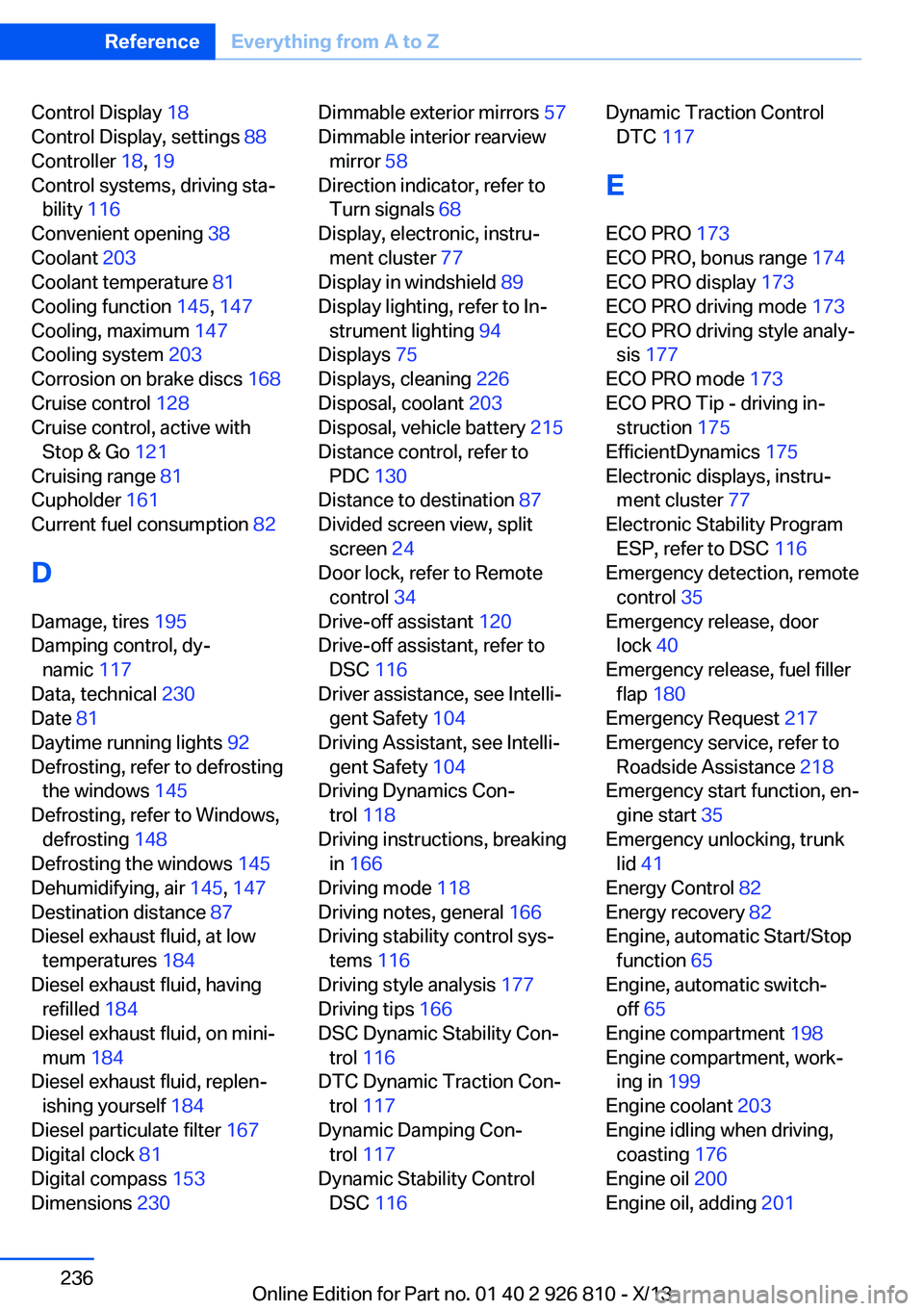
Control Display 18
Control Display, settings 88
Controller 18, 19
Control systems, driving sta‐ bility 116
Convenient opening 38
Coolant 203
Coolant temperature 81
Cooling function 145, 147
Cooling, maximum 147
Cooling system 203
Corrosion on brake discs 168
Cruise control 128
Cruise control, active with Stop & Go 121
Cruising range 81
Cupholder 161
Current fuel consumption 82
D
Damage, tires 195
Damping control, dy‐ namic 117
Data, technical 230
Date 81
Daytime running lights 92
Defrosting, refer to defrosting the windows 145
Defrosting, refer to Windows, defrosting 148
Defrosting the windows 145
Dehumidifying, air 145, 147
Destination distance 87
Diesel exhaust fluid, at low temperatures 184
Diesel exhaust fluid, having refilled 184
Diesel exhaust fluid, on mini‐ mum 184
Diesel exhaust fluid, replen‐ ishing yourself 184
Diesel particulate filter 167
Digital clock 81
Digital compass 153
Dimensions 230 Dimmable exterior mirrors 57
Dimmable interior rearview mirror 58
Direction indicator, refer to Turn signals 68
Display, electronic, instru‐ ment cluster 77
Display in windshield 89
Display lighting, refer to In‐ strument lighting 94
Displays 75
Displays, cleaning 226
Disposal, coolant 203
Disposal, vehicle battery 215
Distance control, refer to PDC 130
Distance to destination 87
Divided screen view, split screen 24
Door lock, refer to Remote control 34
Drive-off assistant 120
Drive-off assistant, refer to DSC 116
Driver assistance, see Intelli‐ gent Safety 104
Driving Assistant, see Intelli‐ gent Safety 104
Driving Dynamics Con‐ trol 118
Driving instructions, breaking in 166
Driving mode 118
Driving notes, general 166
Driving stability control sys‐ tems 116
Driving style analysis 177
Driving tips 166
DSC Dynamic Stability Con‐ trol 116
DTC Dynamic Traction Con‐ trol 117
Dynamic Damping Con‐ trol 117
Dynamic Stability Control DSC 116 Dynamic Traction Control
DTC 117
E
ECO PRO 173
ECO PRO, bonus range 174
ECO PRO display 173
ECO PRO driving mode 173
ECO PRO driving style analy‐ sis 177
ECO PRO mode 173
ECO PRO Tip - driving in‐ struction 175
EfficientDynamics 175
Electronic displays, instru‐ ment cluster 77
Electronic Stability Program ESP, refer to DSC 116
Emergency detection, remote control 35
Emergency release, door lock 40
Emergency release, fuel filler flap 180
Emergency Request 217
Emergency service, refer to Roadside Assistance 218
Emergency start function, en‐ gine start 35
Emergency unlocking, trunk lid 41
Energy Control 82
Energy recovery 82
Engine, automatic Start/Stop function 65
Engine, automatic switch- off 65
Engine compartment 198
Engine compartment, work‐ ing in 199
Engine coolant 203
Engine idling when driving, coasting 176
Engine oil 200
Engine oil, adding 201 Seite 236ReferenceEverything from A to Z236
Online Edition for Part no. 01 40 2 926 810 - X/13
Page 244 of 248
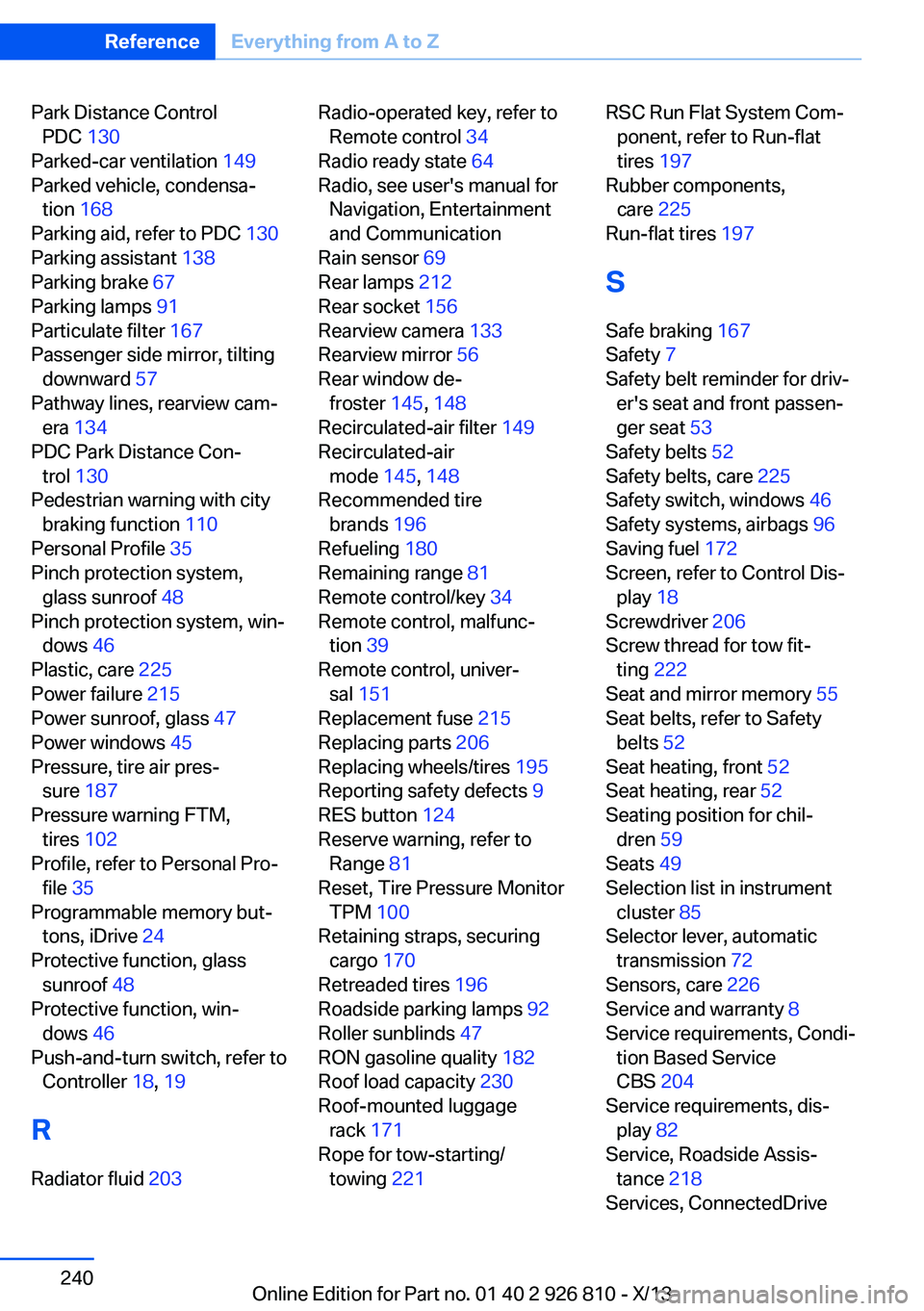
Park Distance ControlPDC 130
Parked-car ventilation 149
Parked vehicle, condensa‐ tion 168
Parking aid, refer to PDC 130
Parking assistant 138
Parking brake 67
Parking lamps 91
Particulate filter 167
Passenger side mirror, tilting downward 57
Pathway lines, rearview cam‐ era 134
PDC Park Distance Con‐ trol 130
Pedestrian warning with city braking function 110
Personal Profile 35
Pinch protection system, glass sunroof 48
Pinch protection system, win‐ dows 46
Plastic, care 225
Power failure 215
Power sunroof, glass 47
Power windows 45
Pressure, tire air pres‐ sure 187
Pressure warning FTM, tires 102
Profile, refer to Personal Pro‐ file 35
Programmable memory but‐ tons, iDrive 24
Protective function, glass sunroof 48
Protective function, win‐ dows 46
Push-and-turn switch, refer to Controller 18, 19
R Radiator fluid 203 Radio-operated key, refer to
Remote control 34
Radio ready state 64
Radio, see user's manual for Navigation, Entertainment
and Communication
Rain sensor 69
Rear lamps 212
Rear socket 156
Rearview camera 133
Rearview mirror 56
Rear window de‐ froster 145, 148
Recirculated-air filter 149
Recirculated-air mode 145, 148
Recommended tire brands 196
Refueling 180
Remaining range 81
Remote control/key 34
Remote control, malfunc‐ tion 39
Remote control, univer‐ sal 151
Replacement fuse 215
Replacing parts 206
Replacing wheels/tires 195
Reporting safety defects 9
RES button 124
Reserve warning, refer to Range 81
Reset, Tire Pressure Monitor TPM 100
Retaining straps, securing cargo 170
Retreaded tires 196
Roadside parking lamps 92
Roller sunblinds 47
RON gasoline quality 182
Roof load capacity 230
Roof-mounted luggage rack 171
Rope for tow-starting/ towing 221 RSC Run Flat System Com‐
ponent, refer to Run-flat
tires 197
Rubber components, care 225
Run-flat tires 197
S Safe braking 167
Safety 7
Safety belt reminder for driv‐ er's seat and front passen‐
ger seat 53
Safety belts 52
Safety belts, care 225
Safety switch, windows 46
Safety systems, airbags 96
Saving fuel 172
Screen, refer to Control Dis‐ play 18
Screwdriver 206
Screw thread for tow fit‐ ting 222
Seat and mirror memory 55
Seat belts, refer to Safety belts 52
Seat heating, front 52
Seat heating, rear 52
Seating position for chil‐ dren 59
Seats 49
Selection list in instrument cluster 85
Selector lever, automatic transmission 72
Sensors, care 226
Service and warranty 8
Service requirements, Condi‐ tion Based Service
CBS 204
Service requirements, dis‐ play 82
Service, Roadside Assis‐ tance 218
Services, ConnectedDrive Seite 240ReferenceEverything from A to Z240
Online Edition for Part no. 01 40 2 926 810 - X/13