back seat BMW 330CI COUPE 2004 E46 Owner's Manual
[x] Cancel search | Manufacturer: BMW, Model Year: 2004, Model line: 330CI COUPE, Model: BMW 330CI COUPE 2004 E46Pages: 174, PDF Size: 2.73 MB
Page 42 of 174
42
SeatsWhen adjusting your seat, always
observe the following precautions
Never try to adjust your seat while
operating the vehicle. The seat
could respond with an unexpected
movement, and the ensuing loss of
vehicle control could lead to an acci-
dent. Never ride with the backrest
reclined to an extreme angle. This is
especially important for the front pas-
senger to remember. If you do, there is
a risk that you will slide under the safety
belt in an accident, thus reducing the
protection provided by the safety belt.<
Seat adjustment>Manual seat adjustment, refer to
page 42
>Power seat adjustment, refer to
page 44
>Head restraint, refer to page 45
>Entering the rear, refer to page 45.
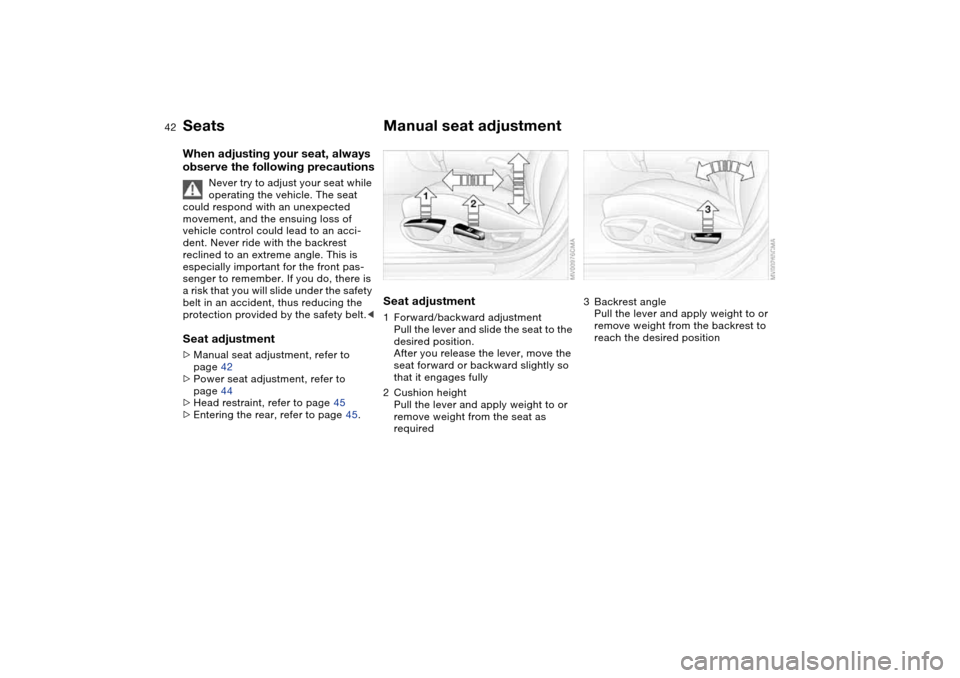
Manual seat adjustmentSeat adjustment1Forward/backward adjustment
Pull the lever and slide the seat to the
desired position.
After you release the lever, move the
seat forward or backward slightly so
that it engages fully
2Cushion height
Pull the lever and apply weight to or
remove weight from the seat as
required
3Backrest angle
Pull the lever and apply weight to or
remove weight from the backrest to
reach the desired position
Page 44 of 174
44
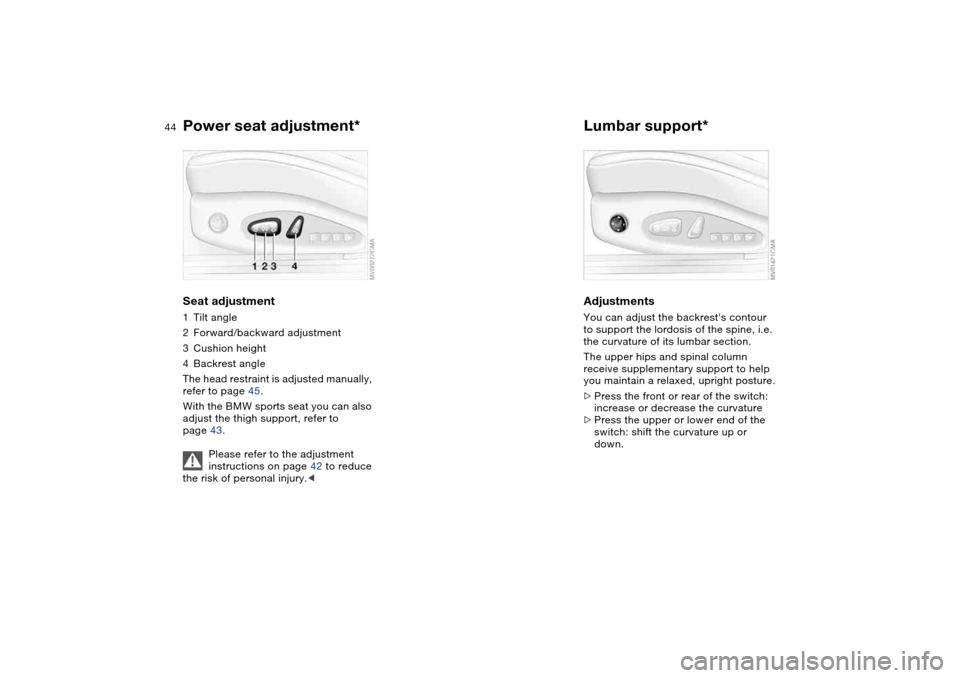
Power seat adjustment*Seat adjustment1Tilt angle
2Forward/backward adjustment
3Cushion height
4Backrest angle
The head restraint is adjusted manually,
refer to page 45.
With the BMW sports seat you can also
adjust the thigh support, refer to
page 43.
Please refer to the adjustment
instructions on page 42 to reduce
the risk of personal injury.<
Lumbar support*AdjustmentsYou can adjust the backrest's contour
to support the lordosis of the spine, i.e.
the curvature of its lumbar section.
The upper hips and spinal column
receive supplementary support to help
you maintain a relaxed, upright posture.
>Press the front or rear of the switch:
increase or decrease the curvature
>Press the upper or lower end of the
switch: shift the curvature up or
down.
Page 46 of 174
46
Safety beltsAlways wear your safety beltAlways fasten your safety belt before
starting off. As supplemental restraint
devices, the airbags are designed to
enhance the effectiveness of the safety
belts, and not to replace them.To closeMake sure you hear the catch engage in
the belt buckle.
The warning lamp lights up after
a short driving distance until the
driver and front passenger have
fastened their safety belts. At the same
time, an acoustic signal is sounded.
The warning lamp also lights up and the
acoustic signal sounds if the driver or
front passenger unfastens his or her
safety belt while the vehicle is in
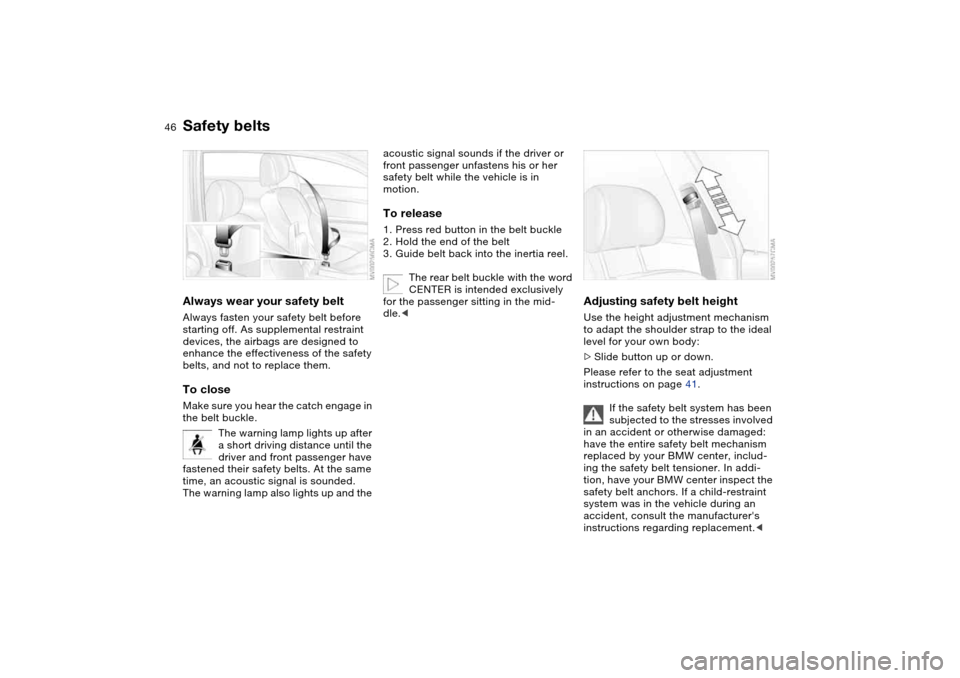
motion.To release1. Press red button in the belt buckle
2. Hold the end of the belt
3. Guide belt back into the inertia reel.
The rear belt buckle with the word
CENTER is intended exclusively
for the passenger sitting in the mid-
dle.<
Adjusting safety belt heightUse the height adjustment mechanism
to adapt the shoulder strap to the ideal
level for your own body:
>Slide button up or down.
Please refer to the seat adjustment
instructions on page 41.
If the safety belt system has been
subjected to the stresses involved
in an accident or otherwise damaged:
have the entire safety belt mechanism
replaced by your BMW center, includ-
ing the safety belt tensioner. In addi-
tion, have your BMW center inspect the
safety belt anchors. If a child-restraint
system was in the vehicle during an
accident, consult the manufacturer's
instructions regarding replacement.<
Page 47 of 174
47
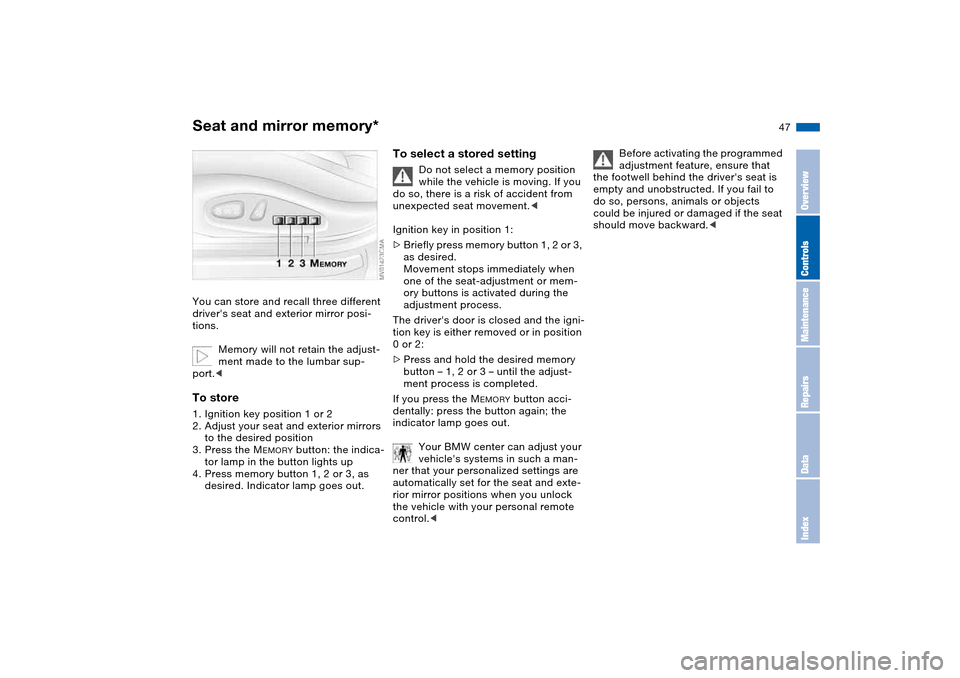
Seat and mirror memory*You can store and recall three different
driver's seat and exterior mirror posi-
tions.
Memory will not retain the adjust-
ment made to the lumbar sup-
port.
to the desired position
3. Press the M
EMORY
button: the indica-
tor lamp in the button lights up
4. Press memory button 1, 2 or 3, as
desired. Indicator lamp goes out.
To select a stored setting
Do not select a memory position
while the vehicle is moving. If you
do so, there is a risk of accident from
unexpected seat movement.<
Ignition key in position 1:
>Briefly press memory button 1, 2 or 3,
as desired.
Movement stops immediately when
one of the seat-adjustment or mem-
ory buttons is activated during the
adjustment process.
The driver's door is closed and the igni-
tion key is either removed or in position
0 or 2:
>Press and hold the desired memory
button – 1, 2 or 3 – until the adjust-
ment process is completed.
If you press the M
EMORY
button acci-
dentally: press the button again; the
indicator lamp goes out.
Your BMW center can adjust your
vehicle's systems in such a man-
ner that your personalized settings are
automatically set for the seat and exte-
rior mirror positions when you unlock
the vehicle with your personal remote
control.<
Before activating the programmed
adjustment feature, ensure that
the footwell behind the driver's seat is
empty and unobstructed. If you fail to
do so, persons, animals or objects
could be injured or damaged if the seat
should move backward.<
OverviewControlsMaintenanceRepairsDataIndex
Page 48 of 174
48
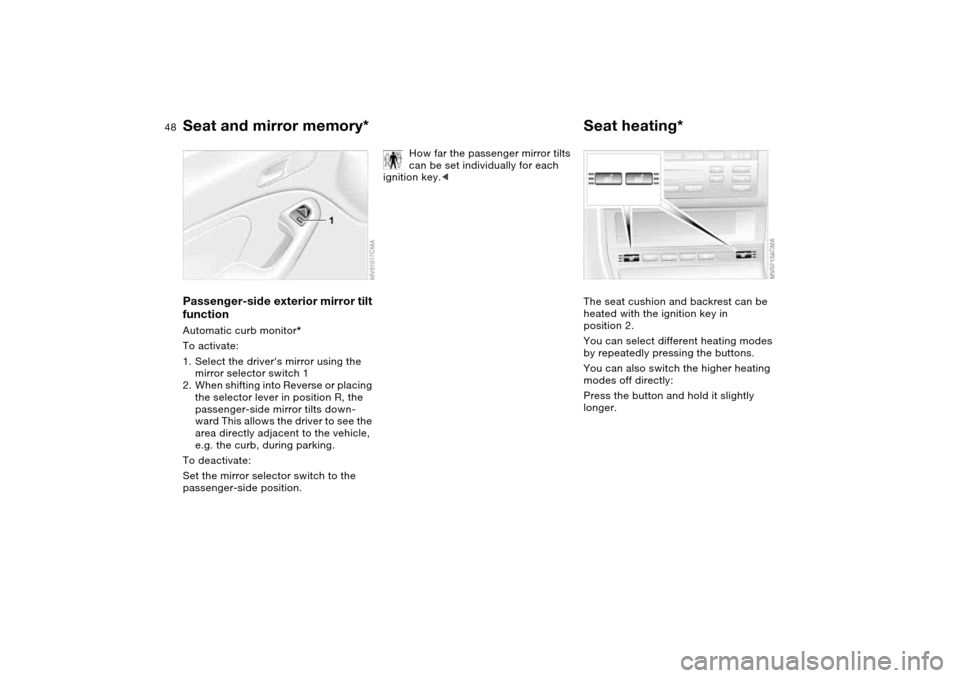
Passenger-side exterior mirror tilt
functionAutomatic curb monitor*
To activate:
1. Select the driver's mirror using the
mirror selector switch 1
2. When shifting into Reverse or placing
the selector lever in position R, the
passenger-side mirror tilts down-
ward This allows the driver to see the
area directly adjacent to the vehicle,
e.g. the curb, during parking.
To deactivate:
Set the mirror selector switch to the
passenger-side position.
How far the passenger mirror tilts
can be set individually for each
ignition key.<
Seat heating*The seat cushion and backrest can be
heated with the ignition key in
position 2.
You can select different heating modes
by repeatedly pressing the buttons.
You can also switch the higher heating
modes off directly:
Press the button and hold it slightly
longer.
Seat and mirror memory*
Page 50 of 174
50
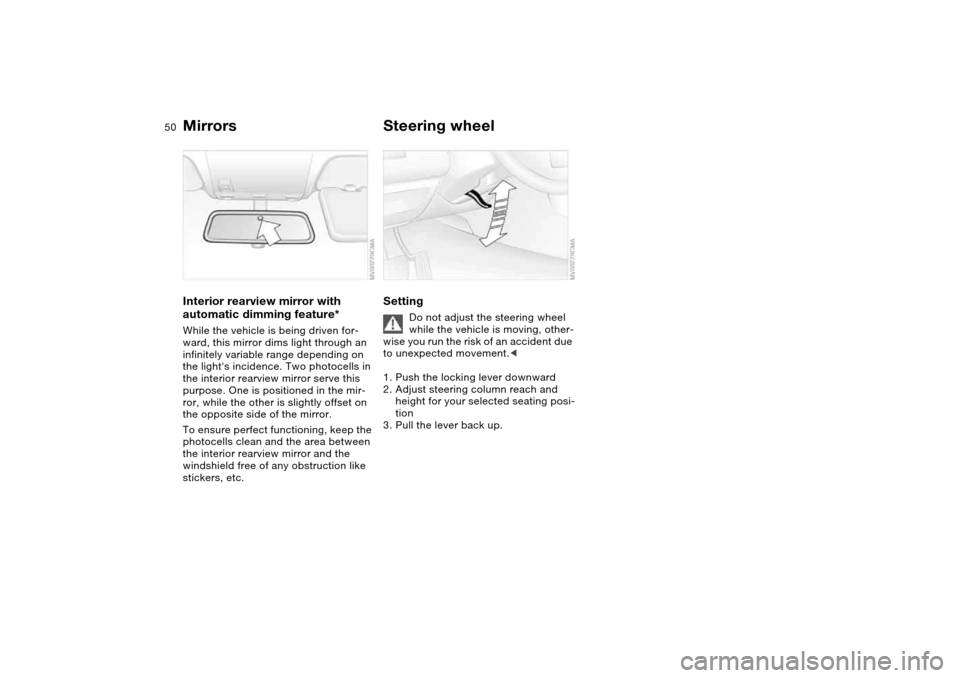
Interior rearview mirror with
automatic dimming feature*While the vehicle is being driven for-
ward, this mirror dims light through an
infinitely variable range depending on
the light's incidence. Two photocells in
the interior rearview mirror serve this
purpose. One is positioned in the mir-
ror, while the other is slightly offset on
the opposite side of the mirror.
To ensure perfect functioning, keep the
photocells clean and the area between
the interior rearview mirror and the
windshield free of any obstruction like
stickers, etc.
Steering wheelSetting
Do not adjust the steering wheel
while the vehicle is moving, other-
wise you run the risk of an accident due
to unexpected movement.<
1. Push the locking lever downward
2. Adjust steering column reach and
height for your selected seating posi-
tion
3. Pull the lever back up.
Mirrors
Page 54 of 174
54
Transporting children safelyCommercially available child-restraint
systems are designed to be secured
with a lap belt or with the lap belt por-
tion of a combination lap/shoulder belt.
Improperly or inadequately installed
restraint systems can increase the risk
of injury to children. Always read and
follow the instructions that come with
the system.Correct location for installingIn your BMW, all seats equipped with a
three-point safety belt – except for the
driver's seat – are suitable for installing
universal child-restraint systems of all
age classes and which have been
approved for the age group in question.
Child-restraint system with
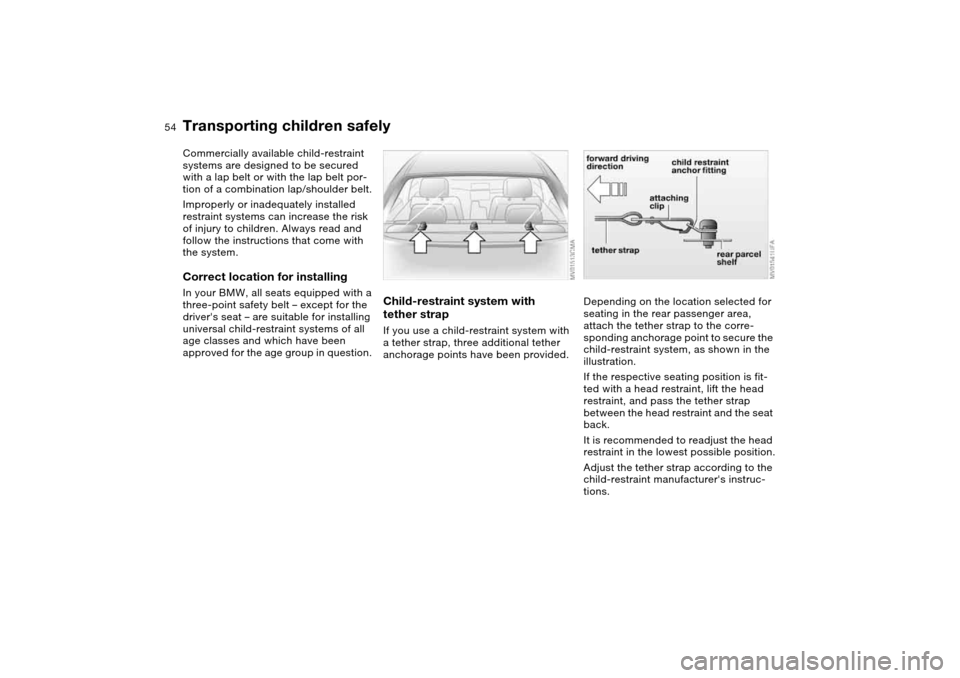
tether strapIf you use a child-restraint system with
a tether strap, three additional tether
anchorage points have been provided.
Depending on the location selected for
seating in the rear passenger area,
attach the tether strap to the corre-
sponding anchorage point to secure the
child-restraint system, as shown in the
illustration.
If the respective seating position is fit-
ted with a head restraint, lift the head
restraint, and pass the tether strap
between the head restraint and the seat
back.
It is recommended to readjust the head
restraint in the lowest possible position.
Adjust the tether strap according to the
child-restraint manufacturer's instruc-
tions.
Page 55 of 174
55
Before installing any child-
restraint device or child seat,
please read the following:
Never install a rearward-facing child-
restraint system in the front passenger
seat of this vehicle.
Your vehicle is equipped with an airbag
supplemental restraint system for the
front passenger. Because the backrest
on any rearward-facing child-restraint
system – of the kind designed for
infants under 1 year and 20 lbs/9 kg –
would be within the airbag's deploy-
ment range, you should never mount
such a device in the front passenger
seat, since the impact of the airbag
against the child-restraint's backrest
could lead to serious or fatal injuries.
If it is necessary for a child – not an
infant – to ride in the front seat, certain
precautions should be taken. First,
move the passenger seat as far away
from the dashboard as possible. This
important precaution is intended to
maximize the distance between the air-
bag and the child. Older children
should be tightly secured with a safety
belt after they have outgrown a booster
seat that is appropriate for their age,
height, and weight. Younger children
should be secured in an appropriate
forward-facing child-restraint system
that has first been properly installed
with a safety belt.
Never install a rearward-facing child-
restraint system in the front passenger
seat.
We strongly urge you to carefully read
and comply with the instructions for
installation and use provided by the
child restraint's manufacturer when-
ever you use such a device.
Do not attempt to modify child-restraint
systems. If you do this, the protection
provided by these systems could be
impaired.
Always ensure that all occupants – of all
ages – remain properly and securely
restrained at all times.<
All rear seating positions in your vehicle
meet the recommendations of
SAE J1819, an industry-recommended
practice for securing child-restraint sys-
tems in motor vehicles.
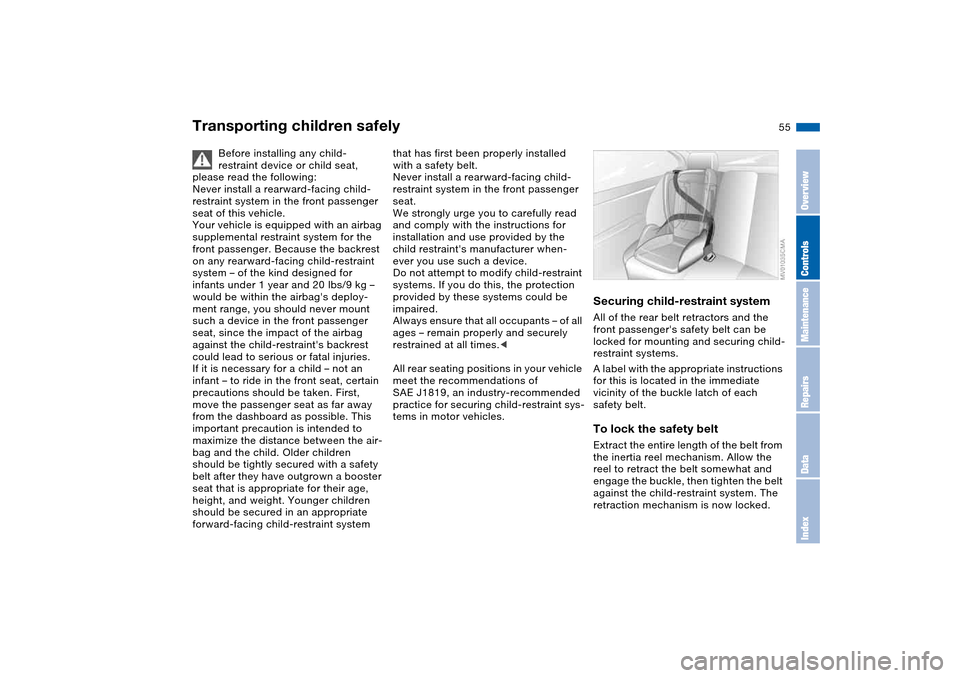
Securing child-restraint systemAll of the rear belt retractors and the
front passenger's safety belt can be
locked for mounting and securing child-
restraint systems.
A label with the appropriate instructions
for this is located in the immediate
vicinity of the buckle latch of each
safety belt.To lock the safety beltExtract the entire length of the belt from
the inertia reel mechanism. Allow the
reel to retract the belt somewhat and
engage the buckle, then tighten the belt
against the child-restraint system. The
retraction mechanism is now locked.
Transporting children safely
OverviewControlsMaintenanceRepairsDataIndex
Page 100 of 174
100
If – for example for valet parking –
you turn over only your spare key,
refer to page 28, then access to the
locked glove compartment is not possi-
ble.<
Rechargeable flashlightThe flashlight is located on the left side
of the glove compartment.
It features integral overload protection,
so it can be left in its holder continu-
ously.
To avoid completely discharging
and possibly damaging the flash-
light, always ensure that it is switched
off before inserting it in the socket.<
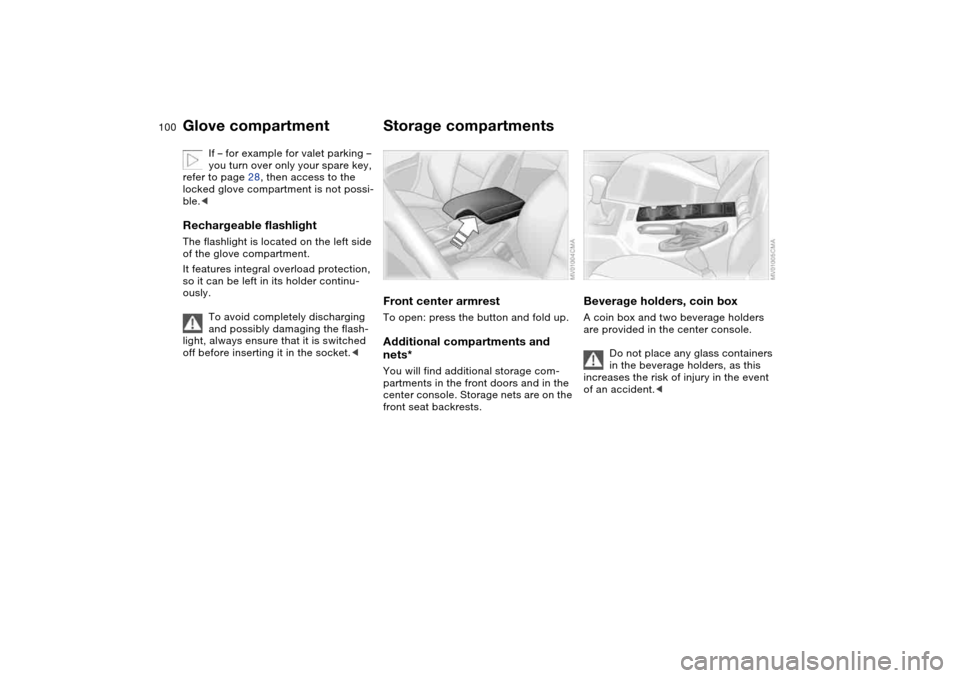
Storage compartmentsFront center armrestTo open: press the button and fold up.Additional compartments and
nets*You will find additional storage com-
partments in the front doors and in the
center console. Storage nets are on the
front seat backrests.
Beverage holders, coin boxA coin box and two beverage holders
are provided in the center console.
Do not place any glass containers
in the beverage holders, as this
increases the risk of injury in the event
of an accident.<
Glove compartment
Page 107 of 174
107
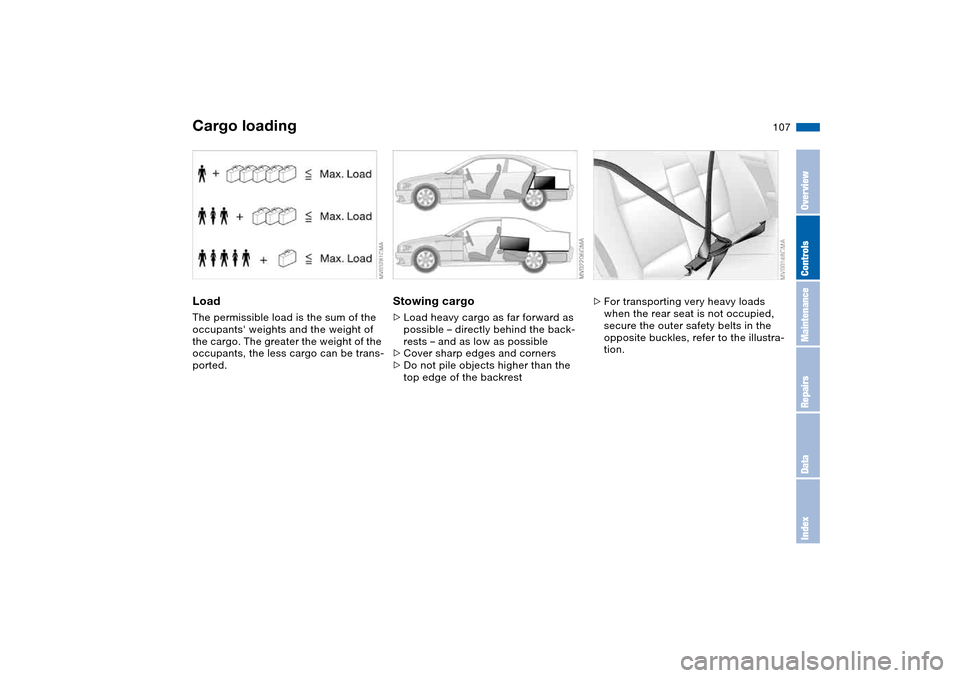
LoadThe permissible load is the sum of the
occupants' weights and the weight of
the cargo. The greater the weight of the
occupants, the less cargo can be trans-
ported.
Stowing cargo>Load heavy cargo as far forward as
possible – directly behind the back-
rests – and as low as possible
>Cover sharp edges and corners
>Do not pile objects higher than the
top edge of the backrest
>For transporting very heavy loads
when the rear seat is not occupied,
secure the outer safety belts in the
opposite buckles, refer to the illustra-
tion.
Cargo loading
OverviewControlsMaintenanceRepairsDataIndex