light BMW 330I 2002 User Guide
[x] Cancel search | Manufacturer: BMW, Model Year: 2002, Model line: 330I, Model: BMW 330I 2002Pages: 155, PDF Size: 2.24 MB
Page 46 of 155
46n
Seat and mirror memory
*
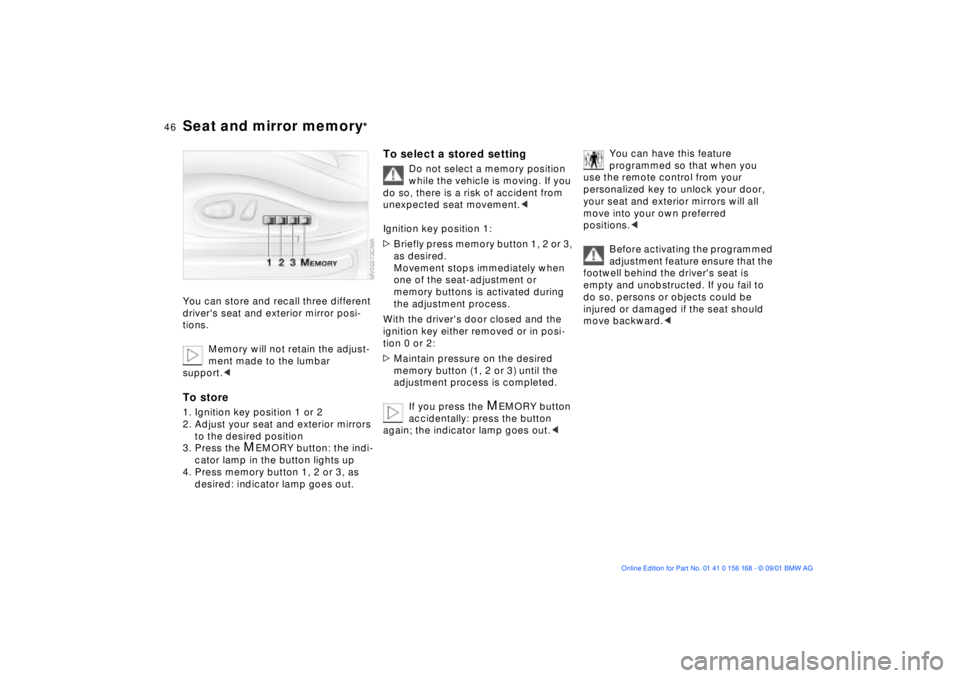
You can store and recall three different
driver's seat and exterior mirror posi-
tions.
Memory will not retain the adjust-
ment made to the lumbar
support.
to the desired position
3. Press the
M
EMORY button: the indi-
cator lamp in the button lights up
4. Press memory button 1, 2 or 3, as
desired: indicator lamp goes out.
To select a stored setting
Do not select a memory position
while the vehicle is moving. If you
do so, there is a risk of accident from
unexpected seat movement.<
Ignition key position 1:
>Briefly press memory button 1, 2 or 3,
as desired.
Movement stops immediately when
one of the seat-adjustment or
memory buttons is activated during
the adjustment process.
With the driver's door closed and the
ignition key either removed or in posi-
tion 0 or 2:
>Maintain pressure on the desired
memory button (1, 2 or 3) until the
adjustment process is completed.
If you press the
M
EMORY button
accidentally: press the button
again; the indicator lamp goes out.<
You can have this feature
programmed so that when you
use the remote control from your
personalized key to unlock your door,
your seat and exterior mirrors will all
move into your own preferred
positions.<
Before activating the programmed
adjustment feature ensure that the
footwell behind the driver's seat is
empty and unobstructed. If you fail to
do so, persons or objects could be
injured or damaged if the seat should
move backward.<
Page 47 of 155
47n
OverviewControlsMaintenanceRepairsDataIndex
Seat and mirror memory
*
Seat heating
*
Steering wheel
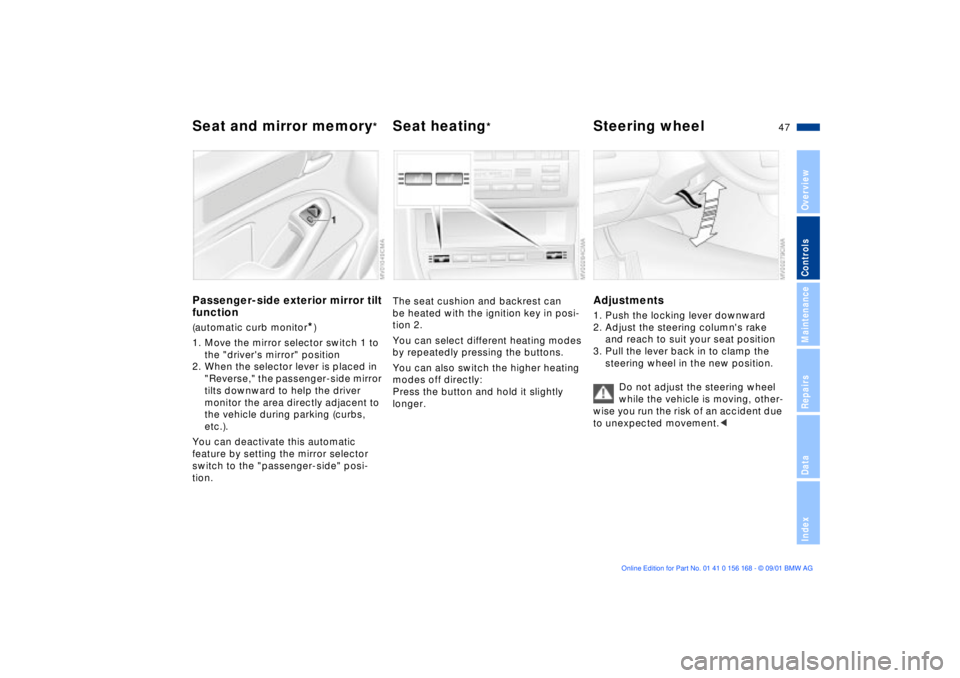
Passenger-side exterior mirror tilt
function(automatic curb monitor
*)
1. Move the mirror selector switch 1 to
the "driver's mirror" position
2. When the selector lever is placed in
"Reverse," the passenger-side mirror
tilts downward to help the driver
monitor the area directly adjacent to
the vehicle during parking (curbs,
etc.).
You can deactivate this automatic
feature by setting the mirror selector
switch to the "passenger-side" posi-
tion.
The seat cushion and backrest can
be heated with the ignition key in posi-
tion 2.
You can select different heating modes
by repeatedly pressing the buttons.
You can also switch the higher heating
modes off directly:
Press the button and hold it slightly
longer.
Adjustments1. Push the locking lever downward
2. Adjust the steering column's rake
and reach to suit your seat position
3. Pull the lever back in to clamp the
steering wheel in the new position.
Do not adjust the steering wheel
while the vehicle is moving, other-
wise you run the risk of an accident due
to unexpected movement.<
Page 56 of 155
56n
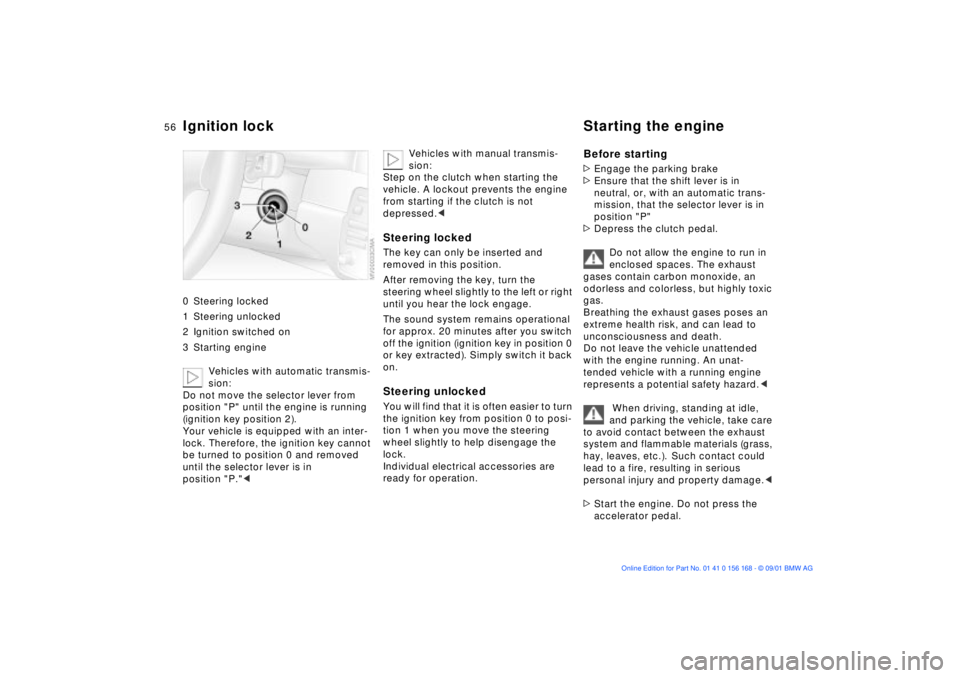
Ignition lock Starting the engine 0 Steering locked
1 Steering unlocked
2 Ignition switched on
3 Starting engine
Vehicles with automatic transmis-
sion:
Do not move the selector lever from
position "P" until the engine is running
(ignition key position 2).
Your vehicle is equipped with an inter-
lock. Therefore, the ignition key cannot
be turned to position 0 and removed
until the selector lever is in
position "P."<
Vehicles with manual transmis-
sion:
Step on the clutch when starting the
vehicle. A lockout prevents the engine
from starting if the clutch is not
depressed.<
Steering lockedThe key can only be inserted and
removed in this position.
After removing the key, turn the
steering wheel slightly to the left or right
until you hear the lock engage.
The sound system remains operational
for approx. 20 minutes after you switch
off the ignition (ignition key in position 0
or key extracted). Simply switch it back
on.Steering unlocked You will find that it is often easier to turn
the ignition key from position 0 to posi-
tion 1 when you move the steering
wheel slightly to help disengage the
lock.
Individual electrical accessories are
ready for operation.
Before starting>Engage the parking brake
>Ensure that the shift lever is in
neutral, or, with an automatic trans-
mission, that the selector lever is in
position "P"
>Depress the clutch pedal.
Do not allow the engine to run in
enclosed spaces. The exhaust
gases contain carbon monoxide, an
odorless and colorless, but highly toxic
gas.
Breathing the exhaust gases poses an
extreme health risk, and can lead to
unconsciousness and death.
Do not leave the vehicle unattended
with the engine running. An unat-
tended vehicle with a running engine
represents a potential safety hazard.<
When driving, standing at idle,
and parking the vehicle, take care
to avoid contact between the exhaust
system and flammable materials (grass,
hay, leaves, etc.). Such contact could
lead to a fire, resulting in serious
personal injury and property damage.<
>Start the engine. Do not press the
accelerator pedal.
Page 58 of 155
58n
Parking brake Manual transmission The parking brake is primarily designed
to prevent the vehicle from rolling while
parked. It operates on the rear wheels.To engageThe detent engages automatically, the
indicator lamp in the instrument cluster
comes on when the ignition key is in
position 2, refer to page 18.To releasePull up slightly on the lever, press the
button (arrow) and lower the lever.
If exceptional circumstances
make it necessary to engage the
parking brake while the vehicle is in
motion, do not pull it with excessive
pressure. Keep your thumb pressed
against the release button while care-
fully pulling the lever up to apply
moderate pressure.
Excessive pressure can lead to over-
braking and loss of traction (fishtailing)
at the rear axle.
The brake lamps do not come on when
the parking brake is engaged.
Vehicles with manual transmission:
Always engage the parking brake when
parking on hills and slopes, as first gear
or reverse may not provide adequate
resistance to rolling.
Vehicles with automatic transmission:
Place the selector lever in "Park."<
To avoid corrosion and one-sided
braking, apply the parking brake lightly
from time to time when coasting to a
standstill (at a traffic signal, for
example), provided that it is safe to do
so.
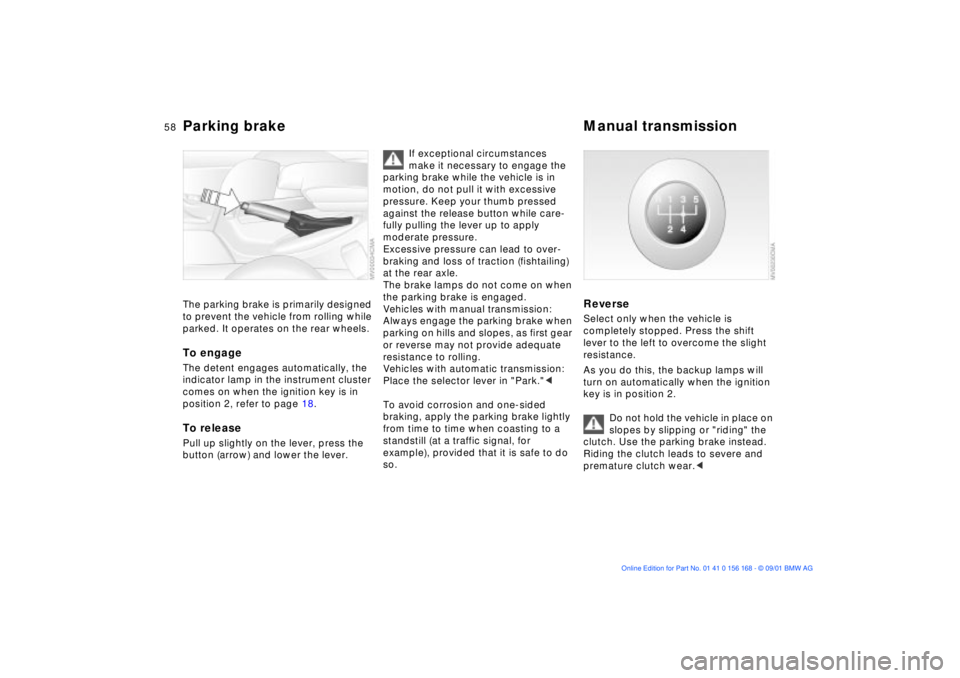
Reverse Select only when the vehicle is
completely stopped. Press the shift
lever to the left to overcome the slight
resistance.
As you do this, the backup lamps will
turn on automatically when the ignition
key is in position 2.
Do not hold the vehicle in place on
slopes by slipping or "riding" the
clutch. Use the parking brake instead.
Riding the clutch leads to severe and
premature clutch wear.<
Page 63 of 155
63n
OverviewControlsMaintenanceRepairsDataIndex
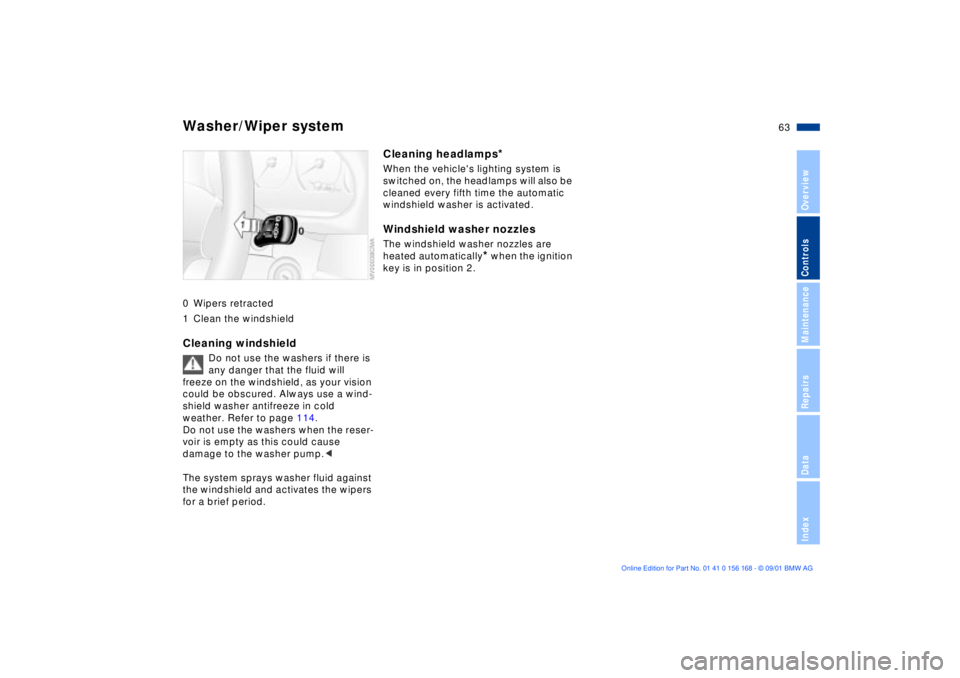
Washer/Wiper system0 Wipers retracted
1 Clean the windshieldCleaning windshield
Do not use the washers if there is
any danger that the fluid will
freeze on the windshield, as your vision
could be obscured. Always use a wind-
shield washer antifreeze in cold
weather. Refer to page 114.
Do not use the washers when the reser-
voir is empty as this could cause
damage to the washer pump.<
The system sprays washer fluid against
the windshield and activates the wipers
for a brief period.
Cleaning headlamps
*
When the vehicle's lighting system is
switched on, the headlamps will also be
cleaned every fifth time the automatic
windshield washer is activated.Windshield washer nozzlesThe windshield washer nozzles are
heated automatically
* when the ignition
key is in position 2.
Page 67 of 155
67n
OverviewControlsMaintenanceRepairsDataIndex
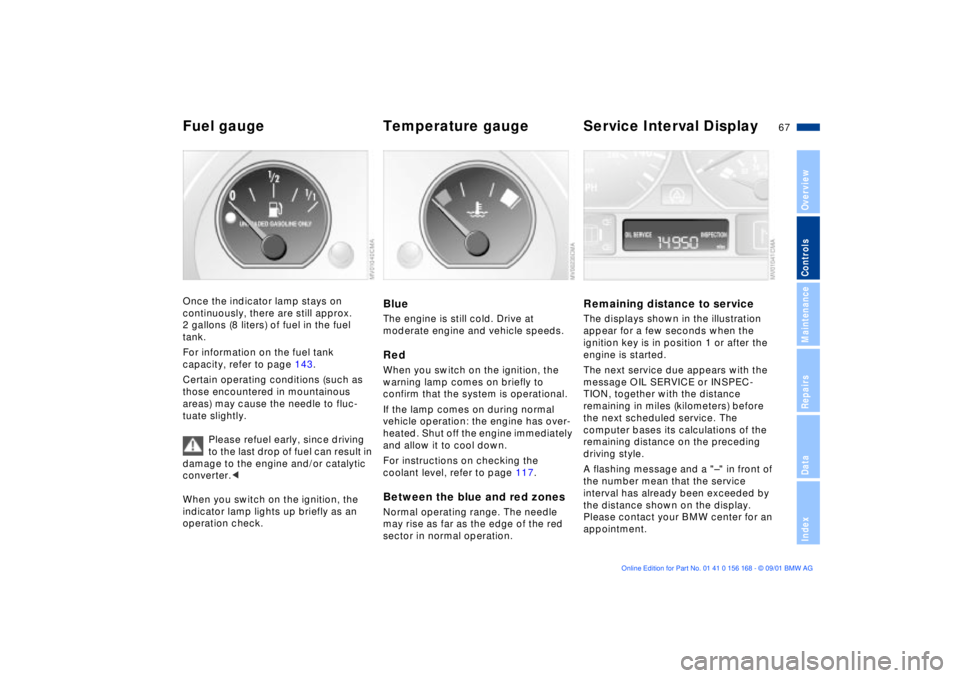
Fuel gauge Temperature gauge Service Interval DisplayOnce the indicator lamp stays on
continuously, there are still approx.
2 gallons (8 liters) of fuel in the fuel
tank.
For information on the fuel tank
capacity, refer to page 143.
Certain operating conditions (such as
those encountered in mountainous
areas) may cause the needle to fluc-
tuate slightly.
Please refuel early, since driving
to the last drop of fuel can result in
damage to the engine and/or catalytic
converter.<
When you switch on the ignition, the
indicator lamp lights up briefly as an
operation check.
BlueThe engine is still cold. Drive at
moderate engine and vehicle speeds.RedWhen you switch on the ignition, the
warning lamp comes on briefly to
confirm that the system is operational.
If the lamp comes on during normal
vehicle operation: the engine has over-
heated. Shut off the engine immediately
and allow it to cool down.
For instructions on checking the
coolant level, refer to page 117.Between the blue and red zonesNormal operating range. The needle
may rise as far as the edge of the red
sector in normal operation.
Remaining distance to serviceThe displays shown in the illustration
appear for a few seconds when the
ignition key is in position 1 or after the
engine is started.
The next service due appears with the
message OIL SERVICE or INSPEC-
TION, together with the distance
remaining in miles (kilometers) before
the next scheduled service. The
computer bases its calculations of the
remaining distance on the preceding
driving style.
A flashing message and a "Ð" in front of
the number mean that the service
interval has already been exceeded by
the distance shown on the display.
Please contact your BMW center for an
appointment.
Page 77 of 155
77n
OverviewControlsMaintenanceRepairsDataIndex
Hill Descent Control (HDC)* Ð BMW 325xi, 330xiThe conceptBy reducing the vehicle's speed on
steep downhill stretches, HDC main-
tains predictable vehicle handling
response to provide you with even
greater control of your BMW during
extreme descents.
The vehicle slows to a pace just slightly
faster than walking speed.
HDC is available for activation at
vehicle speeds below approx. 22 mph
(35 km/h). When driving down steep
hills, the vehicle reduces speed auto-
matically down to slightly more than
double walking speed (approx. 8 mph/
12 km/h) and then maintains this speed
at a constant.
You can use the accelerator or brakes
to vary this automatically controlled
speed within a range extending from
approx. 3 mph (5 km/h) to 15 mph
(25 km/h).
In conjunction with the multifunction
steering wheel, you can use the
+/Ð button to set the cruise control to a
target speed in the range from approx.
3 mph (5 km/h) to 15 mph (25 km/h).
HDC is automatically deactivated once
vehicle speed again exceeds approx.
35 mph (60 km/h).
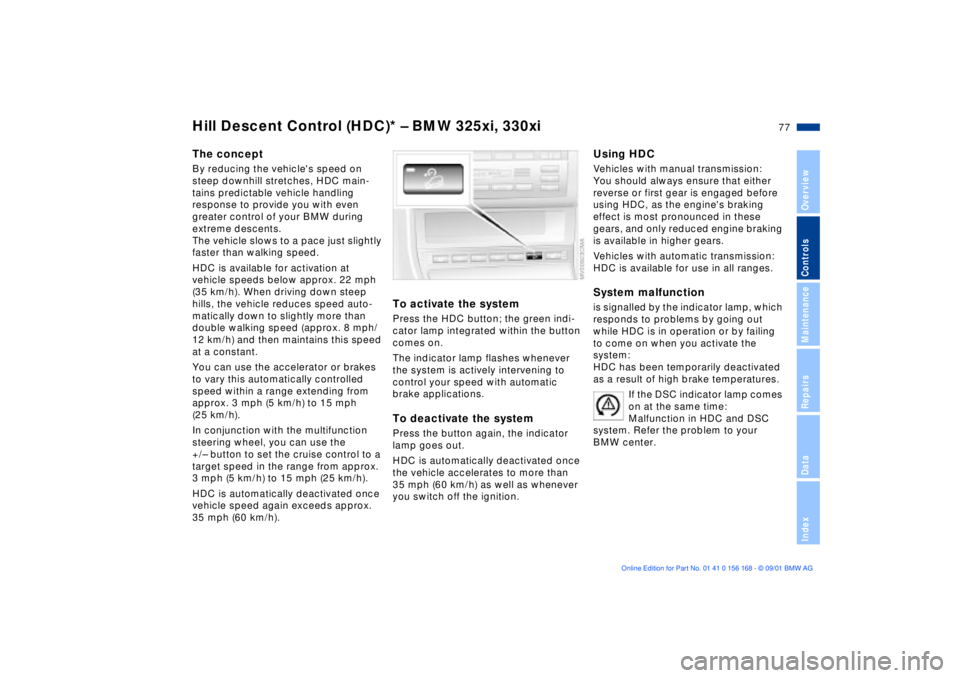
To activate the systemPress the HDC button; the green indi-
cator lamp integrated within the button
comes on.
The indicator lamp flashes whenever
the system is actively intervening to
control your speed with automatic
brake applications.To deactivate the systemPress the button again, the indicator
lamp goes out.
HDC is automatically deactivated once
the vehicle accelerates to more than
35 mph (60 km/h) as well as whenever
you switch off the ignition.
Using HDCVehicles with manual transmission:
You should always ensure that either
reverse or first gear is engaged before
using HDC, as the engine's braking
effect is most pronounced in these
gears, and only reduced engine braking
is available in higher gears.
Vehicles with automatic transmission:
HDC is available for use in all ranges.System malfunctionis signalled by the indicator lamp, which
responds to problems by going out
while HDC is in operation or by failing
to come on when you activate the
system:
HDC has been temporarily deactivated
as a result of high brake temperatures.
If the DSC indicator lamp comes
on at the same time:
Malfunction in HDC and DSC
system. Refer the problem to your
BMW center.
Page 78 of 155
78n
Tire Pressure Monitor (RDC)
*
The conceptRDC monitors the tire pressures at all
four wheels while the vehicle is moving.
The system provides an alert whenever
the inflation pressure drops significantly
below the specified pressure in one or
more tires.
In order for the system to "learn" the
correct tire inflation pressure, check the
inflation pressure in all tires according
to the inflation pressures table on
page 25 and make corrections as
necessary. Then activate the system.
This indicator lamp in the instru-
ment cluster will inform you if
the tire pressure is not correct.
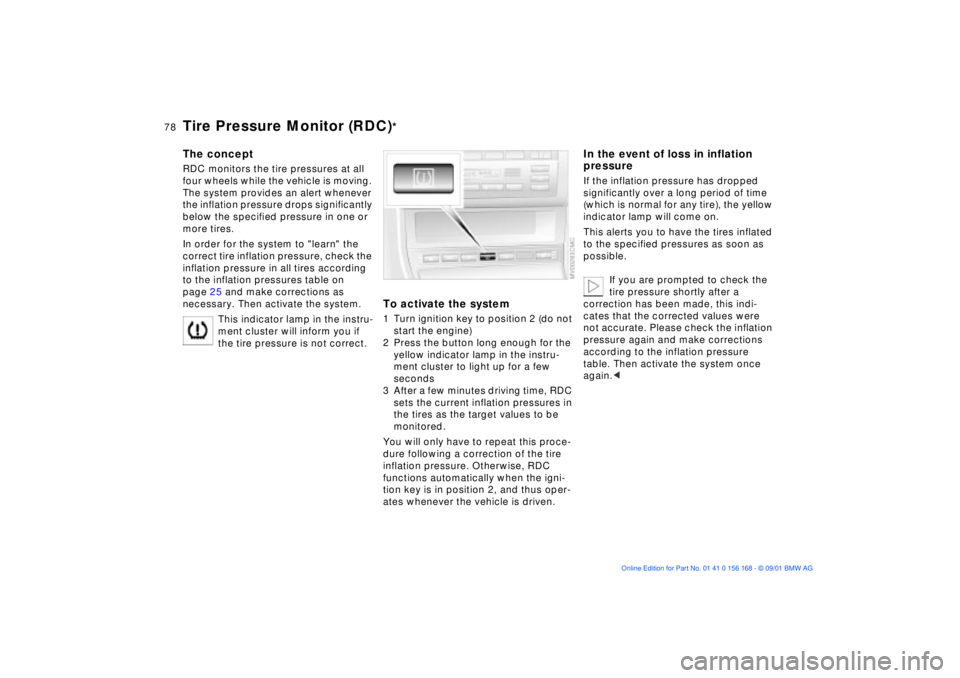
To activate the system1 Turn ignition key to position 2 (do not
start the engine)
2 Press the button long enough for the
yellow indicator lamp in the instru-
ment cluster to light up for a few
seconds
3 After a few minutes driving time, RDC
sets the current inflation pressures in
the tires as the target values to be
monitored.
You will only have to repeat this proce-
dure following a correction of the tire
inflation pressure. Otherwise, RDC
functions automatically when the igni-
tion key is in position 2, and thus oper-
ates whenever the vehicle is driven.
In the event of loss in inflation
pressureIf the inflation pressure has dropped
significantly over a long period of time
(which is normal for any tire), the yellow
indicator lamp will come on.
This alerts you to have the tires inflated
to the specified pressures as soon as
possible.
If you are prompted to check the
tire pressure shortly after a
correction has been made, this indi-
cates that the corrected values were
not accurate. Please check the inflation
pressure again and make corrections
according to the inflation pressure
table. Then activate the system once
again.<
Page 79 of 155
79n
OverviewControlsMaintenanceRepairsDataIndex
Tire Pressure Monitor (RDC)
*
In the event of a flat tireIf there is a tire failure with loss of pres-
sure, a red light will appear in the indi-
cator lamp. In addition, an acoustic
signal is sounded.
If this occurs, reduce vehicle speed
immediately and stop the vehicle in a
safe location. Avoid hard brake applica-
tions. Do not oversteer. Replace the
wheel and flat tire.
The space-saver spare tire is
provided for temporary use only in
the case of a tire failure. It does not
have RDC electronics and is not moni-
tored. The spare tire
that has the same
dimensions as the tires already
mounted on the vehicle is equipped
with the necessary RDC electronics
and will be also monitored once the
tires have been mounted and the
system activated.<
RDC cannot alert you to severe
and sudden tire damage caused
by external factors.<
Have the tires changed by your
BMW center.
Your BMW center has the information
needed for working with RDC and is
equipped with the necessary special
tools.<
System interferenceLocal devices using the same radio
frequency can interfere with RDC.
The yellow indicator lamp will come on
during the malfunction.
The indicator lamp also comes on
>in the event of a system fault
>if a wheel is mounted without the
appropriate electronics
>if, in addition to the spare tire, addi-
tional wheels with RDC electronics
are on board.
Please contact your BMW center for
additional information.
Page 80 of 155
80n
Flat Tire Monitor
*
The conceptAs you drive, the Flat Tire Monitor
keeps track of pressure levels in all four
tires in order to detect and warn of any
substantial pressure loss.
The system actually detects pressure
loss by monitoring differences in the
relative speeds of the four wheels. It
interprets variations outside specified
limits as severe pressure loss, and then
responds by generating a warning.
Initializing the systemInitializing is necessary to familiarize the
system with the correct inflation pres-
sure.
Repeat this process after any changes
in tire inflation pressure, tire rotation or
replacement. Do not carry out further
system initialization after adjusting the
inflation pressure and letting the system
"learn" the correct pressures.
1 Check the tire inflation pressure in all
the tires, comparing them with the
inflation pressure table on page 25
and adjust their pressure if necessary
2 Turn the ignition key to position 2
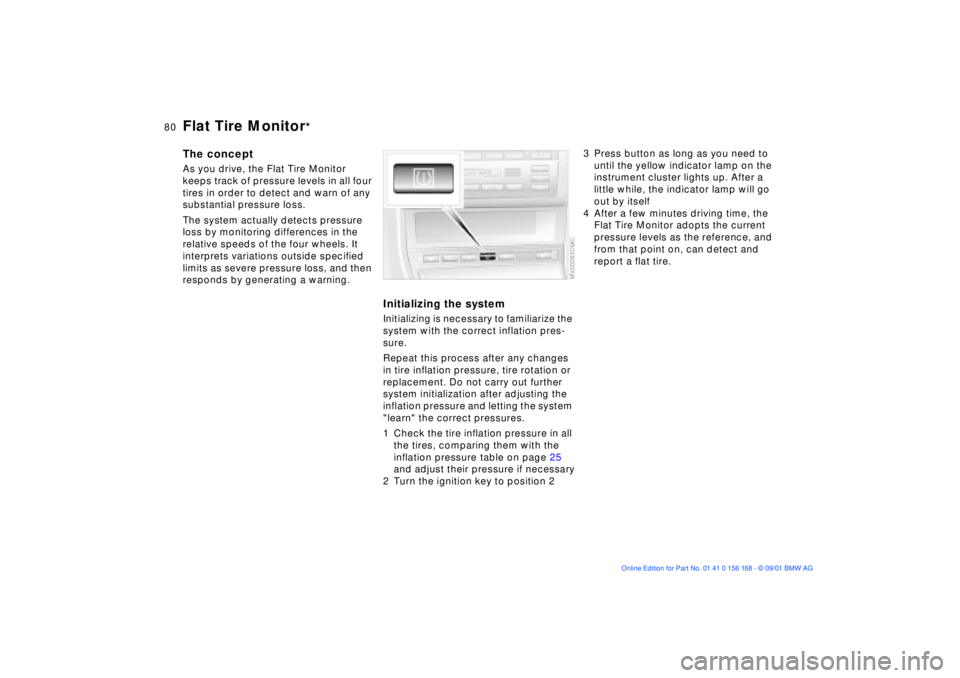
3 Press button as long as you need to
until the yellow indicator lamp on the
instrument cluster lights up. After a
little while, the indicator lamp will go
out by itself
4 After a few minutes driving time, the
Flat Tire Monitor adopts the current
pressure levels as the reference, and
from that point on, can detect and
report a flat tire.