door lock BMW 330I 2005 User Guide
[x] Cancel search | Manufacturer: BMW, Model Year: 2005, Model line: 330I, Model: BMW 330I 2005Pages: 223, PDF Size: 7.49 MB
Page 49 of 223
Transporting children safely
48 Then push the center head restraint into the
lowest position again.
Adjust the tether strap according to the
child-restraint manufacturer's instruc-
tions.<
LATCH child-restraint fixing system
LATCH: Lower Anchor and Tethers for CHil-
dren.
The rear outer sitting positions are provided
with anchors for a LATCH child-restraint fixing
system.
To attach a child-restraint system with
the LATCH system, follow the operating
and safety instructions of the child-restraint
system manufacturer.<
Rear seat anchorages, with through-
loading system equipment
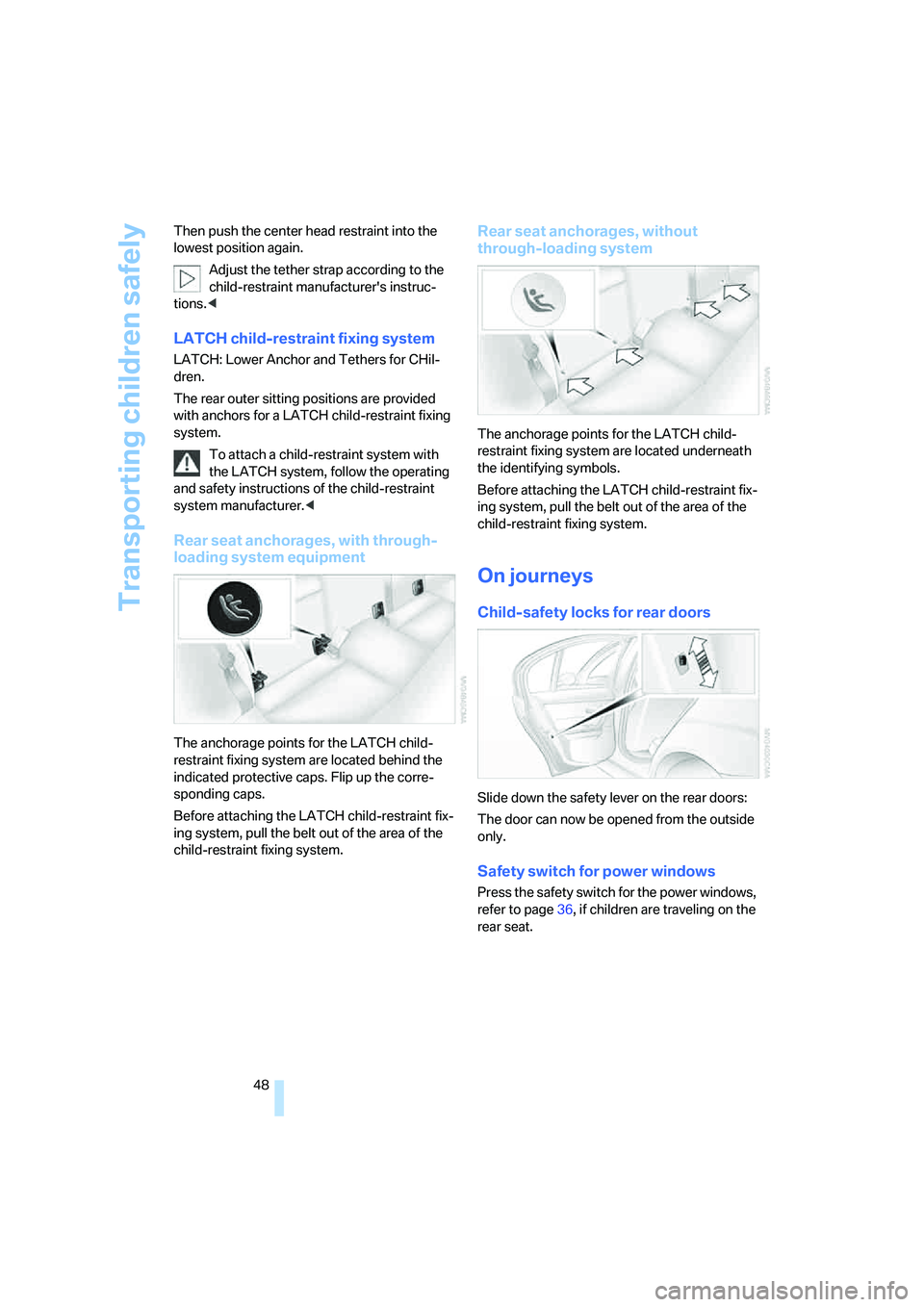
The anchorage points for the LATCH child-
restraint fixing system are located behind the
indicated protective caps. Flip up the corre-
sponding caps.
Before attaching the LATCH child-restraint fix-
ing system, pull the belt out of the area of the
child-restraint fixing system.
Rear seat anchorages, without
through-loading system
The anchorage points for the LATCH child-
restraint fixing system are located underneath
the identifying symbols.
Before attaching the LATCH child-restraint fix-
ing system, pull the belt out of the area of the
child-restraint fixing system.
On journeys
Child-safety locks for rear doors
Slide down the safety lever on the rear doors:
The door can now be opened from the outside
only.
Safety switch for power windows
Press the safety switch for the power windows,
refer to page36, if children are traveling on the
rear seat.
Page 98 of 223
Controls
97Reference
At a glance
Driving tips
Communications
Navigation
Entertainment
Mobility
Ventilated storage compartment
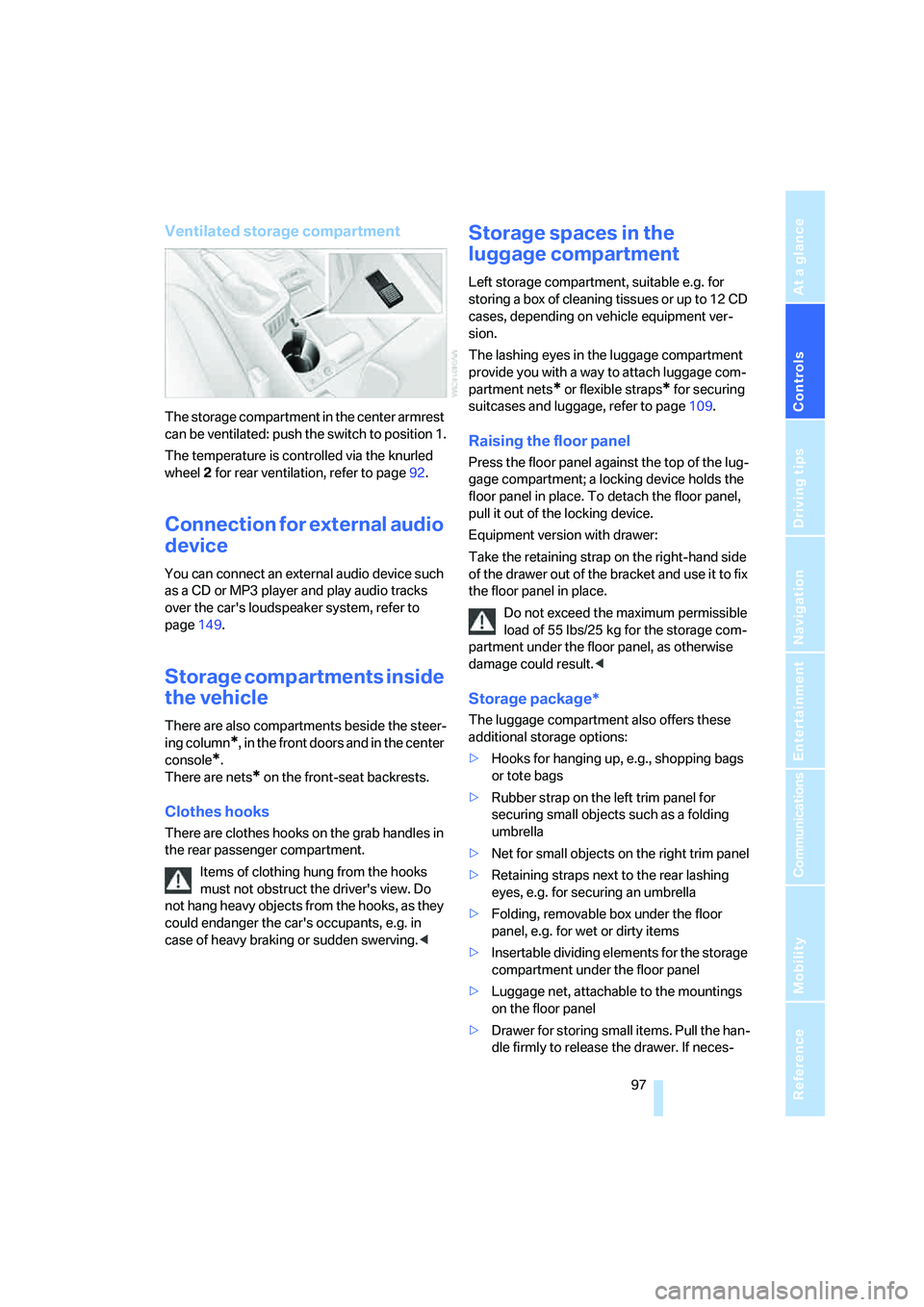
The storage compartment in the center armrest
can be ventilated: push the switch to position 1.
The temperature is controlled via the knurled
wheel 2 for rear ventilation, refer to page92.
Connection for external audio
device
You can connect an external audio device such
as a CD or MP3 player and play audio tracks
over the car's loudspeaker system, refer to
page149.
Storage compartments inside
the vehicle
There are also compartments beside the steer-
ing column
*, in the front doors and in the center
console
*.
There are nets
* on the front-seat backrests.
Clothes hooks
There are clothes hooks on the grab handles in
the rear passenger compartment.
Items of clothing hung from the hooks
must not obstruct the driver's view. Do
not hang heavy objects from the hooks, as they
could endanger the car's occupants, e.g. in
case of heavy braking or sudden swerving.<
Storage spaces in the
luggage compartment
Left storage compartment, suitable e.g. for
storing a box of cleaning tissues or up to 12 CD
cases, depending on vehicle equipment ver-
sion.
The lashing eyes in the luggage compartment
provide you with a way to attach luggage com-
partment nets
* or flexible straps* for securing
suitcases and luggage, refer to page109.
Raising the floor panel
Press the floor panel against the top of the lug-
gage compartment; a locking device holds the
floor panel in place. To detach the floor panel,
pull it out of the locking device.
Equipment version with drawer:
Take the retaining strap on the right-hand side
of the drawer out of the bracket and use it to fix
the floor panel in place.
Do not exceed the maximum permissible
load of 55 lbs/25 kg for the storage com-
partment under the floor panel, as otherwise
damage could result.<
Storage package*
The luggage compartment also offers these
additional storage options:
>Hooks for hanging up, e.g., shopping bags
or tote bags
>Rubber strap on the left trim panel for
securing small objects such as a folding
umbrella
>Net for small objects on the right trim panel
>Retaining straps next to the rear lashing
eyes, e.g. for securing an umbrella
>Folding, removable box under the floor
panel, e.g. for wet or dirty items
>Insertable dividing elements for the storage
compartment under the floor panel
>Luggage net, attachable to the mountings
on the floor panel
>Drawer for storing small items. Pull the han-
dle firmly to release the drawer. If neces-
Page 169 of 223
Refueling
168
Refueling
Always switch off the engine before refu-
eling. If you do not, fuel cannot be filled
into the tank and a message will appear on the
Control Display.<
Always observe all applicable precautions
and regulations when handling fuels.
Never carry spare fuel containers in your vehi-
cle. Whether empty or full, these containers can
leak, cause an explosion, or lead to fire in the
event of a collision.<
Gas cap
Opening
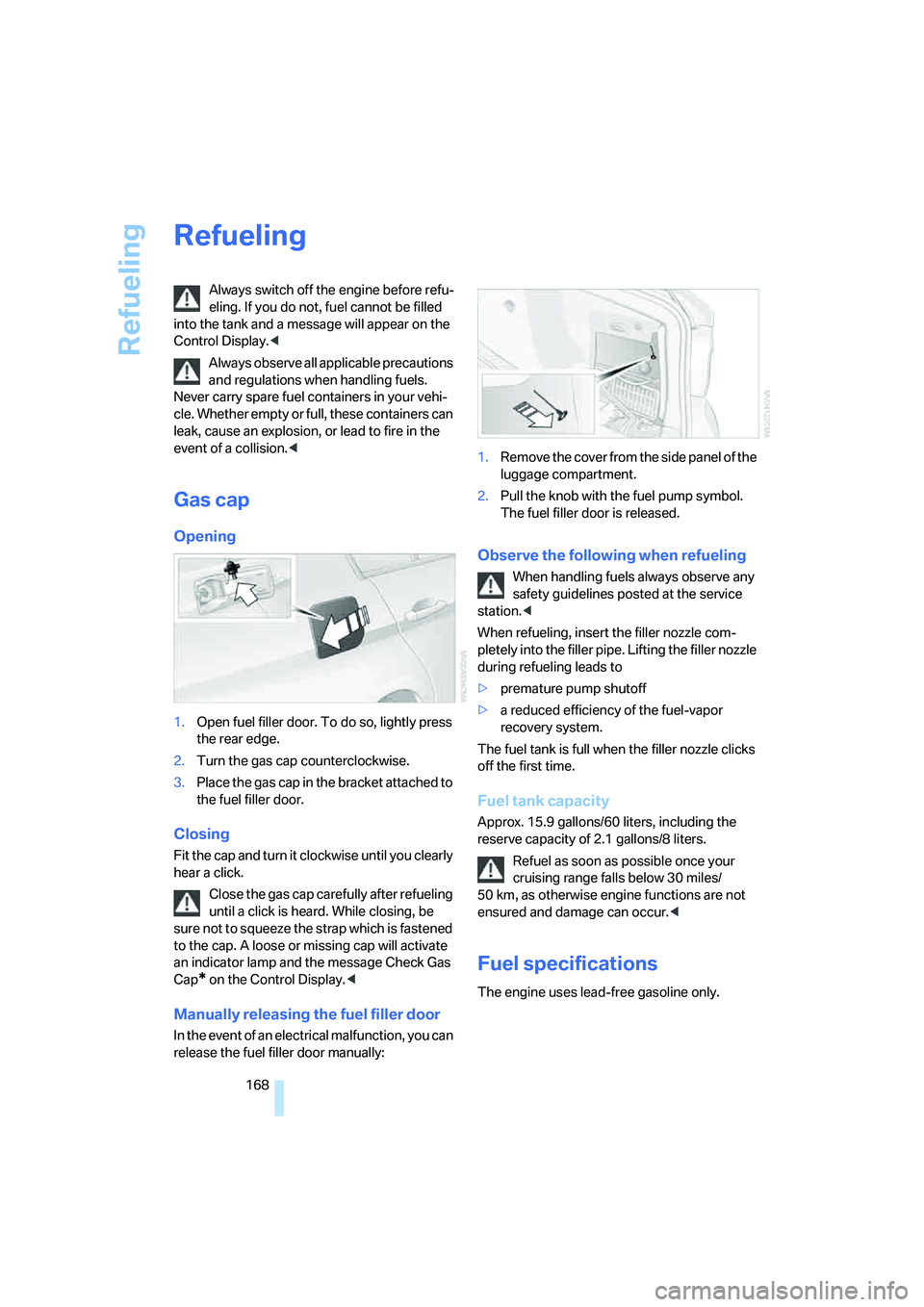
1.Open fuel filler door. To do so, lightly press
the rear edge.
2.Turn the gas cap counterclockwise.
3.Place the gas cap in the bracket attached to
the fuel filler door.
Closing
Fit the cap and turn it clockwise until you clearly
hear a click.
Close the gas cap carefully after refueling
until a click is heard. While closing, be
sure not to squeeze the strap which is fastened
to the cap. A loose or missing cap will activate
an indicator lamp and the message Check Gas
Cap
* on the Control Display.<
Manually releasing the fuel filler door
In the event of an electrical malfunction, you can
release the fuel filler door manually:1.Remove the cover from the side panel of the
luggage compartment.
2.Pull the knob with the fuel pump symbol.
The fuel filler door is released.
Observe the following when refueling
When handling fuels always observe any
safety guidelines posted at the service
station.<
When refueling, insert the filler nozzle com-
pletely into the filler pipe. Lifting the filler nozzle
during refueling leads to
>premature pump shutoff
>a reduced efficiency of the fuel-vapor
recovery system.
The fuel tank is full when the filler nozzle clicks
off the first time.
Fuel tank capacity
Approx. 15.9 gallons/60 liters, including the
reserve capacity of 2.1 gallons/8 liters.
Refuel as soon as possible once your
cruising range falls below 30 miles/
50 km, as otherwise engine functions are not
ensured and damage can occur.<
Fuel specifications
The engine uses lead-free gasoline only.
Page 205 of 223
Short commands for the voice command system
204
Climate
menu
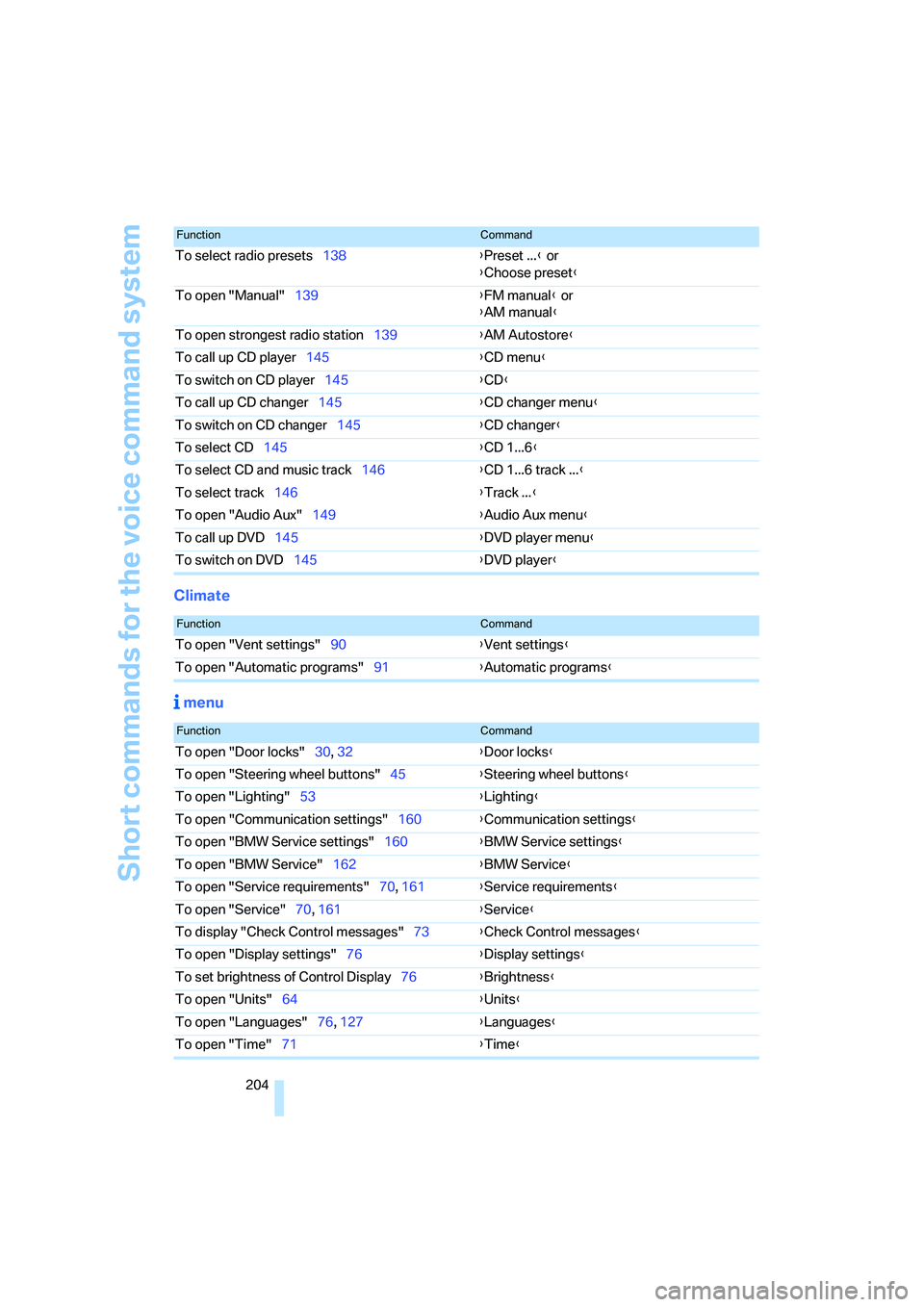
To select radio presets138{Preset ...} or
{Choose preset}
To open "Manual"139{FM manual} or
{AM manual}
To open strongest radio station139{AM Autostore}
To call up CD player145{CD menu}
To switch on CD player145{CD}
To call up CD changer145{CD changer menu}
To switch on CD changer145{CD changer}
To select CD145{CD 1...6}
To select CD and music track146{CD 1...6 track ...}
To select track146{Track ...}
To open "Audio Aux"149{Audio Aux menu}
To call up DVD145{DVD player menu}
To switch on DVD145{DVD player}
FunctionCommand
FunctionCommand
To open "Vent settings"90{Vent settings}
To open "Automatic programs"91{Automatic programs}
FunctionCommand
To open "Door locks"30, 32{Door locks}
To open "Steering wheel buttons"45{Steering wheel buttons}
To open "Lighting"53{Lighting}
To open "Communication settings"160{Communication settings}
To open "BMW Service settings"160{BMW Service settings}
To open "BMW Service"162{BMW Service}
To open "Service requirements"70, 161{Service requirements}
To open "Service"70, 161{Service}
To display "Check Control messages"73{Check Control messages}
To open "Display settings"76{Display settings}
To set brightness of Control Display76{Brightness}
To open "Units"64{Units}
To open "Languages"76, 127{Languages}
To open "Time"71{Time}
Page 210 of 223
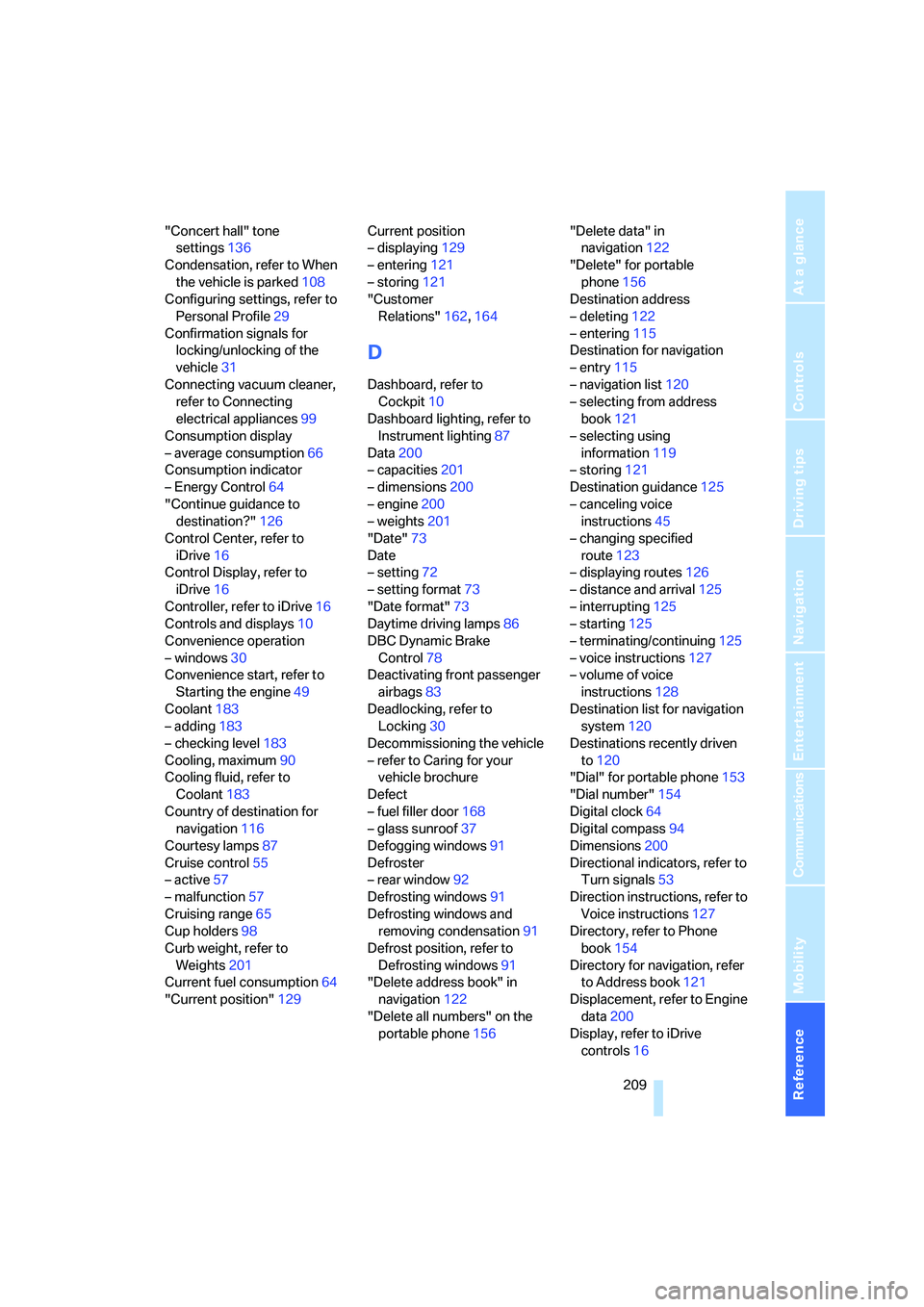
Reference 209
At a glance
Controls
Driving tips
Communications
Navigation
Entertainment
Mobility
"Concert hall" tone
settings136
Condensation, refer to When
the vehicle is parked108
Configuring settings, refer to
Personal Profile29
Confirmation signals for
locking/unlocking of the
vehicle31
Connecting vacuum cleaner,
refer to Connecting
electrical appliances99
Consumption display
– average consumption66
Consumption indicator
– Energy Control64
"Continue guidance to
destination?"126
Control Center, refer to
iDrive16
Control Display, refer to
iDrive16
Controller, refer to iDrive16
Controls and displays10
Convenience operation
– windows30
Convenience start, refer to
Starting the engine49
Coolant183
– adding183
– checking level183
Cooling, maximum90
Cooling fluid, refer to
Coolant183
Country of destination for
navigation116
Courtesy lamps87
Cruise control55
– active57
– malfunction57
Cruising range65
Cup holders98
Curb weight, refer to
Weights201
Current fuel consumption64
"Current position"129Current position
– displaying129
– entering121
– storing121
"Customer
Relations"162,164
D
Dashboard, refer to
Cockpit10
Dashboard lighting, refer to
Instrument lighting87
Data200
– capacities201
– dimensions200
– engine200
– weights201
"Date"73
Date
– setting72
– setting format73
"Date format"73
Daytime driving lamps86
DBC Dynamic Brake
Control78
Deactivating front passenger
airbags83
Deadlocking, refer to
Locking30
Decommissioning the vehicle
– refer to Caring for your
vehicle brochure
Defect
– fuel filler door168
– glass sunroof37
Defogging windows91
Defroster
– rear window92
Defrosting windows91
Defrosting windows and
removing condensation91
Defrost position, refer to
Defrosting windows91
"Delete address book" in
navigation122
"Delete all numbers" on the
portable phone156"Delete data" in
navigation122
"Delete" for portable
phone156
Destination address
– deleting122
– entering115
Destination for navigation
– entry115
– navigation list120
– selecting from address
book121
– selecting using
information119
– storing121
Destination guidance125
– canceling voice
instructions45
– changing specified
route123
– displaying routes126
– distance and arrival125
– interrupting125
– starting125
– terminating/continuing125
– voice instructions127
– volume of voice
instructions128
Destination list for navigation
system120
Destinations recently driven
to120
"Dial" for portable phone153
"Dial number"154
Digital clock64
Digital compass94
Dimensions200
Directional indicators, refer to
Turn signals53
Direction instructions, refer to
Voice instructions127
Directory, refer to Phone
book154
Directory for navigation, refer
to Address book121
Displacement, refer to Engine
data200
Display, refer to iDrive
controls16
Page 211 of 223
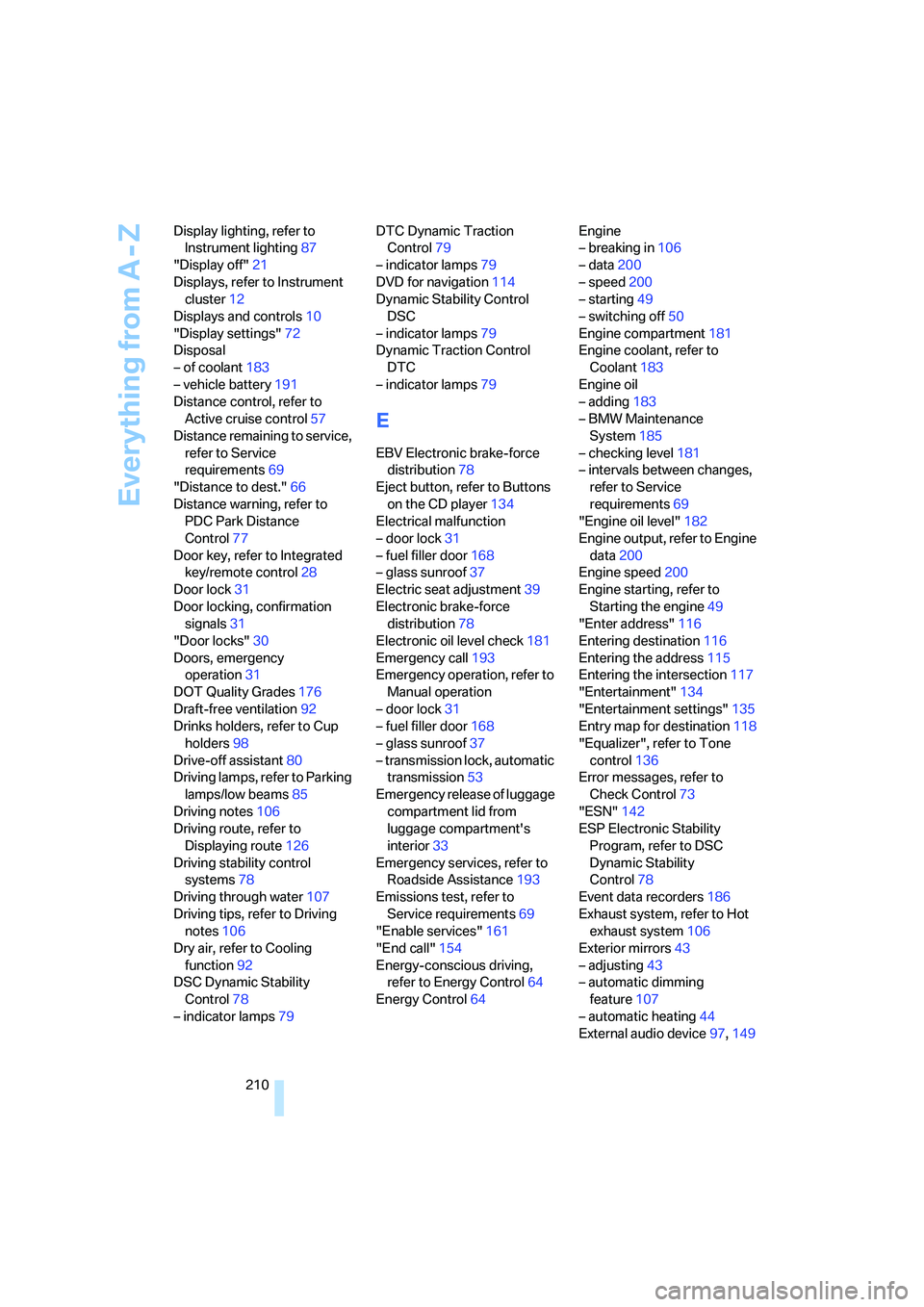
Everything from A - Z
210 Display lighting, refer to
Instrument lighting87
"Display off"21
Displays, refer to Instrument
cluster12
Displays and controls10
"Display settings"72
Disposal
– of coolant183
– vehicle battery191
Distance control, refer to
Active cruise control57
Distance remaining to service,
refer to Service
requirements69
"Distance to dest."66
Distance warning, refer to
PDC Park Distance
Control77
Door key, refer to Integrated
key/remote control28
Door lock31
Door locking, confirmation
signals31
"Door locks"30
Doors, emergency
operation31
DOT Quality Grades176
Draft-free ventilation92
Drinks holders, refer to Cup
holders98
Drive-off assistant80
Driving lamps, refer to Parking
lamps/low beams85
Driving notes106
Driving route, refer to
Displaying route126
Driving stability control
systems78
Driving through water107
Driving tips, refer to Driving
notes106
Dry air, refer to Cooling
function92
DSC Dynamic Stability
Control78
– indicator lamps79DTC Dynamic Traction
Control79
– indicator lamps79
DVD for navigation114
Dynamic Stability Control
DSC
– indicator lamps79
Dynamic Traction Control
DTC
– indicator lamps79
E
EBV Electronic brake-force
distribution78
Eject button, refer to Buttons
on the CD player134
Electrical malfunction
– door lock31
– fuel filler door168
– glass sunroof37
Electric seat adjustment39
Electronic brake-force
distribution78
Electronic oil level check181
Emergency call193
Emergency operation, refer to
Manual operation
– door lock31
– fuel filler door168
– glass sunroof37
– transmission lock, automatic
transmission53
Emergency release of luggage
compartment lid from
luggage compartment's
interior33
Emergency services, refer to
Roadside Assistance193
Emissions test, refer to
Service requirements69
"Enable services"161
"End call"154
Energy-conscious driving,
refer to Energy Control64
Energy Control64Engine
– breaking in106
– data200
– speed200
– starting49
– switching off50
Engine compartment181
Engine coolant, refer to
Coolant183
Engine oil
– adding183
– BMW Maintenance
System185
– checking level181
– intervals between changes,
refer to Service
requirements69
"Engine oil level"182
Engine output, refer to Engine
data200
Engine speed200
Engine starting, refer to
Starting the engine49
"Enter address"116
Entering destination116
Entering the address115
Entering the intersection117
"Entertainment"134
"Entertainment settings"135
Entry map for destination118
"Equalizer", refer to Tone
control136
Error messages, refer to
Check Control73
"ESN"142
ESP Electronic Stability
Program, refer to DSC
Dynamic Stability
Control78
Event data recorders186
Exhaust system, refer to Hot
exhaust system106
Exterior mirrors43
– adjusting43
– automatic dimming
feature107
– automatic heating44
External audio device97,149
Page 212 of 223
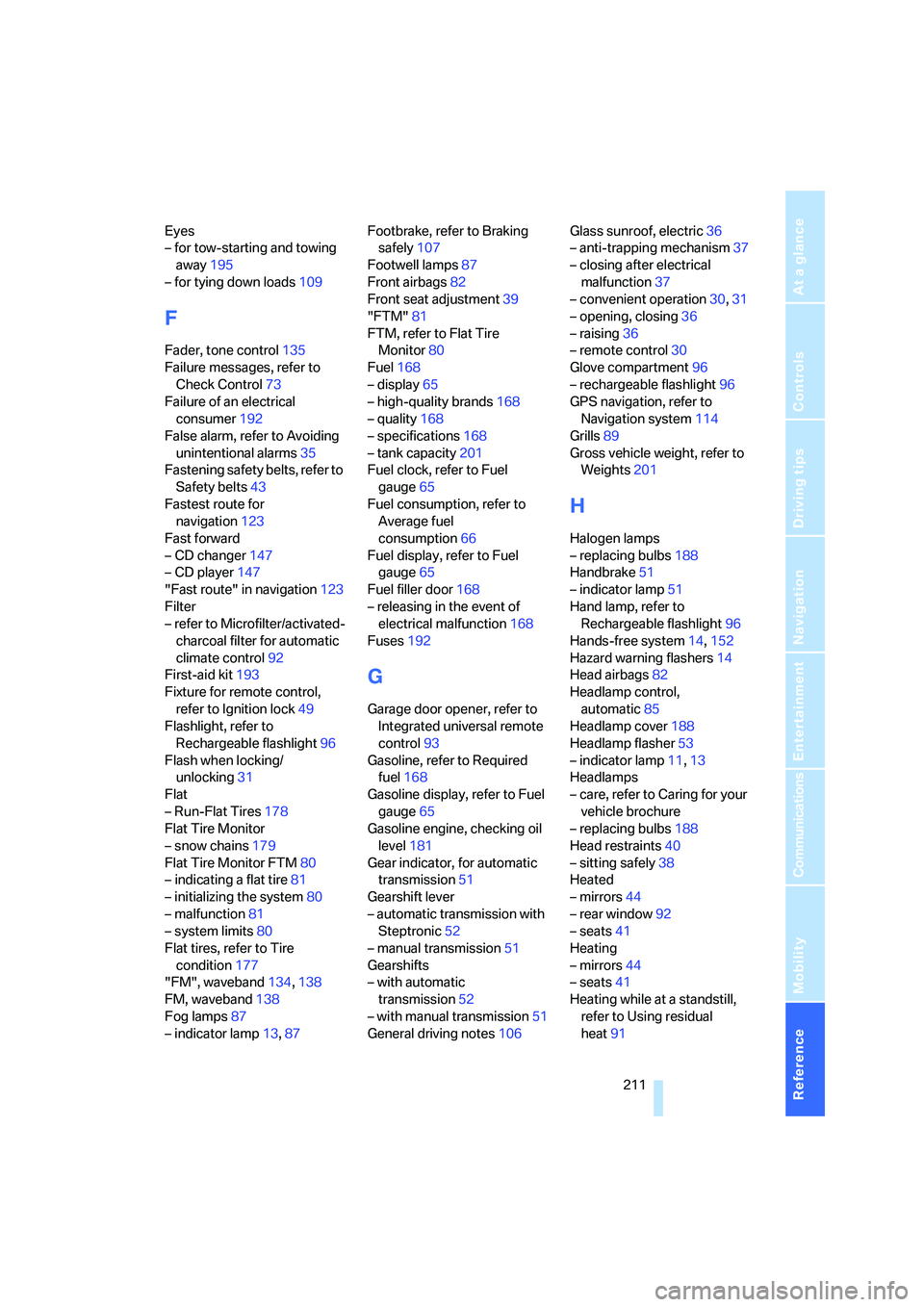
Reference 211
At a glance
Controls
Driving tips
Communications
Navigation
Entertainment
Mobility
Eyes
– for tow-starting and towing
away195
– for tying down loads109
F
Fader, tone control135
Failure messages, refer to
Check Control73
Failure of an electrical
consumer192
False alarm, refer to Avoiding
unintentional alarms35
Fastening safety belts, refer to
Safety belts43
Fastest route for
navigation123
Fast forward
– CD changer147
– CD player147
"Fast route" in navigation123
Filter
– refer to Microfilter/activated-
charcoal filter for automatic
climate control92
First-aid kit193
Fixture for remote control,
refer to Ignition lock49
Flashlight, refer to
Rechargeable flashlight96
Flash when locking/
unlocking31
Flat
– Run-Flat Tires178
Flat Tire Monitor
– snow chains179
Flat Tire Monitor FTM80
– indicating a flat tire81
– initializing the system80
– malfunction81
– system limits80
Flat tires, refer to Tire
condition177
"FM", waveband134,138
FM, waveband138
Fog lamps87
– indicator lamp13,87Footbrake, refer to Braking
safely107
Footwell lamps87
Front airbags82
Front seat adjustment39
"FTM"81
FTM, refer to Flat Tire
Monitor80
Fuel168
– display65
– high-quality brands168
– quality168
– specifications168
– tank capacity201
Fuel clock, refer to Fuel
gauge65
Fuel consumption, refer to
Average fuel
consumption66
Fuel display, refer to Fuel
gauge65
Fuel filler door168
– releasing in the event of
electrical malfunction168
Fuses192
G
Garage door opener, refer to
Integrated universal remote
control93
Gasoline, refer to Required
fuel168
Gasoline display, refer to Fuel
gauge65
Gasoline engine, checking oil
level181
Gear indicator, for automatic
transmission51
Gearshift lever
– automatic transmission with
Steptronic52
– manual transmission51
Gearshifts
– with automatic
transmission52
– with manual transmission51
General driving notes106Glass sunroof, electric36
– anti-trapping mechanism37
– closing after electrical
malfunction37
– convenient operation30,31
– opening, closing36
– raising36
– remote control30
Glove compartment96
– rechargeable flashlight96
GPS navigation, refer to
Navigation system114
Grills89
Gross vehicle weight, refer to
Weights201
H
Halogen lamps
– replacing bulbs188
Handbrake51
– indicator lamp51
Hand lamp, refer to
Rechargeable flashlight96
Hands-free system14,152
Hazard warning flashers14
Head airbags82
Headlamp control,
automatic85
Headlamp cover188
Headlamp flasher53
– indicator lamp11,13
Headlamps
– care, refer to Caring for your
vehicle brochure
– replacing bulbs188
Head restraints40
– sitting safely38
Heated
– mirrors44
– rear window92
– seats41
Heating
– mirrors44
– seats41
Heating while at a standstill,
refer to Using residual
heat91
Page 214 of 223
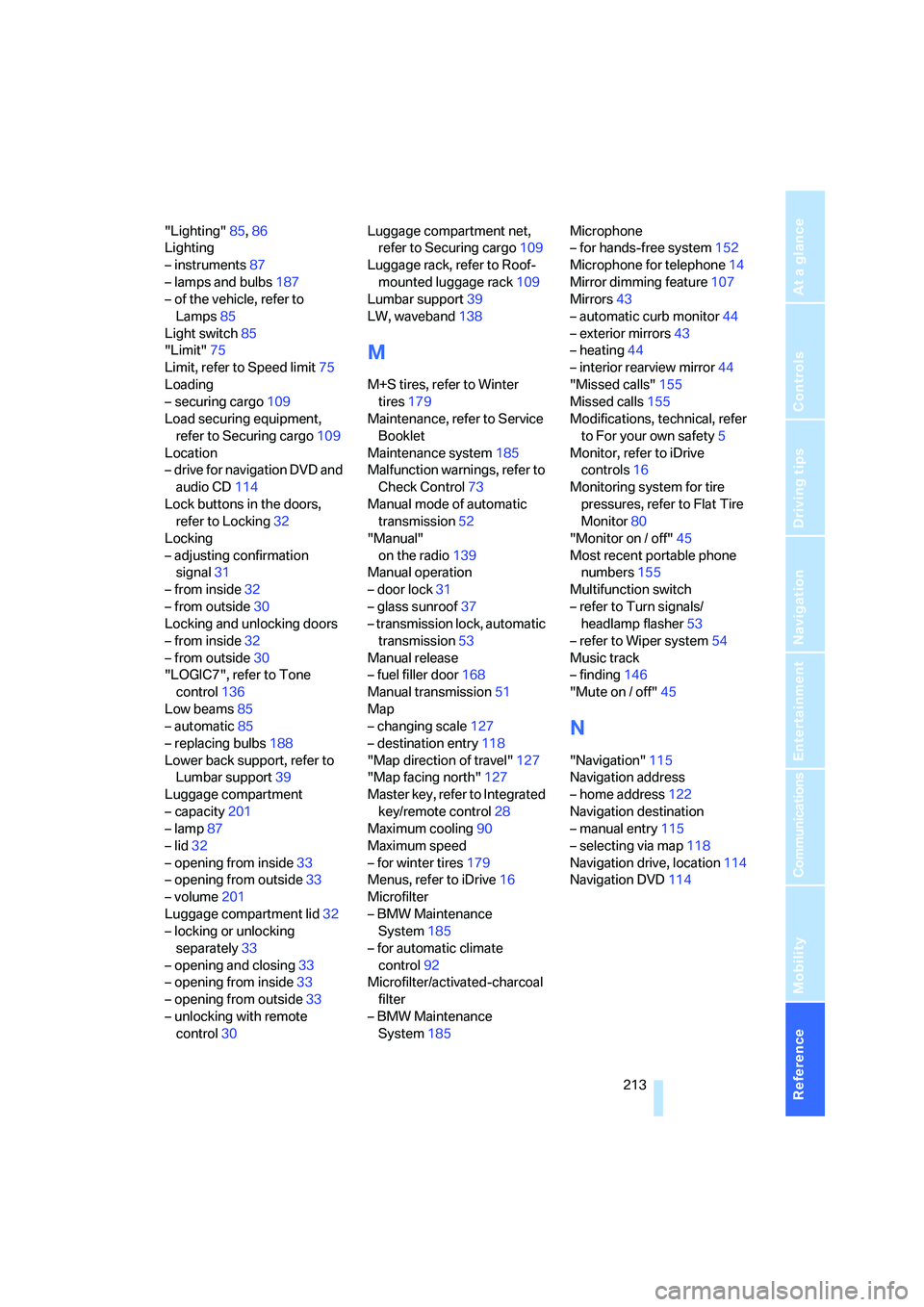
Reference 213
At a glance
Controls
Driving tips
Communications
Navigation
Entertainment
Mobility
"Lighting"85,86
Lighting
– instruments87
– lamps and bulbs187
– of the vehicle, refer to
Lamps85
Light switch85
"Limit"75
Limit, refer to Speed limit75
Loading
– securing cargo109
Load securing equipment,
refer to Securing cargo109
Location
– drive for navigation DVD and
audio CD114
Lock buttons in the doors,
refer to Locking32
Locking
– adjusting confirmation
signal31
– from inside32
– from outside30
Locking and unlocking doors
– from inside32
– from outside30
"LOGIC7", refer to Tone
control136
Low beams85
– automatic85
– replacing bulbs188
Lower back support, refer to
Lumbar support39
Luggage compartment
– capacity201
– lamp87
– lid32
– opening from inside33
– opening from outside33
– volume201
Luggage compartment lid32
– locking or unlocking
separately33
– opening and closing33
– opening from inside33
– opening from outside33
– unlocking with remote
control30Luggage compartment net,
refer to Securing cargo109
Luggage rack, refer to Roof-
mounted luggage rack109
Lumbar support39
LW, waveband138
M
M+S tires, refer to Winter
tires179
Maintenance, refer to Service
Booklet
Maintenance system185
Malfunction warnings, refer to
Check Control73
Manual mode of automatic
transmission52
"Manual"
on the radio139
Manual operation
– door lock31
– glass sunroof37
– transmission lock, automatic
transmission53
Manual release
– fuel filler door168
Manual transmission51
Map
– changing scale127
– destination entry118
"Map direction of travel"127
"Map facing north"127
Master key, refer to Integrated
key/remote control28
Maximum cooling90
Maximum speed
– for winter tires179
Menus, refer to iDrive16
Microfilter
– BMW Maintenance
System185
– for automatic climate
control92
Microfilter/activated-charcoal
filter
– BMW Maintenance
System185Microphone
– for hands-free system152
Microphone for telephone14
Mirror dimming feature107
Mirrors43
– automatic curb monitor44
– exterior mirrors43
– heating44
– interior rearview mirror44
"Missed calls"155
Missed calls155
Modifications, technical, refer
to For your own safety5
Monitor, refer to iDrive
controls16
Monitoring system for tire
pressures, refer to Flat Tire
Monitor80
"Monitor on / off"45
Most recent portable phone
numbers155
Multifunction switch
– refer to Turn signals/
headlamp flasher53
– refer to Wiper system
54
Music track
– finding146
"Mute on / off"45
N
"Navigation"115
Navigation address
– home address122
Navigation destination
– manual entry115
– selecting via map118
Navigation drive, location114
Navigation DVD114
Page 215 of 223
Everything from A - Z
214 Navigation system114
– address book121
– destination entry115
– destination guidance in
assistance window114
– destination list120
– displaying current
position129
– entering a destination
manually115
– last destinations120
– opening115
– route display126
– route list127
– searching for a special
destination119
– selecting destination using
information119
– selecting destination via
map118
– selecting route criteria123
– starting destination
guidance125
– switching off, refer to
Terminating/continuing
destination guidance125
– terminating/continuing
destination guidance125
– voice instructions127
– volume adjustment128
"Navigation voice
instructions" via buttons on
the steering wheel45
Neck support, refer to Head
restraints40
Nets, refer to Storage
compartments97
"New address" in
navigation121
"New destination"115,118
"New route"129
New tires178
"Next entertainment
source"45
North-facing map126
Nose weight201
Nozzles89
Nozzles, refer to Windshield
washer nozzles54Number of cylinders, refer to
Engine data200
O
Octane ratings, refer to Fuel
specifications168
Odometer64
Oil
– capacity201
Oil, refer to Engine oil181
Oil consumption181
Oil level181
Old batteries, refer to
Disposal191
"On a new destination" in
navigation119
"Onboard info"66
Onboard tool kit187
"On destination"119
"On location"119
Opening and closing
– from inside32
– from outside30
– using the door lock31
– via the remote control30
Opening and unlocking
– from the inside32
Operation by voice for
portable phone156
– adjusting volume158
– canceling157
– correcting phone
number158
– dialing phone number158
– placing a call158
– redialing159
– voice commands157
– voice phone book158
Orientation menu, refer to
Start menu17
Outlets
– refer to Ventilation92
Output, refer to Engine
data200
Outside-air mode
– automatic climate control91Outside-temperature
display64
– changing units of
measure68
– in computer68
Overriding selector lever
lock53
P
Panic mode30
Parking
– vehicle50
Parking aid, refer to PDC Park
Distance Control77
Parking brake, refer to
Handbrake51
Parking lamps/low beams85
– replacing bulbs189
Parts and accessories, refer to
The individual vehicle5
Passenger-side mirror tilt
function44
"Pathway lighting"86
Pathway lighting86
"PDC"78
"PDC display on"78
PDC Park Distance Control77
Personal Profile29
Phone book153
Phone numbers
– deleting from phone
book155
– dialing153
– most recent numbers155
– selecting in phone book155
– Top 8155
Placing a call, refer to
telephone owner's manual
"Play"
on the radio143
Pollen
– refer to Microfilter/activated-
charcoal filter for automatic
climate control92
Page 219 of 223
Everything from A - Z
218 Temperature display
– ice warning64
– outside temperature64
– setting the units68
"Terminate services"163
"Text language"76
"Theater" tone settings136
Thigh support40
Third brake lamp, refer to
Center brake lamp190
Tilt alarm sensor35
Tilt function, passenger-side
mirror44
"Time"72
"Time format"72
Tire inflation pressures170
Tire pressure
– loss81
Tire pressure monitoring,
refer to Flat Tire Monitor80
Tire puncture, refer to Flat Tire
Monitor81
Tire Quality Grading176
Tires
– age176,178
– breaking in106
– changing, refer to Changing
wheels191
– condition177
– damage177
– inflation pressure170
– minimum tread depth177
– new tires178
– pressure monitoring, refer to
Flat Tire Monitor80
– puncture81
– Run-Flat Tires178
– size176
– wear indicators, refer to
Minimum tread depth177
– winter tires179
"Tone"135
Tone in audio mode
– adjusting135
– middle setting137
Tools, refer to Onboard tool
kit187
"Top 8" for portable
phone155Torque200
Touch tone dialing156
Tow bar196
Tow fittings195
Tow fittings for tow-starting
and towing away195
Towing195
– methods
196
Towing away
– car with automatic
transmission195
"Town / City" in destination
entry116
Tow rope196
Tow-starting195
Tracks
– random play sequence147
Track width, refer to
Dimensions200
Traction-assist feature, refer
to DSC78
Traction control, refer to DSC
Dynamic Stability
Control78
Trailer towing
– towing loads and gross
weight201
Transmission
– automatic transmission with
Steptronic51
– manual transmission51
Transporting children
safely46
Transport securing device,
refer to Securing cargo109
Tread depth, refer to Minimum
tire tread177
Treble, tone control135
"Trip computer"66
Trip computer66
Trip-distance counter, refer to
Trip odometer64
"Triple turn signal
activation"53,85
Trip odometer64
Trunk lid, refer to Luggage
compartment lid32
Trunk lights, refer to Luggage
compartment lamp87Turning circle, refer to
Dimensions200
Turn signals53
– indicator lamp12
– replacing bulbs189
Tying down loads, refer to
Cargo loading109
U
Underbody protection, refer to
Caring for your vehicle
brochure
Uniform Tire Quality Grading/
UTQR176
"Units"68
Units
– average consumption68
– temperature68
Universal garage door opener,
refer to Integrated universal
remote control93
Universal remote control93
"Unlock button"30
Unlocking
– from inside32
– from outside30
"Update services"163
V
Vehicle
– battery191
– breaking in106
– care, refer to Caring for your
vehicle brochure
– cargo loading108
– dimensions200
– Identification Number, refer
to Engine compartment181
– parking50
– washing, refer to Caring for
your vehicle brochure
– weight201
Vehicle jack191
Vehicle position, refer to
Displaying current
position129
"Vehicle settings"80