fuel system BMW 335I 2007 Owners Manual
[x] Cancel search | Manufacturer: BMW, Model Year: 2007, Model line: 335I, Model: BMW 335I 2007Pages: 268, PDF Size: 8.8 MB
Page 5 of 268
Reference
At a glance
Controls
Driving tips
Communications
Navigation
Entertainment
Mobility
Contents
The fastest way to find information on a partic-
ular topic or item is by using the index, refer to
page246.
Using this Owner's Manual
4Notes
6Reporting safety defects
At a glance
10Cockpit
16iDrive
22Voice command system
Controls
28Opening and closing
44Adjustments
53Transporting children safely
57Driving
72Everything under control
86Technology for driving comfort and
safety
97Lamps
101Climate
107Practical interior accessories
Driving tips
122Things to remember when driving
Navigation
130Starting the navigation system
131Destination entry
143Destination guidance
152What to do if …
Entertainment
156On/off and settings
160Radio
166CD player and CD changer
173External audio device
Communications
176Telephoning
190BMW Assist
Mobility
200Refueling
202Wheels and tires
214Under the hood
219Maintenance
221Replacing components
229Giving and receiving assistance
Reference
236Technical data
242Short commands for the voice command
system
246Everything from A - Z
Page 19 of 268
At a glance
17Reference
Controls
Driving tips
Communications
Navigation
Entertainment
Mobility
Menu overview
Communication
>Telephone*
>BMW Assist* or TeleService*
Navigation
>Navigation system
>Onboard information, e.g. for displaying the
average fuel consumption.
Entertainment
>Radio
>CD player and CD changer
*
>External audio device
Climate
>Vent settings
>Automatic programs
>Parked car operation
menu
>Switching off Control Display
>Tone and display settings
>Settings for your vehicle, e.g. for the central
locking system
>Display of service requirements and dates
for statutory emissions and vehicle inspec-
tions
>Settings for telephone
Operating principle
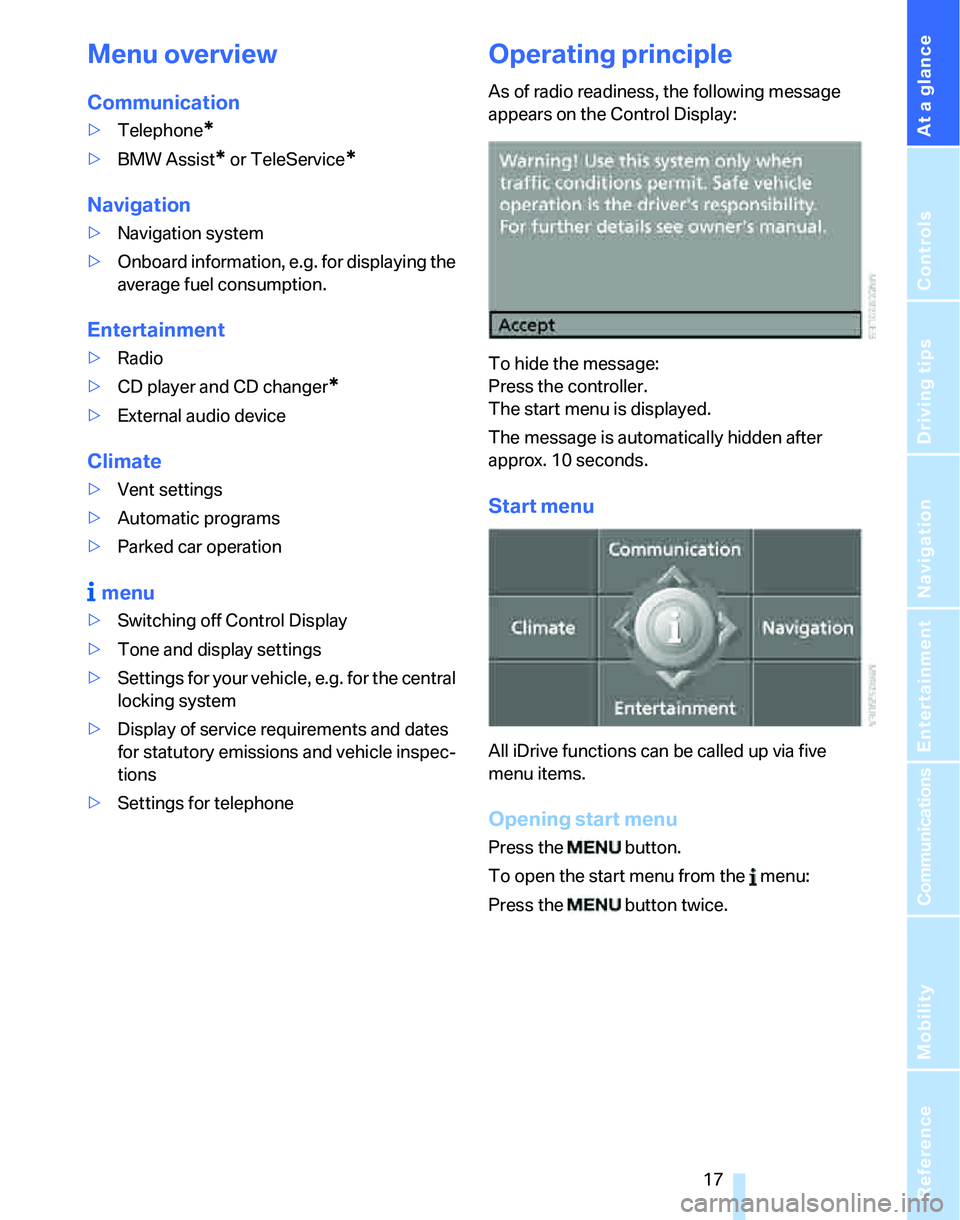
As of radio readiness, the following message
appears on the Control Display:
To hide the message:
Press the controller.
The start menu is displayed.
The message is automatically hidden after
approx. 10 seconds.
Start menu
All iDrive functions can be called up via five
menu items.
Opening start menu
Press the button.
To open the start menu from the menu:
Press the button twice.
Page 31 of 268
Controls
29Reference
At a glance
Driving tips
Communications
Navigation
Entertainment
Mobility
>Date format, refer to page82
>Brightness of the Control Display, refer to
page85
>Language on the Control Display, refer to
page85
>Units of measure for fuel consumption, dis-
tance covered/remaining distances, and
temperature, refer to page77
>Show visual warning for Park Distance Con-
trol PDC
*, refer to page86
>Automatic climate control: AUTO program,
activating/deactivating cooling function and
automatic recirculated-air control, setting
temperature, air flow rate and distribution,
refer to page102 ff
>Audio volume, refer to page157
>Tone control, refer to page157
>Speed-dependent volume control, refer to
page157
Central locking system
The concept
The central locking system is ready for opera-
tion whenever the driver's door is closed.
The system simultaneously engages and
releases the locks on the following:
>Doors
>Luggage compartment lid/tailgate
>Fuel filler door
Operating from outside
>Via the remote control
>Via the door lock
>In cars with convenient access
*, via the
handles on the driver's and front passen-
ger's doors
The anti-theft system is also operated at the
same time. It prevents the doors from being
unlocked using the lock buttons or door han-
dles. In addition, if the remote control is used,
the interior lamps and the door's courtesy
lamps
* are also switched on or off. The alarm system
* is also armed or disarmed.
For further details of the alarm system,
refer to
page35.
Operating from inside
By means of the button for central locking, refer
to page32.
In the event of a sufficiently severe accident, the
central locking system unlocks automatically. In
addition, the hazard warning flashers and inte-
rior lamps come on.
Opening and closing: from
outside
Using the remote control
Persons or animals in a parked vehicle
could lock the doors from the inside. You
should therefore take the remote control with
you when you leave the vehicle so that the latter
can be opened from outside.<
Unlocking
Press the button.
The interior lamps and the courtesy lamps
*
come on. You can also set the way in which the
car is unlocked. The setting is stored for the
remote control currently in use.
iDrive, for operating principle refer to page16.
1.Press the button.
This opens the start menu.
2.Press the controller to open the menu.
3.Select "Settings" and press the controller.
4.Select "Vehicle / Tires" and press the con-
troller.
5.If necessary, move the highlight marker to
the uppermost field. Turn the controller
Page 32 of 268
Opening and closing
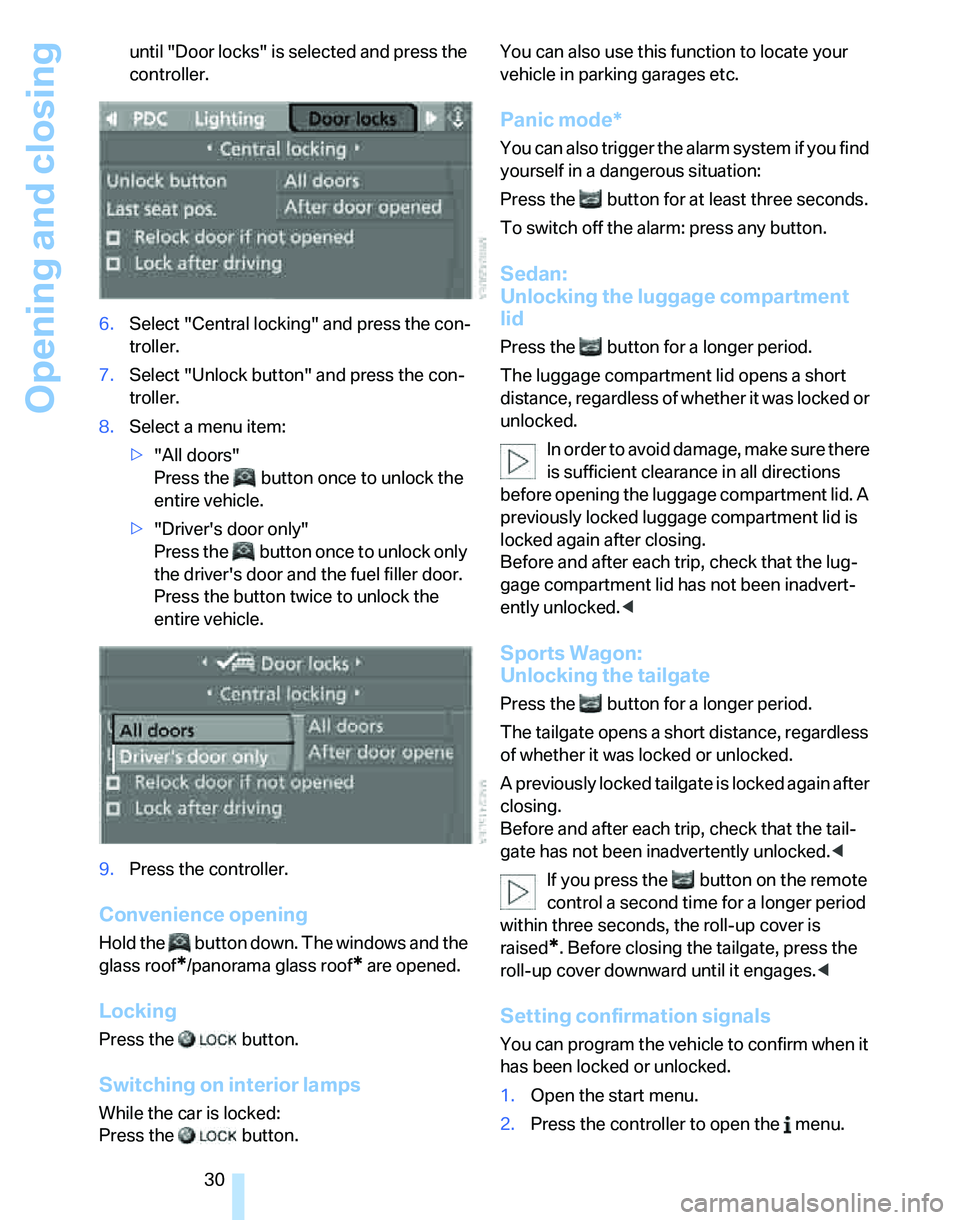
30 until "Door locks" is selected and press the
controller.
6.Select "Central locking" and press the con-
troller.
7.Select "Unlock button" and press the con-
troller.
8.Select a menu item:
>"All doors"
Press the button once to unlock the
entire vehicle.
>"Driver's door only"
Press the button once to unlock only
the driver's door and the fuel filler door.
Press the button twice to unlock the
entire vehicle.
9.Press the controller.
Convenience opening
Hold the button down. The windows and the
glass roof
*/panorama glass roof* are opened.
Locking
Press the button.
Switching on interior lamps
While the car is locked:
Press the button. You can also use this function to locate your
vehicle in parking garages etc.
Panic mode*
You can also trigger the alarm system if you find
yourself in a dangerous situation:
Press the button for at least three seconds.
To switch off the alarm: press any button.
Sedan:
Unlocking the luggage compartment
lid
Press the button for a longer period.
The luggage compartment lid opens a short
distance, regardless of whether it was locked or
unlocked.
In order to avoid damage, make sure there
is sufficient clearance in all directions
before opening the luggage compartment lid. A
previously locked luggage compartment lid is
locked again after closing.
Before and after each trip, check that the lug-
gage compartment lid has not been inadvert-
ently unlocked.<
Sports Wagon:
Unlocking the tailgate
Press the button for a longer period.
The tailgate opens a short distance, regardless
of whether it was locked or unlocked.
A previously locked tailgate is locked again after
closing.
Before and after each trip, check that the tail-
gate has not been inadvertently unlocked.<
If you press the button on the remote
control a second time for a longer period
within three seconds, the roll-up cover is
raised
*. Before closing the tailgate, press the
roll-up cover downward until it engages.<
Setting confirmation signals
You can program the vehicle to confirm when it
has been locked or unlocked.
1.Open the start menu.
2.Press the controller to open the menu.
Page 34 of 268
Opening and closing
32
Opening and closing: from
inside
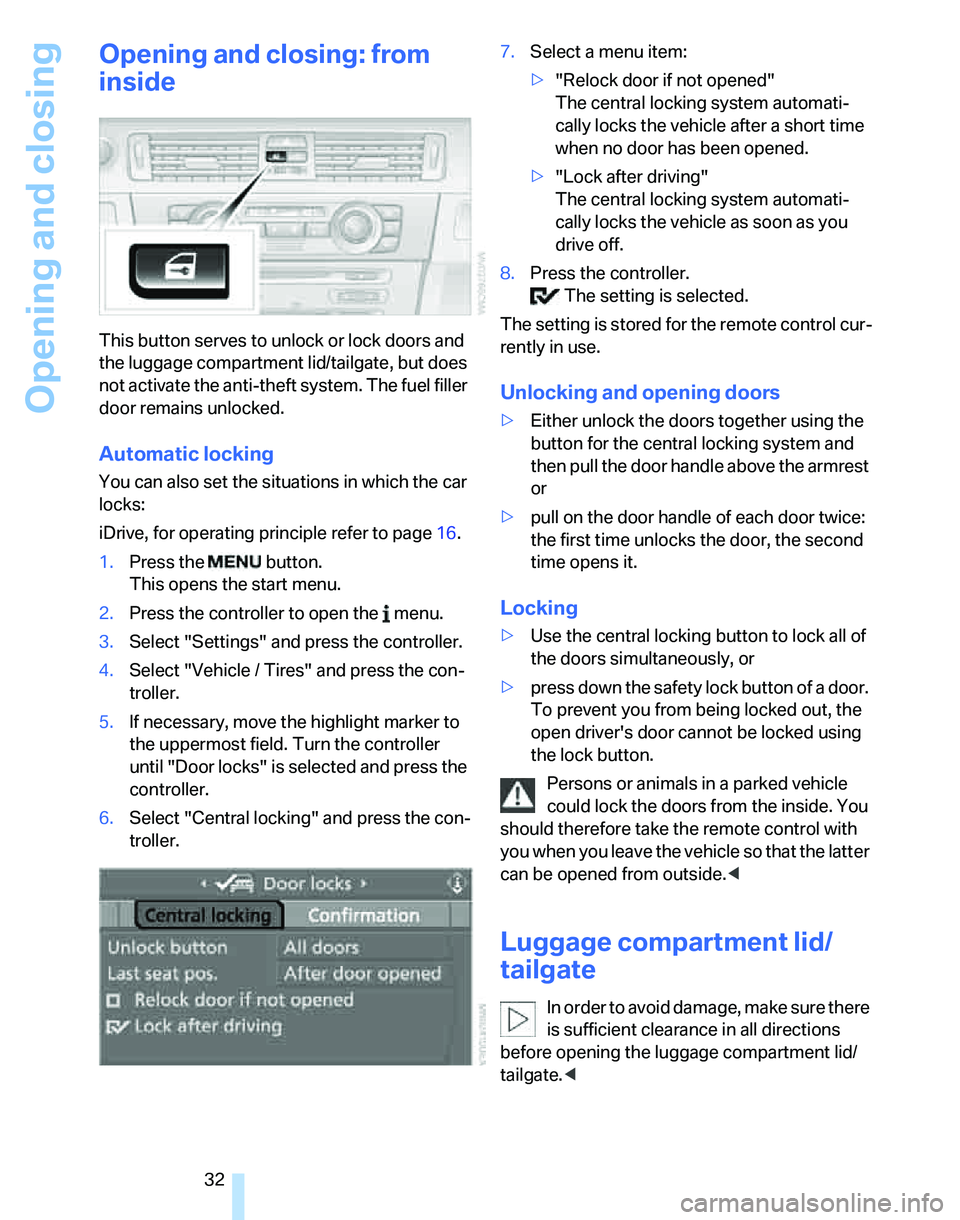
This button serves to unlock or lock doors and
the luggage compartment lid/tailgate, but does
not activate the anti-theft system. The fuel filler
door remains unlocked.
Automatic locking
You can also set the situations in which the car
locks:
iDrive, for operating principle refer to page16.
1.Press the button.
This opens the start menu.
2.Press the controller to open the menu.
3.Select "Settings" and press the controller.
4.Select "Vehicle / Tires" and press the con-
troller.
5.If necessary, move the highlight marker to
the uppermost field. Turn the controller
until "Door locks" is selected and press the
controller.
6.Select "Central locking" and press the con-
troller.7.Select a menu item:
>"Relock door if not opened"
The central locking system automati-
cally locks the vehicle after a short time
when no door has been opened.
>"Lock after driving"
The central locking system automati-
cally locks the vehicle as soon as you
drive off.
8.Press the controller.
The setting is selected.
The setting is stored for the remote control cur-
rently in use.
Unlocking and opening doors
>Either unlock the doors together using the
button for the central locking system and
then pull the door handle above the armrest
or
>pull on the door handle of each door twice:
the first time unlocks the door, the second
time opens it.
Locking
>Use the central locking button to lock all of
the doors simultaneously, or
>press down the safety lock button of a door.
To prevent you from being locked out, the
open driver's door cannot be locked using
the lock button.
Persons or animals in a parked vehicle
could lock the doors from the inside. You
should therefore take the remote control with
you when you leave the vehicle so that the latter
can be opened from outside.<
Luggage compartment lid/
tailgate
In order to avoid damage, make sure there
is sufficient clearance in all directions
before opening the luggage compartment lid/
tailgate.<
Page 96 of 268
Technology for driving comfort and safety
94 an added safety feature, your vehicle has been
equipped with a tire pressure monitoring sys-
tem, TPMS, that illuminates a low tire pressure
telltale when one or more of your tires are signif-
icantly under-inflated. Accordingly, when the
low tire pressure telltale illuminates, you should
stop and check your tires as soon as possible,
and inflate them to the proper pressure. Driving
on a significantly underinflated tire causes the
tire to overheat and can lead to tire failure.
Underinflation also reduces fuel efficiency and
tire tread life, and may affect the vehicle’s han-
dling and stopping ability. Please note that the
TPMS is not a substitute for proper tire mainte-
nance, and it is the driver’s responsibility to
maintain correct tire pressure, even if underin-
flation has not reached the level at which the
TPMS low tire pressure telltale illuminates.
The TPMS malfunction indicator is combined
with the low tire pressure telltale. When the sys-
tem detects a malfunction, the telltale will flash
for approximately one minute and then remain
continuously lit. This sequence will continue
upon subsequent vehicle startups as long as
the malfunction exists. When the malfunction
indicator is illuminated, the system may not be
able to detect or signal low tire pressure as
intended. TPMS malfunctions may occur for a
variety of reasons, including the installation of
replacement or alternate tires or wheels on the
vehicle that prevent the TPMS from functioning
properly. Always check the TPMS malfunction
telltale after replacing one or more tires or
wheels on your vehicle to ensure that the
replacement or alternate tires and wheels allow
the TPMS to continue to function properly.
Active steering*
The concept
Active steering varies the turning angle of the
front wheels in relation to steering wheel move-
ments. It also varies the steering force required
to turn the wheels depending on the speed at
which you are driving.
When you are driving in the low road-speed
range, e.g. in a town or when parking, the steer-ing angle increases, i.e. the steering becomes
very direct, and less effort is required to turn the
wheels. In the higher speed range, on the other
hand, the steering angle is reduced more and
more. This improves the handling capability of
your BMW over the entire speed range.
In critical situations, the system can make tar-
geted corrections to the steering angle pro-
vided by the driver and thus stabilize the vehicle
before the driver intervenes. This stabilizing
intervention is simultaneously deactivated
when DSC is switched off, refer to page88.
Malfunction
The warning lamps come on. Active
steering is no longer operational. At
low speeds, greater steering wheel
movements are required, whereas at
higher speeds the vehicle reacts more sensi-
tively to steering wheel movements. The stabil-
ity-enhancing feature may also be deactivated.
Drive cautiously and think well ahead. Have the
system checked.
If the warning lamp lights up during the first
engine starting following a power supply inter-
ruption, the system must be activated by being
initialized.
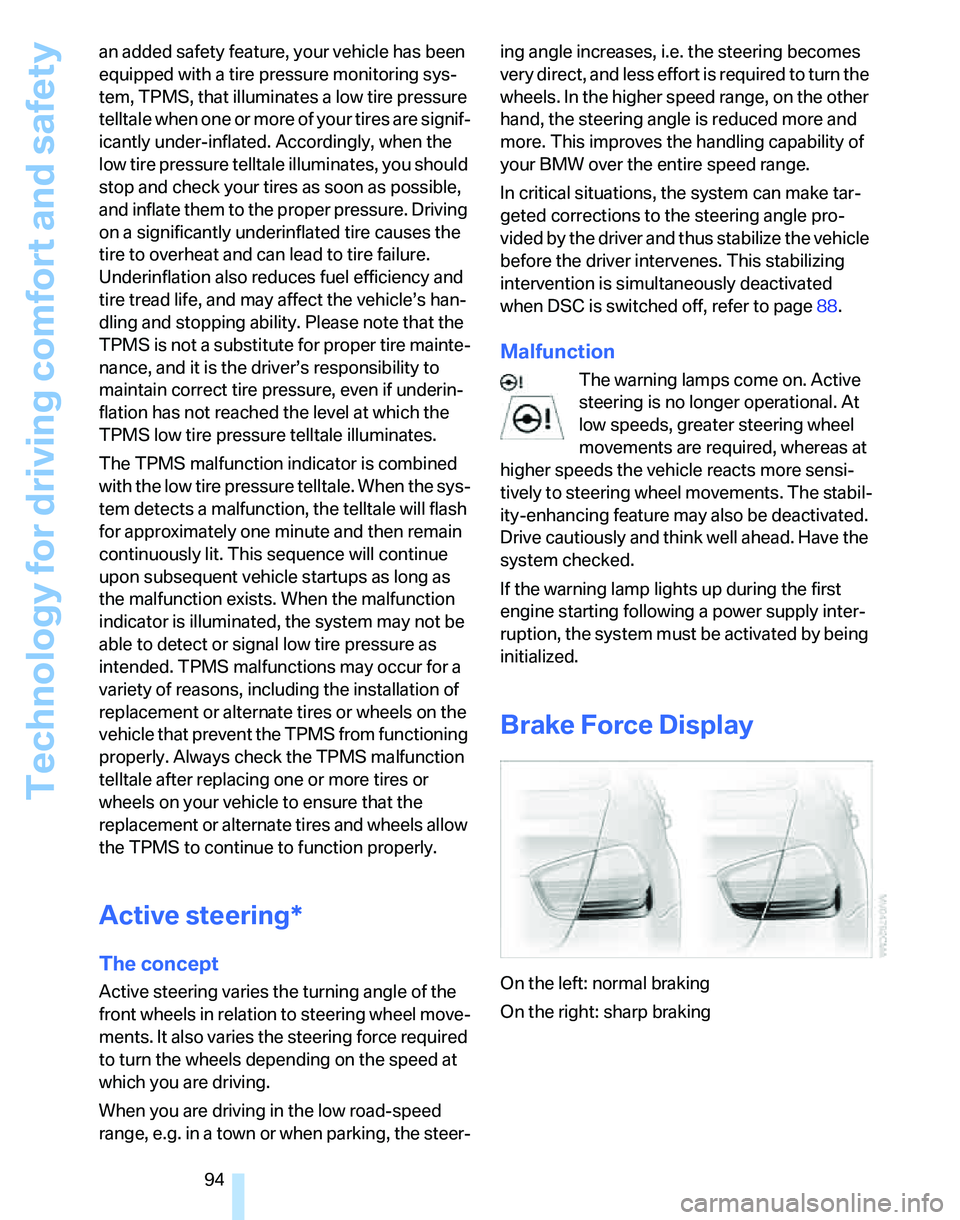
Brake Force Display
On the left: normal braking
On the right: sharp braking
Page 203 of 268
Mobility
201Reference
At a glance
Controls
Driving tips
Communications
Navigation
Entertainment
Observe the following when refueling
When handling fuels always observe any
safety guidelines posted at the service
station.<
When refueling, insert the filler nozzle com-
pletely into the filler pipe. Avoid lifting the filler
nozzle while filling the tank, as that would lead
to
>premature pump shutoff
>a reduced efficiency of the fuel-vapor
recovery system.
The fuel tank is full when the filler nozzle clicks
off the first time.
Fuel tank capacity
Approx. 16.1 US gallons/61 liters, including the
reserve capacity of 2.1 US gallons/8 liters.
Refuel as soon as possible once your
cruising range falls below 30 miles/
50 km, otherwise engine functions are not
ensured and damage can occur.<
Fuel specifications
Do not fill the tank with leaded fuel, as this
would cause permanent damage to the
catalytic converter.
Do not fill the tank with E85, i.e. fuel containing
85 % ethanol, nor with FlexFuel. Otherwise the
engine and fuel supply system will be dam-
aged.<
Required fuel
Super Premium Gasoline/AKI 91
This gasoline is highly recommended.
However, you may also use gasoline with less
AKI. The minimum AKI Rating is:
>323i, 328i/xi: 87
>335i: 89.
If you use gasoline with this minimum AKI Rat-
ing, the engine may produce knocking sounds
when starting at high outside temperatures.
This has no effect on the engine life.Do not use any gasoline below the speci-
fied minimum fuel grade. Otherwise the
engine could be damaged.<
Use high-quality brands
Field experience has indicated significant dif-
ferences in fuel quality: volatility, composition,
additives, etc., among gasolines offered for sale
in the United States and Canada. Fuels contain-
ing up to and including 10 % ethanol or other
oxygenates with up to 2.8 % oxygen by weight,
that is, 15 % MTBE or 3 % methanol plus an
equivalent amount of co-solvent, will not void
the applicable warranties with respect to
defects in materials or workmanship.
The use of poor-quality fuels may result in
drivability, starting and stalling problems
especially under certain environmental condi-
tions such as high ambient temperature and
high altitude.
Should you encounter driveability problems
which you suspect could be related to the fuel
you are using, we recommend that you respond
by switching to a recognized high-quality brand
such as gasoline that is advertised as Top Tier
Detergent Gasoline.
Failure to comply with these recommendations
may also result in unscheduled maintenance.<
Page 243 of 268
Reference 241
At a glance
Controls
Driving tips
Communications
Navigation
Entertainment
Mobility
Capacities
Notes
Fuel tank US gal/liters approx. 16.1/61 Fuel grade: page201
including reserve of US gal/liters approx. 2.1/8.0
Window washer system For more details: page64
including headlamp washers US quarts/liters approx. 6.3/6.0
Page 248 of 268
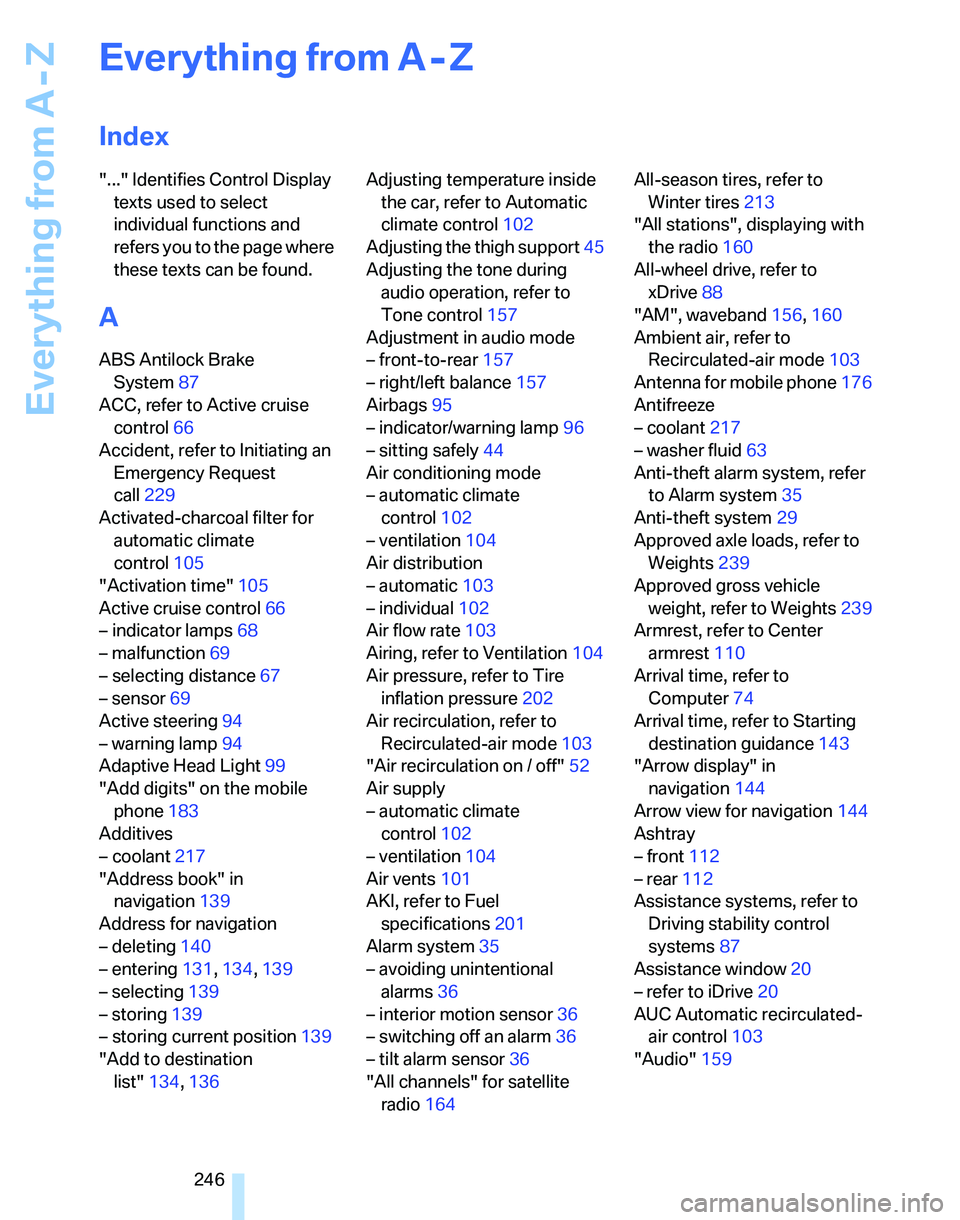
Everything from A - Z
246
Everything from A - Z
Index
"..." Identifies Control Display
texts used to select
individual functions and
refers you to the page where
these texts can be found.
A
ABS Antilock Brake
System87
ACC, refer to Active cruise
control66
Accident, refer to Initiating an
Emergency Request
call229
Activated-charcoal filter for
automatic climate
control105
"Activation time"105
Active cruise control66
– indicator lamps68
– malfunction69
– selecting distance67
– sensor69
Active steering94
– warning lamp94
Adaptive Head Light99
"Add digits" on the mobile
phone183
Additives
– coolant217
"Address book" in
navigation139
Address for navigation
– deleting140
– entering131,134,139
– selecting139
– storing139
– storing current position139
"Add to destination
list"134,136Adjusting temperature inside
the car, refer to Automatic
climate control102
Adjusting the thigh support45
Adjusting the tone during
audio operation, refer to
Tone control157
Adjustment in audio mode
– front-to-rear157
– right/left balance157
Airbags95
– indicator/warning lamp96
– sitting safely44
Air conditioning mode
– automatic climate
control102
– ventilation104
Air distribution
– automatic103
– individual102
Air flow rate103
Airing, refer to Ventilation104
Air pressure, refer to Tire
inflation pressure202
Air recirculation, refer to
Recirculated-air mode
103
"Air recirculation on / off"52
Air supply
– automatic climate
control102
– ventilation104
Air vents101
AKI, refer to Fuel
specifications201
Alarm system35
– avoiding unintentional
alarms36
– interior motion sensor36
– switching off an alarm36
– tilt alarm sensor36
"All channels" for satellite
radio164All-season tires, refer to
Winter tires213
"All stations", displaying with
the radio160
All-wheel drive, refer to
xDrive88
"AM", waveband156,160
Ambient air, refer to
Recirculated-air mode103
Antenna for mobile phone176
Antifreeze
– coolant217
– washer fluid63
Anti-theft alarm system, refer
to Alarm system35
Anti-theft system29
Approved axle loads, refer to
Weights239
Approved gross vehicle
weight, refer to Weights239
Armrest, refer to Center
armrest110
Arrival time, refer to
Computer74
Arrival time, refer to Starting
destination guidance143
"Arrow display" in
navigation144
Arrow view for navigation144
Ashtray
– front112
– rear112
Assistance systems, refer to
Driving stability control
systems87
Assistance window20
– refer to iDrive20
AUC Automatic recirculated-
air control103
"Audio"159
Page 249 of 268
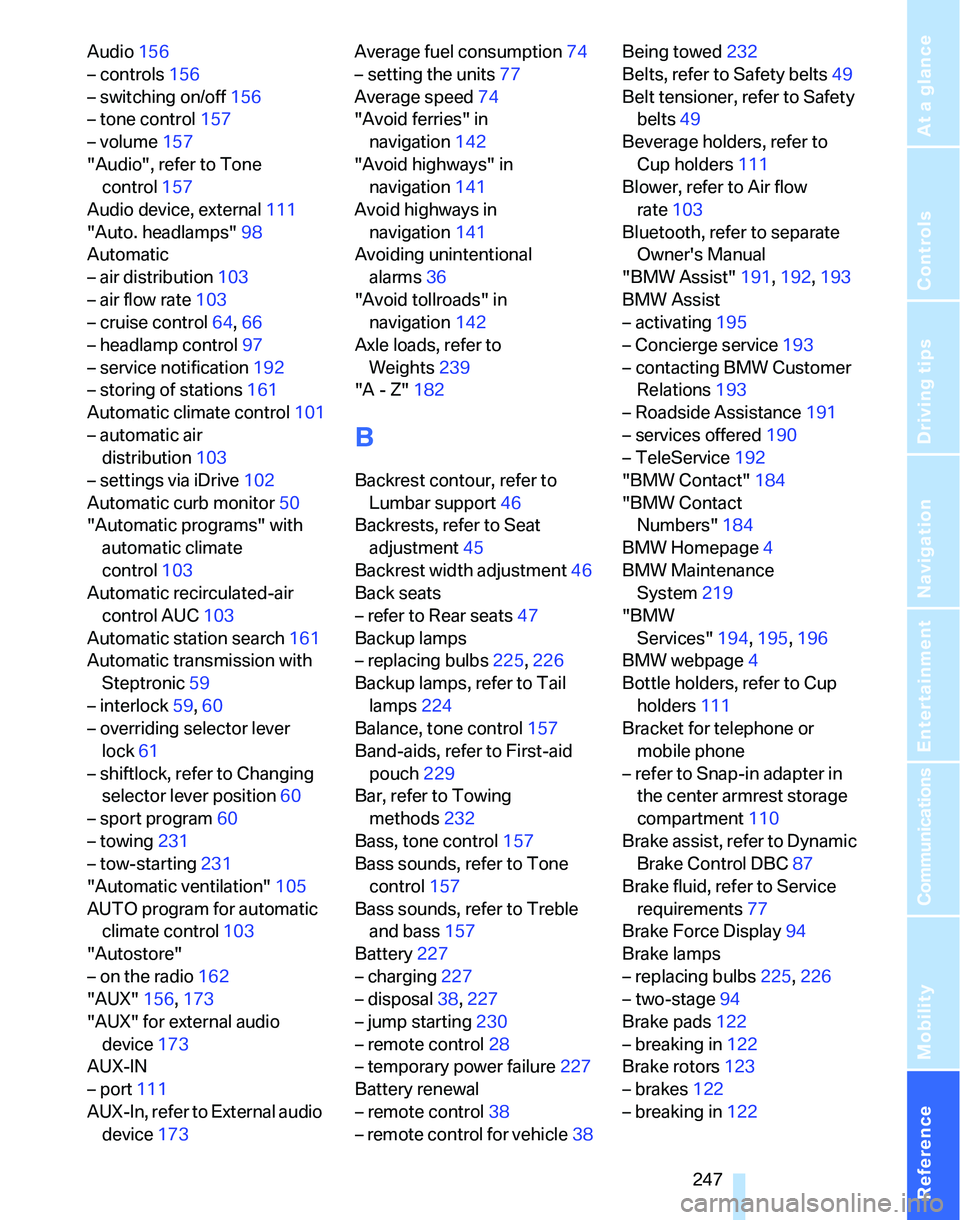
Reference 247
At a glance
Controls
Driving tips
Communications
Navigation
Entertainment
Mobility
Audio156
– controls156
– switching on/off156
– tone control157
– volume157
"Audio", refer to Tone
control157
Audio device, external111
"Auto. headlamps"98
Automatic
– air distribution103
– air flow rate103
– cruise control64,66
– headlamp control97
– service notification192
– storing of stations161
Automatic climate control101
– automatic air
distribution103
– settings via iDrive102
Automatic curb monitor50
"Automatic programs" with
automatic climate
control103
Automatic recirculated-air
control AUC103
Automatic station search161
Automatic transmission with
Steptronic59
– interlock59,60
– overriding selector lever
lock61
– shiftlock, refer to Changing
selector lever position60
– sport program60
– towing231
– tow-starting231
"Automatic ventilation"105
AUTO program for automatic
climate control103
"Autostore"
– on the radio162
"AUX"156,173
"AUX" for external audio
device173
AUX-IN
– port111
AUX-In, refer to External audio
device173Average fuel consumption74
– setting the units77
Average speed74
"Avoid ferries" in
navigation142
"Avoid highways" in
navigation141
Avoid highways in
navigation141
Avoiding unintentional
alarms36
"Avoid tollroads" in
navigation142
Axle loads, refer to
Weights239
"A - Z"182
B
Backrest contour, refer to
Lumbar support46
Backrests, refer to Seat
adjustment45
Backrest width adjustment46
Back seats
– refer to Rear seats47
Backup lamps
– replacing bulbs225,226
Backup lamps, refer to Tail
lamps224
Balance, tone control157
Band-aids, refer to First-aid
pouch229
Bar, refer to Towing
methods232
Bass, tone control157
Bass sounds, refer to Tone
control157
Bass sounds, refer to Treble
and bass157
Battery227
– charging227
– disposal38,227
– jump starting230
– remote control28
– temporary power failure227
Battery renewal
– remote control38
– remote control for vehicle38Being towed232
Belts, refer to Safety belts49
Belt tensioner, refer to Safety
belts49
Beverage holders, refer to
Cup holders111
Blower, refer to Air flow
rate103
Bluetooth, refer to separate
Owner's Manual
"BMW Assist"191,192,193
BMW Assist
– activating195
– Concierge service193
– contacting BMW Customer
Relations193
– Roadside Assistance191
– services offered190
– TeleService192
"BMW Contact"184
"BMW Contact
Numbers"184
BMW Homepage4
BMW Maintenance
System219
"BMW
Services"194
,195,196
BMW webpage4
Bottle holders, refer to Cup
holders111
Bracket for telephone or
mobile phone
– refer to Snap-in adapter in
the center armrest storage
compartment110
Brake assist, refer to Dynamic
Brake Control DBC87
Brake fluid, refer to Service
requirements77
Brake Force Display94
Brake lamps
– replacing bulbs225,226
– two-stage94
Brake pads122
– breaking in122
Brake rotors123
– brakes122
– breaking in122