radio BMW 335I 2009 Owner's Manual
[x] Cancel search | Manufacturer: BMW, Model Year: 2009, Model line: 335I, Model: BMW 335I 2009Pages: 268, PDF Size: 11.52 MB
Page 144 of 268
On/off and tone
142
On/off and tone
The following audio and video sources share
the same control elements and adjustments:
>Radio
> CD player
> CD changer
*
>Video
> External devices, e.g. MP3 player
Controls
The audio and video sources can be controlled
using the:
>Buttons near the CD player
> iDrive
> Buttons on the steeri ng wheel, refer to
page 11
> Programmable memory keys, refer to
page 20
> Voice activation system
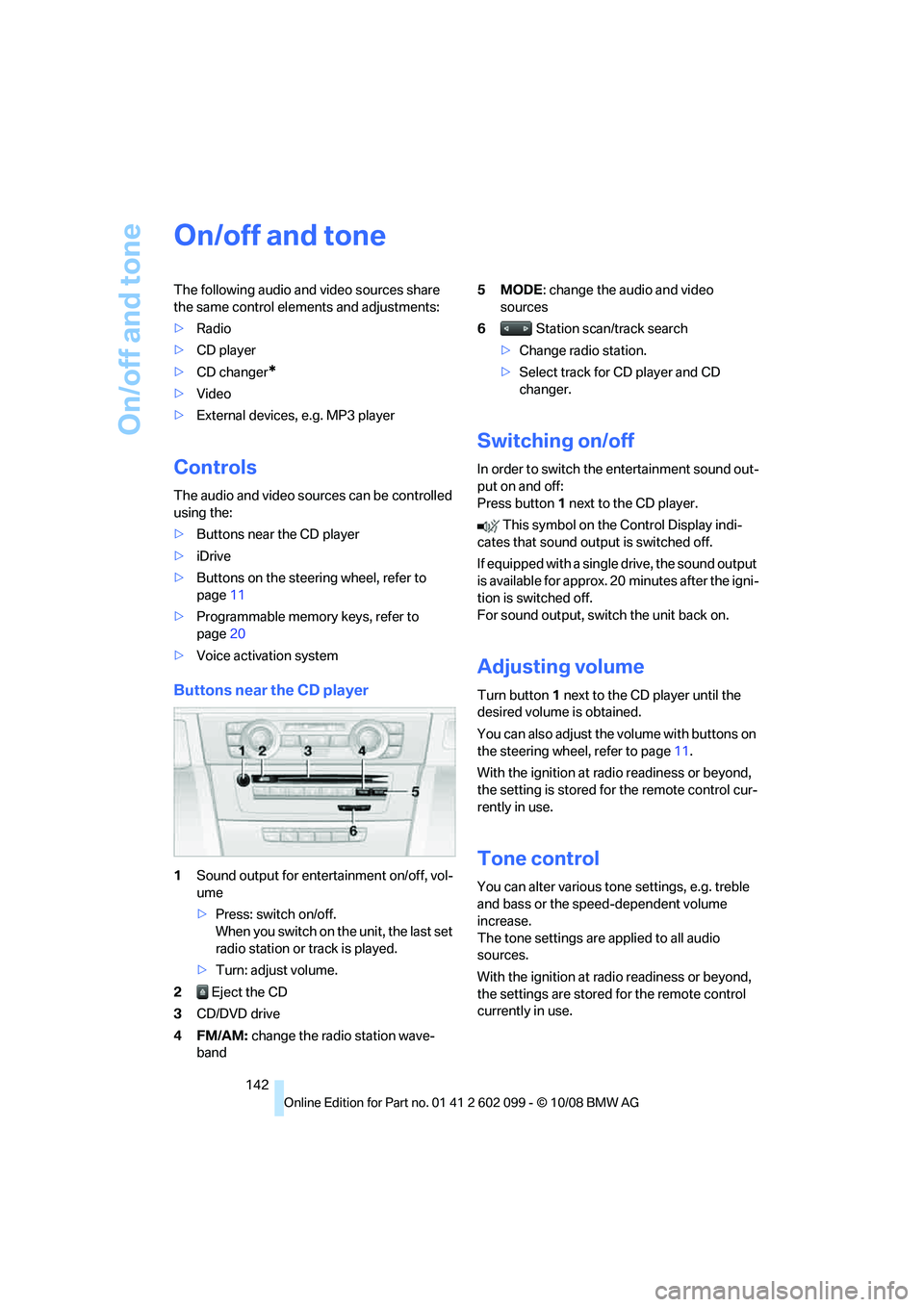
Buttons near the CD player
1Sound output for entertainment on/off, vol-
ume
>Press: switch on/off.
When you switch on the unit, the last set
radio station or track is played.
> Turn: adjust volume.
2 Eject the CD
3 CD/DVD drive
4FM/AM: change the radio station wave-
band 5MODE
: change the audio and video
sources
6 Station scan/track search
> Change radio station.
> Select track for CD player and CD
changer.
Switching on/off
In order to switch the entertainment sound out-
put on and off:
Press button 1 next to the CD player.
This symbol on the Control Display indi-
cates that sound output is switched off.
If equipped with a single drive, the sound output
is available for approx. 20 minutes after the igni-
tion is switched off.
For sound output, switch the unit back on.
Adjusting volume
Turn button 1 next to the CD player until the
desired volume is obtained.
You can also adjust the volume with buttons on
the steering wheel, refer to page 11.
With the ignition at ra dio readiness or beyond,
the setting is stored fo r the remote control cur-
rently in use.
Tone control
You can alter various tone settings, e.g. treble
and bass or the speed-dependent volume
increase.
The tone settings are applied to all audio
sources.
With the ignition at ra dio readiness or beyond,
the settings are stored for the remote control
currently in use.
ba8_E9091_cic.book Seite 142 Mittwoch, 29. Oktober 2008 2:59 14
Page 145 of 268
Navigation
Entertainment
Driving tips
143Reference
At a glance
Controls
Communications
Mobility
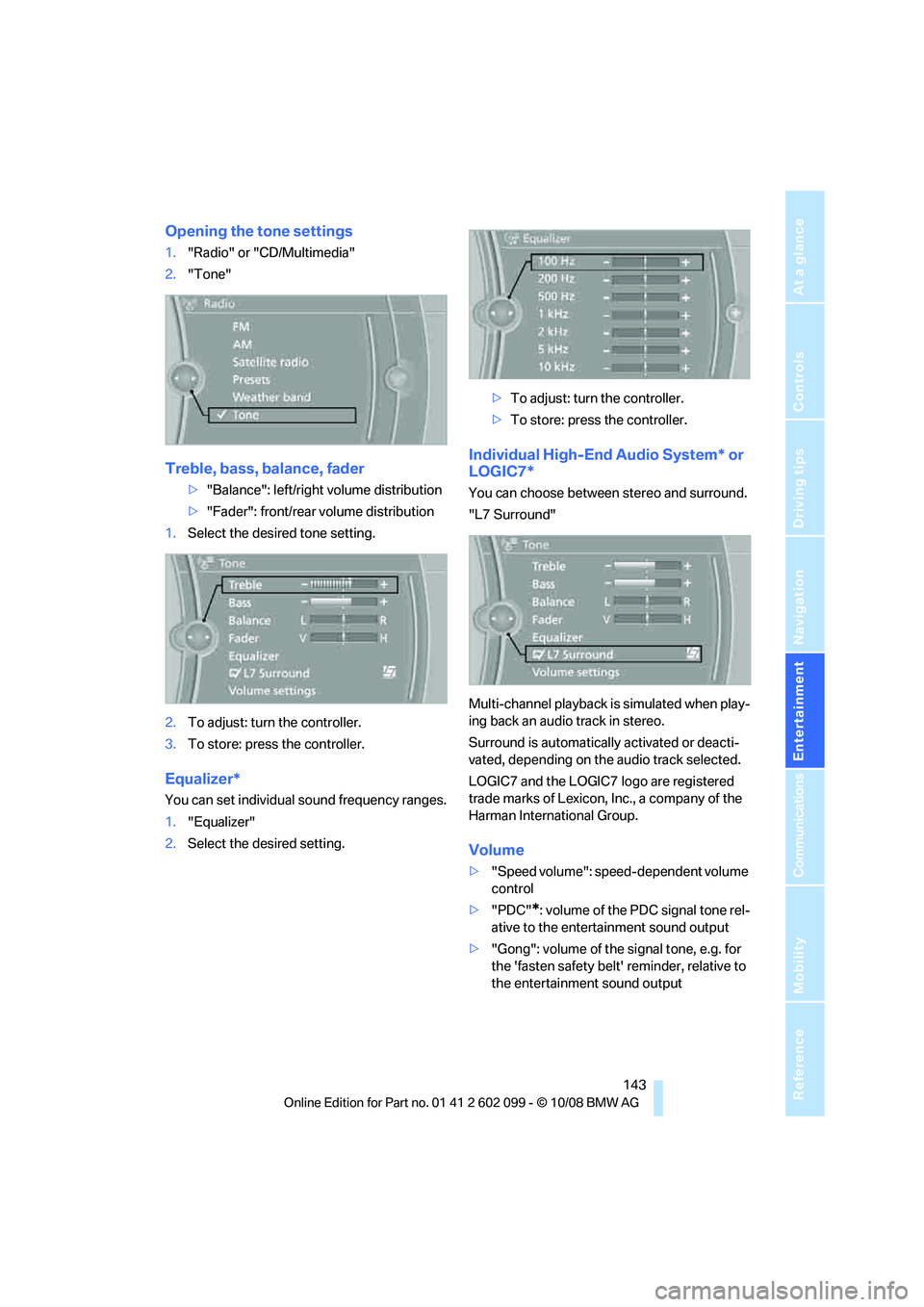
Opening the tone settings
1."Radio" or "CD/Multimedia"
2. "Tone"
Treble, bass, balance, fader
>"Balance": left/right volume distribution
> "Fader": front/rear volume distribution
1. Select the desired tone setting.
2. To adjust: turn the controller.
3. To store: press the controller.
Equalizer*
You can set individual sound frequency ranges.
1."Equalizer"
2. Select the desired setting. >
To adjust: turn the controller.
> To store: press the controller.
Individual High-End Audio System* or
LOGIC7*
You can choose between stereo and surround.
"L7 Surround"
Multi-channel playback is simulated when play-
ing back an audio track in stereo.
Surround is automatically activated or deacti-
vated, depending on the audio track selected.
LOGIC7 and the LOGIC7 logo are registered
trade marks of Lexicon, Inc., a company of the
Harman International Group.
Volume
> "Speed volume": speed-dependent volume
control
> "PDC"
*: volume of the PDC signal tone rel-
ative to the entertainment sound output
> "Gong": volume of the signal tone, e.g. for
the 'fasten safety belt' reminder, relative to
the entertainment sound output
ba8_E9091_cic.book Seite 143 Mittwoch, 29. Oktober 2008 2:59 14
Page 147 of 268

Navigation
Entertainment
Driving tips
145Reference
At a glance
Controls
Communications
Mobility
Radio
Your radio provides reception of the FM and AM
wavebands.
Selecting a station
Press the button if the sound output is switched
off.
iDrive, for operating principle refer to page16.
1. "Radio"
2. "FM" or "AM"
3. Call up the desired station.
Changing stations
Turn the controller. or
Press the button for the corresponding
direction.
or
Buttons on the steering wheel, refer to page11.
Selecting the frequency manually
In "Manual", you can set stations that can be
received in addition to those already being dis-
played.
1."FM" or "AM"
2. "Manual"
3. Call up the frequency.
To store the station: press the controller.
Storing a station
Via iDrive
1. "FM" or "AM"
2. Select the desired station.
3. Press the controller again.
ba8_E9091_cic.book Seite 145 Mittwoch, 29. Oktober 2008 2:59 14
Page 148 of 268
Radio
146
4.
Select the desired memory location.
The station is stored.
The stations are stored for the remote control
currently in use.
Via programmable memory keys
You can store a station on the programmable
memory keys, refe r also to page20.
1. Select a station.
2. ... Press the desired button
for a longer period.
Radio Data System RDS
On the FM waveband, additional information is
broadcast via RDS. If the reception conditions
are good, the station names are shown on the
Control Display. Where re ception is poor or in
the event of interference, it may take some time
before the station names will appear in the dis-
play.
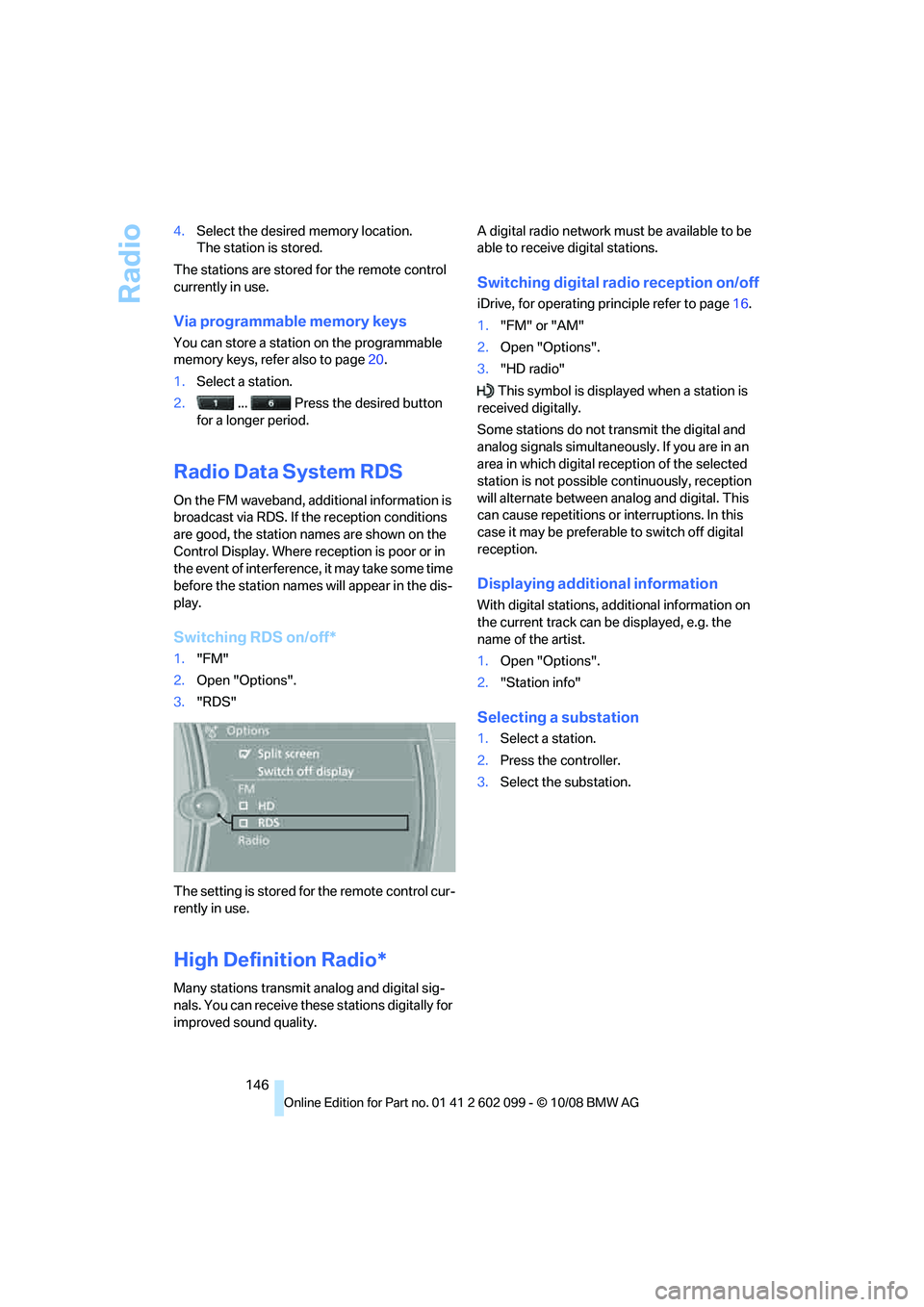
Switching RDS on/off*
1. "FM"
2. Open "Options".
3. "RDS"
The setting is stored fo r the remote control cur-
rently in use.
High Definition Radio*
Many stations transmit analog and digital sig-
nals. You can receive these stations digitally for
improved sound quality. A digital radio network mu
st be available to be
able to receive digital stations.
Switching digital radio reception on/off
iDrive, for operating pr inciple refer to page16.
1. "FM" or "AM"
2. Open "Options".
3. "HD radio"
This symbol is displa yed when a station is
received digitally.
Some stations do not transmit the digital and
analog signals simultaneously. If you are in an
area in which digital re ception of the selected
station is not possible continuously, reception
will alternate between analog and digital. This
can cause repetitions or interruptions. In this
case it may be preferable to switch off digital
reception.
Displaying additional information
With digital stations, a dditional information on
the current track can be displayed, e.g. the
name of the artist.
1. Open "Options".
2. "Station info"
Selecting a substation
1.Select a station.
2. Press the controller.
3. Select the substation.
ba8_E9091_cic.book Seite 146 Mittwoch, 29. Oktober 2008 2:59 14
Page 150 of 268
Satellite radio
148
Satellite radio
You can receive over 100 different channels
with high sound quality.
The channels are offered to you in predefined
packages. To receive the channels of your
choice, you must have the corresponding pack-
ages enabled.
With this new technology, signal losses
can occur from time to time and result in
audio interruptions.<
Enabling or disabling
channels
Enabling the channels
iDrive, for operating pr inciple refer to page16.
1. Ensure that reception is reliable. It is usually
at its best when you have an unobstructed
view of the sky.
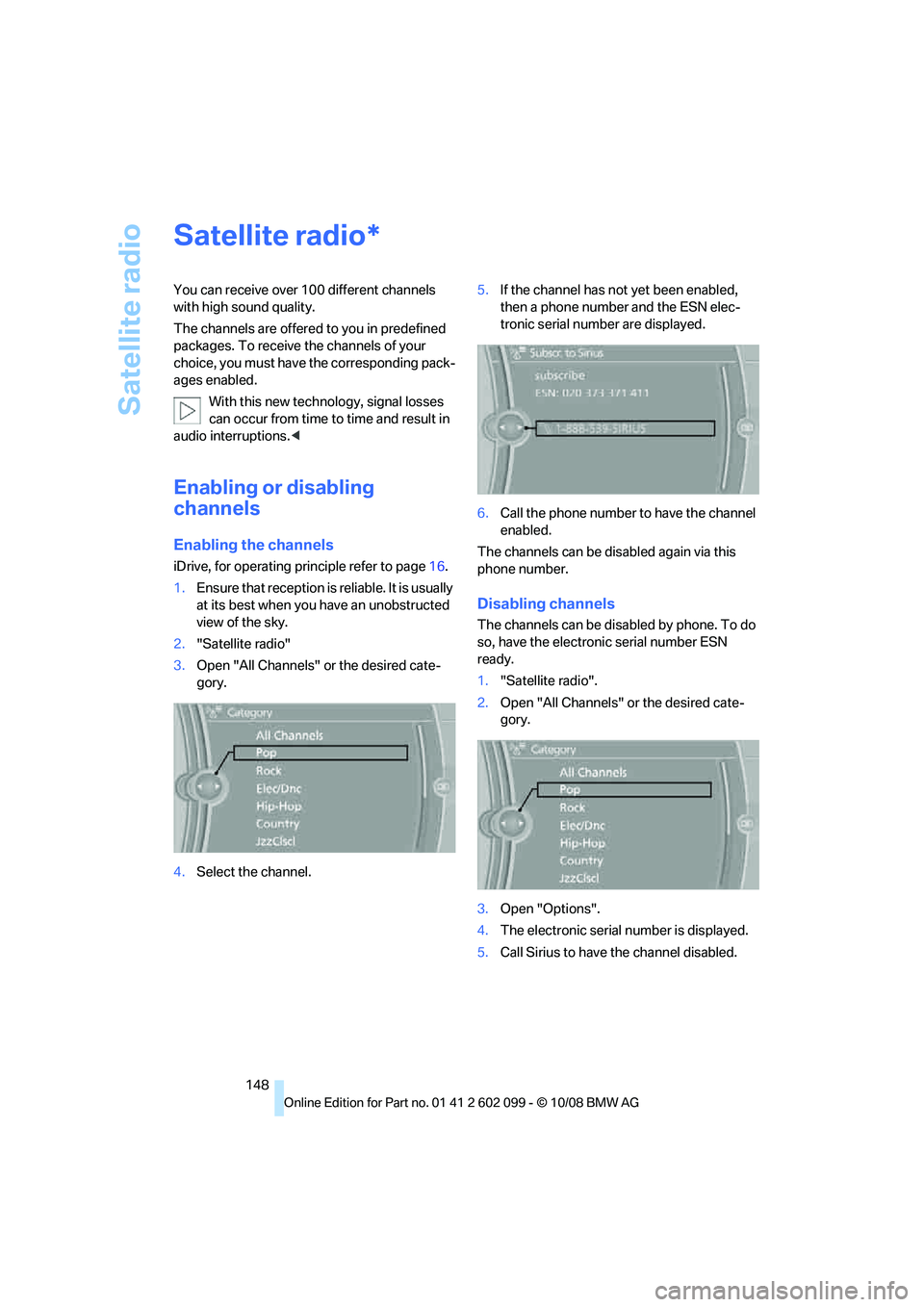
2. "Satellite radio"
3. Open "All Channels" or the desired cate-
gory.
4. Select the channel. 5.
If the channel has not yet been enabled,
then a phone number and the ESN elec-
tronic serial number are displayed.
6. Call the phone number to have the channel
enabled.
The channels can be disabled again via this
phone number.
Disabling channels
The channels can be disabled by phone. To do
so, have the electronic serial number ESN
ready.
1. "Satellite radio".
2. Open "All Channels" or the desired cate-
gory.
3. Open "Options".
4. The electronic serial number is displayed.
5. Call Sirius to have the channel disabled.
*
ba8_E9091_cic.book Seite 148 Mittwoch, 29. Oktober 2008 2:59 14
Page 151 of 268
Navigation
Entertainment
Driving tips
149Reference
At a glance
Controls
Communications
Mobility
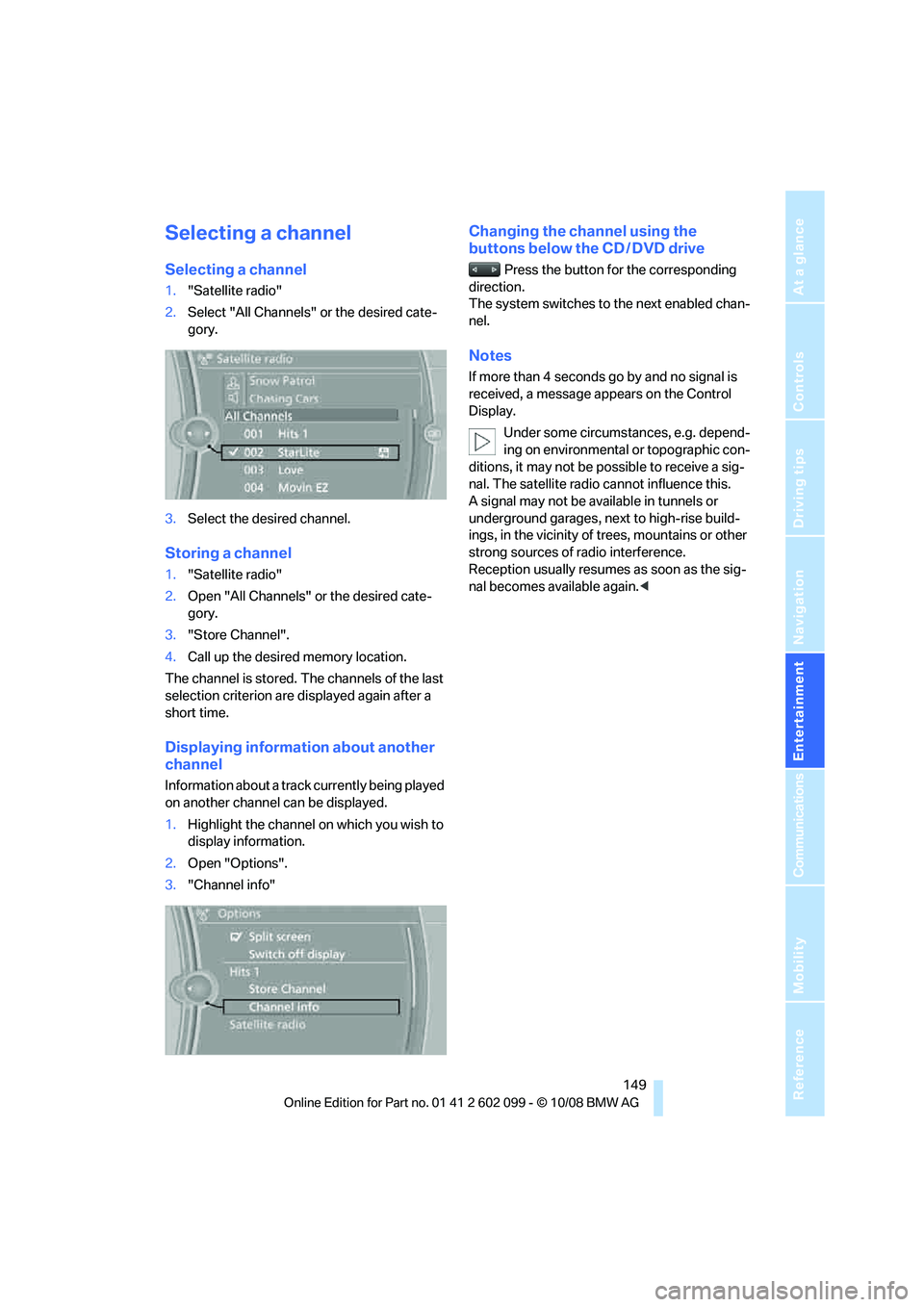
Selecting a channel
Selecting a channel
1."Satellite radio"
2. Select "All Channels" or the desired cate-
gory.
3. Select the desired channel.
Storing a channel
1."Satellite radio"
2. Open "All Channels" or the desired cate-
gory.
3. "Store Channel".
4. Call up the desired memory location.
The channel is stored. The channels of the last
selection criterion are displayed again after a
short time.
Displaying information about another
channel
Information about a track currently being played
on another channel can be displayed.
1. Highlight the channel on which you wish to
display information.
2. Open "Options".
3. "Channel info"
Changing the channel using the
buttons below the CD / DVD drive
Press the button for the corresponding
direction.
The system switches to the next enabled chan-
nel.
Notes
If more than 4 seconds go by and no signal is
received, a message appears on the Control
Display.
Under some circumstances, e.g. depend-
ing on environmental or topographic con-
ditions, it may not be possible to receive a sig-
nal. The satellite radio cannot influence this.
A signal may not be av ailable in tunnels or
underground garages, ne xt to high-rise build-
ings, in the vicinity of trees, mountains or other
strong sources of radio interference.
Reception usually resumes as soon as the sig-
nal becomes available again. <
ba8_E9091_cic.book Seite 149 Mittwoch, 29. Oktober 2008 2:59 14
Page 173 of 268
171
Entertainment
Reference
At a glance
Controls
Driving tips
Communications
Navigation
Mobility
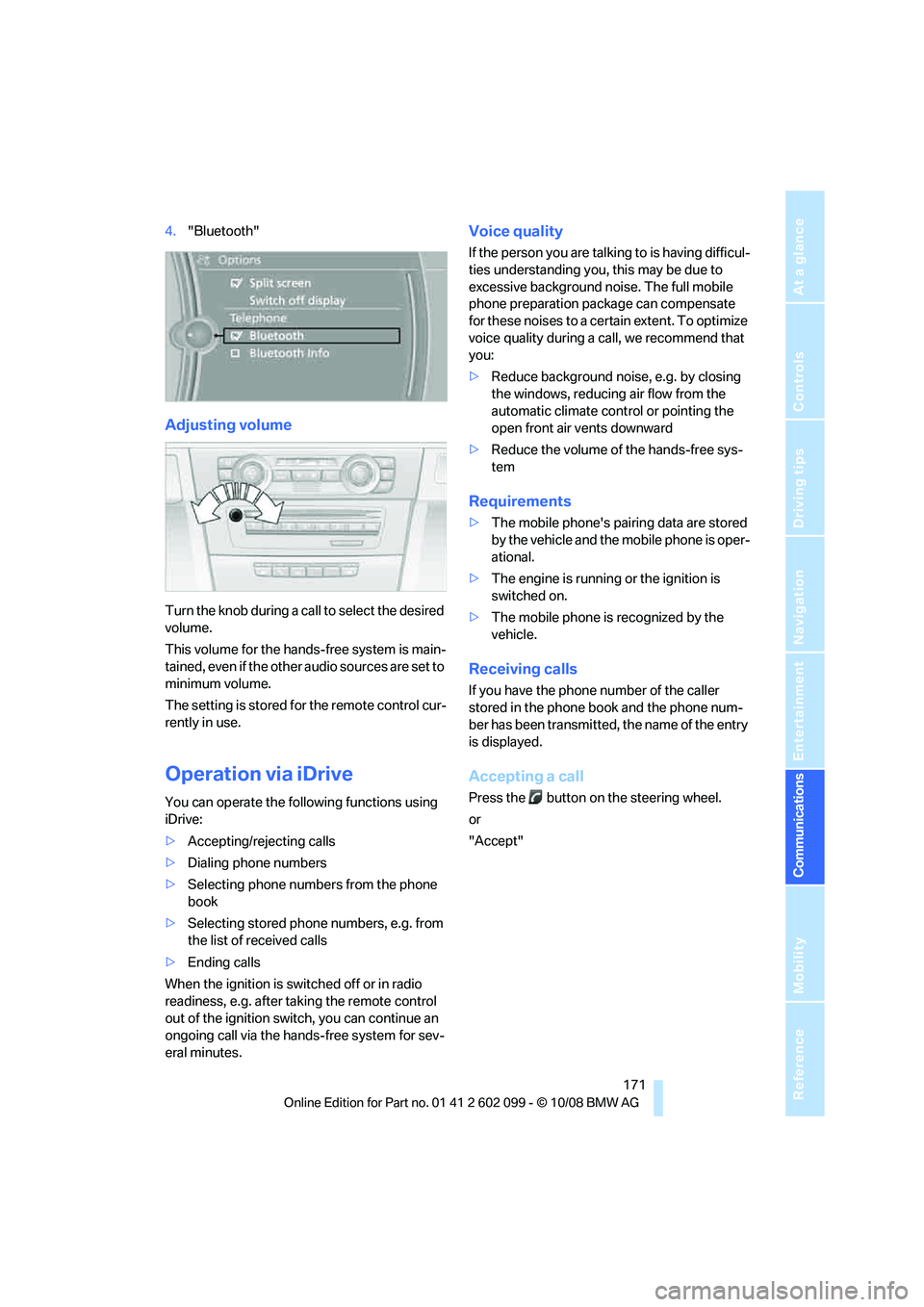
4. "Bluetooth"
Adjusting volume
Turn the knob during a call to select the desired
volume.
This volume for the hands-free system is main-
tained, even if the other audio sources are set to
minimum volume.
The setting is stored for the remote control cur-
rently in use.
Operation via iDrive
You can operate the following functions using
iDrive:
> Accepting/rejecting calls
> Dialing phone numbers
> Selecting phone numbers from the phone
book
> Selecting stored phone numbers, e.g. from
the list of received calls
> Ending calls
When the ignition is switched off or in radio
readiness, e.g. after ta king the remote control
out of the ignition swit ch, you can continue an
ongoing call via the hand s-free system for sev-
eral minutes.
Voice quality
If the person you are talk ing to is having difficul-
ties understanding you, this may be due to
excessive background noise. The full mobile
phone preparation pack age can compensate
for these noises to a cert ain extent. To optimize
voice quality during a call, we recommend that
you:
> Reduce background noise, e.g. by closing
the windows, reducing air flow from the
automatic climate cont rol or pointing the
open front air vents downward
> Reduce the volume of the hands-free sys-
tem
Requirements
>The mobile phone's pair ing data are stored
by the vehicle and the mobile phone is oper-
ational.
> The engine is running or the ignition is
switched on.
> The mobile phone is recognized by the
vehicle.
Receiving calls
If you have the phone number of the caller
stored in the phone b ook and the phone num-
ber has been transmitted, the name of the entry
is displayed.
Accepting a call
Press the button on the steering wheel.
or
"Accept"
ba8_E9091_cic.book Seite 171 Mittwoch, 29. Oktober 2008 2:59 14
Page 222 of 268
Care
220
steam jets over 140
7/60 6, otherwise dam-
age may occur. <
Outside sensors / cameras
Keep the sensors and cameras on the
outside of the vehicle, e.g. Park Distance
Control, clean and free of ice to ensure that they
remain fully functional. <
Interior care
Upholstery / cloth trim
Vacuum regularly with a vacuum cleaner to
remove superficial dirt.
To treat severe stains, e. g. from beverages, use
a soft sponge or lint-free microfiber cloth in
combination with suitable interior cleaners. Fol-
low the instructions on the packaging.
Clean the upholstery down to the seams
using a sweeping motion. Avoid strong
rubbing. <
Opened Velcro fasteners on pants or
other articles of clothing can damage the
seat covers. Ensure that Velcro fasteners are
closed. <
Leather / leather trim
The leather used by BM W is a high quality
natural product. Slight irregularities in the
leather are a typical char acteristic of natural
leather.<
Dust and road grit in the pores and folds of the
leather have an abrasive effect, leading to
increased wear and caus ing the leather surface
to become brittle prematurely. Therefore, fre-
quently clean the leather of dust using a cloth or
vacuum cleaner.
In particular, ensure that light-colored leather is
cleaned regularly as it has a tendency to soil
more easily.
Treat the leather twice a year using a leather
lotion as dirt and grease will gradually attack the
leather's prot ective layer.
Carpets / cargo bay
You can vacuum the carpets and floor mats or
clean them with interior cleaner if heavily soiled.
The floor mats can be removed for cleaning.
When replacing the mats, ensure that the seat
rails do not extend over the floor mats, as this
may damage the mats.
Lint on the floor mats occurs for technical rea-
sons and can be re moved by vacuuming
repeatedly.
Interior plastic parts
> Imitation leather surfaces
> Lamp glasses
> Display pane of instrument cluster
> Matt parts
Clean with water and solvent-free plastic
cleaner if necessary.
Fine wood parts
Clean fine wood trim and fine wood parts with a
damp cloth. Wipe dry with a soft cloth.
Safety belts
Do not clean with cleaning agents as
these may destroy the fabric.<
Interior sensors / cameras
To clean interior sensors and cameras, use a
lint-free cloth moistene d with glass cleaner.
Displays
To clean the displays, e.g. of the radio or instru-
ment cluster, use a display cleaning cloth or a
soft, non-abrasive, lint-free cloth.
Avoid applying excessive pressure when
cleaning the displays, otherwise damage
may occur. <
Do not use chemical or abrasive house-
hold cleaning agents. Keep all types of
fluid away from the device. Otherwise, surfaces
or electrical components may be corroded or
damaged. <
ba8_E9091_cic.book Seite 220 Mittwoch, 29. Oktober 2008 2:59 14
Page 231 of 268
Mobility
229Reference
At a glance
Controls
Driving tips
Communications
Navigation
Entertainment
Charging the battery
Only charge the battery in the vehicle via the
terminals in the engine compartment with the
engine off. Connections, refer to Jump starting
on page 231.
Disposal
Have old batteries disposed of by your
BMW center or hand them in to a recy-
cling center. Maintain the battery in an upright
position for transport and storage. Always
secure the battery agains t tipping over during
transport.<
Power failure
After a temporary power loss, the functioning of
some equipment may be limited and require
reinitialization. Individual settings may likewise
have been lost and will have to be programmed:
> Time and date
These values must be updated, refer to
page 73.
> Radio
In some cases, stations may have to be
stored again, refer to page 145.
> Navigation system
Operability must be waited for, refer to
page 122.
> Glass roof
It may happen that the roof can only be
raised. The system must be initialized.
Please contact your BMW center.
> Panorama glass roof
It may happen that the roof can only be
raised. The system must be initialized.
Please contact your BMW center.
> Seat and mirror memory
The positions must be stored again, refer to
page 45.
> Inside rearview mirror with digital compass
The system must be calibrated, refer to
page 101.
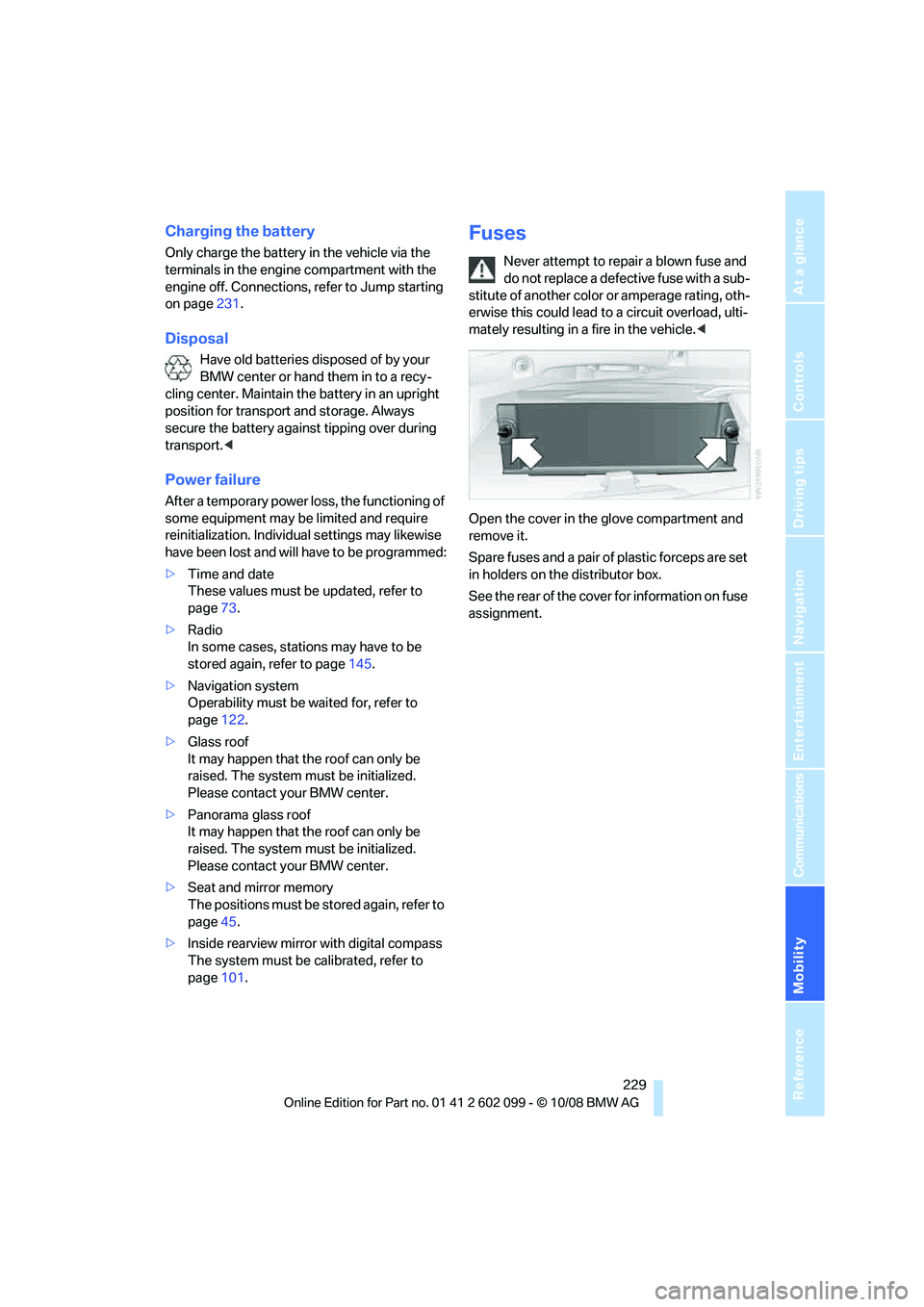
Fuses
Never attempt to repa ir a blown fuse and
do not replace a defective fuse with a sub-
stitute of another color or amperage rating, oth-
erwise this could lead to a circuit overload, ulti-
mately resulting in a fire in the vehicle.<
Open the cover in the glove compartment and
remove it.
Spare fuses and a pair of plastic forceps are set
in holders on the distributor box.
See the rear of the cover for information on fuse
assignment.
ba8_E9091_cic.book Seite 229 Mittwoch, 29. Oktober 2008 2:59 14
Page 232 of 268
Giving and receiving assistance
230
Giving and receiving assistance
Emergency Request*
Conditions for an Emergency Request:
>Equipment version with full preparation
package mobile phone. This equipment
makes it possible to send an Emergency
Request even if no mobile phone is paired
with the vehicle.
> BMW Assist is activated. Activating
BMW Assist, refer to page 182.
> Radio readiness is on.
> The BMW Assist system is logged on to a
wireless network.
> The Emergency Request system is opera-
ble.
Once your service contract for BMW Assist
expires, the BMW Assist system can be deacti-
vated by a BMW center without you having to
visit a workshop. Once the BMW Assist system
has been deactivated, Emergency Requests
are not possible. The BM W Assist system can
be reactivated by a BMW center after a new
contract has been signed.
Sending an Emergency Request
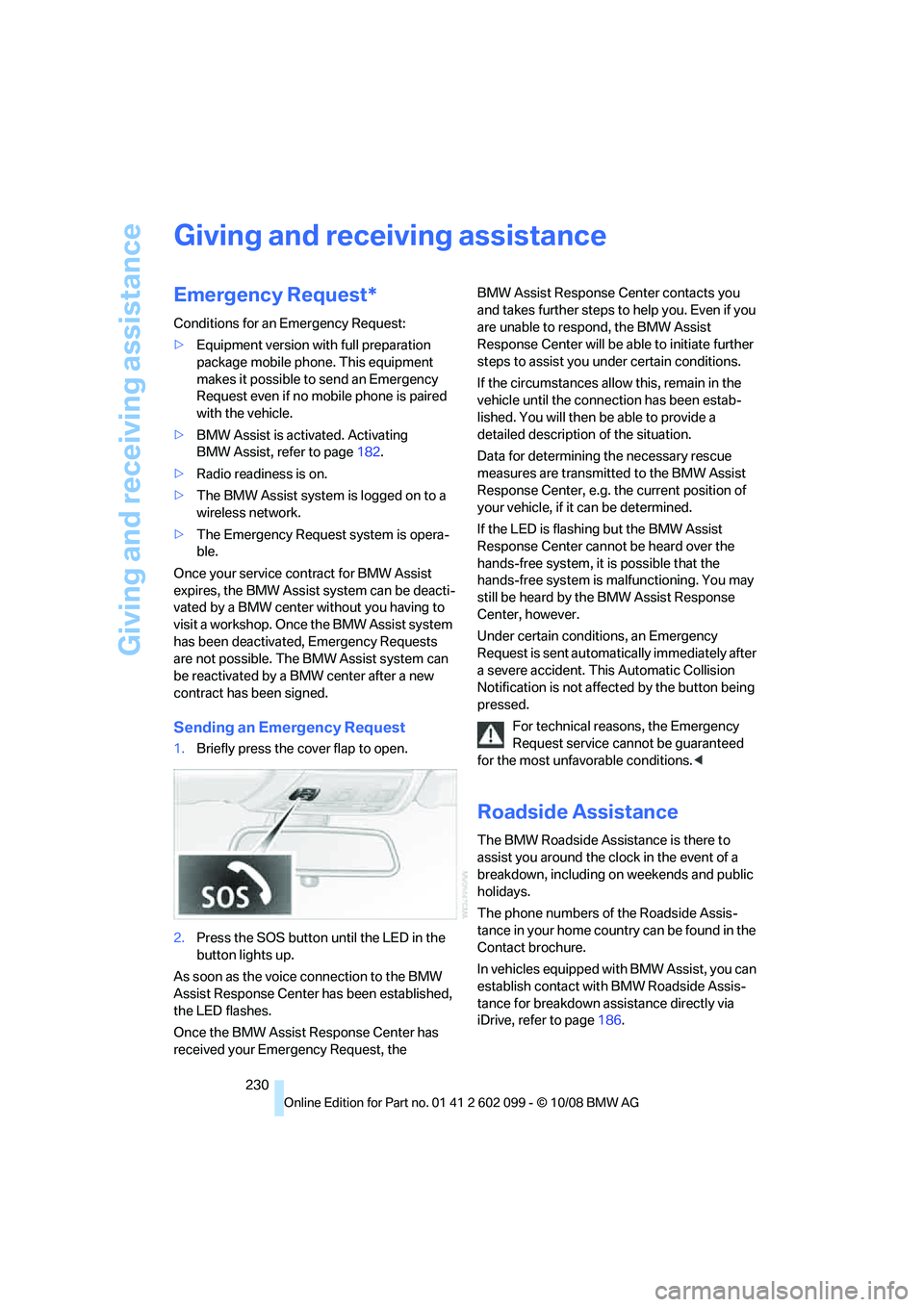
1. Briefly press the cover flap to open.
2. Press the SOS button until the LED in the
button lights up.
As soon as the voice connection to the BMW
Assist Response Center has been established,
the LED flashes.
Once the BMW Assist Response Center has
received your Emergency Request, the BMW Assist Response Center contacts you
and takes further steps to help you. Even if you
are unable to respond, the BMW Assist
Response Center will be ab
le to initiate further
steps to assist you under certain conditions.
If the circumstances allo w this, remain in the
vehicle until the conne ction has been estab-
lished. You will then be able to provide a
detailed description of the situation.
Data for determining the necessary rescue
measures are transmitted to the BMW Assist
Response Center, e.g. the current position of
your vehicle, if it can be determined.
If the LED is flashing but the BMW Assist
Response Center cannot be heard over the
hands-free system, it is possible that the
hands-free system is malfunctioning. You may
still be heard by the BMW Assist Response
Center, however.
Under certain conditions, an Emergency
Request is sent automati cally immediately after
a severe accident. This Automatic Collision
Notification is not affe cted by the button being
pressed.
For technical reasons, the Emergency
Request service canno t be guaranteed
for the most unfavorable conditions. <
Roadside Assistance
The BMW Roadside Assistance is there to
assist you around the clock in the event of a
breakdown, including on weekends and public
holidays.
The phone numbers of the Roadside Assis-
tance in your home country can be found in the
Contact brochure.
In vehicles equipped with BMW Assist, you can
establish contact with BMW Roadside Assis-
tance for breakdown assistance directly via
iDrive, refer to page 186.
ba8_E9091_cic.book Seite 230 Mittwoch, 29. Oktober 2008 2:59 14