language BMW 335I 2012 User Guide
[x] Cancel search | Manufacturer: BMW, Model Year: 2012, Model line: 335I, Model: BMW 335I 2012Pages: 325, PDF Size: 12.26 MB
Page 204 of 325
3.Select the desired DVD.
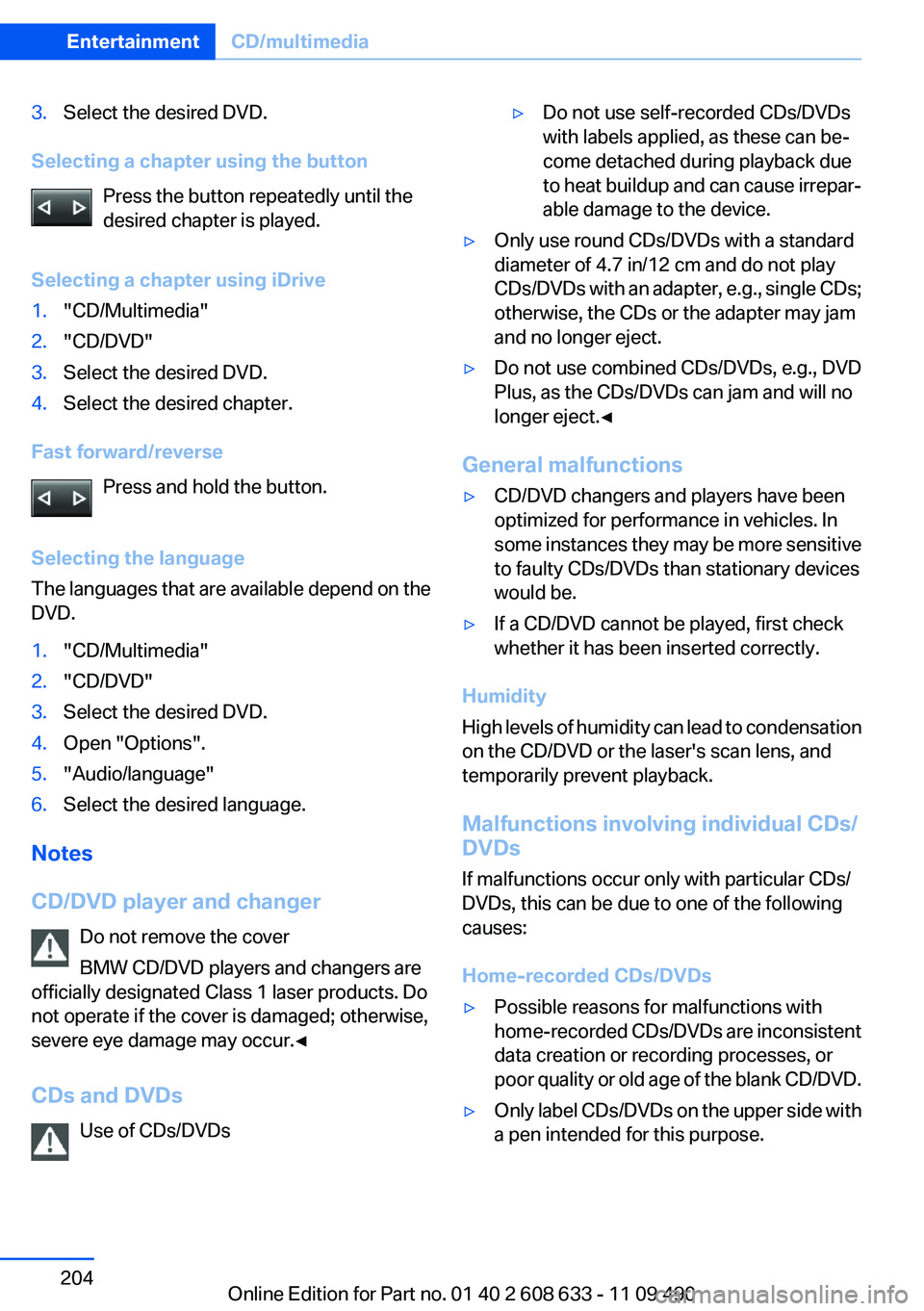
Selecting a chapter using the buttonPress the button repeatedly until the
desired chapter is played.
Selecting a chapter using iDrive
1."CD/Multimedia"2."CD/DVD"3.Select the desired DVD.4.Select the desired chapter.
Fast forward/reverse Press and hold the button.
Selecting the language
The languages that are available depend on the
DVD.
1."CD/Multimedia"2."CD/DVD"3.Select the desired DVD.4.Open "Options".5."Audio/language"6.Select the desired language.
Notes
CD/DVD player and changer Do not remove the cover
BMW CD/DVD players and changers are
officially designated Class 1 laser products. Do
not operate if the cover is damaged; otherwise,
severe eye damage may occur.◀
CDs and DVDs Use of CDs/DVDs
▷Do not use self-recorded CDs/DVDs
with labels applied, as these can be‐
come detached during playback due
to heat buildup and can cause irrepar‐
able damage to the device.▷Only use round CDs/DVDs with a standard
diameter of 4.7 in/12 cm and do not play
CDs/DVDs with an adapter, e.g., single CDs;
otherwise, the CDs or the adapter may jam
and no longer eject.▷Do not use combined CDs/DVDs, e.g., DVD
Plus, as the CDs/DVDs can jam and will no
longer eject.◀
General malfunctions
▷CD/DVD changers and players have been
optimized for performance in vehicles. In
some instances they may be more sensitive
to faulty CDs/DVDs than stationary devices
would be.▷If a CD/DVD cannot be played, first check
whether it has been inserted correctly.
Humidity
High levels of humidity can lead to condensation
on the CD/DVD or the laser's scan lens, and
temporarily prevent playback.
Malfunctions involving individual CDs/
DVDs
If malfunctions occur only with particular CDs/
DVDs, this can be due to one of the following
causes:
Home-recorded CDs/DVDs
▷Possible reasons for malfunctions with
home-recorded CDs/DVDs are inconsistent
data creation or recording processes, or
poor quality or old age of the blank CD/DVD.▷Only label CDs/DVDs on the upper side with
a pen intended for this purpose.Seite 204EntertainmentCD/multimedia204
Online Edition for Part no. 01 40 2 608 633 - 11 09 490
Page 306 of 325
Short commands of the voice activation
systemVehicle equipment
All standard, country-specific and optional
equipment that is offered in the model series is
described in this chapter. Therefore, equipment
is also described that is not available in a vehicle,
e. g., because of the selected optional equip‐
ment or country variant. This also applies for
safety-related functions and systems.General information
Instructions for voice activation system, refer to
page 23.
To have the available spoken instructions read
out loud: ›Voice commands‹
Adjusting
Vehicle
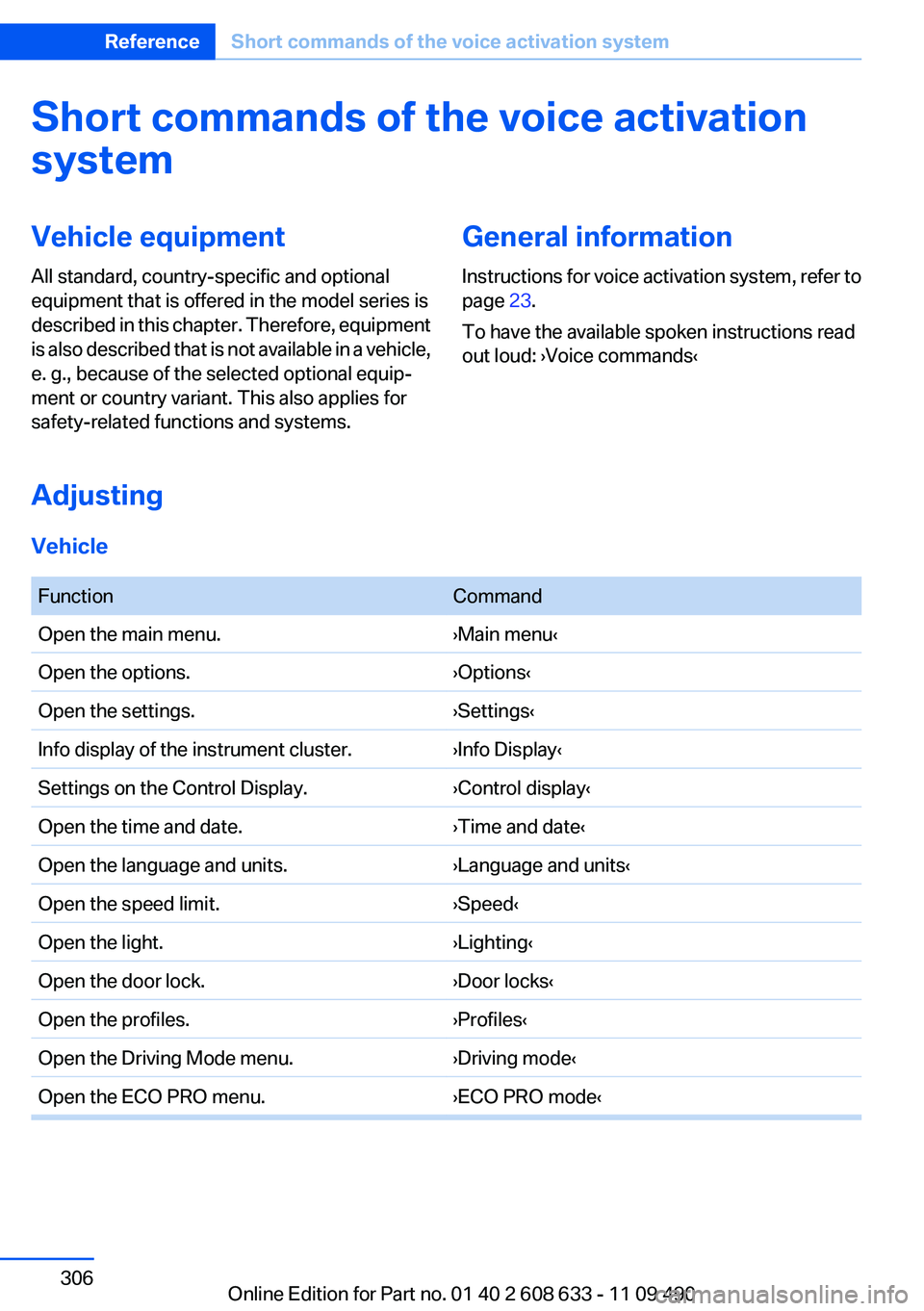
FunctionCommandOpen the main menu.›Main menu‹Open the options.›Options‹Open the settings.›Settings‹Info display of the instrument cluster.›Info Display‹Settings on the Control Display.›Control display‹Open the time and date.›Time and date‹Open the language and units.›Language and units‹Open the speed limit.›Speed‹Open the light.›Lighting‹Open the door lock.›Door locks‹Open the profiles.›Profiles‹Open the Driving Mode menu.›Driving mode‹Open the ECO PRO menu.›ECO PRO mode‹Seite 306ReferenceShort commands of the voice activation system306
Online Edition for Part no. 01 40 2 608 633 - 11 09 490
Page 318 of 325
I
Ice warning, refer to External temperature warning 76
Icy roads, refer to External temperature warning 76
Identification marks, tires 267
Identification number, refer to Important features in the en‐
gine compartment 272
iDrive 16
Ignition key, refer to Remote control 30
Ignition off 59
Ignition on 59
Indication of a flat tire 95, 98
Individual air distribu‐ tion 135, 138
Individual settings, refer to Personal Profile 31
Inflation pressure, tires 263
Inflation pressure warning FTM, tires 97
Info display, refer to Com‐ puter 81
Information on the navigation data 183
Initializing, Flat Tire Monitor FTM 98
Initializing, Tire Pressure Mon‐ itor TPM 95
Instrument cluster 70
Instrument cluster, electronic displays 72
Instrument lighting 89
Integrated key 30
Integrated universal remote control 141
Intensity, AUTO program 137
Interactive map 173
Interior equipment 141
Interior lamps 90
Interior lamps via remote con‐ trol 35
Interior motion sensor 41
Interior rearview mirror 53 Interior rearview mirror, auto‐
matic dimming feature 53
Interior rearview mirror, com‐ pass 143
Intermediate destinations 175
Internet page 6
Intersection, entering for navi‐ gation 169
Interval display, service re‐ quirements 77
iPod/iPhone 210
J
Jacking points for the vehicle jack 287
Jack, refer to Vehicle jack 287
Joystick, automatic transmis‐ sion 67
K
Key/remote control 30
Keyless Go, refer to Comfort Access 38
Key Memory, refer to Personal Profile 31
Kickdown, automatic trans‐ mission 67
Knee airbag 91
L
Lamp replacement 279
Lamp replacement, front 280
Lamp replacement, rear 285
Lamps 86
Lamps and bulbs 279
Lane departure warning 99
Lane margin, warning 99
Language on Control Dis‐ play 84
Lashing eyes, securing cargo 160
LATCH child restraint fixing system 56 Leather, care 297
LEDs, light-emitting di‐ odes 280
Length, vehicle 303
Letters and numbers, enter‐ ing 22
Light-alloy wheels, care 298
Light control 88
Light-emitting diodes, LEDs 280
Lighter 145
Lighting 86
Lighting via remote control 35
Light switch 86
Load 159
Loading 159
Lock, door 36
Locking/unlocking from in‐ side 37
Locking/unlocking via door lock 36
Locking/unlocking with re‐ mote control 34
Locking, automatic 37
Locking, central 33
Lock, power window 42
Locks, doors, and win‐ dows 58
Low beams 86
Low beams, automatic, refer to High-beam Assistant 88
Lower back support 47
Luggage rack, refer to Roof- mounted luggage rack 160
Lumbar support 47
M
Maintenance 277
Maintenance require‐ ments 277
Maintenance, service require‐ ments 77
Maintenance system, BMW 277 Seite 318ReferenceEverything from A to Z318
Online Edition for Part no. 01 40 2 608 633 - 11 09 490