service BMW 335I 2013 Service Manual
[x] Cancel search | Manufacturer: BMW, Model Year: 2013, Model line: 335I, Model: BMW 335I 2013Pages: 242, PDF Size: 5.38 MB
Page 211 of 242
to ensure that all comfort functions are fully
available and that any Check Control messages
are no longer displayed.
Charging the battery
Note Do not plug chargers into the socket
Do not connect battery chargers to the
factory-installed sockets in the vehicle as this
may damage the battery.◀
General information
Make sure that the battery is always sufficiently
charged to guarantee that the battery remains
usable for its full service life.
The battery may need to be charged in the fol‐
lowing cases:▷When making frequent short-distance
drives.▷If the vehicle is not used for prolonged peri‐
ods, longer than a month.
Starting aid terminals
In the vehicle, only charge the battery via the
starting aid terminals, refer to page 215, in the
engine compartment with the engine off.
Power failure
After a temporary power loss, some equipment
needs to be reinitialized.
Individual settings need to be reprogrammed:
▷Seat and mirror memory: store the positions
again.▷Time: update.▷Date: update.▷Radio station: save again.▷Navigation system: wait for the operability of
the navigation.Disposing of old batteries
Have old batteries disposed of by your
service center or bring them to a recy‐
cling center.
Maintain the battery in an upright position for
transport and storage. Secure the battery so
that it does not tip over during transport.
Fuses
Notes Replacing fuses
Never attempt to repair a blown fuse and
do not replace a defective fuse with a substitute
of another color or amperage rating; this could
lead to a circuit overload, ultimately resulting in
a fire in the vehicle.◀
Plastic tweezers and information on the fuse
types and locations are stored in the fuse box in
the cargo area.
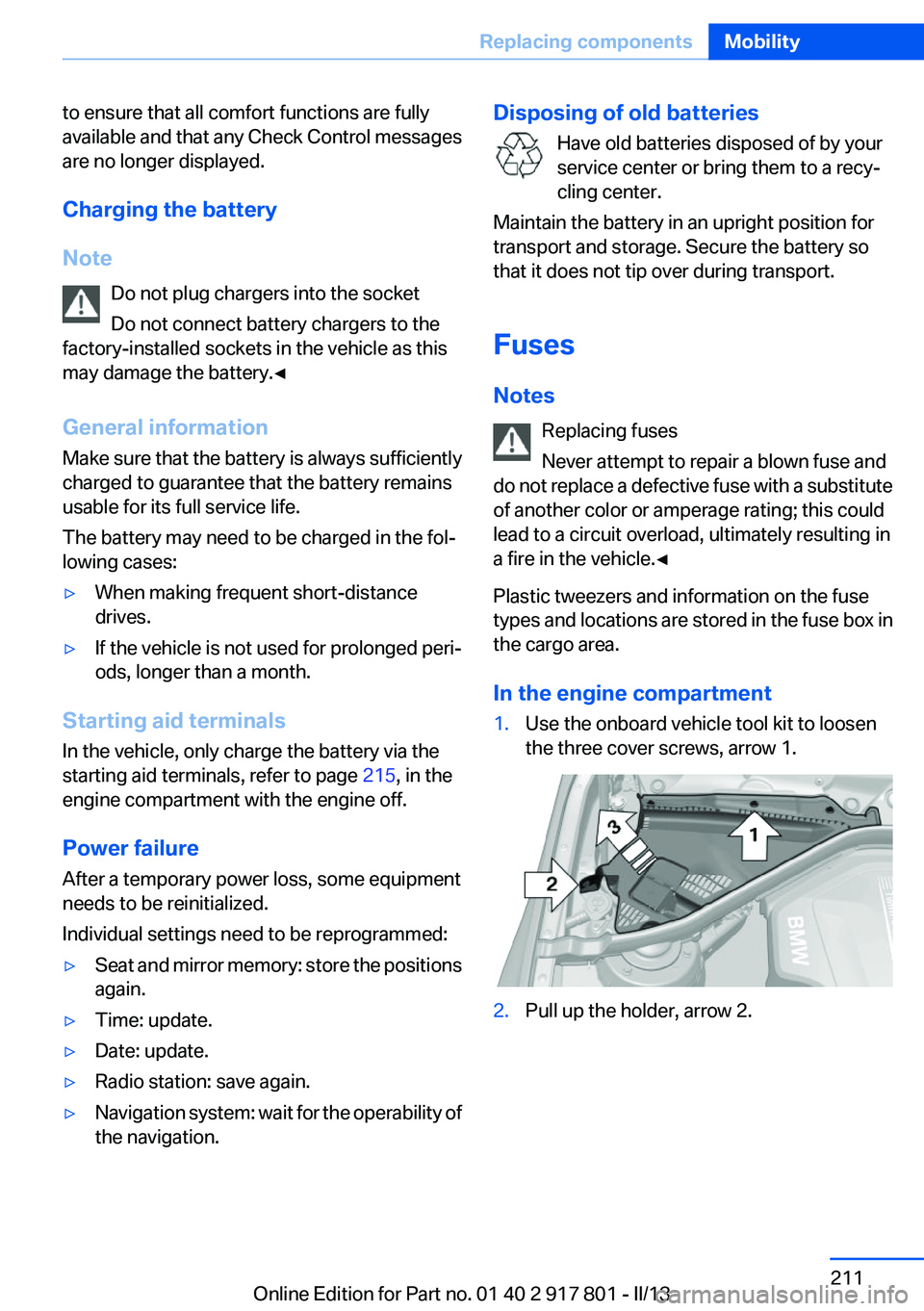
In the engine compartment1.Use the onboard vehicle tool kit to loosen
the three cover screws, arrow 1.2.Pull up the holder, arrow 2.Seite 211Replacing componentsMobility211
Online Edition for Part no. 01 40 2 917 801 - II/13
Page 213 of 242
Breakdown assistanceVehicle equipment
All standard, country-specific and optional
equipment that is offered in the model series is
described in this chapter. Therefore, equipment
is also described that is not available in a vehicle,
e. g., because of the selected optional equip‐
ment or country variant. This also applies for
safety-related functions and systems.
Hazard warning flashers
The button is located in the center console.
Emergency Request
Requirements
▷Equipment version with full preparation
package mobile phone.
An Emergency Request can be made, even
if no mobile phones are paired with the ve‐
hicle.▷BMW Assist is activated.▷The radio ready state is switched on.▷The BMW Assist system is logged into a
wireless communications network sup‐
ported by BMW Assist.▷The Assist system is functional.▷A ConnectedDrive contract is available.General information
Only press the SOS button in an emergency.
Hints Emergency Request not guaranteed
For technical reasons, the Emergency Re‐
quest cannot be guaranteed under unfavorable
conditions.◀
Service contract▷After your contract with BMW Assist has ex‐
pired, the BMW Assist system can be deac‐
tivated by the service center without you
having to visit a workshop.
After deactivation, an Emergency Request
is no longer possible.▷Under certain circumstances, the system
can be reactivated by a service center after
you sign a new contract.
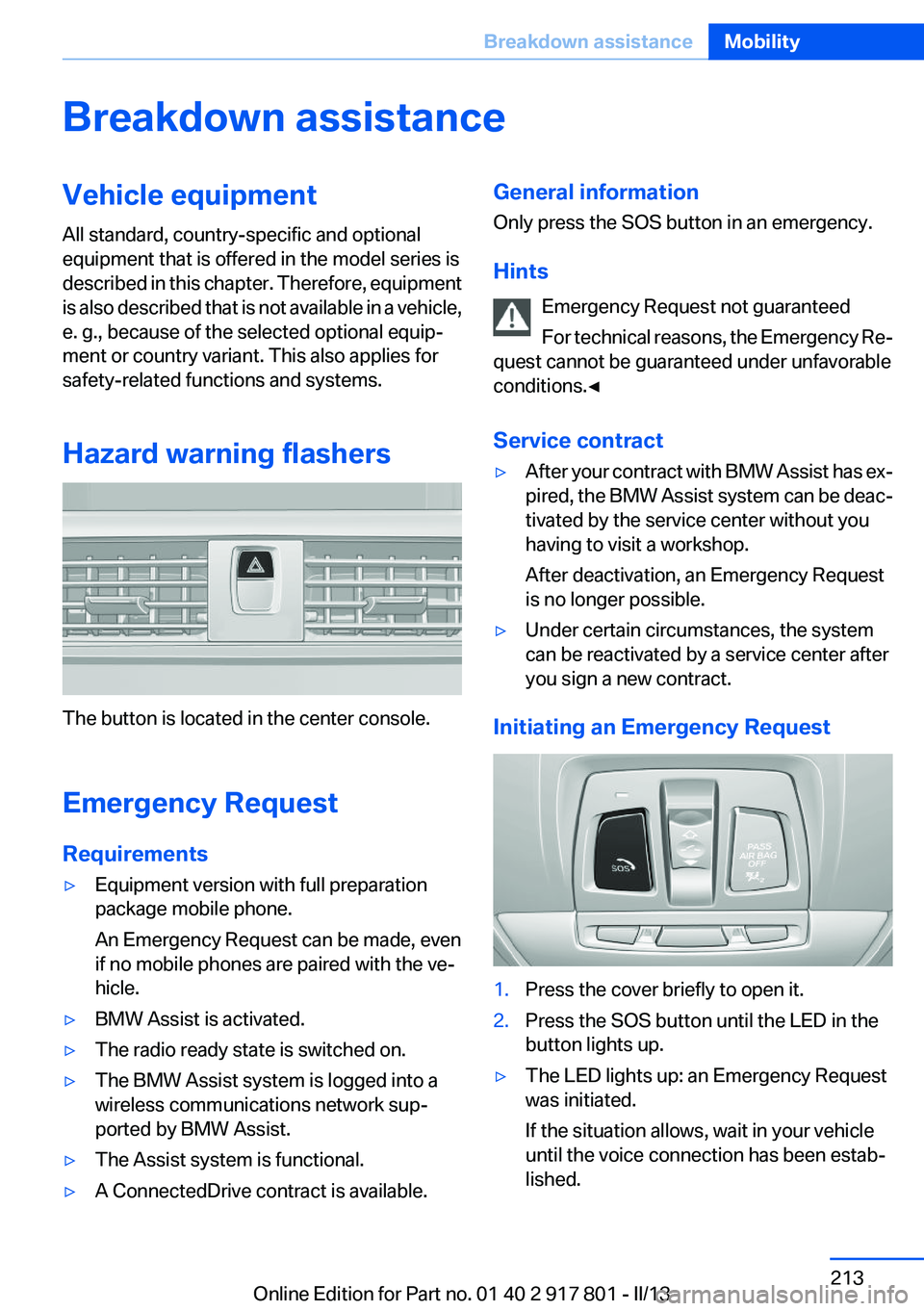
Initiating an Emergency Request
1.Press the cover briefly to open it.2.Press the SOS button until the LED in the
button lights up.▷The LED lights up: an Emergency Request
was initiated.
If the situation allows, wait in your vehicle
until the voice connection has been estab‐
lished.Seite 213Breakdown assistanceMobility213
Online Edition for Part no. 01 40 2 917 801 - II/13
Page 214 of 242
▷The LED flashes when a connection to the
BMW Response Center has been estab‐
lished.
When the emergency request is received at
the BMW Response Center, the BMW Re‐
sponse Center contacts you and takes fur‐
ther steps to help you.
Even if you are unable to respond, the BMW
Response Center can take further steps to
help you under certain circumstances.
For this purpose, data that are used to de‐
termine the necessary rescue measures,
such as the current position of the vehicle if
it can be established, are transmitted to the
BMW Response Center.▷If the LED is flashing but the BMW Response
Center cannot be heard on the hands-free
system, the hands-free system may be mal‐
functioning. However, the BMW Response
Center may still be able to hear you.
Initiating an Emergency Request
automatically
Under certain conditions, an Emergency Re‐
quest is automatically initiated immediately after
a severe accident. Automatic Collision Notifica‐
tion is not affected by pressing the SOS button.
Warning triangle
The warning triangle is located on the inside of
the trunk lid.
To remove, loosen the bracket.
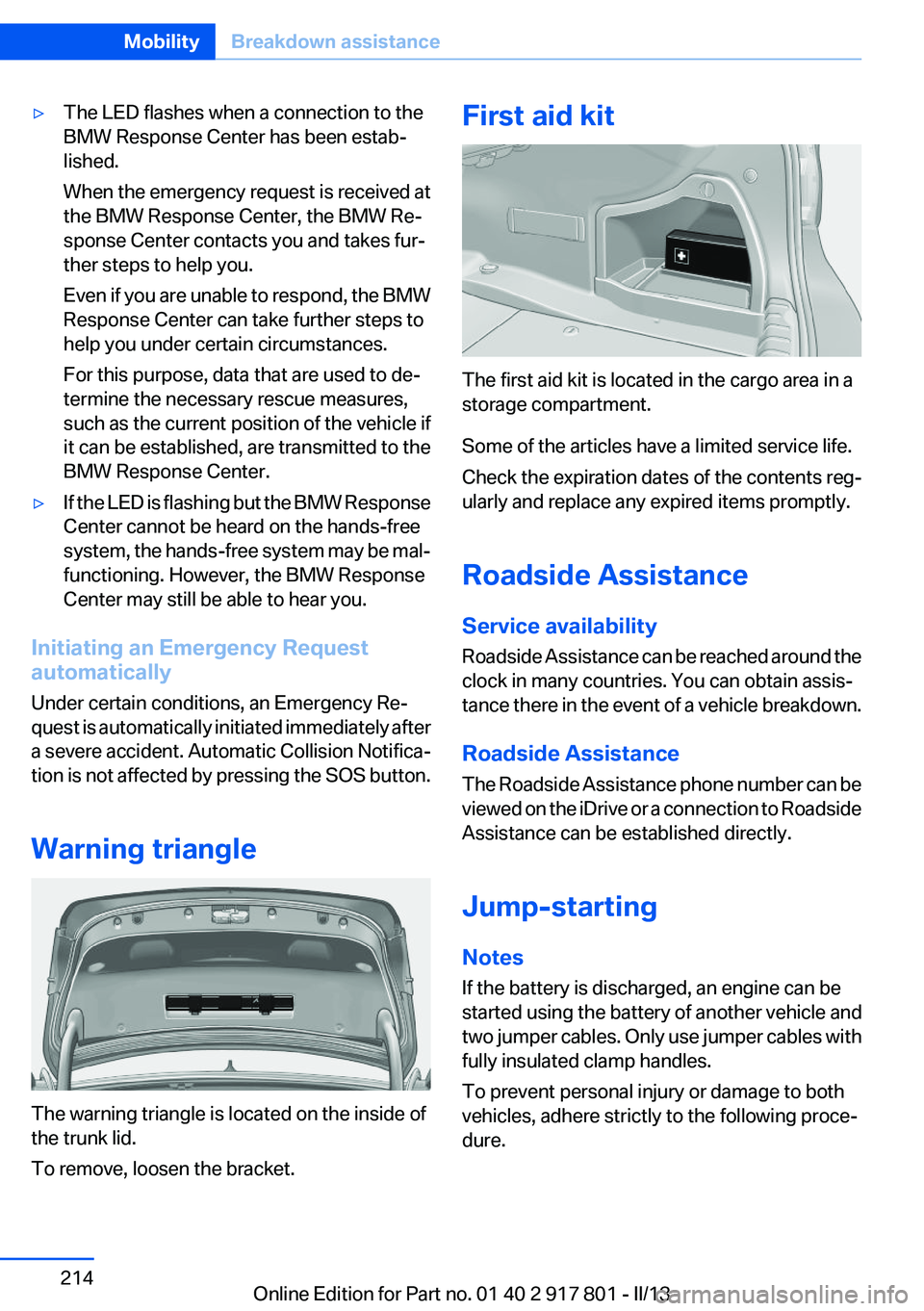
First aid kit
The first aid kit is located in the cargo area in a
storage compartment.
Some of the articles have a limited service life.
Check the expiration dates of the contents reg‐
ularly and replace any expired items promptly.
Roadside Assistance
Service availability
Roadside Assistance can be reached around the
clock in many countries. You can obtain assis‐
tance there in the event of a vehicle breakdown.
Roadside Assistance
The Roadside Assistance phone number can be
viewed on the iDrive or a connection to Roadside
Assistance can be established directly.
Jump-starting
Notes
If the battery is discharged, an engine can be
started using the battery of another vehicle and
two jumper cables. Only use jumper cables with
fully insulated clamp handles.
To prevent personal injury or damage to both
vehicles, adhere strictly to the following proce‐
dure.
Seite 214MobilityBreakdown assistance214
Online Edition for Part no. 01 40 2 917 801 - II/13
Page 216 of 242
If the first starting attempt is not successful,
wait a few minutes before making another
attempt in order to allow the discharged bat‐
tery to recharge.3.Let both engines run for several minutes.4.Disconnect the jumper cables in the reverse
order.
Check the battery and recharge if necessary.
Tow-starting and towing
Automatic transmission: transporting
your vehicle
Note
Your vehicle is not permitted to be towed.
Therefore, contact a service center in the event
of a breakdown.
Do not have the vehicle towed
Have your vehicle transported on a loading
platform only; otherwise, damage may occur.◀
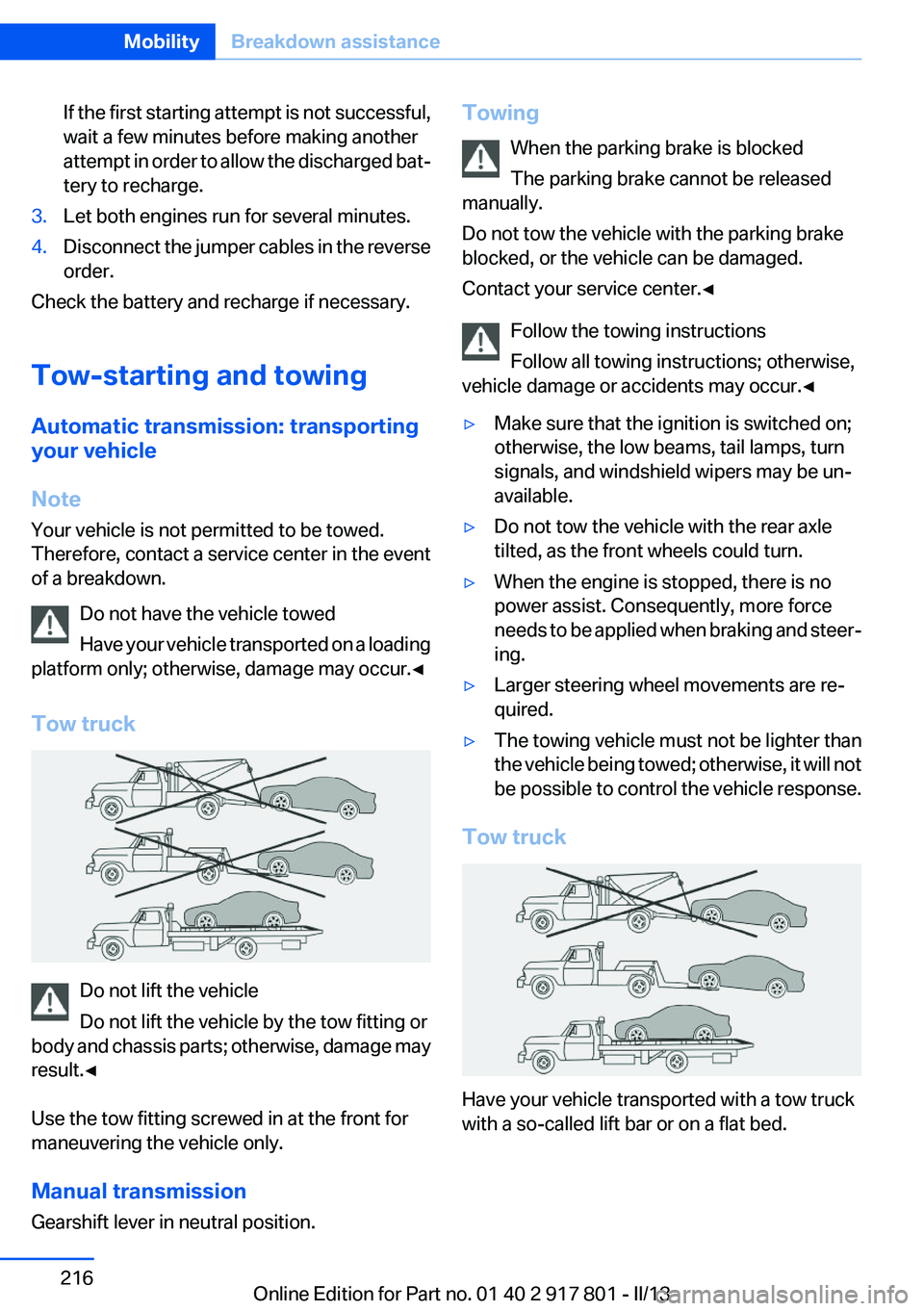
Tow truck
Do not lift the vehicle
Do not lift the vehicle by the tow fitting or
body and chassis parts; otherwise, damage may
result.◀
Use the tow fitting screwed in at the front for
maneuvering the vehicle only.
Manual transmission
Gearshift lever in neutral position.
Towing
When the parking brake is blocked
The parking brake cannot be released
manually.
Do not tow the vehicle with the parking brake
blocked, or the vehicle can be damaged.
Contact your service center.◀
Follow the towing instructions
Follow all towing instructions; otherwise,
vehicle damage or accidents may occur.◀▷Make sure that the ignition is switched on;
otherwise, the low beams, tail lamps, turn
signals, and windshield wipers may be un‐
available.▷Do not tow the vehicle with the rear axle
tilted, as the front wheels could turn.▷When the engine is stopped, there is no
power assist. Consequently, more force
needs to be applied when braking and steer‐
ing.▷Larger steering wheel movements are re‐
quired.▷The towing vehicle must not be lighter than
the vehicle being towed; otherwise, it will not
be possible to control the vehicle response.
Tow truck
Have your vehicle transported with a tow truck
with a so-called lift bar or on a flat bed.
Seite 216MobilityBreakdown assistance216
Online Edition for Part no. 01 40 2 917 801 - II/13
Page 221 of 242
Clean light-colored leather more frequently be‐
cause soiling on such surfaces is substantially
more visible.
Use leather care products; otherwise, dirt and
grease will gradually break down the protective
layer of the leather surface.
Suitable care products are available from the
service center.
Upholstery material care
Vacuum regularly with a vacuum cleaner.
If they are very dirty, e.g., beverage stains, use a
soft sponge or microfiber cloth with a suitable
interior cleaner.
Clean the upholstery down to the seams using
large sweeping motions. Avoid rubbing the ma‐
terial vigorously.
Damage from Velcro® fasteners
Open Velcro® fasteners on pants or other
articles of clothing can damage the seat covers.
Ensure that any Velcro® fasteners are closed. ◀
Caring for special components
Light-alloy wheels
Use wheel cleaner, particularly during the winter
months. Do not use aggressive, acidic, strongly
alkaline or abrasive cleaners, or steam jets
above 140 ℉/60 ℃; follow the manufacturer's
instructions.
Chrome surfaces
Carefully clean components such as the radiator
grille or door handles with an ample supply of
water, possibly with shampoo added, particu‐
larly when they have been exposed to road salt.
Rubber components
Aside from water, treat only with rubber cleans‐
ers.
When cleaning rubber seals, do not use any sil‐
icon-containing car care products in order to
avoid damage or reduced noise damping.Fine wood parts
Clean fine wood facing and fine wood compo‐
nents only with a moist rag. Then dry with a soft
cloth.
Plastic components
These include:▷Imitation leather surfaces.▷Headliner.▷Lamp lenses.▷Instrument cluster cover.▷Matte black spray-coated components.▷Painted parts in the interior.
Clean with a microfiber cloth.
Lightly dampen the cloth with water.
Do not soak the headliner.
Do not use cleansers that contain alcohol
or solvents
Do not use cleansers that contain alcohol or sol‐
vents, such as lacquer thinners, heavy-duty
grease removers, fuel, or such; this could lead to
surface damage.◀
Safety belts
Dirty belt straps impede the reeling action and
thus have a negative impact on safety.
Chemical cleaning
Do not clean chemically; this can destroy
the webbing.◀
Use only a mild soapy solution, with the safety
belts clipped into their buckles.
Do not allow the reels to retract the safety belts
until they are dry.
Carpets and floor mats No objects in the area around the pedals
Keep floor mats, carpets, and any other
objects out of the area of motion of the pedals;
otherwise, the function of the pedals could be
impeded while driving
Seite 221CareMobility221
Online Edition for Part no. 01 40 2 917 801 - II/13
Page 222 of 242
Do not place additional floor mats over existing
mats or other objects.
Only use floor mats that have been approved for
the vehicle and can be properly fixed in place.
Ensure that the floor mats are securely fastened
again after they were removed for cleaning, for
example.◀
Floor mats can be removed from the passenger
compartment for cleaning.
If the floor carpets are very dirty, clean with a
microfiber cloth and water or a textile cleaner. To
prevent matting of the carpet, rub back and forth
in the direction of travel only.
Sensors/cameras
To clean sensors and cameras, use a cloth mois‐
tened with a small amount of glass cleaner.
Displays/screens
Clean the displays with an antistatic microfiber
cloth.
Cleaning displays
Do not use chemical or household cleans‐
ers.
Keep all fluids and moisture away from the unit.
Otherwise, they could affect or damage surfa‐
ces or electrical components.
Avoid pressing too hard when cleaning and do
not use abrasive materials; otherwise, damage
can result.◀
Long-term vehicle storage
Your service center can advise you on what to
consider when storing the vehicle for longer
than three months.Seite 222MobilityCare222
Online Edition for Part no. 01 40 2 917 801 - II/13
Page 233 of 242
Brake assistant 110
Brake discs, breaking in 158
Brake force display 107
Brake lamps, brake force dis‐ play 107
Brake lights, adaptive 107
Brake pads, breaking in 158
Braking, notes 159
Breakdown assis‐ tance 213, 214
Breaking in 158
Brightness of Control Dis‐ play 85
Bulb replacement 202
Bulb replacement, front 203
Bulb replacement, halogen headlamps 203
Bulb replacement, rear 208
Bulb replacement, xenon headlamps 206
Bulbs and lamps 202
Button, RES 117
Button, Start/Stop 59
Bypassing, refer to Jump- starting 214
C
California Proposition 65 Warning 7
Camera, backup camera 126
Camera, care 222
Camera, Side View 130
Camera, Top View 128
Can holder, refer to Cu‐ pholder 154
Car battery 210
Car care products 220
Care, displays 222
Care, vehicle 220
Cargo 161
Cargo area, enlarging 150
Cargo area lid 37
Cargo area, storage compart‐ ments 155 Cargo straps, securing
cargo 162
Car key, refer to Remote con‐ trol 30
Carpet, care 221
Car wash 219
Catalytic converter, refer to Hot exhaust system 159
CBS Condition Based Serv‐ ice 200
CD/Multimedia, see user's manual for Navigation, Enter‐
tainment and Communica‐
tion
Center armrest 153
Center console 14
Central locking system 33
Central screen, refer to Control Display 16
Changes, technical, refer to Safety 7
Changing parts 202
Changing wheels 210
Changing wheels/tires 191
Check Control 73
Children, seating position 55
Children, transporting safely 55
Child restraint fixing sys‐ tem 55
Child restraint fixing system LATCH 56
Child restraint fixing systems, mounting 55
Child safety locks 58
Child seat, mounting 55
Child seats 55
Chrome parts, care 221
Cigarette lighter 148
Cleaning, displays 222
Climate control 137, 139
Clock 76
Closing/opening from in‐ side 36
Closing/opening via door lock 36 Closing/opening with remote
control 34
Clothes hooks 154
Cold starting, refer to Starting the engine 60
Collision warning 100, 102
Combination switch, refer to Turn signals 64
Combination switch, refer to Wiper system 64
Comfort Access 38
COMFORT program, Dynamic Driving Control 113
Compartments in the doors 153
Compass 146
Computer 81
Condensation on win‐ dows 141
Condensation under the vehi‐ cle 160
Condition Based Service CBS 200
Configure driving mode 113
Confirmation signal 35
ConnectedDrive, see user's manual for Navigation, Enter‐
tainment and Communica‐
tion
Control Display 16
Control Display, settings 84
Controller 16, 17
Control systems, driving sta‐ bility 110
Convenient opening 34
Coolant 199
Coolant temperature 76
Cooling function 138, 140
Cooling, maximum 140
Cooling system 199
Corrosion on brake discs 160
Cruise control 121
Cruise control, active with Stop & Go 115
Cruising range 77
Cupholder 154 Seite 233Everything from A to ZReference233
Online Edition for Part no. 01 40 2 917 801 - II/13
Page 234 of 242
Current fuel consumption 77
D
Damage, tires 190
Damping control, dy‐ namic 111
Data, technical 226
Date 77
Daytime running lights 88
Defrosting, refer to defrosting the windows 138
Defrosting, refer to Windows, defrosting 141
Defrosting the windows 138
Dehumidifying, air 138, 140
Destination distance 82
Diesel exhaust fluid, at low temperatures 176
Diesel exhaust fluid, having re‐ filled 176
Diesel exhaust fluid, on mini‐ mum 175
Diesel exhaust fluid, replenish‐ ing yourself 176
Diesel particulate filter 159
Digital clock 76
Digital compass 146
Dimensions 226
Dimmable exterior mirrors 53
Dimmable interior rearview mirror 53
Direction indicator, refer to Turn signals 64
Display, electronic, instrument cluster 72
Display in windshield 131
Display lighting, refer to Instru‐ ment lighting 90
Displays 70
Displays, cleaning 222
Disposal, coolant 199
Disposal, vehicle battery 211
Distance control, refer to PDC 123 Distance, selecting for
ACC 117
Distance to destination 82
Divided screen view, split screen 20
Door lock, refer to Remote control 30
Drive-off assistant 114
Drive-off assistant, refer to DSC 110
Driving experience switch 112
Driving instructions, breaking in 158
Driving mode 112
Driving notes, general 158
Driving stability control sys‐ tems 110
Driving tips 158
DSC Dynamic Stability Con‐ trol 110
DTC Dynamic Traction Con‐ trol 111
Dynamic Damping Con‐ trol 111
Dynamic Stability Control DSC 110
Dynamic Traction Control DTC 111
E
ECO PRO 165
ECO PRO, bonus range 166
ECO PRO display 165
ECO PRO driving mode 165
ECO PRO mode 165
ECO PRO Tip - driving instruc‐ tion 167
EfficientDynamics 167
Electronic displays, instru‐ ment cluster 72
Electronic Stability Program ESP, refer to DSC 110
Emergency detection, remote control 31 Emergency release, door
lock 36
Emergency release, fuel filler flap 172
Emergency Request 213
Emergency service, refer to Roadside Assistance 214
Emergency start function, en‐ gine start 31
Emergency unlocking, trunk lid 38
Energy Control 77
Energy recovery 77
Engine, automatic Start/Stop function 61
Engine, automatic switch- off 61
Engine compartment 194
Engine compartment, working in 195
Engine coolant 199
Engine oil 196
Engine oil, adding 197
Engine oil additives 197
Engine oil change 198
Engine oil filler neck 197
Engine oil temperature 76
Engine oil types, alterna‐ tive 197
Engine oil types, ap‐ proved 197
Engine start during malfunc‐ tion 31
Engine start, jump-start‐ ing 214
Engine start, refer to Starting the engine 60
Engine stop 61
Engine temperature 76
Entering a car wash 219
Equipment, interior 144
ESP Electronic Stability Pro‐ gram, refer to DSC 110
Exchanging wheels/tires 191
Exhaust system 159 Seite 234ReferenceEverything from A to Z234
Online Edition for Part no. 01 40 2 917 801 - II/13
Page 236 of 242
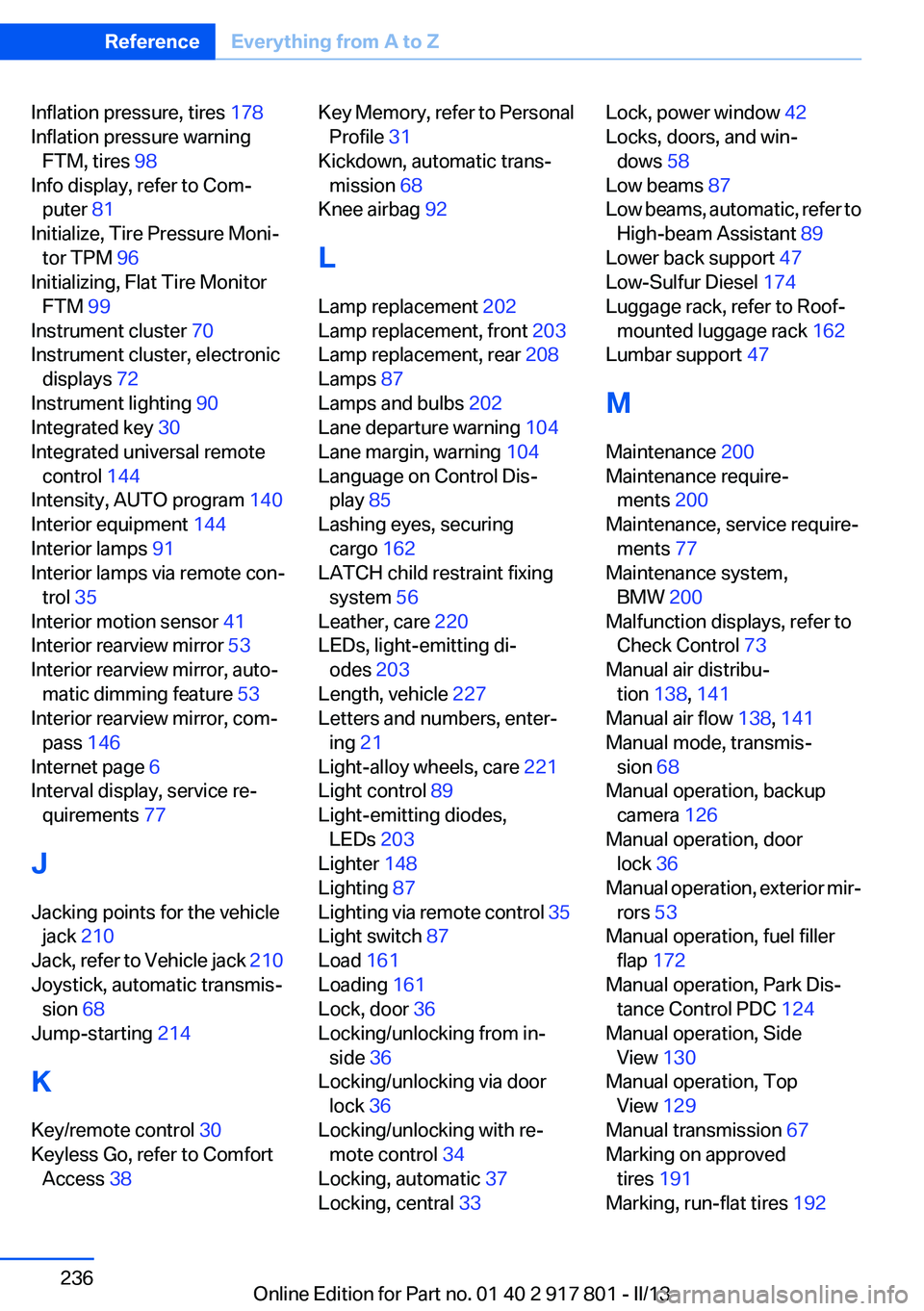
Inflation pressure, tires 178
Inflation pressure warning FTM, tires 98
Info display, refer to Com‐ puter 81
Initialize, Tire Pressure Moni‐ tor TPM 96
Initializing, Flat Tire Monitor FTM 99
Instrument cluster 70
Instrument cluster, electronic displays 72
Instrument lighting 90
Integrated key 30
Integrated universal remote control 144
Intensity, AUTO program 140
Interior equipment 144
Interior lamps 91
Interior lamps via remote con‐ trol 35
Interior motion sensor 41
Interior rearview mirror 53
Interior rearview mirror, auto‐ matic dimming feature 53
Interior rearview mirror, com‐ pass 146
Internet page 6
Interval display, service re‐ quirements 77
J
Jacking points for the vehicle jack 210
Jack, refer to Vehicle jack 210
Joystick, automatic transmis‐ sion 68
Jump-starting 214
K
Key/remote control 30
Keyless Go, refer to Comfort Access 38 Key Memory, refer to Personal
Profile 31
Kickdown, automatic trans‐ mission 68
Knee airbag 92
L
Lamp replacement 202
Lamp replacement, front 203
Lamp replacement, rear 208
Lamps 87
Lamps and bulbs 202
Lane departure warning 104
Lane margin, warning 104
Language on Control Dis‐ play 85
Lashing eyes, securing cargo 162
LATCH child restraint fixing system 56
Leather, care 220
LEDs, light-emitting di‐ odes 203
Length, vehicle 227
Letters and numbers, enter‐ ing 21
Light-alloy wheels, care 221
Light control 89
Light-emitting diodes, LEDs 203
Lighter 148
Lighting 87
Lighting via remote control 35
Light switch 87
Load 161
Loading 161
Lock, door 36
Locking/unlocking from in‐ side 36
Locking/unlocking via door lock 36
Locking/unlocking with re‐ mote control 34
Locking, automatic 37
Locking, central 33 Lock, power window 42
Locks, doors, and win‐ dows 58
Low beams 87
Low beams, automatic, refer to High-beam Assistant 89
Lower back support 47
Low-Sulfur Diesel 174
Luggage rack, refer to Roof- mounted luggage rack 162
Lumbar support 47
M
Maintenance 200
Maintenance require‐ ments 200
Maintenance, service require‐ ments 77
Maintenance system, BMW 200
Malfunction displays, refer to Check Control 73
Manual air distribu‐ tion 138, 141
Manual air flow 138, 141
Manual mode, transmis‐ sion 68
Manual operation, backup camera 126
Manual operation, door lock 36
Manual operation, exterior mir‐ rors 53
Manual operation, fuel filler flap 172
Manual operation, Park Dis‐ tance Control PDC 124
Manual operation, Side View 130
Manual operation, Top View 129
Manual transmission 67
Marking on approved tires 191
Marking, run-flat tires 192 Seite 236ReferenceEverything from A to Z236
Online Edition for Part no. 01 40 2 917 801 - II/13
Page 237 of 242
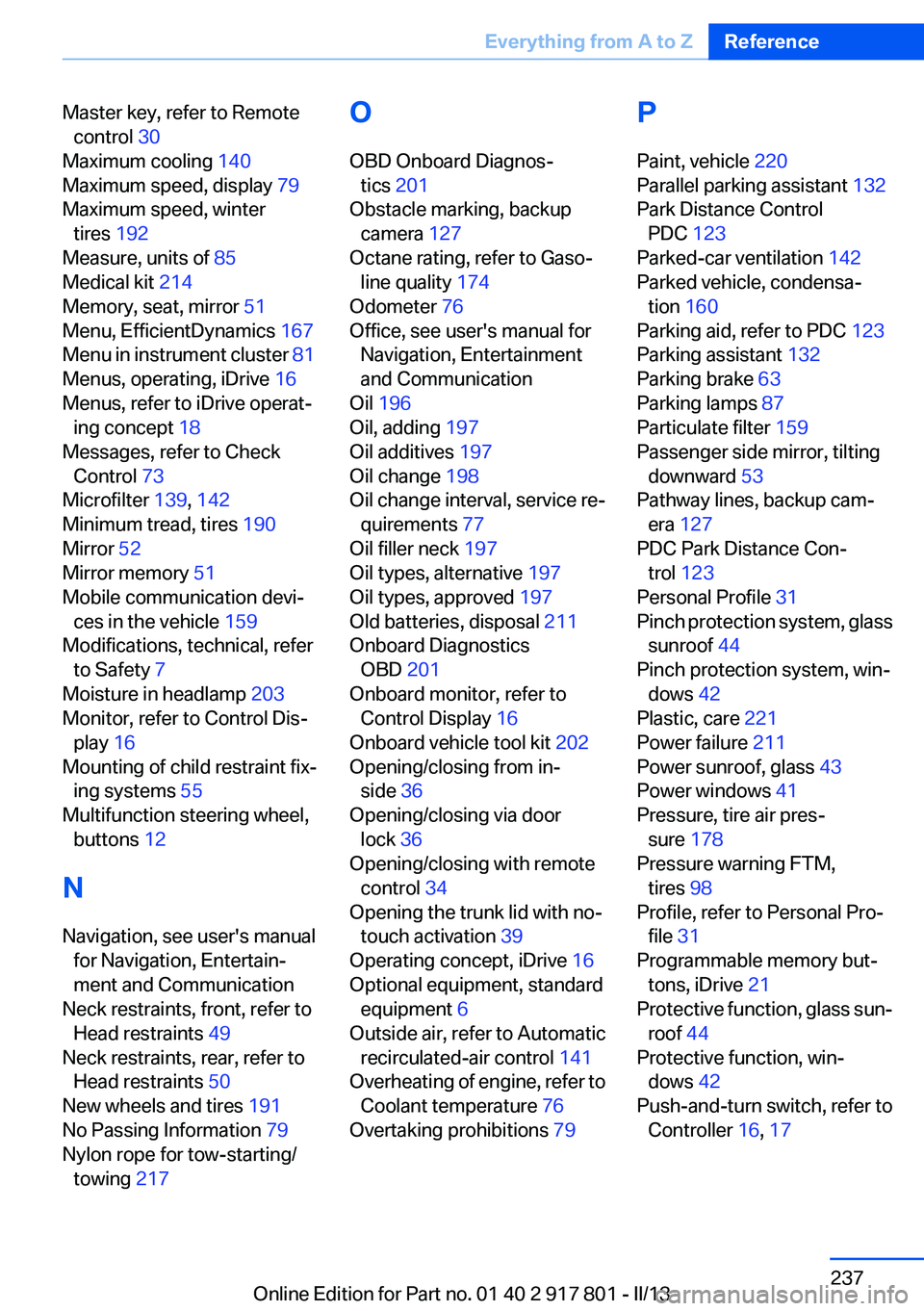
Master key, refer to Remotecontrol 30
Maximum cooling 140
Maximum speed, display 79
Maximum speed, winter tires 192
Measure, units of 85
Medical kit 214
Memory, seat, mirror 51
Menu, EfficientDynamics 167
Menu in instrument cluster 81
Menus, operating, iDrive 16
Menus, refer to iDrive operat‐ ing concept 18
Messages, refer to Check Control 73
Microfilter 139, 142
Minimum tread, tires 190
Mirror 52
Mirror memory 51
Mobile communication devi‐ ces in the vehicle 159
Modifications, technical, refer to Safety 7
Moisture in headlamp 203
Monitor, refer to Control Dis‐ play 16
Mounting of child restraint fix‐ ing systems 55
Multifunction steering wheel, buttons 12
N
Navigation, see user's manual for Navigation, Entertain‐
ment and Communication
Neck restraints, front, refer to Head restraints 49
Neck restraints, rear, refer to Head restraints 50
New wheels and tires 191
No Passing Information 79
Nylon rope for tow-starting/ towing 217 O
OBD Onboard Diagnos‐ tics 201
Obstacle marking, backup camera 127
Octane rating, refer to Gaso‐ line quality 174
Odometer 76
Office, see user's manual for Navigation, Entertainment
and Communication
Oil 196
Oil, adding 197
Oil additives 197
Oil change 198
Oil change interval, service re‐ quirements 77
Oil filler neck 197
Oil types, alternative 197
Oil types, approved 197
Old batteries, disposal 211
Onboard Diagnostics OBD 201
Onboard monitor, refer to Control Display 16
Onboard vehicle tool kit 202
Opening/closing from in‐ side 36
Opening/closing via door lock 36
Opening/closing with remote control 34
Opening the trunk lid with no- touch activation 39
Operating concept, iDrive 16
Optional equipment, standard equipment 6
Outside air, refer to Automatic recirculated-air control 141
Overheating of engine, refer to Coolant temperature 76
Overtaking prohibitions 79 P
Paint, vehicle 220
Parallel parking assistant 132
Park Distance Control PDC 123
Parked-car ventilation 142
Parked vehicle, condensa‐ tion 160
Parking aid, refer to PDC 123
Parking assistant 132
Parking brake 63
Parking lamps 87
Particulate filter 159
Passenger side mirror, tilting downward 53
Pathway lines, backup cam‐ era 127
PDC Park Distance Con‐ trol 123
Personal Profile 31
Pinch protection system, glass sunroof 44
Pinch protection system, win‐ dows 42
Plastic, care 221
Power failure 211
Power sunroof, glass 43
Power windows 41
Pressure, tire air pres‐ sure 178
Pressure warning FTM, tires 98
Profile, refer to Personal Pro‐ file 31
Programmable memory but‐ tons, iDrive 21
Protective function, glass sun‐ roof 44
Protective function, win‐ dows 42
Push-and-turn switch, refer to Controller 16, 17 Seite 237Everything from A to ZReference237
Online Edition for Part no. 01 40 2 917 801 - II/13