oil temperature BMW 335I 2013 Owners Manual
[x] Cancel search | Manufacturer: BMW, Model Year: 2013, Model line: 335I, Model: BMW 335I 2013Pages: 242, PDF Size: 5.38 MB
Page 70 of 242
DisplaysVehicle equipment
All standard, country-specific and optional
equipment that is offered in the model series is
described in this chapter. Therefore, equipmentis also described that is not available in a vehicle,
e. g., because of the selected optional equip‐
ment or country variant. This also applies for
safety-related functions and systems.
Instrument cluster
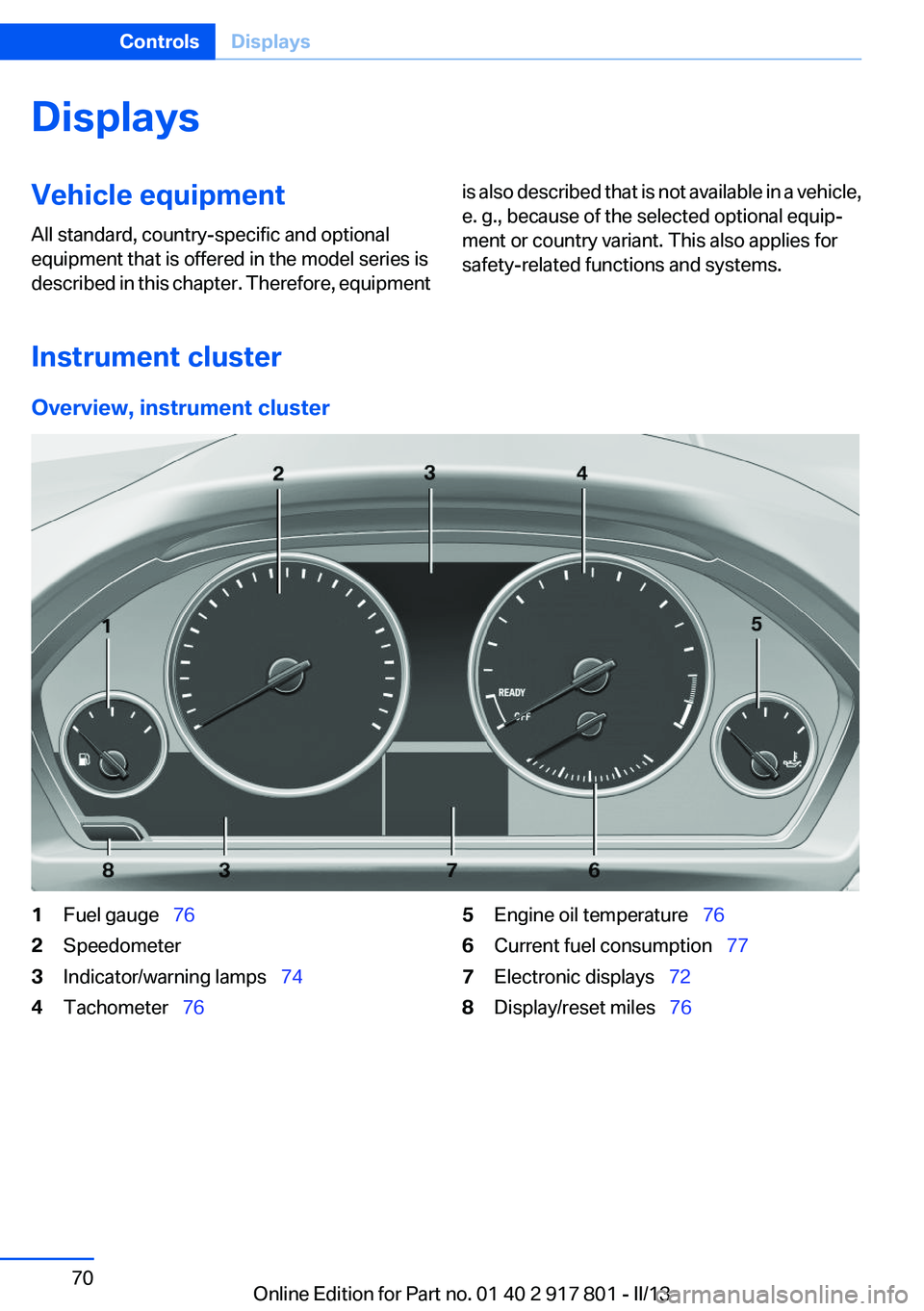
Overview, instrument cluster
1Fuel gauge 762Speedometer3Indicator/warning lamps 744Tachometer 765Engine oil temperature 766Current fuel consumption 777Electronic displays 728Display/reset miles 76Seite 70ControlsDisplays70
Online Edition for Part no. 01 40 2 917 801 - II/13
Page 71 of 242
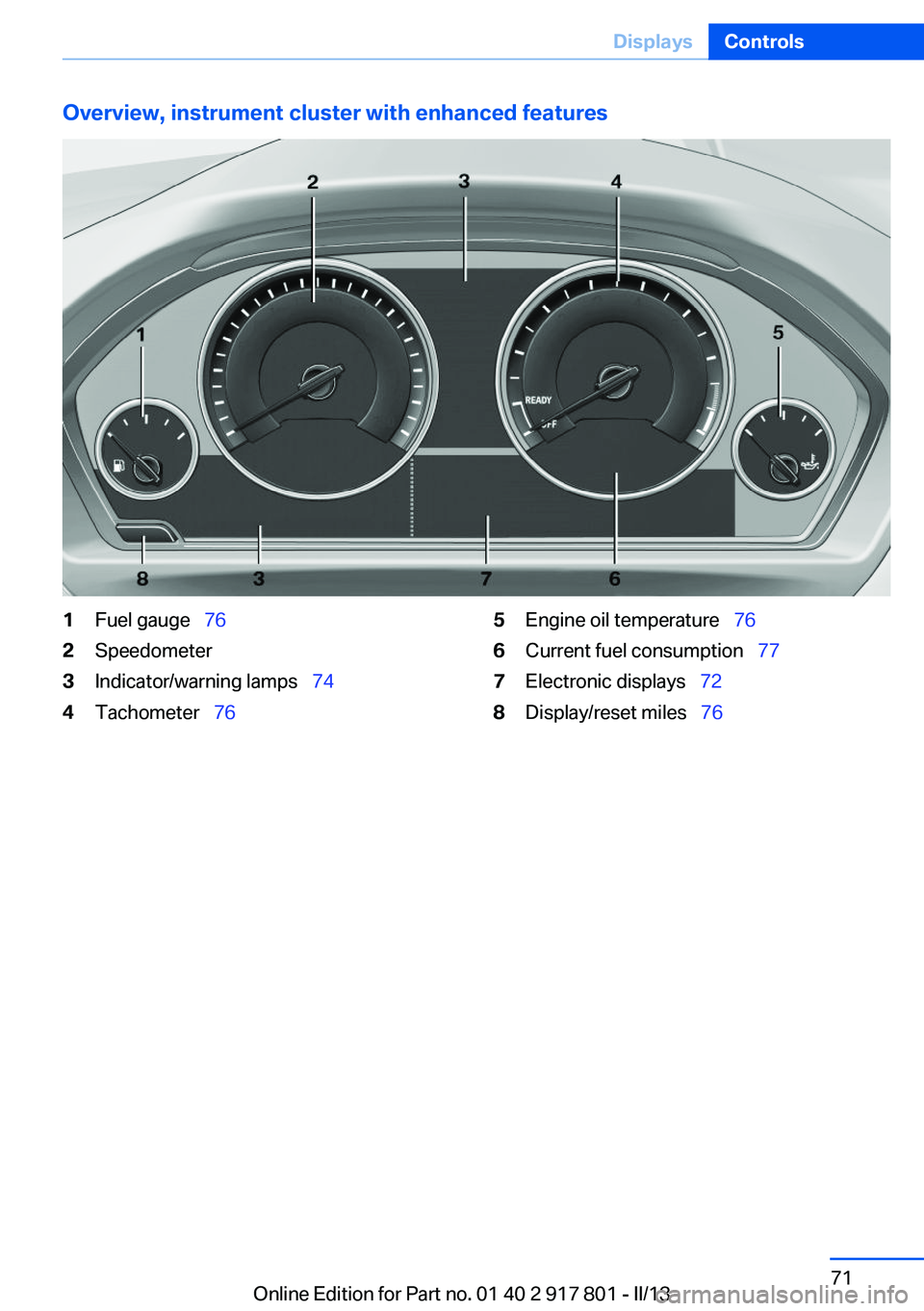
Overview, instrument cluster with enhanced features1Fuel gauge 762Speedometer3Indicator/warning lamps 744Tachometer 765Engine oil temperature 766Current fuel consumption 777Electronic displays 728Display/reset miles 76Seite 71DisplaysControls71
Online Edition for Part no. 01 40 2 917 801 - II/13
Page 76 of 242
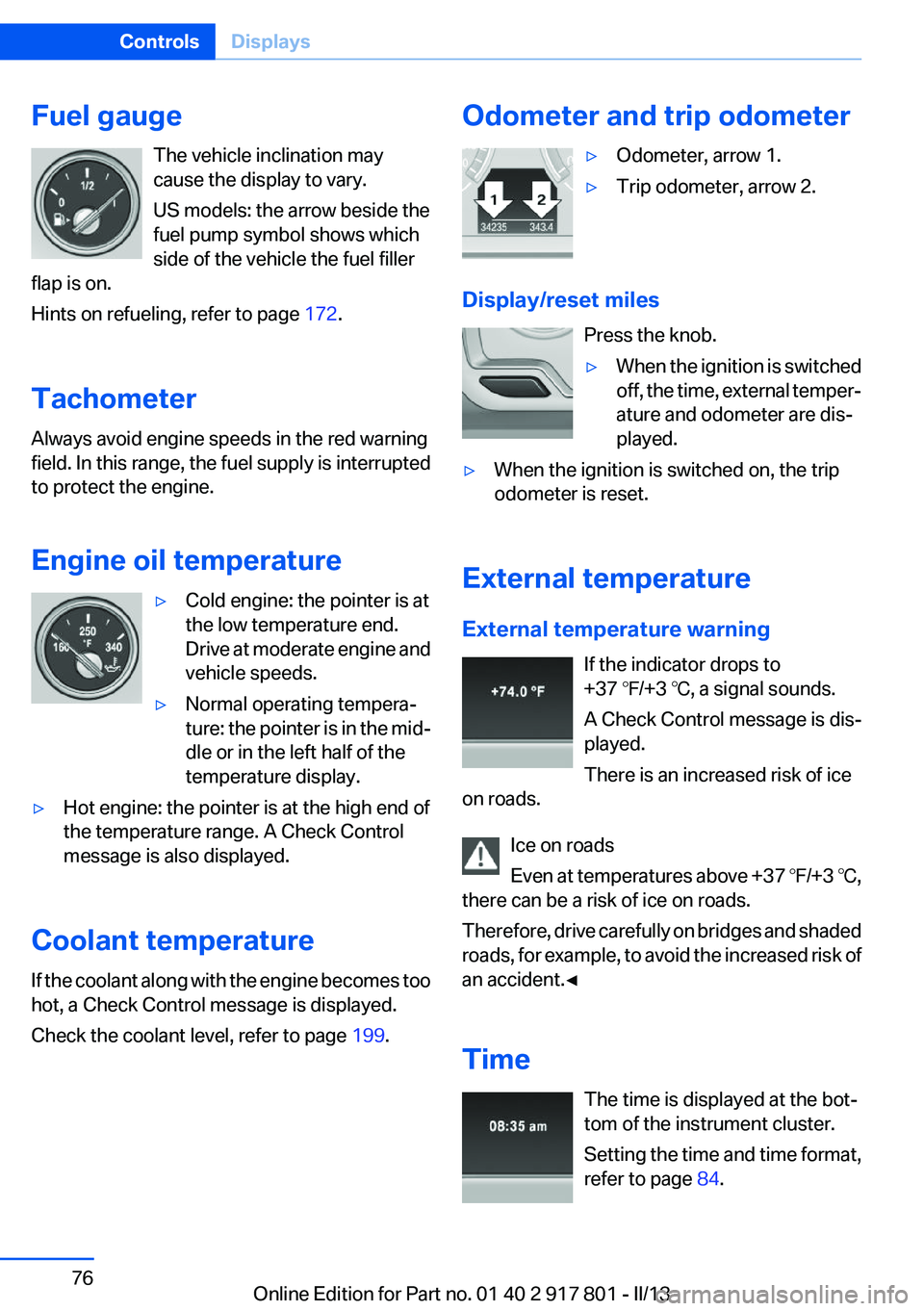
Fuel gaugeThe vehicle inclination may
cause the display to vary.
US models: the arrow beside the
fuel pump symbol shows which
side of the vehicle the fuel filler
flap is on.
Hints on refueling, refer to page 172.
Tachometer
Always avoid engine speeds in the red warning
field. In this range, the fuel supply is interrupted
to protect the engine.
Engine oil temperature▷Cold engine: the pointer is at
the low temperature end.
Drive at moderate engine and
vehicle speeds.▷Normal operating tempera‐
ture: the pointer is in the mid‐
dle or in the left half of the
temperature display.▷Hot engine: the pointer is at the high end of
the temperature range. A Check Control
message is also displayed.
Coolant temperature
If the coolant along with the engine becomes too
hot, a Check Control message is displayed.
Check the coolant level, refer to page 199.
Odometer and trip odometer▷Odometer, arrow 1.▷Trip odometer, arrow 2.
Display/reset miles
Press the knob.
▷When the ignition is switched
off, the time, external temper‐
ature and odometer are dis‐
played.▷When the ignition is switched on, the trip
odometer is reset.
External temperature
External temperature warning If the indicator drops to
+37 ℉/+3 ℃, a signal sounds.
A Check Control message is dis‐
played.
There is an increased risk of ice
on roads.
Ice on roads
Even at temperatures above +37 ℉/+3 ℃,
there can be a risk of ice on roads.
Therefore, drive carefully on bridges and shaded
roads, for example, to avoid the increased risk of
an accident.◀
Time The time is displayed at the bot‐
tom of the instrument cluster.
Setting the time and time format,
refer to page 84.
Seite 76ControlsDisplays76
Online Edition for Part no. 01 40 2 917 801 - II/13
Page 192 of 242
New tires
Due to technical factors associated with their
manufacture, tires do not achieve their full trac‐
tion potential until after an initial breaking-in pe‐
riod.
Drive conservatively for the first
200 miles/300 km.
Retreaded tires
The manufacturer of your vehicle does not rec‐
ommend the use of retreaded tires.
Retreaded tires
Possibly substantial variations in the de‐
sign and age of the tire casing structures can
limit service life and have a negative impact on
road safety.◀
Winter tires
The manufacturer of your vehicle recommends
winter tires for winter roads or at temperatures
below +45 ℉/+7 ℃.
Although so-called all-season M+S tires do pro‐
vide better winter traction than summer tires,
they do not provide the same level of perform‐
ance as winter tires.
Maximum speed of winter tires
If the maximum speed of the vehicle is higher
than the permissible speed for the winter tires,
then display a corresponding sign in the field of
vision. You can obtain this sign from the tire spe‐
cialist or from your service center.
Maximum speed for winter tires
Do not exceed the maximum speed for the
winter tires; otherwise, tire damage and acci‐
dents can occur.◀
Run-flat tires
If you are already using run-flat tires, for your
own safety you should replace them only with
the same kind. No spare tire is available in thecase of a flat tire. Your service center will be glad
to advise you.
Rotating wheels between axles
The manufacturer of your vehicle advises
against swapping wheels between the front and
rear axles.
This can impair the handling characteristics.
Storage
Store wheels and tires in a cool, dry place with
as little exposure to light as possible.
Always protect tires against all contact with oil,
grease and fuels.
Do not exceed the maximum tire inflation pres‐
sure indicated on the side wall of the tire.
Run-flat tires
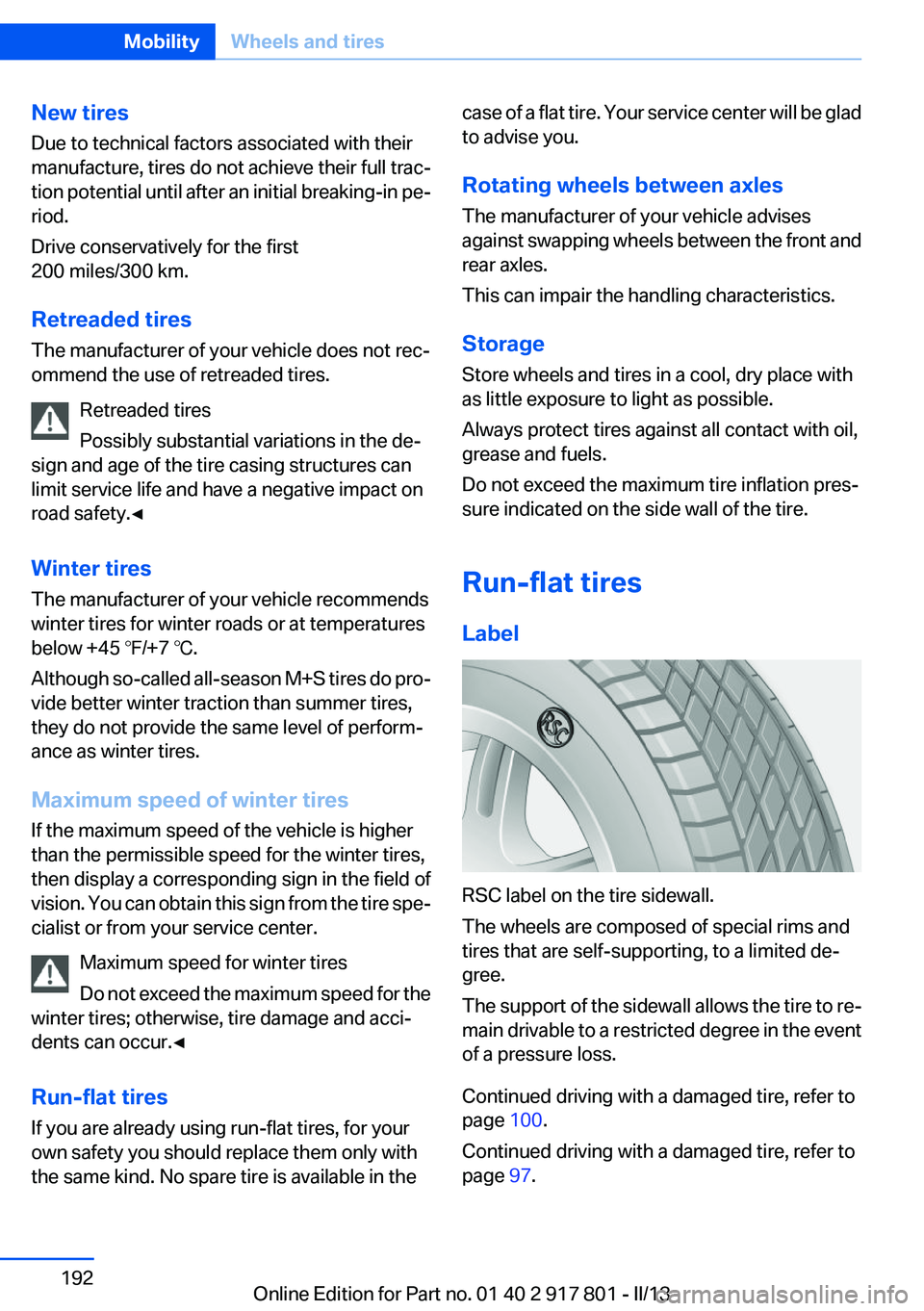
Label
RSC label on the tire sidewall.
The wheels are composed of special rims and
tires that are self-supporting, to a limited de‐
gree.
The support of the sidewall allows the tire to re‐
main drivable to a restricted degree in the event
of a pressure loss.
Continued driving with a damaged tire, refer to
page 100.
Continued driving with a damaged tire, refer to
page 97.
Seite 192MobilityWheels and tires192
Online Edition for Part no. 01 40 2 917 801 - II/13
Page 196 of 242
Engine oilVehicle equipment
All standard, country-specific and optional
equipment that is offered in the model series is
described in this chapter. Therefore, equipment
is also described that is not available in a vehicle,
e. g., because of the selected optional equip‐
ment or country variant. This also applies for
safety-related functions and systems.
General information
Engine oil consumption depends on driving
style and driving conditions, e.g., if your driving
style is very sporty engine oil consumption will
be considerably greater.
Therefore, regularly check the engine oil level
after refueling.
Checking the oil level
electronically
Status display
The concept
The oil level is monitored electronically during
driving and shown on the Control Display.
If the oil level reaches the minimum level, a
check control message is displayed.
Requirements
Depending on the previous displays, the status
display appears when the engine is running or
after the vehicle has been driven for at least 30
minutes.
Displaying the oil level1."Vehicle Info"2."Vehicle status"3. "Engine oil level"
Oil level display messages
Different messages appear on the display de‐
pending on the oil level. Pay attention to these
messages.
If oil level is too low, immediately add 1 US
quart/liter of oil.
Take care not to add too much engine oil.
Too much engine oil
Have the vehicle checked immediately;
otherwise, surplus oil can lead to engine dam‐
age.◀
Detailed measurement
The concept
In the detailed measurement the oil level is
checked and displayed via a scale.
During the measurement, the idle speed is in‐
creased somewhat.
General information
A detailed measurement is only possible with
certain engines.
Requirements
▷Manual transmission: shift lever in neutral
position, clutch and accelerator pedals not
depressed.▷Automatic transmission: selector lever in
transmission position N or P and accelerator
not depressed.▷Vehicle is on a level road and the engine is
running at operating temperature.Seite 196MobilityEngine oil196
Online Edition for Part no. 01 40 2 917 801 - II/13
Page 219 of 242
CareVehicle equipment
All standard, country-specific and optional
equipment that is offered in the model series is
described in this chapter. Therefore, equipment
is also described that is not available in a vehicle,
e. g., because of the selected optional equip‐
ment or country variant. This also applies for
safety-related functions and systems.
Car washes
Hints Steam jets or high-pressure washers
When using steam jets or high-pressure
washers, hold them a sufficient distance away
and use a maximum temperature of
140 ℉/60 ℃.
Ensure that a distance of at least 31.5 in‐
ches/80 cm from the glass sunroof is maintained
at all times. Holding them too close or using ex‐
cessively high pressures or temperatures can
cause damage or preliminary damage that may
then lead to long-term damage.
Follow the user's manual for the high-pressure
washer.◀
Cleaning sensors/cameras with high-
pressure washers
When using high-pressure washers, do not
spray the exterior sensors and cameras, e.g.,
Park Distance Control, for extended periods of
time and only from a distance of at least
12 in/30 cm.◀
Regularly remove foreign items such as leaves
in the area below the windshield when the hood
is raised.
Wash your vehicle frequently, particularly in win‐
ter.Intense soiling and road salt can damage the ve‐
hicle.
Automatic car washes
Hints
Note the following:▷Give preference to cloth car washes or those
that use soft brushes in order to avoid paint
damage.▷Make sure that the wheels and tires are not
damaged by the transport mechanisms.▷Fold in the exterior mirrors; otherwise, they
may be damaged, depending on the width of
the vehicle.▷Deactivate the rain sensor, refer to page 65,
to avoid unintentional wiper activation.▷In some cases, an unintentional alarm can be
triggered by the interior motion sensor of the
alarm system. Follow the instructions on
avoiding an unintentional alarm, refer to
page 41.
Guide rails in car washes
Avoid car washes with guide rails higher
than 4 in/10 cm; otherwise, the vehicle body
could be damaged.◀
Before driving into a car wash
In order to ensure that the vehicle can roll in a car
wash, take the following steps:
Manual transmission:
1.Release the parking brake.2.Drive into the car wash.3.Shift to neutral.4.Switch the engine off.5.Switch on the ignition.Seite 219CareMobility219
Online Edition for Part no. 01 40 2 917 801 - II/13
Page 234 of 242
Current fuel consumption 77
D
Damage, tires 190
Damping control, dy‐ namic 111
Data, technical 226
Date 77
Daytime running lights 88
Defrosting, refer to defrosting the windows 138
Defrosting, refer to Windows, defrosting 141
Defrosting the windows 138
Dehumidifying, air 138, 140
Destination distance 82
Diesel exhaust fluid, at low temperatures 176
Diesel exhaust fluid, having re‐ filled 176
Diesel exhaust fluid, on mini‐ mum 175
Diesel exhaust fluid, replenish‐ ing yourself 176
Diesel particulate filter 159
Digital clock 76
Digital compass 146
Dimensions 226
Dimmable exterior mirrors 53
Dimmable interior rearview mirror 53
Direction indicator, refer to Turn signals 64
Display, electronic, instrument cluster 72
Display in windshield 131
Display lighting, refer to Instru‐ ment lighting 90
Displays 70
Displays, cleaning 222
Disposal, coolant 199
Disposal, vehicle battery 211
Distance control, refer to PDC 123 Distance, selecting for
ACC 117
Distance to destination 82
Divided screen view, split screen 20
Door lock, refer to Remote control 30
Drive-off assistant 114
Drive-off assistant, refer to DSC 110
Driving experience switch 112
Driving instructions, breaking in 158
Driving mode 112
Driving notes, general 158
Driving stability control sys‐ tems 110
Driving tips 158
DSC Dynamic Stability Con‐ trol 110
DTC Dynamic Traction Con‐ trol 111
Dynamic Damping Con‐ trol 111
Dynamic Stability Control DSC 110
Dynamic Traction Control DTC 111
E
ECO PRO 165
ECO PRO, bonus range 166
ECO PRO display 165
ECO PRO driving mode 165
ECO PRO mode 165
ECO PRO Tip - driving instruc‐ tion 167
EfficientDynamics 167
Electronic displays, instru‐ ment cluster 72
Electronic Stability Program ESP, refer to DSC 110
Emergency detection, remote control 31 Emergency release, door
lock 36
Emergency release, fuel filler flap 172
Emergency Request 213
Emergency service, refer to Roadside Assistance 214
Emergency start function, en‐ gine start 31
Emergency unlocking, trunk lid 38
Energy Control 77
Energy recovery 77
Engine, automatic Start/Stop function 61
Engine, automatic switch- off 61
Engine compartment 194
Engine compartment, working in 195
Engine coolant 199
Engine oil 196
Engine oil, adding 197
Engine oil additives 197
Engine oil change 198
Engine oil filler neck 197
Engine oil temperature 76
Engine oil types, alterna‐ tive 197
Engine oil types, ap‐ proved 197
Engine start during malfunc‐ tion 31
Engine start, jump-start‐ ing 214
Engine start, refer to Starting the engine 60
Engine stop 61
Engine temperature 76
Entering a car wash 219
Equipment, interior 144
ESP Electronic Stability Pro‐ gram, refer to DSC 110
Exchanging wheels/tires 191
Exhaust system 159 Seite 234ReferenceEverything from A to Z234
Online Edition for Part no. 01 40 2 917 801 - II/13
Page 235 of 242
Exterior mirror, automatic dim‐ming feature 53
Exterior mirrors 52
External start 214
External temperature dis‐ play 76
External temperature warn‐ ing 76
Eyes for securing cargo 162
F
Failure message, refer to Check Control 73
False alarm, refer to Uninten‐ tional alarm 41
Fan, refer to Air flow 138, 141
Fault displays, refer to Check Control 73
Filler neck for engine oil 197
Fine wood, care 221
First aid kit 214
Fitting for towing, refer to Tow fitting 217
Flat tire, changing wheels 210
Flat Tire Monitor FTM 98
Flat tire, Tire Pressure Monitor TPM 95
Flat tire, warning lamp 96, 99
Flooding 159
Floor carpet, care 221
Floor mats, care 221
Fogged up windows 138
Fold down the rear seat back‐ rest, see Though-loading
system 150
Fold-out position, windshield wipers 66
Foot brake 159
Front airbags 92
Front fog lamps 90
Front fog lamps, front, bulb re‐ placement 207
Front lamps 203
Front passenger airbags, au‐ tomatic deactivation 94 Front passenger airbags, indi‐
cator lamp 94
FTM Flat Tire Monitor 98
Fuel cap 172
Fuel consumption, current 77
Fuel consumption, refer to Average fuel consump‐
tion 82
Fuel filler flap 172
Fuel gauge 76
Fuel quality 174
Fuel, tank capacity 230
Fuse 211
G
Garage door opener, refer to Integrated universal remote
control 144
Gasoline 174
Gasoline quality 174
Gear change, automatic trans‐ mission 68
Gear shift indicator 79
General driving notes 158
Glass sunroof, powered 43
Glove compartment 152
Gross vehicle weight, ap‐ proved 227
H
Handbrake, refer to parking brake 63
Hand-held transmitter, alter‐ nating code 145
Hazard warning flashers 213
Head airbags 92
Headlamp control, auto‐ matic 88
Headlamp courtesy delay fea‐ ture 88
Headlamp flasher 64
Headlamp glass 203
Headlamps 203
Headlamps, care 220 Headlamp washer system 64
Headliner 15
Head restraints 45
Head restraints, front 49
Head restraints, rear 50
Head-up Display 131
Head-up Display, care 222
Heavy cargo, stowing 162
Height, vehicle 226
High-beam Assistant 89
High beams 64
High beams/low beams, refer to High-beam Assistant 89
Hills 160
Hill start assistant, refer to Drive-off assistant 114
Hints 6
Holder for beverages 154
Homepage 6
Hood 195
Horn 12
Hotel function, trunk lid 37
Hot exhaust system 159
HUD Head-up Display 131
Hydroplaning 159
I
Ice warning, refer to External temperature warning 76
Icy roads, refer to External temperature warning 76
Identification marks, tires 189
Identification number, refer to Important features in the en‐
gine compartment 194
iDrive 16
Ignition key, refer to Remote control 30
Ignition off 59
Ignition on 59
Indication of a flat tire 96, 99
Individual air distribu‐ tion 138, 141
Individual settings, refer to Personal Profile 31 Seite 235Everything from A to ZReference235
Online Edition for Part no. 01 40 2 917 801 - II/13
Page 237 of 242
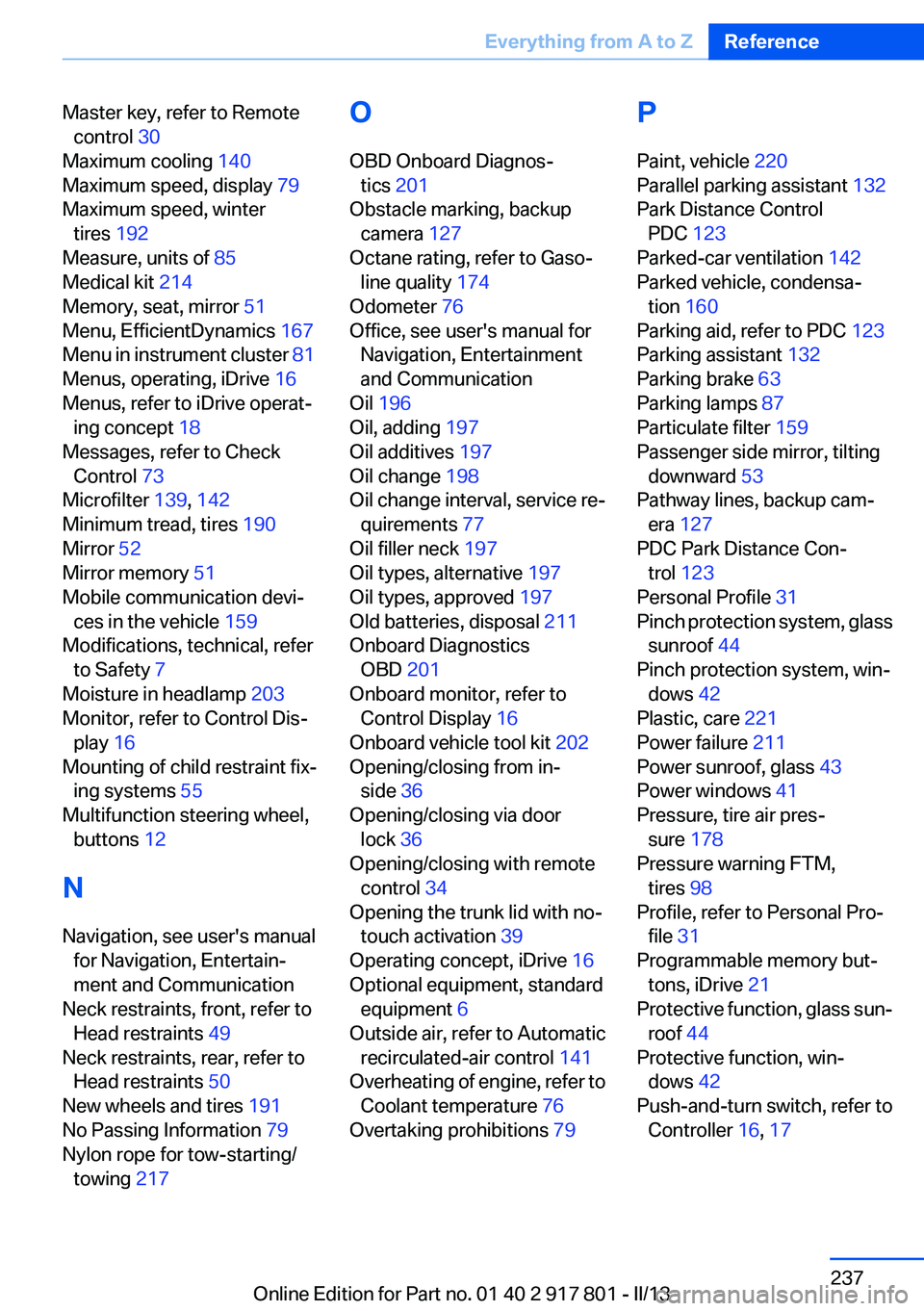
Master key, refer to Remotecontrol 30
Maximum cooling 140
Maximum speed, display 79
Maximum speed, winter tires 192
Measure, units of 85
Medical kit 214
Memory, seat, mirror 51
Menu, EfficientDynamics 167
Menu in instrument cluster 81
Menus, operating, iDrive 16
Menus, refer to iDrive operat‐ ing concept 18
Messages, refer to Check Control 73
Microfilter 139, 142
Minimum tread, tires 190
Mirror 52
Mirror memory 51
Mobile communication devi‐ ces in the vehicle 159
Modifications, technical, refer to Safety 7
Moisture in headlamp 203
Monitor, refer to Control Dis‐ play 16
Mounting of child restraint fix‐ ing systems 55
Multifunction steering wheel, buttons 12
N
Navigation, see user's manual for Navigation, Entertain‐
ment and Communication
Neck restraints, front, refer to Head restraints 49
Neck restraints, rear, refer to Head restraints 50
New wheels and tires 191
No Passing Information 79
Nylon rope for tow-starting/ towing 217 O
OBD Onboard Diagnos‐ tics 201
Obstacle marking, backup camera 127
Octane rating, refer to Gaso‐ line quality 174
Odometer 76
Office, see user's manual for Navigation, Entertainment
and Communication
Oil 196
Oil, adding 197
Oil additives 197
Oil change 198
Oil change interval, service re‐ quirements 77
Oil filler neck 197
Oil types, alternative 197
Oil types, approved 197
Old batteries, disposal 211
Onboard Diagnostics OBD 201
Onboard monitor, refer to Control Display 16
Onboard vehicle tool kit 202
Opening/closing from in‐ side 36
Opening/closing via door lock 36
Opening/closing with remote control 34
Opening the trunk lid with no- touch activation 39
Operating concept, iDrive 16
Optional equipment, standard equipment 6
Outside air, refer to Automatic recirculated-air control 141
Overheating of engine, refer to Coolant temperature 76
Overtaking prohibitions 79 P
Paint, vehicle 220
Parallel parking assistant 132
Park Distance Control PDC 123
Parked-car ventilation 142
Parked vehicle, condensa‐ tion 160
Parking aid, refer to PDC 123
Parking assistant 132
Parking brake 63
Parking lamps 87
Particulate filter 159
Passenger side mirror, tilting downward 53
Pathway lines, backup cam‐ era 127
PDC Park Distance Con‐ trol 123
Personal Profile 31
Pinch protection system, glass sunroof 44
Pinch protection system, win‐ dows 42
Plastic, care 221
Power failure 211
Power sunroof, glass 43
Power windows 41
Pressure, tire air pres‐ sure 178
Pressure warning FTM, tires 98
Profile, refer to Personal Pro‐ file 31
Programmable memory but‐ tons, iDrive 21
Protective function, glass sun‐ roof 44
Protective function, win‐ dows 42
Push-and-turn switch, refer to Controller 16, 17 Seite 237Everything from A to ZReference237
Online Edition for Part no. 01 40 2 917 801 - II/13
Page 239 of 242
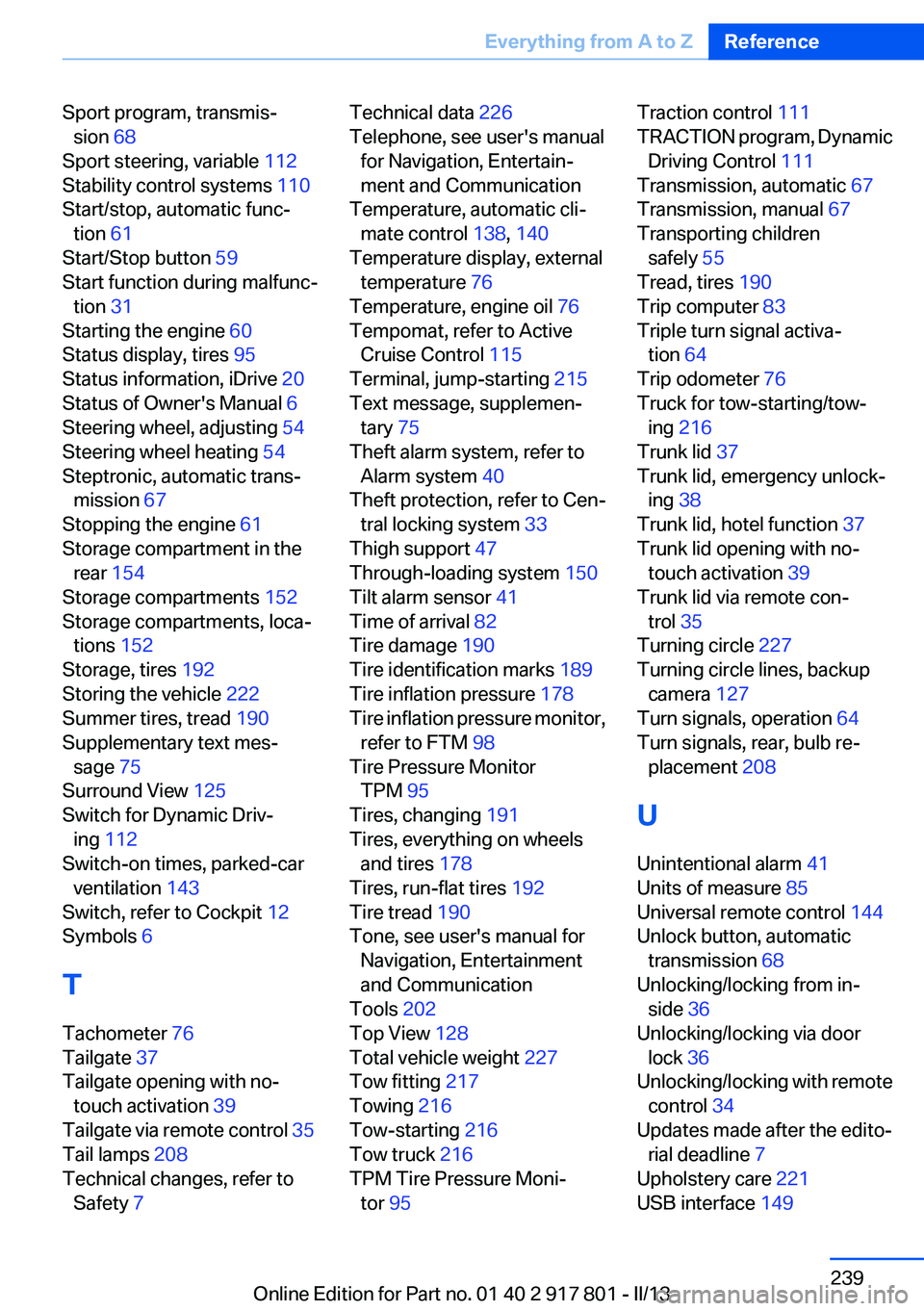
Sport program, transmis‐sion 68
Sport steering, variable 112
Stability control systems 110
Start/stop, automatic func‐ tion 61
Start/Stop button 59
Start function during malfunc‐ tion 31
Starting the engine 60
Status display, tires 95
Status information, iDrive 20
Status of Owner's Manual 6
Steering wheel, adjusting 54
Steering wheel heating 54
Steptronic, automatic trans‐ mission 67
Stopping the engine 61
Storage compartment in the rear 154
Storage compartments 152
Storage compartments, loca‐ tions 152
Storage, tires 192
Storing the vehicle 222
Summer tires, tread 190
Supplementary text mes‐ sage 75
Surround View 125
Switch for Dynamic Driv‐ ing 112
Switch-on times, parked-car ventilation 143
Switch, refer to Cockpit 12
Symbols 6
T
Tachometer 76
Tailgate 37
Tailgate opening with no- touch activation 39
Tailgate via remote control 35
Tail lamps 208
Technical changes, refer to Safety 7 Technical data 226
Telephone, see user's manual for Navigation, Entertain‐
ment and Communication
Temperature, automatic cli‐ mate control 138, 140
Temperature display, external temperature 76
Temperature, engine oil 76
Tempomat, refer to Active Cruise Control 115
Terminal, jump-starting 215
Text message, supplemen‐ tary 75
Theft alarm system, refer to Alarm system 40
Theft protection, refer to Cen‐ tral locking system 33
Thigh support 47
Through-loading system 150
Tilt alarm sensor 41
Time of arrival 82
Tire damage 190
Tire identification marks 189
Tire inflation pressure 178
Tire inflation pressure monitor, refer to FTM 98
Tire Pressure Monitor TPM 95
Tires, changing 191
Tires, everything on wheels and tires 178
Tires, run-flat tires 192
Tire tread 190
Tone, see user's manual for Navigation, Entertainment
and Communication
Tools 202
Top View 128
Total vehicle weight 227
Tow fitting 217
Towing 216
Tow-starting 216
Tow truck 216
TPM Tire Pressure Moni‐ tor 95 Traction control 111
TRACTION program, Dynamic Driving Control 111
Transmission, automatic 67
Transmission, manual 67
Transporting children safely 55
Tread, tires 190
Trip computer 83
Triple turn signal activa‐ tion 64
Trip odometer 76
Truck for tow-starting/tow‐ ing 216
Trunk lid 37
Trunk lid, emergency unlock‐ ing 38
Trunk lid, hotel function 37
Trunk lid opening with no- touch activation 39
Trunk lid via remote con‐ trol 35
Turning circle 227
Turning circle lines, backup camera 127
Turn signals, operation 64
Turn signals, rear, bulb re‐ placement 208
U
Unintentional alarm 41
Units of measure 85
Universal remote control 144
Unlock button, automatic transmission 68
Unlocking/locking from in‐ side 36
Unlocking/locking via door lock 36
Unlocking/locking with remote control 34
Updates made after the edito‐ rial deadline 7
Upholstery care 221
USB interface 149 Seite 239Everything from A to ZReference239
Online Edition for Part no. 01 40 2 917 801 - II/13