window BMW 335I CONVERTIBLE 2009 E93 Owner's Guide
[x] Cancel search | Manufacturer: BMW, Model Year: 2009, Model line: 335I CONVERTIBLE, Model: BMW 335I CONVERTIBLE 2009 E93Pages: 260, PDF Size: 7.95 MB
Page 119 of 260
Driving tips
117Reference
At a glance
Controls
Communications
Navigation
Entertainment
Mobility
Drive defensively
Avoid unnecessary acceleration and braking
maneuvers. To do so, keep an adequate dis-
tance to the forward vehicle. A defensive and
smooth driving style keeps fuel consumption
down.
Avoid high engine speeds
Only use first gear when setting off. In second
and higher gears, accelerate without hesitation
or pauses. When accelerating, shift up before
reaching high engine speeds.
When you reach the desired speed, shift into
the highest applicable gear and drive with the
engine speed as low as possible and at a con-
stant speed.
As a rule: driving at low engine speeds lowers
fuel consumption and reduces wear.
Coasting
When approaching a red light, take your foot off
the accelerator and coast to a stop in the high-
est applicable gear.
On a downhill slope, take your foot off the accel-
erator and coast in a suitable gear.
The fuel supply is interrupted when coasting.
Switch off the engine during lengthy
stops
Switch off the engine when stopping for lengthy
periods, e.g. at traffic lights, railroad crossings
or in traffic congestions. You achieve fuel sav-
ings even if standing time is as short as approx.
4 seconds.
Switch off functions you do not need at
the moment
Functions such as the air conditioner and the
seat or rear window heating draw large amounts
of power and consume additional fuel. Espe-
cially in city traffic and in stop and go driving
they have a considerable impact. Therefore,
switch these functions off when they are not
really needed.
Have the vehicle serviced
Have the vehicle serviced regularly to achieve
good economy and a long vehicle life. BMW
recommends having the vehicle serviced at a
BMW center. Also note the BMW service sys-
tem, refer to page211.
General driving notes
Close the luggage compartment lid
Operate the vehicle only when the lug-
gage compartment lid is closed. Other-
wise, exhaust fumes could enter the interior of
the vehicle.<
If the vehicle must be driven with the luggage
compartment lid open:
1.Close all windows and the glass roof.
2.Greatly increase the air volume of the auto-
matic climate control system, refer to
page99.
Hot exhaust system
In all vehicles, extremely high tempera-
tures are generated in the exhaust sys-
tem. Do not remove the heat shields installed
adjacent to various sections of the exhaust sys-
tem, and never apply undercoating to them.
When driving, standing at idle and while park-
ing, take care to avoid possible contact
between the hot exhaust system and any highly
flammable materials such as hay, leaves, grass,
etc. Such contact could lead to a fire, with the
risk of serious personal injuries and property
damage. Do not touch hot exhaust tail pipes.
Otherwise there is a risk of burns.<
Hydroplaning
When driving on wet or slushy roads,
reduce road speed. If you do not, a wedge
of water can form between tires and road sur-
face. This situation, known as hydroplaning,
means that the tire can completely lose contact
with the road surface, so that neither the car can
be steered nor the brake be properly applied.<
Page 128 of 260
Destination entry
126 Delete letters, if necessary:
>To delete individual letters:
Turn the controller to select , and
then press the controller.
>To delete all letters:
Turn the controller to select , and
then press the controller for an extended
period.
>To enter spaces:
Select the symbol.
The list gradually grows smaller each time
you enter a new letter.
2.Move the controller to the right.
3.Select the name of the town/city from the
list. The three destinations stored last are
displayed.
If there are several towns/cities with the same
name:
1.Change to the list of town/city names.
2.Highlight the town/city: a preview map is
displayed.
3.Select the town/city.
Entering the postal code
1.Select "Town/City/Zip Code" or the dis-
played town/city.
2.Select the symbol.
3.Select the digits.
4.Change to the list of postal codes and
towns/cities.
5.Highlight the postal code. A preview map is
displayed in the assistance window.
6.Select the postal code.
Entering street and intersection
1.Select "Street" or the displayed street.
2.Enter a street and intersection as you would
the town/city.
After the street you can also enter the intersec-
tion or the house number.
If there are several streets with the same name:1.Change to the list of street names.
2.Highlight the street: a preview map is dis-
played.
3.Select the street.
Entering a street without a destination
town/city
You can also enter a street without specifying a
town/city. In this case, all streets of the same
name in the designated state/province are
offered. The corresponding town/city is dis-
played after the street name.
If a town/city has already been entered, you can
negate this entry. This could be helpful in
instances where the desired street does not
exist in the entered town/city because it
belongs to another suburb, for example.
1."Navigation"
2."Enter address"
3.Select "Street" or the displayed street.
4.Change to the list of street names.
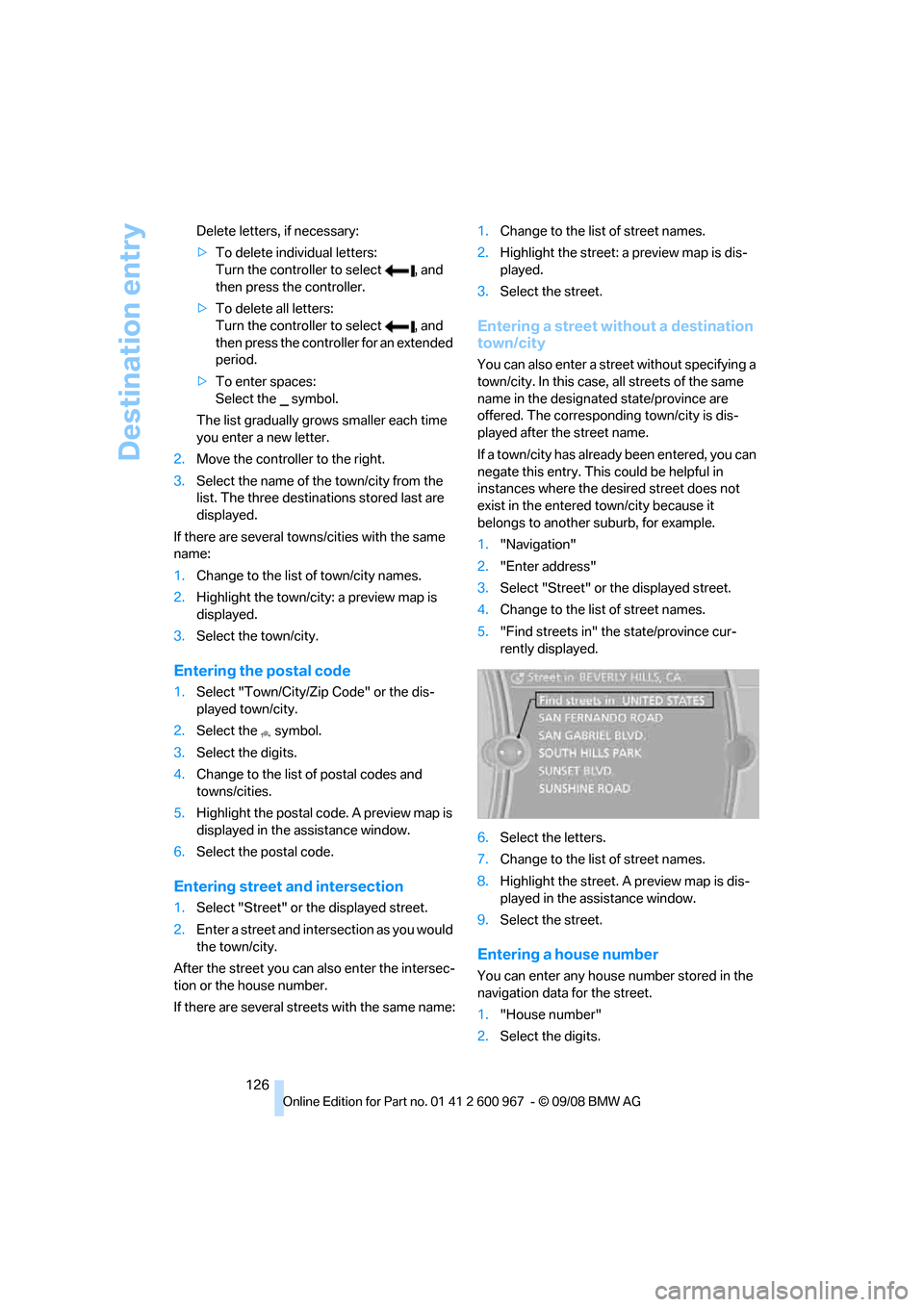
5."Find streets in" the state/province cur-
rently displayed.
6.Select the letters.
7.Change to the list of street names.
8.Highlight the street. A preview map is dis-
played in the assistance window.
9.Select the street.
Entering a house number
You can enter any house number stored in the
navigation data for the street.
1."House number"
2.Select the digits.
Page 175 of 260
173
Entertainment
Reference
At a glance
Controls
Driving tips Communications
Navigation
Mobility
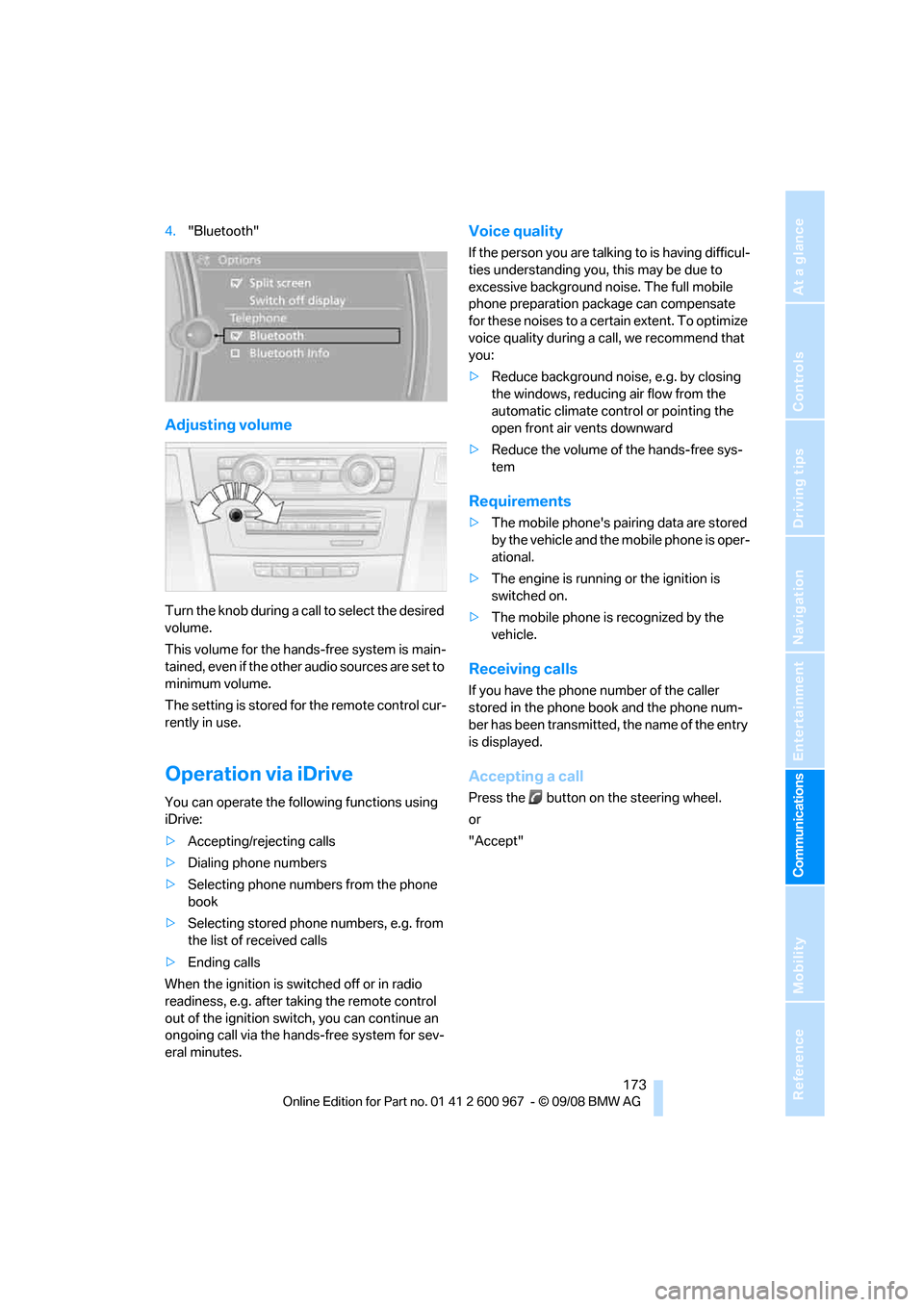
4."Bluetooth"
Adjusting volume
Turn the knob during a call to select the desired
volume.
This volume for the hands-free system is main-
tained, even if the other audio sources are set to
minimum volume.
The setting is stored for the remote control cur-
rently in use.
Operation via iDrive
You can operate the following functions using
iDrive:
>Accepting/rejecting calls
>Dialing phone numbers
>Selecting phone numbers from the phone
book
>Selecting stored phone numbers, e.g. from
the list of received calls
>Ending calls
When the ignition is switched off or in radio
readiness, e.g. after taking the remote control
out of the ignition switch, you can continue an
ongoing call via the hands-free system for sev-
eral minutes.
Voice quality
If the person you are talking to is having difficul-
ties understanding you, this may be due to
excessive background noise. The full mobile
phone preparation package can compensate
for these noises to a certain extent. To optimize
voice quality during a call, we recommend that
you:
>Reduce background noise, e.g. by closing
the windows, reducing air flow from the
automatic climate control or pointing the
open front air vents downward
>Reduce the volume of the hands-free sys-
tem
Requirements
>The mobile phone's pairing data are stored
by the vehicle and the mobile phone is oper-
ational.
>The engine is running or the ignition is
switched on.
>The mobile phone is recognized by the
vehicle.
Receiving calls
If you have the phone number of the caller
stored in the phone book and the phone num-
ber has been transmitted, the name of the entry
is displayed.
Accepting a call
Press the button on the steering wheel.
or
"Accept"
Page 181 of 260
179
Entertainment
Reference
At a glance
Controls
Driving tips Communications
Navigation
Mobility
Selecting an entry
The connection to the phone number of the
selected entry is established.
Redialing
To redial the phone number dialed last:
Notes
Important for voice commands
For voice commands, bear in mind the follow-
ing:
>Pronounce the commands smoothly and at
normal volume, avoiding excessive empha-
ses and pauses.
>Keep the doors, windows and glass roof
closed to prevent interference from outside
noise.
>Avoid ambient noise in the vehicle while
speaking.
Inserting/removing the snap-
in adapter
1.Press button1 and remove the cover.2.Insert the snap-in adapter at the front and
press it downward until it engages.
To remove the snap-in adapter:
Press button 1.
Inserting mobile phone
1.If applicable, remove the protective cap
from the mobile phone's antenna connector
so that the mobile phone can engage in the
snap-in adapter.
2.With its buttons facing upward, slide the
mobile phone up towards the electrical con-
tact points and press it downward until it
engages.
The mobile phone's battery is charged as soon
as the vehicle is in radio readiness or the steer-
ing is unlocked. 1.{Dial name}.
The dialog for dialing an entry is
opened.
2.Say the name when prompted.
3.Confirm the query with {Yes}.
{Redial}
Page 209 of 260
Mobility
207Reference
At a glance
Controls
Driving tips
Communications
Navigation
Entertainment
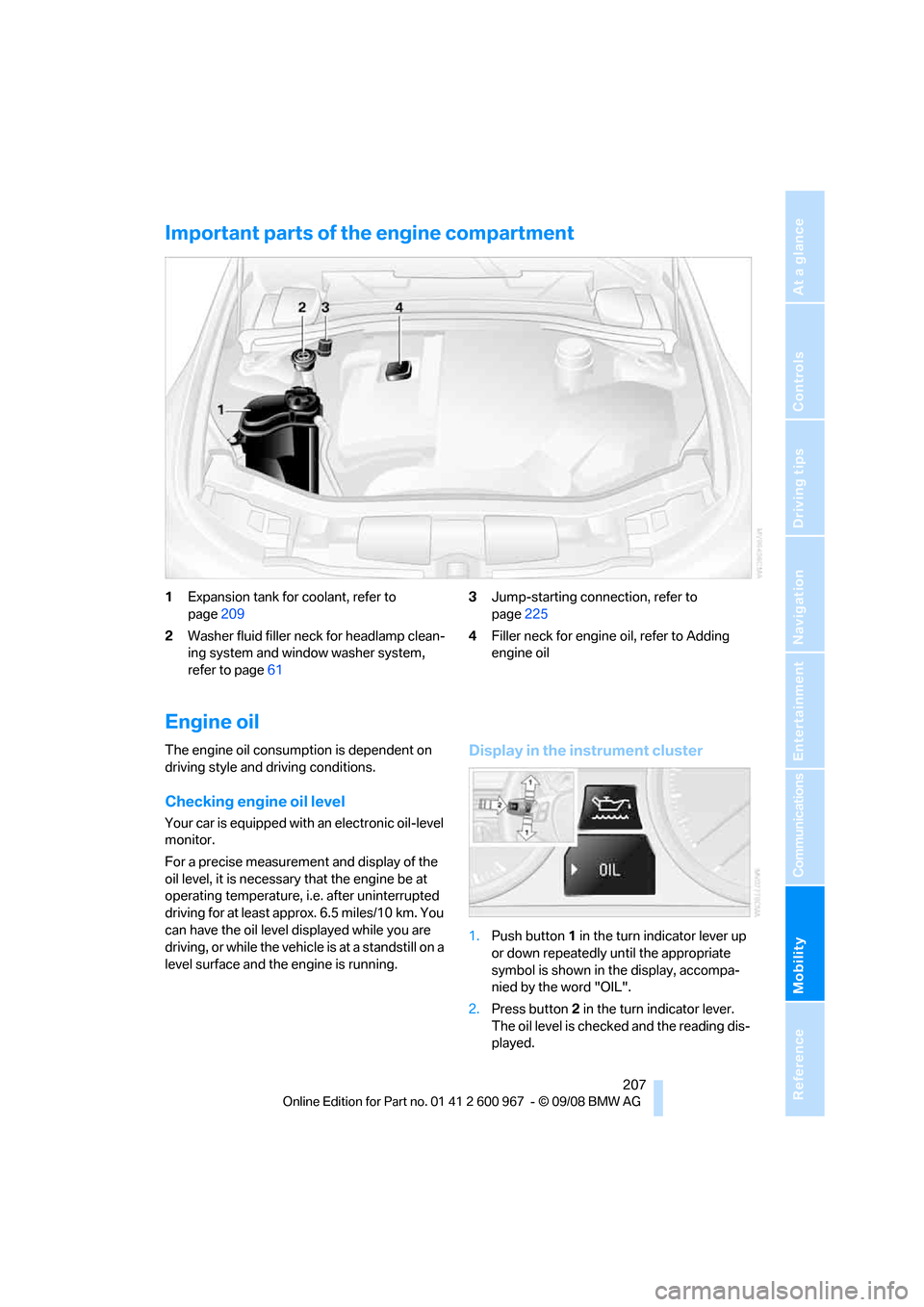
Important parts of the engine compartment
1Expansion tank for coolant, refer to
page209
2Washer fluid filler neck for headlamp clean-
ing system and window washer system,
refer to page613Jump-starting connection, refer to
page225
4Filler neck for engine oil, refer to Adding
engine oil
Engine oil
The engine oil consumption is dependent on
driving style and driving conditions.
Checking engine oil level
Your car is equipped with an electronic oil-level
monitor.
For a precise measurement and display of the
oil level, it is necessary that the engine be at
operating temperature, i.e. after uninterrupted
driving for at least approx. 6.5 miles/10 km. You
can have the oil level displayed while you are
driving, or while the vehicle is at a standstill on a
level surface and the engine is running.
Display in the instrument cluster
1.Push button 1 in the turn indicator lever up
or down repeatedly until the appropriate
symbol is shown in the display, accompa-
nied by the word "OIL".
2.Press button 2 in the turn indicator lever.
The oil level is checked and the reading dis-
played.
Page 215 of 260
Mobility
213Reference
At a glance
Controls
Driving tips
Communications
Navigation
Entertainment
Care
Care products
Regular cleaning and care contributes signifi-
cantly to the value retention of your BMW.
BMW recommends cleaning and caring for your
vehicle with products that are approved by
BMW for this purpose.
Your BMW center will be happy to advise you on
the products and services available for cleaning
and caring for your BMW.
Original BMW CareProducts have been
material tested, laboratory checked and
proven in the field, and offer optimal care and
protection for your vehicle.<
Do not use cleaners that contain alcohol
or solvents as these may result in dam-
age.<
Cleaning agents can contain substances
that are dangerous or hazardous to your
health. Therefore, follow the warning and safety
instructions on the packaging. When cleaning
inside the vehicle, always open the doors or
windows of the vehicle. In enclosed areas, pro-
vide for sufficient ventilation. Only use products
designed for cleaning vehicles.<
Exterior care
Washing the vehicle
Especially during the winter months,
ensure that the vehicle is washed more
frequently. Heavy soiling and road salt can lead
to vehicle damage.<
After washing the vehicle, apply the
brakes briefly to dry them, otherwise
water can reduce braking efficiency over the
short term and the brake discs can corrode.<
Automatic car washes
Preference should be given to cloth car washes.Do not use high-pressure car washes,
otherwise water may drip into the vehicle
around the windows.<
Before driving into a car wash, ensure that it is
suitable for your BMW. Check the following:
>Dimensions of your vehicle, refer to
page233
>If necessary: fold in the exterior mirrors,
refer to page49
>Maximum permissible tire width
Preparations before driving into an automatic
car wash:
>Unscrew the rod antenna
*.
>Deactivate the rain sensor
* to prevent unin-
tentional wiping.
>Remove additional attachments, e.g.
spoiler or telephone antennas, if there is a
possibility that they could be damaged.
Automatic transmission
Before driving into an automatic car wash, per-
form the following steps to ensure that the vehi-
cle can roll:
1.Insert the remote control, even with conve-
nient access, into the ignition lock.
2.Move the selector lever to position N.
3.Release the parking brake.
4.Switch off the engine.
5.Leave the remote control in the ignition lock
so that the vehicle can roll.
Steam jets / high-pressure washers
When using steam jets or high-pressure
washers, ensure that you maintain suffi-
cient clearance to the vehicle and do not exceed
a temperature of 1407/606.
Insufficient clearance or excessive pressure or
temperature can lead to component damage or
water penetration. Follow the operating instruc-
tions of the high-pressure washer.<
Page 216 of 260
Care
214 When using high-pressure washers, do
not spray against the sensors and cam-
eras, e.g. of the Park Distance Control or Rear
View Camera, for an extended period and main-
tain a distance of at least 12 in/30 cm.<
Manual car wash
When washing the vehicle by hand, use large
quantities of water and car shampoo if neces-
sary. Clean the vehicle with a sponge or wash-
ing brush, applying light pressure only.
Before cleaning the windshield, deacti-
vate the rain sensor or switch off the igni-
tion to prevent unintentional activation of the
wipers.<
Observe local regulations pertaining to
washing vehicles by hand.<
Headlamps
Do not rub them dry and do not use abrasive or
corrosive cleaning agents.
Remove contamination, such as insects, by
soaking with shampoo or insect remover and
then rinsing with plenty of water.
Thaw ice with a windshield de-icer and do not
use an ice scraper.
Windows
Clean the inside and outside surfaces of the
windows and the mirrors with window cleaner.
Do not clean the mirrors with cleaners
containing quartz.<
Wiper blades
Clean with soapy water and replace regularly to
avoid streaking.
Wax and preservative residue and con-
tamination on the window can lead to
streaking when operating the windshield wip-
ers, leading to premature wear of the wiper
blades and causing the rain sensor to malfunc-
tion.<
Convertible: retractable hardtop
Proceed as you would in a normal car wash.When you open a wet hardtop, water
drops may run into the cargo bay. If nec-
essary, remove items from the cargo bay
beforehand to avoid water stains or soiling.<
Paintwork care
Regular care contributes to value retention and
protects the paintwork against the long-term
effects of damaging substances.
Region-specific environmental influences can
damage the vehicle paintwork. Therefore, it is
important to adapt the frequency and scope of
car care accordingly.
Immediately remove very aggressive sub-
stances, e.g. spilled fuel, oil, grease, tree resin
or bird droppings, to prevent damage to the
paintwork.
Repairing paintwork damage
Immediately repair scratches or similar
damage, such as that caused by stones
hitting the vehicle, where necessary to prevent
rusting.<
BMW recommends having paintwork damage
repaired by a professional paint repair work-
shop according to BMW specifications using
original BMW paint materials.
Preservation
A preservation treatment is necessary when
water no longer beads off of the clean paintwork
surface. Only use products for paintwork pres-
ervation that contain carnauba or synthetic
waxes.
Rubber seals
Treat only with water or rubber care products.
Do not use silicon-containing care prod-
ucts on rubber seals, otherwise noise and
damage could occur.<
Chrome parts
Carefully clean vehicle parts, such as the radia-
tor grill, door handles or window frames, with
copious quantities of water and a shampoo
Page 237 of 260
Reference 235
At a glance
Controls
Driving tips
Communications
Navigation
Entertainment
Mobility
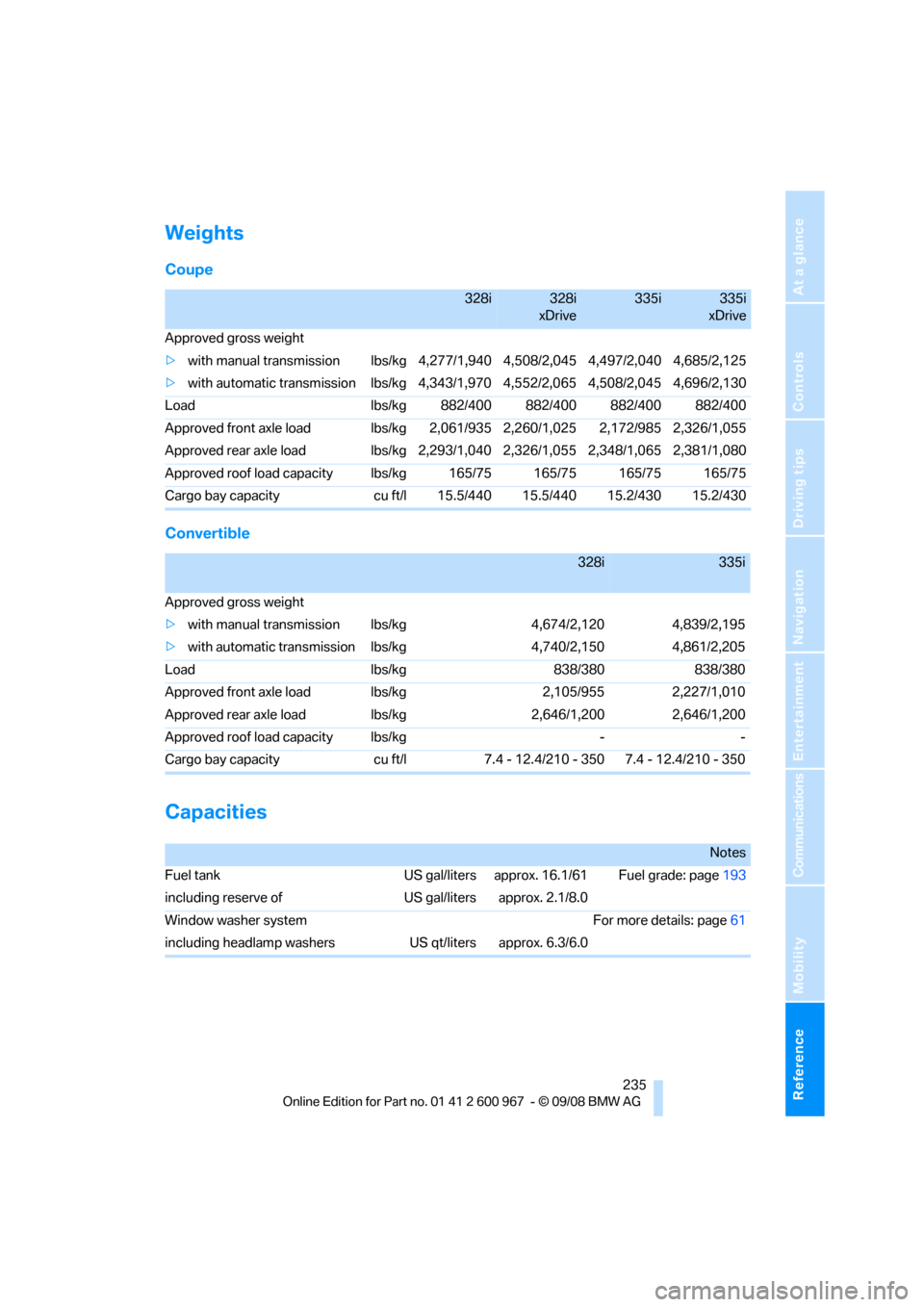
Weights
Coupe
Convertible
Capacities
328i328i
xDrive335i335i
xDrive
Approved gross weight
>with manual transmission lbs/kg 4,277/1,940 4,508/2,045 4,497/2,040 4,685/2,125
>with automatic transmission lbs/kg4,343/1,970 4,552/2,065 4,508/2,045 4,696/2,130
Load lbs/kg 882/400 882/400 882/400 882/400
Approved front axle load lbs/kg 2,061/935 2,260/1,025 2,172/985 2,326/1,055
Approved rear axle load lbs/kg2,293/1,040 2,326/1,055 2,348/1,065 2,381/1,080
Approved roof load capacity lbs/kg 165/75 165/75 165/75 165/75
Cargo bay capacity cu ft/l 15.5/440 15.5/440 15.2/430 15.2/430
328i335i
Approved gross weight
>with manual transmission lbs/kg 4,674/2,120 4,839/2,195
>with automatic transmission lbs/kg 4,740/2,150 4,861/2,205
Load lbs/kg 838/380 838/380
Approved front axle load lbs/kg 2,105/955 2,227/1,010
Approved rear axle load lbs/kg 2,646/1,200 2,646/1,200
Approved roof load capacity lbs/kg - -
Cargo bay capacity cu ft/l 7.4 - 12.4/210 - 350 7.4 - 12.4/210 - 350
Notes
Fuel tank US gal/liters approx. 16.1/61 Fuel grade: page193
including reserve of US gal/liters approx. 2.1/8.0
Window washer systemFor more details: page61
including headlamp washers US qt/liters approx. 6.3/6.0
Page 246 of 260
Everything from A - Z
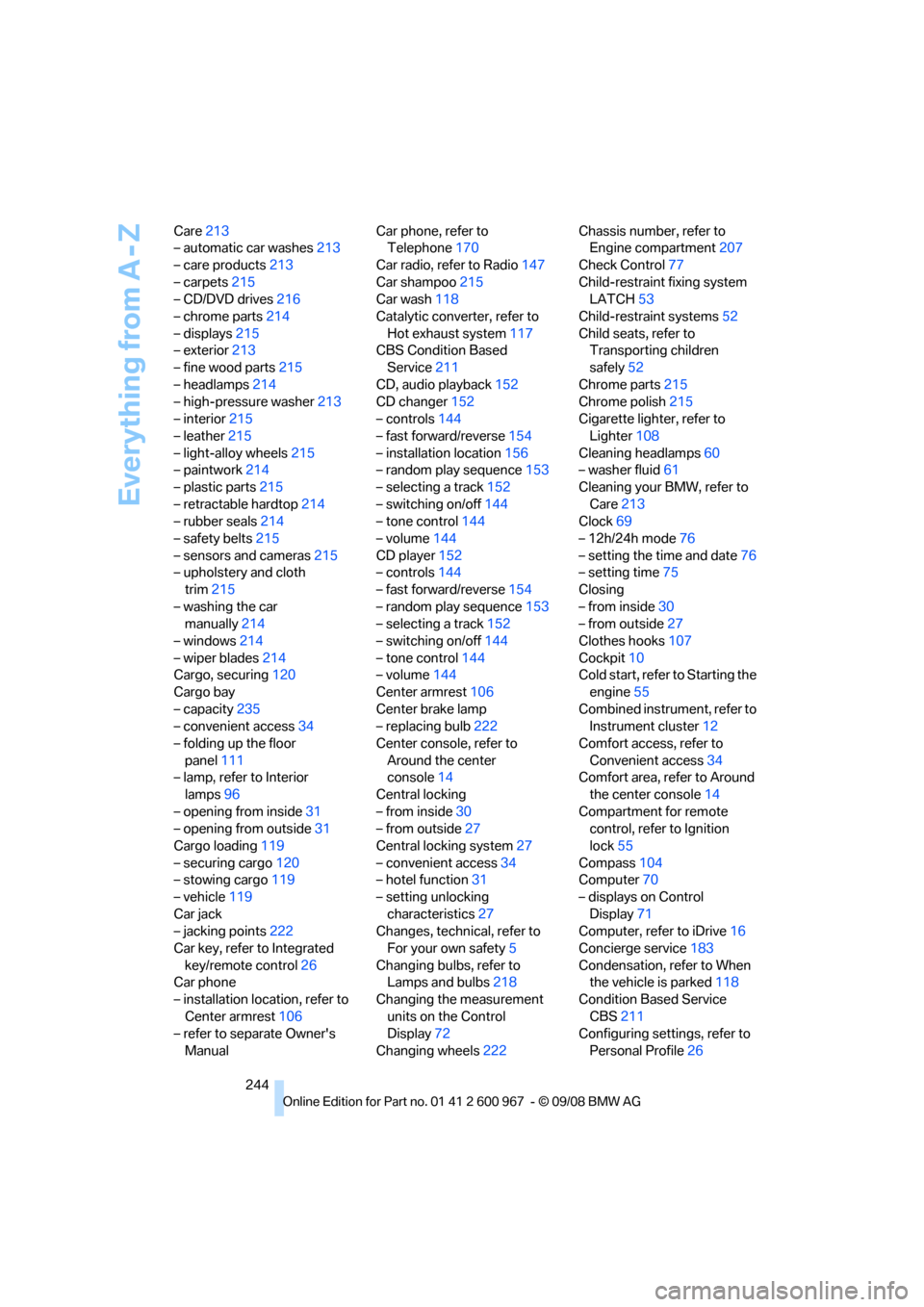
244 Care213
– automatic car washes213
– care products213
– carpets215
– CD/DVD drives216
– chrome parts214
– displays215
– exterior213
– fine wood parts215
– headlamps214
– high-pressure washer213
– interior215
– leather215
– light-alloy wheels215
– paintwork214
– plastic parts215
– retractable hardtop214
– rubber seals214
– safety belts215
– sensors and cameras215
– upholstery and cloth
trim215
– washing the car
manually214
– windows214
– wiper blades214
Cargo, securing120
Cargo bay
– capacity235
– convenient access34
– folding up the floor
panel111
– lamp, refer to Interior
lamps96
– opening from inside31
– opening from outside31
Cargo loading119
– securing cargo120
– stowing cargo119
– vehicle119
Car jack
– jacking points222
Car key, refer to Integrated
key/remote control26
Car phone
– installation location, refer to
Center armrest106
– refer to separate Owner's
ManualCar phone, refer to
Telephone170
Car radio, refer to Radio147
Car shampoo215
Car wash118
Catalytic converter, refer to
Hot exhaust system117
CBS Condition Based
Service
211
CD, audio playback152
CD changer152
– controls144
– fast forward/reverse154
– installation location156
– random play sequence153
– selecting a track152
– switching on/off144
– tone control144
– volume144
CD player152
– controls144
– fast forward/reverse154
– random play sequence153
– selecting a track152
– switching on/off144
– tone control144
– volume144
Center armrest106
Center brake lamp
– replacing bulb222
Center console, refer to
Around the center
console14
Central locking
– from inside30
– from outside27
Central locking system27
– convenient access34
– hotel function31
– setting unlocking
characteristics27
Changes, technical, refer to
For your own safety5
Changing bulbs, refer to
Lamps and bulbs218
Changing the measurement
units on the Control
Display72
Changing wheels222Chassis number, refer to
Engine compartment207
Check Control77
Child-restraint fixing system
LATCH53
Child-restraint systems52
Child seats, refer to
Transporting children
safely52
Chrome parts215
Chrome polish215
Cigarette lighter, refer to
Lighter108
Cleaning headlamps60
– washer fluid61
Cleaning your BMW, refer to
Care213
Clock
69
– 12h/24h mode76
– setting the time and date76
– setting time75
Closing
– from inside30
– from outside27
Clothes hooks107
Cockpit10
Cold start, refer to Starting the
engine55
Combined instrument, refer to
Instrument cluster12
Comfort access, refer to
Convenient access34
Comfort area, refer to Around
the center console14
Compartment for remote
control, refer to Ignition
lock55
Compass104
Computer70
– displays on Control
Display71
Computer, refer to iDrive16
Concierge service183
Condensation, refer to When
the vehicle is parked118
Condition Based Service
CBS211
Configuring settings, refer to
Personal Profile26
Page 247 of 260
Reference 245
At a glance
Controls
Driving tips
Communications
Navigation
Entertainment
Mobility
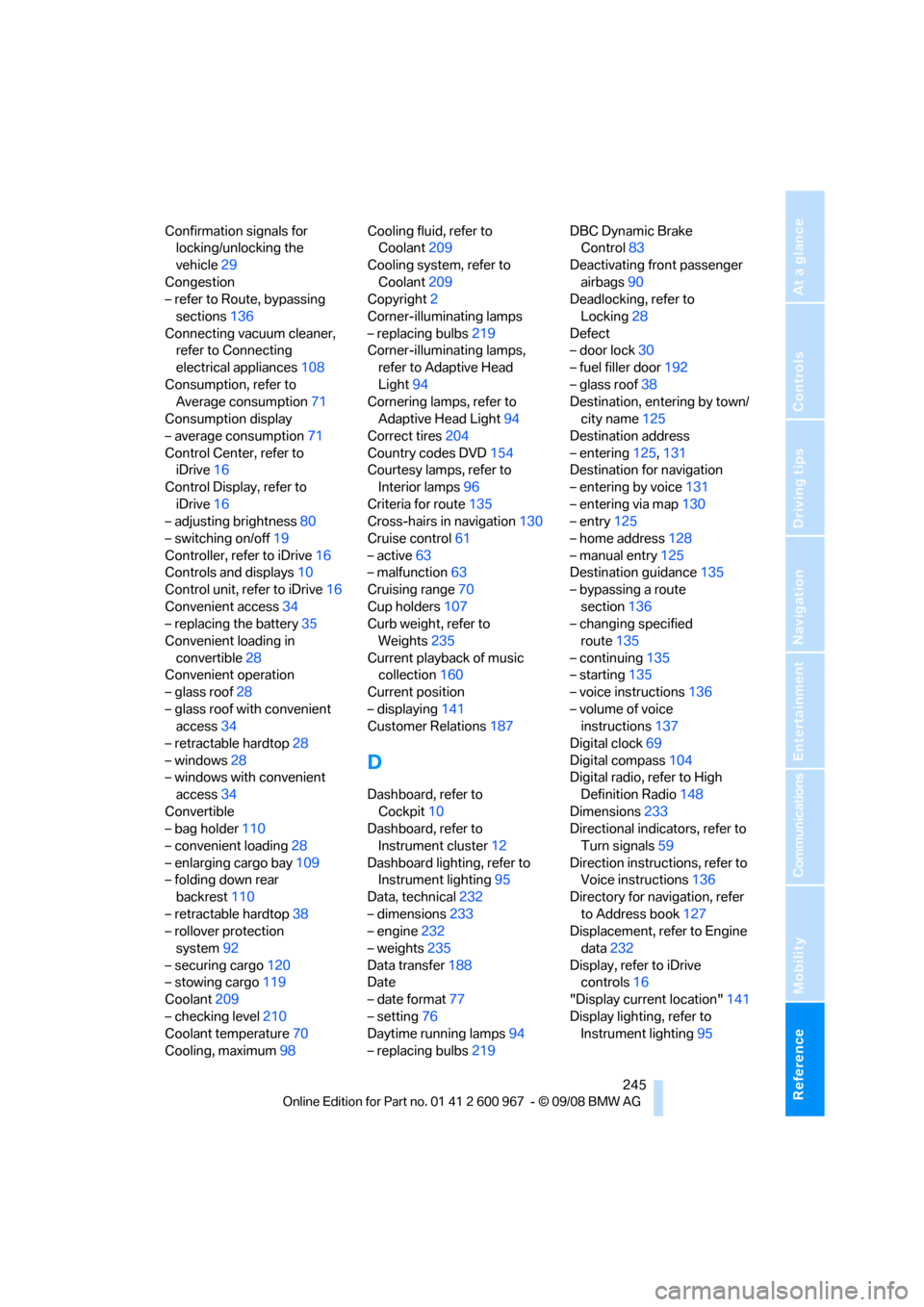
Confirmation signals for
locking/unlocking the
vehicle29
Congestion
– refer to Route, bypassing
sections136
Connecting vacuum cleaner,
refer to Connecting
electrical appliances108
Consumption, refer to
Average consumption71
Consumption display
– average consumption71
Control Center, refer to
iDrive16
Control Display, refer to
iDrive16
– adjusting brightness80
– switching on/off19
Controller, refer to iDrive16
Controls and displays10
Control unit, refer to iDrive16
Convenient access34
– replacing the battery35
Convenient loading in
convertible28
Convenient operation
– glass roof28
– glass roof with convenient
access34
– retractable hardtop28
– windows28
– windows with convenient
access34
Convertible
– bag holder110
– convenient loading28
– enlarging cargo bay109
– folding down rear
backrest110
– retractable hardtop38
– rollover protection
system92
– securing cargo120
– stowing cargo119
Coolant209
– checking level210
Coolant temperature70
Cooling, maximum98Cooling fluid, refer to
Coolant209
Cooling system, refer to
Coolant209
Copyright2
Corner-illuminating lamps
– replacing bulbs219
Corner-illuminating lamps,
refer to Adaptive Head
Light94
Cornering lamps, refer to
Adaptive Head Light94
Correct tires204
Country codes DVD154
Courtesy lamps, refer to
Interior lamps96
Criteria for route135
Cross-hairs in navigation130
Cruise control61
– active63
– malfunction63
Cruising range70
Cup holders107
Curb weight, refer to
Weights235
Current playback of music
collection160
Current position
– displaying141
Customer Relations187
D
Dashboard, refer to
Cockpit10
Dashboard, refer to
Instrument cluster12
Dashboard lighting, refer to
Instrument lighting95
Data, technical232
– dimensions233
– engine232
– weights235
Data transfer188
Date
– date format77
– setting76
Daytime running lamps94
– replacing bulbs219DBC Dynamic Brake
Control83
Deactivating front passenger
airbags90
Deadlocking, refer to
Locking28
Defect
– door lock30
– fuel filler door192
– glass roof38
Destination, entering by town/
city name125
Destination address
– entering125,131
Destination for navigation
– entering by voice131
– entering via map130
– entry125
– home address128
– manual entry125
Destination guidance135
– bypassing a route
section136
– changing specified
route135
– continuing135
– starting135
– voice instructions136
– volume of voice
instructions137
Digital clock69
Digital compass104
Digital radio, refer to High
Definition Radio148
Dimensions233
Directional indicators, refer to
Turn signals59
Direction instructions, refer to
Voice instructions136
Directory for navigation, refer
to Address book127
Displacement, refer to Engine
data232
Display, refer to iDrive
controls16
"Display current location"141
Display lighting, refer to
Instrument lighting95