storage BMW 335I COUPE 2009 E92 User Guide
[x] Cancel search | Manufacturer: BMW, Model Year: 2009, Model line: 335I COUPE, Model: BMW 335I COUPE 2009 E92Pages: 260, PDF Size: 7.95 MB
Page 184 of 260
Contacts
182 search is offered. A symbol indicates the stor-
age location of the contacts:
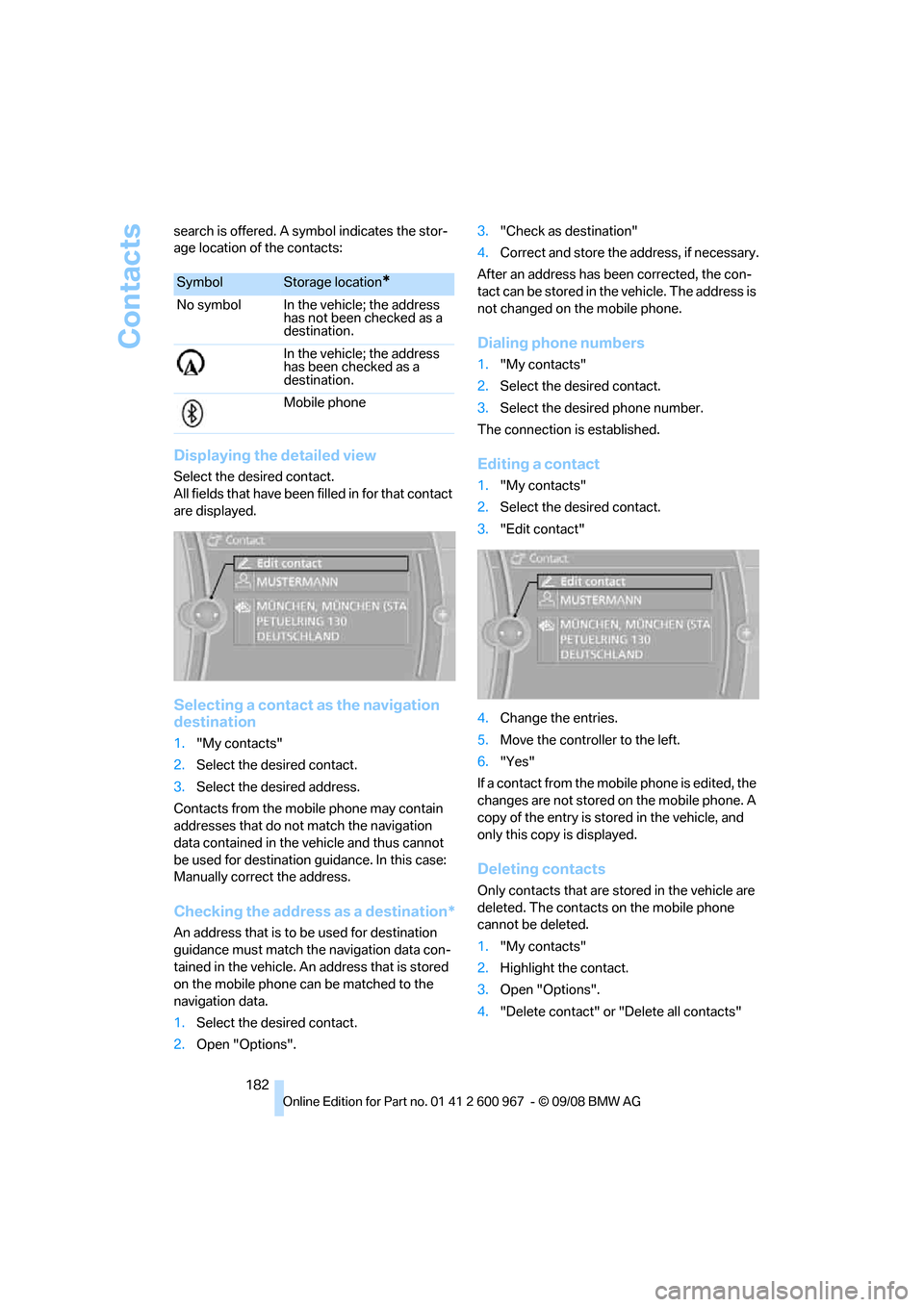
Displaying the detailed view
Select the desired contact.
All fields that have been filled in for that contact
are displayed.
Selecting a contact as the navigation
destination
1."My contacts"
2.Select the desired contact.
3.Select the desired address.
Contacts from the mobile phone may contain
addresses that do not match the navigation
data contained in the vehicle and thus cannot
be used for destination guidance. In this case:
Manually correct the address.
Checking the address as a destination*
An address that is to be used for destination
guidance must match the navigation data con-
tained in the vehicle. An address that is stored
on the mobile phone can be matched to the
navigation data.
1.Select the desired contact.
2.Open "Options".3."Check as destination"
4.Correct and store the address, if necessary.
After an address has been corrected, the con-
tact can be stored in the vehicle. The address is
not changed on the mobile phone.
Dialing phone numbers
1."My contacts"
2.Select the desired contact.
3.Select the desired phone number.
The connection is established.
Editing a contact
1."My contacts"
2.Select the desired contact.
3."Edit contact"
4.Change the entries.
5.Move the controller to the left.
6."Yes"
If a contact from the mobile phone is edited, the
changes are not stored on the mobile phone. A
copy of the entry is stored in the vehicle, and
only this copy is displayed.
Deleting contacts
Only contacts that are stored in the vehicle are
deleted. The contacts on the mobile phone
cannot be deleted.
1."My contacts"
2.Highlight the contact.
3.Open "Options".
4."Delete contact" or "Delete all contacts"
SymbolStorage location*
No symbol In the vehicle; the address
has not been checked as a
destination.
In the vehicle; the address
has been checked as a
destination.
Mobile phone
Page 207 of 260
Mobility
205Reference
At a glance
Controls
Driving tips
Communications
Navigation
Entertainment
Recommended tire brands
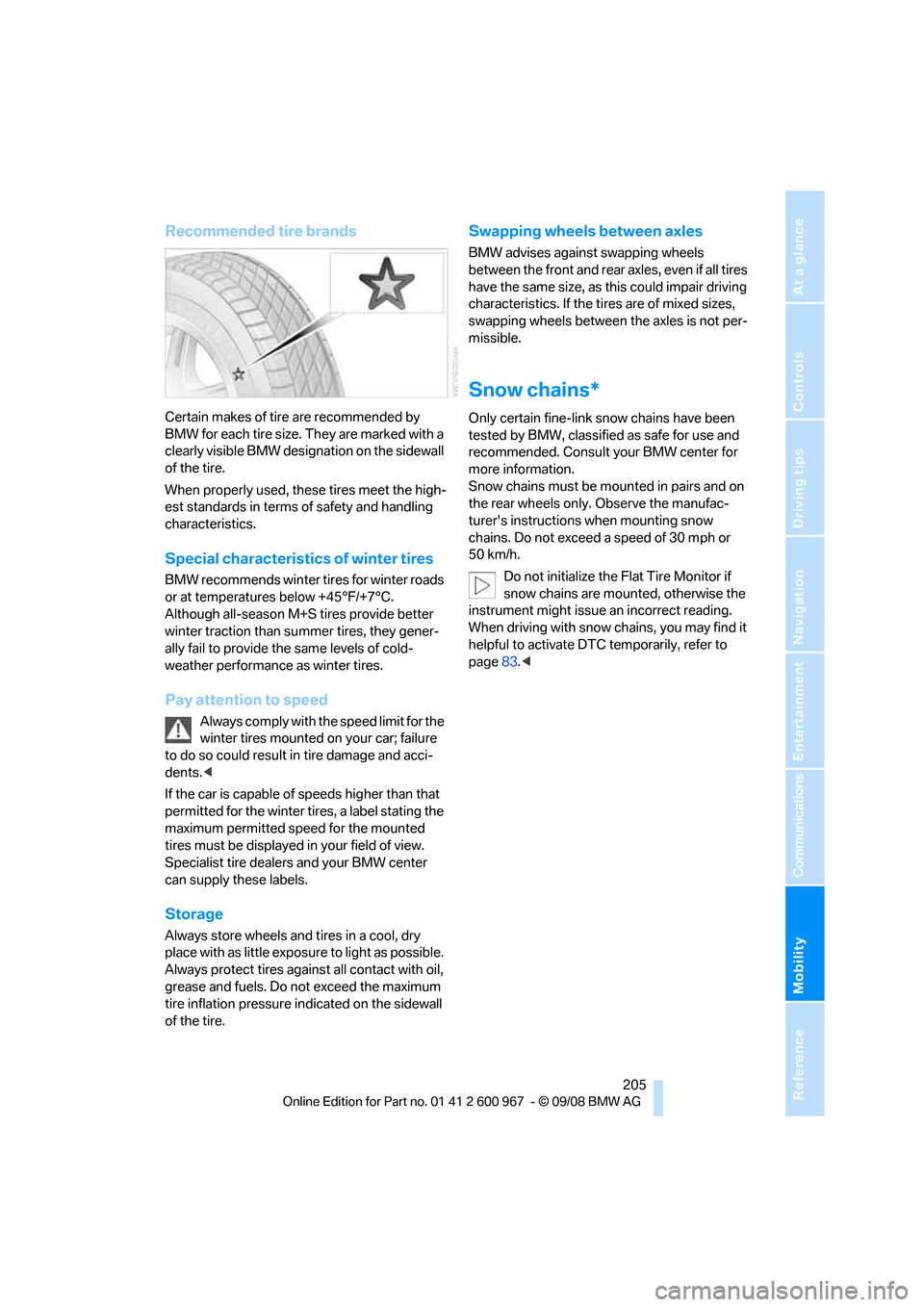
Certain makes of tire are recommended by
BMW for each tire size. They are marked with a
clearly visible BMW designation on the sidewall
of the tire.
When properly used, these tires meet the high-
est standards in terms of safety and handling
characteristics.
Special characteristics of winter tires
BMW recommends winter tires for winter roads
or at temperatures below +45°F/+7°C.
Although all-season M+S tires provide better
winter traction than summer tires, they gener-
ally fail to provide the same levels of cold-
weather performance as winter tires.
Pay attention to speed
Always comply with the speed limit for the
winter tires mounted on your car; failure
to do so could result in tire damage and acci-
dents.<
If the car is capable of speeds higher than that
permitted for the winter tires, a label stating the
maximum permitted speed for the mounted
tires must be displayed in your field of view.
Specialist tire dealers and your BMW center
can supply these labels.
Storage
Always store wheels and tires in a cool, dry
place with as little exposure to light as possible.
Always protect tires against all contact with oil,
grease and fuels. Do not exceed the maximum
tire inflation pressure indicated on the sidewall
of the tire.
Swapping wheels between axles
BMW advises against swapping wheels
between the front and rear axles, even if all tires
have the same size, as this could impair driving
characteristics. If the tires are of mixed sizes,
swapping wheels between the axles is not per-
missible.
Snow chains*
Only certain fine-link snow chains have been
tested by BMW, classified as safe for use and
recommended. Consult your BMW center for
more information.
Snow chains must be mounted in pairs and on
the rear wheels only. Observe the manufac-
turer's instructions when mounting snow
chains. Do not exceed a speed of 30 mph or
50 km/h.
Do not initialize the Flat Tire Monitor if
snow chains are mounted, otherwise the
instrument might issue an incorrect reading.
When driving with snow chains, you may find it
helpful to activate DTC temporarily, refer to
page83.<
Page 218 of 260
Care
216 Avoid applying excessive pressure when
cleaning the displays, otherwise damage
may occur.<
Do not use chemical or abrasive house-
hold cleaning agents. Keep all types of
fluid away from the device. Otherwise, surfaces
or electrical components may be corroded or
damaged.<
CD/DVD drives
Do not use a cleaning CD, as it may dam-
age parts of the drive.<
Vehicle storage
If your vehicle is to be decommissioned for
longer than three months, your BMW center or
a workshop that operates according to BMW
specifications will be glad to advise you.
Page 224 of 260
Replacing components
222 4.Apply gentle pressure to the bulb while
turning it to the left for removal and replace-
ment.
5.Attach the bulb holder.
6.Reattach the trim of the luggage compart-
ment lid and the holder for the warning tri-
angle.
License plate lamp, center brake lamp,
parking/tail lamp
These lamps use LED technology for operation.
In the event of a malfunction, please contact
your BMW center or a workshop that works
according to BMW repair procedures with cor-
respondingly trained personnel.
Changing wheels
Your BMW is equipped with Run-Flat Tires as
standard. This removes the need to change a
wheel immediately in the event of a puncture.
For information on continuing to drive with a
damaged tire, refer to Indication of a flat tire on
page86.
The symbol identifying Run-Flat Tires is a circle
with the letters RSC on the sidewall, refer to
Run-Flat Tires, page204.
When mounting new tires or changing over
from summer to winter tires and vice versa,
mount Run-Flat Tires for your own safety. In the
event of a flat, no spare wheel is available. Your
BMW center will be glad to advise you. Refer
also to New wheels and tires, page204.
The tools for changing wheels are avail-
able as optional accessories from your
BMW center.<
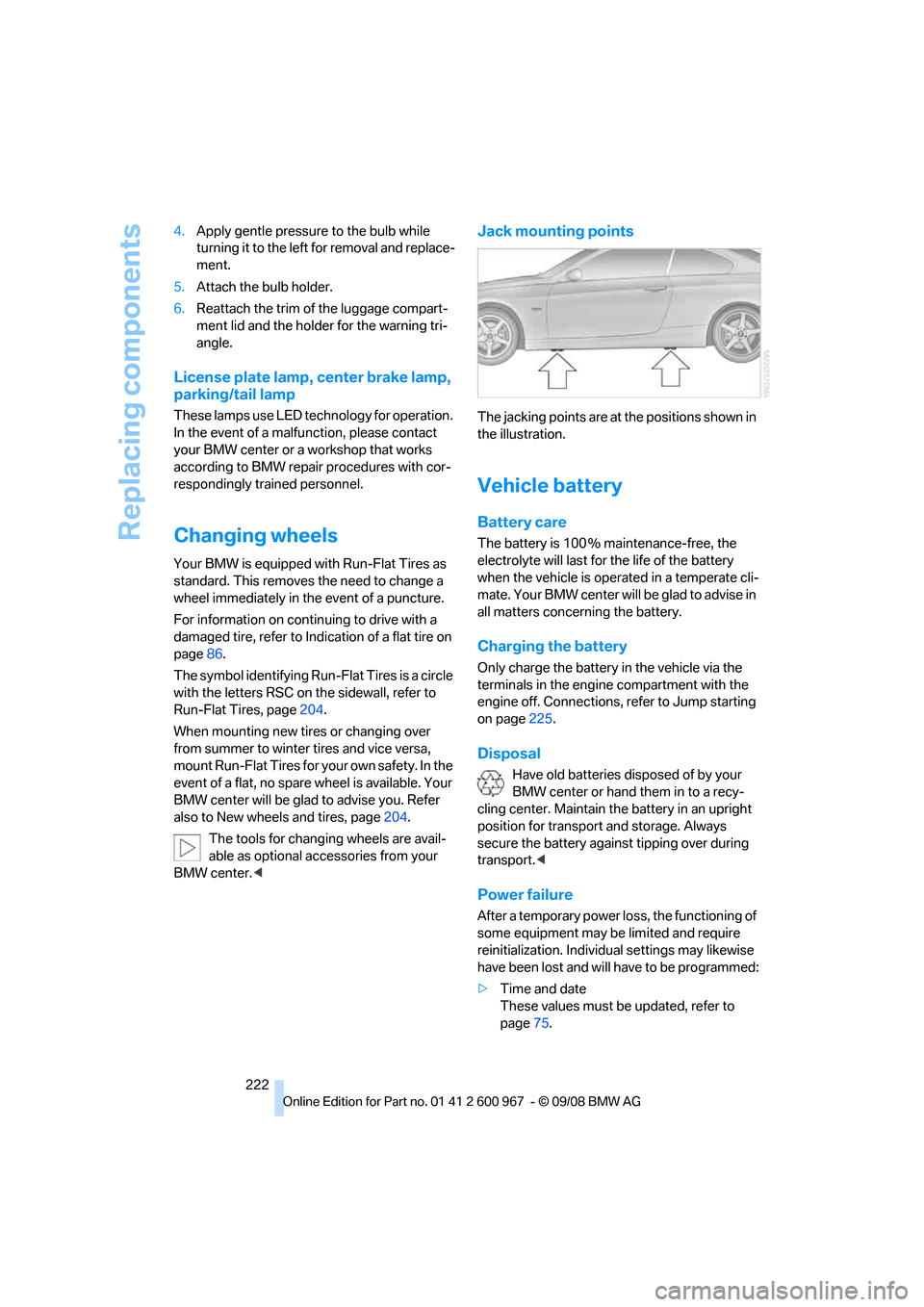
Jack mounting points
The jacking points are at the positions shown in
the illustration.
Vehicle battery
Battery care
The battery is 100 % maintenance-free, the
electrolyte will last for the life of the battery
when the vehicle is operated in a temperate cli-
mate. Your BMW center will be glad to advise in
all matters concerning the battery.
Charging the battery
Only charge the battery in the vehicle via the
terminals in the engine compartment with the
engine off. Connections, refer to Jump starting
on page225.
Disposal
Have old batteries disposed of by your
BMW center or hand them in to a recy-
cling center. Maintain the battery in an upright
position for transport and storage. Always
secure the battery against tipping over during
transport.<
Power failure
After a temporary power loss, the functioning of
some equipment may be limited and require
reinitialization. Individual settings may likewise
have been lost and will have to be programmed:
>Time and date
These values must be updated, refer to
page75.
Page 227 of 260
Mobility
225Reference
At a glance
Controls
Driving tips
Communications
Navigation
Entertainment
First aid pouch*
Some of the articles contained in the first aid
pouch have a limited service life. Therefore,
check the expiration dates of the contents reg-
ularly and replace any items in good time, if nec-
essary.
Coupe
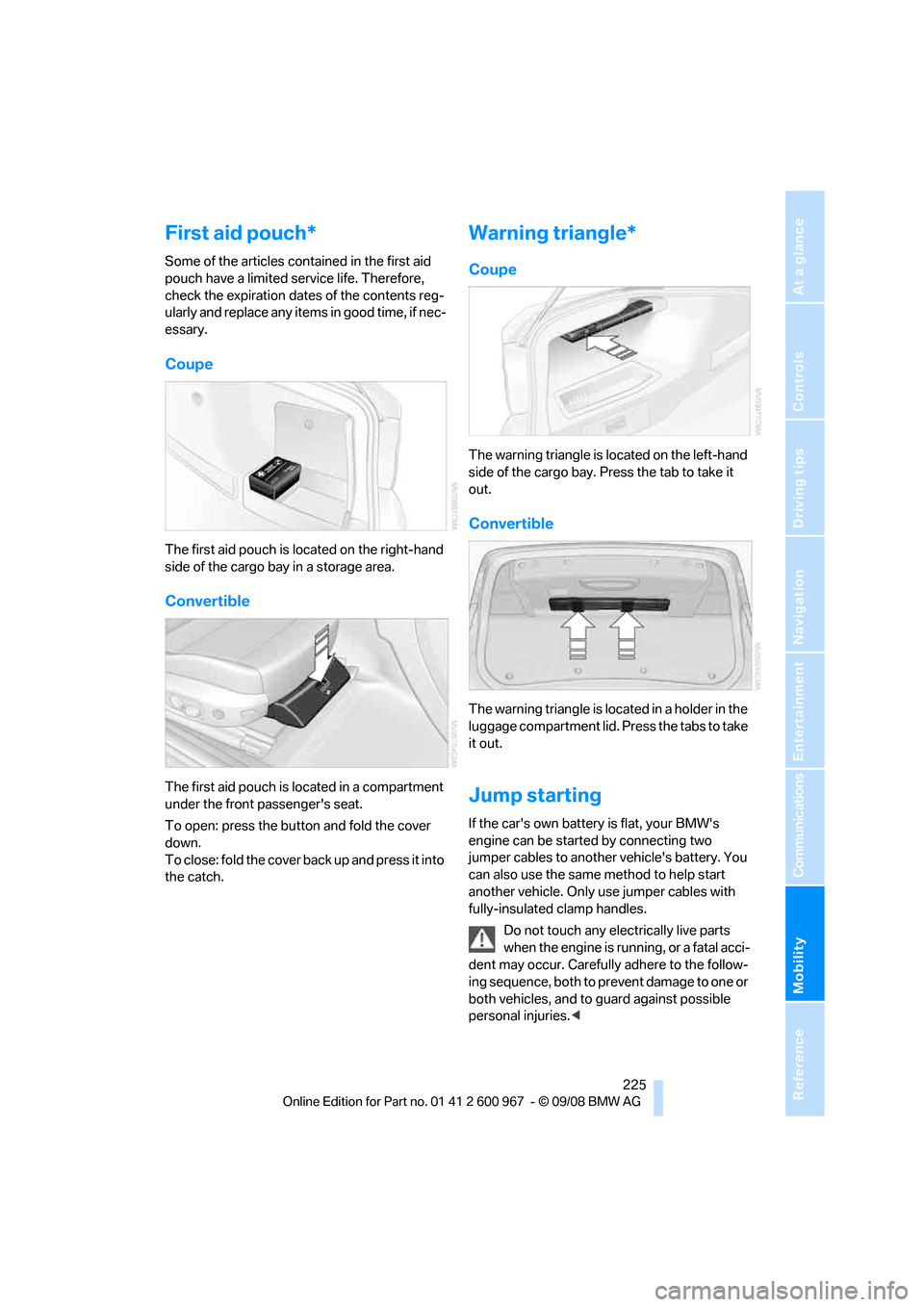
The first aid pouch is located on the right-hand
side of the cargo bay in a storage area.
Convertible
The first aid pouch is located in a compartment
under the front passenger's seat.
To open: press the button and fold the cover
down.
To close: fold the cover back up and press it into
the catch.
Warning triangle*
Coupe
The warning triangle is located on the left-hand
side of the cargo bay. Press the tab to take it
out.
Convertible
The warning triangle is located in a holder in the
luggage compartment lid. Press the tabs to take
it out.
Jump starting
If the car's own battery is flat, your BMW's
engine can be started by connecting two
jumper cables to another vehicle's battery. You
can also use the same method to help start
another vehicle. Only use jumper cables with
fully-insulated clamp handles.
Do not touch any electrically live parts
when the engine is running, or a fatal acci-
dent may occur. Carefully adhere to the follow-
ing sequence, both to prevent damage to one or
both vehicles, and to guard against possible
personal injuries.<
Page 245 of 260
Reference 243
At a glance
Controls
Driving tips
Communications
Navigation
Entertainment
Mobility
AUTO program for automatic
climate control98
AUX-IN
– port106
AUX-IN port163
Average fuel consumption71
– setting the units72
Average speed71
Avoid highways in
navigation135
Avoiding unintentional
alarms33
Axle loads, refer to
Weights235
B
Backrest contour, refer to
Lumbar support44
Backrests, refer to Seat
adjustment43
Backrest width adjustment44
Back seats
– refer to Rear seats45
Backup lamps
– replacing bulb220,221
Backup lamps, refer to Tail
lamps220
Bag holder110
Band-aids, refer to First-aid
pouch225
Bar, refer to Towing
methods227
Base plate for telephone or
mobile phone
– refer to Snap-in adapter179
– refer to Snap-in adapter in
the center armrest storage
compartment106
Bass, tone setting144
Battery222
– charging222
– disposal35,222
– jump starting225
– remote control26
– temporary power failure222
Battery for mobile phone179Battery renewal
– remote control35
– remote control for vehicle35
Being towed227
Belt hand-over49
– pinch protection system49
Belts, refer to Safety belts48
Belt tensioner, refer to Safety
belts48
Beverage holders, refer to
Cup holders107
Blinds, refer to Roller sun
blinds105
Blower, refer to Air flow
rate99
Bluetooth, activating/
deactivating172
Bluetooth, refer to separate
Owner's Manual
BMW
– car shampoo215
BMW Assist, activating184
BMW Assist183
BMW center188
BMW Homepage4
BMW Maintenance
System211
BMW Search184
BMW webpage
4
Bottle holders, refer to Cup
holders107
Brake assist, refer to Dynamic
Brake Control DBC83
Brake fluid, refer to Service
requirements73
Brake force display89
Brake lamps
– brake force display89
– replacing bulb220,221
Brake pads116
– breaking in116
Brake rotors118
– brakes116
– breaking in116Brakes
– ABS83
– BMW Maintenance
System211
– brake force display89
– breaking in116
– parking brake56
– service requirements73
Brakes, refer to Braking
safely118
Brake system116
– BMW Maintenance
System211
– breaking in116
– disc brakes118
Breakdown services, refer to
Roadside Assistance224
Breaking in the clutch116
Breaking in the differential,
refer to Engine and
differential116
Break-in period116
Brightness of Control
Display80
Bulb changing, refer to Lamps
and bulbs218
Button for starting the engine,
refer to Start/stop button55
Buttons on the steering
wheel11
C
California Proposition 65
warning6
Call
– accepting173
– ending174
– rejecting174
Calling, refer to Phone
numbers, dialing174
Can holders, refer to Cup
holders107
Capacities235
Capacity of the cargo bay235
Car battery, refer to Vehicle
battery222
Car care, refer to Care213
Page 252 of 260
Everything from A - Z
250 Mirrors49
– automatic curb monitor50
– exterior mirrors49
– heating50
– interior rearview mirror50
– memory, refer to Seat and
mirror memory47
Mirrors, folding in before
entering a car wash49
Mobile phone
– adjusting volume173
– connecting, refer to Mobile
phone, pairing170
– installation location, refer to
Center armrest106
– operation via iDrive173
– pairing170
– refer to separate Owner's
Manual
Mobile phone, installation
location, refer to Center
armrest106
Mobile phone, refer to
Telephone170
Mobile phone, refer to the
separate Owner's Manual
Modifications, technical, refer
to For your own safety5
Monitor, refer to iDrive
controls16
Monitoring system for tire
pressures, refer to Flat Tire
Monitor85
MP3 player, connecting, refer
to AUX-IN port163
MP3 player, connecting, refer
to USB-audio interface164
Multifunctional steering
wheel, refer to Buttons on
the steering wheel11
Multifunction switch
– refer to Turn signals/
headlamp flasher59
– refer to Wiper system60
Multimedia screen, refer to
iDrive16
Music, managing161
Music, playing160
Music, storing159Music collection159
– backup162
– importing162
Music player, connecting,
refer to AUX-IN port163
Music player, connecting,
refer to USB-audio
interface164
Music search160
N
Navigation announcements,
refer to Switching voice
instructions on/off136
Navigation data124
Navigation drive, location124
Navigation DVD124
Navigation system124
– address book127
– bypassing a route
section136
– continuing destination
guidance135
– destination entry125
– displaying current
position141
– entering a destination by
voice131
– entering a destination
manually125
– route list136
– selecting destination via
map130
– selecting route criteria135
– special destinations128
– starting destination
guidance135
– terminating destination
guidance135
– voice instructions136
– volume adjustment137
Neck support, refer to Head
restraints44
Nets, refer to Storage
compartments106
New tires204
North-facing map137
Nozzles97Number of cylinders, refer to
Engine data232
Nylon rope, refer to Tow
rope227
O
OBD socket, refer to Socket
for On-Board Diagnosis212
Octane ratings, refer to Fuel
specifications193
Odometer69
Oil, refer to Engine oil207
Oil consumption207
Oil level207
Old batteries, refer to
Disposal222
Onboard tool kit217
Opening and closing
– convenient access34
– from inside30
– from outside27
– using the door lock29
– via the remote control27
Options, selecting for
navigation135
Orientation menu, refer to
Start menu17
Outlets
– refer to Ventilation100
Output, refer to Engine
data232
Outside-air mode
– automatic climate control99
Outside-temperature
display69
– changing units of
measure72
– in computer72
Outside temperature
warning69
Overheated engine, refer to
Coolant temperature70
Overriding selector lever
lock59
Overview
– radio control144
Page 255 of 260
Reference 253
At a glance
Controls
Driving tips
Communications
Navigation
Entertainment
Mobility
Settings
– changing on Control
Display80
– clock, 12h/24h mode76
– DVD155
– language80
Settings and information72
Setting times, refer to
Preselecting switch-on
times101
Shifting gears
– automatic transmission with
Steptronic58
– manual transmission57
Shiftlock
– automatic transmission,
refer to Changing selector
lever positions58
Short commands for the voice
activation system236
Short route in navigation, refer
to Selecting route135
Shuffled, refer to Random
– CD changer153
– CD player153
Side airbags90
Side windows, refer to
Windows35
Signal horn, refer to
Horn10,11
Sitting safely42
– with airbags42
– with head restraint42
– with safety belts42
Ski bag111
Ski bag for convertible, refer to
Through-loading opening
with integrated transport
bag112
Sliding/tilt sunroof, refer to
Glass roof, electric37
Slot for remote control55
Smokers' package, refer to
Ashtray108
Snap-in adapter
– inserting/removing179
– use170Snap-in adapter, refer to
Center armrest storage
compartment106
Socket, On-Board Diagnosis
OBD212
Socket, refer to Connecting
electrical appliances108
SOS, refer to Sending an
Emergency Request224
Sound output for
entertainment on/off144
Spare fuses,223
Spare fuses, refer to
Fuses223
Special destinations128
Speed
– Run-Flat Tires86
– with winter tires
205
Speed limit79
Speed limit warning, refer to
Speed limit79
Speedometer12
Speed Volume145
Split screen, refer to Control
Display, switching on/off19
Split screen content, refer to
Display for split screen
content, selecting19
Spray nozzles, refer to
Cleaning windshield and
headlamps60
Stability control, refer to
Driving stability control
systems83
Start/stop button55
– starting the engine55
– switching off the engine56
Starting, refer to Starting the
engine55
Starting assistance, refer to
Jump starting225
Starting difficulties
– jump starting225
Starting the engine
– start/stop button55
Start menu17
State/province, for
navigation125Station, selecting
– radio147
Status of this Owner's Manual
at time of printing5
Steam jet213,214
Steering wheel50
– adjustment50
– buttons on steering
wheel11
– heating51
– lock55
– locking with convenient
access34
Steering with variable ratio,
refer to Active steering89
Steptronic, refer to Automatic
transmission with
Steptronic57
Storage216
Storage compartments106
Storage nets110
"Store Channel"
in radio151
Storing seat positions, refer to
Seat and mirror memory47
Storing tires205
Stowage, refer to Storage
compartments106
Street, entering,
navigation126
Summer tires, refer to Wheels
and tires194
Surface ice, refer to Outside
temperature warning69
SVCD154
SW, waveband147
Switches, refer to Cockpit10
Switching off
– engine56
Switching off the engine
– start/stop button55
Switching on
– audio144
– CD changer144
– CD player144
– radio144
Switching the cooling function
on and off100
Page 256 of 260
Everything from A - Z
254 Switch-on times of parked car
ventilation, preselecting101
Symbols4
– status information19
– traffic bulletins for navigation
system138
T
Tachometer69
Tailgate, refer to Luggage
compartment lid31
Tail lamp
– replacing bulb222
Tail lamps220
– replacing bulb220,221
Tank contents, refer to
Capacities235
Technical data232
– capacities235
– dimensions233
Technical modifications, refer
to For your own safety5
Telephone170
– installation location, refer to
Center armrest106
– refer to separate Owner's
Manual
TeleService, activating187
TeleService Diagnosis184
TeleService Help184
Temperature
– automatic climate control98
– changing unit of measure72
– coolant, refer to Coolant
temperature70
Temperature display
– outside temperature69
– outside temperature
warning69
– setting the units72
Tempomat, refer to Cruise
control61
Tensioning straps, refer to
Securing cargo120
The individual vehicle5
Third brake lamp, refer to
Center brake lamp222Through-loading opening with
integrated transport
bag112
Through-loading system109
Tilt alarm sensor33
Tilt function, passenger-side
mirror50
Timer, refer to Preselecting
switch-on times101
Tire inflation pressure194
– loss86,87
Tire pressure monitoring,
refer to Flat Tire Monitor85
Tire Pressure Monitor
TPM86
– resetting the system87
– system limitations87
– warning lamp88
Tire puncture, refer to Flat Tire
Monitor86
Tire Quality Grading202Tires
– age202,203
– air loss88
– breaking in116
– changing, refer to Changing
wheels222
– condition203
– damage203
– inflation pressure194
– labels202
– minimum tread depth203
– new wheels and tires204
– pressure monitoring, refer to
Flat Tire Monitor85
– pressure monitoring, refer to
Tire Pressure Monitor
TPM86
– puncture86
– replacing204
– Run-Flat204
– size202
– storage205
– tread depth203
– wear indicators, refer to
Minimum tread depth203
– wheel/tire combination, refer
to Correct wheels and
tires204
– winter tires205
TMC station, refer to
Traffic bulletins138
Tone
– control144
– middle setting146
Tools, refer to Onboard tool
kit217
Top, refer to Retractable
hardtop38
Top 50 of music
collection161
Torque, refer to Engine
data232
Tow bar227
Tow fitting227
– screw thread227
Tow fittings for tow-starting
and towing away227
Page 257 of 260
Reference 255
At a glance
Controls
Driving tips
Communications
Navigation
Entertainment
Mobility
Towing226
– car with automatic
transmission226
– methods227
Towing and tow-starting226
Town/city, for navigation125
Tow rope227
Tow-starting226,228
TPM, refer to Tire Pressure
Monitor86
Track
– selecting on CD152
Traction control, refer to
Dynamic Stability Control
DSC83
Traffic bulletins
– categories139
Traffic bulletins, filtering139
Traffic bulletins for
navigation138
– during destination
guidance139
– in map display139
Traffic jam
– displaying traffic
bulletins138
Transmission
– automatic transmission with
Steptronic57
– manual transmission57
– overriding selector lever lock
for automatic transmission
with Steptronic59
Transmission interlock
– refer to Changing selector
lever position58
– refer to P Park58
Transporting children
safely52
Transport securing devices,
refer to Securing cargo120
Travel instructions,
refer to Voice
instructions136
Tread depth, refer to Minimum
tire tread203
Trip-distance counter, refer to
Trip odometer69
Triple turn signal activation60Trip odometer69
Turning circle, refer to
Dimensions233
Turn signal indicators
– indicator/warning lamp12
– replacing bulbs219
– triple turn signal60
Turn signals59
TV
– control elements144
– switching on/off144
– tone control144
– volume144
Tying down loads, refer to
Cargo loading120
U
Uniform Tire Quality Grading/
UTQR202
Units
– average consumption72
– temperature72
Universal garage door opener,
refer to Integrated universal
remote control102
Universal mobile phone
preparation package, refer
to separate Owner's Manual
Universal remote control102
Unlatching, refer to
Unlocking34
Unlocking
– from inside31
– from outside27
– luggage compartment lid34
– setting unlocking
characteristics27
– without remote control, refer
to Convenient access34
USB-audio interface164
V
VCD154Vehicle
– battery222
– breaking in116
– cargo loading119
– Identification Number, refer
to Engine compartment207
– measurements, refer to
Dimensions233
– parking56
– weight235
Vehicle jack222
Vehicle position, refer to
Displaying current
position141
Vehicle storage216
Ventilation100
– draft-free100
– in the rear100
Ventilation, refer to Climate97
Ventilation while at a
standstill100
Vents, refer to Ventilation100
Video menu154
Video playback154
Voice, refer to Destination
guidance through voice
instructions136
Voice commands
– overview22
– short commands236
Voice instructions from
navigation system136
– repeating137
– switching on/off136
– volume137
Volume144
– audio sources144
– fuel tank, refer to
Capacities235
– mobile phone173
– TV144
– voice instructions137
Volume balance, tone
setting145
W
Warm
– steering wheel51