seats BMW 335I XDRIVE COUPE 2009 E92 User Guide
[x] Cancel search | Manufacturer: BMW, Model Year: 2009, Model line: 335I XDRIVE COUPE, Model: BMW 335I XDRIVE COUPE 2009 E92Pages: 260, PDF Size: 7.95 MB
Page 108 of 260
Practical interior accessories
106
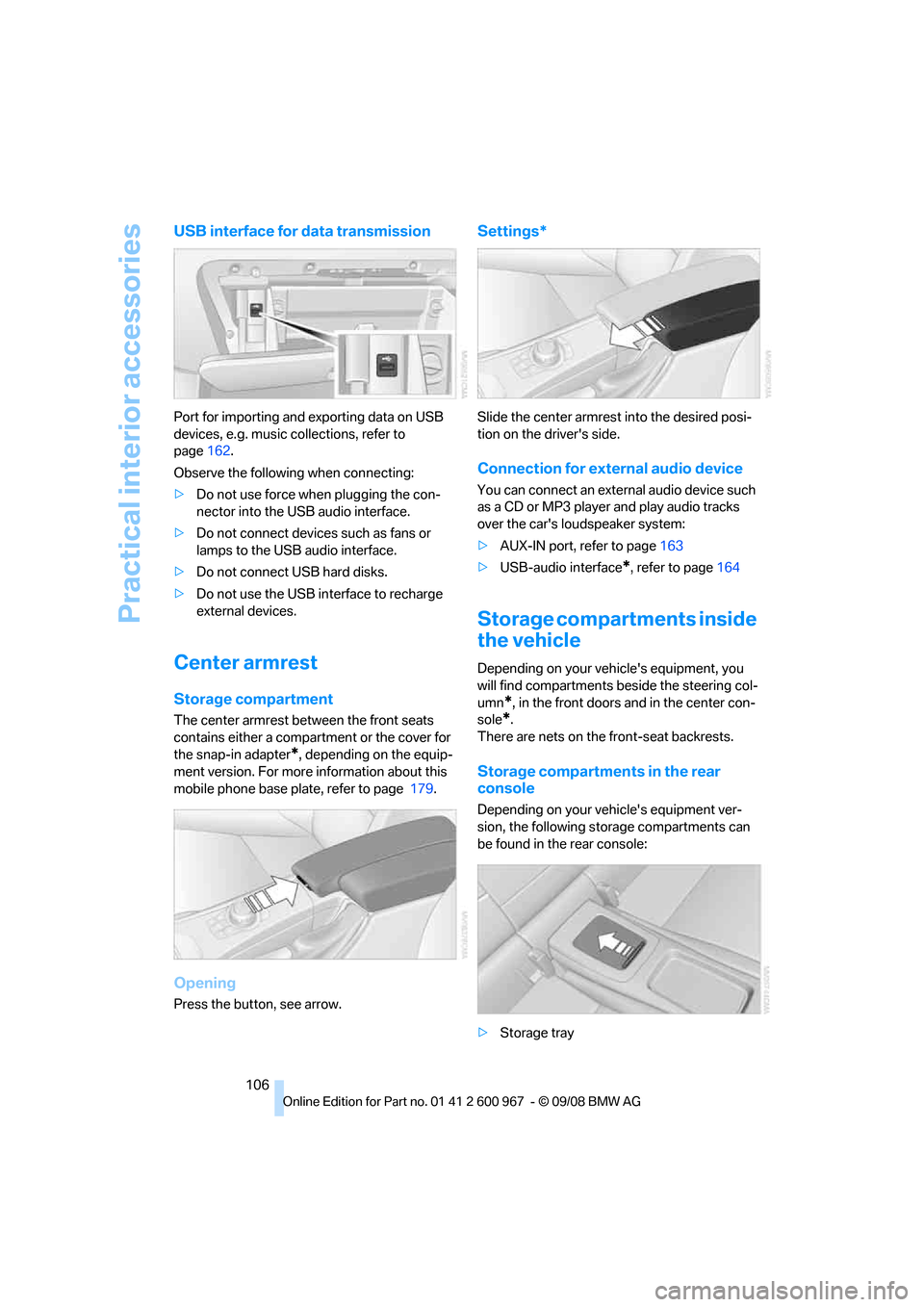
USB interface for data transmission
Port for importing and exporting data on USB
devices, e.g. music collections, refer to
page162.
Observe the following when connecting:
>Do not use force when plugging the con-
nector into the USB audio interface.
>Do not connect devices such as fans or
lamps to the USB audio interface.
>Do not connect USB hard disks.
>Do not use the USB interface to recharge
external devices.
Center armrest
Storage compartment
The center armrest between the front seats
contains either a compartment or the cover for
the snap-in adapter
*, depending on the equip-
ment version. For more information about this
mobile phone base plate, refer to page 179.
Opening
Press the button, see arrow.
Settings*
Slide the center armrest into the desired posi-
tion on the driver's side.
Connection for external audio device
You can connect an external audio device such
as a CD or MP3 player and play audio tracks
over the car's loudspeaker system:
>AUX-IN port, refer to page163
>USB-audio interface
*, refer to page164
Storage compartments inside
the vehicle
Depending on your vehicle's equipment, you
will find compartments beside the steering col-
umn
*, in the front doors and in the center con-
sole
*.
There are nets
on the front-seat backrests.
Storage compartments in the rear
console
Depending on your vehicle's equipment ver-
sion, the following storage compartments can
be found in the rear console:
>Storage tray
Page 112 of 260
Practical interior accessories
110
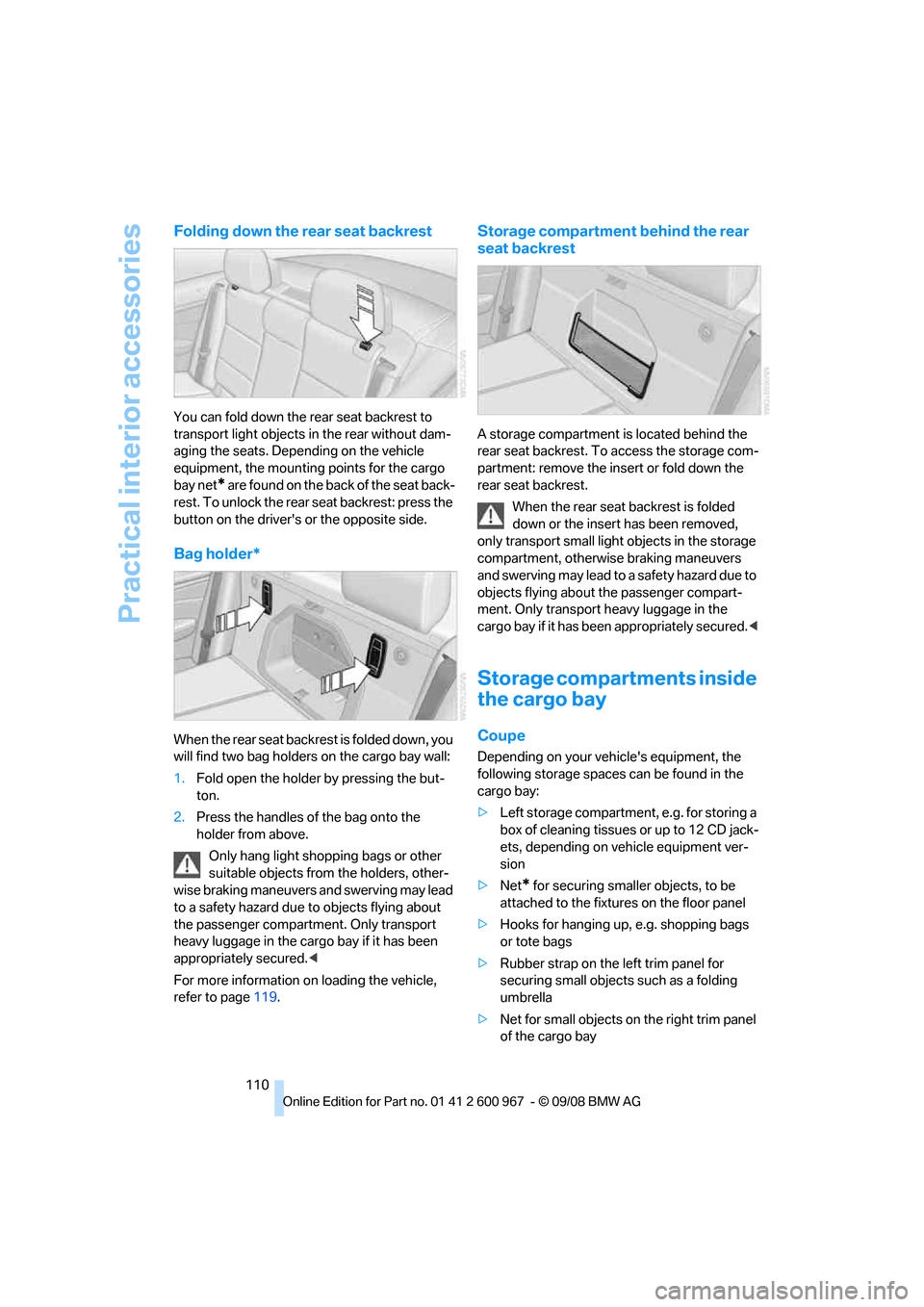
Folding down the rear seat backrest
You can fold down the rear seat backrest to
transport light objects in the rear without dam-
aging the seats. Depending on the vehicle
equipment, the mounting points for the cargo
bay net
* are found on the back of the seat back-
rest. To unlock the rear seat backrest: press the
button on the driver's or the opposite side.
Bag holder*
W h e n t h e r e a r s e a t b a c k r e s t i s f o l d e d d o w n , y o u
will find two bag holders on the cargo bay wall:
1.Fold open the holder by pressing the but-
ton.
2.Press the handles of the bag onto the
holder from above.
Only hang light shopping bags or other
suitable objects from the holders, other-
wise braking maneuvers and swerving may lead
to a safety hazard due to objects flying about
the passenger compartment. Only transport
heavy luggage in the cargo bay if it has been
appropriately secured.<
For more information on loading the vehicle,
refer to page119.
Storage compartment behind the rear
seat backrest
A storage compartment is located behind the
rear seat backrest. To access the storage com-
partment: remove the insert or fold down the
rear seat backrest.
When the rear seat backrest is folded
down or the insert has been removed,
only transport small light objects in the storage
compartment, otherwise braking maneuvers
and swerving may lead to a safety hazard due to
objects flying about the passenger compart-
ment. Only transport heavy luggage in the
cargo bay if it has been appropriately secured.<
Storage compartments inside
the cargo bay
Coupe
Depending on your vehicle's equipment, the
following storage spaces can be found in the
cargo bay:
>Left storage compartment, e.g. for storing a
box of cleaning tissues or up to 12 CD jack-
ets, depending on vehicle equipment ver-
sion
>Net
* for securing smaller objects, to be
attached to the fixtures on the floor panel
>Hooks for hanging up, e.g. shopping bags
or tote bags
>Rubber strap on the left trim panel for
securing small objects such as a folding
umbrella
>Net for small objects on the right trim panel
of the cargo bay
Page 113 of 260
Controls
111Reference
At a glance
Driving tips
Communications
Navigation
Entertainment
Mobility
Convertible
Depending on your vehicle's equipment, the
following storage spaces can be found in the
cargo bay:
>Storage compartment on the left side of the
cargo bay. To open turn handle by 90°.
>Net
* for securing smaller objects, to be
attached to the fixtures on the floor panel
>Rubber strap
* for subdividing the cargo
bay; can be hooked onto the lateral lashing
eyes
>Storage compartment under the floor panel
Folding up the floor panel
Do not exceed the maximum permissible
load of 55 lbs/25 kg for the storage com-
partment under the floor panel, otherwise dam-
age could result.<
Coupe
Press the floor panel up and secure it with the
catch.
Convertible
To lift, grab hold of the floor panel at the open-
ing at the rear of the panel.
Lashing eyes
You will find lashing eyelets in the cargo bay for
securing luggage items with nets or tensioning
straps, refer to page120.
Coupe: ski bag*
The ski bag is designed for safe, clean transport
of up to 4 pairs of standard skis or up to
2snowboards.
With the ski bag you can stow skis with a length
of up to 6ft 10in/2.10m. When skis of 6ft 10in/
2.10 m length are loaded, the overall capacity of
the ski bag is reduced due to its tapered design.
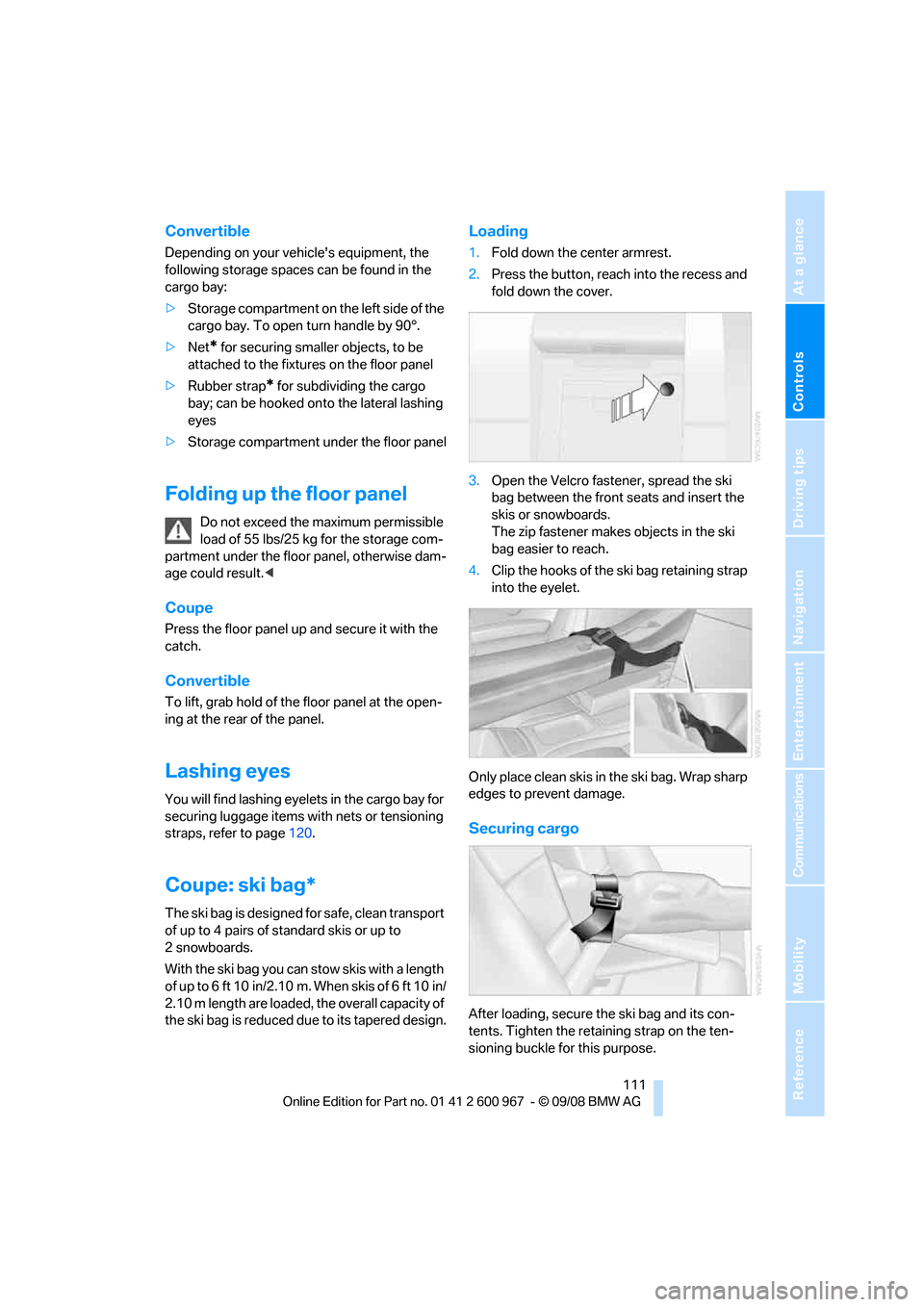
Loading
1.Fold down the center armrest.
2.Press the button, reach into the recess and
fold down the cover.
3.Open the Velcro fastener, spread the ski
bag between the front seats and insert the
skis or snowboards.
The zip fastener makes objects in the ski
bag easier to reach.
4.Clip the hooks of the ski bag retaining strap
into the eyelet.
Only place clean skis in the ski bag. Wrap sharp
edges to prevent damage.
Securing cargo
After loading, secure the ski bag and its con-
tents. Tighten the retaining strap on the ten-
sioning buckle for this purpose.
Page 114 of 260
Practical interior accessories
112 Secure the ski bag in the manner
described, otherwise it could endanger
the car's occupants, e.g. in case of heavy brak-
ing or sudden swerving.<
To store the ski bag, perform the steps
described for loading in reverse order.
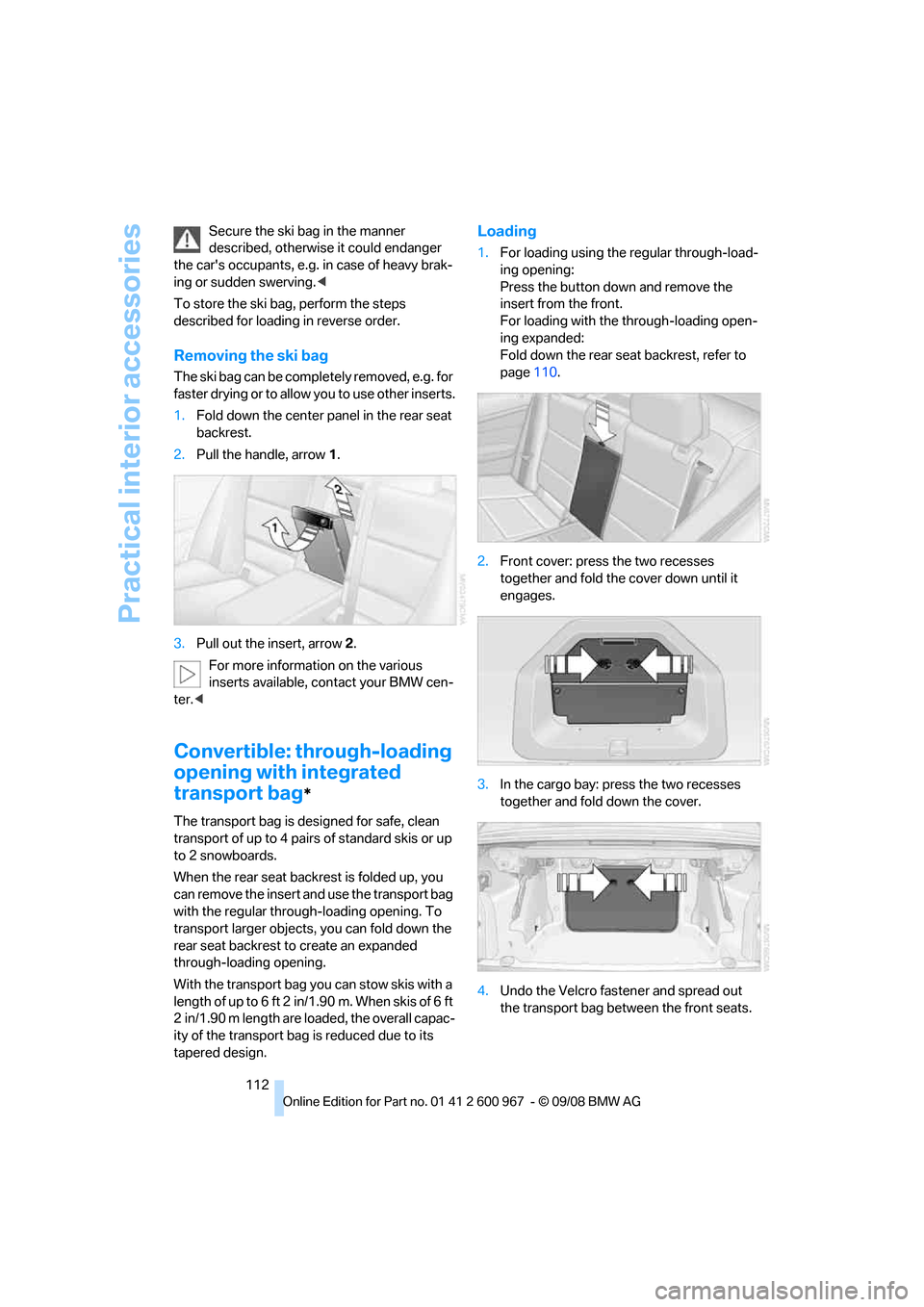
Removing the ski bag
The ski bag can be completely removed, e.g. for
faste r drying or to allow you to use other inserts.
1.Fold down the center panel in the rear seat
backrest.
2.Pull the handle, arrow1.
3.Pull out the insert, arrow 2.
For more information on the various
inserts available, contact your BMW cen-
ter.<
Convertible: through-loading
opening with integrated
transport bag
*
The transport bag is designed for safe, clean
transport of up to 4 pairs of standard skis or up
to 2 snowboards.
When the rear seat backrest is folded up, you
can remove the insert and use the transport bag
with the regular through-loading opening. To
transport larger objects, you can fold down the
rear seat backrest to create an expanded
through-loading opening.
With the transport bag you can stow skis with a
l e ng t h o f up t o 6 f t 2 i n/ 1 . 9 0 m . W h e n s k i s o f 6 f t
2 in/1.90 m length are loaded, the overall capac-
ity of the transport bag is reduced due to its
tapered design.
Loading
1.For loading using the regular through-load-
ing opening:
Press the button down and remove the
insert from the front.
For loading with the through-loading open-
ing expanded:
Fold down the rear seat backrest, refer to
page110.
2.Front cover: press the two recesses
together and fold the cover down until it
engages.
3.In the cargo bay: press the two recesses
together and fold down the cover.
4.Undo the Velcro fastener and spread out
the transport bag between the front seats.
Page 245 of 260
Reference 243
At a glance
Controls
Driving tips
Communications
Navigation
Entertainment
Mobility
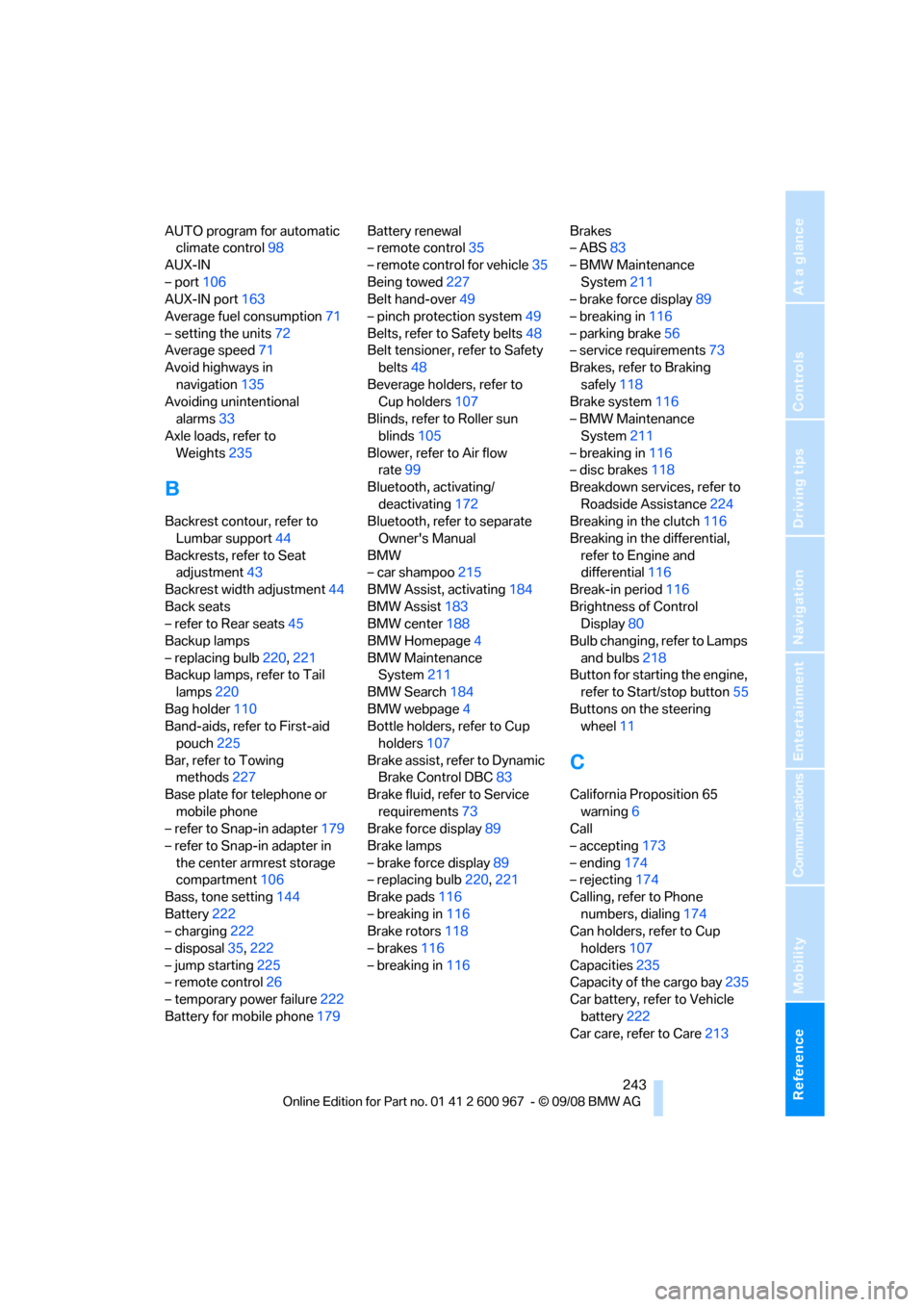
AUTO program for automatic
climate control98
AUX-IN
– port106
AUX-IN port163
Average fuel consumption71
– setting the units72
Average speed71
Avoid highways in
navigation135
Avoiding unintentional
alarms33
Axle loads, refer to
Weights235
B
Backrest contour, refer to
Lumbar support44
Backrests, refer to Seat
adjustment43
Backrest width adjustment44
Back seats
– refer to Rear seats45
Backup lamps
– replacing bulb220,221
Backup lamps, refer to Tail
lamps220
Bag holder110
Band-aids, refer to First-aid
pouch225
Bar, refer to Towing
methods227
Base plate for telephone or
mobile phone
– refer to Snap-in adapter179
– refer to Snap-in adapter in
the center armrest storage
compartment106
Bass, tone setting144
Battery222
– charging222
– disposal35,222
– jump starting225
– remote control26
– temporary power failure222
Battery for mobile phone179Battery renewal
– remote control35
– remote control for vehicle35
Being towed227
Belt hand-over49
– pinch protection system49
Belts, refer to Safety belts48
Belt tensioner, refer to Safety
belts48
Beverage holders, refer to
Cup holders107
Blinds, refer to Roller sun
blinds105
Blower, refer to Air flow
rate99
Bluetooth, activating/
deactivating172
Bluetooth, refer to separate
Owner's Manual
BMW
– car shampoo215
BMW Assist, activating184
BMW Assist183
BMW center188
BMW Homepage4
BMW Maintenance
System211
BMW Search184
BMW webpage
4
Bottle holders, refer to Cup
holders107
Brake assist, refer to Dynamic
Brake Control DBC83
Brake fluid, refer to Service
requirements73
Brake force display89
Brake lamps
– brake force display89
– replacing bulb220,221
Brake pads116
– breaking in116
Brake rotors118
– brakes116
– breaking in116Brakes
– ABS83
– BMW Maintenance
System211
– brake force display89
– breaking in116
– parking brake56
– service requirements73
Brakes, refer to Braking
safely118
Brake system116
– BMW Maintenance
System211
– breaking in116
– disc brakes118
Breakdown services, refer to
Roadside Assistance224
Breaking in the clutch116
Breaking in the differential,
refer to Engine and
differential116
Break-in period116
Brightness of Control
Display80
Bulb changing, refer to Lamps
and bulbs218
Button for starting the engine,
refer to Start/stop button55
Buttons on the steering
wheel11
C
California Proposition 65
warning6
Call
– accepting173
– ending174
– rejecting174
Calling, refer to Phone
numbers, dialing174
Can holders, refer to Cup
holders107
Capacities235
Capacity of the cargo bay235
Car battery, refer to Vehicle
battery222
Car care, refer to Care213
Page 246 of 260
Everything from A - Z
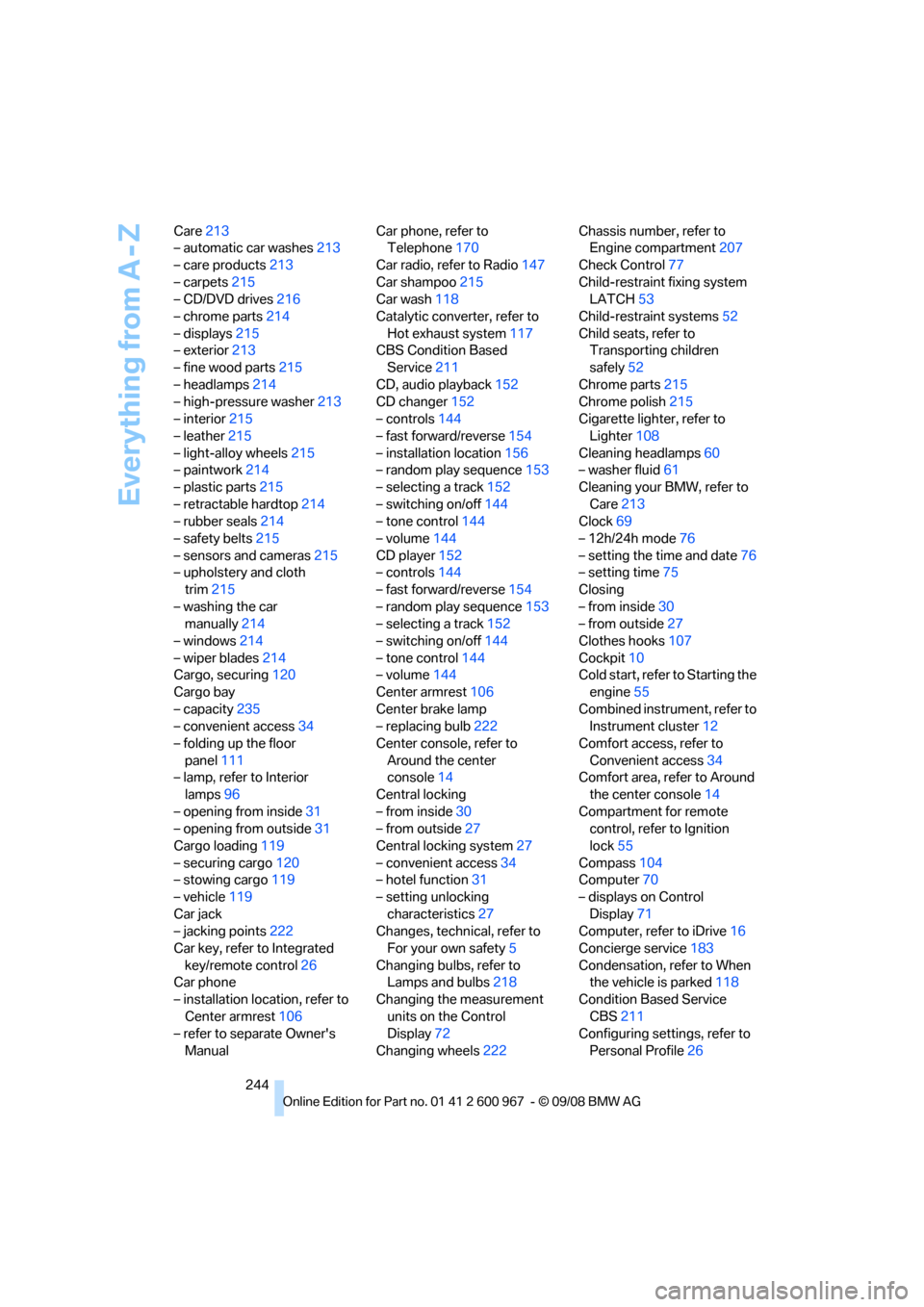
244 Care213
– automatic car washes213
– care products213
– carpets215
– CD/DVD drives216
– chrome parts214
– displays215
– exterior213
– fine wood parts215
– headlamps214
– high-pressure washer213
– interior215
– leather215
– light-alloy wheels215
– paintwork214
– plastic parts215
– retractable hardtop214
– rubber seals214
– safety belts215
– sensors and cameras215
– upholstery and cloth
trim215
– washing the car
manually214
– windows214
– wiper blades214
Cargo, securing120
Cargo bay
– capacity235
– convenient access34
– folding up the floor
panel111
– lamp, refer to Interior
lamps96
– opening from inside31
– opening from outside31
Cargo loading119
– securing cargo120
– stowing cargo119
– vehicle119
Car jack
– jacking points222
Car key, refer to Integrated
key/remote control26
Car phone
– installation location, refer to
Center armrest106
– refer to separate Owner's
ManualCar phone, refer to
Telephone170
Car radio, refer to Radio147
Car shampoo215
Car wash118
Catalytic converter, refer to
Hot exhaust system117
CBS Condition Based
Service
211
CD, audio playback152
CD changer152
– controls144
– fast forward/reverse154
– installation location156
– random play sequence153
– selecting a track152
– switching on/off144
– tone control144
– volume144
CD player152
– controls144
– fast forward/reverse154
– random play sequence153
– selecting a track152
– switching on/off144
– tone control144
– volume144
Center armrest106
Center brake lamp
– replacing bulb222
Center console, refer to
Around the center
console14
Central locking
– from inside30
– from outside27
Central locking system27
– convenient access34
– hotel function31
– setting unlocking
characteristics27
Changes, technical, refer to
For your own safety5
Changing bulbs, refer to
Lamps and bulbs218
Changing the measurement
units on the Control
Display72
Changing wheels222Chassis number, refer to
Engine compartment207
Check Control77
Child-restraint fixing system
LATCH53
Child-restraint systems52
Child seats, refer to
Transporting children
safely52
Chrome parts215
Chrome polish215
Cigarette lighter, refer to
Lighter108
Cleaning headlamps60
– washer fluid61
Cleaning your BMW, refer to
Care213
Clock
69
– 12h/24h mode76
– setting the time and date76
– setting time75
Closing
– from inside30
– from outside27
Clothes hooks107
Cockpit10
Cold start, refer to Starting the
engine55
Combined instrument, refer to
Instrument cluster12
Comfort access, refer to
Convenient access34
Comfort area, refer to Around
the center console14
Compartment for remote
control, refer to Ignition
lock55
Compass104
Computer70
– displays on Control
Display71
Computer, refer to iDrive16
Concierge service183
Condensation, refer to When
the vehicle is parked118
Condition Based Service
CBS211
Configuring settings, refer to
Personal Profile26
Page 249 of 260
Reference 247
At a glance
Controls
Driving tips
Communications
Navigation
Entertainment
Mobility
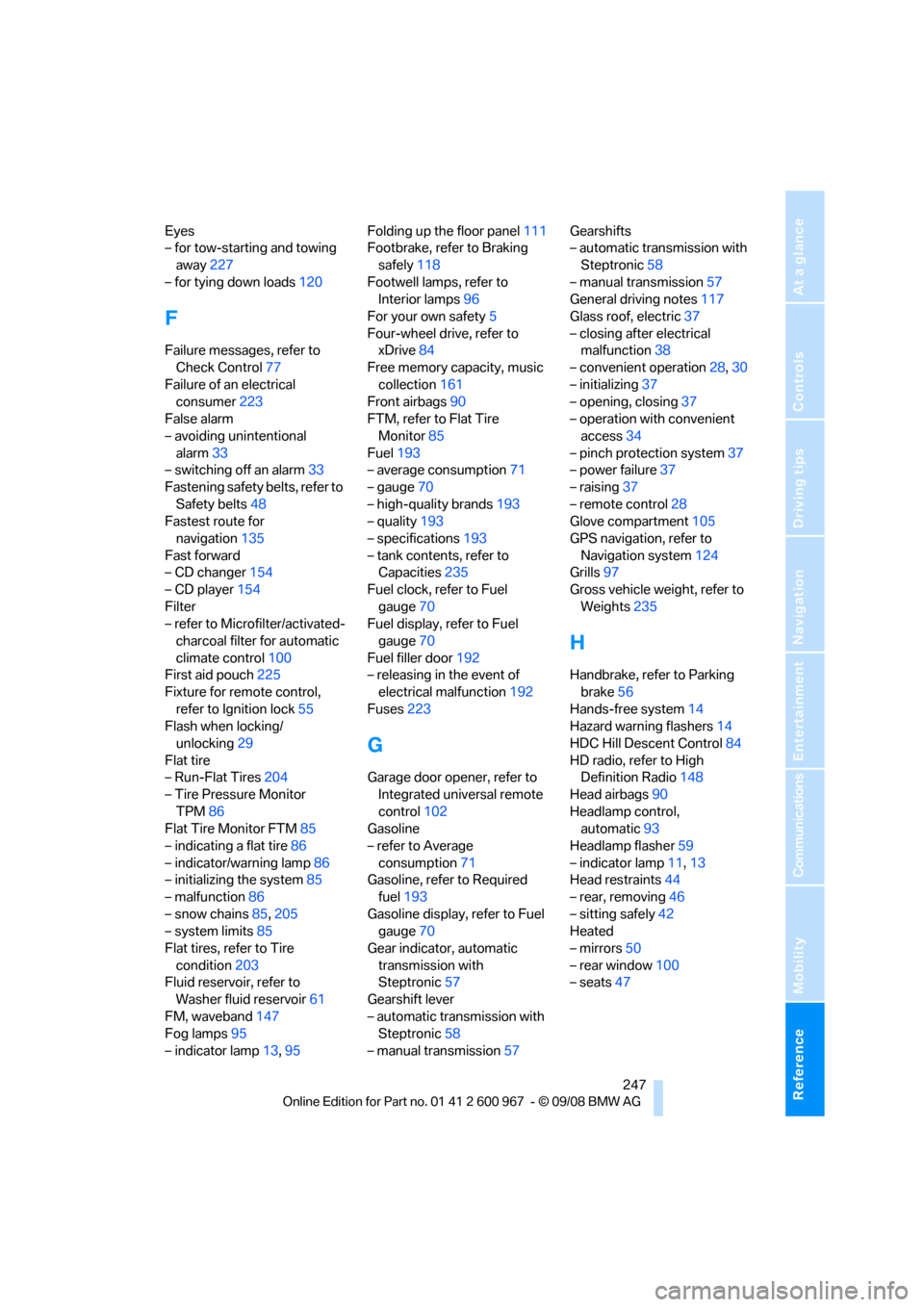
Eyes
– for tow-starting and towing
away227
– for tying down loads120
F
Failure messages, refer to
Check Control77
Failure of an electrical
consumer223
False alarm
– avoiding unintentional
alarm33
– switching off an alarm33
Fastening safety belts, refer to
Safety belts48
Fastest route for
navigation135
Fast forward
– CD changer154
– CD player154
Filter
– refer to Microfilter/activated-
charcoal filter for automatic
climate control100
First aid pouch225
Fixture for remote control,
refer to Ignition lock55
Flash when locking/
unlocking29
Flat tire
– Run-Flat Tires204
– Tire Pressure Monitor
TPM86
Flat Tire Monitor FTM85
– indicating a flat tire86
– indicator/warning lamp86
– initializing the system85
– malfunction86
– snow chains85,205
– system limits85
Flat tires, refer to Tire
condition203
Fluid reservoir, refer to
Washer fluid reservoir61
FM, waveband147
Fog lamps95
– indicator lamp13,95Folding up the floor panel111
Footbrake, refer to Braking
safely118
Footwell lamps, refer to
Interior lamps96
For your own safety5
Four-wheel drive, refer to
xDrive84
Free memory capacity, music
collection161
Front airbags90
FTM, refer to Flat Tire
Monitor85
Fuel193
– average consumption71
– gauge70
– high-quality brands193
– quality193
– specifications193
– tank contents, refer to
Capacities235
Fuel clock, refer to Fuel
gauge70
Fuel display, refer to Fuel
gauge70
Fuel filler door192
– releasing in the event of
electrical malfunction192
Fuses223
G
Garage door opener, refer to
Integrated universal remote
control102
Gasoline
– refer to Average
consumption71
Gasoline, refer to Required
fuel193
Gasoline display, refer to Fuel
gauge70
Gear indicator, automatic
transmission with
Steptronic57
Gearshift lever
– automatic transmission with
Steptronic58
– manual transmission57Gearshifts
– automatic transmission with
Steptronic58
– manual transmission57
General driving notes117
Glass roof, electric37
– closing after electrical
malfunction38
– convenient operation28,30
– initializing37
– opening, closing37
– operation with convenient
access34
– pinch protection system37
– power failure37
– raising37
– remote control28
Glove compartment105
GPS navigation, refer to
Navigation system124
Grills97
Gross vehicle weight, refer to
Weights235
H
Handbrake, refer to Parking
brake56
Hands-free system14
Hazard warning flashers14
HDC Hill Descent Control84
HD radio, refer to High
Definition Radio148
Head airbags90
Headlamp control,
automatic93
Headlamp flasher59
– indicator lamp11,13
Head restraints44
– rear, removing46
– sitting safely42
Heated
– mirrors50
– rear window100
– seats47
Page 250 of 260
Everything from A - Z
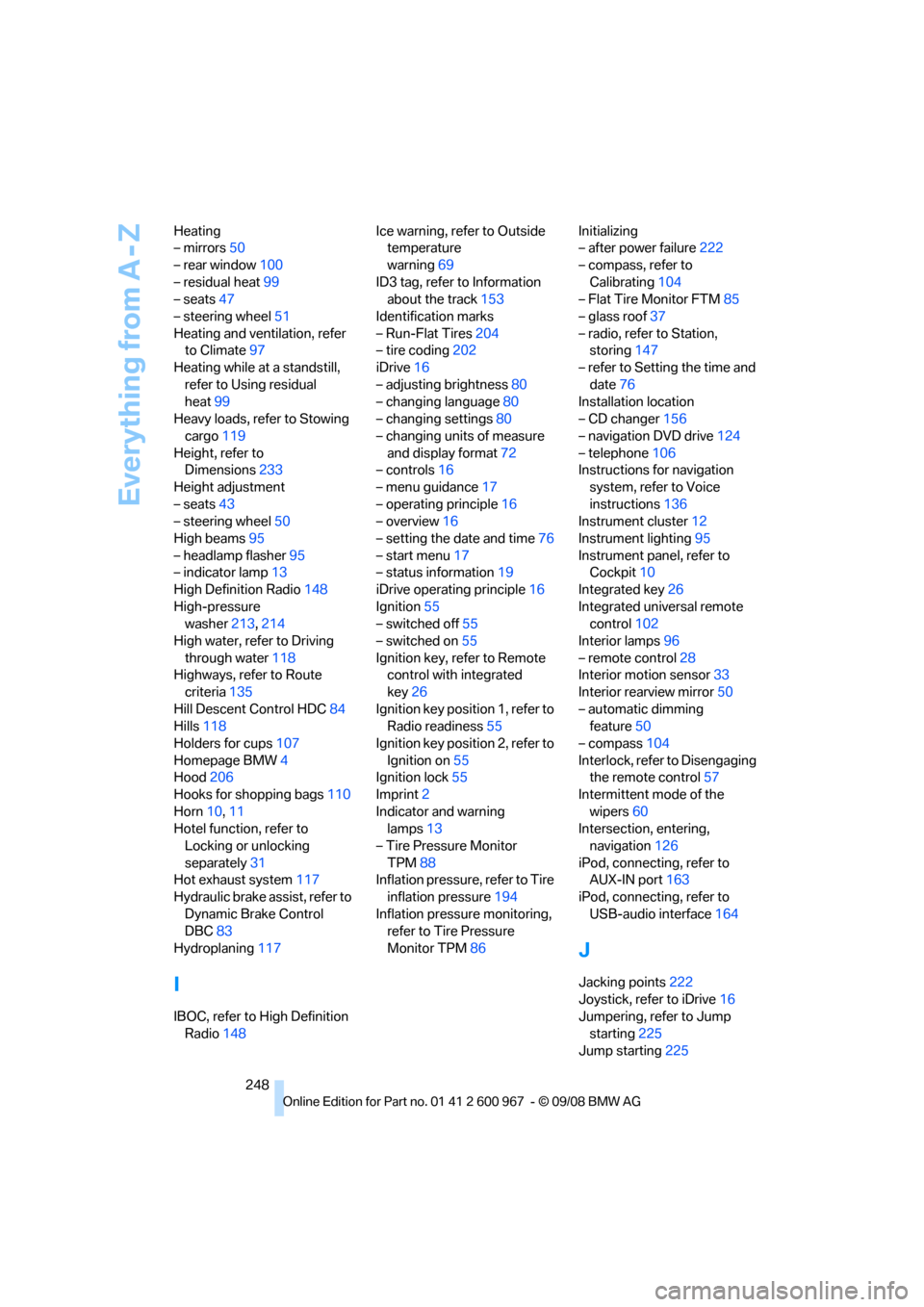
248 Heating
– mirrors50
– rear window100
– residual heat99
– seats47
– steering wheel51
Heating and ventilation, refer
to Climate97
Heating while at a standstill,
refer to Using residual
heat99
Heavy loads, refer to Stowing
cargo119
Height, refer to
Dimensions233
Height adjustment
– seats43
– steering wheel50
High beams95
– headlamp flasher95
– indicator lamp13
High Definition Radio148
High-pressure
washer213,214
High water, refer to Driving
through water118
Highways, refer to Route
criteria135
Hill Descent Control HDC84
Hills118
Holders for cups107
Homepage BMW4
Hood206
Hooks for shopping bags110
Horn10,11
Hotel function, refer to
Locking or unlocking
separately31
Hot exhaust system117
Hydraulic brake assist, refer to
Dynamic Brake Control
DBC83
Hydroplaning117
I
IBOC, refer to High Definition
Radio148Ice warning, refer to Outside
temperature
warning69
ID3 tag, refer to Information
about the track153
Identification marks
– Run-Flat Tires204
– tire coding202
iDrive16
– adjusting brightness80
– changing language80
– changing settings80
– changing units of measure
and display format72
– controls16
– menu guidance17
– operating principle16
– overview16
– setting the date and time76
– start menu17
– status information19
iDrive operating principle16
Ignition55
– switched off55
– switched on55
Ignition key, refer to Remote
control with integrated
key26
Ignition key position 1, refer to
Radio readiness55
Ignition key position 2, refer to
Ignition on55
Ignition lock55
Imprint2
Indicator and warning
lamps13
– Tire Pressure Monitor
TPM88
Inflation pressure, refer to Tire
inflation pressure194
Inflation pressure monitoring,
refer to Tire Pressure
Monitor TPM86Initializing
– after power failure222
– compass, refer to
Calibrating104
– Flat Tire Monitor FTM85
– glass roof37
– radio, refer to Station,
storing147
– refer to Setting the time and
date76
Installation location
– CD changer156
– navigation DVD drive124
– telephone106
Instructions for navigation
system, refer to Voice
instructions
136
Instrument cluster12
Instrument lighting95
Instrument panel, refer to
Cockpit10
Integrated key26
Integrated universal remote
control102
Interior lamps96
– remote control28
Interior motion sensor33
Interior rearview mirror50
– automatic dimming
feature50
– compass104
Interlock, refer to Disengaging
the remote control57
Intermittent mode of the
wipers60
Intersection, entering,
navigation126
iPod, connecting, refer to
AUX-IN port163
iPod, connecting, refer to
USB-audio interface164
J
Jacking points222
Joystick, refer to iDrive16
Jumpering, refer to Jump
starting225
Jump starting225
Page 253 of 260
Reference 251
At a glance
Controls
Driving tips
Communications
Navigation
Entertainment
Mobility
P
Paintwork care214
Park assistant, refer to Park
Distance Control82
Park Distance Control PDC82
Parked car ventilation100
– preselecting switch-on
times101
– switching on and off
directly101
Parking
– vehicle56
Parking aid, refer to Park
Distance Control PDC82
Parking brake56
– indicator lamp56
Parking lamps93
– replacing bulbs219
Parking lamps/low beams93
Passenger-side mirror tilt
function50
Pathway lighting94
Personal Profile26
Phone book173
Phone numbers
– dialing174
Pinch protection system
– glass roof, electric37
– windows36
Placing a call, refer to
telephone owner's manual
Polish215
Pollen
– refer to Microfilter/activated-
charcoal filter for automatic
climate control100
Position, refer to Current
position, displaying141
Postal code, entering for
navigation126
Power failure222
Power windows36
Power windows, refer to
Windows35
Pressure, tires194
Pressure monitoring, tires85
– Flat Tire Monitor85Pressure monitoring of tires,
refer to Tire Pressure
Monitor TPM86
Programmable buttons on the
steering wheel11
Protection function, refer to
Pinch protection system
– glass roof, electric37
– windows36
Providing medical assistance,
refer to First add pouch225
Puncture
– Flat Tire Monitor85
R
Radio
– controls144
– High Definition Radio148
– satellite radio150
– selecting a waveband147
– storing stations147
– switching on/off144
– tone control144
– volume144
– Weather Band, refer to
Weather information150
Radio position, refer to Radio
readiness55
Radio readiness55
– switched off55
– switched on55
Radio-remote key, refer to
Remote control with
integrated key26
Rain sensor60
Reading lamps96
Rear lamps, refer to Tail
lamps220
Rear seats
– adjusting head restraints45
– folding down backrests109
Rear turn signals
– replacing bulb220
Rear ventilation100
Rearview mirror, refer to
Mirrors49
Rear window defroster100Rear window roller blind, refer
to Roller sun blinds105
Receiving level of mobile
phone, refer to Status
information19
Reception
– quality148
– radio station148
Recirculated-air mode99
Recirculation of air, refer to
Recirculated-air mode99
Reclining seat, refer to
Backrest43
Refueling192
Releasing
– hood206
Remaining distance, refer to
Cruising range70
Remote control26
– battery renewal35
– convenient access34
– garage door opener102
– luggage compartment lid28
– malfunction29,35
– removing from the ignition
lock55
– service data211
Replacement remote
control26
Replacing bulbs, refer to
Lamps and bulbs218
Replacing tires204
Replacing tires, refer to New
wheels and tires204
Reporting safety defects6
Reserve warning, refer to Fuel
gauge70
Reset, refer to Resetting tone
settings146
Residual heat99
Restraint systems
– for children52
– refer to Safety belts48
Retractable hardtop38
– care, refer to Caring for your
vehicle brochure
– convenient operation28
– opening and closing39
– remote control28
Page 254 of 260
Everything from A - Z
252 Reverse
– CD changer154
– CD player154
Reverse gear
– automatic transmission with
Steptronic58
– manual transmission57
Road map137
Roadside
Assistance183,224
Roadside parking lamps95
– replacing bulbs219
Roadworthiness test, refer to
Service requirements73
Roller sun blinds105
Rollover protection system,
convertible92
– resetting92
Roof load capacity235
Roof-mounted luggage
rack121
Rope, refer to Tow-starting,
towing away227
Rotary/pushbutton, refer to
iDrive16
Route135,136
– bypassing sections136
– changing135,136
– changing criteria135
– displaying streets or towns/
cities136
– map display137
– selecting135
Route instructions, refer to
Destination guidance
through voice
instructions136
Route map, refer to Map
display137
Route section, changing136
Route selection135
RSC Runflat System
Component, refer to Run-
Flat Tires204
Runflat System Component
RSC, refer to Run-Flat
Tires204Run-Flat Tires204
– continuing driving with a
damaged tire86
– flat tire86
– Flat Tire Monitor86
– new tires204
– replacing204
– tire inflation pressure194
– winter tires205
S
Safety-belt height
adjustment48
Safety belts48
– belt hand-over49
– damage48
– indicator/warning lamp48
– reminder48
– sitting safely42
Safety systems
– airbags90
– Antilock Brake System
ABS83
– brake system83
– driving stability control
systems83
– Dynamic Stability Control
DSC83
– rollover protection system,
convertible92
– safety belts48
Safety tires, refer to Run-Flat
Tires204
Satellite radio150
– enabling channel150
– selecting channel151
– storing channel151
Saving fuel116
Screen, refer to iDrive
controls16
Screw thread for tow
fitting227
SDARS, refer to Satellite
radio150
Seat adjustment
– electric43
– mechanical43
Seat and mirror memory47Seat belt reminder, refer to
'Fasten safety belts'
reminder48
Seat heating47
Seats42
– adjusting electrically43
– adjusting the seats43
– heating47
– memory, refer to Seat and
mirror memory47
– saving a setting, refer to Seat
and mirror memory47
– sitting safely42
Securing cargo111,113
Securing the vehicle
– from inside30
– from outside27
Selecting distance for active
cruise control65
Selecting new scale for
navigation137
Selector lever
– automatic transmission with
Steptronic
58
Selector lever lock, refer to
Changing selector lever
positions, shiftlock58
Selector lever positions
– automatic transmission with
Steptronic58
Service, refer to Roadside
Assistance224
Service car, refer to Roadside
Assistance224
Service data in the remote
control211
Service Interval Display, refer
to Condition Based Service
CBS211
Service Request187
Service requirement display,
refer to Condition Based
Service CBS211
Service requirements73
Services status188