Wing mirror BMW 5 SERIES GRAN TURISMO 2016 F07 User Guide
[x] Cancel search | Manufacturer: BMW, Model Year: 2016, Model line: 5 SERIES GRAN TURISMO, Model: BMW 5 SERIES GRAN TURISMO 2016 F07Pages: 263, PDF Size: 5.06 MB
Page 128 of 263
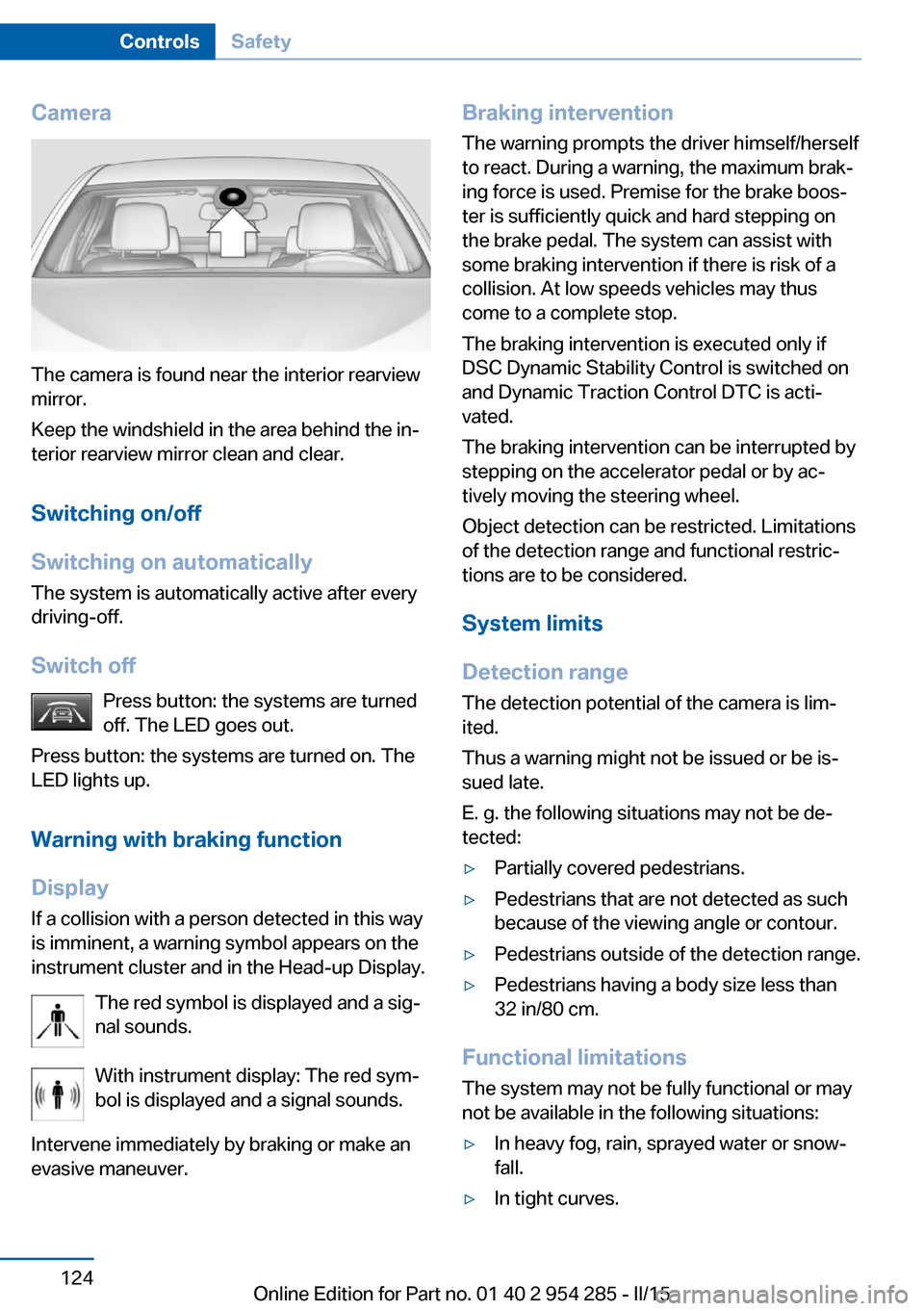
Camera
The camera is found near the interior rearview
mirror.
Keep the windshield in the area behind the in‐
terior rearview mirror clean and clear.
Switching on/off
Switching on automatically The system is automatically active after every
driving-off.
Switch off Press button: the systems are turned
off. The LED goes out.
Press button: the systems are turned on. The
LED lights up.
Warning with braking function
Display
If a collision with a person detected in this way
is imminent, a warning symbol appears on the
instrument cluster and in the Head-up Display.
The red symbol is displayed and a sig‐
nal sounds.
With instrument display: The red sym‐
bol is displayed and a signal sounds.
Intervene immediately by braking or make an
evasive maneuver.
Braking intervention
The warning prompts the driver himself/herself
to react. During a warning, the maximum brak‐
ing force is used. Premise for the brake boos‐
ter is sufficiently quick and hard stepping on
the brake pedal. The system can assist with
some braking intervention if there is risk of a
collision. At low speeds vehicles may thus
come to a complete stop.
The braking intervention is executed only if
DSC Dynamic Stability Control is switched on
and Dynamic Traction Control DTC is acti‐
vated.
The braking intervention can be interrupted by
stepping on the accelerator pedal or by ac‐
tively moving the steering wheel.
Object detection can be restricted. Limitations
of the detection range and functional restric‐
tions are to be considered.
System limits
Detection range
The detection potential of the camera is lim‐
ited.
Thus a warning might not be issued or be is‐
sued late.
E. g. the following situations may not be de‐
tected:▷Partially covered pedestrians.▷Pedestrians that are not detected as such
because of the viewing angle or contour.▷Pedestrians outside of the detection range.▷Pedestrians having a body size less than
32 in/80 cm.
Functional limitations
The system may not be fully functional or may
not be available in the following situations:
▷In heavy fog, rain, sprayed water or snow‐
fall.▷In tight curves.Seite 124ControlsSafety124
Online Edition for Part no. 01 40 2 954 285 - II/15
Page 133 of 263
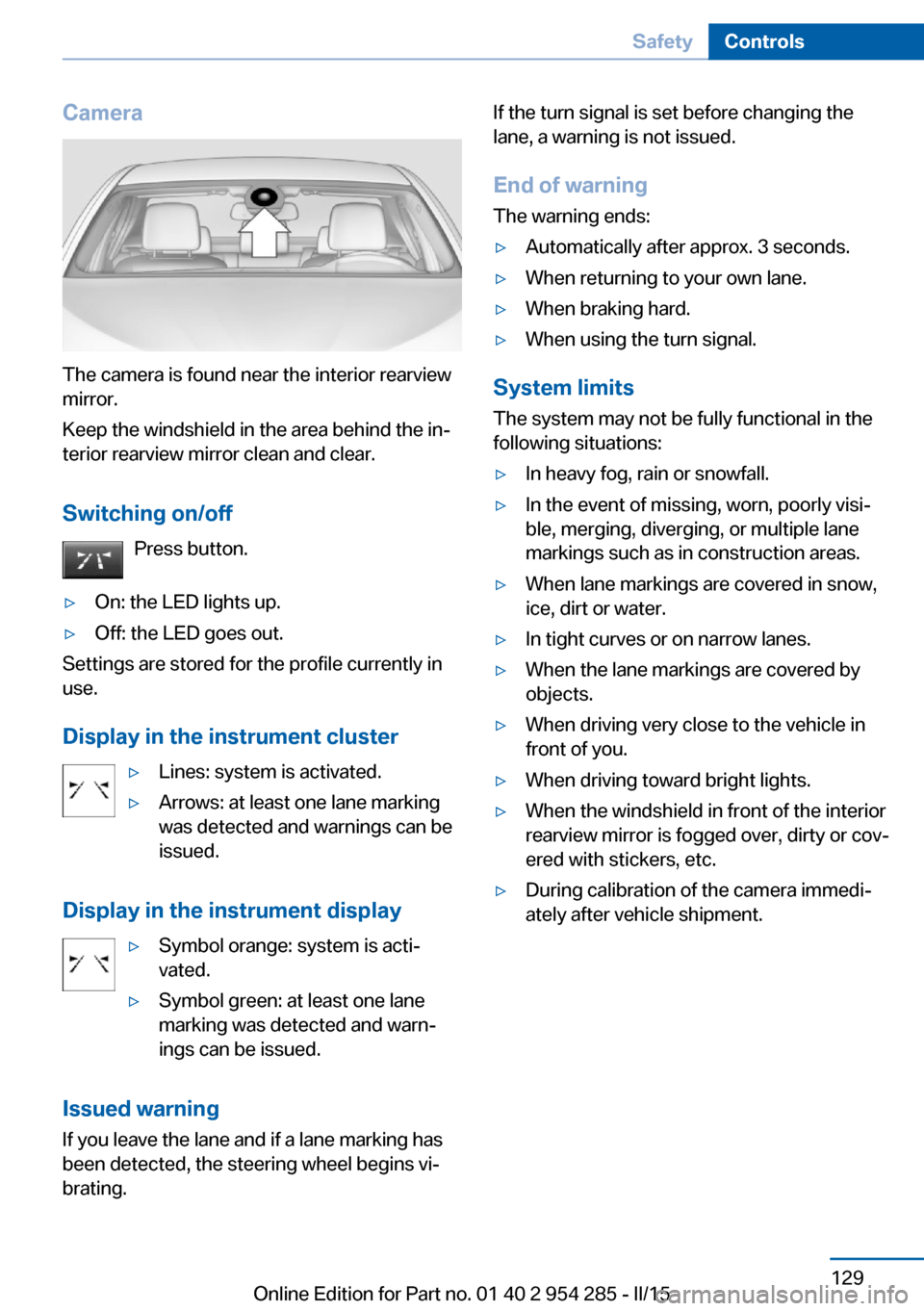
Camera
The camera is found near the interior rearview
mirror.
Keep the windshield in the area behind the in‐
terior rearview mirror clean and clear.
Switching on/off Press button.
▷On: the LED lights up.▷Off: the LED goes out.
Settings are stored for the profile currently in
use.
Display in the instrument cluster
▷Lines: system is activated.▷Arrows: at least one lane marking
was detected and warnings can be
issued.
Display in the instrument display
▷Symbol orange: system is acti‐
vated.▷Symbol green: at least one lane
marking was detected and warn‐
ings can be issued.
Issued warning
If you leave the lane and if a lane marking has
been detected, the steering wheel begins vi‐
brating.
If the turn signal is set before changing the
lane, a warning is not issued.
End of warning The warning ends:▷Automatically after approx. 3 seconds.▷When returning to your own lane.▷When braking hard.▷When using the turn signal.
System limits
The system may not be fully functional in the
following situations:
▷In heavy fog, rain or snowfall.▷In the event of missing, worn, poorly visi‐
ble, merging, diverging, or multiple lane
markings such as in construction areas.▷When lane markings are covered in snow,
ice, dirt or water.▷In tight curves or on narrow lanes.▷When the lane markings are covered by
objects.▷When driving very close to the vehicle in
front of you.▷When driving toward bright lights.▷When the windshield in front of the interior
rearview mirror is fogged over, dirty or cov‐
ered with stickers, etc.▷During calibration of the camera immedi‐
ately after vehicle shipment.Seite 129SafetyControls129
Online Edition for Part no. 01 40 2 954 285 - II/15
Page 135 of 263
Display
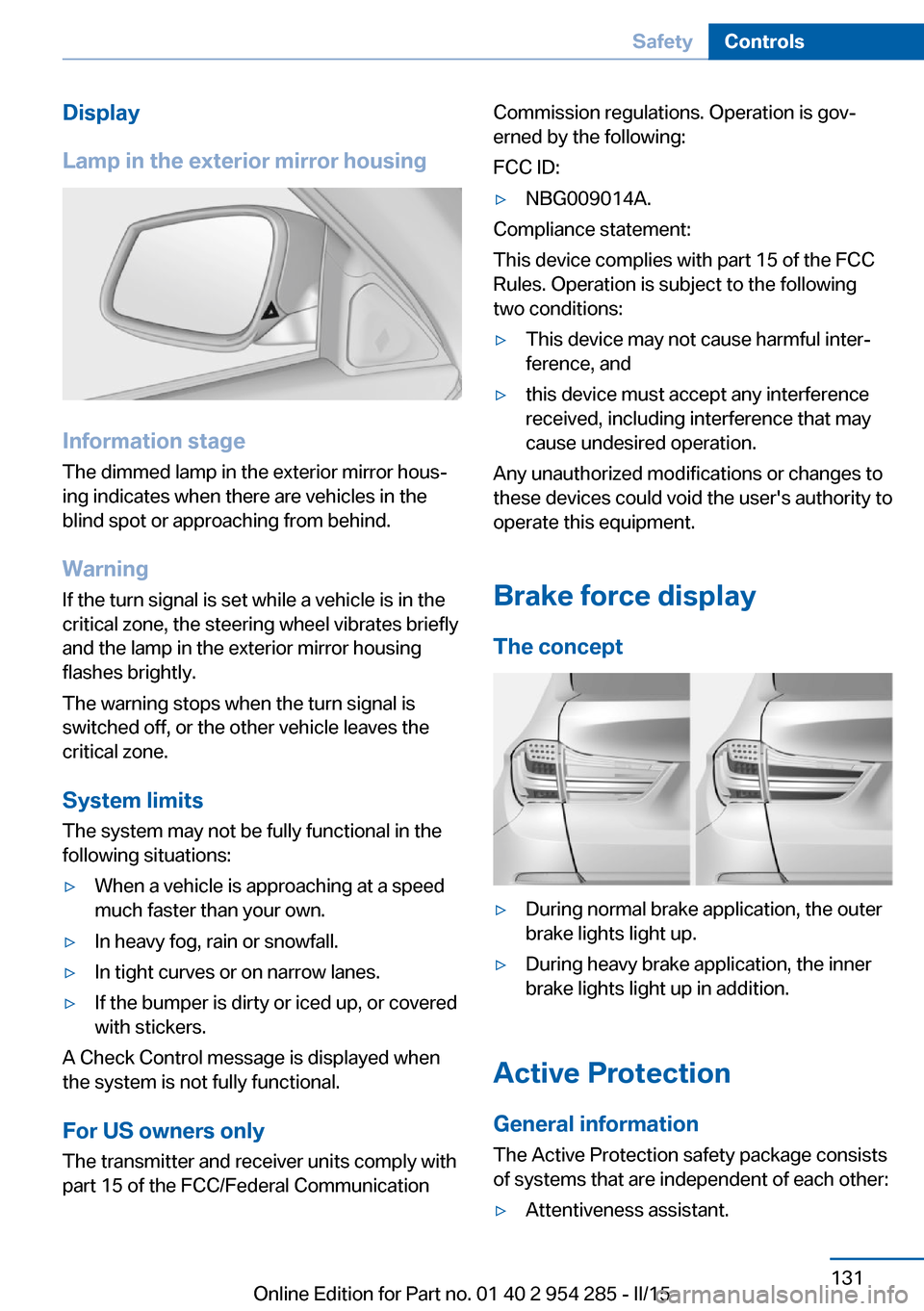
Lamp in the exterior mirror housing
Information stage
The dimmed lamp in the exterior mirror hous‐
ing indicates when there are vehicles in the
blind spot or approaching from behind.
Warning If the turn signal is set while a vehicle is in the
critical zone, the steering wheel vibrates briefly
and the lamp in the exterior mirror housing
flashes brightly.
The warning stops when the turn signal is
switched off, or the other vehicle leaves the
critical zone.
System limits
The system may not be fully functional in the
following situations:
▷When a vehicle is approaching at a speed
much faster than your own.▷In heavy fog, rain or snowfall.▷In tight curves or on narrow lanes.▷If the bumper is dirty or iced up, or covered
with stickers.
A Check Control message is displayed when
the system is not fully functional.
For US owners only The transmitter and receiver units comply with
part 15 of the FCC/Federal Communication
Commission regulations. Operation is gov‐
erned by the following:
FCC ID:▷NBG009014A.
Compliance statement:
This device complies with part 15 of the FCC
Rules. Operation is subject to the following
two conditions:
▷This device may not cause harmful inter‐
ference, and▷this device must accept any interference
received, including interference that may
cause undesired operation.
Any unauthorized modifications or changes to
these devices could void the user's authority to
operate this equipment.
Brake force display
The concept
▷During normal brake application, the outer
brake lights light up.▷During heavy brake application, the inner
brake lights light up in addition.
Active Protection
General information
The Active Protection safety package consists
of systems that are independent of each other:
▷Attentiveness assistant.Seite 131SafetyControls131
Online Edition for Part no. 01 40 2 954 285 - II/15
Page 163 of 263
track line is continuously adjusted for the
steering wheel movement.
"Parking aid lines"
Turning circle and pathway lines are displayed.
System limits
Top View cannot be used in the following sit‐
uations:
▷With a door open.▷With the tailgate open.▷With an exterior mirror folded in.▷In poor light.
A Check Control message is displayed in some
of these situations.
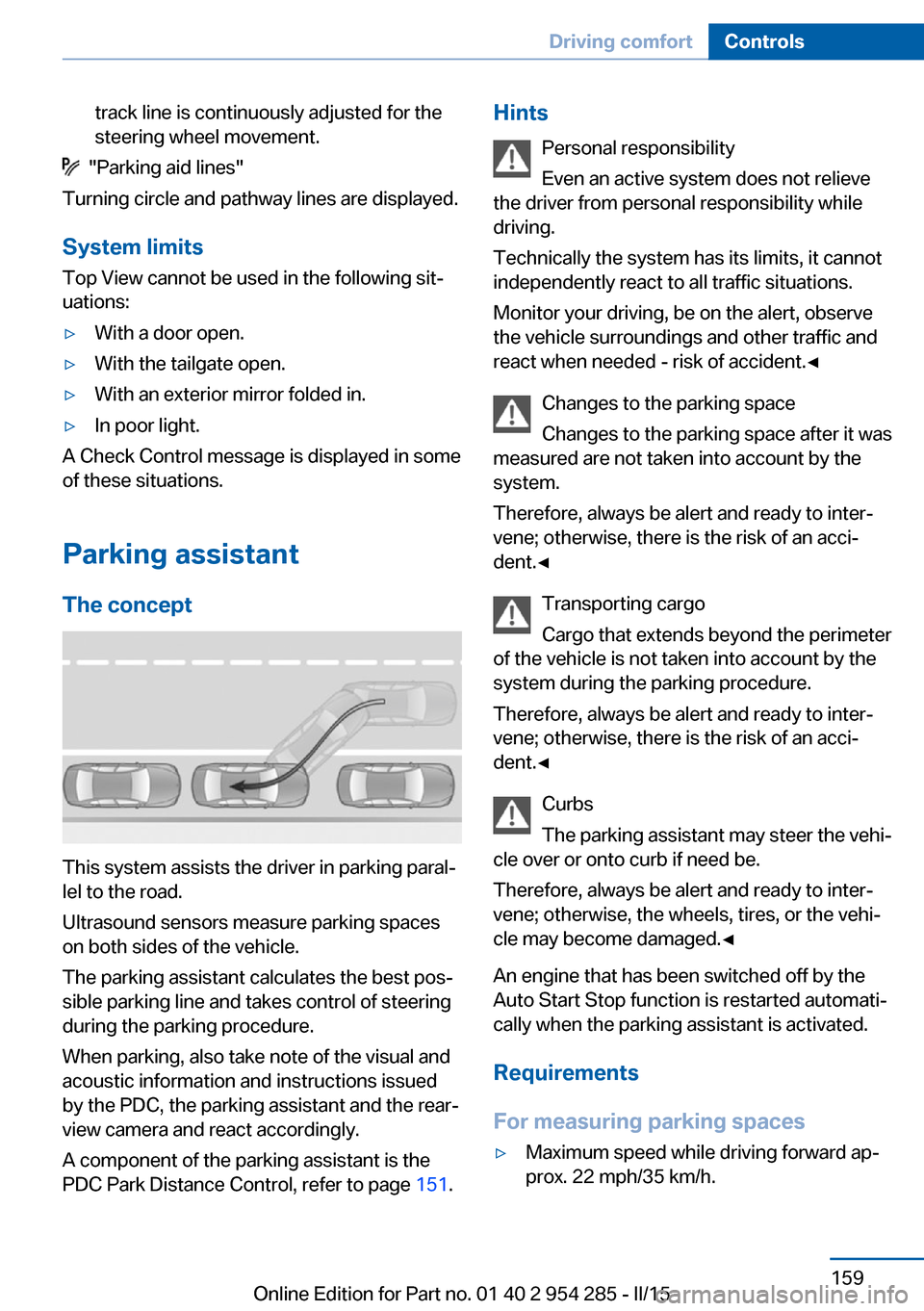
Parking assistant The concept
This system assists the driver in parking paral‐
lel to the road.
Ultrasound sensors measure parking spaces
on both sides of the vehicle.
The parking assistant calculates the best pos‐
sible parking line and takes control of steering
during the parking procedure.
When parking, also take note of the visual and
acoustic information and instructions issued
by the PDC, the parking assistant and the rear‐
view camera and react accordingly.
A component of the parking assistant is the
PDC Park Distance Control, refer to page 151.
Hints
Personal responsibility
Even an active system does not relieve
the driver from personal responsibility while
driving.
Technically the system has its limits, it cannot
independently react to all traffic situations.
Monitor your driving, be on the alert, observe
the vehicle surroundings and other traffic and
react when needed - risk of accident.◀
Changes to the parking space
Changes to the parking space after it was
measured are not taken into account by the system.
Therefore, always be alert and ready to inter‐
vene; otherwise, there is the risk of an acci‐
dent.◀
Transporting cargo
Cargo that extends beyond the perimeter
of the vehicle is not taken into account by the
system during the parking procedure.
Therefore, always be alert and ready to inter‐
vene; otherwise, there is the risk of an acci‐
dent.◀
Curbs
The parking assistant may steer the vehi‐
cle over or onto curb if need be.
Therefore, always be alert and ready to inter‐
vene; otherwise, the wheels, tires, or the vehi‐
cle may become damaged.◀
An engine that has been switched off by the
Auto Start Stop function is restarted automati‐
cally when the parking assistant is activated.
Requirements
For measuring parking spaces▷Maximum speed while driving forward ap‐
prox. 22 mph/35 km/h.Seite 159Driving comfortControls159
Online Edition for Part no. 01 40 2 954 285 - II/15
Page 196 of 263
Saving fuelVehicle features and optionsThis chapter describes all standard, country-
specific and optional features offered with the
series. It also describes features that are not
necessarily available in your car, e. g., due to
the selected options or country versions. This
also applies to safety-related functions and
systems. The respectively applicable country
provisions must be observed when using the
respective features and systems.
General information Your vehicle contains advanced technology for
the reduction of fuel consumption and emis‐
sions.
Fuel consumption depends on a number of dif‐
ferent factors.
Carrying out certain measures, such as a mod‐
erate driving style and regular maintenance,
can influence fuel consumption and the envi‐
ronmental impact.
Remove unnecessary cargo
Additional weight increases fuel consumption.
Remove attached parts
following use
Remove auxiliary mirrors, roof or rear luggage
racks which are no longer required following use.
Attached parts on the vehicle impair the aero‐
dynamics and increase the fuel consumption.Close the windows and glass
sunroof
Driving with the glass sunroof and windows
open results in increased air resistance and
thereby reduces the range.
Tires
General information Tires can affect fuel consumption in various
ways, e.g., tire size may influence fuel con‐
sumption.
Check the tire inflation pressure
regularly
Check and, if needed, correct the tire inflation
pressure at least twice a month and before
starting on a long trip.
Low tire inflation pressure increases rolling re‐
sistance and thus raises fuel consumption and
tire wear.
Drive away immediately
Do not wait for the engine to warm-up while
the vehicle remains stationary. Start driving
right away, but at moderate engine speeds.
This is the quickest way of warming the cold
engine up to operating temperature.
Look well ahead when
driving
Avoid unnecessary acceleration and braking.
By maintaining a suitable distance to the vehi‐
cle driving ahead of you.
Driving smoothly and proactively reduces fuel
consumption.Seite 192Driving tipsSaving fuel192
Online Edition for Part no. 01 40 2 954 285 - II/15
Page 234 of 263
Further information about the battery can be
obtained from your service center.
Battery replacement Use approved vehicle batteries only
Only use vehicle batteries that have been
approved for your vehicle by the manufacturer;
otherwise, the vehicle could be damaged and
systems or functions may not be fully availa‐
ble.◀
After a battery replacement, have the battery
registered on the vehicle by the service center
to ensure that all comfort features are fully
available and that any Check Control mes‐
sages of these comfort features are no longer
displayed.
Charging the battery
General information
Make sure that the battery is always suffi‐
ciently charged to guarantee that the battery
remains usable for its full service life.
The battery may need to be charged in the fol‐
lowing cases:▷When making frequent short-distance
drives.▷If the vehicle is not used for prolonged pe‐
riods, longer than a month.
Hints
Do not connect charging devices to the
12 volt socket in the vehicle
Do not connect battery chargers to the fac‐
tory-installed 12 volt sockets in the vehicle as
this may damage the vehicle battery due to an
increased power consumption.◀
Starting aid terminals
In the vehicle, only charge the battery via the
starting aid terminals, refer to page 234, in the
engine compartment with the engine off.
Power failure
After a temporary power loss, some equipment
needs to be newly initialized or individual set‐
tings updated, e. g.:▷Seat, mirror, and steering wheel memory:
store the positions again.▷Time: update.▷Date: update.▷Glass sunroof: initialize the system, refer to
page 53.
Disposing of old batteries
Have old batteries disposed of by your
service center or bring them to a recy‐
cling center.
Maintain the battery in an upright position for
transport and storage. Secure the battery so
that it does not tip over during transport.
Fuses Hints Replacing fuses
Never attempt to repair a blown fuse and
do not replace a defective fuse with a substi‐
tute of another color or amperage rating; this
could lead to a circuit overload, ultimately re‐
sulting in a fire in the vehicle.◀
Plastic tweezers and information on the fuse
types and locations are stored in the fuse box
in the trunk.
Seite 230MobilityReplacing components230
Online Edition for Part no. 01 40 2 954 285 - II/15
Page 241 of 263
CareVehicle features and optionsThis chapter describes all standard, country-
specific and optional features offered with the
series. It also describes features that are not
necessarily available in your car, e. g., due to
the selected options or country versions. This
also applies to safety-related functions and
systems. The respectively applicable country
provisions must be observed when using the
respective features and systems.
Car washes General information
Regularly remove foreign objects such as
leaves in the area below the windshield when
the hood is raised.
Wash your vehicle frequently, particularly in
winter. Intense soiling and road salt can dam‐
age the vehicle.
Hints Steam jets or high-pressure washers
When using steam jets or high-pressure
washers, hold them a sufficient distance away
and use a maximum temperature of
140 ℉/60 ℃.
If the vehicle has a glass sunroof, ensure that a
distance of at least 31.5 inches/80 cm is main‐
tained. Holding them too close or using exces‐
sively high pressures or temperatures can
cause damage or preliminary damage that may
then lead to long-term damage.
Follow the user's manual for the high-pressure
washer.◀Cleaning sensors/camera lenses with
high-pressure washers
When using high-pressure washers, do not
spray the sensors and camera lenses on the
outside of the vehicle for long periods and
maintain a distance of at least 12 in/30 cm.◀
Automatic car washes
Hints Do not use high pressure washing sys‐
tems
With washing systems operating at high pres‐
sures and nozzle positions close to the win‐
dows, drops of water can penetrate.◀
Note the following:▷Give preference to cloth car washes or
those that use soft brushes in order to
avoid paint damage.▷Make sure that the wheels and tires are not
damaged by the transport mechanisms.▷Fold in the exterior mirrors; otherwise, they
may be damaged, depending on the width
of the vehicle.▷Deactivate the rain sensor, refer to
page 79, to avoid unintentional wiper acti‐
vation.▷In some cases, an unintentional alarm can
be triggered by the interior motion sensor
of the alarm system. Follow the instruc‐
tions on avoiding an unintentional alarm,
refer to page 49.
Guide rails in car washes
Avoid car washes with guide rails higher
than 4 in/10 cm; otherwise, the vehicle body
could be damaged.◀
Seite 237CareMobility237
Online Edition for Part no. 01 40 2 954 285 - II/15
Page 255 of 263
Emergency Request 232
Emergency start function, en‐ gine start 35
Emergency unlocking, tail‐ gate 44
Emergency unlocking, trans‐ mission lock 83
Energy Control 93
Energy recovery 93
Engine, automatic Start/Stop function 71
Engine, automatic switch- off 71
Engine compartment 216
Engine compartment, work‐ ing in 216
Engine coolant 221
Engine idling when driving, coasting 196
Engine oil 218
Engine oil, adding 219
Engine oil additives 219
Engine oil change 220
Engine oil filler neck 219
Engine oil temperature 91
Engine oil types, alterna‐ tive 220
Engine oil types, ap‐ proved 220
Engine start during malfunc‐ tion 35
Engine start, jump-start‐ ing 233
Engine start, refer to Starting the engine 71
Engine stop 71
Engine temperature 91
Entering a car wash 237
Equipment, interior 170
Error displays, see Check Control 87
ESP Electronic Stability Pro‐ gram, refer to DSC 134
Exchanging wheels/tires 210
Exhaust system 186 Exterior mirror, automatic
dimming feature 64
Exterior mirrors 63
External start 233
External temperature dis‐ play 92
External temperature warn‐ ing 92
Eyes for securing cargo 190
F
Failure message, see Check Control 87
False alarm, refer to Uninten‐ tional alarm 49
Fan, refer to Air flow 164
Filler neck for engine oil 219
Fine wood, care 239
First aid kit 233
Fitting for towing, see Tow fit‐ ting 236
Flat tire, changing wheels 229
Flat Tire Monitor FTM 110
Flat tire, Tire Pressure Moni‐ tor TPM 112
Flat tire, warning lamp 111, 113
Flooding 187
Floor carpet, care 240
Floor mats, care 240
Fold down the rear seat back‐ rest, see Though-loading
system 175
Fold-out position, wiper 80
Foot brake 187
Front airbags 107
Front-end collision warning with braking function 119
Front-end collision warning with City Braking func‐
tion 117
Front fog lights 105
Front fog lights, bulb replace‐ ment 228 front-seat passenger airbags,
automatic deactivation 109
Front-seat passenger airbags, indicator lamp 109
Front seats 54
FTM Flat Tire Monitor 110
Fuel 202
Fuel consumption, refer to Average fuel consump‐
tion 97
Fuel filler flap 200
Fuel gauge 91
Fuel lid 200
Fuel quality 202
Fuel recommendation 202
Fuel, tank capacity 246
Fuse 230
G
Garage door opener, refer to Universal Integrated Remote
Control 170
Gasoline 202
Gear change, Steptronic transmission 81
Gear shift indicator 94
General driving notes 186
Glare shield 172
Glass sunroof, refer to Panor‐ amic glass sunroof 51
Glove compartment 178
Gross vehicle weight, ap‐ proved 245
H
Handbrake, refer to Parking brake 73
Hand-held transmitter, alter‐ nating code 171
Hazard warning flashers 232
HDC Hill Descent Con‐ trol 136
Head airbags 107 Seite 251Everything from A to ZReference251
Online Edition for Part no. 01 40 2 954 285 - II/15
Page 256 of 263
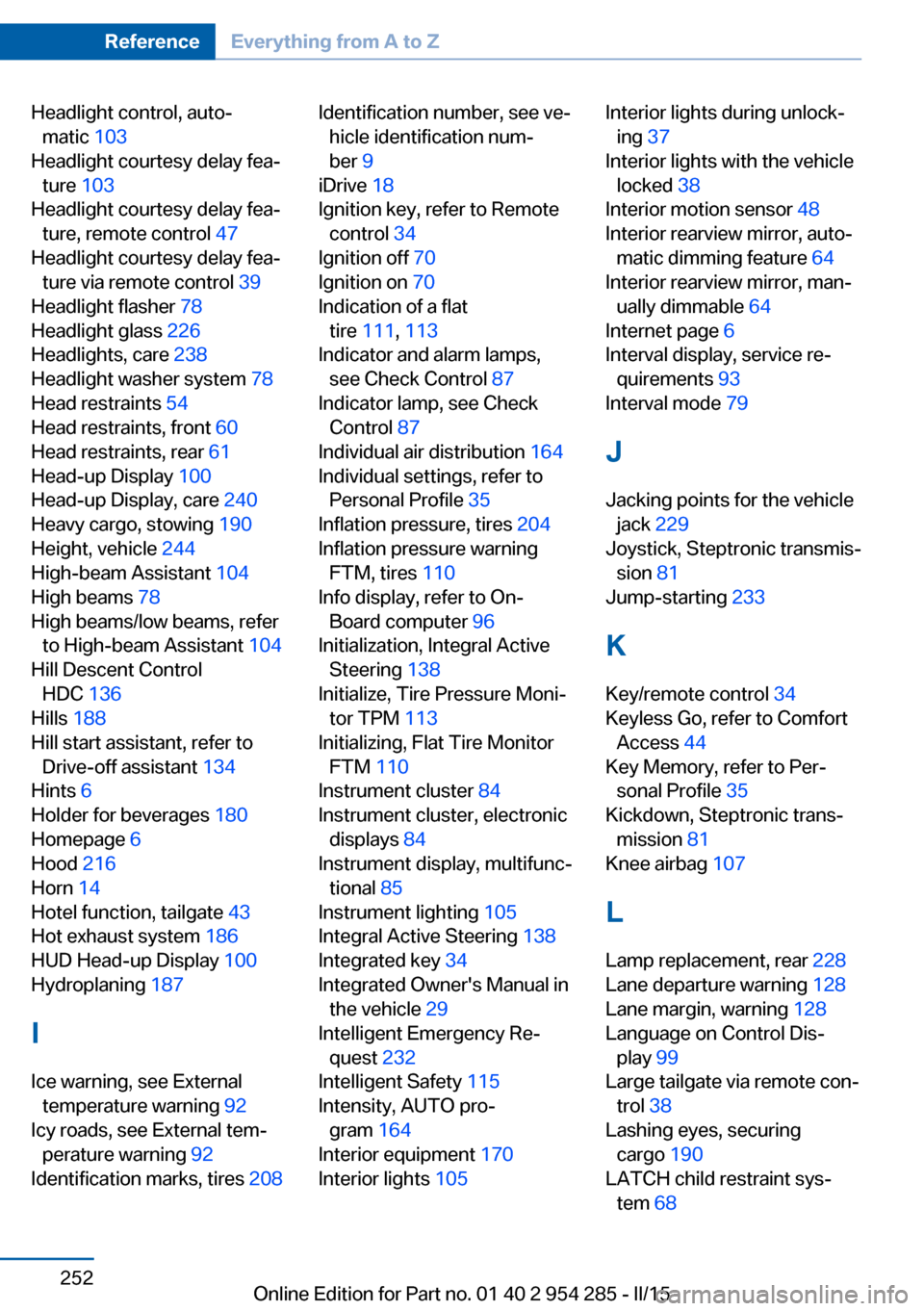
Headlight control, auto‐matic 103
Headlight courtesy delay fea‐ ture 103
Headlight courtesy delay fea‐ ture, remote control 47
Headlight courtesy delay fea‐ ture via remote control 39
Headlight flasher 78
Headlight glass 226
Headlights, care 238
Headlight washer system 78
Head restraints 54
Head restraints, front 60
Head restraints, rear 61
Head-up Display 100
Head-up Display, care 240
Heavy cargo, stowing 190
Height, vehicle 244
High-beam Assistant 104
High beams 78
High beams/low beams, refer to High-beam Assistant 104
Hill Descent Control HDC 136
Hills 188
Hill start assistant, refer to Drive-off assistant 134
Hints 6
Holder for beverages 180
Homepage 6
Hood 216
Horn 14
Hotel function, tailgate 43
Hot exhaust system 186
HUD Head-up Display 100
Hydroplaning 187
I Ice warning, see External temperature warning 92
Icy roads, see External tem‐ perature warning 92
Identification marks, tires 208 Identification number, see ve‐
hicle identification num‐
ber 9
iDrive 18
Ignition key, refer to Remote control 34
Ignition off 70
Ignition on 70
Indication of a flat tire 111 , 113
Indicator and alarm lamps, see Check Control 87
Indicator lamp, see Check Control 87
Individual air distribution 164
Individual settings, refer to Personal Profile 35
Inflation pressure, tires 204
Inflation pressure warning FTM, tires 110
Info display, refer to On- Board computer 96
Initialization, Integral Active Steering 138
Initialize, Tire Pressure Moni‐ tor TPM 113
Initializing, Flat Tire Monitor FTM 110
Instrument cluster 84
Instrument cluster, electronic displays 84
Instrument display, multifunc‐ tional 85
Instrument lighting 105
Integral Active Steering 138
Integrated key 34
Integrated Owner's Manual in the vehicle 29
Intelligent Emergency Re‐ quest 232
Intelligent Safety 115
Intensity, AUTO pro‐ gram 164
Interior equipment 170
Interior lights 105 Interior lights during unlock‐
ing 37
Interior lights with the vehicle locked 38
Interior motion sensor 48
Interior rearview mirror, auto‐ matic dimming feature 64
Interior rearview mirror, man‐ ually dimmable 64
Internet page 6
Interval display, service re‐ quirements 93
Interval mode 79
J
Jacking points for the vehicle jack 229
Joystick, Steptronic transmis‐ sion 81
Jump-starting 233
K
Key/remote control 34
Keyless Go, refer to Comfort Access 44
Key Memory, refer to Per‐ sonal Profile 35
Kickdown, Steptronic trans‐ mission 81
Knee airbag 107
L Lamp replacement, rear 228
Lane departure warning 128
Lane margin, warning 128
Language on Control Dis‐ play 99
Large tailgate via remote con‐ trol 38
Lashing eyes, securing cargo 190
LATCH child restraint sys‐ tem 68 Seite 252ReferenceEverything from A to Z252
Online Edition for Part no. 01 40 2 954 285 - II/15
Page 258 of 263
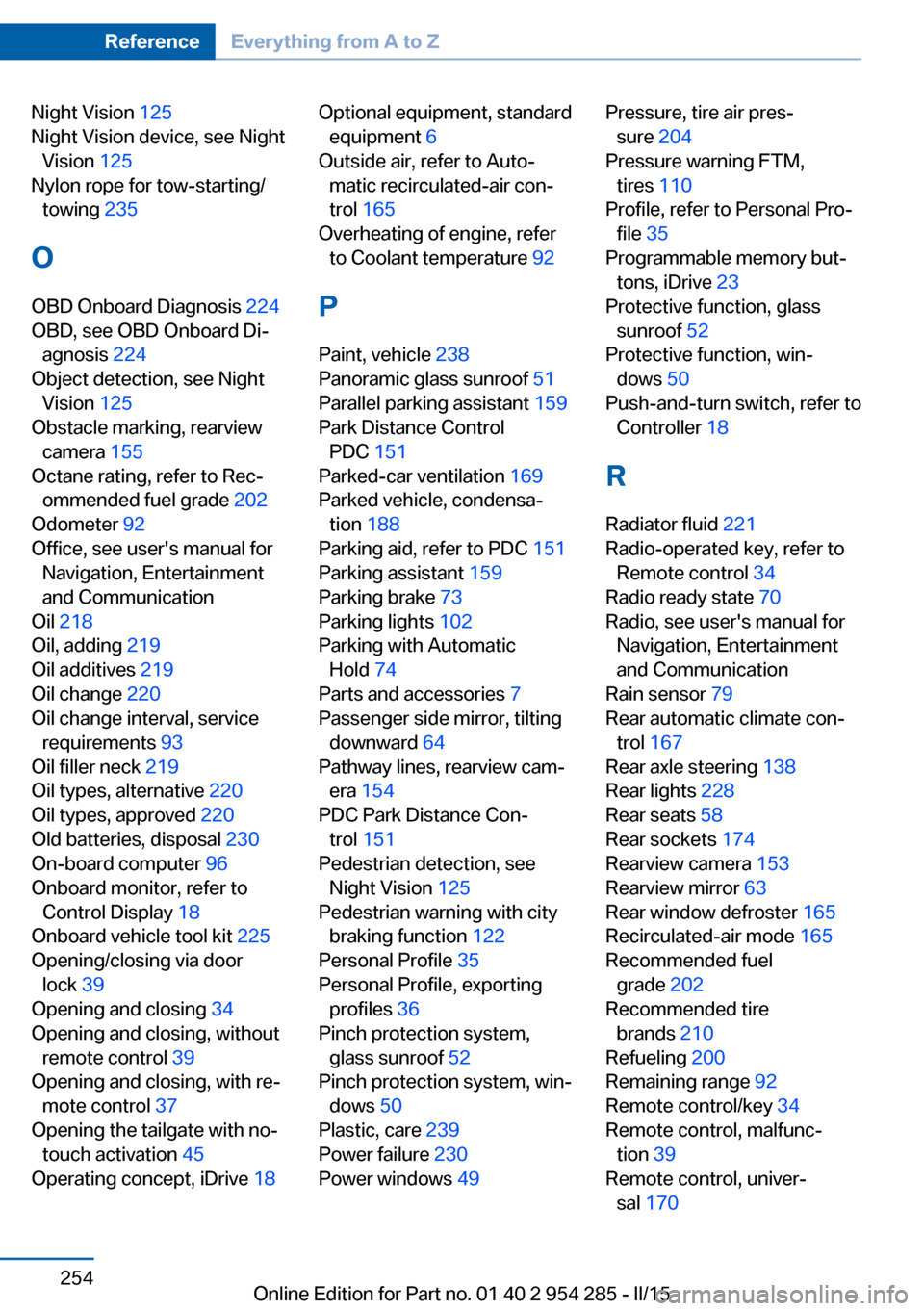
Night Vision 125
Night Vision device, see Night Vision 125
Nylon rope for tow-starting/ towing 235
O OBD Onboard Diagnosis 224
OBD, see OBD Onboard Di‐ agnosis 224
Object detection, see Night Vision 125
Obstacle marking, rearview camera 155
Octane rating, refer to Rec‐ ommended fuel grade 202
Odometer 92
Office, see user's manual for Navigation, Entertainment
and Communication
Oil 218
Oil, adding 219
Oil additives 219
Oil change 220
Oil change interval, service requirements 93
Oil filler neck 219
Oil types, alternative 220
Oil types, approved 220
Old batteries, disposal 230
On-board computer 96
Onboard monitor, refer to Control Display 18
Onboard vehicle tool kit 225
Opening/closing via door lock 39
Opening and closing 34
Opening and closing, without remote control 39
Opening and closing, with re‐ mote control 37
Opening the tailgate with no- touch activation 45
Operating concept, iDrive 18 Optional equipment, standard
equipment 6
Outside air, refer to Auto‐ matic recirculated-air con‐
trol 165
Overheating of engine, refer to Coolant temperature 92
P Paint, vehicle 238
Panoramic glass sunroof 51
Parallel parking assistant 159
Park Distance Control PDC 151
Parked-car ventilation 169
Parked vehicle, condensa‐ tion 188
Parking aid, refer to PDC 151
Parking assistant 159
Parking brake 73
Parking lights 102
Parking with Automatic Hold 74
Parts and accessories 7
Passenger side mirror, tilting downward 64
Pathway lines, rearview cam‐ era 154
PDC Park Distance Con‐ trol 151
Pedestrian detection, see Night Vision 125
Pedestrian warning with city braking function 122
Personal Profile 35
Personal Profile, exporting profiles 36
Pinch protection system, glass sunroof 52
Pinch protection system, win‐ dows 50
Plastic, care 239
Power failure 230
Power windows 49 Pressure, tire air pres‐
sure 204
Pressure warning FTM, tires 110
Profile, refer to Personal Pro‐ file 35
Programmable memory but‐ tons, iDrive 23
Protective function, glass sunroof 52
Protective function, win‐ dows 50
Push-and-turn switch, refer to Controller 18
R Radiator fluid 221
Radio-operated key, refer to Remote control 34
Radio ready state 70
Radio, see user's manual for Navigation, Entertainment
and Communication
Rain sensor 79
Rear automatic climate con‐ trol 167
Rear axle steering 138
Rear lights 228
Rear seats 58
Rear sockets 174
Rearview camera 153
Rearview mirror 63
Rear window defroster 165
Recirculated-air mode 165
Recommended fuel grade 202
Recommended tire brands 210
Refueling 200
Remaining range 92
Remote control/key 34
Remote control, malfunc‐ tion 39
Remote control, univer‐ sal 170 Seite 254ReferenceEverything from A to Z254
Online Edition for Part no. 01 40 2 954 285 - II/15