service BMW 525I 2004 User Guide
[x] Cancel search | Manufacturer: BMW, Model Year: 2004, Model line: 525I, Model: BMW 525I 2004Pages: 220, PDF Size: 7.12 MB
Page 81 of 220
Controls
79Reference
At a glance
Driving tips
Communications
Navigation
Entertainment
Mobility
Indicator and warning lamps for
Canadian models.
DTC Dynamic Traction Control
In special driving states, e.g. in deep snow,
DTC ensures maximum forward momen-
tum. The gain in forward momentum also
involves a reduction in driving stability.
DTC is active up to 45 mph/70 km/h.
Activating DTC
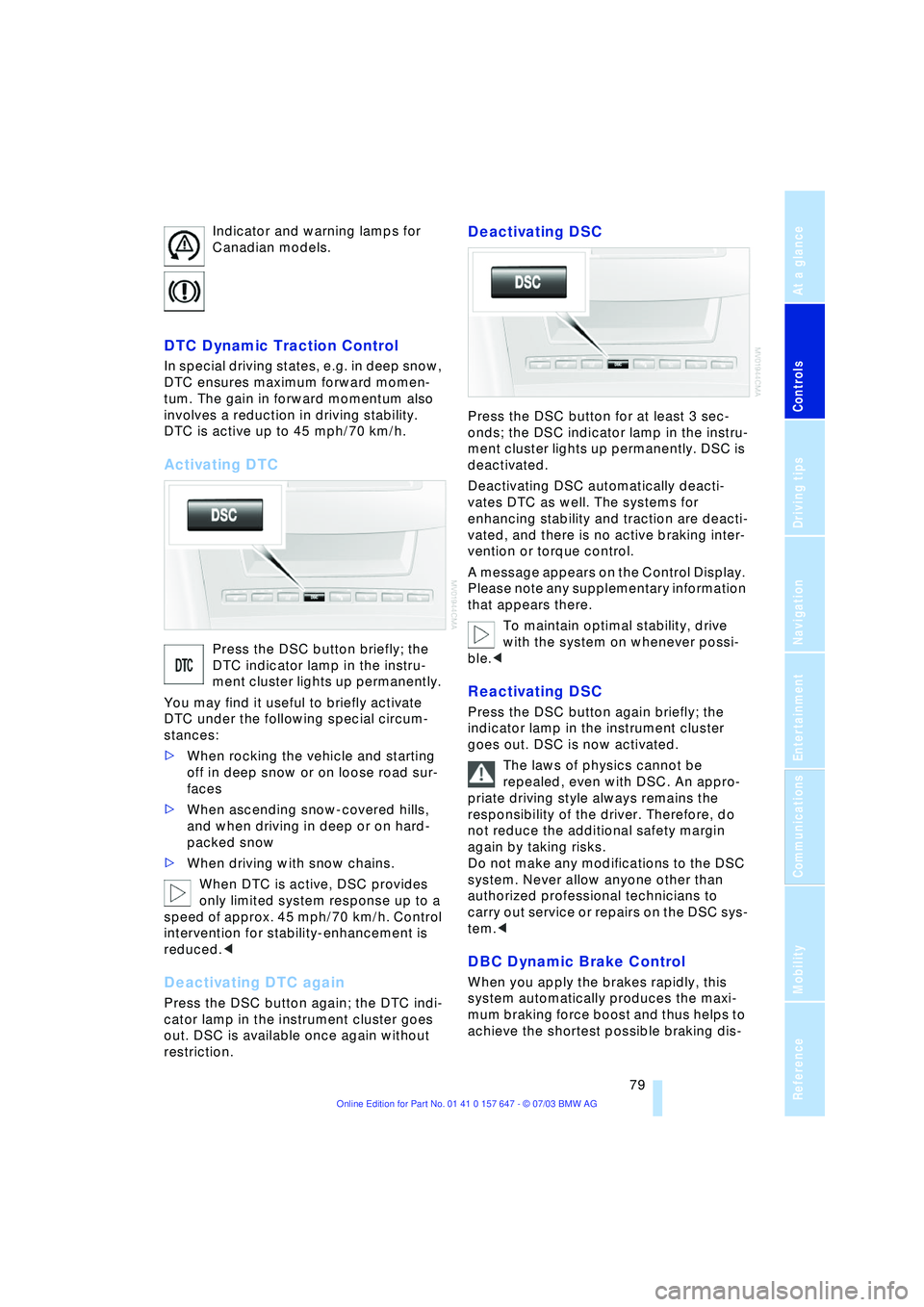
Press the DSC button briefly; the
DTC indicator lamp in the instru-
ment cluster lights up permanently.
You may find it useful to briefly activate
DTC under the following special circum-
stances:
>When rocking the vehicle and starting
off in deep snow or on loose road sur-
faces
>When ascending snow-covered hills,
and when driving in deep or on hard-
packed snow
>When driving with snow chains.
When DTC is active, DSC provides
only limited system response up to a
speed of approx. 45 mph/70 km/h. Control
intervention for stability-enhancement is
reduced.<
Deactivating DTC again
Press the DSC button again; the DTC indi-
cator lamp in the instrument cluster goes
out. DSC is available once again without
restriction.
Deactivating DSC
Press the DSC button for at least 3 sec-
onds; the DSC indicator lamp in the instru-
ment cluster lights up permanently. DSC is
deactivated.
Deactivating DSC automatically deacti-
vates DTC as well. The systems for
enhancing stability and traction are deacti-
vated, and there is no active braking inter-
vention or torque control.
A message appears on the Control Display.
Please note any supplementary information
that appears there.
To maintain optimal stability, drive
with the system on whenever possi-
ble.<
Reactivating DSC
Press the DSC button again briefly; the
indicator lamp in the instrument cluster
goes out. DSC is now activated.
The laws of physics cannot be
repealed, even with DSC. An appro-
priate driving style always remains the
responsibility of the driver. Therefore, do
not reduce the additional safety margin
again by taking risks.
Do not make any modifications to the DSC
system. Never allow anyone other than
authorized professional technicians to
carry out service or repairs on the DSC sys-
tem.<
DBC Dynamic Brake Control
When you apply the brakes rapidly, this
system automatically produces the maxi-
mum braking force boost and thus helps to
achieve the shortest possible braking dis-
Page 85 of 220
Controls
83Reference
At a glance
Driving tips
Communications
Navigation
Entertainment
Mobility
Airbags
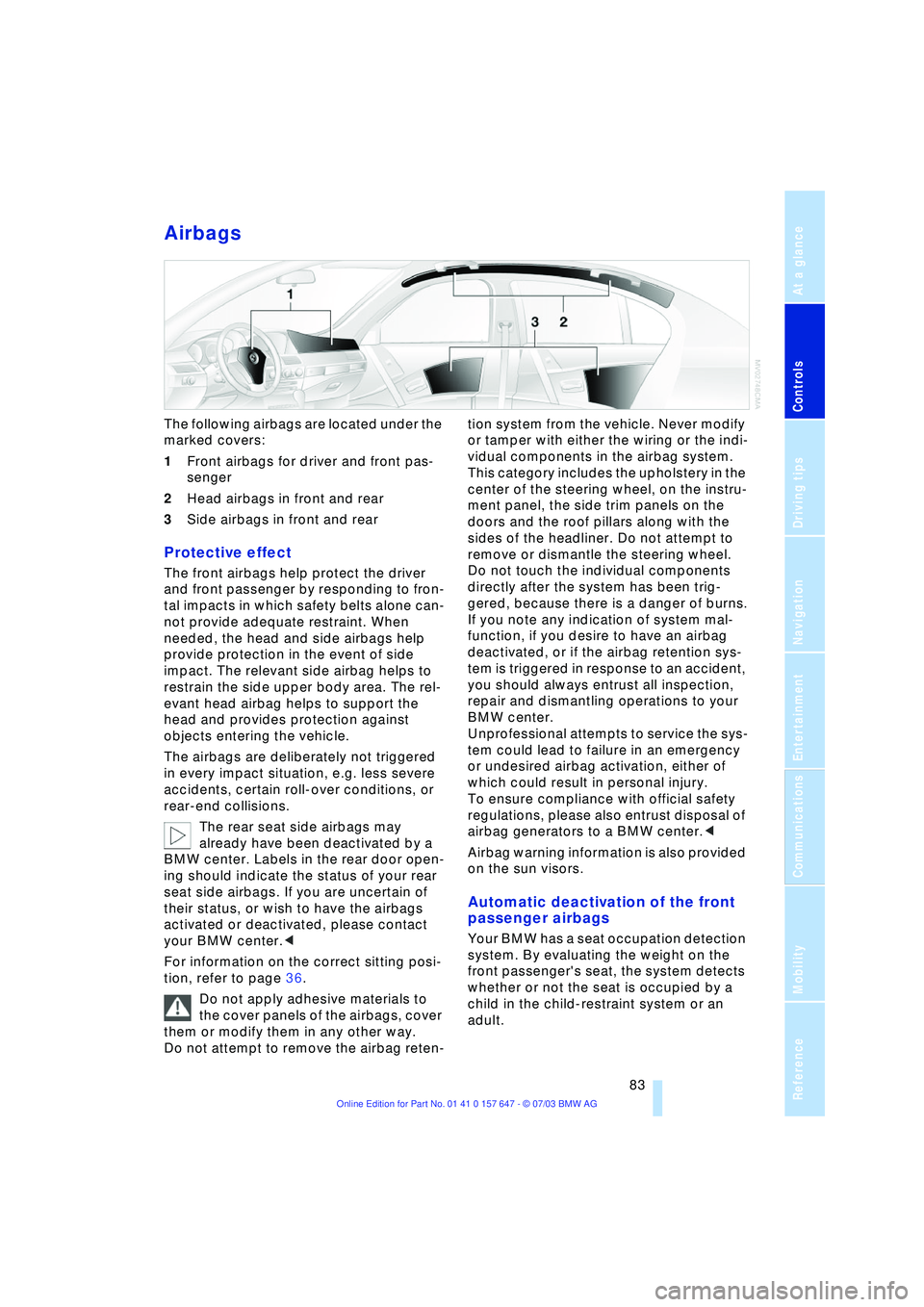
The following airbags are located under the
marked covers:
1Front airbags for driver and front pas-
senger
2Head airbags in front and rear
3Side airbags in front and rear
Protective effect
The front airbags help protect the driver
and front passenger by responding to fron-
tal impacts in which safety belts alone can-
not provide adequate restraint. When
needed, the head and side airbags help
provide protection in the event of side
impact. The relevant side airbag helps to
restrain the side upper body area. The rel-
evant head airbag helps to support the
head and provides protection against
objects entering the vehicle.
The airbags are deliberately not triggered
in every impact situation, e.g. less severe
accidents, certain roll-over conditions, or
rear-end collisions.
The rear seat side airbags may
already have been deactivated by a
BMW center. Labels in the rear door open-
ing should indicate the status of your rear
seat side airbags. If you are uncertain of
their status, or wish to have the airbags
activated or deactivated, please contact
your BMW center.<
For information on the correct sitting posi-
tion, refer to page 36.
Do not apply adhesive materials to
the cover panels of the airbags, cover
them or modify them in any other way.
Do not attempt to remove the airbag reten-tion system from the vehicle. Never modify
or tamper with either the wiring or the indi-
vidual components in the airbag system.
This category includes the upholstery in the
center of the steering wheel, on the instru-
ment panel, the side trim panels on the
doors and the roof pillars along with the
sides of the headliner. Do not attempt to
remove or dismantle the steering wheel.
Do not touch the individual components
directly after the system has been trig-
gered, because there is a danger of burns.
If you note any indication of system mal-
function, if you desire to have an airbag
deactivated, or if the airbag retention sys-
tem is triggered in response to an accident,
you should always entrust all inspection,
repair and dismantling operations to your
BMW center.
Unprofessional attempts to service the sys-
tem could lead to failure in an emergency
or undesired airbag activation, either of
which could result in personal injury.
To ensure compliance with official safety
regulations, please also entrust disposal of
airbag generators to a BMW center.<
Airbag warning information is also provided
on the sun visors.
Automatic deactivation of the front
passenger airbags
Your BMW has a seat occupation detection
system. By evaluating the weight on the
front passenger's seat, the system detects
whether or not the seat is occupied by a
child in the child-restraint system or an
adult.
Page 108 of 220
Things to remember when driving
106
Things to remember when driving
Break-in procedures
To ensure that your vehicle continues to
provide optimized economy of operation
throughout an extended service life, we
request that you devote careful attention to
the following section.
Engine and differential
Up to 1,200 miles/2,000 km:
You should attempt to vary both vehicle
and engine speeds. Until the break-in
period has been completed, you should
also refrain from exceeding an engine
speed of 4,500 rpm or a driving speed of
100 mph/160 km/h.
Always obey all official speed limits.
Avoid full-throttle operation and use of the
transmission's kickdown mode during
these initial miles.
Once you have driven 1,200 miles/
2,000 km, the engine and vehicle speeds
can be gradually increased.
You should also comply with these break-in
procedures should the engine or differen-
tial need to be replaced at a later point.
Sequential manual transmission
SMG
Do not use the acceleration assistant dur-
ing the break-in period.
Tires
Due to technical factors associated with
their manufacture, tires do not achieve their
full traction potential until after an initial
break-in period. Therefore, drive reservedly
during the first 200 miles/300 km.
Brake system
Brakes require an initial break-in period of
approx. 300 miles/500 km to achieve opti-
mized contact and wear patterns between
brake pads and rotors.
Clutch
The function of the clutch is only at its opti-
mized level after a distance driven of
approx. 300 miles/500 km. During this
break-in period, engage the clutch gently.
General driving notes
High temperatures
Extreme temperatures occur at the
catalytic converter on this and every
catalyst-equipped vehicle. Do not remove
the heat shields installed adjacent to vari-
ous sections of the exhaust system, and
never apply undercoating to them. When
driving, standing at idle and while parking
take care to avoid possible contact
between the hot exhaust system and any
highly flammable materials such as hay,
leaves, grass, etc. Such contact could lead
to a fire, and with it the risk of serious prop-
erty damage as well as personal injury.<
Parking the vehicle
Condensation forms in the air conditioner
system during operation, and then exits
under the vehicle. Traces of condensed
water under the vehicle are thus normal.
Before driving into the car wash
Fold in the exterior mirrors, refer to
page 42, as otherwise they could be dam-
aged due to the width of the vehicle.
Hydroplaning
When driving on wet or slushy roads,
reduce road speed. If you do not, a
wedge of water can form between tires and
road surface.This phenomenon is referred
to as hydroplaning, and is characterized by
a partial or complete loss of contact
between the tires and the road surface, ulti-
mately undermining your ability to steer
and brake the vehicle.<
Page 139 of 220
Navigation
Entertainment
Driving tips
137Reference
At a glance
Controls
Communications
Mobility
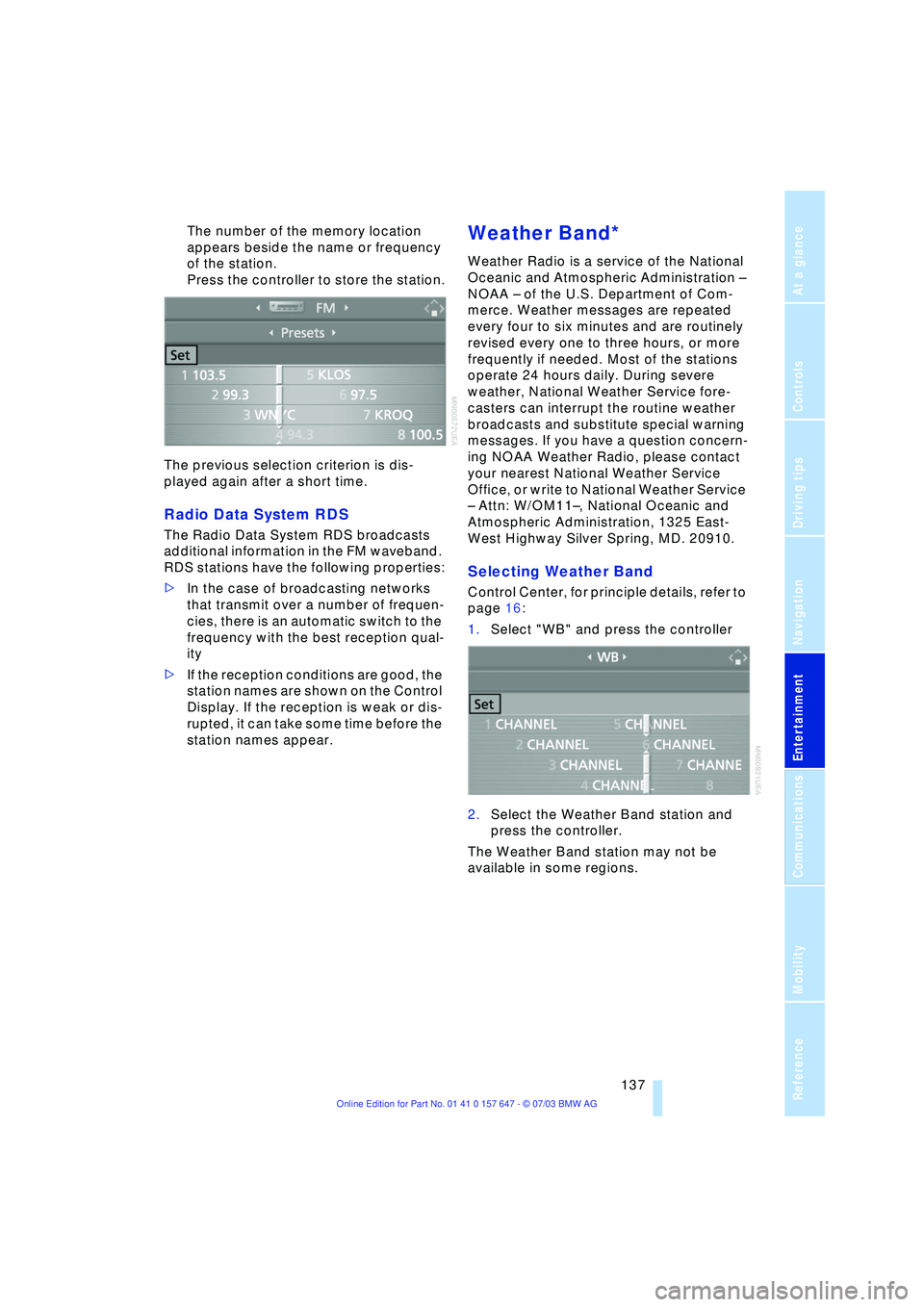
The number of the memory location
appears beside the name or frequency
of the station.
Press the controller to store the station.
The previous selection criterion is dis-
played again after a short time.
Radio Data System RDS
The Radio Data System RDS broadcasts
additional information in the FM waveband.
RDS stations have the following properties:
>In the case of broadcasting networks
that transmit over a number of frequen-
cies, there is an automatic switch to the
frequency with the best reception qual-
ity
>If the reception conditions are good, the
station names are shown on the Control
Display. If the reception is weak or dis-
rupted, it can take some time before the
station names appear.
Weather Band*
Weather Radio is a service of the National
Oceanic and Atmospheric Administration Ð
NOAA Ð of the U.S. Department of Com-
merce. Weather messages are repeated
every four to six minutes and are routinely
revised every one to three hours, or more
frequently if needed. Most of the stations
operate 24 hours daily. During severe
weather, National Weather Service fore-
casters can interrupt the routine weather
broadcasts and substitute special warning
messages. If you have a question concern-
ing NOAA Weather Radio, please contact
your nearest National Weather Service
Office, or write to National Weather Service
Ð Attn: W/OM11Ð, National Oceanic and
Atmospheric Administration, 1325 East-
West Highway Silver Spring, MD. 20910.
Selecting Weather Band
Control Center, for principle details, refer to
page 16:
1.Select "WB" and press the controller
2.Select the Weather Band station and
press the controller.
The Weather Band station may not be
available in some regions.
Page 142 of 220
Radio
140
Changing channel using buttons in
the center console
Press to the desired direction briefly.
The system switches to the next channel.
Notes
When there is a signal blockage or the
transmission is suspended momentarily for
more than 4 seconds, a message appears
on the Control Display.
Service may be interrupted or
unavailable for specific reasons such
as environmental or topographic condi-
tions and others that Satellite Radio cannot
directly control.
Signal may not be available under tunnels,
in parking garages, next to tall buildings,
nearby trees with dense foliage, nearby
mountains or other possible strong sources
of radio interference.
Service should resume normally after the
source of signal unavailability has been
cleared.<
Page 151 of 220
Communications
This chapter summarizes how you
operate your BMW portable phone
via the Control Center or voice
control and how you use
BMW Assist or TeleService.
Page 152 of 220
Telephoning
150
Telephoning
Safety notice
For your own safety
A car phone makes life more convenient in
many ways, and can even save lives in an
emergency. While you should consult your
portable phone's separate Owner's Manual
for a detailed description of safety precau-
tions and information, we request that you
direct your particular attention to the fol-
lowing:
Adjustments
To avoid posing a danger to yourself
and other road users, never adjust the
system settings unless your vehicle is com-
pletely stationary.<
Using the phone in your vehicle
Using a portable phone to make and
receive calls while driving is now ille-
gal in virtually every country in the world.
Always use your hands-free unit, or stop
your vehicle in an area where you will not
pose a safety hazard to other road users.<
Vehicles and portable phones
Do not use your phone from within a
garage, or near an open hood. The air
in these areas could contain fuel vapors,
and the portable phone might generate
sparks that could result in burns.
This same precaution applies to open lug-
gage compartment lids on vehicles
equipped for operation using natural gas or
hydrogen, and to all vehicles with luggage
compartment-mounted batteries.<
Antenna
When using the phone, ensure that all
persons in the area are at least 20 in/
50 cm from the antenna. Never use your
BMW portable phone if the antenna is dam-
aged. Contact between your skin and a
damaged antenna can result in minor burns.
If the antenna is damaged, have it replaced
immediately.<
Special environmental conditions
Always switch off your BMW portable
phone in areas where blasting work is
being conducted with explosives. The
phone signals could potentially act as a
high-frequency transmitter and set off
explosions.
Always switch off your BMW portable
phone in areas where an increased explo-
sion danger is present. This category
includes filling stations along with fuel and
chemical storage depots, etc., and all
areas in which the air can contain fuel,
chemicals or metal particles. Under these
conditions, your BMW portable phone
could conceivably generate sparks that
could lead to a fire or explosion. Always
observe all legal regulations governing the
use of portable phones in the vicinity of fill-
ing stations, chemical factories and other
areas where an explosion potential exists.
Never use the BMW portable phone in air-
craft; do not use this portable phone in hos-
pitals, care centers or at other locations
where medical equipment may be in oper-
ation, such as accident sites, etc.
Your service provider can furnish you with
more detailed information on legal regula-
tions governing the use of your phone.<
Medical equipment
Portable phones can generate inter-
ference capable of preventing hearing
aids and cardiac pacemakers from operat-
ing correctly. If you or any occupant of the
vehicle will be using such equipment, con-
sult a physician or the manufacturer of the
equipment to determine whether it is ade-
quately shielded against high-frequency
energy.<
Page 158 of 220
Telephoning
156
Touch tone dialing
Touch tone numbers are required for
access to network services or to control
devices, e.g. remote querying on an
answering machine.
This function can only be used during an
existing connection.
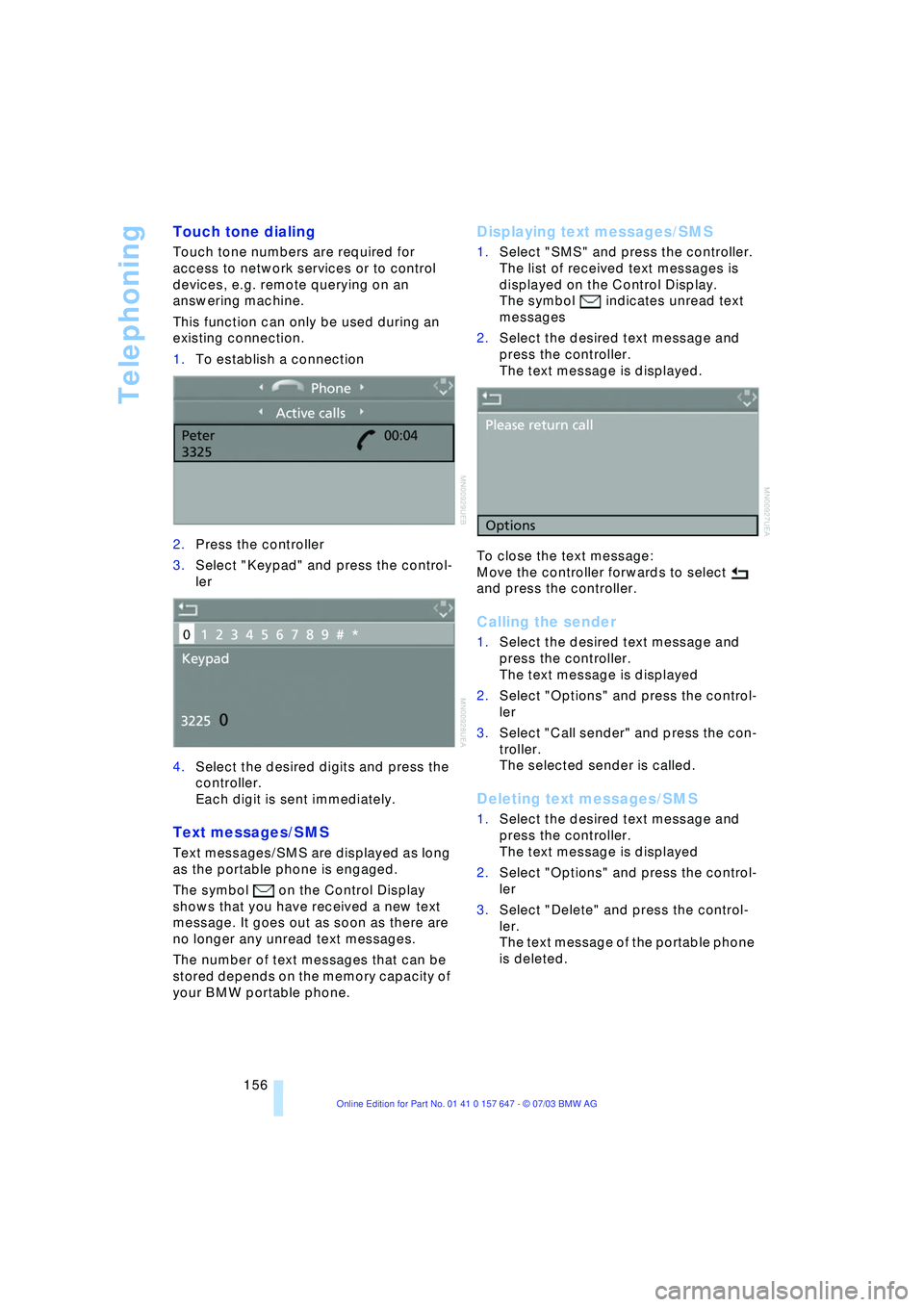
1.To establish a connection
2.Press the controller
3.Select "Keypad" and press the control-
ler
4.Select the desired digits and press the
controller.
Each digit is sent immediately.
Text messages/SMS
Text messages/SMS are displayed as long
as the portable phone is engaged.
The symbol on the Control Display
shows that you have received a new text
message. It goes out as soon as there are
no longer any unread text messages.
The number of text messages that can be
stored depends on the memory capacity of
your BMW portable phone.
Displaying text messages/SMS
1.Select "SMS" and press the controller.
The list of received text messages is
displayed on the Control Display.
The symbol
indicates unread text
messages
2.Select the desired text message and
press the controller.
The text message is displayed.
To close the text message:
Move the controller forwards to select
and press the controller.
Calling the sender
1.Select the desired text message and
press the controller.
The text message is displayed
2.Select "Options" and press the control-
ler
3.Select "Call sender" and press the con-
troller.
The selected sender is called.
Deleting text messages/SMS
1.Select the desired text message and
press the controller.
The text message is displayed
2.Select "Options" and press the control-
ler
3.Select "Delete" and press the control-
ler.
The text message of the portable phone
is deleted.
Page 163 of 220
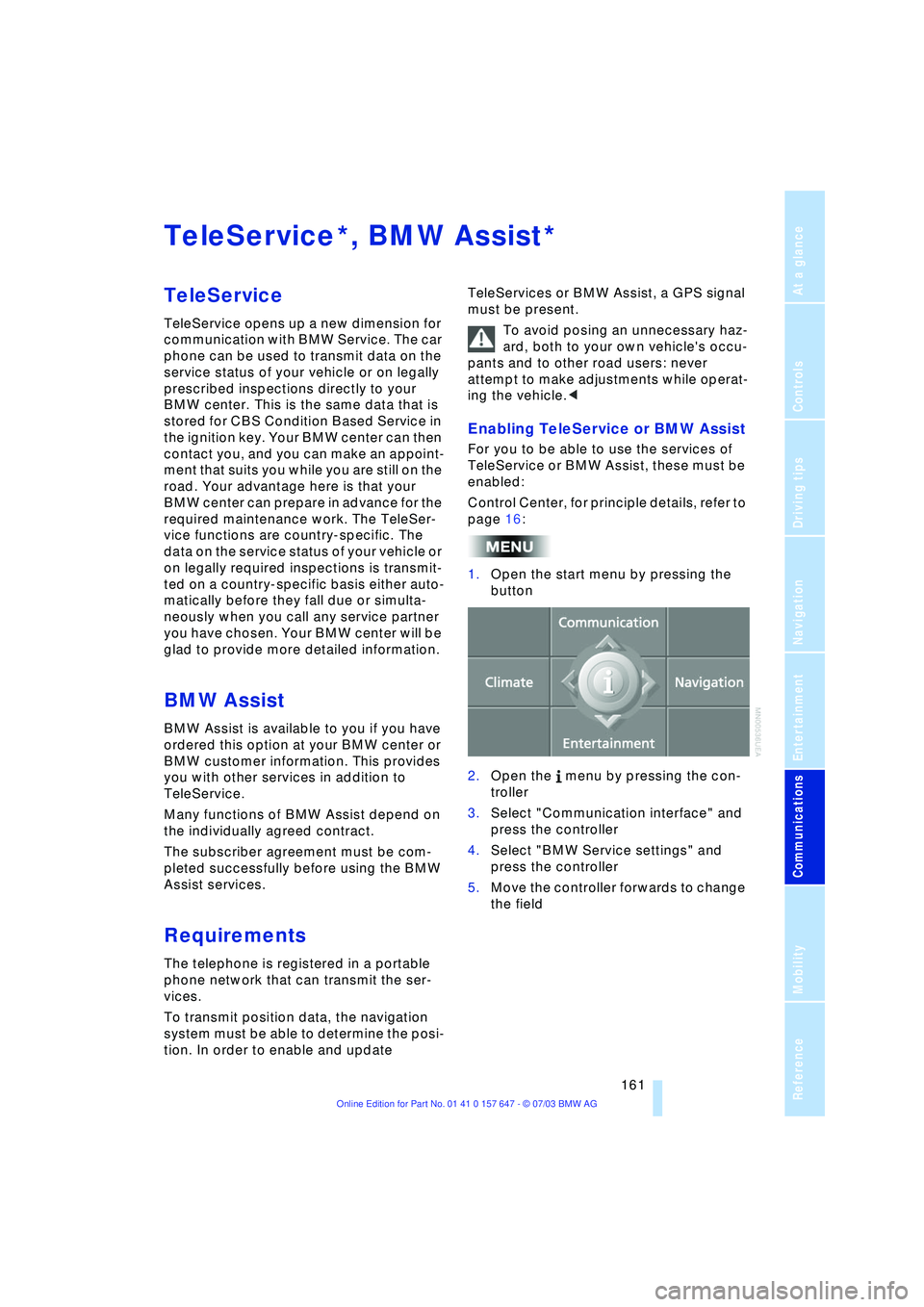
161
Entertainment
Reference
At a glance
Controls
Driving tips Communications
Navigation
Mobility
TeleService , BMW Assist
TeleService
TeleService opens up a new dimension for
communication with BMW Service. The car
phone can be used to transmit data on the
service status of your vehicle or on legally
prescribed inspections directly to your
BMW center. This is the same data that is
stored for CBS Condition Based Service in
the ignition key. Your BMW center can then
contact you, and you can make an appoint-
ment that suits you while you are still on the
road. Your advantage here is that your
BMW center can prepare in advance for the
required maintenance work. The TeleSer-
vice functions are country-specific. The
data on the service status of your vehicle or
on legally required inspections is transmit-
ted on a country-specific basis either auto-
matically before they fall due or simulta-
neously when you call any service partner
you have chosen. Your BMW center will be
glad to provide more detailed information.
BMW Assist
BMW Assist is available to you if you have
ordered this option at your BMW center or
BMW customer information. This provides
you with other services in addition to
TeleService.
Many functions of BMW Assist depend on
the individually agreed contract.
The subscriber agreement must be com-
pleted successfully before using the BMW
Assist services.
Requirements
The telephone is registered in a portable
phone network that can transmit the ser-
vices.
To transmit position data, the navigation
system must be able to determine the posi-
tion. In order to enable and update TeleServices or BMW Assist, a GPS signal
must be present.
To avoid posing an unnecessary haz-
ard, both to your own vehicle's occu-
pants and to other road users: never
attempt to make adjustments while operat-
ing the vehicle.<
Enabling TeleService or BMW Assist
For you to be able to use the services of
TeleService or BMW Assist, these must be
enabled:
Control Center, for principle details, refer to
page 16:
1.Open the start menu by pressing the
button
2.Open the menu by pressing the con-
troller
3.Select "Communication interface" and
press the controller
4.Select "BMW Service settings" and
press the controller
5.Move the controller forwards to change
the field
**
Page 164 of 220
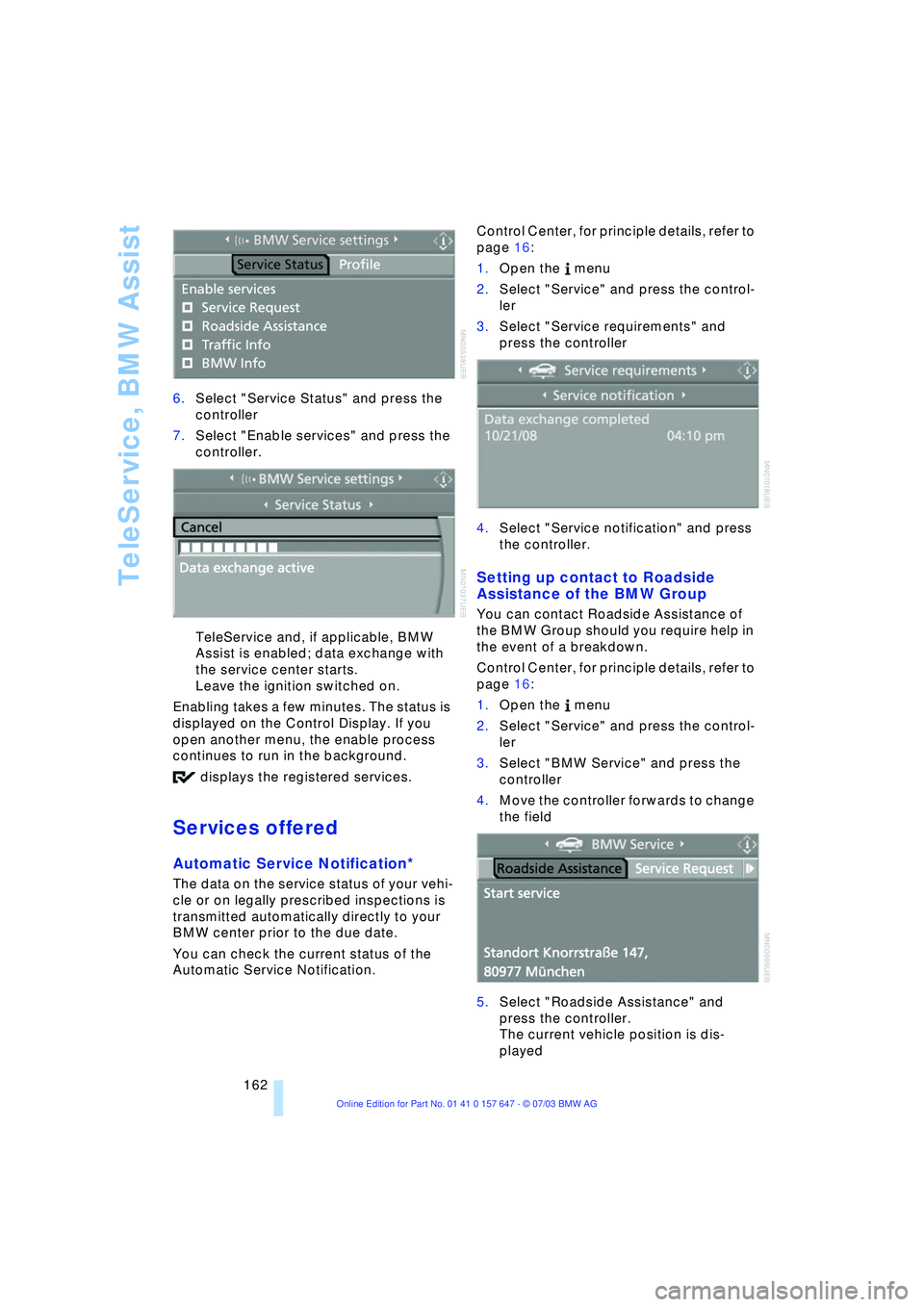
TeleService, BMW Assist
162 6.Select "Service Status" and press the
controller
7.Select "Enable services" and press the
controller.
TeleService and, if applicable, BMW
Assist is enabled; data exchange with
the service center starts.
Leave the ignition switched on.
Enabling takes a few minutes. The status is
displayed on the Control Display. If you
open another menu, the enable process
continues to run in the background.
displays the registered services.
Services offered
Automatic Service Notification*
The data on the service status of your vehi-
cle or on legally prescribed inspections is
transmitted automatically directly to your
BMW center prior to the due date.
You can check the current status of the
Automatic Service Notification. Control Center, for principle details, refer to
page 16:
1.Open the menu
2.Select "Service" and press the control-
ler
3.Select "Service requirements" and
press the controller
4.Select "Service notification" and press
the controller.
Setting up contact to Roadside
Assistance of the BMW Group
You can contact Roadside Assistance of
the BMW Group should you require help in
the event of a breakdown.
Control Center, for principle details, refer to
page 16:
1.Open the menu
2.Select "Service" and press the control-
ler
3.Select "BMW Service" and press the
controller
4.Move the controller forwards to change
the field
5.Select "Roadside Assistance" and
press the controller.
The current vehicle position is dis-
played